

Sorry, there were no results found for “”
Sorry, there were no results found for “”
Sorry, there were no results found for “”
Voice tools do three different jobs. Some control your phone and home, while others capture meetings. There are also a few that answer business calls for you. No single tool wins all three, so to answer ‘what’s the best AI voice assistant’, ask what voice work you need done instead.
Then, match the tool to that job, because mismatches cost you in both directions: a contact-center platform is overkill for setting reminders, and a notetaker can’t run your support line.
Quick answer: Siri and Gemini Live lead on phone and home control. If you need meetings captured, that’s where Otter.ai and Fireflies.ai earn their spot. Retell AI, PolyAI, and Spitch are the best options to take on customer calls.
This guide breaks down the top 11 AI voice assistants. You can match one to your workflow instead of guessing from a demo.
An AI voice assistant is software that turns spoken language into actions, answers, summaries, or workflow updates. The best tools do more than speech-to-text. They understand intent, keep context across turns, and connect voice input to another system such as your calendar, task manager, CRM, or phone stack.
Weigh a voice AI assistant on six things: real-world speech accuracy, context retention, workflow depth, pricing model, security and compliance, and fit for your environment. Here’s what each one means.
One contrarian point: a more realistic voice is not always a better product. For internal team use, reliability usually matters more than personality. For outbound or customer-facing calls, the opposite can be true. You need to buy for the use case.
| Tool | Best for | Standout feature | Pricing* | Where it taps out |
|---|---|---|---|---|
| Gemini Live | Hands-free help across Google apps | It routes between Gmail, Calendar, Maps, and Flights by voice without switching apps | Free with the Gemini app; Google One AI Premium $19.99/mo | Its reach is strongest inside Google’s own ecosystem |
| Siri | Apple-first personal productivity | It controls iPhone, Watch, Mac, HomePod, and CarPlay hands-free | Included with Apple devices | It does little outside the Apple ecosystem |
| Alexa+ | Hands-free help across Echo, Fire TV, and browser | It carries one conversation across browser, app, Echo, and Fire TV | Free with Amazon Prime | It is built for the home, not meetings or enterprise voice |
| ClickUp | Voice tied to tasks, docs, and execution | Its spoken input turns straight into tasks, docs, and meeting notes | Free; paid plans start at $7/user/mo | It does more than a voice layer, so setup takes longer |
| Otter.ai | Meeting transcription and cross-meeting recall | It answers questions from your full meeting history by voice | Free; paid plans start at $16.99/mo | Its accuracy slips on messy audio and overlapping speakers |
| Fireflies.ai | Meeting intelligence and post-call analysis | It tracks talk-time, sentiment, and topics across every call | Free; paid plans start at $18/mo | It feels heavy if you only want core transcription |
| Retell AI | Phone-based AI voice agents | Its calls run at 600ms latency for natural phone flows | Pay-as-you-go starts at $0.07/minute | It needs clear call design and someone to own deployment |
| PolyAI | Enterprise customer service automation | Its Raven model is trained on enterprise conversations | Custom pricing | It is too heavy for most SMB use cases |
| Spitch | Multilingual, regulated contact centers | Its voice biometrics verify callers in seconds | Custom pricing | Its pricing is private and the buying motion is enterprise-led |
| Lindy | Flexible AI assistant workflows | It runs an agentic workflow layer beneath the voice | Paid plans start at $49.99/mo | It needs more setup than a focused voice tool |
| Bixby | Samsung device navigation | Its Quick Commands chain multiple actions into one trigger | Included with Samsung Galaxy devices | It is a weak fit outside Samsung hardware |
Here’s a quick video summary of the best AI voice assistants that actually help you get work done:
How we review software at ClickUp
Our editorial team follows a transparent, research-backed, and vendor-neutral process, so you can trust that our recommendations are based on real product value.
Here’s a detailed rundown of how we review software at ClickUp.
Eleven tools made this list: Gemini Live, Siri, Alexa+, ClickUp, Otter.ai, Fireflies.ai, Retell AI, PolyAI, Spitch, Lindy, and Bixby. Each one wins at a different voice job and falls short at the others. Every pick below gets the same treatment.
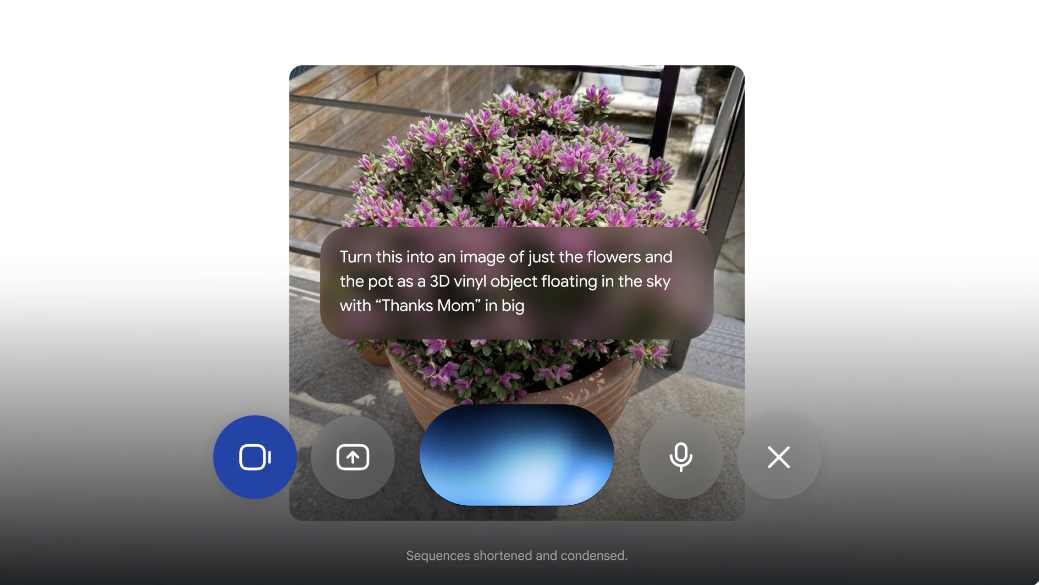
Gemini Live is Google’s voice interface built into the Gemini app. It replaces Google Assistant as the primary way to talk to your phone on Android. You speak, it responds, and the conversation stays open so you can follow up.
Where it pulls ahead of the old Assistant is how much it can reach. Ask it to check Gmail, find flights, set calendar events, or pull directions, and it routes between services without you switching apps. It also returns visual cards mid-conversation: maps, weather, photos, links, surfaced when they’re relevant to what you said.
Verdict on Gemini Live: Pick it if Google runs your personal stack and you want a voice assistant that moves across email, calendar, search, and maps in one thread. Skip it if your work lives outside Google’s ecosystem or if you need meeting transcription and task management tied to voice input.
Hear about Gemini Live from a G2 reviewer:
I love the seamless integration of Gemini with all our Google Workspace apps, which saves me loads of time by leveraging AI to automate manual tasks. The variety of applications is amazing; I use it to transcribe and analyze all my Google Meet meetings and to perfect my formulas in Google Sheets. It’s second nature for me to use it across all workspace apps, and I couldn’t live without it now.
Fun Fact: Point your camera at anything and ask Gemini Live questions about it. You can also trigger creative features like ‘Nano Banana’ to completely reimagine your surroundings with AI-generated imagery.
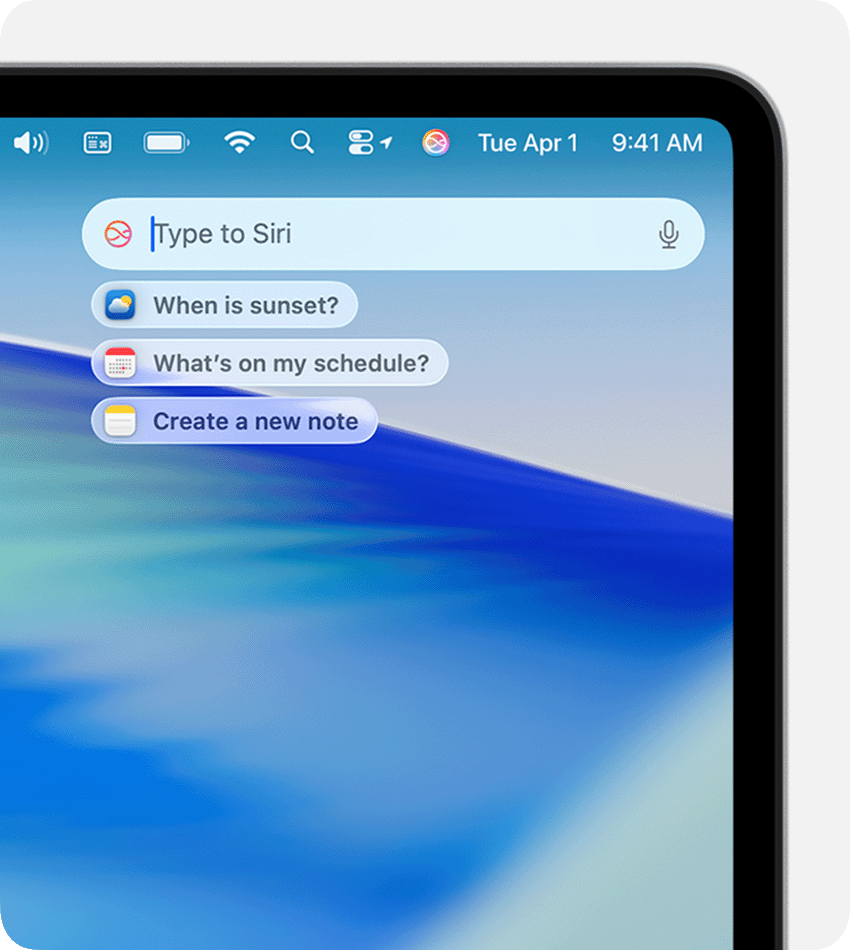
No third-party assistant has the depth of hardware access across the Apple lineup as Siri does. It controls your iPhone, Watch, Mac, HomePod, and CarPlay by voice. You can set a reminder, send a text, or dim the lights without touching a screen. For people already living inside Apple’s ecosystem, that native reach is the whole appeal.
Siri vs. Siri AI: There are two Siris in 2026. The one on your phone today is the familiar command-response assistant. It now comes with an optional ChatGPT handoff for harder questions. The rebuilt conversational version, rebranded Siri AI and running on a custom Google Gemini model, was demoed at WWDC in June. It is scheduled to ship with iOS 27.
Final verdict on Siri: Pick Siri if you live across Apple devices and want hands-free control of reminders, messages, and more. Skip it if you need meeting transcription, business call automation, or deeper cross-app workflows, where Otter does far more.
This is how much a Redditor trusts Siri:
It’s pretty good. Instead of Googling stuff i just use the Siri app now & review the linked sources.
Did You Know? Apple and Google entered a multi-year collaboration in early 2026. Meaning, the next generation of Apple Foundation Models will be based on Google’s Gemini models and cloud technology. This will birth a more personalized Siri.
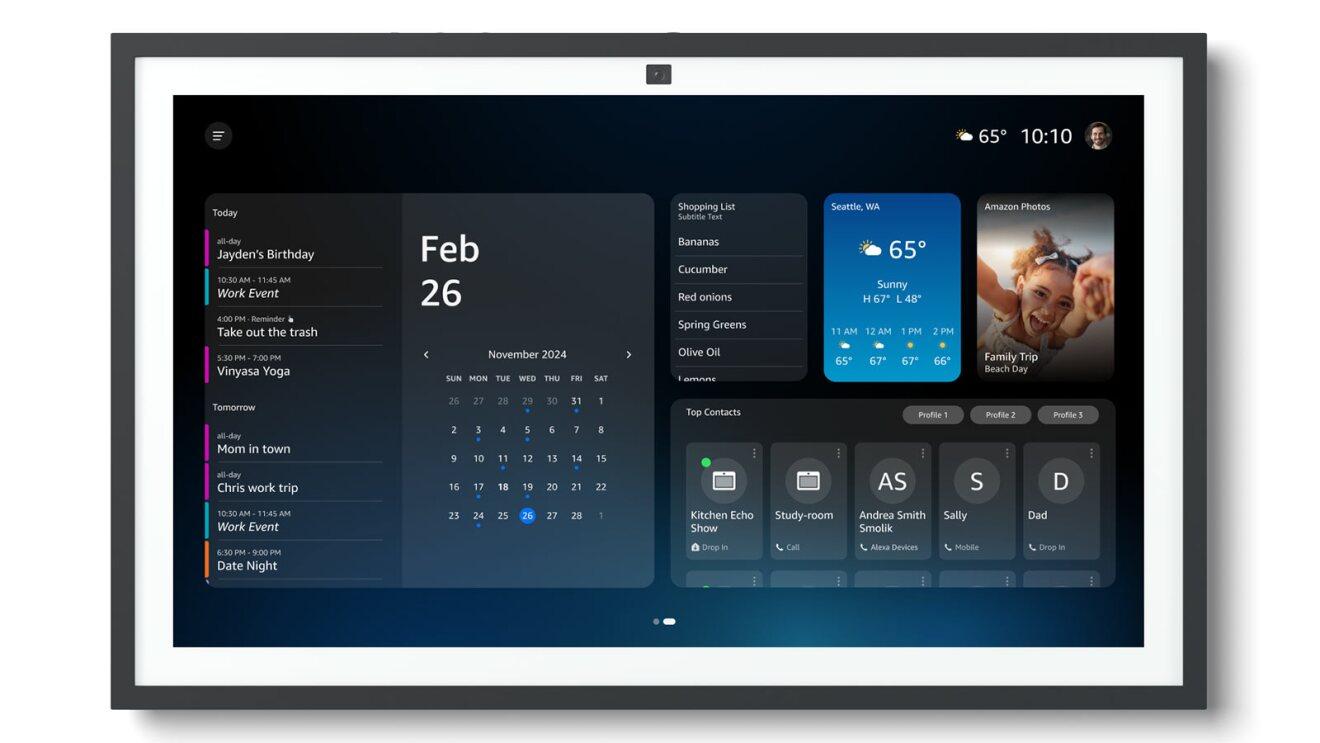
Start a conversation on your laptop, continue it on the Alexa app while walking, and pick it back up on an Echo at home. That cross-device continuity is the core pitch of Alexa+ as a top AI voice assistant. Amazon rebuilt Alexa around natural conversation, context memory, and the ability to take action on what you ask.
The upgrade shows in how it handles topic shifts. You can interrupt mid-sentence, change subjects, or circle back to something from earlier. Alexa keeps the thread. It remembers your preferences over time and tailors answers around them.
Verdict on Alexa+: Pick it if you have Echo devices at home, use Prime, and want a voice assistant that flows between your browser and speakers without losing context. Skip it if your work lives outside Amazon’s ecosystem or if you need meeting capture and task management.
Hear about Alexa+ from a Redditor:
Alexa+ is fine. I chose a voice i liked, a calm laid back male voice. It’s much easier to speak to in a more conversational way rather than having to structure a sentence just the right way.
Want a closer look at how transcription fits into the voice assistant stack? This video breaks down five tools that turn speech into searchable text:
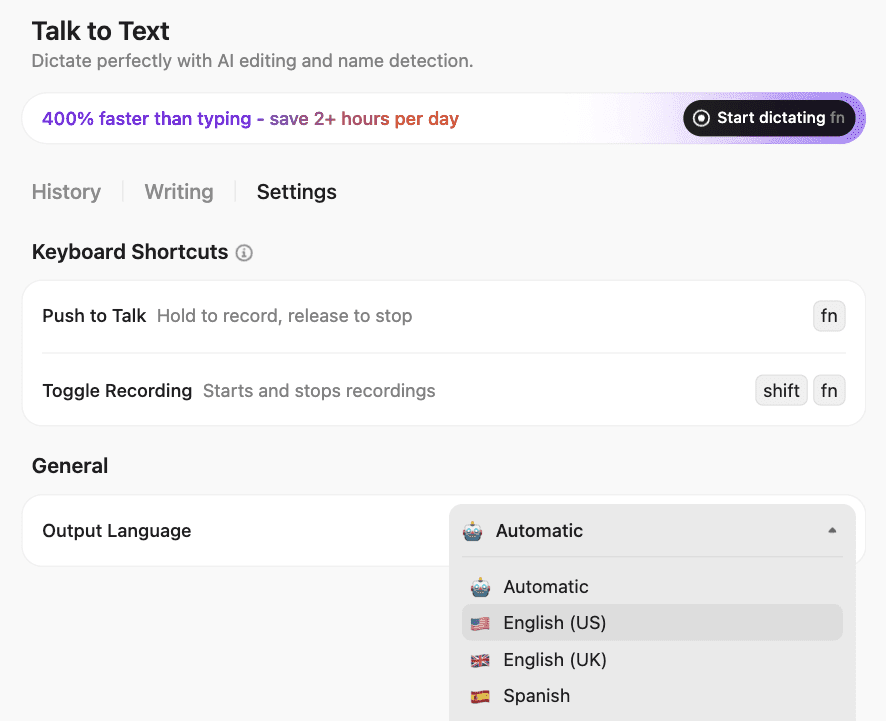
Talk to Text in ClickUp is a voice-first interface to ClickUp’s AI-powered workspace. You can use it to format text, add emojis, create lists, @mention teammates and Super Agents, and stack multiple commands in one sentence
Talk to text in Brain MAX (the desktop and mobile app or the Chrome extension) lets you dictate inside Gmail, iMessage, Notion, Slack, and anywhere there’s a text field. Users can get support in over 40 languages. And because it plugs into your ClickUp workspace, connected apps, and the web, voice becomes an entry point to AI search, task creation, and automation.
ClickUp AI Notetaker handles the meeting side. It joins calls on Zoom, Meet, or Teams, records the conversation, and produces a transcript. These are layered with speaker labels, a summary, and extracted action items inside your workspace. Convert those action items directly into tasks with an assignee with zero manual effort.
Verdict on ClickUp: Pick it if your team already works in tasks, Docs, and chat and wants voice to feed directly into that system without an extra transcription layer in between. Skip it if you want a lightweight personal assistant or a voice agent that handles inbound phone calls.
Hear about ClickUp from a G2 reviewer:
I love how everything is in one place and how much you can customize it. I also love the AI features, especially the Notetaker, i use it a lot for turning quick notes or meeting summaries into actual task without much effort. It feels like the platform bends to fit my workflow instead of making me adapt to it.
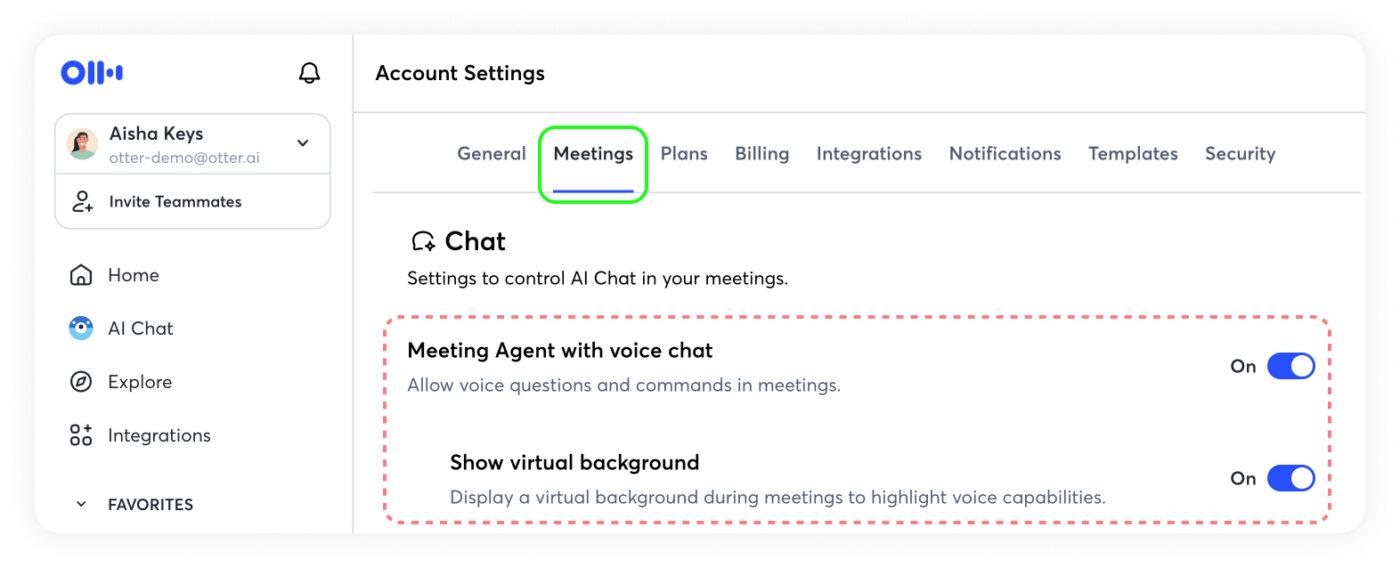
If your team runs on back-to-back calls and keeps rewriting the same notes after each one, Otter.ai is a safe pick. It listens in, sorts out who said what, and hands you a transcript you can search later.
What lifts it past a plain notetaker and into this list is voice capabilities that you can question after the meeting ends. Otter Meeting Agent lets you talk to it mid-call. For example, ask what a client said about the timeline last month, and it answers from your meeting history, not just the call you just left.
That cross-meeting recall is why meeting-heavy teams, like sales and customer support, keep it running in the background.
Verdict for Otter.ai: Pick Otter if your team needs reliable meeting capture and wants to pull answers from past calls by voice. Skip it if you need phone-call handling or workflow automation beyond the meeting itself.
This is what a G2 reviewer thinks about Otter.ai:
I love how otter records the meeting summarizes it and also if you ask it to it will highlight the key points of the meeting. It also has a timestamp of what was said and by who.
A study found that satisfaction with voice-based digital assistants correlated directly with productivity and engagement. In other words, the more satusfied you are with your AI voice assistance, the more productive you’ll be using it!
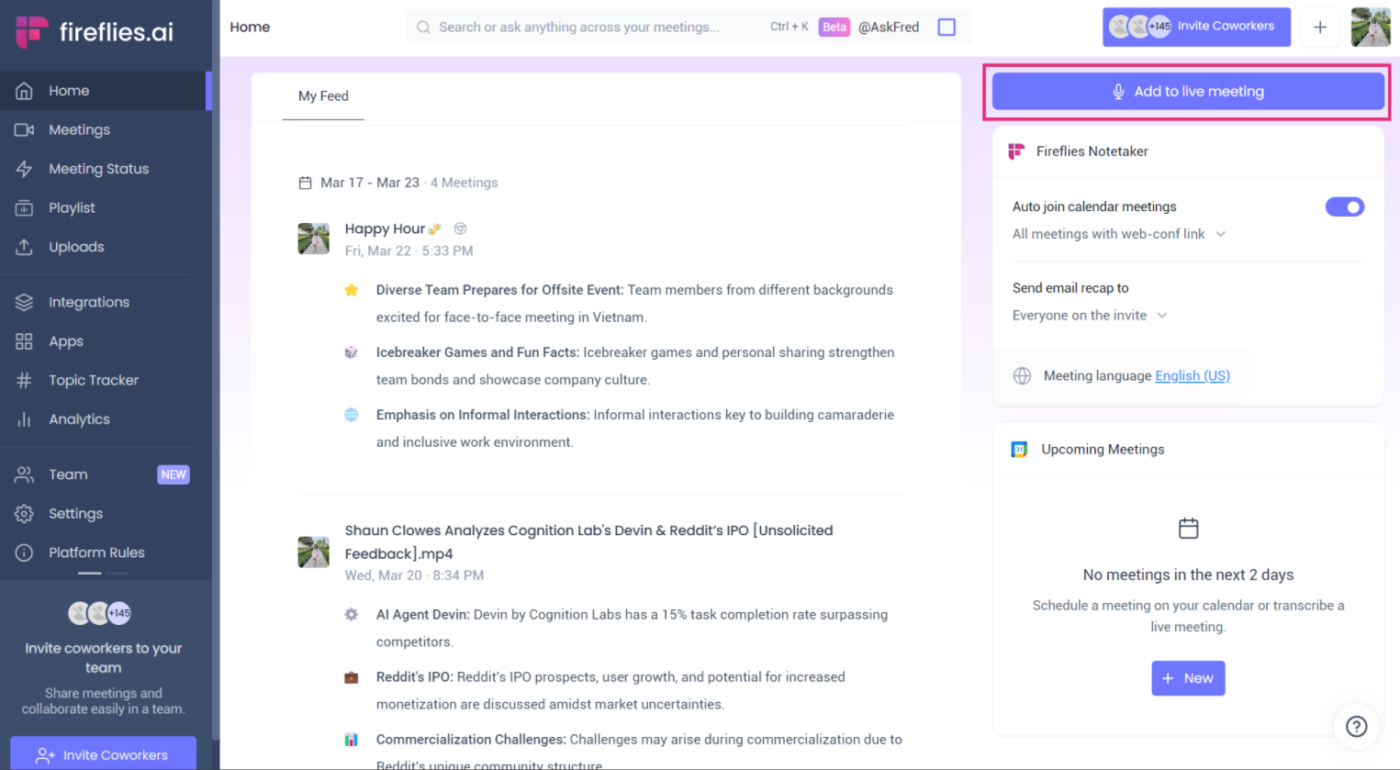
Fireflies.ai is a strong alternative to Otter.ai if your team wants more than call recording and transcription. Every meeting gets a structured summary with action items, but Fireflies layers conversation intelligence on top. You get speaker talk-time tracking, sentiment analysis, topic trackers, and AI filters that let you slice calls by theme or outcome.
Sales teams measuring rep performance or product teams mining user research interviews can pick Fireflies.ai for its analytical approach. Its retrieval interface, Ask Fred is another reason. Ask it a question about any past meeting, and it returns answers with timestamps.
Verdict for Fireflies.ai: Pick it if your team treats meetings as a data source and wants analytics, coaching, and structured extraction layered on top of transcription. Skip it if you want a lightweight notetaker without the conversation intelligence overhead.
How Fireflies.ai helps, according to a G2 reviewer:
What I like most about Fireflies.ai is that it automatically records, transcribes, and summarizes meetings, which ends up saving me a lot of time. The UI feels clean and easy to navigate, the summaries are surprisingly accurate, and it integrates smoothly with tools like Zoom and Google Meet.
Watch this video to discover the best Fireflies.ai alternatives:
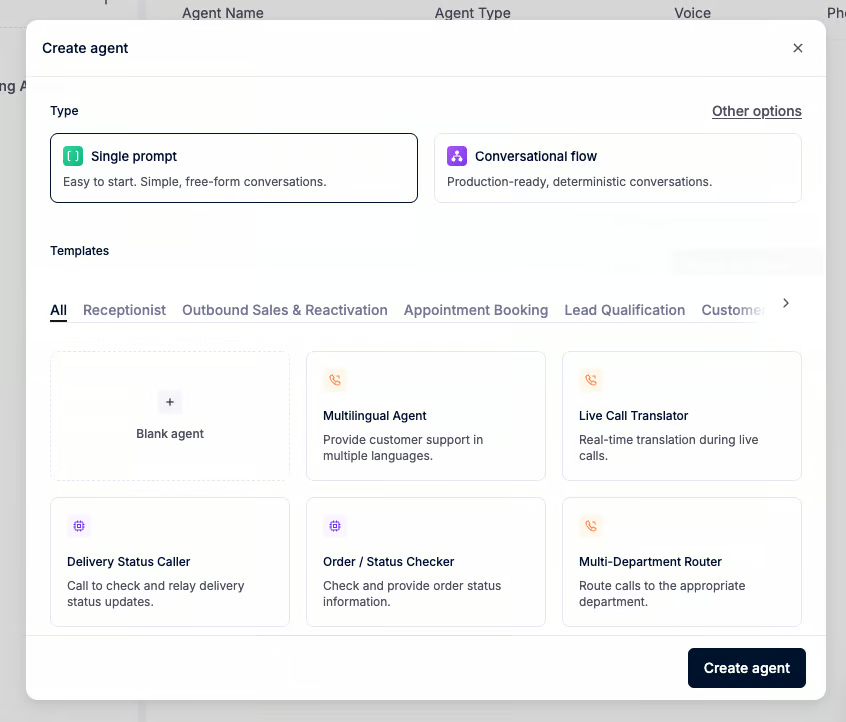
Sales, support, and appointment booking teams will prefer Retell AI over Siri or Alexa. It is a platform for building AI agents that talk on the phone. The biggest reason buyers look at Retell is realism. The calls sound more natural than many older IVR-style systems, and the product gives builders meaningful control over flows and integrations.
The trade-off is that you are buying into a builder platform, not a plug-and-play office assistant. Non-technical teams can use it, but the product still makes the most sense when you have clear call logic and someone who can own deployment quality.
Verdict for Retell AI: Pick it if your team needs AI agents that hold phone conversations, qualify leads, or book appointments at scale with low latency. Skip it if you want meeting transcription, personal device help, or a tool that works without designing call flows.
This is what a G2 reviewer thinks about Retell AI:
It’s fairly straightforward to build an autonomous AI phone-call agent, including real-time function calling and call transfers. I’m also impressed by the flow-building UX; it feels polished and easy to work with, especially thanks to features like batch calling and integrations with Twilio and Telnyx.
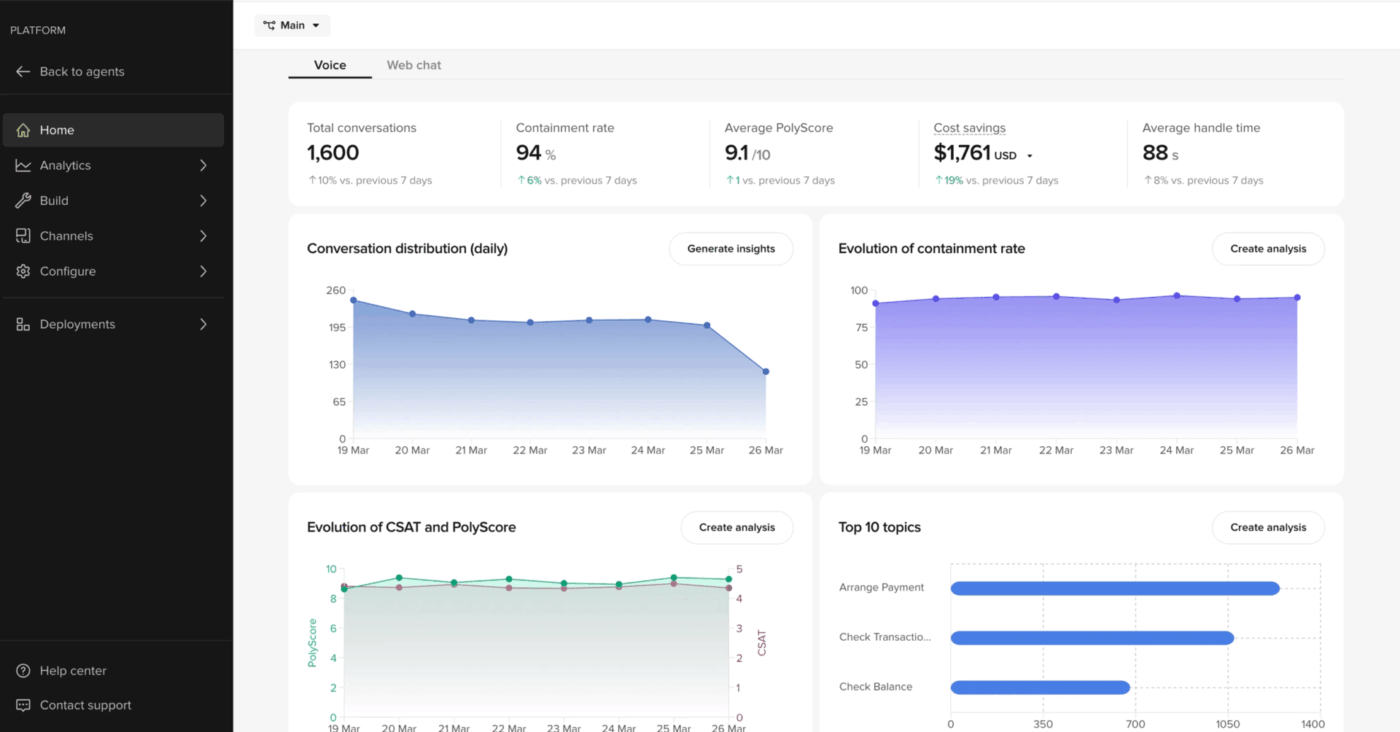
Large contact centers deal with fraud, outages, triage, and multilingual disputes every day. These teams need a vendor that owns the voice deployment from start to finish. PolyAI fills that role.
The platform runs on Raven, a proprietary model trained on over one billion enterprise conversations. That training shows in how well the agents handle complex calls: authentication, billing, reservations, order management, and routing across languages.
Two build paths are available. Poly Agent Builder works for non-technical teams. The ADK gives developers more control. Both share the same dialog runtime underneath.
Verdict for PolyAI: Pick it if your contact center handles complex, high-volume conversations and you want a vendor that owns deployment quality. Skip it if you need a self-serve builder or your call volume does not justify an enterprise program.
See why this G2 reviewer likes PolyAI:
I really like PolyAi tool because It is a best tool to help me to automate my calls for clients. It’s have very easy to use interface and easy to implement with any software. Their customer support is also good. I am using poly ai frequently. Apart from that Poly ai also have lots of features to use as an AI tool. Also it’s very easy to integrate.
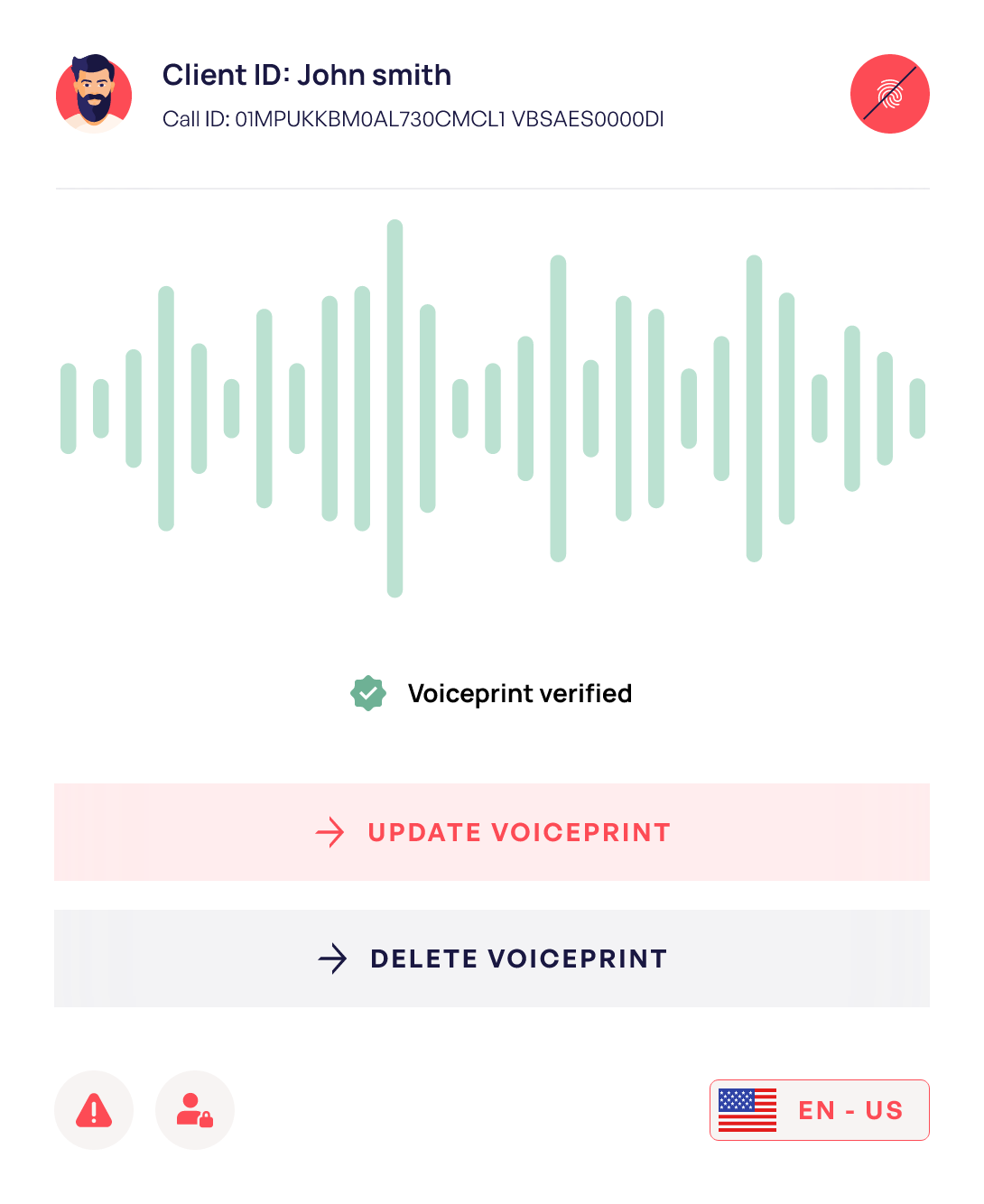
Voice biometrics is the piece that sets Spitch apart for regulated teams. Callers get verified in seconds, and the system checks identity throughout the call. Speech analytics scores 100% of calls, flags risk, and tracks sentiment. A knowledge agent powered by RAG feeds answers to bots and live agents so no one wastes time searching.
It works across voice, web chat, mobile apps, and messengers. Low-code tools and pre-built models keep setup faster than a full custom build.
Verdict for Spitch: Pick it if you run a regulated contact center and need voice verification, call scoring, and multilingual support in one place. Skip it if you want clear pricing, a self-serve trial, or a lighter tool.
This is what a G2 reviewer likes about Spitch:
Advance Speech Recognition and Multilingual Support for the Customers support
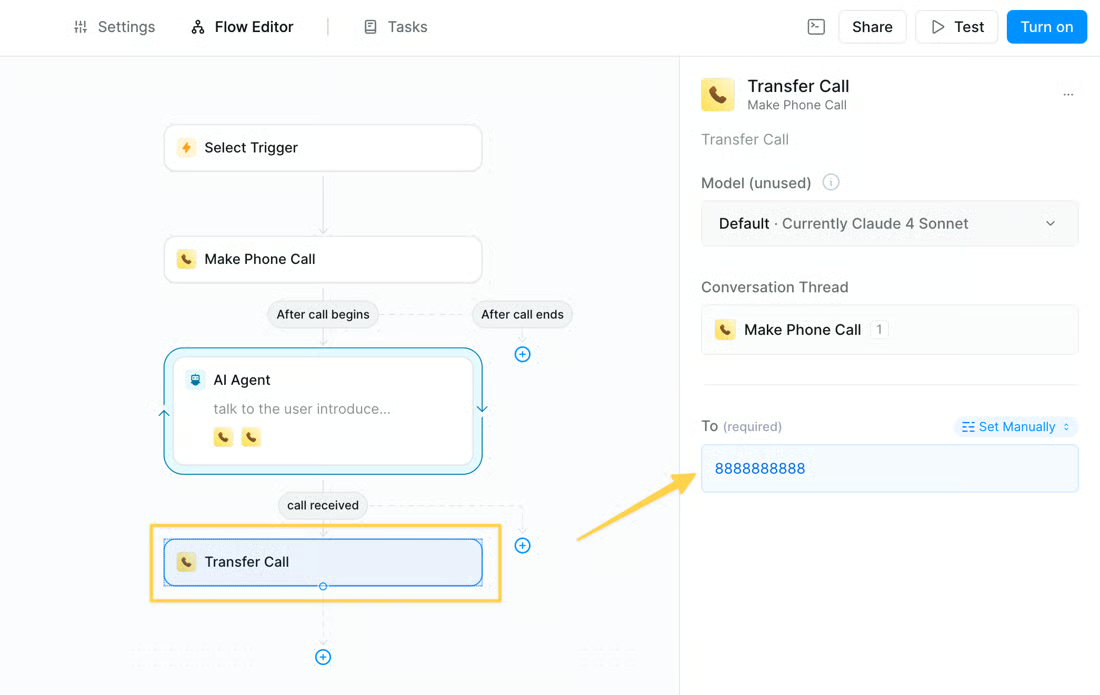
Lindy sits closer to the new agentic assistant category than to classic voice assistant products. It is useful if you want an AI assistant that can schedule, follow up, coordinate information, and connect across workflows. Voice is part of the package, but the bigger value is the workflow layer underneath.
That makes Lindy interesting, but also harder to compare directly with Otter, Siri, or Retell. It is best for users who want an adaptable assistant layer that can handle mixed workflows. The trade-off is that agent-style products require more setup logic than simpler voice tools.
Verdict for Lindy: Pick it if you want an AI assistant that handles admin work across email, calls, and follow-ups for your whole team. Skip it if you want a narrower tool for meeting notes, phone agents, or hands-free device control.
See why a G2 reviewer likes Lindy:
I like how it responds back to you and gives you good feedback. This program is amazing to me. It is my first time using any type of program such of this nature, and it helped me out so many ways to view my business and see bigger future towards market in my business, designing my business and helping my business grow.
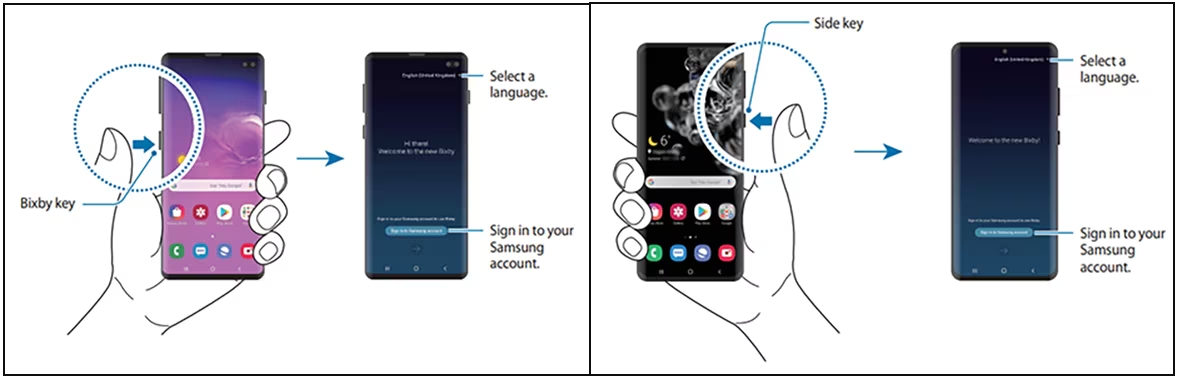
If you own a Galaxy phone, tablet, watch, or TV, Bixby lets you run them by voice. Change settings, open the camera, send a text, control smart home devices through SmartThings, or chain multiple steps into one command.
Quick Commands are where it gets useful. You say ‘I’m leaving work,’ and Bixby turns on Bluetooth, turns off Wi-Fi, and starts a playlist in order. This multi-step device control is deeper than what Siri or Google Assistant offer on Samsung hardware. It also handles accessibility features by voice: screen readers, magnifier zoom, color adjustments, and reading unread messages aloud.
Verdict for Bixby: Pick it if you are deep in Samsung hardware and want voice control over devices, settings, and smart home gear. Skip it if you need meeting notes, phone agents, or anything beyond device-level commands.
Hear about Bixby from a G2 reviewer:
One of the things I appreciate about Bixby is its ability to personalize its responses based on my preferences and past interactions. For example, if I frequently use a particular app, Bixby will suggest it when I ask for recommendations. It’s a small detail, but it shows that Bixby is paying attention to my habits and trying to make my experience more efficient.
Choosing an AI voice assistant comes down to one question: which job are you buying for? The market splits three ways: personal device control, meeting capture, and business calls. Here’s the shortlist:
If you are torn between two categories, you need to narrow the use case before you buy the tool.
The fastest way to waste a month is to compare tools across categories. Test one instead. Pick the single tool that fits your primary job and run it for two weeks on your real work, not a demo. This test matters as the market shifts. Voice agents are quickly taking over customer support. At the same time, moves like Apple using Gemini tech are changing what personal assistants can do.
Then check one thing: where the output goes. A transcript or task that doesn’t land in the system your team already opens every day gets forgotten by Friday.
This is where most voice tools can break down, and where ClickUp works differently. Talk to Text turns a spoken sentence into a task with an assignee and a due date, inside your team’s workspace.
Try talking into ClickUp for free!
AI voice assistants work in four steps: capture, transcribe, understand, and act. A microphone records speech, speech-to-text software converts it to text, a large language model interprets intent and context, then the assistant returns an answer or triggers an action. The modern leap is step three: LLMs hold context across turns and connect to other systems, which is how Retell AI can run a phone call and ClickUp can turn a sentence into a task with an owner and due date.
The main benefit of an AI voice assistant is speed: voice removes the typing and clicking between a thought and an action. For meetings, tools like Otter.ai and Fireflies.ai reduce manual note-taking by auto-transcribing, summarizing, and extracting action items. Retell AI and PolyAI handle repetitive call flows around the clock. ClickUp converts spoken input directly into tasks and docs, improving internal work. The catch: benefits only land when output flows into a system you already use, not a transcript no one reopens.
Yes. Siri, Gemini Live, and Bixby are free with their devices and respond to natural speech. For work, ClickUp, Otter.ai, and Fireflies.ai all offer free plans with real functionality. Otter.ai includes 300 transcription minutes a month on its free Basic plan. Paid tiers unlock higher usage, storage, and admin controls.
An AI voice assistant helps a person complete tasks through spoken commands, like Siri setting a reminder. An AI voice agent acts on behalf of a business, holding full conversations such as support calls, lead qualification, or booking. Retell AI, PolyAI, and Spitch are voice agents; Siri and Gemini Live are assistants.
AI voice assistants in real meetings and calls are far better than a few years ago, but not uniformly reliable. Accuracy still drops with background noise, overlapping speakers, accents, and jargon, and varies by language and provider. Which is why Otter.ai and Fireflies.ai both warn that messy audio creates cleanup work. Test any tool on your own real calls before committing; vendor demos use clean audio that rarely matches a live meeting.
There’s no single best AI voice assistant; the right pick follows the job. For personal device control, Siri and Gemini Live are the defaults because they’re already on your phone. Otter.ai and Fireflies.ai lead on transcripts and searchable recall. Retell AI, PolyAI, and Spitch are built to hold business phone calls. ClickUp turns spoken input straight into tasks and docs for project execution.
It depends on the tier and the vendor’s compliance posture. Enterprise voice platforms like PolyAI and Spitch ship with SOC 2, HIPAA, GDPR, and PCI DSS coverage plus voice biometrics. ClickUp is also SOC 2, HIPAA, GDPR, and ISO 42001 compliant. Consumer assistants vary by region and account settings. If calls or meetings carry regulated data, confirm the vendor’s certifications and data-retention policy before rollout.

Arya P Dinesh
Max 18min read
Arya P Dinesh
Max 20min read

Praburam Srinivasan
Max 45min read

© 2026 ClickUp




