
Sorry, there were no results found for “”
Sorry, there were no results found for “”
Sorry, there were no results found for “”
You walk into the conference room (or log into the Zoom call), heart pounding like it’s a trial. The jury—your boss, the client, or worse, the finance team—starts the cross-examination.
“How did the campaign perform?”
“What’s the ROI?”
“Why is the bounce rate shooting the roof?”
You fumble through five different dashboards, mumbling about ‘multi-touch attribution’ like a defense attorney pulling last-minute evidence. But, truthfully—your case is falling apart without a solid report.
Luckily, work isn’t a courtroom drama. The right digital marketing report templates can help you present data, answer tricky questions, and develop a stronger marketing strategy.
Wondering where to get started? We have listed them in this article. Let’s get into it!
💡 Pro Tip: Design your report for both data lovers and decision-makers. This way, your boss gets what they need fast, and the analysts don’t come knocking with “But where’s the data?”
A digital marketing report template is a pre-built framework that helps businesses track and analyze marketing campaigns, measure website traffic, and assess the effectiveness of paid advertising efforts.
These templates consolidate performance data from various social media platforms, Google Analytics, Google Ads, and email marketing tools into an easy-to-read report.
A good marketing report template helps you:
They act as goal-setting templates too, eliminating the need to build reports from scratch, aiding your future marketing decisions, and saving valuable time for your marketing team.
👀 Did You Know? As of 2024, 63% of marketing professionals reported success with data-driven strategies.
One reason marketers struggle to use data for decision-making is a lack of familiarity with marketing analytics software and report templates that simplify the process.
But even when the tools exist, data is often scattered across siloed platforms—analytics in one app, campaign briefs in another, team feedback buried in Slack threads, and performance dashboards sitting in a separate BI tool.
That’s where ClickUp comes in.
ClickUp brings all your work—and all your data—into one place. Whether you’re tracking marketing campaign performance, managing creative assets, or collaborating on A/B test results, everything lives in one unified workspace.
You can build custom dashboards to visualize performance metrics alongside project timelines, use pre-built reporting templates to simplify analytics, and connect your data directly to your workflows so insights actually lead to action.
Now, let’s explore some of these templates that make reporting easier and more actionable:
As marketers, you’re managing multiple campaigns, initiatives, and ideas at once. You need reports that don’t take forever, actually tell you something, and—honestly—look good. That’s why the ClickUp template library has a report for every marketing need.
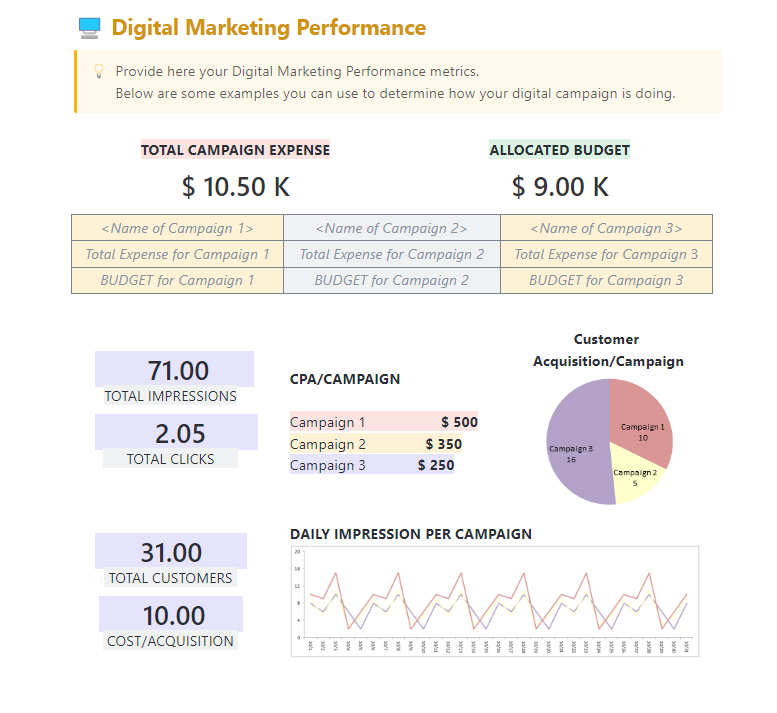
First up: the ClickUp Digital Marketing Report Template. This can quickly become your go-to solution for tracking campaign performance across different channels. This ready-to-use template pulls data from multiple platforms into one place, providing real-time updates, so you get clear insights into your digital marketing strategy.
Use this template to:
📊 Ideal for: Marketing teams and individuals who want a quick, easy, and comprehensive way to track campaign performance across multiple digital channels
Remember the last time you promised the boss, “I’ll have that marketing report for you ASAP!” And then spent six hours staring at a blank document, wondering where to start.
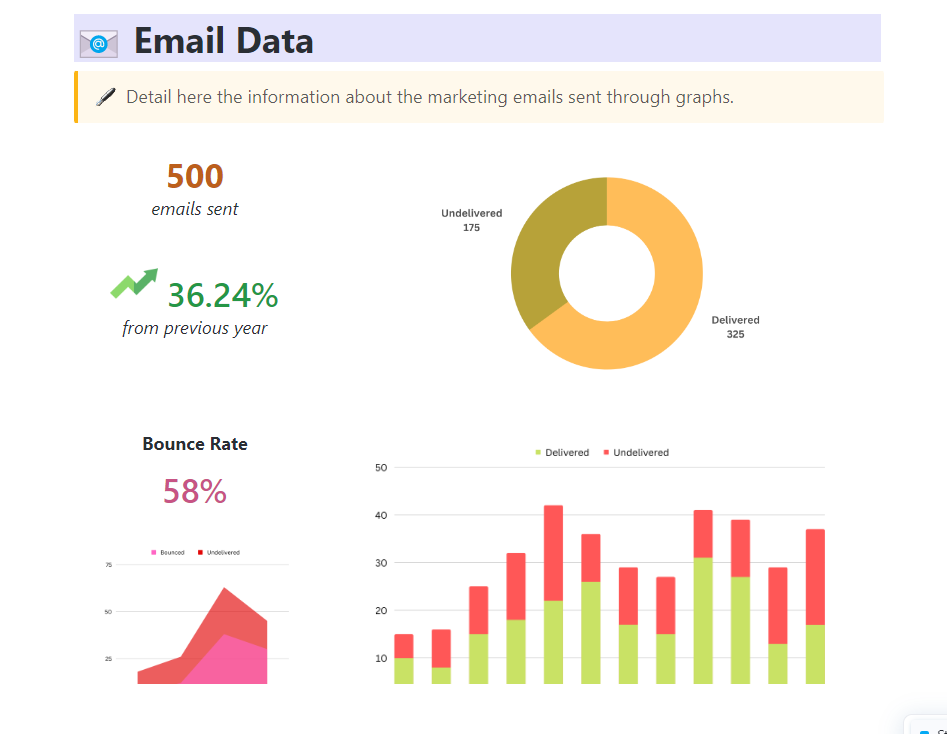
That’s why the ClickUp Marketing Report Template exists. It helps you track ad spend, measure campaign effectiveness, analyze customer feedback, and everything else in between, so you can see the big picture—and the finer details—without breaking your head.
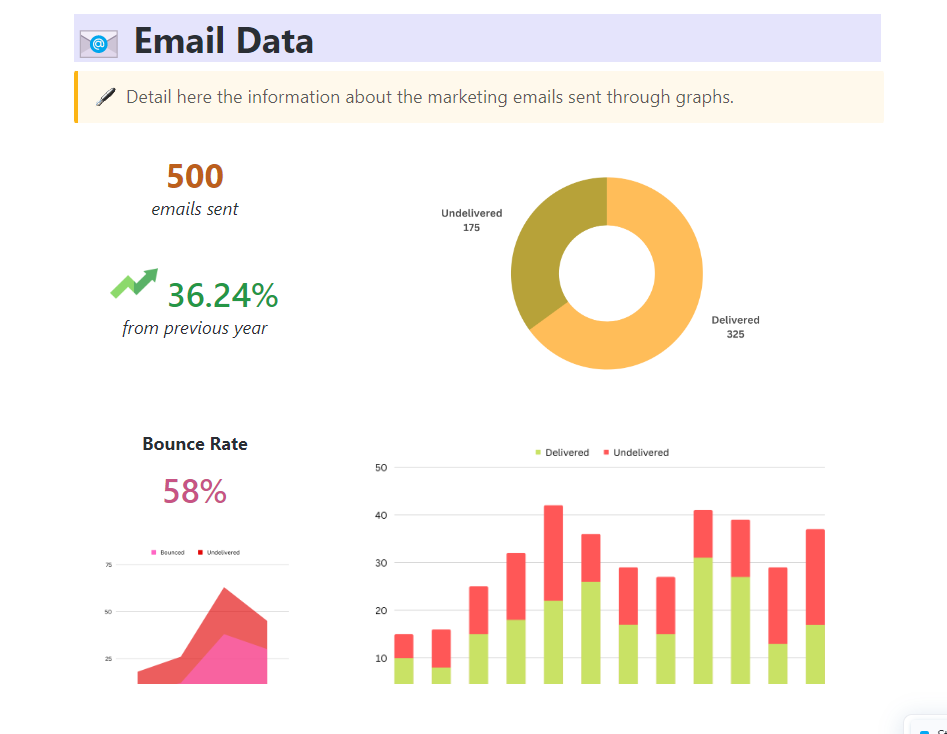
Use it as a Facebook Ads report template, Google Ads report template, or even an email marketing report template—it’s versatile enough for all use cases.
Here’s how this template helps:
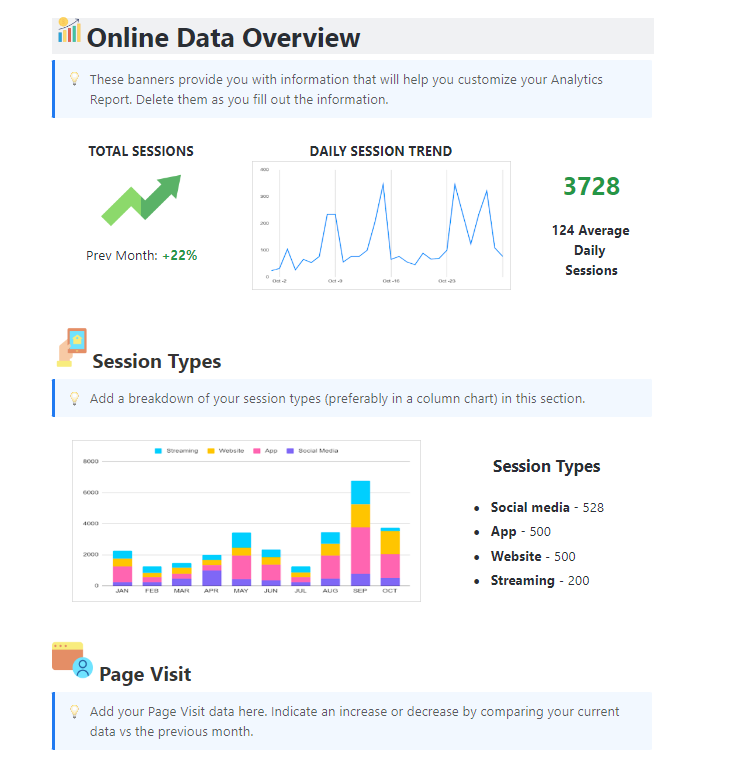
The ClickUp Analytics Report Template is pretty straightforward. It turns raw numbers into actionable insights, helps you visualize complex data sets, track KPIs, and identify trends.
Now, the right question would be, “How is it different from the reporting templates we discussed before?” Well, this template specializes in complex data analysis. Plus, it’s not limited to marketing but can be used for any type of analytics reporting.
Here’s what you can do with it:
📊 Ideal for: Data analysts and marketers who need to quickly and efficiently analyze data and present clear, actionable insights without hopping between multiple tools
🎥 Curious about creating a marketing project dashboard in ClickUp? We broke it down for you in this handy explainer video!
Ever post something you thought was gold, only to hear crickets? Social media marketing can make you feel like you’re scratching your head to figure out why your best joke failed at a party.
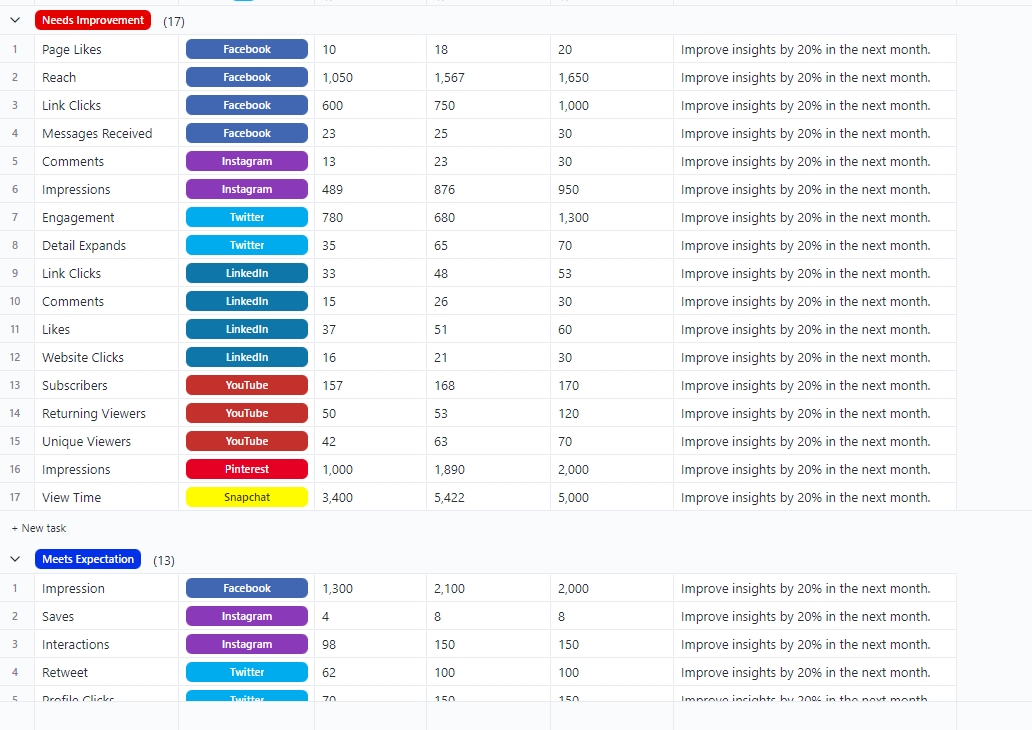
The ClickUp Social Media Analytics Template helps you understand why your content is or isn’t connecting with your audience. It takes the guesswork out of tracking your metrics and enables you to conduct a thorough social media audit. Now, you can finally focus on what really matters—growing your brand and boosting engagement.
Here’s how it helps you:
📊 Ideal for: Social media managers and marketing teams that want to efficiently track, analyze, and optimize their social media presence
🎥 Here’s how Hwke Media, a ClickUp client, uses ClickUp to track what matters and get things done for their own clients:
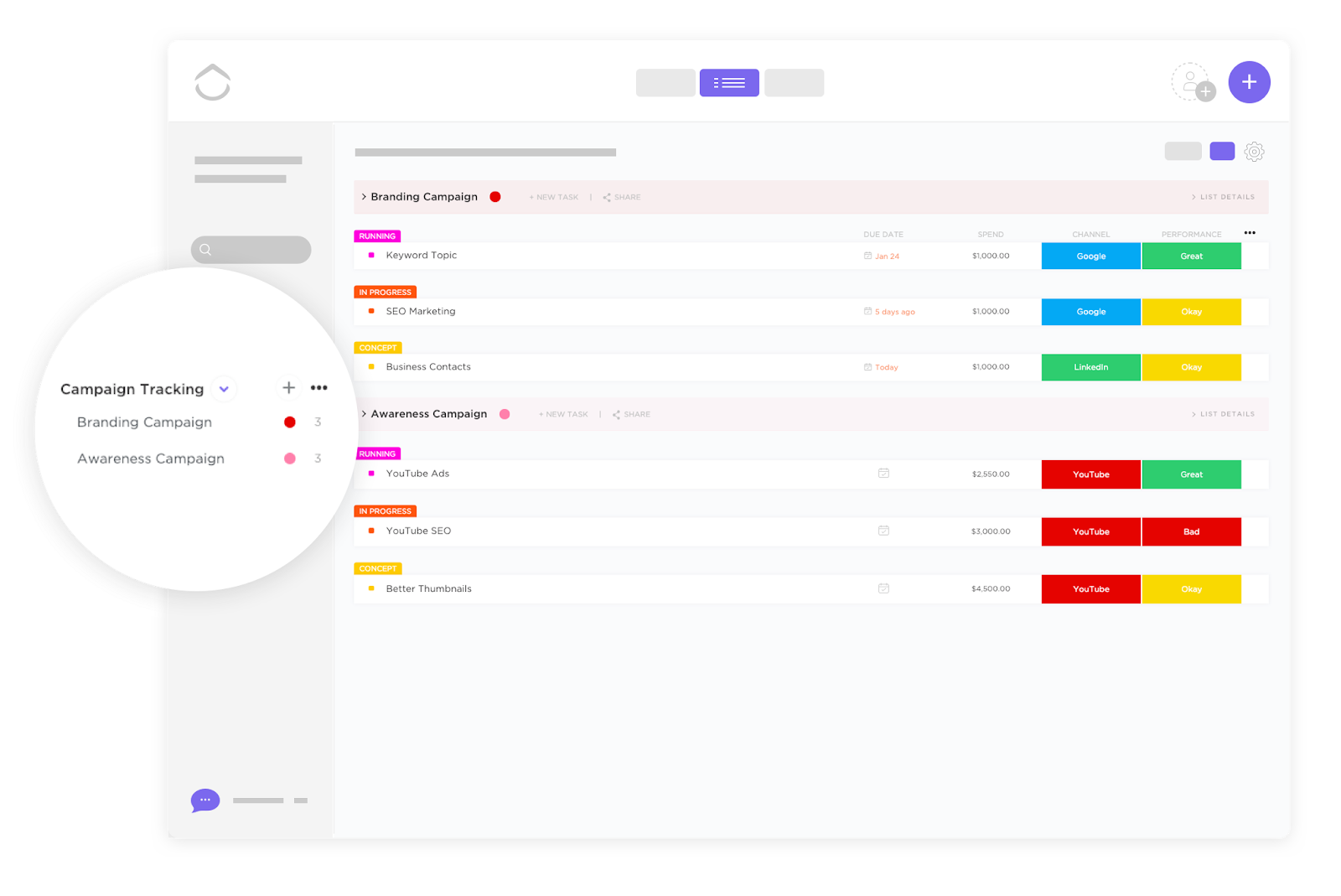
The ClickUp Campaign Tracking & Analytics Template helps you monitor your campaign spending and track performance, so you never have to wonder where your ad dollars went. From managing costs to optimizing conversions, this template gives you real-time insights.
Here’s why you’ll love this template:
📊 Ideal for: Marketers looking to maximize campaign ROIs without running out of budgets
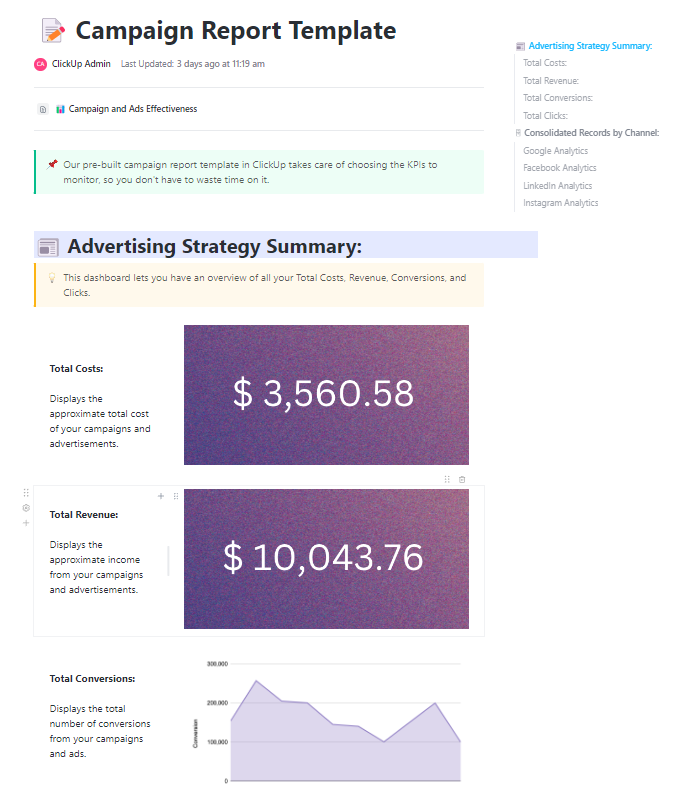
Marketing campaign management shouldn’t feel like a math exam. The ClickUp Campaign Report Template helps you tell the story of your campaign—not just throw numbers on a page.
It’s designed to communicate insights to marketers, executives, and stakeholders who aren’t data experts, making it easy to highlight wins, lessons, and next steps.
Here’s how you can use it:
📊 Ideal for: Marketing teams that want to create clear, concise, and insightful campaign reports
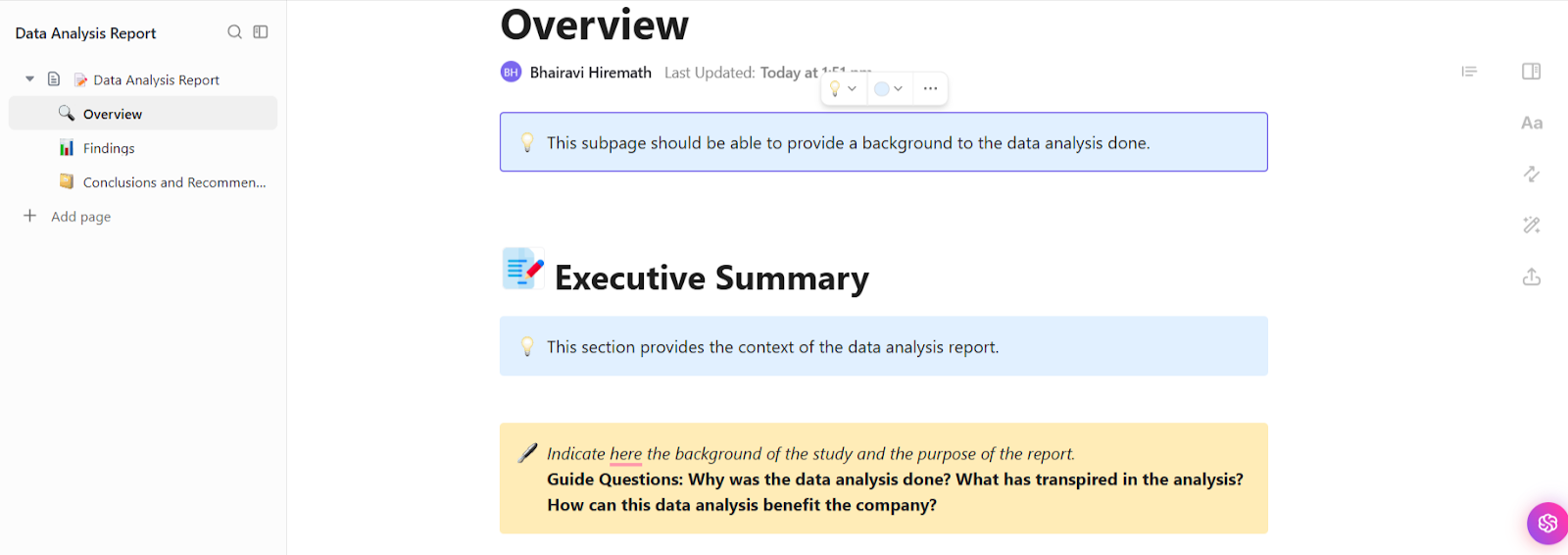
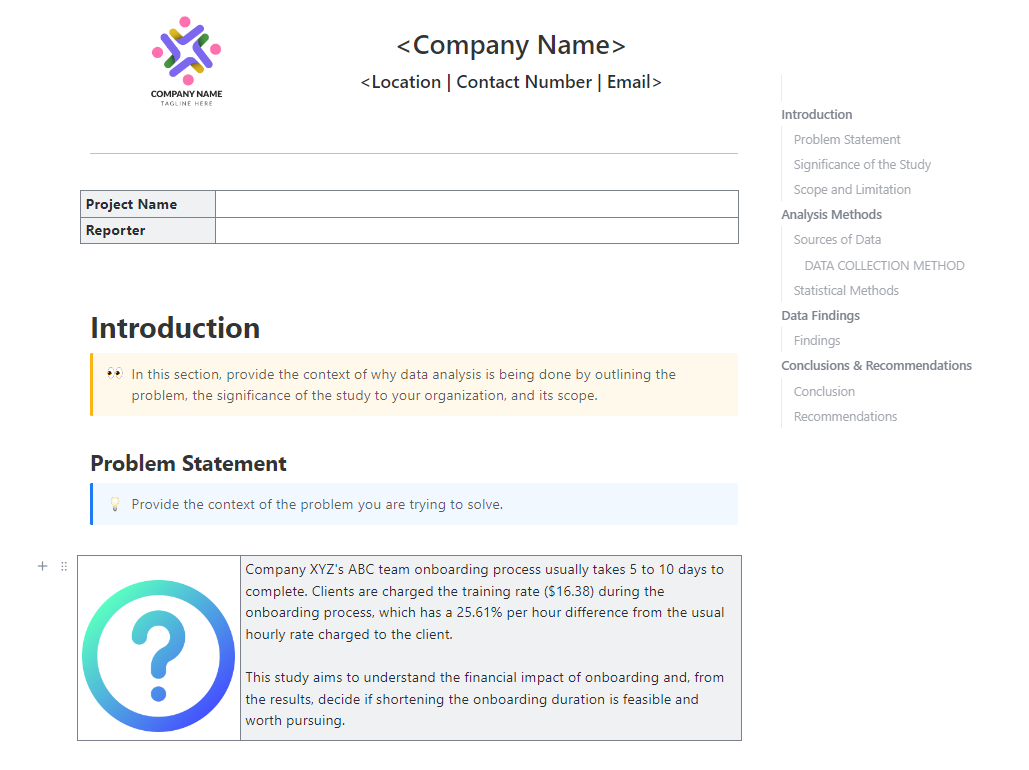
The ClickUp Data Analysis Report Template is all about understanding the ‘why’ behind data. And then ensuring every step of the analysis is recorded for stakeholders, researchers, or clients.
It helps you organize your findings into a clear, structured report, focusing on documenting the entire analysis process—not just the results. This template is designed for transparency and credibility, making it perfect for projects requiring a detailed methodology breakdown.
Use this template to:
📊 Ideal for: Analysts, researchers, and data-driven teams that need a comprehensive, structured record of their analysis process
Data analysis focuses on crunching numbers, but what also matters is what those numbers mean. The ClickUp Data Analysis Findings Template is all about the results.
Instead of documenting every step, it captures key insights, organizes findings, and presents clear recommendations that help you make insightful decisions.
Here’s how you can use it:
📊 Ideal for: Teams who want to transform raw data into insightful action
📮ClickUp Insight: 62% of our respondents rely on conversational AI tools like ChatGPT and Claude. Their familiar chatbot interface and versatile abilities—to generate content, analyze data, and more—could be why they’re so popular across diverse roles and industries.
However, if a user has to switch to another tab to ask the AI a question every time, the associated toggle tax and context-switching costs add up over time.
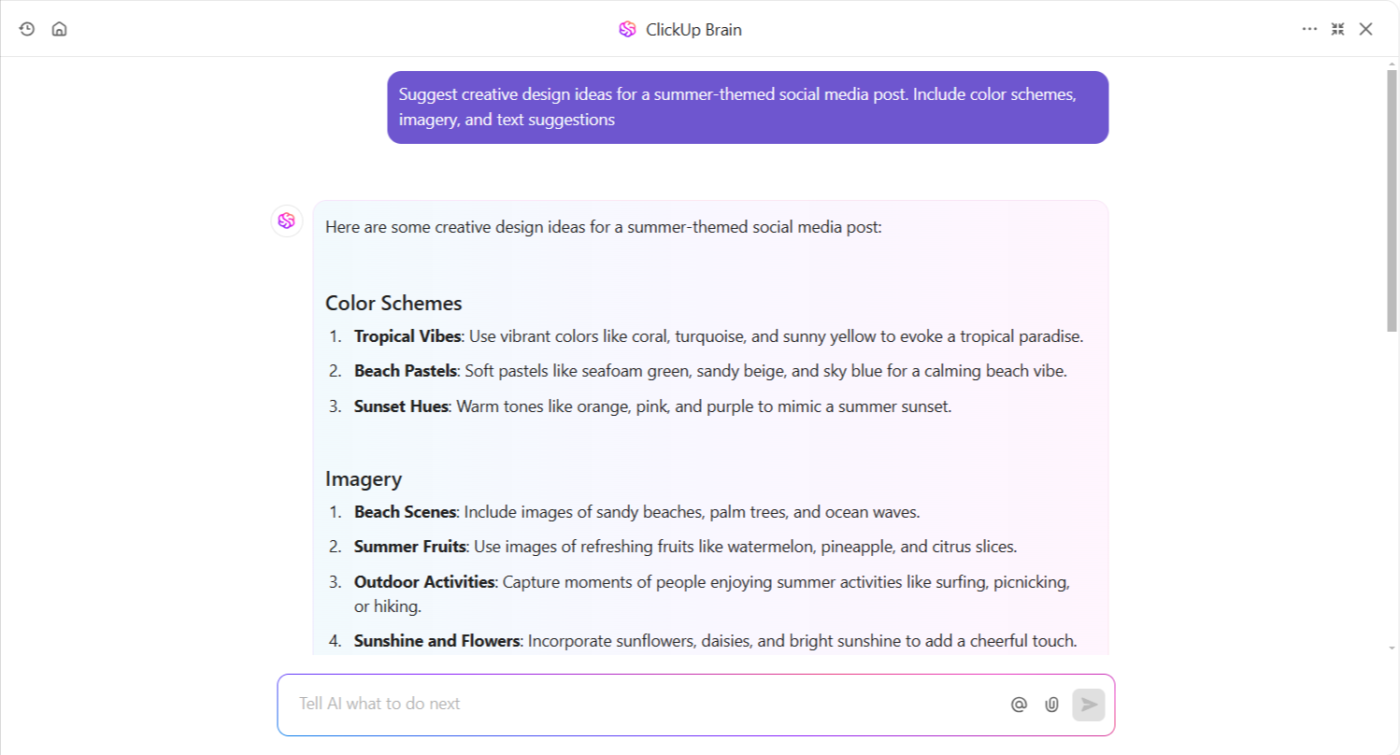
Not with ClickUp Brain, though. It lives right in your Workspace, knows what you’re working on, can understand plain text prompts, and gives you answers that are highly relevant to your tasks! Experience 2x improvement in productivity with ClickUp!
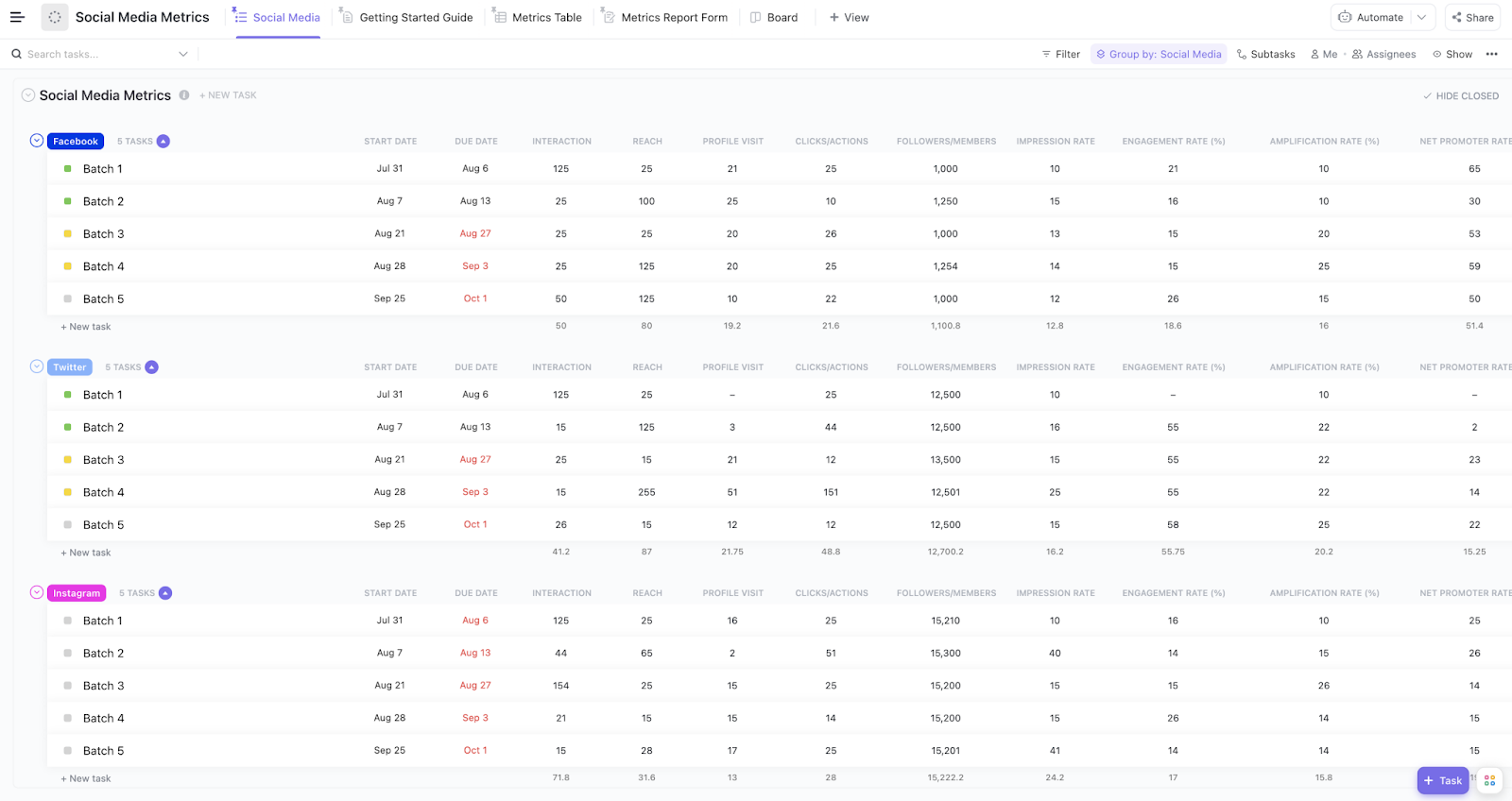
When it comes to social media, numbers don’t lie—so why not take the guesswork out and track your performance with the ClickUp Social Media Metrics Template?
Whether your aim is monitoring engagement, tracking follower growth, or analyzing post-performance, this template gives you granular, data-driven insights to optimize your social media game. Combine it with growth hacking tools, and you’ll be able to identify and seize viral content opportunities for your brand.
Use this template to:
📊 Ideal for: Social media managers and marketing teams that need precise tracking across multiple platforms
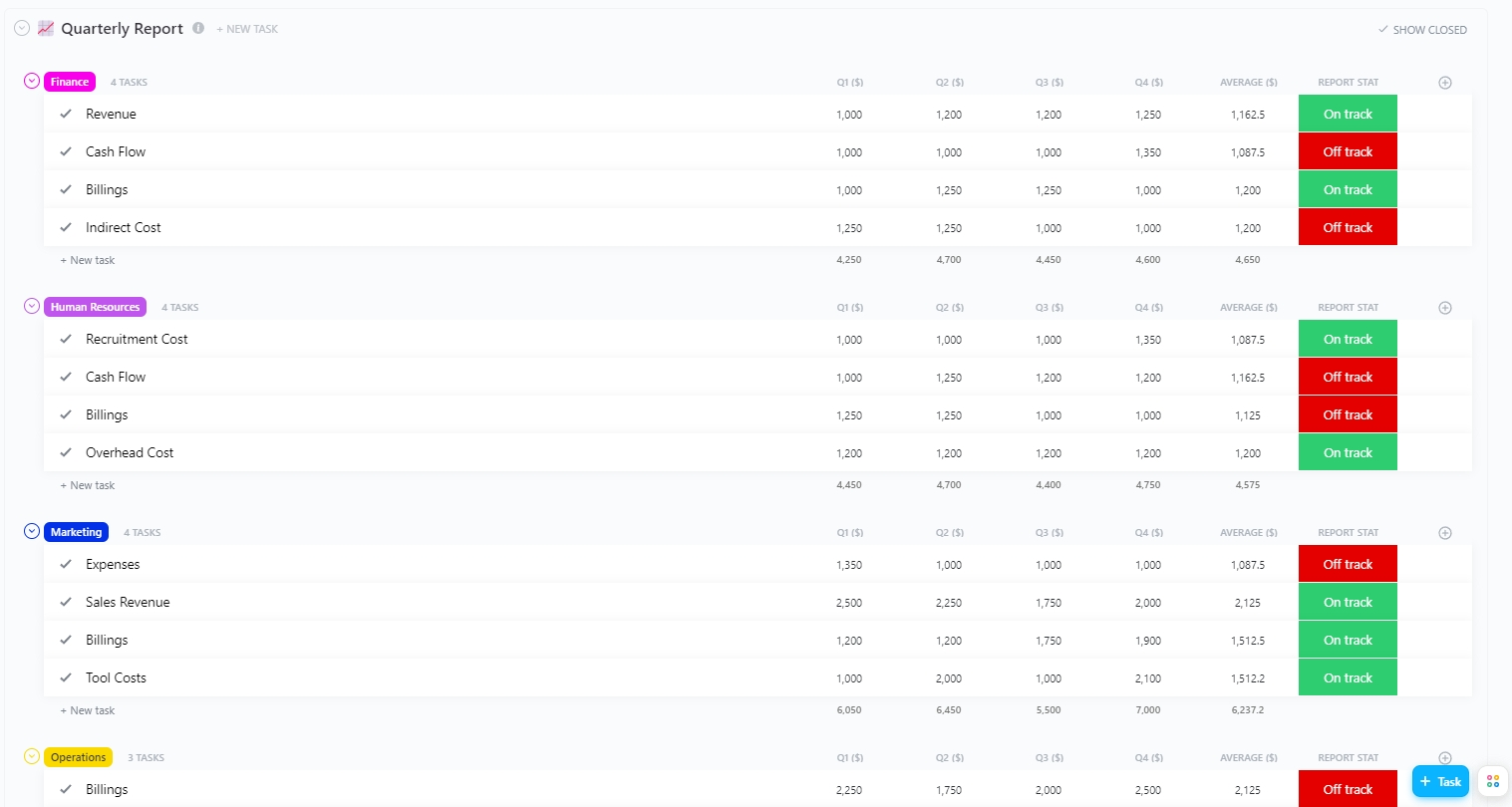
It’s the end of the quarter, and suddenly, everyone is scrambling to pull together numbers, track performance, and make sense of a dozen spreadsheets. Does this give you déjà vu?
The ClickUp Quarterly Report Template helps you ditch the last-minute scramble and effortlessly track your team’s progress over the past three months. This template keeps everything structured, organized, and easy to digest—so you can focus on harnessing insights, not managing spreadsheets.
Here’s how to use it:
📊 Ideal for: Business owners and managers seeking a structured tool to review performance metrics and summarize quarterly results
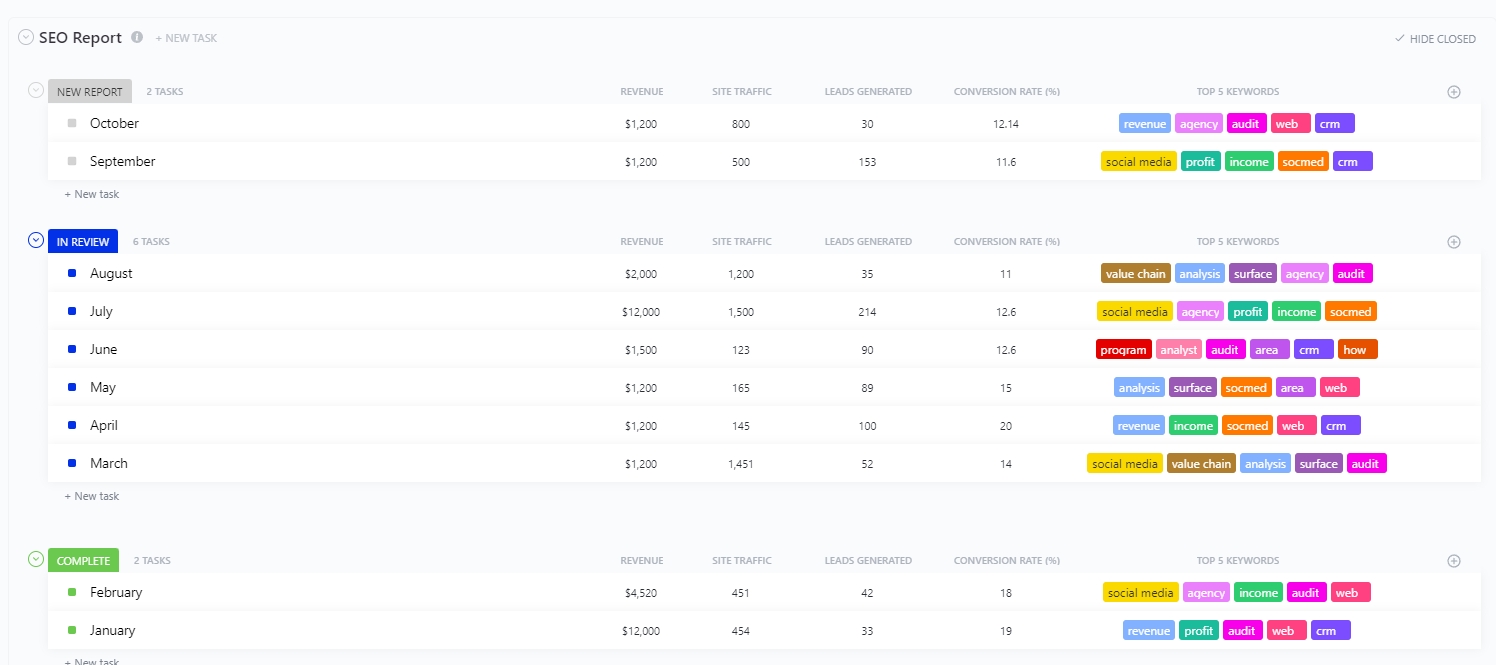
SEO reports are essential, but sifting through endless data, screenshots, and charts can be a nightmare. The ClickUp SEO Report Template helps you track rankings, traffic, and key metrics without drowning in tabs and spreadsheets.
Whether you’re updating clients, presenting to stakeholders, or just keeping tabs on your site’s performance, this template keeps everything in one place—organized, automated, and easy to implement.
Here’s how it helps you:
📊 Ideal for: SEO specialists seeking a structured tool to track website performance and optimize search engine rankings
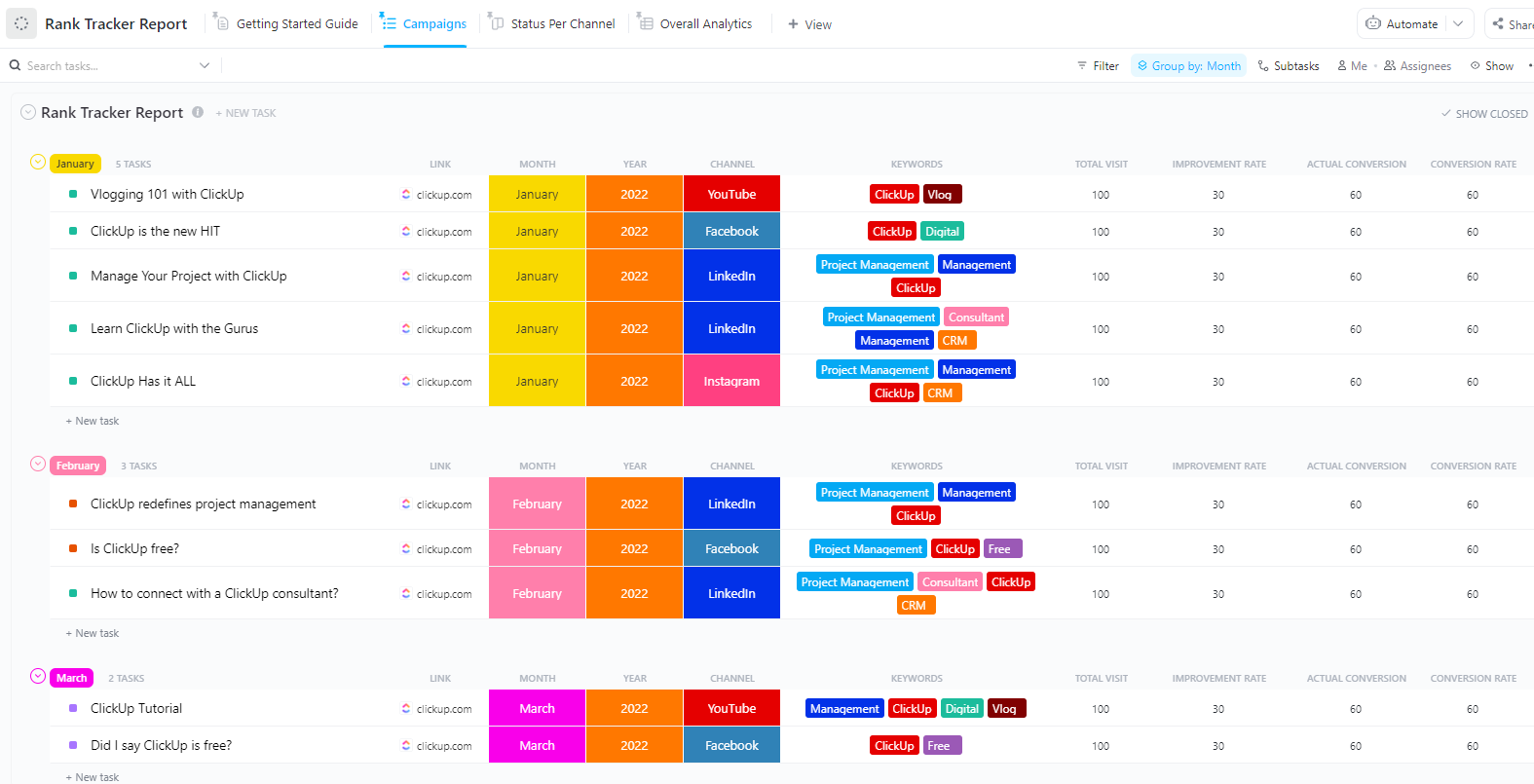
The ClickUp Rank Tracker Report Template is your one-stop solution for monitoring keyword rankings. It makes it easy to visualize trends, spot opportunities, and keep your SEO strategy on point.
It’s laser-focused on tracking keyword rankings over time, giving you a real-time snapshot of where you stand against competitors. Instead of sifting through endless SEO metrics, this template helps you zero in on SERP performance and make data-driven adjustments quickly.
Here’s what you can do with it:
📊 Ideal for: SEO professionals looking for rank tracker report templates that efficiently track keyword performance and conduct competitor analysis
💡 Pro Tip: Use ClickUp Brain as an AI marketing tool with any ClickUp template to enhance your marketing reports, streamline workflows, and develop smarter digital marketing strategies.
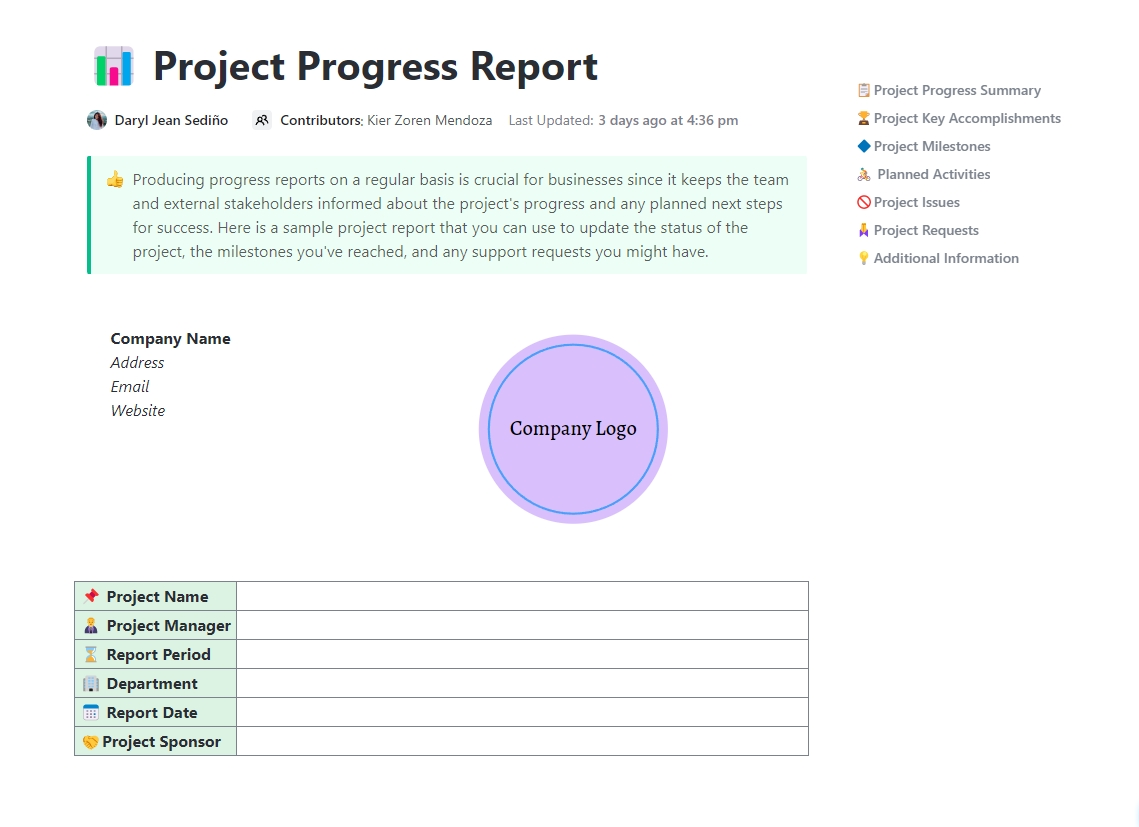
What’s worse than a project running behind schedule? Not knowing it’s running behind schedule. That’s where the ClickUp Project Progress Report Template comes in.
This beginner-friendly, ready-to-use template makes tracking project milestones and measuring performance incredibly easy. It keeps everyone in the loop—from team members to stakeholders—without endless emails or last-minute panic.
Let’s see what you can do with this template:
📊 Ideal for: Managers and teams that want to simplify communication, keep stakeholders informed, and ensure efficient marketing project management
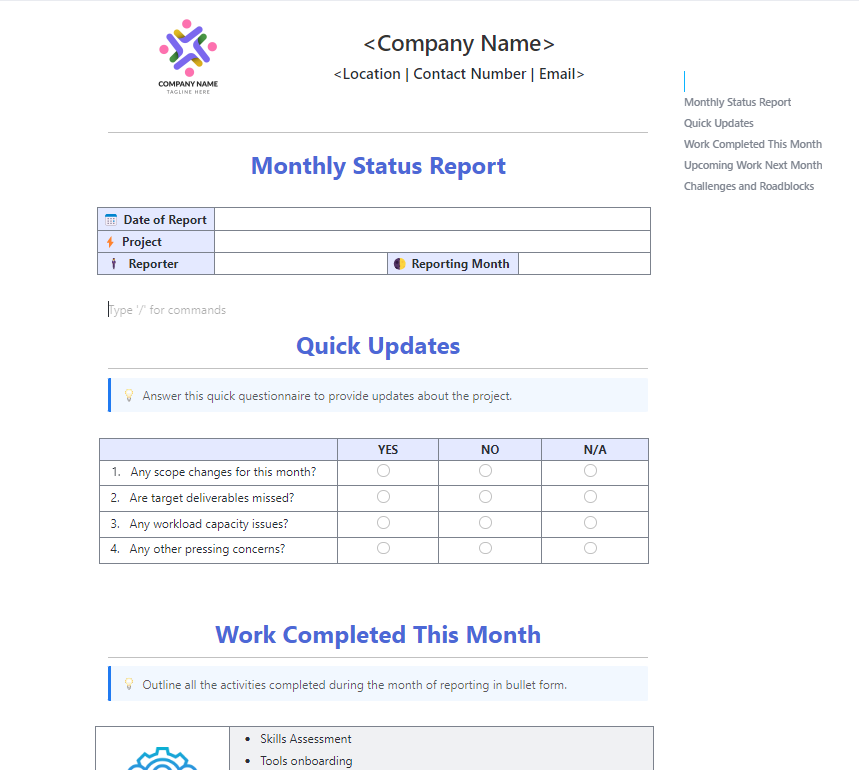
From tracking revenue growth to monitoring team productivity, the ClickUp Monthly Business Status Report Template ensures you make informed decisions, not just educated guesses.
This template helps you:
📊 Ideal for: Business owners and managers who need a monthly marketing report template to refine their client acquisition strategies and the overall direction of their business
Our project has many tasks. Before using ClickUp, we used Google Sheets, but it had many issues. If I had more than 2 projects, I had to create a file for each team. Moreover, it took me a lot of time to create a Google Sheet template from scratch. When I switched to ClickUp, these issues were resolved.
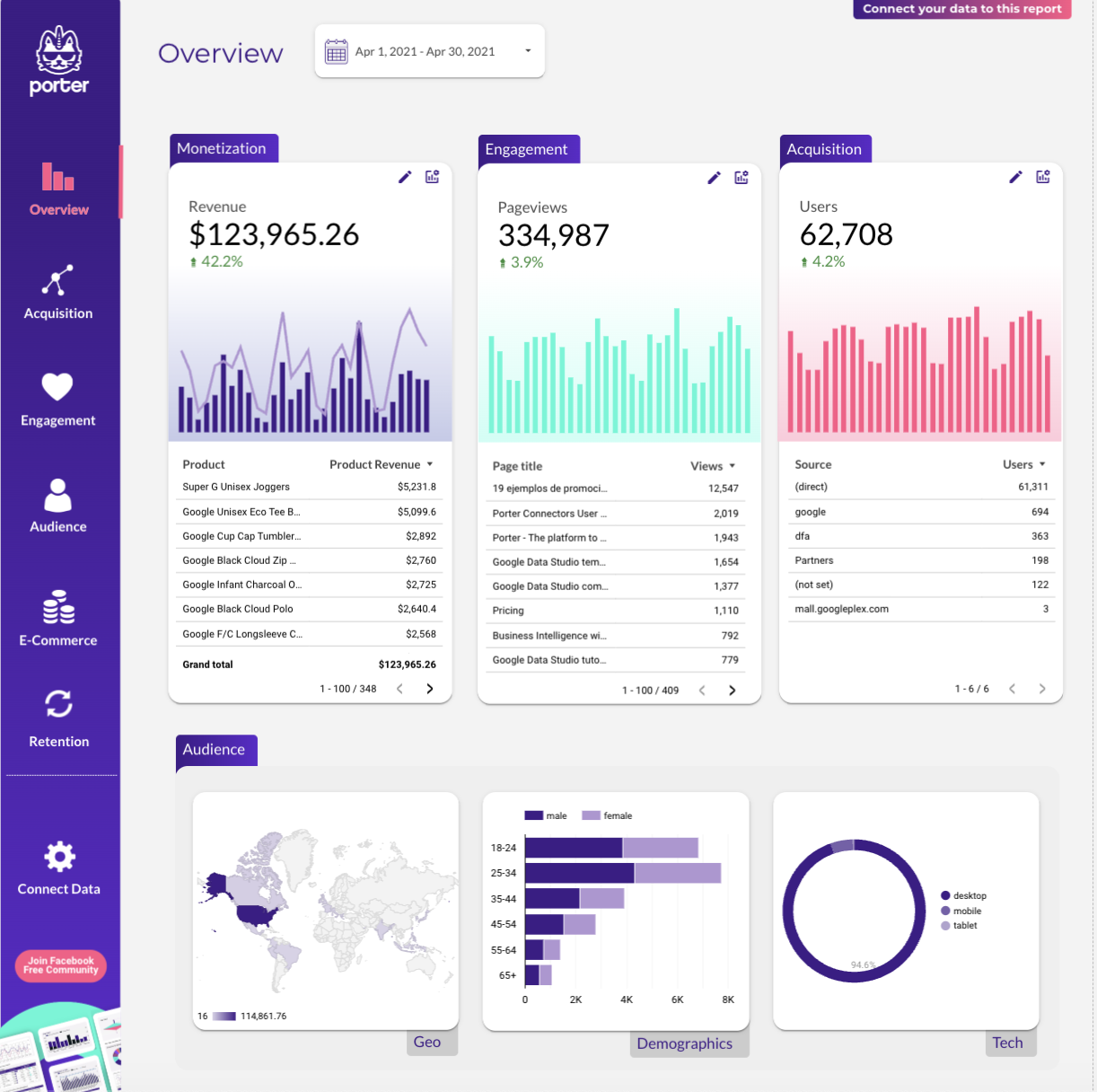
Do you ever stare at your Google Analytics 4 dashboard, dreading an imminent headache and hoping numbers would just explain themselves? You don’t have to anymore.
The Google Analytics 4 Looker Studio Template by Porter turns raw data into clear, digestible reports.
No more endless clicking between tabs or drowning in charts. With pre-built dashboards, you’ll get the insights you need in a jiffy.
Here’s why this template works:
📊 Ideal for: Marketing teams and agencies that need to quickly and professionally visualize Google Analytics 4 data to drive informed decisions and client reporting
🧠 Fun Fact: Google Analytics was almost never a thing. In 2005, Google acquired Urchin, a web analytics company, and turned it into the Google Analytics we know today. Marketers might still be grappling with clunky data reporting tools without this move.
Templates are helpful, but not all are cut out for you. Here are the elements that make a report template truly valuable:
An effective digital marketing report template goes beyond simply displaying numbers—it tells a story about your marketing efforts and provides actionable insights that drive decision-making.
👀 Did You Know? Only 53% of marketing decisions are influenced by marketing analytics.
Whether you need a web analytics report template or a content marketing report template, these reports guide smarter decisions and stronger strategies. They’re your roadmap to bigger wins in digital marketing. But who has time to build them from scratch?
ClickUp for Marketing Teams does it for you! Instantly generate reports, automate data collection, and collaborate effortlessly—all while keeping your workflow as smooth as your best-performing campaign.
Why wrestle with spreadsheets when ClickUp can handle the heavy lifting? Sign up for a free ClickUp account today!
© 2025 ClickUp