Sorry, there were no results found for “”
Sorry, there were no results found for “”
Sorry, there were no results found for “”
If you’ve ever found it hard to stay on top of everything you need to do in a day, AI to-do list apps can help.
Many AI task management apps are available these days to help you manage your action items. These include key features like advanced task tracking, auto-scheduling, task prioritization, and smart suggestions, so you always know what activity to pick up and how much time to allocate.
But finding the perfect to-do list tool is easier said than done, which is why we’ve tried and tested the ten best AI apps designed to help you sail through your daily tasks with greater ease, no matter what your line of work is.
The results won’t disappoint you.
Let’s get started.
Everybody’s needs and patterns differ, so not all AI to-do list apps will work for you. When choosing from among the plethora of options available, here are some factors I’d recommend you consider:
Our editorial team follows a transparent, research-backed, and vendor-neutral process, so you can trust that our recommendations are based on real product value.
Here’s a detailed rundown of how we review software at ClickUp.
ClickUp is an all-in-one to-do list app with versatile project management, collaboration, and analytics features. I can create multi-functional and detailed lists in any part of my Workspace using the ClickUp Online To-Do List, Tasks, Docs, or Notes.
With ClickUp Tasks, for instance, I can add checklists to any task on the platform, building clear processes for myself and my team. On the other hand, embedding interactive checklists into ClickUp Docs allows me to tick off action items listed within a document.

Of course, there’s also an option to create checklists from the ClickUp Notepad or through the browser extension without switching tabs and disrupting my workflow.
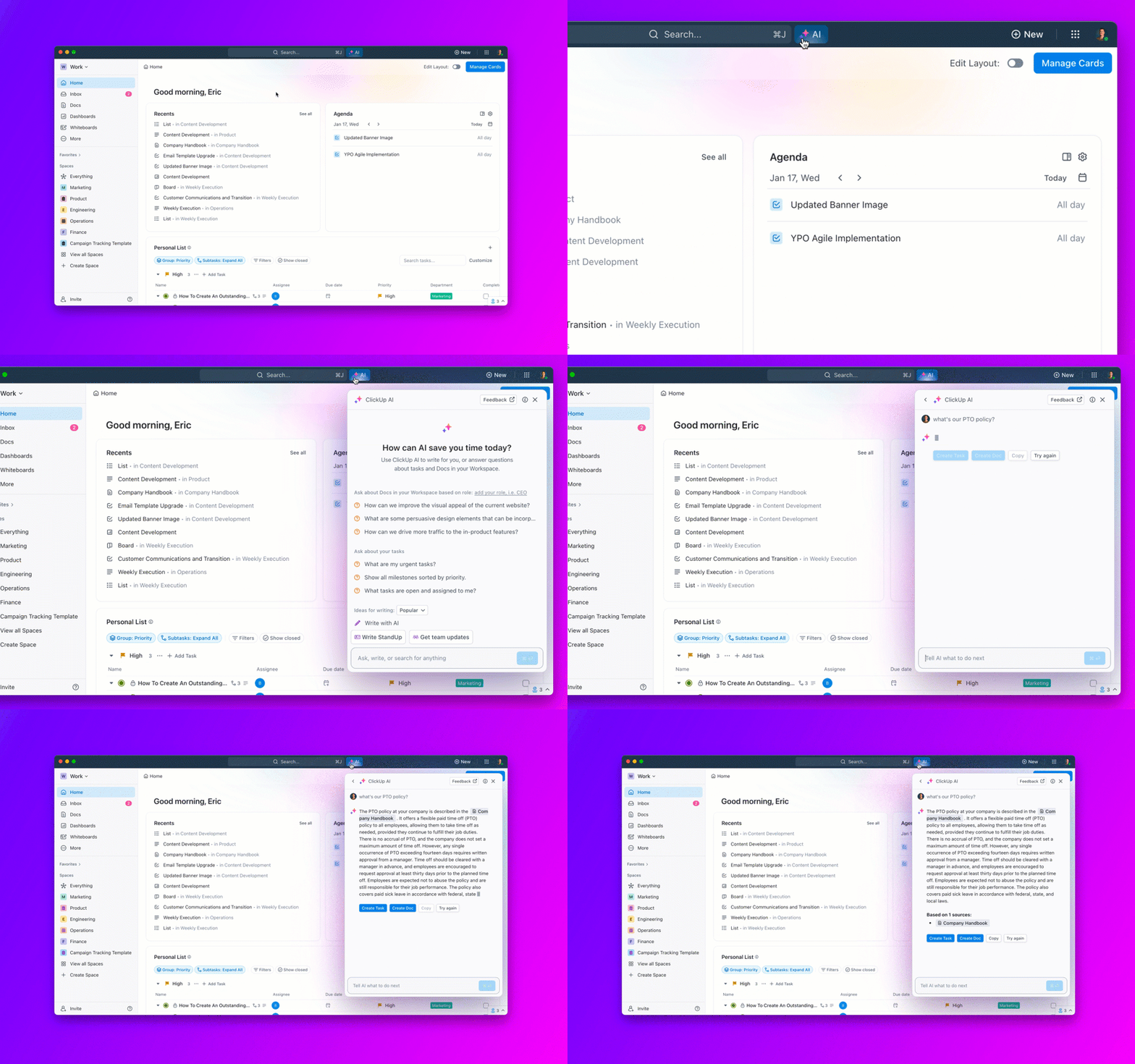
When I have too much on my mind and don’t want to manually create lists, I use ClickUp Brain. It automates the creation of tasks and subtasks, provides quick answers to questions about Tasks and Docs, and summarizes task details efficiently.

To test the capabilities of this AI feature, I created a project titled ‘Launch a New Marketing Campaign’ and added relevant team members to brainstorm ideas and strategies.
We discussed our team plan, objectives, target audience, and the overall approach we wanted to take for the campaign. Within a short period, ClickUp Brain began suggesting customized subtasks based on the context of our discussion.
These included conducting market research to understand customer preferences, developing creative content for social media, coordinating with graphic designers to create promotional materials, and setting a timeline for the campaign’s rollout.
The proactive assistance streamlined our planning process and listed all the critical steps we needed—giving us a pretty good head start. There’s nothing better than ClickUp to learn how to use AI for daily life tasks.
If ClickUp Brain helps automate your to-dos, ClickUp Brain MAX takes it further with a voice-first desktop AI companion that understands your tasks, deadlines, and workspace context.
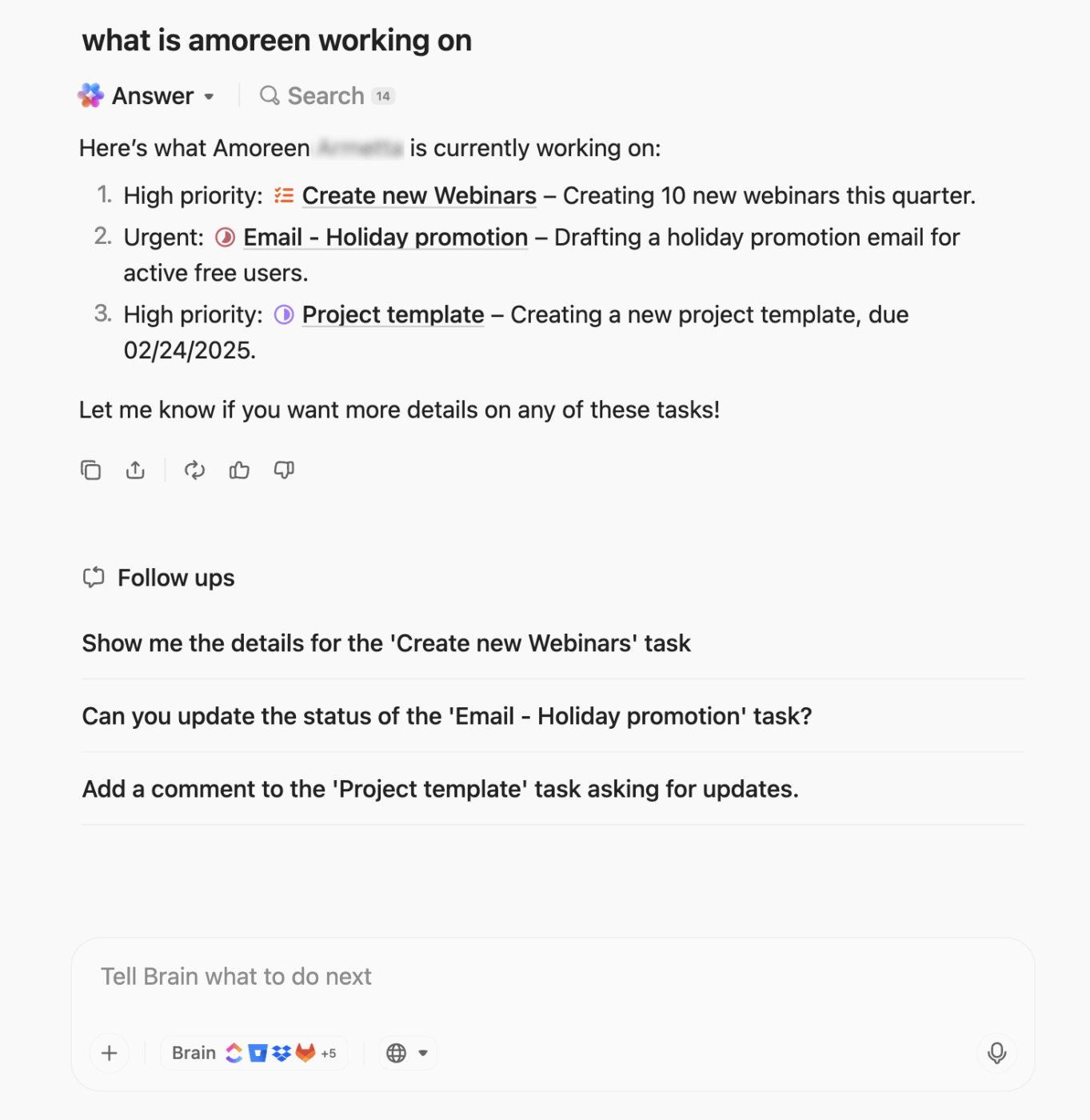
With Talk to Text, you can speak your to-do items, notes, or task updates, and Brain MAX instantly converts them into polished, structured tasks or checklists—ready to assign, prioritize, or drop into a ClickUp Doc.
Why Brain MAX helps with task management:
Example:
“Max, create a subtask to follow up with design on the campaign mockups by Tuesday.”
✅ Subtask created, deadline added, team notified.

TimeHero is a smart task-planning and management tool. It allows scheduling, managing, and automating daily work items, projects, and calendar events—all in one place. It automatically scheduled tasks into my calendar based on my deadlines, priorities, and availability.
TimeHero also provided insights into my team’s productivity patterns. I could view my team members’ capacity, assign ad-hoc tasks easily, and @mention others in task chats—no check-ins or update meetings required. It makes automating tasks with AI pretty easy.

Having spent time testing Trello, I can see why it’s an instant favorite to manage tasks. Its user-friendly, visually appealing interface is based on the Kanban system, where to-dos are represented as cards on a board.
I could record specific tasks on individual cards and customize them with due dates, attachments, and labels, maintaining a clear picture of what I was supposed to do and when.
Trello’s Power-Ups also enabled me to tailor my boards to fit specific needs, such as adding a calendar view, automating repetitive tasks, or integrating third-party apps such as Whereby and OneDrive.
However, it feels rather simple, and I don’t think it would work for more complex projects.

Asana is one project management software that’s hard to ignore. It’s recognized for its clean and dynamic interface and robust AI features that help organize, track, and manage work efficiently.
You can assign tasks to team members with due dates, add comments or instructions, and attach files for additional context, keeping all related communication organized in one place.
The project management tool also lets you switch between layouts to view to-do lists in several ways, including a Kanban board, Gantt chart, list, calendar, or timeline.
If you aren’t keen on Asana, here are some Asana alternatives you can explore

Monday.com offers a highly visual and flexible platform that adapts to various workflows and project types.
Creating task lists was straightforward. I could use customizable templates or build a running list from scratch on a Monday work doc, adding columns for statuses, deadlines, priority levels, and more.
I could also decide how I wanted to track project progress, whether through a calendar, timeline, Gantt chart, or Kanban view. If my team members had a shared task list, they could each add their views.

Tara AI is specifically designed for software teams, offering a unique blend of agile project planning and task management apps.
One of the critical highlights of Tara AI is its ability to predict and plan sprints based on historical data. I found this incredibly useful because it allowed me to allocate resources more effectively, anticipate potential bottlenecks, and ensure that my to-dos stayed on track and met deadlines.
Team collaboration within Tara AI is also straightforward and efficient. Using its rich text editor, you can easily assign tasks, leave comments, and attach relevant documents, ensuring your team is always on the same page.

Diving into Notion AI has been an exciting experience, as it combines the versatility of Notion’s all-in-one Workspace with the power of AI.
The AI assistant can help create to-do lists automatically from meeting notes, sales call recordings, etc. Of course, you can also create a checkbox list the usual way by adding a list block in Notion. There’s also a slash command to do this quickly.
It lets you add deadlines to entire lists or items in the list, assign tasks to people, and track progress with a status field. You can also get the AI writer to brainstorm list ideas and elements or auto-populate to-do lists for specific tasks.
Additionally, you will find various to-do list examples and templates in Notion to organize and prioritize tasks effectively.
15 Notion alternatives to choose from

Last on our list of AI task manager apps is Trevor AI, a smart daily planning assistant. Using it, I could organize tasks in a list, add colorful labels and notes, and integrate third-party software like Google Calendar to synchronize my appointments, meetings, and activities.
Trevor AI also provided personalized scheduling suggestions, helping me stay on top of my responsibilities. It shared detailed analytics on how I spent my time and what I could do to check off my to-do list as optimally as possible.

Taskade is an AI-powered note-taking app for creating content calendars, flow charts, project sprints, and even SOPs, all within a single, intuitive interface. It allows up to 1 TB of file storage space.
It’s pretty cool how Taskade’s AI agents constantly evaluate task priorities and create dynamic connections and hierarchies between tasks in real time. With this feature, you’ll always know which tasks need your immediate attention and how they relate to the project.

Motion is an AI assistant with a dynamic scheduling feature. Whenever I input my tasks, deadlines, and meetings on the platform, its AI for time management automatically arranges my schedule to ensure that I work optimal hours.
Unlike some AI task managers, Motion adapts to changes in real time. For example, if a meeting gets rescheduled or a new task comes up, it recalibrates my day to fit everything in without me manually making any adjustments.
Additionally, it kept a small banner on my screen to remind me to eliminate distractions for me—a feature worth mentioning in this Motion review.
A well-chosen AI-powered app can help you take charge of your to-do list and achieve maximum productivity once and for all. The best ones balance usability, intuitiveness, flexibility, security, and third-party integration so that you can make the tool work for you rather than the other way around.
Undoubtedly, artificial intelligence is a game-changer for productivity. Regardless of your workday, it can help you save time and devote your energy to the tasks that matter most. AI to-do list apps can optimize your workflow by prioritizing tasks and give you hours of your time back every week.
With ClickUp, you can stay productive by building AI-driven to-do lists in a few simple steps. What’s more, it also brings with it several collaboration, communication, and productivity features that can simplify your day-to-day.
Whether you want to manage your work or handle a team’s tasks, our platform can scale as and when required.
See the benefits for yourself. Sign up for ClickUp for free today.

Arya P Dinesh
Max 26min read

Manasi Nair
Max 26min read
Manasi Nair
Max 26min read

© 2026 ClickUp