
Sorry, there were no results found for “”
Sorry, there were no results found for “”
Sorry, there were no results found for “”
Picking a Claude model shouldn’t be this hard. But Anthropic, the makers of Claude, change the lineup at least a few times a year. Plus, the names of each Claude model don’t tell you much, and the price difference between the cheapest and most expensive option is real money when used at scale.
Most people handle this badly in one specific way: they try the chepapest model and when the answer disappoints, they escalate to a pricier model and get roughly the same output back. This happens because it’s usually the brief or the prompt that was the problem, not the model.
This guide maps the four best Claude models for work, names the four signals that justify escalating to a pricier model, and leaves you with a routing habit that outlasts a lineup that is constantly changing.
Note: Anthropic keeps updating existing models and adding new ones. This guide is based on the information we have access to at the time of writing.
TL;DR: Claude Sonnet 5 is Anthropic’s default recommendation for everyday work: writing, analysis, research, and most coding tasks. Claude Haiku 4.5 answers in a fraction of the time, undertaking high-volume tasks at high speed. That speed covers quick lookups, summaries, and pulling fields out of documents. Claude Opus 5 handles deep reasoning and high-stakes judgment. And Claude Fable 5 runs complex, long-horizon agentic work and ambitious coding.
Claude is a family of large language models from Anthropic, and one of several ChatGPT alternatives worth evaluating. Four models are current, as of the writing of this article, with a longer bench behind them: Opus 4.8, 4.7, 4.6, and 4.5, plus Sonnet 4.6 and 4.5, all still run on Anthropic’s platforms.
Anthropic describes the models as differing in how they balance intelligence, speed, and cost. Subject matter never enters the discussion. The company builds one general-purpose model at each size, so none of them is specifically tuned for law, finance, or marketing. A bigger model reasons through more steps and costs more per word. A smaller one answers faster for less. You are buying an amount of thinking, and there is no specialist to hire.
Here are the current Claude models and what each one does for you:
| Model | Context window / max output | API price per 1M tokens (in / out) |
|---|---|---|
| Claude Haiku 4.5 | 200K/64K | $1/$5 |
| Claude Sonnet 5 | 1M/128K | $2/$10 |
| Claude Opus 5 | 1M/128K | $5/$25 |
| Claude Fable 5 | 1M/128K | $10/$50 |
Claude Mythos can confuse buyers because Anthropic sells it under two names. The public version is Claude Fable 5, available to anyone on the right plan. The restricted version is Claude Mythos 5, which Anthropic grants only to organizations screened through a program called Project Glasswing.
The two share specifications, capabilities, and pricing. However, they have separate model IDs and differ on safety: Fable 5 ships with classifiers that can hand a request to another model, while Mythos 5 runs without them.
On Anthropic’s API, you pay per token. On a monthly subscription, you pick models from a dropdown at the top of the conversation, and your usage draws down a weekly allowance. Your plan decides what appears in that dropdown. Free accounts include Haiku and Sonnet, up to a certain usage limit. Opus and Fable need a paid plan.
Anthropic launched Sonnet 5 at $2/$10 and planned to raise it to $3/$15 on September 1, 2026. On August 10, it made the launch price permanent. Fable’s billing splits, where Max and premium Team subscribers can spend up to half of a weekly allowance on Fable 5 at no extra cost. In contrast, Pro and standard Team subscribers buy usage credits for it separately.
Sonnet 5 comes pre-selected on Free and Pro plans. It handles the writing, analysis, and research of an ordinary week. It also responds fast enough for back-and-forth editing. The sections below cover the specific jobs that justify switching away from it.
Four Claude AI models are in service. Haiku 4.5 takes short, frequent tasks. Sonnet 5 is the everyday default. Opus 5 works for deep reasoning tasks, and Fable 5 runs long jobs without supervision. At work, three differences decide between them: how much material each model holds at once, how hard you can push it to think, and whether it keeps working after you walk away.
| Model | Strength | Weak spot | Best for |
|---|---|---|---|
| Haiku 4.5 | Answers in seconds at the lowest price in the lineup | Holds a fifth of the material the others do, and no high-effort settings | Quick lookups, reformatting, short summaries |
| Sonnet 5 | Handles nearly all office work and responds fast enough to argue with | Not the top scorer on reasoning-heavy or unattended work | Briefs, memos, analysis, research, first-draft code |
| Opus 5 | Highest-scoring model on professional work tasks | Slowest and priciest per answer once effort is raised | Multi-source reasoning, planning, high-stakes analysis |
| Fable 5 | Runs long tasks with few check-ins | The priciest rate in the lineup, and missing from some surfaces, including voice mode | Overnight or multi-hour jobs, self-checking work |
The Ladder Fallacy: Why ‘Best Claude Model’ Is the Wrong Question
The ladder fallacy assumes that Claude’s model classes are ranked rungs, and that the smart move is always to climb as high as your plan permits. Anthropic’s own data undermines it in three ways.
First, your choice can be overridden. Fable 5 carries safety classifiers that reroute certain requests to a different model mid-session. The model answering you is not always the one you picked.
Second, look at where the decisions get made. Anthropic studied roughly 400,000 Claude Code sessions and found that people made about 70% of planning decisions while Claude made about 80% of execution decisions. People supplied the framing: which problem to solve, what the output needed to look like, when to stop. The model supplied the steps.
Selecting a model settles how much thinking you have bought. It leaves open what you asked for, which documents you handed over, and what a finished answer looks like. Anthropic’s Economic Index found that 93% of Claude conversations produced an artifact, most often explanations, then documents and reports, then guidance. Every one of those outputs depends on a brief.
Third, Anthropic’s own product leadership routes downward. When Claude Haiku 4.5 shipped, chief product officer Mike Krieger told CNBC that despite it being less capable than Sonnet, he had “started defaulting to it on Claude, especially in the mobile app.”
His reason was speed. The person who runs Claude’s product surface routinely picks the smallest model in the lineup. This happens simply because for a large share of real queries, the cost of waiting is greater.
A better question than ‘which Claude model is best’ is ‘what am I handing over, and how much of the framing am I keeping?’
Haiku 4.5 is the fastest and cheapest Claude model. Anthropic released it in October 2025 with coding performance similar to Sonnet 4, a model one generation older, at roughly a third of the cost and more than twice the speed.
What works well:
Limitations:
Skip it if: The task has more than about three moving parts, or the output reaches a client without you rewriting it first.
Best for: The small interruptions that punctuate real work, and anything you would otherwise finish yourself in under two minutes.
Sonnet 5 is Anthropic’s mid-sized model and the pre-selected default on Free and Pro accounts. It’s a fit for coding, writing, analysis, research, and complex problem-solving. That list covers most of an office week.
What works well:
Limitations:
Skip it if: The job runs for hours with nobody watching, or a small reasoning error would surface late and cost money.
Best for: Briefs, memos, analysis, research passes, first-draft code, and anything you refine through conversation.
Opus 5 is Anthropic’s reasoning model, released on July 24, 2026. Anthropic calls it a step change over Opus 4.8 on deep reasoning and long-running agent work, and it currently leads the professional-work leaderboard.
What works well:
opusplan mode uses Opus for the plan and hands execution to Sonnet. The same division pays off outside code: decide with the expensive model, produce with the cheap oneNote: A faster variant exists. Anthropic prices an Opus 5 Fast mode at $10/$50 for cases where you don’t want to wait for responses.
Limitations:
Skip it if: You are revising quickly, or the task is long but repetitive.
Best for: Reconciling sources that disagree, planning complicated work, and analysis where an unnoticed mistake compounds.
Fable 5 is the public version of Anthropic’s Mythos model, released on June 9, 2026. Anthropic built it for autonomy: carrying a long task from plan to finished output with minimal supervision.
What works well:
Where it runs matters more than usual: The autonomy people buy Fable for shows up through Claude Cowork. Since July 2026, Cowork runs on web and mobile with scheduled tasks that continue while your device is offline. It also lives inside Claude in the Chrome side panel since August 12, 2026. Those surfaces are plan-gated, and none is exclusive to Fable: Cowork also runs on Sonnet 5. For regulated teams, Anthropic’s Compliance API now covers Cowork and Claude Code sessions in beta, capturing prompts, responses, tool calls, and artifacts.
Limitations:
Skip it if: You need a fast reply, or your team cannot budget for its separate billing on Pro and standard Team plans.
Best for: Multi-hour and overnight jobs you would otherwise assign to a person for a day, where the model plans and checks its own work.
Picking a model takes five steps: start below your instinct, fix the brief before you switch, raise the effort setting, escalate only on a signal you can name, and record which version you settled on. Four of the five cost nothing.
Run the task on a smaller model than the one you instinctively reached for. In fact, we recommend starting at the most cost-effective model and then climbing until the quality bar is met. For most work, that’s the cheaper habit to build. Test the smaller model against a real example of the work, and move up only when the output misses.
Two things make this easy to try:
Pro Tip: Run a test on work you have already finished. You know what good looks like, so you can judge the difference against a real standard.
A disappointing answer usually comes from a thin request. Add what the model could not know before you decide it cannot do the job. Add these four things, then rerun on the same model:
Pro Tip: Save your briefs in a Claude Project. The four inputs load into every new chat there, and the step disappears from the next run.
Effort controls how long a model thinks before answering. Anthropic documents five levels: low, medium, high, xhigh, and max, with high as the default in the API and Claude Code. Two levels sit unused above the default.
This gain is free, unlike a model upgrade. Moving Sonnet 5 from its default to max costs you nothing but patience. Moving from Sonnet 5 to Opus 5 multiplies every input and output token by 2.5, on every task from then on. Pull the free lever twice before you touch the paid one.
Know the trade:
Move to a larger model when you can point at a specific reason. Four qualify:
Note the exact model name and effort level for any task your team will repeat, because shortcuts drift. In Claude Code, the sonnet alias resolves by provider: Sonnet 5 on Anthropic’s API, but Sonnet 4.5 on Amazon Bedrock and Google Cloud. Anthropic’s API itself uses full IDs like claude-sonnet-5, and retired versions stop resolving entirely.
Capture three things per recurring task:
claude-sonnet-5, never sonnet, so the version cannot change underneath youPro Tip: Check your consumption in Settings, then Usage. Anthropic bases it on model choice, effort, tools, and conversation length. In May 2026, it doubled Claude Code’s five-hour limits on Pro, Max, Team, and seat-based Enterprise and removed peak-hour reductions for Pro and Max, so older advice about running out understates your room.
Sonnet 5 covers routine coding. Escalate to Opus 5 for architecture and for debugging that has already beaten you once, and hand the longest unattended repository jobs to Fable 5. That order comes from Anthropic itself: its model overview recommends Opus 5 for complex agentic coding, and its Claude Code documentation ranks Fable 5 as the most capable model there.
On SWE-bench Pro, which measures resolving real repository issues, Opus 5 scores 79.2%, a ten-point jump over Opus 4.8. Yet Fable 5 still edges it at 80%. On Terminal-Bench 2.1, which measures multi-step command-line work, Opus 5 reaches 89.1% at max effort in Artificial Analysis’s independent testing, ahead of Fable 5’s published 88%. Read the one that matches your work, and remember that neither benchmark is your codebase.
Most of this work happens in Claude Code, Anthropic’s agentic coding tool. It goes beyond answering questions about pasted code. It reads your repository, edits files, runs commands, and verifies its own work across many steps. Claude Code runs in the terminal, in VS Code, Cursor, and JetBrains, on desktop and web, and in Chrome. Those many steps are why model choice matters more here than in chat. A model slightly weaker at reasoning compounds its errors over fifty of them.
Claude Code can make the model decision for you. Its opusplan mode plans with Opus, then switches to Sonnet to carry the work out, and /model overrides the choice at any point. Cheaper models can also run as subagents, which is where Haiku fits: bulk, repetitive passes that need no reasoning.
Sonnet 5 is the best Claude model for writing and analysis for almost everyone. It reads images, holds a million tokens of context, and produces Word documents, Excel files, PowerPoint decks, and PDFs alongside its replies.
Escalate to Opus 5 when the writing task is really a thinking task. Here’s how you can differentiate: condensing 40 customer interviews into themes is a Sonnet job, because the skill is compression. Deciding which of those themes contradict your pricing strategy, and what to do about it, is an Opus job. It’s because the skill is judgment across sources.
A strategy memo whose argument has to hold across twelve pages sits on the Opus side. The third revision of that same memo does not.
Four features change the output more than the model choice does.
Claude Artifacts put substantial output in a dedicated window beside the chat instead of burying it in the reply. Ask for a working prototype, and Claude builds it on the side panel, where each revision updates the artifact rather than reprinting it. You can publish an artifact to a shareable link, and viewers can remix it with their own prompts without touching your original.
The model choice matters less than the request here: Sonnet 5 builds artifacts fine for almost everything, and interactive artifacts that call Claude from inside the app bill usage to the viewer’s account. So sharing one with the whole team costs you nothing.
Claude Projects are self-contained workspaces with their own chat histories, knowledge bases, and instructions. Upload the documents a workstream depends on once, set the tone and role Claude should take, and every new chat inside that project starts with the context already loaded.
Projects are available on every plan, with Free accounts capped at five. When a knowledge base outgrows the context window, Claude switches to retrieval automatically and expands capacity by up to 10x. On Team and Enterprise plans, a shared project puts one brief in front of the whole team.
Claude Skills are saved instruction packs. Write your report format once, and Claude loads it whenever the task calls for it, saving you from repeating the same description in every conversation.
How far a skill travels depends on where it lives. In Claude Code, a skill committed to a repository’s .claude/skills folder reaches everyone who clones that repo. In the Claude app, a skill you upload stays yours, with one exception: Enterprise owners can provision skills organization-wide, and those appear for every user automatically. Teams on other plans still pass the files around by hand.
Claude Design handles the visual half. Describe a deck, prototype, or one-pager, and Claude builds a first draft on a canvas you can edit directly. Its new update added design-system imports. Load your colors, type, and components once, and everything comes out on brand.
You can also sync with Claude Code to move a layout toward a working page. It remains an Anthropic beta, available on Pro, Max, Team, and Enterprise, and Enterprise admins have to switch it on.
Also Read: 40+ Claude AI Prompts for Multiple Use Cases
Switching models takes one click in the Claude apps and one command in Claude Code, and the conversation keeps its history either way. This mechanism makes the five-step framework workable: routing between models only becomes a habit when switching costs you nothing, and here it does.
In the Claude apps (web, desktop, and mobile):
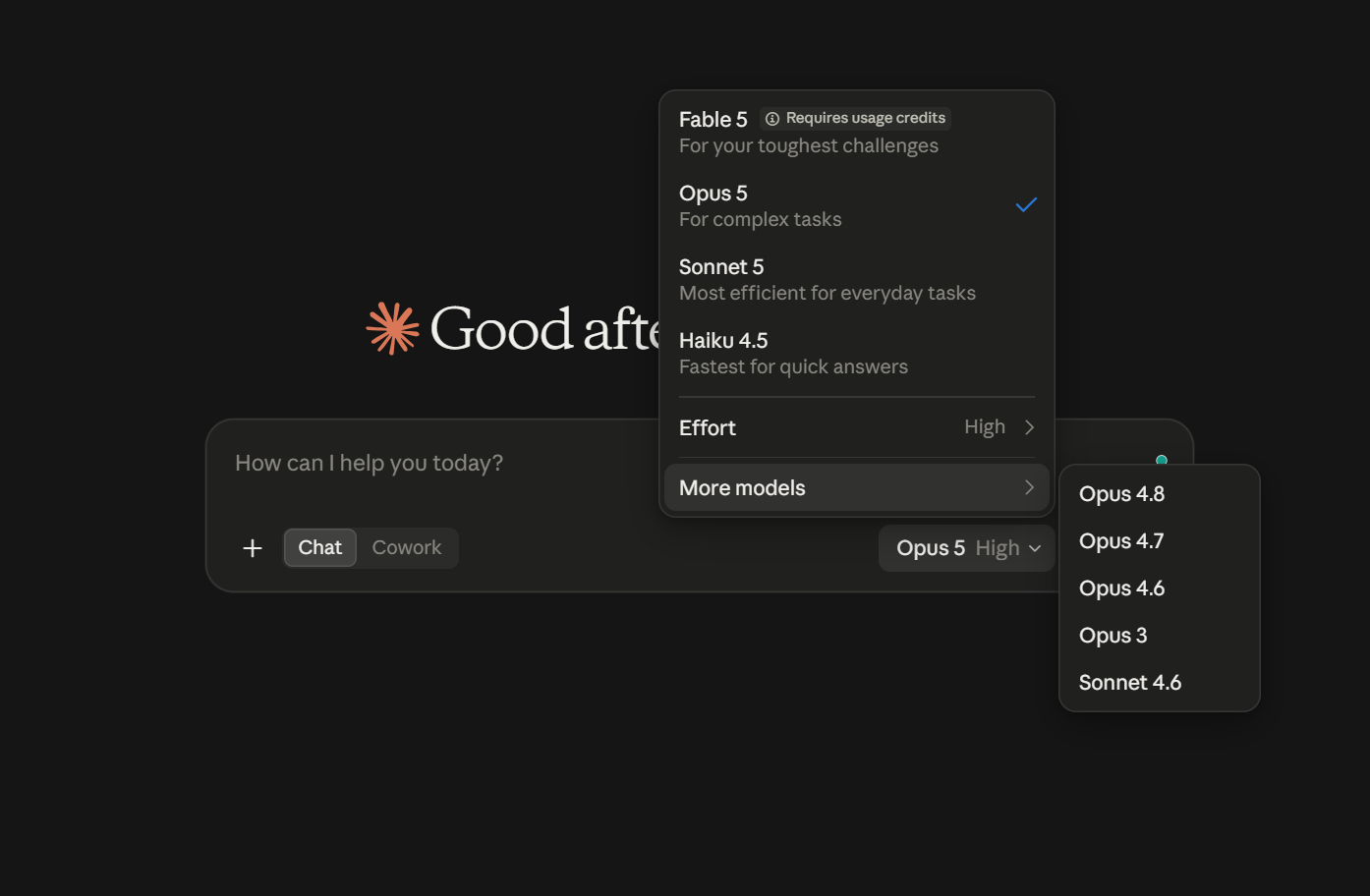
In Claude Code:
/model on its own to open a list of available models/model followed by a name to switch straight away, such as /model opusclaude --modelmodel field in your settings file to make a choice permanent across sessionsName a full version, never a shortcut, for anything shared. Aliases like sonnet point at whichever release each platform currently favors, and on Amazon Bedrock and Google Cloud that release is behind Anthropic’s own API. A full ID like claude-sonnet-5 is the only spelling two colleagues can rely on to mean the same model.
One behavior catches people out. Fable 5 hands certain requests to a different model mid-session, and the conversation then stays with the substitute. An answer partway through a Fable session may come from Opus 4.8 or Opus 5. Anthropic says these safety classifiers trigger in fewer than 5% of sessions on average, tuned conservatively enough to catch harmless requests occasionally.
When the tone or depth shifts unexpectedly, check what is selected, switch back deliberately, and start a fresh conversation first. The content that triggered the handoff is still in your history and will trigger it again.
Five habits drain your Claude budgets without ever feeling like mistakes: escalating past a thin brief, ignoring the free levers, running one conversation all day, routing off leaderboards, and standardizing on a shortcut. The work gets done, the answers arrive, and the cost lands somewhere you were not watching.
Escalating when the brief was the problem. The output disappoints, so you move up a model and get roughly the same output at a higher price. This happens because the request stayed just as thin as before.
The fix: Add the source material, the audience, the format, and one example of good work. Rerun on the same model. If that also fails, then the model is the issue.
Paying for a model upgrade with the free levers untouched. You compare models by name without touching effort, saving a brief, or turning on prompt caching or batching. Anthropic sets effort to high, with two levels above it unused. On the API, cache reads bill at a tenth of the input rate, and the Message Batches API is half price. Each costs less than 2.5x your token bill.
The fix: Exhaust the free levers first: effort up one notch, brief rewritten, repeated context cached. Then consider the model.
Letting one conversation run all day. A thread that has wandered through four unrelated jobs still re-sends its entire history with every message. Answers get vaguer because the brief gets buried under everything that followed it, and consumption climbs for the same reason.
The fix: Start a new conversation for each task. A Project keeps the shared background attached so each fresh thread still knows what it needs.
Routing off a leaderboard when your work looks nothing like the test. A model tops a coding ranking, so you switch, and your work is entirely writing. The trap operates even within one domain: the two coding benchmarks earlier in this guide crown two different models from the same lineup. Public rankings also rarely disclose the effort setting behind a score, and the same model can appear at several.
The fix: Run the five-step framework on ten finished tasks from your own work. It takes an afternoon, and it outranks every leaderboard for your specific case.
Standardizing on a name when you needed a version. Two colleagues put sonnet in the same config file and get different models, because each platform resolves the alias to its own preferred release. Versions also retire: Opus 4.1 was switched off on August 5, 2026, and anything naming it stopped working that day.
The fix: Write full versions like claude-sonnet-5 in anything shared, and check Anthropic’s deprecation schedule before a team commits to one model.
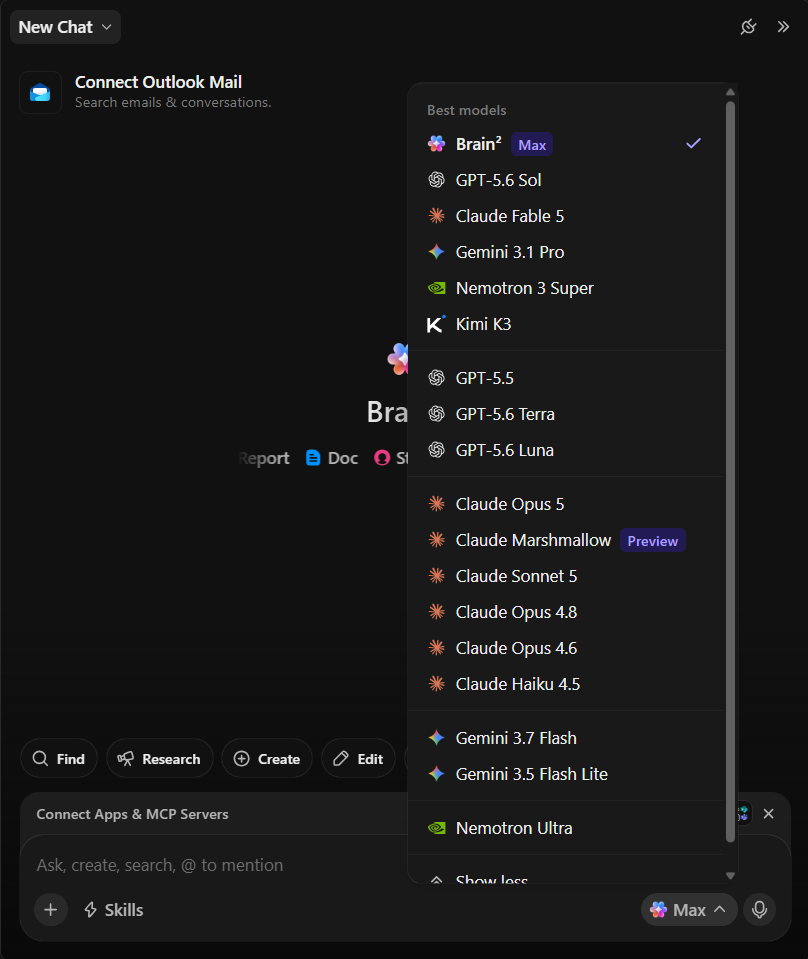
ClickUp is an end-to-end work AI platform powered by ClickUp Brain. Where Claude lives inside a chat window, Brain lives inside the work itself: tasks, docs, conversations, and dashboards all feed its context without you pasting anything in.
That difference matters here because the article’s core advice, fix the brief before you switch models, becomes automatic when the AI already sees your project history, team decisions, and source documents. You skip Step 2 of the framework above most of the time because the context is already loaded.
Case Study: PrograMetrix, a programmatic ad agency, ran separate Claude and OpenAI workflows for creative QA and campaign operations. After consolidating both into ClickUp Brain and building Super Agents for asset reviews, the team cut its external AI bill by roughly 60% and reduced creative QA turnaround by 95%.
What works well for model routing specifically:
Read more: Claude works best when combined with ClickUp as a context layer. Learn how to get the most from Claude with ClickUp.
Watch how reusable AI Skills in ClickUp Brain replace one-off prompts, so your team loads the same format, voice, and workflow every time:
Honest limitations: Teams migrating from standalone Claude will find that Brain’s value scales with how much of your work already lives in ClickUp; teams whose projects and docs sit elsewhere won’t see the context advantage until they migrate.
Best for: Your team already coordinates work in the platform and wants AI woven into execution, not bolted alongside it. If you only need Claude for personal writing or coding in a terminal, the standalone subscription is simpler.
Set Claude Sonnet 5 as your working default and stick with it. Drop to Claude Haiku 4.5 for the small stuff that interrupts you, which fills more of your day than you think. Escalate to Claude Opus 5 for the two or three tasks a week where being subtly wrong is expensive, and treat Claude Fable 5 as delegation: a colleague you brief once and leave alone.
Then spend the attention you were giving the model picker on your briefs. The gap between a good prompt and a lazy one is wider than the gap between Sonnet and Opus on most work you will do this week.
One last practical note: this lineup changed multiple times in under two months in mid-2026, so any article naming specific versions, including this one, has a short shelf life. The routing discipline outlives the model names. If you want Claude’s reasoning applied to work your whole team can see, get started with ClickUp for free.
Claude leads on long-document work and agentic coding: Sonnet 5 and above hold 1 million tokens of context, enough for an entire contract stack or codebase in one conversation. ChatGPT counters with broader multimodal features, including native image generation, which Claude lacks. For everyday writing and analysis, the quality gap is small; choose based on what your work needs to touch, not benchmark rank.
Claude’s Team plan costs $20 per standard seat per month billed annually, or $25 monthly, with a five-seat minimum. Premium seats run $100/month on annual billing and include five times the usage, plus Fable 5 access inside the weekly allowance. Enterprise works differently: a seat fee covers access, and all usage is billed separately at API rates.
Paid plans combine a five-hour session cap with a weekly allowance; Pro ($20/month) covers standard use, while Max plans offer 5x or 20x that capacity at $100 and $200 per month. Consumption depends on model choice, effort setting, and conversation length, so an Opus session at max effort drains the allowance far faster than Sonnet at default. Team admins can prepay usage credits so members keep working past seat limits.
No, not on Team and Enterprise plans, where business data is excluded from model training by default and admins control retention. Individual Free and Pro accounts manage this through a privacy setting instead. Teams handling regulated work can add Anthropic’s Compliance API, which captures prompts, responses, and tool calls from Cowork and Claude Code sessions for audit.
Yes, through connectors to tools like Google Workspace, GitHub, and Slack, plus Projects that hold a workstream’s documents as persistent context. Claude Cowork extends this further, running scheduled tasks against connected sources even while your device is offline. Access to each surface depends on your plan tier, and Enterprise admins control which connectors are enabled.

Sean Hardy
Max 23min read

Manasi Nair
Max 16min read

© 2026 ClickUp




