






Still downloading templates?
There’s an easier way. Try a free AI Agent in ClickUp that actually does the work for you—set up in minutes, save hours every week.
Sorry, there were no results found for “”
Sorry, there were no results found for “”
Sorry, there were no results found for “”
You know that mixed feeling: AI helps you write code faster, and then you spend the next hour cleaning up the “almost right” parts.
That’s why choosing a Zencoder AI alternative is more about what happens after the first draft: PR (Pull Request) feedback, fixes, and whether your team still trusts the output.
That trade-off matters because AI adoption is already mainstream. In Stack Overflow’s 2025 Developer Survey, 84% of respondents say they’re using or planning to use AI tools in their development process.
So the real question is what kind of help you need: an AI coding agent that can work across multiple files or an AI coding assistant that delivers context-aware code suggestions inside your editor across multiple programming languages.
This guide breaks down the best Zencoder AI alternatives, their key features, and where they actually fit in real software development workflows.
Here’s a quick snapshot of the top Zencoder AI alternatives so you can match the right tool to your workflow before diving into the detailed reviews.
| Tool | Best for | Key features | Pricing* |
| ClickUp | Running software development workflows in one Converged AI Workspace | AI assistance across work context, docs and specs in one place, workflow automation, software delivery tracking | Free forever; customizations available for enterprises |
| GitHub Copilot | Context-aware code suggestions inside VS Code and other popular IDEs | In-editor code suggestions, chat-based help, support for multiple programming languages, code review assistance | Free plan available; paid plans starting at $19/month per user |
| Amazon Q Developer | AWS native AI coding assistance across IDE and CLI | IDE + CLI support, agentic coding requests, AWS-aware suggestions, improving developer productivity for repetitive tasks | Free tier available; paid plans starting at $19/month per user |
| Tabnine | Secure AI coding for enterprise teams with code privacy needs | IDE support, code generation, enterprise controls, self-hosted options | Paid plans starting at $59/month per user |
| Cursor | Deep codebase understanding and multi-file edits with an AI coding assistant | Multi-file edits, agent workflows, model options, context-aware suggestions in an AI IDE | Free plan available; paid plans starting at $40/month per user |
| Replit AI | Building and deploying apps fast with an AI coding agent in the browser | Agent-based app building, browser IDE, deploy from the same place, fast prototyping | Free plan available; paid plans starting at $25/month per user |
| Windsurf | An AI coding agent inside an agentic IDE for multi-file work | Cascade agent, multi-file changes, credit-based usage, desktop IDE experience | Free plan available; paid plans starting at $15/month per user |
| Codacy | Automated code reviews that protect code quality in pull requests | PR scanning, quality gates, security checks, multi-language coverage | Free plan available; paid plans starting at $21/month per dev |
| Deepcode AI (Snyk) | AI-powered code review focused on secure coding and vulnerability detection | Security-focused analysis, multi-language support, prioritization help, data-flow analysis | Free plan available; paid plans starting at $25/month per dev |
Our editorial team follows a transparent, research-backed, and vendor-neutral process, so you can trust that our recommendations are based on real product value.
Here’s a detailed rundown of how we review software at ClickUp.
You start looking for a Zencoder AI alternative when the tool stops matching how you ship. Maybe you like the speed of AI coding, but you still burn time in code review, fixing suggestions that miss intent.
Or you need context-aware suggestions that match your coding style and repo conventions, not generic code snippets that look correct but fail edge cases.
Cost matters too. As usage spreads across a team, paid plans can climb quickly, so a reliable free plan helps while you test workflows. For other teams, the bigger issue is control: data privacy, code privacy, security guardrails, and, in some cases, a self-hosted setup for sensitive repos.
Most importantly, you want AI assistance that improves your development process instead of creating cleanup work. The right tool helps you fix bugs faster, maintain code quality, reduce repetitive tasks, and stay confident when you merge new code.
📖 Also Read: Top AI Tools Transforming Businesses
Picking the right Zencoder AI alternative comes down to how you work day to day. Some tools focus on writing new code inside your integrated development environment (IDE). Others act more like an AI coding agent that can update multiple files or support automated code reviews.
Here’s our pick for the top Zencoder AI alternatives you can use.
If your main issue is “the AI isn’t smart enough,” you’ll probably start with a coding assistant. If your issue is “the team can’t ship cleanly because context is split across too many tools,” you need a different fix. That’s where ClickUp fits as a practical Zencoder AI alternative.
Instead of treating AI as a separate layer, ClickUp works as a Converged AI Workspace that keeps tasks, discussions, and delivery tracking connected in one place.
ClickUp reduces Work Sprawl (work spread across too many apps) and AI Sprawl (too many isolated AI tools with partial context), so your team spends less time chasing the latest decision and more time shipping.
Here’s how:
ClickUp Codegen brings AI-powered software development right into your workflow. It’s like having an AI developer teammate inside ClickUp that understands natural language. It also reads and learns from the full task context to write high-quality code, fix bugs, and even generate production-ready pull requests without leaving your workspace.
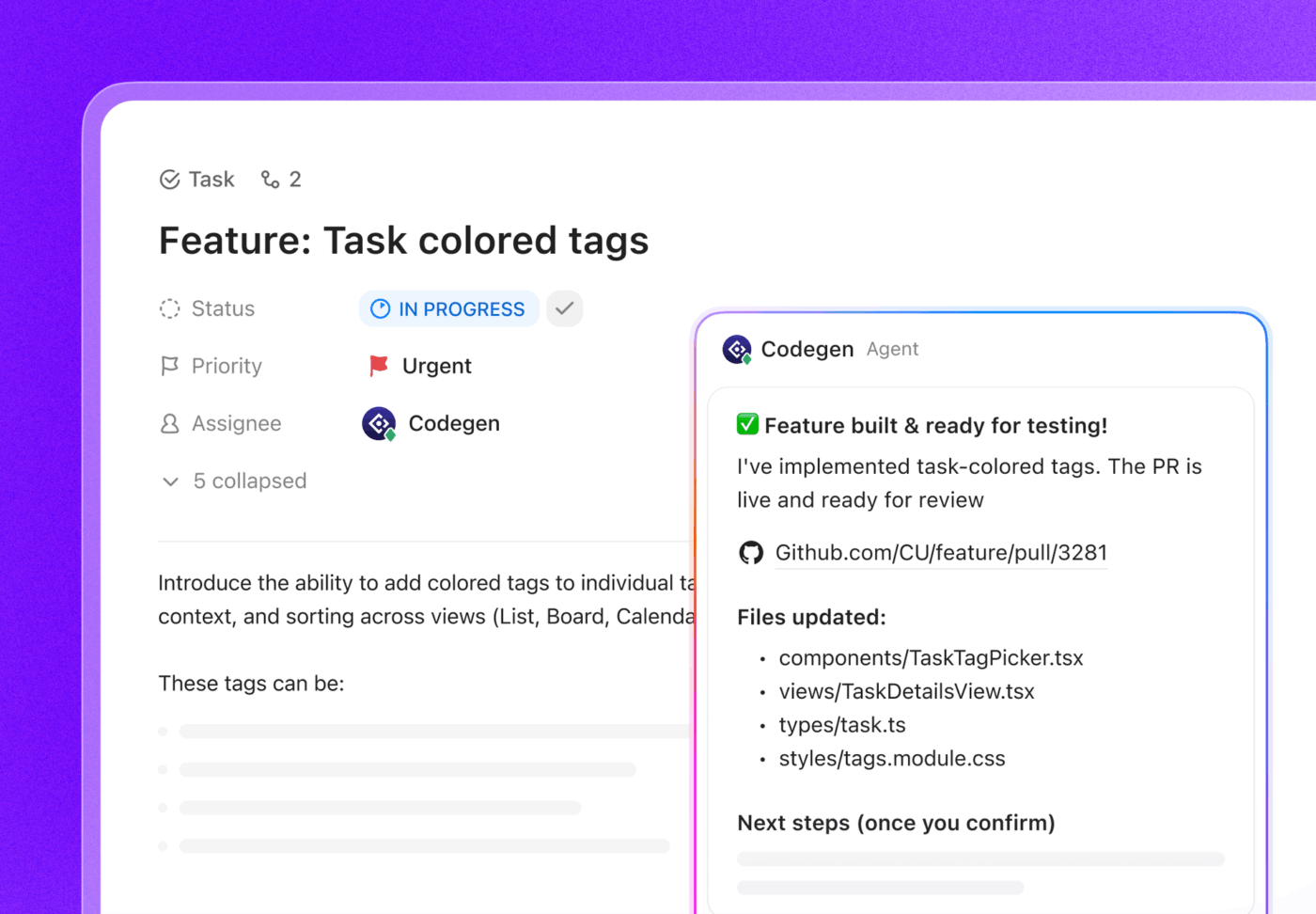
With Codegen, you can:
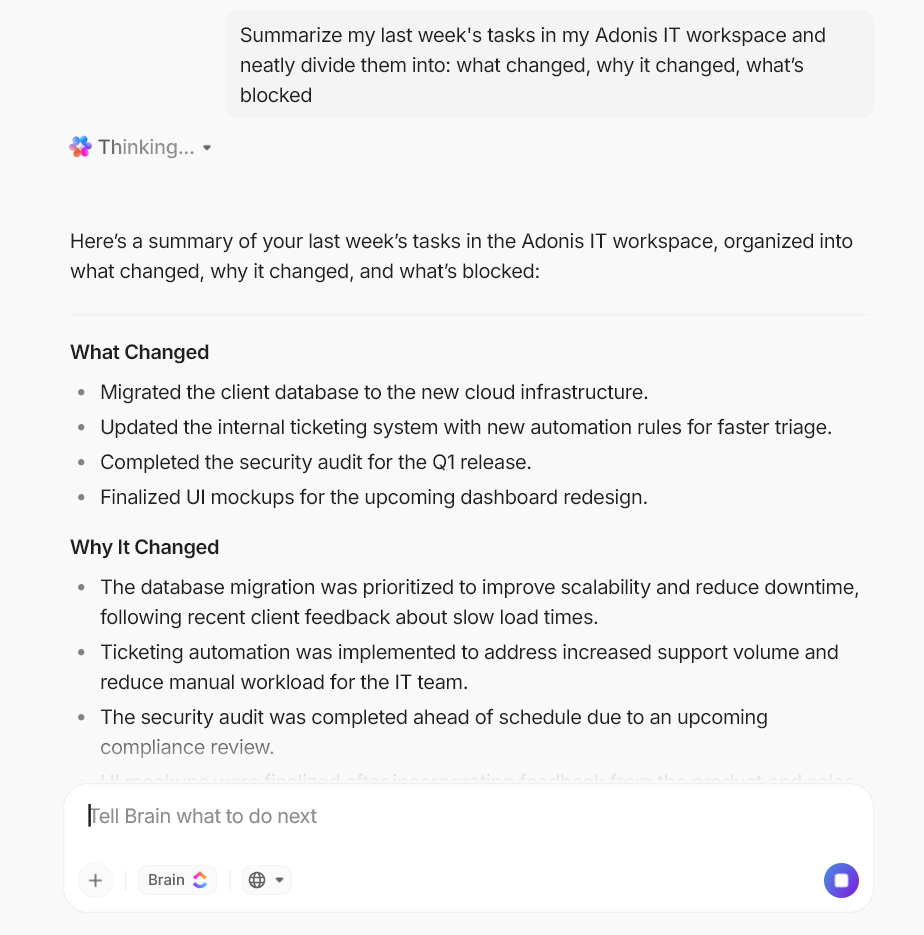
When requirements live in one place, implementation notes in another, and decisions in Chat, it’s common to ship “correct” code that still misses intent. ClickUp Brain is built for that moment.
As context-aware AI, it sits inside your workspace and helps you turn knowledge from your ClickUp Tasks, Docs, and Chat into something you can act on, without copying details across tools.
Here are some practical ways in which developers and engineering leads can use ClickUp Brain:
💡 Pro Tip: Use ClickUp Super Agents to keep engineering follow-through consistent
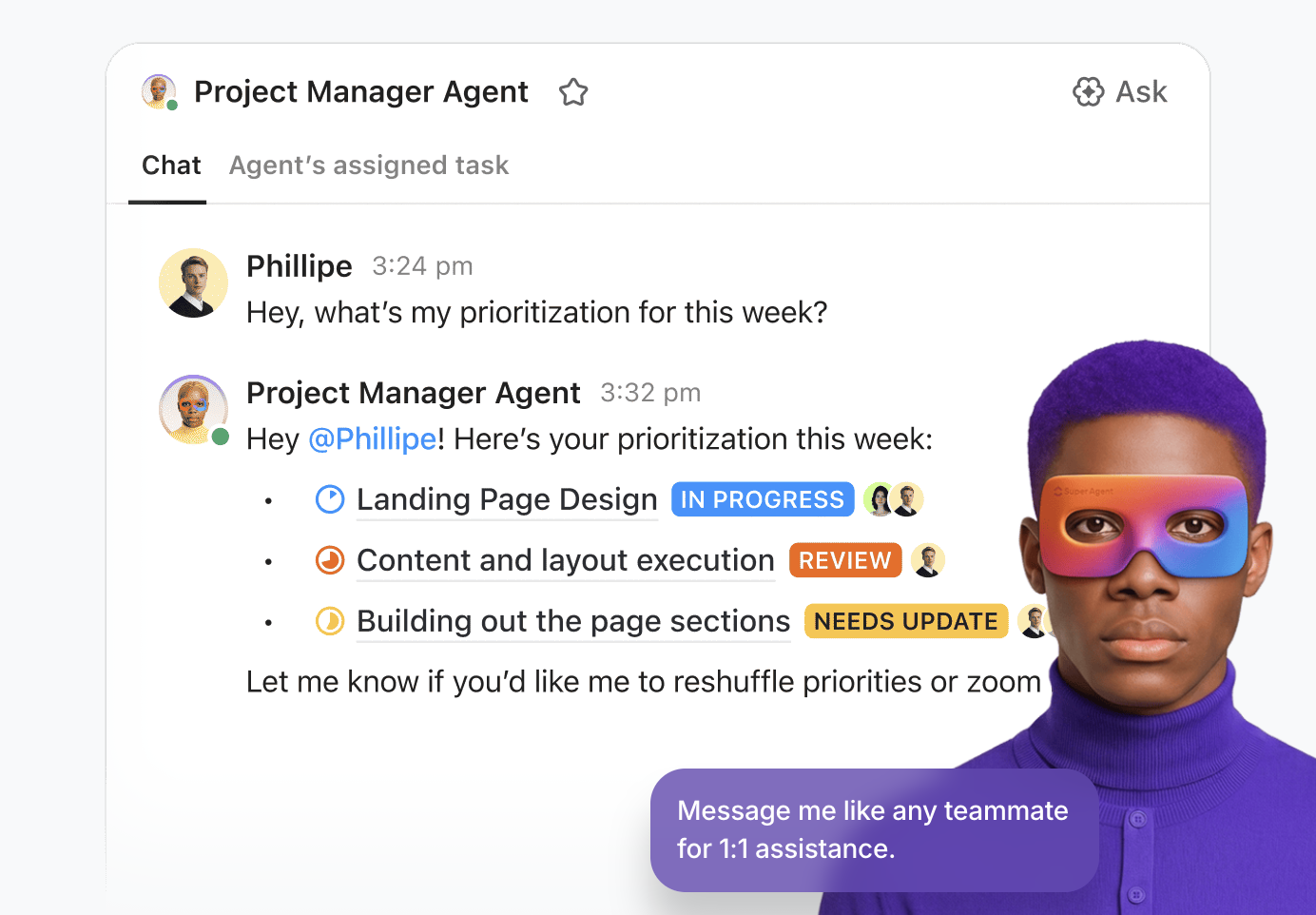
Super Agents are ClickUp’s AI-powered teammates designed to run multi-step workflows using your Workspace context.
Here are some ClickUp Super Agent use cases that map well to software delivery:
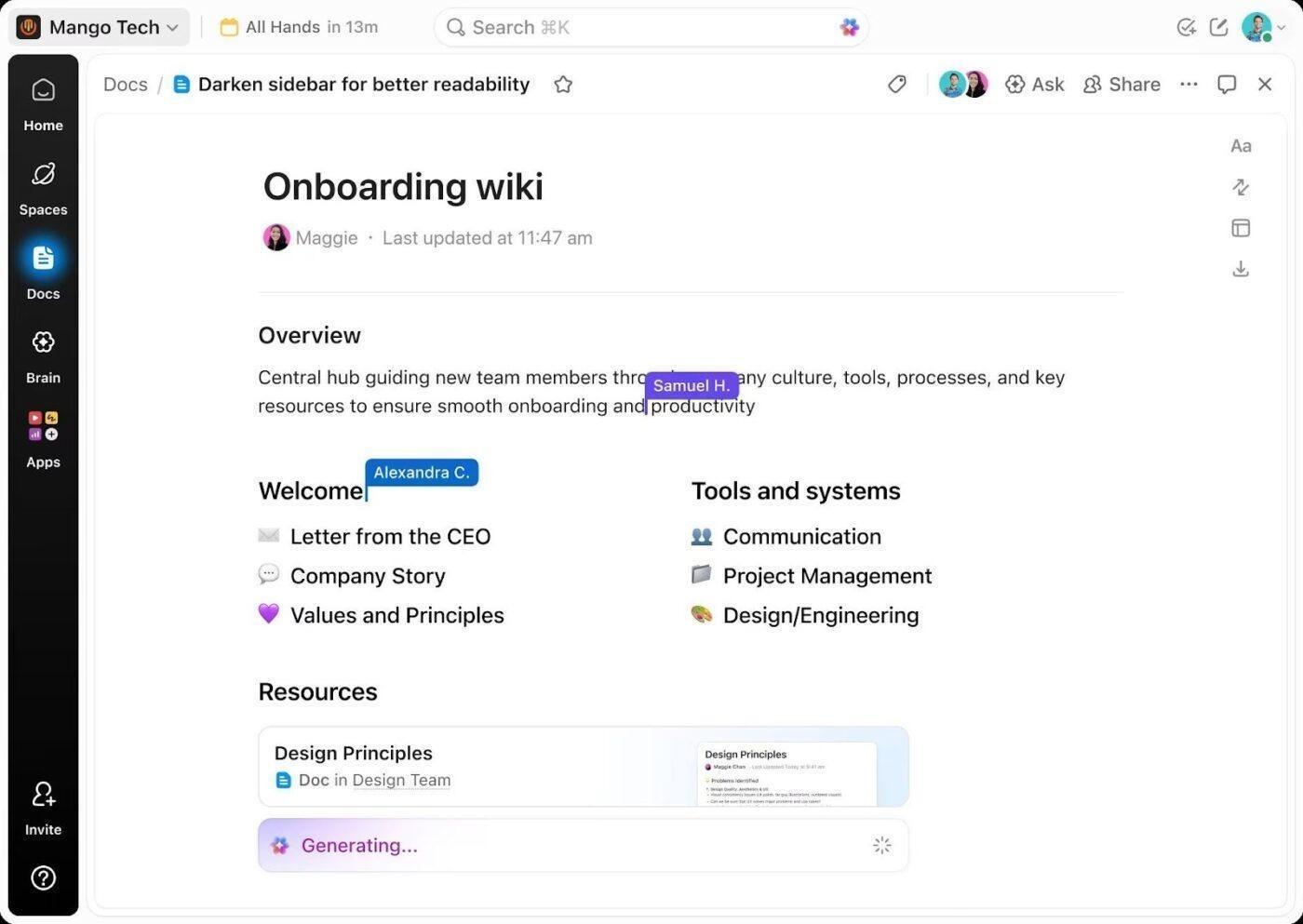
Once AI helps you write code faster, the real risk shifts to losing track of decisions. Specs drift, rationale gets buried, and code snippets end up scattered across comments and chat.
ClickUp Docs keep documentation tied directly to execution, so reviewers understand intent before debating implementation.
With ClickUp Docs, teams can:
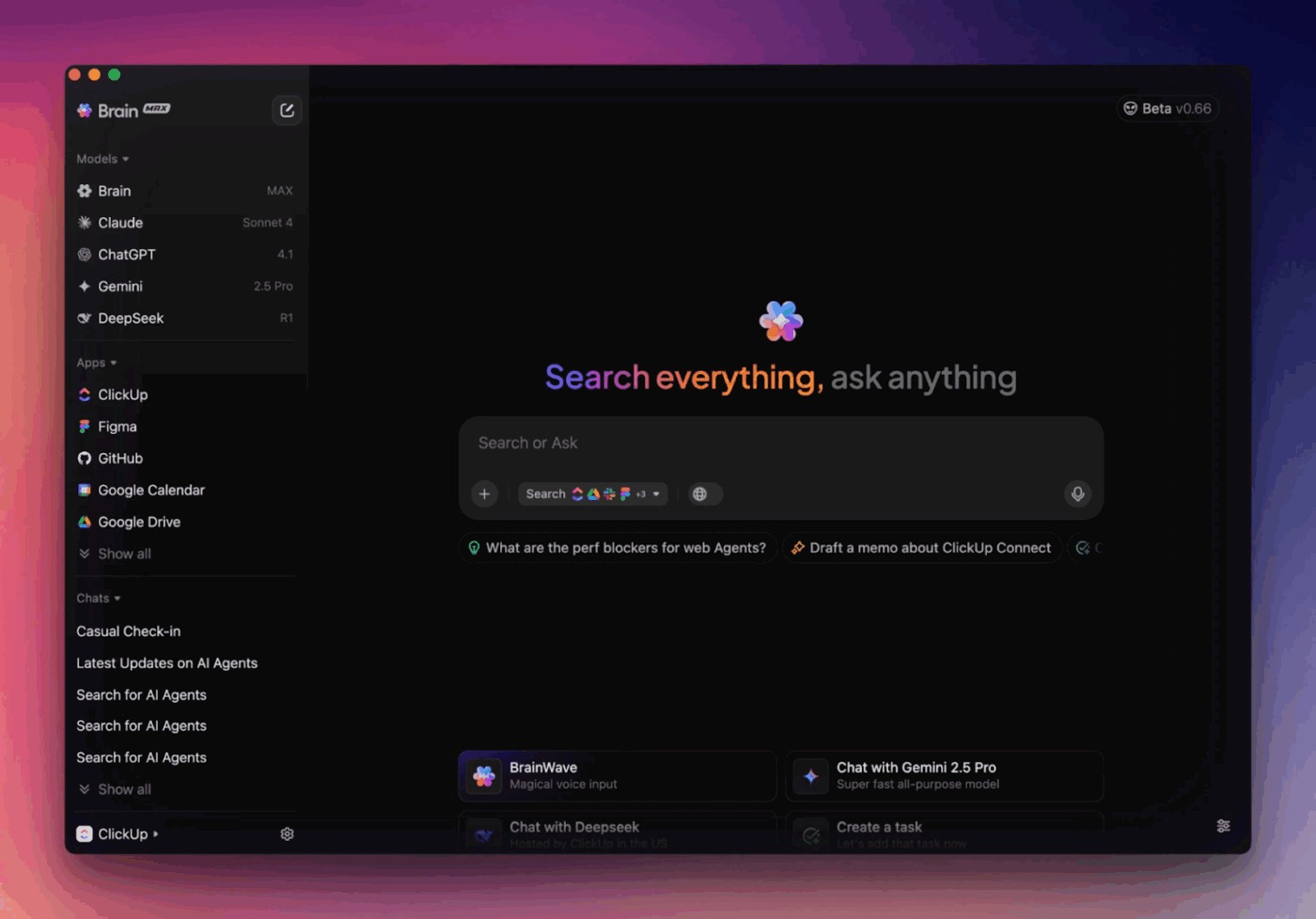
💡 Pro Tip: ClickUp Brain MAX helps you keep software development workflows connected to the original context, so updates do not get lost across tools and code review stays grounded in the “why.”
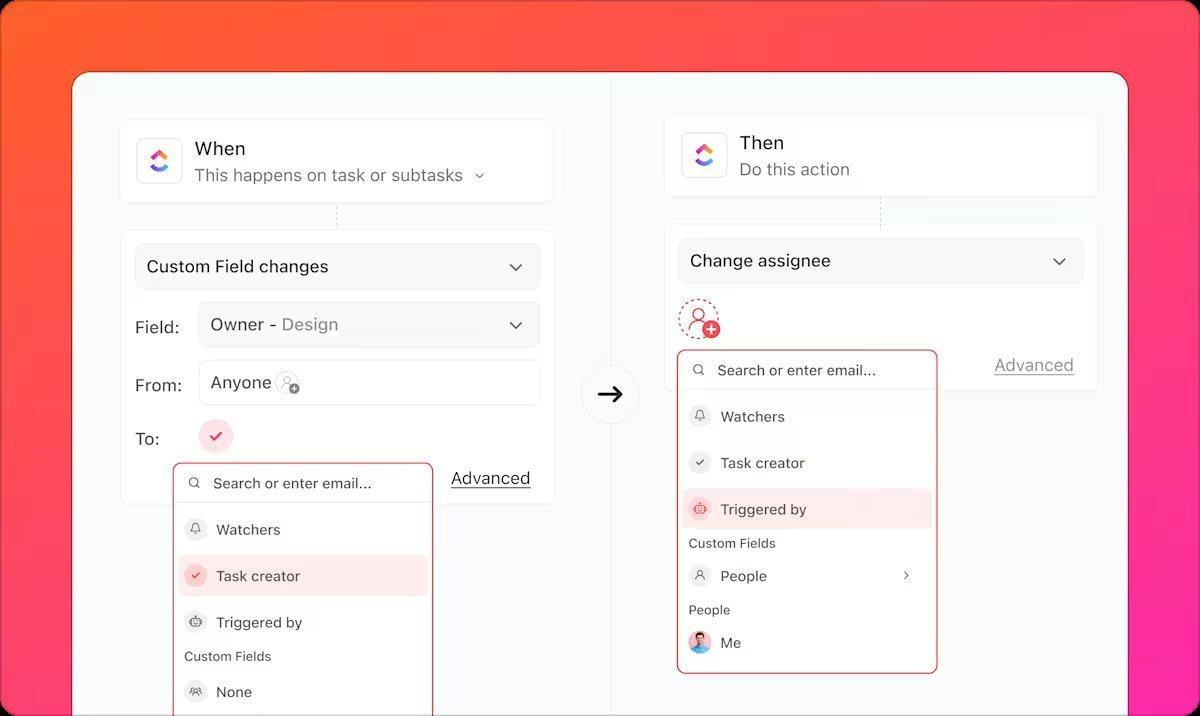
ClickUp Automations fixes this by automating tasks from triggers and actions, with optional conditions for more control.
Here is how your team can use ClickUp Automations to optimize their software development workflows:
If the only thing you improve is code generation speed, you still hit delays in the same places: unclear priorities, missing dependencies, and slow handoffs between backlog, bugs, and releases. ClickUp for Software Teams focuses on bringing those workflows into one place so you can manage delivery, not just tasks.
Here’s how it provides a structured way to manage your full engineering lifecycle:
A software developer on G2 said:
As a software engineer, what I appreciate most about ClickUp is its comprehensive platform that brings together task management, documentation, and communication in a seamless way. The ability to customize workflows, along with robust automations and integrations, allows me to stay organized, minimize context switching, and ensure the whole development team remains on the same page. Tools such as ClickUp Docs and Agile-oriented task views simplify both planning and progress tracking. All in all, ClickUp helps me save time and enhances my productivity.
📖 Also Read: Unlocking the Power of ClickUp AI for Software Teams
📮ClickUp Insight: 33% of our respondents point to skill development as one of the AI use cases they’re most interested in. For example, non-technical workers may want to learn to build code snippets for a web page using an AI tool.
In such cases, the more context the AI has about your work, the better its responses will be. As the everything app for work, ClickUp’s AI excels at this. It knows what project you are working on and can recommend specific steps or even perform tasks like creating code snippets easily.
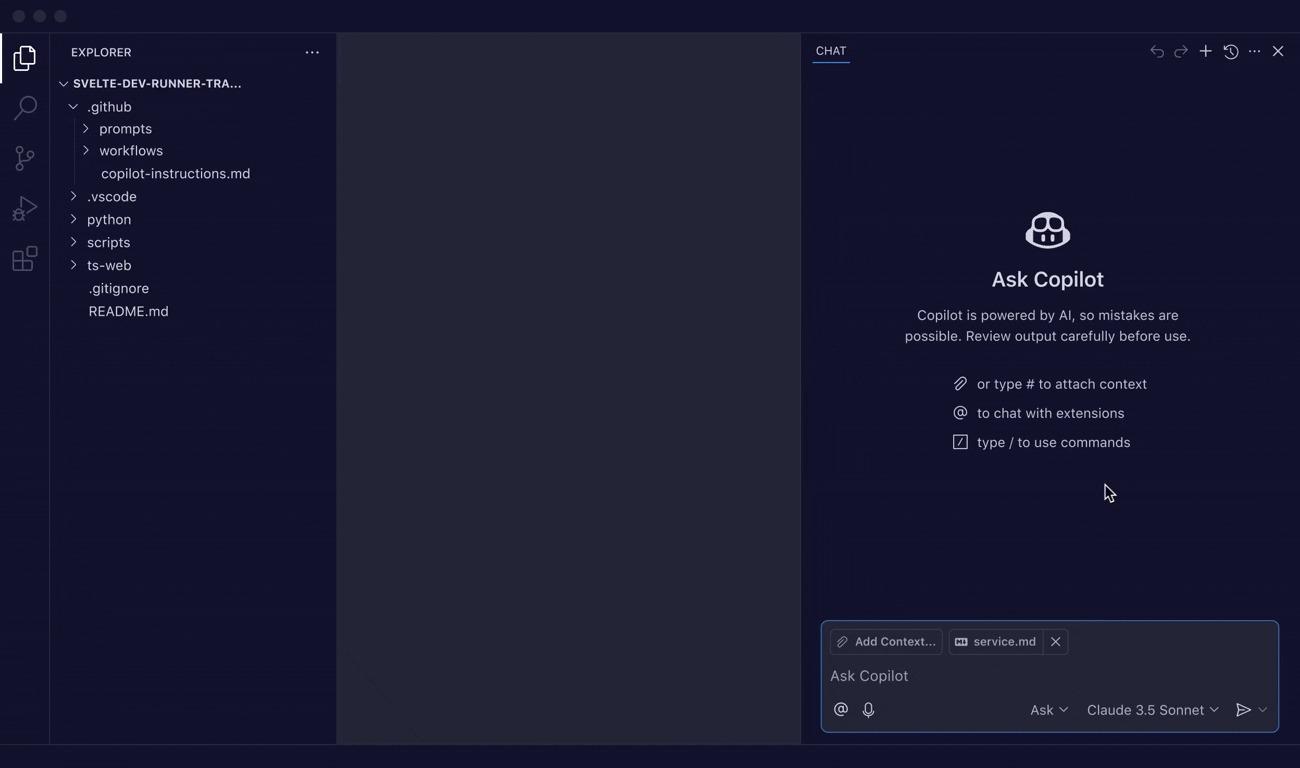
If you want a Zencoder AI alternative that can operate in the background while you work, Copilot is built for that “in-editor” loop. You write code in VS Code (or another supported IDE), and Copilot suggests completions and code snippets as you go. This helps when you’re moving quickly through repetitive tasks or trying to keep momentum during complex coding.
It becomes more useful when your work spans multiple files. GitHub provides ways to give Copilot more repo context (including repo-level instructions), which enables it to deliver more context-aware suggestions rather than generic autocomplete.
And if code review is where time disappears, Copilot code review can be requested on pull requests to surface issues and suggested fixes you can apply directly. This makes it especially handy for teams trying to protect code quality as AI coding becomes routine.
A G2 reviewer shares:
“GitHub Copilot proves to be an amazing tool for coding activities of every day. The implementation is pretty straightforward, and it does not demand a complicated setup. The development environment’s integration is significantly seamless and fast.”
🤔 Did You Know: GitHub found out that Copilot helps devs stay “in the flow” (about 73%) and reduces mental effort on repetitive tasks by almost 87%.
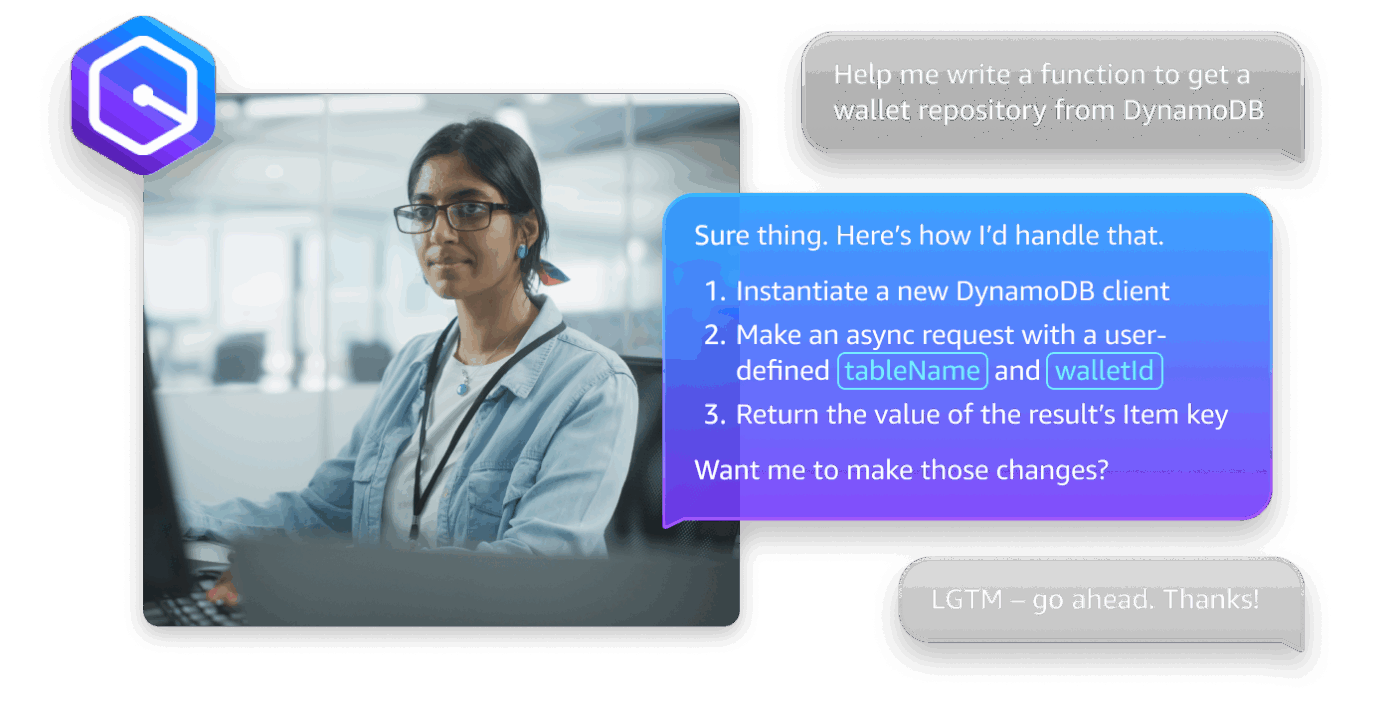
Amazon Q Developer makes the most sense as a Zencoder AI alternative when your development process is tightly coupled with AWS.
Use it to generate and update code, scan for security issues, and assist with optimizing and refactoring.
It also provides inline suggestions, chat, and vulnerability scanning across common IDEs, plus terminal support for CLI autocompletions and chat when you’re working through cloud setup and deployment steps.
A G2 reviewer’s opinion reads:
“What I like the most is how it helps me write and debug code faster. The AI suggestions are usually accurate and save a lot of time, especially when I’m working on repetitive tasks.”
🎥 Watch a video: How do you maintain code quality with AI taking over code generation? Bring a human in the loop and arm them with a code review checklist! Here’s how to build one:
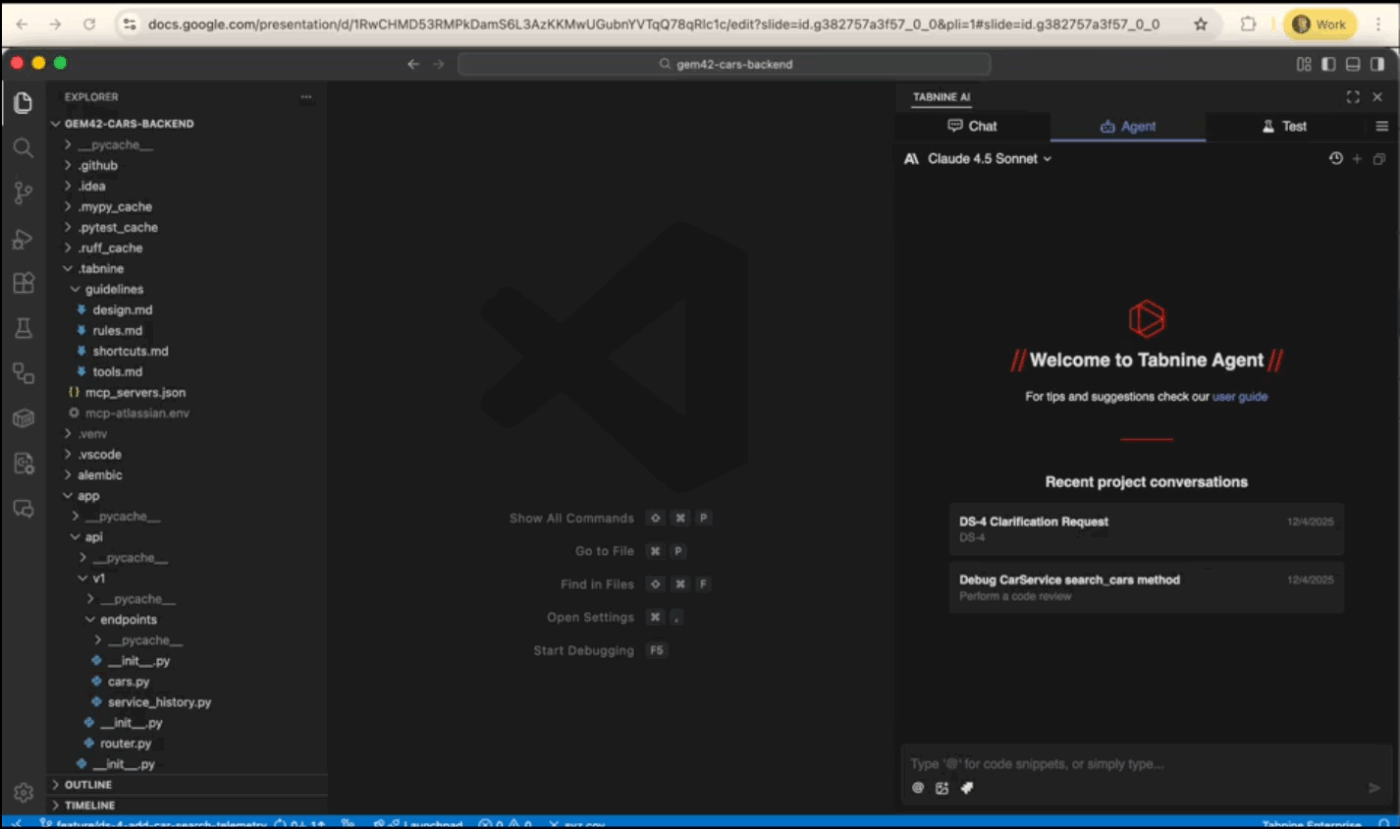
Tabnine is a good option when you want AI coding assistance but also need strong controls for code privacy and compliance. It can be deployed in cloud, on-prem, or air-gapped environments, which matters for enterprise teams handling sensitive repos or regulated data.
Tabnine’s own privacy documentation states a no-train, no-retain policy regardless of which model is used. In practice, that makes Tabnine easier to evaluate for teams that need AI assistance across multiple programming languages but want clearer governance and data privacy guardrails.
Straight from a G2 review:
“I am working as a developer and use Tabnine for several aspects that I find really valuable. The Boilerplate Reduction feature is great for automating the generation of repetitive code structures like unit test frameworks and standard API configurations.”
📖 Also Read: Free Software Development Plan Templates to Use
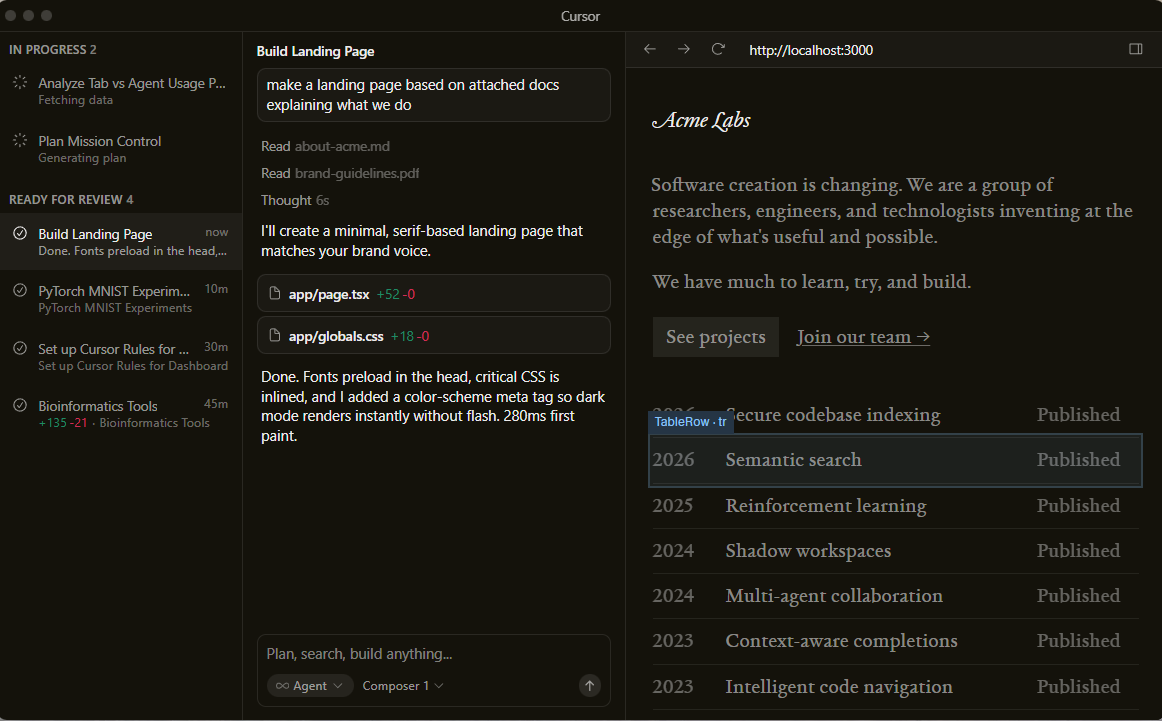
Cursor is built for situations where your code changes span multiple files. Cursor’s Agent modes are designed to explore your codebase, edit multiple files, run commands, and fix errors to complete a request.
That’s helpful not just for generating code but also for code refactoring or coordinated updates across an existing codebase.
Cursor also supports a “multiple agents” style workflow, where different agents can work on different areas of the codebase in parallel. It’s a good fit when you want to divide work: one agent adds tests while another handles a small refactor, and then you review the combined result.
A positive G2 review states that:
“Cursor significantly improves developer productivity by tightly integrating AI directly into the code editor. Features like context-aware code suggestions, inline code generation, and the ability to ask questions about the existing codebase make debugging and development much faster.”
📖 Also Read: Best Code Editors for Developers

Replit AI is designed for a tight build loop in the browser: prompt, generate, run, iterate, and share. Replit Agent can further set up and create apps from scratch using everyday language, where you describe what you want, and the agent builds a working app.
This makes Replit useful when your goal is speed and a quick feedback cycle. You can use it to scaffold projects, generate code snippets, and build a working prototype without spending time setting up a local environment.
It’s especially handy when you want to test an idea, build an internal tool, or validate UX quickly before investing more engineering time.
It’s fairly easy to get started. With what I’m doing between Replit and AWS, it would easily cost me thousands upon thousands to pay professional devs to build my app for me. For most people that are probably building something simple this is an amazing tool.
📖 Also Read: How to Become a Better Programmer
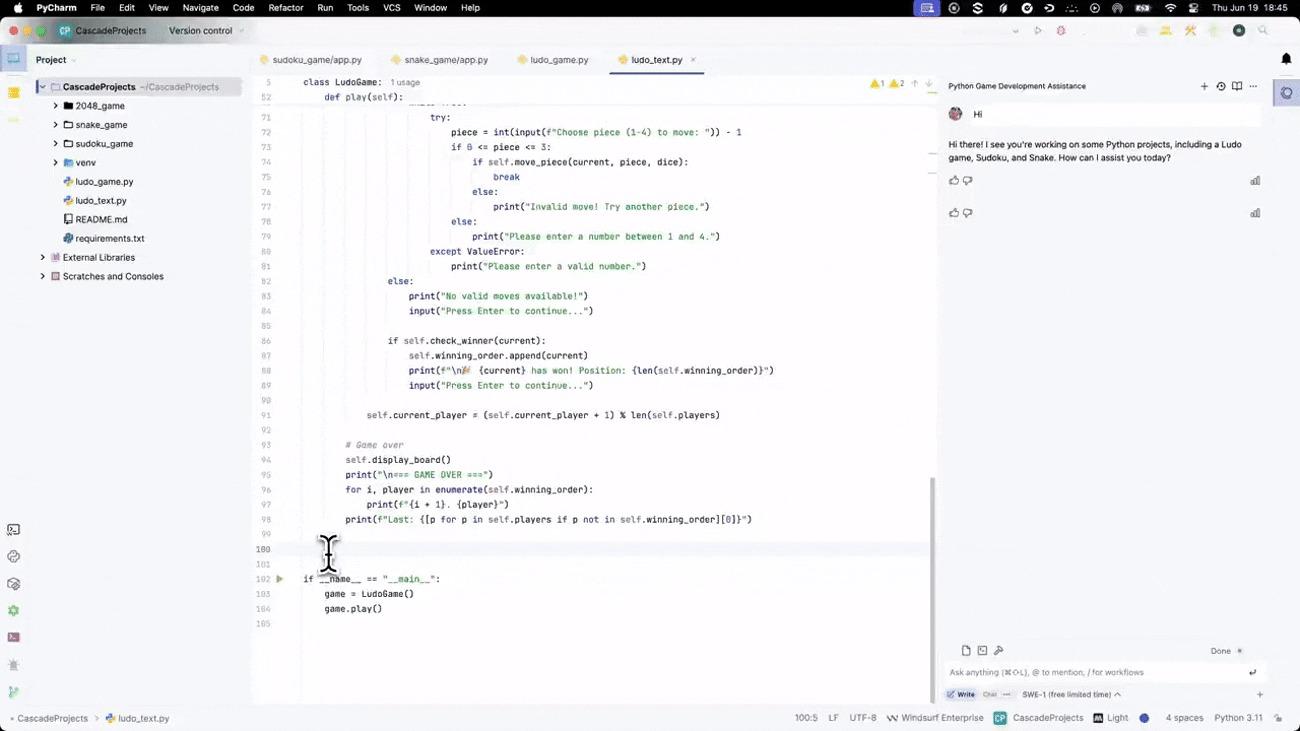
Windsurf is centered on Cascade, an agentic assistant designed to work in both Code and Chat modes with tool calling and linter integration. The idea is that you can request a multi-step change, let the agent make edits, and then inspect progress at checkpoints rather than accepting a single completion.
A key part of Windsurf’s pitch is context handling. Windsurf comes with “Fast Context,” a specialized subagent that retrieves relevant code from your codebase much faster than traditional agentic search. This helps the agent stay grounded in large repositories.
If your team doesn’t want to switch fully to a new IDE, Windsurf also provides plugins for multiple editors and IDEs. That makes it easier to try Windsurf-style AI assistance with a smaller change to your workflow, especially if your main need is multi-file edits and better repo context during complex tasks.
The AI assistance feature is the best thing about Windsurf and truly surpasses any other AI IDE tool that I have used to far. It is intelligent enough to understand your codebase, folder structure, intentions and will even guide you with troubleshooting and etc. You just open it up and select your desired model and you’re good to go.
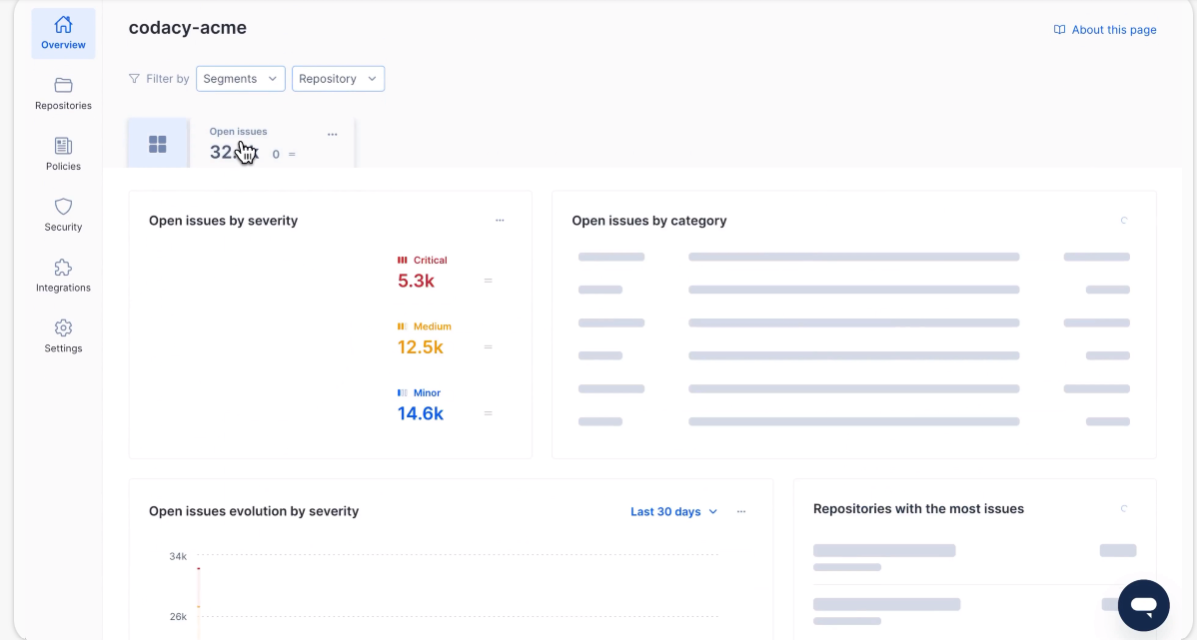
Codacy is the Zencoder alternative for teams that want code quality and security checks to stay consistent as PR (Pull Request) volume grows, including when AI code generation increases output. Codacy’s platform is built around automated static analysis and enforcing code patterns, so code is evaluated before it reaches production.
Codacy Guardrails can scan AI-generated and human-written code locally through an IDE extension. It can also spot security and quality flaws and apply automatic fixes before the code is printed. On the PR side, Codacy provides pull request visibility and code quality metrics per PR, so you can monitor quality for work in progress, not just after merging.
“I’ve used Codacy for about an year now and I can say that it has been an amazing experience till now. The intended purpose to onboard Codacy as the code quality and security analysis tool has been fulfilled.”
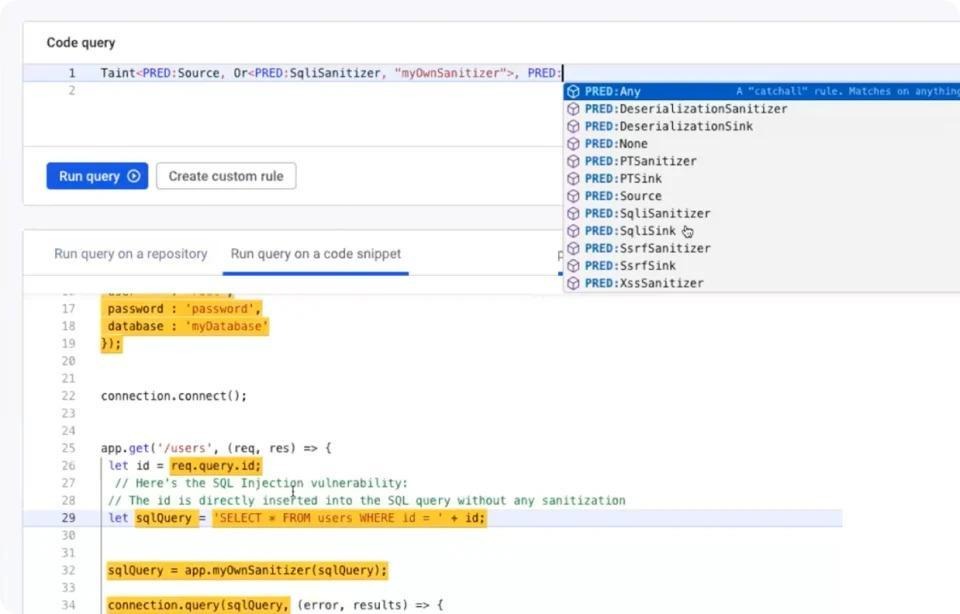
DeepCode AI is built for security-first review rather than general coding help. This matters when AI coding increases the amount of new code entering PRs.
You can use DeepCode AI through Snyk’s code analysis to catch security issues earlier, prioritize what actually matters, and reduce noise with data-flow-aware analysis rather than only pattern matching.
If your biggest risk is shipping vulnerabilities because review bandwidth cannot keep up, DeepCode AI is a strong Zencoder AI alternative in the “automated code reviews” category, especially for enterprise teams that want AppSec (Application Security) coverage embedded into developer workflows.
From a G2 review:
“Snyk’s product features a highly intuitive GUI, making it straightforward to identify and address vulnerabilities. The platform allows you to organize developers into Orgs, which is helpful for ensuring that only specific development teams can view the vulnerabilities related to their own products.”
📖 Also Read: Best AI Coding Tools and Assistants
If you’re still comparing options beyond the main Zencoder AI alternatives, these tools can fill common gaps once AI starts writing more code than your team can comfortably review. They’re useful when you want stricter guardrails and fewer surprises in pull request reviews:
📖 Also Read: 9-Step Guide on How to Write Documentation for Code
If you picked up one theme from this list, it’s this. AI coding is easy to start and hard to scale. Code generation can help you write code faster, but you still need code review, clear documentation, and a steady development process to keep code quality from slipping.
That’s where ClickUp earns its place as a Zencoder AI alternative. ✨️
ClickUp gives you one connected home for software development workflows, so work does not splinter across tools, and “AI output” does not become another loose end. When your team stays aligned on the what, the why, and the next step, it’s easier to fix bugs and ship new code with fewer surprises.
Keep your work, context, and execution in one place with ClickUp. Sign up now!

© 2026 ClickUp

There’s an easier way. Try a free AI Agent in ClickUp that actually does the work for you—set up in minutes, save hours every week.