






Still downloading templates?
There’s an easier way. Try a free AI Agent in ClickUp that actually does the work for you—set up in minutes, save hours every week.
Sorry, there were no results found for “”
Sorry, there were no results found for “”
Sorry, there were no results found for “”
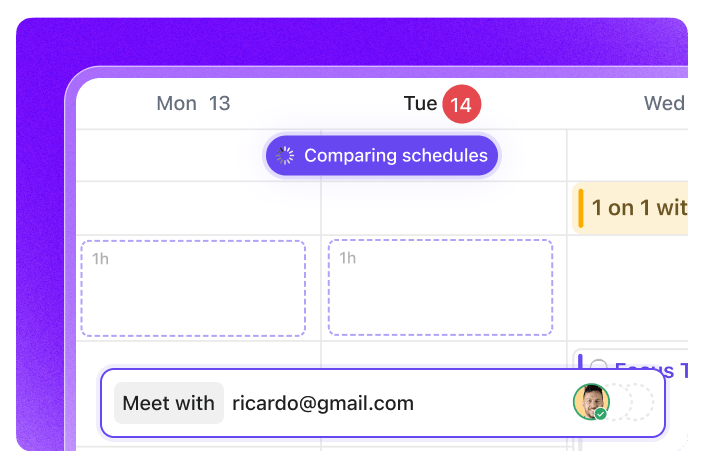

You’re trying to plan a meeting. At first, it seems simple. You just need to find a time that works for everyone.
But then the back and forth begins.
‘I’m free Monday morning!’
‘Can’t do Monday, what about Tuesday?’
‘Tuesday’s bad for me, maybe Thursday?’
Before you know it, you’re drowning, and the meeting still isn’t scheduled.
When2Meet has been a popular choice for quickly checking availability, but it has limitations. If you’re looking for popular calendars with better integrations, automated scheduling, or a more seamless experience, you’ve got plenty of options.
In this blog post, we’ll explore some of the best When2Meet alternatives to help you schedule events without the chaos.
Let’s look at a quick comparison of the best When2Meet alternatives:
| Tool | Key Features | Best For | Pricing* |
| ClickUp | AI-powered scheduling, Calendar, Calendar View, Meeting notetaker, Analytics, Time tracking, Pre-built templates | Startups, modern appointment-based businesses, and enterprises needing end-to-end scheduling and task management | Free plan available; Custom pricing for enterprises |
| Calendly | Automated meeting links, polls, reminders, team scheduling, payment integration | Freelancers, startups, and SMBs automating meeting scheduling | Free plan available; Paid plans start at $10/seat/month |
| Google Calendar | Meet integration, event color coding, Focus Time, Time Insights | Freelancers and SMBs within the Google ecosystem | Free with a Google account |
| Doodle | Poll-based scheduling, timezone support, custom booking pages, reminders | Freelancers, startups, and small businesses coordinating group availability | Free plan available; Paid plans start at $14.95/user/month |
| Microsoft Outlook Calendar | Scheduling Assistant, multi-timezone views, Teams/OneDrive integration | Mid-sized businesses and enterprises using Microsoft ecosystem | Free with a Microsoft account |
| Acuity Scheduling | Custom booking pages, automated reminders and follow-ups, intake forms, client management | Service-based businesses looking for a client-friendly booking app | Free plan available; Paid plans start at $20/month |
| HubSpot Meetings | CRM integration, website booking forms, automated follow-ups | Startups and enterprises integrating scheduling into sales workflows | Free plan available; Paid plans start at $20/user/month |
| Bookafy | Skill-based routing, review requests, API/webhooks, custom branding | Small to mid-sized businesses needing automated bookings and reminders | Free plan available; Paid plans start at $7/user/month |
| Setmore | Public/private bookings, client booking via social media, SMS reminders | Freelancers and small businesses offering appointment scheduling | Free plan available; Paid plans start at $9/user/month |
| Zoho Bookings | Self-service portal, staff-level calendars, CRM and invoicing automation | Startups and mid-sized businesses needing flexible client-facing scheduling | Free plan available; Paid plans start at $6/user/month |
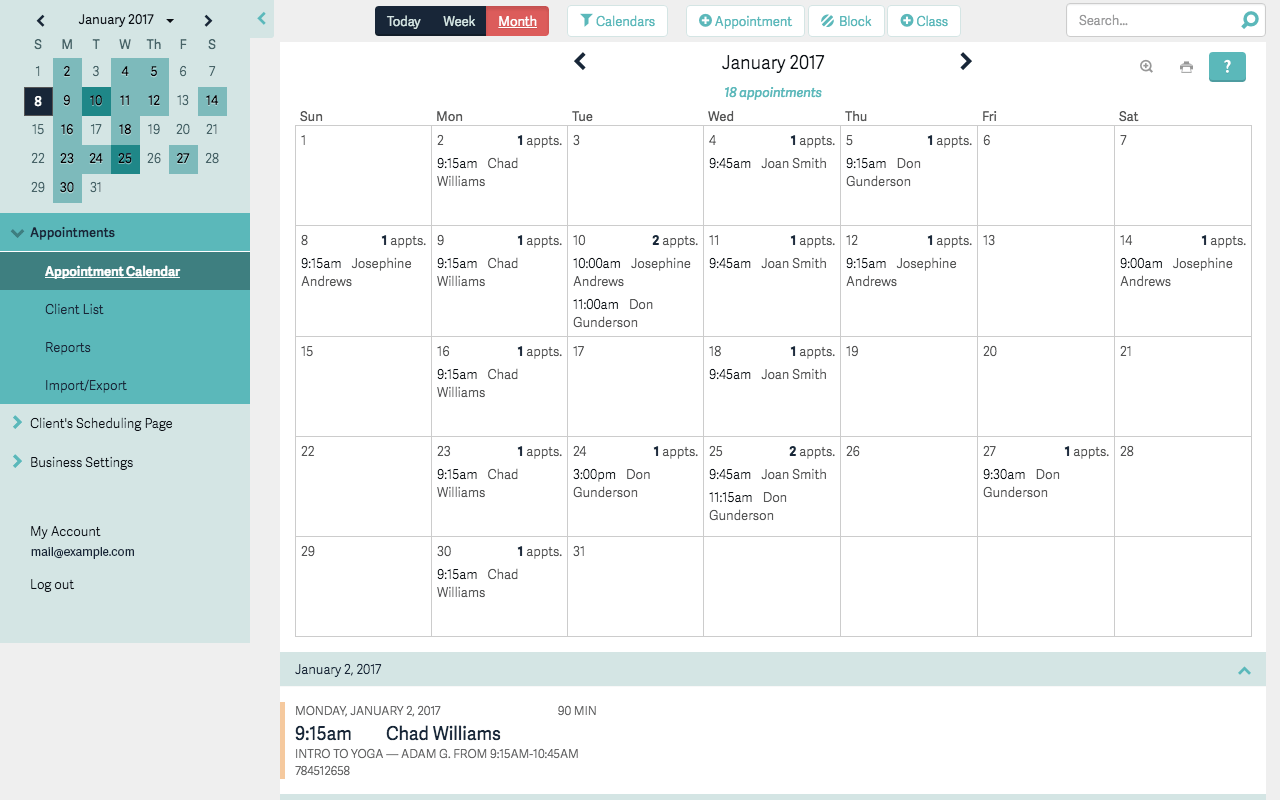
When2Meet is a no-sign-up, simple scheduling tool that helps teams find a mutual time to meet. Instead of endless back-and-forth messages, it lets many users mark their common availability on a shared grid. This daily planner app is lightweight, easy to use, and doesn’t require anyone to create an account.
After each person inputs their availability, this survey-based tool dynamically updates to highlight overlapping free periods.
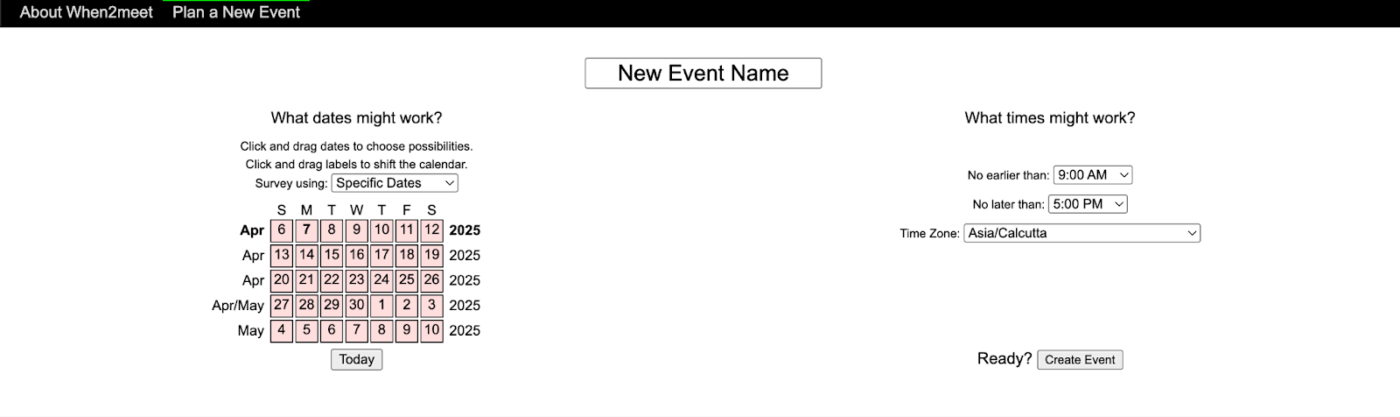
While When2Meet is a simple software useful for quickly gathering availability, it lacks a few more features that might be deal-breakers depending on what you need:
These limitations make When2Meet better suited for quick, informal scheduling rather than more professional or recurring use cases.
If you’re looking for scheduling tools that offer more features, integrations, or a smoother user experience than When2Meet, here are some top alternatives worth exploring:
Our editorial team follows a transparent, research-backed, and vendor-neutral process, so you can trust that our recommendations are based on real product value.
Here’s a detailed rundown of how we review software at ClickUp.
ClickUp, the everything app for work, brings scheduling, teams, and time management together, making it a powerful alternative to When2Meet.
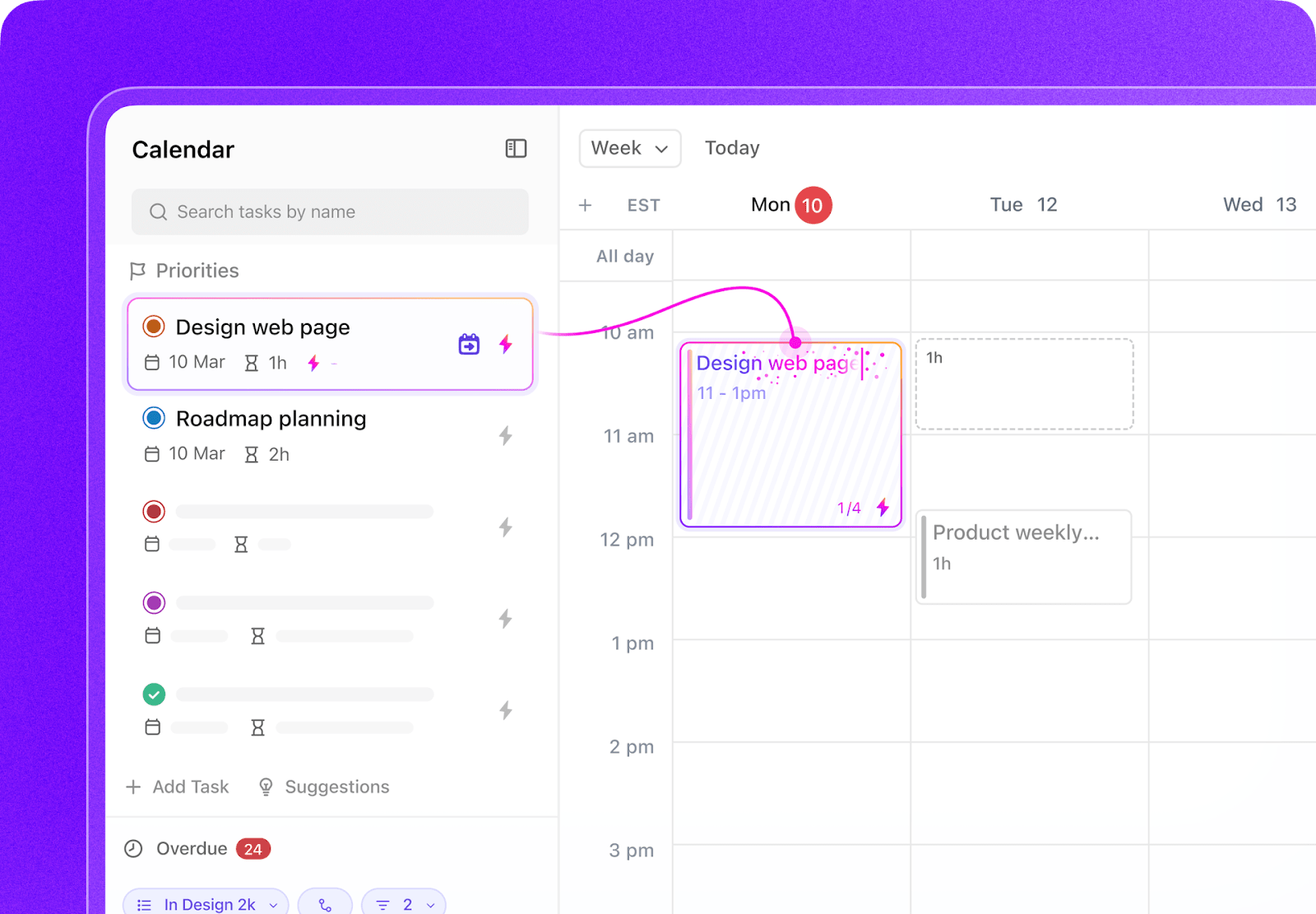
For instance, ClickUp Calendar is a full-fledged scheduling hub built for collaboration. One of its most unique advantages is the ability to create, edit, and manage events directly within the ClickUp workspace.
Use this tool to configure working hours, block time to boost productivity, or set up multiple calendars for different teams or roles. This video shows you how!
You can also invite guests (even if they’re not part of your workspace) and set custom recurrence rules.
ClickUp Calendar connects your schedule with your actual work. This task scheduling software can attach docs, tasks, subtasks, and even notes directly to events.
💡 Pro Tip: Use Calendar Glance to view upcoming events from anywhere in your Workspace!
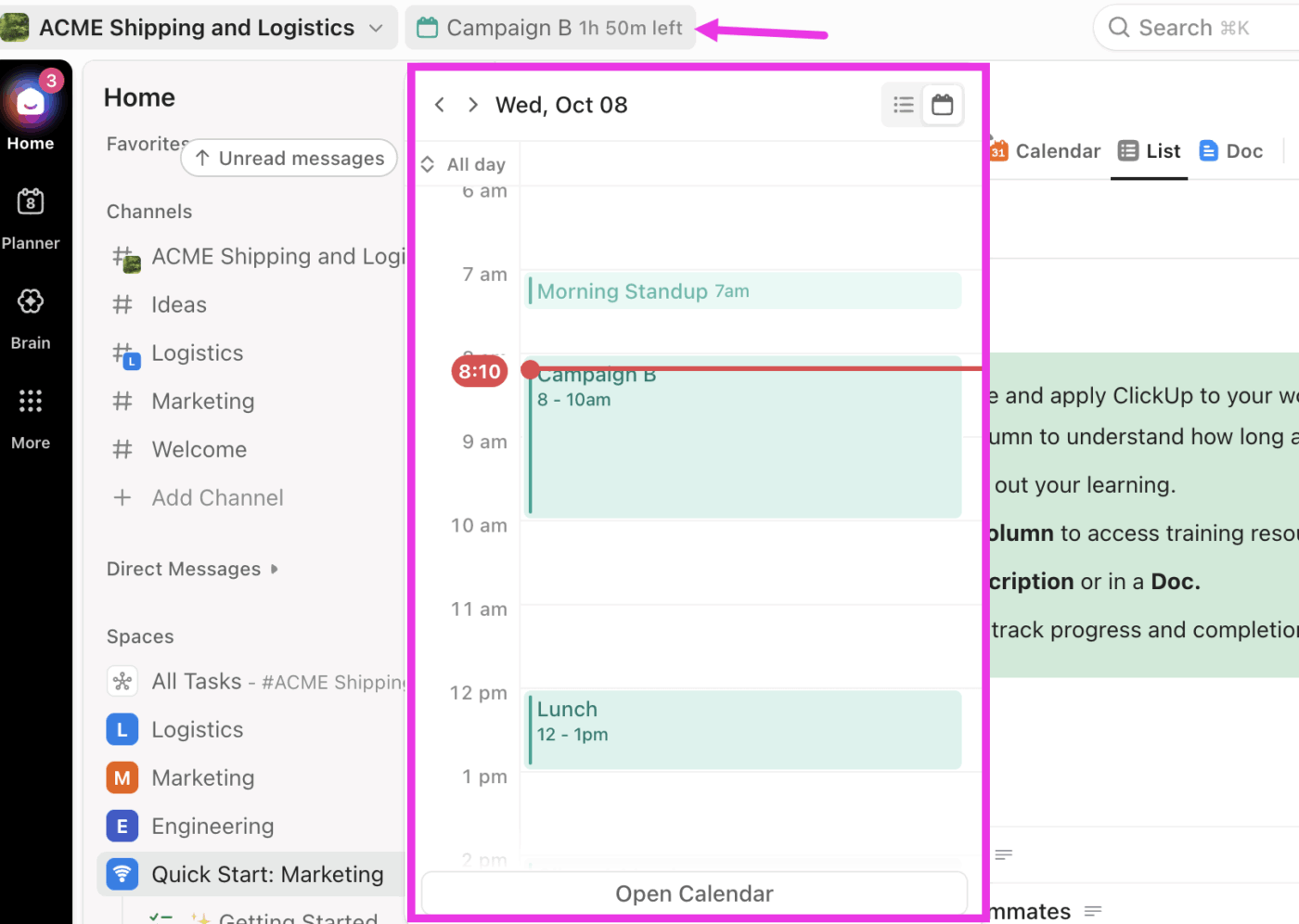
When you need to join a scheduled meeting, you can do so directly from within ClickUp—no app-switching or tab-hopping required.
If ClickUp Calendar helps you schedule smarter, ClickUp Meetings takes it a step further by turning your meetings into action.
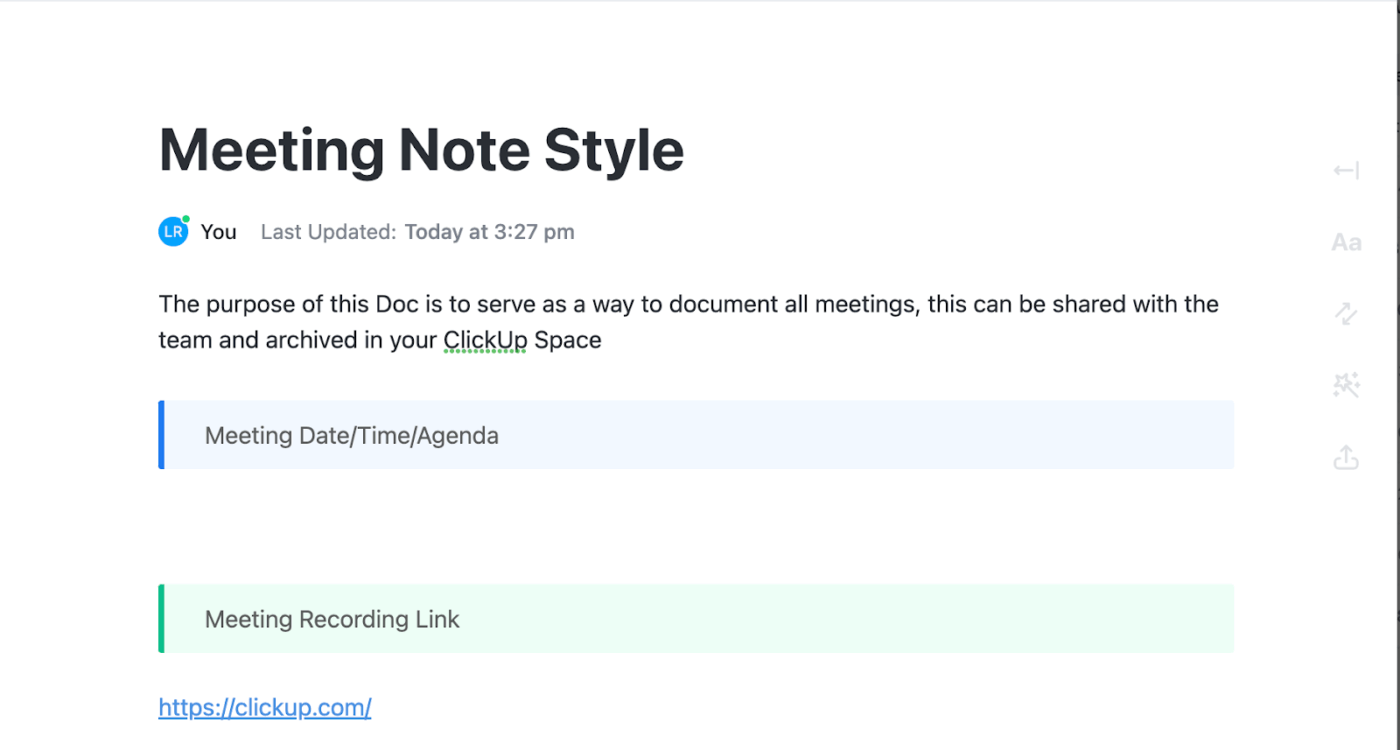
This meeting management software automatically generates meeting agendas, tracks talking points, assigns action items in real time, and links everything directly to tasks or docs.
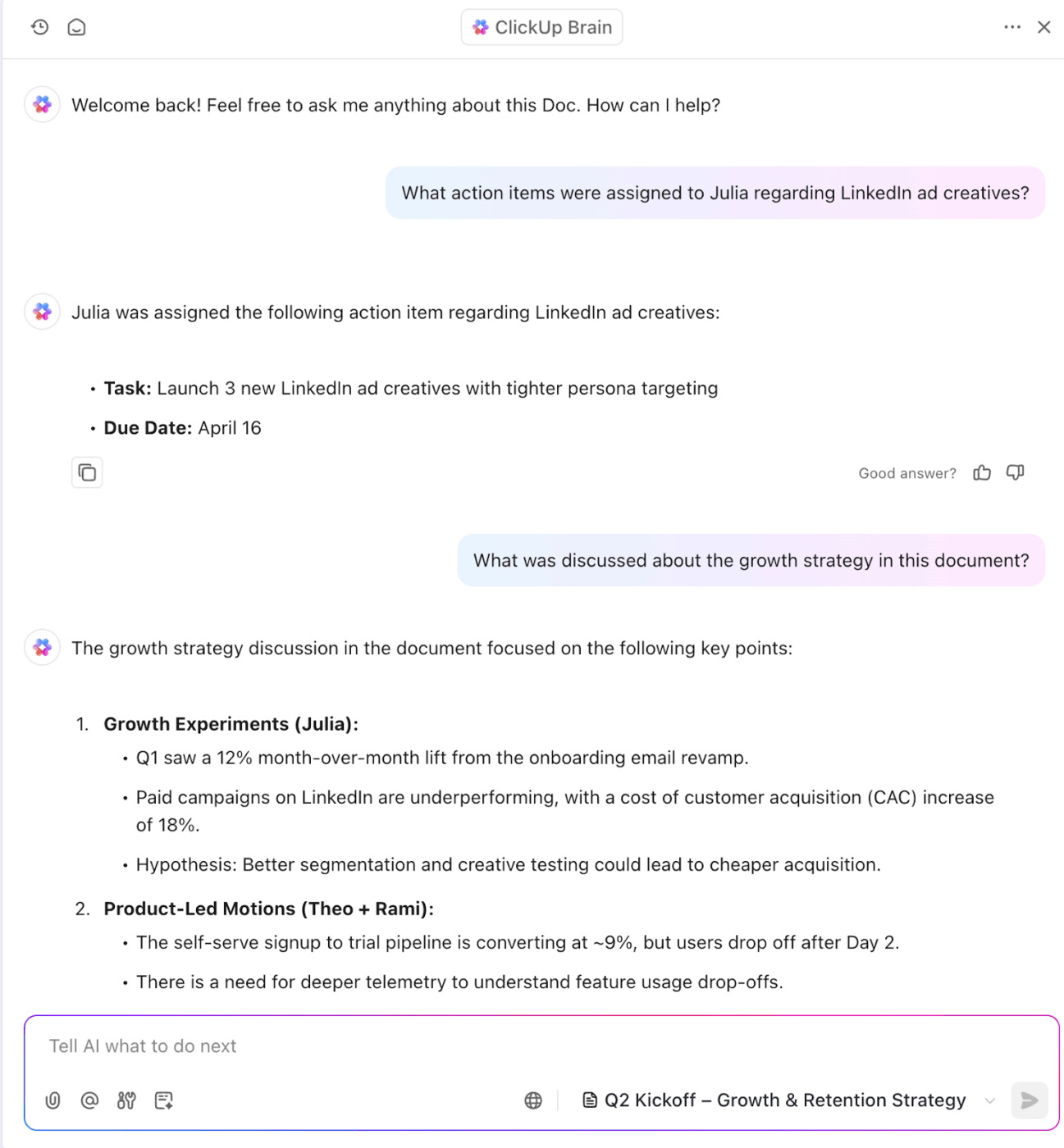
Plus, if you missed a meeting, you can ask ClickUp Brain questions like ‘What did we decide about the launch timeline?’ and get instant answers without digging through the entire document.
While ClickUp Calendar and Meetings keeps your schedule organized, ClickUp Calendar View acts as a fully interactive task management solution.
It comes with customizable time frames, including day, four-day, week, and month views, and is perfect for getting a bird’s-eye view of upcoming deadlines, shifting timelines, and prioritizing what needs to be done (without ever leaving the workspace).
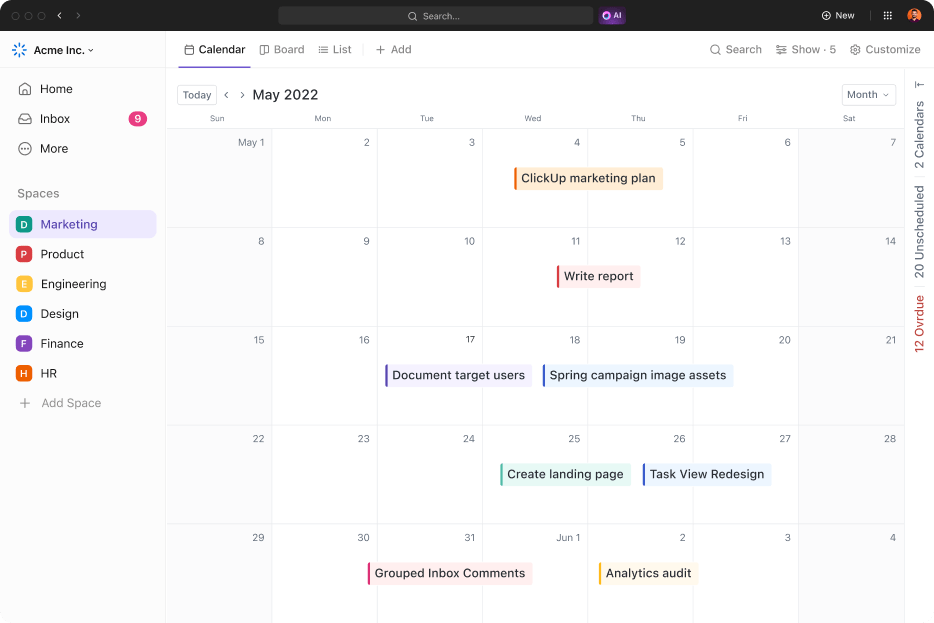
💡 Pro Tip: One of the best productivity tips is to use ClickUp Calendar View’s drag-and-drop functionality to effortlessly reschedule tasks. For even more focus, leverage filtering options to zero in on tasks by status, priority, or assignee.
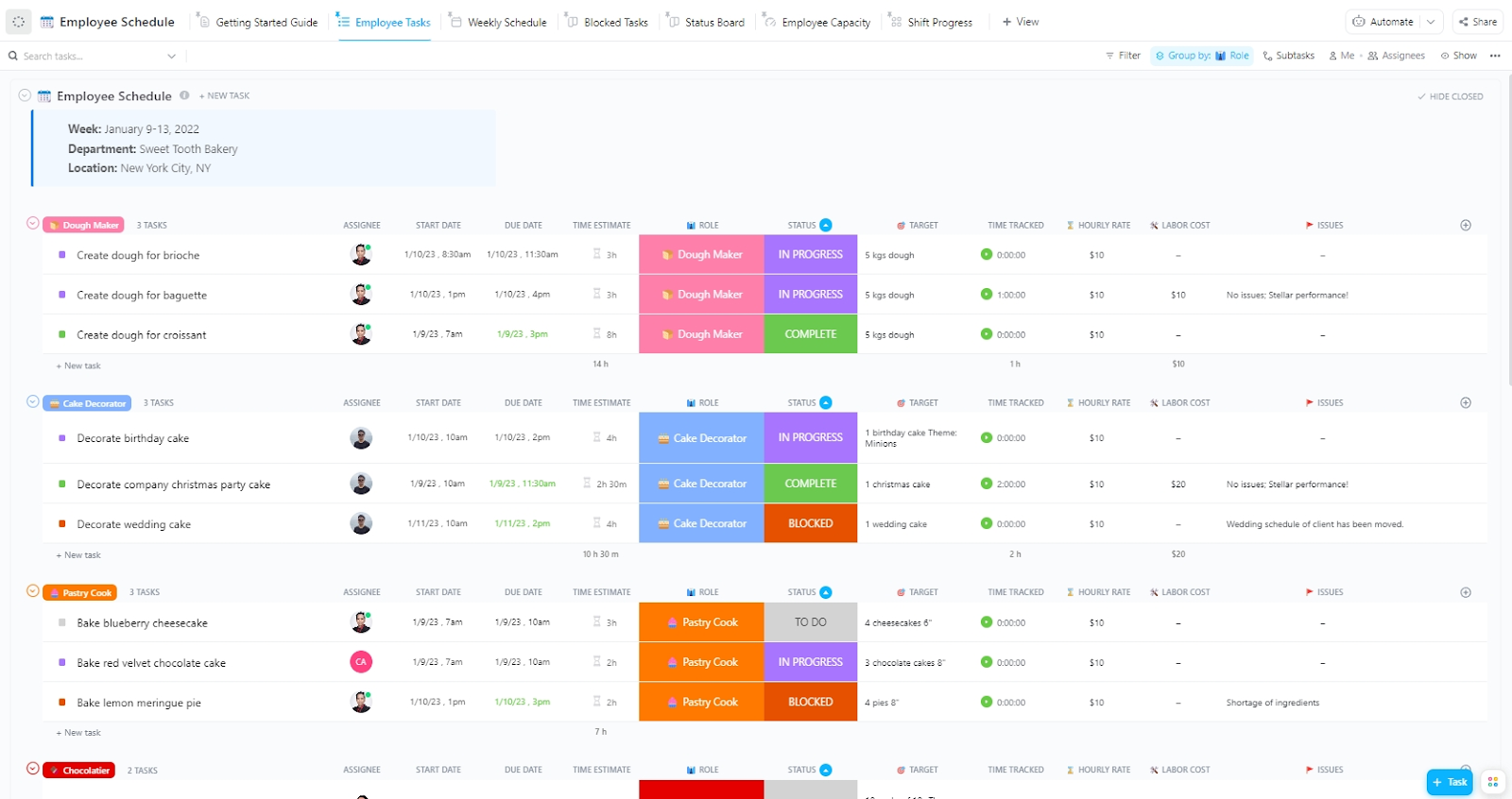
If you’ve already streamlined your meetings and scheduling, use ClickUp Employee Schedule Template to get a clear, organized way to assign shifts, track availability, and prevent conflicts.
It lets you organize work and match tasks to each team member’s availability, helping you avoid burnout and improve team communication.
Additionally, you can even add Custom Fields like hourly rates, roles, and shift managers to stay on top of workforce planning. And when it comes to how you view your schedule, you’re in charge—switch between Weekly Schedule, Employee Capacity, or Status Board to get the exact insights you need.
⌛ Time-Saver: Try ClickUp’s Calendar Planner Template to stay organized by consolidating tasks, events, and deadlines in one place.
Here’s a G2 review:
Since switching to ClickUp, everything is in one place: tasks, timelines, docs, dashboards, comments, even meeting notes. It’s incredibly customizable but intuitive enough for everyone to adopt quickly. Features like Automations, AI writing assistant, and the revamped Calendar are real time-savers. And the best part? It scales with us — whether we’re launching a new campaign or managing long-term operations.
ClickUp doesn’t just help us stay organized — it helps us work smarter. No more tool fatigue. No more duplicate work. Just clarity, alignment, and execution.
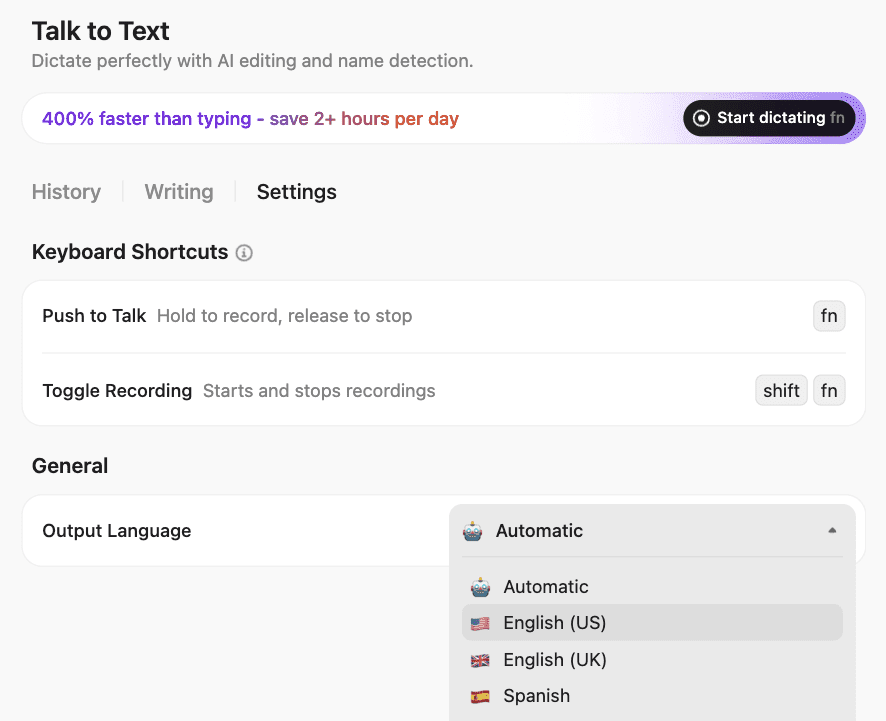
🌟Bonus: Talk to Text in ClickUp (via Brain MAX) makes it easy to create a new calendar event using your voice instead of typing.
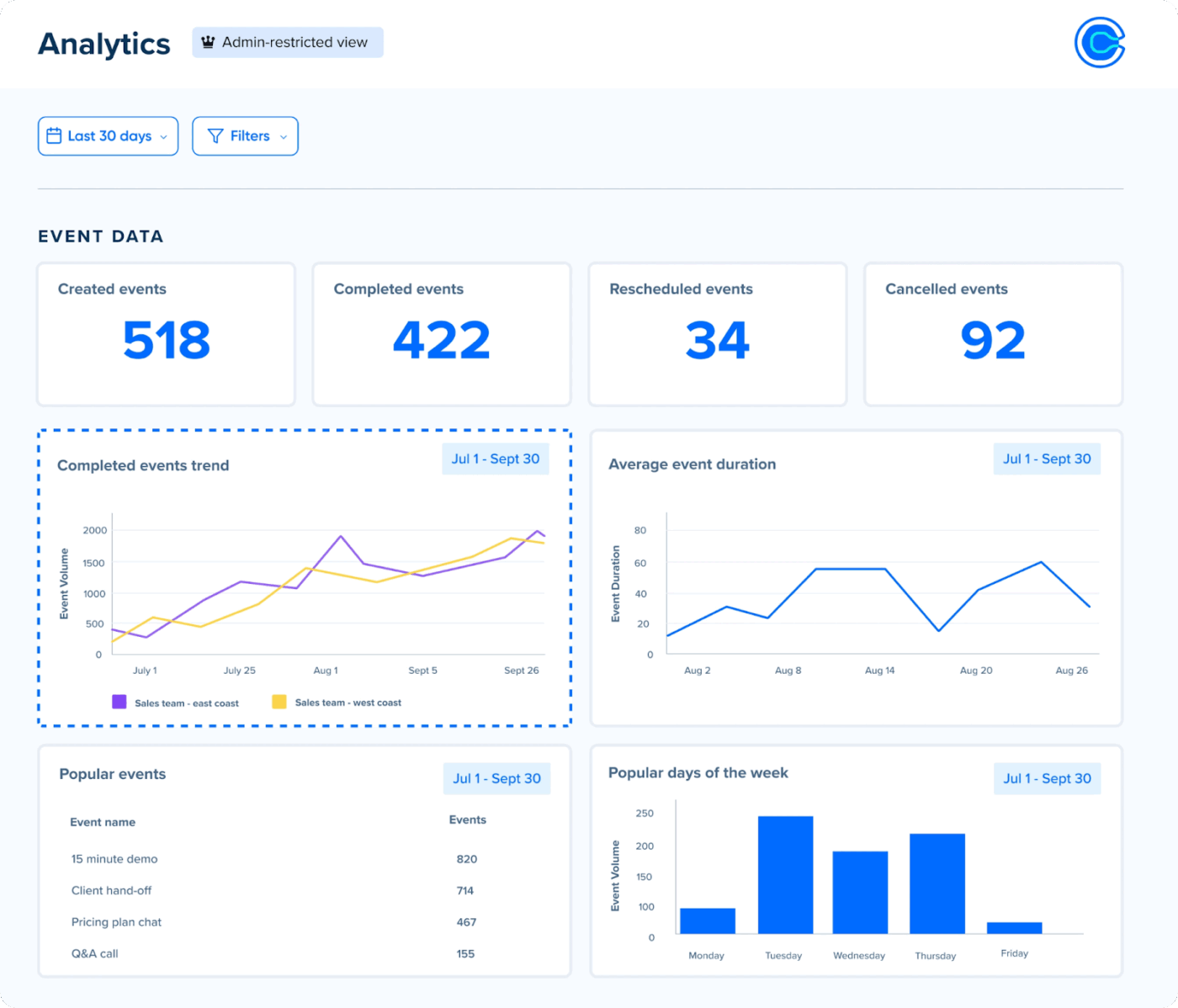
Calendly is a scheduling tool that helps manage availability and reduce calendar clutter. For more control over who books time with you, Calendly offers hidden event types that help you create invite-only links to keep certain 1:1 and group meetings private.
When coordinating with several people, Calendly’s meeting polls make it easier to find a time that works for everyone—invitees vote on preferred slots, and you choose the final time based on group availability.
Here’s a G2 review:
I love being able to connect several calendars (Google, Outlook, etc.) and automatically embed Zoom links. It keeps everything synced and conflict-free.
📮ClickUp Insight: 37% of workers send follow-up notes or meeting minutes to track action items, but 36% still rely on other, fragmented methods.
Without a unified system for capturing decisions, key insights you need may get buried in chats, emails, or spreadsheets. With ClickUp, you can instantly turn conversations into actionable tasks across all your tasks, chats, and docs—ensuring nothing falls through the cracks.
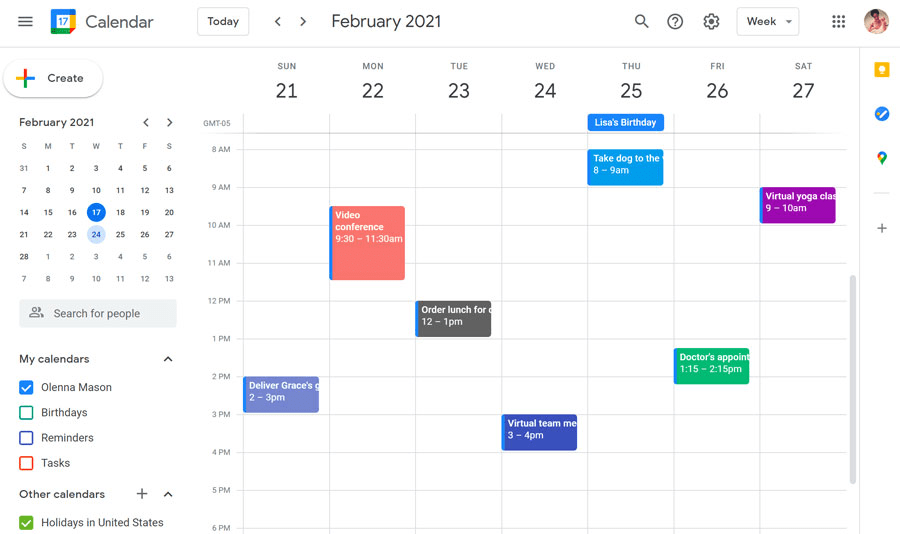
Google Calendar is a scheduling tool built into Google Workspace to manage appointments for multiple people.
With it, you can use the Focus Time feature (available for eligible work or school accounts) to carve out distraction-free blocks in your day by muting notifications and marking yourself unavailable. Event Color Coding lets you pick colors for work meetings, personal plans, and shared calendars.
Since this calendar app is seamlessly integrated with Google Meet, every scheduled meeting also automatically gets a video call link. Plus, Google’s Gemini AI assistant can now suggest ideal meeting times for you based on your calendar and email information.
Here’s a Capterra review:
Integration is the best part about Google Calendar. Along with the ease of use, compatibility, and constant updating make using the program a dream.
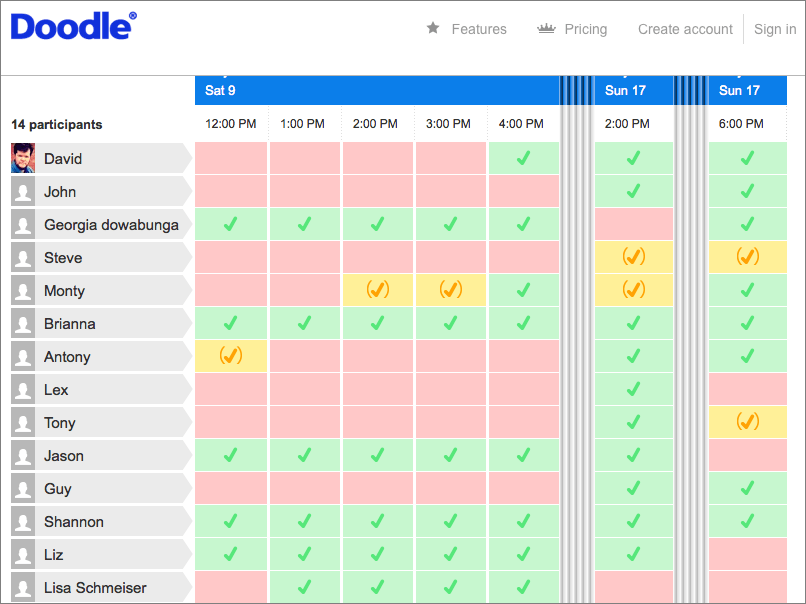
Doodle simplifies group scheduling by letting users propose meeting times and poll participants (invitees don’t need to log in). Once a slot is picked, Doodle locks it in with an automatic confirmation.
You can also add buffer times between meetings to prevent burnout and adjust for time zones automatically before participants even vote. For admins or executive assistants, the option to book on behalf of others makes scheduling for someone else just as seamless.
You can integrate it with a wide range of calendars (Google, Outlook, O365) and video conferencing tools (Zoom, Microsoft Teams).
Here’s a G2 review:
Doodle has made it much easier to “poll” what dates and times work best for meetings. It has saved us a lot of time and stress by trying to find the best times to meet for larger groups of people with varying calendars.
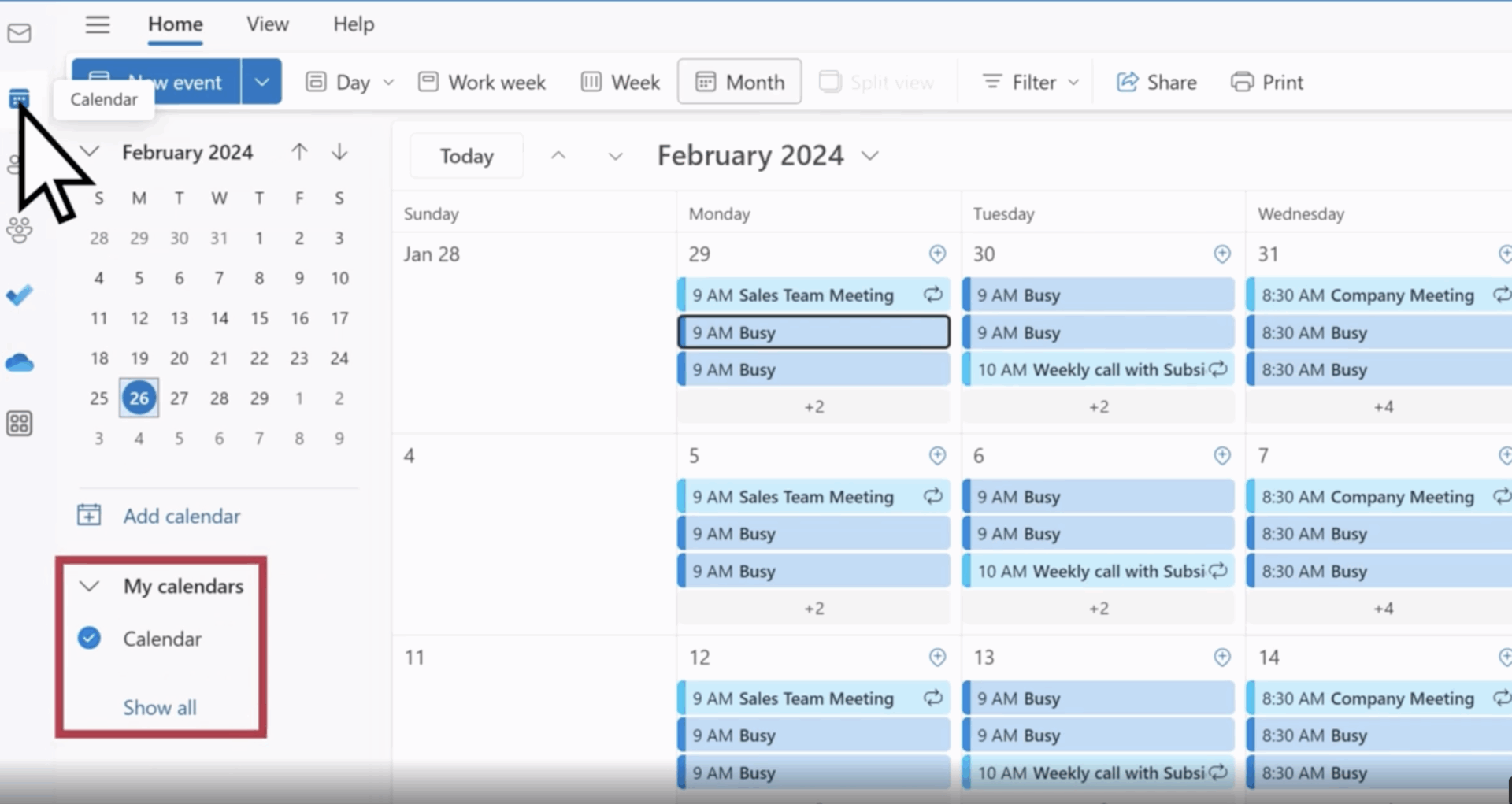
Microsoft Outlook Calendar simplifies team coordination by letting you view multiple time zones side-by-side. It’s especially handy when scheduling across regions.
It integrates natively with the Microsoft 365 ecosystem, including Outlook calendars and Microsoft Teams for virtual meetings. You can attach files directly from OneDrive and launch Teams meetings without leaving the calendar view.
Outlook also uses smart filtering to reduce notification clutter, making it easier to spot priority invites without the noise.
Acuity Scheduling, now part of Squarespace, offers a robust platform designed to simplify how businesses manage their appointments and interact with clients.
It lets your clients view real-time availability and book sessions directly through a customizable online portal. In addition to availability per appointment type, you can control how far ahead clients can book or how late they can cancel/reschedule.
The platform also supports automated email and SMS reminders, client intake forms, and integrated payment processing through Stripe, Square, or PayPal for a smooth user experience.
💡Pro Tip: Set up AI Agents in ClickUp to automatically create, update, or remind you about calendar events and tasks based on triggers (like due dates, new assignments, or changes in your schedule). This reduces manual effort.
Agents can also answer scheduling-related questions in chat channels (e.g., “What meetings do I have today?”), post updates, or even take action—like rescheduling events or notifying team members—based on your instructions.
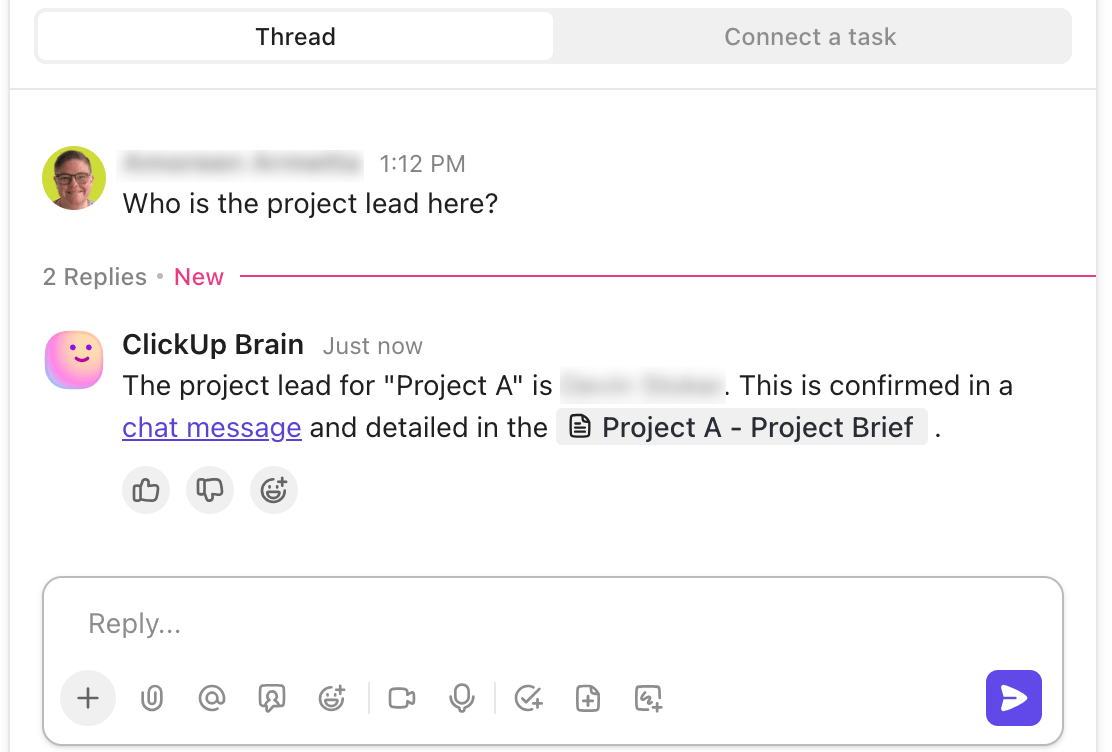
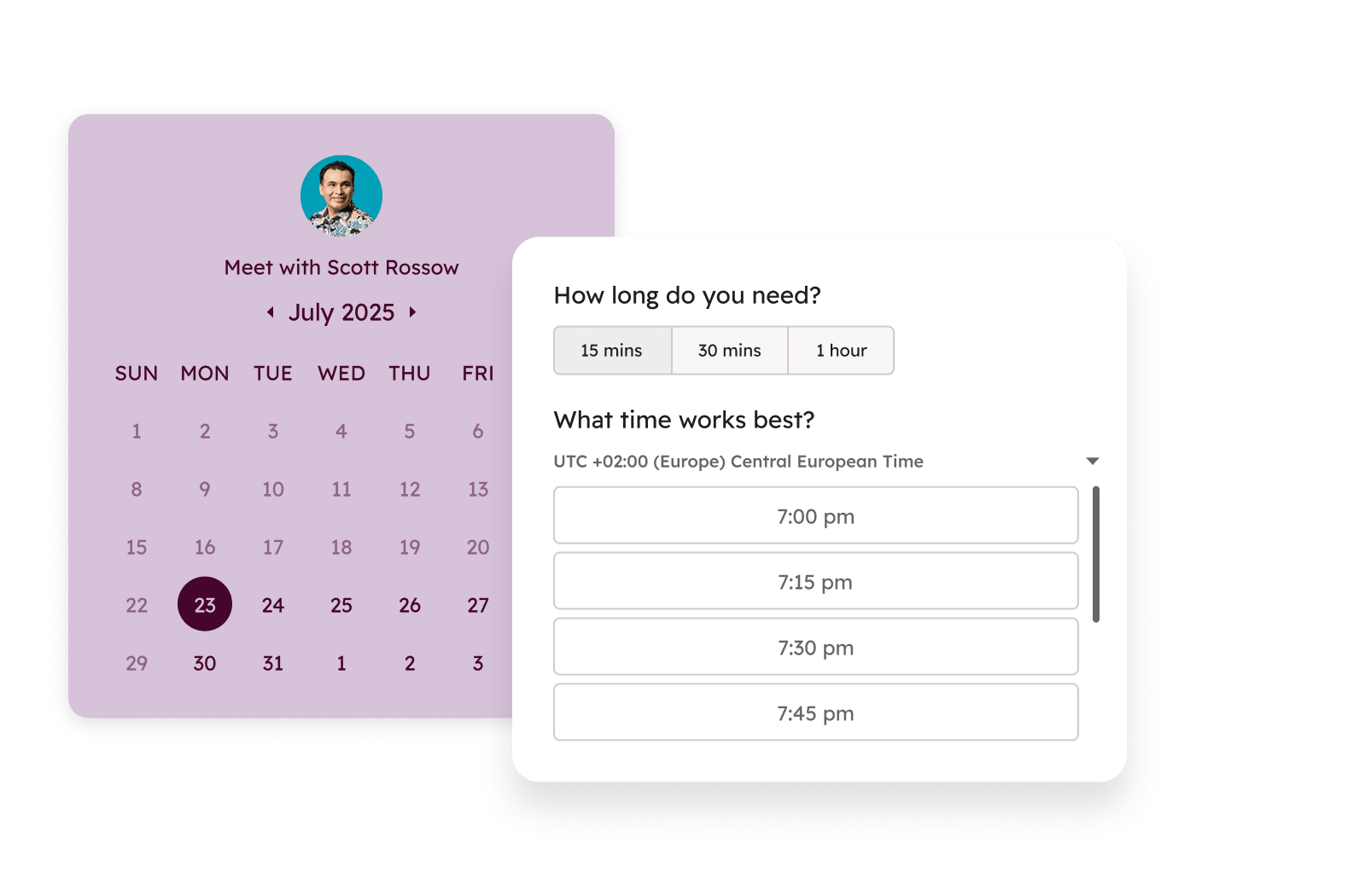
HubSpot Meetings lets sales teams generate meeting links for different scenarios, such as one-on-one meetings, group sessions, or round robin events.
This online meeting tool’s embedded personal calendar widget allows you to place a booking form directly on your website, enabling clients to schedule meetings without navigating away.
Additionally, automatic meeting outcomes ensure that follow-ups happen effortlessly by logging meeting results and triggering workflows, reducing manual data entry and keeping sales and support teams aligned.
🔖 Note: HubSpot Meetings is part of HubSpot Sales Hub, and its pricing is tied to that product.
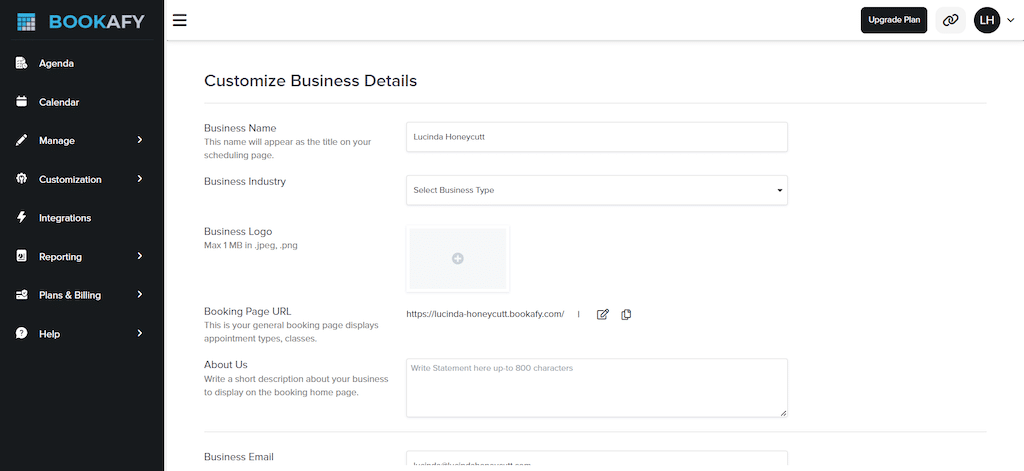
Bookafy makes scheduling easy and efficient, whether you’re managing a small team or a large business.
With skill-based and round-robin routing, appointments get assigned to the right team member based on their expertise or evenly distributed to keep workloads balanced.
You can also set limits for meetings, so no one gets overbooked or overwhelmed. Plus, you can set lead times before business appointments, giving your team enough time to prepare and avoiding last-minute rushes.
Here’s a Capterra review:
I have been with Bookafy for one year and I am very happy. Bookafy is affordable, easy to use, and constantly improving their software.
📚 Also Read: Best Free Project Management Software
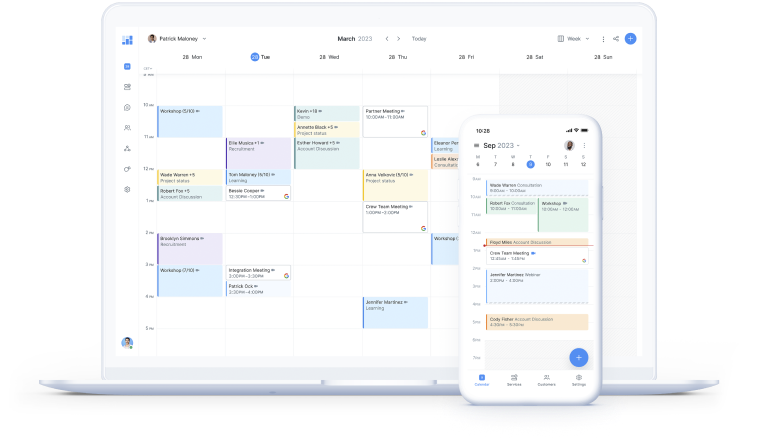
Setmore gives you control over your availability with public and private booking options—let anyone book freely or approve appointments manually.
For teams, staff logins with role-based access ensure everyone manages their own schedule without interfering with company-wide settings.
Plus, you can let clients schedule events straight from Instagram, Facebook, or your website, so they can lock in a time without complications. And with Shoutout Pages automatically showcasing client reviews, new customers get instant social proof right before the booking process.
Here’s a G2 review:
Setmore is an excellent appointment scheduling platform, which we use to book psychology appointments. It’s intuitive, easy to use, free and with excellent technical support – fast and effective.
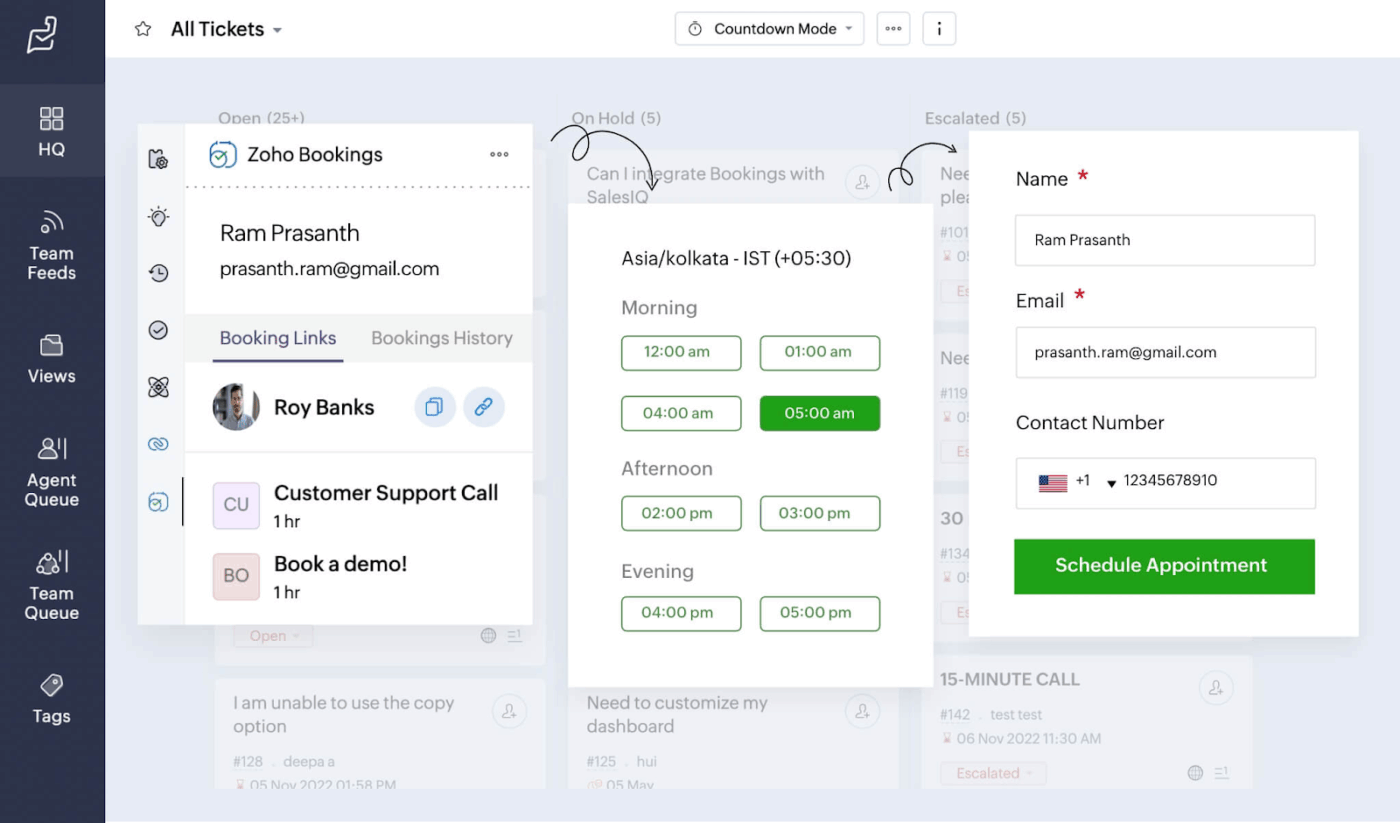
With Zoho Bookings’ self-service portal, clients can book, reschedule, or cancel meetings independently.
For businesses offering multiple services or operating across locations, separate booking pages can be set up for each staff member, service, or site to keep scheduling organized.
The platform also includes resource booking, which centralizes the management of rooms and equipment to prevent double-booking. On the backend, custom workflows and automation take care of reminders, CRM updates, and invoicing, reducing the need for manual follow-ups.
Finding the right scheduling tool can make or break your productivity. While When2Meet is great for quick participant availability polling, you need an ideal solution to streamline online meetings, manage tasks, and stay organized.
ClickUp stands out as the best alternative, offering advanced features, such as a built-in calendar, AI-powered scheduling, seamless meeting management, and robust task tracking, all under one roof.
With your meetings, notes, tasks, team conversations, and data all in one Converged AI Workspace, ClickUp cuts work sprawl and streamlines your workday.
Ready to simplify your scheduling and boost your productivity?

© 2026 ClickUp

There’s an easier way. Try a free AI Agent in ClickUp that actually does the work for you—set up in minutes, save hours every week.