







Still downloading templates?
There’s an easier way. Try a free AI Agent in ClickUp that actually does the work for you—set up in minutes, save hours every week.
Sorry, there were no results found for “”
Sorry, there were no results found for “”
Sorry, there were no results found for “”

Taking meeting notes manually is so 2020. 🤷🏽♀️
Today’s teams need faster, smarter ways to capture meeting details, highlight key points, and plan future meetings without the risk of missing anything important. Tools built with AI for meeting notes are making this easier than ever.
Tools like Supernormal help with real-time transcription and AI-generated summaries, making meeting documentation easier.
But for many users, Supernormal falls short, from variable transcription quality and limited editing options to privacy concerns and restricted storage. When your transcripts aren’t 100% accurate, when you can’t freely edit notes, or when privacy feels compromised, it’s time to look elsewhere.
That’s why we’ve rounded up the top 11 Supernormal alternatives. These tools offer sharper transcriptions, easier note customization, stronger security, and seamless workflows across meeting platforms.
Now, let’s take a closer look at the top Supernormal alternatives that fit your needs. 🔍
AI minutes of meeting generators make it easier than ever to create structured notes without manual effort. Supernormal has made a name for itself with real-time transcription and AI-generated meeting summaries, but it’s not without drawbacks.
📮ClickUp Insight: According to our meeting effectiveness survey, 12% of respondents find meetings overcrowded, 17% say they run too long, and 10% believe they’re mostly unnecessary.
In another ClickUp survey, 70% of the respondents confessed that they would happily send a substitute or a proxy to the meetings if they could.
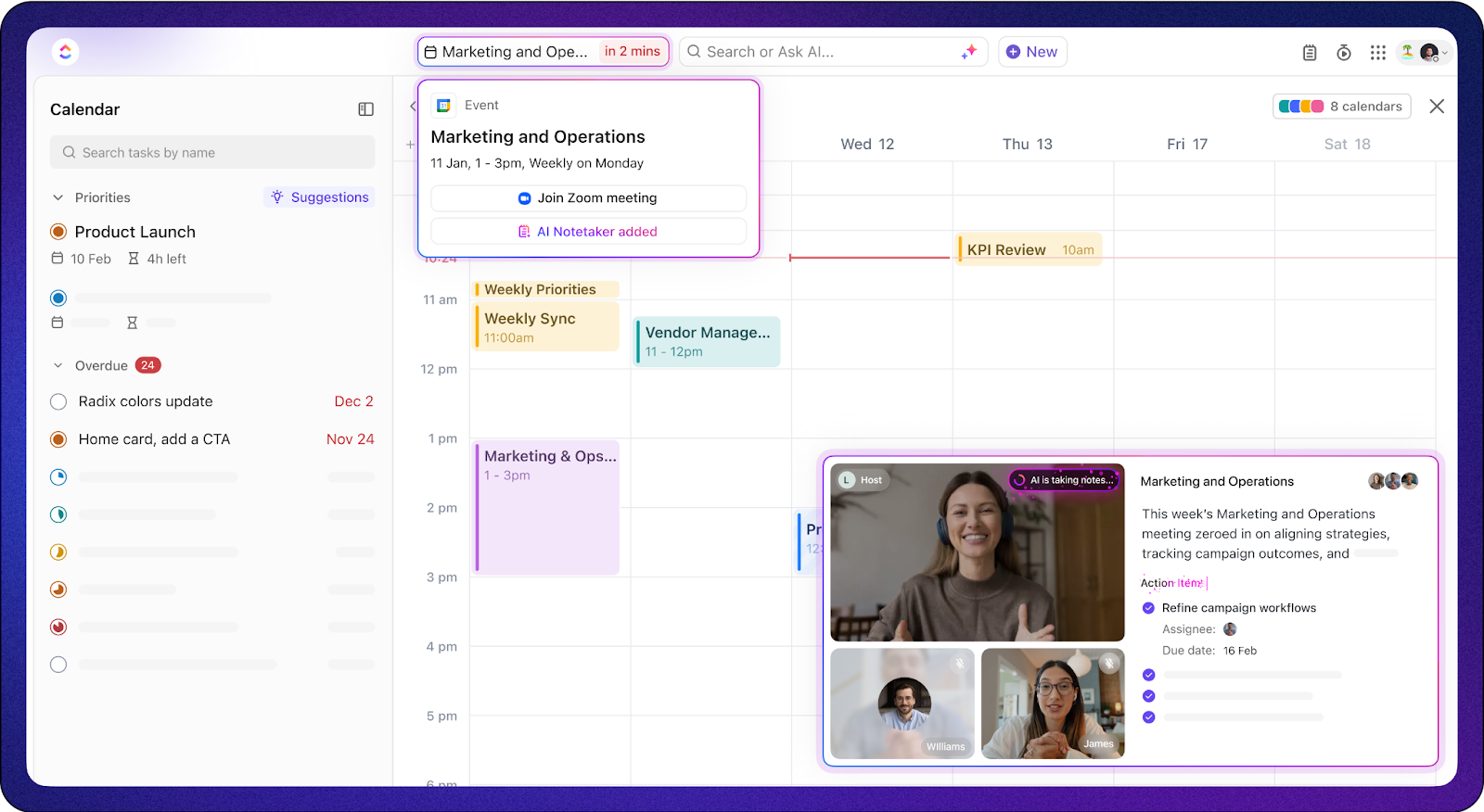
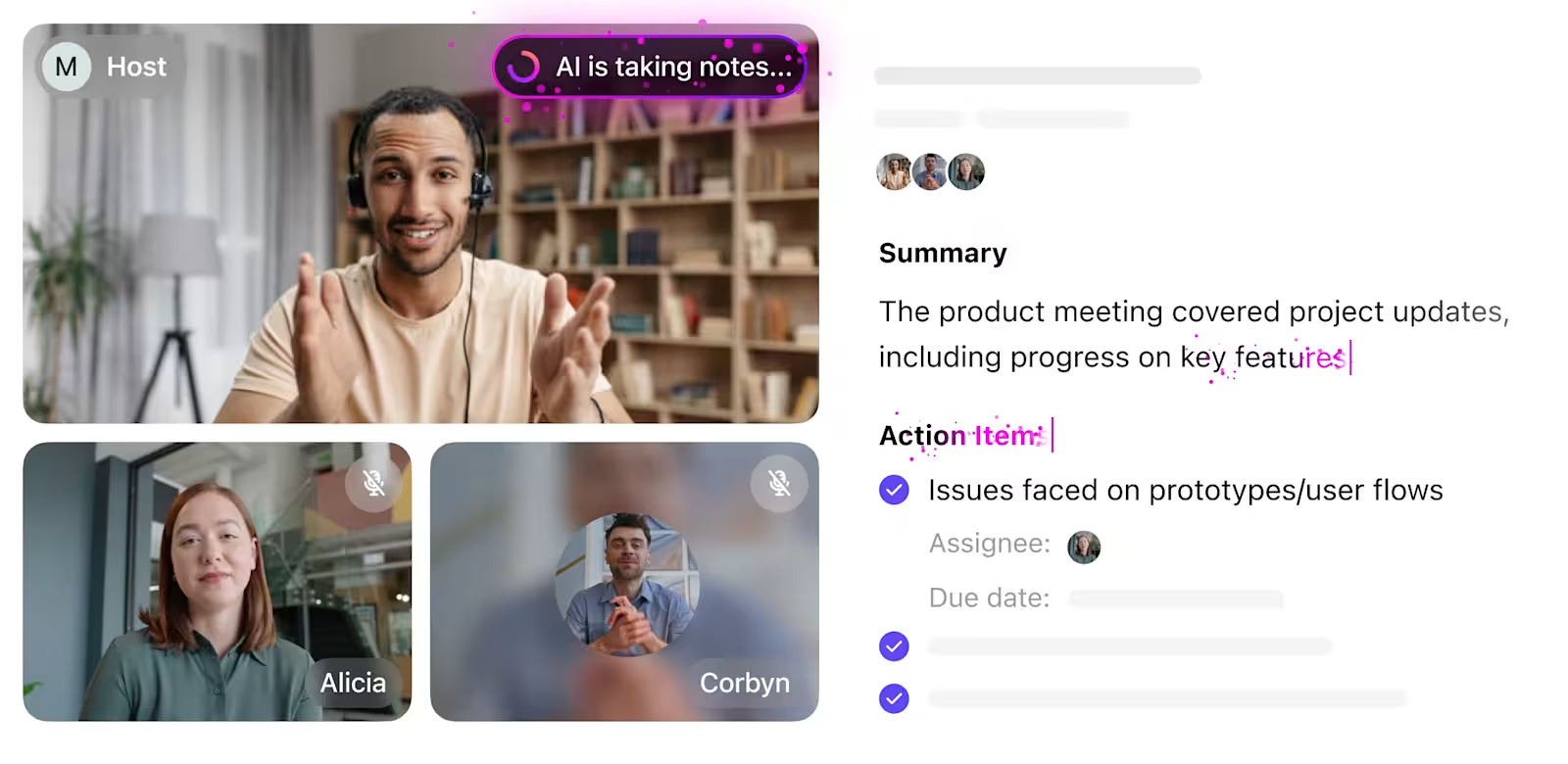
ClickUp’s integrated AI Notetaker can be your perfect meeting proxy! Let AI capture every key point, decision, and action item while you focus on higher-value work. With automatic meeting summaries and task creation assisted by ClickUp Brain, you’ll never miss critical information—even when you can’t attend a meeting.
💫 Real Results: Teams using ClickUp’s meeting management features report a whopping 50% reduction in unnecessary conversations and meetings!
| Tool | Key Features | Best For | Pricing* |
|---|---|---|---|
| ClickUp | – AI Notetaker for meeting transcription – Automated task management – Integration with Zoom, Slack, Microsoft Teams | Teams needing AI-powered meeting notes, task management, and real-time collaboration | Free forever; Customization available for enterprises |
| Fireflies.ai | – Automated meeting transcription – Smart AI summaries – CRM integrations | Teams needing real-time transcription, searchable notes, and CRM integrations | Free; Pro Plan: $10/user/month; Business Plan: $19/user/month; Enterprise Plan: $39/user/month |
| Otter.ai | – Live transcription – Meeting summaries – Speaker identification – Zoom and Google Meet integration | Teams needing real-time transcription and live collaboration | Free: 300 mins/month; Pro Plan: $16.99/month; Business Plan: $30/month; Enterprise: Custom pricing |
| Sembly | – Smart summaries – Action item detection – Multi-meeting chat – Sentiment analysis | Teams needing action item detection, sentiment analysis, and multi-platform integration | Free (up to 4 hours/month); Professional Plan: $10/user/month; Team Plan: $20/user/month |
| Fathom | – Instant meeting summaries – Real-time highlighting – CRM integrations – Video clip sharing | Teams needing automatic Zoom call summaries and task management | Free for individual users; Premium: $19/user/month; Teams Plan: $29/user/month; Team Pro Plan: $39/user/month |
| Avoma | – Conversation intelligence – Smart summaries – CRM integrations – AI-powered coaching | Sales teams needing conversation intelligence and CRM sync | Free trial; AI Meeting Assistant Plan: $29/user/month; Conversation Intelligence Plan: $69/user/month; Revenue Intelligence Plan: $99/user/month |
| Krisp | – AI noise cancellation – Voice cancellation – Echo removal – Call recording | Teams needing clear, noise-free audio during calls | Free: 60 mins/day; Pro Plan: $8/user/month; Business Plan: $10/user/month; Enterprise: Custom pricing |
| Tactiq | – Live meeting captions – Instant highlighting – Export to Google Docs, Notion, Slack – One-click AI summaries | Remote teams needing fast, secure meeting documentation | Free plan (limited highlights and exports); Pro Plan: $12/user/month; Team: $20/user/month |
🎉 Fun Fact: The phrase “meeting minutes” has nothing to do with time. It comes from the Latin minuta scriptura, meaning small notes.
Here’s the top tool we recommend if you’re looking for a smarter, more reliable alternative to Supernormal—designed to meet your team’s real collaboration needs.
Our editorial team follows a transparent, research-backed, and vendor-neutral process, so you can trust that our recommendations are based on real product value.
Here’s a detailed rundown of how we review software at ClickUp.
If you’re looking for a tool that not only captures meeting notes but also ties them directly into your team’s workflow, ClickUp should be at the top of your list.
Built as the everything app for work, ClickUp combines real-time meeting transcription, AI-generated summaries, task management, and team collaboration — helping teams move from conversations to action without juggling multiple apps.
With the ClickUp AI Notetaker, you can automatically capture meeting details, highlight key points, and create actionable tasks during meetings without lifting a finger.
Tired of unorganized, unproductive meetings?
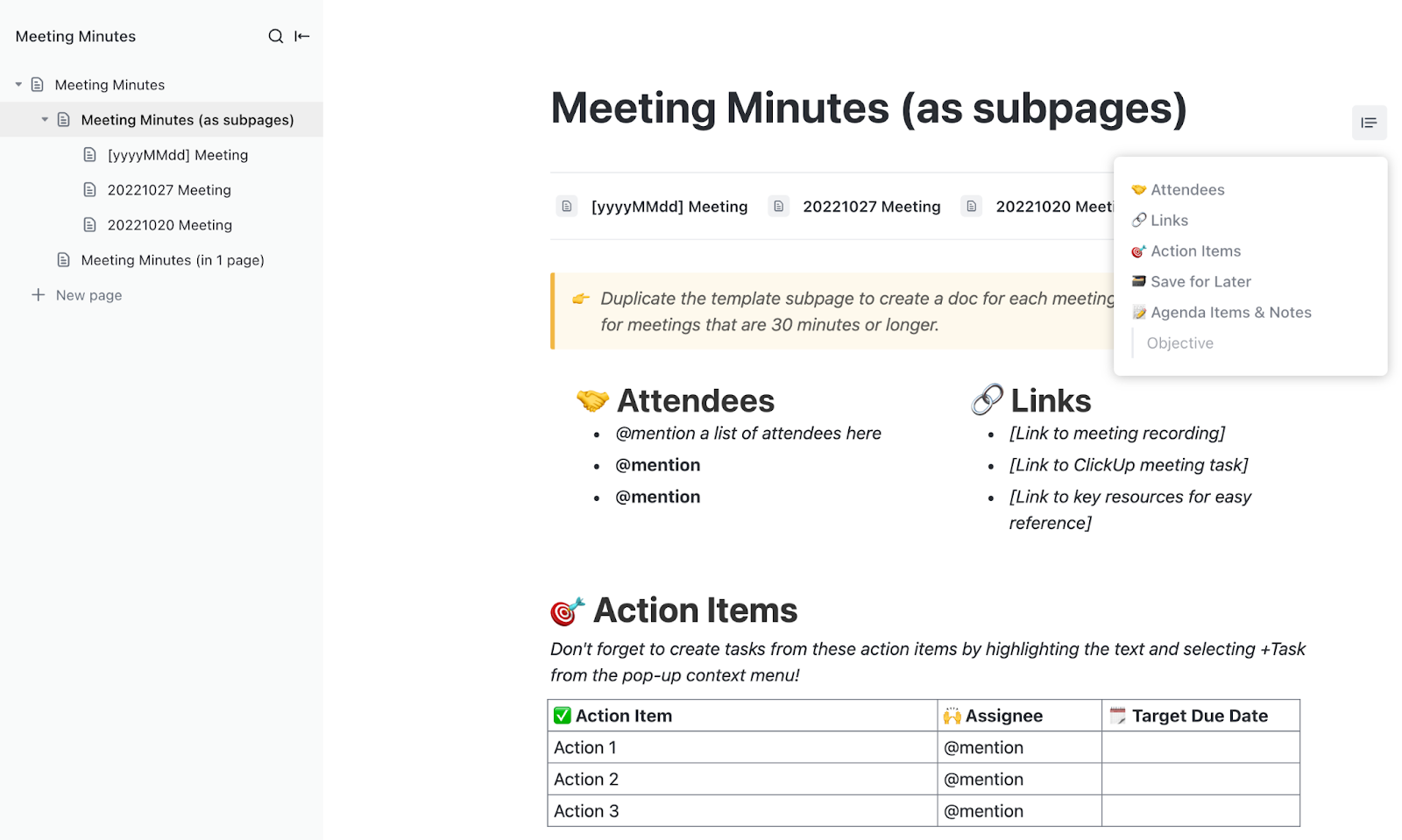
The ClickUp Meeting Minutes Template makes it easy to structure meeting agendas, document decisions, and track outcomes across standups, client calls, and project updates.
What this template can do:
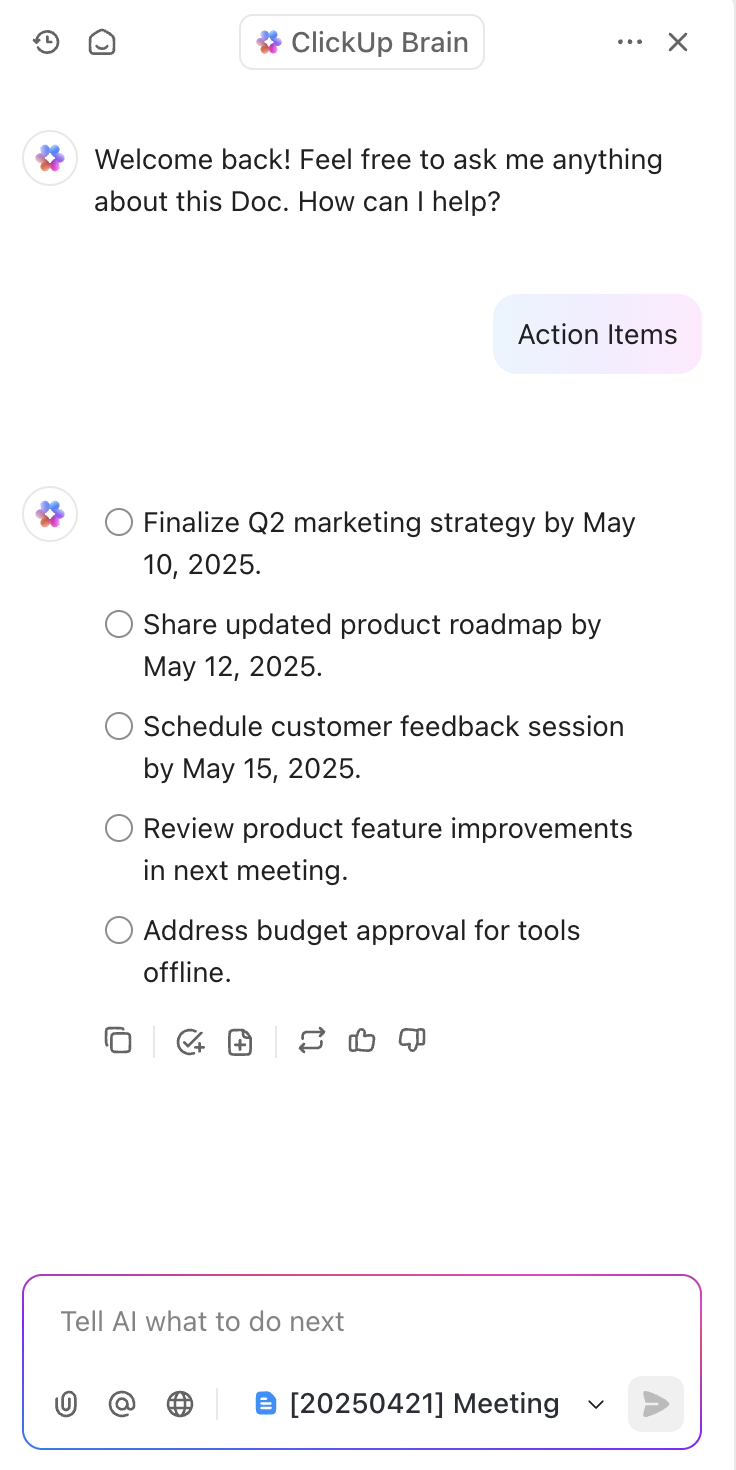
If you want to take it even further, ClickUp Brain acts like your intelligent meeting assistant. It analyzes discussions, suggests next steps, and connects outcomes to tasks, projects, and goals automatically.
And because ClickUp integrates with platforms like Microsoft Teams, Zoom, and Slack, you can manage everything from meetings to project updates in one workspace.
For teams wanting a smarter way to manage meeting documentation, task tracking, and team collaboration, ClickUp offers flexibility without the chaos of juggling multiple tools. It’s also recognized as one of the most versatile meeting management software platforms for teams of all sizes.
ClickUp pricing
A G2 reviewer shared how ClickUp has become an all-in-one work solution for their team:
A flexible, all-in-one solution for managing projects and teams. One of the recent features is AI notetaking. This really helps me keep on track with my meetings and what was said.
💡 Pro Tip: Transcripts are a start, but what really moves work forward are the decisions and action items. Tools like ClickUp go a step further, automatically capturing the takeaways that matter.
🗂️ Use these ClickUp templates to skip the prep and get straight to the work:
Recurring Meeting Notes Template to keep ongoing team syncs focused and productive
Employee & Manager 1-on-1 Template to streamline check-ins and track growth over time

Fireflies.ai makes meeting transcription as simple as clicking “record.”
It is designed for busy teams to automatically record, transcribe, and organizes calls without interrupting your workflow. It supports major platforms like Zoom, Google Meet, Microsoft Teams, and Webex.
Fireflies.ai offers real-time transcriptions where you can search, comment, and turn into action items directly from the dashboard. With smart AI summaries and CRM integrations, it is easy to make quick decisions.
A G2 reviewer shared their experience with Fireflies.ai like this:
Works great with any language,e asy to extract audio and download transcript. the soundbits are super too. There’s no Pro analytics option and the AI apps packages can get pricy very quickly.
💡 Pro Tip: Integrate or duplicate? Tools that plug into your workflow (like ClickUp, Slack, or your CRM) will always beat standalone notetakers.

Otter.ai is one of the most popular tools for real-time transcription and meeting collaboration today. It doesn’t just record meetings — it transcribes conversations as they happen, allowing participants to read, follow, and even interact with the transcript during the call.
With Otter Assistant, you can automatically capture meeting minutes without manual setup. It auto-joins meetings on Zoom, Microsoft Teams, and Google Meet to record, transcribe, and summarize discussions.
Otter’s AI-generated summaries condense long discussions into digestible updates, making it easy for teams to review, share, and act on conversations quickly. Whether you’re managing webinars, client calls, or internal standups, Otter ensures that no important detail gets missed and action items don’t fall through the cracks.
If you’re exploring more transcription options, here’s a detailed list of some of the best AI transcription tools to help you capture meetings more efficiently.
Here’s what a G2 reviewer said about Otter.ai:
Most seamless transscripting tool. With Otter, you can export the transcripts in multiple formats as per your requirements. The UI is very simple and easy to use. But, the accuracy of the transcripts might vary depending on the accent of the speaker.
🧐 Did You Know? Some tools now transcribe and summarize meetings in over 40 languages. Multilingual teams, rejoice—tools like Sembly have you covered!
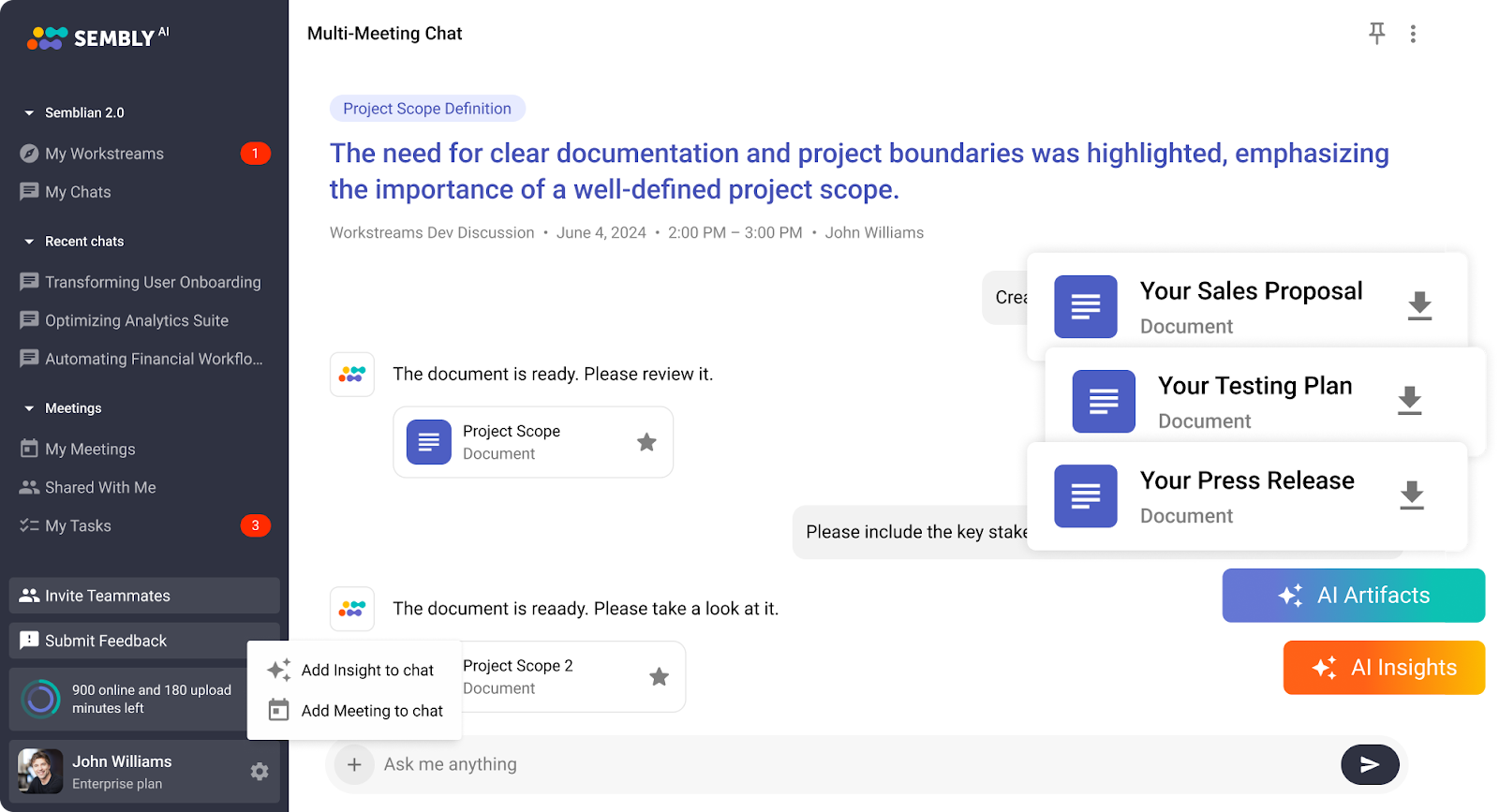
Sembly is an AI-powered meeting assistant that captures discussions, highlights action items, and generates insightful smart summaries.
Compatible with Zoom, Microsoft Teams, Google Meet, and Webex, Sembly transcribes meetings, detects next steps, and even analyzes sentiment to help teams make faster decisions. With features like multi-meeting AI chat, action item detection, and AI-generated project artifacts, Sembly turns conversations into searchable, structured outcomes.
To further enhance your meeting productivity, check out these one-on-one meeting templates to help structure your discussions and ensure actionable outcomes.
Here’s what a G2 reviewer says about Sembly:
Great tool that captures meeting notes and tasks and present them in adaptable format.
💡 Pro Tip: Missed a meeting? Use AI tools that can attend to you, record the discussion, and summarize the key points—no FOMO required.

Fathom is built for teams that spend hours rewatching Zoom recordings just to pull out key points.
Instead of reviewing entire transcripts, Fathom automatically highlights important moments, detects action items, and creates crisp summaries — letting you jump straight to what matters. If you’re exploring other AI-driven solutions to enhance your meeting productivity, check out this comprehensive list of AI tools for meetings that can streamline your workflows.
The real-time transcription and one-click highlights remove the need for manual note-taking so that you can stay fully engaged in client calls, team standups, and webinars without missing follow-ups. Features like these are essential when you’re aiming to have more productive meetings without spending hours on manual notes or post-call organization.
A G2 reviewer talks about their experience with Fathom like this:
Brilliant quality summary of meetings complete with actions to be taken. It is better than humans taking notes. Saving me time and effort.
🎉 Fun Fact: Some of the world’s biggest ideas started in meetings, like Pixar’s Toy Story pitch. Bet they had someone taking notes.
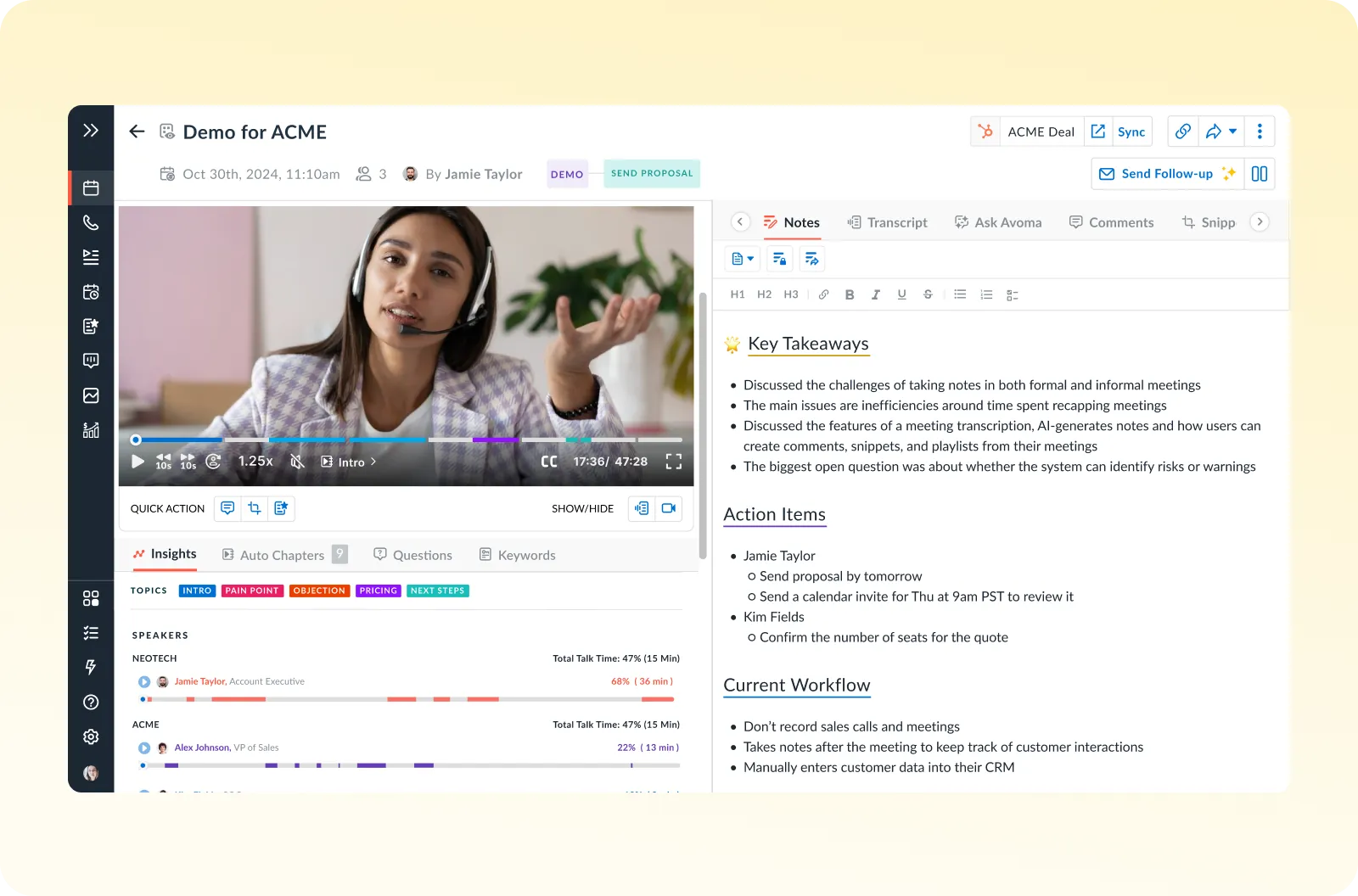
Avoma helps sales and customer success teams turn conversations into conversion opportunities. It automatically captures key moments like pain points, objections, competitor mentions, and next steps, like giving teams rich, actionable insights without hours of manual note review.
By syncing AI-powered meeting summaries and CRM updates directly to Salesforce, HubSpot, and Pipedrive, Avoma makes sure every conversation moves your pipeline forward.
Avoma has a flexible pricing structure. You can also mix and match plans without upgrading all users to a premium plan.
A G2 reviewer shares his experience using Avoma like this:
Easiest way to go through hours recorded call. Translation and its connection with CRM to make it sync to the particular deal and a lot of other features and we use it more frequently.
🧐 Did You Know? Silent meetings (where everyone writes before speaking) are a productivity hack at Amazon—and they start with a 6-page memo.

When poor audio quality derails important conversations, Krisp steps in. It uses AI to remove background noise, distracting voices, and echoes in real-time, so that your meetings, client calls, and interviews sound crystal-clear, even from a busy home or office.
Unlike typical note-taking tools, Krisp acts as a smart audio filter, letting you sound professional without buying expensive microphones or setting up soundproof rooms.
Good audio is just one part of creating a great online experience. Following proper virtual meeting etiquette ensures your communication stays clear, respectful, and professional during every call.
Here’s what a G2 reviewer said about Krisp:
Not just a meeting assistant but amazing noise reduction software which is crucial for remote work.
Remember: Some people write notes to remember. Others write notes so they don’t have to remember. Both are valid.

If you’re tired of scrambling for notes during back-to-back meetings, Tactiq offers a refreshingly simple fix. Installed as a lightweight Chrome extension, it captures live captions from Google Meet, Zoom, and Microsoft Teams. You can highlight key points and export transcripts without disrupting the flow.
No bots, no intrusive recordings — just instant, secure meeting documentation right from your browser. Tactiq is perfect for remote teams, project managers, and educators who want fast, accurate meeting notes without complicated setup.
G2: 4.5/5 (10+ reviews)
Here’s what a G2 reviewer said about Tactiq:
Unlimited documentation of meetings. Tactiq has an incredible yet simple function that stores and uses AI to summarise meetings from many different online meeting platforms like Google, Microsoft and Zoom.
💡 Pro Tip: Don’t skip tagging tasks. If your AI notes integrate with a task manager, tagging teammates during or after meetings keeps action items moving.
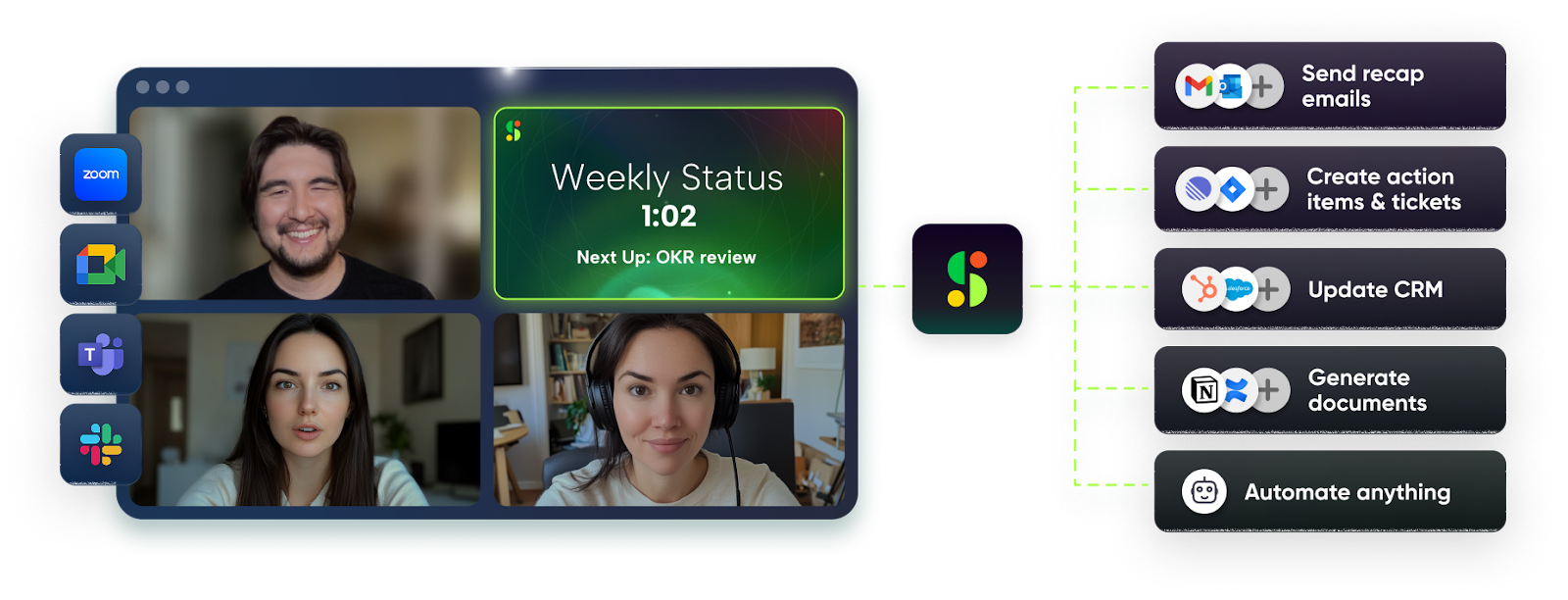
Agile meetings are meant to be quick and focused, but keeping them organized can feel overwhelming without the right support.
Spinach AI by Hypercontext acts like an extra agile team member, automatically joining your standups, sprint reviews, and retrospectives to capture blockers, decisions, and next steps. It creates Jira tickets, summarizes discussions, and sends updates directly to Slack or your email, helping your team stay aligned without the hassle of manual note-taking.
With Spinach AI, agile teams can move faster and document better, all without adding extra tools to their workflow. If your team is struggling with too many back-to-back meetings, here’s a guide on how to avoid meeting overload while staying productive.
Read this G2 reviewer’s comment about Spinach AI:
Spinach AI is very easy to use and engaging for both sides of 1:1 interaction. I use it for all 1:1s. The mobile app is web-based and gets glitchy sometimes.
🧐 Did You Know? 🎉 The longest meeting on record lasted over 120 hours. It was part of a Guinness World Record attempt—not a real strategy session (thankfully). Even the best summary tool would struggle with that one.
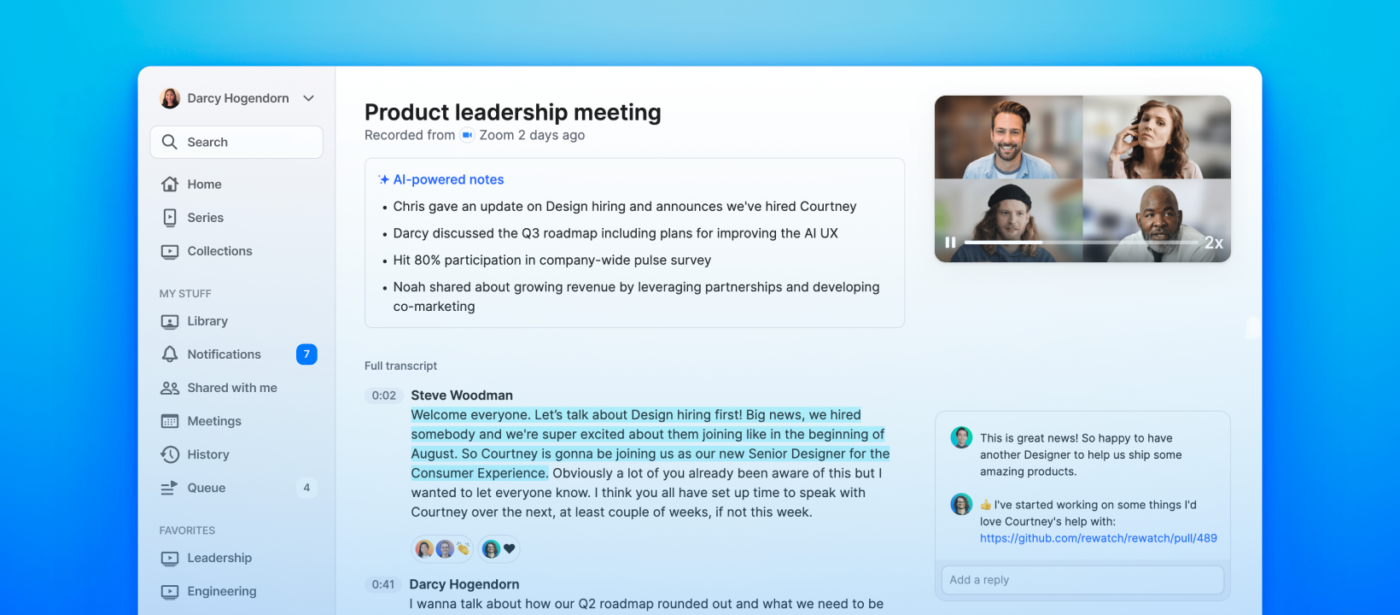
Every important conversation holds valuable insights, but finding them later is often a challenge.
Rewatch solves this by turning your recorded meetings into a private, searchable video library where knowledge is preserved, organized, and easy to access.
Instead of losing decisions and key discussions in scattered cloud folders or forgotten inbox links, teams can search transcripts, add comments, and collaborate directly on video content.
Rewatch helps growing teams capture collective memory, speed up onboarding, and reduce repetitive conversations across projects. In a world where asynchronous work is reshaping collaboration, tools like Rewatch make it easier for teams to stay aligned without being tied to live meetings.
Here’s what this G2 reviewer had to say about Rewatch:
It’s an excellent tool for displaying information to our employees. I like that it gives you the tools for internal communication. Templates offer a wide range of possibilities, allowing us to communicate efficiently.
🎉 Fun Fact: Shonda Rhimes once storyboarded an entire season of Grey’s Anatomy across multiple writers’ room meetings—with sticky notes and sharpies. Imagine if she had real-time summaries.
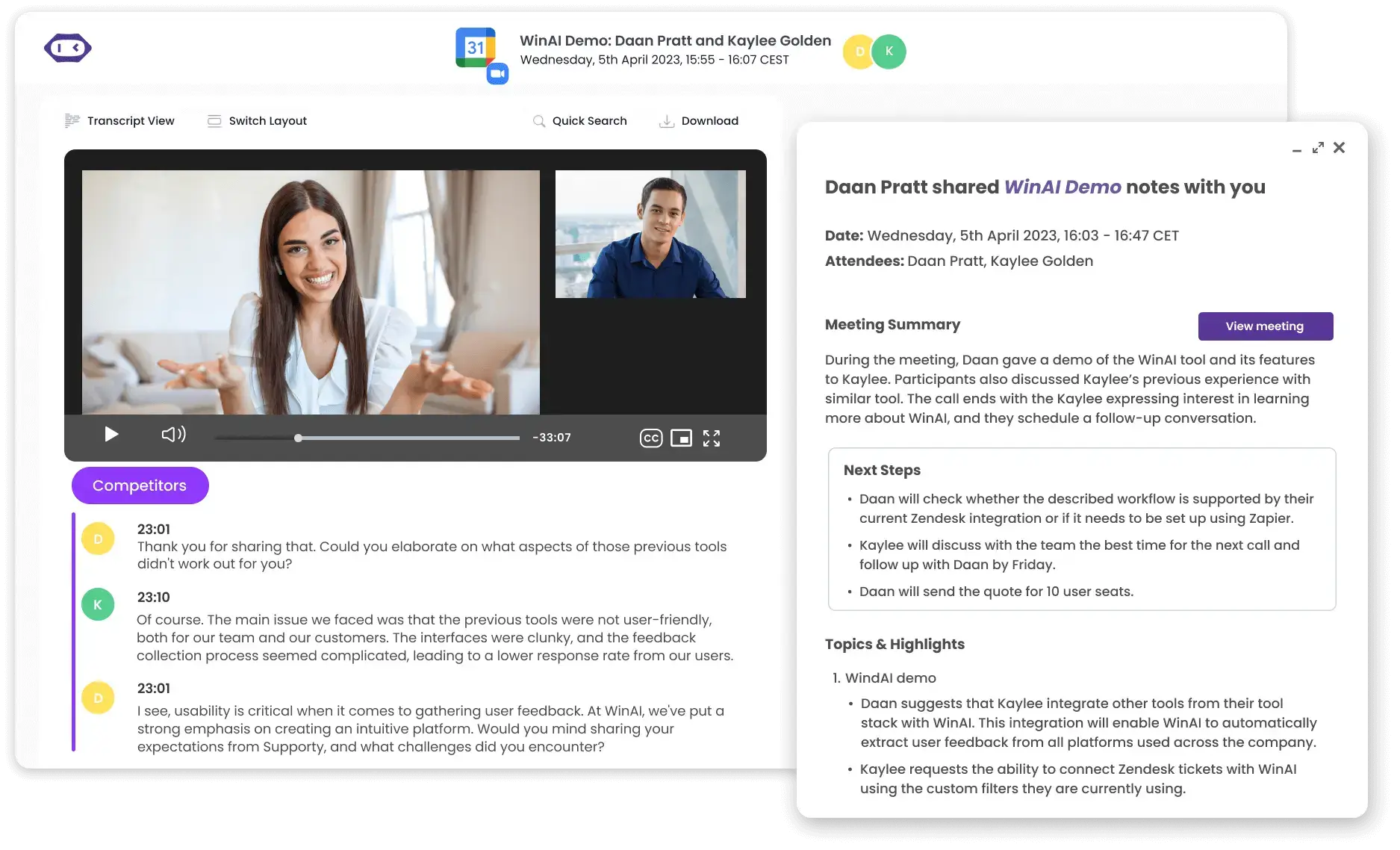
When your team’s knowledge is locked inside hours of meetings, it becomes hard to take action. MeetGeek helps by automatically recording, transcribing, and summarizing every meeting while generating action items and smart insights.
For teams that prefer a more structured follow-up process, meeting recap templates can be a great companion to MeetGeek’s AI-generated summaries. MeetGeek goes beyond basic note-taking, offering talk-time analytics, sentiment detection, and even CRM integrations to turn conversations into real outcomes.
Whether you use Zoom, Microsoft Teams, Google Meet, or Webex, MeetGeek fits seamlessly into your setup, helping teams stay organized and productive without extra manual effort.
Here’s what this G2 reviewer had to say:
You cannot miss a thing in your meetings with MeetGeek! I love how I don’t have to make any jottings and take notes. It is sooo good! It keeps you organized and always ahead!
💡 Pro Tip: Keep your AI meeting assistant in the loop. Invite it to every call—even casual ones. That offhand comment might become your next big idea.
Choosing the right meeting assistant tool comes down to what your team needs most. 🤝
If your priority is all-in-one project collaboration, a tool like ClickUp might be your best fit. If you need instant transcripts and lightweight note-taking, tools like Tactiq or Otter.ai can simplify your workflow. And if you want deeper meeting insights and automatic task follow-ups, options like MeetGeek or Avoma stand out.
Each Supernormal alternative offers a different benefit—whether it’s smarter meeting documentation, real-time collaboration, better security, or tighter integrations with tools like Microsoft Teams and Zoom.
Take a moment to match your team’s workflow with the features that matter most, and you’ll find a solution that not only captures your meetings but helps you move work forward faster.
Start by exploring demos and free trials of flexible platforms like ClickUp.
Gain the insights you need to make an informed decision and find the right solution for your team. Sign up now to get started! 🚀

© 2026 ClickUp

There’s an easier way. Try a free AI Agent in ClickUp that actually does the work for you—set up in minutes, save hours every week.