






Still downloading templates?
There’s an easier way. Try a free AI Agent in ClickUp that actually does the work for you—set up in minutes, save hours every week.
Sorry, there were no results found for “”
Sorry, there were no results found for “”
Sorry, there were no results found for “”
Project management is like juggling three balls—time, cost, and quality.
If you’ve ever tried to keep those three balls in the air, you know it’s easier said than done. Deadlines sneak up out of nowhere, budgets shrink, and somehow, output quality can feel like the first thing to wobble.
That’s where project management task list templates save the day. Whether you’re leading a product launch or planning an office party, they help you manage tasks, timelines, and team members without straining.
In this post, we explore the best project management task list templates for your personal and business needs.
🔎 Did You Know? Approximately 76% of employees experience burnout at some point during their job.
A project management task list template is a pre-built framework for planning, organizing, and tracking project tasks. Think of it as your project’s command center, helping to structure the end-to-end workflow.
Here are the standard elements of a project task list template:
➡️ Read More: Best Free To-Do List Templates
A solid project task management template is clear, customizable, and easy to update. Here’s what to look for when choosing a template:
🎥 Watch how to use ClickUp AI for Project Management
Do you ever feel like your projects are running you instead of the other way around? It’s a familiar story.
That’s precisely why dedicated project management software exists. When it comes to simplifying your work, ClickUp—the everything app for work—leads the pack with an intuitive workflow and structured templates.
Here are the top project task management task list templates to try:
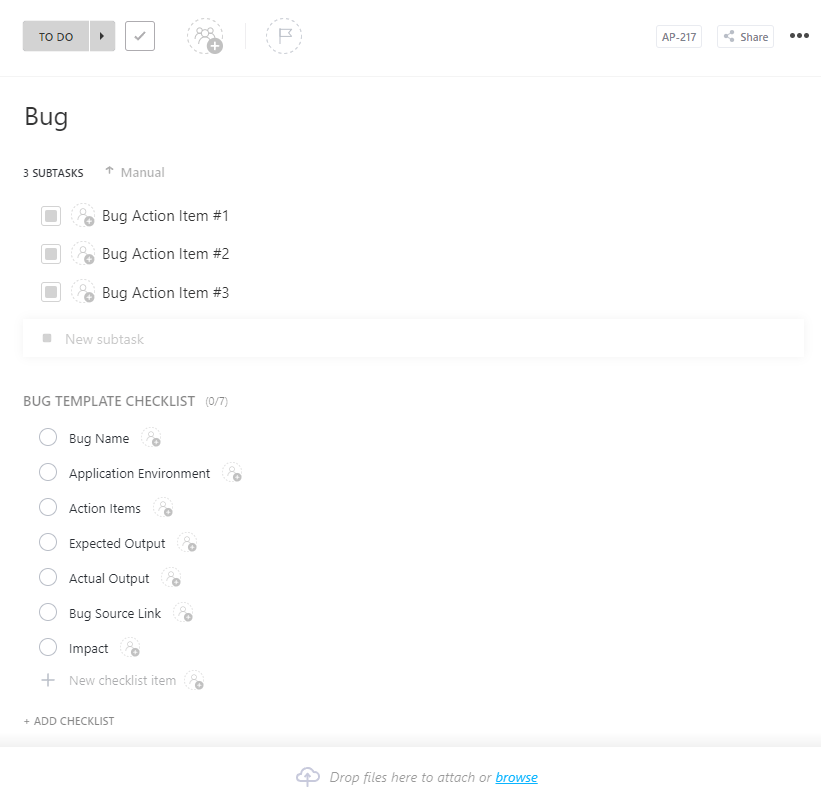
For teams juggling multiple priorities, the ClickUp List Template offers a clean and intuitive way to capture, organize, and execute task-based workflows.
This template supports hierarchy, status tracking, and color-coded tags. Users can break down large initiatives into granular steps while maintaining visibility over what is due, what is next, and what is blocked.
Plus, with reminders, automations, and dependency warnings, tracking is seamless.
🔑 Ideal for Project managers, IT teams, and team leads who want a structured bug resolution process to keep the project on track.
📣 Customer voice: Here’s what Philip Storry, Senior System Administrator at SYZYGY, had to say about using ClickUp:
We had previously used Jira for some project management and a variety of tools at the small team level, but needed to find something that was as flexible as Jira without being as intimidating for non-technical staff. ClickUp was the best combination of ease of use, features, and power.
➡️ Read More: Top Daily Checklist Apps to Stay Productive
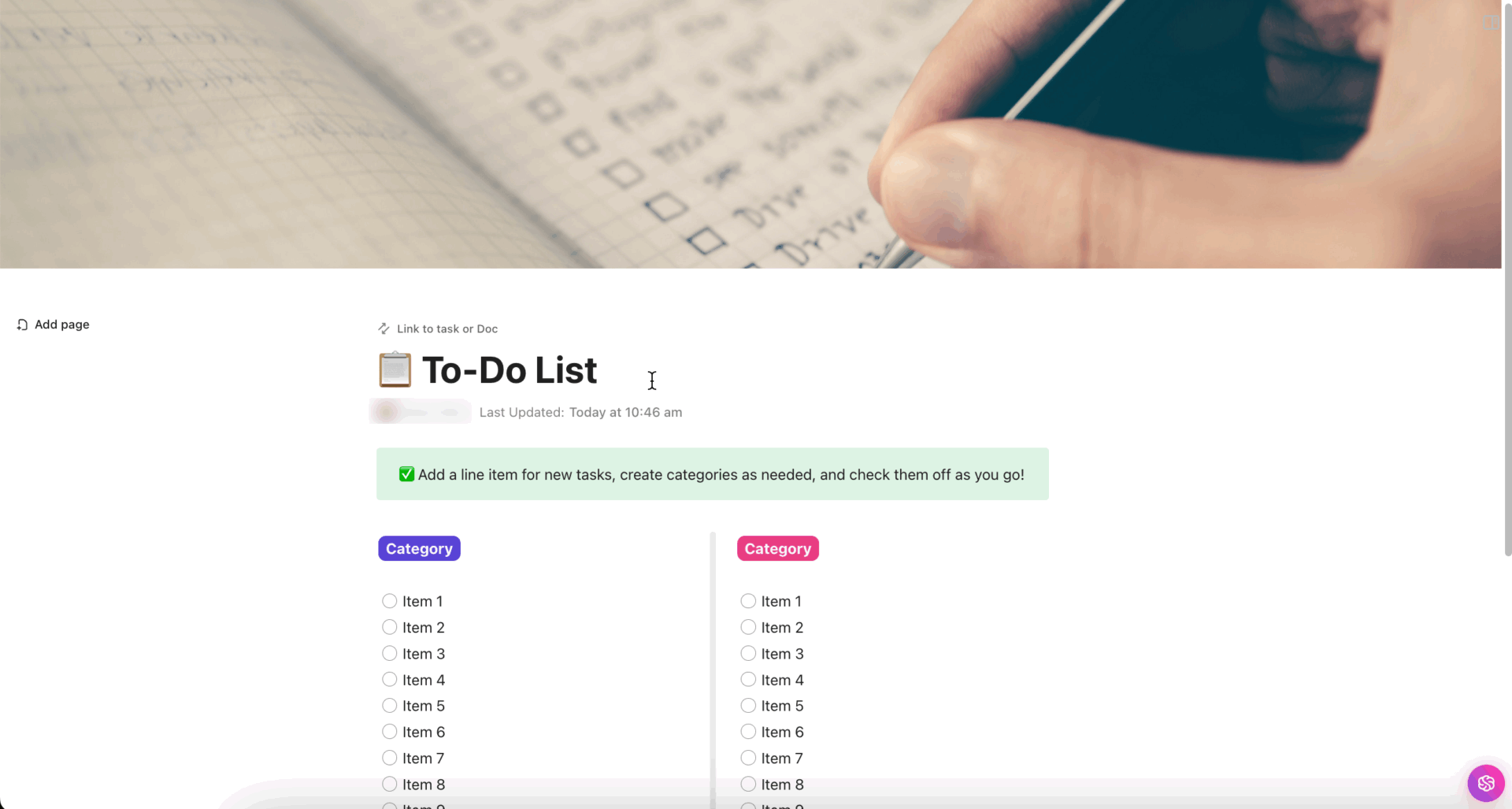
The key to project success lies in having an organized plan for every task. But how do you make that happen? With the ClickUp Simple To-Do List Template. Its minimalist interface allows you to capture tasks, tick them off, and quickly adjust priorities.
This template features an intuitive layout to help you plan detailed to-do lists. The checklist format makes it easy to mark completion and track progress. Plus, it helps you link pages and references, so everything is accessible.
🔑 Ideal for: Project managers, team leads, and operations teams looking for an intuitive layout to track project success.
💡 Bonus: Try ClickUp Brain MAX—the contextual Work AI Desktop companion that truly understands you, because it knows your work. Ditch the AI tool sprawl, use your voice to get work done, create documents, assign tasks to team members, and more. Here’s how:
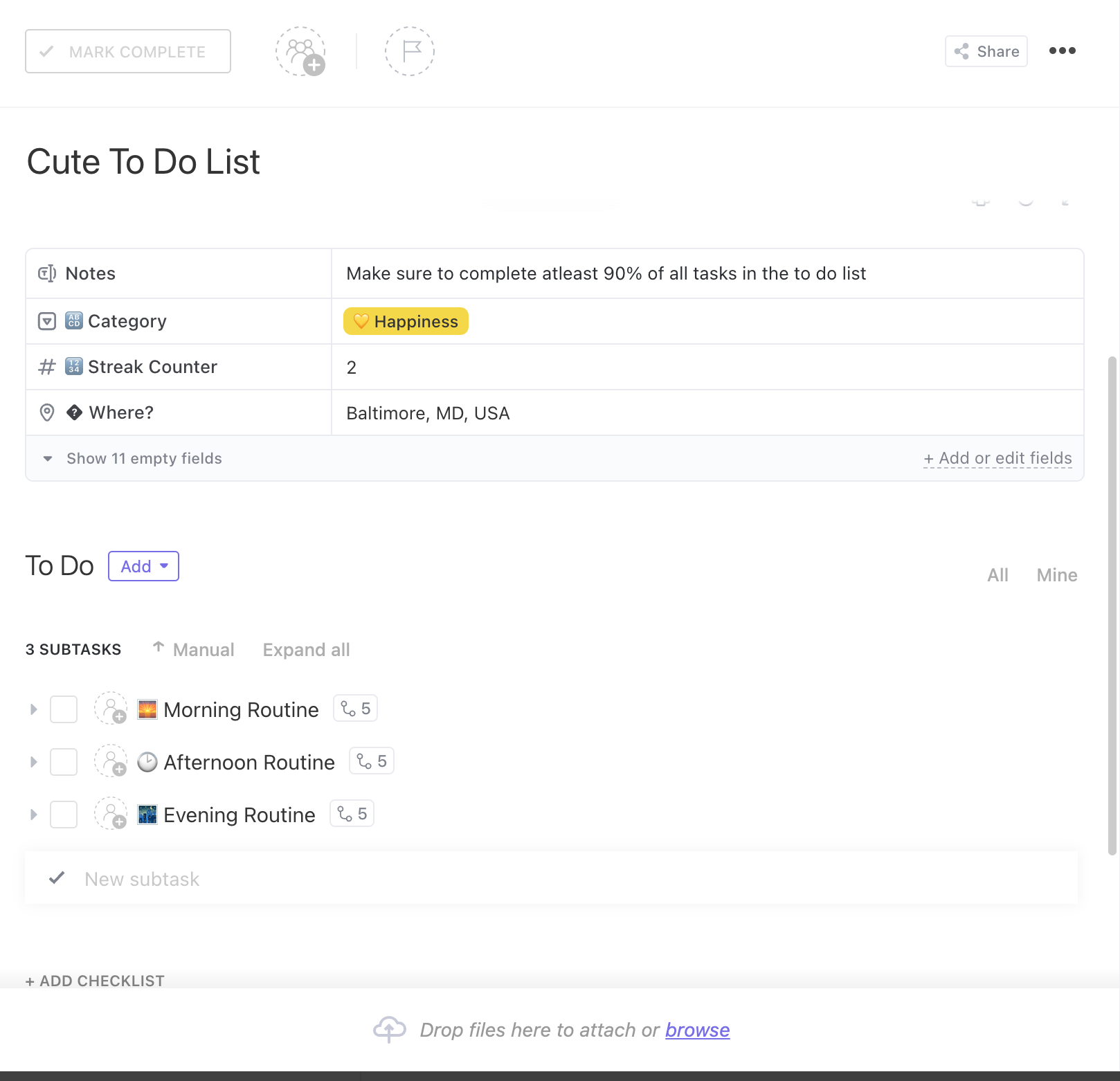
You’ve got the big picture of how to move the project forward. But to meet deadlines, your team needs clear direction. That’s where the ClickUp Daily Things To Do List Template comes to your rescue.
The dedicated sections in this to-do list template let you add task location, context-rich notes, and other details for specific tasks and projects.
🔑 Ideal for: Team leads, project managers, and team members looking for an organized format to keep daily project tasks in one place.
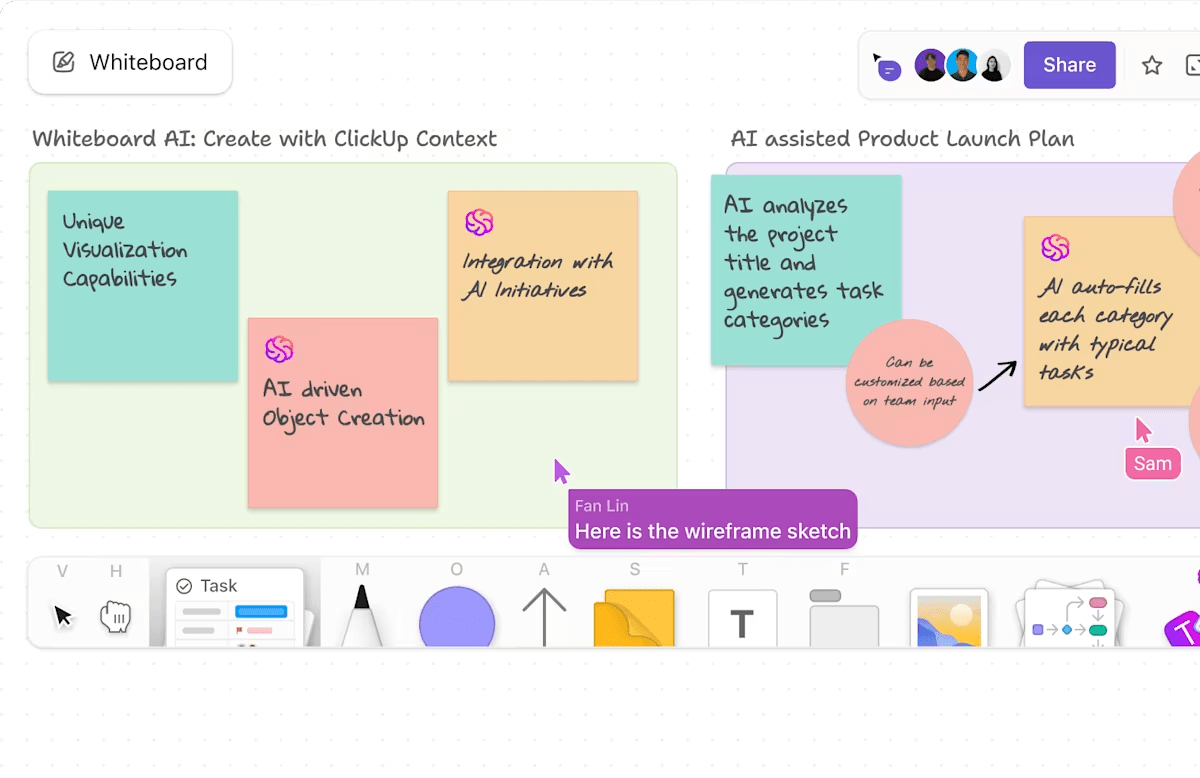
💡 Pro Tip: Brainstorm and create a visual to-do list for project completion with ClickUp Whiteboards. This feature helps you:
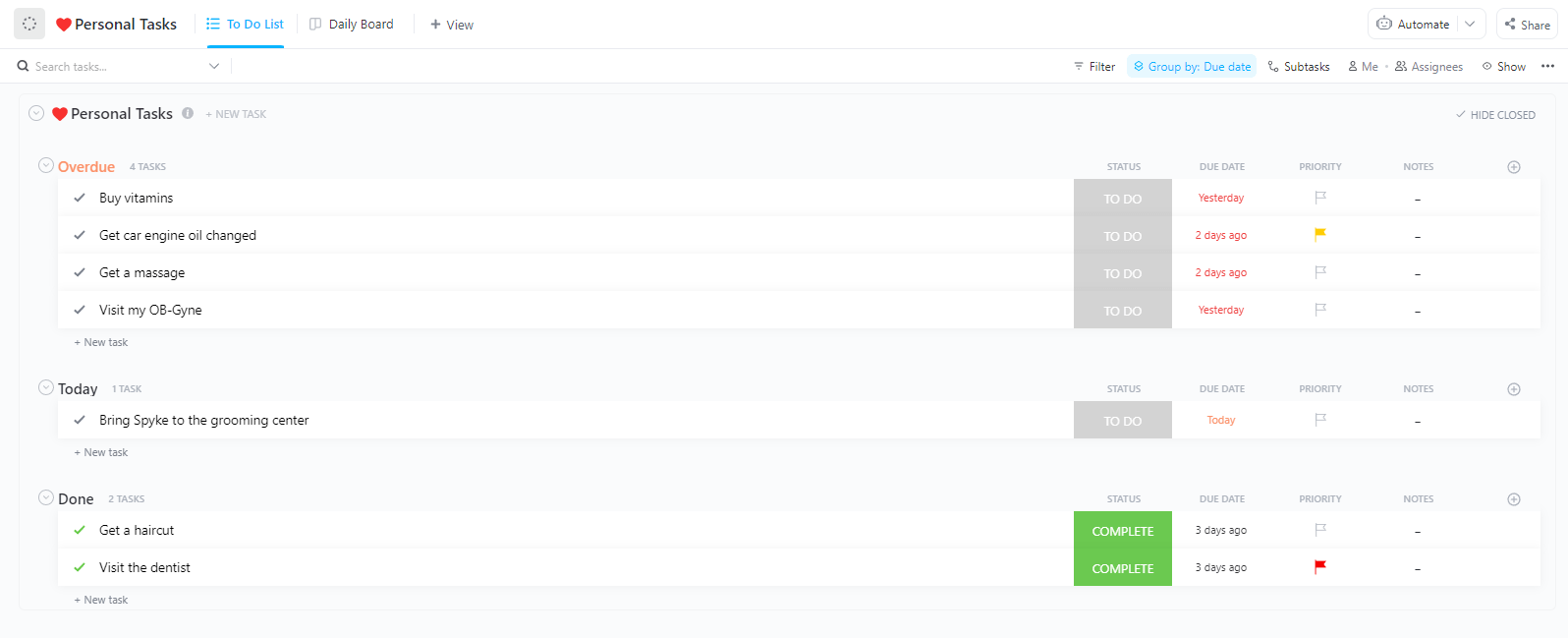
The ClickUp Daily Task Management Template is designed for high performers who need a daily overview of all projects, action items, and deadlines.
The status board shows completed, in progress, or pending tasks, so you always know where things stand. The best part? The template helps you see what worked and where you need improvement, so your productivity never takes a hit.
🔑 Ideal for: Teams launching a new project or seeking to optimize existing processes.
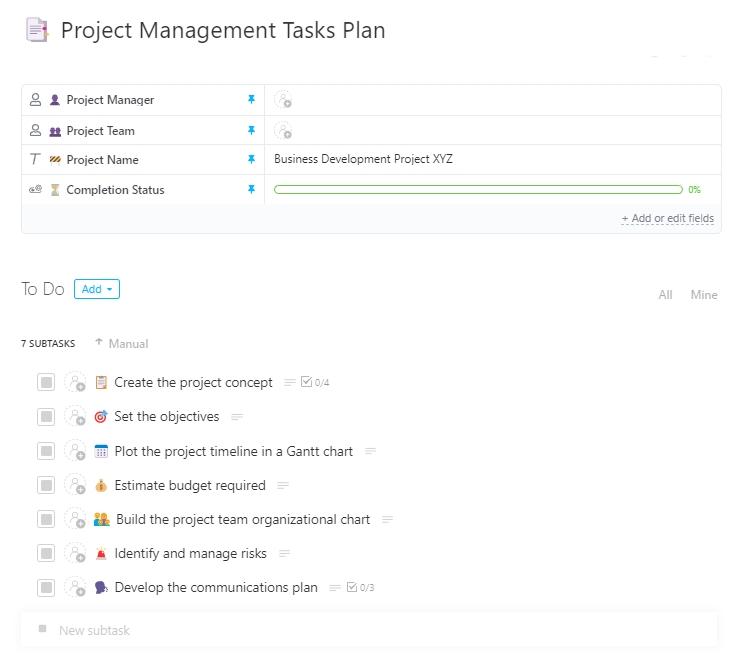
The ClickUp Project Management Tasks Template supports task assignment with access control, ensuring only the right people handle the right tasks. Milestones serve as motivational benchmarks, and the board view shows task completion status. Also, the embedded progress bar updates automatically as you move ahead. Additionally, you get to assess the skills and availability of team members for efficient work allocation.
🔑 Ideal for: Small teams, project managers, and operations leads seeking a dedicated template to manage projects effectively.
🧠 Fun Fact: Milestones were first used by the Romans along the side of the road with details including the distance to the nearest city, when the section was built, and who paid for the section.
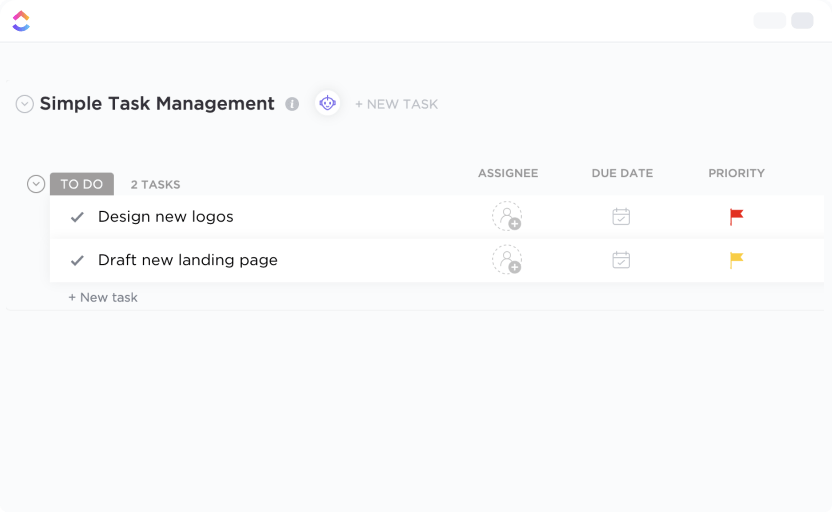
Want to keep your project on track and stress-free? The ClickUp Simple Task Management Template helps you do that.
It gives your team a clear roadmap and standards to follow. Task categories, based on completion status and project stage, keep the workflow structured. With comments and labels, every task is context-rich and actionable.
🔑 Ideal for: Operations teams, team managers, and employees looking to keep the project tasks organized and on track.
📣 Customer voice: Here’s why Alfred Titus, Administrative Support Manager at Brighten A Soul Foundation, thinks ClickUp is a great option to collaborate on tasks:
To any organization struggling with how to manage their projects, ClickUp will help in task collaboration. With this software, people can keep track of the to-do list items and work on those tasks within the stipulated time. It also helps the project management team to track the overall progress of the projects to ensure deadlines are kept.
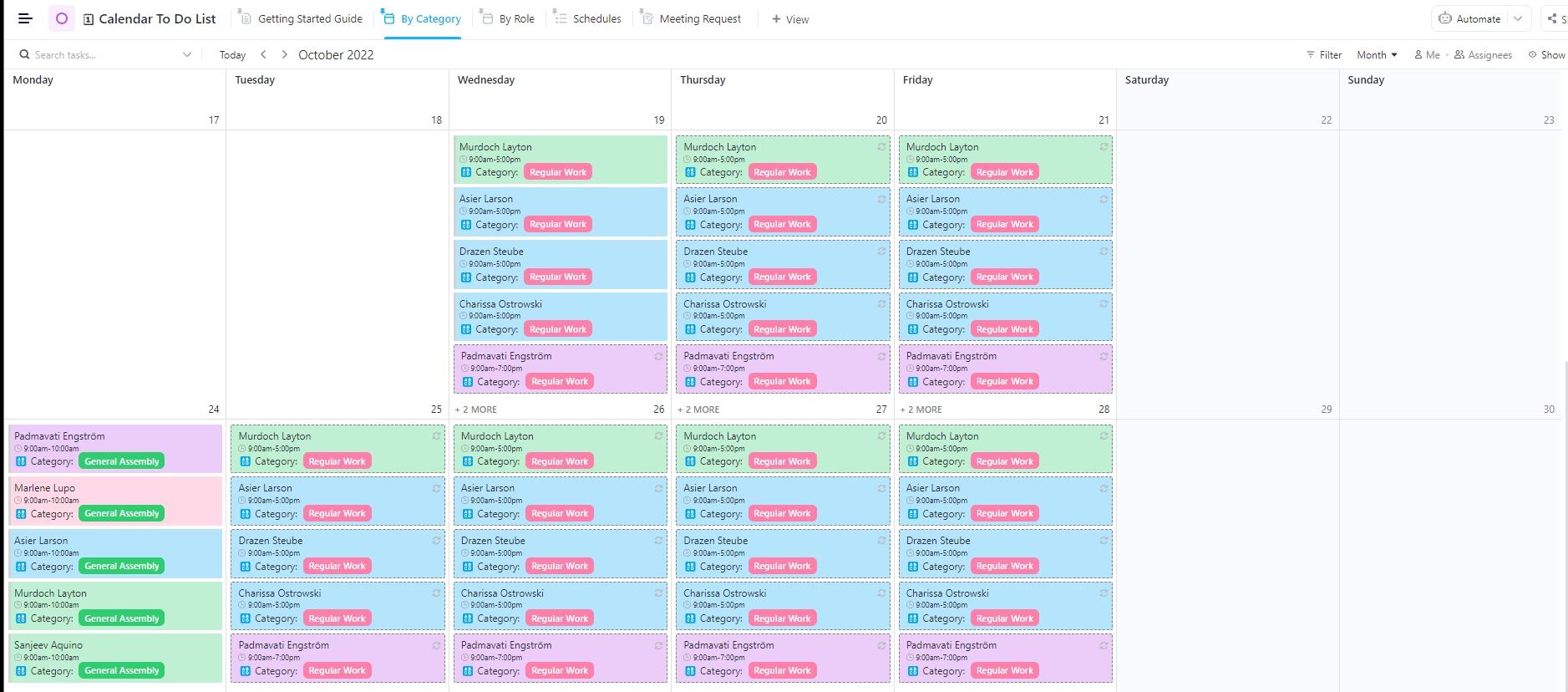
When deadlines and due dates dominate your day, the ClickUp Calendar To Do List Template brings visual clarity. The time-based layout helps identify bottlenecks and balance your workloads.
It offers two calendar views: one to track tasks by project stage or type and another to view tasks assigned. To enhance clarity, it helps you add specific resources, attachments, and comments.
Plus, with a customizable meeting request form, your team can schedule meetings to discuss progress or ideas.
🔑 Ideal for Project managers and team leads who want to assess team productivity and manage task allocation and planning.
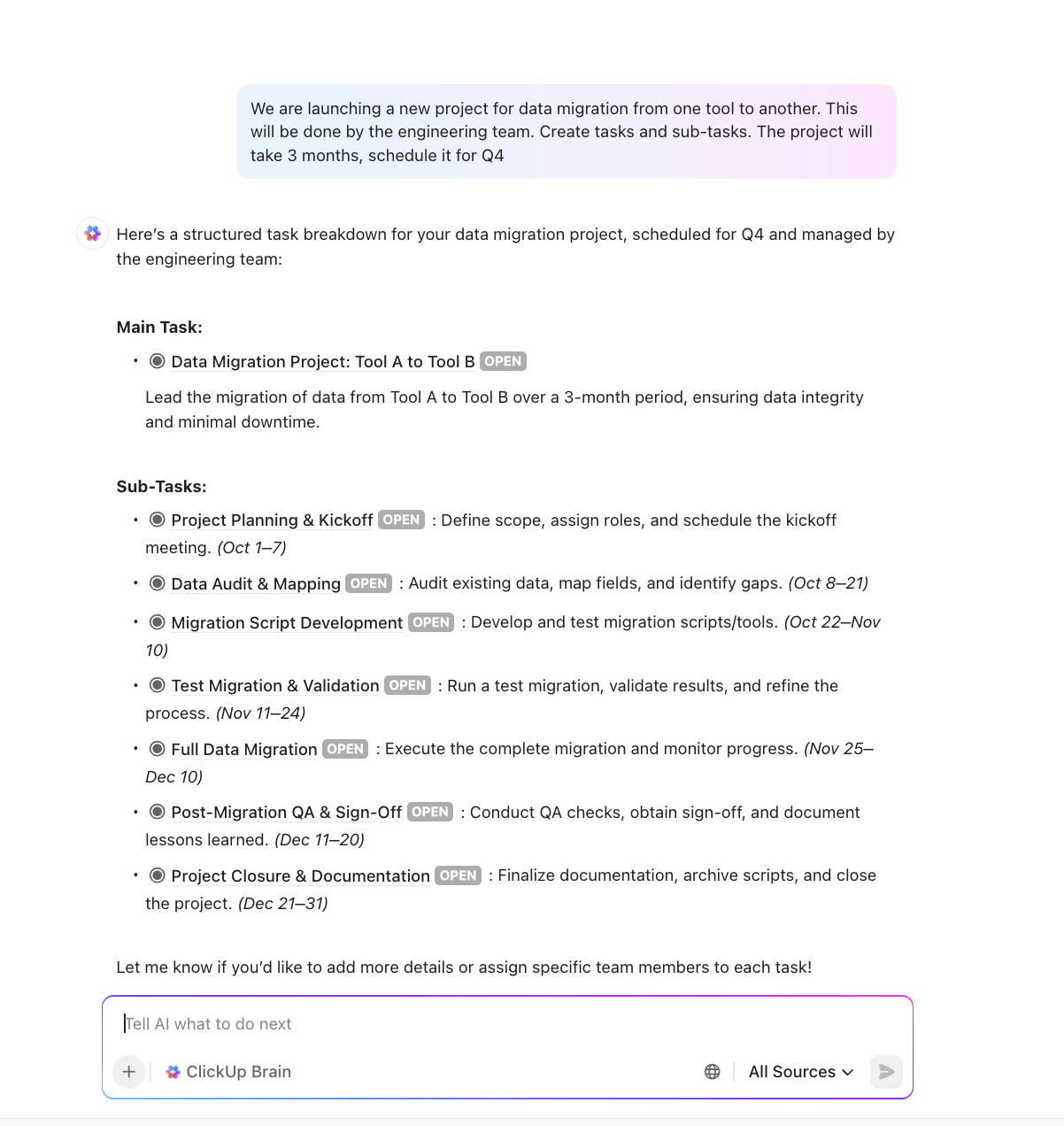
💡 Pro Tip: AI-powered tools like ClickUp Brain help you maintain a seamless workflow to keep projects up and running. Here’s how it helps:
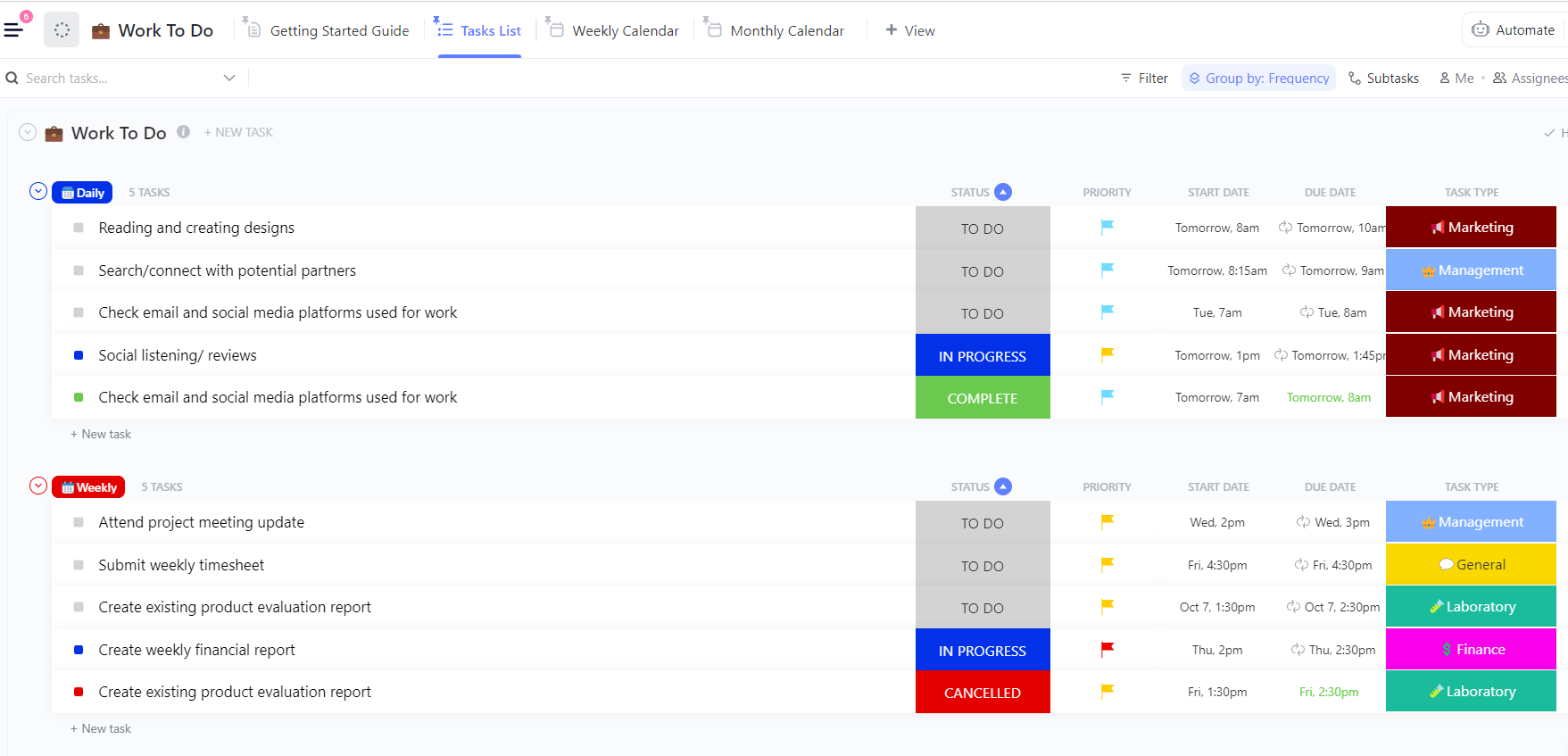
Whether you’re a manager juggling requests or tracking deliverables, the ClickUp Work To Do Template helps you reflect your actual workload.
It helps you prioritize tasks by importance or urgency, structure work into lists with subtasks and due dates, and visualize progress using Kanban or Gantt views.
Moreover, with built-in time tracking, you get estimated man-hours to plan timelines.
🔑 Ideal for: Team managers looking to organize tasks and workload for project success.
🎥 Watch how to use automations within the ClickUp workspace:
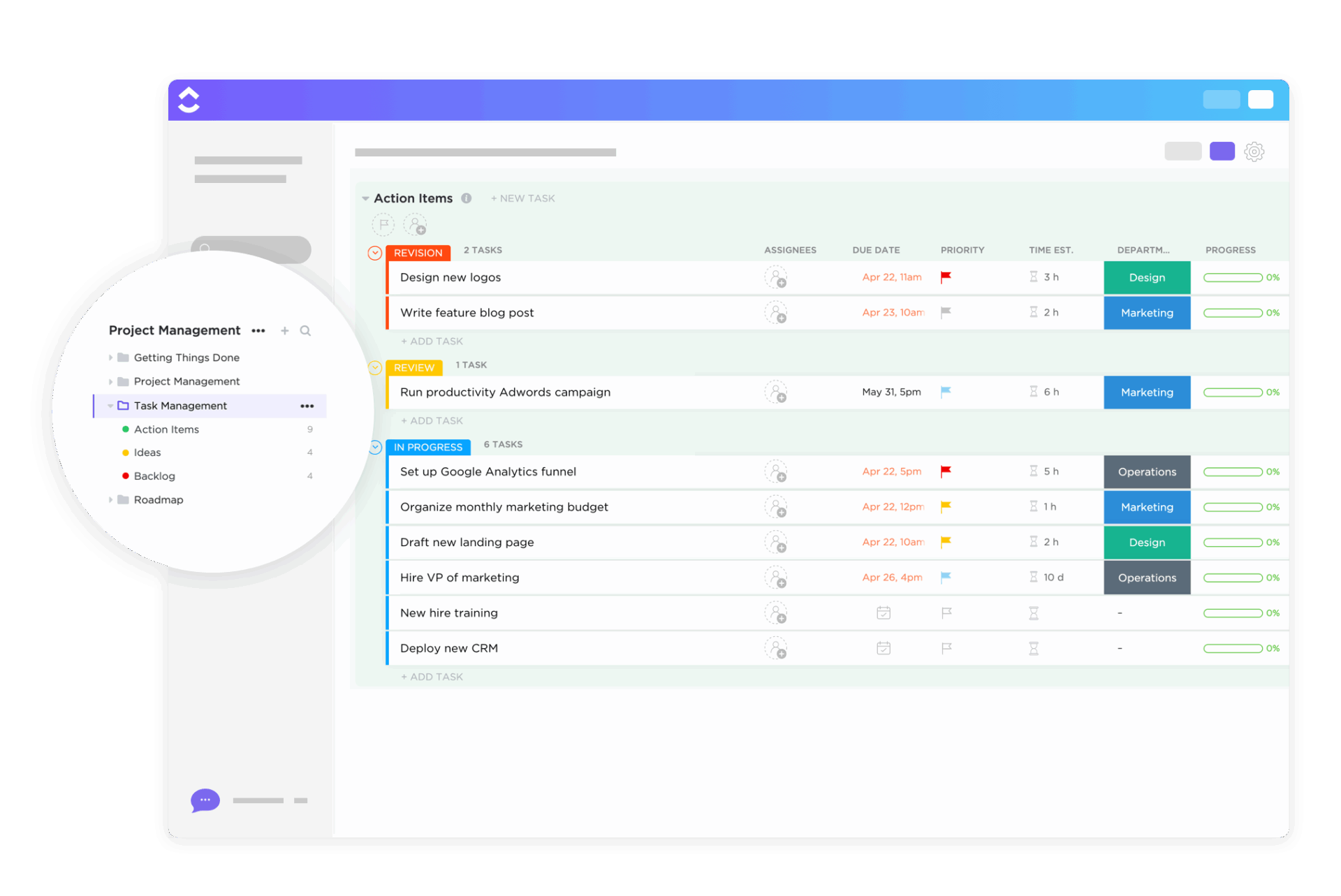
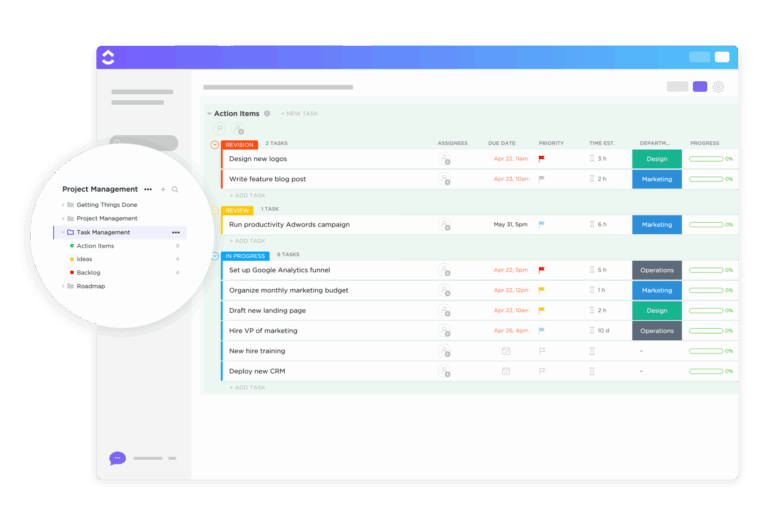
ClickUp’s Task Management Template is built to help teams stay organized, focused, and on top of their day-to-day work. With built-in lists for Action Items, Ideas, and Backlog, it creates a clear workflow that keeps tasks moving and nothing slipping through the cracks.
It supports granular personal tasks and team-wide initiatives. The customizable views and categories make it adaptable to virtually any workflow. Additionally, brief notes for every task provide contextual clarity.
🔑 Ideal for: Team leads and project managers looking to organize project tasks for a seamless workflow.
💡 Pro Tip: See task completion reports at a glance with ClickUp Dashboards. Customize the reports to align with your workflow to make project task tracking simple.
Here’s what you can do:
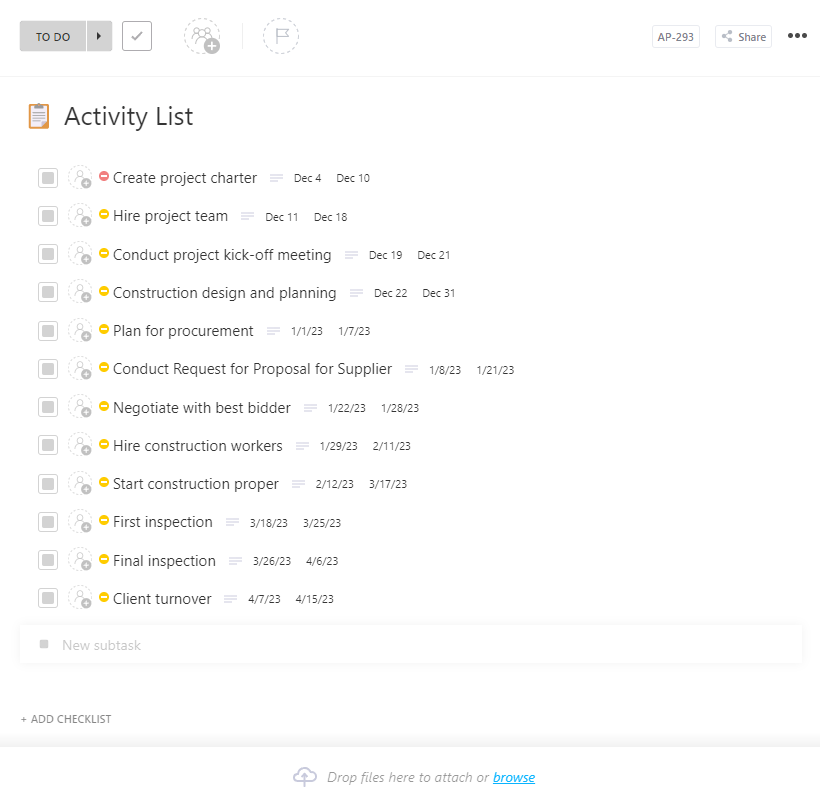
You have the project plan in place, but smooth execution depends on organizing the minor details. The ClickUp Activity List Template helps you break down big tasks into actionable steps.
With built-in project documents, it facilitates brainstorming the scope of work and defining the steps. The board view helps you create a process, making it easier to identify gaps and adjust accordingly. Plus, it’s beneficial for recurring or compliance-based activities.
🔑 Ideal for: Managers and operations teams seeking a structured approach to organizing task details.
📮 ClickUp Insight: When invisible tasks pile up, the consequences are real: 14% of employees say it makes focusing on their main job ‘harder’, and 21% feel slowed down and overwhelmed by added pressure. This silent burden isn’t just an inconvenience—it’s a direct threat to team performance and well-being.
With ClickUp Brain, hidden work doesn’t stay hidden for long. It can automatically surface overdue, unassigned, or stalled tasks, allowing teams to take action before issues escalate. Let ClickUp AI do the heavy lifting—so your team can do their best work.
➡️ Read More: Free Task Management Templates in ClickUp & Excel
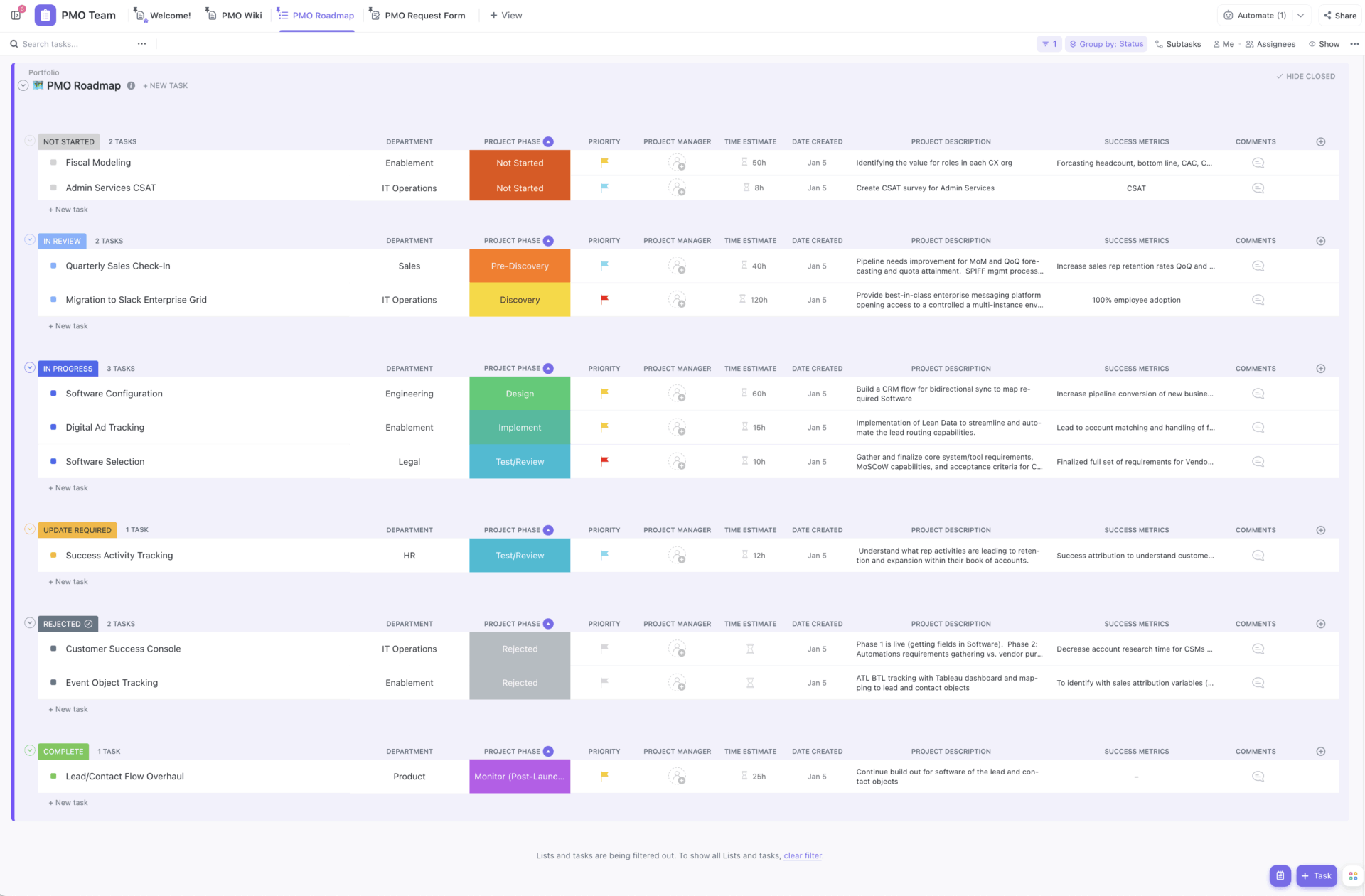
Looking for a framework to manage cross-functional projects effectively? The ClickUp Project Management Template brings clarity to task management across timelines, deliverables, and teams.
It offers a comprehensive view, from risk tracking to task allocation between departments. Priority tasks and dependencies are grouped under the ‘Urgent Tasks’ tab to simplify planning. The template also keeps OKRs organized, making it easier to align tasks and goals.
🔑 Ideal for: Project managers, portfolio managers, and program managers searching for an easy way to manage projects and work.
🧠 Fun fact: There is a museum of failure that showcases innovation failures so you can learn from them. The museum has over 100 failed products and services from well-known companies like Colgate, Pepsico, and more.
➡️ Read More: Best Free Project Management Software
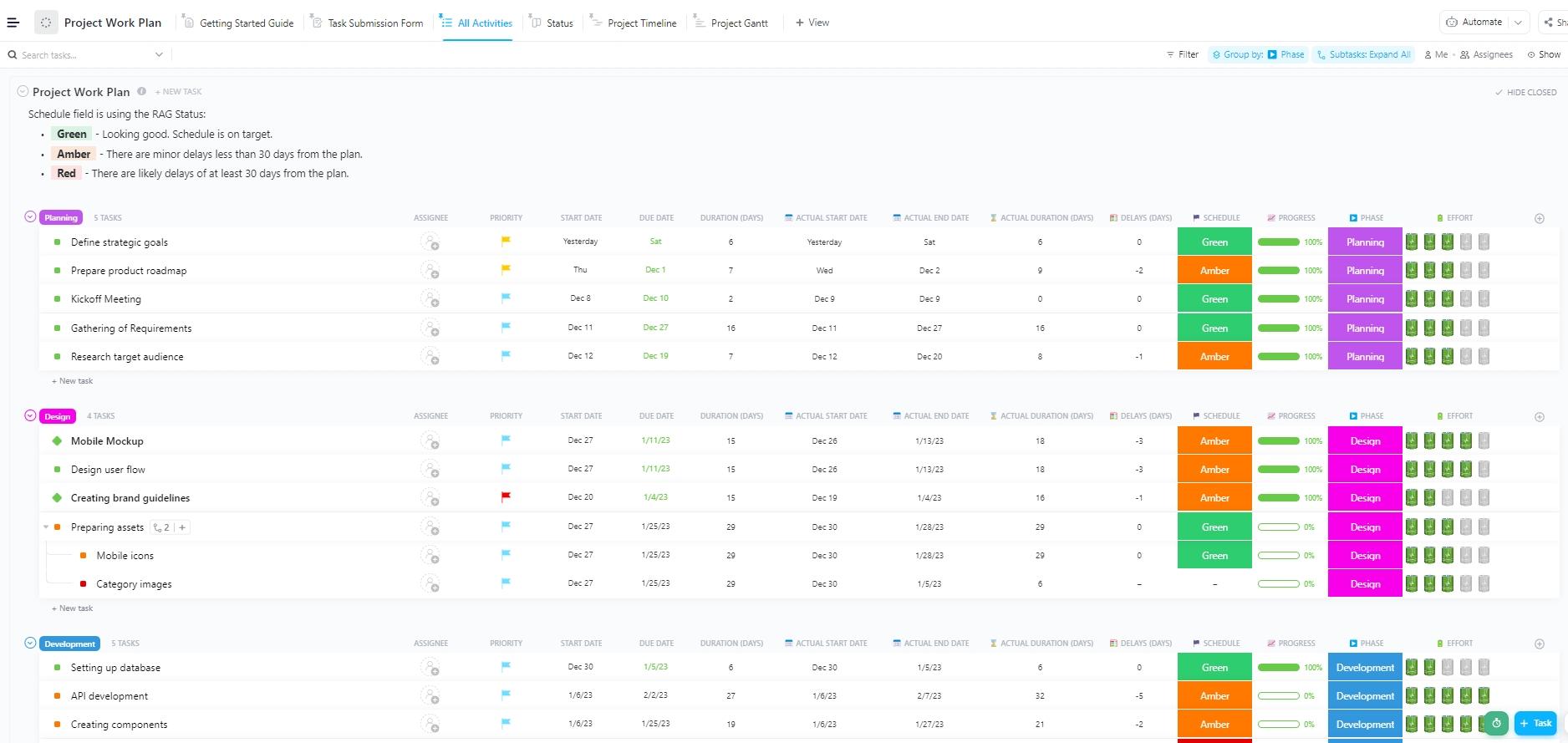
Keeping all project elements in one place is a breeze with the ClickUp Project Work Plan Template. It is an excellent framework for visualizing the project timeline based on task dependencies.
The timeline view lets you schedule task durations by department. Automations optimize everything to stay on track, from task completion updates to timely reminders.
Plus, the all-activities list provides a comprehensive overview, including project schedules, start and end dates, delays, project phases, and effort ratings.
🔑 Ideal for: Project leads and operations teams seeking a structured approach for organizing project activities and timelines.
🔎 Did You Know? Most of us use digital Gantt chart templates these days. However, the earliest Gantt charts were created on paper, which meant redrawing the entire chart for even minor changes. To avoid this, project managers used pieces of paper to adjust as needed.
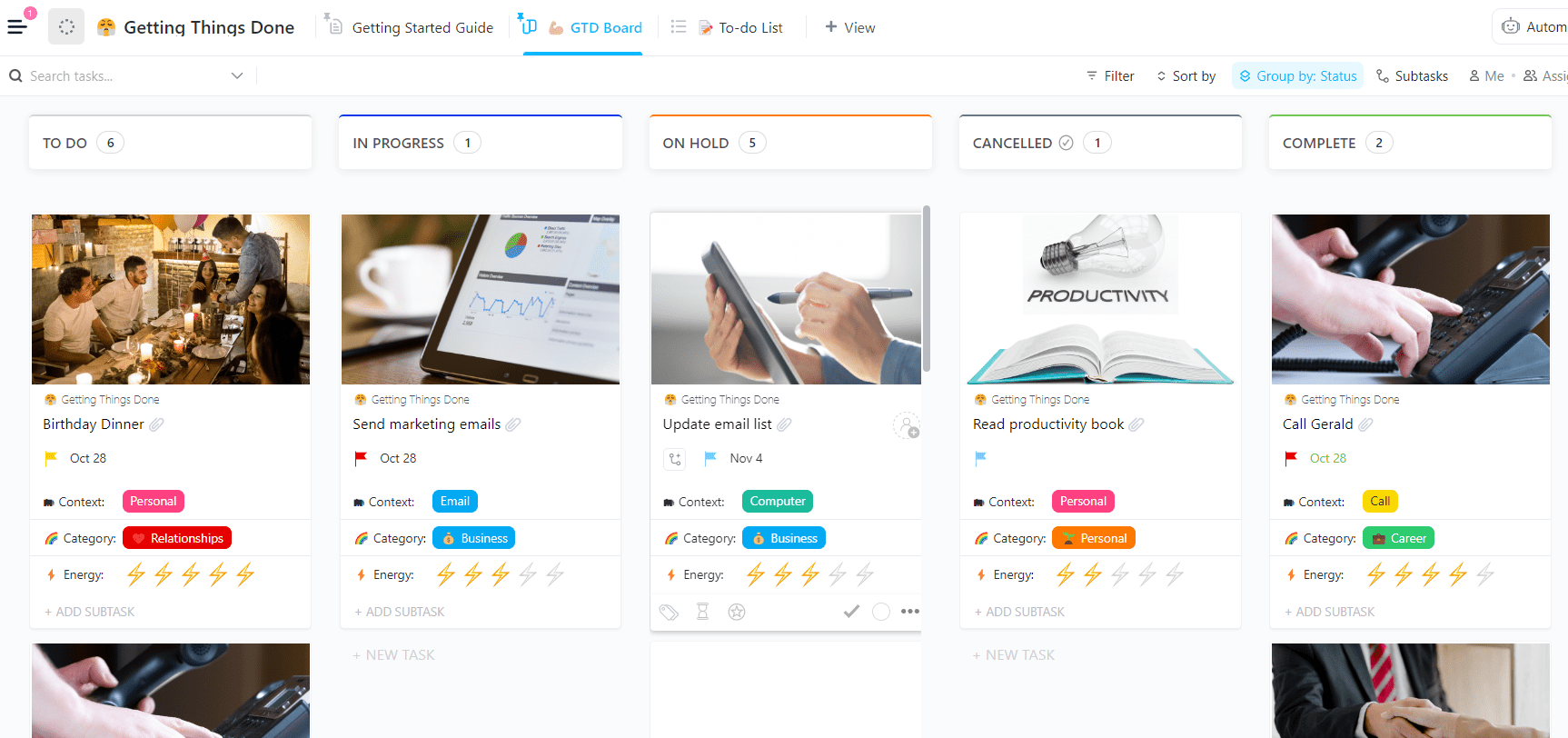
The ClickUp Getting Things Done Template brings David Allen’s GTD productivity framework into a streamlined digital format. It’s ideal for beginners and anyone looking to quickly capture, organize, and prioritize tasks.
Organize inboxes, subsequent actions, waiting lists, and someday/maybe tasks to promote focus and better decision-making. The context and comment fields offer space for detailed notes, while time estimates streamline planning.
🔑 Ideal for: Project leads and managers searching for a template to keep project tasks organized.
Project management without a task list template is like trying to assemble IKEA furniture without the manual. Sure, you might get there eventually, but not without missing screws, extra coffee, and a minor existential crisis.
With the right template, your team moves faster and smarter, and ClickUp offers that and much more.
With ClickUp Brain, templates, Docs, and other collaboration and planning tools, ClickUp helps you keep every project task on track.
No more missed tasks. No more guesswork. Sign up for ClickUp for free now and get a clear task management roadmap.

© 2026 ClickUp

There’s an easier way. Try a free AI Agent in ClickUp that actually does the work for you—set up in minutes, save hours every week.