







Still downloading templates?
There’s an easier way. Try a free AI Agent in ClickUp that actually does the work for you—set up in minutes, save hours every week.
Sorry, there were no results found for “”
Sorry, there were no results found for “”
Sorry, there were no results found for “”

You’ve got projects to lead, portfolios to manage, and teams that don’t have time to wrestle with tools that slow them down.
Planforge might be doing the job, but if you’re here, you’re probably wondering if there’s something else that better fits your workflow.
This list of Planforge alternatives brings together tools that are easier to use, better suited for agile planning, and help with portfolio tracking and team collaboration.
Let’s get into it! 📝
Planforge is a project and portfolio management (PPM) software for businesses that handle complex projects. It helps teams plan, track, and manage every stage of their projects.
Using built-in tools, you can map project goals, manage resources, allocate budgets, and track progress. Planforge also supports hybrid project management, making switching between agile, traditional, or custom workflows easier.
Teams use it to improve collaboration, reduce manual work, and stay aligned on project priorities. Its real-time reporting and project dashboard features help decision-makers get clear visibility into project performance without juggling multiple tools.
Planforge is a suitable enterprise-level project management tool, but not every team works similarly. Its structured approach often adds complexity, whereas teams prefer simplicity.
Here’s why many users explore Planforge alternatives:
🔍 Did You Know? The Industrial Revolution sparked modern project management! Massive infrastructure like the Transcontinental Railroad needed more structure—cue the rise of formal planning methods.
Let’s look at the top project management collaboration tools you can consider. 👇
| Tool | Key features | Best for | Pricing |
| ClickUp | Built-in AI, AI agents, and automation; custom dashboards; time-tracking; goal setting; team collaboration | Large teams managing complex portfolios with AI and automation | Free plan available; Customization available for enterprises |
| Monday.com | Custom visual workflows; real-time dashboards | Small teams needing customizable visual boards | Free plan available; Paid plans start at $12/user/month |
| Wrike | Smart folder hierarchy; custom views; burndown charts | Large organizations with department-specific needs | Free plan available; Paid plans start at $10/user/month |
| Planview AdaptiveWork | Capacity planning; resource management; governance workflows | Enterprises looking to align projects with business goals | Custom pricing |
| Smartsheet | Conditional logic; automated workflows; Gantt charts | Individuals transitioning from Excel to project tools | Free plan available; Paid plans start at $12/user/month |
| Workfront | Resource management; custom approval workflows | Marketing teams managing asset approvals | Custom pricing |
| Jira | Agile project and issue tracking; velocity charts; burndown reports | Software development teams using Scrum or Kanban | Free plan available; Paid plans start at $8.60/user/month |
| Oracle Primavera | Risk scoring; earned value tracking; what-if scenarios; resource histograms | Enterprises managing large-scale infrastructure projects | No free plan; Paid plans start at $100/user/month |
| Microsoft Project | Resource leveling; task dependencies; progress reporting | Project managers familiar with Gantt charts and dependencies | No free plan; Paid plans start at $10/user/month (annual billing) |
| Trello | Kanban-style project tracking; trigger-based automations | Small businesses needing lightweight visual task management | Free plan available; Paid plans start at $6/user/month |
| Teamwork.com | Client collaboration; time tracking; goal-setting templates | Service businesses managing billable work and client visibility | No free plan; Paid plans start at $13.99/user/month |
Every team works differently, which means the right tool can look a little different, too. Here are some standout alternatives to Planforge that might suit your workflow better. 📝
Our editorial team follows a transparent, research-backed, and vendor-neutral process, so you can trust that our recommendations are based on real product value.
Here’s a detailed rundown of how we review software at ClickUp.
Coordinating multiple portfolios often means navigating scattered timelines, unclear progress updates, and a lot of manual reporting. And when you’re managing high-stakes deliverables across departments, you need more than static dashboards or siloed time logs.
You need a system that connects everything, from project execution to strategic goals, clearly and quickly.
ClickUp is the everything app for work that combines project management, knowledge management, and chat—all powered by AI that helps you work faster and smarter.
The ClickUp Project Management Software brings structure to your portfolios without limiting flexibility, while its AI features help you surface answers instead of searching for them.
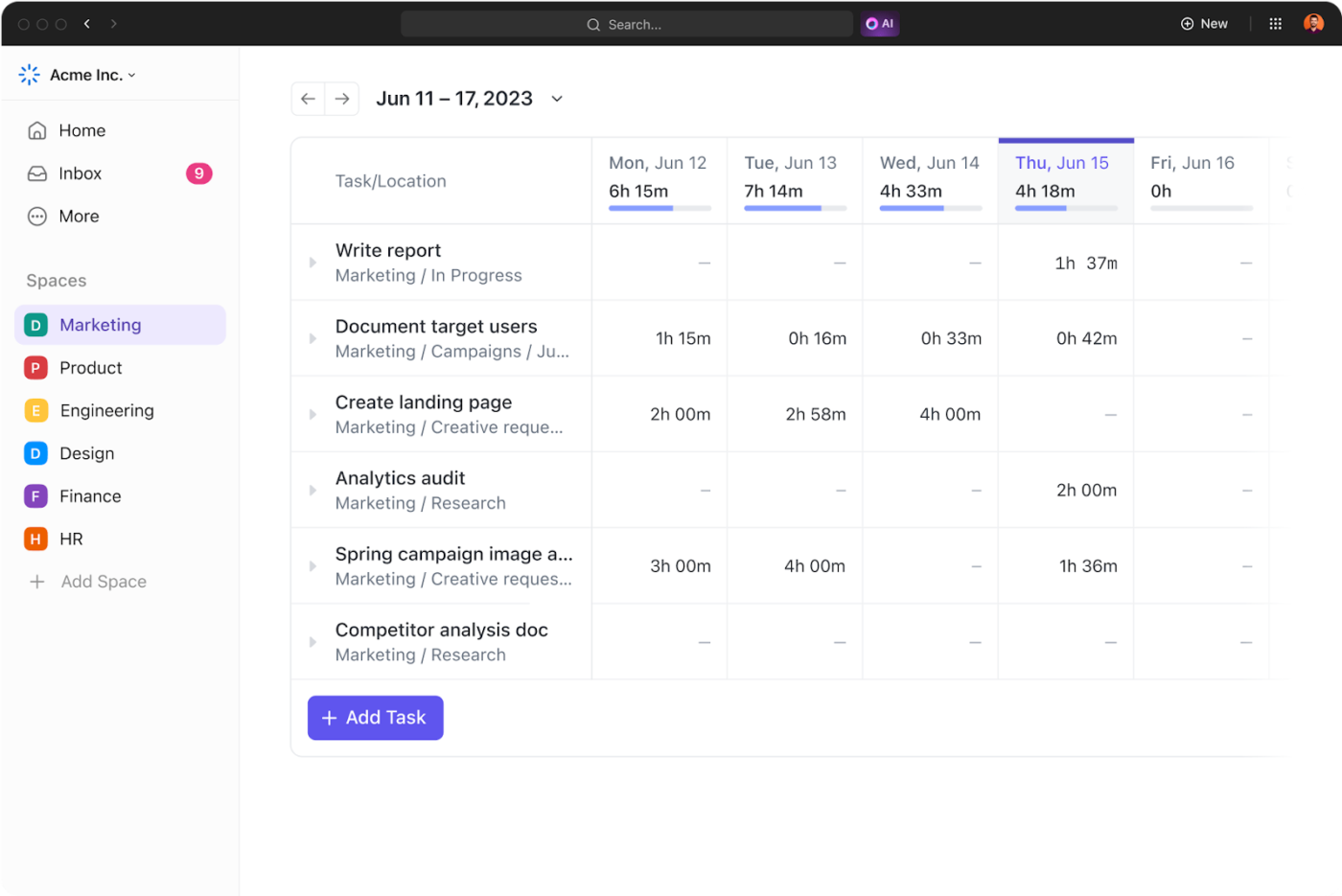
ClickUp Time Tracking lets each team member log hours right inside their tasks or use a timer as they work. You can view detailed breakdowns across portfolios and filter by team, project, or task type. This helps identify and fix delays that can impact project schedules.
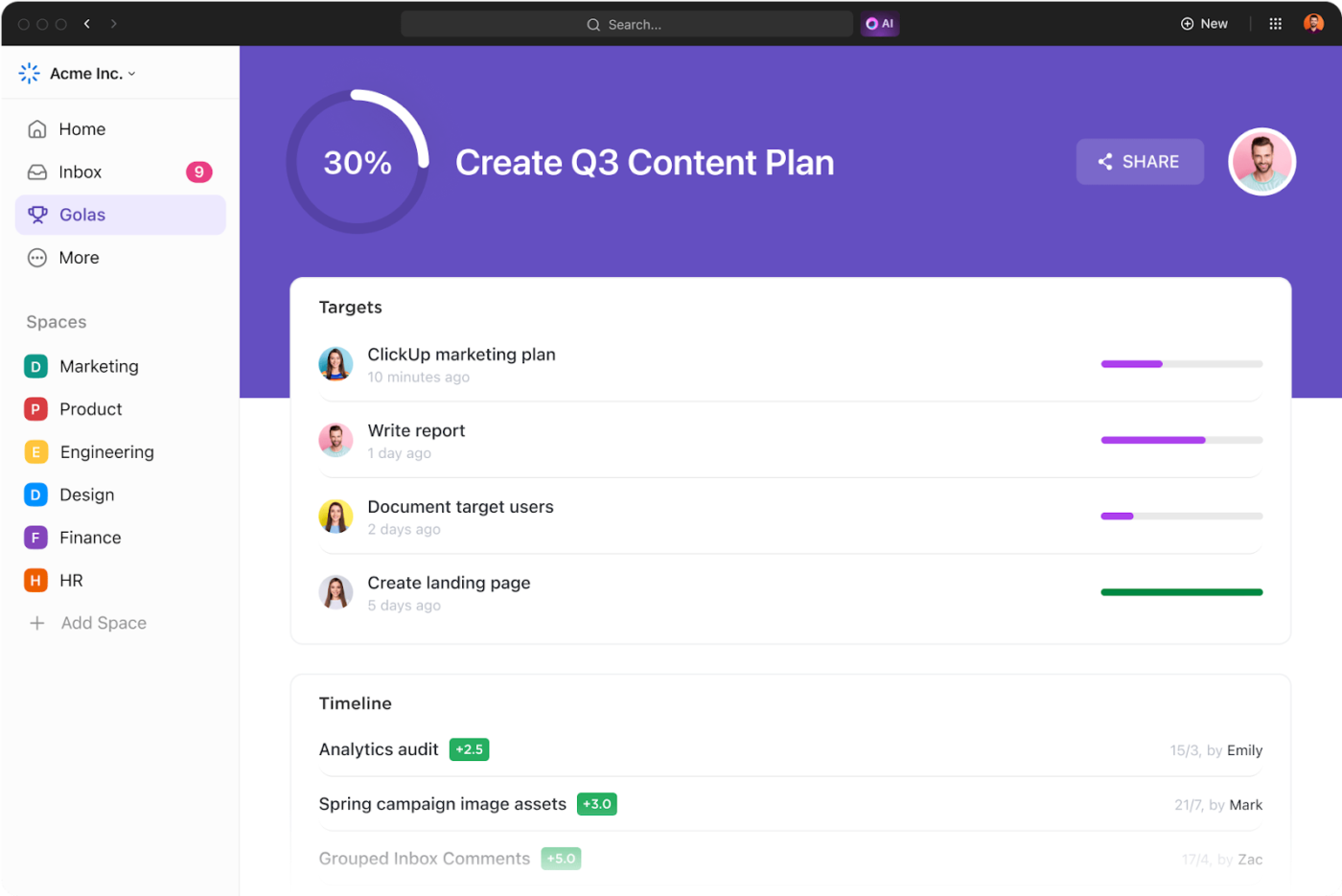
It’s just as easy to align everyone around outcomes. With trackable ClickUp Goals, you can set measurable targets and connect them to the work that moves those goals forward. No need for manual updates or separate status meetings.
Visibility also matters when you’re managing multiple initiatives.
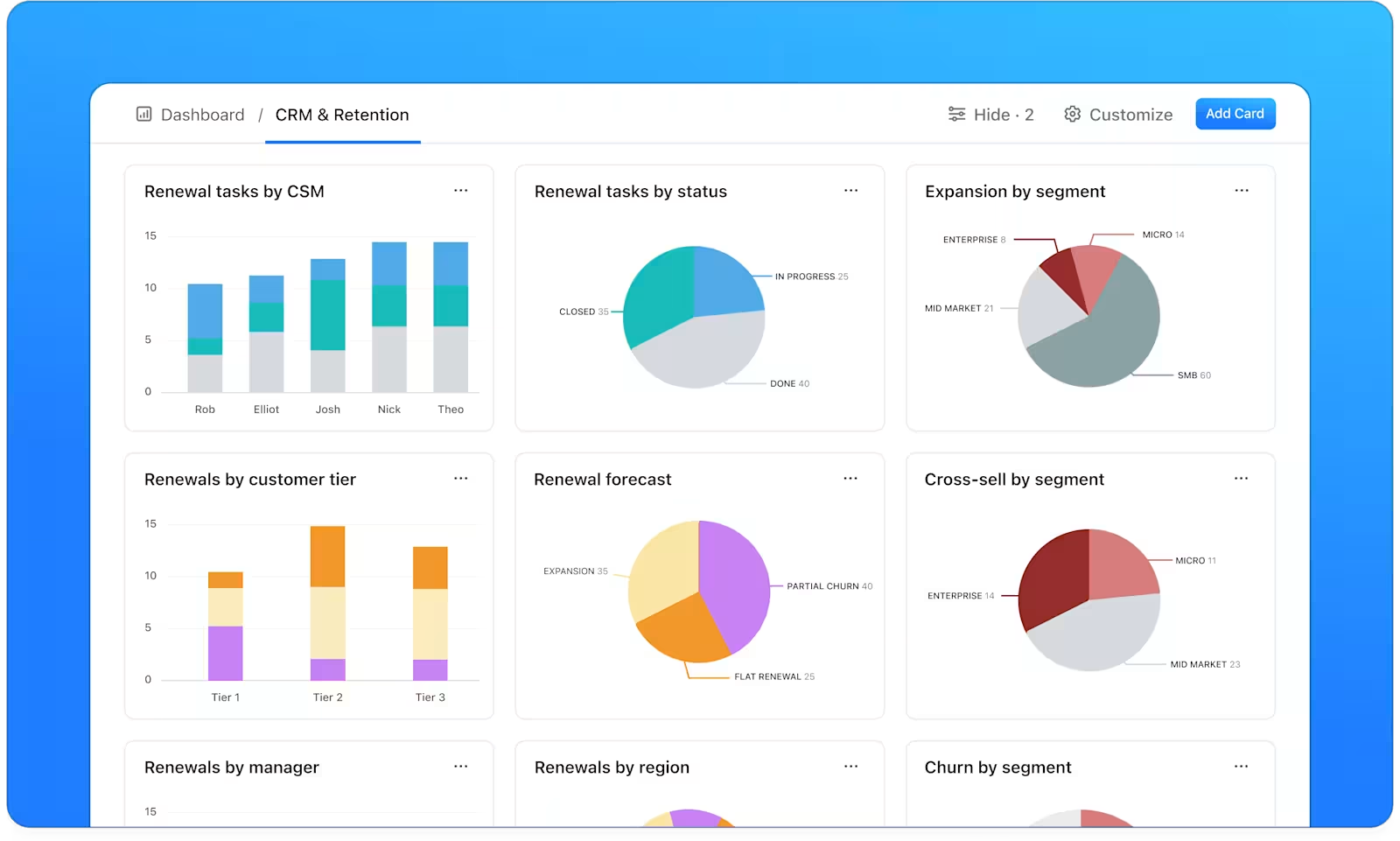
ClickUp Dashboards help you create visual summaries of task progress, time spent, and workloads. You can build tailored dashboards for exec check-ins, team reviews, or sprint planning without relying on fixed project portfolio management templates.
Suppose you’re overseeing five parallel launches across different business units. You can set up a dashboard that shows each project’s status, overdue tasks, and team bandwidth in real time.
But even with analytics in place, you still have to dig for answers. What’s blocking this initiative? Which team is behind on deliverables? How much time went into QA across portfolios this month?
ClickUp Brain, the integrated AI assistant, cuts through all that back and forth. It searches your entire workspace and connected apps to give you precise, specific answers within seconds.
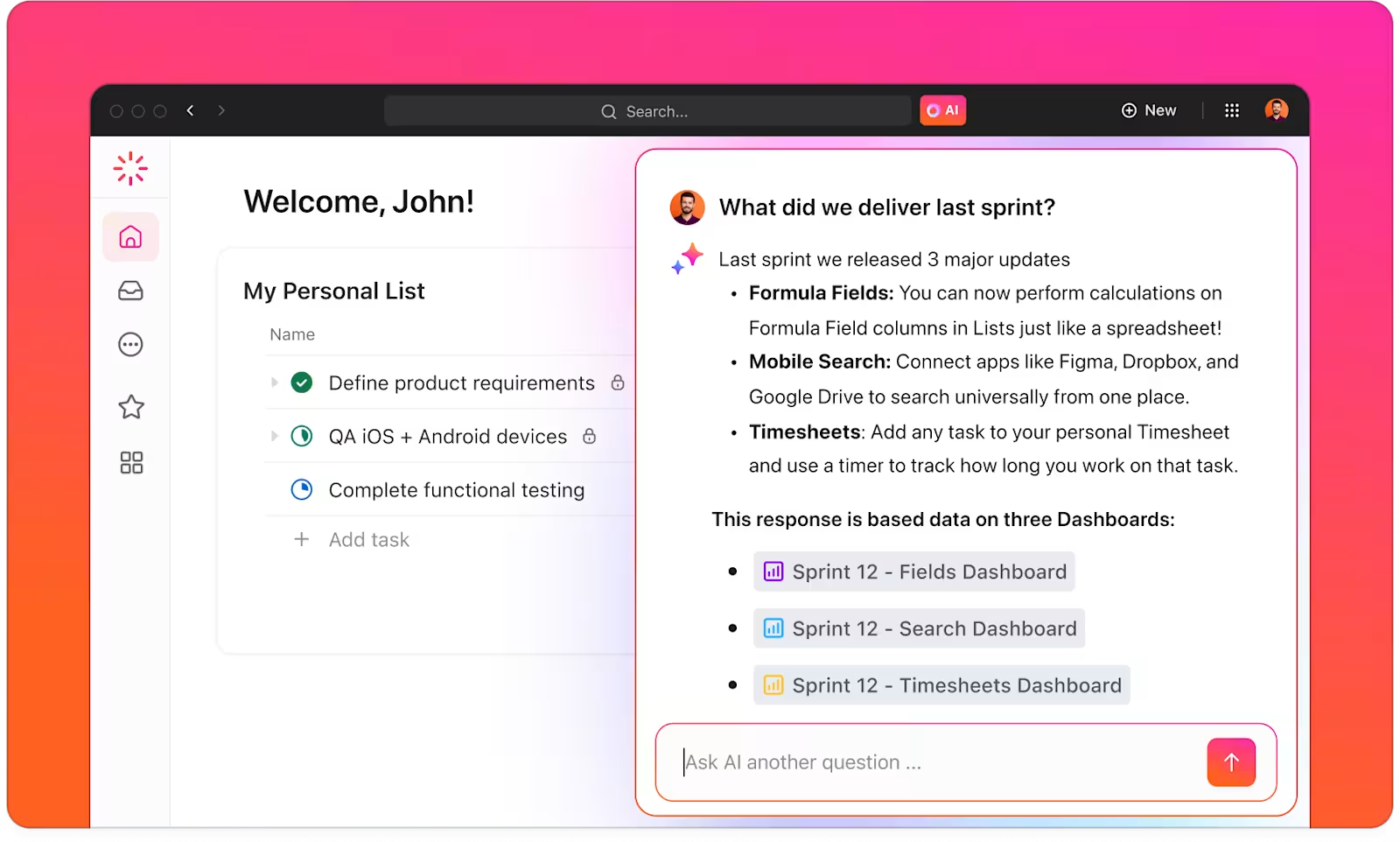
For instance, if your CTO needs a breakdown of time spent on incident responses for a security portfolio, you don’t have to click through dashboards or export time reports. Ask ClickUp Brain, and it pulls that data from across tasks, tags, and logs so you walk into the meeting already prepped.
Or, if you’re trying to understand which projects consistently miss deadlines, ClickUp Brain surfaces trends from your timelines and task history.
The ClickUp Portfolio Management Template gives you a structured way to oversee high-volume portfolios without scrambling for updates or digging through disconnected tools.
The template includes purpose-built views, such as the ‘Portfolio Master List’ for a high-level overview, ‘Project SOPs’ to document execution steps, and a ‘Getting Started Guide’ to speed up onboarding.
Look at what a G2 reviewer said about ClickUp:
I love how customizable the platform is—I can switch between List, Board, and Gantt views depending on my workflow. The integrated Chat feature also makes real-time collaboration super convenient and is one of the reasons I use ClickUp daily. Plus, the automations and AI tools save me tons of time on repetitive tasks. Setting up project spaces, tasks, and automations was surprisingly smooth.
💡 Pro Tip: Use the MoSCoW Method (Must-have, Should-have, Could-have, Won’t-have) to prioritize projects in your portfolio based on strategic value and urgency. It keeps your focus razor-sharp on what truly moves the needle.
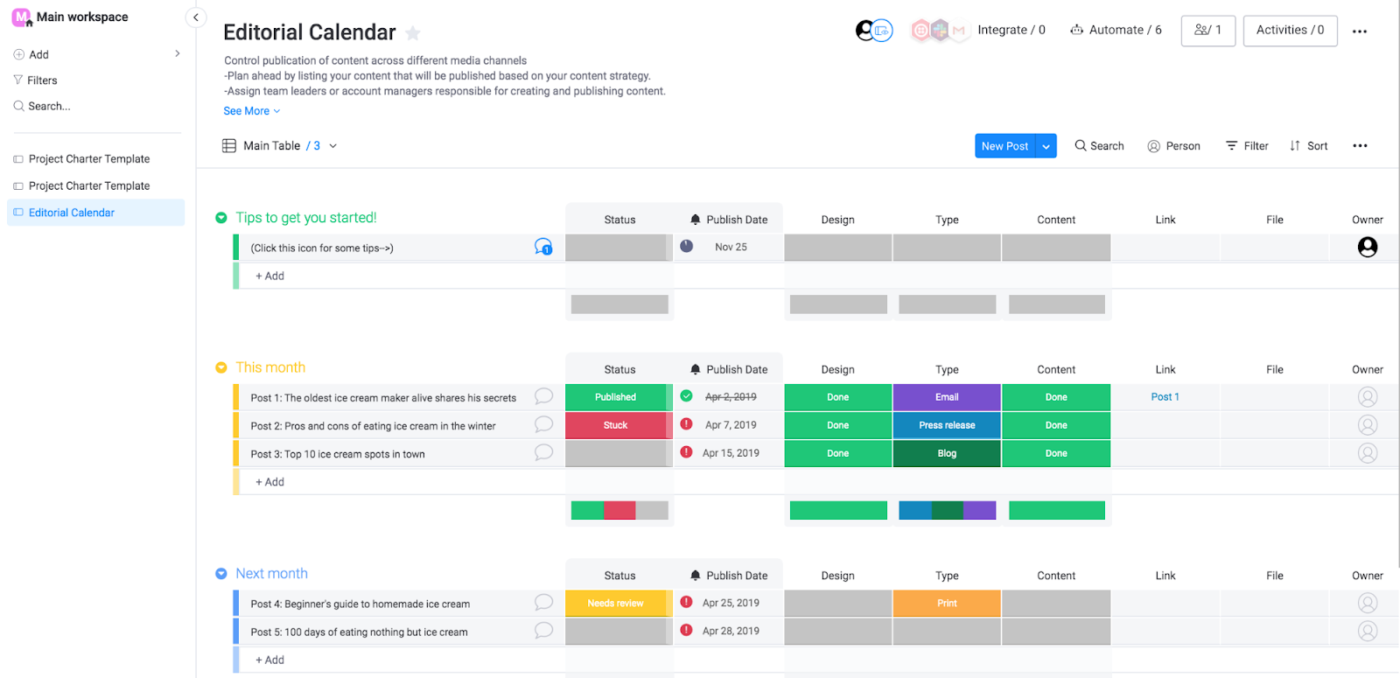
Next on our list of Planforge alternatives is Monday.com, a useful tool for high-level project planning. Its colorful visual boards give you a bird’s-eye view of everything—from marketing campaigns to product launches—and you can customize them to fit your team’s exact workflow.
Need to shift priorities around? Just drag and drop. Want to save time on repetitive tasks? Automation has your back. It’s flexible without being overwhelming, so many teams prefer it.
Here’s what a G2 reviewer had to say about this tool:
Monday.com automations and integrations are extremely useful and is probably the features we use most. Implementing and integrating it business wide was a breeze. The system takes a little getting used to, but once everyone is onboard, they can’t work without it and use it daily.
🤝 Friendly Reminder: Not every project needs the same level of complexity. Consider Agile or Scrum instead of traditional Waterfall for flexible or fast-moving environments.
📖 Also Read: Best monday.com Alternatives & Competitors
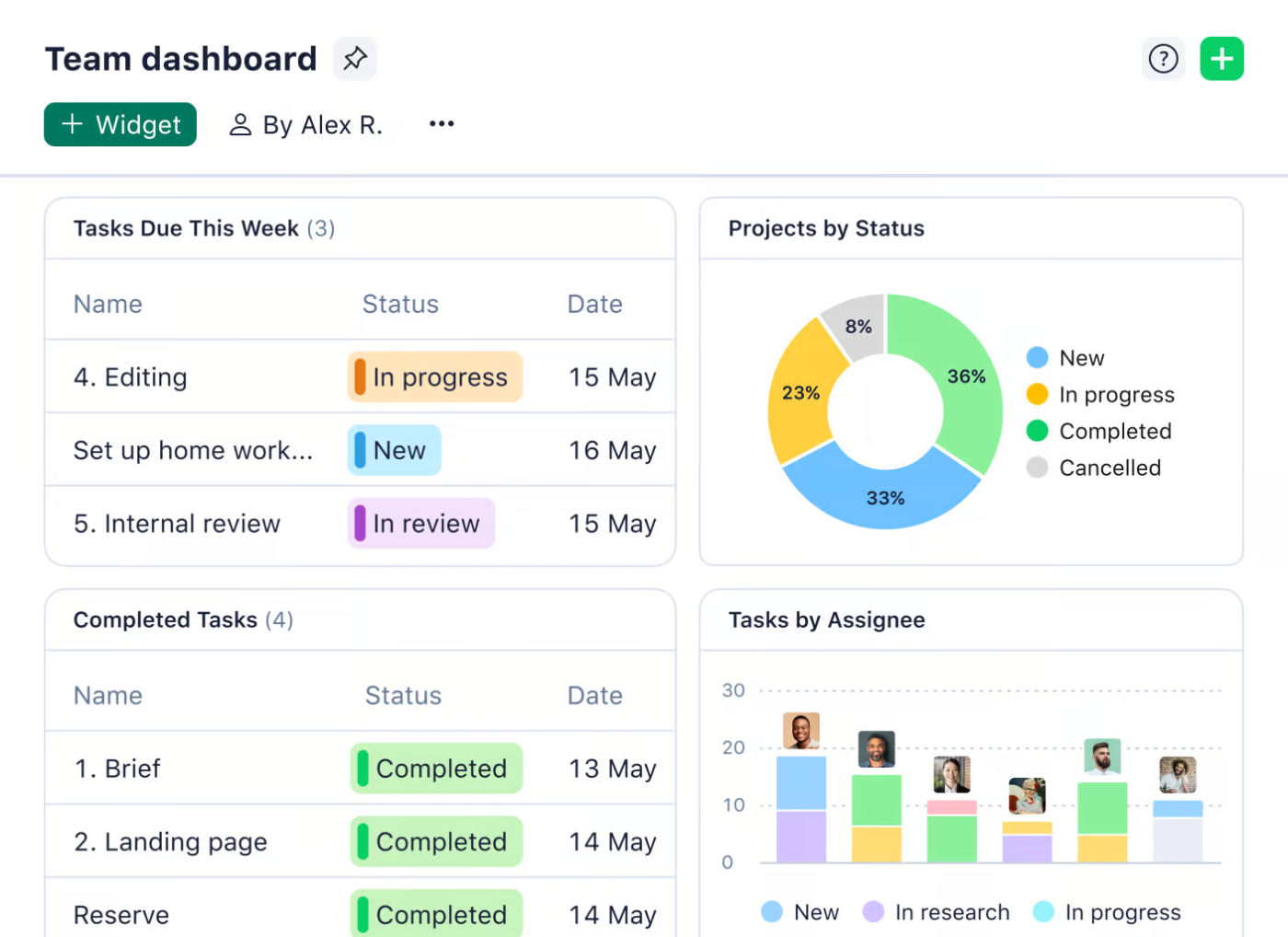
Wrike is built to grow with your team, especially when things start getting complex. As projects pile up, it’s easy to lose track—but the platform keeps everything organized with its smart folder hierarchy and customizable structures.
Different departments can tailor the platform to their needs—marketers get built-in proofing tools, while IT teams use request forms and approval workflows to keep things moving smoothly. When it comes to reporting, you get insights that help with faster decision-making.
📖 Also Read: We Tested the Best Wrike Alternatives & Competitors
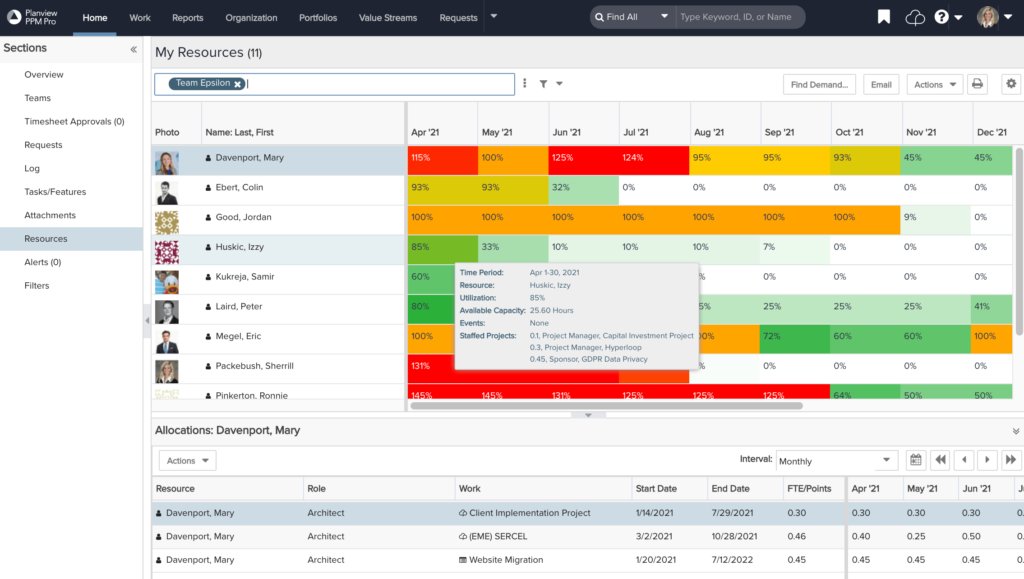
Planview AdaptiveWork tackles the strategic side of project management head-on. Unlike tools focusing primarily on task execution, this platform emphasizes portfolio analysis and resource allocation across entire organizations.
It connects project outcomes to business objectives through robust data visualization and scenario planning. Furthermore, Planview’s capacity planning functionality helps leadership teams decide which initiatives deserve priority.
Here’s a G2 reviewer’s take on this tool:
This software’s ability to handle the processing of resource time allocations and rate management is impressive. The reporting feature is handy, and once the data schema is fully understood, you can generate valuable reports.
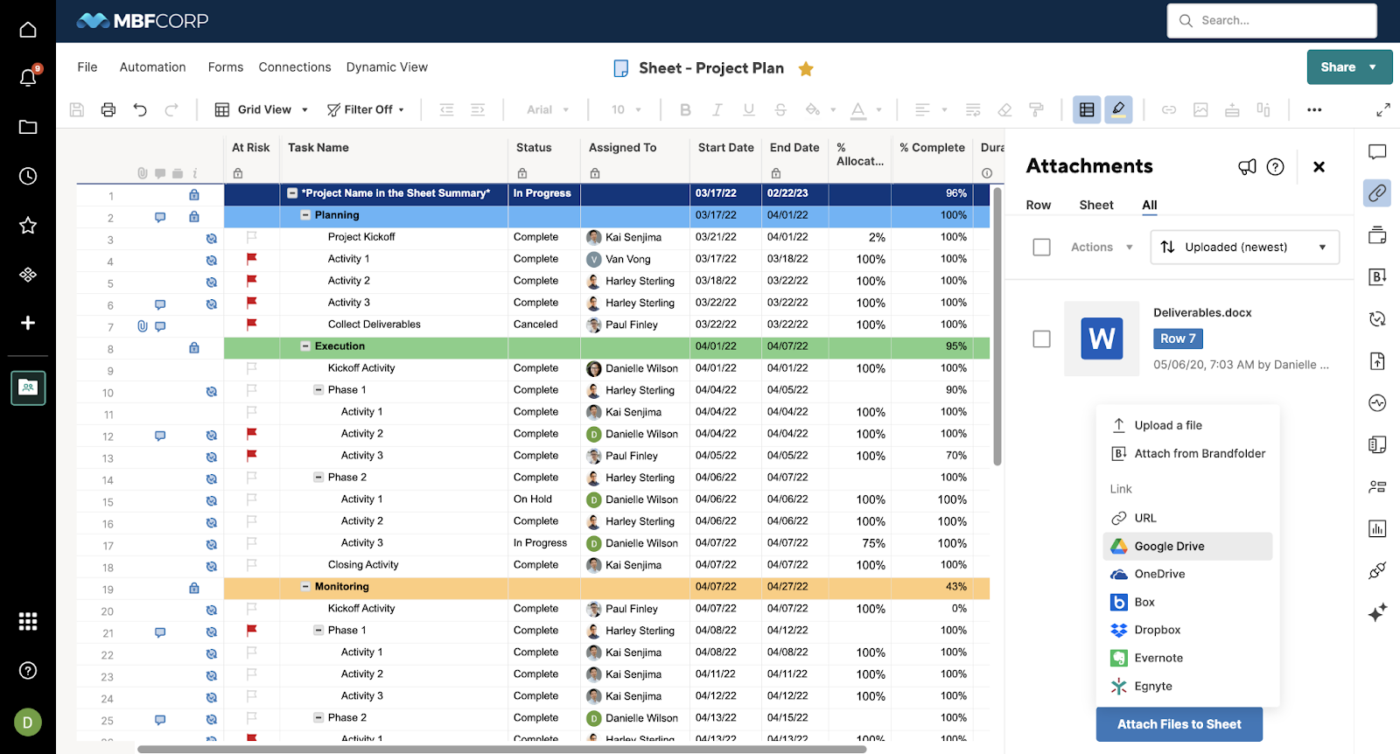
Smartsheet bridges the gap between traditional spreadsheets and modern project management requirements. The familiar grid interface reduces resistance during adoption while offering more advanced capabilities than Excel.
Conditional logic, automated workflows, and robust permissions transform static documents into dynamic collaboration hubs. Smartsheet particularly excels at handling structured processes where data collection needs to feed directly into project execution.
🔍 Did You Know? Project portfolio management (PPM) has its roots in investment theory. In the 1950s, Harry Markowitz applied risk/reward thinking to finance, which later inspired managing multiple projects like a balanced portfolio.
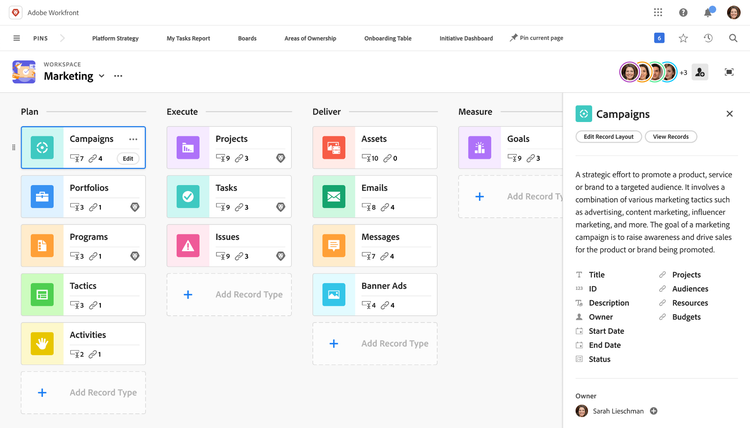
Workfront helps order the creative chaos, especially in marketing teams where requests come from every direction. It centralizes intake processes but still allows creative teams to stay agile.
Resource management capabilities stand out, helping managers balance workloads across teams with varying skills and availability. Plus, Workfront makes it easy to connect planning with execution through customizable approval workflows, ensuring nothing gets missed.
📮 ClickUp Insight: Despite the variety of tools out there, 42% of team members still rely on email, even though it often keeps information siloed. Around 41% prefer instant messaging, but it usually lacks the structure needed for complex work. Only 17% combine calls and project tools to access the full picture.
ClickUp pulls all of this together into one space—chat, comments, tasks, docs, and goals. Teams get context, clarity, and fewer communication gaps without bouncing between platforms.
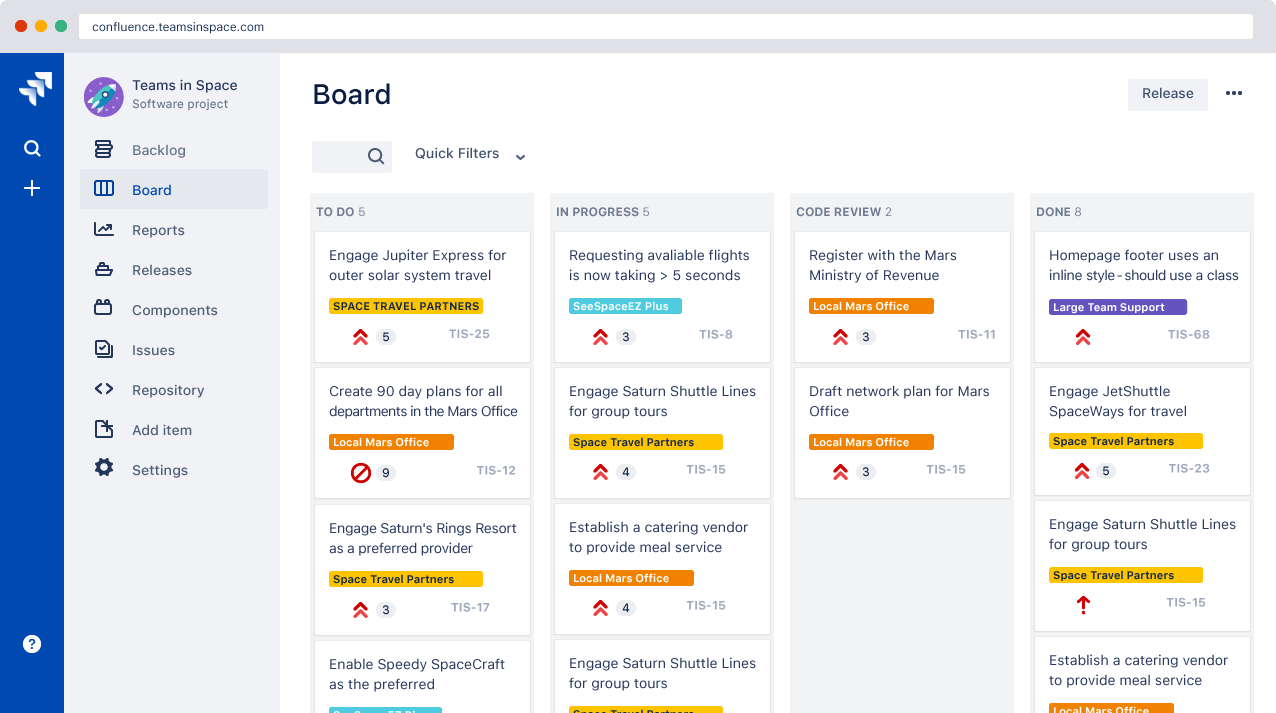
Initially designed for software project management, Jira powers projects across various industries. The platform excels at agile frameworks like Scrum and Kanban, making sprint planning and backlog tracking effortless.
What teams love most is that Jira bends to fit how you work, not the other way around. With its massive integration ecosystem, it bridges the gap between development and the rest of the business, keeping everyone aligned and moving forward.
Let’s look at a G2 reviewer’s take on using Jira:
What I like most is that you can see everything in one place. Creating tasks, tracking them, and figuring out who’s responsible for what is super easy. The main issue is that it’s too complex. At first, there are so many features that it’s overwhelming. You spend a lot of time just trying to figure things out. Also, the speed can be frustrating—pages take forever to load sometimes…
📖 Also Read: Best Asana Alternatives and Competitors
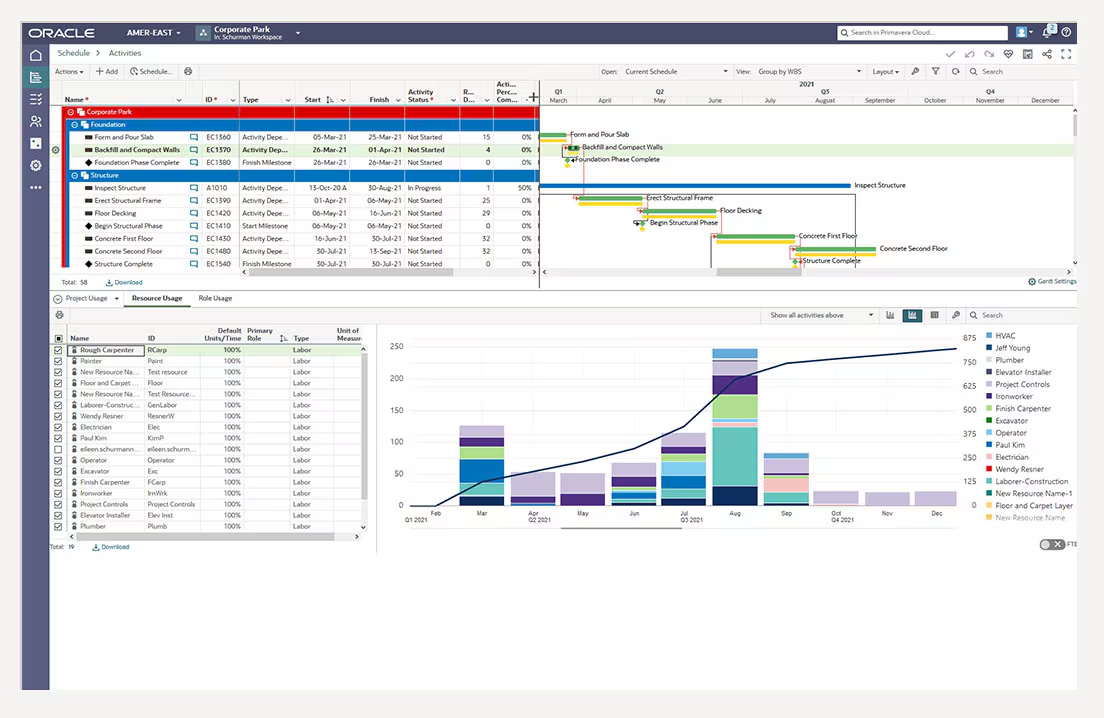
Oracle Primavera is built for complex projects—think thousands of moving parts and dependencies happening simultaneously. It works best for risk analysis, helping teams spot potential roadblocks before they become actual problems.
Now, it’s not the easiest tool to use, but its level of detail is great if you’re managing large-scale infrastructure or high-stakes initiatives. One of its strengths is showing how your progress stacks up against your original plan so you can catch issues early and course-correct confidently.
💡 Pro Tip: Integrate a RACI Matrix early on to clarify who’s Responsible, Accountable, Consulted, and Informed. It’ll save you from finger-pointing later.
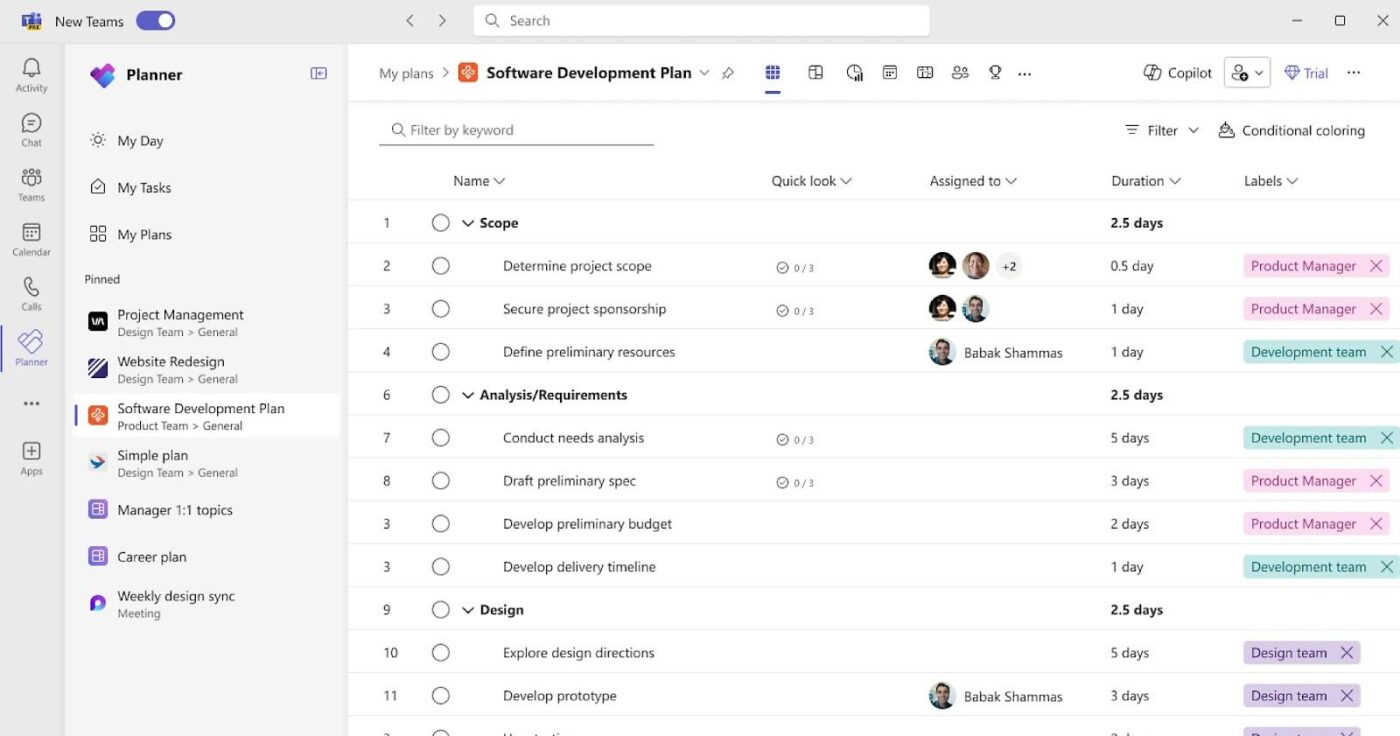
Thanks to its familiar interface, Microsoft Project makes things easier right out of the gate—if you’ve used other Microsoft tools, you’ll feel right at home. It’s robust when handling complex schedules, balancing workloads, and mapping out critical paths so nothing slips through the cracks.
With recent cloud updates, collaboration is much better without losing the advanced features longtime users rely on. It’s a great fit for teams already using the Microsoft ecosystem who need more robust project management tools than what Planner can offer.
This is a Capterra reviewer’s opinion on using Microsoft Project:
As a user of Microsoft Project, I have found the software to be a robust and comprehensive project management tool…Steep learning curve for beginners due to the complexity of the tool’s features and interface. 2. Expensive licensing costs, especially for smaller teams or individual users. 3. Limited cloud-based capabilities compared to other project management solutions…
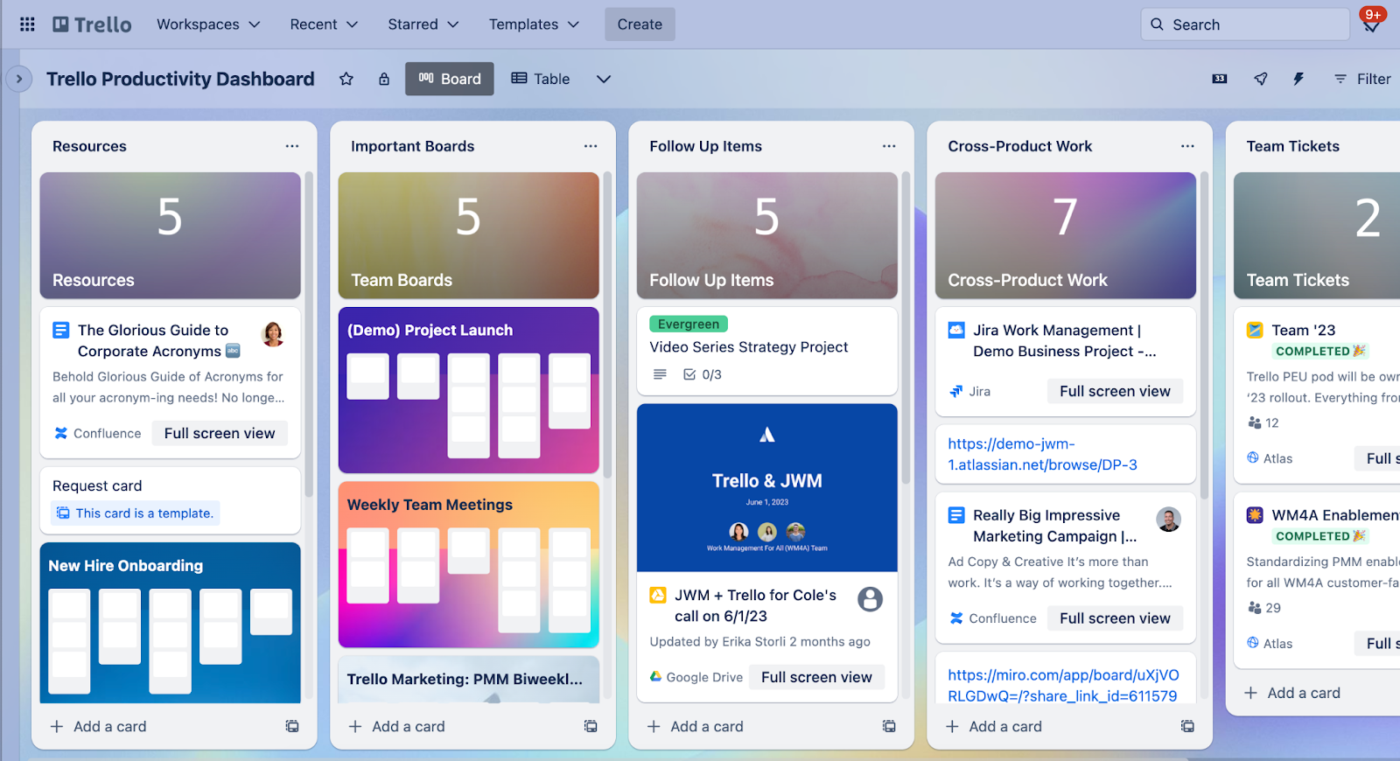
Trello’s card-based layout is intuitive and keeps things simple. Most teams can jump in with little to no training. It’s flexible enough to handle all kinds of workflows, from content calendars to product roadmaps, without forcing you to overhaul your current workflow.
One of the best parts? You can start basic and then layer on more features using Power-Ups as your needs grow. It’s great for teams that want to stay collaborative and organized without using overly complex project management systems.
🔍 Did You Know? In 1911, Frederick Taylor’s Principles of Scientific Management laid the groundwork for today’s efficiency-driven project methodologies.
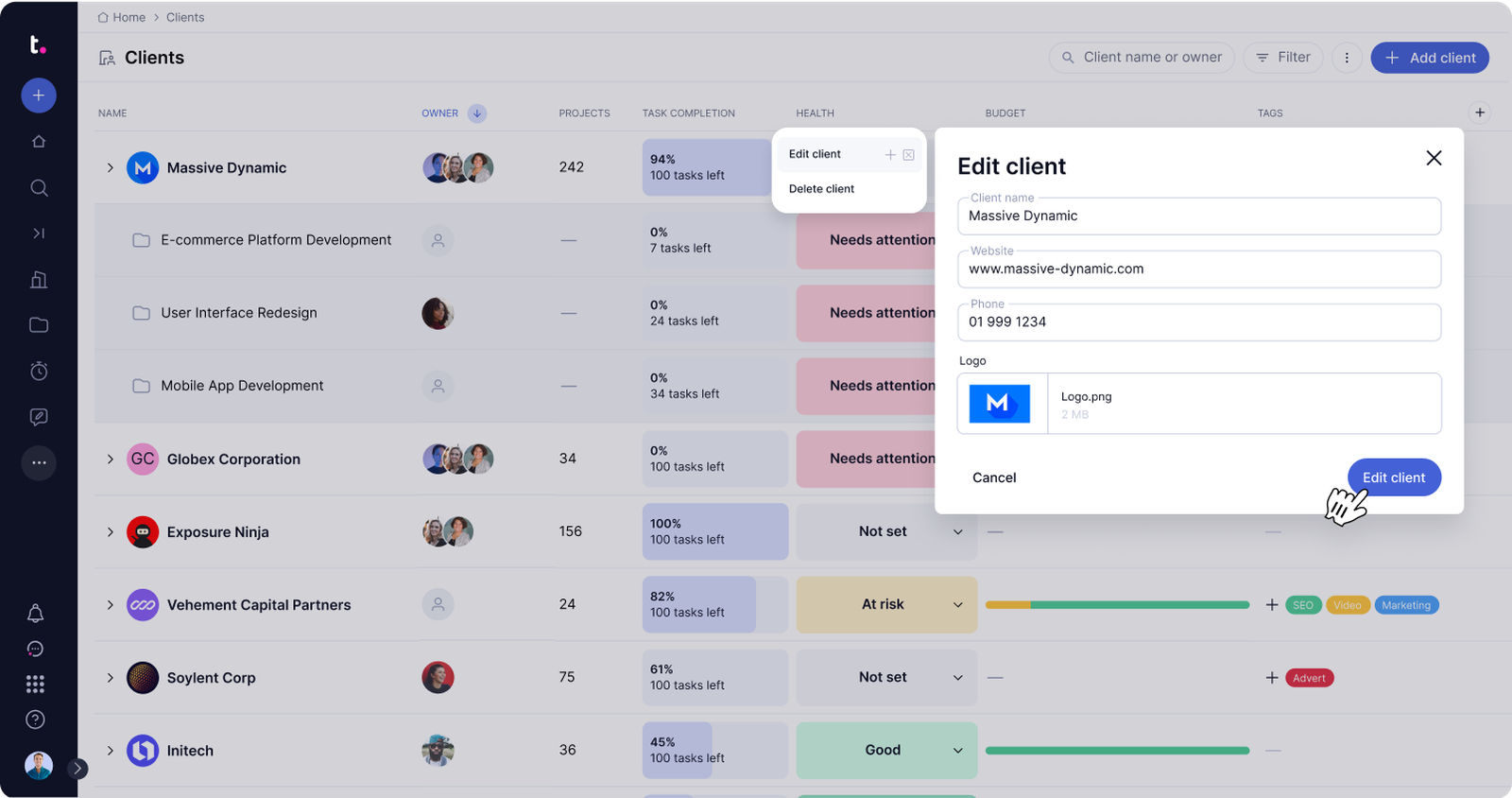
Teamwork.com addresses the unique challenges agencies and service providers face when managing client projects. It emphasizes client collaboration without exposing internal discussions or billing details.
One thing that stands out is how it tracks project profitability by tying time entries directly to your budget. You can see exactly how time spent affects the bottom line. Plus, it’s great for keeping a clear line between billable and non-billable work while staying on top of project health.
This is what a G2 reviewer had to say about their experience:
Teamwork has a super intuitive interface; I didn’t have to get lost in a sea of settings to get started. I was able to create projects, assign tasks and set deadlines without feeling like I was cracking secret code…While I quickly got used to the basics, when I wanted to get the most out of more advanced features, I realized that there is a learning curve. I had to watch tutorials and test until I found the best way to use it with my equipment.
📖 Also Read: How to Use AI for Productivity (Use Cases & Tools)
Every project deserves a system that supports how your team thinks, plans, and delivers. Tools should simplify work—not complicate it—and help teams stay focused without constant context switching.
Now that you’ve understood the different Planforge alternatives, you can make an informed choice. Of course, we recommend ClickUp, the everything app for work, to bring everything together in one place.
From resource planning to tracking goals and progress, ClickUp makes it easy to respond faster, serve customers better, and accomplish more without switching tools.
Sign up for ClickUp today! ✅

© 2026 ClickUp

There’s an easier way. Try a free AI Agent in ClickUp that actually does the work for you—set up in minutes, save hours every week.