






Still downloading templates?
There’s an easier way. Try a free AI Agent in ClickUp that actually does the work for you—set up in minutes, save hours every week.
Sorry, there were no results found for “”
Sorry, there were no results found for “”
Sorry, there were no results found for “”
Try building a brand today without social media. It feels almost impossible, doesn’t it? The first step in making your brand visible and welcoming customers is showing up online, whether that’s on LinkedIn, Instagram, or Twitter.
And being present where your customers are is something they expect. Right now, there are 5.41 billion people on social media. That’s more than 65% of the world’s population.
But here’s the truth: success in social media does not happen by chance. It takes effort, structure, and consistency. A social media calendar plays a crucial role in achieving this. It helps you stay steady and reliable in your uploads, which is exactly what builds trust with your audience.
In this article, we’ll walk through the best social media calendars from Notion you can use to organize your content and plan your engagement with care.
The average person scrolls nearly 300 feet of content on their phone every day…that’s about the height of the Statue of Liberty!
In short, that’s the scale of attention you’re competing for, and it’s why a reliable Notion social media calendar template is so important.
So, here’s what to look for:
📖 Also Read: Best Notion Alternatives
Here’s a summary of the best Notion and ClickUp social media calendar templates:
| Template Name | Downloaded Template | Ideal for | Best Features | Visual Format |
| Notion’s Social Media Home | Download this template | Teams that want one hub for all posts | Central database, calendar, and Board Views, simple collaboration | Notion Database + Calendar |
| Idea Dump & Validation Board | Download this template | Creators testing ideas before committing | Kanban stages from spark to greenlit, tagging, and quick notes | Notion Board |
| YouTube Creator OS | Download this template | YouTubers planning from ideas to publish | Script space, asset tracking, timelines, and collab areas | Notion Database + Calendar |
| Social Media Content Planning System | Download this template | Managers running multi-platform plans | Platform sections, content calendar, progress tracking, dashboards | Notion Database + Calendar |
| LinkedIn Content Calendar | Download this template | Professionals posting consistently on LinkedIn | Simple calendar, post templates, caption previews | Notion Calendar |
| Viral Hooks for Instagram | Download this template | Instagram creators who need first-line prompts | 30 fill-in hooks, styles by vibe, closing angles | Notion List |
| Social Media Strategy | Download this template | Brands defining goals and audiences | Goal setting, audience mapping, platform plan, light analytics | Notion Page + Database |
| Social Media Content Planner | Download this template | Creators who want a clean schedule | Calendar overview, tags for type and platform, draft to published flow | Notion Calendar |
| Aesthetic Content Creator Calendar | Download this template | Visual brands curating an on-brand grid | Feed preview, pillars library, captions, and hashtags vault | Notion Calendar + Gallery |
| Your Content AI Agent | Download this template | Writers who want AI in their voice | Learns tone from past work, outlines, drafts, and multi-platform adapts | Notion Page + Databases |
| Threadstorm – Thread Content Planner | Download this template | X, LinkedIn thread writers | Idea bank, draft space, tag by topic, calendar scheduling | Notion Calendar + List |
| Social Media Metrics Tracker | Download this template | Teams tracking monthly performance | Follower, reach, engagement logs, engagement-rate formula | Notion Table |
| Links, Shortcuts, Badges | Download this template | Anyone corralling research links | Simple link vault, fast access, ties to projects | Notion Table |
| Social Media Content Tracker | Download this template | Teams moving from reactive to planned | Pipeline from idea to publish, calendar timeline, campaign views | Notion Calendar + Board |
| Content Calendar | Download this template | Marketers needing a central schedule | Cross-platform tagging, filter by date, clear workflow | Notion Calendar |
| ClickUp Social Media Calendar Template | Get free template | Social media managers and small teams | Content library, calendar scheduling, idea form, approval statuses, dashboards | ClickUp List + Calendar |
| ClickUp Content Calendar Template | Get free template | Marketing teams aligning multi-channel posts | Custom Fields, calendar, and List Views, status tracking | ClickUp Calendar + List |
| ClickUp Social Media Advanced Template | Get free template | Agencies and influencers managing many channels | List, board, Calendar Views, Custom Fields, Docs for copy | ClickUp Folder with List/Board/Calendar |
| ClickUp Social Media Content Plan Template | Get free template | Teams building a consistent plan | Goals, platform fields, workload, and Calendar Views, recurring reviews | ClickUp Task List + Calendar |
| ClickUp Promotional Calendar Template | Get free template | Retail and marketing teams around key dates | Upcoming holidays view, schedule view, status flow | ClickUp Folder + Calendar |
| ClickUp Social Media Post Template | Get free template | Creators drafting per-platform posts | Platform-specific views, hashtag and draft fields, review boards | ClickUp List + Calendar + Board |
| ClickUp Social Media Template | Get free template | Freelancers and teams standardizing process | Content library, content stages, suggestion form, and statuses | ClickUp List + Calendar + Form |
| ClickUp Social Media Blog Template | Get free template | Bloggers and content teams | Idea bank, drafting in Docs, calendar, performance dashboard | ClickUp List + Calendar + Dashboard |
| ClickUp Social Media Posting Schedule Template | Get free template | Marketers needing reliable cadence | By-platform view, calendar of activities, weekly to-do, status flow | ClickUp List + Calendar |
| ClickUp Social Media Campaign Template | Get free template | Teams running goal-driven campaigns | DACI roles, schedule view, posts view, and real-time dashboards | ClickUp List + Calendar + DACI |
| ClickUp Social Media Ads Schedule Calendar Template | Get free template | Ad managers and agencies | Campaign timeline, cost, and impression fields, stage tracking | ClickUp List + Calendar |
Social media never slows down. You’re managing posts, captions, and campaigns across platforms. These 15 free Notion templates bring order to the never-ending social media chaos.
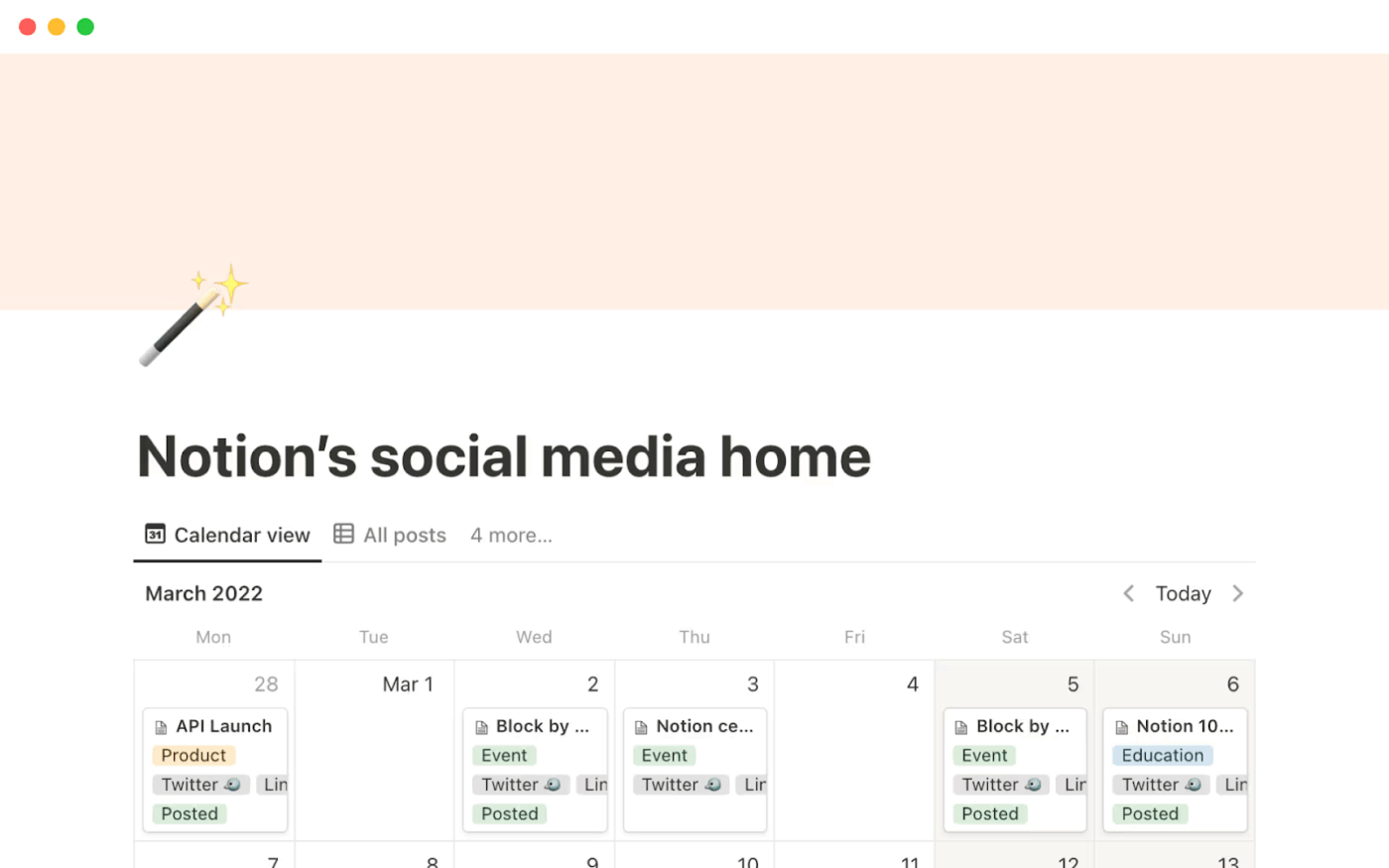
Notion’s Social Media Home Template acts like a command center for your social media calendar: every post and campaign lives in one place instead of being scattered across docs and spreadsheets.
This template comes preloaded with calendar and Board Views, so you can see what is getting uploaded and what still needs work at a glance. You can group posts by platform, campaign, or status, then filter down to just what matters that day, like urgent posts for a launch or one channel you are trying to grow.
✨ Ideal for: Social media teams that want one Notion hub to plan, schedule, and track posts across multiple channels.
🧠 Did You Know: The first true social networking site is often considered to be SixDegrees.com, which launched in 1997 and let people list friends and send messages.
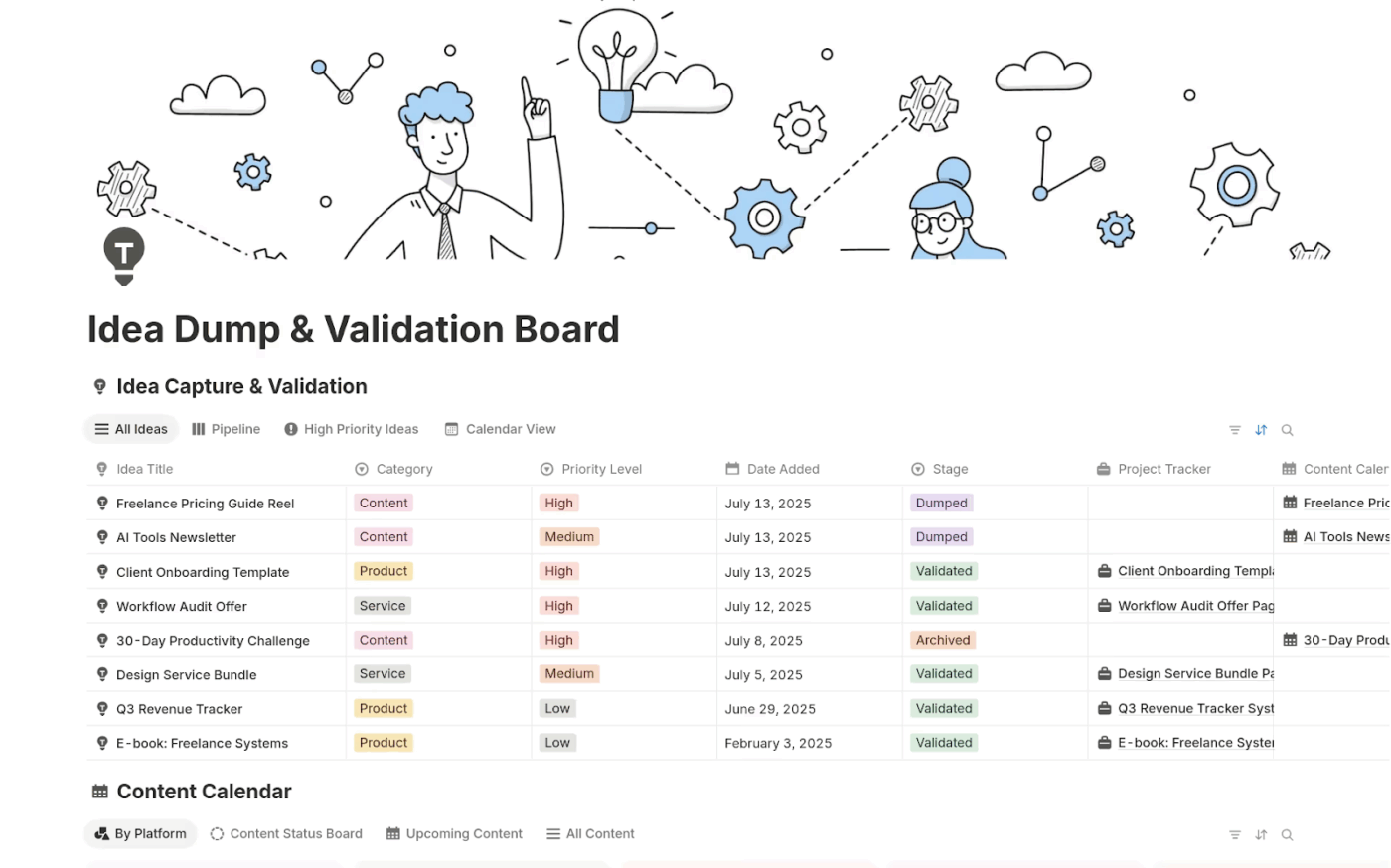
The Idea Dump & Validation Board Template by Notion gives ideas room to breathe before you decide which ones deserve a spot on your social media calendar.
You drop raw ideas into a simple Kanban board, then move them through stages as you add notes and feedback. Over time, you end up with a clear distinction between throwaway thoughts and content worth developing, so only validated ideas make it into your editorial calendar.
✨ Ideal for: Creators, content strategists, and social media managers who want a structured way to test ideas before committing time and budget.
📖 Also Read: Digital Journal Apps for Bullet Journaling
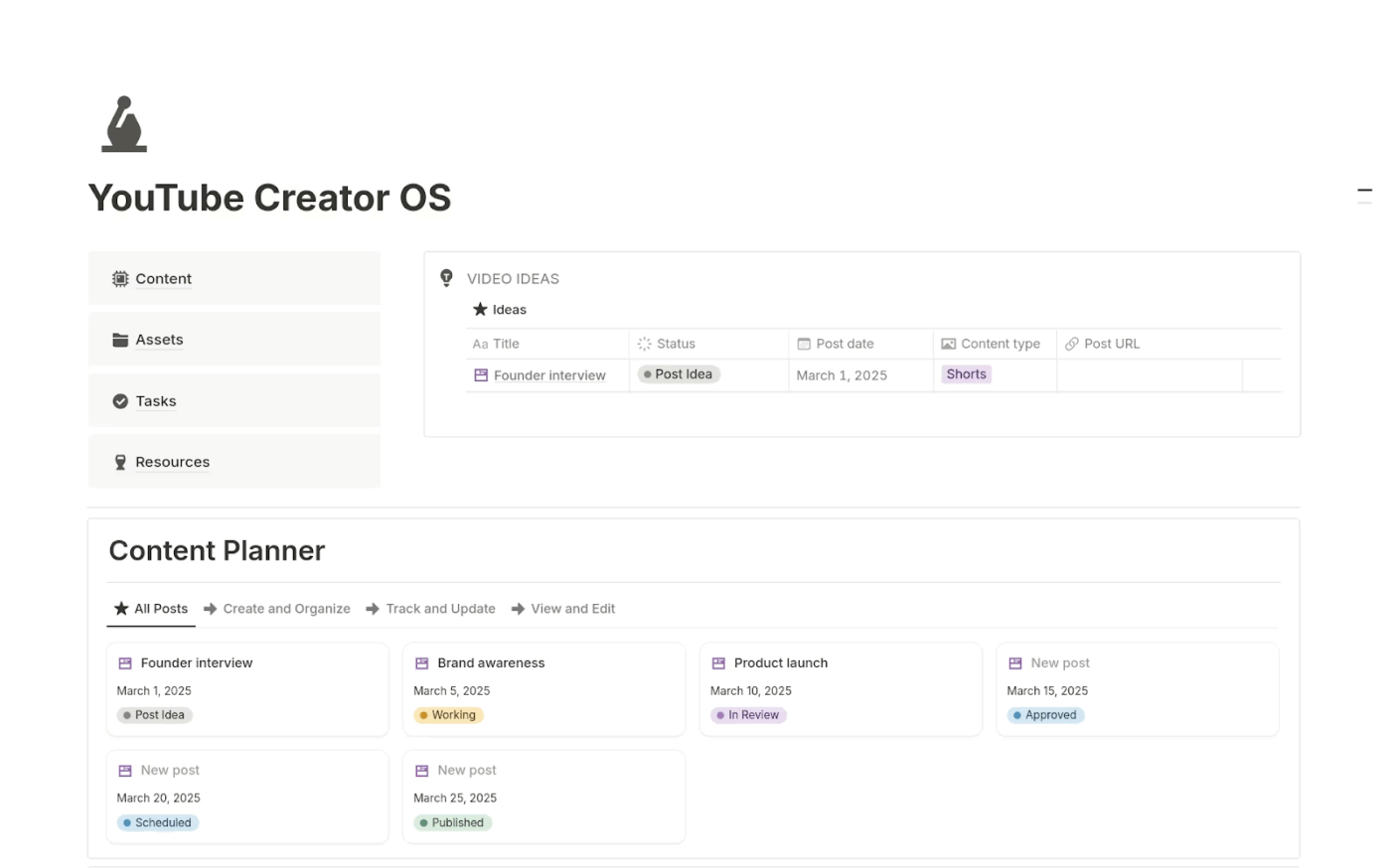
Think about how MrBeast went from low-budget challenge videos to some of the most-watched content on YouTube. None of that happens without serious discipline behind the scenes. The YouTube Creator OS Template by Notion gives you a central workspace for that discipline, with dedicated areas for ideas, scripts, assets, and publication timelines.
Instead of shifting between separate docs for scripts, thumbnails, and deadlines, you manage everything inside one system. You can track sponsorships and map episodes on a calendar so you always know which videos are in pre-production, editing, or ready to publish.
✨ Ideal for: YouTubers and video creators who want a production hub that covers ideas, scripting, and publishing in one place.
📮 ClickUp Insight: More than half of managers (55%) make it a point to explain the why behind projects by connecting tasks to bigger goals. But that leaves nearly half who focus only on the process without purpose. When that happens, even your best people can lose motivation because they can’t comprehend how their work truly matters.
In ClickUp, you can link everyday tasks to larger Goals and Objectives, and use Relationships and dependencies to map out how each effort fits into the bigger picture. This way, the work feels meaningful, not just busywork.
💫 Real Results: Cartoon Network leaned on ClickUp’s social media tools to publish content 4 months ahead of schedule and manage double the number of social channels without adding a single new team member.
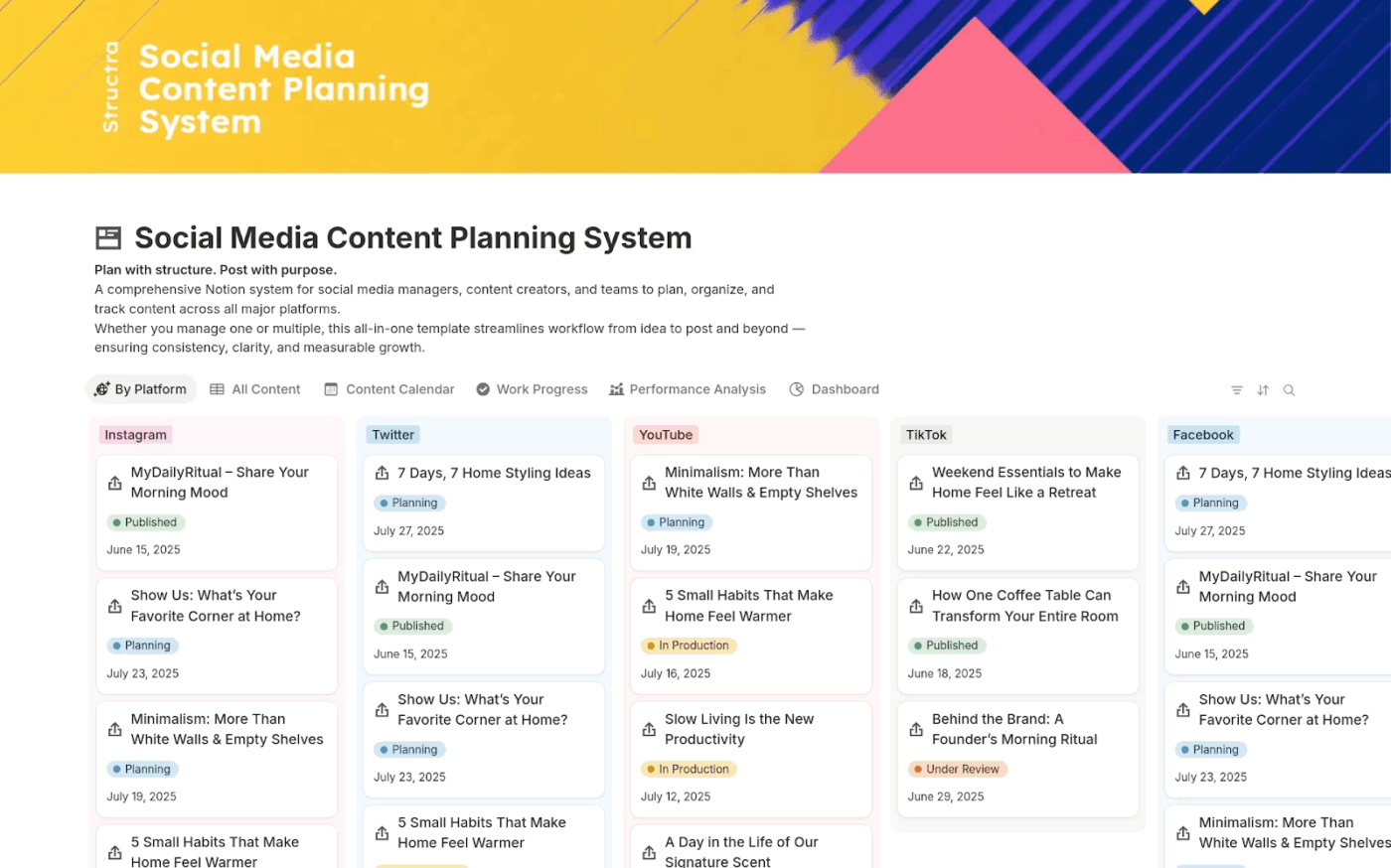
When a new show drops on Netflix, the rollout is rarely improvised; you see trailers, teasers, and interviews lined up weeks in advance. The Social Media Content Planning System Template by Notion helps you bring that same level of structure (and enthusiasm for your audience) to your own content calendar.
You get a database where every post has fields for platform, status, publish date, and key details like captions or asset links. Calendar and Board Views let you see the full content schedule, while basic dashboards help you keep an eye on progress and spot gaps early on.
✨ Ideal for: Social media managers and small marketing teams that want a single Notion system to plan and track multi-platform content.
💡 Pro Tip: Use ClickUp Dashboards to keep a live social report in front of your team. ClickUp Dashboards enable you to consolidate follower growth, engagement, and campaign metrics into a single, real-time view.
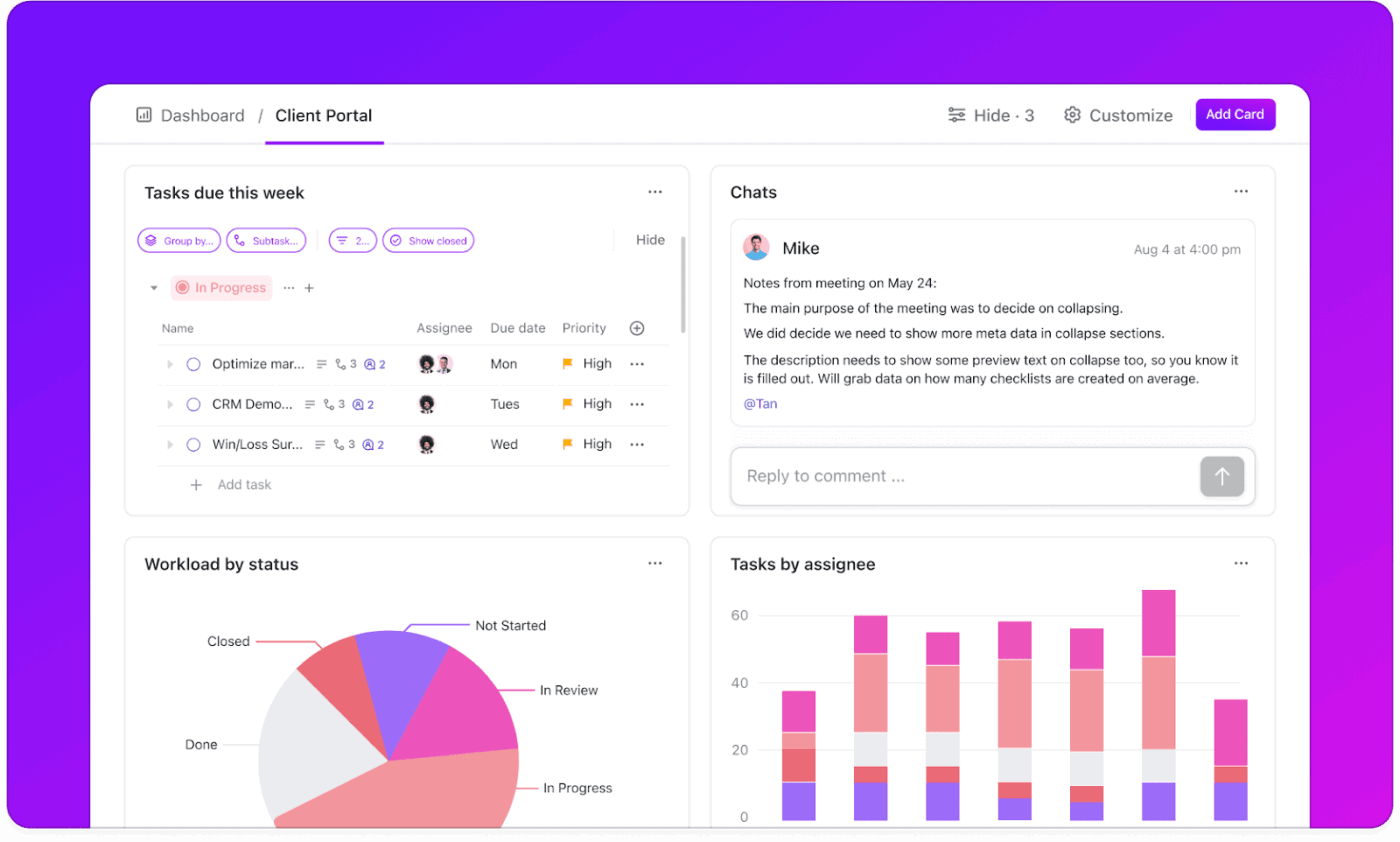
The best part? All the data is collected in a single place, so you don’t have to export separate reports every week and send them individually. You can also connect your social media Lists to a dashboard and create widgets for likes, shares, comments, and link clicks. Then, you can use that view as the monitoring layer for audits and recurring reports.
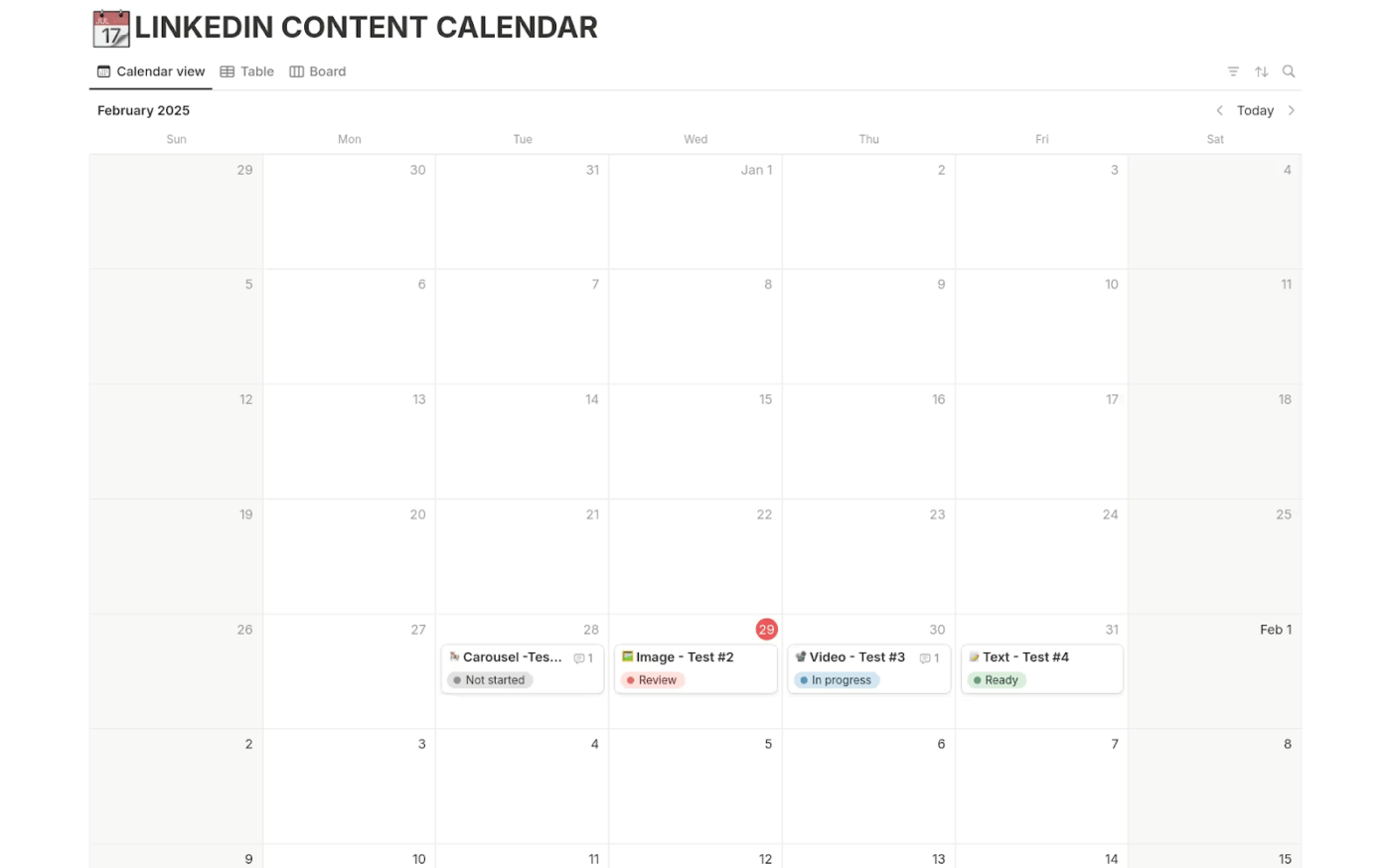
LinkedIn has grown into a serious publishing platform, with more than a billion members using it to share updates, opinions, and long-form posts. The LinkedIn Content Calendar Template by Notion is specifically designed for that channel, providing a simple content calendar to plan posts that directly address your business and professional audience.
You can log ideas, draft captions, and assign publish dates in one place, then preview how your week or month looks before anything goes live. Because it is built specifically for LinkedIn, you can focus on posts and videos that support thought leadership or lead generation without having to wade through unrelated content.
✨ Ideal for: Professionals, consultants, and marketers who want to post consistently on LinkedIn without losing track of ideas or dates.
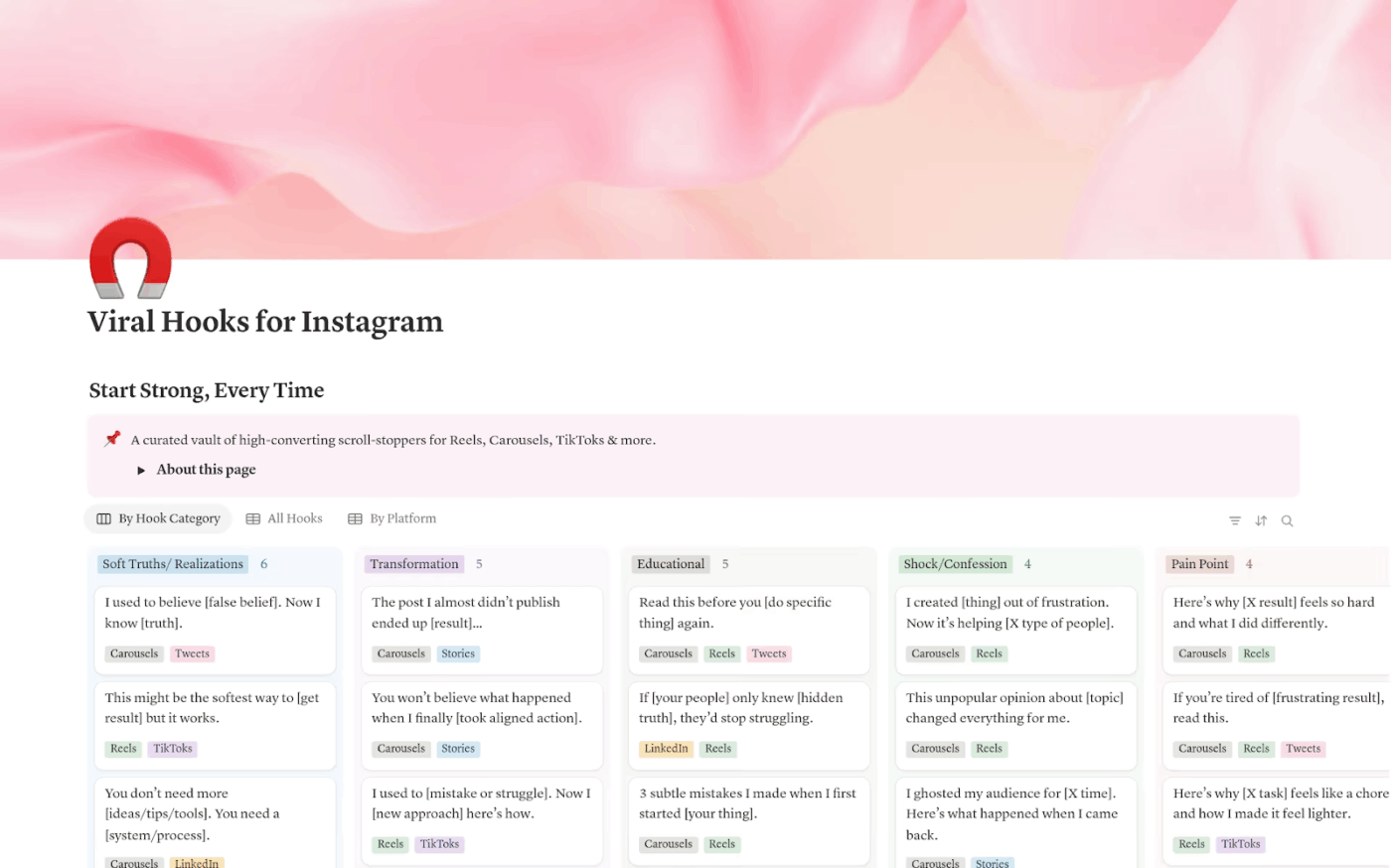
The Viral Hooks for Instagram Template by Notion gives you a library of first lines built to capture attention and go viral on social media platforms. Instead of staring at a blank caption box, you can pick from 30 fill-in-the-blank hooks sorted by tone, like bold, curious, or confessional.
Each hook is paired with a suggested angle or call to action, so you are nudging people to like, save, or click on your posts. You can also filter prompts by vibe or by platform style (carousel, caption, or reels) so your brand voice stays on point.
✨ Ideal for: Instagram creators and social media strategists who want scroll-stopping first lines without spending hours wordsmithing.
🎥 Looking to boost your social media growth? Check out this video to get quick insights on how you can use ChatGPT to grow your social media profiles:
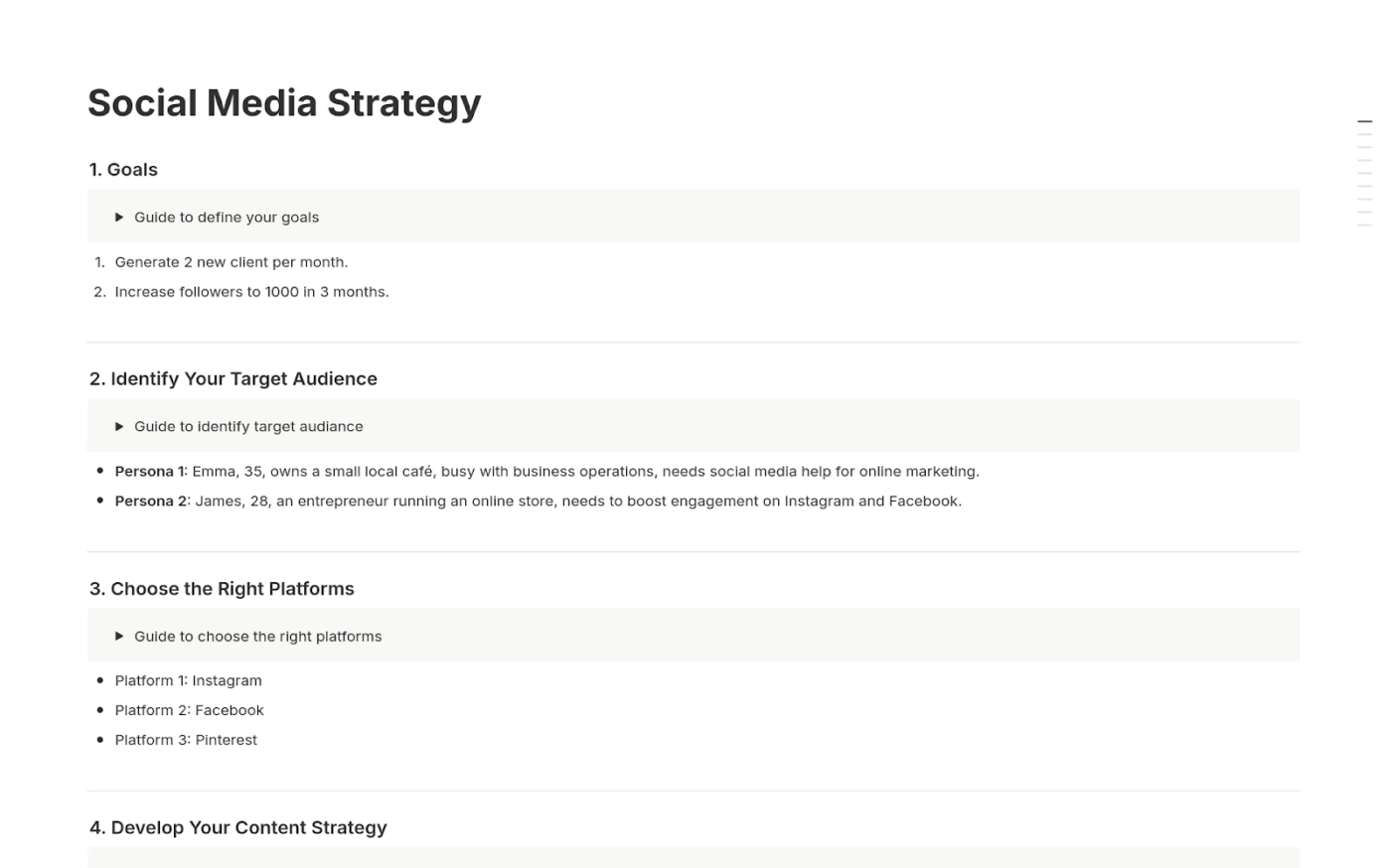
Big platform moves, like Twitter’s rebrand to X, show how a change in strategy can reshape conversation around your brand. The Social Media Strategy Template by Notion helps you define your approach, so your content calendar reflects a clear direction instead of one-off ideas.
You work through sections for goals, target audience, brand messaging, and channel choices, then connect that strategy to practical plans and light analytics. Over time, you can compare what you planned with what was actually performed and refine your content strategy accordingly.
✨ Ideal for: Businesses, marketers, and creators who want their social media activity to serve a clear, long-term strategy.
📖 Also Read: Brainstorming Templates & Techniques
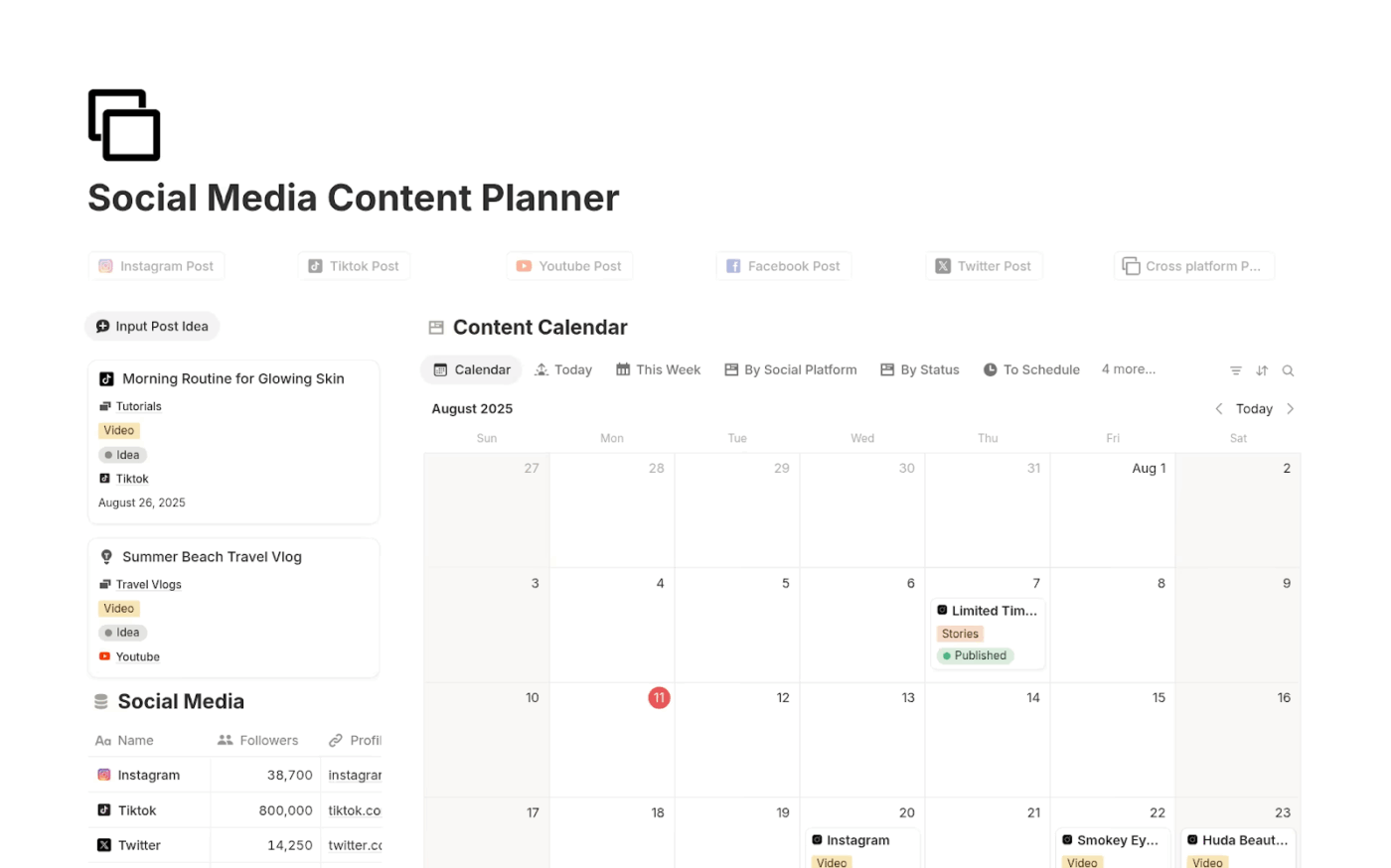
With TikTok trends shifting hourly and platforms pushing new formats constantly, it is easy to fall into reactive posting. The Social Media Content Planner Template by Notion gives you a more focused system: a simple content planner where you can plan ahead, see your calendar view, and keep all the moving parts organized.
You can categorize posts by platform, content type, or campaign, then move them through stages like drafting, and publishing. The built-in calendar view gives you an overview of your content schedule so you always know what is going out and where the gaps are.
✨ Ideal for: Creators, entrepreneurs, and marketing teams who want a minimal and effective planner to stay consistent with social media.
📖 Also Read: Free Media Planning Templates
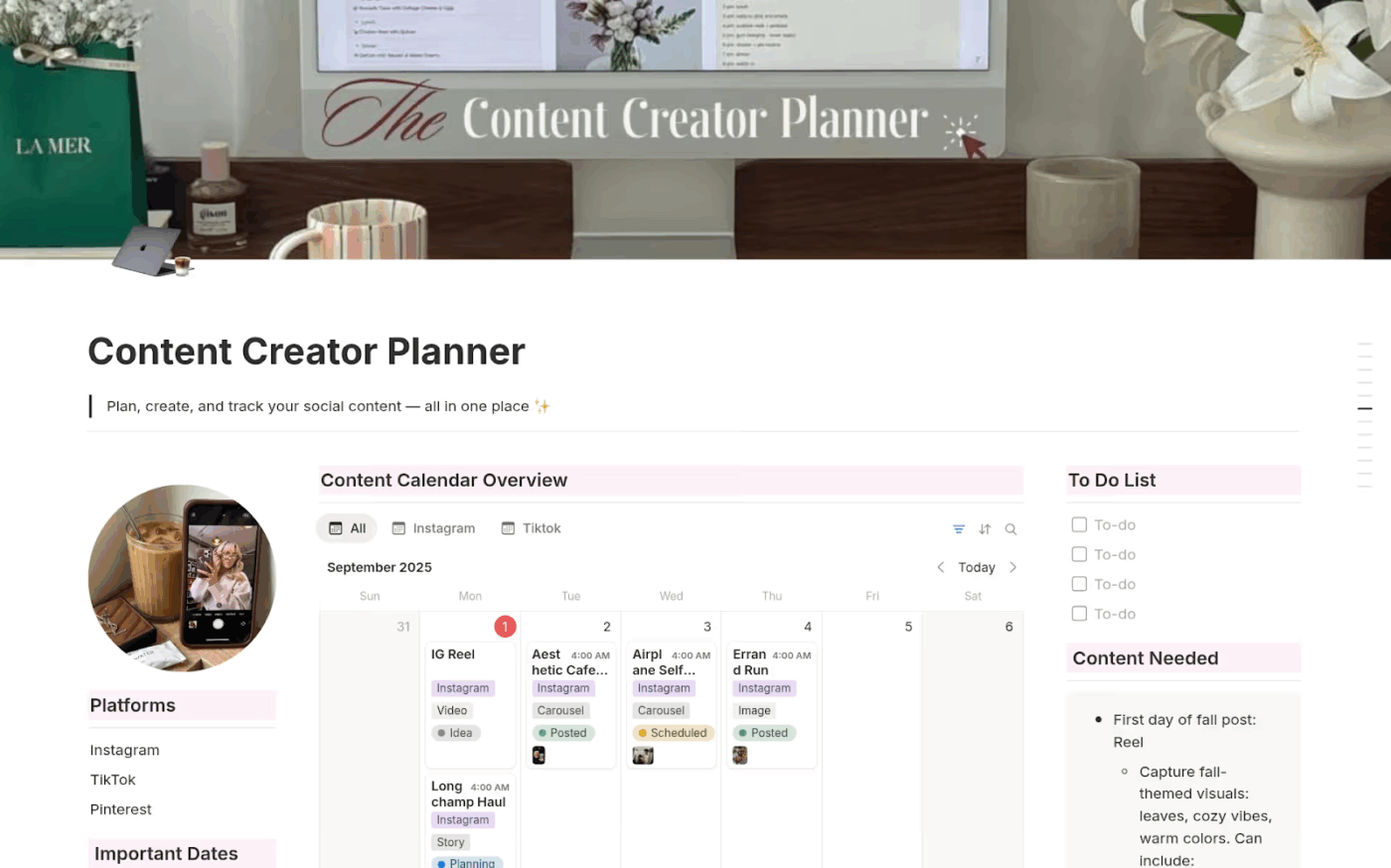
On platforms like Instagram and TikTok, how your feed looks matters almost as much as what you say. The Aesthetic Content Creator Calendar Template by Notion helps you keep that visual story coherent by combining a content calendar with a social media profile grid and content pillars.
You can preview how posts line up visually, log formats like Reels, carousels, or stories, and keep captions, hashtags, and inspiration in one place. That means you are sure of how a post fits your brand, look at it before it goes live.
✨ Ideal for: Creators, influencers, and visual brands that want a stylish yet organized way to plan an on-brand feed.
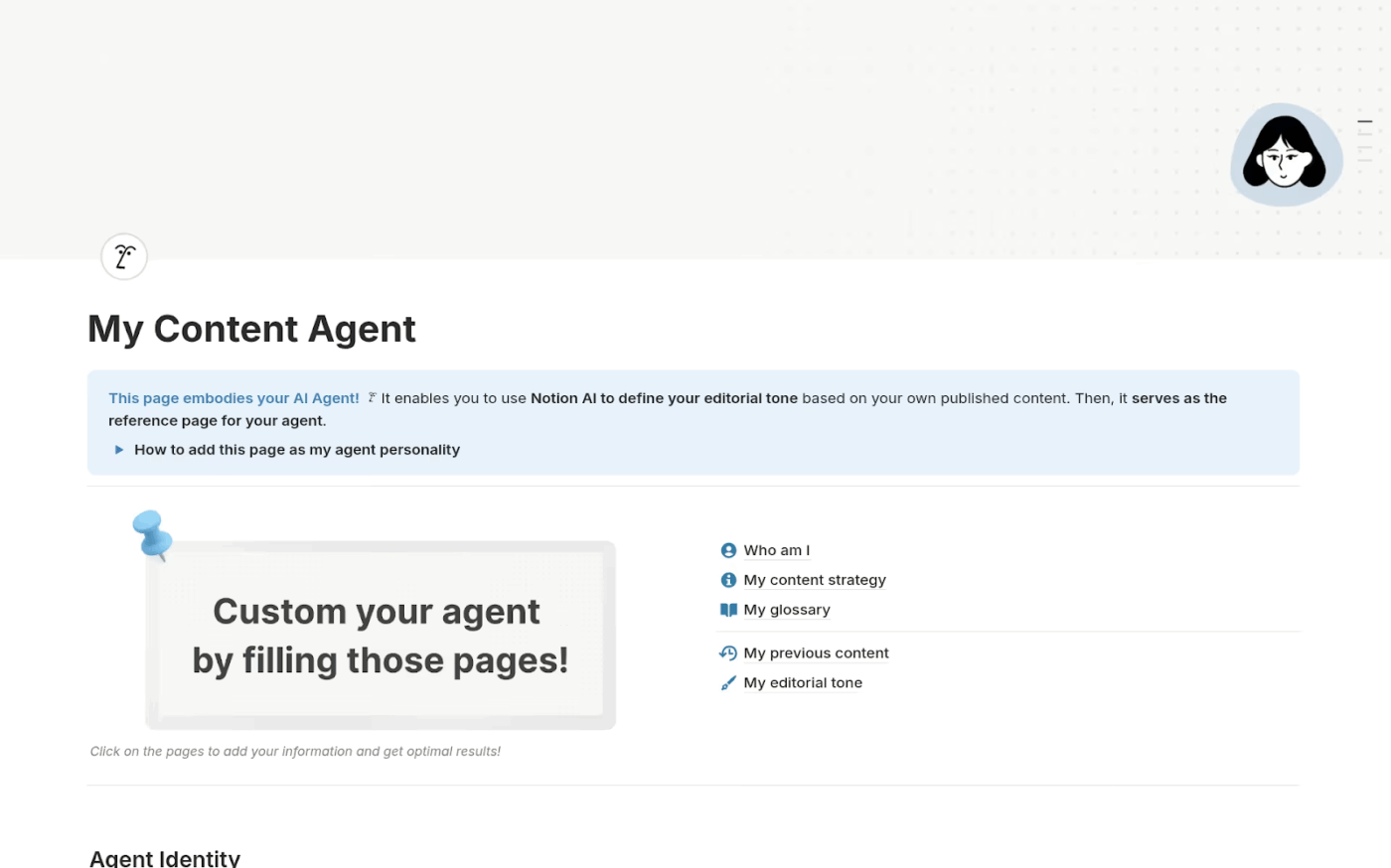
AI writing tools are easy to use, but getting them to sound like you is the real challenge. The Content AI Agent Template by Notion provides a structured platform to train an AI assistant on your voice, content strategy, and past work. This way, drafts feel closer to your style from the start.
Inside the template, you organize key references: your content strategy, tone guidelines, glossaries, and example articles or posts. This gives the AI better context to suggest content ideas and drafts curated to specific platforms or audience segments.
✨ Ideal for: Writers, marketers, and creators who want AI support without losing consistency in their tone or message.
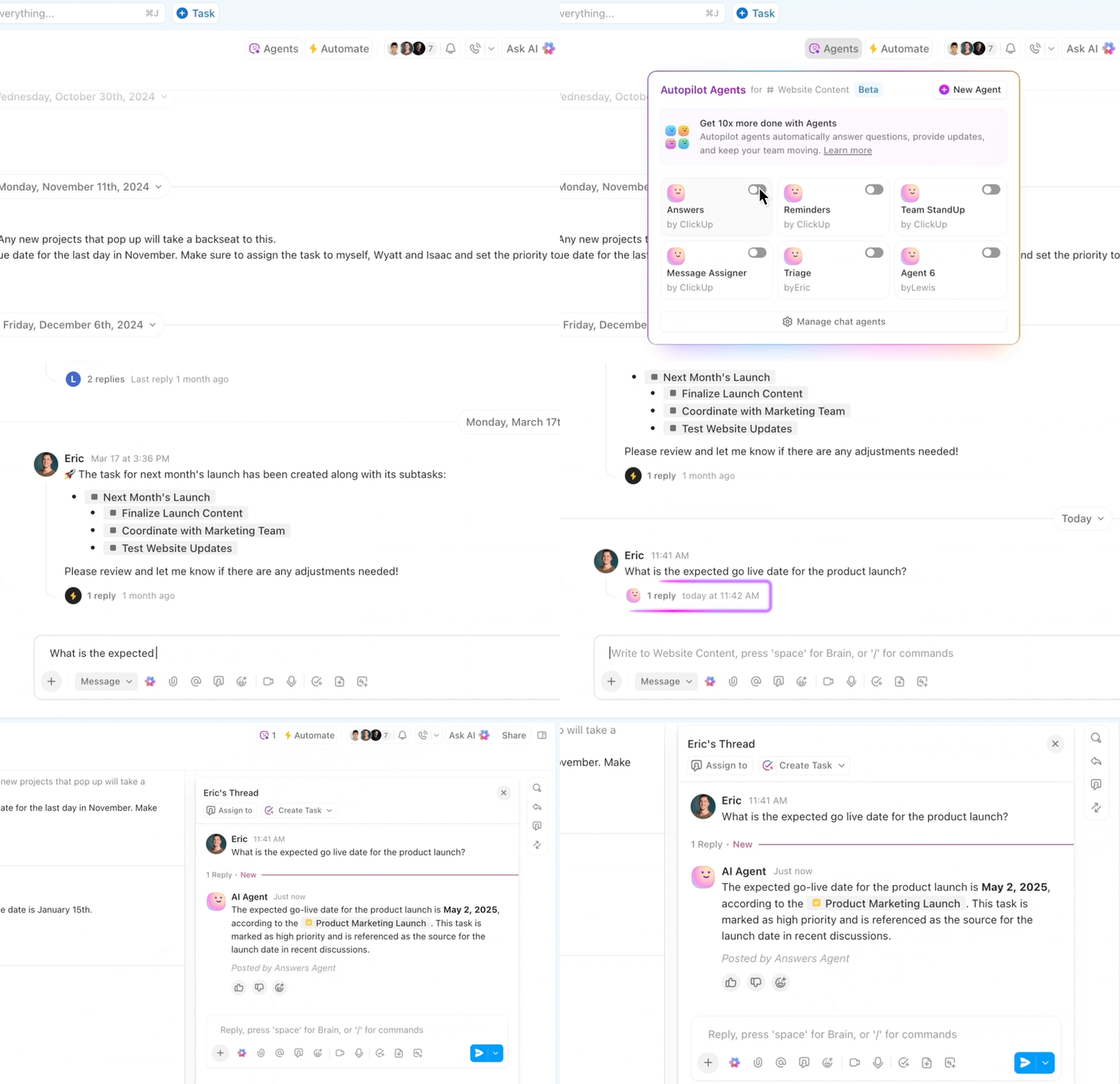
💡 Pro Tip: ClickUp AI Agents and ClickUp Automations can offload repetitive, multi-step work from your social media calendar. Instead of manually checking every task or reviewing copy line by line, you can set up agents that react to triggers (like a task moving to “Review”), inspect the content, and then post comments or nudge the right teammate.
These AI agents run inside your existing ClickUp Spaces, Lists, and Views, which means they understand your work:
ClickUp AI Agent workflows that are especially useful for social teams:
🧠 Did You Know: Engagement bots are more common than you might think. At times, as many as 10% of Instagram’s “users” were actually automated bots liking, following, or commenting. It means social proof sometimes has to be taken with a grain of caution.
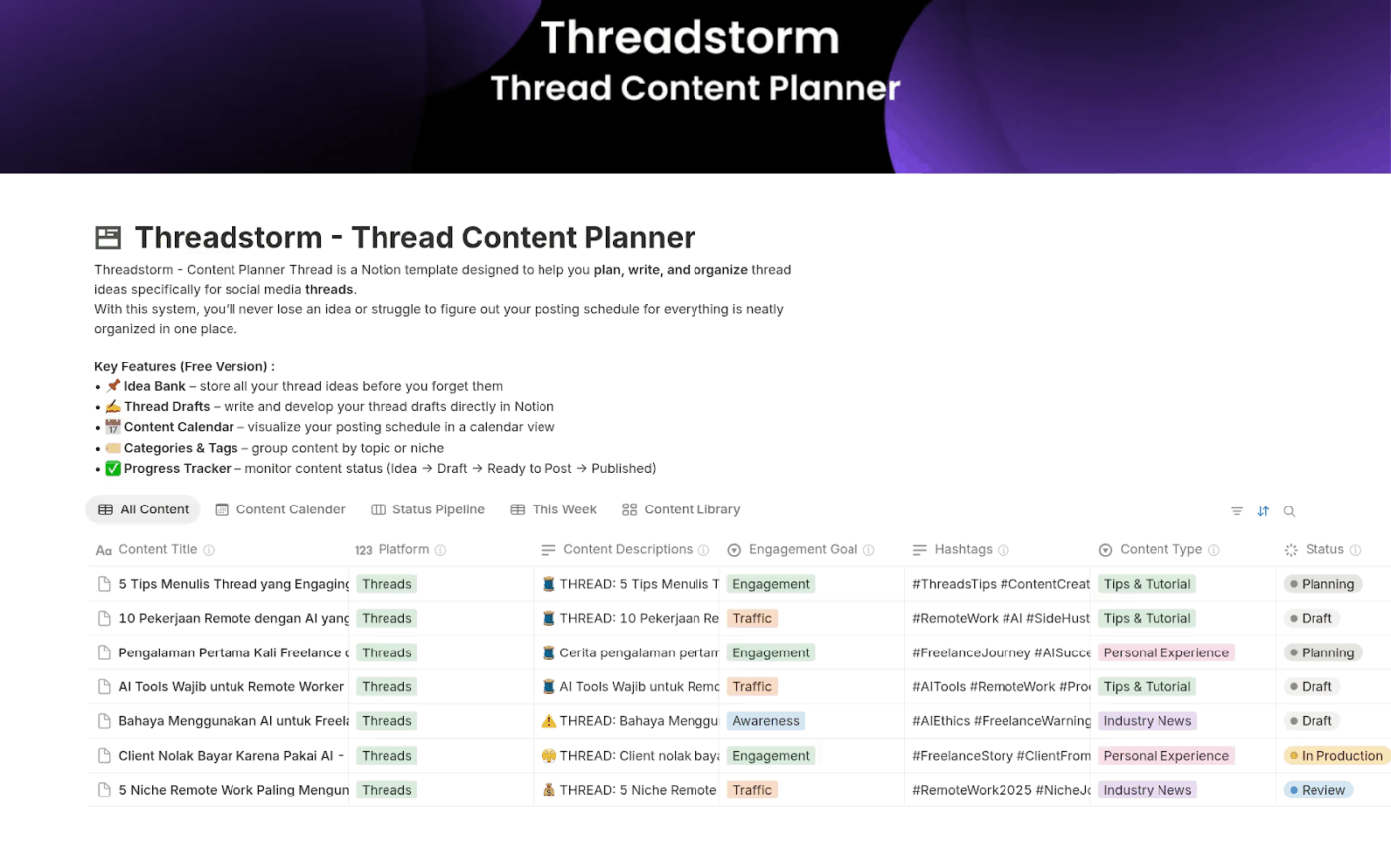
The Threadstorm–Thread Content Planner Template by Notion gives you a structured place to capture and schedule long-form storytelling on X or LinkedIn.
You can keep an idea bank for thread concepts, draft posts in order, and use a calendar view to plan when each thread goes live. The template’s different tags make it easier to group threads by topic or series, so your content overall feels more connected.
✨ Ideal for: Creators, writers, and marketers who use threads on X or LinkedIn to share stories, tutorials, or opinions.
📖 Also Read: How to Automate Content Creation?
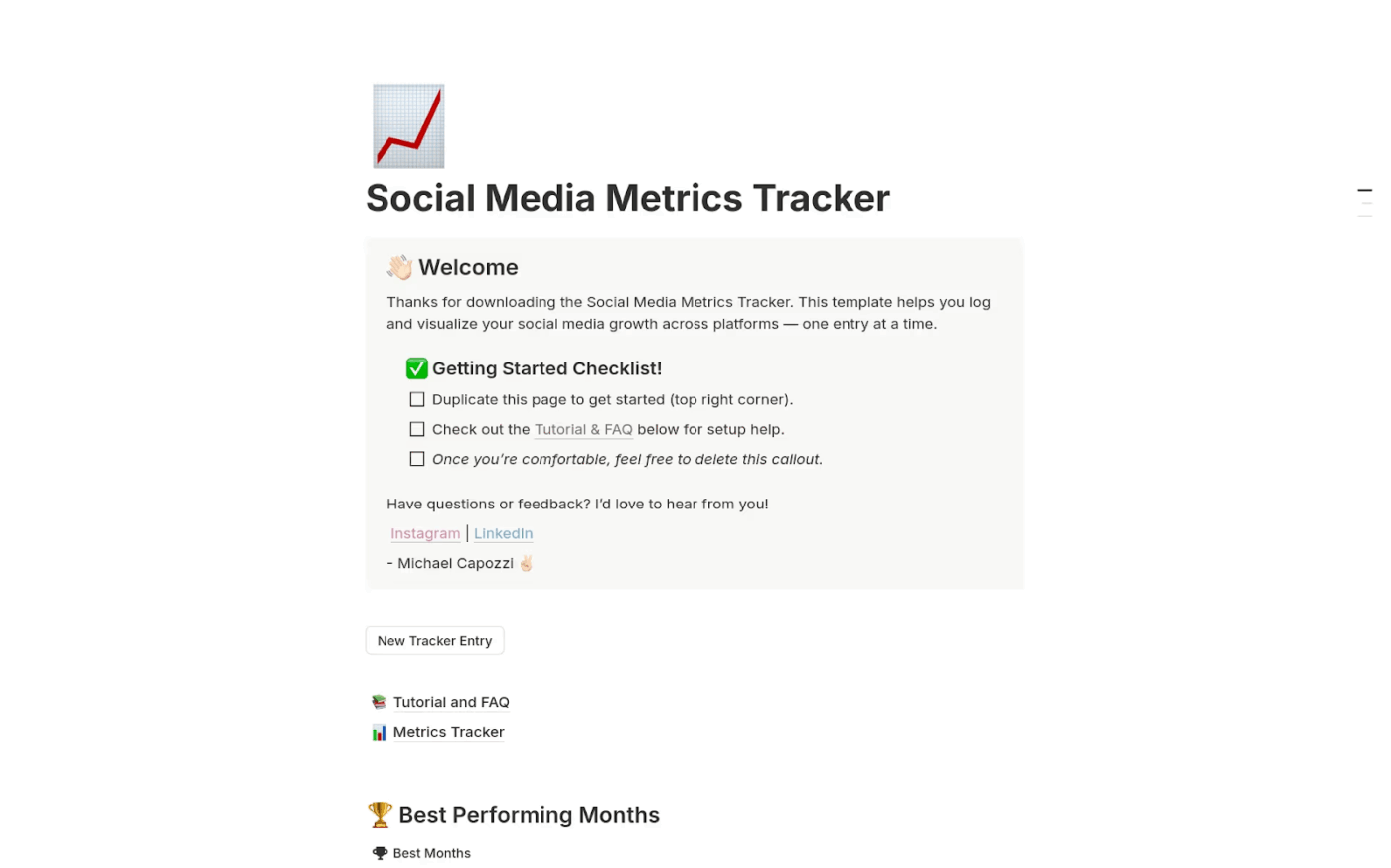
Posting without checking analytics and numbers is one of the easiest ways to drift away from what your audience actually wants. The Social Media Metrics Tracker Template by Notion puts all your key metrics in one table, so you can review performance across platforms without exporting scattered reports every month.
You log stats like followers, reach, and engagement for each channel and time period, then filter by platform or date to see patterns. With a simple engagement-rate formula built in, you can quickly spot which posts or campaigns are worth repeating in your content calendar.
✨ Ideal for: Social media managers, agencies, and creators who want a clean, data-driven view of growth and performance.
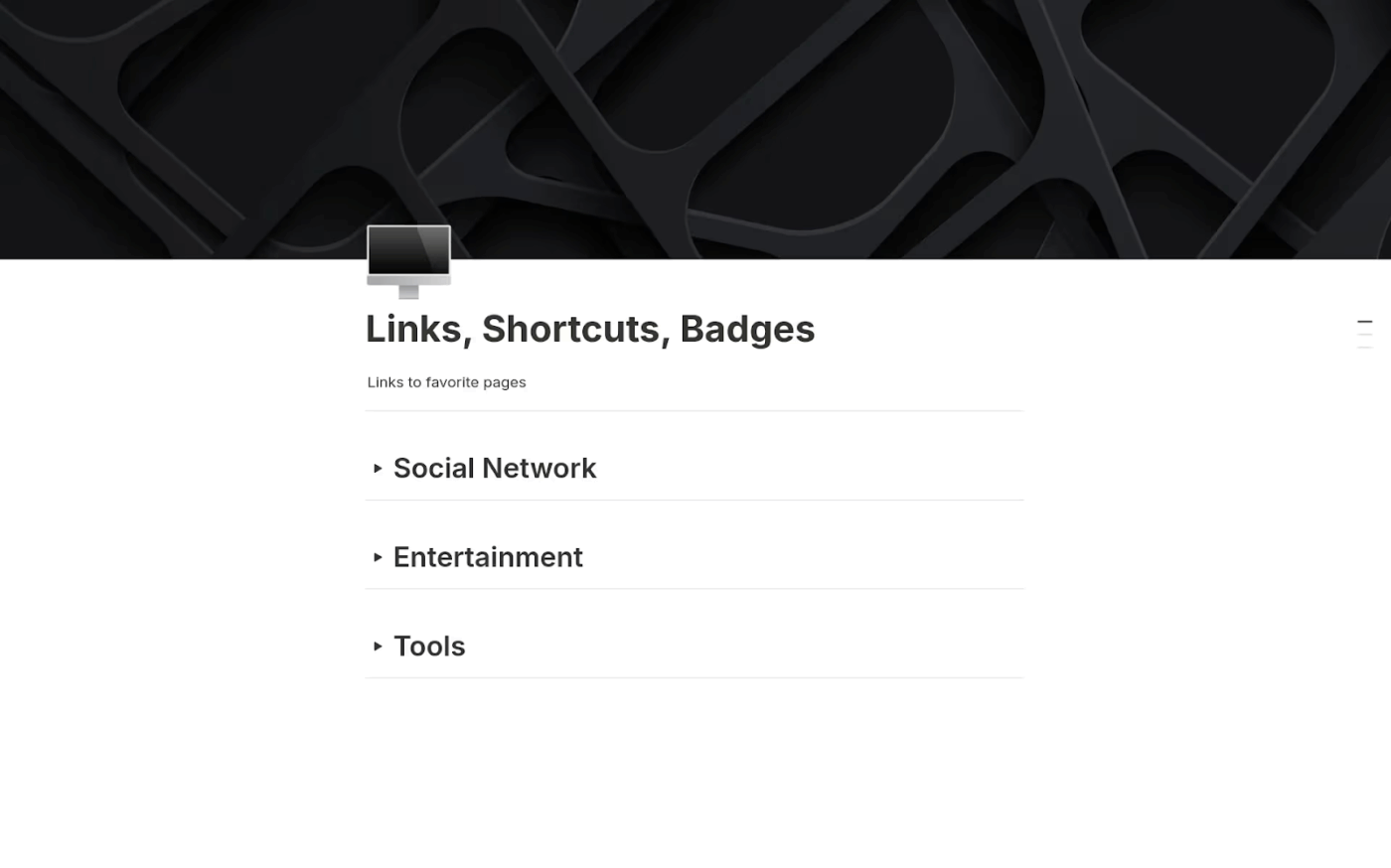
Important links tend to disappear when you need them most. These could be your reference articles, design tools, inspiration, or your own past posts. The Links, Shortcuts, Badges Template by Notion gives those resources a structured home, so they stay close to your social media planner instead of being buried in bookmarks or documents.
You can save URLs, label them by purpose or project, and access everything from a single database. As you plan content, you simply pull from this link vault instead of searching through tabs. The result? A much smoother and more organized content creation process.
✨ Ideal for: Creators, marketers, and teams who want a lightweight link hub that supports their broader content planning system.
🧠 Did You Know: In August 2007, open-source advocate Chris Messina tweeted a casual suggestion asking how people felt about using the # symbol to group conversations on Twitter. Twitter’s team wasn’t convinced at first, but users adopted the format organically. This led to the humble hashtag becoming one of the most recognizable symbols in social media culture.
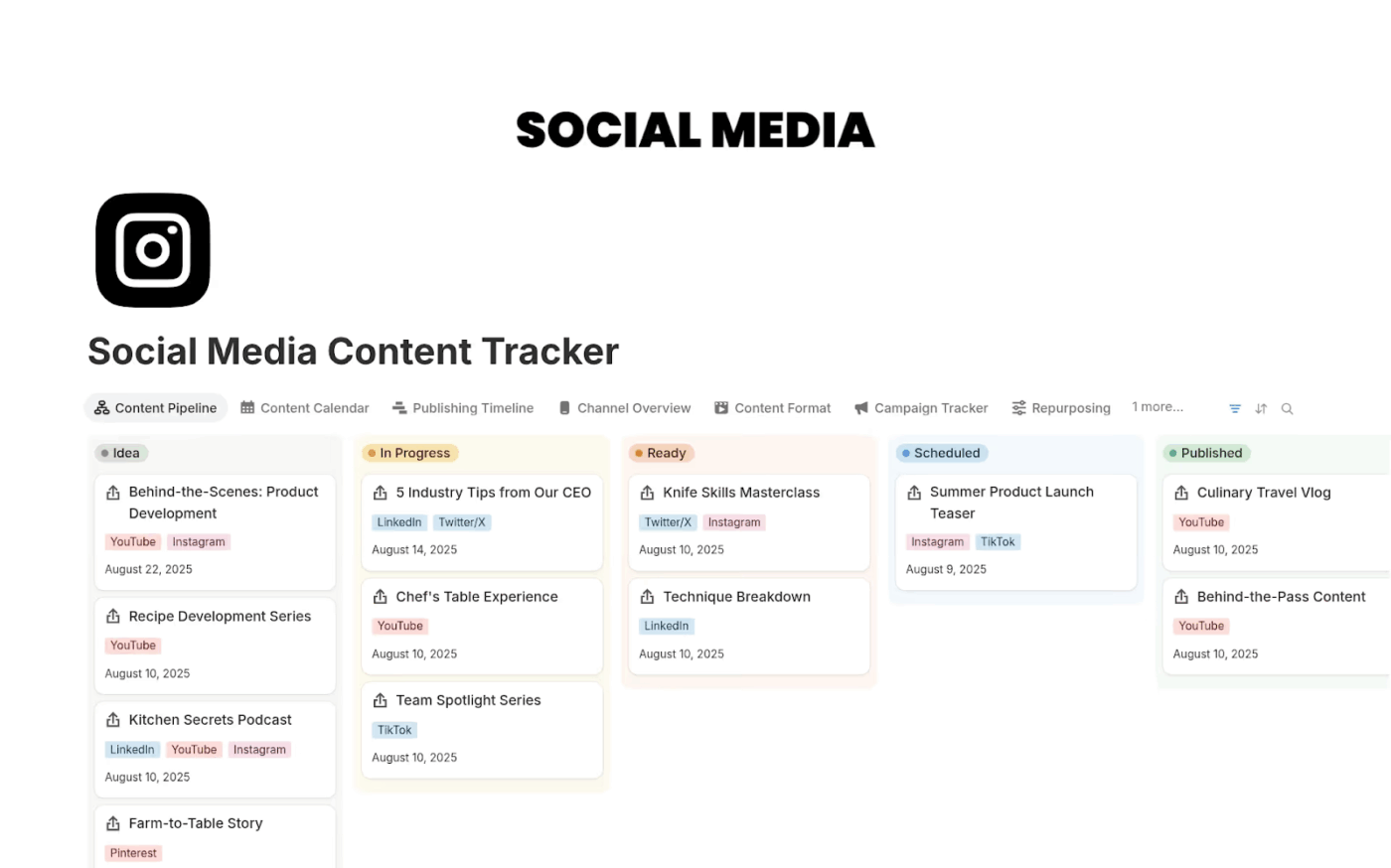
When brands are posting dozens of times per week across platforms, it becomes hard to remember what went live where and how it performed. The Social Media Content Tracker Template by Notion helps track all that information into a clear pipeline, where each post moves from idea to scheduled to published in a single workflow.
You can track platforms, dates, owners, and performance for every piece of content, while Calendar and Board Views show you the flow of work. That makes it easier to see coverage across campaigns and plan repurposing instead of reinventing posts every time.
✨ Ideal for: Social media managers and teams who want to move from reactive posting to a consistent, trackable content pipeline.
📖 Also Read: How to Use Trendspotting (with Examples)
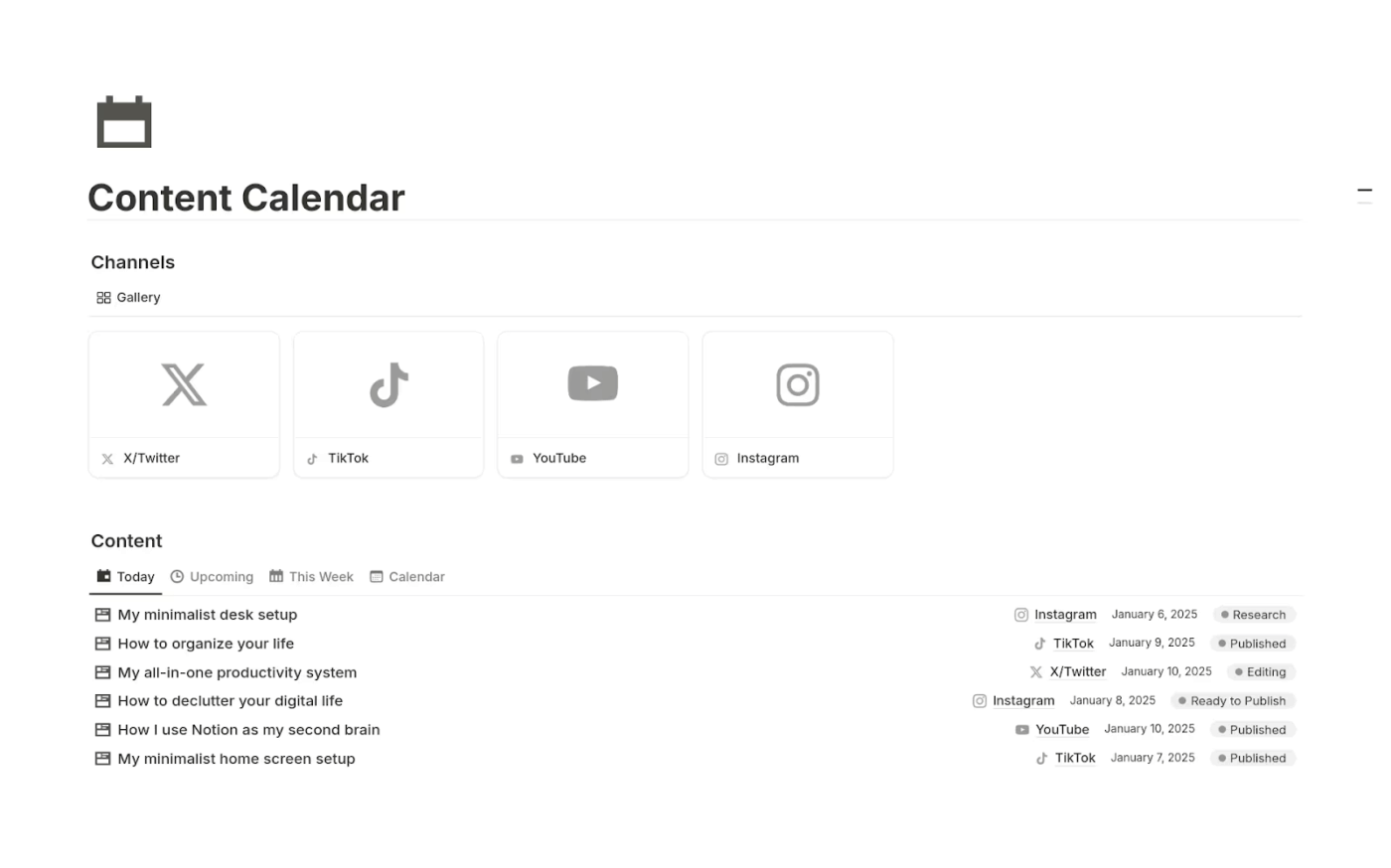
The Content Calendar Template by Easlo on Notion is built to help you plan your content strategy, giving you a clean editorial calendar where you can see all upcoming posts across channels.
You can tag content by platform, topic, and status, filter by date, and move posts through a simple workflow from idea to scheduled to published. Because it is lightweight and focused, this template can also work as a content marketing strategy template. You can also use it as a central hub for all your social media plans, blog content, and email campaigns.
✨ Ideal for: Marketers, freelancers, and small teams who want a straightforward editorial calendar inside Notion.
📖 Also Read: Social Media Project Management
One G2 reviewer described Notion as “Everything MS Office lacks” and praised its page system and keyboard shortcuts for their efficiency. But they also pointed out frustrations with exporting pages to PDFs and a lack of intuitive formulas in tables.
Some of the most common limitations of Notion include:
For social media teams, the real headache is not writing captions. It is keeping track of everything scattered across tools. Often, the calendar lives in Notion, the copy sits in Google Docs, and approvals are buried in Slack.
By the time a post goes live, you have already clicked through half a dozen tabs. That constant switching is work sprawl for social. ClickUp is built to cut through that. It is a converged AI workspace where your social media calendar, briefs, tasks, assets, comments, and reports sit together in one place.
You can plan all your work and track performance without leaving the same workspace, so context stays intact, and teams move faster with fewer misses.
The ClickUp templates below give you that connected system as a strong alternative to Notion for social media planning and execution. 🌟
Missed posts often stem from scattered approvals and partially updated spreadsheets. The ClickUp Social Media Calendar Template gives you a single content calendar inside ClickUp where ideas, drafts, and scheduled posts can be accessed.
You can collect ideas through a simple ClickUp Form, move them through custom statuses like In Progress and For Approval, and see everything in a Calendar View when you are ready to plan ahead.
ClickUp Dashboards then pull in key metrics, so you can track performance without exporting data into separate tools.
✨ Ideal for: Social media managers, small business owners, and creative teams that want one system to plan, schedule, and track posts.
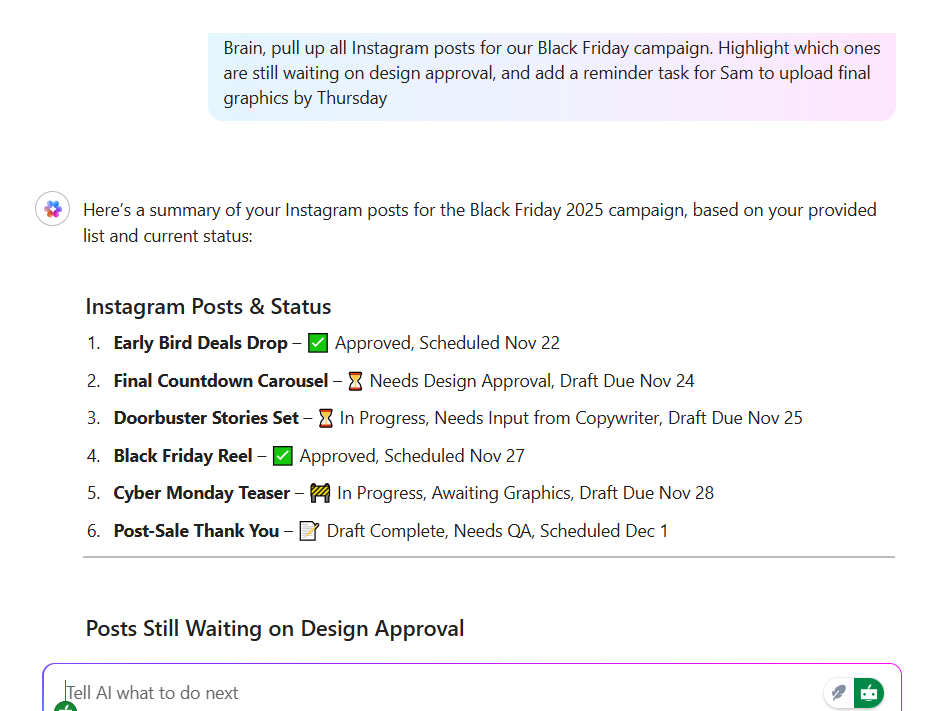
💡 Pro Tip: Use ClickUp Brain to turn raw ideas into ready-to-schedule posts. Because ClickUp Brain sits on top of your existing work in ClickUp, it can help you create social content using the briefs, campaign docs, and tasks you already have.
A practical flow is to keep all campaign context in a List or Doc, then ask ClickUp Brain to “turn this into a one-month content calendar with captions for LinkedIn and Instagram” or “write three hooks for this launch thread.”
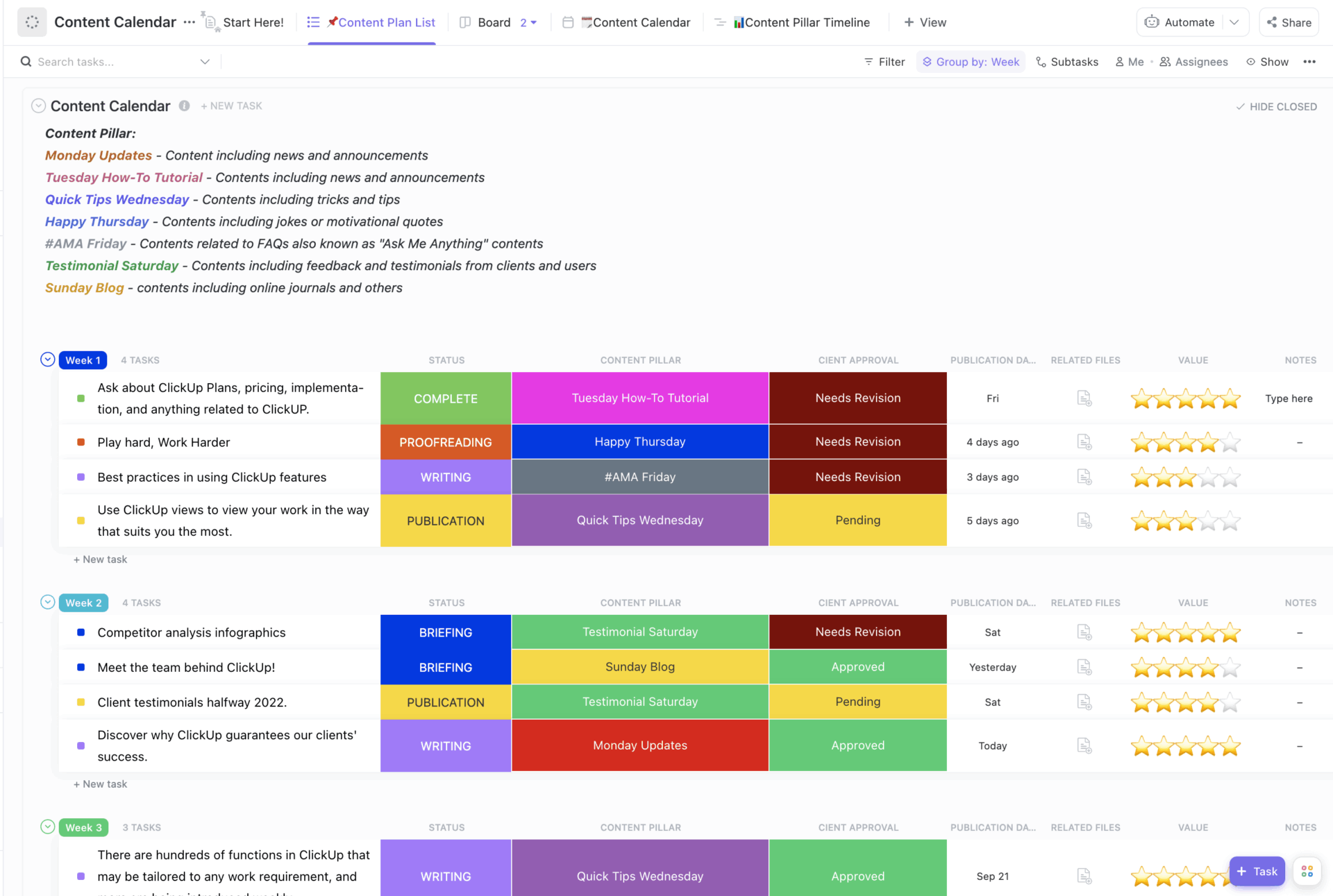
Content marketing works best when your blog posts, social updates, and emails all follow the same content strategy. The ClickUp Content Calendar Template gives you that central editorial calendar: one place where you can see what is going live, when, and on which channel.
You can organize content by type, channel, and publish date using Custom Fields, then switch between List and Calendar Views to see either the pipeline or the timeline.
As each piece moves from idea to draft to published, statuses keep everyone aligned and make it easier to spot bottlenecks before deadlines slip.
✨ Ideal for: Marketing teams, content creators, and businesses that need a central editorial calendar across channels.
📖 Also Read: Free Content Calendar Templates For Social Media
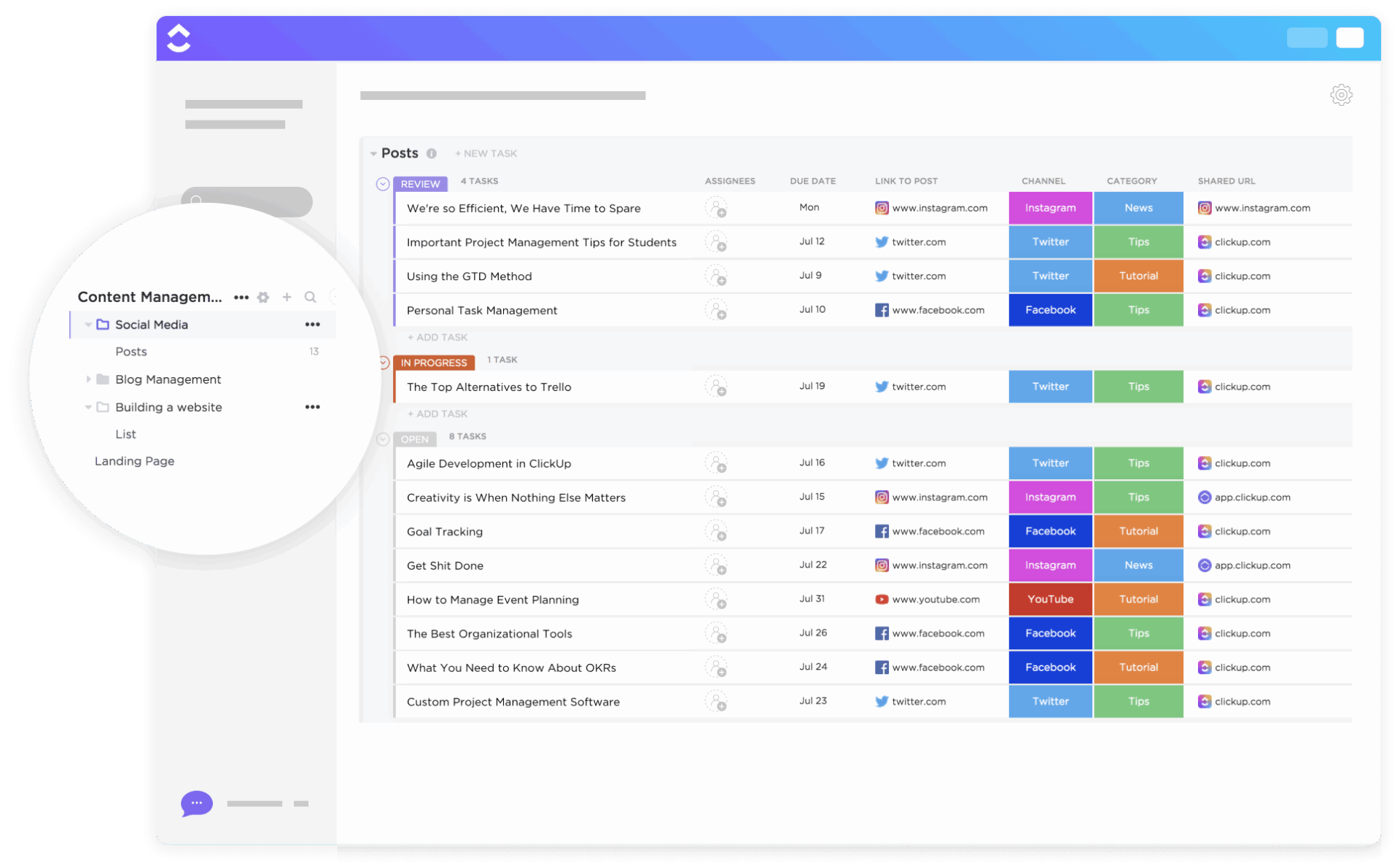
As new social media platforms climb the charts and algorithms shift, managing multi-channel social media can get complex fast. The ClickUp Social Media Advanced Template is built for that complexity, combining List, Board, and Calendar Views so you can organize posts by platform or status without losing the bigger picture.
You can use Custom Fields to track details like platform, format, draft link, and owner, while embedded ClickUp Docs can store copy and hashtag banks. You can also group posts by channel or campaign, which makes it easier to balance workloads and keep each platform’s content on track.
✨ Ideal for: Social media teams, influencers, and agencies managing complex, multi-channel content calendars.
📖 Also Read: How to Conduct a Social Media Audit (with Templates)
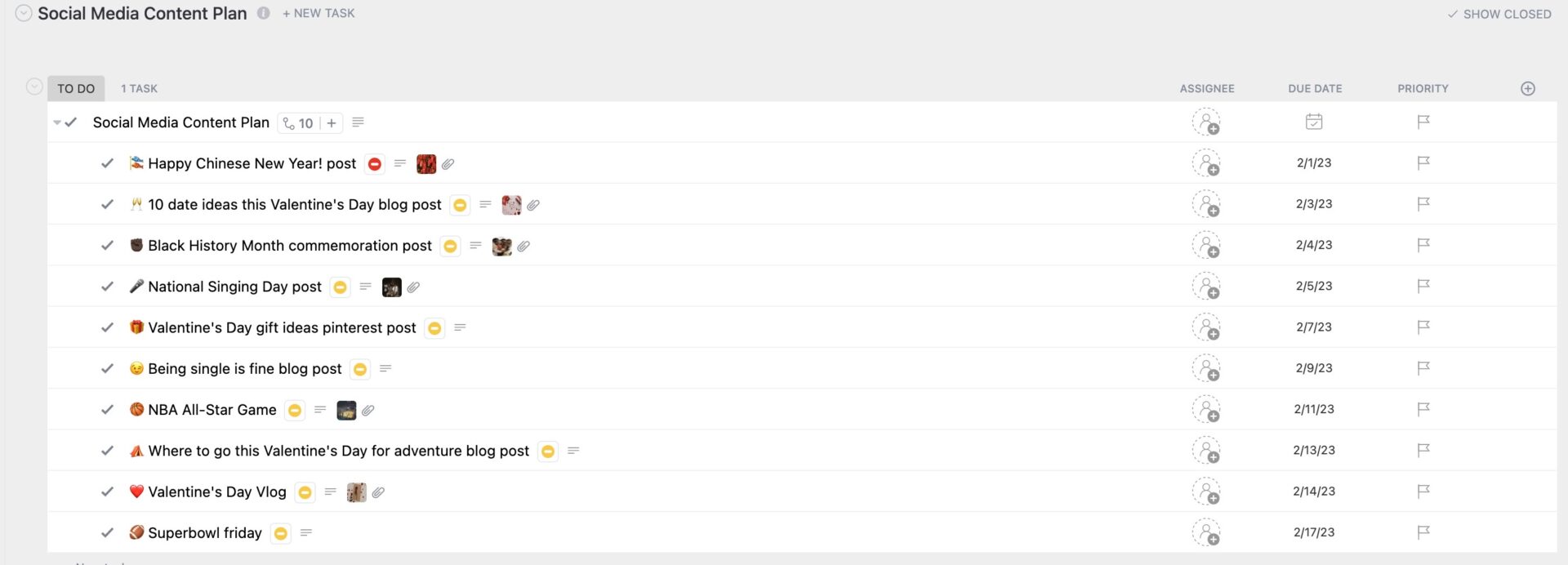
When posts go live without a bigger plan, it is difficult to show how your social media supports your business’s goals. The ClickUp Social Media Content Plan Template gives you a structured system where every post connects back to goals, audience segments, and campaigns.
You can add Custom Fields for platform, goal, stage, and assignee, then use List, Board, and Calendar Views to map out campaigns over weeks or months. Recurring review tasks help you revisit performance and adjust your plan so the content calendar keeps improving instead of repeating old patterns.
✨ Ideal for: Marketing teams, agencies, and small businesses that want to stay strategic and consistent with their social media content.
💡 Pro tip: Use ClickUp BrainGPT when your social media work needs heavier AI lifting.
ClickUp BrainGPT is a desktop work AI companion that lets you work with several leading AI models in one place, instead of jumping between separate AI apps. You can choose the model that fits each task, ask it to research or outline posts in the context of your ClickUp Tasks and ClickUp Docs, and then refine copy directly inside your content calendar or social media workflows.
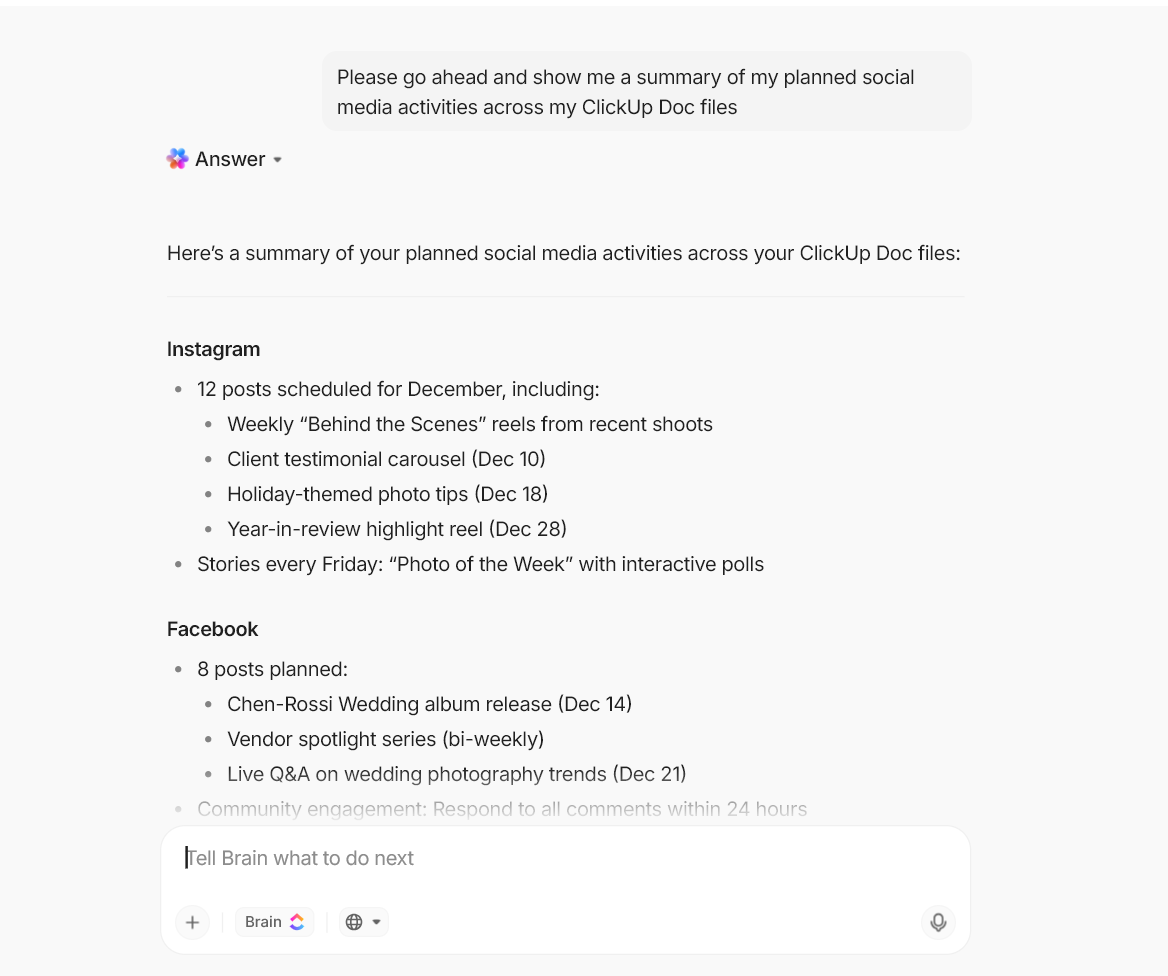
Key ClickUp BrainGPT capabilities you can lean on:
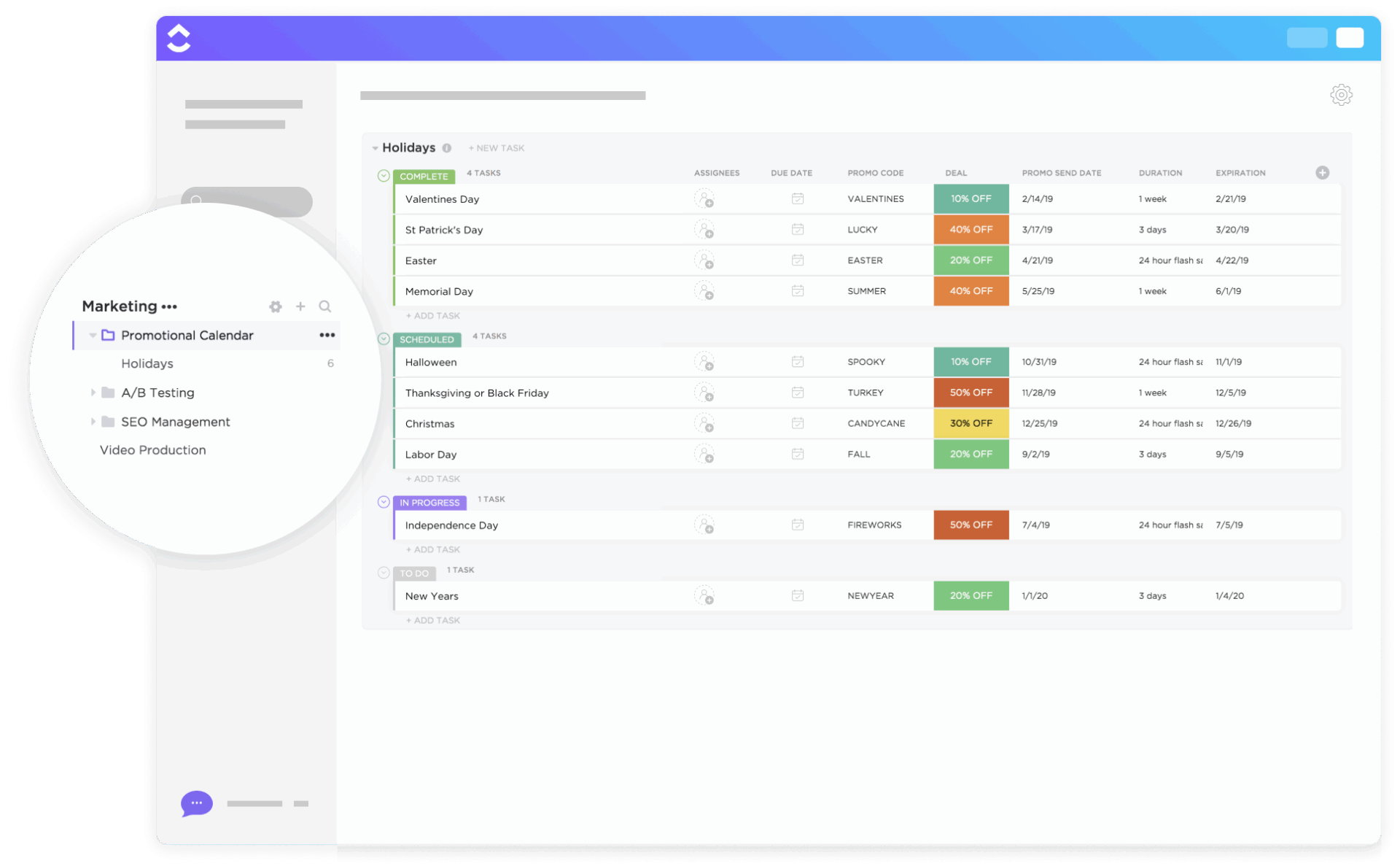
Seasonal campaigns, product launches, and sales events can often stack up quickly across the year. The ClickUp Promotional Calendar Template keeps those promotions in one shared calendar. This way, you can see upcoming holidays and key dates instead of managing them in separate files.
You can plot campaigns on a schedule view, add tasks for creative, approvals, and handoffs, and track each item with statuses like To Do, Scheduled, and Complete. By seeing everything laid out over time, it becomes easier to avoid overlaps and align social media calendars with broader marketing pushes.
✨ Ideal for: Marketing professionals, retail teams, and small businesses that want to keep campaigns on track and maximize every promotional moment.
📖 Also Read: Top Social Media AI Tools for Marketers
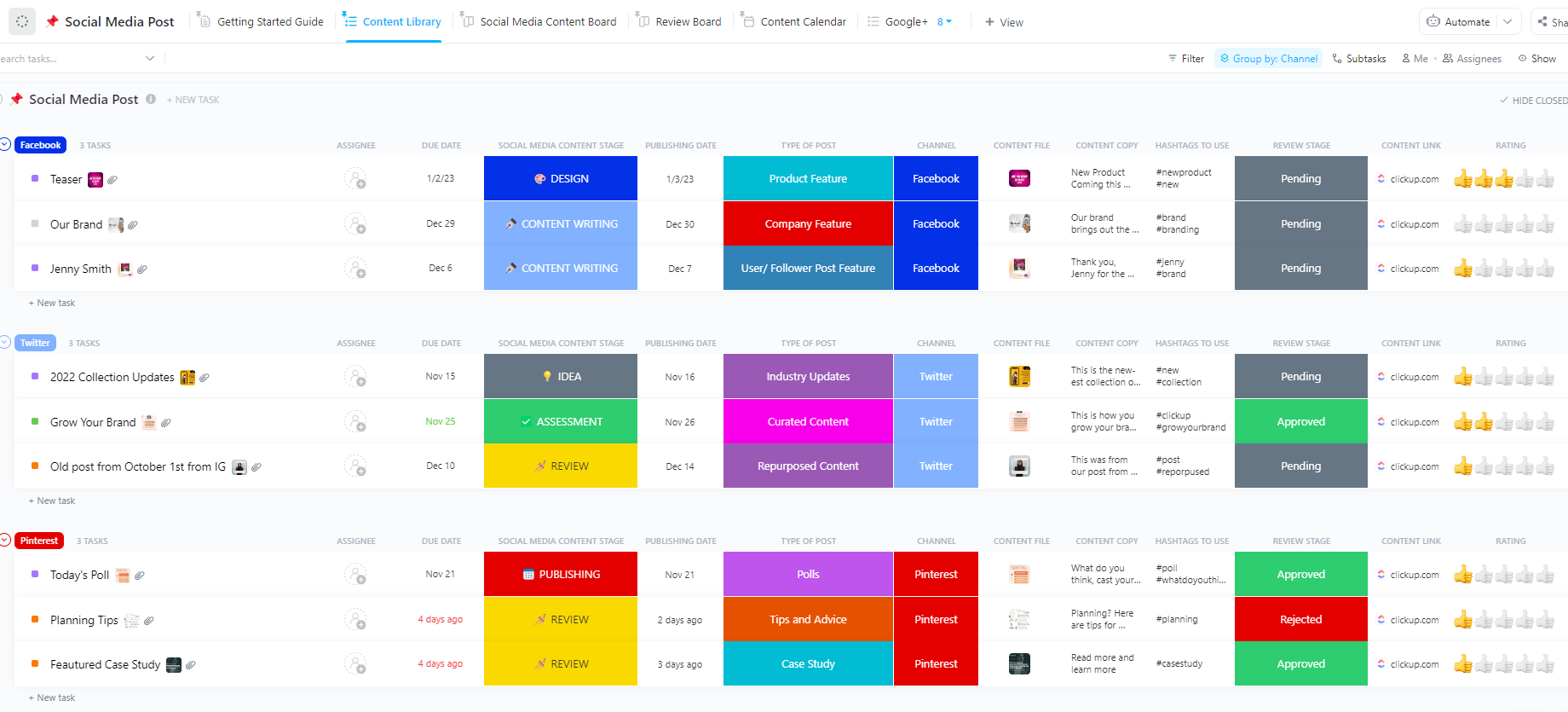
Behind every polished campaign is a long list of individual posts with their copy, assets, and approvals. The ClickUp Social Media Post Template helps you manage that granular layer, giving each post its own task with fields for platform, format, link, and status.
You can sort posts into platform-specific views (such as Instagram, LinkedIn, or TikTok) and move them across review boards as they progress from draft to ready. That makes it easier to coordinate copywriters and approvers while keeping the overall posting schedule in sync.
✨ Ideal for: Marketing teams, content creators, and businesses that want to stay consistent and creative across platforms.
💡 Pro Tip: Turn ClickUp Forms into a clean intake system for content requests.
Requests for “just one more post” often arrive in chat or email, where they are easy to miss. ClickUp Forms give you a structured way to collect those requests and transform them into tasks automatically.
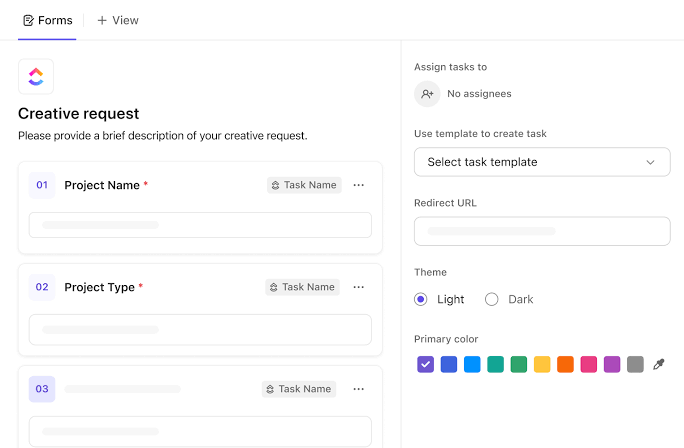
You can create a simple “Social content request” Form with fields for platform, campaign, goal, due date, and key message. Each submission becomes a task in your Social Media Template or Social Media Calendar Template, complete with the details you need to schedule and deliver it.
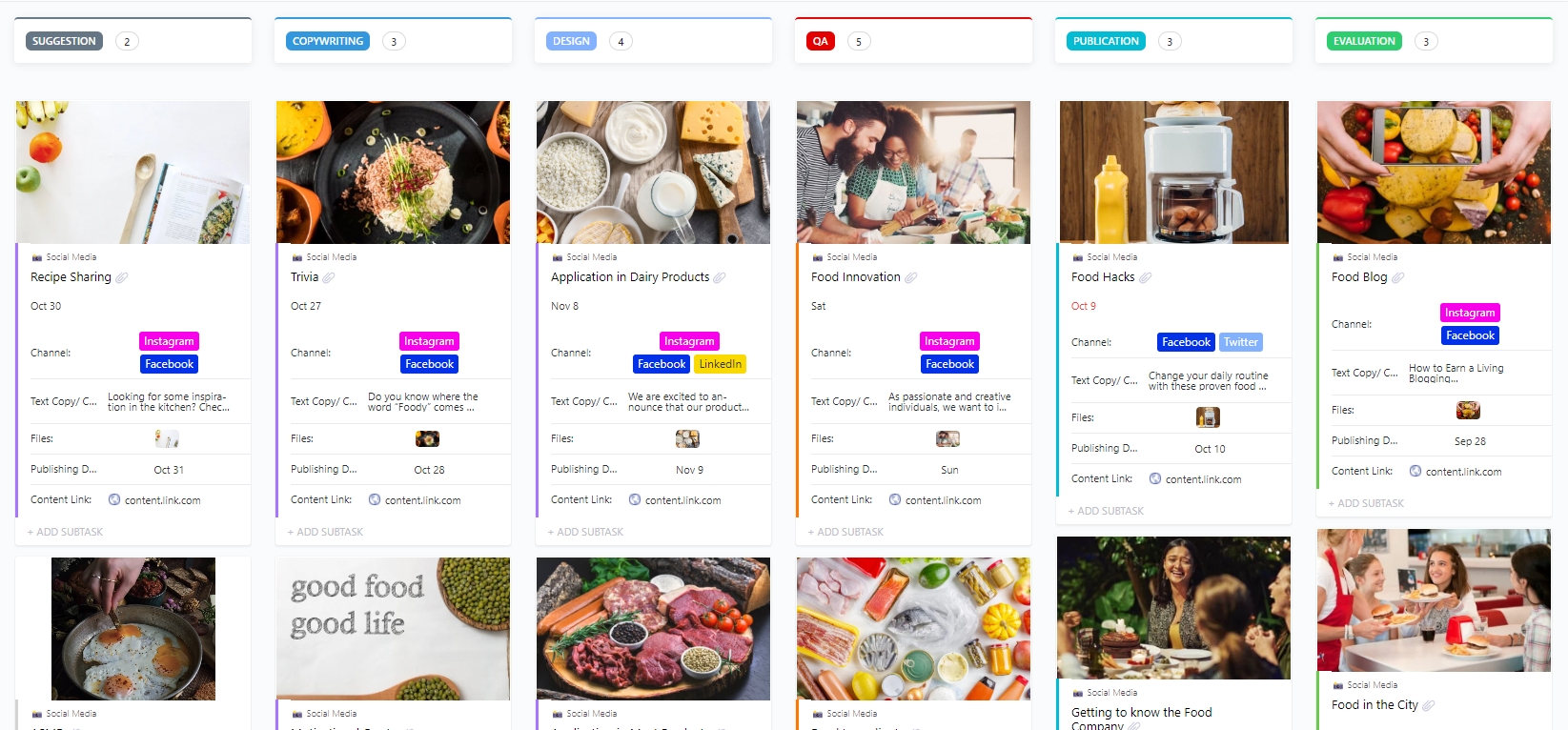
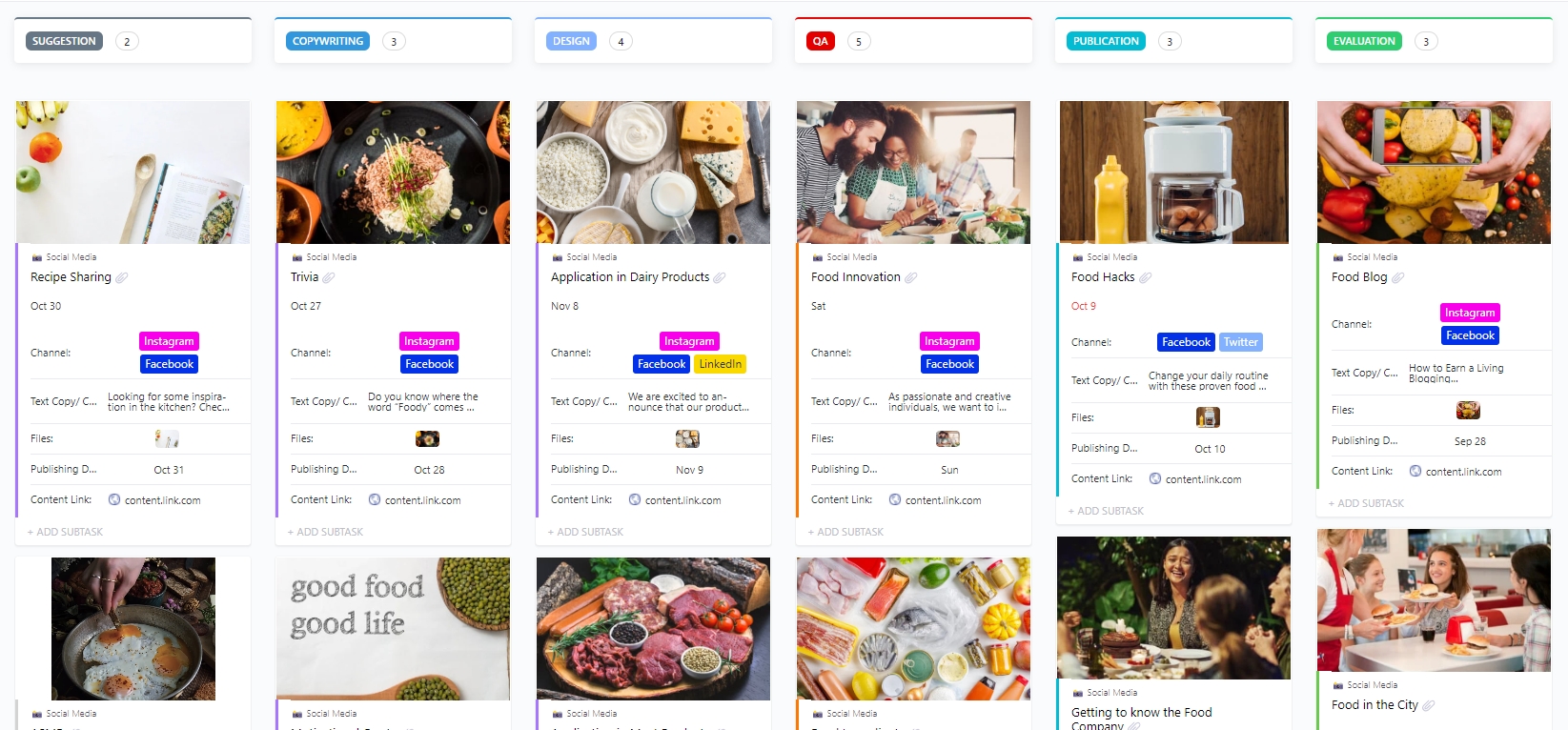
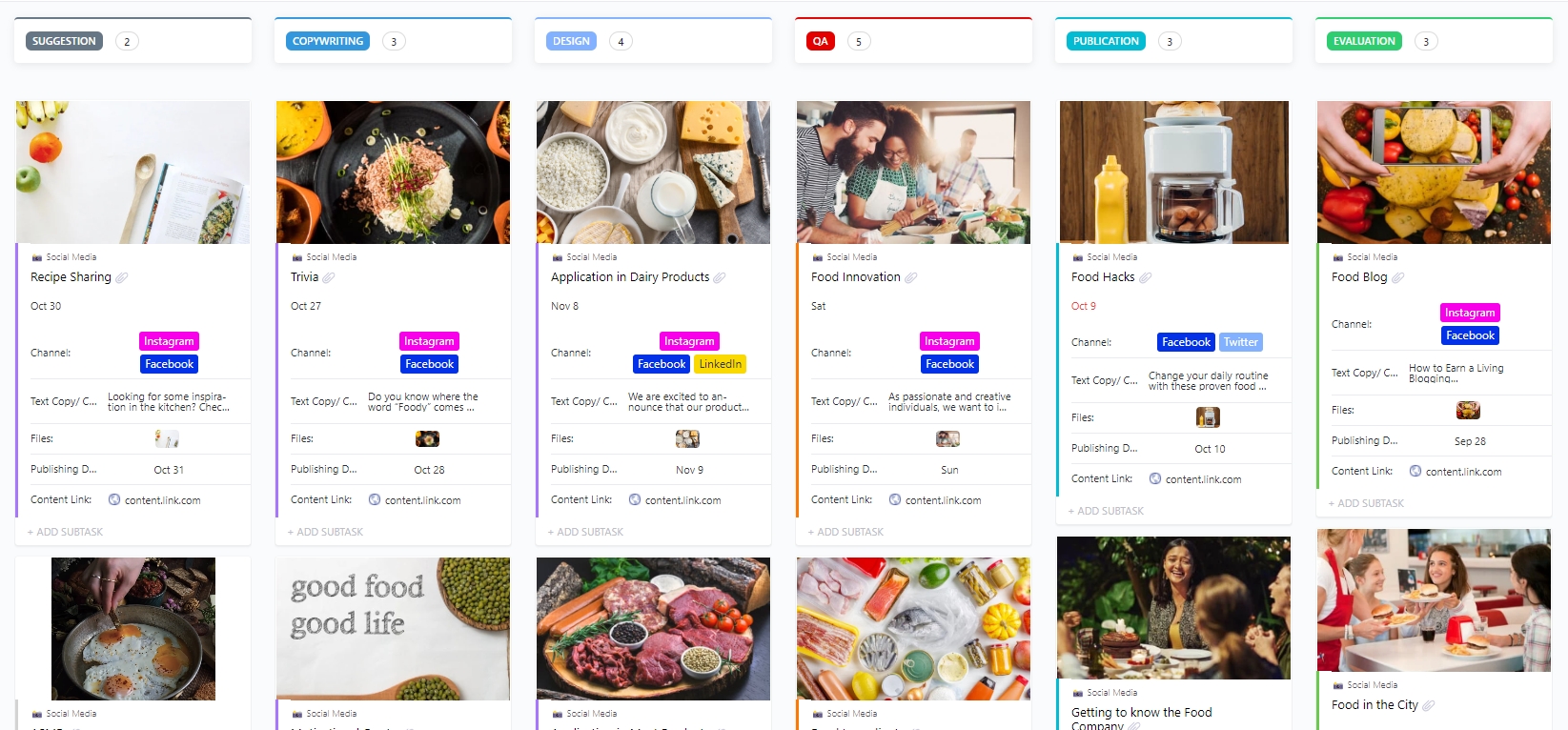
Big launches, like the latest Superman release or any Hollywood blockbuster, work because every channel plays a coordinated role. The ClickUp Social Media Template is built for that kind of coordination: it gives you a content library, content stages, and Calendar Views so campaigns and always-on content share the same system.
You can collect ideas via a suggestion form, group posts by platform or campaign, and track each item through statuses like In Progress and Complete. Sharing the same template with freelancers or partners keeps everyone on the same page.
✨ Ideal for: Marketing teams, freelancers, and agencies that want a structured yet flexible way to manage their social media presence.
📖 Also Read: Best Content Calendar Software
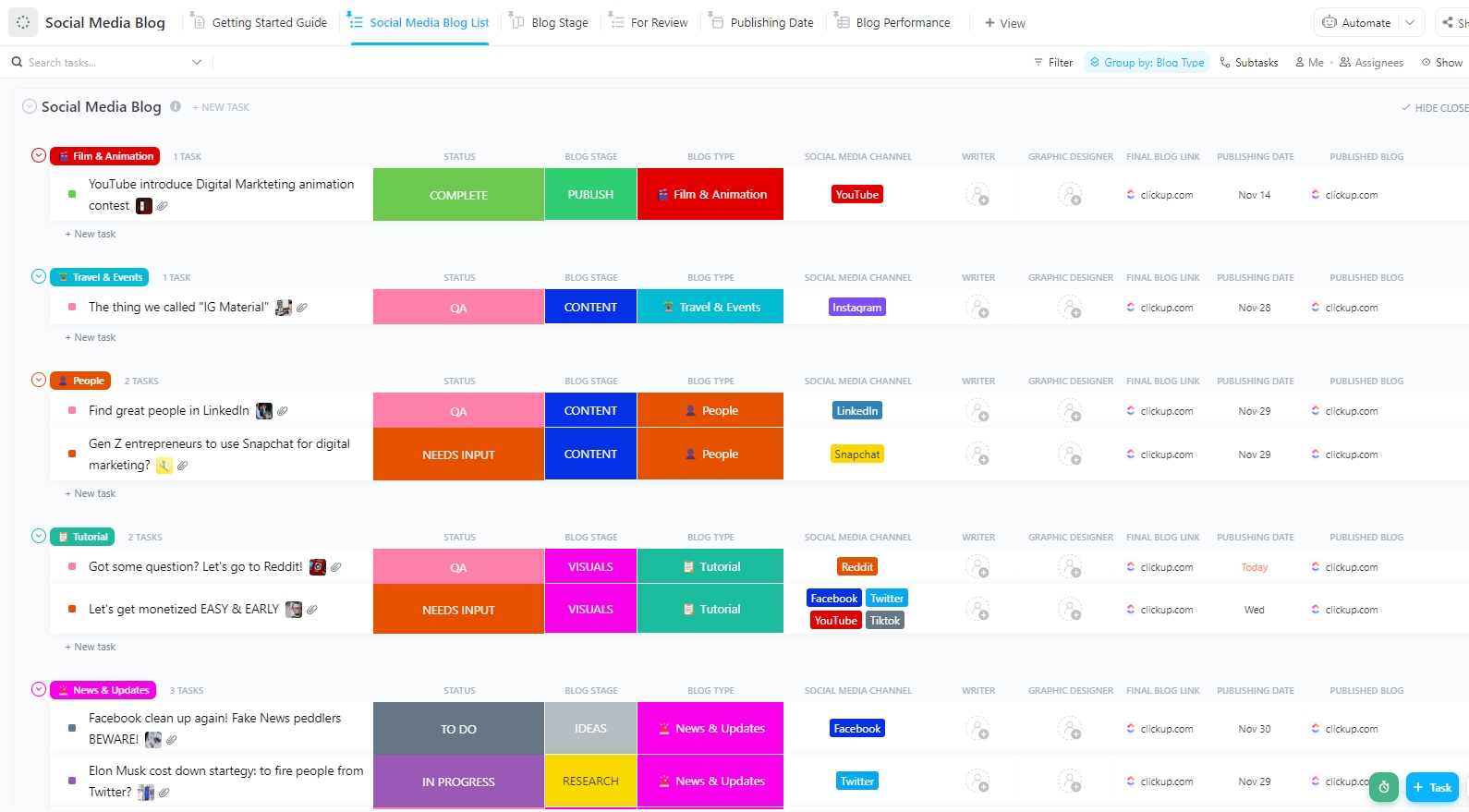
Viral moments are useful, but long-term growth often comes from consistent blog content that fuels search and social posts. The ClickUp Social Media Blog Template helps you manage that side of your content calendar by turning blog ideas into trackable tasks with deadlines and status tags.
You can draft in ClickUp Docs, attach research and keyword notes, and then schedule publish dates in List or Calendar Views. Meanwhile, ClickUp Dashboards help you track which posts are live and how they perform, so you can feed top performers back into your social media calendar as repurposed content.
✨ Ideal for: Bloggers, content marketers, and social teams that rely on blog content to support social media campaigns.
🧠 Did You Know: The now-ubiquitous Facebook Like button has a surprisingly tangled history. Facebook’s team earlier considered calling it an “Awesome” button before settling on “Like” in 2009. CEO Mark Zuckerberg initially worried the feature would feel trivial, yet it went on to become a core part of how platforms measure engagement.
Consistency often matters more than volume, but keeping a steady posting rhythm across channels is challenging when each platform has its own pattern.
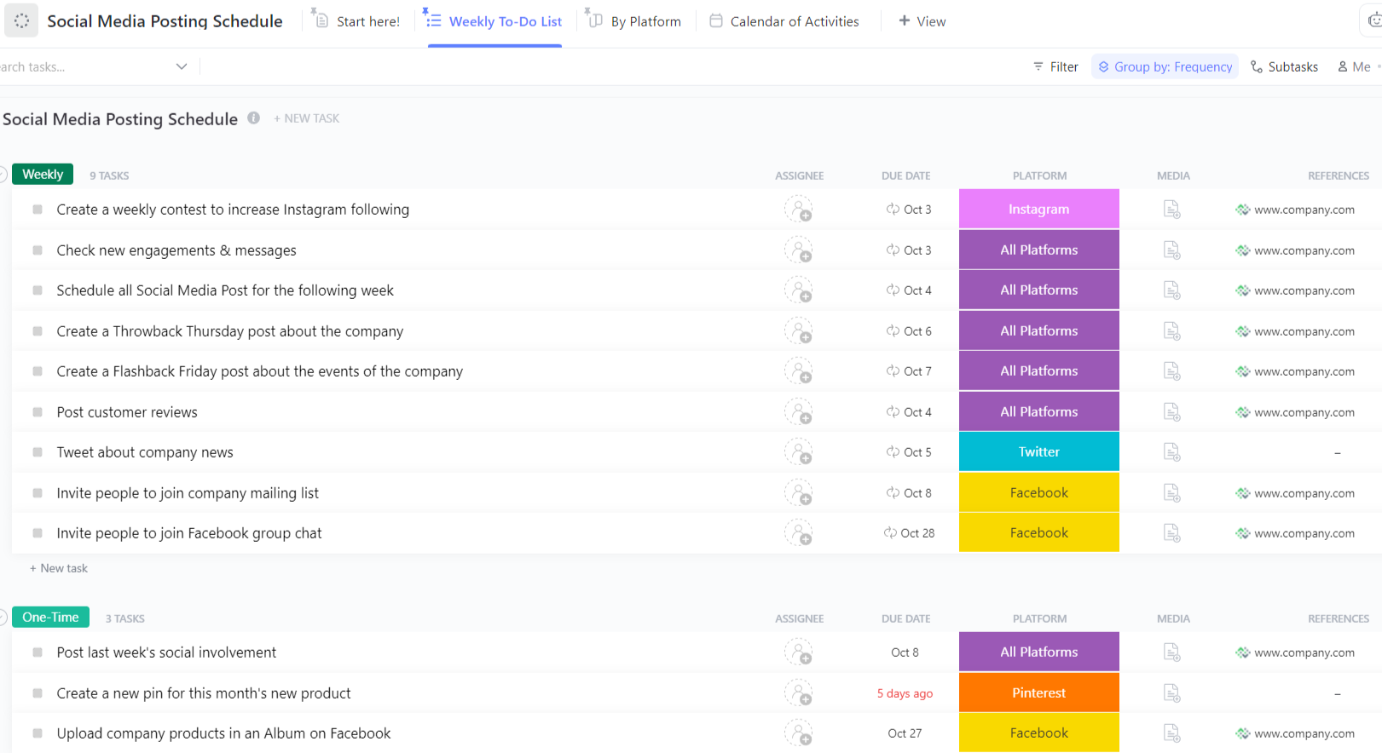
The ClickUp Social Media Posting Schedule Template focuses specifically on cadence, giving you a by-platform view and a shared calendar of activities so you can plan weeks at a time 📅.
You can assign owners, use statuses to show what is in draft or ready, and check built-in reports to see whether you are hitting your planned schedule. A weekly to-do-style view highlights what needs to be prepared next, so you can maintain a reliable presence without last-minute scrambles.
✨ Ideal for: Marketers, agencies, and social teams that want a dependable posting rhythm across multiple platforms.
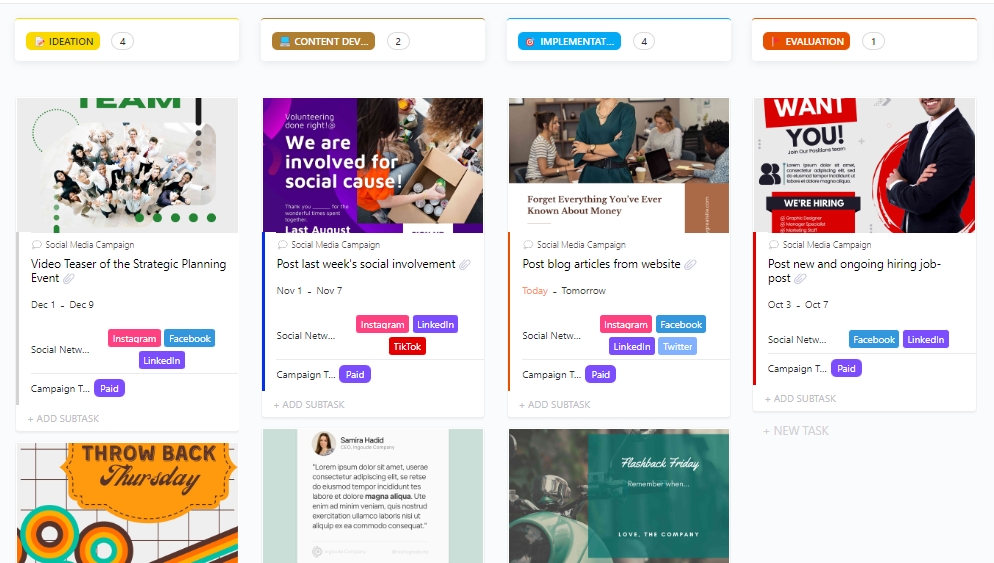
Popular online campaigns like Spotify Wrapped work because roles and deliverables are clear long before the first post goes live. The ClickUp Social Media Campaign Template gives you that kind of clarity, with DACI role views for decision-making, campaign timelines, and dashboards to track how each campaign performs.
You can break campaigns into tasks for creative, approvals, launch, and reporting, then keep everything tied to goals and metrics inside ClickUp. As content moves through production, ClickUp Dashboards show progress and results without needing separate tracking sheets.
✨ Ideal for: Marketing teams, agencies, and brands that want to run social media campaigns end-to-end inside one workspace.
Stopping advertising to save money is like stopping your watch to save time.
Henry Ford’s words couldn’t be more relevant in today’s social media economy.
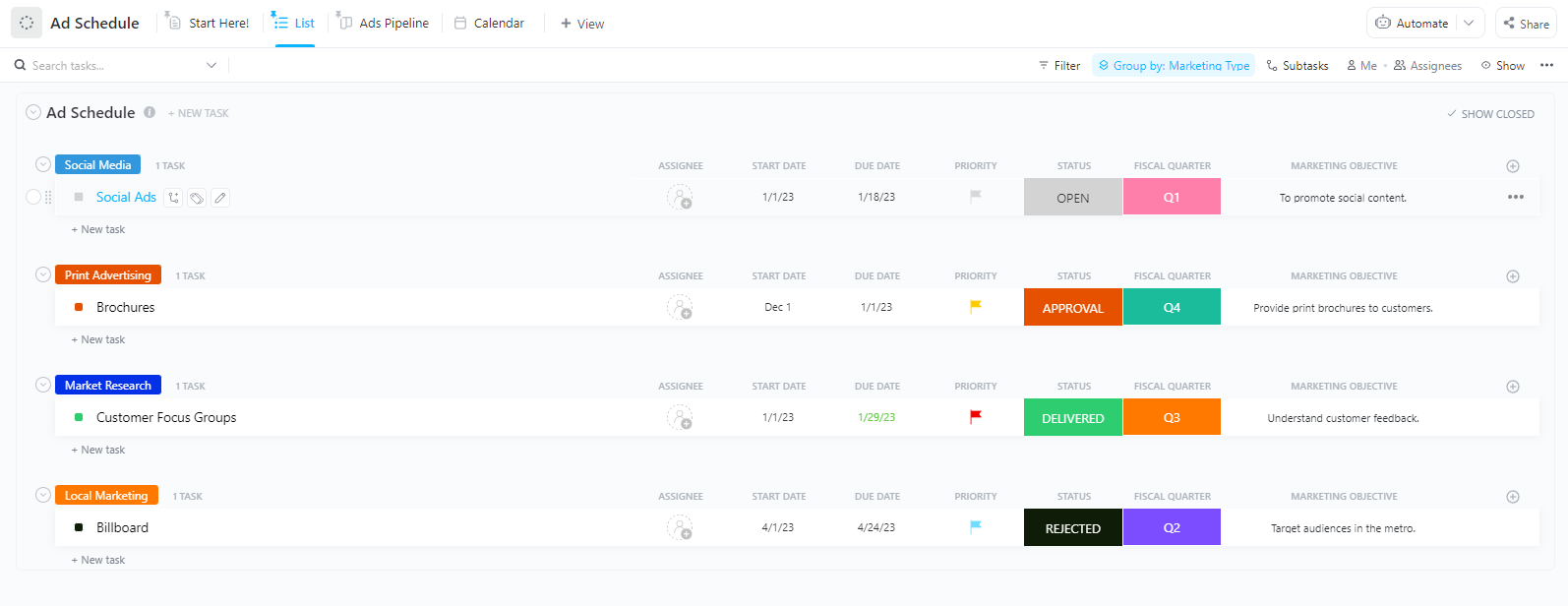
The ClickUp Social Media Ads Schedule Calendar Template centralizes your ad campaigns so you can see start and end dates, creative tasks, and budget fields in a single calendar instead of multiple calendars or apps.
You can track expected and actual impressions, costs, and outcomes using Custom Fields, then adjust schedules as performance data comes in. Because all ad tasks, notes, and metrics sit in one place, it becomes easier to coordinate with copywriters and stakeholders while keeping the bigger spending picture visible.
✨ Ideal for: Marketing teams, ad managers, and agencies that want more control and visibility over paid social campaigns.
At the end of the day, every template we have explored has its strengths. But when it comes to pulling everything together and working on more than just a basic content calendar, ClickUp offers you an AI-powered workspace for your team.
What makes ClickUp different is how it brings your whole process into one place.
You can brainstorm ideas, plan campaigns, schedule posts, and track results without hopping around. It’s that sense of having your calendar and your content all connected that sets it apart from competitors like Notion, which just offers social media planner templates.
If you’ve been looking for a way to stay consistent and worry less about missed posts, this is your sign. Try ClickUp for free and build a social media calendar that actually keeps up with your team.

© 2026 ClickUp

There’s an easier way. Try a free AI Agent in ClickUp that actually does the work for you—set up in minutes, save hours every week.