






Still downloading templates?
There’s an easier way. Try a free AI Agent in ClickUp that actually does the work for you—set up in minutes, save hours every week.
Sorry, there were no results found for “”
Sorry, there were no results found for “”
Sorry, there were no results found for “”
Companies everywhere are looking for ways to get more done without stretching themselves thin.
A recent PwC study found that industries utilizing AI are nearly five times more productive than those that have not yet adopted it. This serves as a significant reminder that individuals no longer desire to start from the beginning.
It’s only natural to want to save time and make each effort count a little more.
This is why organizing and planning templates matter. They offer a simple starting point, saving people from hours of unnecessary setup at work.
In this article, we’ll explore the best monday.com templates that can help you and your team find that same sense of clarity.
Here’s a summary table for all the monday.com and ClickUp planning templates:
| Template Name | Download Template | Ideal For | Best Features | Visual Format |
| Design Weekly Tasks Template by monday.com | Download this template | Design teams managing weekly creative tasks | Organize files, assign owners, track progress | Monday Board, Calendar, Gantt |
| Work Calendar Template by monday.com | Download this template | Teams needing a shared scheduling view | Sync with Google Calendar, assign timelines | Monday Calendar, Timeline |
| Customer Onboarding Template by monday.com | Download this template | Sales and CRM teams managing onboarding | Track onboarding progress and internal alignment | Monday Board, List, Timeline |
| Supporting Sales Materials Template by monday.com | Download this template | Sales reps centralizing case studies and decks | Single repository for all collateral | Monday Board, List |
| Contacts Template by monday.com | Download this template | CRM users managing clients and partners | Collect leads, organize client info, avoid duplicates | Monday Board, List |
| Real Estate CRM Template by monday.com | Download this template | Realtors managing listings and leads | Capture clients, manage listings, assign agents | Monday Board, List, Calendar |
| Project Requests and Approvals Template by monday.com | Download this template | Project managers reviewing new requests | Centralize forms, automate reminders, streamline approvals | Monday Board, List, Form |
| Event Management Template by monday.com | Download this template | Event teams handling planning and execution | Track RSVPs, deadlines, and campaign calendars | Monday Calendar, Timeline, Dashboard |
| Social Media Planner Template by monday.com | Download this template | Marketing teams scheduling posts | Organize assets, platforms, and publish dates | Monday Calendar, List, Kanban |
| Client Campaigns for Agencies Template by monday.com | Download this template | Agencies running campaigns for clients | Integrate HubSpot, Gmail, and Mailchimp | Monday Board, Calendar, Dashboard |
| Marketing Strategy Template by monday.com | Download this template | Teams setting quarterly and yearly plans | Align budgets, campaigns, and KPIs | Monday Board, Gantt, Timeline |
| Features and Releases Roadmap Template by monday.com | Download this template | Product managers planning feature rollouts | Track releases, timelines, and ownership | Monday Timeline, Gantt, Board |
| Customer Projects Template by monday.com | Download this template | Client service teams tracking billable hours | Manage quotes, timelines, and collaboration | Monday Board, Timeline, Calendar |
| Video Production Management Template by monday.com | Download this template | Content teams producing videos | Track requests, budgets, and project stages | Monday Timeline, Dashboard, List |
| Post-Event Opportunities Template by monday.com | Download this template | Marketing and sales teams handling follow-ups | Collect feedback, forecast leads, track deals | Monday Board, Dashboard, Calendar |
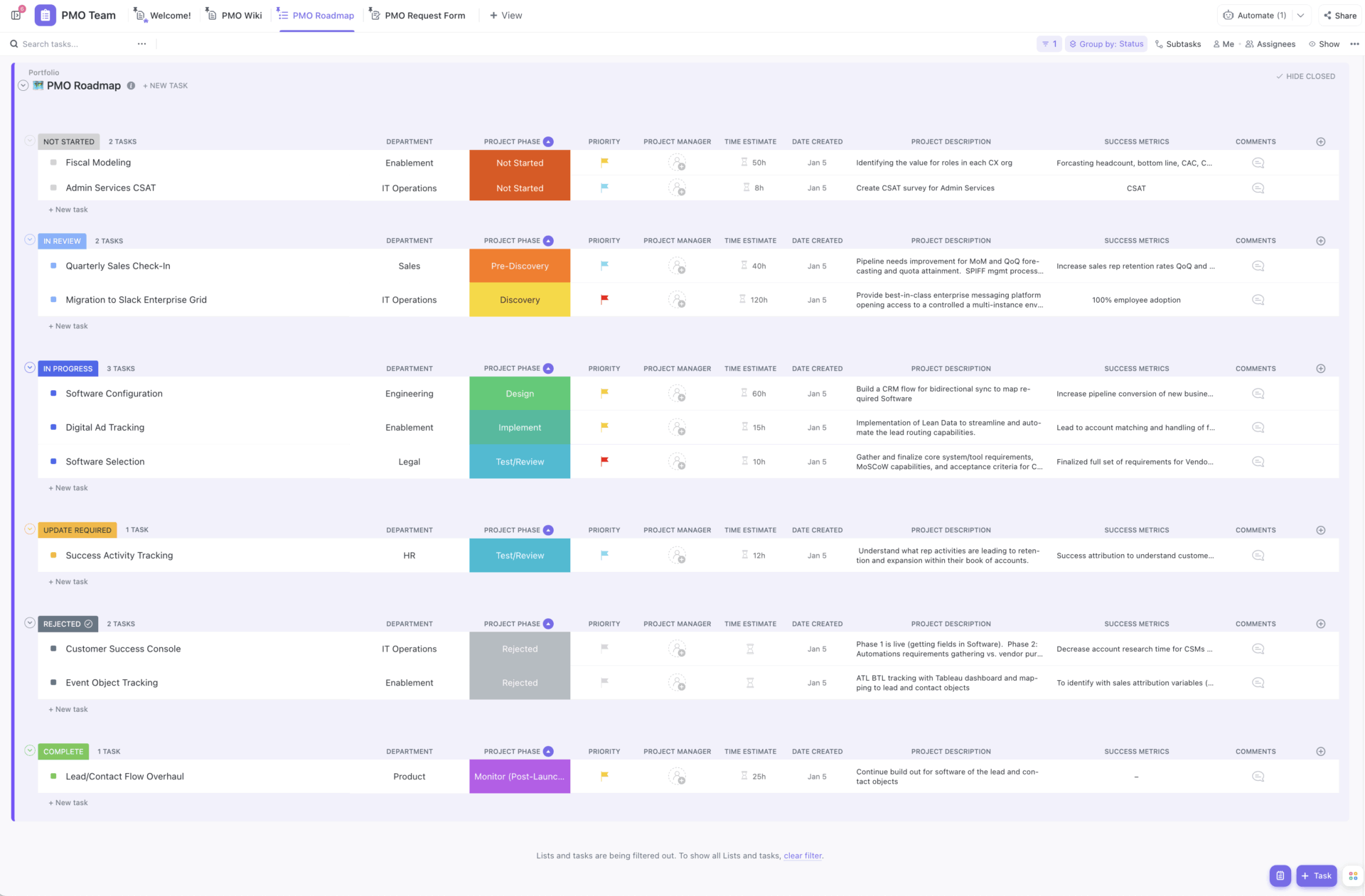
| ClickUp Project Management Template | Get free template | Teams managing complex cross-functional projects | Gantt charts, dashboards, status tracking | ClickUp List, Board, Gantt, Timeline, Dashboard |
| ClickUp Sales Pipeline Template | Get free template | Teams planning product launches | Timeline creation, task assignment, goals tracking | ClickUp Board, List, Timeline, Dashboard |
| ClickUp Simple CRM Template | Get free template | Teams onboarding new customers | Track calls, questionnaires, team assignments | ClickUp List, Board, Calendar |
| ClickUp Marketing Plan Template | Get free template | HR teams sourcing and interviewing | Job postings, scorecards, application tracking | ClickUp List, Board, Timeline, Dashboard |
| ClickUp Content Calendar Template | Get free template | Dev teams managing software issues | Log, prioritize, and monitor bugs | ClickUp Calendar, List, Board |
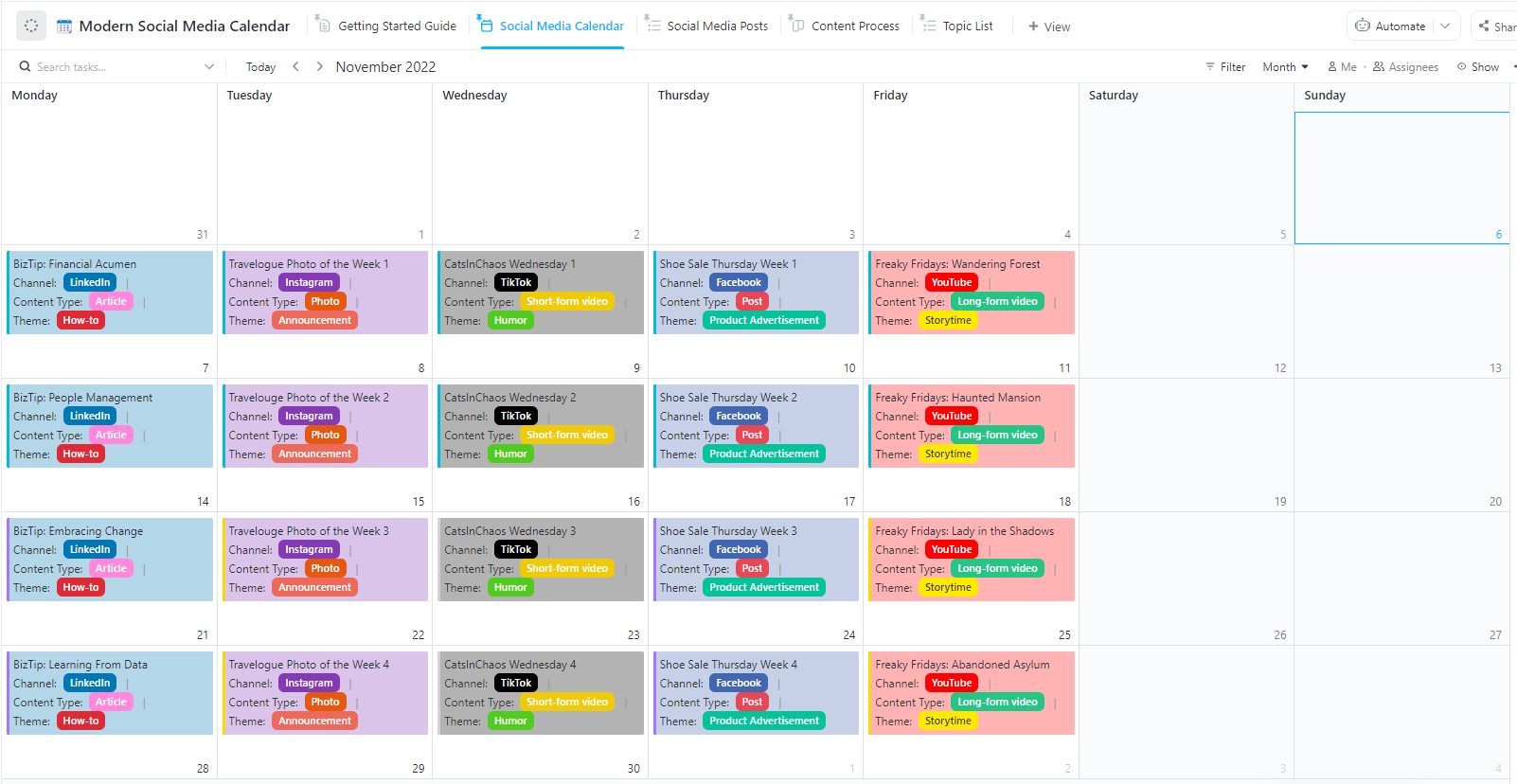
| ClickUp Social Media Calendar Template | Get free template | Teams aligning on objectives | Set OKRs, track progress, share visibility | ClickUp Calendar, List, Board |
| ClickUp Project Management Template | Get free template | HR teams welcoming new hires | Track training, forms, onboarding tasks | ClickUp List, Board, Gantt, Timeline, Dashboard |
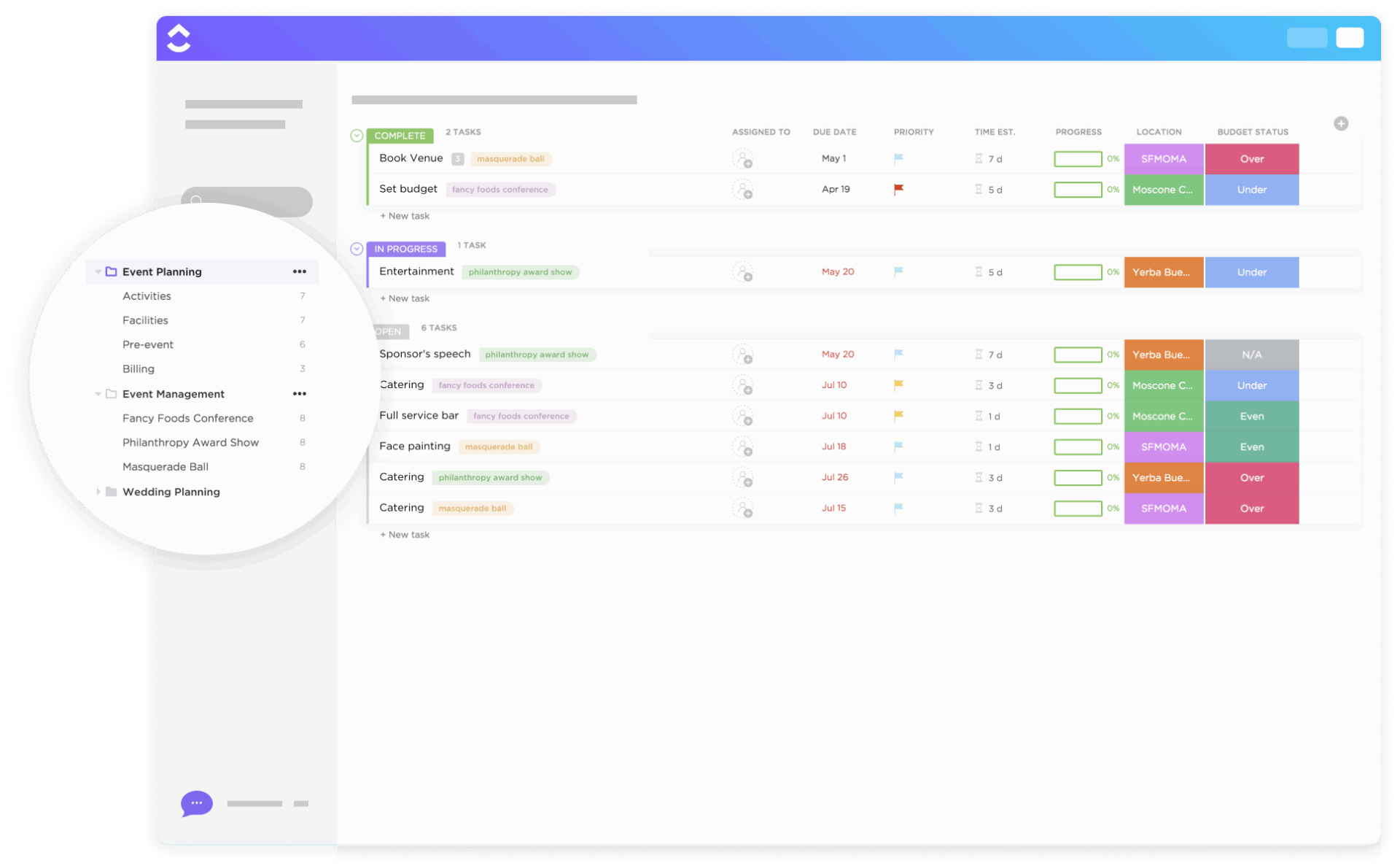
| ClickUp Event Planning Template | Get free template | Teams planning structured meetings | Outline goals, tasks, responsibilities | ClickUp List, Board, Calendar, Docs |
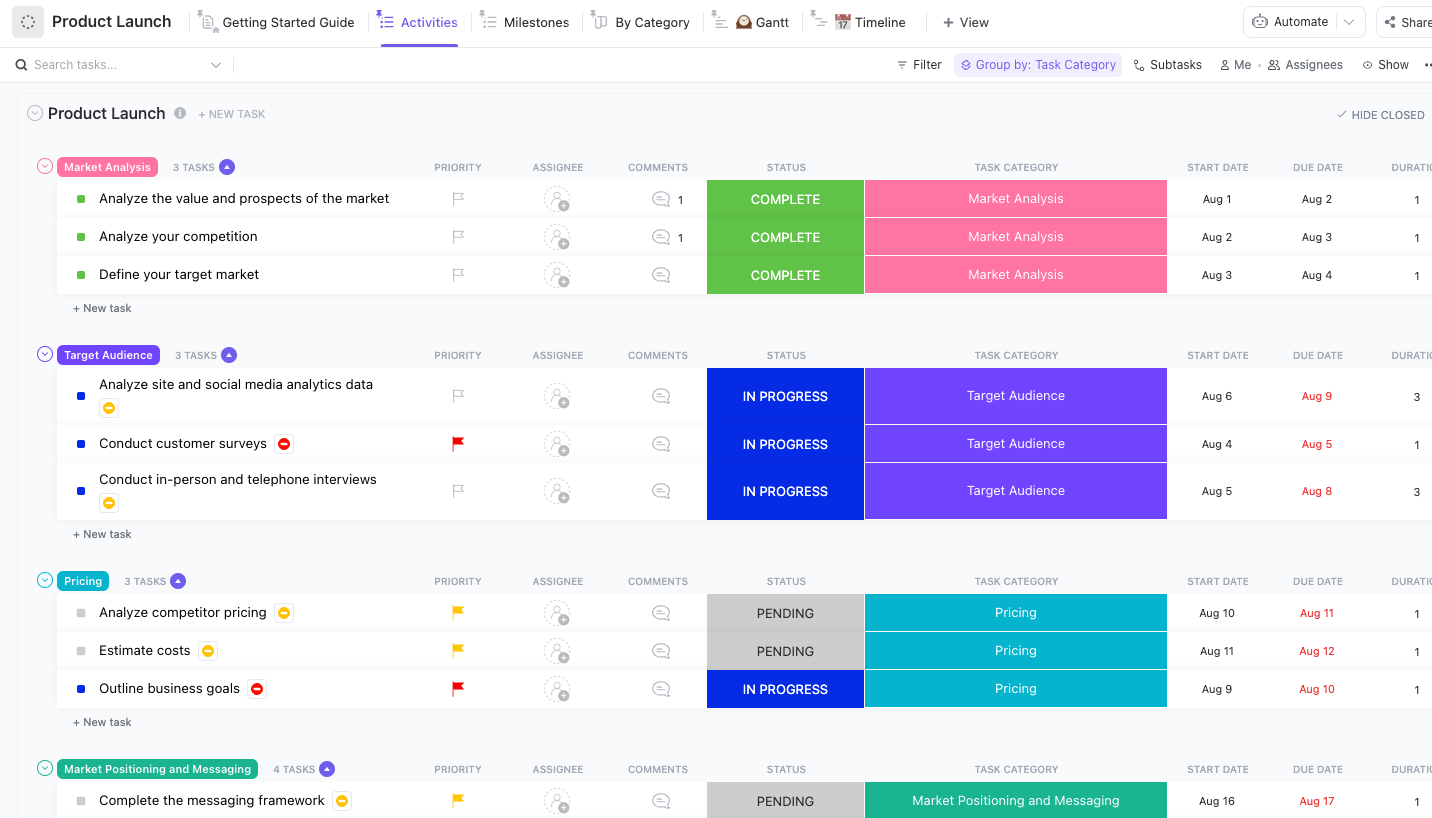
| ClickUp Product Launch Checklist Template | Get free template | Individuals organizing daily tasks | Prioritize, schedule, track personal goals | ClickUp Gantt, Timeline, List |
| ClickUp Client Onboarding Template | Get free template | Teams visualizing project timelines | Spot slowdowns, adjust timelines, assign tasks | ClickUp List, Board, Dashboard |
| ClickUp Recruiting & Hiring Template | Get free template | Agencies and sales teams tracking clients | Centralize client data, manage pipelines, track deals | ClickUp List, Board, Calendar |
| ClickUp Bug Tracking Template | Get free template | Marketers planning campaigns | Track deadlines, content, results | ClickUp List, Board, Calendar |
| ClickUp Company OKRs and Goals Template | Get free template | Agile dev teams planning sprints | Plan sprints, assign tasks, track velocity | ClickUp List, Timeline, Dashboard |
| ClickUp Employee Onboarding Template | Get free template | Content teams scheduling blogs and posts | Organize channels, deadlines, publishing | ClickUp List, Calendar, Docs |
| ClickUp Meeting Agenda Template | Get free template | Teams organizing events | Track RSVPs, logistics, vendor management | ClickUp Docs, List, Board |
| ClickUp Daily Planner Template | Get free template | Individuals and managers | Priority list, calendar view, simple open/complete | ClickUp List, Calendar |
Monday.com templates are pre-built, customizable frameworks that help teams set up projects, campaigns, or processes without laying the building blocks every single time.
Each template comes with ready-made boards, default columns, and built-in views, giving you a clear framework to manage tasks, timelines, and responsibilities in one place. For example, imagine you’re planning a product launch. Instead of creating a project plan from scratch, you can pick a “Product Launch Template.”
It already includes timelines, task owners, budget columns, and status trackers. All you do is adjust the details to fit your goals, and the template instantly becomes your project’s central hub.
Here’s what they offer:
In a Reddit discussion, one user explained,
I have ADHD and need reminders to do simple things like drink water, so having a list of to-dos that are both personal and work-related that don’t remind me… is leaving me with the digital list and then a handwritten one with all the stuff I forgot to do.
This highlights a common problem: templates that only capture information but don’t actually guide you through it. A good monday.com template solves this gap. ✨
This doesn’t just store tasks—it helps you remember, prioritize, and act on them. The best ones create structure while still giving you the freedom to adapt them to your own way of working.
Here’s what to look for in a good monday.com template:
Here are 15 Monday templates that can save you time and give your projects a stronger start.
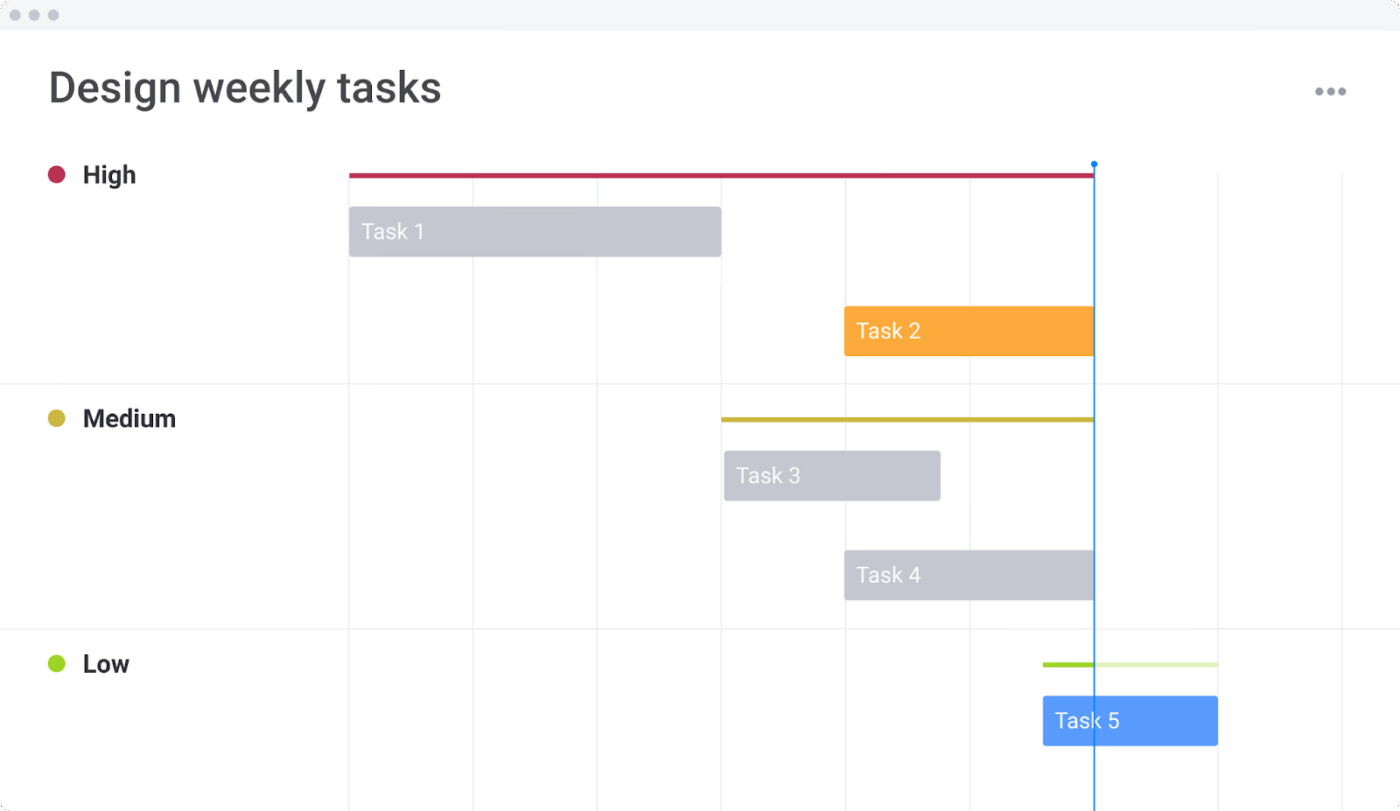
Remember in The Devil Wears Prada when Andy was drowning in last-minute tasks? She had designers asking for changes, Miranda dropping new requests, and piles of files she couldn’t keep straight.
The Design Weekly Tasks Template from monday.com steps in to bring order to the mess so everyone knows what they’re working on for the week ahead.
You can check workloads to keep the balance right and avoid burning people out. Files live inside the board, so no one wastes time hunting through emails or folders. With views like Gantt charts and progress overviews, you see deadlines and updates at a glance.
✨ Ideal For: Design teams that need to manage weekly creative tasks and keep ownership clear.
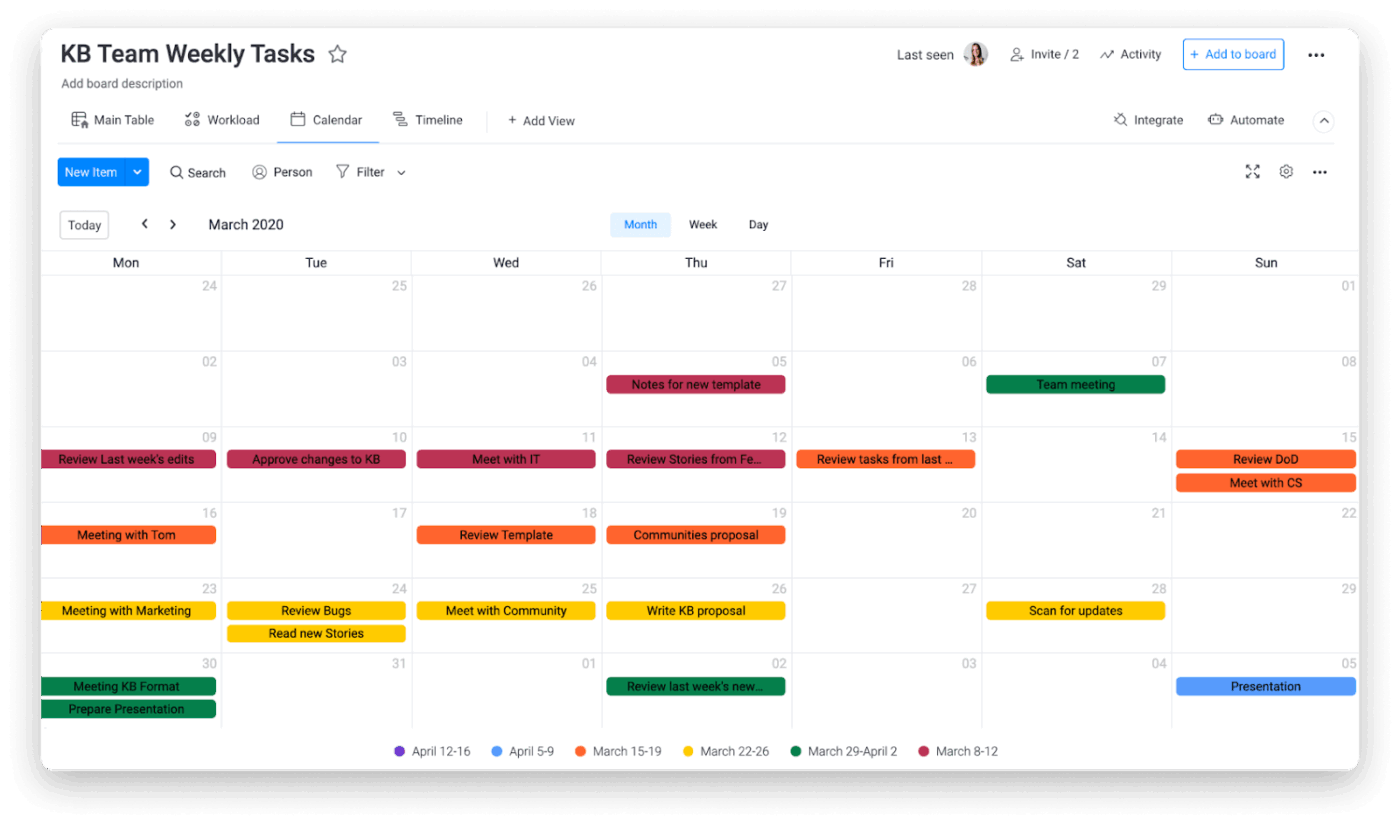
Remember a time in school when you forgot about a project deadline until the night before it was due? That panic is the same feeling teams get when they lose track of due dates.
The Work Calendar Template by monday.com helps stop that chaos by putting every deadline in one shared space so nothing sneaks up on you. It gives teams a clear calendar view of what’s due and when, with the ability to assign tasks and set timelines.
You can see workloads across the board, making it easier to shift responsibilities before anyone gets overwhelmed. Plus, the Google Calendar integration ensures that whether you check your phone, laptop, or the board itself, you always know what’s coming up.
✨ Ideal For: Teams that want a shared calendar view to stay on top of schedules and deadlines.
📖 Also Read: Review of monday.com with Pros and Cons
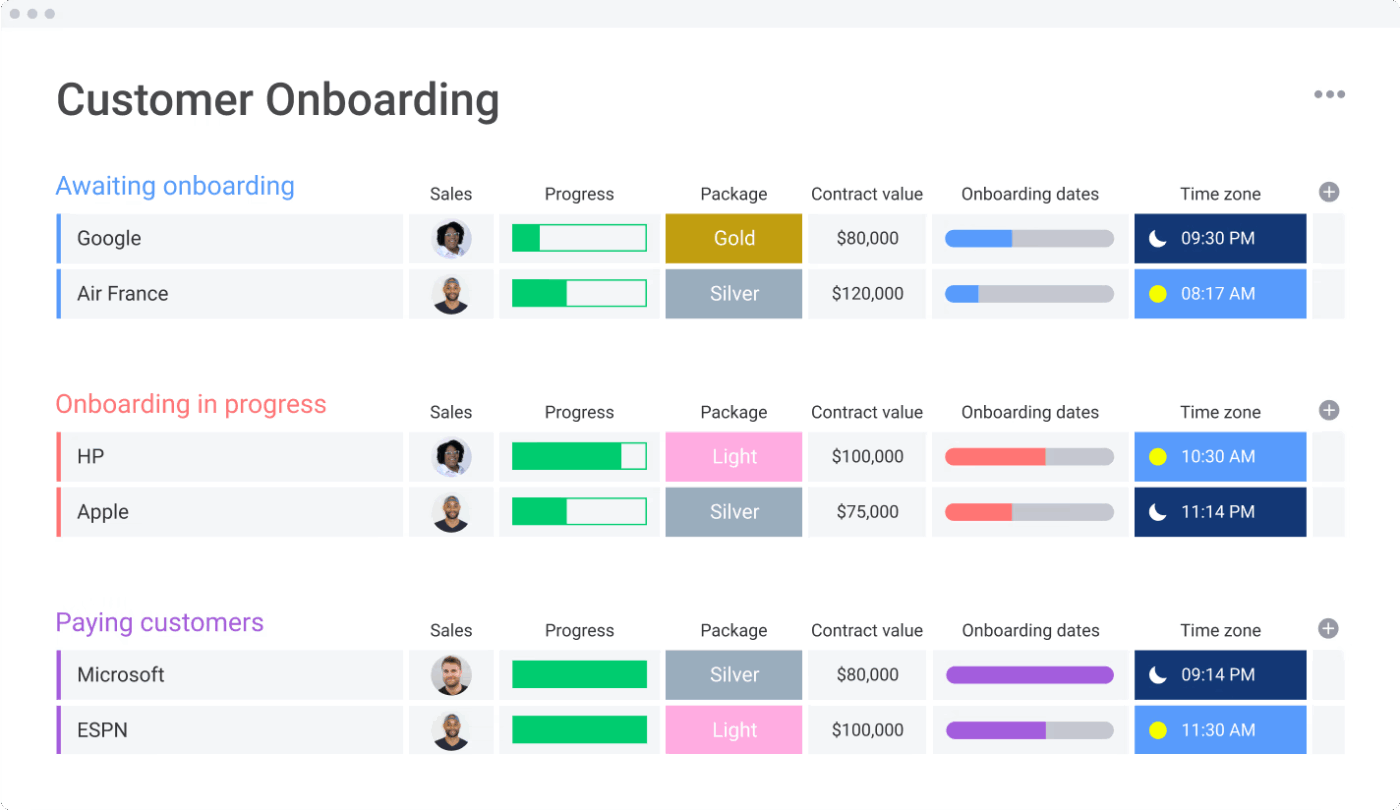
The Customer Onboarding Template by monday.com guides clients onboarding at every step, from kickoff call to final training, in one structured flow. This template helps teams track time spent, monitor progress, and keep sales and service staff in sync.
Everyone involved can see where a client stands, what’s coming up next, and who is responsible for delivering it.
✨ Ideal For: Sales and CRM teams that need a structured onboarding process for new clients.
💟 Bonus: See our roundup of the best Gantt chart software!
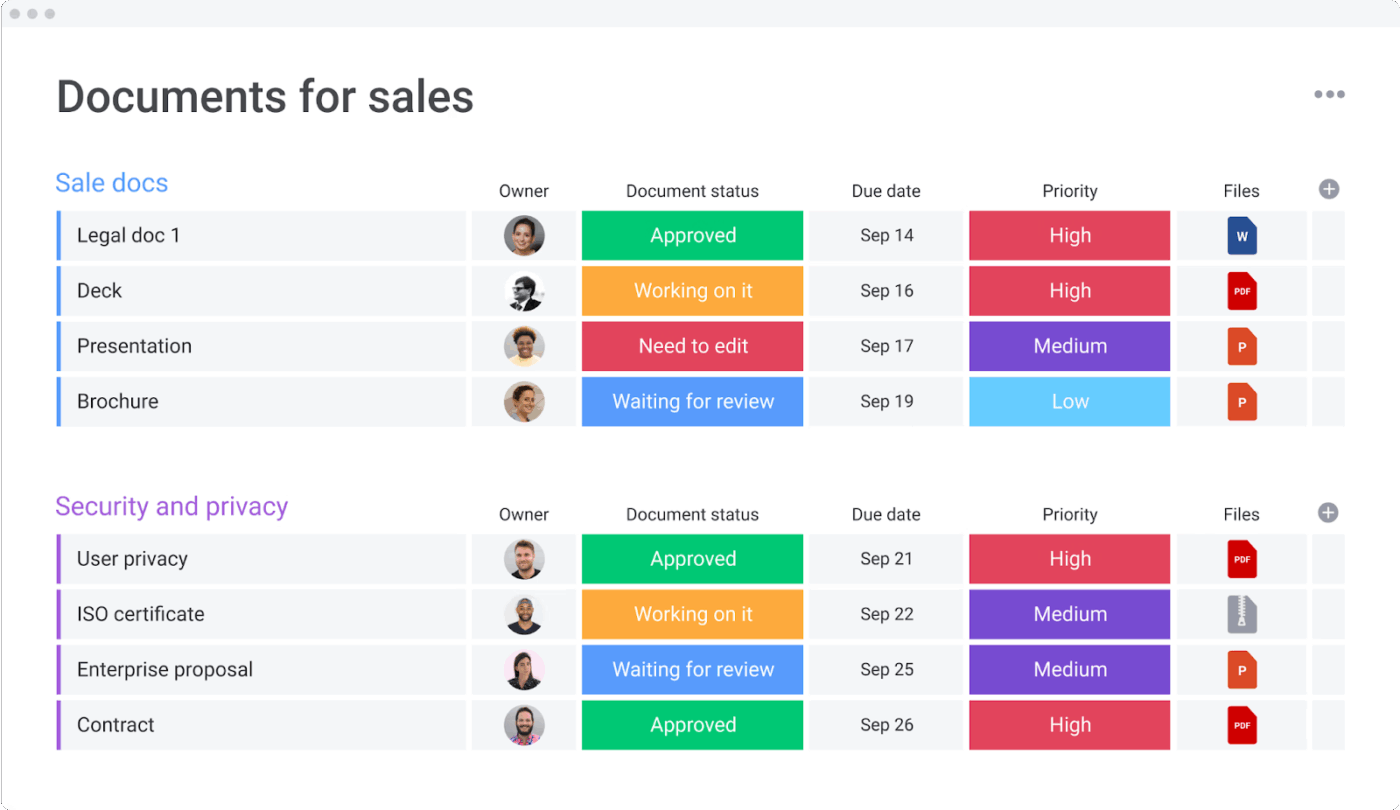
Deals can stall when reps scramble to find the latest case study or, worse, send outdated decks that confuse prospects. The Supporting Sales Materials Template by monday.com resolves that problem by giving your team a single home for every brochure, playbook, and slide they’ll ever need.
Instead of chasing links buried in emails or hunting down who has the “final-final” version of a presentation, your team gets one clear source of truth. The template also helps you track the creation of new materials, so reps know exactly when fresh assets are ready to share.
✨ Ideal For: Sales reps who want a single place to store and update case studies, decks, and collateral.
📖 Also Read: Strategies to Effectively Manage Project Managers
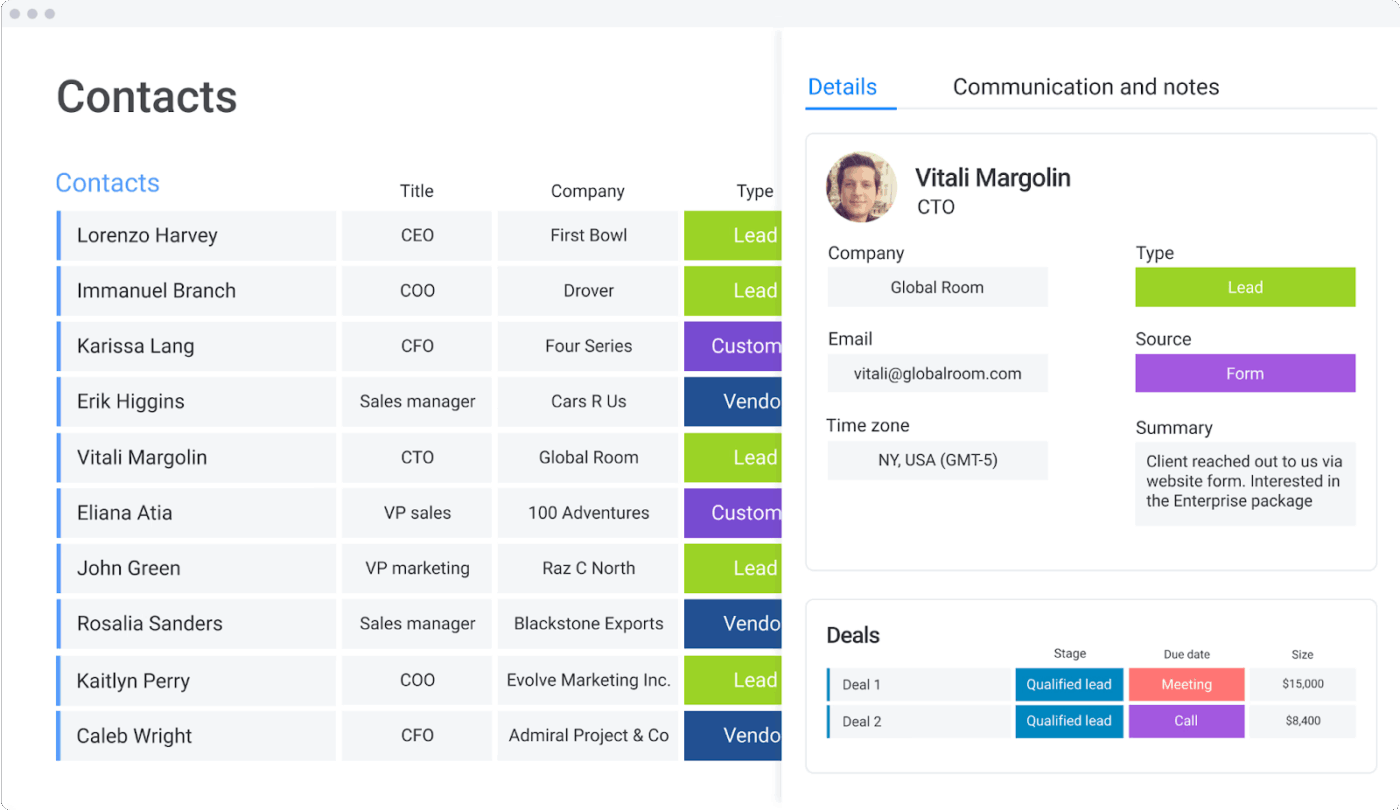
Picture this: Your boss asks you to call a potential client, and suddenly you realize you don’t have their number handy. You’re scrolling through old texts, even searching random files just to find the right details.
Monday.com designed the Contacts Template to alleviate this type of stress. It keeps all your relationships (from clients and leads to vendors and partners) in one organized place. You can even use built-in forms to capture new leads directly and tailor the board to track details that matter to you, like social media links, last interaction dates, or upcoming meetings.
✨ Ideal For: CRM users managing leads, clients, and partners without worrying about duplicates.
📮 ClickUp Insight: Our survey shows that one in four meetings has eight or more people in the room, and the average meeting runs for about 51 minutes. That adds up fast—teams can be losing 6 to 8 hours every week just sitting in meetings.
💡What if you could reclaim that time? With ClickUp, teams replace long calls with in-task collaboration. Share comments, files, voice notes, and even video clips—all in one place.
💫 Real Results: STANLEY Security’s global teams cut back 8+ hours of meetings every week by working in ClickUp.
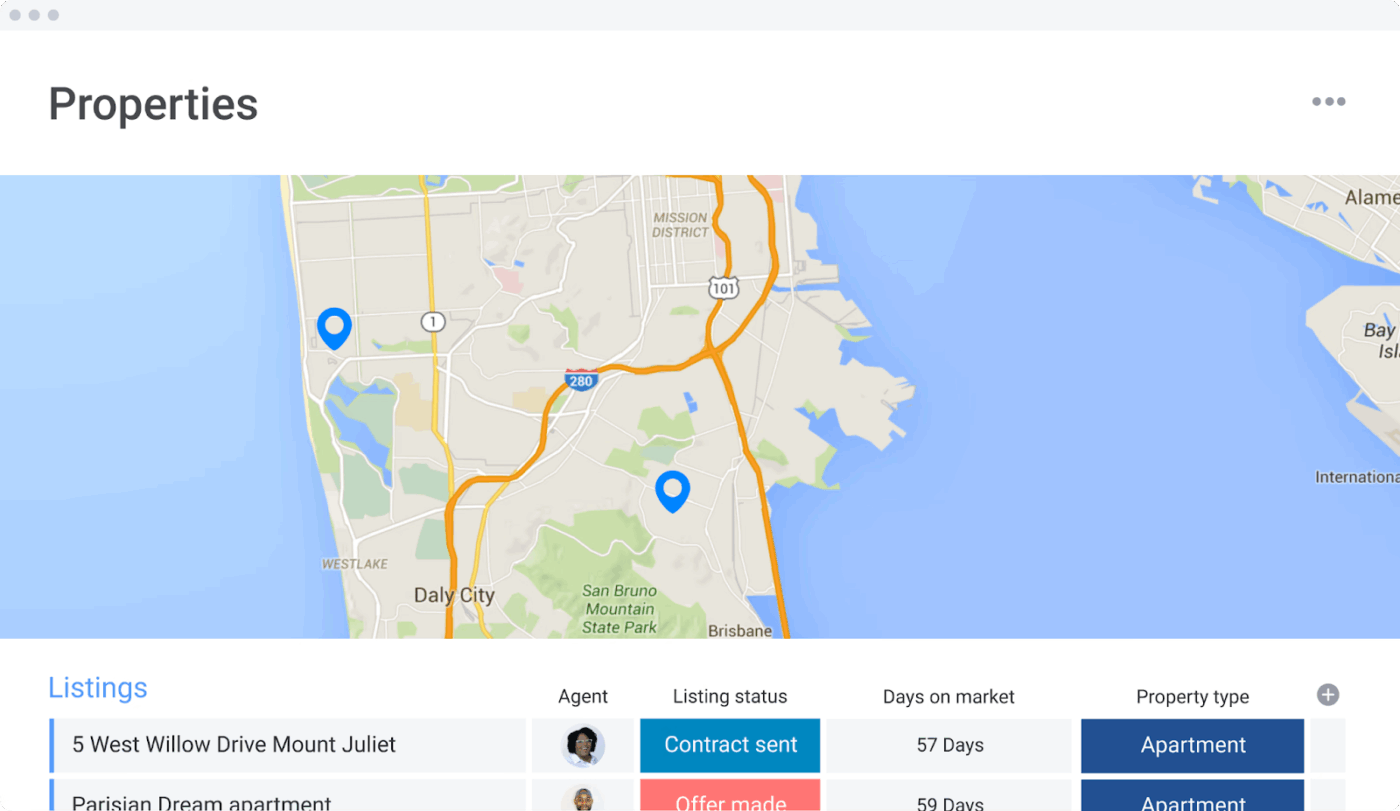
In 2021, there was a frenzy in the housing market. Bidding wars were making headlines in the New York Times, and homes were selling in days instead of months.
The Real Estate CRM Template by monday.com helps cut through the noise in times like these. By giving agents a single hub to manage clients, listings, and workloads, this template centralizes all processes and data.
You can capture new leads through customizable forms, instantly tie them to specific listings, and track every step of the process. It also gives you a live view of market data, like days on the market and agent availability, so you’re never caught off guard when a client calls.
✨ Ideal For: Real estate agents tracking listings, managing leads, and coordinating follow-ups.
👀 Did You Know: Over a three-year period, organizations using ClickUp achieved an estimated 384% return on investment (ROI), according to Forrester Research. These organizations generated about $3.9 million in incremental revenue through projects enabled or improved by ClickUp.
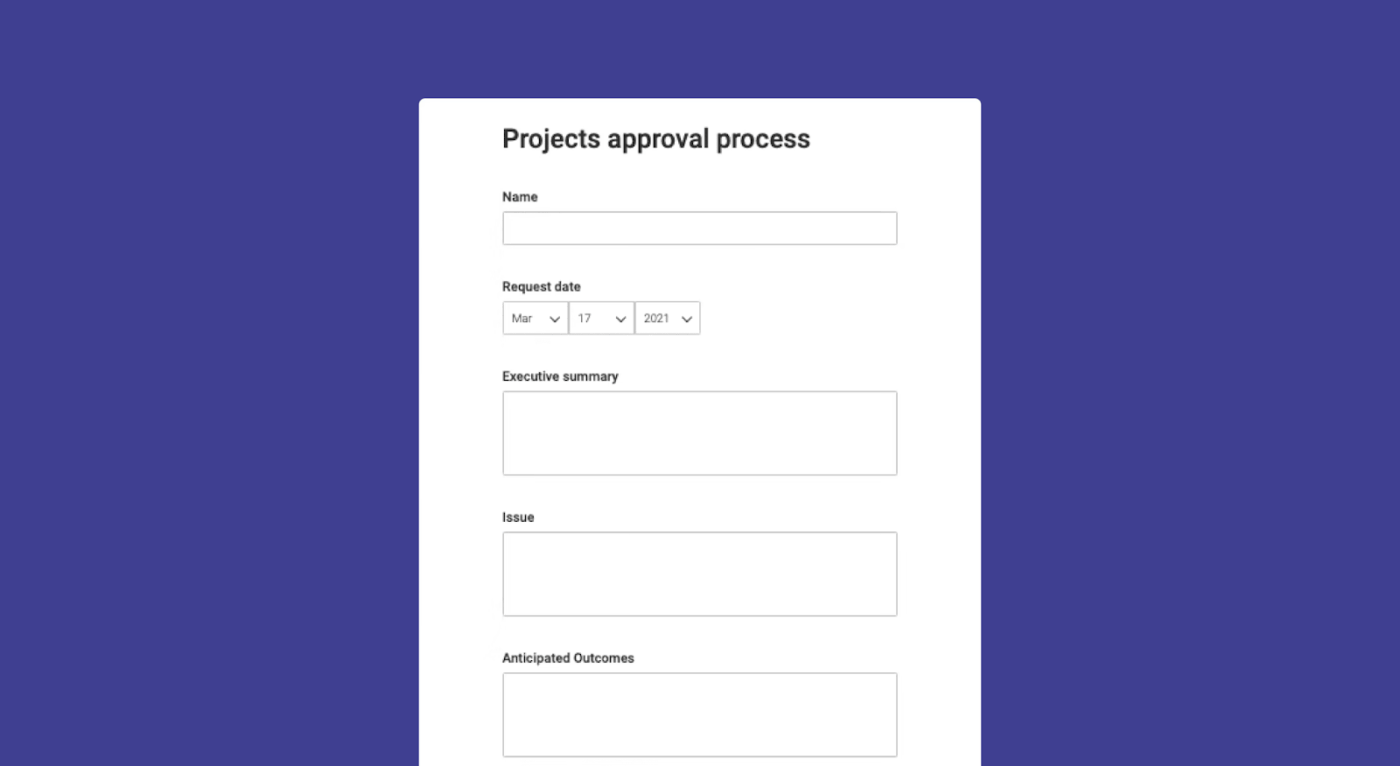
The Project Requests and Approvals Template keeps all approvals and requests in one place. Rather than using spreadsheets, messages, and status emails, you can create shareable forms to collect requests, direct them to the appropriate individuals, and monitor their progress until approval.
Every stakeholder can see real-time status updates and automated reminders. It’s the difference between a project that stalls in “waiting for approval” purgatory and one that moves smoothly to delivery.
✨ Ideal For: Project managers who need a simplified process to collect and approve new requests.
📖 Also Read: Best monday.com Alternatives & Competitors
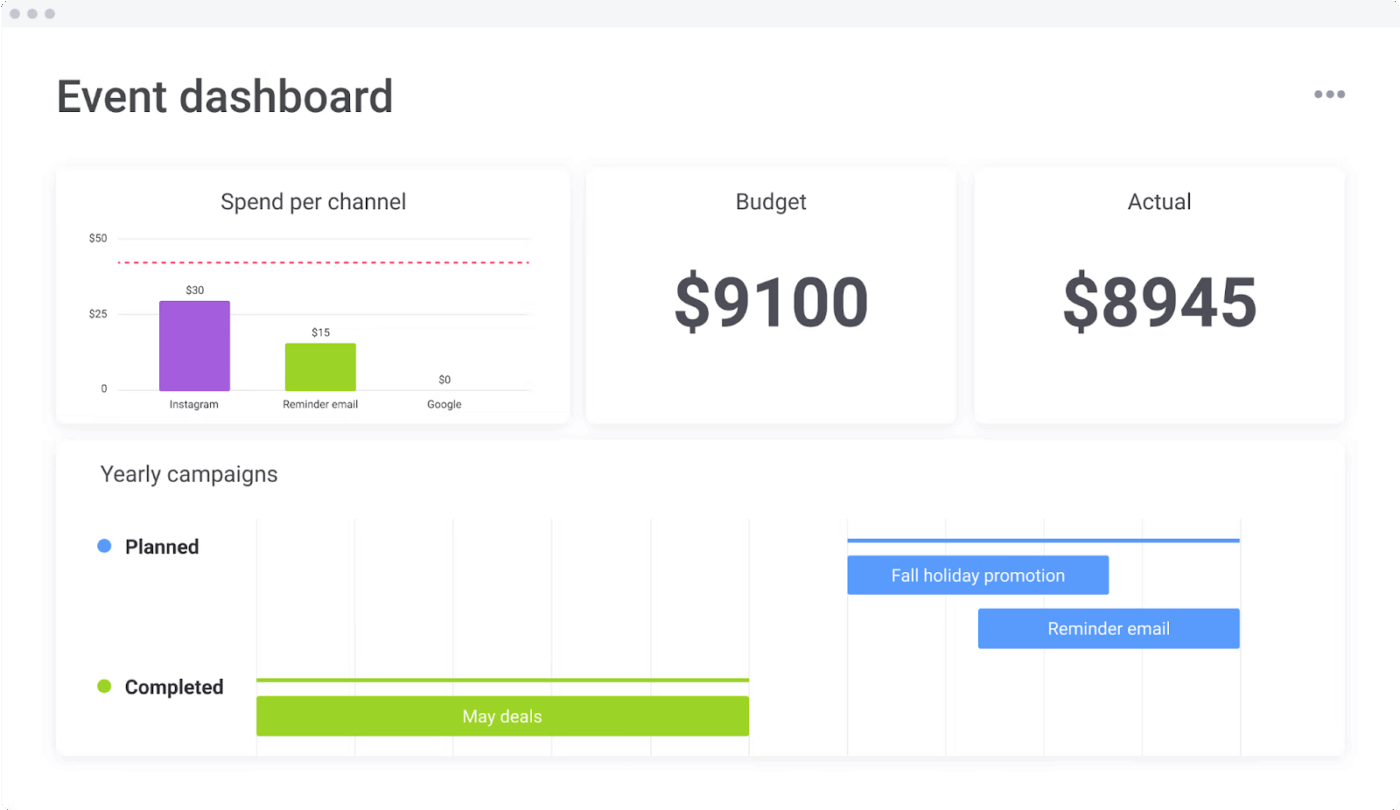
The Event Management Template by monday.com helps you organize a seamless event without last-minute oops. You can build in RSVPs with forms so you know how many people are coming.
Tasks like vendor booking, venue readiness, and safety plans are visible in one dashboard. You can set deadlines, assign people to take care of different parts (security, guest list, logistics), and monitor progress. After the event, you get dashboards to review how things went—what worked and what didn’t—so next time is better.
✨ Ideal For: Event planners who want to track RSVPs, deadlines, and vendor logistics in one space.
🧠 Did You Know: Kraft Heinz is reorganizing its empire by creating two separate companies: one focused on global “taste” brands like Heinz ketchup and Philadelphia cream cheese, and another handling U.S. grocery staples like Kraft Singles. The move aims to simplify decision-making and keep each division focused.
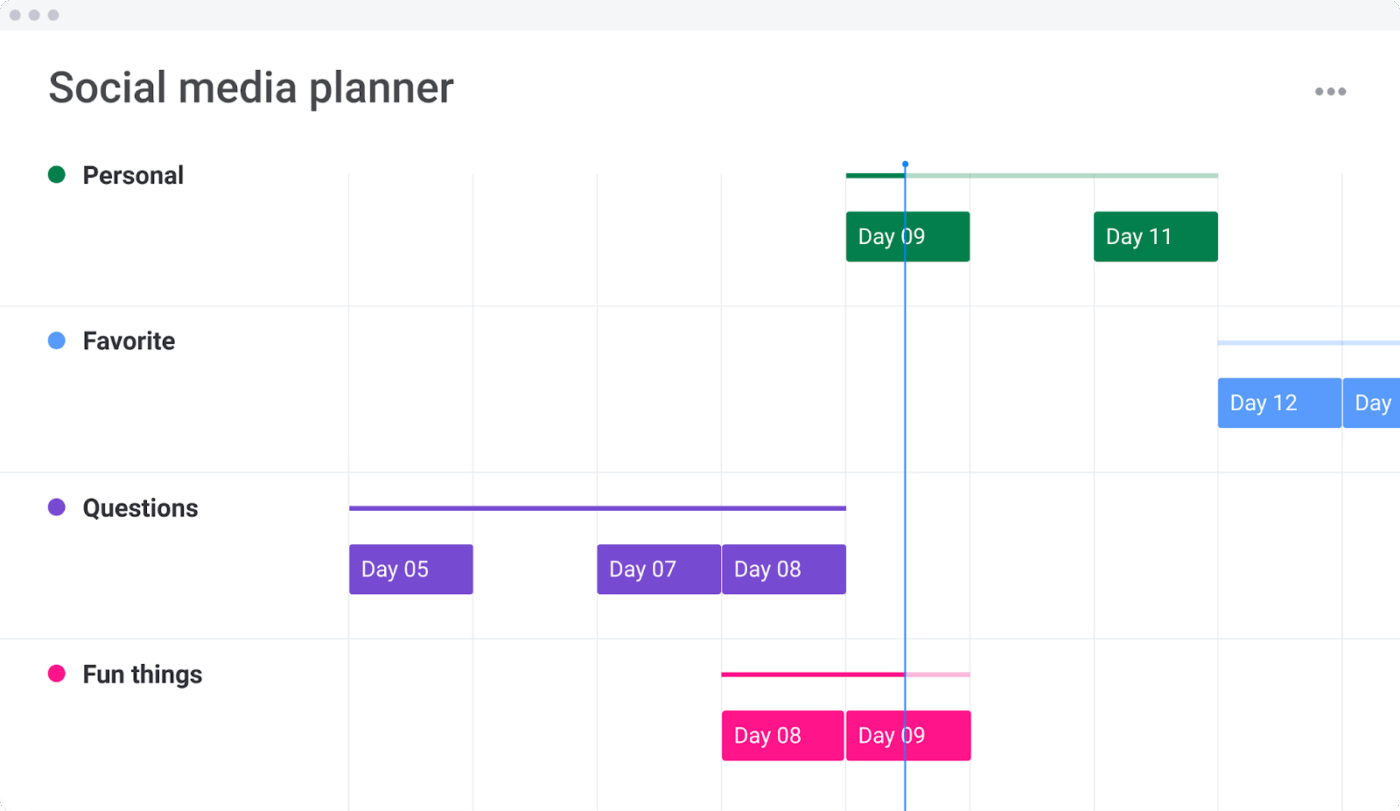
Remember when Barbenheimer took over the internet in 2023? Suddenly, every brand, from popcorn sellers to airlines, was trying to ride the pink-meets-apocalypse wave.
That’s exactly where the Social Media Planner Template by monday.com comes in. Instead of relying on last-minute inspiration, you get a structured space to organize posts by platform, publish date, and creative assets.
Your designers, copywriters, and strategists can all work from the same board, so campaigns stay consistent and on time. You can even see metrics for which posts hit and which ones need tweaking next time.
✨ Ideal For: Marketing teams organizing content, scheduling posts, and monitoring performance across platforms.
📖 Also Read: Real Project Management Examples for Your Team
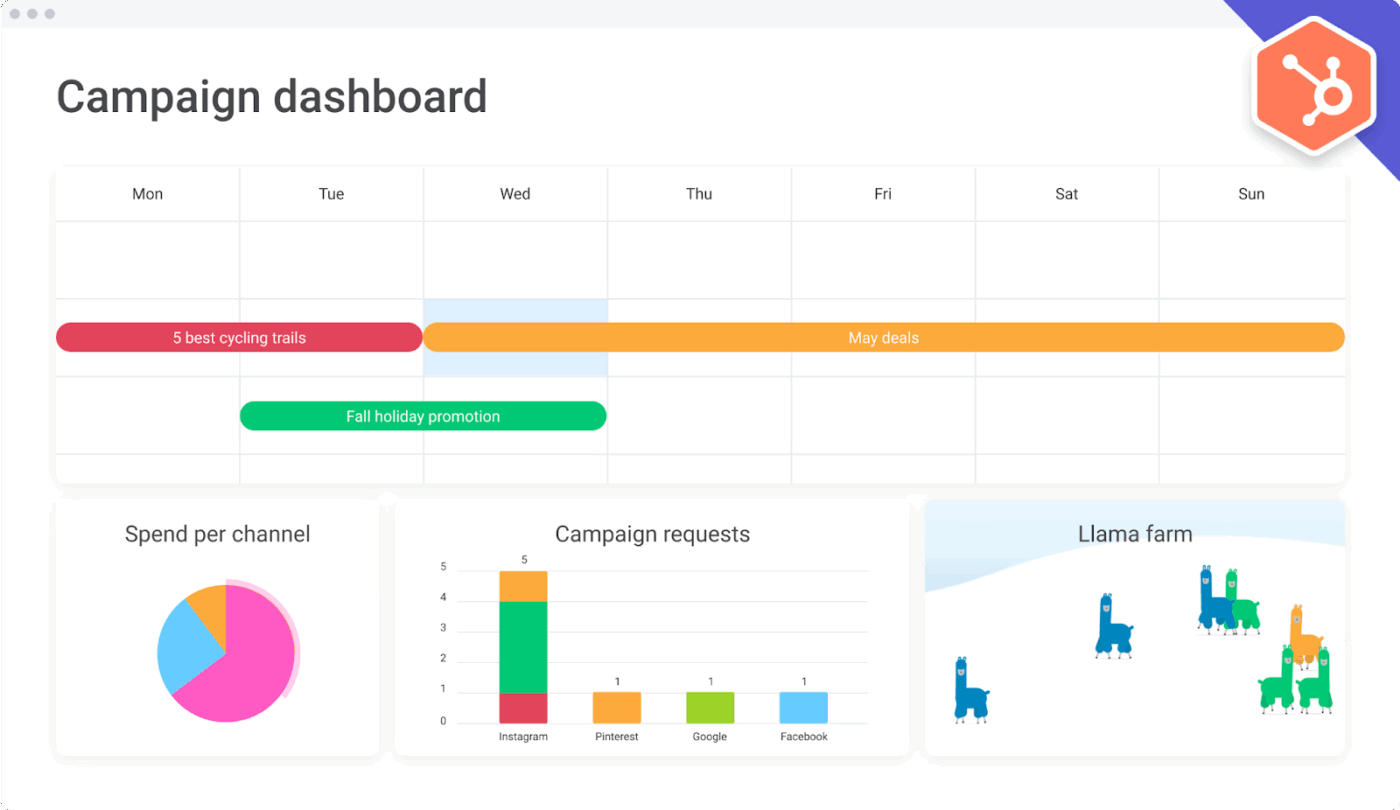
When Oreo tweeted “You can still dunk in the dark” during the 2013 Super Bowl blackout, it was the result of legendary preparation and coordination between their agency and brand team.
Today, the speed at which campaigns launch has only accelerated. That’s where the Client Campaigns for Agencies Template by monday.com steps in. This template gives agencies a dedicated workspace to handle everything from client intake to campaign launch.
Plus, you can centralize client requests with customizable forms, integrate tools like HubSpot and Mailchimp for seamless data flow, and track campaigns on calendars or dashboards.
✨ Ideal For: Agencies managing multiple client campaigns with integrations and centralized workflows.
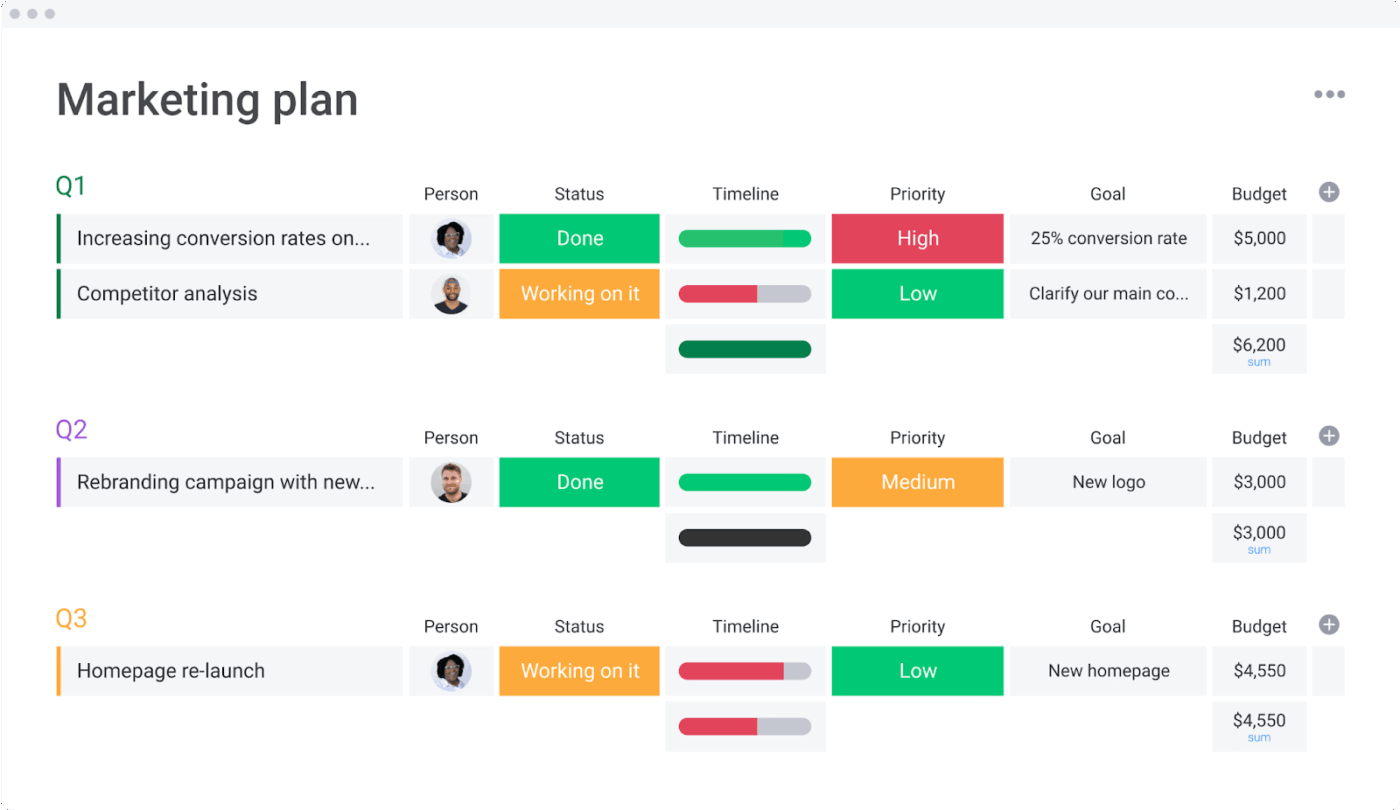
In Australia, telecom giant Telstra surprised everyone with a dance challenge campaign called the “Telstrut” that went viral on TikTok. The video racked up well over 22 million views and helped the company connect with younger audiences who might never have thought twice about a phone provider.
That is where the Marketing Strategy Template by monday.com can make a difference for teams. This template gives you one place to map out your goals, budgets, and campaigns.
You can then use it to align quarterly plans with day-to-day activities, track progress with visual timelines, and keep the whole team on the same page. The result is less guesswork and more focus on what really drives growth for your business.
✨ Ideal For: Marketing teams planning quarterly or annual strategies while aligning budgets and KPIs.
📖 Also Read: How to Use AI in Project Management
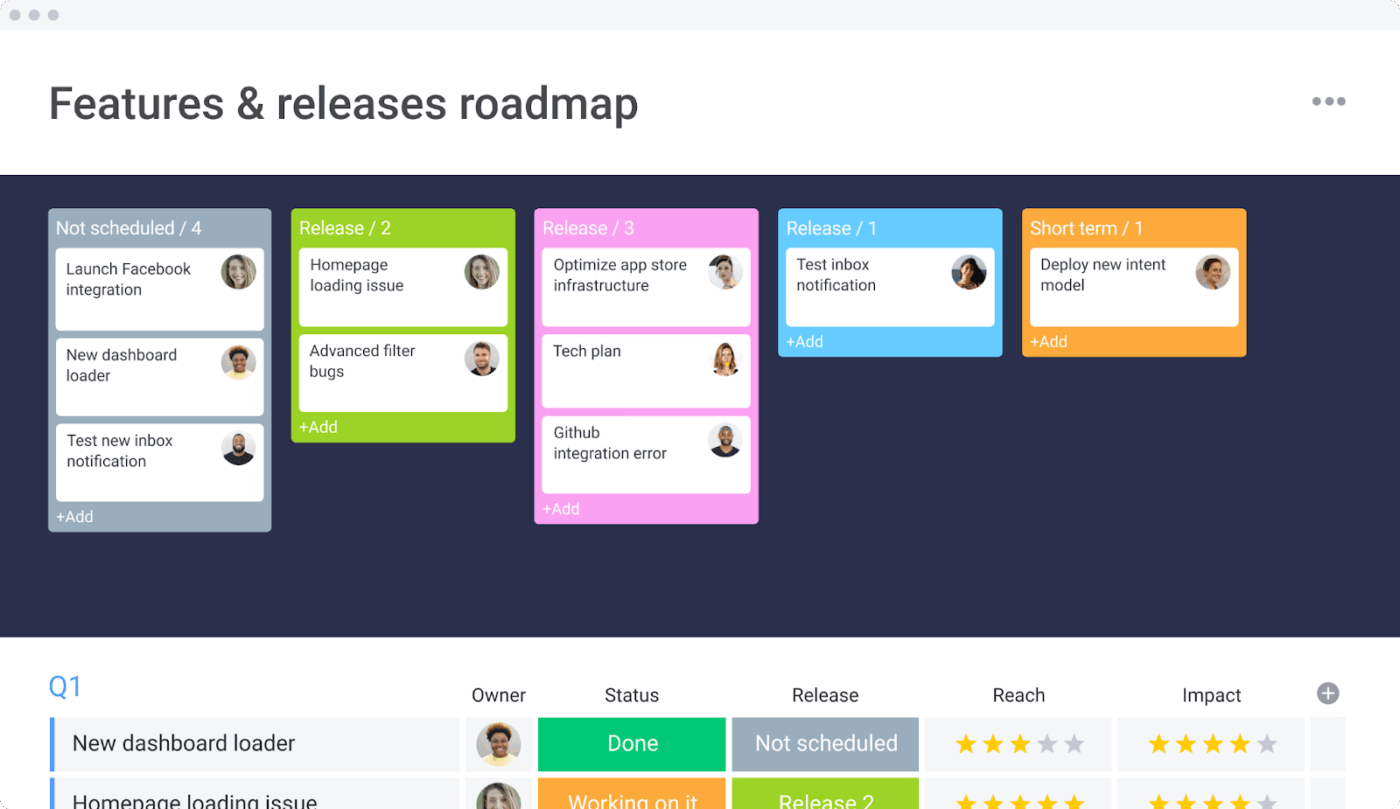
The Features and Releases Roadmap Template by monday.com allows you a space to plan what you’re going to build, when, and why. You can map out releases by quarter, see which features depend on others, and prioritize based on impact and effort.
If things change—such as market shifts, user feedback, or resource constraints—you can adjust the roadmap and push updates. Visibility means that everyone knows what’s coming and what’s expected.
✨ Ideal For: Product managers prioritizing, planning, and tracking feature releases and roadmaps.
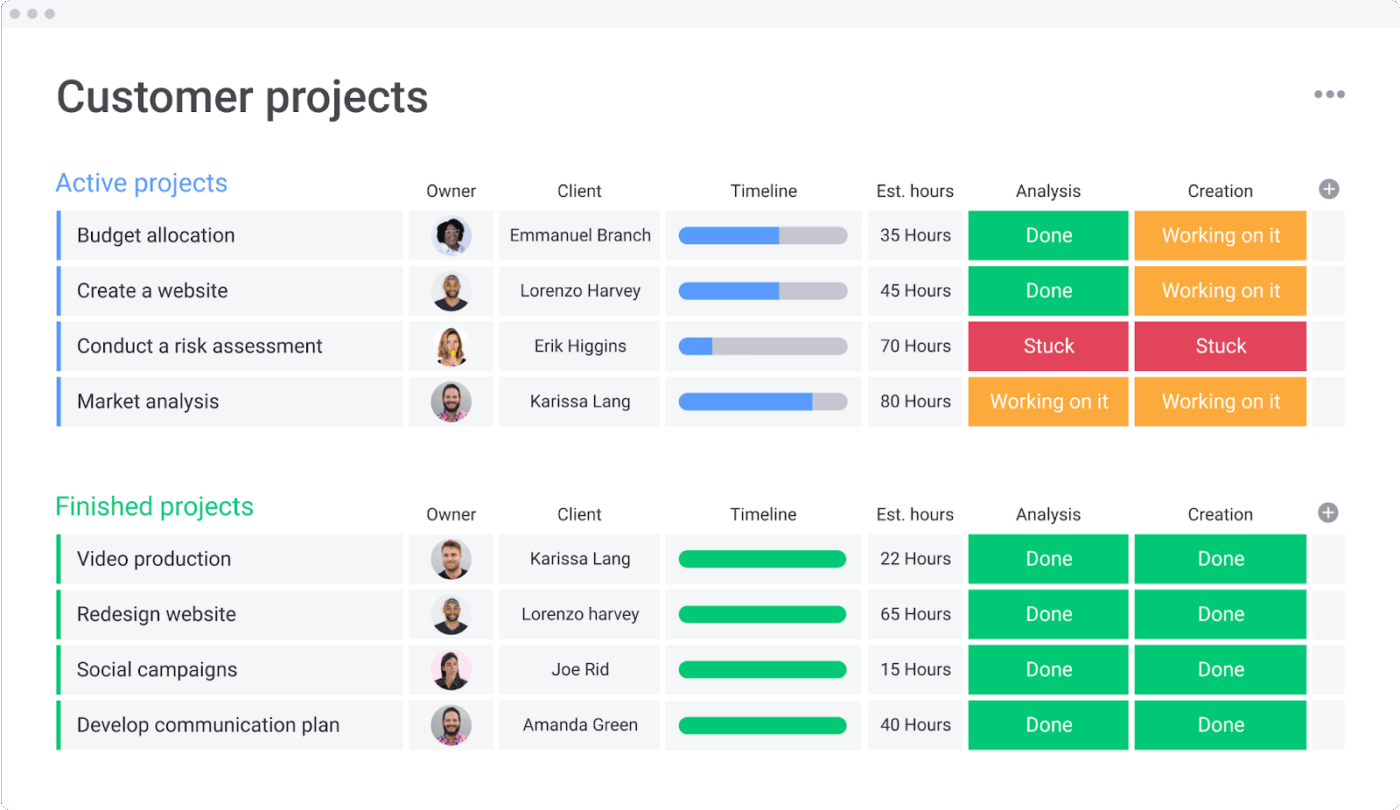
The Customer Projects Template by monday.com gives you a centralized workspace to manage every detail of your client projects. Connect contacts directly to their projects, track timelines, and see budgets update in real time as hours are logged. It also makes collaboration easier by keeping communication, task assignments, and project data in one place.
✨ Ideal For: Client service teams managing billable hours, deliverables, and collaboration with stakeholders.
📖 Also Read: How to Ace Project Management for IT Projects
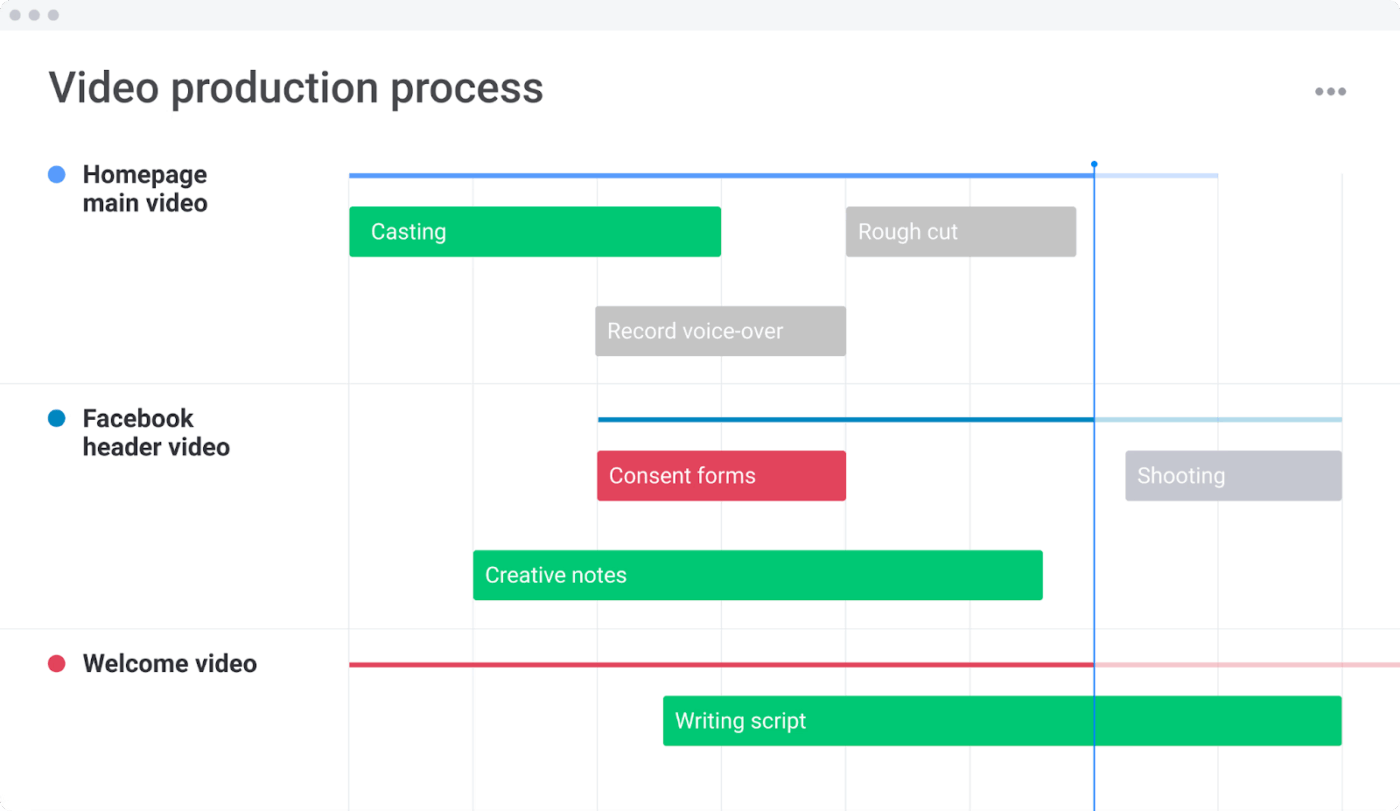
Imagine you’re leading a client’s brand video. The script is approved, but the location team is waiting on schedules, the actors still don’t have call sheets, and the client suddenly wants to review the storyboard again.
The Video Production Management Template by monday.com is what you can rely on during these situations. You can manage requests as they come in, assign tasks to the right team members, and track progress from pre-production through post.
✨ Ideal For: Video production teams overseeing requests, budgets, and projects from start to finish.
🧠 Did You Know: Honeywell plans to spin off into three public companies by 2026: Aerospace, Automation, and Advanced Materials. Leaders say this will allow each branch to “plan on its own terms.” It’s the same logic as breaking one messy board into three monday.com boards for better workflow management.
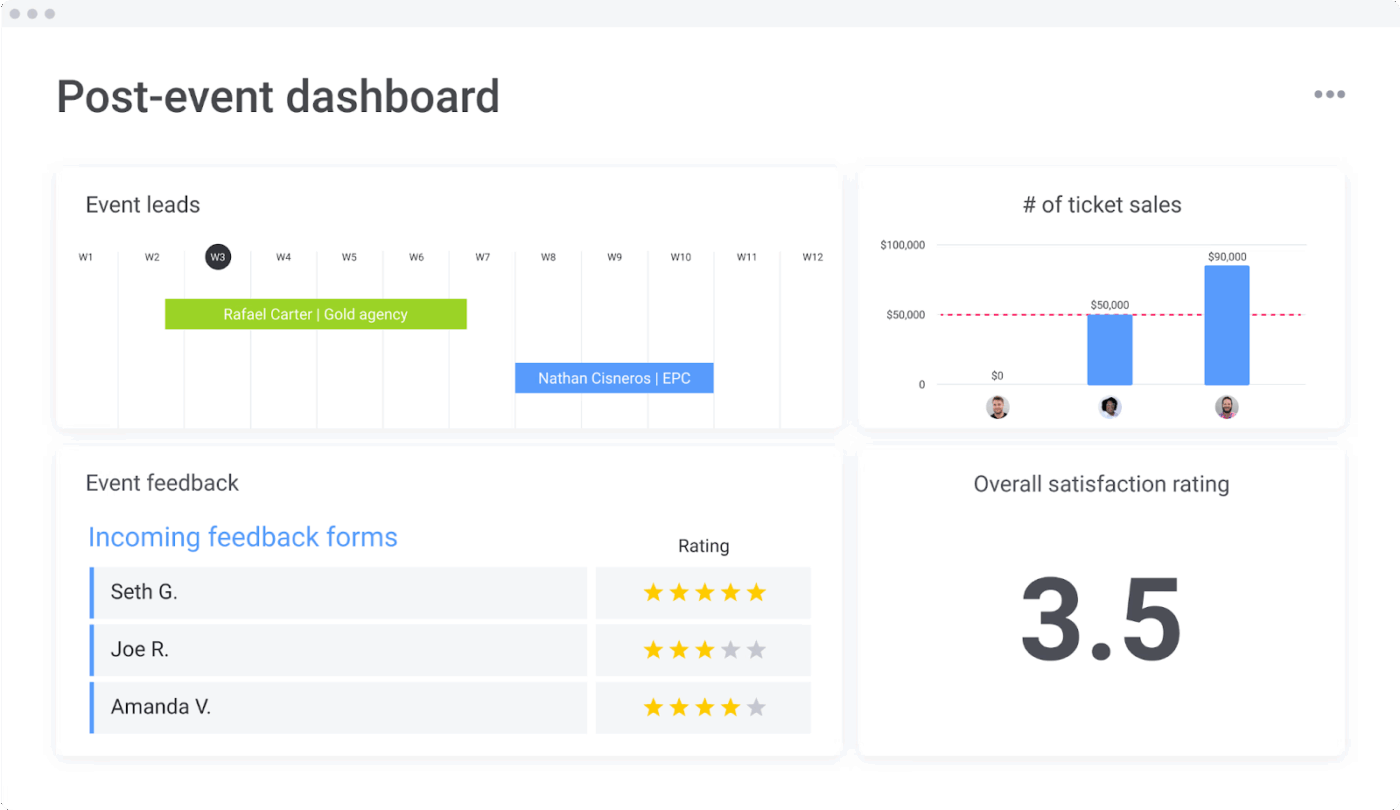
The Post-event Opportunities Template by monday.com makes the follow-up after events a whole lot easier. Instead of scrambling through spreadsheets and emails, you get one central hub to capture attendee feedback, track leads, and forecast opportunities.
Moreover, the template helps you turn event buzz into measurable business outcomes, keeping your team focused long after the stage is cleared.
✨ Ideal For: Marketing and sales teams turning event follow-ups into actionable business opportunities.
This G2 reviewer shared,
It took about twenty to thirty hours to establish our first project template… duplicating large groups of tasks is slow, and tasks sometimes reorder themselves, which made setup and scaling feel heavier than expected.
This pattern shows up in most reviews. These aren’t deal-breakers for every team, but they highlight the gaps that users consistently bump into.
Many teams start with monday.com templates to organize tasks and timelines, but as collaboration expands across departments and tools, it’s easy for information to get scattered.
What you need is a single workspace that connects everything—not just a collection of templates. That’s where ClickUp redefines how teams plan and organize their work.
ClickUp is the world’s first Converged AI Workspace, bringing together all work apps, data, and workflows in one place. From project templates to goal tracking and reporting, ClickUp helps teams manage every detail without needing to switch between tools.
ClickUp eliminates all forms of Work Sprawl, delivering 100% context and a single place for humans and AI agents to work together.
Whether you’re launching a new campaign or coordinating complex operations, ClickUp’s customizable templates turn planning into progress—faster, smarter, and more connected. Let’s start! 🏁
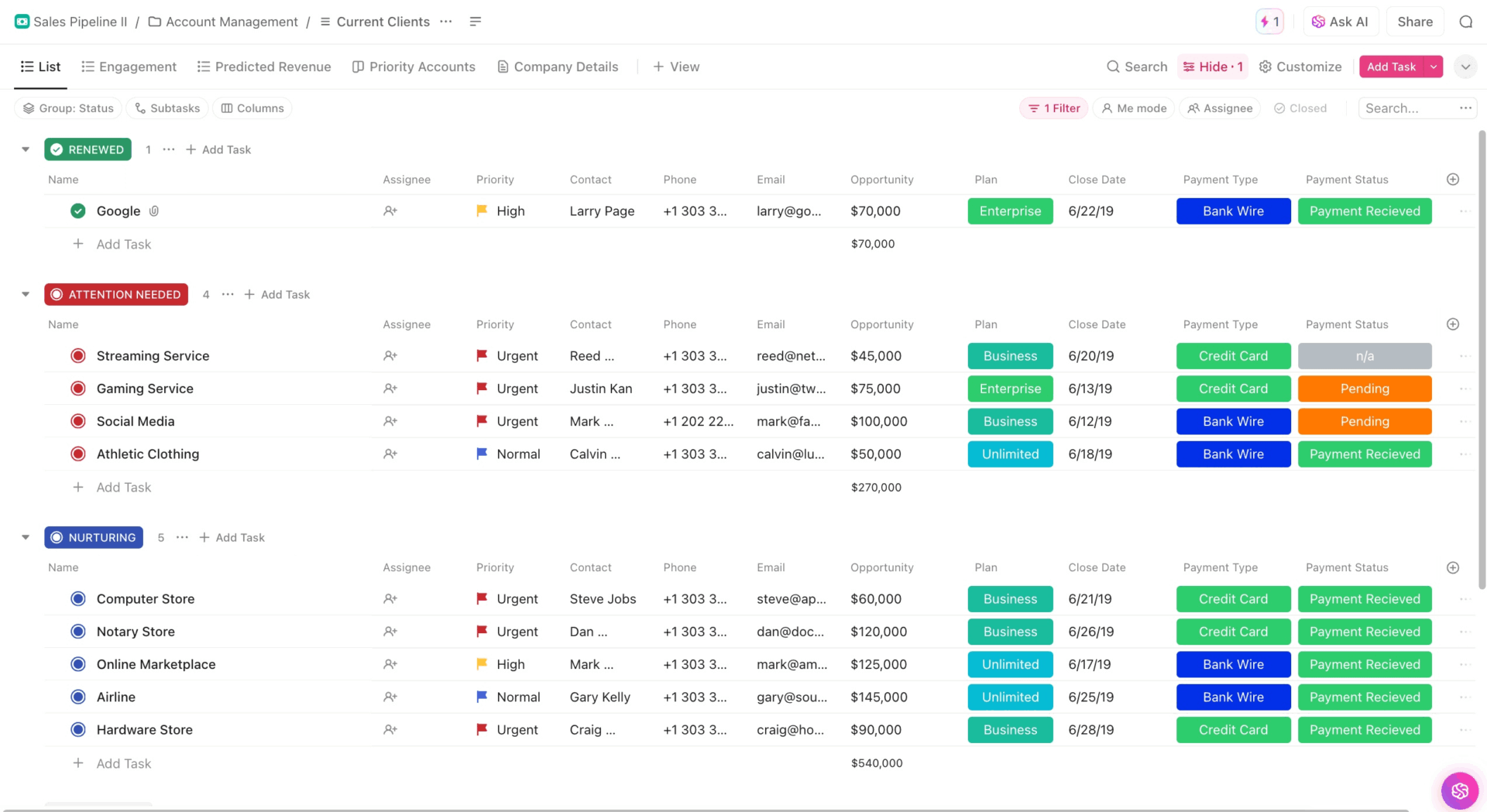
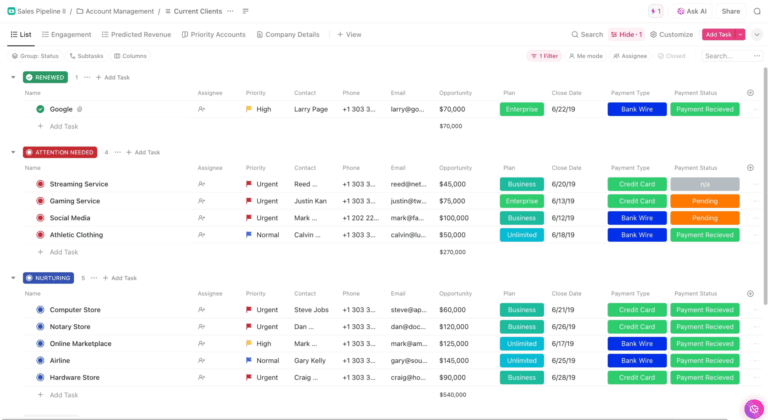
Sales teams often face problems with too many leads scattered in too many places. ClickUp’s Sales Pipeline Template gives you a defined structure from the start. Instead of chasing leads through endless spreadsheets, you can see them all in one place, drag them from stage to stage, and keep notes right where you need them.
Progress feels easier to follow, and your team has one shared view of what is happening. You can also set up different views depending on how you like to work, whether that is a board, a list, or a timeline.
✨ Ideal For: Sales teams building and tracking their pipeline from lead to close.
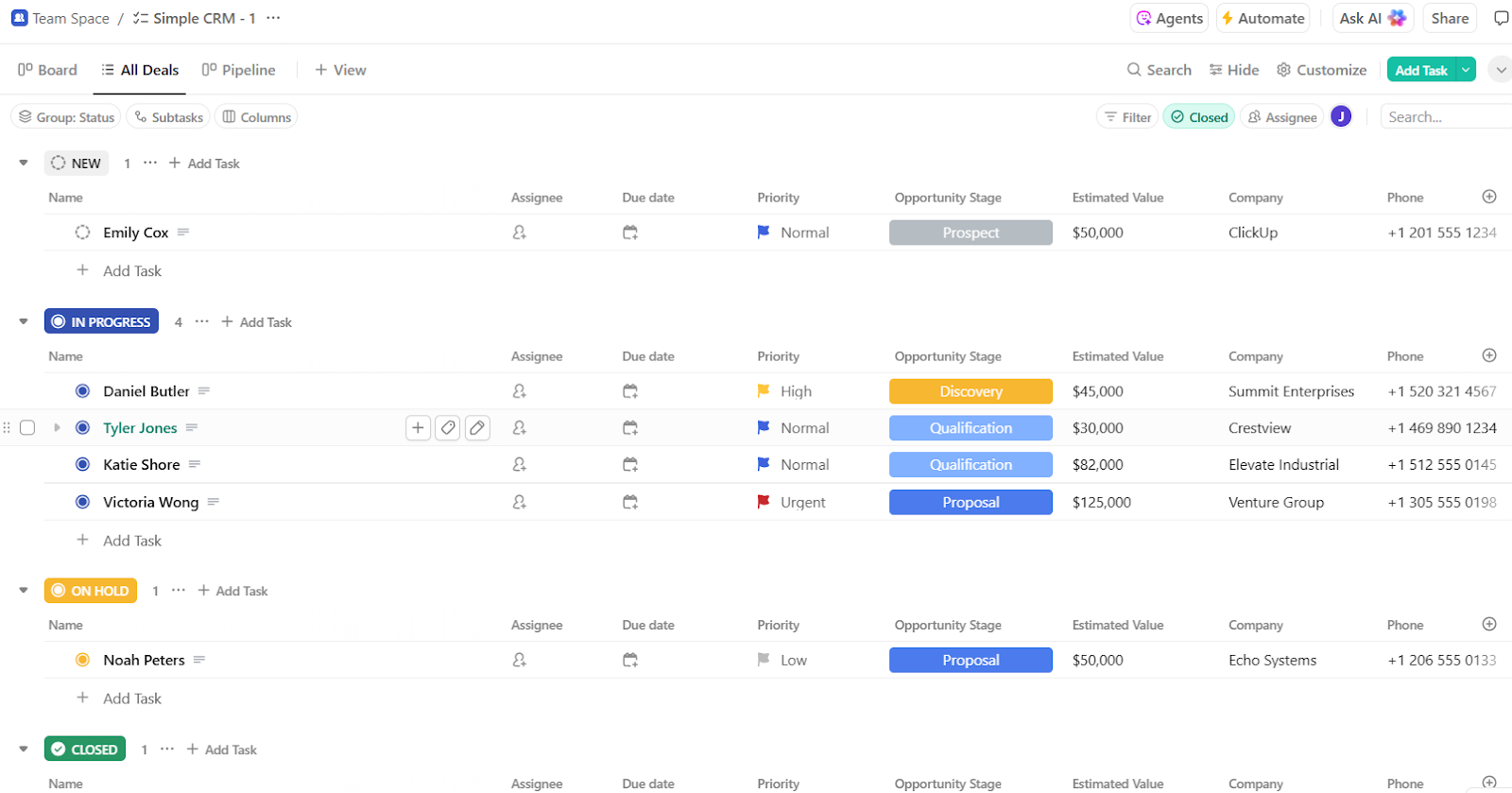
With the ClickUp Simple CRM Template, you can store contact information, track leads, and mark the stage of each relationship without having to jump between tools.
This template gives you a clear view of where every customer stands in your pipeline, whether you are following up with a new lead or checking in with a long-term client. It is light enough for small teams but flexible enough to grow as your needs expand, which makes it something you can rely on every day.
✨ Ideal For: Marketing teams turning goals into structured campaigns with measurable outcomes.
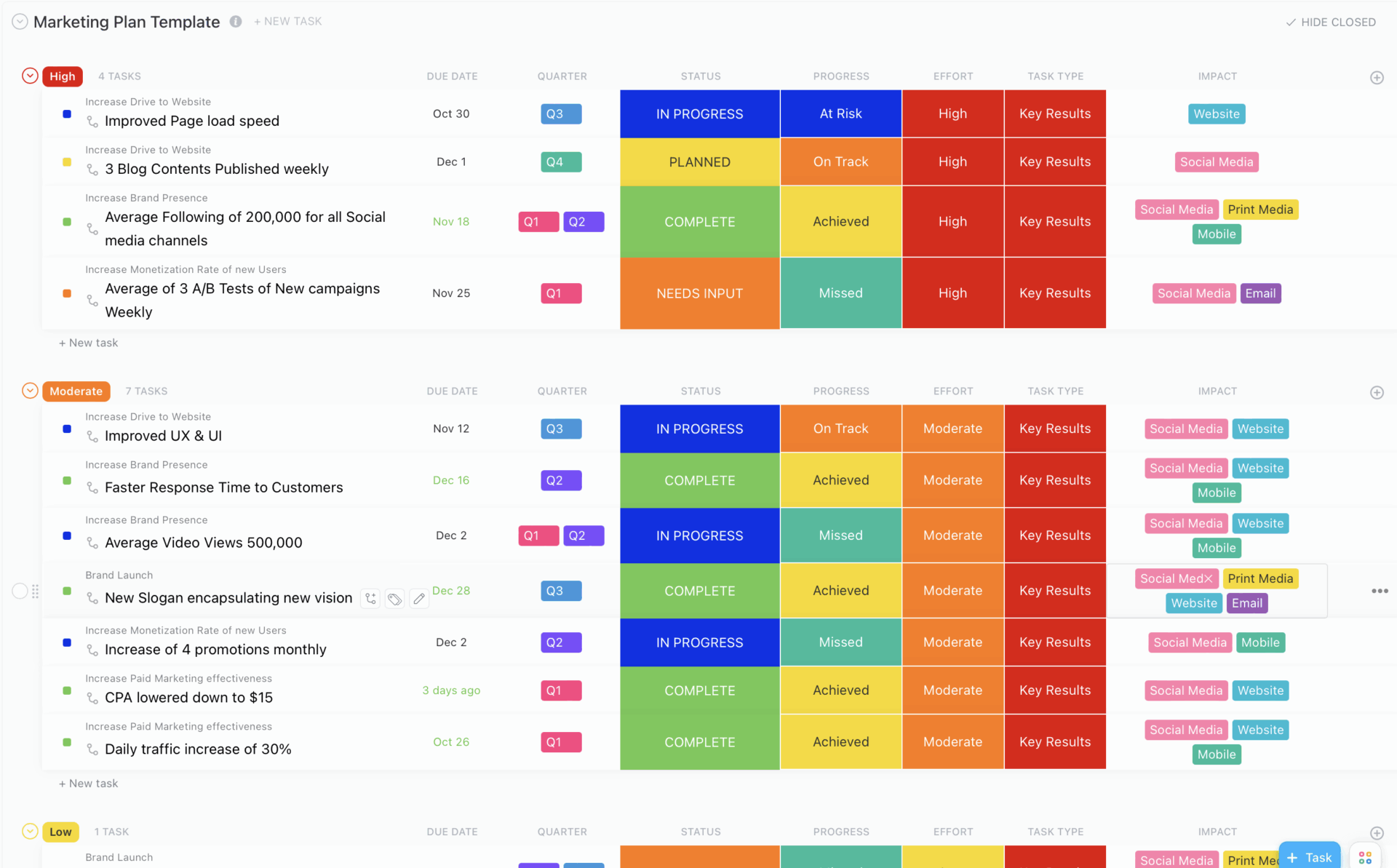
The ClickUp Marketing Plan Template turns your ambitious ideas into an actionable marketing roadmap. You can set objectives, break them down into tasks, and lay everything out on a timeline that feels manageable.
Built-in views like Key Results and Progress Boards make it simple to see what is working and what needs adjusting. The template also grows with you, so whether you are launching your first campaign or running multi-channel efforts, you always have a structured system to guide you.
✨ Ideal For: Marketing teams turning goals into structured campaigns with measurable outcomes.
📖 Also Read: Software Project Management Best Practices
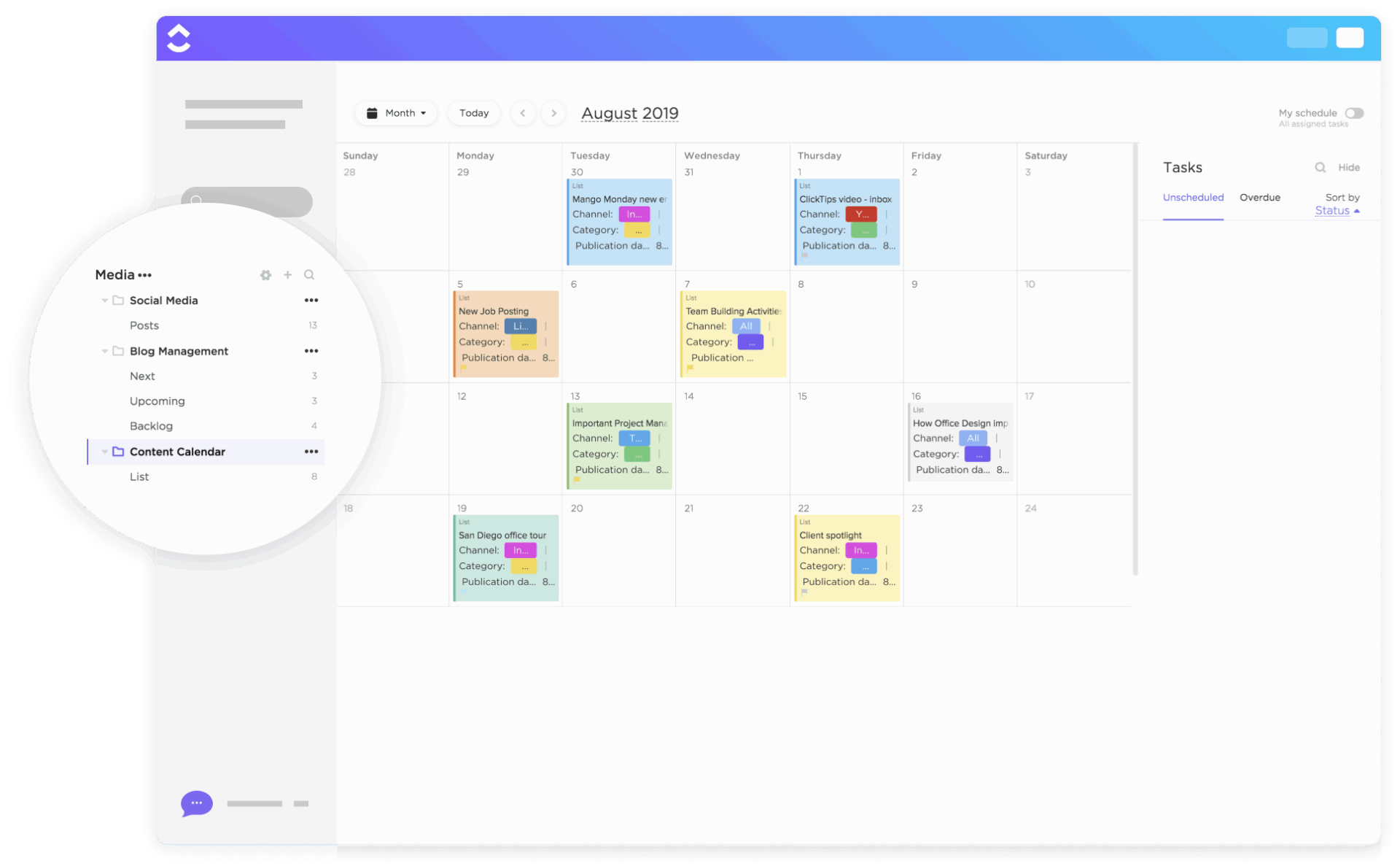
The ClickUp Content Calendar Template gives you that sense of control and rhythm for your content marketing rhythm. It lets you schedule blog posts, videos, and social updates in one place, with color-coded tags and ClickUp Custom Fields to track formats and campaigns.
You can zoom out to plan quarterly themes or zoom in to adjust a single post deadline. The ClickUp Calendar and board views make it easy for writers, designers, and marketers to stay in sync and keep content rolling without the chaos.
✨ Ideal For: Content teams scheduling blogs, videos, and campaigns with clear deadlines.
💡 Pro Tip: Using the ClickUp calendar? Try this ClickUp Brain + Autopilot combo to spin it up and keep it on track.
Open the calendar List, click ClickUp Brain, and paste a one-line brief for this month’s themes. ClickUp Brain will create tasks with statuses, owners, and dates in seconds. Ask the AI to pull action items from your meeting Doc so nothing gets missed.
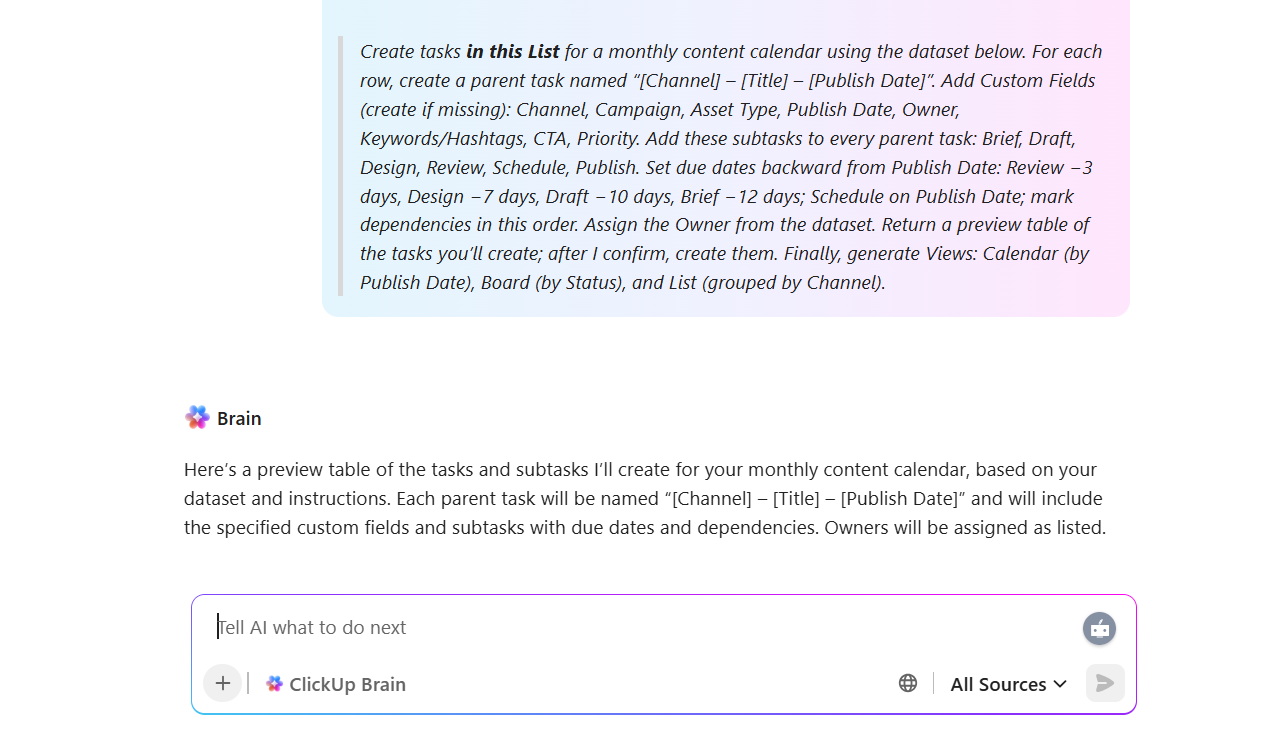
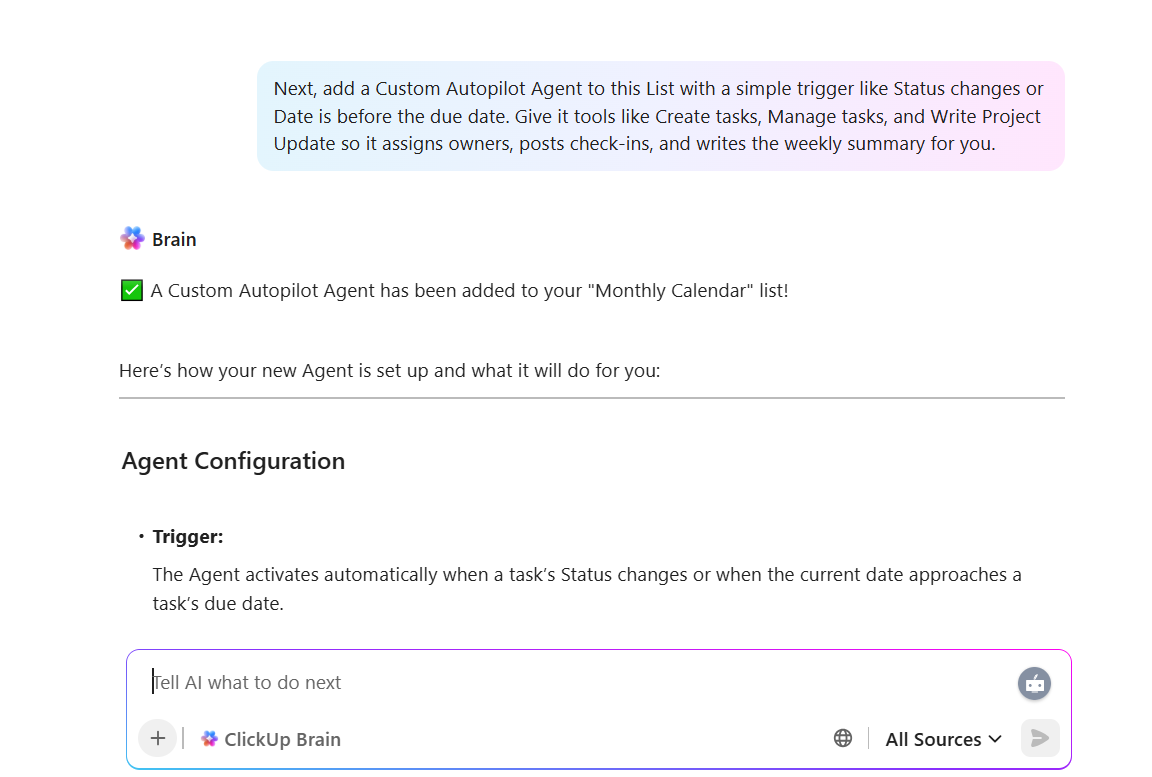
Next, add a Custom Autopilot Agent to this List with a simple trigger like Status changes or Date is before due date. Give it tools like Create tasks, Manage tasks, and Write Project Update, so it assigns owners, posts check-ins, and writes the weekly summary for you.
Now the calendar fills itself, blockers surface on time, and you spend your energy on the work—not the setup! ⚡
Think about how fast trends move online. One day it’s a meme about “quiet quitting,” the next it’s a viral TikTok dance or a breaking story that everyone’s brand is trying to comment on. Social teams live in that whirlwind, and without a calendar, posts can feel rushed or even miss their moment.
The ClickUp Social Media Calendar Template gives you that balance between flexibility and structure. You can line up campaigns weeks ahead, assign tasks to designers or copywriters, and then adjust quickly when a new trend comes up.
Built-in views let you see everything at once or zoom into a single campaign. ClickUp Custom Fields like hashtags, themes, and publishing dates keep all the details tidy, so you’re not scrambling across platforms.
✨ Ideal For: Social media teams standardizing planning and scheduling in advance, or wanting to automate their process.
👀 Fun Fact: In 2024, Microsoft reshuffled its AI teams, consolidating under one leader to speed up decision-making. The goal: fewer silos, faster planning. It’s a live example of reorganizing dependencies inside a workflow.
A McKinsey report shows that teams that score high on trust and communication are over three times more efficient and five times more likely to deliver results than those that don’t prioritize those elements.
That matters a lot for project management, where many tasks, people, and timelines are involved. The ClickUp Project Management Template helps you bring people, tasks, and timelines together in one workspace so everyone knows what’s next.
You can break big work into smaller parts, assign responsibility, and map out dependencies so nothing is lost in transition. Use timeline and Gantt views to see how everything connects, plus task lists and boards for day-to-day progress.
✨ Ideal For: Operations teams standardizing project management processes for efficiency.
📖 Also Read: How to Improve Workforce Productivity
The ClickUp Event Planning Template brings vendors lists, budget planning, guest lists, and schedules all together under one roof for the right moment.
You can keep track of venues, assign tasks for catering or logistics, and see timelines at a glance in ClickUp Calendar View. ClickUp Custom Fields handle details like budget status and payments, while board and list views make progress easy to follow.
✨ Ideal For: Teams handling event planning, logistics, and vendor coordination in one place.
ClickUp’s Product Launch Checklist Template lays out the milestones in your product launch so you can see the big picture clearly. Gantt and timeline views show you when deadlines are approaching. Custom Fields keep tasks sorted between teams like design, marketing, and operations. Automations run in the background, reminding everyone of what’s next.
✨ Ideal For: Product and GTM teams ensuring smooth coordination during launch milestones.
If you’re curious about how your workflows get automated with ClickUp, this video breaks it down for you in just a few minutes:
Wyzowl found that 63% of customers consider the onboarding process when deciding whether to continue using a product. That first experience makes or breaks the relationship.
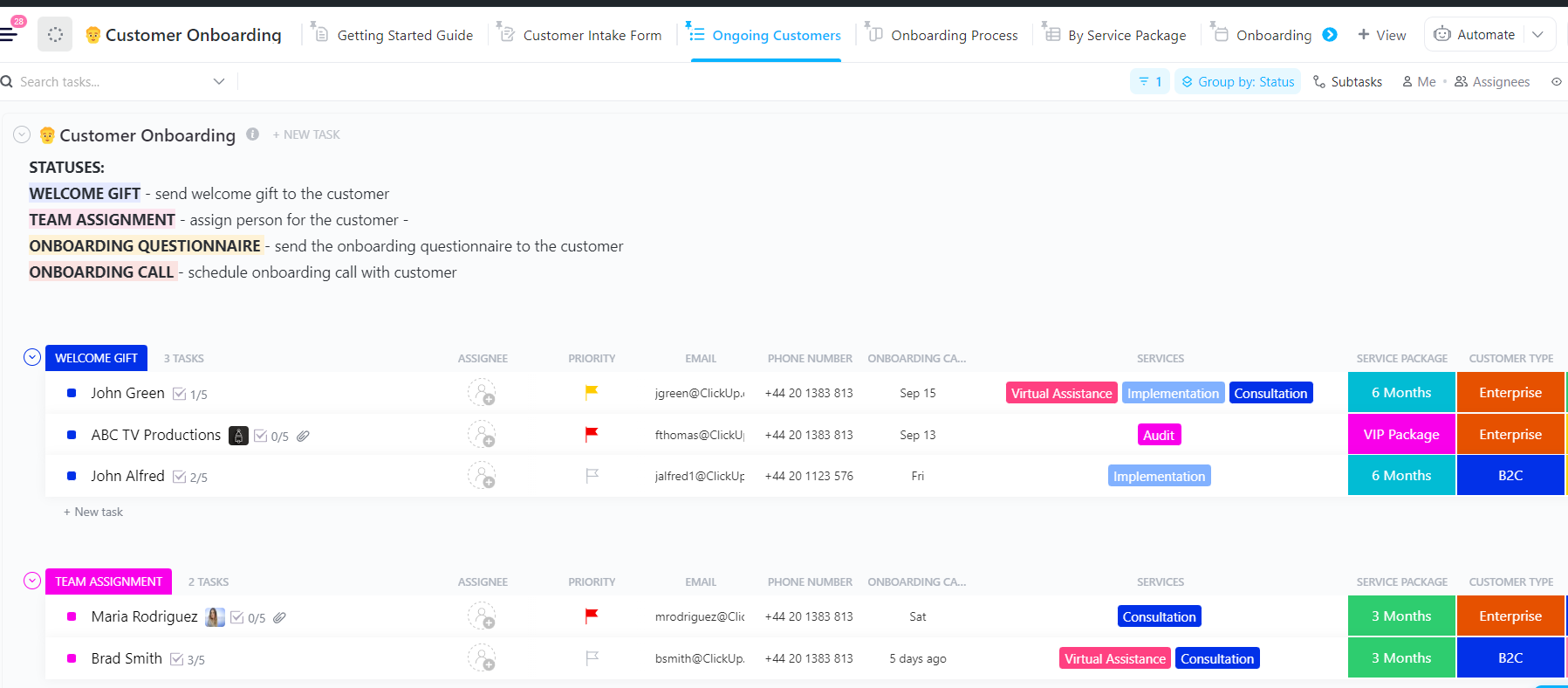
The ClickUp Client Onboarding Template gives you the structure to get it right. Instead of scrambling with scattered notes or repeating the same steps from scratch, you can guide clients through a clear process.
From kickoff calls to onboarding questionnaires, everything is organized in one place. Plus, ClickUp Dashboards let you see progress at a glance, making it easy to keep clients engaged and confident.
✨ Ideal For: Service teams guiding new clients through onboarding steps consistently.
📖 Also Read: Best Productivity Systems to Stay Productive
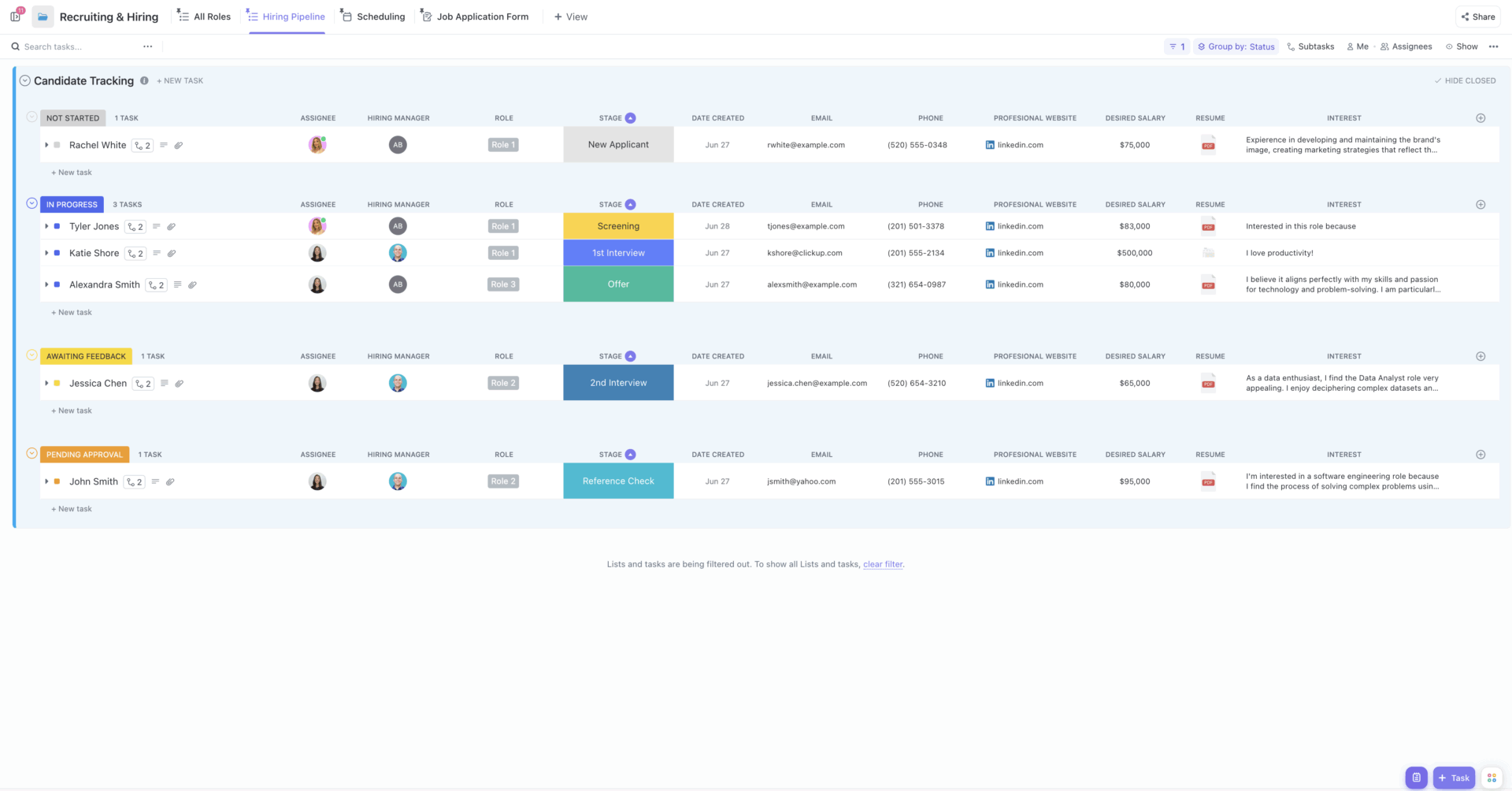
The ClickUp Recruiting & Hiring Template helps you avoid that gap, giving you space to manage job postings, track applications, review candidates, and stay on top of each stage.. Interview scorecards help you compare fairly.
Custom Fields for role, stage, and source keep things organized. Automations have the ability to trigger reminders when someone requires prompt action or communication. With everything in one place, hiring feels kinder to candidates and easier to you.
✨ Ideal For: HR teams tracking candidates, interviews, and hiring pipelines efficiently.
In July 2024, a faulty CrowdStrike update caused millions of Windows machines to crash worldwide. Teams scrambled to bring systems back online as devices looped endlessly on startup, impacting businesses ranging from airlines to hospitals.
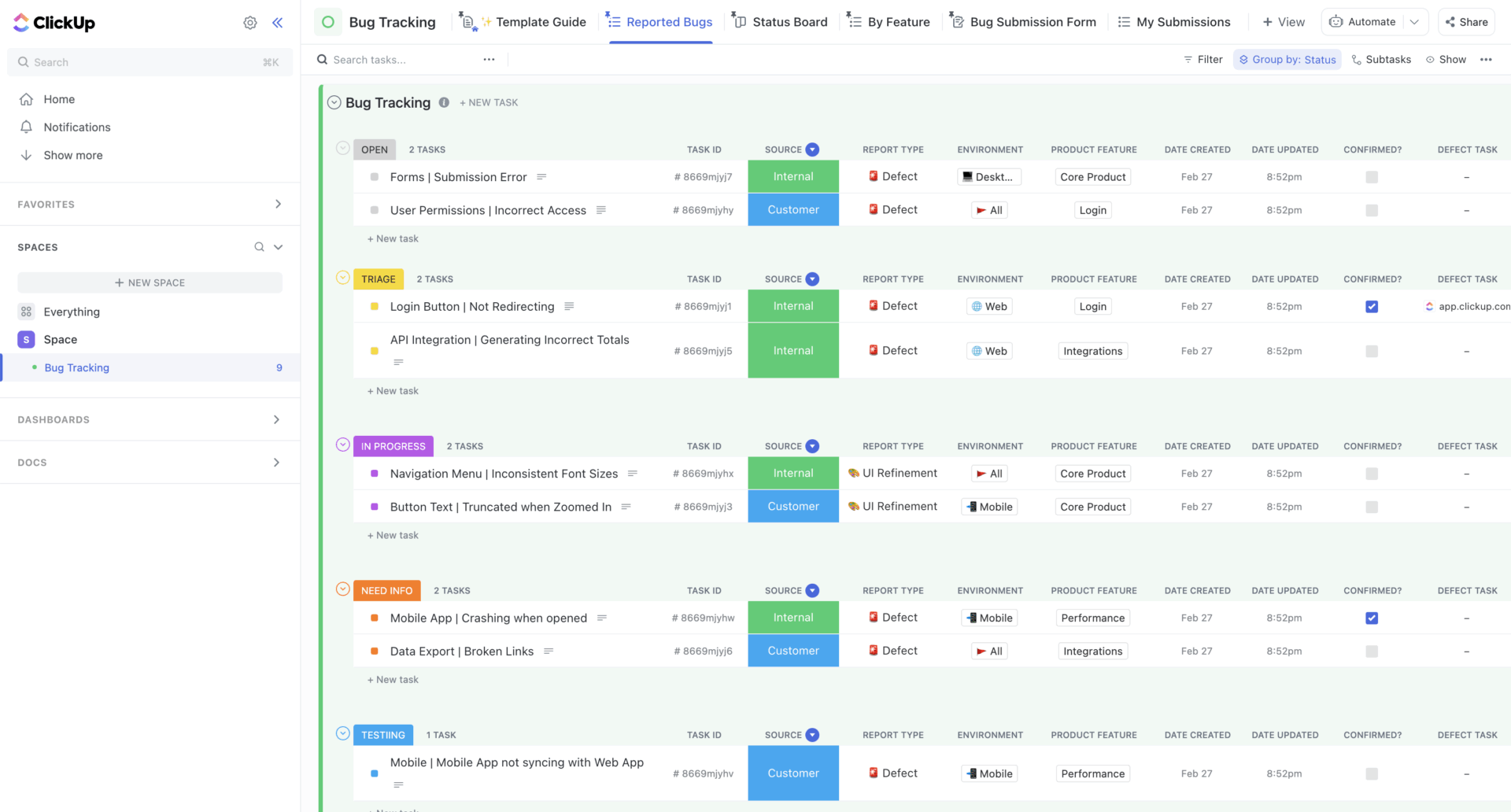
The ClickUp Bug Tracking Template gives teams a clear way to spot, record, and resolve bugs before they reach the point of downtime or outage. You can log every bug, assign it to the right developer, and monitor progress without losing track of details.
Views like lists and boards help you prioritize fixes, while Custom Fields keep context attached to each bug report.
✨ Ideal For: Engineering teams logging, prioritizing, and resolving bugs systematically.
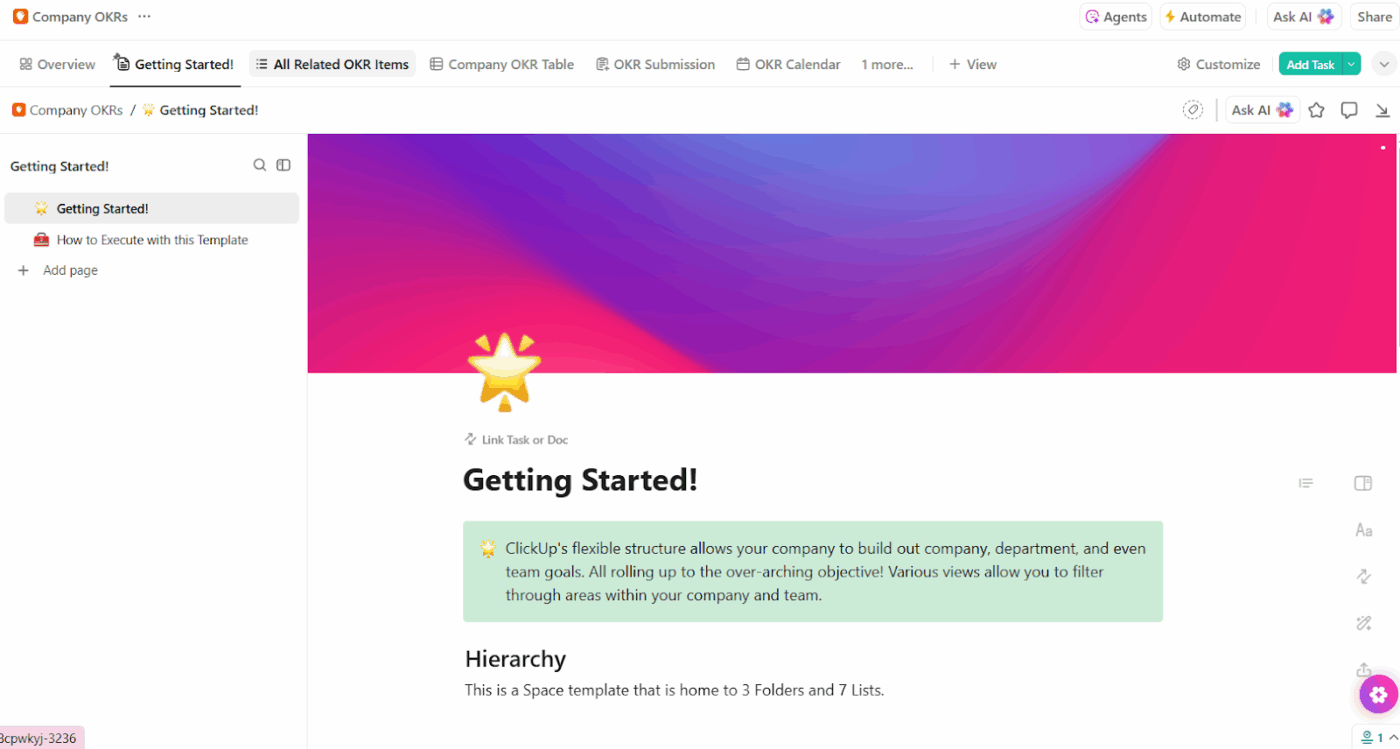
The ClickUp Company OKRs and Goals Template takes big goals and breaks them into clear, measurable results. Teams can see how their work connects to the bigger picture, and managers can track progress without drowning in reports. It’s a way to turn lofty goals into steps that actually get done.
The template is built to handle both high-level company objectives and the smaller milestones that support them. You can set a goal at the company level, then break it down into key results for each department or team.
✨ Ideal For: Companies aligning OKRs and measurable goals across teams and departments.
📖 Also Read: How to Organize Your Planner for Better Productivity
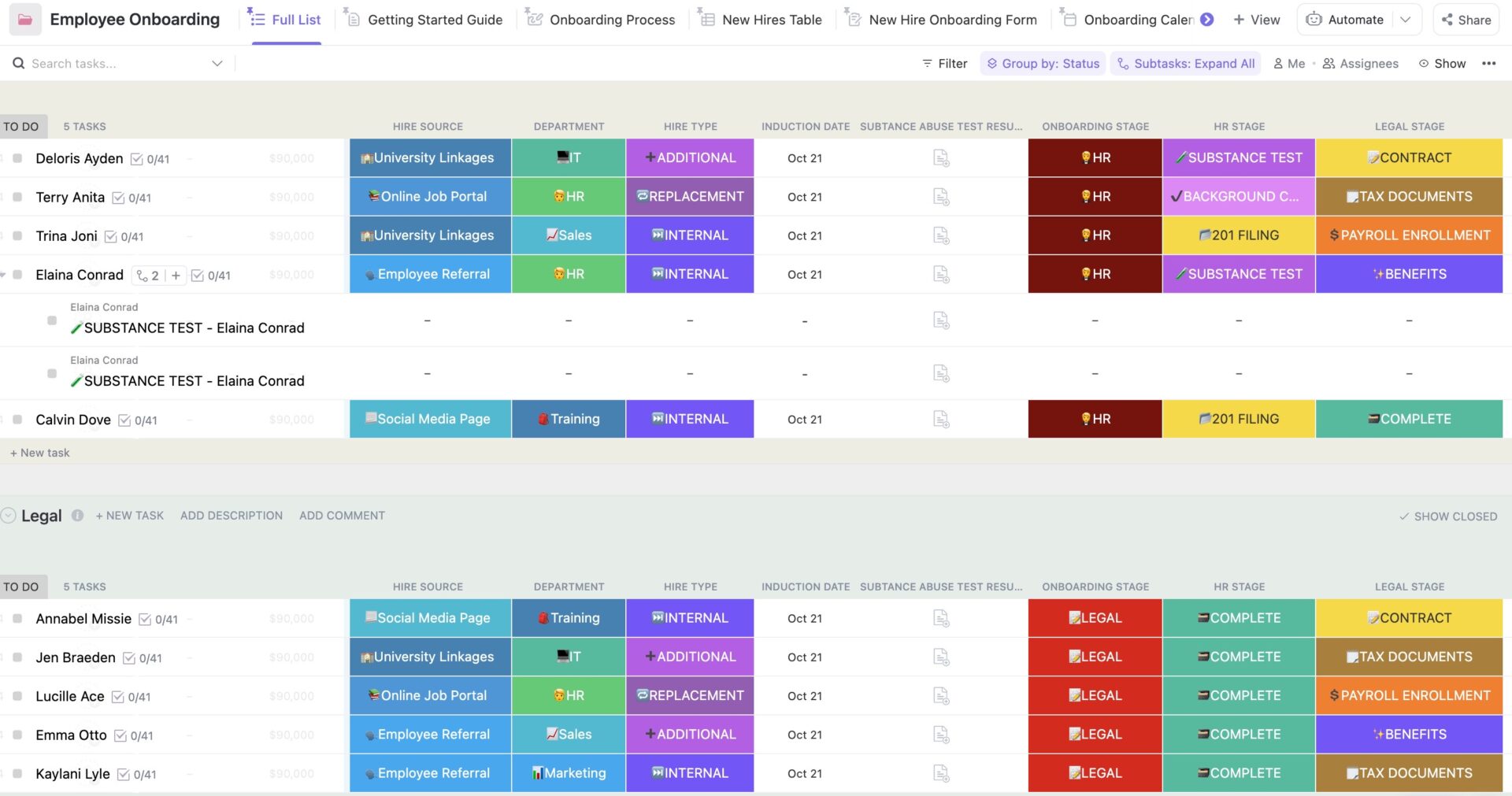
A good onboarding experience can make someone feel confident and welcome right away. The ClickUp Employee Onboarding Template is built to make sure every new hire feels like they belong from day one.
What makes this template so helpful is how flexible it is. You can build out checklists, set deadlines, and add Custom Fields for details like department, salary, or training modules. Views like calendars and lists make it easy to see what’s coming next.
✨ Ideal For: HR managers ensuring smooth onboarding and training for new employees.
Think about how many hours you’ve sat in meetings that went in circles. Without structure, even the most well-intentioned meeting can quickly drift off course.
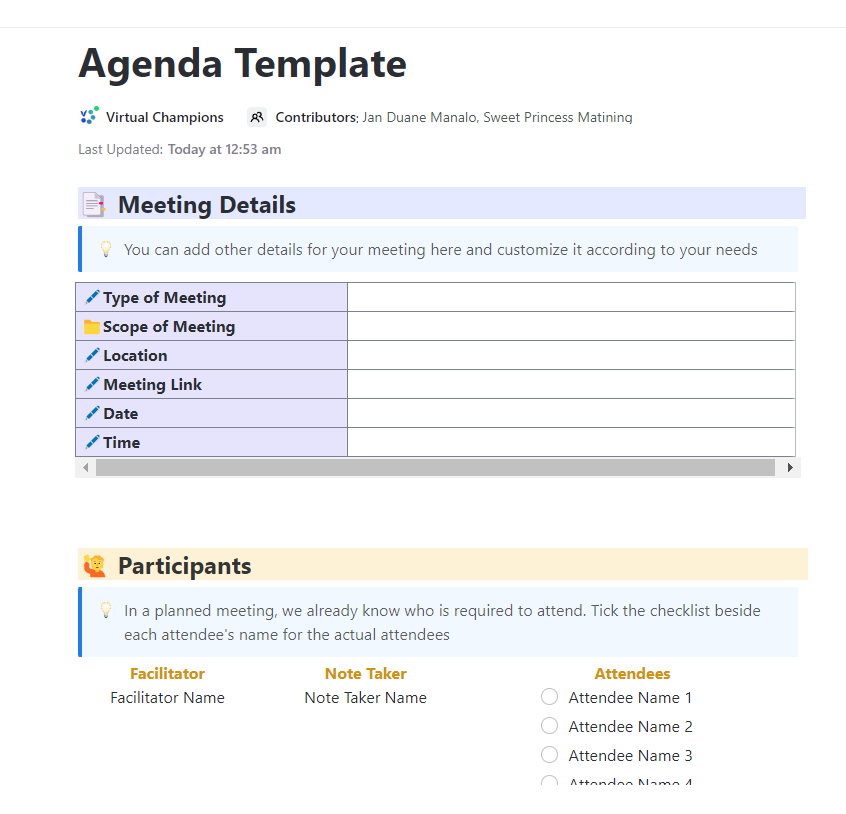
That’s where the ClickUp Meeting Agenda Template steps in. You can outline goals, topics, and talking points in one shared space so no one is left guessing.
Each agenda item can be assigned, tracked, and revisited, so action items don’t disappear once the meeting ends. Pair that with views like Docs for note-taking or tasks for follow-ups, and you’ve got a system that keeps meetings organized without adding extra work.
✨ Ideal For: Teams making meetings structured, goal-oriented, and action-driven.
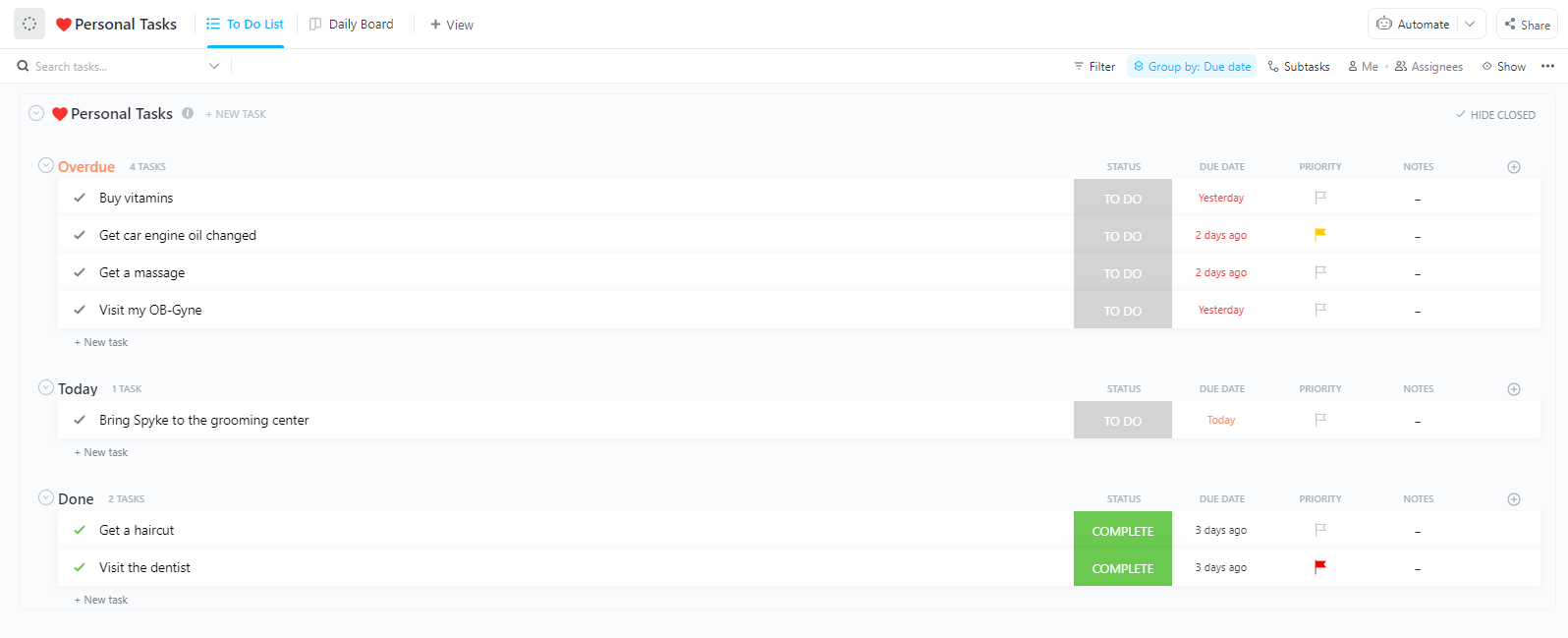
Ever notice how a day can vanish without you even realizing where the time went? A Microsoft survey found that 68% of workers struggle to get enough uninterrupted focus time. That’s where the ClickUp Daily Planner Template comes in.
You can break down your day into categories like work, personal, or goals, then prioritize what truly matters. The layout makes it easy to spot what needs attention right away, while visual progress tracking helps you actually see the momentum you’re building throughout the day.
✨ Ideal For: Individuals and managers who want a simple daily system to prioritize tasks.
Templates are more than neat little shortcuts. They’re the secret to actually feeling calm and in control of your work. We’ve looked at many options, but the truth is, not all planning tools are built the same.
What sets ClickUp apart is how it feels like everything finally belongs in one place. You don’t need to juggle separate apps or worry about where things live. Tasks, timelines, notes, and conversations all sit side by side, ready when you need them.
If you’ve been waiting for a sign to try something new, this is it. Give ClickUp a try and see what planning feels like when it’s actually enjoyable.
Sign up on ClickUp for free and let your work click into place. 🎉

© 2026 ClickUp

There’s an easier way. Try a free AI Agent in ClickUp that actually does the work for you—set up in minutes, save hours every week.