






Still downloading templates?
There’s an easier way. Try a free AI Agent in ClickUp that actually does the work for you—set up in minutes, save hours every week.
Sorry, there were no results found for “”
Sorry, there were no results found for “”
Sorry, there were no results found for “”

A busy inbox, scattered calendar entries, and a CRM that won’t auto-update—these are the everyday hurdles Lindy AI tries to solve. However, it falls short in deeper team collaboration features, context-sharing across workflows, and unified reporting.
This leads to AI sprawl: the growing chaos of juggling dozens of AI tools that don’t speak to each other, and lack a shared memory of your past work.
For productivity-focused professionals, entrepreneurs, and teams who want more than just surface-level automation, it’s time to look beyond tools that act alone. In this blog post, we’ve handpicked 11 Lindy AI alternatives that adapt to your process. Let’s get started! 💪
Here’s how the best Lindy AI alternatives stack up against each other.
| Tool | Best for | Best features | Pricing* |
| ClickUp | Work management and productivity with project tracking and contextual AI Team size: Ideal for startups to enterprises looking to centralize work and automate updates | Custom and simple task automations, AI-powered content, cross-tool integration capabilities, calendar management, and visual workflow automation | Free forever; Customizations available for enterprises |
| Relay.app | Automating multi-step workflows across apps Team size: Ideal for operations, HR, and sales and marketing teams | No-code platform, collaborative approvals, Slack/Email triggers, smart branching logic | Free; Starts at $27/month per user |
| Bardeen | AI-powered browser automations for repetitive tasks Team size: Ideal for recruiting, ops, and sales teams | 1-click automations, AI scraping, contextual workflows, Chrome-based triggers | Starts at $129/month |
| Gumloop | Creating interactive, AI-powered workflows from scratch Team size: Ideal for small businesses needing flexible, interactive workflows | Visual workflow builder, GPT-4 integrations, lead generation flows, Zapier-compatible complex workflow automation | Free; Starts at $97/month per user |
| Zapier | Connecting thousands of apps without coding Team size: Ideal for SMBs and solopreneurs | Multi-step Zaps, conditional logic, built-in delay/format tools | Free; Starts at $29.99/month |
| Make.com | Visual scripting and complex data flows Team size: Ideal for technical users and teams needing logic-heavy workflows | Drag-and-drop interface, modular data mapping, real-time execution logs | Free; Starts at $10.59/month per user |
| n8n | Open-source, flexible automation for developers Team size: Ideal for tech teams and internal devs | Self-hosted option, custom code nodes, API integrations | Custom pricing |
| Beam AI | AI workflow builder for startups and fast-growing teams Team size: Ideal for startups and scaling businesses needing smart internal ops | Auto-generated flows, natural language inputs, prebuilt GPT templates | Custom pricing |
| Automation Anywhere | Enterprise-grade robotic process automation (RPA) Team size: Ideal for large enterprises and IT teams | AI document processing, attended/unattended bots, process discovery | Custom pricing |
| Microsoft Power Automate | Automating the Microsoft ecosystem and beyond Team size: Ideal for small teams and organizations already using the Microsoft ecosystem | PowerApps integration, desktop automation, workflow templates | Free; Starts $15/month per user |
| Motion | Automating schedules and prioritizing deep work Team size: Ideal for busy professionals, founders, and mid-sized businesses | AI calendar assistant, smart meeting booking, focus time optimization | Starts at $19/month per user |
Our editorial team follows a transparent, research-backed, and vendor-neutral process, so you can trust that our recommendations are based on real product value.
Here’s a detailed rundown of how we review software at ClickUp.
If you’re looking for deeper customization or cross-functional collaboration at scale, Lindy AI alternatives might suit you better. Here’s why you should consider these tools:
🧠 Fun Fact: The roots of AI go back to the 1930s. It started with Alan Turing, a British logician, who posed a question: ‘Can machines think?’, leading to the famous Turing Test, a concept that shaped AI today.
📖 Also Read: Types of AI Agents to Boost Business Efficiency
Here are the 11 best Lindy AI alternatives to boost productivity.
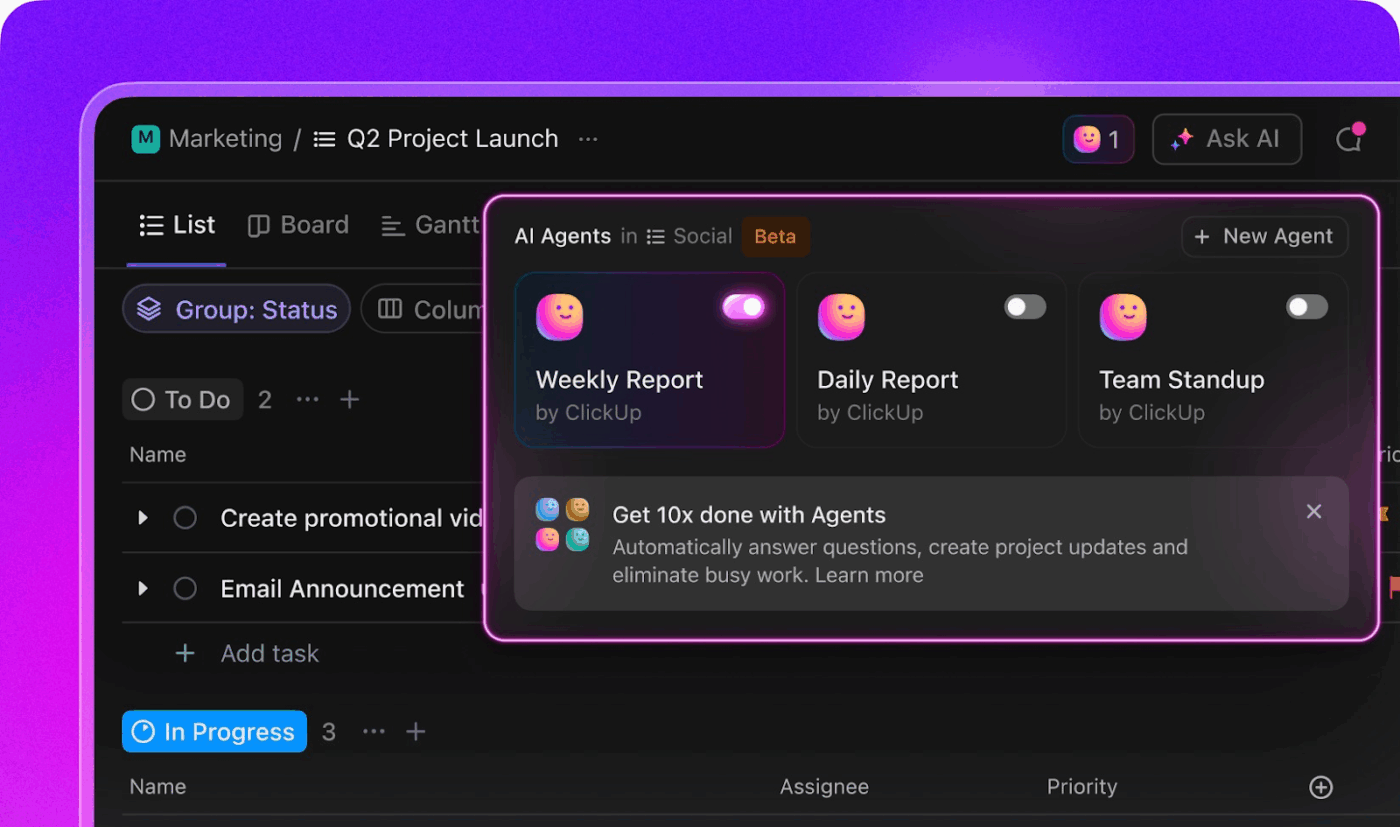
ClickUp’s AI-powered Project Management puts your work on autopilot, allowing you and your team to focus on the important stuff. This means no more jumping between multiple AI tools—unnecessary AI sprawl.
Contextual AI is built into every feature—tasks, documents, chat, dashboards, and reporting. Let’s see how.
To support agile workflows, ClickUp Autopilot Agents handle repetitive tasks behind the scenes. They run quietly in the background, so you and your team can stay focused on the work that matters. You can easily build and personalize an AI agent with ClickUp’s Custom AI Agents.
For instance, if customer feedback includes ‘slow delivery,’ you can set the AI to tag it, assign it to Ops, and flag the sentiment.
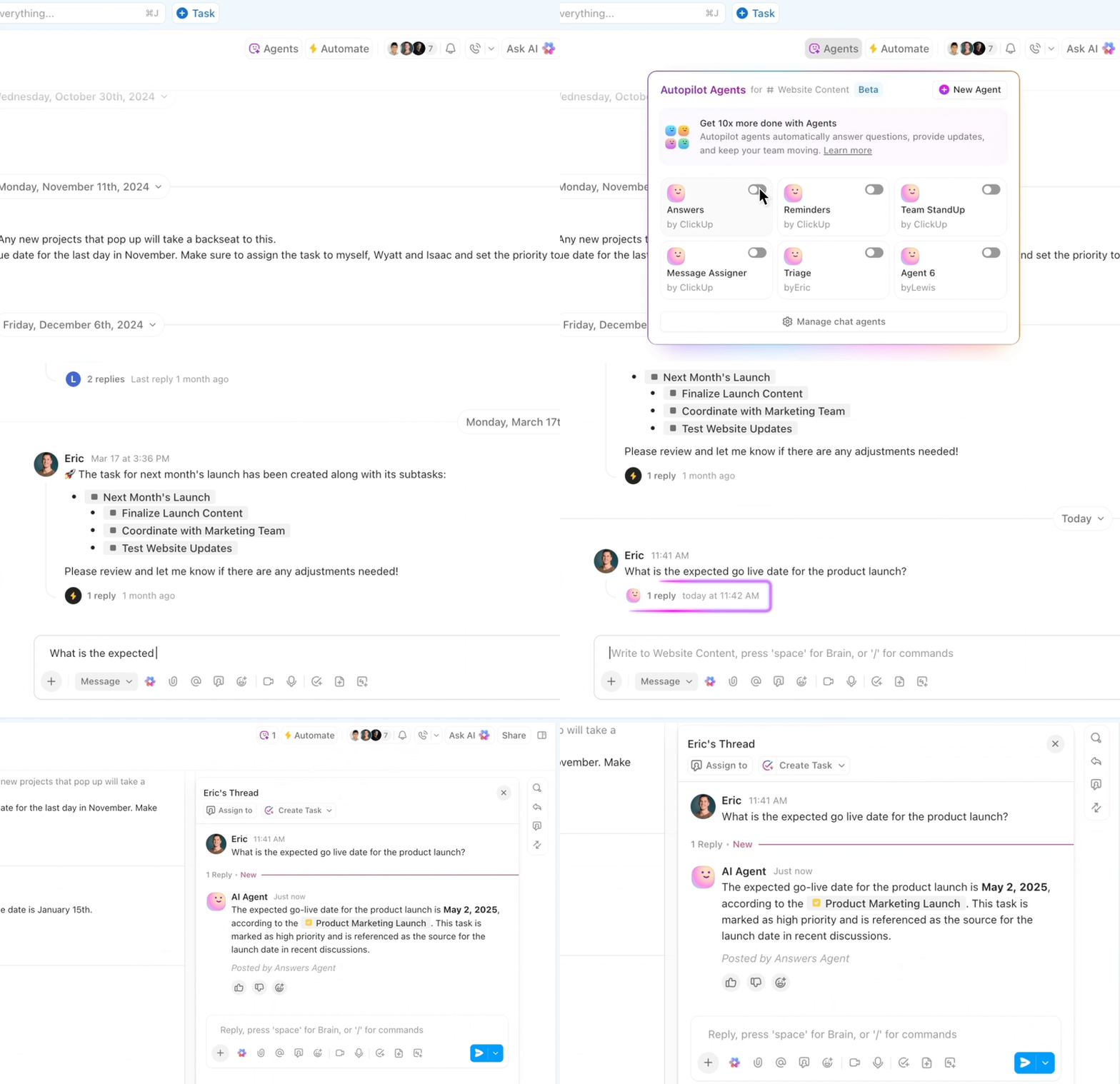
ClickUp offers extensive pre-built agents for different use cases.
For example, the:
Learn how to set up your first AI agent:
Unlike traditional tools that require building flows or logic maps, ClickUp Automations let you automate your workflow with a simple ‘if this, then that’ rule.
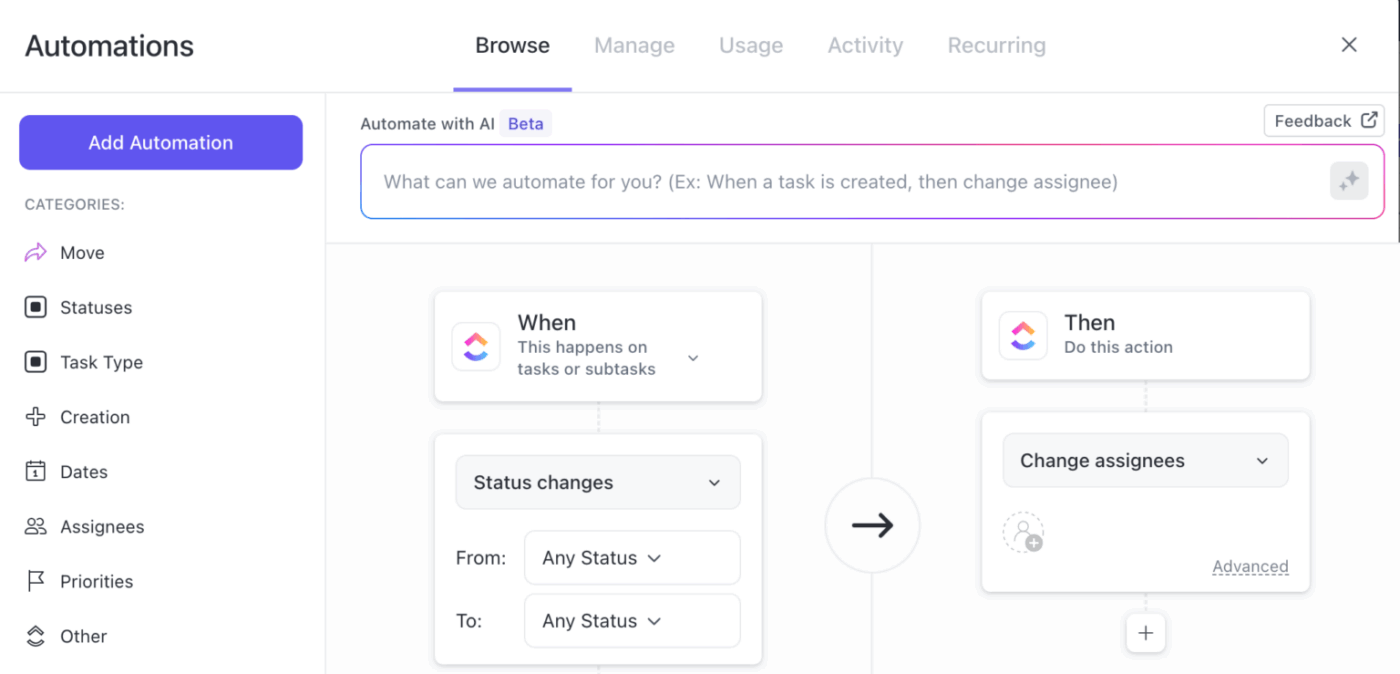
You can either create your own triggers or choose from 100+ pre-built automation templates to:
The best part is that you can prompt ClickUp Brain to set an automation for you as well with natural language prompts like, ‘Remind me to send a personalized follow-up message to the design team every Tuesday at 3 p.m.’
What’s ClickUp Brain, you ask? ClickUp Brain is your AI-powered productivity partner, designed to transform your ideas into actionable tasks.
Let’s say you’re prepping for a new podcast series. You don’t want to waste time mapping out every step. So, you type, ‘Launch new podcast series: book guests, write episode outlines, record intros, assign to Rachel, first episode due Sept 10.’
Once the task thread is flooded with comments and updates, ClickUp Brain’s AI Project Manager instantly summarizes the conversation, capturing decisions, pending actions, and key points.
🎥 Watch: ClickUp AI integrates with every part of your work
And you can save all of it in ClickUp Docs, which is linked to related projects and tasks, so nothing gets lost. You can also auto-post call summaries to team Chat, keeping everyone in sync, even if they missed the meeting.
This G2 review really says it all:
ClickUp is hands-down the most flexible and powerful project management tool I’ve worked with. As the founder of WRKSTN, I help agencies and creative teams streamline operations—and ClickUp is central to that. The ability to customize everything from task types to automations, combined with tools like dashboards, forms, and now ClickUp Brain, means I can build scalable, efficient systems for any workflow. Plus, I love how fast the platform continues to evolve.
💡 Bonus: If you want to streamline your workflow, boost productivity, and get more from your AI investments, ClickUp is the all-in-one solution that goes beyond what Lindy AI offers:
Try ClickUp Brain MAX—the AI Super App that truly understands you, because it knows your work. Ditch the AI tool sprawl, use your voice to get work done, create documents, assign tasks to team members, and more.
via Replay.app
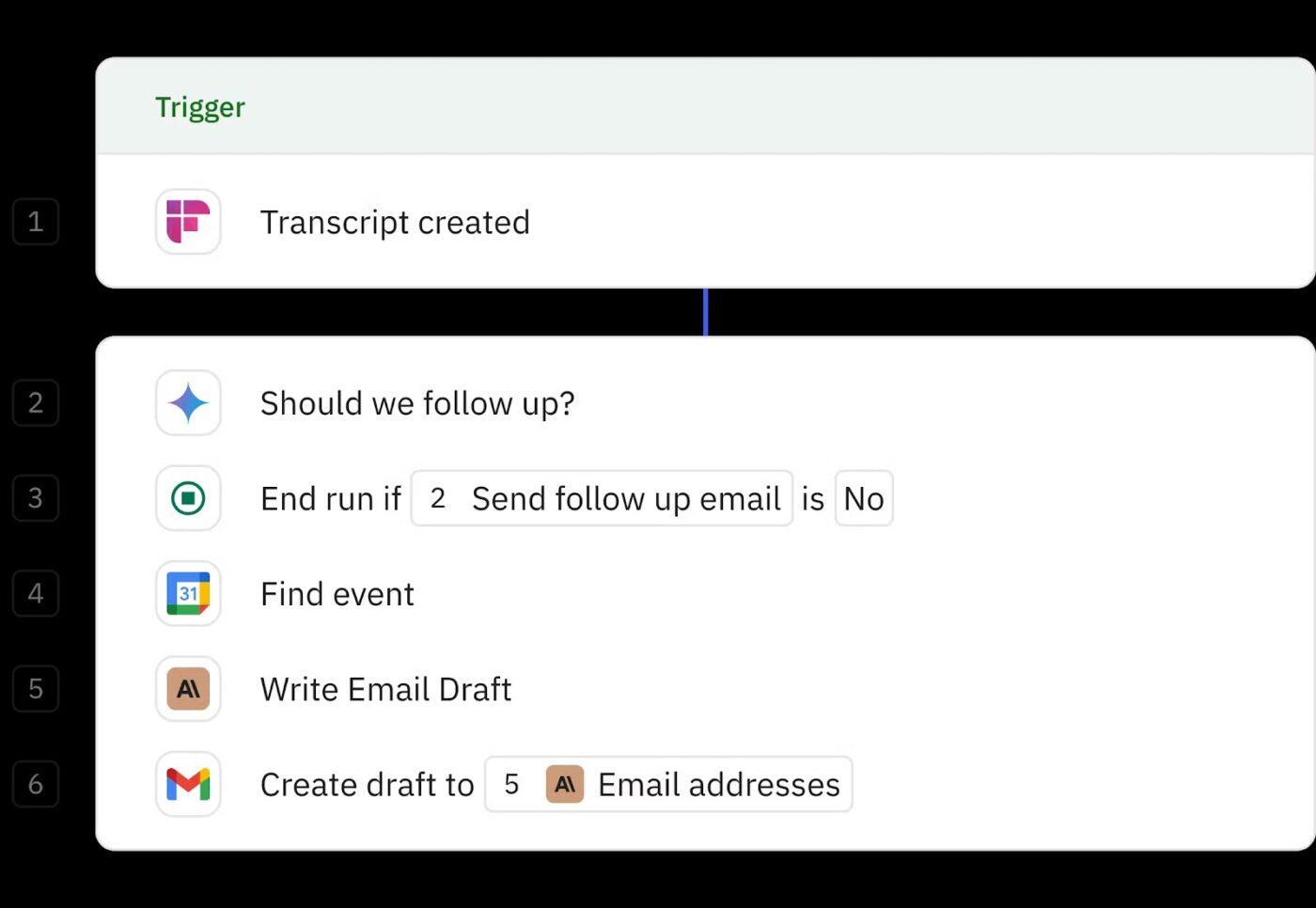
Relay.app helps teams build workflows that combine automation with smart human input. It’s designed to handle sales follow-ups, meeting summaries, and custom tasks like competitor research or social media updates.
The Lindy AI alternative blends flexibility with control. You can create detailed, personalized workflows across 100+ popular tools, add human checkpoints anywhere they’re needed, and trigger actions in real time using webhook support.
According to a G2 review:
What I like best about Relay.app is how it keeps everyone on the same page. It’s simple, clear and really helps move things forward without extra noise….One thing I dislike about Relay.app is that it can feel a bit rigid when a task or workflow needs flexibility.
📮 ClickUp Insight: 30% of workers believe automation could save them 1–2 hours per week, while 19% estimate it could unlock 3-5 hours for deep, focused work.
Even those small time savings add up: just two hours reclaimed weekly equals over 100 hours annually—time that could be dedicated to creativity, strategic thinking, or personal growth. 💯
With ClickUp’s AI Agents and ClickUp Brain, you can automate workflows, generate project updates, and transform your meeting notes into actionable next steps—all within the same platform. No need for extra tools or integrations—ClickUp brings everything you need to automate and optimize your workday in one place.
💫 Real Results: RevPartners slashed 50% of their SaaS costs by consolidating three tools into ClickUp—getting a unified platform with more features, tighter collaboration, and a single source of truth that’s easier to manage and scale.
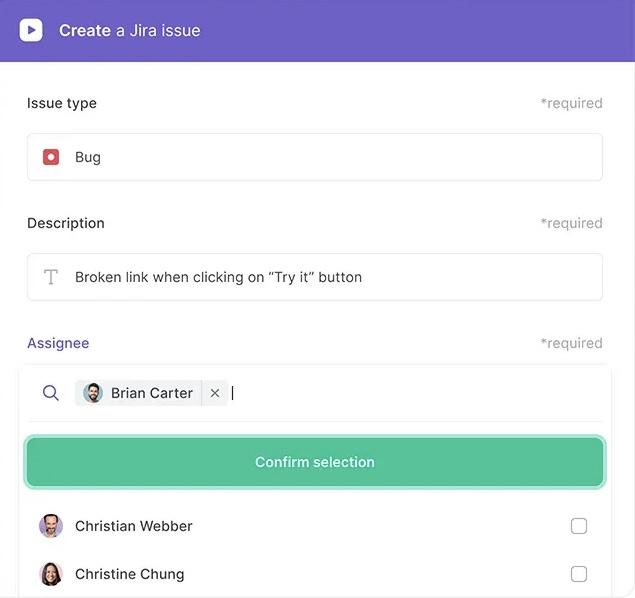
via Bardeen
Bardeen helps go-to-market teams get work done where they already spend a lot of time: the browser. The tool handles everything from lead sourcing and CRM updates to custom outreach and competitor research.
It’s built to understand real GTM workflows. Rather than relying solely on API-based triggers like other tools (e.g., Zapier or Make), Bardeen can ‘see’ and interact with web pages directly. This enables it to automate tasks that typically require human interaction, such as copying information from websites, filling out forms, or navigating through complex web portals.
🧠 Fun Fact: The Turing Test imagined a game where a human interacts with both a machine and another human through text. If humans can’t reliably tell which is which, the machine is said to have passed the test.
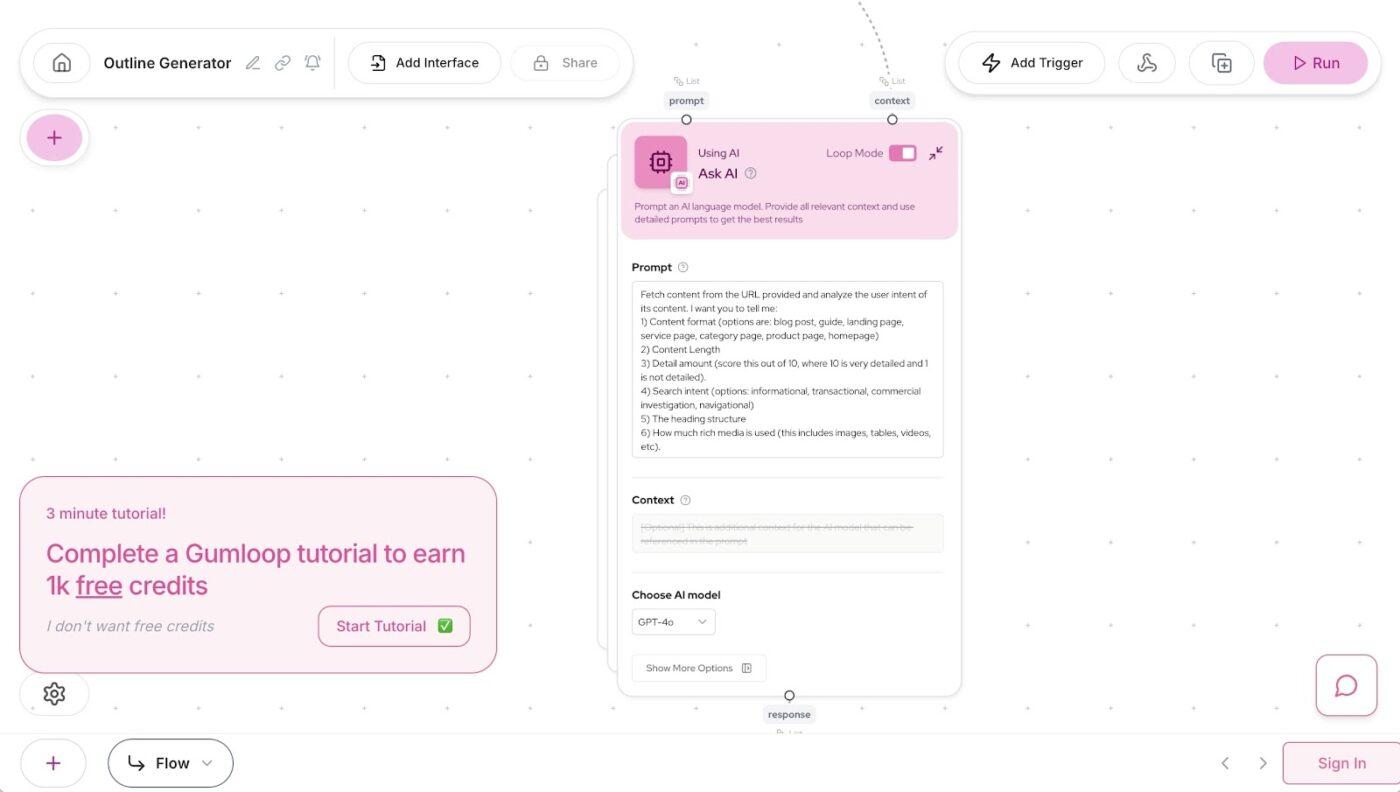
via Gumloop
Gumloop makes it easy to build and launch custom workflow automations without depending on engineering. You can automate everything in just three steps: drag, connect, and run.
It works directly with tools your team already uses, like Google Docs, Slack, Notion, CRM tools, and more. And you can scrape websites, sort and summarize documents, and send results wherever they need to go.
🧠 Fun Fact: A robot named Sophia became the world’s first robotic citizen of Saudi Arabia in 2017. She can smile, frown, and (kind of) crack a joke.
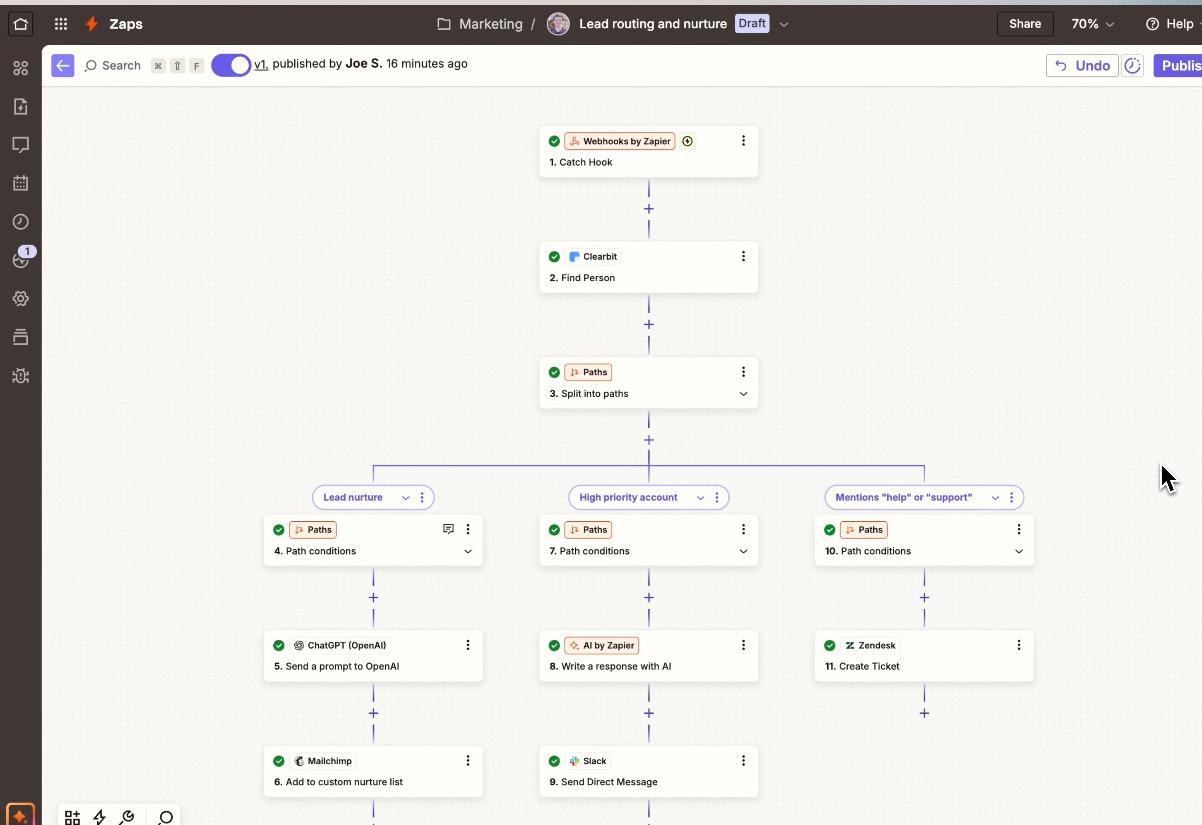
via Zapier
Zapier provides an automation toolkit to build entire systems using drag-and-drop logic, custom interfaces, and reusable templates. It’s built to support both personal tasks and enterprise-scale workflows.
The platform lets you mix intelligent agents, use filters to control logic, and format data as needed. You can also manage project management automations with built-in tools like Tables, Canvas, and Paths.
Here’s a G2 review about this tool:
Zapier saves me hours of manual work every week. I use it mainly for CRM integrations—like syncing leads between platforms, auto-updating contact records, and triggering follow-ups—and it runs reliably in the background…Some advanced use cases still require workarounds or custom webhooks, which can get a bit technical.
📖 Also Read: Powerful AI Agents Examples Transforming Industries
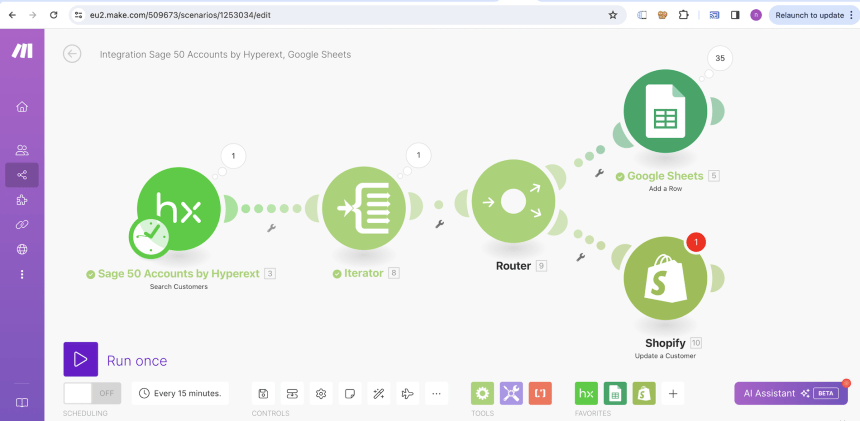
via Make.com
Make.com helps you map out your entire automation process using a visual interface that gives you complete control. You can design and automate complex workflows, transform data, trigger actions via webhooks, and use it as an AI collaboration tool.
Its standout feature is Make Grid, a live visual map of all your automations. You get real-time insights into how everything connects, where data flows, and which workflows need attention.
Per a Capterra review:
Super easy to learn and very intuitive to use, even for non-engineering folks. Enables a very wide range of automation use cases. …Operations based pricing can have some drawbacks when users aren’t onboarded properly.
📖 Also Read: Make Alternatives to Automate Workflows & Processes
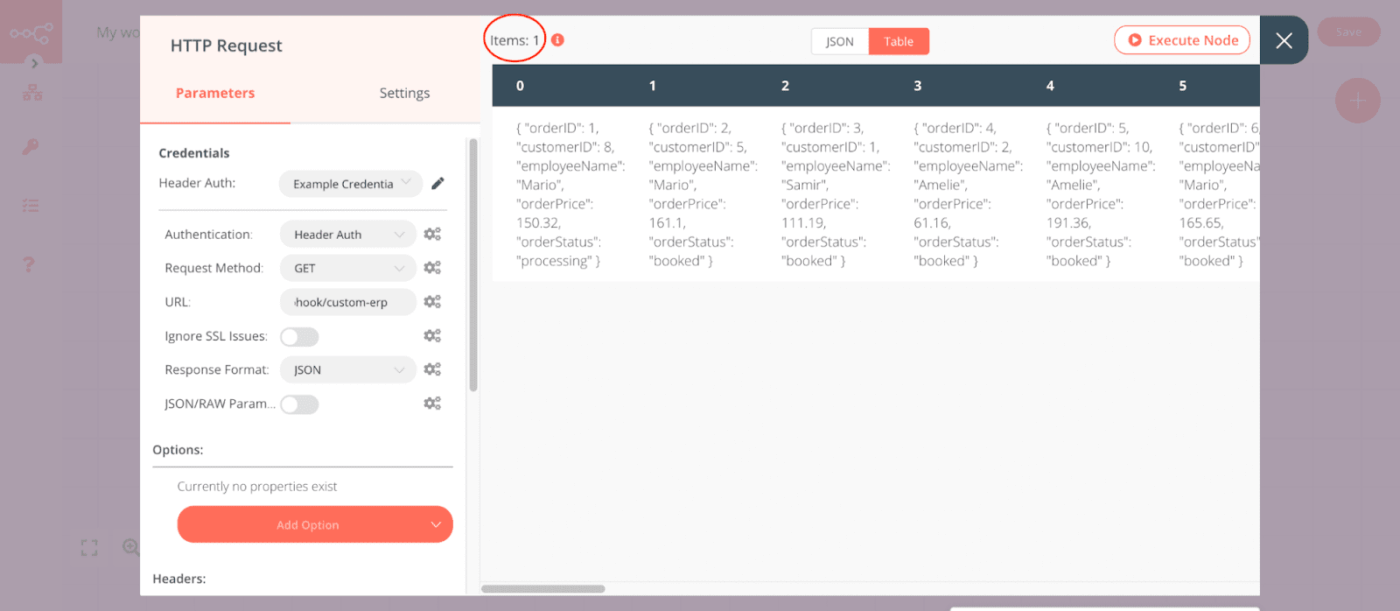
via N8n
Most tools struggle with logic-heavy workflows. They limit how you branch, merge, or reuse steps. n8n removes these constraints with dynamic controls for filters, loops, switches, and conditional routing, all of which are visible in a clean visual editor.
As an AI workflow generator, it displays real-time outputs at each step, allowing you to debug without rerunning the entire flow. Add custom code only where needed and use triggers, webhooks, or HTTP nodes to connect anything, even tools without native support.
📖 Also Read: Top n8n Alternatives for Workflow Automation
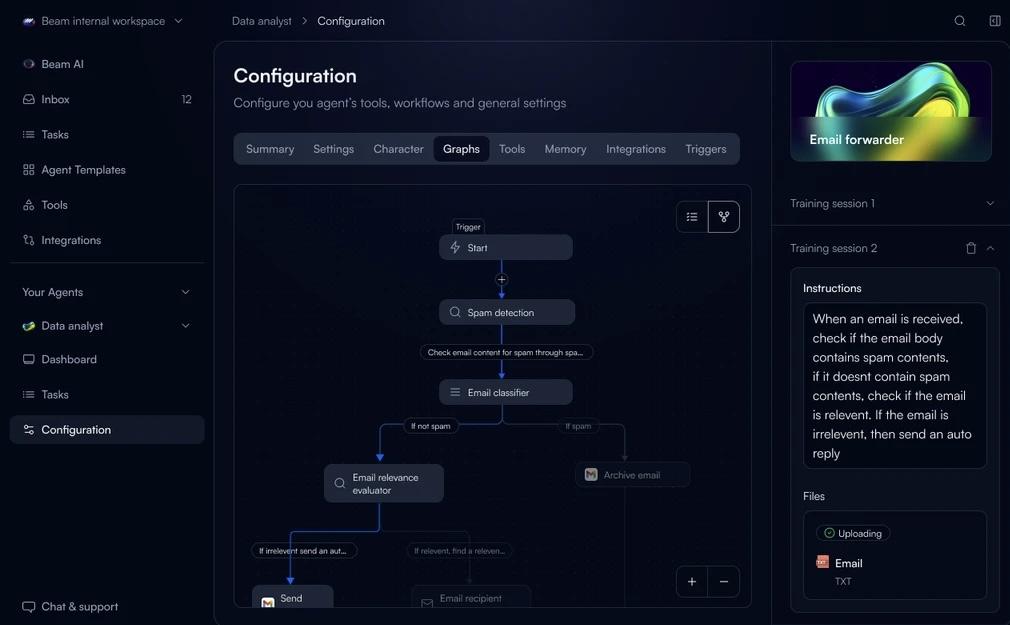
Beam is an AI tool for customer service and finance teams that automates workflows using self-learning agents. These agents adapt to outcomes, apply feedback, and refine their execution without constant oversight.
Tasks like auditing payroll, screening resumes, or managing customer requests are handled autonomously and refined over time. Each agent makes real-time decisions using Beam’s model-switching system.
They select the right model, trigger steps based on context, and keep processes moving without delays.
🔍 Did You Know? The very first AI chatbot was created in 1966 by MIT professor Joseph Weizenbaum. It was named ELIZA and played the role of a psychotherapist. Users typed in their thoughts, and Eliza responded using a simple rule-based system that mimicked human conversation.
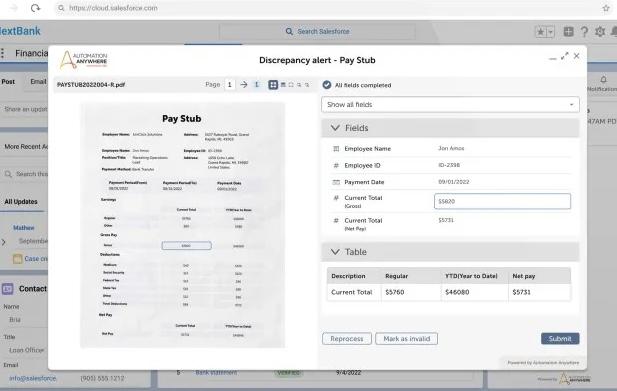
Automation Anywhere combines document processing, workflow design, and system integration. Its automation engine understands how processes work in real settings, adapts to changes, and keeps execution aligned across departments.
This task automation software gives teams the tools to build, manage, and deploy automations quickly, with everything running in the cloud. Plus, you get a workspace to monitor activity and adjust strategies in real time.
🔍 Did You Know? The term ‘Artificial Intelligence’ was coined in 1956 at the Dartmouth Conference by John McCarthy, which is now considered the birth of AI as a scientific field.
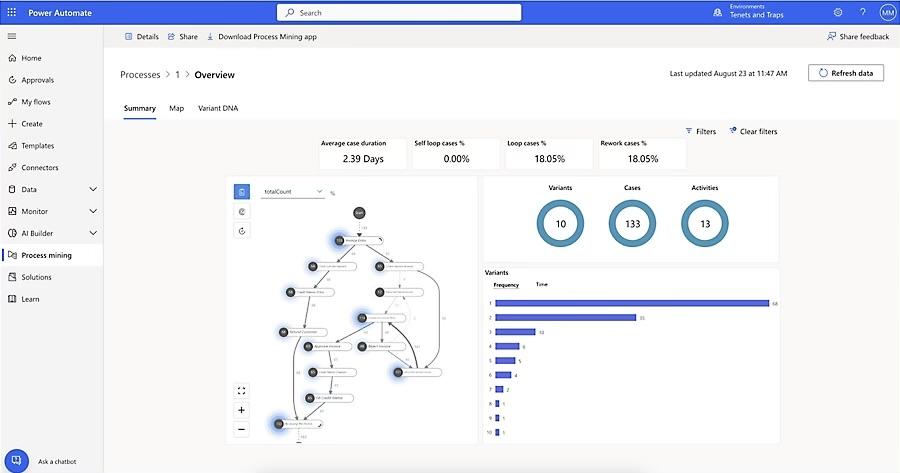
Power Automate helps teams cut through repetitive work with a mix of no-code tools, task mining, and process flows. You can design automations in simple language, run them across cloud or desktop apps, and handle approvals, document tasks, or data updates.
This AI tool for automation allows you to automate simple tasks or multi-step processes, offering guided insights on which workflows to focus on next.
A G2 review shared this insight:
What I love about Power Automate is how easy it is to set up flows between apps I use daily like Outlook, Teams, and SharePoint…Sometimes debugging a failed flow is a bit tricky. The error messages can be vague, and you often have to dig through logs to figure out what went wrong.
via Motion
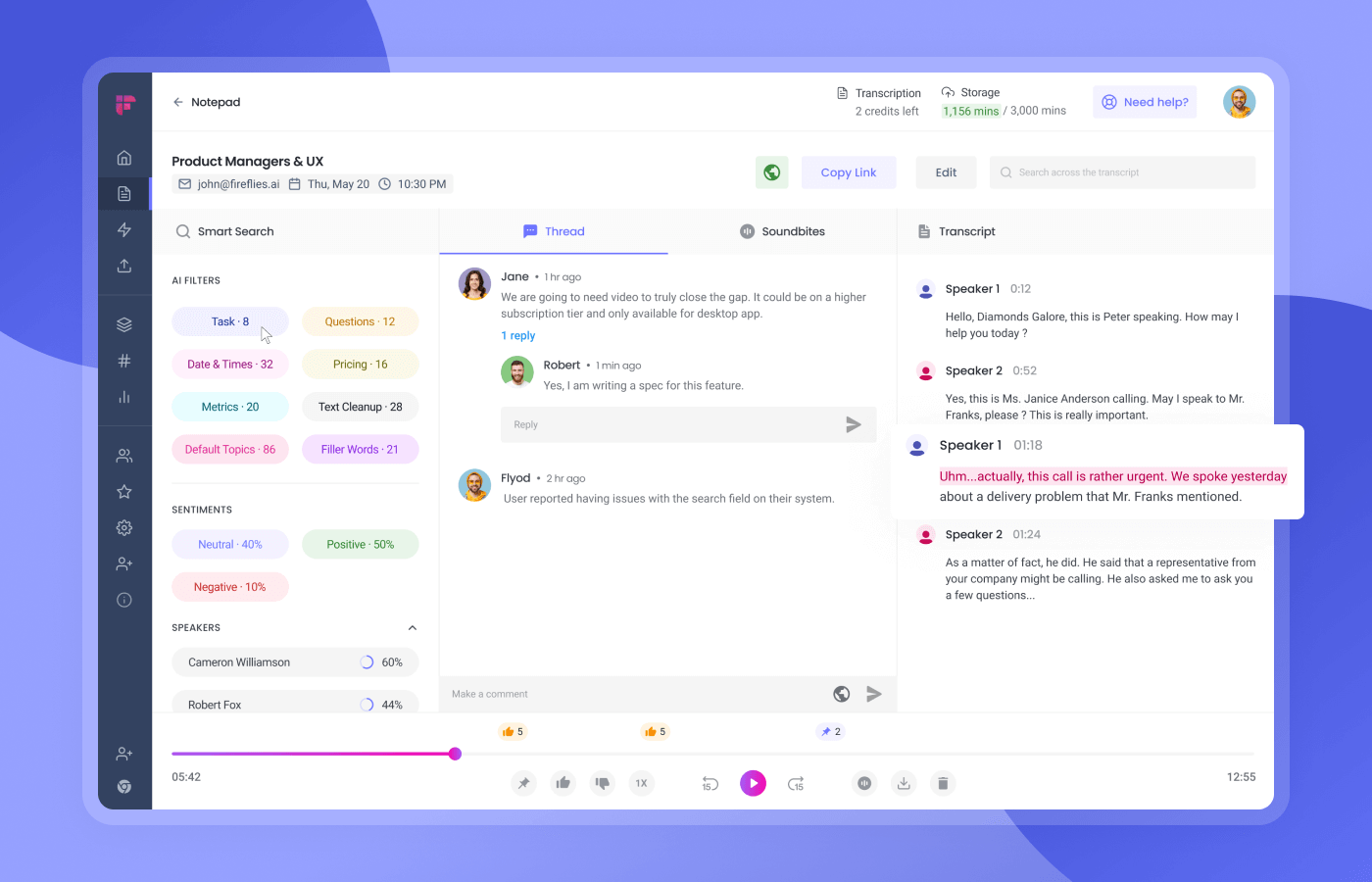
Instead of juggling tools, Motion allows you to assign roles to AI, such as a project manager, recruiter, or assistant, and they’ll take care of it with a little setup.
This Lindy AI alternative plans your workday for you, using AI to slot tasks, meetings, and deadlines into your calendar based on priority and availability. It senses when plans change, like meetings running late or urgent tasks arriving, and recalibrates your schedule instantly to keep you on track.
Here’s a firsthand perspective from a G2 review:
I love the AI time fill ins. If I need to cancel a meeting or have some spare time it fills my space with what project/task needs to get done…The only couple downsides is having everything set up accordingly in projects and templates for reason use. Automating tasks and steps are simple but doesn’t go in as complex as I’d like in terms of writing varibeles for names or automatically starting projects apart of the company rather then a private personal level.
🧠 Fun Fact: AI systems have become better at pattern recognition, natural language processing, and even beating humans at chess. An example is IBM’s Deep Blue defeating world champion Garry Kasparov in 1997.
📖 Also Read: Top Motion App Alternatives
Still weighing your options? If you’re looking for an all-in-one solution that brings together task management, team collaboration, and powerful AI, ClickUp might just be what you need.
With ClickUp Brain, you get an AI assistant that writes, summarizes, and answers questions right where you work.
Pair that with ClickUp Automations, and you can streamline repetitive workflows across projects, docs, tasks, and more, without ever leaving the platform.
So, what are you waiting for? Sign up for ClickUp today! ✅

© 2026 ClickUp

There’s an easier way. Try a free AI Agent in ClickUp that actually does the work for you—set up in minutes, save hours every week.