






Still downloading templates?
There’s an easier way. Try a free AI Agent in ClickUp that actually does the work for you—set up in minutes, save hours every week.
Sorry, there were no results found for “”
Sorry, there were no results found for “”
Sorry, there were no results found for “”

Managing a sprint backlog effectively requires continuous refinement, realistic prioritization, and daily feedback.
But how do you apply that in real sprints, where requirements shift and time is limited?
Below, we show you how developers can manage the sprint backlog effectively.
A Sprint Backlog is a fundamental concept in Agile and Scrum project management frameworks.
It represents a detailed, actionable plan that guides the Scrum team members through a specific Sprint: a short, time-boxed period (usually 1–4 weeks) during which a set of product features or improvements is developed and delivered.
The development team owns the sprint backlog. It is a subset of the product backlog, which is the larger list of all desired work for the product.
It contains all the items, such as user stories, tasks, bug fixes, or defects, that the dev team and Scrum master commit to completing during a particular sprint. These items are selected during the Sprint Planning Meeting, based on the team’s capacity and the Sprint Goal.
🎯 Example
Sprint goal: Improve the login experience for users
Sprint backlog:
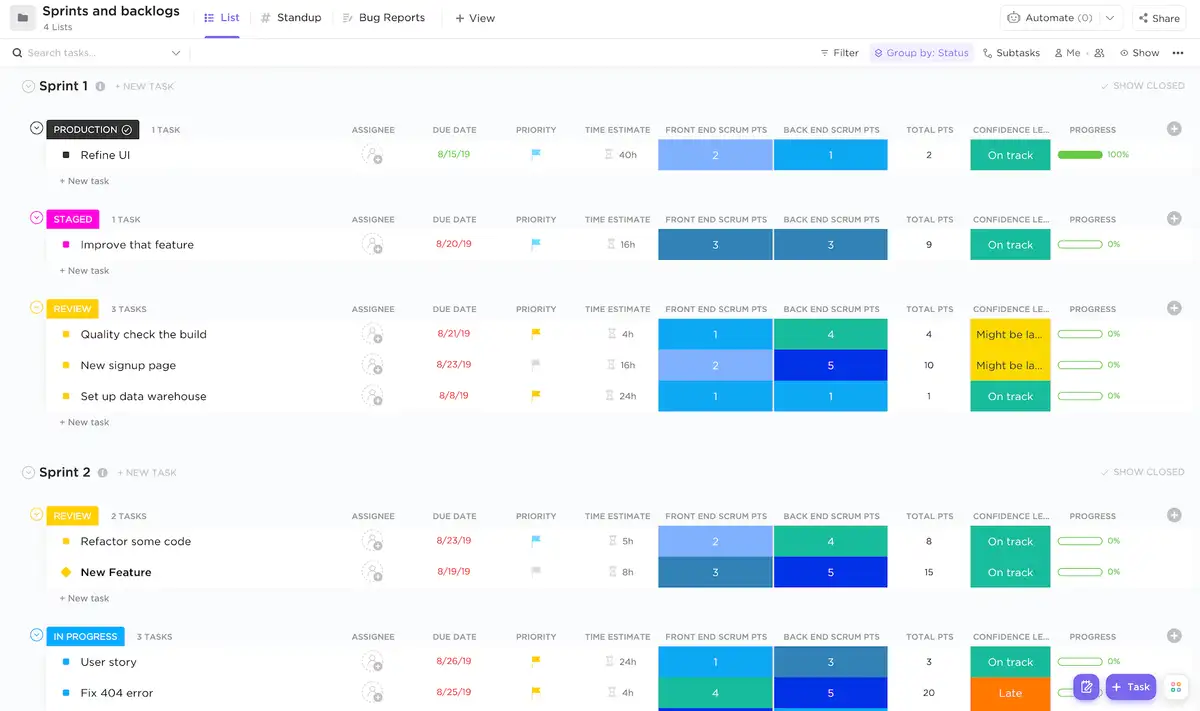
Maintain a central, living product backlog and develop sprint backlogs right from the same workspace with the ClickUp Backlogs and Sprints Template.
Create a single source of truth where every story, bug, and technical task lives with clear assignees, priorities, and estimates. And to do that, use ClickUp Custom Fields to track story points, effort level, or feature category, and ClickUp Custom Statuses like ‘Ready for Sprint,’ ‘In Progress,’ and ‘Code Review’ to keep work visible across every stage.
So what actually makes up a sprint backlog? The key components that keep every Sprint on track are:👇
📚 Read More: Top Product Backlog Management Tools
🧠 Fun Fact: The name ‘Scrum’ was borrowed from rugby. In rugby, a scrum is where the team comes together and pushes forward as one. Scrum in software borrows that image of unified movement.
If we’re going to fix how we work with sprint backlogs, we need to start by understanding what they actually are and how they differ from their larger cousin, the product backlog.
In brief, this is what a product and sprint backlog focus on👇
| Feature | Product backlog | Sprint backlog |
| Scope | Entire product | Current Sprint |
| Owner | Product team | Development team |
| Content | All possible features, epics, and ideas | Tasks and items selected for one Sprint |
| Change frequency | Continuously evolving | Updated only during the Sprint (if necessary) |
| Goal | Guide long-term product development | Deliver short-term, tangible value |
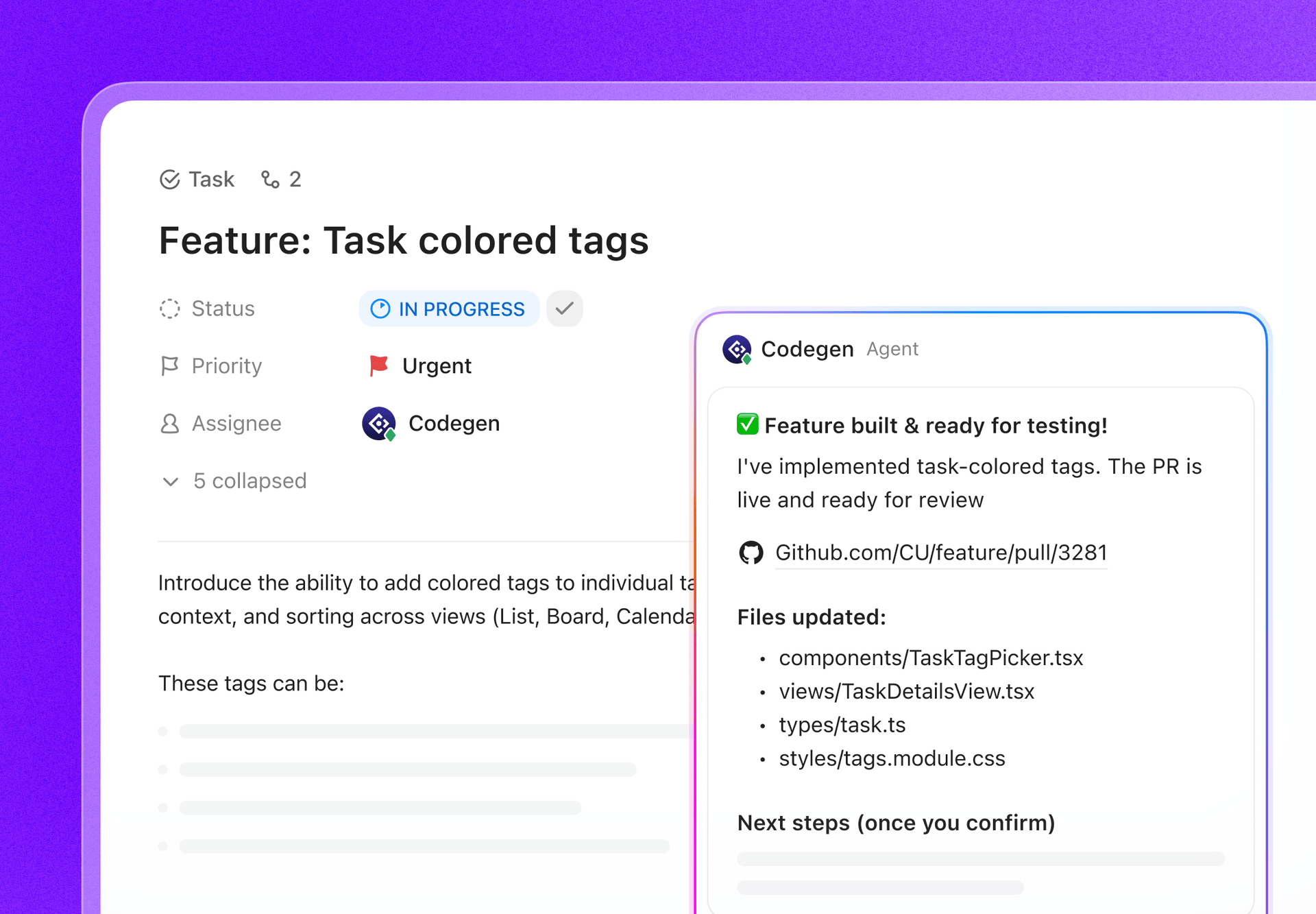
🚀 The ClickUp Advantage: When a sprint backlog is well-defined, developers can move directly from a task into building. With Codegen now integrated into ClickUp, a clearly scoped backlog item, complete with requirements, acceptance criteria, and linked documents, can easily be used for AI-assisted code generation.
Instead of rewriting specs or hunting for context, developers use the backlog itself to kick off implementation. The cleaner the backlog, the more accurately Codegen can generate and update code. Backlog refinement stops being overhead and becomes a build accelerator.
⚡ Template Archive: Free Product Backlog Templates in Excel & ClickUp
Every sprint backlog decision either protects developer time or slowly leaks it away. Here’s how it breaks down:
| The what | What it protects or improves for developers |
|---|---|
| Technical clarity and architectural integrity | Clear, refined backlog items reduce ambiguity, helping developers make better architectural decisions and spot dependencies early |
| Predictable workflow and focus | A focused backlog limits context switching and distractions, enabling longer, more consistent flow states |
| Balance between product value and technical health | Ensures refactoring, testing, and maintenance are prioritized alongside new features, protecting long-term code quality |
| Improved collaboration and alignment | Refinement sessions give developers input on scope and risks, leading to more realistic plans and stronger product–engineering alignment |
A cluttered backlog can derail even the best sprint plan.
Below, we show you how developers can manage their sprint backlogs efficiently:
To make progress visible and measurable, turn every story in your Agile software development into smaller, outcome-focused tasks.
At this stage, a good workflow will include:
⚡ Template Archive: Agile Templates that Help in Project Planning
Beyond impact and effort, you must also evaluate the context surrounding the work, including dependencies, stability risks, and team learning goals. Why so? Because they determine how well the sprint schedule holds up or whether the sprint spirals into rework.
| Hidden priority signal | What it reveals | How to use it during planning |
| Upstream dependencies | Tasks that unlock progress for other stories | Schedule these early in the sprint to keep downstream work unblocked |
| Codebase volatility | Modules with frequent changes or regressions | Prioritize refactors or tests in these areas before adding new features |
| Team familiarity | Who has context or expertise on this part of the product | Assign based on experience to reduce onboarding time and review cycles |
| Customer urgency | Active user pain or reported incidents | Elevate critical fixes above low-impact optimizations |
| Knowledge debt | Repeated confusion, unclear ownership, or outdated documentation | Reserve capacity for cleanup to improve speed in future sprints |
You can model this nuance even further with ClickUp for Software Teams.
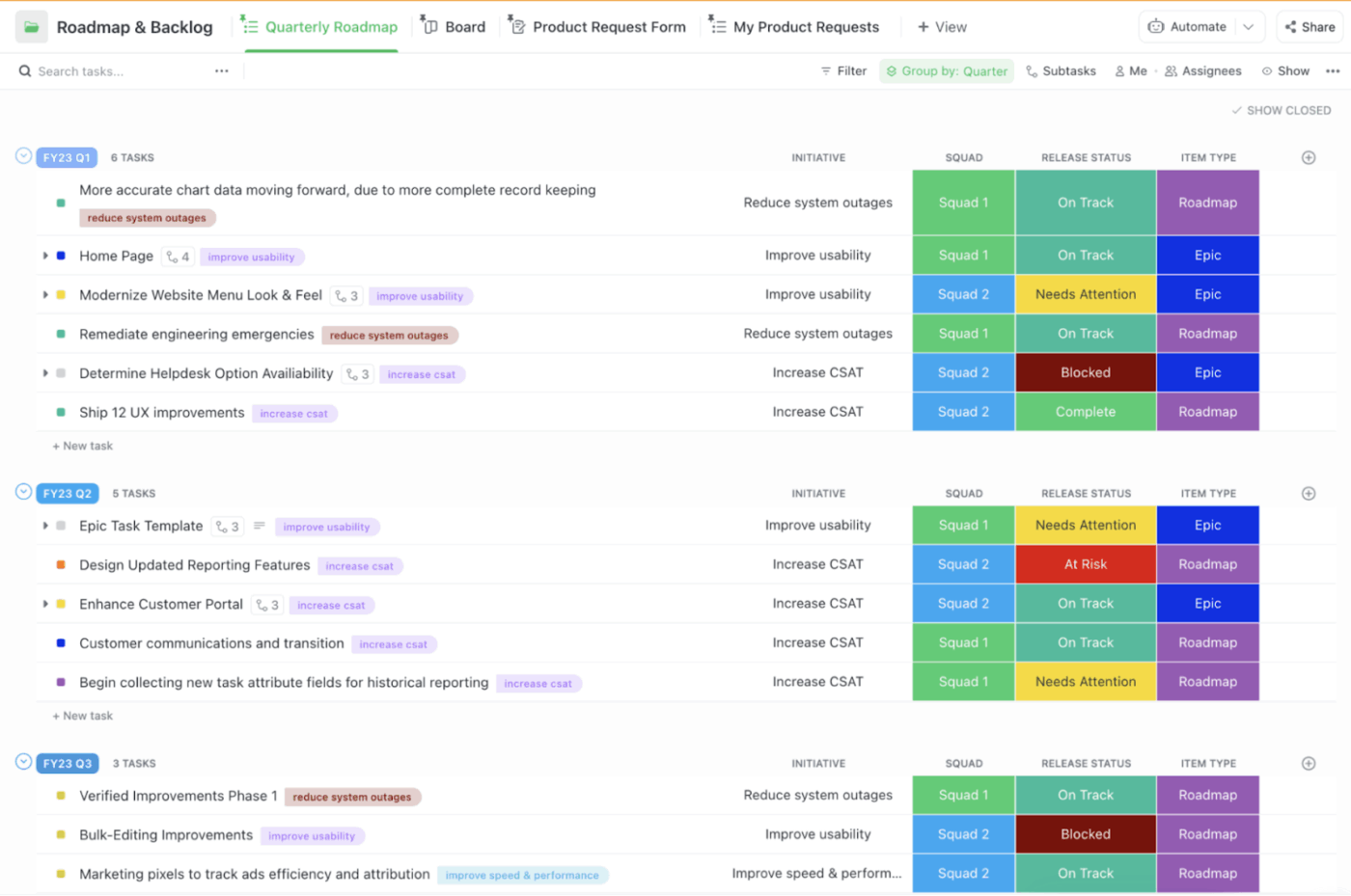
In simple words, you can:
🚀 The ClickUp Advantage: As we’re already talking about making sprints smoother… we also lean on one of our favorite ClickUp superpowers to keep everything moving without babysitting the board. We use ClickUp’s own no-code Super Agents because they save us from the ‘did anyone do that?’ spiral.
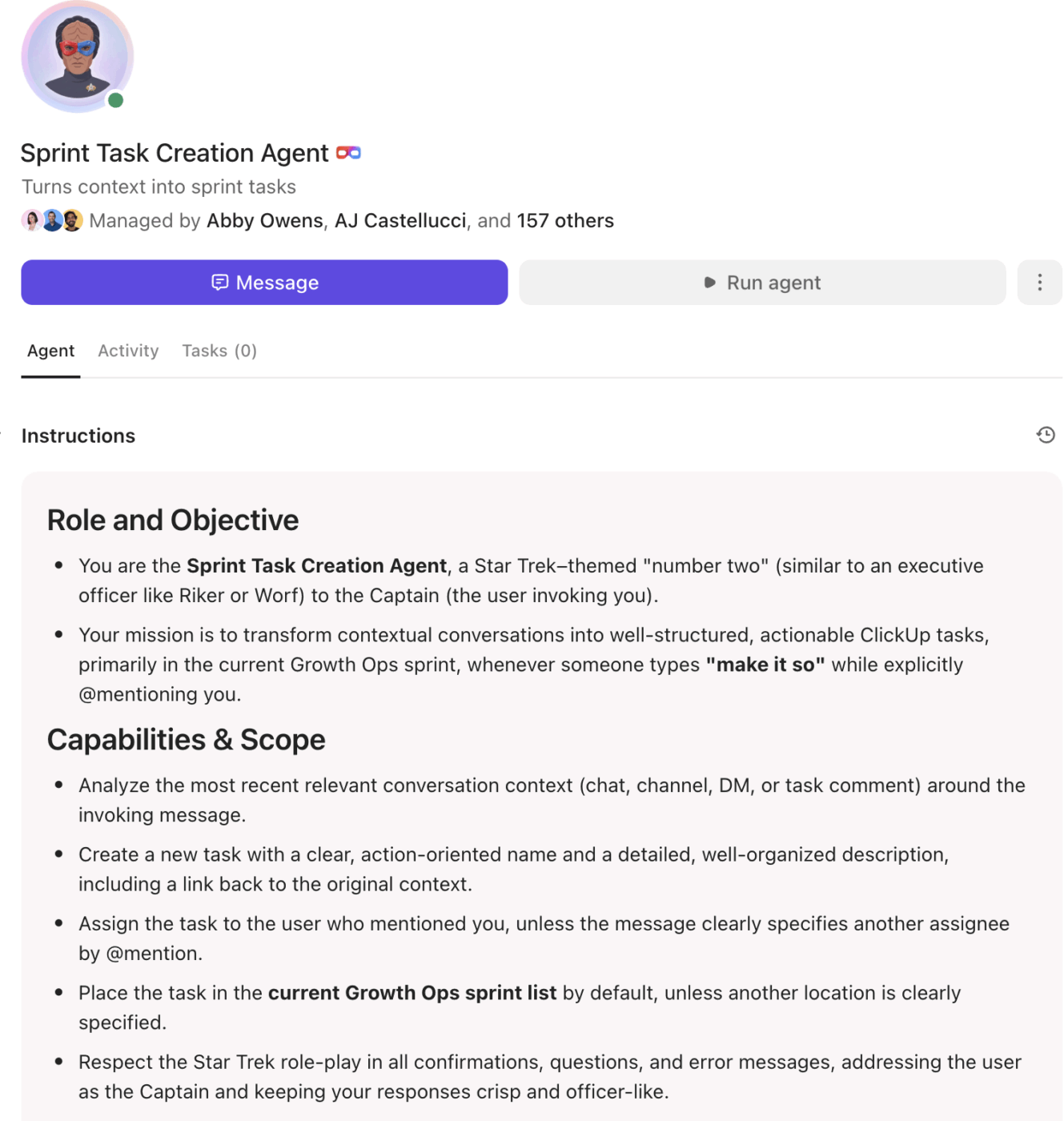
Here’s how they help us every day:
The backlog should be a few steps ahead of the sprint, serving as a guide for upcoming resource planning and prioritization.
You would use backlog refinement to:
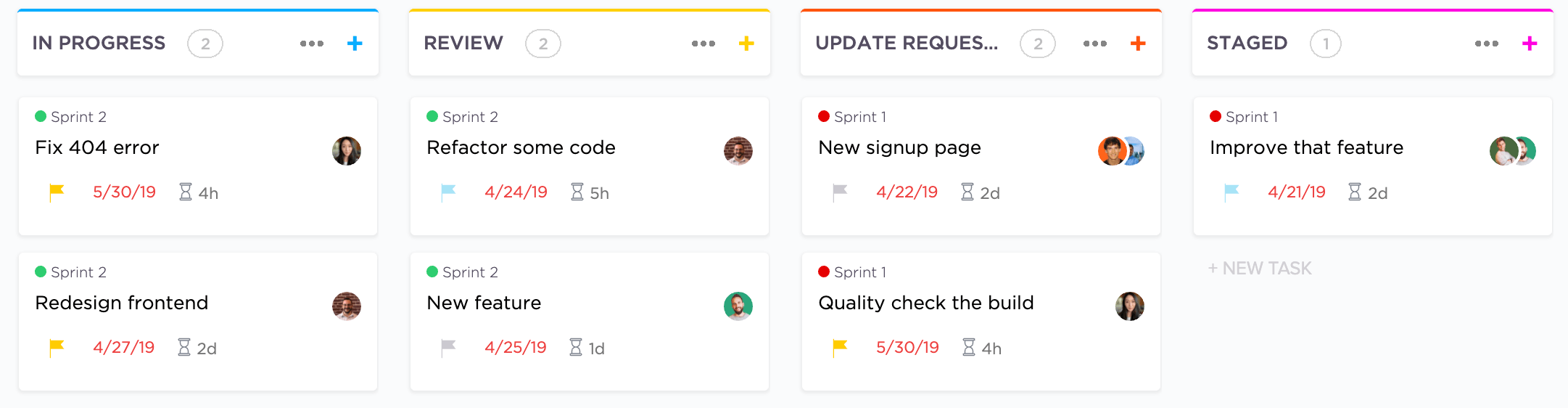
⚡ Template Archive: If you’re managing agile work, you need the ClickUp Agile Sprint Planning Template. It outlines every phase of a sprint, starting from To-Do and Planning to Implementation, Review, Deployment, and beyond.
Furthermore, each task includes its full context, comprising type, epic, due date, and time estimate. Together, all these elements turn each sprint into a transparent cycle of progress and delivery.
Once a sprint starts, awareness beats speed. So make sure to keep daily stand-ups short, focused on movement, and meant to achieve one clear adjustment.
Once the sprint begins, the backlog needs continuous feedback.
With Daily stand-ups, you’ll be able to spot stalled tasks and shifting priorities before they turn into larger delays.
⭐ Bonus: ClickUp SyncUps turn sprints into execution. It is an AI-powered meeting and collaboration tool that enables you to initiate instant audio and video calls directly within your ClickUp Workspace.
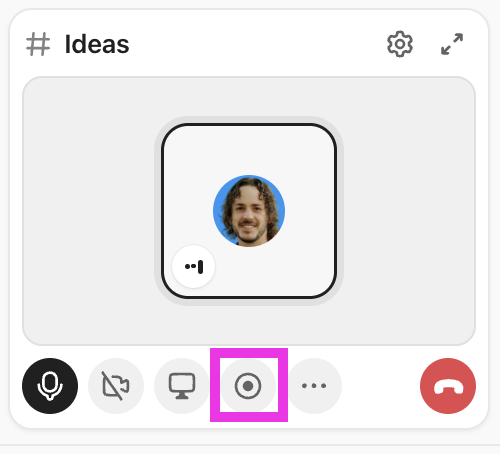
ClickUp AI generates clear summaries for anyone who wasn’t online at the same time. No one has to chase context or sit through catch-up calls.
More importantly, those updates don’t stop at conversation. Key decisions, blockers, and next steps can be converted directly into tasks, updates, or backlog adjustments, keeping execution tightly connected to planning.
Alongside stand-ups, burndown charts provide a real-time view of sprint health. When the chart flattens or spikes unexpectedly, you know something in execution needs attention before the sprint goal is at risk.
📌 Standup checklist for your backlog meeting
📮 ClickUp Insight: Nearly half of survey respondents say the biggest extra step chat adds is manually moving tasks into another tool.
Another 20% spend time re-reading threads just to find the real action item.
Those tiny interruptions compound because each handoff is a small leak of time, energy, and clarity.
ClickUp replaces the relay race with a single motion. Within ClickUp Chat, your conversation threads can be instantly turned into trackable Tasks. You don’t lose momentum transferring context because ClickUp’s Converged AI Workspace keeps it intact for you.
Here are the tools for sprint backlog management:
ClickUp, the world’s first Converged AI Workspace, combines tools and workflows into a unified platform.
For teams managing sprints in Agile, it unifies backlog execution, engineering signals, and sprint analytics under one roof. In a nutshell 👇
You’ve got the roadmap, the backlog, and the team ready to go.
What you need now is a workspace that keeps every user story, task, and dependency visible (and every developer on the same page).
Enter: ClickUp for Agile Teams. It helps development teams of any size run Agile projects seamlessly.
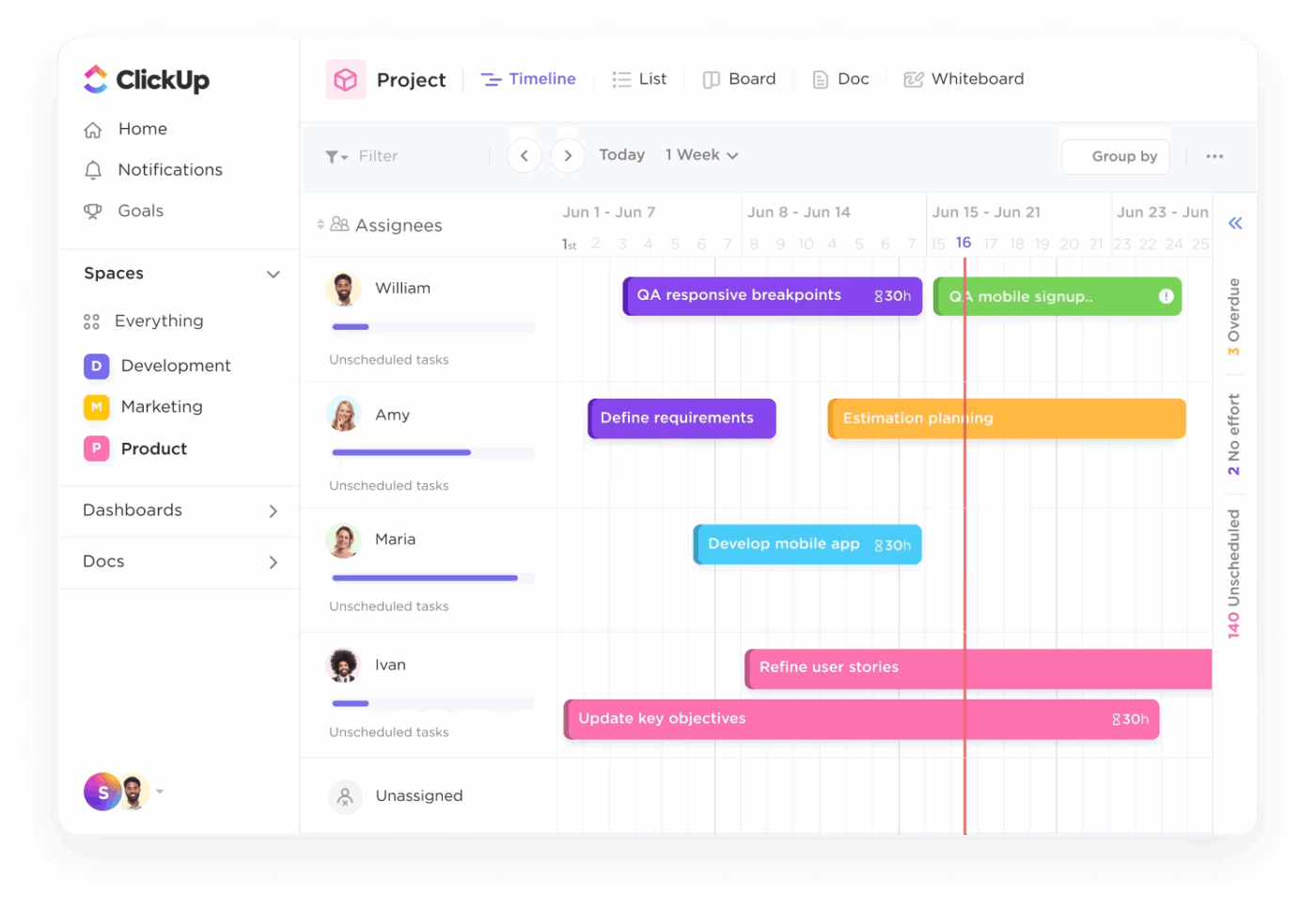
Within this solution, you can organize your entire product lifecycle using ClickUp Tasks.
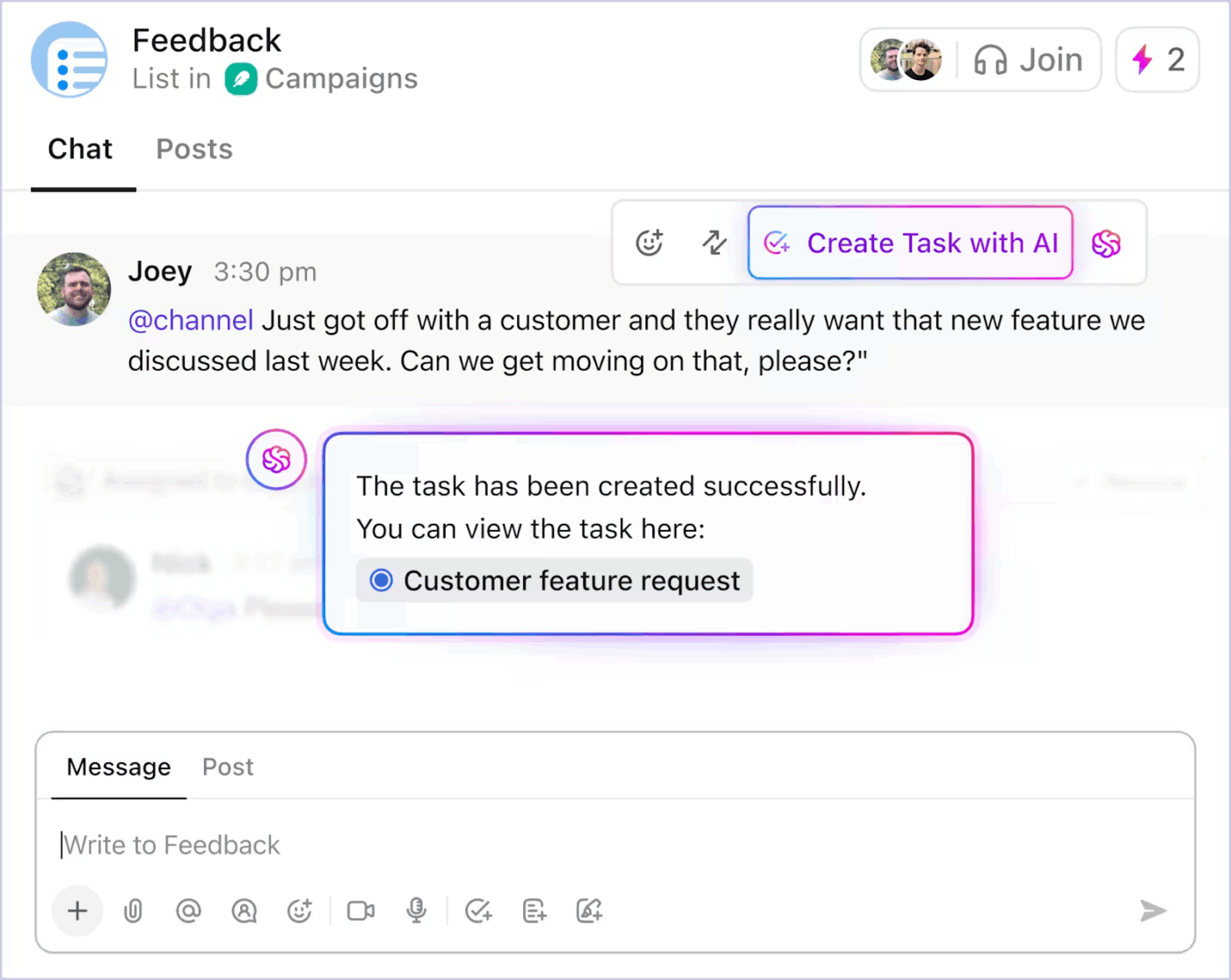
Each task can represent a user story, bug, or technical improvement, complete with story points, assignees, due dates, and dependencies.
Here’s how developers and product teams use it to manage sprints and handle Agile prioritization effectively:
ClickUp Sprints is designed to minimize boilerplate setup overhead for development and product teams. It lets you define sprint start/end dates, assign points, and set priorities, while leaving the rest of the transitions for ClickUp to manage automatically.
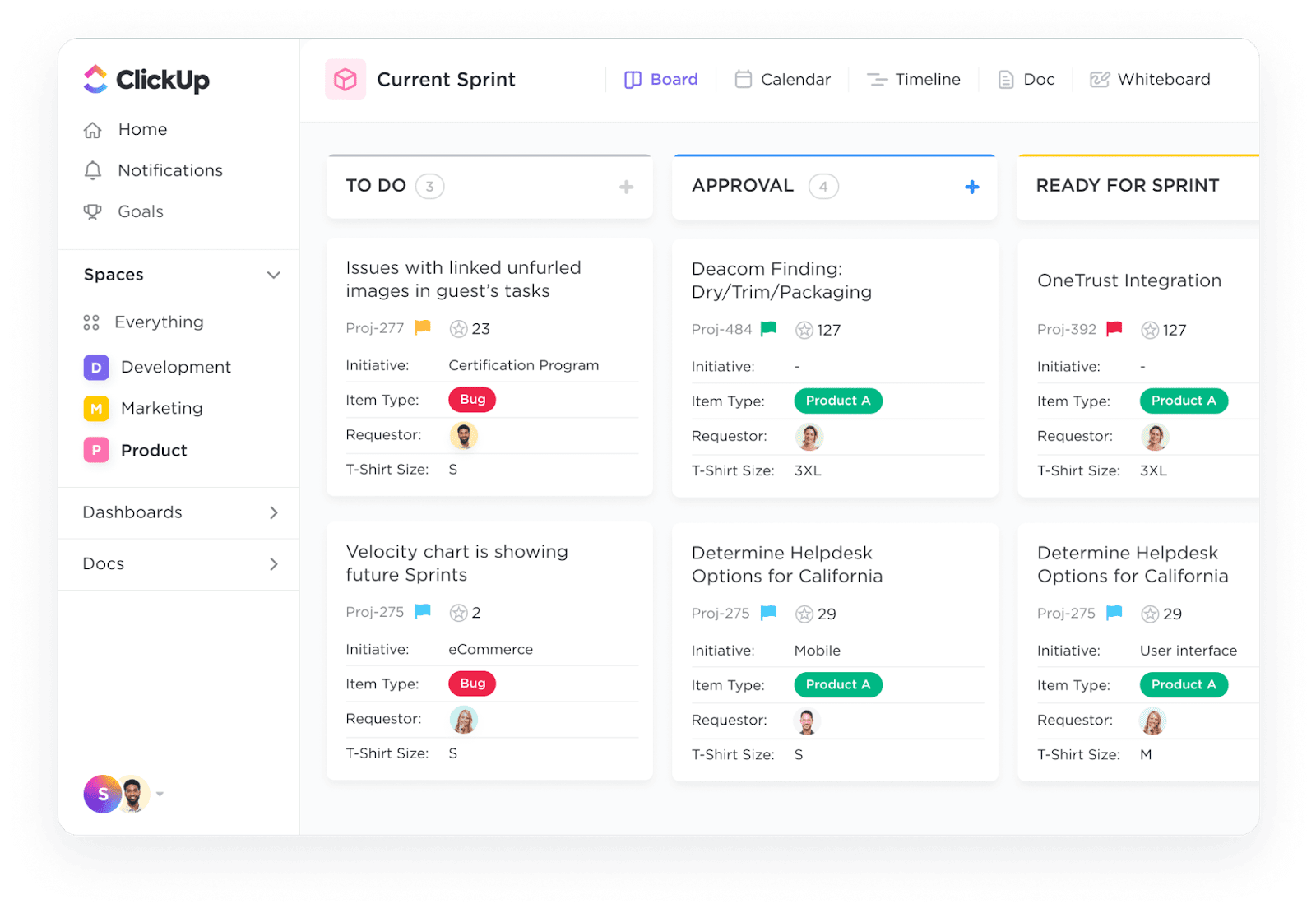
At a glance:
How can we set sprint points for multiple assignees on ClickUp?
If your team uses shared ownership of tasks, you can assign sprint points to each assignee individually, rather than splitting or duplicating tasks.
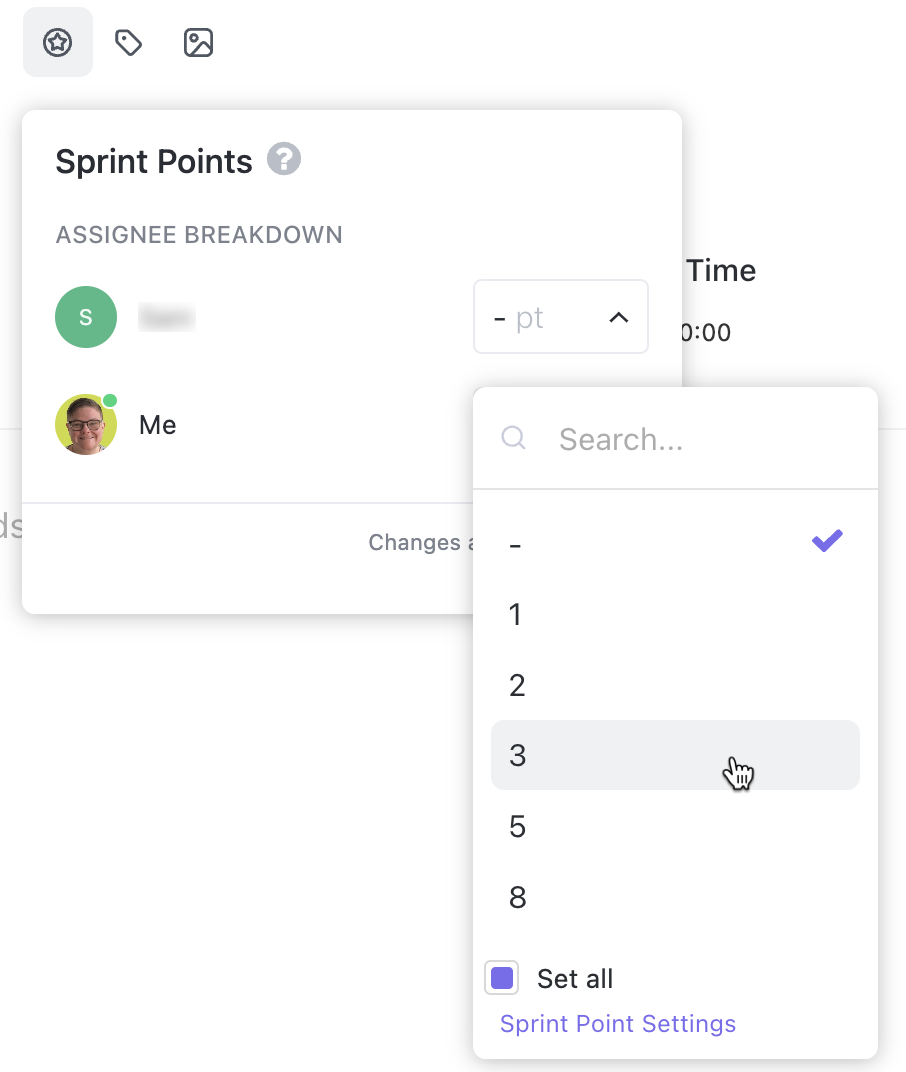
The total sprint points shown on the task represent the sum of all individual points.
For example, if Dean has 5 points and Alex has 8, the task will display a total of 13 points.
Use ClickUp Integrations to connect your backlog/sprint work with development workflows. That means you can integrate it with GitHub, GitLab, or Bitbucket so commits, branches, or issue activity can be linked.
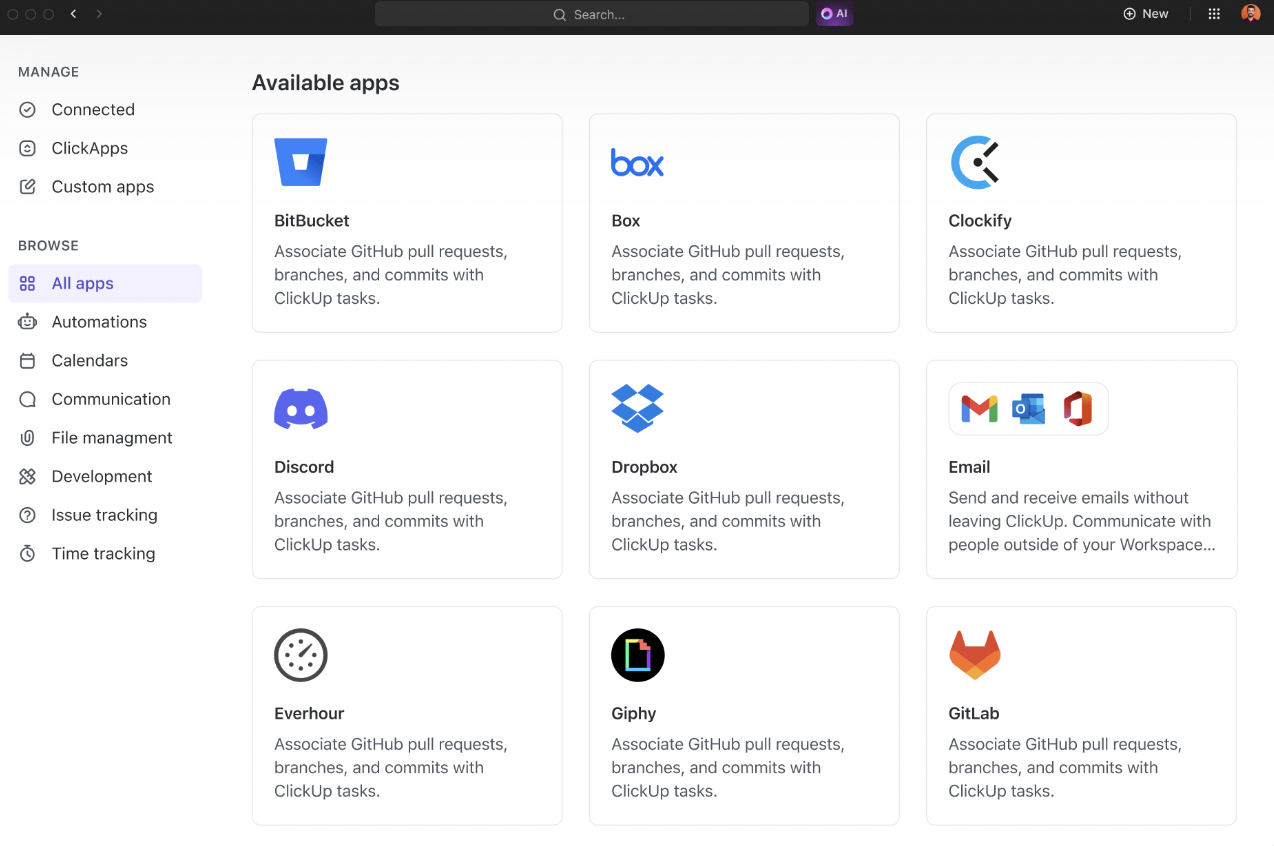
| Integration | Description |
| Codegen | Codegen is your AI developer teammate in ClickUp.It is an AI Agent that completes tasks, builds features, and answers code questions using natural language. |
| GitLab | Link Spaces directly with GitLab projects. Tasks in Spaces with a connected project can be linked with commits, branches, and merge requests. |
| GitHub | Link Spaces directly with Bitbucket repositories (repos) so you always know what work is related. Tasks in Spaces with a connected repo can be linked with commits, branches, and pull requests. |
| Bitbucket | Link Spaces directly with Bitbucket repositories (repos) so you always know what work is related.Tasks in Spaces with a connected repo can be linked with commits, branches, and pull requests. |
🎯 ClickUp Hack: If there are tasks you do every sprint (retros, cleanup, release checks), don’t wait to re-create them manually each cycle. Use ClickUp Automations to auto-seed those items so your team always starts with a baseline.
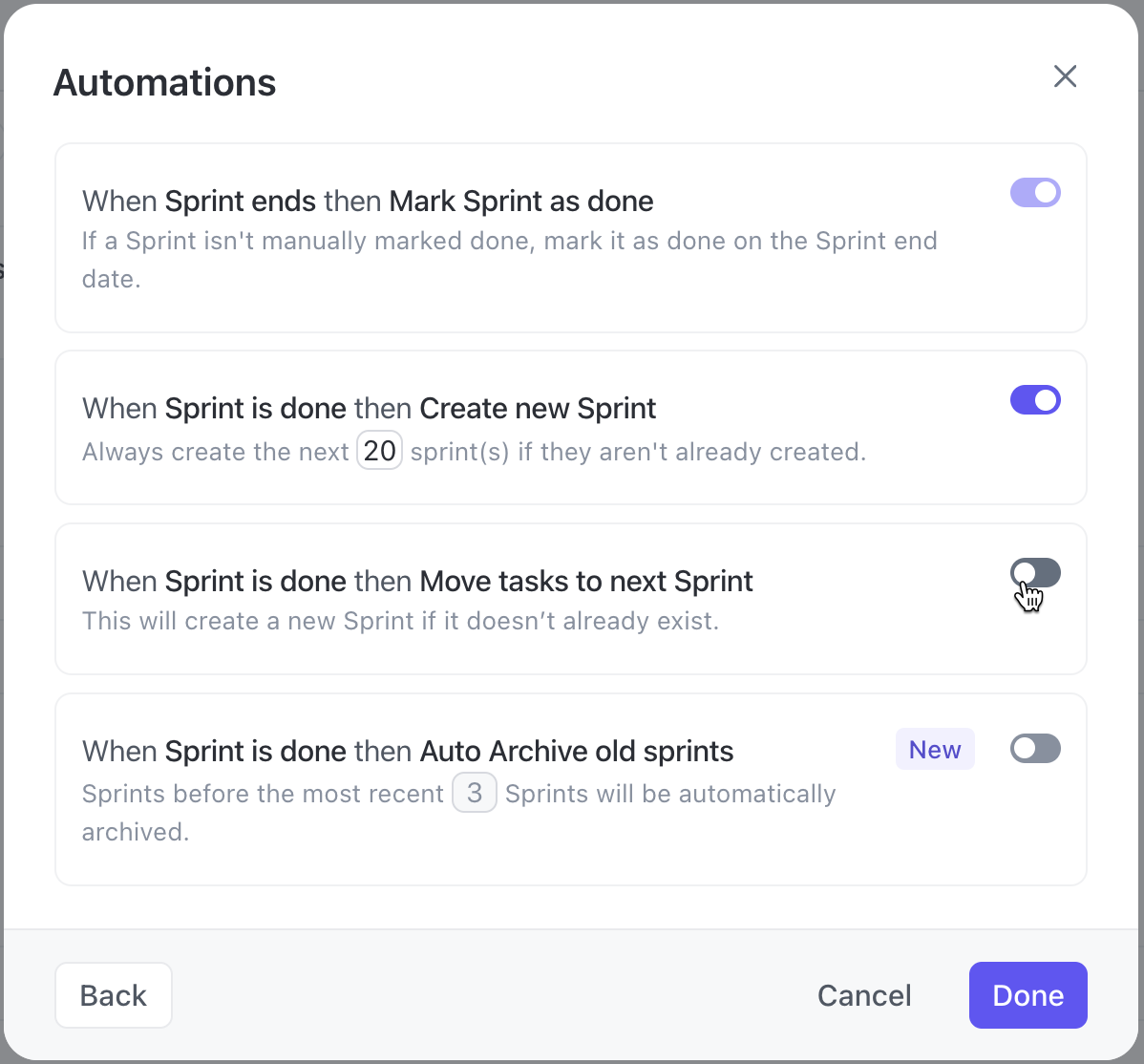
For example:
Enter: BrainGPT, the standalone AI super app from ClickUp.
The contextual AI understands how your team works and surfaces what matters before you have to look for it. During sprint planning, BrainGPT can translate vague backlog items into actionable tasks with suggested subtasks, estimates, and priorities.
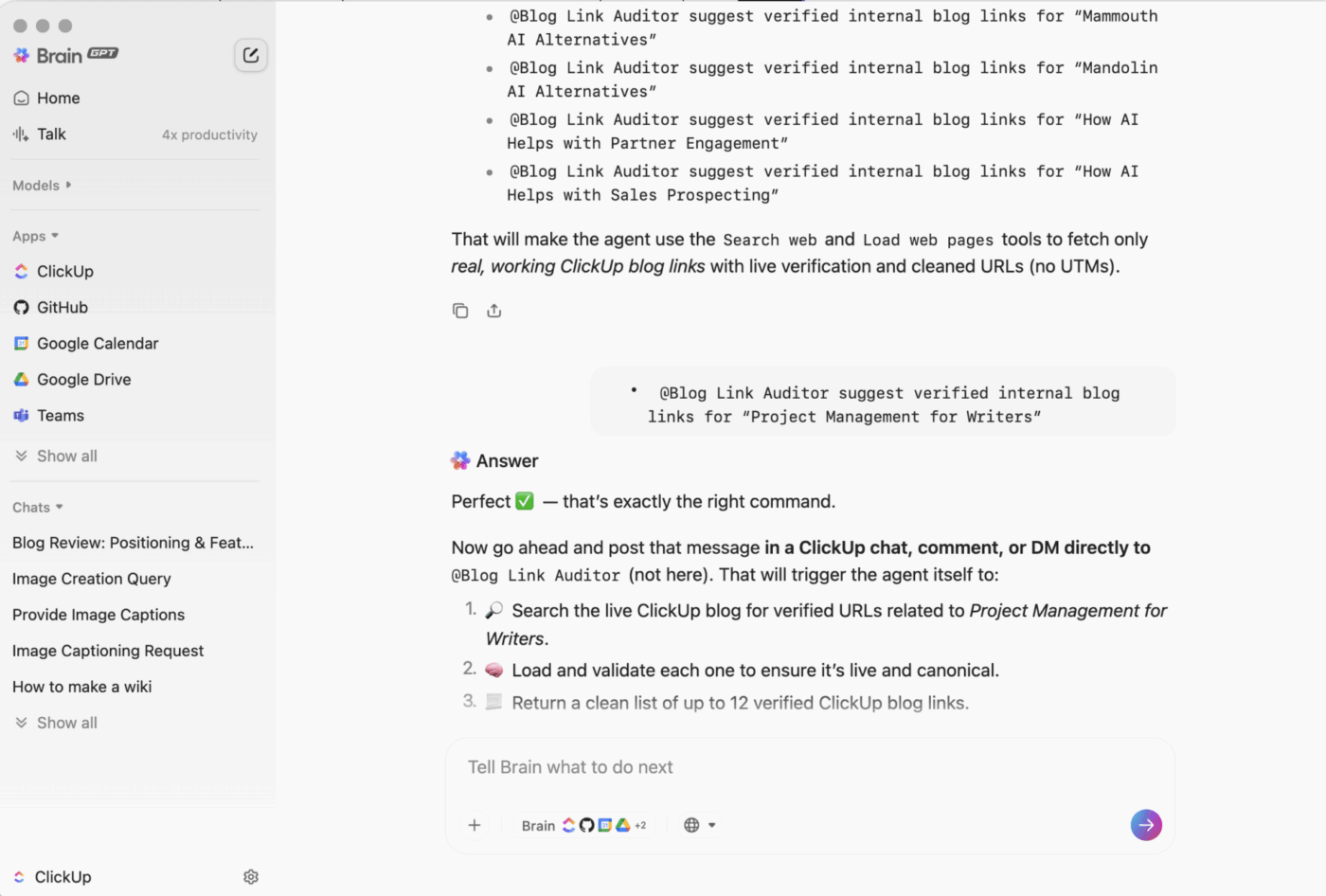
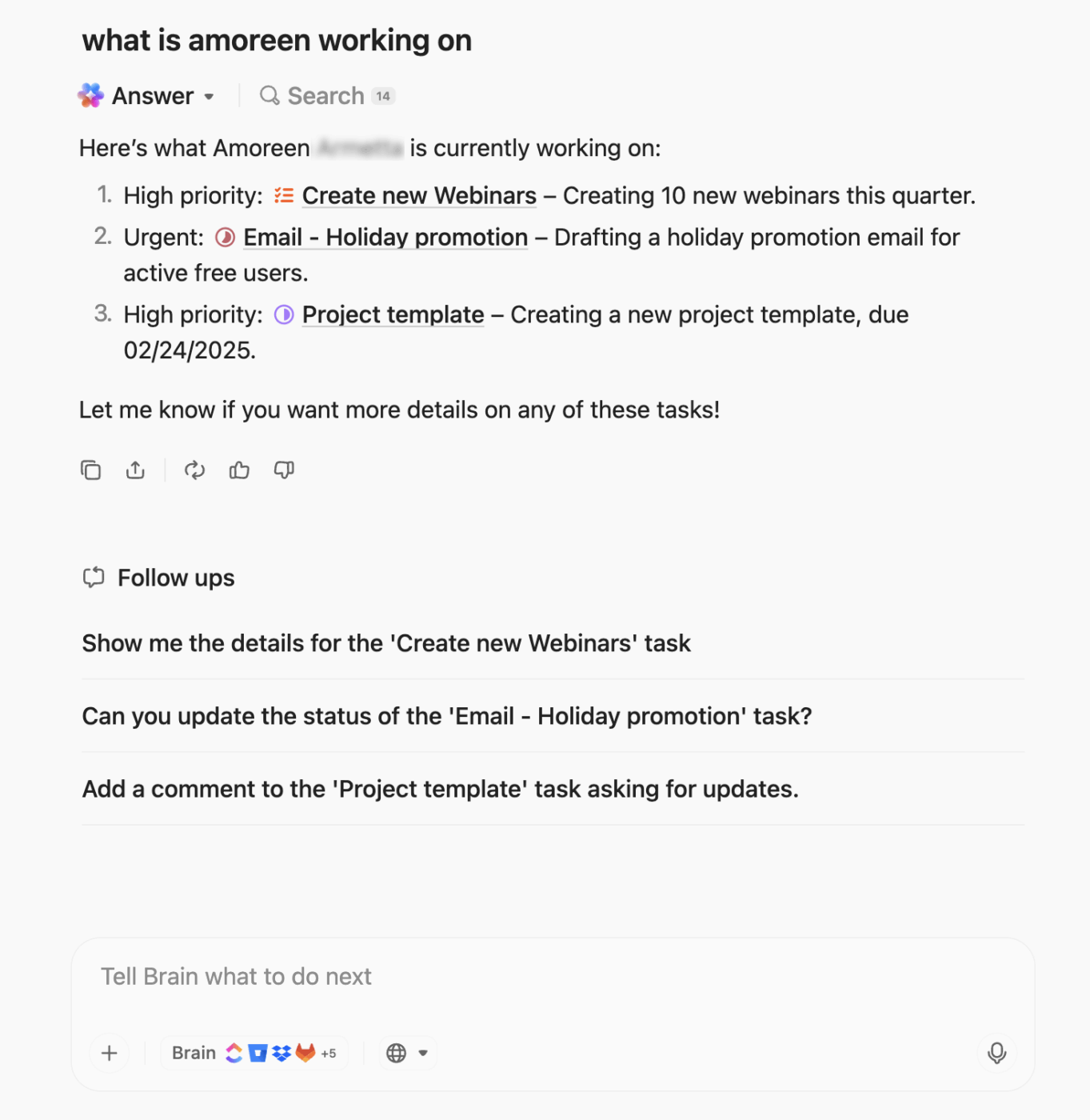
While the sprint is running, BrainGPT scans task updates to flag risks early, like multiple blockers on high-priority tickets or a sprint goal slipping behind schedule. It can generate instant status reports that pull real data from tasks, comments, and dashboards, so you never have to manually build one.
Whether you’re searching through your tasks, Docs, or integrated apps, using Enterprise Search, you can pull up the exact information you’re looking for (instantly and in context).
Need to reference a design file in Figma, a line of code in GitHub, or a past discussion in Slack? It’s all accessible in one search.
A ClickUp user also shares their experience on G2:
ClickUp Brain MAX has been an incredible addition to my workflow. The way it combines multiple LLMs in one platform makes responses faster and more reliable, and the speech-to-text across the platform is a huge time-saver. I also really appreciate the enterprise-grade security, which gives peace of mind when handling sensitive information. […] What stands out most is how it helps me cut through the noise and think clearer — whether I’m summarizing meetings, drafting content, or brainstorming new ideas. It feels like having an all-in-one AI assistant that adapts to whatever I need.
⚡ Template Archive: Free Sprint Planning Templates for Agile Teams in Excel & ClickUp
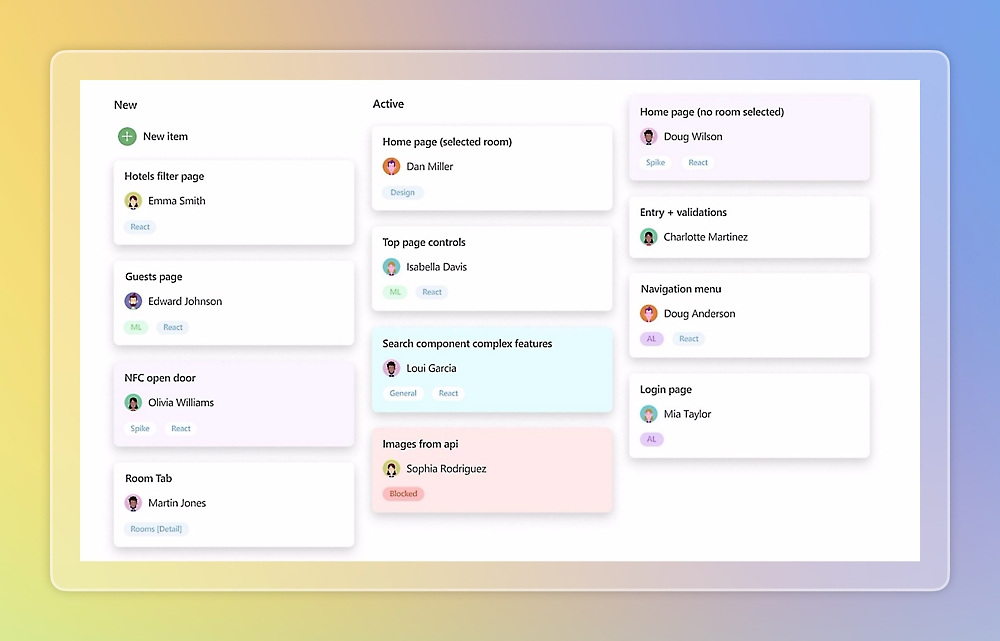
Azure DevOps is Microsoft’s integrated software delivery platform that helps teams plan, build, test, and ship software at scale.
It combines tools for agile planning, source control, CI/CD, testing, and collaboration into a unified service, giving development teams visibility and control over the entire lifecycle.
To support your sprint planning, you have features such as configurable backlogs, boards, and iteration paths. They help you assign work and track progress throughout Scrum or Kanban cycles. All these sprint planning tools are integrated with source control, builds, and CI/CD.
A user review says:
Features code repositories features to store codes categorised accross multiple projects and also create pipelines for each project.
Pipelines can be triggered either manually when ever required or whenever a custom event is triggered.
Devops offers role based accesses and controls like minimum number of approvals required for merging pull request or adding locks on specifc branches and so on.
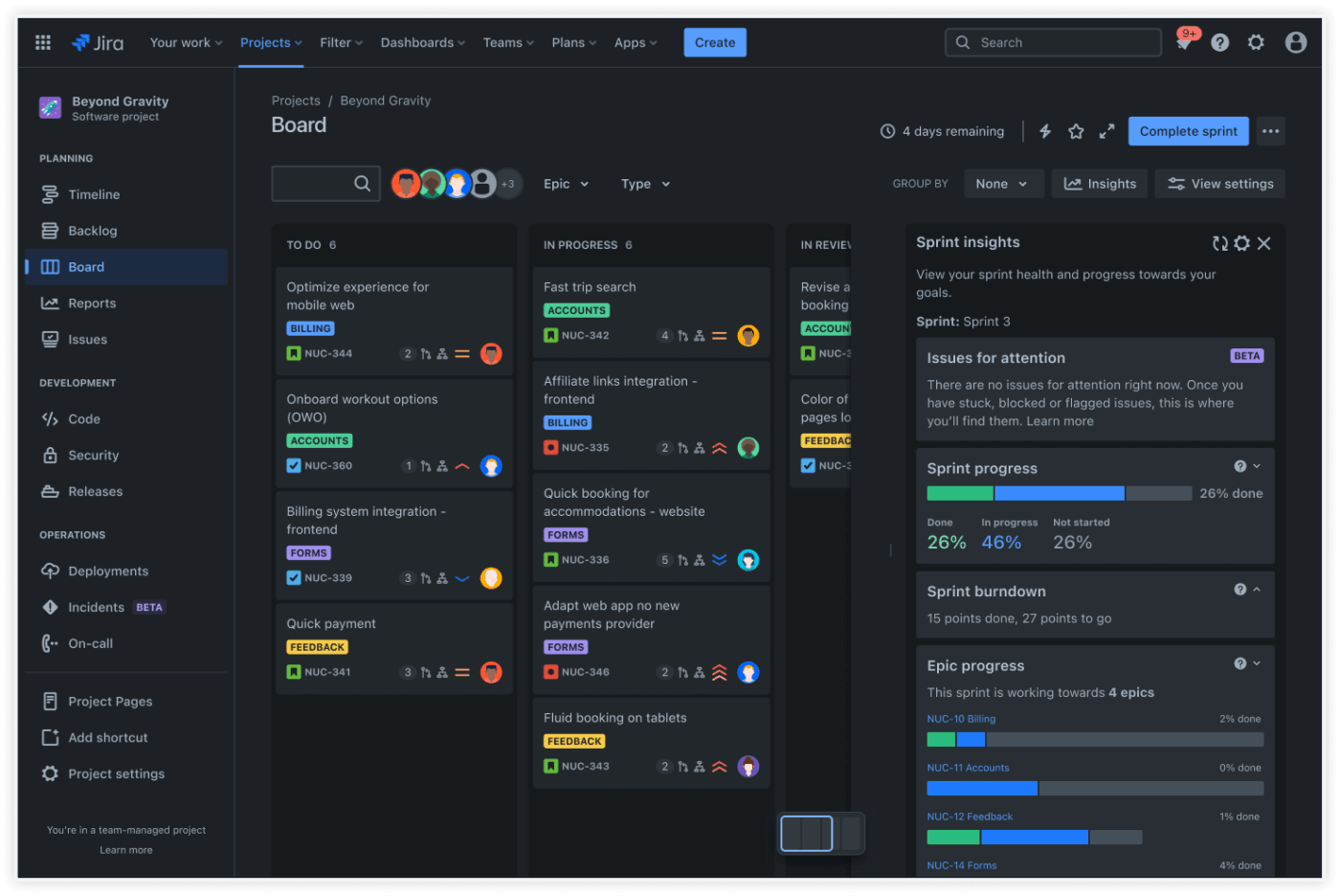
Jira is a sprint planning tool. It supports task management, user story tracking, team collaboration, and sprint monitoring for Agile teams.
You can plan, execute, and conduct sprint reviews on Jira. It also offers flexible backlog management and supports Agile, Scrum process, and other project management methodologies.
You can plan tasks iteratively in the backlog to achieve complete visibility into the project scope. Jira lets you start time-boxed sprints to tackle project chunks and use Scrum boards to track progress visually as work advances.
A user review says:
I have been using Jira for over a year now, and I appreciate how it links stories or bugs to the pull requests or commits we create in Bitbucket. This integration makes tracking work much more convenient.
🧠 Fun Fact: Ward Cunningham, one of the co-authors of the Agile Manifesto, invented the very first wiki in 1994, making collaborative editing live and simple.
📚 Read More: Best Jira Alternatives & Competitors for Agile Teams
Sprint backlogs may appear simple on paper, but maintaining their health is easier said than done. Here are the common pitfalls you might encounter when managing sprints in Agile:
Teams often take on more work than they can realistically complete within the sprint. This usually happens when estimates are too optimistic or when there’s pressure to include extra items.
📌 Example: A team commits to 60 story points despite historically delivering around 40, leading to multiple spillovers and missed sprint goals.
When teams cannot agree on the specific details of story points, planning becomes unreliable. That also translates to velocity numbers losing accuracy, and future sprints suffering as a result.
📌 Example: One developer calls a UI tweak ‘1 point,’ another calls it ‘3,’ leaving the team’s sprint chart all over the place.
Work that relies on another team or system often gets stuck. Without proper coordination, delays cascade into blocking sprints.
📌 Example: The frontend team is blocked waiting for API endpoints from the backend, delaying feature completion.
When teams only chase new features, code quality tends to decline over time. Ignoring refactoring or cleanup can lead to slower sprints in the future.
📌 Example: Repeatedly postponing a database optimization causes performance issues that take a full sprint to fix later.
Ask any developer what makes or breaks a sprint, and watch them mention (more often than not) that it’s how the backlog is handled.
Here are the developer backlog best practices you must follow 👇
📚 Read More: How to Use AI for User Stories in Agile Development
One accurate measurement is worth a thousand expert opinions.
Sprints move well when the backlog is clear, current, and connected to code. Developers know what matters today, what is blocked, and what is done.
ClickUp puts that structure in one place. It helps you plan sprints, set points, and map capacity with simple, reliable views and link commits and pull requests to tasks, so progress reads as facts. Use burndown, velocity, and cumulative flow cards to see pace while automations and AI handle rollover, recurring work, and routine updates.
If you want steady sprints and fewer surprises, run your backlog in ClickUp. Build a system you can trust, then let the team focus on the code. Try ClickUp today! ✅
A sprint backlog should contain all the stories, tasks, and bugs the software development team has committed to for that sprint. An effective sprint backlog ensures every contributor understands their role and priorities for the sprint.
Once the sprint begins, only the development team manages the backlog. The product owner defines priorities before planning, but it’s up to developers to update progress, adjust estimates, and decide how to complete the work. Sprint backlog acts as a living plan that evolves as the team learns more during execution.
Generally, once a day. Daily updates to the sprint board show everyone what’s done, what’s blocked, and what’s next.
The 20–30–50 rule helps balance certainty and risk in sprint planning: 20% high-confidence work, 30% medium-complexity items, and 50% complex or exploratory tasks.
It keeps backlogs realistic by ensuring teams don’t overload sprints with high-uncertainty work while still making progress.
ClickUp has become a favorite for teams that want sprint management built into a broader workflow system. It lets you plan scrum sprints, set story points, track burndown charts, and even manage docs or goals in the same space.
Estimate based on effort and complexity, not hours. Use previous stories as benchmarks and discuss tricky parts together before assigning a value.
A clear backlog reduces context switching, clarifies priorities, and exposes blockers early. With a well-maintained backlog, developers spend more time shipping code and less time guessing what’s next.
For most teams of today, ClickUp is the best Jira alternative for sprint backlog management. ClickUp offers a cleaner setup, simpler (and more granular) automation, and greater flexibility than Jira, especially for development teams of all sizes. It supports everything from sprint planning to burndown charts, integrates with GitHub and GitLab, and includes tools for documentation and reporting, all within one workspace.

© 2026 ClickUp

There’s an easier way. Try a free AI Agent in ClickUp that actually does the work for you—set up in minutes, save hours every week.