






Still downloading templates?
There’s an easier way. Try a free AI Agent in ClickUp that actually does the work for you—set up in minutes, save hours every week.
Sorry, there were no results found for “”
Sorry, there were no results found for “”
Sorry, there were no results found for “”

Holded is a solid all-in-one platform for managing business operations—from invoicing and CRM to project tracking and accounting.
But it’s not a perfect fit for everyone. Maybe you’ve outgrown its features, need deeper customization, or just want better value for your money.
The good news is that there are plenty of powerful Holded alternatives, each with its own strengths, pricing models, and industry-specific tools.
Whether you’re a startup needing simple invoicing, an agency looking for advanced project management, or an enterprise wanting more robust integrations, there’s an option that fits how you work.
In this blog, we’ve rounded up 11 of the best Holded alternatives that can help you streamline your business operations, save time, and scale smarter. Let’s dive in and find the right tool for your team.
Here’s how Holded alternatives stack up against each other:
| Tool | Best For | Best Features | Pricing* |
| ClickUp | Managing projects, workflows, and business ops with AI | CRM with project management, Automations, Custom AI Agents, Brain, and Dashboards | Free forever; Customizations available for enterprises |
| QuickBooks Online | Small business accounting and bookkeeping | Payment reminders, auto bank sync, and organized expenses to boost productivity | Paid plans start at $38/month |
| Scoro | Business management | Comprehensive business management | Paid plans start at $23.90/month per user |
| Xero | Cloud-based accounting with strong integrations | Invoice/payment tracking, expense management | Paid plans start at $29/month |
| Odoo | Open-source business application suite | Modular apps for CRM, accounting, inventory, project management | Custom pricing |
| Zoho One | Affordable business software | CRM, finance, project management suite | Paid plans start at $45/month |
| Bitrix24 | CRM and team collaboration on a budget | CRM, collaboration, project management | Paid plans start at $124/month |
| Wave | Freelancers for business accounting | Free starter, invoicing, and project accounting | Free plan available; Paid plans start at $19/month |
| FreshBooks | Invoicing and client billing | Custom invoicing, time tracking | Paid plans start at $21/month |
| NetSuite | Enterprise-level ERP and accounting | Comprehensive ERP including finance, CRM, and inventory | Custom pricing |
| SAP Business One | Medium-sized business needing ERP | ERP for finance, production, inventory, and reporting | Custom pricing |
Our editorial team follows a transparent, research-backed, and vendor-neutral process, so you can trust that our recommendations are based on real product value.
Here’s a detailed rundown of how we review software at ClickUp.
Holded is a business management tool. Its suite of features includes CRM, invoicing, accounting, inventory, and even basic project tracking.
Here are some common pain points users run into, compelling them to look for Holded alternatives:
Here’s what a Holded user had to say about it:
I wish Holded had more customization options for reports and insights. It would make it even more tailored to my business needs.
Below, we’ve compiled the list of the best Holded alternatives you should explore:
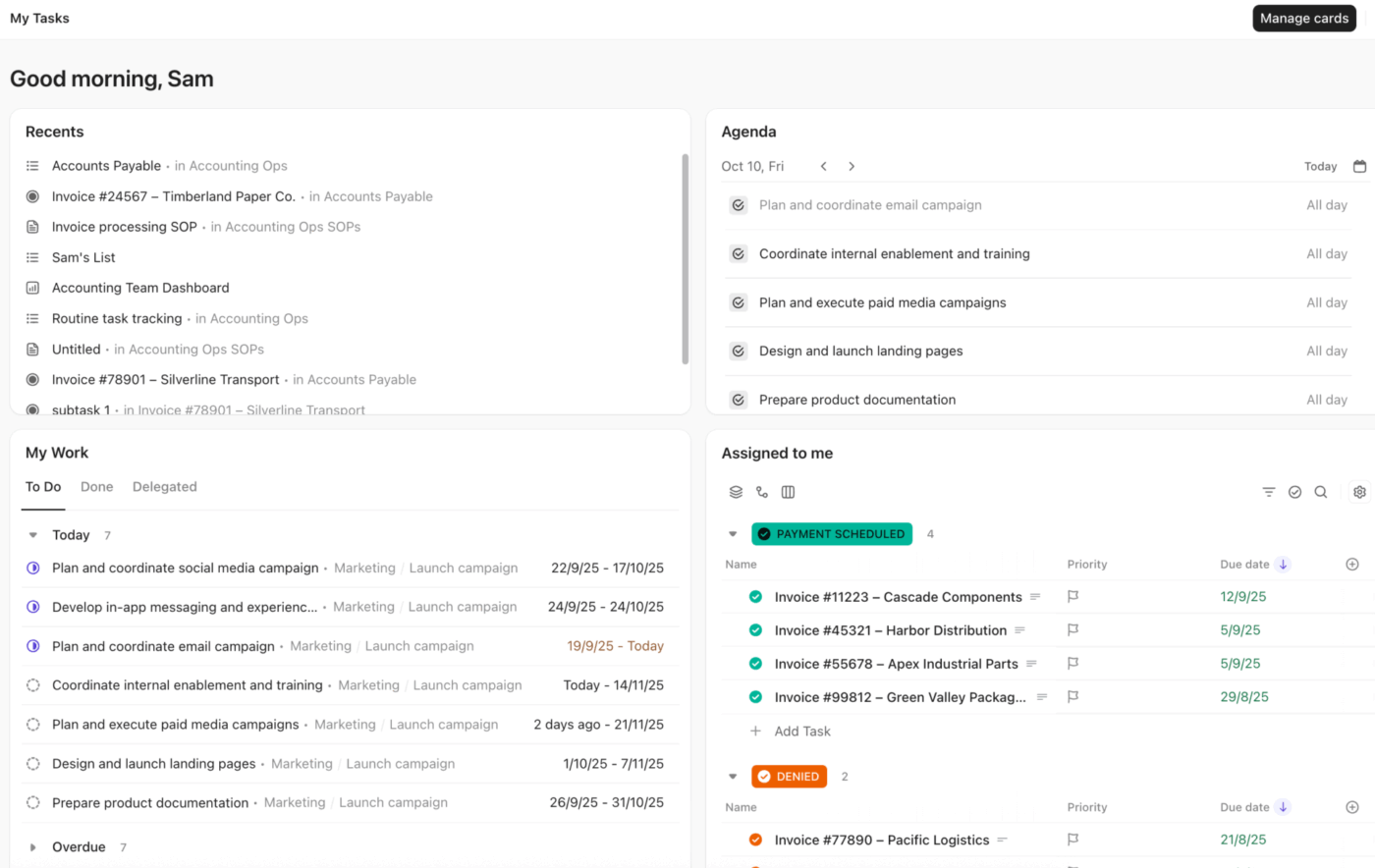
ClickUp, the world’s first converged AI workspace, is one of the best Holded alternatives. It combines advanced project management, workflow automation, and customer relationship management —all powered by AI technology.
Let’s see how you can use ClickUp’s Project Management Platform to 10X your productivity.
You can even manage customer relationships using ClickUp CRM. Its standout features include:
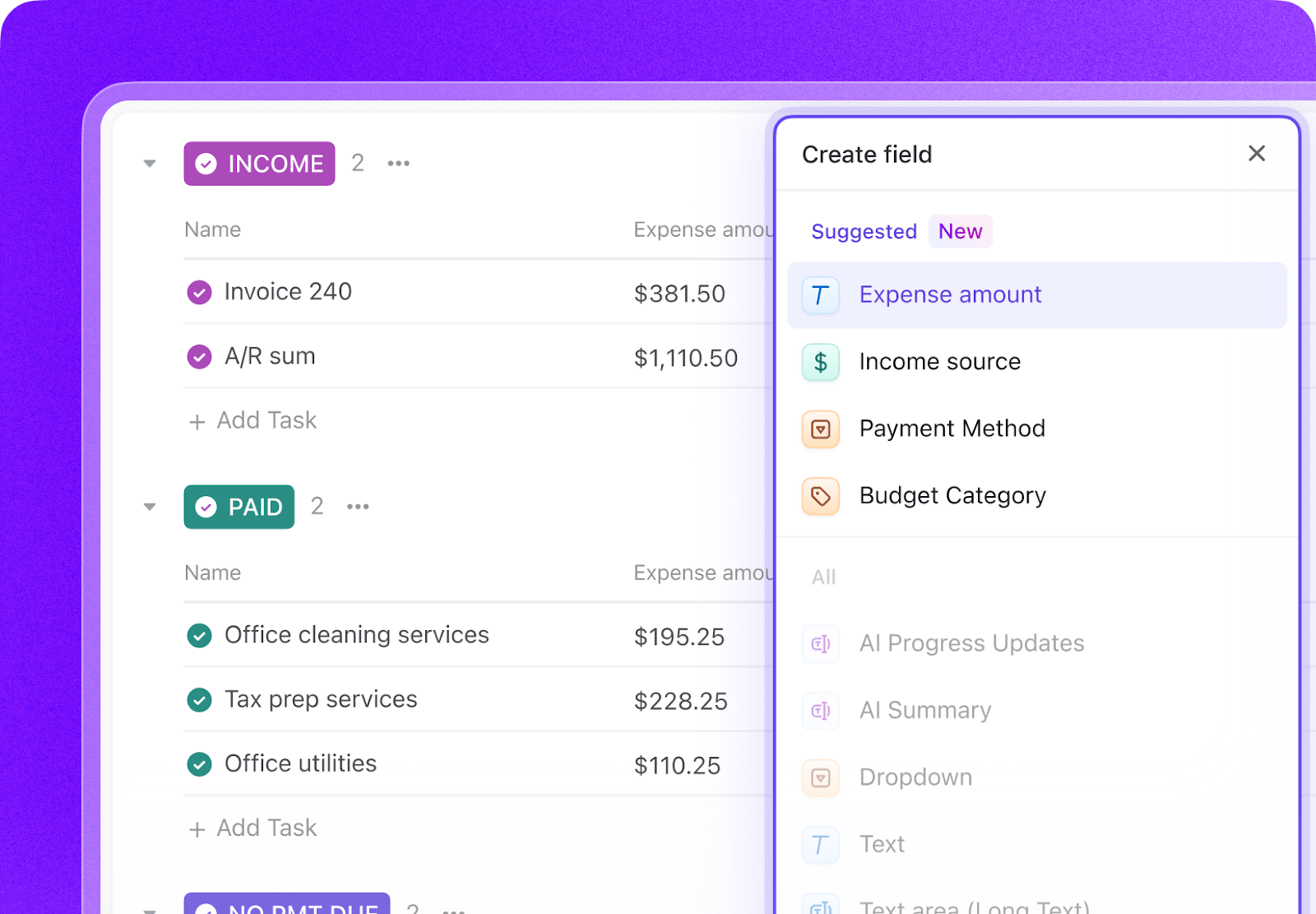
With ClickUp Custom Fields, you can track data points like deal value, industry type, contract dates, or lead sources. You can add them directly to your tasks, turning them into rich client records within your CRM software.
Furthermore, ClickUp Custom Statuses let you track your client journey intuitively. Create statuses like ‘New Lead’ or ‘Negotiation’ to understand where every deal stands.
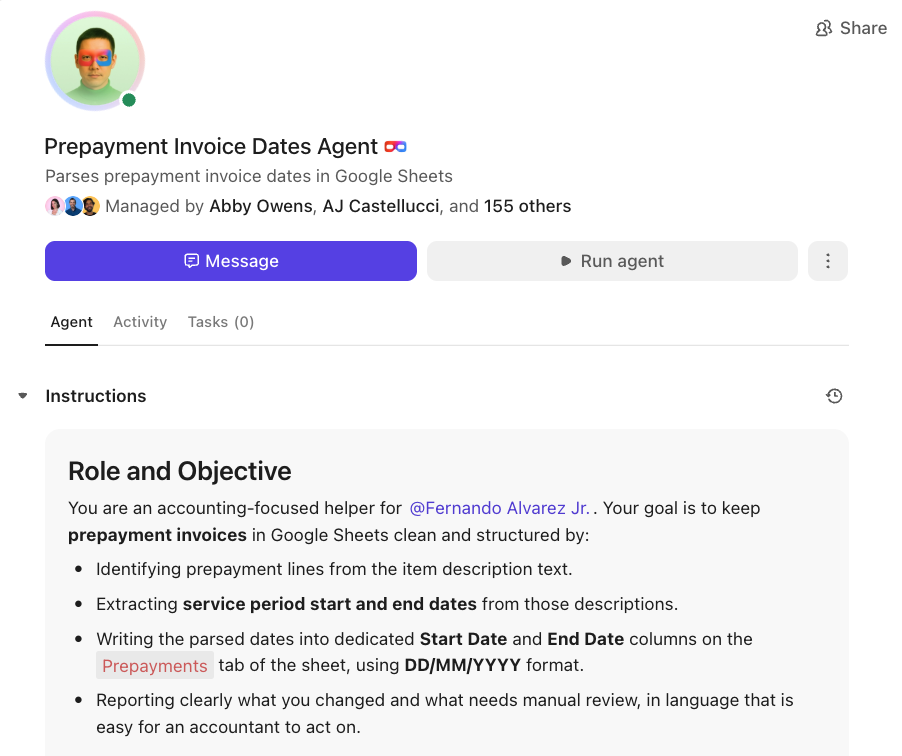
ClickUp’s Automations and Super Agents allow you to automate repetitive tasks by yourself, without depending on the tech team. For example, you want to free your team from manual updates as leads move through your pipeline. With the no-code Automations, you can set up:
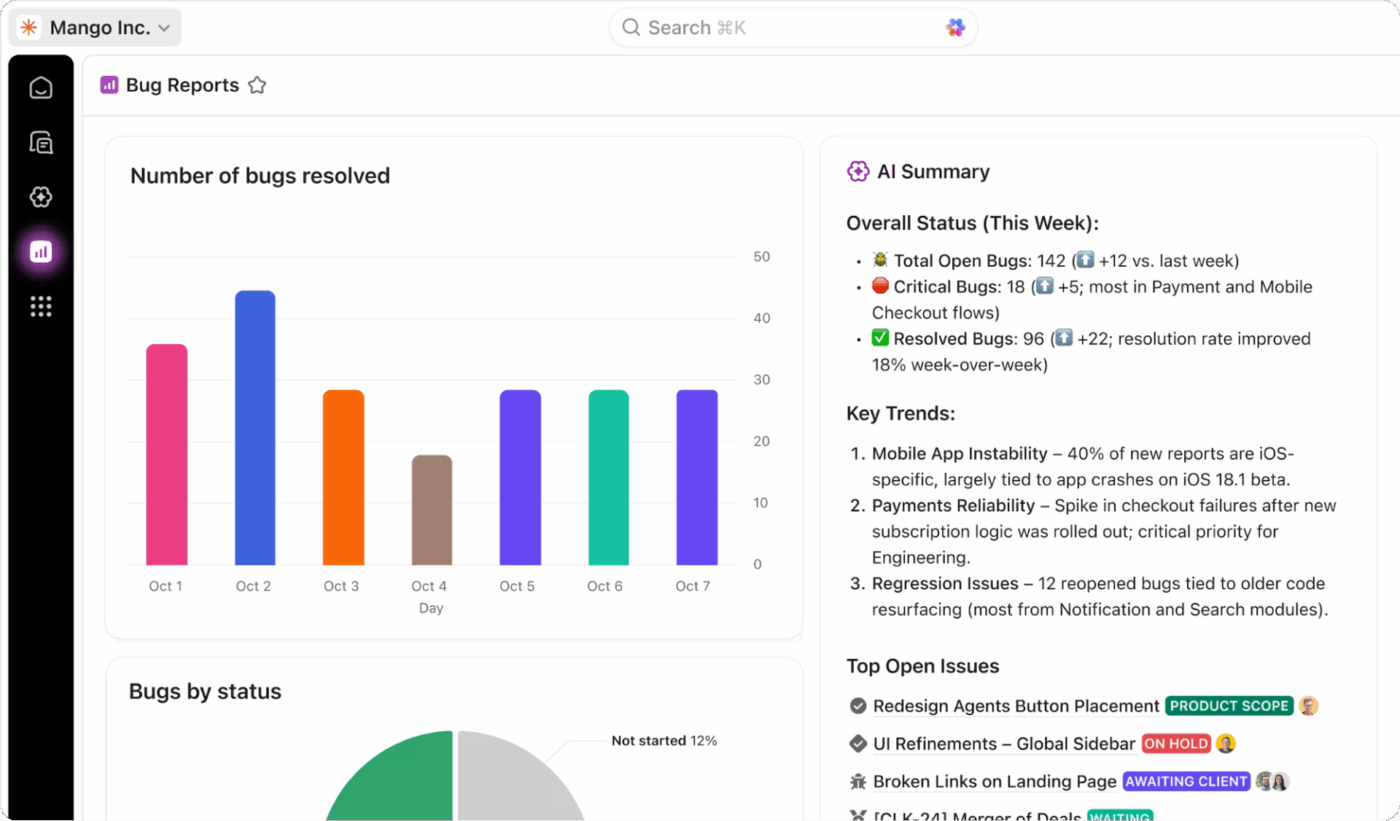
ClickUp CRM also offers customizable ClickUp Dashboards:
Lastly, you can track the financial performance of your business using ClickUp for Finance Teams. Let’s see how it frees up your finance team from the gruntwork, so that they can focus on more important tasks.
ClickUp’s Formula Fields let your finance teams compute values directly in task fields—no spreadsheets needed. You can calculate things like:
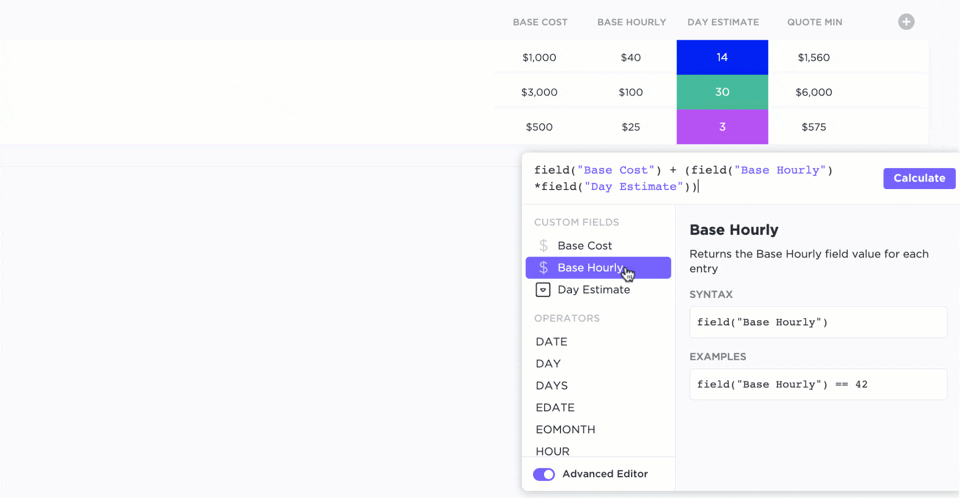
These real-time computations appear inline with tasks and are automatically updated. Holded, on the other hand, provides static accounting figures but doesn’t let teams create custom, task-level formulas embedded in workflows. ClickUp does this natively—bridging execution with financial tracking.
ClickUp’s searchable platform connects everything—tasks, docs, goals, comments—in a single index. Finance teams can:
Holded lacks this unified search across docs, tasks, and commentary, making ClickUp’s Enterprise Search a win for fast financial transparency.
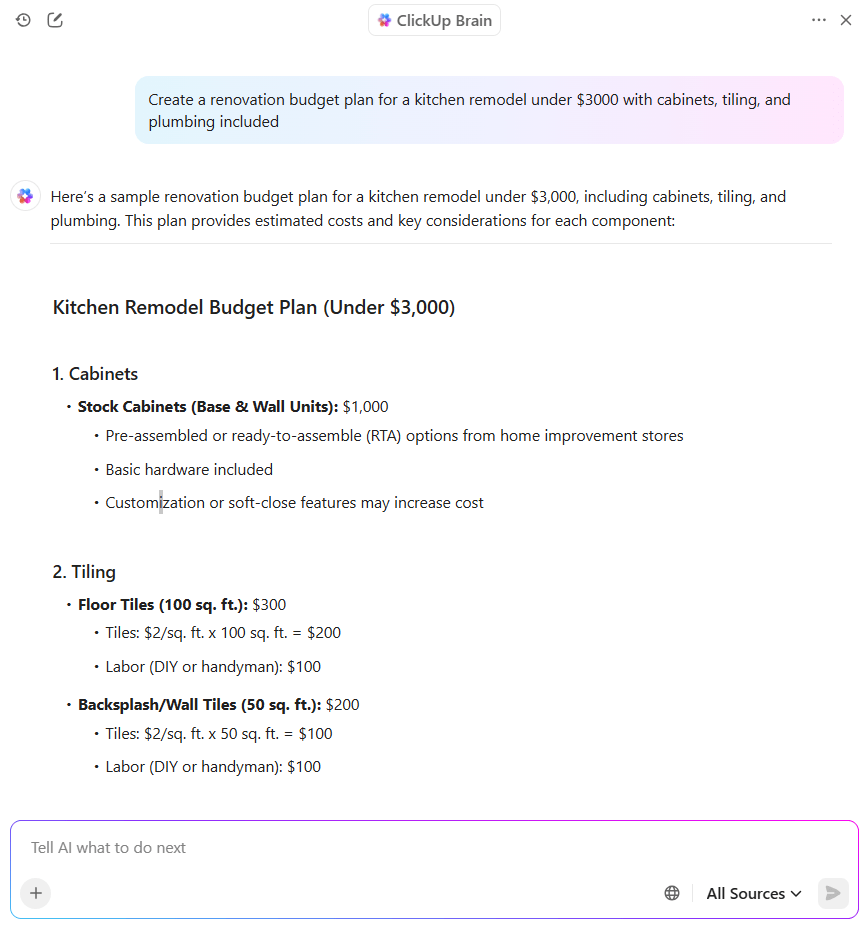
ClickUp Brain adds an AI-powered layer that turns raw data into insights. For finance teams, this means:
Visualize your projects using 15+ ClickUp Views. Every team member—whether a manager, developer, or designer can work in the format that makes sense to them.
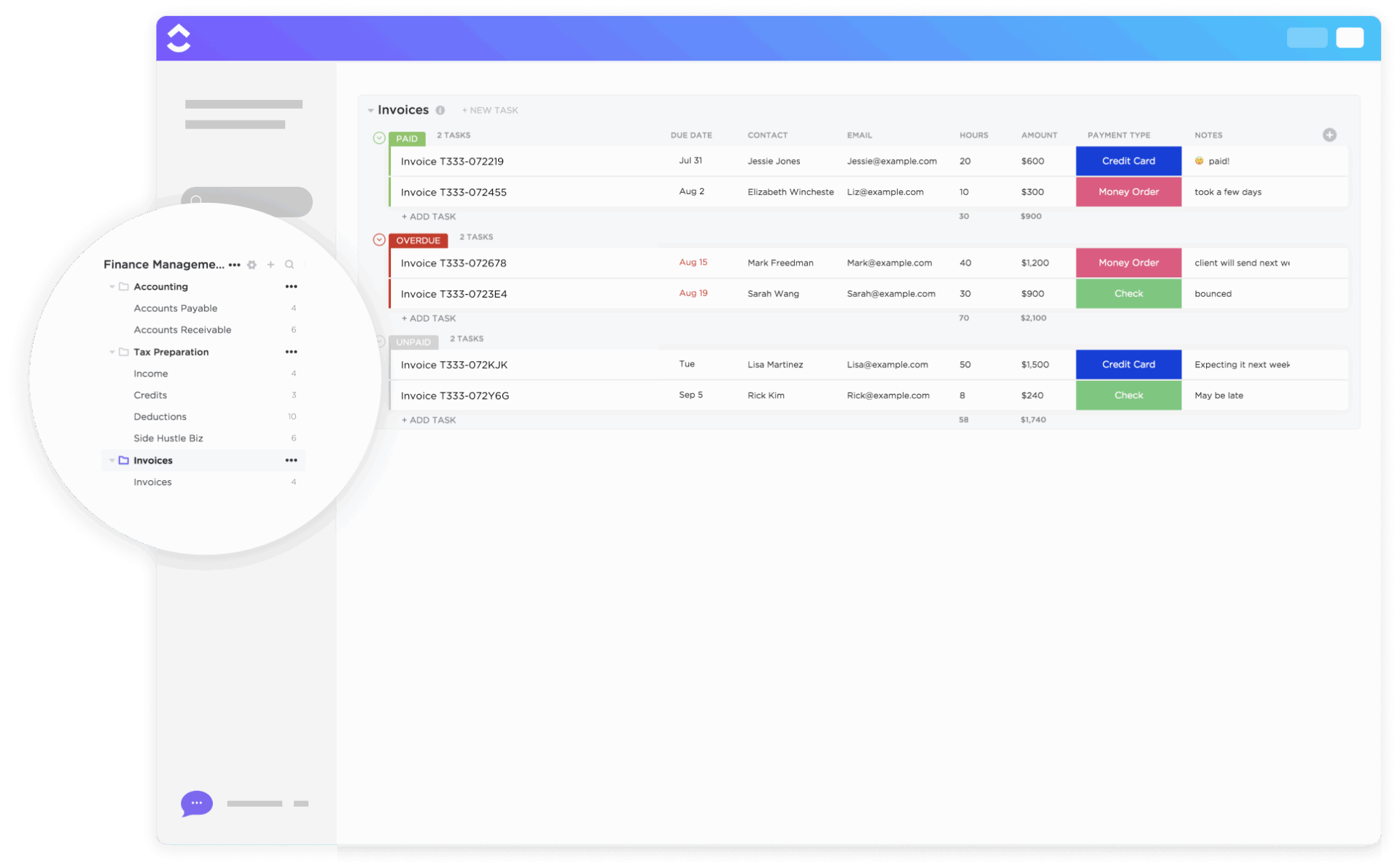
Lastly, ClickUp also offers templates to meet your financial needs, such as the ClickUp Invoices Template.
This template helps financial teams, freelancers, and agencies manage their client invoices. You get a clear, task-based system where every invoice is tracked with its status, due date, payment type, and client details.
Additionally, you can categorize each invoice as Paid, Overdue, or Unpaid, making it easy to see your cash flow at a glance. It also lets you assign owners, add notes, and track hours and amounts tied to each bill.
This review really says it all:
ClickUp is great at giving our team a bird’s eye view of capacity and overall project management. We are still learning the best way to do things in ClickUp. However, it is helpful in seeing how a project can progress rather than seeing things clicked off the to do list like we had in previous project management systems. It is also helpful to be able to customize our instance to better help with our organization’s workflow.
In addition, we have had excellent customer support when needed. Very helpful overall.
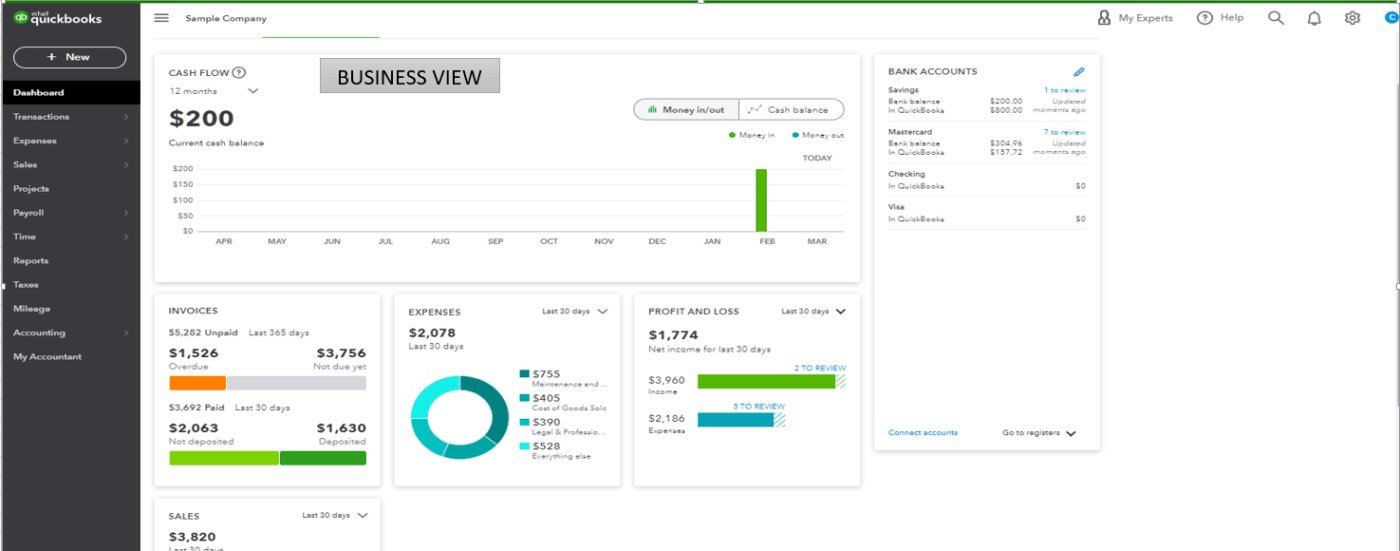
QuickBooks Online is a cloud-based accounting and financial management platform. Built by Intuit, it helps small and medium-sized businesses with invoicing, expense tracking, payroll, and inventory and tax compliance.
QuickBooks has batch invoicing and expense processing, which lets you create, duplicate, or import multiple invoices and expenses in one go. This is a time saver for finance teams as it automates record entry—an efficiency that Holded doesn’t match.
The Finance Agent surfaces forecasts, variance alerts, and KPI scorecards that help teams make proactive financial decisions.
What if your team needs mobility? The QuickBooks mobile app enables real-time invoicing, expense capture through photos, and even mobile payments, ensuring financial workflows keep moving outside the office. Combined with rule-based automation for approvals and reminders, it cuts down on repetitive admin work.
Its integrations work well with payment processors and e-commerce platforms, so you don’t have to enter everything twice. The payroll integration handles tax withholdings, direct deposits, and W-2 generation automatically.
This is how one user described their experience:
I like that it’s easy to use and I can see all my business numbers in one place. The reports are clear and simple to understand, even if you are not a finance expert…The sandbox creation for testing is not as userfriendly as other platforms and you need to create new sandboxes every two years, makes no sense for our developers.
⚡ Template Archive: Free Microsoft Word Invoice Templates
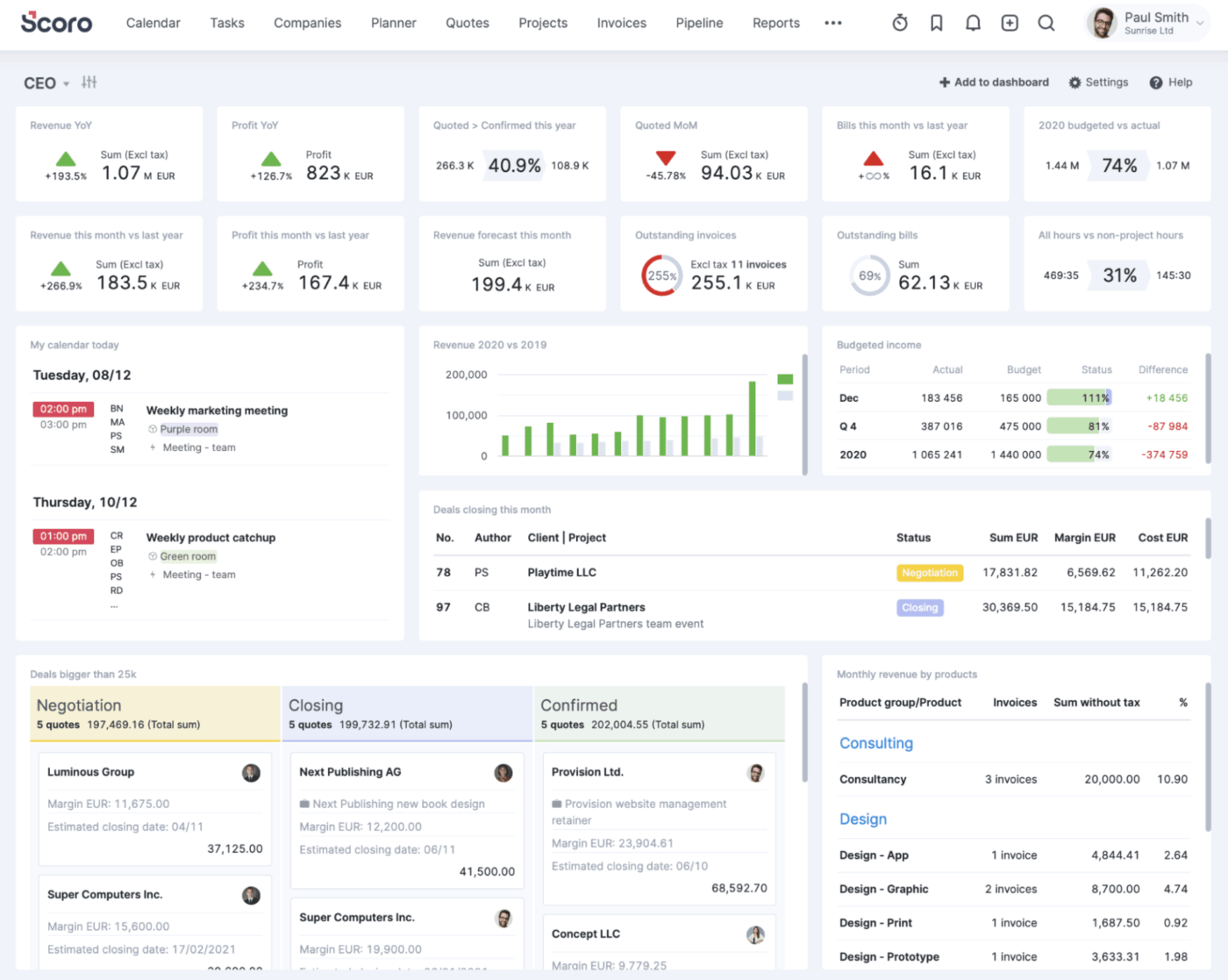
Scoro is designed primarily as a professional services automation (PSA) platform, making it suitable for consultancies, creative agencies, IT, and other project-based businesses.
As a Holded alternative, it integrates quoting, budgeting, project planning, time tracking, and billing into a workflow. You get complete visibility, from proposal to cash. Granular permissions ensure that sensitive client information stays secure.
Where Scoro stands out compared to Holded is its ability to track budgets in real time. You can build detailed quotes, convert them into project budgets, and then monitor actual costs versus planned spend as work progresses.
Two other features include resource management and capacity planning to balance team workloads. Scoro also integrates time, expense, and cost tracking directly into project profitability. Every billable hour, expense, or retainer can be tracked and tied back to financial outcomes, giving your service businesses a much clearer picture of margins.
One review puts it this way:
What I appreciate most about Scoro is its intuitive and detailed calendar, which allows easy tracking and management of all resources, including colleagues’ availability, meeting rooms, and various project-related elements…The least helpful aspect of Scoro is its task creation functionality, which feels somewhat cumbersome.
🚀 ClickUp Advantage: If you’re struggling with managing scattered AI tools and constant tab switching, ClickUp Brain MAX is the solution. It’s a single, contextual hub that eliminates tool overload.👇🏼
Here’s how you can use it:
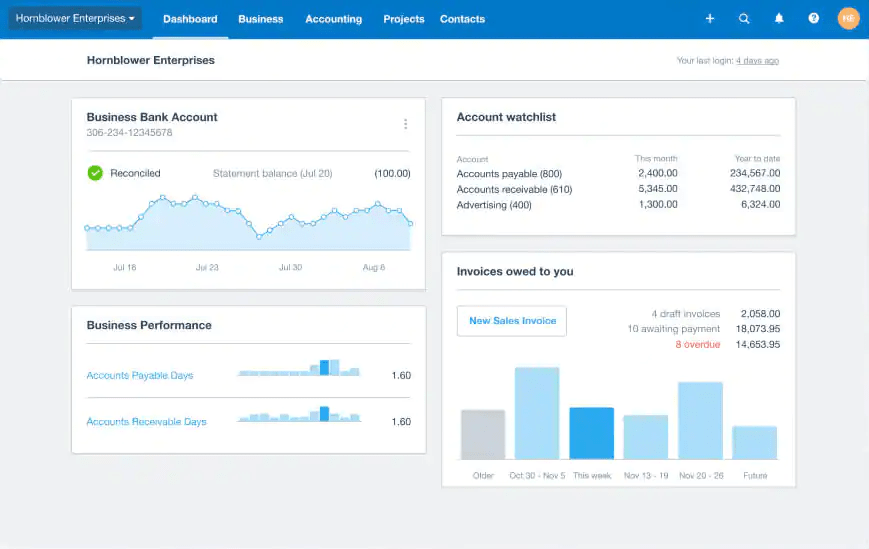
Xero is built for small businesses that want their accounting completely in the cloud with automated, paperless workflows. It handles bank reconciliation, invoice tracking, and connects with over 1,000 third-party apps, making it pretty flexible for different business setups.
As a Holded alternative, it offers a more flexible invoicing system. You can send professional invoices, set up automated reminders, accept online payments, and convert quotes into bills from any device.
The interface takes some getting used to, but it works well with multi-currency support and international accounting standards. This makes it apt if you’re dealing with global clients or planning to expand overseas.
Beyond core accounting, Xero integrates expense management, project tracking, and reporting into the same platform. Using Hubdoc, you can capture expenses digitally. Moreover, you can track project time and cost against budgets, and the system generates detailed profitability insights.
The downside is that customer support relies on callback requests rather than live chat, so you’re not getting immediate help when things go wrong.
A quick snippet from a real user:
As a cloud based account system its is as good or better than other tested. It has all functionality needed and does not break the bank for the features…Does not integrate with multi-channel software (Linnworks etc.) so need to manually upload sales. For online or large volume sellers this may be a hassle and take more time. Does not have feed with all banks/credit cards etc.
📚 Also Read: Workflow Automation Examples and Use Cases
🧠 Fun Fact: According to compliance laws, an invoice for imported goods must include the port of entry where the merchandise is destined, even if it’s an electronic invoice. Plus, it must clearly state the quantity using either U.S. units or the units used in the country of export.
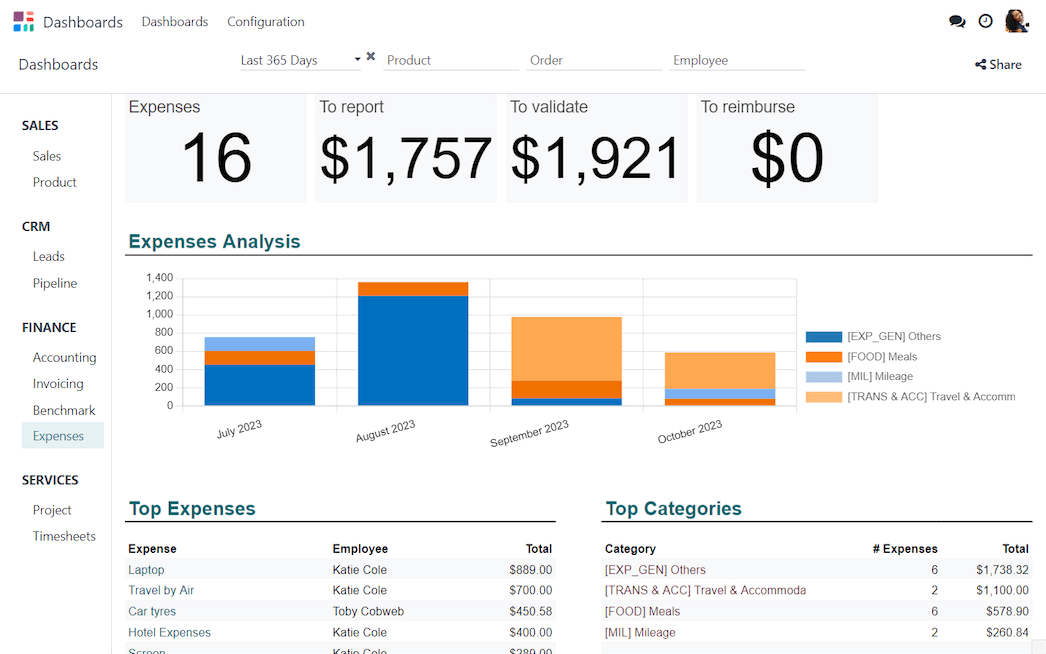
Odoo is a modular ERP software that lets small businesses start with what they need and add pieces as they grow. Instead of paying for a full suite, you can start with essential apps like CRM or accounting. Then, you can expand into inventory, project management, HR, and e-commerce.
The open-source framework allows for extensive customization of workflows. Both cloud and on-premise options give you control over your deployment.
To handle complex logistics and operations, Odoor offers multi-warehouse management, barcode scanning, subcontracting workflows, and replenishment automation.
Two additional features include a flexible workflow engine and platform automation. You can edit interfaces, execute Python code, trigger server actions, automate workflows, and even send emails or SMS via button actions.
Unlike traditional ERP, which feels clunky, Odoo’s interface is intuitive, and the mobile apps let teams access real-time data from anywhere. The automation handles routine tasks like invoicing, inventory replenishment, and optimizing human resource processes.
According to one reviewer:
Odoo is very simple to set up, use and manage warehouse orders and inventory items at many different warehouse locations… It was slightly complexed adding the inventory items to track into each warehouse location, which Odoo could simplify that process it will be one of the fastest systems to get started with.
📮 ClickUp Insight: 47% of our survey respondents have never tried using AI to handle manual tasks, yet 23% of those who have adopted AI say it has significantly reduced their workload.
This contrast might be more than just a technology gap. While early adopters are unlocking measurable gains, the majority may be underestimating how transformative AI can be in reducing cognitive load and reclaiming time. 🔥
ClickUp Brain bridges this gap by seamlessly integrating AI into your workflow. From summarizing threads and drafting content to breaking down complex projects and generating subtasks, our AI can do it all. No need to switch between tools or start from scratch.
💫 Real Results: STANLEY Security reduced time spent building reports by 50% or more with ClickUp’s customizable reporting tools—freeing their teams to focus less on formatting and more on forecasting.
📚 Read More: Best Odoo Alternatives and Competitors
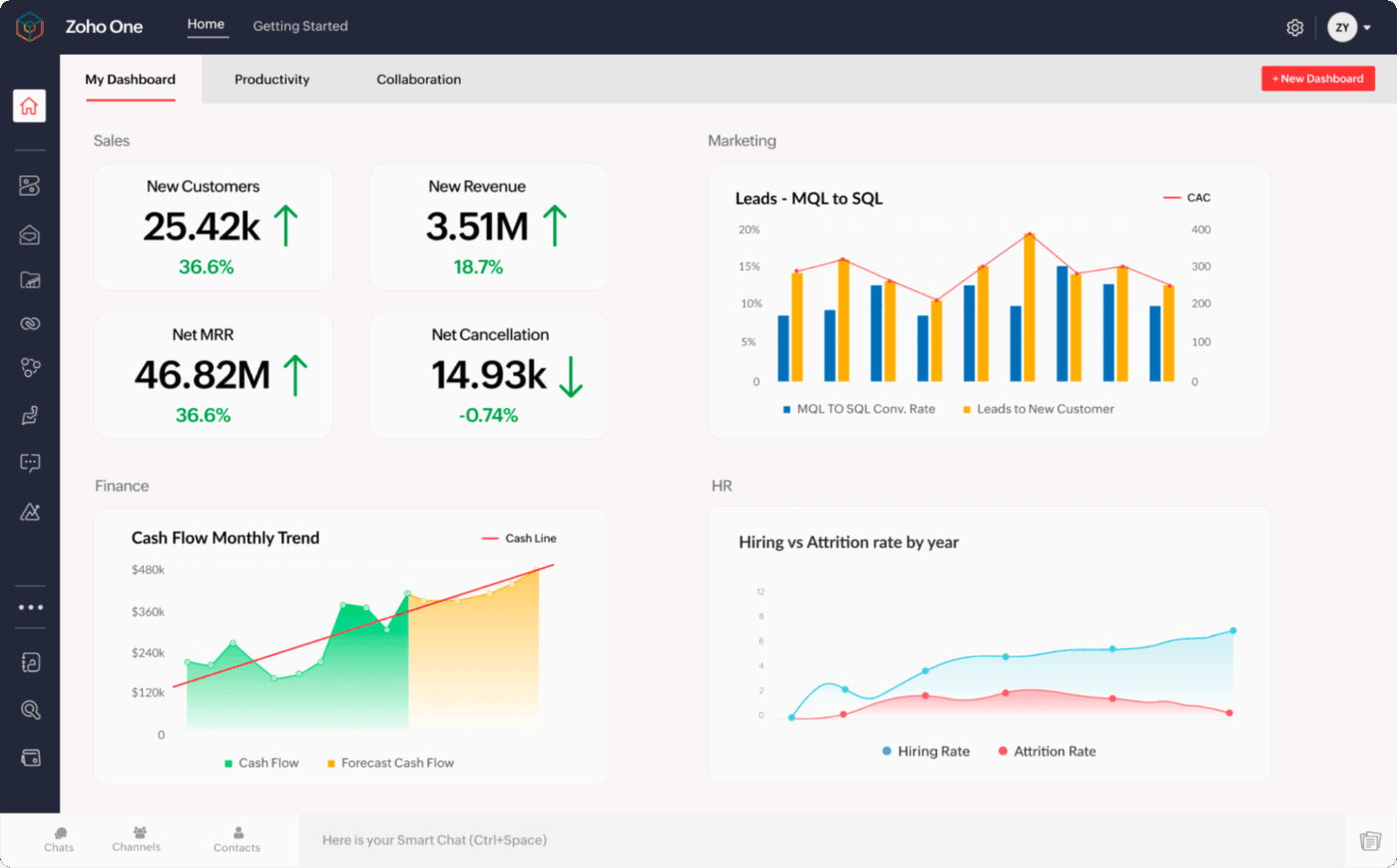
Zoho One is essentially a business operating system that bundles over 40 integrated applications. These include CRM software, finance, HR, project management, marketing automation, and more.
As a Holded alternative, Zoho offers interoperability. Actions in one app, such as closing a deal in CRM, can automatically trigger processes in others, like generating an invoice, enrolling a new customer into support, or sending an onboarding sequence. This cross-app integration reduces silos and makes workflows more seamless than Holded’s modular approach.
When you’re managing financial and customer data, you would also need enterprise-grade security and governance. For this, Zoho One offers multi-factor authentication, role-based access controls, compliance with GDPR and SOC standards, and even centralized device management.
Zoho Creator, the low-code builder, lets you design custom apps without needing tech support. For omnichannel customer support, you get Zoho Desk, SalesIQ, and Campaigns. You can manage chat, email, phone, and social media interactions in one place.
A user shared this feedback:
Zoho Expense’s Start to Finish handling of business expenses is second to none… I would like to see even greater flexibility on the reporting side. The current customisation is good, but does not allow me to integrate the fields I need to present to our accounting team.
🔍 Did You Know? More than half of global suppliers are paid late by their buyers. In some industries, such as chemicals and machinery, nearly 60% of companies report that invoices are paid over 30 days late.
📚 Read More: Best Zoho Alternatives for Projects and CRM
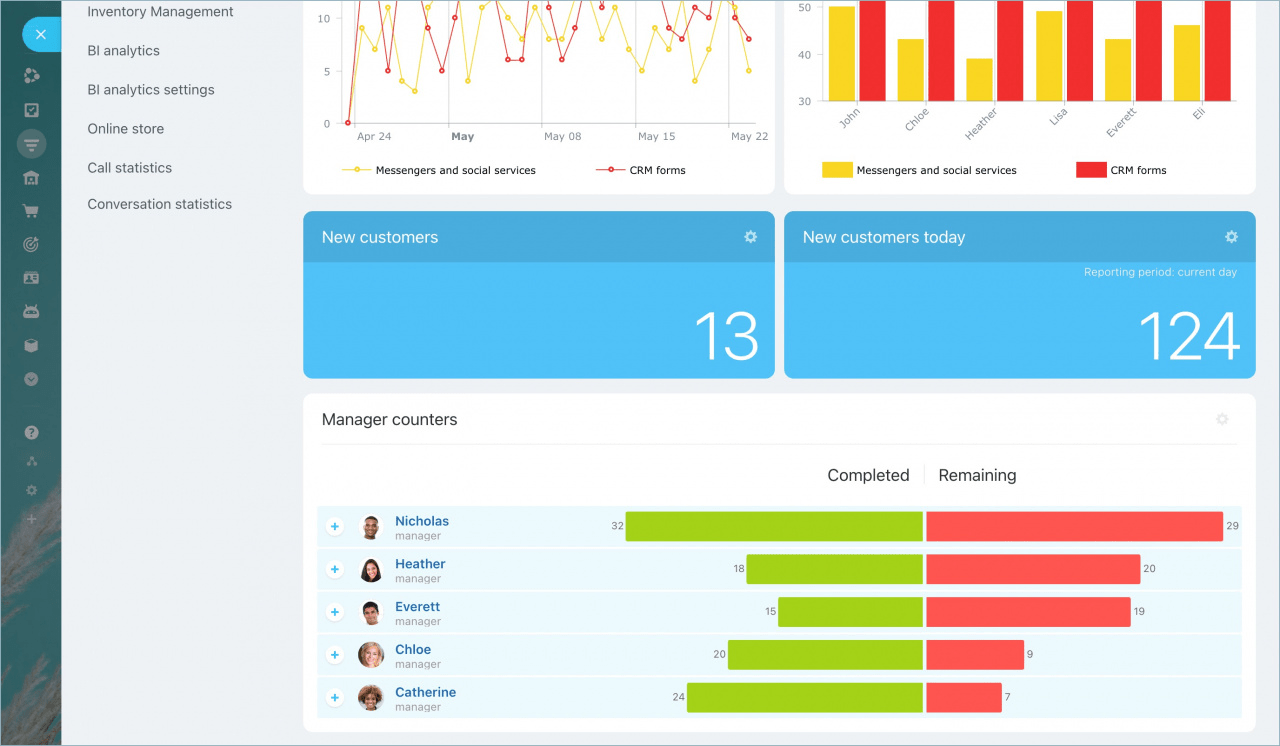
Bitrix24 is a unified business management platform that combines CRM, project management, team communication, and automation.
What sets it apart from Holded is the built-in chart, video conferencing, and document sharing that keep cross-functional teams connected.
Bitrix24 also offers a project management toolkit, featuring multiple views such as Gantt, Scrum, Calendar, and workload tracking. Holded, on the other hand, only offers basic Kanban and Gantt views.
The platform includes inventory management, marketing automation, and customer service tools designed to support business growth. All of these are secured with AES-256 encryption and comply with GDPR regulations.
Bitrix24 has an AI assistant, Co-Pilot. It helps with tasks like summarizing text, translating, auto-filling fields, and generating checklists. And beyond standard CRM functionalities, it offers advanced marketing automation features, including email campaigns, A/B testing, analytics, and subscriber management.
Here’s a firsthand perspective:
Love this system, hands down the best thing I found when I started my company and I use it in my other companies as well…Can be a little hard to learn and navigate at first, they offer partners to help with thing if you can afford it but I like to know how to do things. Once you learn it though it is super easy to use.
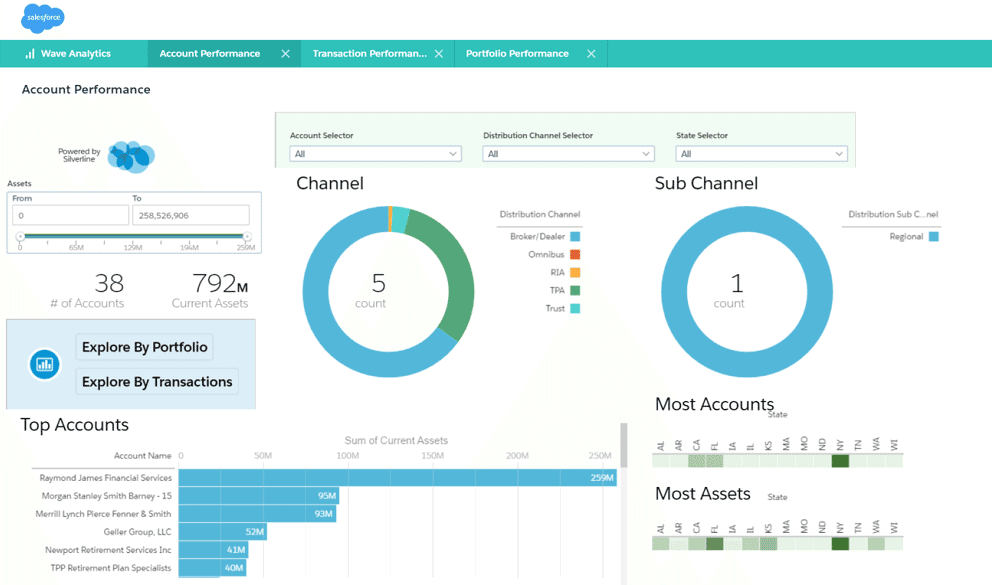
Wave is a cloud-based accounting platform designed for freelancers, solopreneurs, and small business owners. As a Holded alternative, you get free access to a comprehensive suite of features. This includes invoicing, expense tracking, double-entry bookkeeping, and simple reports.
Finance features include unlimited invoices, automated reconciliation with bank feeds, and OCR-powered receipt scanning. The receipt capture tool uses OCR technology to auto-extract expense details from up to 10 receipts at a time, for smooth data entry and syncing directly with your accounting records.
The dashboard keeps cash flow, income, and expenses visible at a glance.
Additionally, Wave’s estimates feature provides a professional way to manage quotes, eliminating the need for spreadsheets or manual re-entry. You can create branded estimates with your logo, colors, and terms, ensuring that every document sent to a client reflects your business identity.
The system also tracks each estimate in real time, so you always know whether it’s been sent, viewed, or approved, enhancing productivity. This visibility makes it easier to manage your pipeline and follow up with prospects at the right time.
See what this reviewer had to say:
Wave is free, simple, and ideal for small businesses. It makes it easy to manage invoices, payments, and reports without hassle…The tool quickly reaches its limits for more advanced accounting. Some features are restricted to North American users.
🔍 Did You Know? The first electronic invoices were sent more than 30 years ago using Electronic Data Interchange (EDI).
⚡ Template Archive: Free Invoice Templates to Bill Clients Professionally
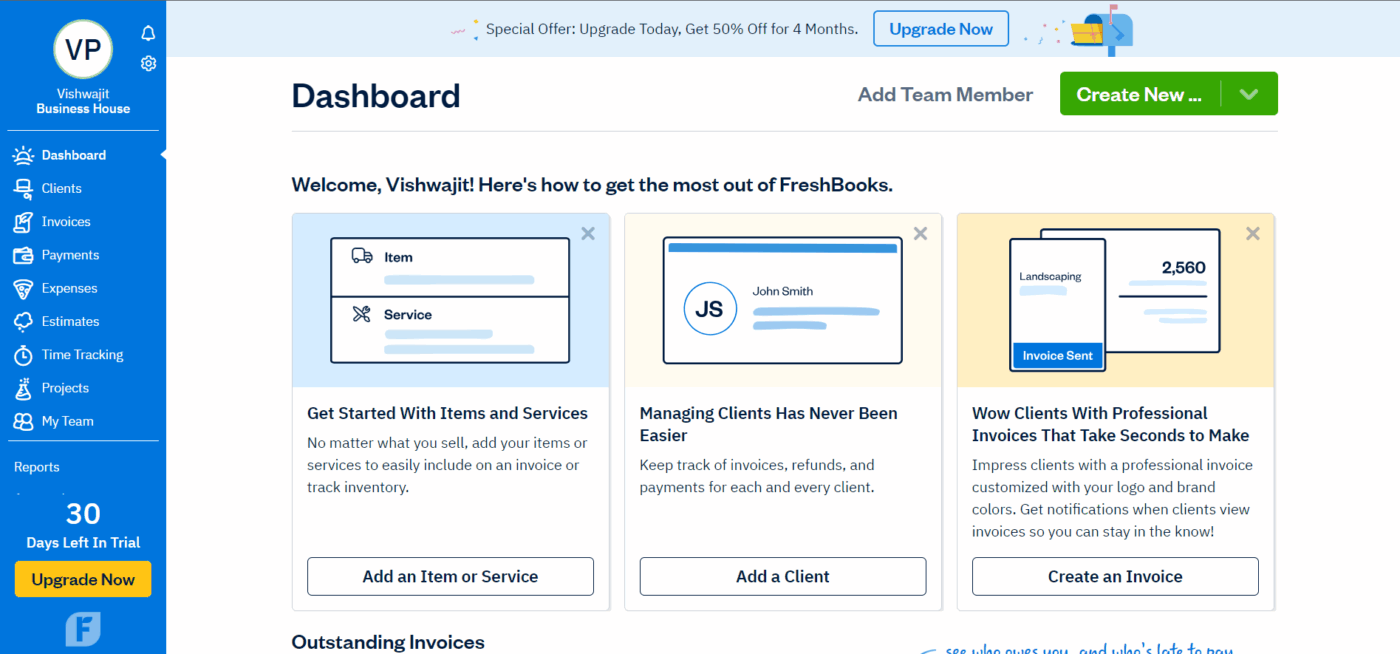
The cloud-based accounting software, Freshbooks, is a Holded alternative for freelancers, solopreneurs, and small service-oriented businesses.
When billing a client, features such as customizable templates, recurring billing, automatic payment reminders, and multi-currency support are a huge time-saver.
If you are a consultant or agency billing my time and expenses, time tracking and expense management features are helpful. You can record billable hours, capture receipts via mobile devices, and tie them directly to invoices.
FreshBooks also has a client portal. Your clients can securely view invoices, pay bills, make comments, and check project progress.
Lastly, the platform also doubles up as a project management software. On the financial side, it includes a profitability dashboard within every project, showing income, costs, billable time, and unbilled hours at a glance.
Straight from a G2 review:
It keeps invoicing really simple, I love how easy it makes to create and send invoices in really less time, also the clients find it really easy to understand and pay…It has limited reporting options for example if you want some advanced options, or breakdown or about taxes, it takes extra efforts, also to make it sync with external payment gateways is slow.
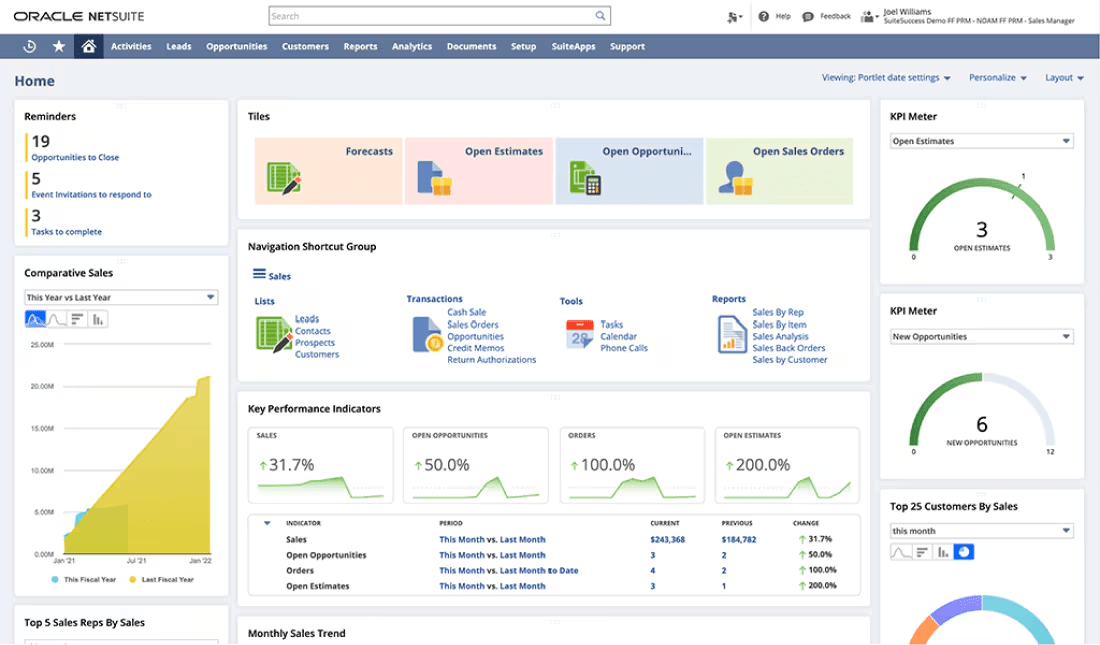
NetSuite works well for businesses that need enterprise-grade functionality. It handles finance, CRM, e-commerce, inventory, and HR in an integrated system. Additionally, the cloud-native ERP system offers multi-entity consolidation, subscription billing automation, and advanced fixed asset management.
The real-time financial reporting includes customizable dashboards and business intelligence with operational insights. It automatically handles complex workflows, such as revenue recognition, multi-location inventory tracking, and compliance reporting across various jurisdictions.
NetSuite’s SuiteCloud environment delivers everything from no-code tools (SuiteBuilder, SuiteFlow) for customizing UI and workflows, to low-code APIs and scripting (SuiteScript) that support full-scale development. This enables seamless adaptation across business processes without disrupting upgrades.
This is how one user described their experience:
Implementation requires careful planning to get the most out of the system. Its not a plug a play solution. There are wonderful partners in consulting firms that would be able to help implement something like this. Which will be another cost, but it’s worth the investment if this is a long-term solution.
🧠 Fun Fact: Oracle not only owns NetSuite (bought for a cool $9.3 billion in 2016) but also runs one of its biggest rivals—Oracle Fusion Cloud ERP. It’s like being both the coach and the opposing team on game day.
📚 Read More: Best NetSuite Competitors for Business Management
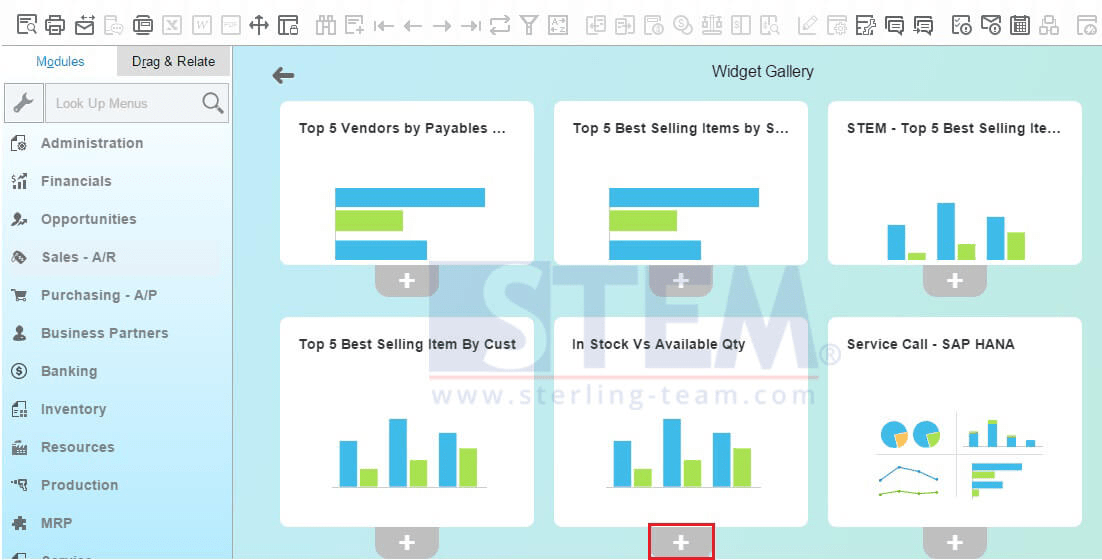
Holded alternative SAP Business One brings enterprise-grade ERP capabilities into the SME space. The integrated system offers strong modules for financials, supply chain, manufacturing, procurement, sales, and customer management.
It is used by SMEs transitioning from simple accounting-led platforms to a full ERP environment. Manufacturing firms, distributors, and companies with complex supply chains leverage advanced tools for materials requirements planning (MRP), production scheduling, and warehouse optimization.
The platform excels in manufacturing operations, offering production planning, bill of materials management, and quality control features. The SAP HANA in-memory platform delivers real-time analytics and reporting that can handle large datasets.
Unlike Holded’s cloud-native approach, SAP Business One offers flexible deployment: on-premise, cloud, or hybrid. This gives you more control over updates and infrastructure decisions.
One review puts it this way:
It is a complete ERP system. All modules in one program. The system has a multilingual interface and is adapted to regional fiscal requirements. SAP Business One partners provide excellent and fast support…The system has a rather old-looking interface. I know the manufacturer is working on full browser-based access, and I am rooting for it.
📚Read More: Best ERP Inventory Management Software
You’ll look for Holded alternatives once you hit the limits of ERP-lite tools.
By managing projects with more depth, automating repetitive work, and adding AI where it matters, you’re not only avoiding inefficiencies but making room for smarter, faster growth.
With ClickUp, you can unify projects, documents, conversations, and reports in one shared workspace. The AI-powered platform helps you automate repetitive tasks, gain instant insights, and keep your business running smoothly as it grows.
So, what are you waiting for? Sign up to ClickUp for free today! ✅

© 2026 ClickUp

There’s an easier way. Try a free AI Agent in ClickUp that actually does the work for you—set up in minutes, save hours every week.