






Still downloading templates?
There’s an easier way. Try a free AI Agent in ClickUp that actually does the work for you—set up in minutes, save hours every week.
Sorry, there were no results found for “”
Sorry, there were no results found for “”
Sorry, there were no results found for “”

Some tools click right away. Others take trial and error before you realize they’re not the best fit.
If Fibery isn’t working for your team—maybe it’s too complex, missing key features, or just not quite right—you’re probably on the hunt for something better.
The good news? There’s no shortage of Fibery alternatives that offer the flexibility and outcomes you need without the frustration.
Let’s take a look at the best options. 👇
Fibery is a work management platform that integrates tasks, documents, databases, and whiteboards into a single workspace.
It excels in process design and knowledge management and is designed for environments that demand adaptability. The tool works well for teams looking to streamline collaboration while maintaining workflow flexibility.
Plus, the platform’s flexible linking system allows users to sync tasks to notes or databases to documents, creating a more structured workspace.
While Fibery is a great project management tool, it might not fit all kinds of workflows. These are common limitations that compel users to seek Fibery alternatives:
🔍 Did You Know? Spanning over 13,000 miles, the Great Wall of China took centuries to complete, involving the coordination of vast resources and labor forces. The logistical challenges required sophisticated project management skills to maintain progress over an extended timeline.
Before we delve into detail, here’s a quick glance at the best Fibery alternatives and their strong suits for empowering teams. 📊
| Tool | Best for | Key features | Pricing* |
| ClickUp | Teams of all sizes looking for AI project and task management in one app | Custom automations; Integrated AI and AI Agents; Built-in time tracking and reporting; 1,000+ app connections; Centralized documentation and knowledge management; Multiple Views | Free forever; Customizations available for enterprises |
| Coda | Small to mid-sized teams needing flexible documentation and workflows | Interactive documents; note-taking; Workflow automation; Customizable templates | Free; Paid plans start from $12/month |
| Asana | Mid-sized companies seeking streamlined project management workflows | Visual project timelines with dependencies; AI-powered task summaries and workflow insights; Integrated team communication; Performance and progress reporting | Free; Paid plans start from $13.49/month |
| Notion | Knowledge workers seeking flexible workspace solutions | Interconnected databases and wikis; Collaborative documents with real-time editing; Workflow templates and onboarding systems; Centralized knowledge base | Free; Paid plans start from $12/month |
| Airtable | Small and large teams needing a spreadsheet-database hybrid | Visual database views; Automated workflows and project tracking; Collaborative workspaces across teams; Flexible reporting and dashboards | Free; Paid plans start from $24/month |
| Monday.com | Mid- to large-sized teams looking for project tracking and collaboration | Customizable task and workflow boards; Real-time dashboards for workload and milestones; Productivity and performance reports | Free; Paid plans start from $12/month |
| Trello | Freelancers and small teams seeking simple and visual task management | Automation with Butler rules; Collaborative boards and communication; Power-ups for extended functionality; Visual project tracking | Free; Paid plans start from $6/month |
| Jira | Software development teams tracking complex projects | Sprint planning and Agile workflows; Issue and bug tracking; Advanced reporting | Free; Paid plans start from $7.53/month |
| Basecamp | Small teams seeking holistic project communication | Centralized communication; Project-specific message boards; Simplified document and task management | Free; Paid plans start from $15/month |
| Wrike | Enterprises needing comprehensive work management | Resource allocation and workload management; Advanced reporting; Reusable templates | Free; Paid plans start from $10/month |
| Miro | Visual teams requiring collaborative digital whiteboards | Infinite collaborative canvas; Interactive brainstorming boards; Workflow diagrams and mapping tools; Template library | Free; Paid plans start from $8/month |
Let’s take a look at the best Fibery alternatives to keep your workflow running smoothly. 🔄
Our editorial team follows a transparent, research-backed, and vendor-neutral process, so you can trust that our recommendations are based on real product value.
Here’s a detailed rundown of how we review software at ClickUp.
If Fibery feels too unstructured or complex, ClickUp provides a more intuitive way to manage tasks, automate workflows, and track progress without sacrificing flexibility.
It’s the everything app for work that combines project management, knowledge management, and chat—all powered by AI that helps you work faster and smarter.
Let’s explore how:
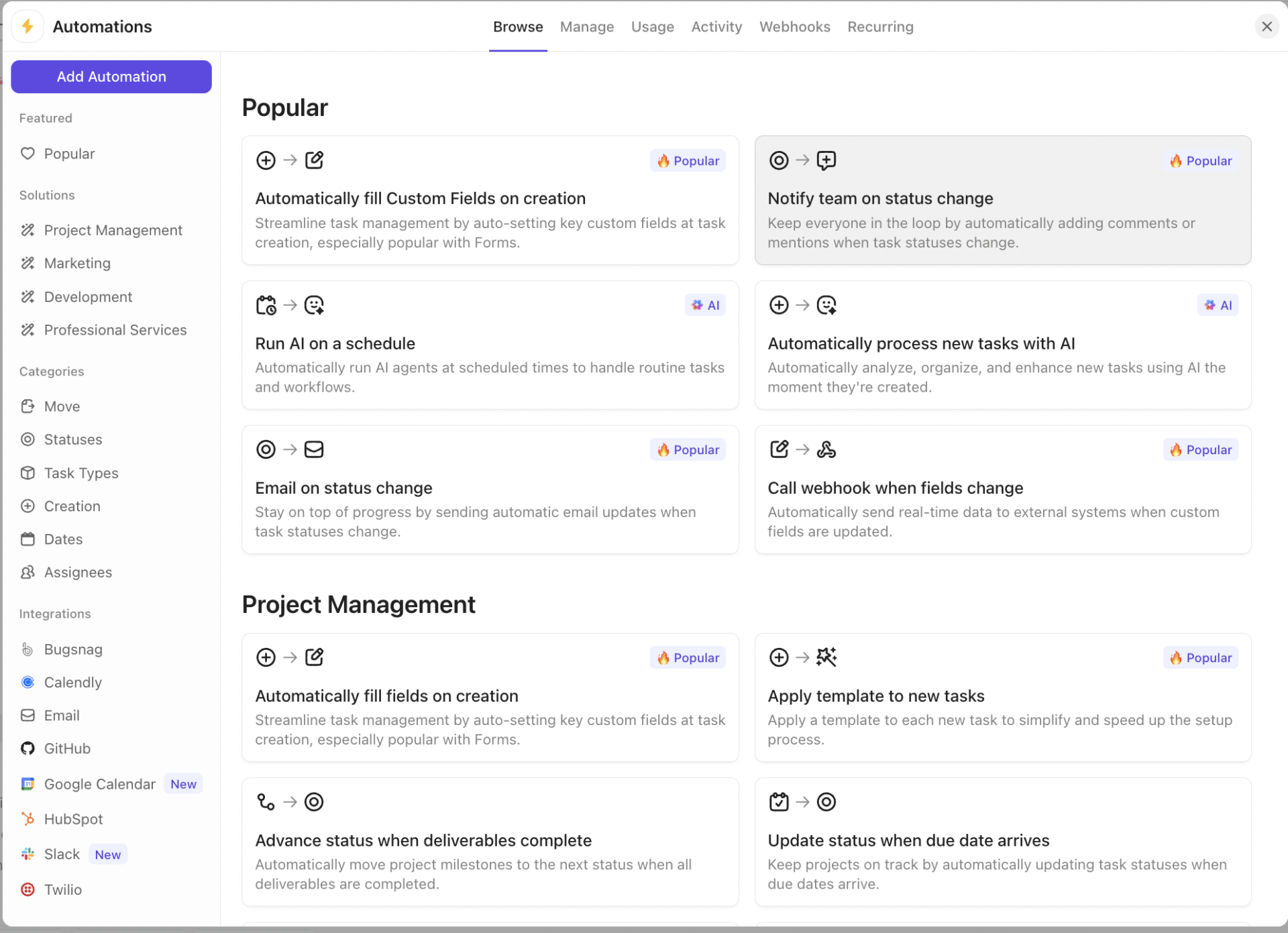
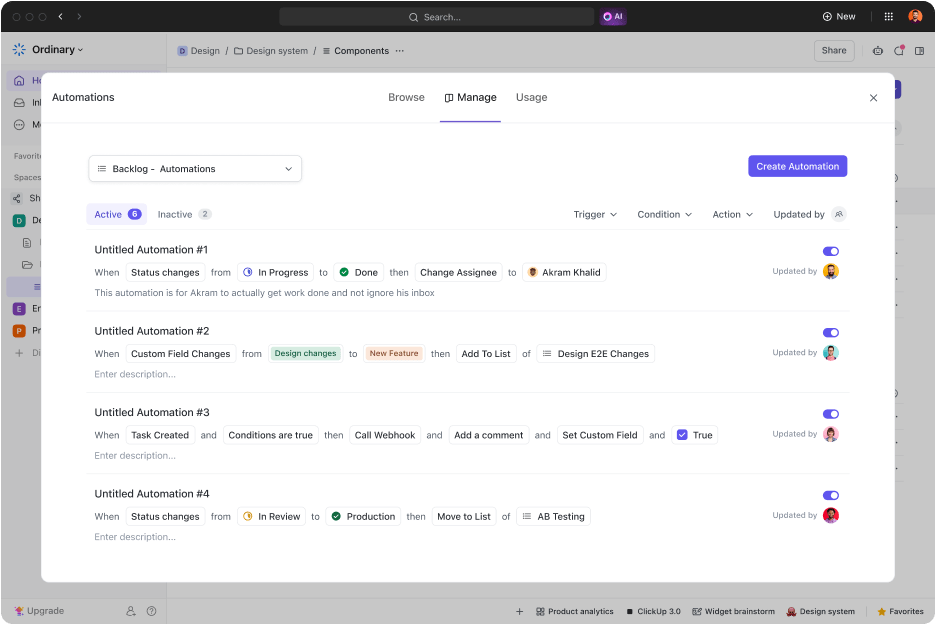
One of the biggest challenges teams face is handling repetitive tasks that eat up time.
ClickUp Automations solves this by automatically triggering actions based on specific conditions. It assigns tasks when statuses change, notifies when deadlines approach, and keeps processes running smoothly without manual intervention.
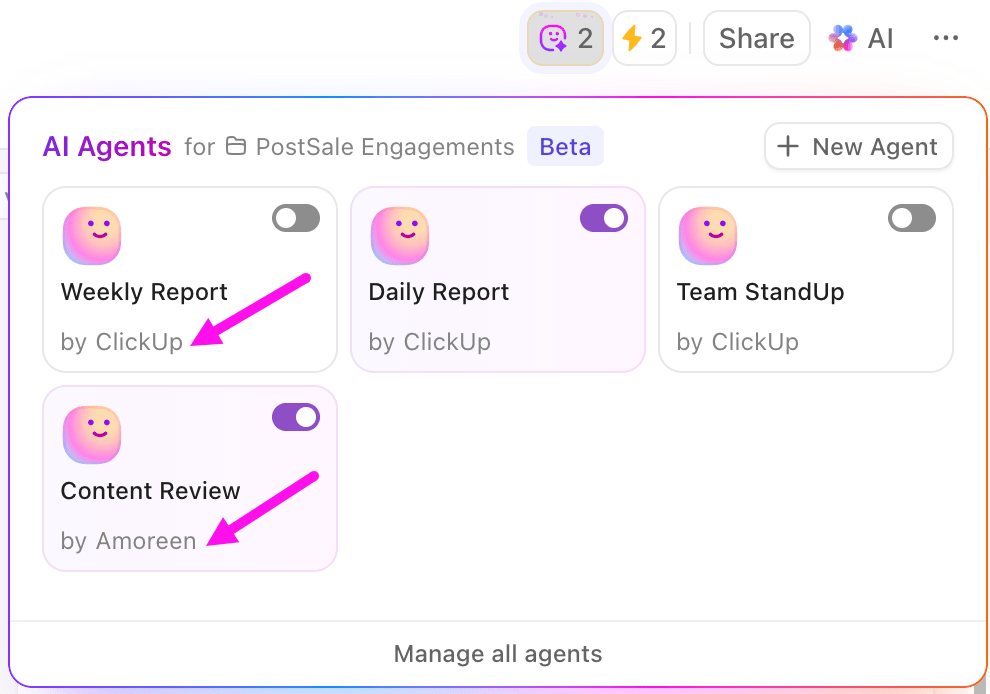
You can also leverage ClickUp’s Autopilot Agents. These AI-powered assistants autonomously perform a variety of recurring actions, including:
Not all bottlenecks come from task management. Writing reports and other content, summarizing updates, and analyzing data take up hours that could be spent on high-impact work.
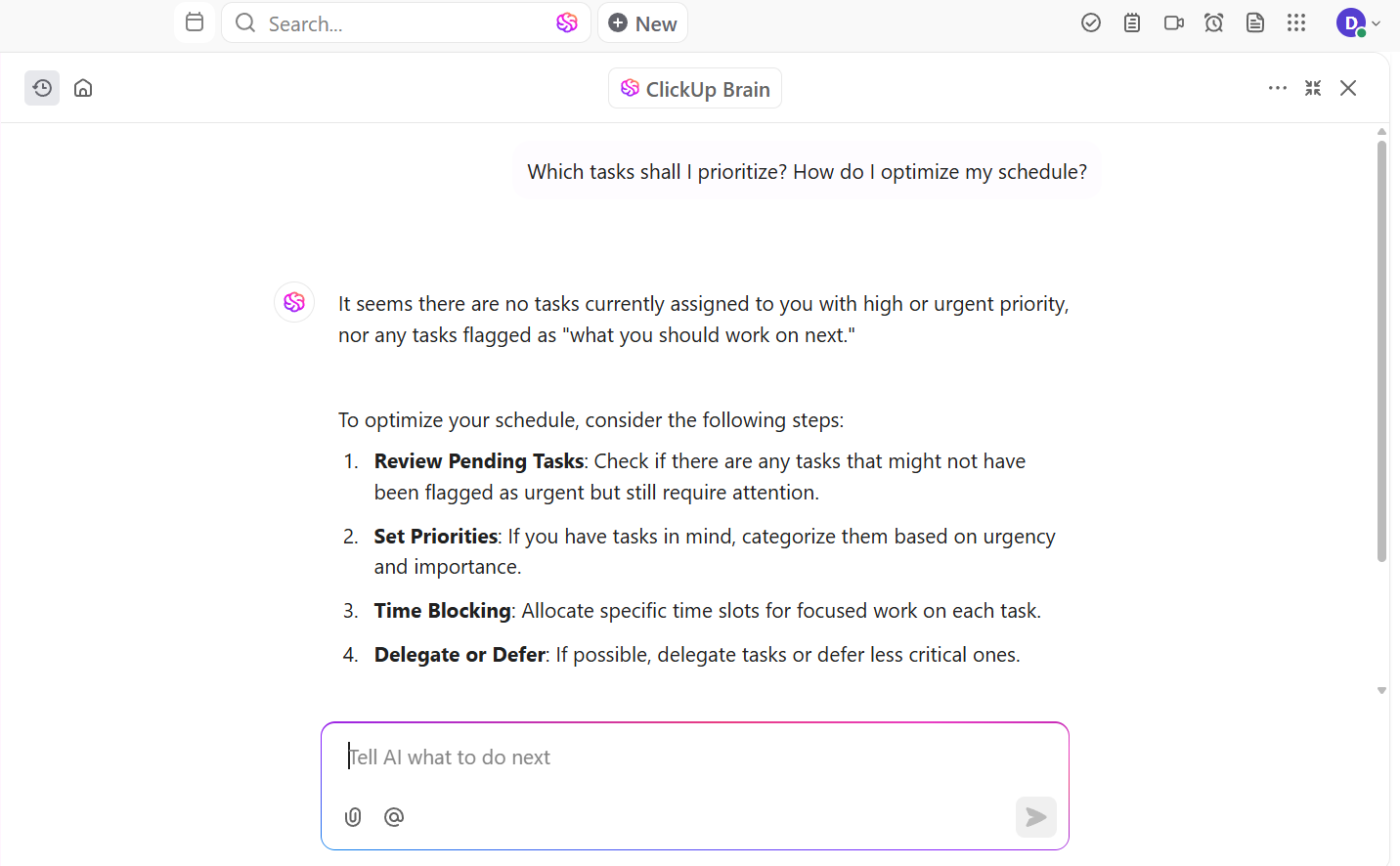
ClickUp Brain, the platform’s AI assistant, speeds up these tasks. It is the all-in-one AI that powers your productivity by connecting your people, projects, documents, and apps into a single, intelligent workspace. This enables you to:
ClickUp Brain MAX, your intelligent desktop AI companion, unlocks advanced AI capabilities for deeper insights, smarter automation, and even more powerful project management.
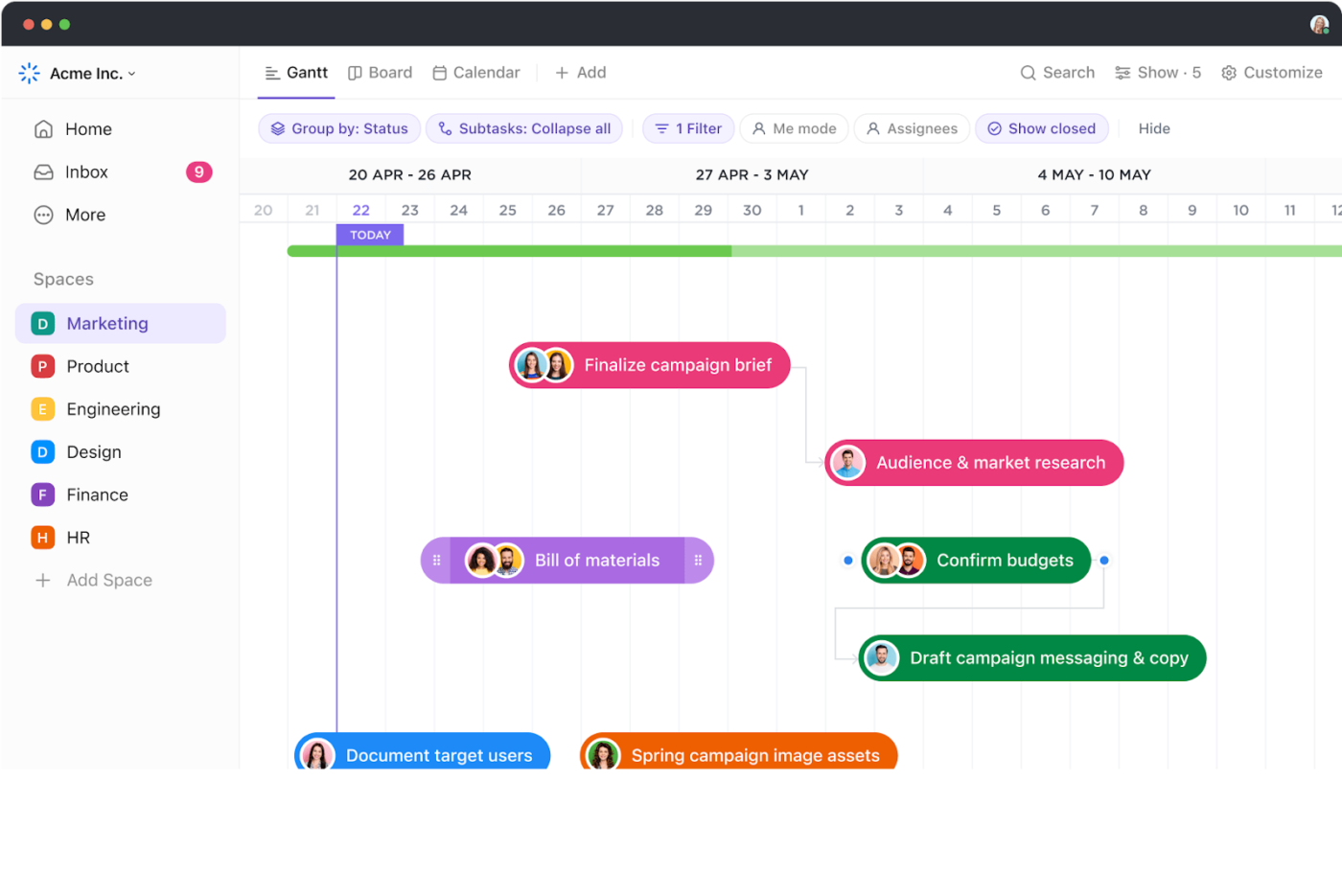
Keeping track of project plans is just as crucial as managing daily tasks. ClickUp Gantt Charts offer a clear visual timeline of projects, showing task dependencies and deadlines in one place. A delay in one stage automatically shifts dependent tasks, preventing last-minute chaos.
Fibery requires more manual effort to structure timelines, whereas ClickUp’s interactive Gantt view makes rescheduling effortless.
Beyond daily task tracking, teams also need a way to measure progress toward bigger objectives. ClickUp Goals help break down high-level targets into actionable steps, keeping everything aligned.
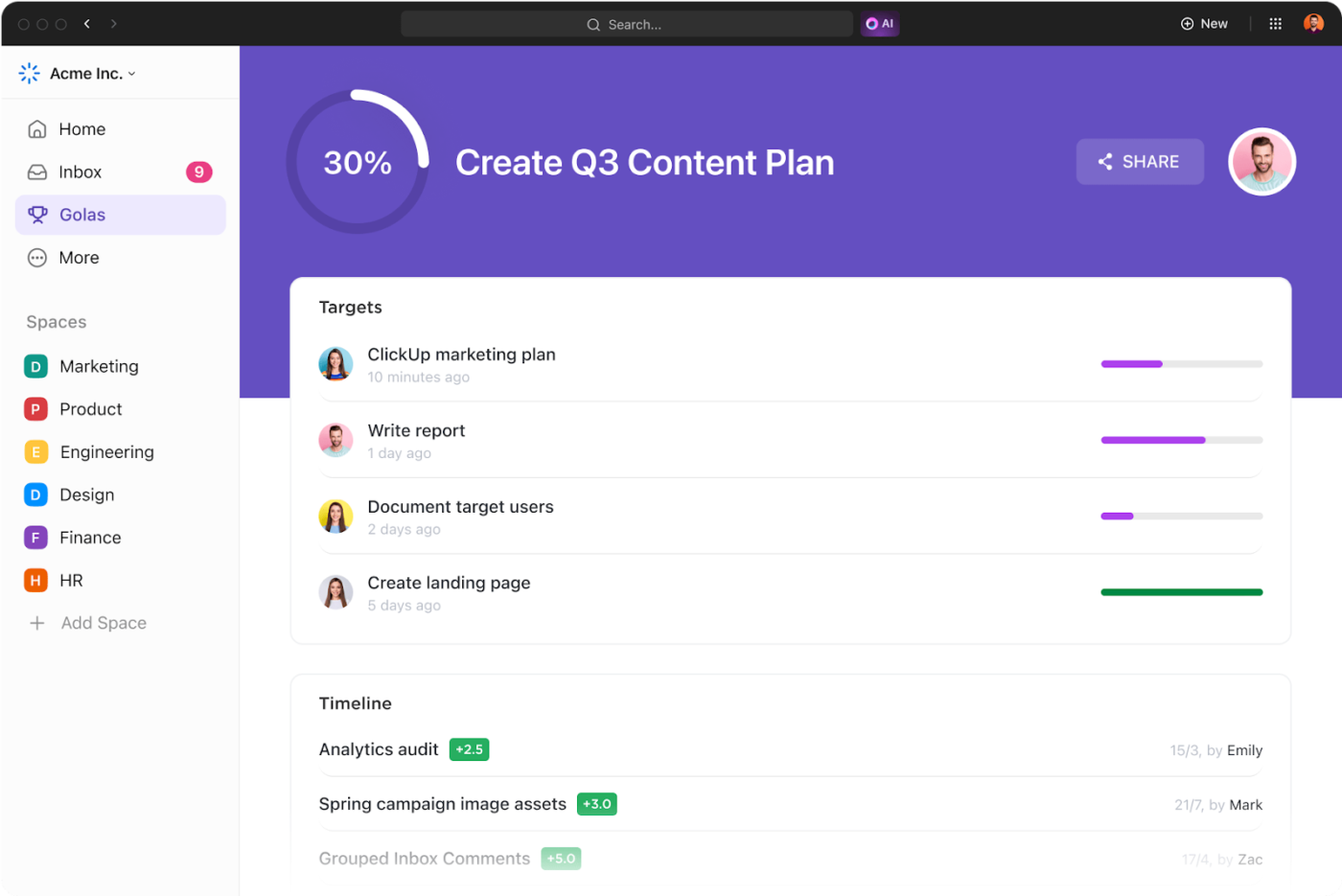
Individual tasks, deals, and milestones are linked directly to the goal, and progress updates happen in real time. This creates transparency and accountability across the team without extra manual work.
Here’s what a TrustRadius reviewer said:
It certainly has simplified our productivity, and a large part of that is thanks to all the different integrations and ClickApps that ClickUp offers. The automations that can make our lives easier and let us focus on the actual projects at hand are really beneficial to us and the entire company.
💡 Pro Tip: Divide your project into smaller, manageable components using the Work Breakdown Structure (WBS). This hierarchical decomposition helps in assigning responsibilities, estimating costs, and tracking progress more accurately.
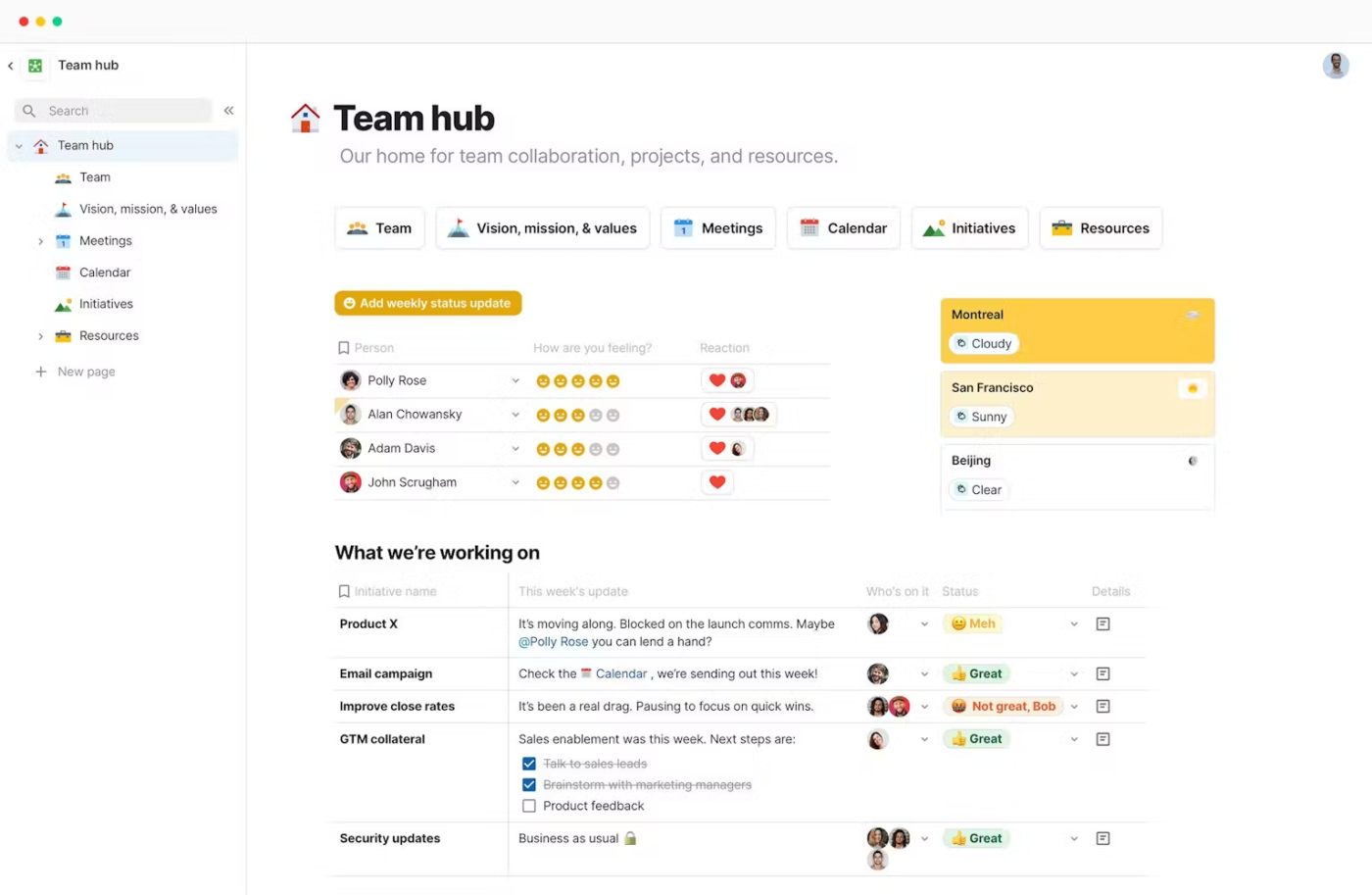
Coda lets you build custom workflows, databases, and dynamic documents in one collaborative environment. Your team can keep everything connected, from tasks to data visualization, without hassle.
With Coda’s innovative approach, navigating complex project management becomes effortless. The platform empowers non-technical users to design solutions without extensive coding knowledge, transforming cross-functional collaboration.
From a G2 review:
I love the balance of easiness and complexity for implementing great pages that can suit any need we have had so far. It has great connectors like Google Maps help to create complex things very easily…I had to check a lot of Coda tips videos to understand how to use it at the level desired, so it was hard to integrate in some documents I created.
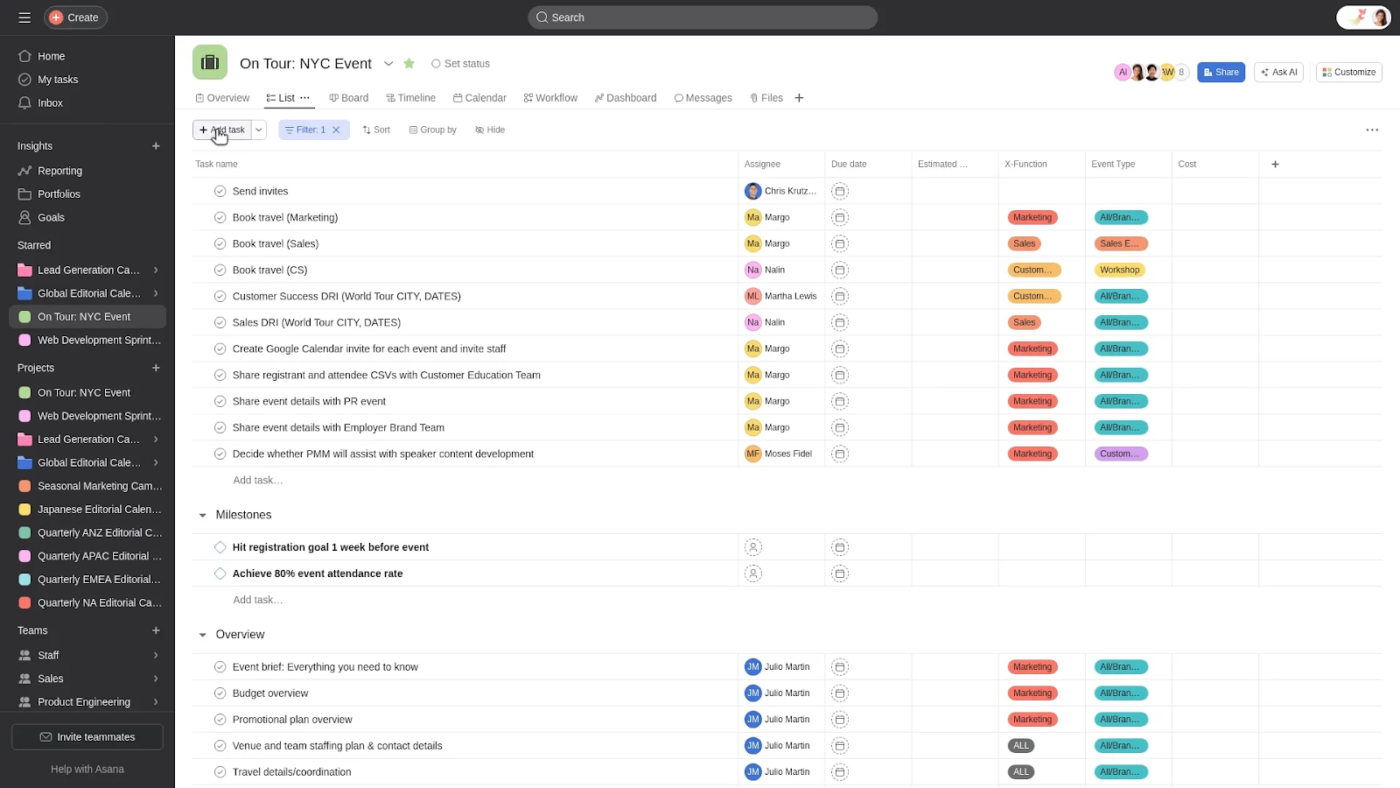
Asana makes teamwork effortless by simplifying project management and keeping everything organized in one place. Its visual, flexible platform helps teams of all sizes break down complex projects into clear, manageable tasks while staying connected and on track.
With Asana, project collaboration feels seamless. You can assign tasks, set priorities, and track progress without the usual back-and-forth. From coordinating a small team to managing multiple departments, it helps your team stay focused and aligned.
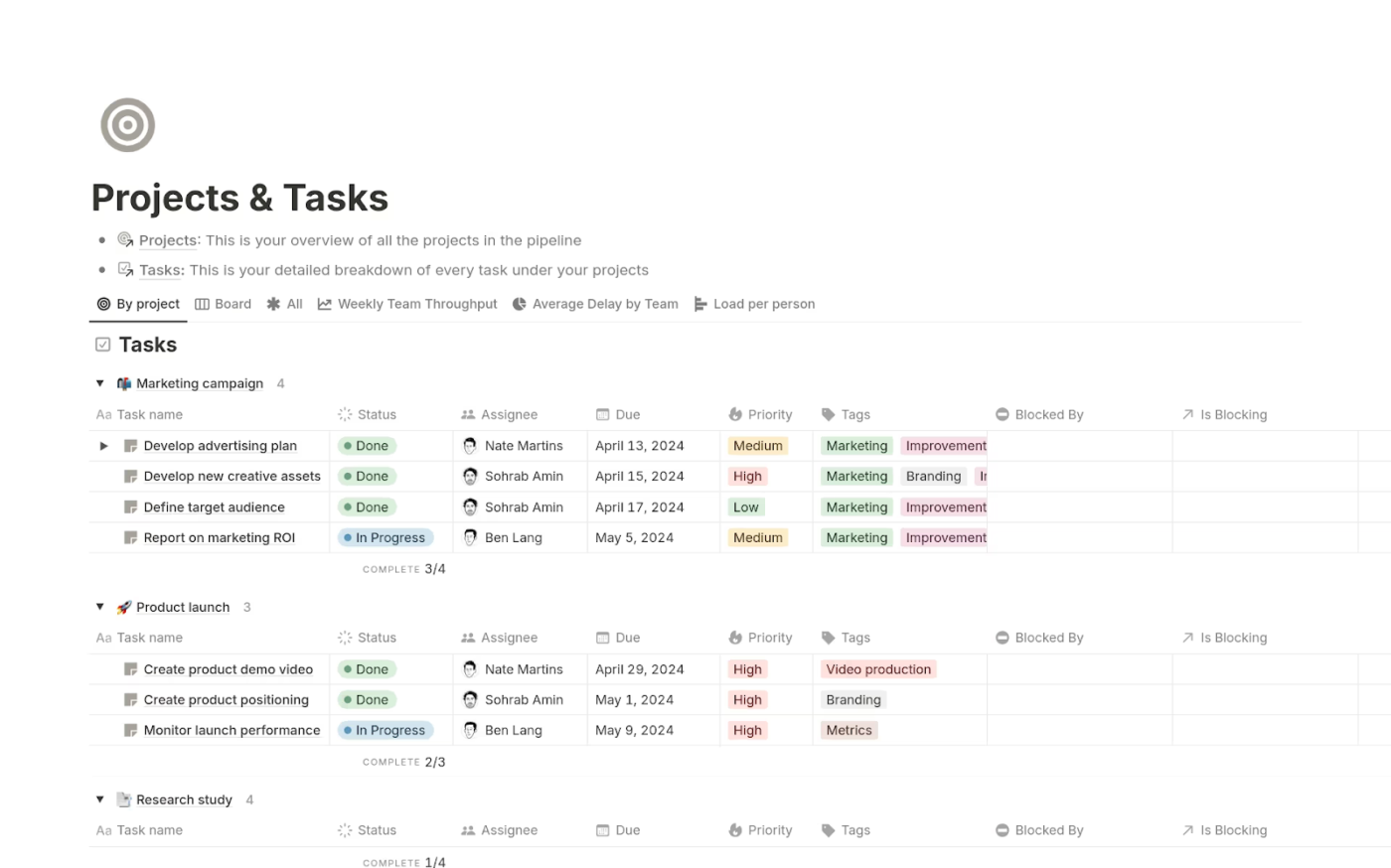
Notion project management combines documentation, project management, and collaboration in a flexible workspace. It’s a customizable hub where teams can organize, track, and connect their work in one place.
Information flows seamlessly across projects, eliminating silos and making collaboration effortless. Plus, you can use Notion AI to summarize meeting notes, draft project proposals, extract action items from a block of text, or automatically populate properties in a project database.
📮 ClickUp Insight: 35% of our survey respondents cite Monday as their least productive day, while 50% cite Friday as their most productive.
Turn those sluggish Mondays into high-impact workdays with ClickUp’s productivity tools—from smart scheduling to AI-powered task management. Plan your week, prioritize key tasks, and stay on track effortlessly.
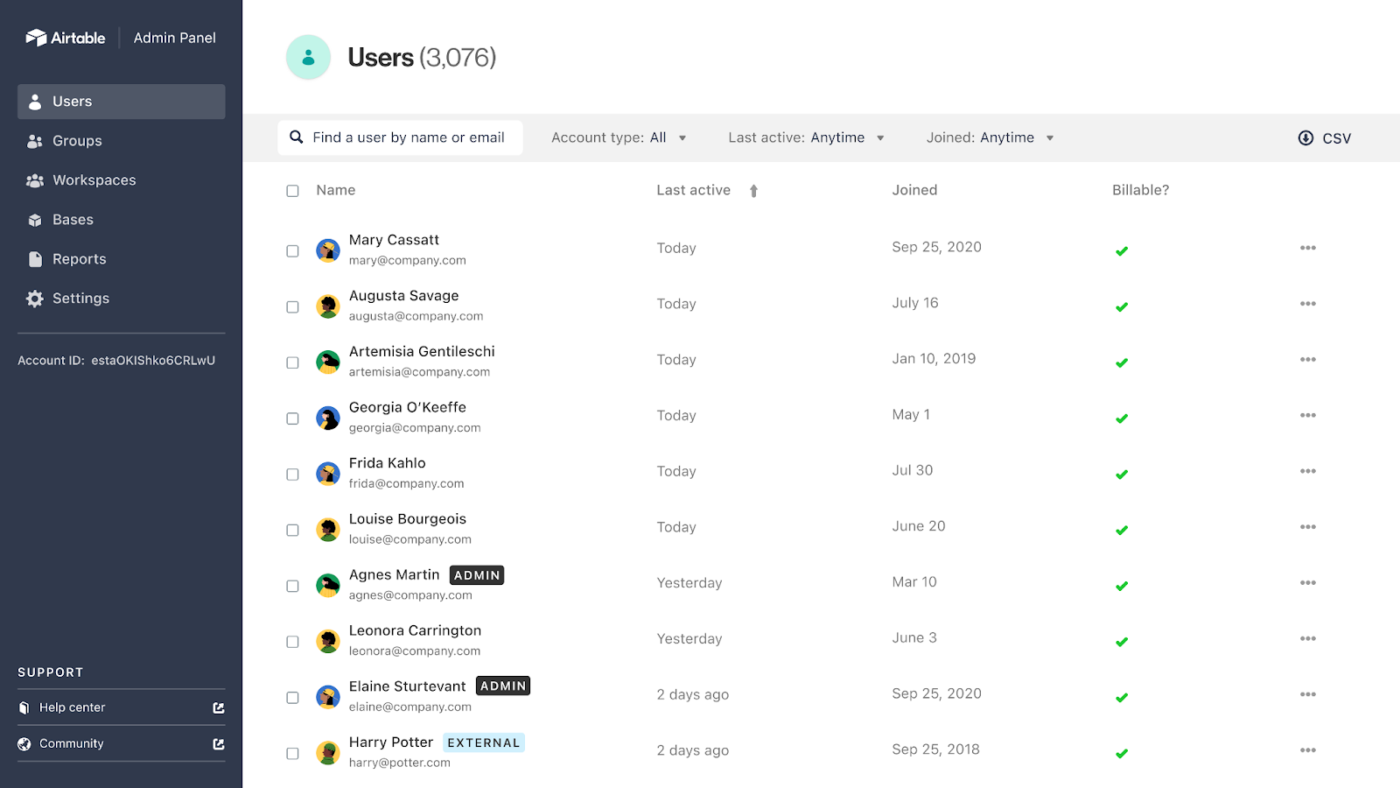
Airtable makes data management effortless by blending the familiarity of spreadsheets with the power of a database. It’s a flexible tool that helps teams organize, track, and collaborate without getting lost in cluttered spreadsheets or rigid systems.
With customizable views, AI assistance, and an easy-to-use interface, Airtable lets you turn complex data into clear, actionable insights.
Whether you’re managing projects, tracking inventory, or planning content, it adapts to your workflow, giving you the structure you need without the headaches.
According to a Capterra review:
I’ve used Airtable for many projects of mine mostly as my database. It’s really convenient for small projects and the free tier is very generous. In the past versions of Airtable you could host assets (images etc.) in the cells and Airtable was providing a permanent URL for them. It seems that this features is gone now and I really miss it.
🤝 Friendly Reminder: Proactively identify, assess, and mitigate risks from the project’s inception to completion. Developing a comprehensive risk management plan helps anticipate potential issues and implement strategies to address them, ensuring smoother project execution.
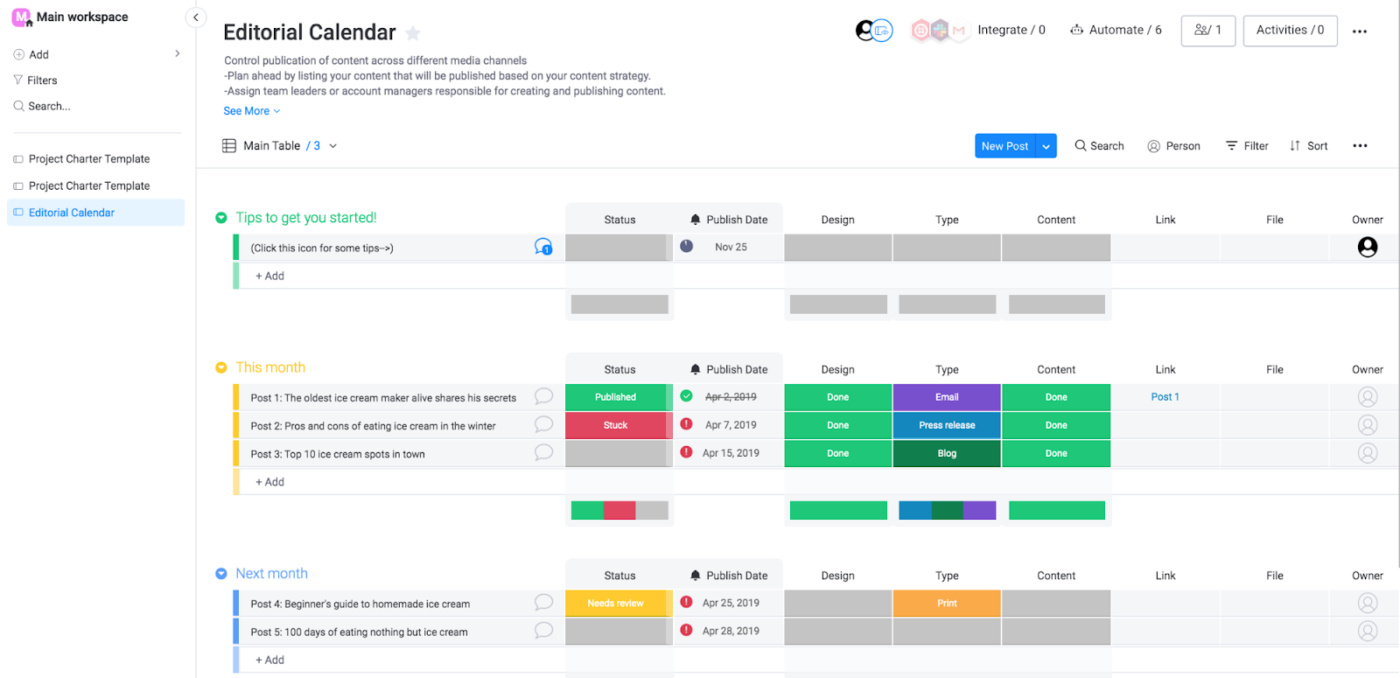
Monday.com is a task management software that transforms projects into a vibrant, color-coded experience that makes tracking work feel intuitive and engaging. Users can create customized boards representing every aspect of their team’s operational landscape.
Colorful interfaces and drag-and-drop functionality make complex project coordination feel surprisingly simple. Teams can visualize their entire workflow ecosystem with unprecedented clarity and precision.
Users can set up “recipes” to automate routine tasks, such as sending notifications when a status changes, creating new items, or moving tasks between boards.
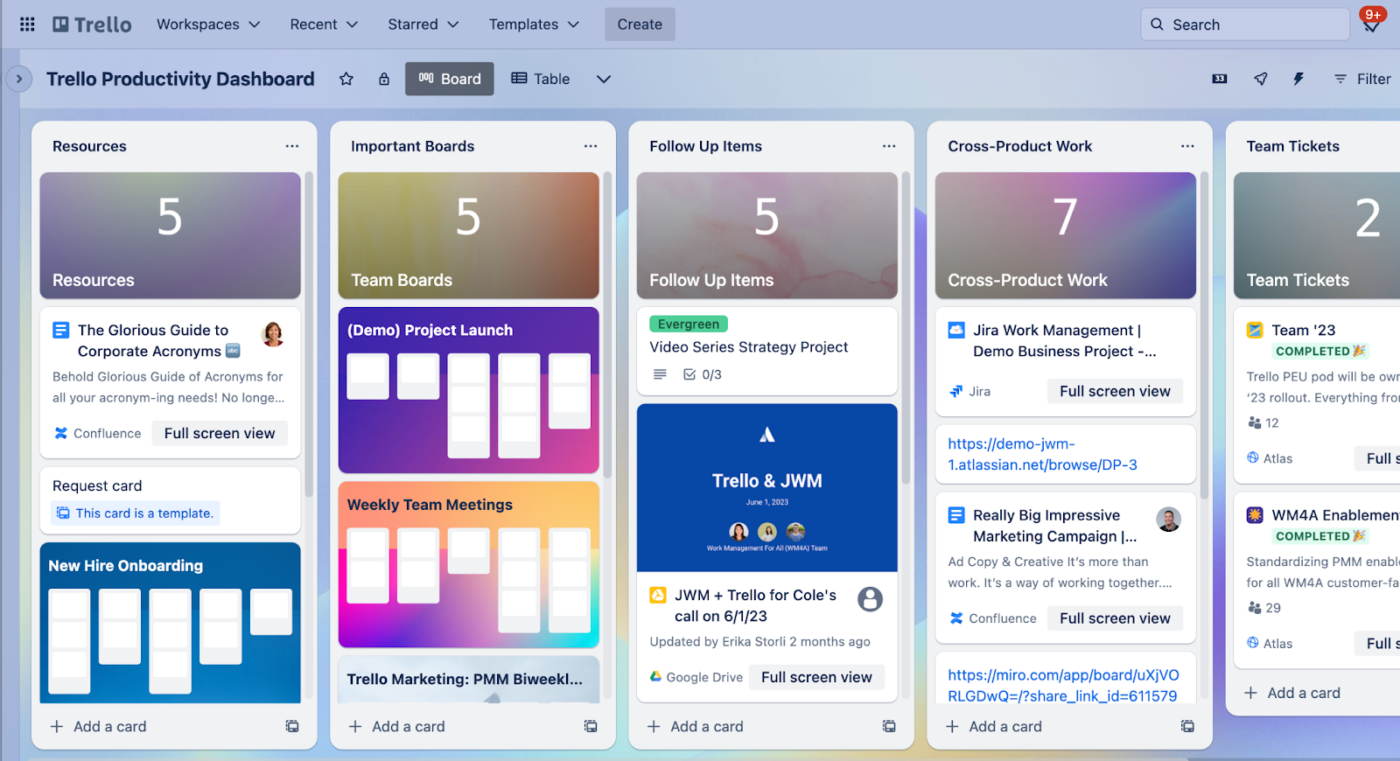
Trello makes project organization effortless with its intuitive card-based system, turning complex workflows into clear, visual boards. Unlike traditional AI project management tools, Trello’s drag-and-drop interface makes tracking tasks feel natural—no steep learning curve, just smooth, organized progress.
Its flexible structure allows teams to break down projects into manageable, movable components, ensuring nothing gets lost in the shuffle. Collaboration is seamless, with interactive boards that align everyone in real time.
🤝 Friendly Reminder: In dynamic project environments, adopting Agile practices allows for adaptability to changing requirements. Working in iterative cycles and continuously gathering feedback ensures that the project evolves in alignment with stakeholder needs and market conditions.
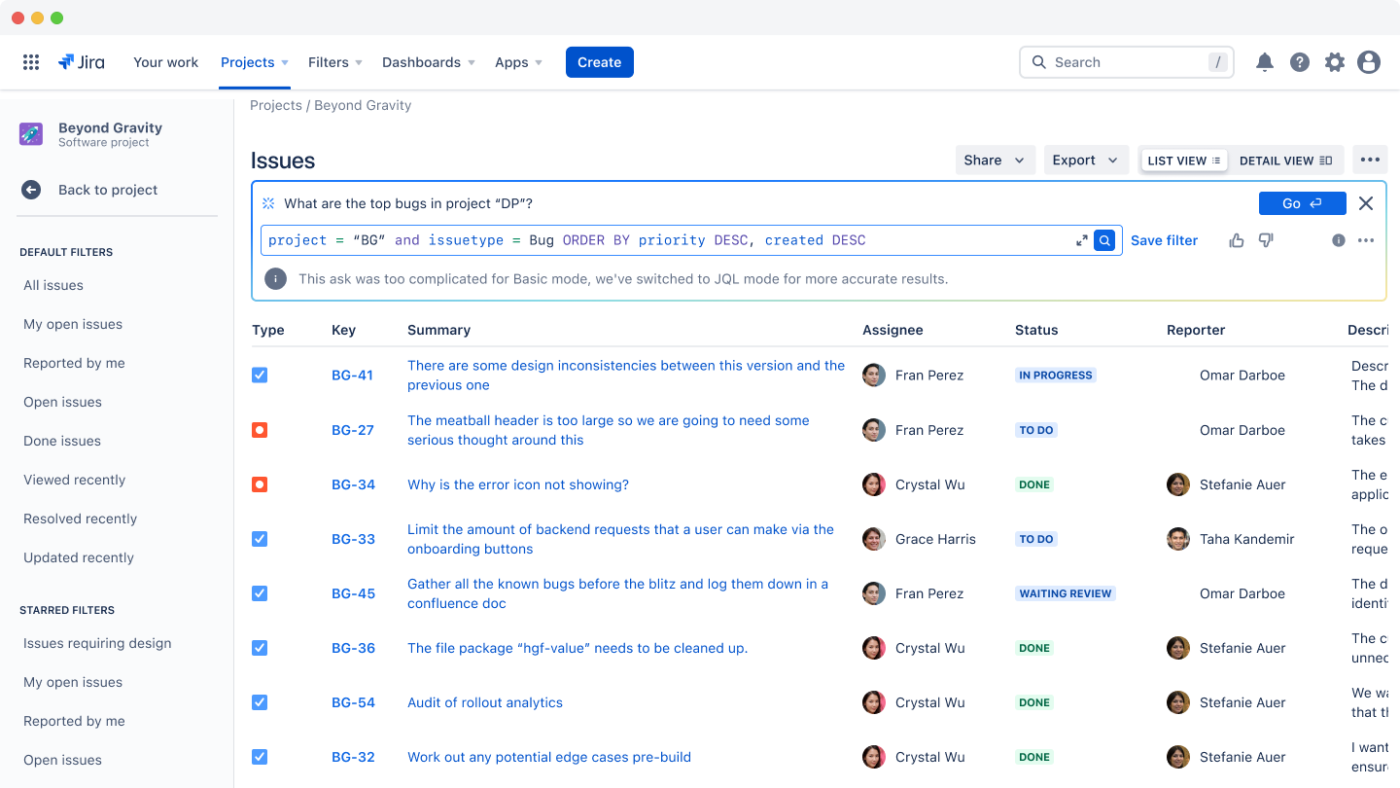
Jira is built for software development and Agile teams, giving them the tools to manage projects with precision and control. It’s a workspace where developers can plan, track, and optimize every stage of the development process.
For technical teams, Jira makes complex workflows more manageable. From sprint planning to bug tracking, it keeps everything organized and transparent.
Plus, with built-in Agile features, teams can stay flexible, adapt quickly, and keep projects moving forward.
A G2 reviewer says:
As a Technical Support Engineer, Jira is very helpful for creating issues with the engineering team and tracking the status of tickets. It also allows me to provide suggestions in case the team is facing any difficulties. I can create workflows and there is a lot of flexibility in the escalation process and bug tracking.
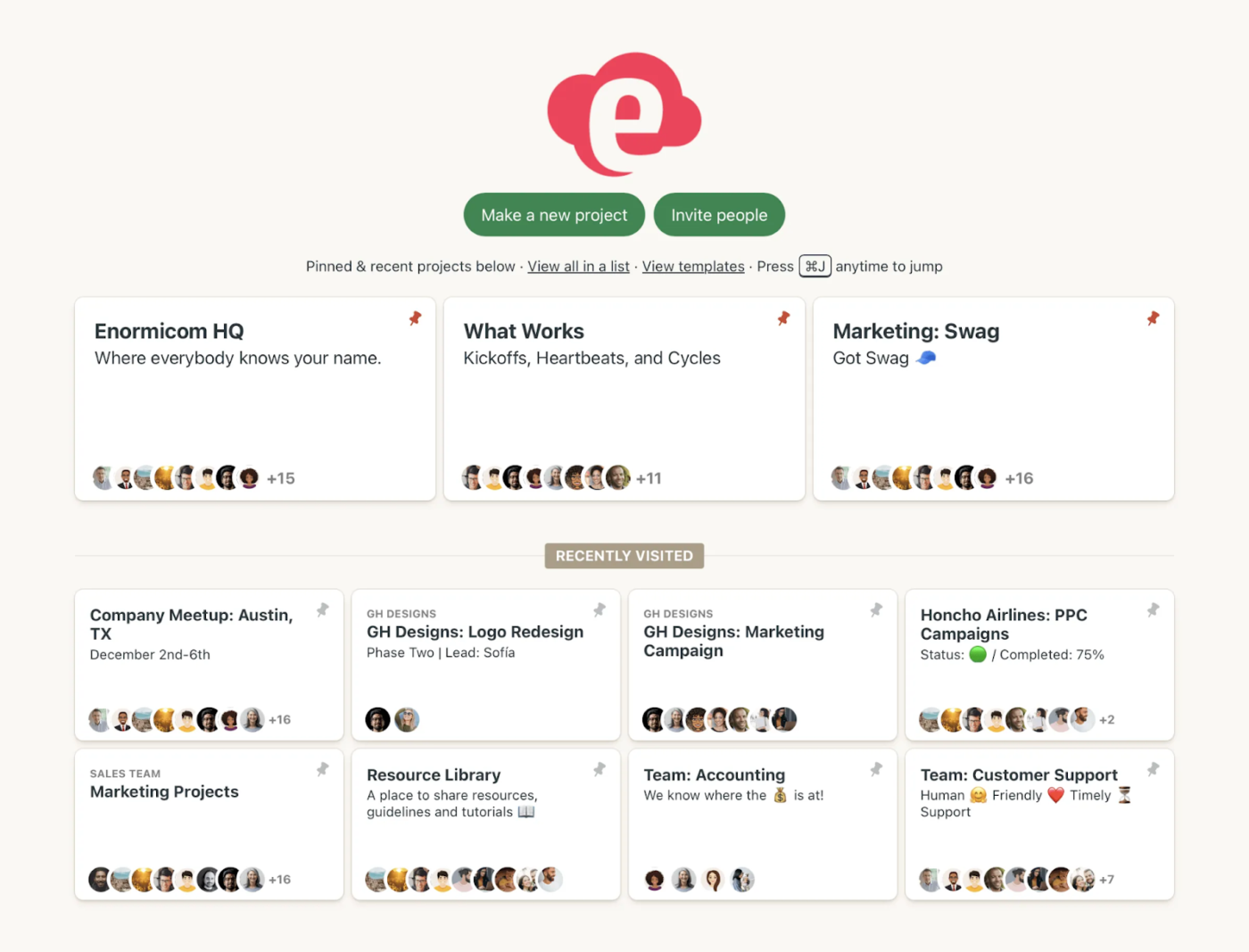
Basecamp creates a space where teams can collaborate, discuss, and move projects forward without getting lost in complex interfaces. With this simple tool, communication becomes the core of project management.
With Basecamp, teams discover a refreshing approach to collaboration that prioritizes clarity and meaningful interaction. It strips away unnecessary complexity, focusing on what matters most.
Each project gets a home screen that shows assignments, deadlines, and events in one place, and the Hey! menu keeps all notifications together.
According to a Reddit reviewer:
Switched to Basecamp a while back to manage projects for our marketing team (5 people). Sold on the simplicity and clean interface. Perfect for basic task management and keeping track of conversations.
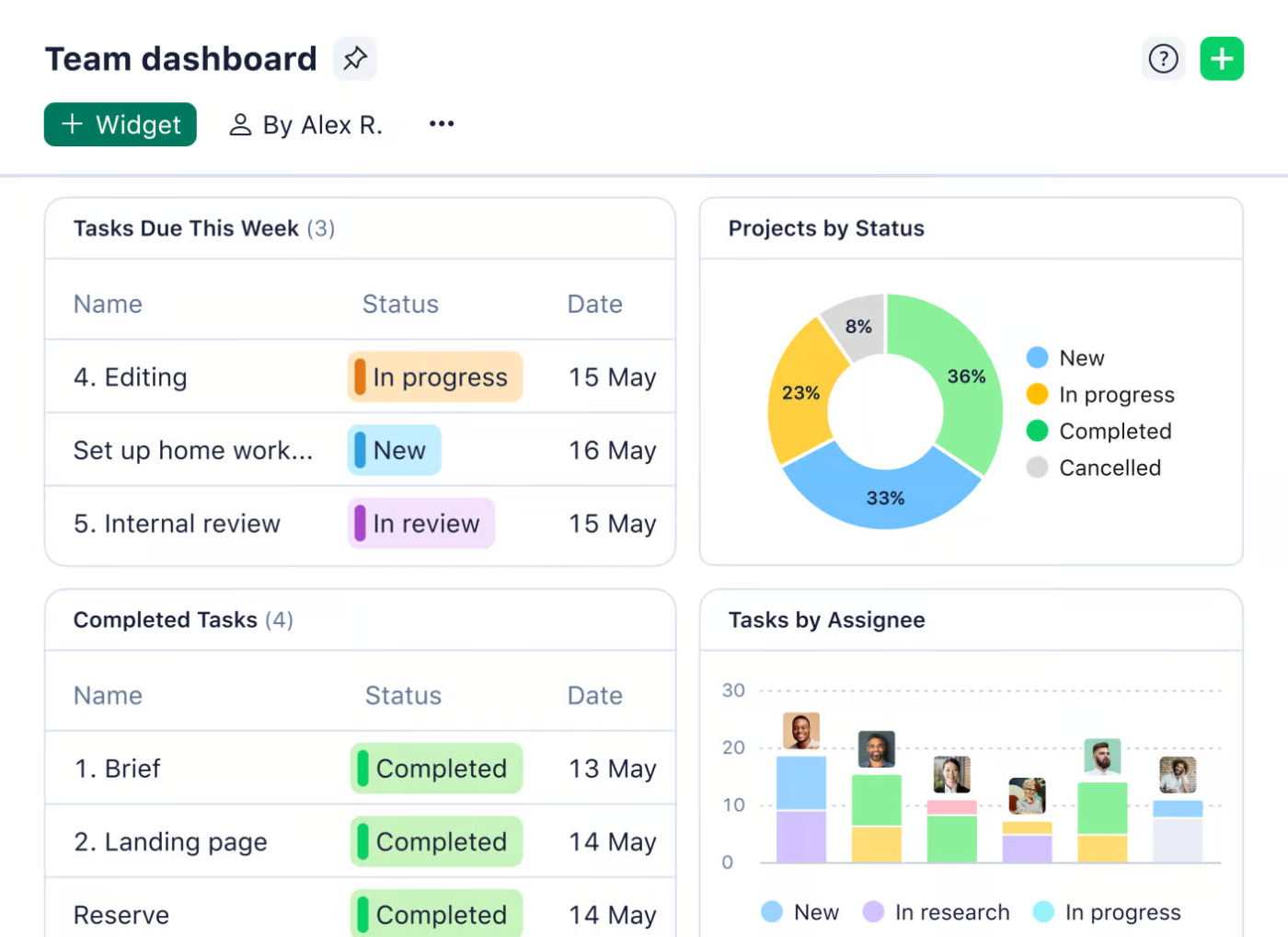
Wrike is a customizable task management software that adapts to various industry requirements, bridging gaps between different team functions. Enterprises find a powerful ally in Wrike’s ability to standardize and optimize work management.
The tool allows managers to see who’s overloaded and rebalance assignments before things slip. Time tracking and customizable dashboards add another layer of visibility, surfacing bottlenecks or risks early so projects don’t stall.
Sophisticated yet intuitive, this workflow automation software breaks down organizational silos and creates transparent, collaborative work environments.
Here’s a G2 review:
Wrike is very easy to use. Once the structure is in place, it is a great tool to help run and track marketing projects and manage the marketing team. I have used both the paid and free versions of Wrike. […] It was easy to integrate the system within the organisations I brought it into.
🧠 Fun Fact: The Transcontinental Railroad (1860s) was one of the first massive infrastructure projects that used formal project management techniques. Engineers had to coordinate thousands of workers across vast distances, keeping track of materials, weather conditions, and deadlines.
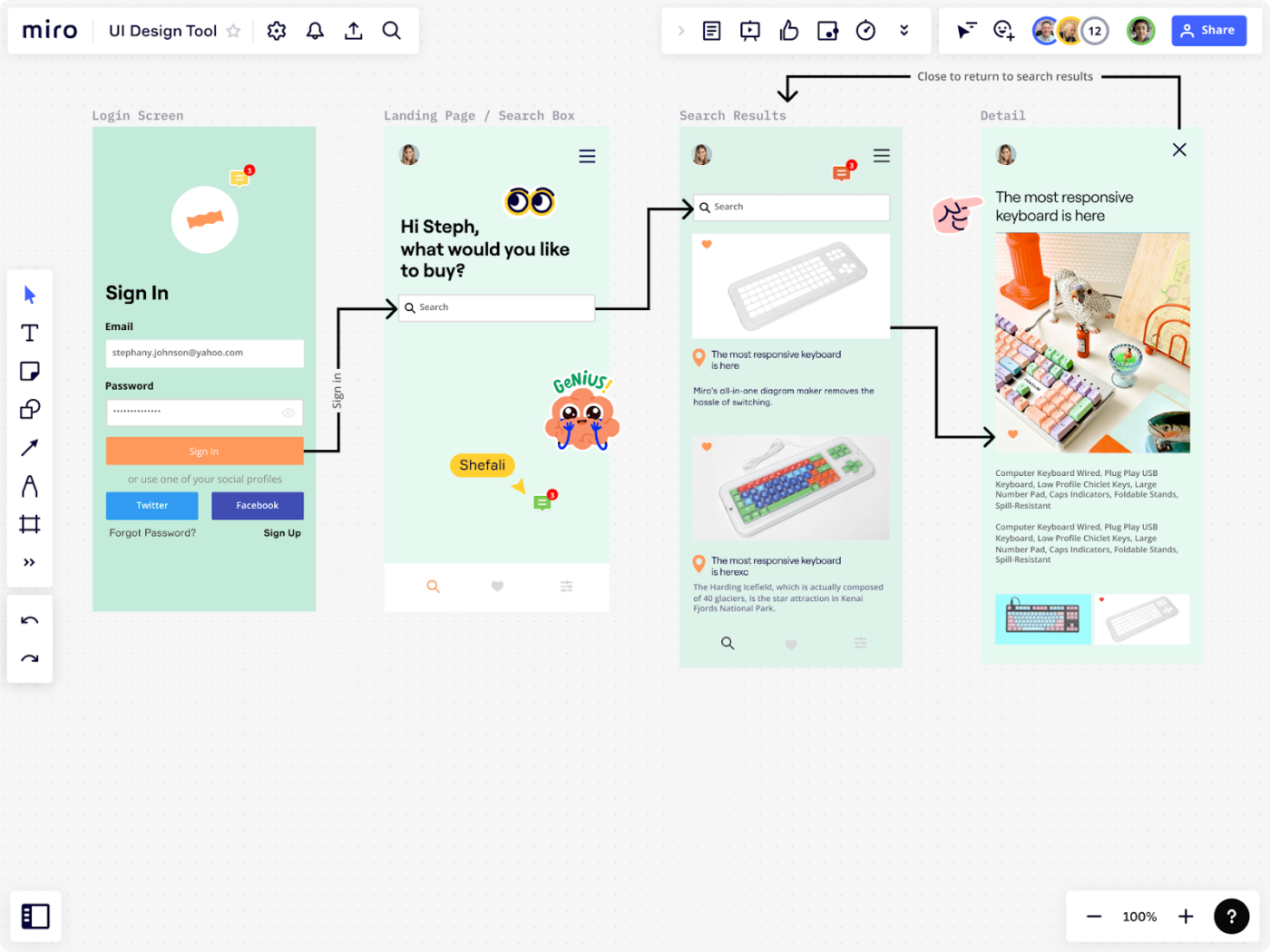
Miro offers an infinite collaborative canvas to brainstorm, plan, and execute complex projects visually. The platform serves as a digital whiteboard, enabling remote teams to interact as if they were in the same room.
Visual thinking becomes a powerful project management tool as teams explore ideas, map strategies, and connect concepts in real time. Miro transforms abstract thoughts into concrete project roadmaps.
Miro AI is deeply integrated into the canvas to accelerate work and reduce manual effort. It can instantly generate diagrams from text prompts, summarize complex discussions captured on sticky notes, and automatically cluster ideas by keyword or sentiment.
🔍 Did You Know? The Gantt chart, created in 1910, revolutionized project planning. It introduced a visual way to track tasks over time, and it’s still widely used in industries today. Even the construction of the Hoover Dam in the 1930s relied on early versions of Gantt charts.
There’s no one-size-fits-all when it comes to work management tools. Some teams need a clean way to track tasks, many want powerful automation, and some are all about integrating knowledge and collaboration in one place.
That’s where ClickUp, the everything app for work, stands out. It’s a powerful tool built for flexibility. From sprint planning and integration with Google Calendar to docs and AI-powered insights—it’s the kind of tool that grows with your team, community, and customers, adapting to how you work best.
With your project plans, tasks, reports, documents, and team communication all integrated, ClickUp becomes the Converged AI Workspace to replace your disparate tools and eliminate Work Sprawl.
Why wait? Sign up for ClickUp for free today.

© 2026 ClickUp

There’s an easier way. Try a free AI Agent in ClickUp that actually does the work for you—set up in minutes, save hours every week.