






Still downloading templates?
There’s an easier way. Try a free AI Agent in ClickUp that actually does the work for you—set up in minutes, save hours every week.
Sorry, there were no results found for “”
Sorry, there were no results found for “”
Sorry, there were no results found for “”
You’ve fixed the bugs, polished the onboarding flow, and maybe even added a chatbot to your platform—but somehow, churn is creeping in. Customers leave quietly—and you don’t know why until it’s too late.
Customer satisfaction surveys, when done right, are your early warning system. But “done right” doesn’t mean slapping on a few smiley-face scales and calling it a day. It’s about asking questions that reveal friction points, unmet expectations, and surprising moments of delight—straight from the people who matter most.
In this guide, we go beyond the generic templates. You’ll get battle-tested survey questions used by companies that actually act on feedback and the best customer feedback tools. Plus, learn best practices to avoid bias, boost response rates, and turn insights into retention gold.
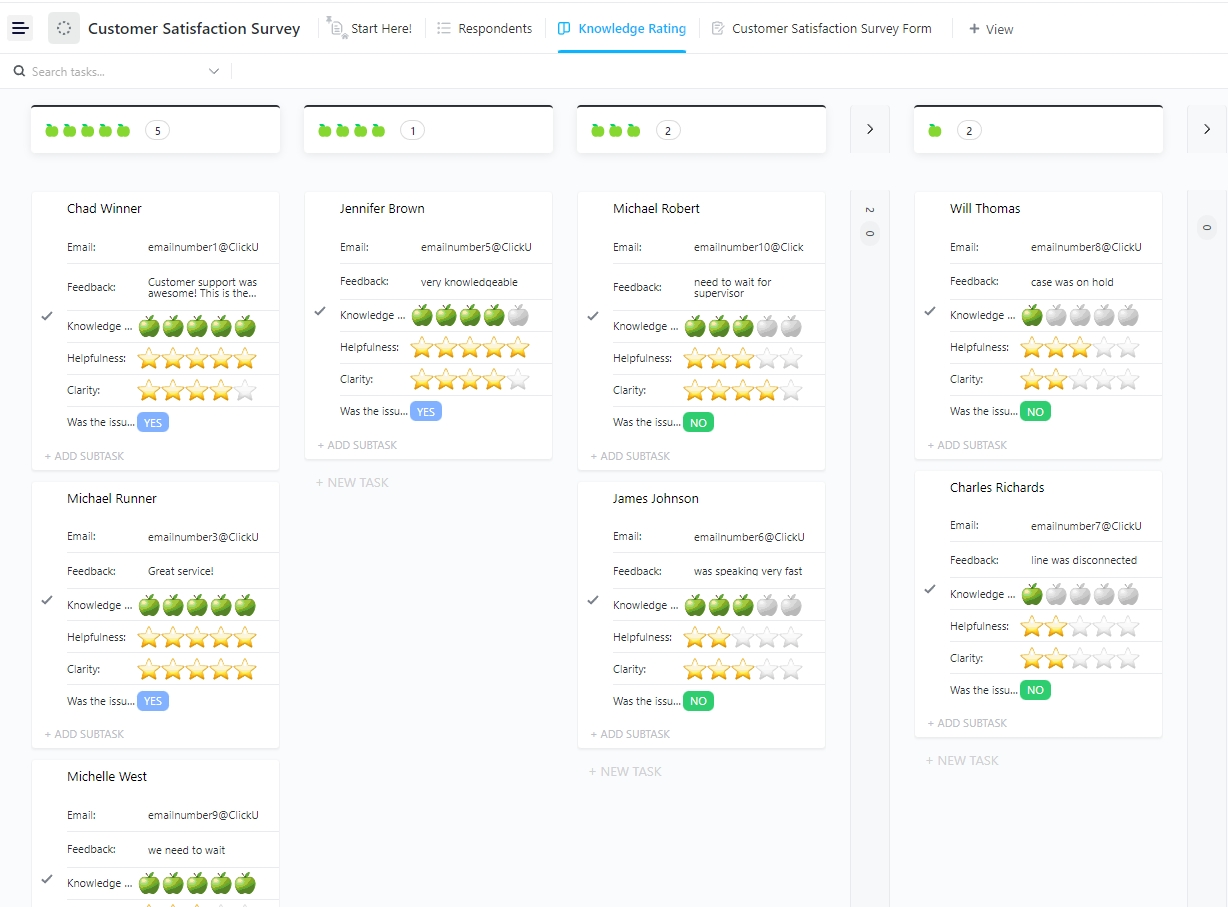
The ClickUp Customer Satisfaction Survey Template helps teams easily capture feedback from customers, identify improvement areas, and strengthen customer relationships. This ensures higher satisfaction, loyalty, and long-term business growth.
Customer satisfaction survey questions are designed to gauge how happy or frustrated your customers are with your product, service, or overall experience.
But they’re not just feel-good metrics. They go beyond the vague “how are we doing?” prompts and tap into specific, actionable points in the customer journey.
The goal? Get honest, relevant feedback—not sugar-coated compliments.
👀 Did You Know? Businesses prioritizing customer experience grow revenues 4%–8% above their market.
Satisfaction surveys and questionnaire templates aren’t one-size-fits-all. What you’re trying to measure—brand loyalty, product usability, or support experience—should guide your choice. Each survey type answers a business question and helps you respond to feedback more effectively.
Let’s break down the three most commonly used (and misused) types:
You’ve previously seen the classic “How likely are you to recommend us?” question. That’s the heartbeat of an NPS survey—measuring customer loyalty and the emotional connection between your customer and your brand. But here’s the nuance: it’s not just about the customer experience KPIs. The real gold is in the follow-up question—“Why did you give us that score?”
Tracking NPS is just the starting line. The real value comes from digging into the qualitative feedback—spotting patterns, understanding customer sentiment, and making meaningful changes to onboarding, product features, or messaging. You’re not getting the whole story if you’re only watching the score.
🧠 Fun Fact: The NPS was developed by Bain & Company in 2003, and today, major Fortune 1000 companies use it as a core metric for tracking customer loyalty.
Simple, specific, and easy to act on, CSAT surveys measure customer satisfaction with a particular interaction, feature, or experience. Think post-support tickets, after a delivery, or following a purchase.
CSAT shines when you need feedback on one part of the journey, not the whole ride. Want to know if your chatbot helped or frustrated someone? CSAT’s your go-to. But keep in mind—it’s moment-based. A glowing CSAT doesn’t always mean long-term loyalty—it just means that moment worked.
“How easy was it to resolve your issue?” That’s CES in a nutshell. It measures how much friction a customer feels when trying to get something done, whether that’s getting help, checking out, or finding info.
In an era where speed > bells and whistles, CES is a powerful retention metric.
Timing Tip: When to Send Your Surveys
If you want honest, actionable feedback, the quality of your questions matters more than quantity. These 50 questions are organized by category, making it easier to spot what’s working—and what’s not—across product, service, support, onboarding, and more.
General satisfaction questions are your baselines. They give a high-level snapshot of customers’ feelings about your brand or product.
While they won’t tell you exactly why someone is happy or unhappy, they’ll flag trends in perception—and help you identify when deeper investigation is needed. Think of these as your “pulse check” or conducting user research—simple, direct, and crucial for tracking sentiment over time.
Use them to spot red flags early, measure long-term satisfaction, or see how changes to your offering are landing with users.
Ask questions like these to measure overall satisfaction:
One bad support experience can undo months of goodwill. It’s not just about whether the issue was solved—it’s about how it was solved: the tone, the speed, the clarity, and whether the customer walked away feeling confident.
By asking the right customer service questions, you can expose hidden issues, highlight what users love, and show whether your support is helpful or a hassle.
Use these questions to evaluate your support experience:
💡 Pro Tip: Use form automation software to instantly route responses where they matter most—like assigning urgent feedback to your support team or tagging product-related issues for engineering.
Great branding and marketing only go so far if the product doesn’t deliver. Product quality questions help you separate surface-level satisfaction from genuine, long-term product loyalty.
They also highlight whether your engineering and product roadmap are aligned with customer expectations.
Ask these to dig into product performance and reliability:
First impressions shape the entire customer journey. Onboarding and setup questions reveal how easy (or painful!) it is for users to start seeing value from your product. If the setup is clunky or confusing, customers may never stick around long enough to appreciate your best features.
These questions help uncover where users drop off and why—so you can streamline onboarding and reduce churn, especially for SaaS or complex tools.
Use these questions to assess your onboarding flow:
🧠 Fun Fact: STANLEY Security teams save an entire day every week by collaborating in ClickUp. Centralizing tasks, feedback, and updates reduces back-and-forth and can finally help you ditch scattered tools.
Even a fantastic product will encounter friction if users feel it’s overpriced—or worse, if they don’t understand the value.
Pricing and value perception questions dig into the psychology behind purchase decisions. Are users clear on what they’re paying for? Do they feel the ROI justifies the cost? Do your competitors feel like a better deal?
Pricing perception questions don’t just tell you if customers think your product is “expensive”—they tell you whether you’re doing a good job justifying the price through value, clarity, and differentiation.
Try these to understand how customers view your pricing model:
A powerful feature loses all value if users can’t find or understand it. These questions help uncover friction in your UX—anything from clunky navigation to poorly labeled buttons or inconsistent flows.
Insights from conditional logic in surveys feed directly into design, product, and engineering decisions.
Ask these to evaluate the product’s usability and design flow:
Customer loyalty is a long game, but it leaves clues early on.
Loyalty and referral potential questions go beyond satisfaction and into advocacy: Would someone stake their reputation on your brand by recommending it to others?
They also help spot the quiet quitters—customers who haven’t churned yet but are mentally gone.
Use these to gauge customer retention and word-of-mouth potential:
🧠 Fun Fact: Clear, consistent communication isn’t just good manners—it’s a retention strategy. Discover how in our customer communication management guide.
Creating customer satisfaction surveys isn’t just about asking the right type of questions—it’s about asking for feedback the right way. Poorly worded or overly complicated questions can skew results, confuse respondents, and lead to misleading data.
Follow these best practices to get accurate, actionable insights:
Avoid jargon or overly complex phrasing. If customers need to re-read a question, they’ll either abandon the survey or misinterpret it.
Don’t combine multiple topics in a single question. Double-barreled questions confuse respondents and distort data.
Stick to the same rating format (e.g., 1–5 or 1–10) across all questions. Changing scales mid-survey makes the experience clunky and produces inconsistent data.
Closed questions give you measurable data, but open-ended responses provide richer insights. Use both strategically.
Surveys with 5–10 questions hit the sweet spot. Long customer feedback forms and post-meeting survey questions lead to drop-offs. But don’t cut so much that you miss key feedback areas. Focus on high-impact questions that cover multiple dimensions of the experience.
Questions should remain neutral. Leading language nudges customers toward a certain answer, making data unreliable.
Use tags like customer name, plan type, or recent activity. Personalization makes questions feel relevant and drives higher engagement.
Timing impacts accuracy. Send surveys when the experience is still fresh, but after customers have enough context to respond meaningfully.
💡 Pro Tip: Don’t limit feedback to just post-support or post-purchase moments. Embedding CSAT or NPS surveys in your onboarding flow helps catch first impressions—and flag friction—before they become churn risks.
Collecting customer feedback is one thing, but doing something concrete with it is where most teams drop the ball.
ClickUp, the everything app for work, doesn’t just help you gather responses; it turns every piece of feedback into something your team can actually act on.
From capturing insights to analyzing trends and improving client project management, it gives you a structured system that never leaves feedback sitting in a spreadsheet.
…Because of its clean and elegant design, ClickUp is one of the top project management apps. ClickUp enables you to uninstall a large number of apps and applications. This will save your team substantial time and effort while ensuring high-quality results and customer satisfaction…
Here’s how your team can use ClickUp to manage their customer satisfaction loop and end-to-end:
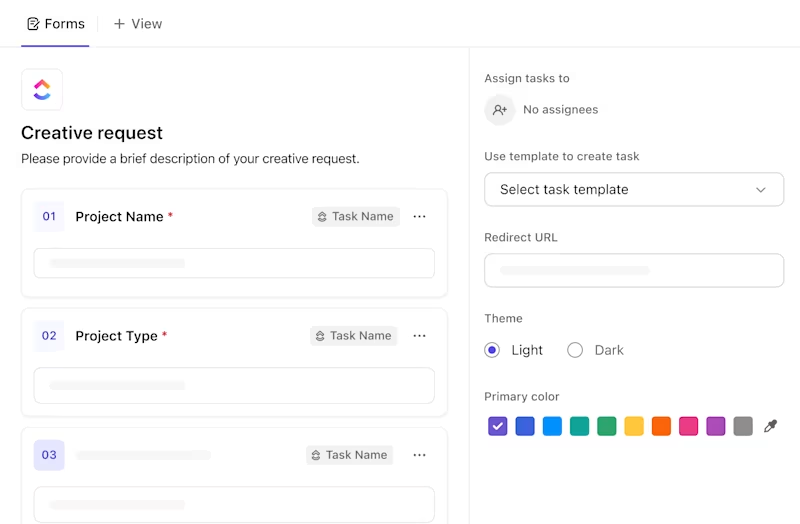
Tired of juggling Typeform, Google Forms, and email replies? ClickUp Forms let you build surveys directly inside your workspace and route every response into a trackable task.
Want to tag urgent feedback? Add Custom Fields like “Issue Severity” or “Product Area” to instantly prioritize what matters most.
🎥 See how ClickUp Forms make it simple to gather and organize feedback, keeping your customers at the center of every decision ✨
To make it even easier, the ClickUp Customer Satisfaction Survey Template comes pre-built with ready-to-use questions, automation, and workflows—so you’re not starting from scratch.
Customize the feedback form template, drop it into your support follow-ups or post-purchase emails, and start collecting feedback without breaking your flow. Every response is logged, categorized, and ready to be acted on—no more scattered feedback or missed insights.
Example: 5-Question CSAT Survey Template
Writing good survey questions takes time, and bias creeps in faster than you think.
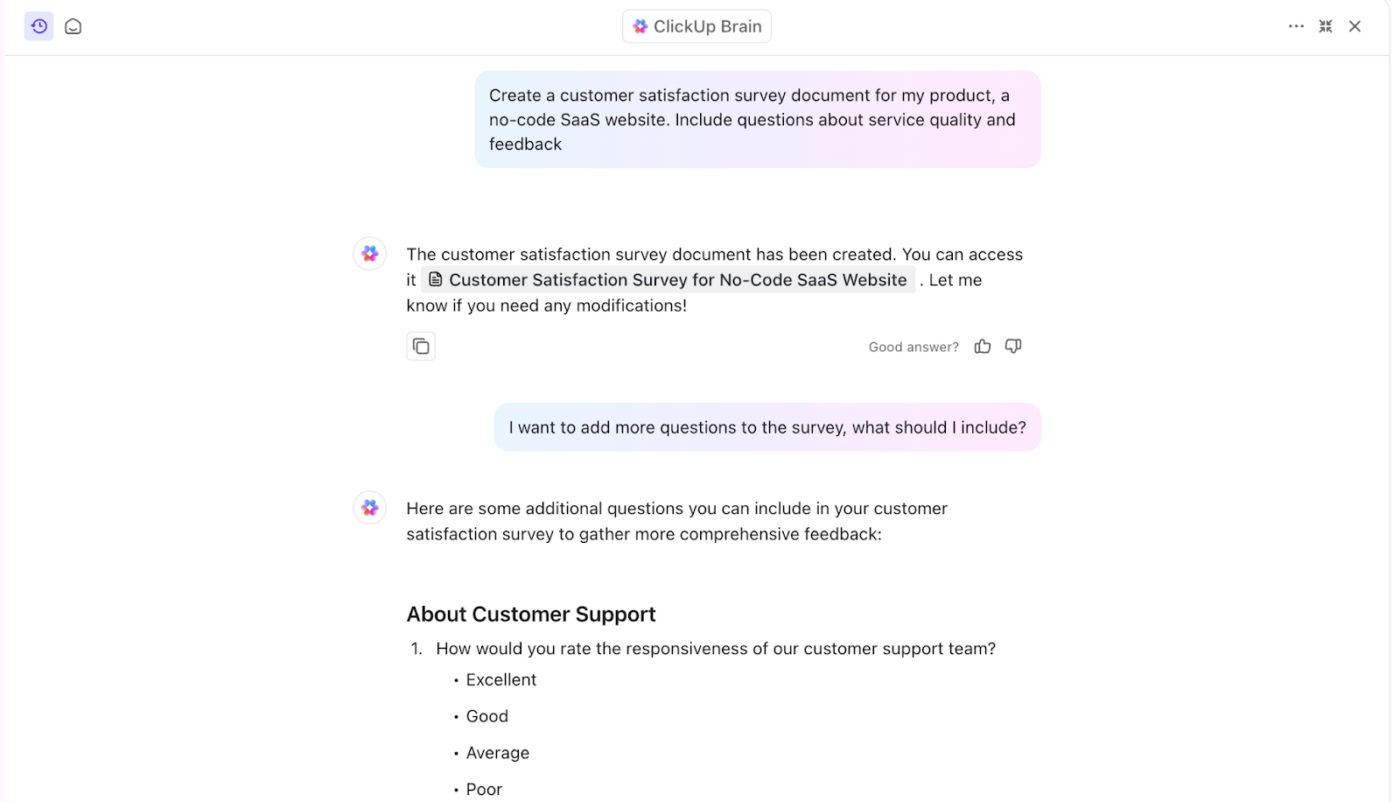
ClickUp Brain, the in-built AI assistant, can auto-generate unbiased, clearly worded questions based on your goals (“I want to measure customer satisfaction”) or suggest follow-up questions based on customer responses.
It can even summarize long-form answers from customer review templates into quick takeaways so your team doesn’t have to dig through every word.
The best part? It can connect directly with other leading LLMs like Gemini, ChatGPT, and Claude—right from your ClickUp Workspace—so you can tap into the AI you prefer without ever leaving your flow.
📮ClickUp Insight: Only 12% of our survey respondents use AI features embedded within productivity suites. This low adoption suggests current implementations may lack the seamless, contextual integration that would compel users to transition from their preferred standalone conversational platforms. For example, can the AI execute an automation workflow based on a plain text prompt from the user? ClickUp Brain can!
The AI is deeply integrated into every aspect of ClickUp, including but not limited to summarizing chat threads, drafting or polishing text, pulling up information from the workspace, generating images, and more! Join the 40% of ClickUp customers who have replaced 3+ apps with our everything app for work!
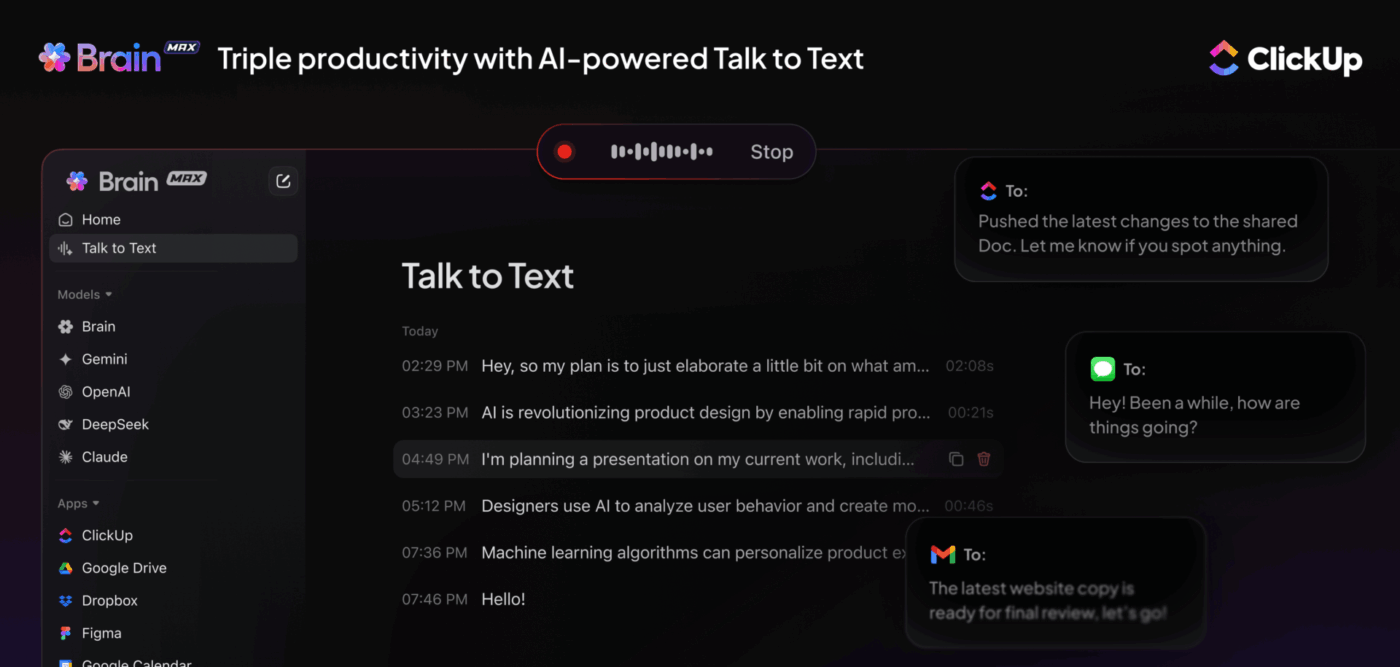
Customer feedback often hides in long survey responses, meeting recaps, or scattered docs. With ClickUp Brain Max, you don’t just collect answers—you turn them into action. Use Talk to Text to dictate follow-ups during review calls or log quick notes right inside tasks, then let Brain Max auto-summarize customer comments into clear insights.
Pair that with Enterprise Search and ask: “Show me all feedback tagged with ‘onboarding’ in the last month” or “Summarize survey responses mentioning pricing concerns”. Brain Max will instantly pull the right context from across your workspace—Forms, Docs, tasks, even past surveys.
Instead of manually sorting through responses, your team gets structured insights in seconds. This helps you identify churn risks, prioritize fixes, and act on customer needs before it’s too late.
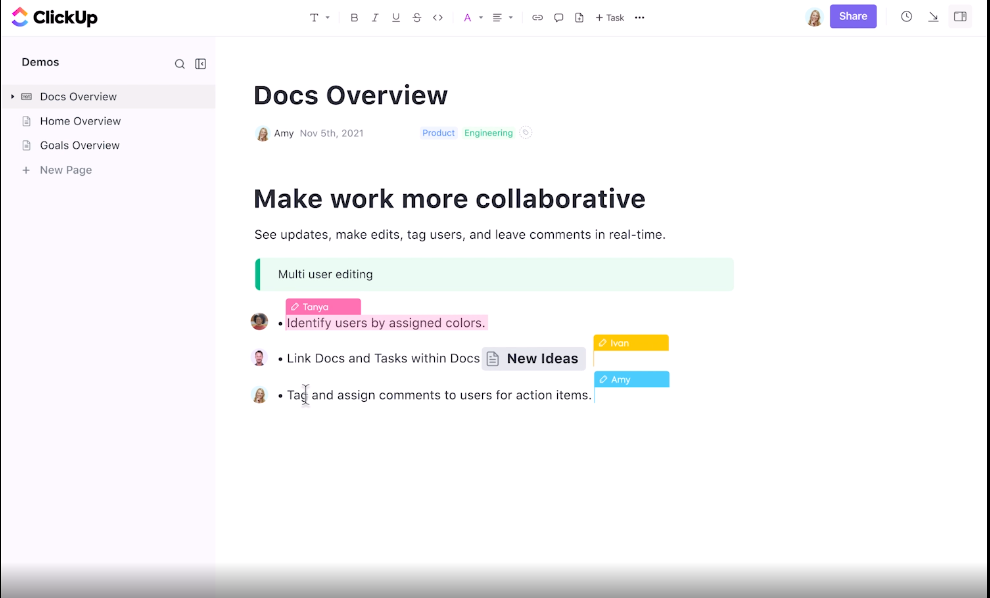
Don’t keep your research and questions scattered across Notion, Word docs, and email drafts. Use ClickUp Docs to build a real-time knowledge base for your surveys. Draft questions, log insights, or create internal guides like “How to Respond to Negative CSAT” right where your team is already working.
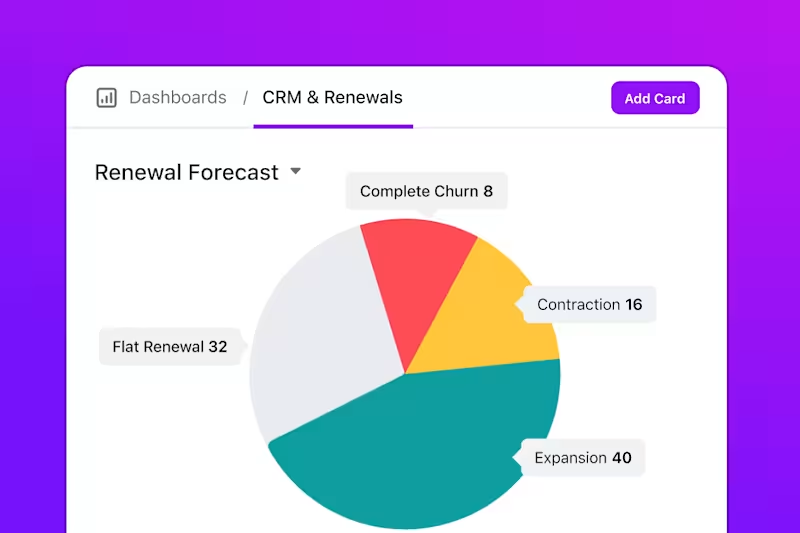
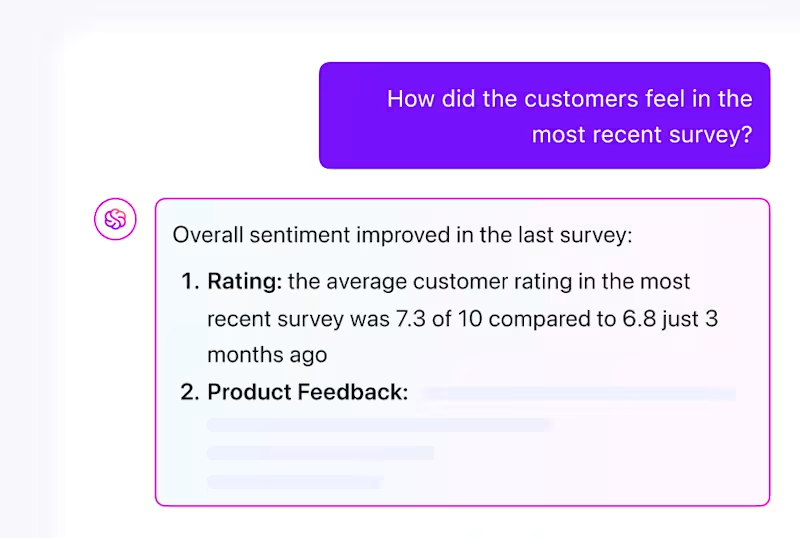
Once feedback starts flowing, you need more than a spreadsheet. ClickUp Dashboards lets you build visual reports on CSAT, NPS, or even the number of open feedback tasks by category.
You can add bar charts showing satisfaction trends, pie charts showing issue types, or a burnup chart showing how quickly feedback is resolved.
👀 Did You Know? QubicaAMF saved 40% of their time creating reports and charts by switching to ClickUp Dashboards.
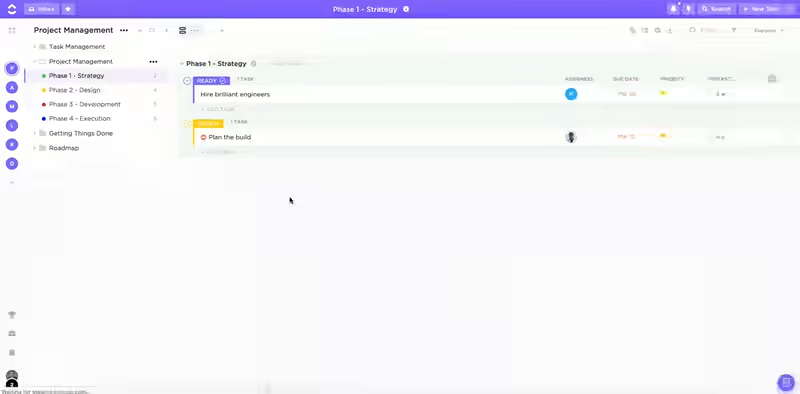
Feedback should never sit in a silo. With ClickUp’s Customer Service solution, every piece of feedback becomes a trackable task that can be assigned, tagged, and followed through to resolution.
Got a recurring complaint about onboarding? Route it to Product. Bug report? Send it straight to Engineering. Nothing gets missed.
Feedback isn’t valuable until it’s processed, prioritized, and translated into decisions. Once you’ve collected customer responses, here’s how to elevate your follow-through strategy beyond basic reaction:
Not all feedback carries the same weight. A single comment about button color isn’t the same as recurring complaints about usability. Develop a tagging or scoring system to differentiate individual preferences from pattern-based insights.
💡 Pro Tip: To guide decision-making, assign an “impact score” to each item based on frequency, user tier, and affected feature.
Every piece of feedback should tie back to a business goal—retention, conversion, feature adoption, etc. It may not need to be acted on immediately if it doesn’t. This step ensures that teams don’t chase noise, but instead align improvements with OKRs or roadmap themes.
📌 Example: Complaints about your pricing page layout? Map it to conversion data before prioritizing a redesign.
It’s common for feedback to live inside support tools, invisible to product or marketing. Set up a shared feedback dashboard or workspace view where everyone—from design to leadership—can see trends, unresolved items, and closed-loop stats.
💡 Pro Tip: Add tags for team ownership (e.g., “Needs Product Review”) and filter dashboards by department to prevent silos.
Following up on feedback isn’t just customer support’s job—it’s a retention strategy. Create pre-approved response templates for Product, Marketing, and Success teams to close the loop personally, especially with high-value users or those at churn risk.
📬 Template idea: “You mentioned [X] in your recent feedback. We’ve reviewed it internally and made [Y] update. Thanks for helping us get better.”
Something you dismissed six months ago might be a clear priority today. Make feedback review a recurring task—monthly or quarterly—and look for patterns you previously missed. Especially valuable when planning roadmap cycles or new campaigns.
Customer satisfaction surveys are as impactful as what you do with the answers. The right questions give you direction, but the right system gives you momentum.
From collecting insights to analyzing customer feedback and assigning follow-ups, you need more than just forms and spreadsheets. You need a workspace where feedback actually leads to action.
That’s where ClickUp stands out. With built-in forms, AI-powered question generation, live dashboards, and connected workflows across support, product, and leadership teams, ClickUp isn’t just a place to manage surveys—it’s where customer experience gets better, one response at a time.
📢 Sign up for free now and build surveys that drive real change. 🌍

© 2026 ClickUp

There’s an easier way. Try a free AI Agent in ClickUp that actually does the work for you—set up in minutes, save hours every week.