Sorry, there were no results found for “”
Sorry, there were no results found for “”
Sorry, there were no results found for “”
The right software makes all the difference in your team members’ ability to focus on their roles, simplify routine tasks, and manage their time. This is especially true in the construction industry, where it’s critical to optimize your team’s talents on construction projects in the field.
There are a ton of tools to assist with this challenge, but many are designed for large corporations with deep pockets.
The solution? Construction project management software created with small businesses in mind.
To help you reach the best results faster, we’ve compiled a list of the best solutions for small businesses in search of the right construction project management software. We’ll compare key features, limitations, pricing, reviews, and more to help you make the most informed decision for your small business needs.
Here’s a quick summary to get you started:
| Tool | Best for | Best features | Pricing* |
| ClickUp | Best for unified project tracking & field-to-office sync Team size: All business sizes | AI-powered Gantt charts, ClickUp Brain for status updates, custom forms for site logs, and integrated chat. | Free forever; Paid plans available |
| Contractor Foreman | Best for affordable all-in-one business management Team size: Small to mid-sized contractors | Estimates, invoices, daily logs, and subcontractor coordination in a single interface. | Starts at $49/month |
| Procore | Best for comprehensive risk & financial management Team size: Mid-market to enterprise | Real-time financial monitoring, quality and safety logs, and massive integration ecosystem. | Custom pricing |
| Autodesk Build | Best for streamlined office-to-field coordination Team size: Commercial project teams | Version-controlled sheets, RFI tracking, and linking field data directly to project budgets. | Custom pricing |
| Buildertrend | Best for residential home building & remodeling Team size: Home builders and remodelers | Client selection portals, change order management, and centralized communication for homeowners. | Custom pricing |
| Float | Best for resource management & workforce planning Team size: Teams needing capacity oversight | Capacity forecasting, visual team scheduling, and tracking actual vs. planned labor hours. | Starts at $8.50/month per user |
| RedTeam | Best for repeatable processes & field collaboration Team size: Growth-stage construction firms | Real-time field collaboration via Fieldlens, bid management, and 100+ built-in automations. | Custom pricing |
| Sage 300 | Best for integrated accounting & real estate management Team size: Finance-heavy construction firms | Deep financial auditing, paperless document organization, and service operation history tracking. | Custom pricing |
| Fieldwire | Best for efficient job-site task management Team size: Specialty contractors and site leads | Mobile-first task assignments, plan viewing, and detailed performance tracking for crews. | Free; Paid plans start at $54/month |
| Houzz Pro | Best for residential remodeling & client lead generation Team size: Design-build & residential firms | 3D room scanners, visual selection boards for clients, and local lead generation tools. | Custom pricing |
Our editorial team follows a transparent, research-backed, and vendor-neutral process, so you can trust that our recommendations are based on real product value.
Here’s a detailed rundown of how we review software at ClickUp.
Construction management software is any tool or app that allows teams to understand their goals, timelines, deadlines, and requirements. These apps use popular project management features (that you may already know and love) to ensure teams have the correct budget, resources, and materials ready.
The best construction management tools give project managers one collaborative place to work from when they’re on the go—an online platform to oversee their business processes, safety, budgets, reporting, and client communication. Adopting this software should make your construction project manager’s work life significantly easier, and be the most effective solution for simplifying processes and streamlining workflows for an overall better team and client experience.
There are a ton of options to choose from when it comes to construction project management software—even for small businesses. Some tools are highly customizable and can align with any construction project, while others are tailored to a specific purpose or business need—like order management software or construction time-tracking software.
As you compare different options, consider:
Your needs are likely to be as unique as your business, so take some time to consider what you truly need so you can find the most relevant software for you.
For small businesses, finding the best construction management software is a must-have if you want to stay organized, manage risks, and serve your clients in the best possible way. To help you find the right tool for the job, here’s our shortlist of the best construction software for small businesses in 2024.
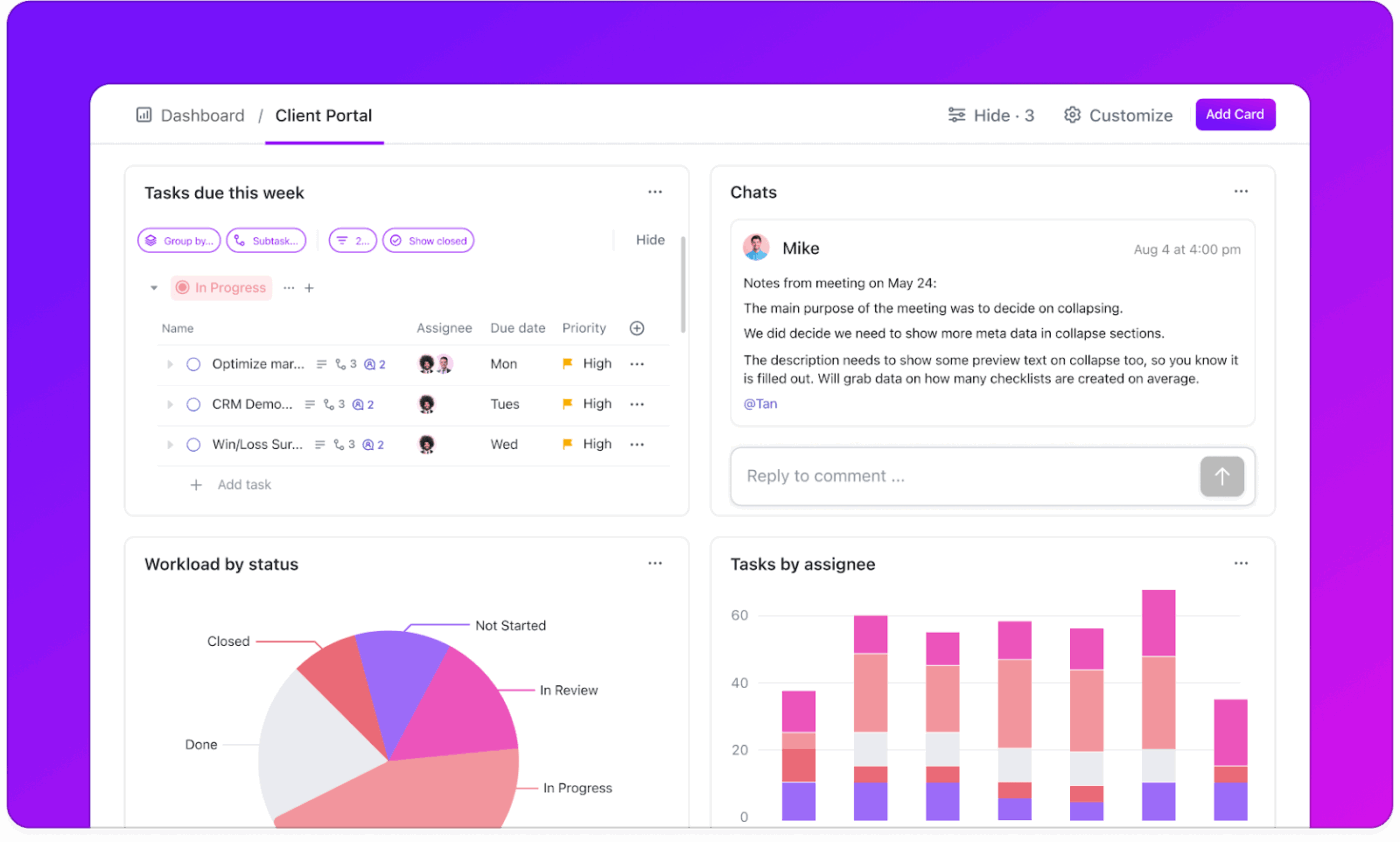
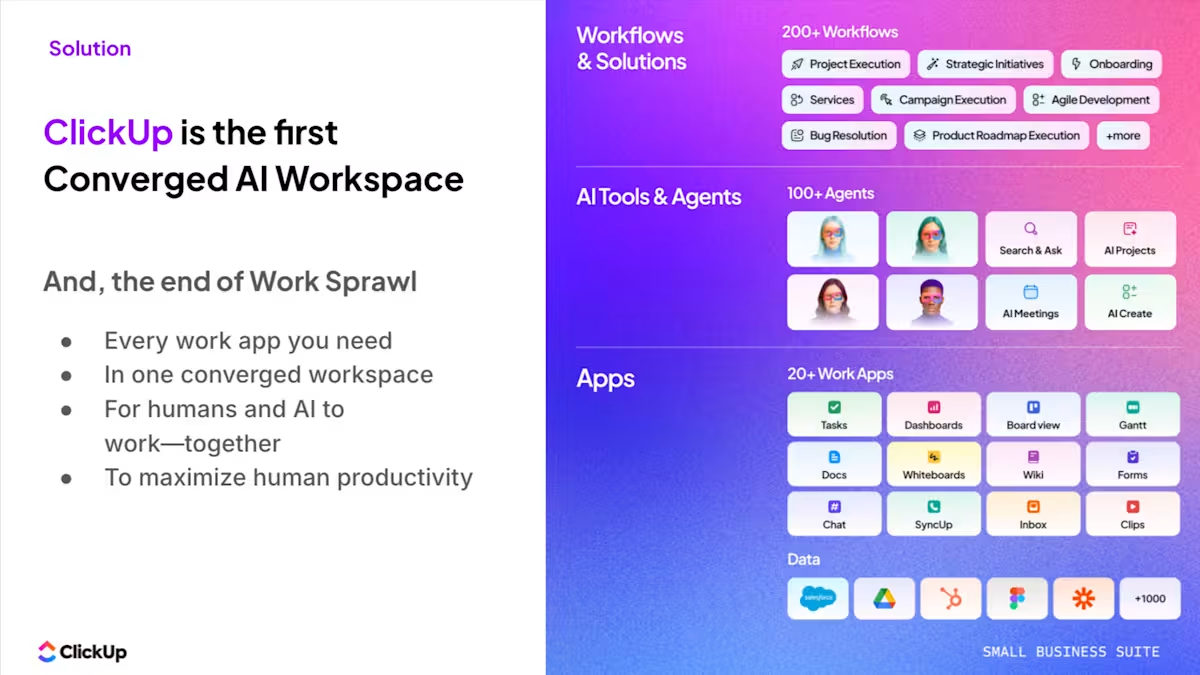
ClickUp is the world’s first converged AI workspace that helps small construction teams keep projects moving without the usual chaos of juggling five different tools.
Because that’s really the problem: The constant back-and-forth between the field, the office, contractors, suppliers, and clients. Updates live everywhere. Decisions get buried. And someone ends up spending hours just trying to piece together what’s actually going on.
ClickUp’s Small Business Suite brings all of that into one place, starting with your project management.
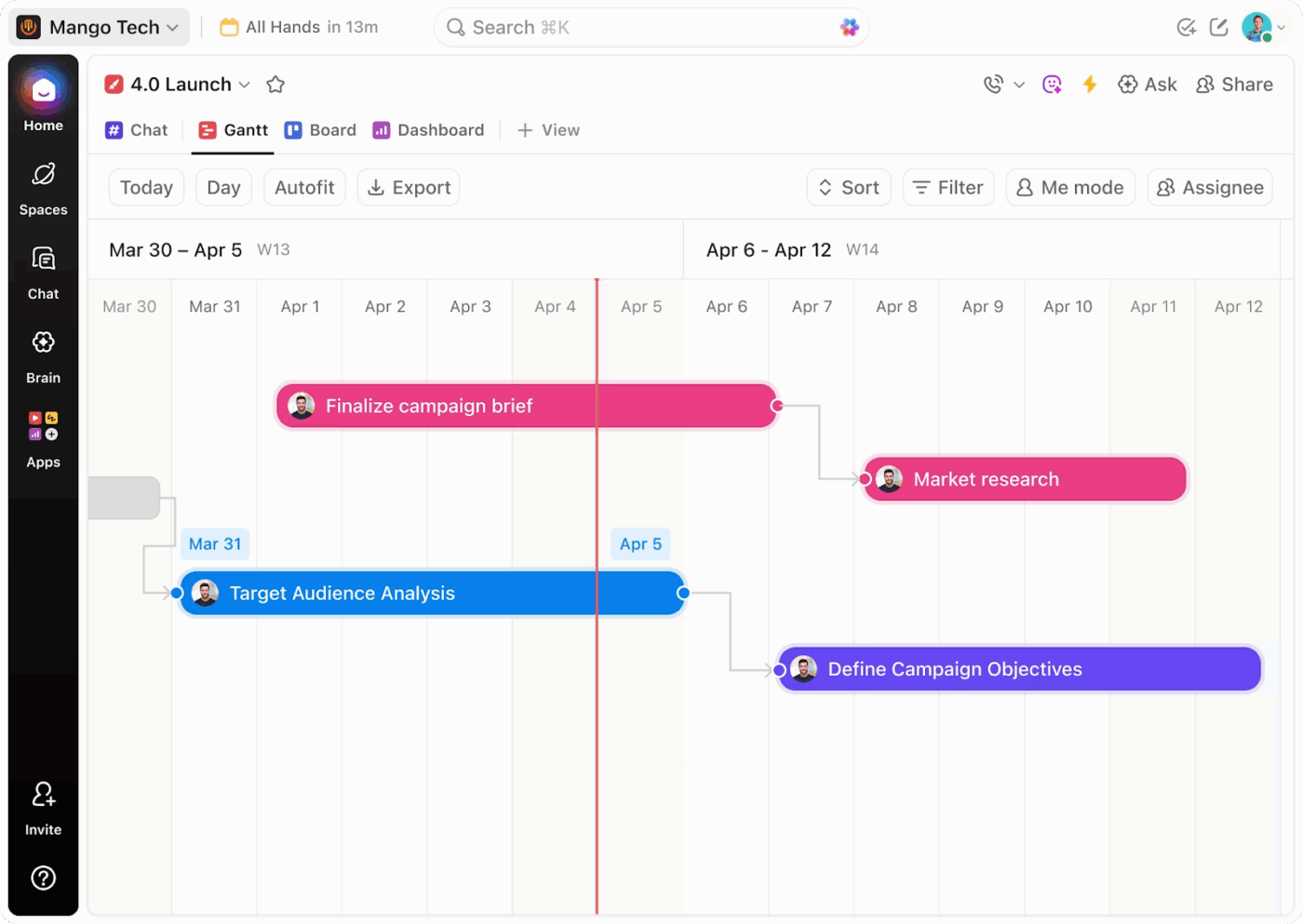
You can easily visualize and plan projects using Custom Views, such as Gantt Chart, Timeline, Calendar, and Workload Views, to see how everything connects, from procurement to site work to final handoff. If you’re managing multiple sites, Map View lets you see what’s happening on each site without digging through tasks.
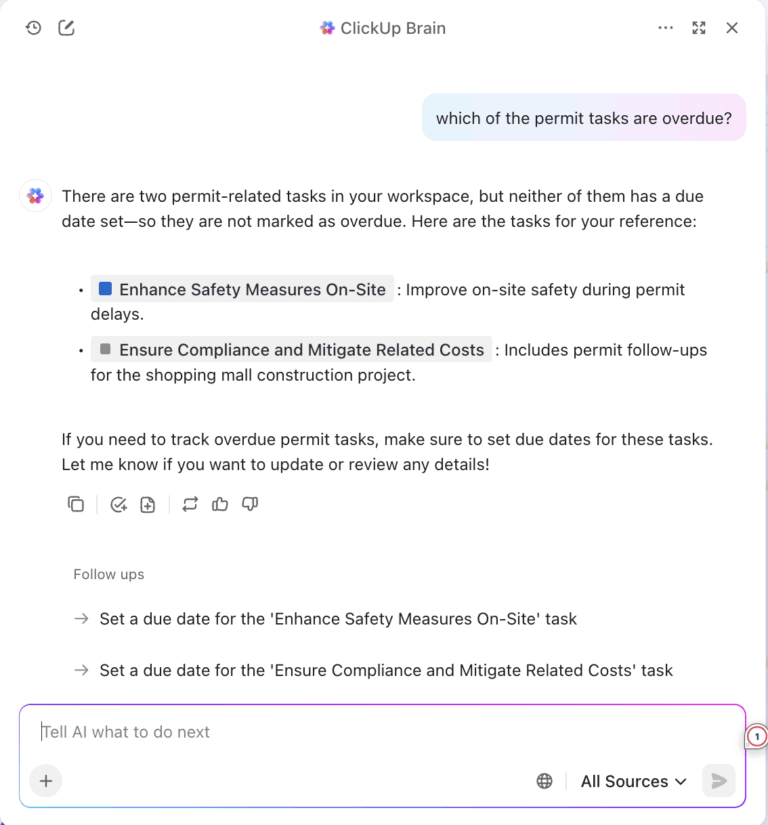
But the real shift is how information flows. Instead of chasing updates, ClickUp Brain pulls together what’s already happening across tasks, comments, and ClickUp Chat. It can generate status updates, summarize progress, and highlight risks before they turn into delays.
You’re no longer relying on someone’s memory or a last-minute scramble to report progress. The system already knows. This brings us to execution.
Routine coordination, such as assigning tasks, updating statuses, and notifying the right people when something’s done, is handled by ClickUp Automations. And to keep things from getting messy (which they always do), ClickUp Super Agents step in. They flag delays, surface missing updates, and even turn decisions into tasks so nothing slips through the cracks.
All the operational details live where the work happens. You can track budgets, materials, subcontractors, and estimates using Custom Fields, without bouncing between spreadsheets. RFIs, drawings, and SOPs sit inside ClickUp Docs, directly connected to the tasks they support, so the field and office are always working from the same source of truth.
And if you don’t want to build everything from scratch, the Template Library gives you ready-made setups for construction workflows, so you can get started quickly.
📊 Mini case study: Replacing 5+ tools with one workspace
When marketing agency Hit Your Mark Media examined its operations, the problem was obvious. Work lived across Slack, Miro, Toggl, Loom, and other tools. Projects moved more slowly than they should have because information was scattered across multiple tools.
So the team consolidated everything into ClickUp.
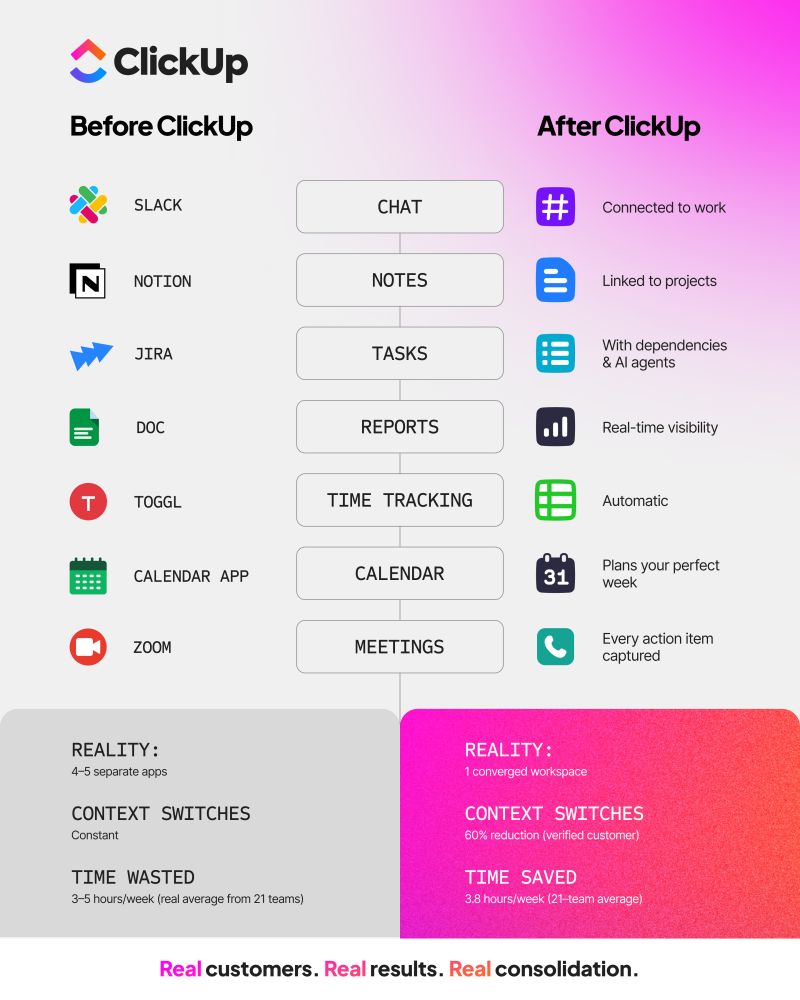
⚡ The results were immediate:
Founder Derek Archer says the shift changed how the agency operates.
Instead of stitching together updates across multiple apps, the team now runs client work, communication, documentation, and reporting from one workspace. 🚀
Contractor Foreman bills itself as “#1 for contractors” looking for affordable and easy-to-use business management software. Teams can use this construction project management software for project, finance, people, resources, and document management.
It is specifically designed to help small firms move away from paper-based systems by offering simple modules for daily logs and equipment tracking. The integrated estimating tool allows you to turn a lead into a signed contract quickly, helping you win more bids with professional templates.
📖 Read More: 15+ Best Small Business Apps to Simplify Your Work
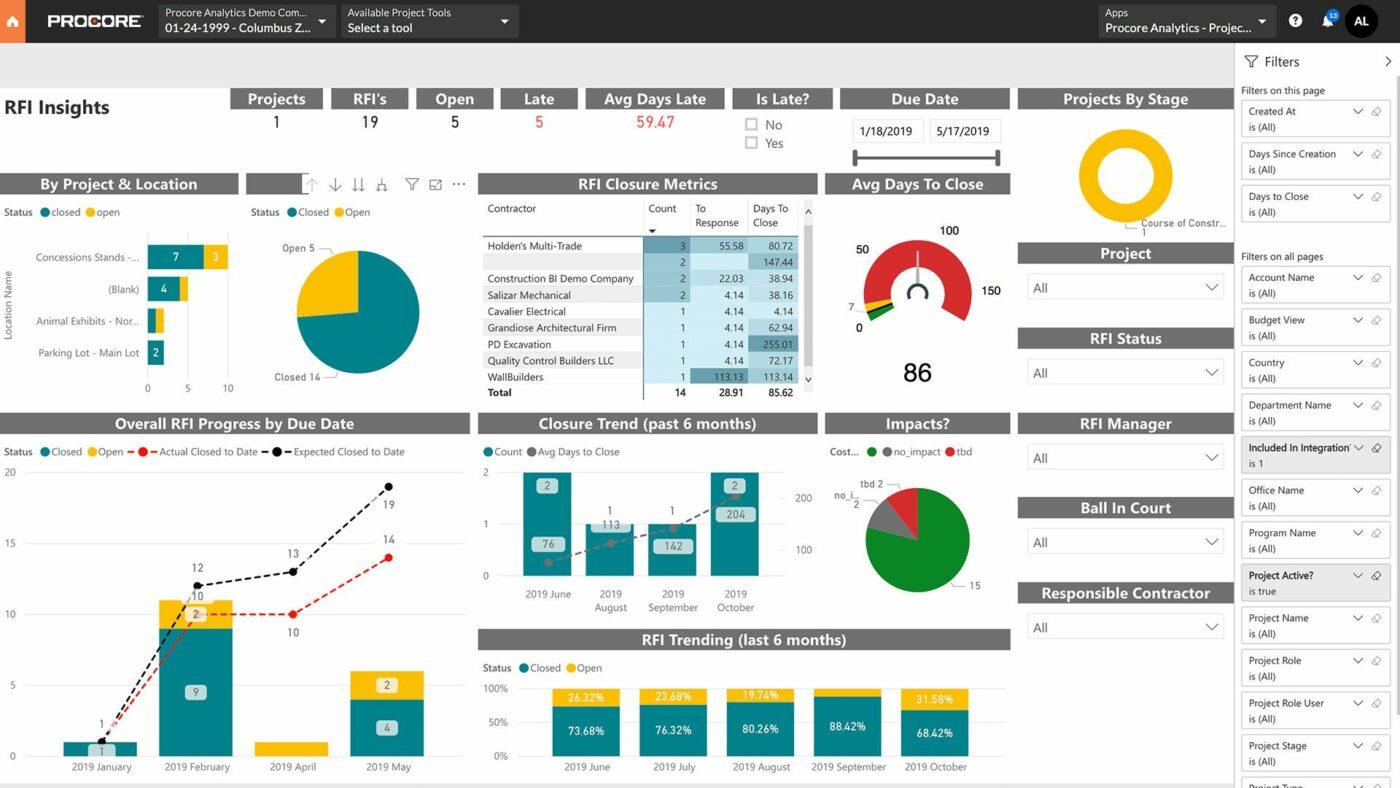
Procore is a construction project management software designed to make it easier for teams to manage projects, minimize risk, and deliver successful results. The tool combines project and financial management with quality and safety features.
Small businesses benefit from its extensive marketplace of integrations, which allows you to connect your existing accounting and ERP software seamlessly. Its robust reporting engine provides deep insights into project health, helping you identify cost overruns before they impact your final margins.
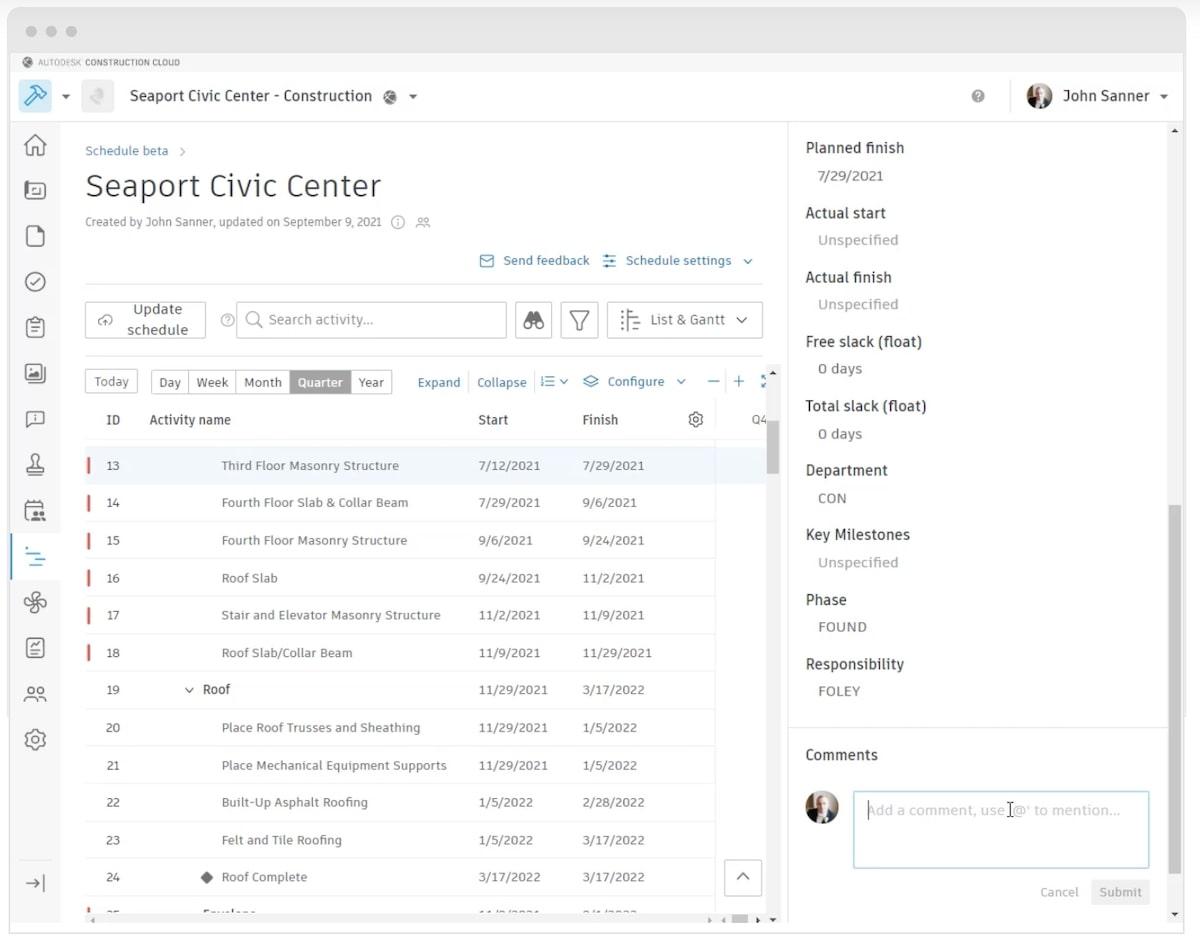
Autodesk Build is a construction project management software tool designed to create more streamlined workflows between your office and the field. Project teams can use the tool to manage quality assurance, safety, and budgets.
It excels at sheet management, ensuring that every subcontractor is looking at the same version of the drawings to avoid costly rework. The platform also includes specialized tools for progress tracking, allowing stakeholders to see a visual representation of completed work against the original schedule.
Our Small Business AI Playbook breaks down exactly how to use AI to reduce complexity rather than adding more tools.
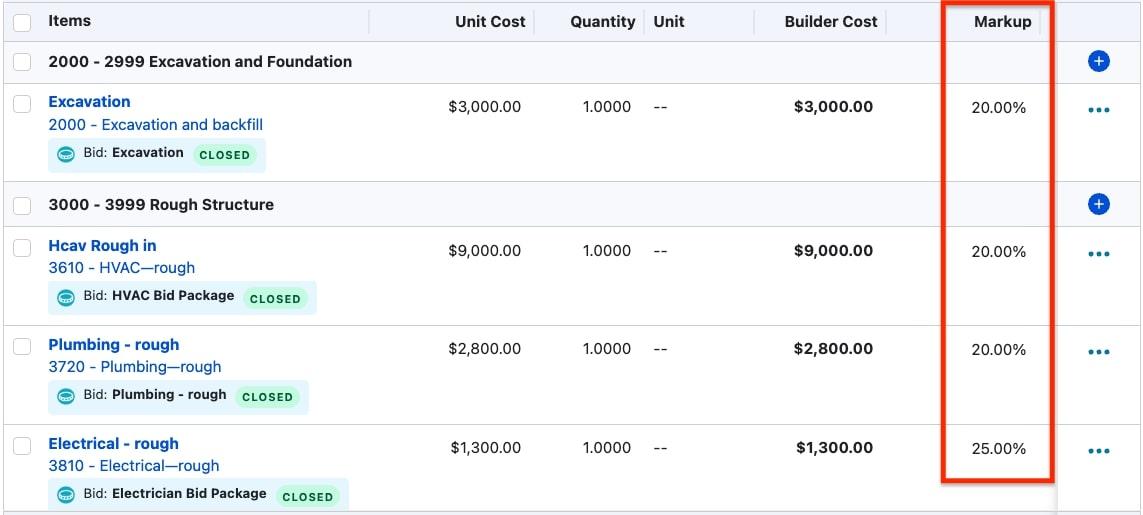
Buildertrend is a construction management software platform for commercial teams, contractors, home builders, and remodelers. The software tool is designed to streamline and organize projects and processes, so contractors can focus on their actual roles.
It offers a dedicated client portal where homeowners can view progress photos and approve change orders, creating a professional experience that builds long-term trust. The platform also streamlines the selection process, making it easy for clients to pick materials and finishes within their allocated budgets.
📖 Read More: 10 Free Small Business Templates
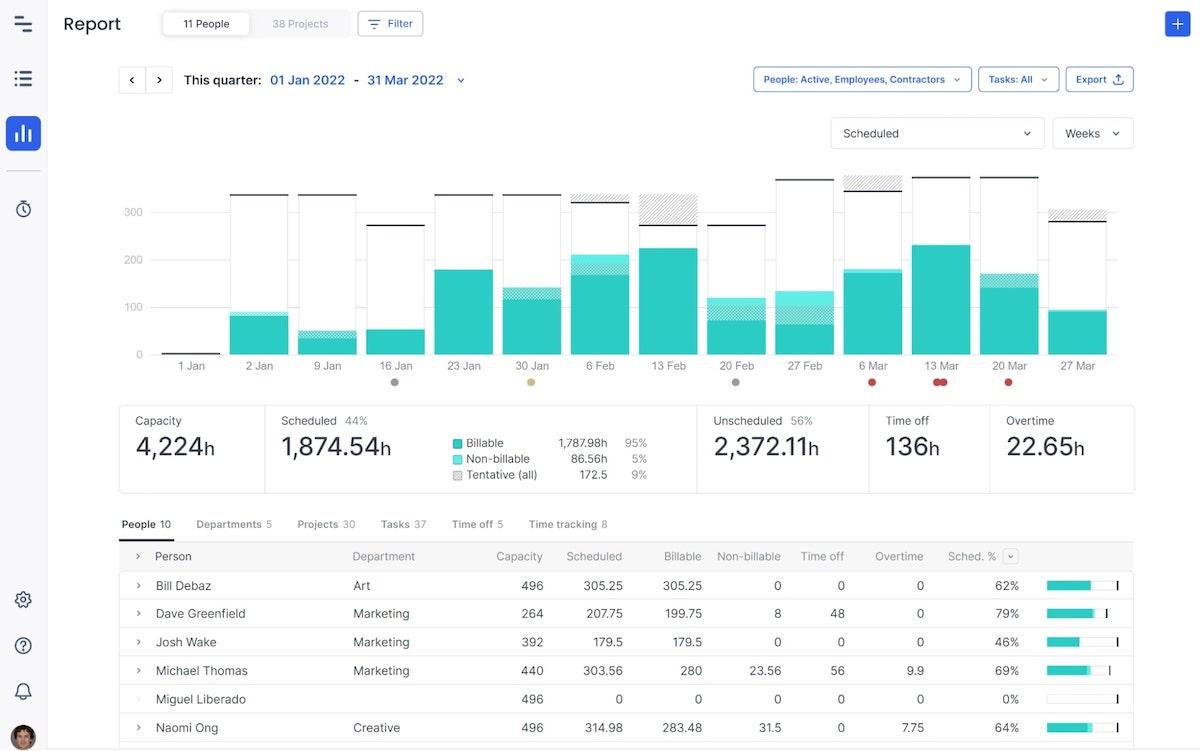
Float is a resource management and workforce planning software tool that makes it easier for teams to plan capacity and schedule work.
The software combines people and project management into one interface for easy oversight. It provides a visual timeline of your entire team’s availability, helping you avoid over-allocating your most skilled tradespeople across multiple job sites. By using its forecasting features, you can predict future hiring needs based on the upcoming project pipeline and current workload.
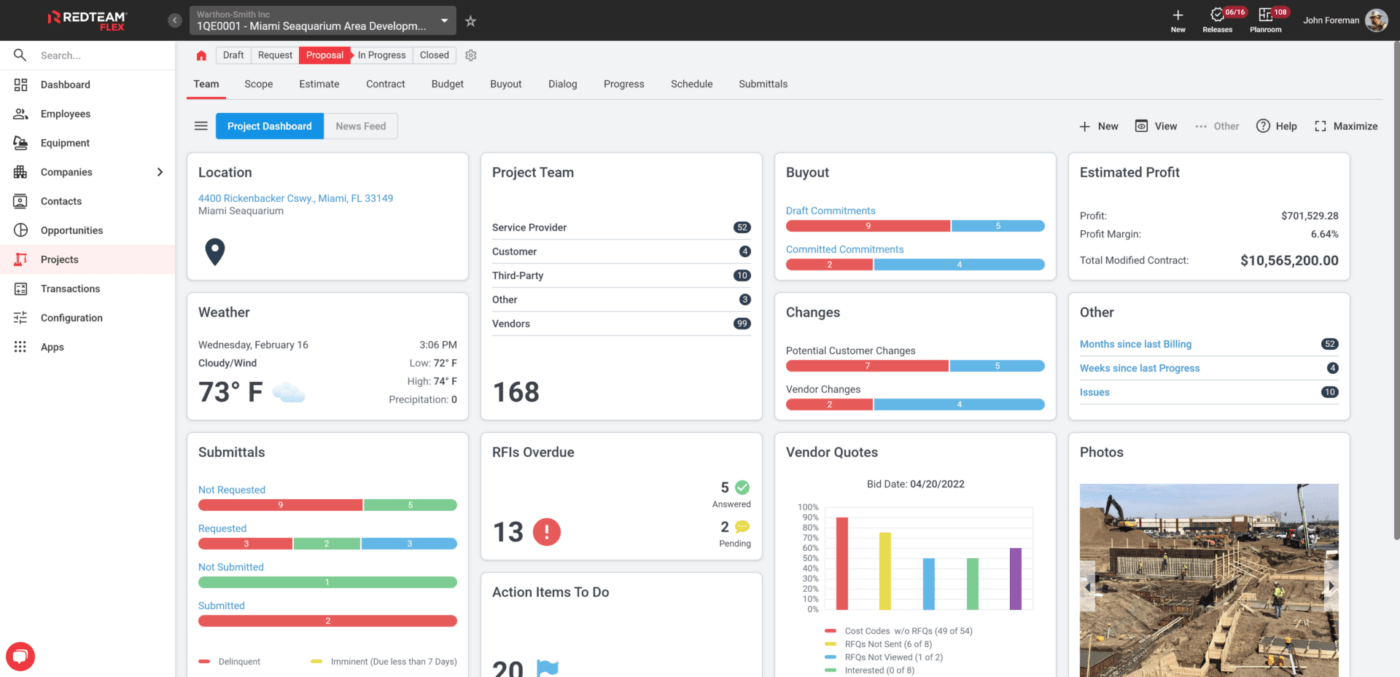
RedTeam offers several software tools, including Fieldlens for real-time field collaboration and RedTeam Go for project management. Together, these tools allow construction teams to organize projects and reporting.
The software is built on a foundation of standardized workflows that help small firms scale without losing control over project quality. It also features automated bidding and contract management, which speed up the pre-construction phase and keep your projects moving toward the breaking ground stage.
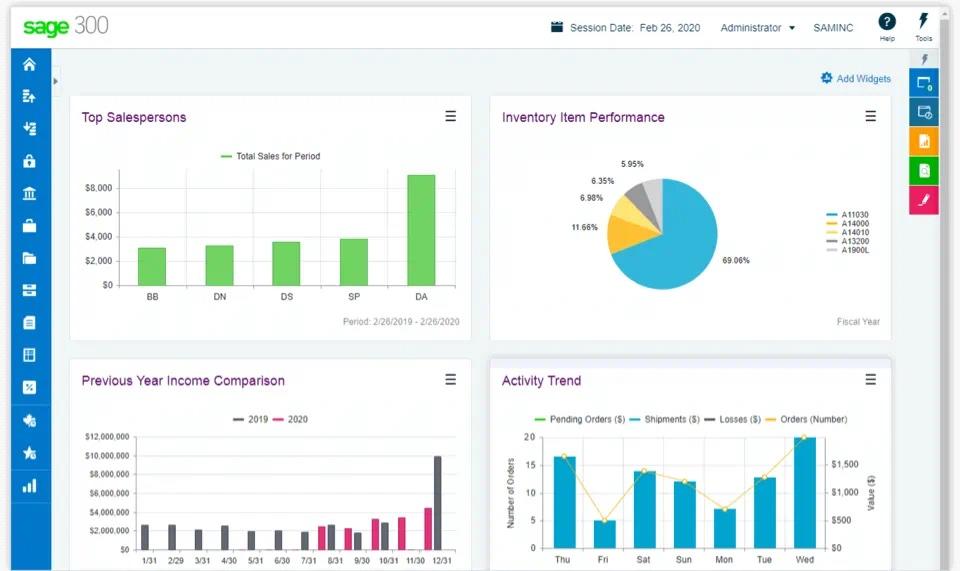
Sage 300 Construction and Real Estate is an all-in-one business management and accounting software tool that combines financial, service operations, and project management. Construction professionals can use the software to oversee the entire construction process alongside their financial management.
It is particularly strong for businesses that need to track complex payroll and compliance requirements across different jurisdictions. The software’s deep audit trails ensure that every financial transaction is accounted for, providing peace of mind during tax season or external audits.
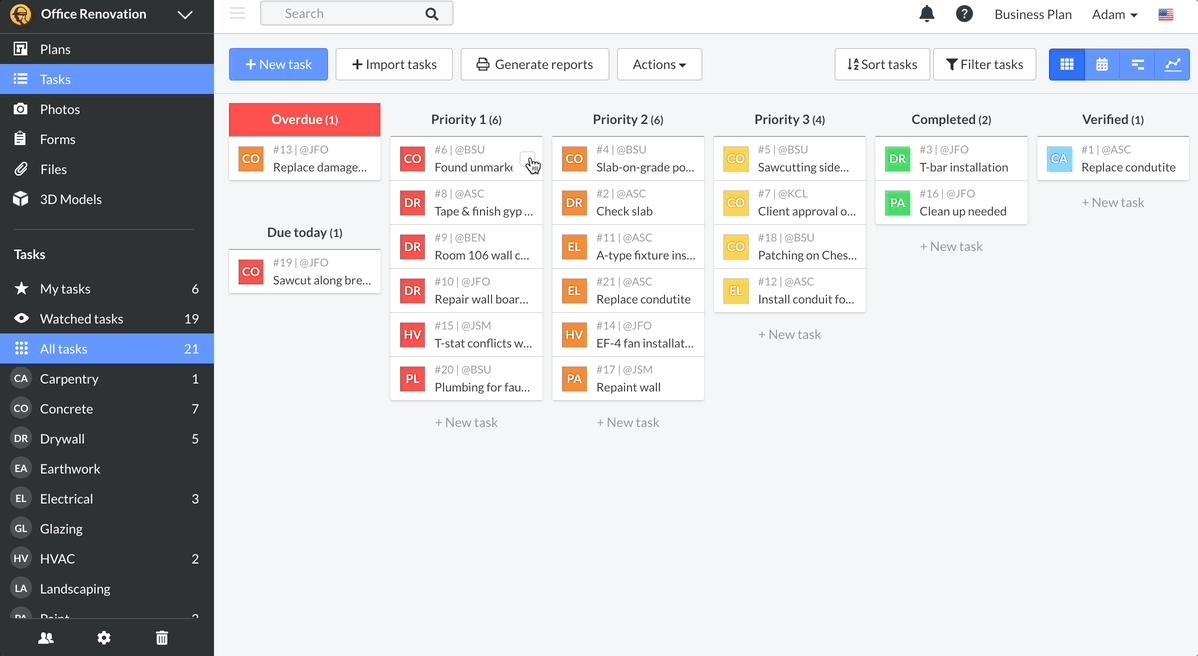
Fieldwire is a construction management solution specifically for job-site management. Construction companies can use the software to coordinate team members, assign tasks, track performance, and reduce the risks associated with on-site work. It functions as a high-speed communication hub where site supervisors can record punch list items and attach photos for immediate office review.
The tool also supports offline access, allowing your team to view plans and update tasks even in areas with poor cellular connectivity.
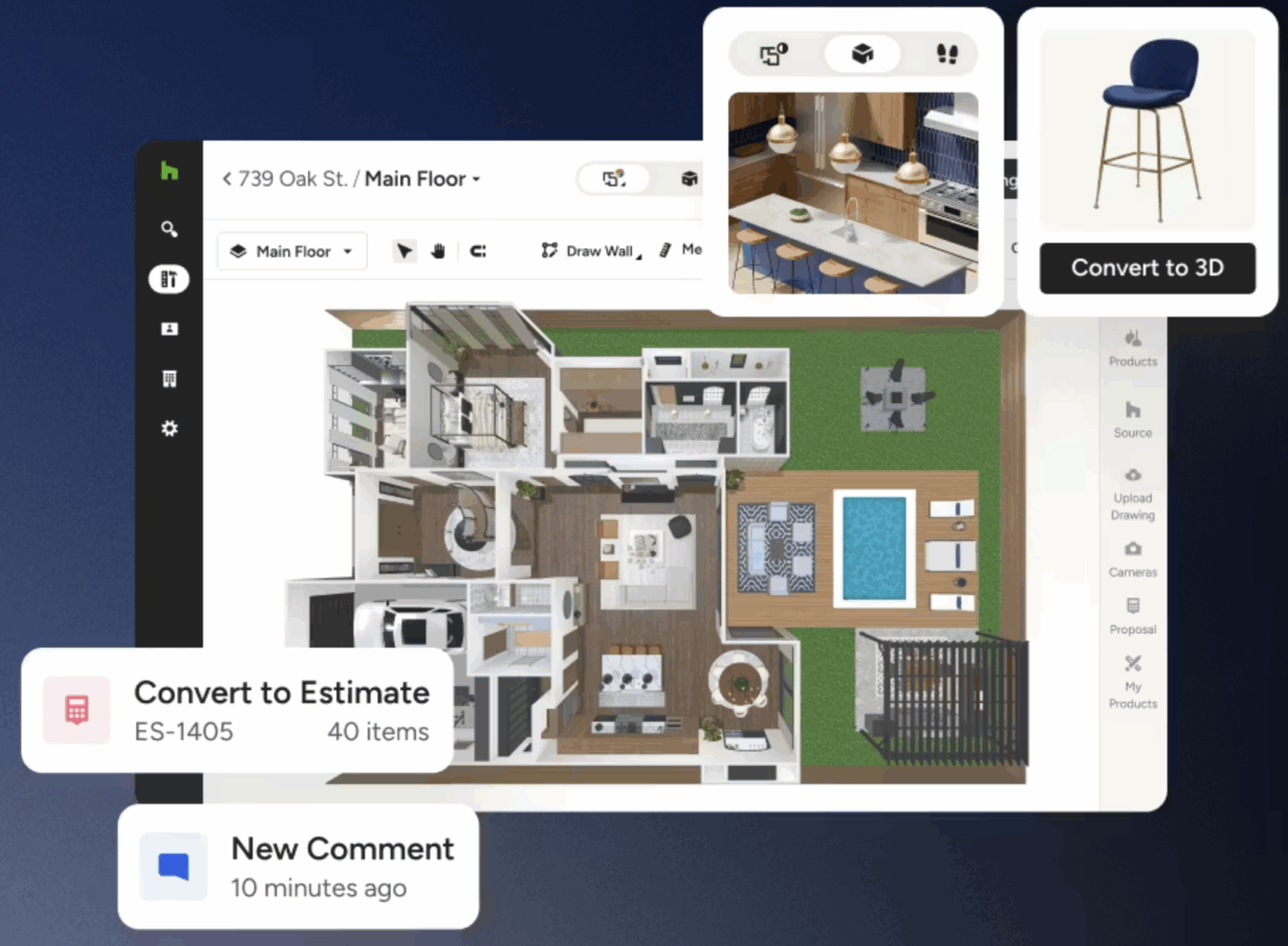
Houzz Pro is a specialized construction management solution designed for residential professionals who need to manage the entire customer lifecycle—from the first lead to the final payment. It is unique because it combines powerful project management with marketing and design tools that help small businesses stand out in a crowded market.
One of its standout features is the 3D Floor Planner and Life-Sized Walkthrough. This allows contractors to create accurate 3D models of a project and share them with clients, helping them visualize the final result before a single nail is driven. This visual approach significantly speeds up the approval process for estimates and selections.
There’s the ideal tool for every construction team on this list, whether you want to manage risks on job sites or coordinate your team members and resources from one central place. There are also plenty of all-in-one software options that streamline the entire project lifecycle.
As one of the leading project management tools for teams across industries, ClickUp is our clear top choice. Its features are fully customizable and flexible enough to handle even the most complex projects. Plus, its ever-growing Template library and 1,000+ integrations help construction firms get their projects off the ground faster.
Ready to experience a better way to run your construction projects?

Manasi Nair
Max 26min read
Manasi Nair
Max 26min read
Manasi Nair
Max 20min read

© 2026 ClickUp