






Still downloading templates?
There’s an easier way. Try a free AI Agent in ClickUp that actually does the work for you—set up in minutes, save hours every week.
Sorry, there were no results found for “”
Sorry, there were no results found for “”
Sorry, there were no results found for “”
What breaks first when a small team starts to grow?
It’s ‘collaboration.’
Updates get scattered across tools, handoffs slip between roles, and decisions live in a buried message thread.
ClickUp is built for SMBs that want to keep collaboration tight-knit as things scale. It brings tasks, docs, chat, dashboards, and AI into one workspace, so the whole team can plan, coordinate, and stay aligned (minus the sprawl).
In this guide, we’ll break down 12 ClickUp benefits for SMB team collaboration, and how each one helps you cut confusion and move work forward faster.
Better team collaboration tools give you a shared system your whole team can run on. Everyone sees the same priorities, the same files, and the same source of truth, without chasing each other for updates.
And that shift leads to:
Before going any further, watch this overview of what makes collaboration tools effective for modern teams and the key features that drive productivity:
Team collaboration is the connective tissue that holds an SMB together, which is why ClickUp brings everything you need into one workspace to end tool sprawl for good.
Here are the 12 ClickUp benefits that make collaboration smoother and faster for SMB teams as they scale. 👇
Information silos are a major source of frustration for SMBs, forcing team members to hunt across platforms for the latest file version or the status of a request. This constant context switching wastes time and leads to missed deadlines.
ClickUp helps you get everything organized in one connected hierarchy that matches how your business actually runs:

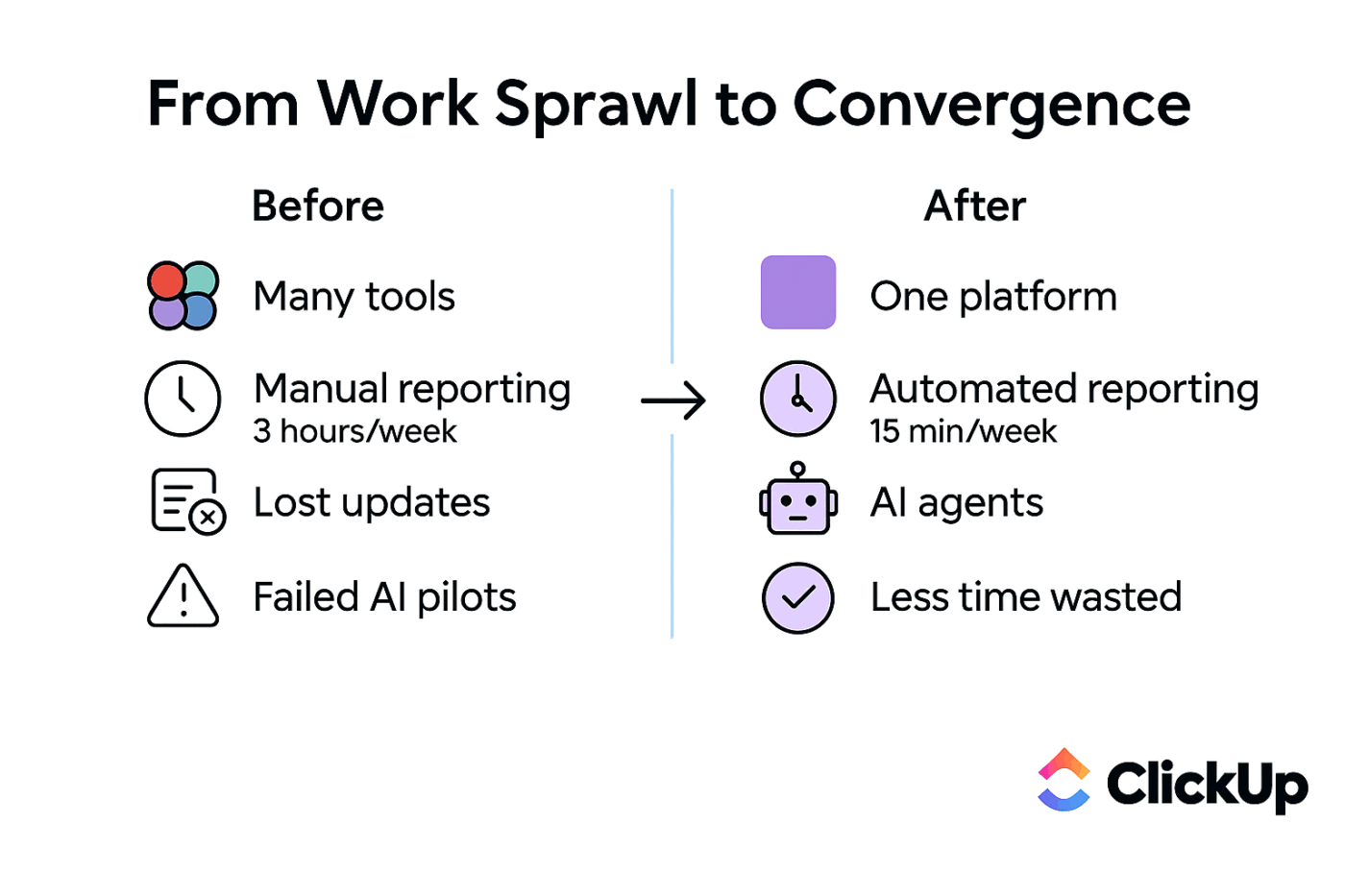
On top of that structure, ClickUp houses everything an SMB needs to run day-to-day work without bouncing between tools. It’s a Converged AI Workspace that brings tasks, docs, chat, dashboards, and AI into one connected system, so you can cut the context switching that fuels work sprawl in the first place.
⭐️ Bonus: Single Source of Truth
Generic AI tools are frustrating because they require you to constantly re-explain the project context. This copy-paste dance between your work and a separate AI assistant is just another form of manual work, defeating the purpose of using AI in the first place.
Fix that with ClickUp’s AI capabilities.
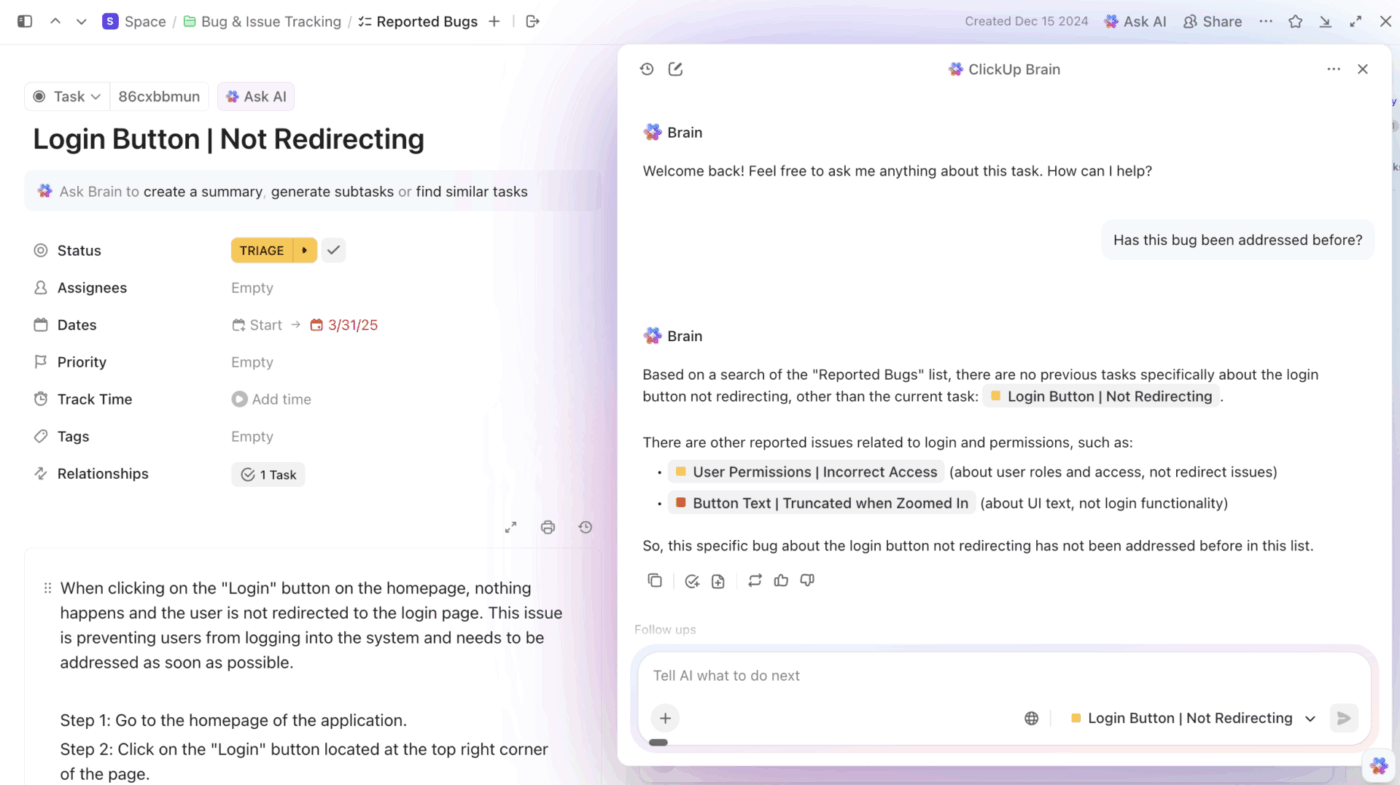
For starters, ClickUp Brain can pull context out of your live work within ClickUp. That means, Brain can summarize what happened, extract action items, and help draft updates using the context of your workspace itself.
Take it further with ClickUp Super Agents. They are AI-powered teammates designed to run multi-step workflows using your Workspace context. Apart from creating your own from scratch, you can choose from the catalog of prebuilt agents ClickUp has for your team, like:
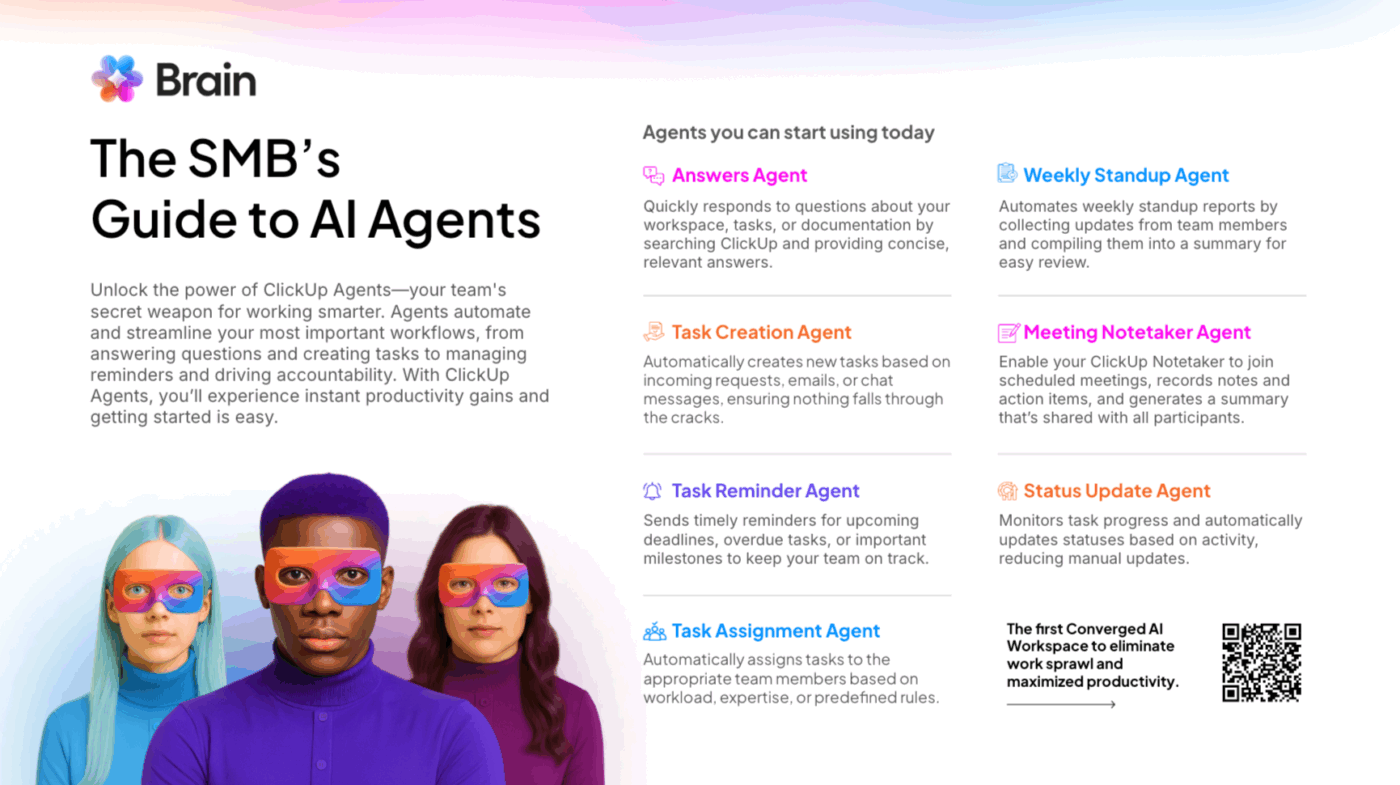
But this is just the tip of the iceberg. Super Agents can do a lot more. Watch this video to learn more about them 👇
📚 Read More: Contextual AI
Rigid, one-size-fits-all tools force your team into awkward workarounds, while overly flexible tools without guardrails create chaos. SMBs need workflows that adapt to their unique processes, not the other way around.
This calls for a workflow collaboration software that adapts to your processes.
Build custom if-then rules without writing a single line of code using ClickUp Automations. You can use ClickUp Custom Statuses to define the exact stages your work moves through, from ‘To Do’ to ‘Complete’ and everything in between, with layers of conditional logic.
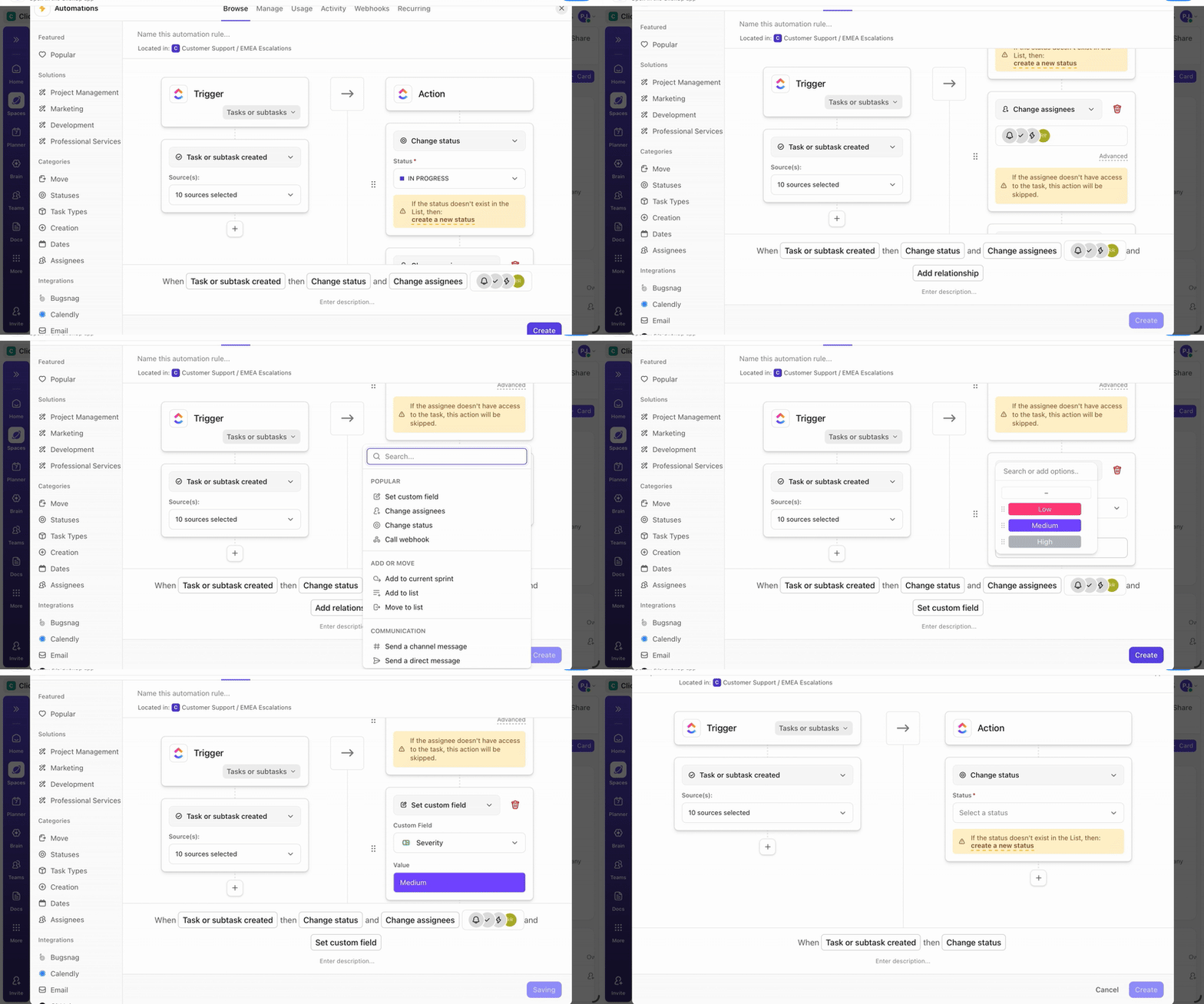
Here are a few examples of what you can do:
👀 Did You Know? IDC’s analysis suggests AI tools can save workers over 40% of their typical workday, and IT workers could gain up to 45% of their time back as routine tasks get automated.
Different roles require different perspectives on the same work. A project manager might need a high-level Gantt chart to track timelines, while a designer prefers a Kanban board to manage their creative tasks.
Forcing everyone into a single, rigid view creates friction and often leads teams to revert to spreadsheets, creating more information silos and broken team collaboration.
Give every team member the perspective they need with ClickUp Views, which act as interchangeable lenses on the same underlying data. You can switch between List, Board, Calendar, Gantt, and Timeline View without duplicating any information.
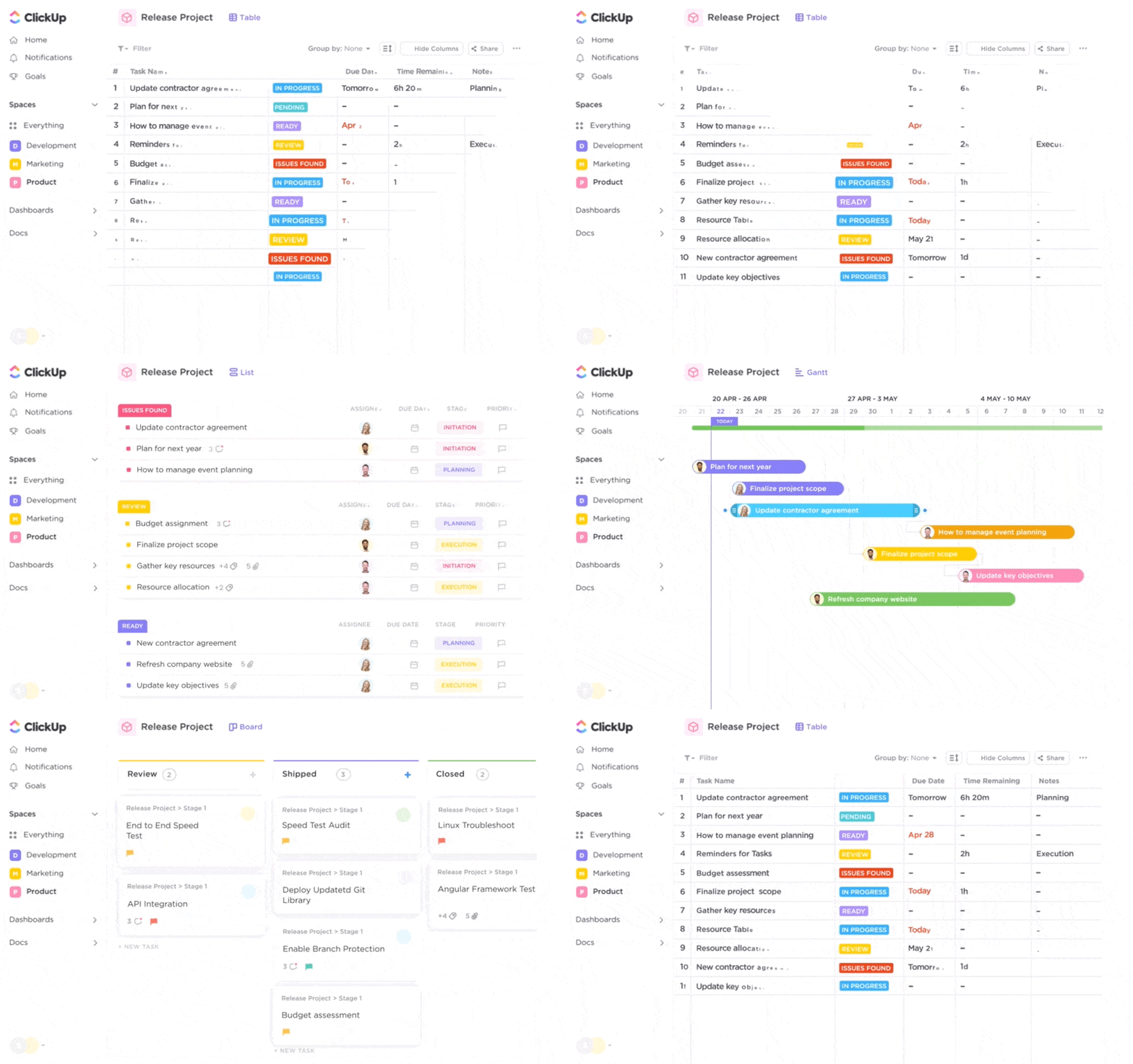
On the other hand, if you want a bird’s-eye view of your operations, switch to ClickUp Dashboards. It pulls real-time metrics from across your workspace into customizable widgets.
You can track task completion rates, monitor workload distribution, and see time tracked on projects, all in one place. This level of data visualization means everyone sees the same numbers and knows where things stand.

Critical decisions and important context often get buried in scattered threads or long email chains.
When a new team member joins, they have no way to access this historical information, and when someone leaves, their institutional memory walks out the door with them. This is why a scalable knowledge transfer process is vital to prevent knowledge gaps that slow down your team.
ClickUp helps you capture that institutional knowledge before it disappears, and makes sure it stays connected to the work your team is doing today.
Start with ClickUp Knowledge Management, so your SOPs, client briefs, decision notes, and team playbooks live in a shared system. The Docs Hub serves as a centralized hub for organizing and searching across Docs and wikis, making it easier for new teammates to find what they need without asking someone to forward links.
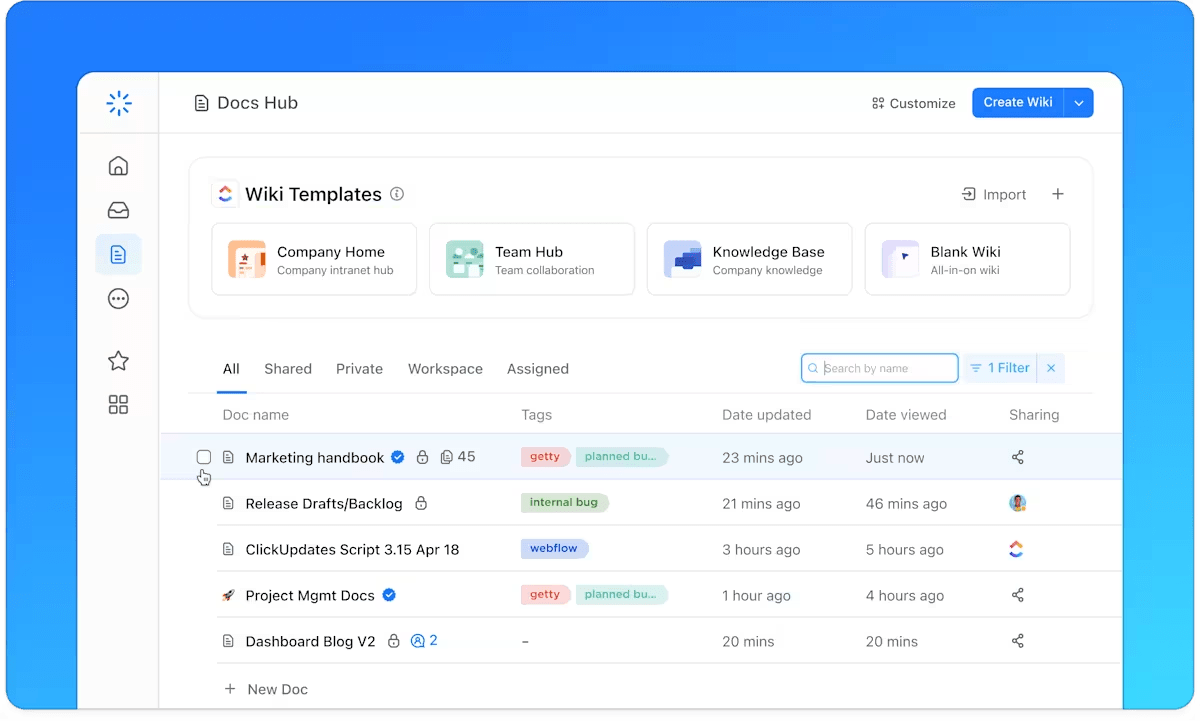
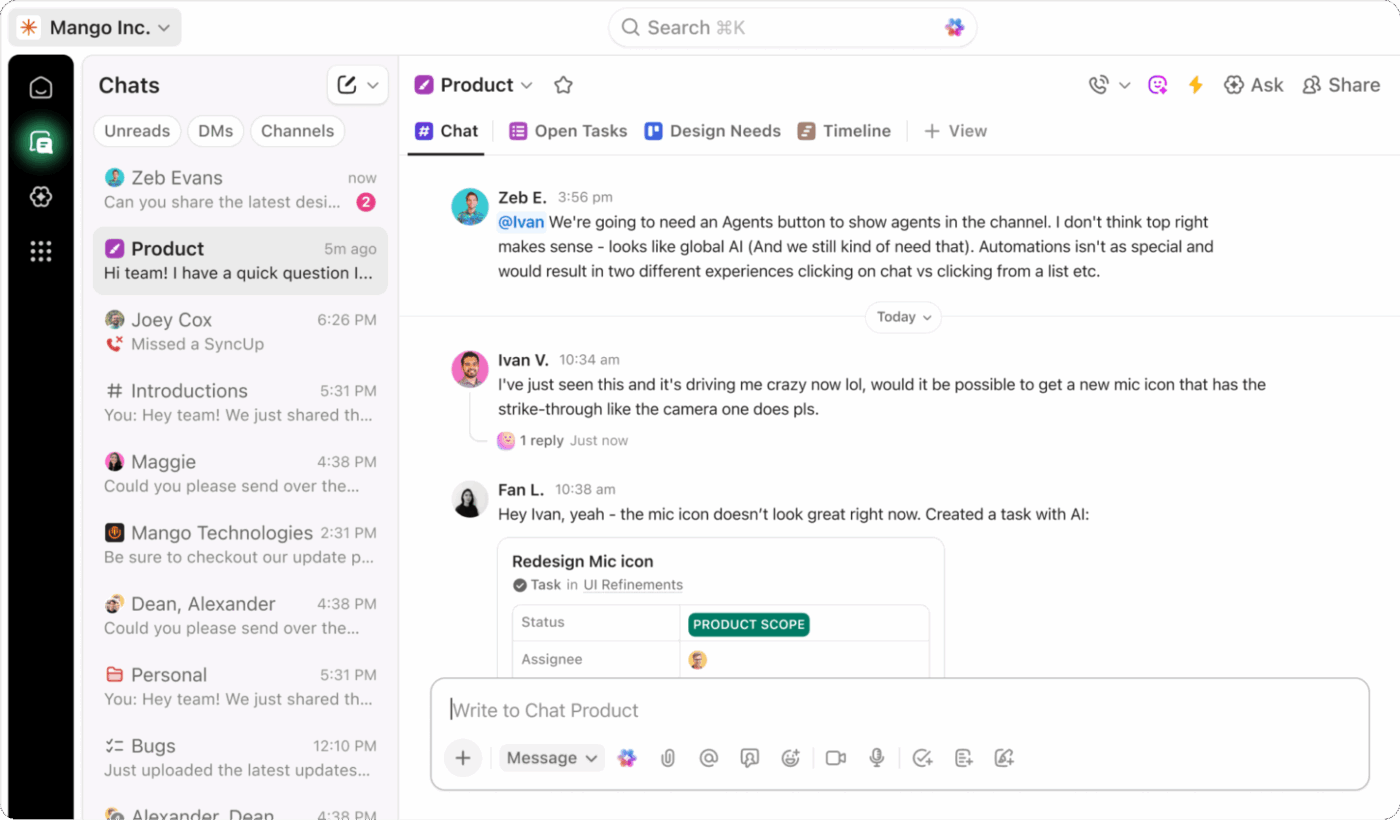
Then, keep day-to-day decisions alive in ClickUp Chat. You can communicate in Channels or direct messages and turn a message into a task. This ensures your original discussion is tied to the work it created.
And when you need on-call discussions, just turn to ClickUp SyncUps. It lets you start a face-to-face call right from a Channel or DM, share your screen, and even record it!
For days when you want asynchronous communication, use ClickUp Clips. You can record a quick screen walkthrough directly from your workflow, with everything automatically saved and searchable in Clips Hub for future reference. That means the same onboarding walkthrough or project handoff does not need to be repeated every time someone joins the team.

📮 ClickUp Insight: 26% of workers say chat would feel less overwhelming if notifications adapted to their priorities instead of flooding their screen by volume.
In other words, people don’t want less communication; they want smarter communication.
ClickUp Brain can help you filter out what matters most, and with the AI-powered ClickUp Calendar, your priorities and focus time get automatically scheduled.
Instead of constantly reacting to noise, you get to respond to messages based on relevance and priority, on your own terms!
⭐️ Bonus: Knowledge Management Strategies
Using separate time tracking tools creates a disconnect between the effort your team puts in and the outcomes they achieve. It requires tedious, duplicate data entry and makes it nearly impossible to accurately gauge project profitability or plan for future capacity.
This administrative overhead is a drain on productivity that SMBs can’t afford.
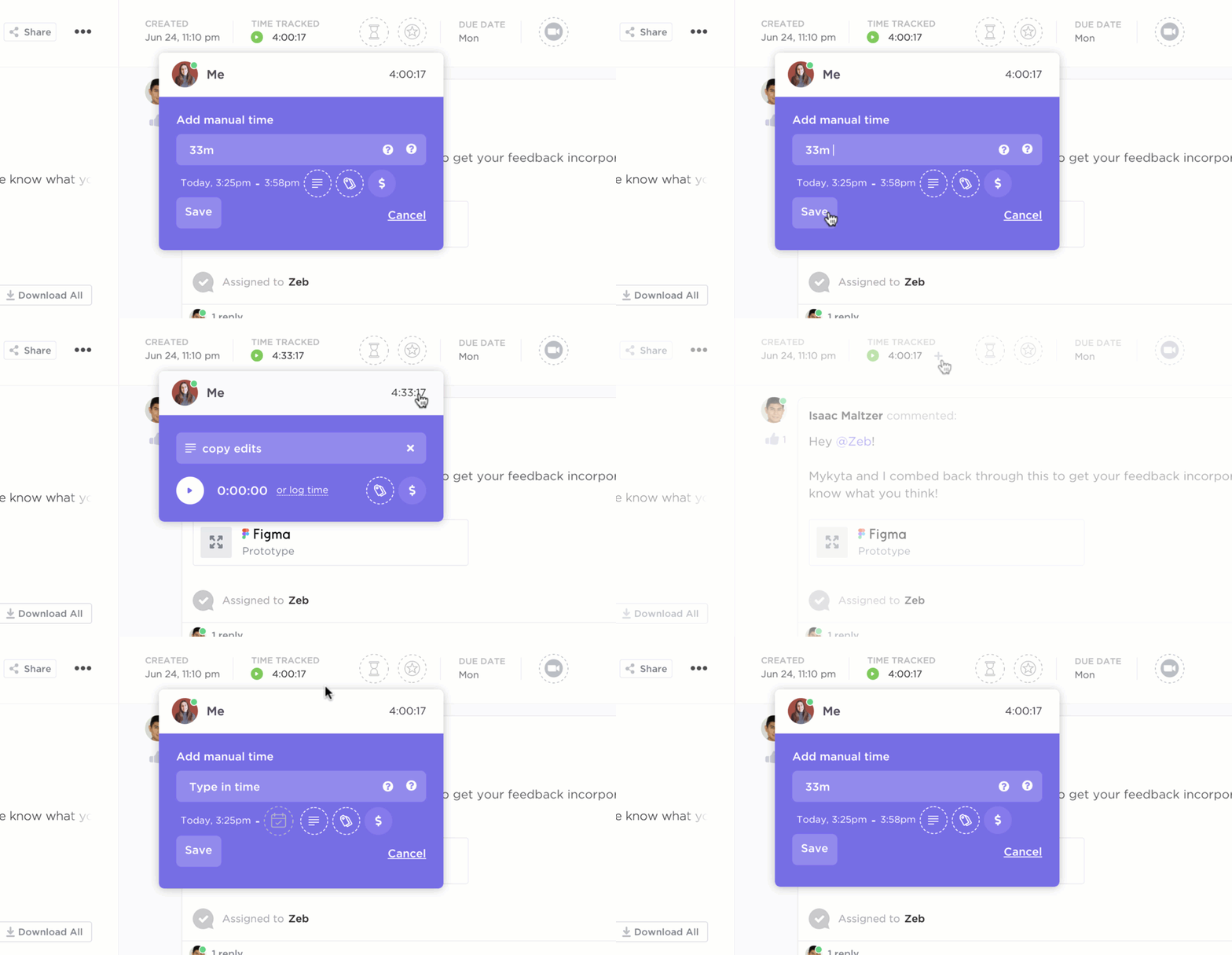
Understand where your team’s time goes without adding extra work using ClickUp Time Tracking. This native solution allows you to start and stop timers or log time manually on any task. You can also set ClickUp Time Estimates to help with capacity planning and use rollup reports to see exactly where hours are being spent across different projects.
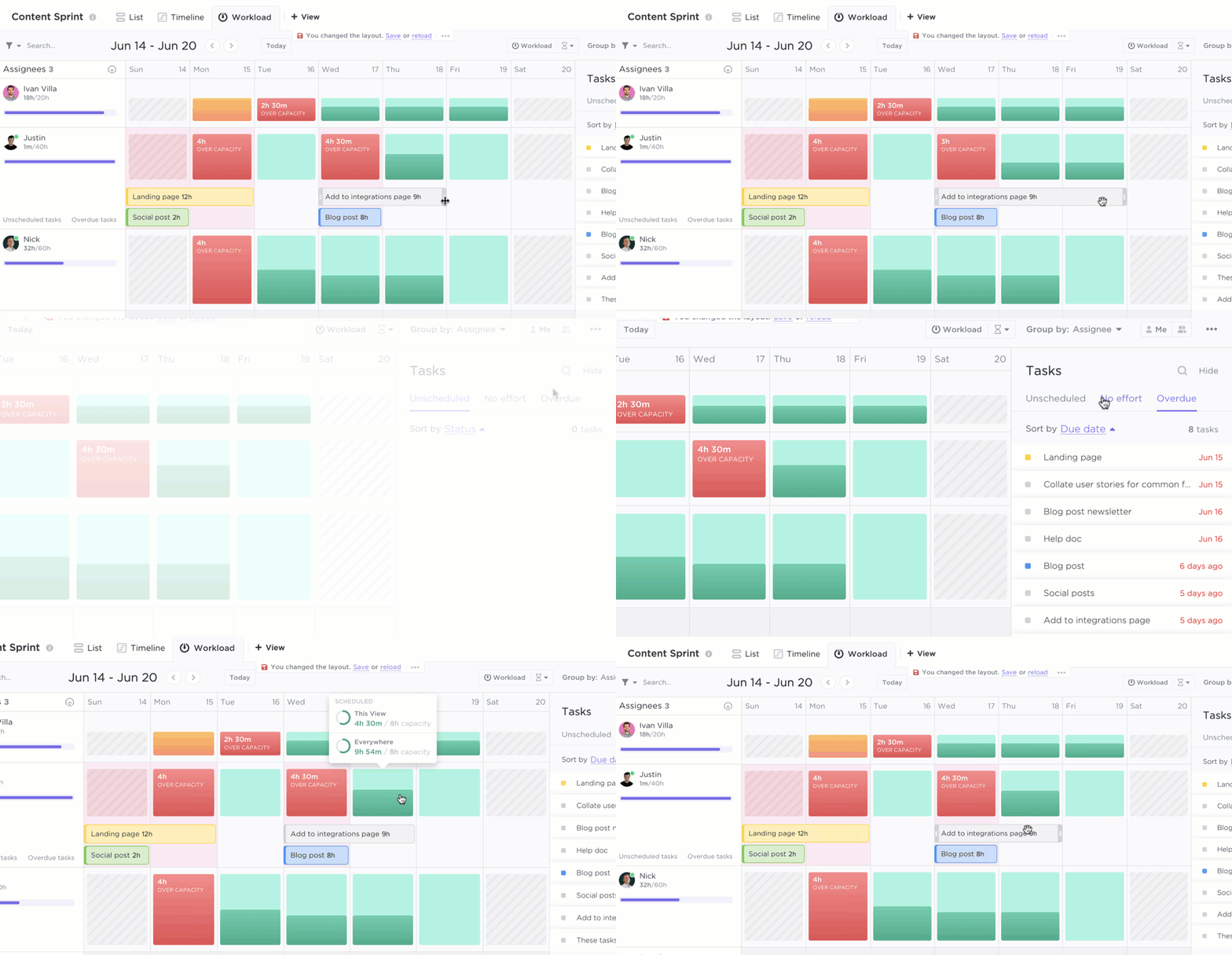
See who’s overloaded and who has bandwidth with ClickUp Workload View, which provides a visual representation of your team’s capacity. You can then drag-and-drop tasks to rebalance workloads, ensuring no one is at risk of burnout.
For SMBs handling sensitive client data or confidential internal projects, all-or-nothing permissions are a significant risk.
When you can’t control who sees what, you’re forced to choose between open collaboration and data security. This often leads to teams using insecure, separate channels to share information with external partners, creating even more fragmentation and loose team collaboration.

Control exactly who sees what with granular permissions at every level in ClickUp—Workspace, Space, Folder, List, and even individual tasks. This allows you to control who has view, comment, edit, or full access to any given item.
With Guest Access, you can safely bring in clients or contractors, giving them visibility into only what they need to see.
Adopting a new platform shouldn’t require your team to abandon the tools they already know and love. ClickUp is designed to be the central hub of your work, enhancing your existing tools rather than replacing them.
Keep using the apps your team already knows with ClickUp Integrations. You can sync files from Google Drive, link Zoom meetings, and manage code with the GitHub integration. This means information moves between your tools without manual copy-pasting.

Connect with hundreds of additional tools using ClickUp’s API for even greater connectivity. You can keep what works, consolidate what doesn’t, and let ClickUp serve as the command center for all your work.
Boston-based path8 Productions adopted ClickUp’s Small Business Suite to unify planning, communication, and time in one system. This accelerated decision-making and execution, and freed the team to focus on creative work.
As Pat Henderson, Founder & Executive Producer, path8 Productions, says,
“ClickUp brought everything under one roof. We’re more efficient, our team’s happier, and I can focus on the creative work instead of chasing project updates.”
Many SMBs choose a tool that works well for a small team, only to find that it breaks as they grow. Outgrowing your software can be a major headache, involving painful data migrations, extensive retraining, and the loss of valuable historical context.
You need a platform that won’t break when you add more people.
Scale smoothly as your organization expands with ClickUp’s flexible architecture and hierarchy. The structure of Workspace → Spaces → Folders → Lists allows you to naturally add new departments, clients, or projects without disrupting your existing workflows.
The same platform that supports a five-person startup can handle the complexity of a multi-department enterprise, making it easy to scale a startup team.
💡 Pro Tip: Help your scaling team get more efficient with ready-to-use ClickUp Templates for everything from budgeting and training plans to customer onboarding and process maps.
Departmental silos are a common struggle for SMBs.
When Marketing doesn’t know what Product is shipping, or Sales is unaware of what Support is hearing from customers, it leads to duplicated work, missed handoffs, and conflicting priorities. This is a classic symptom of work sprawl, and it kills efficiency.
Break down departmental silos and create shared visibility across your entire organization with ClickUp. For instance:
💡 Pro tip: Use ClickUp Whiteboards to get cross-functional alignment much before the work starts.
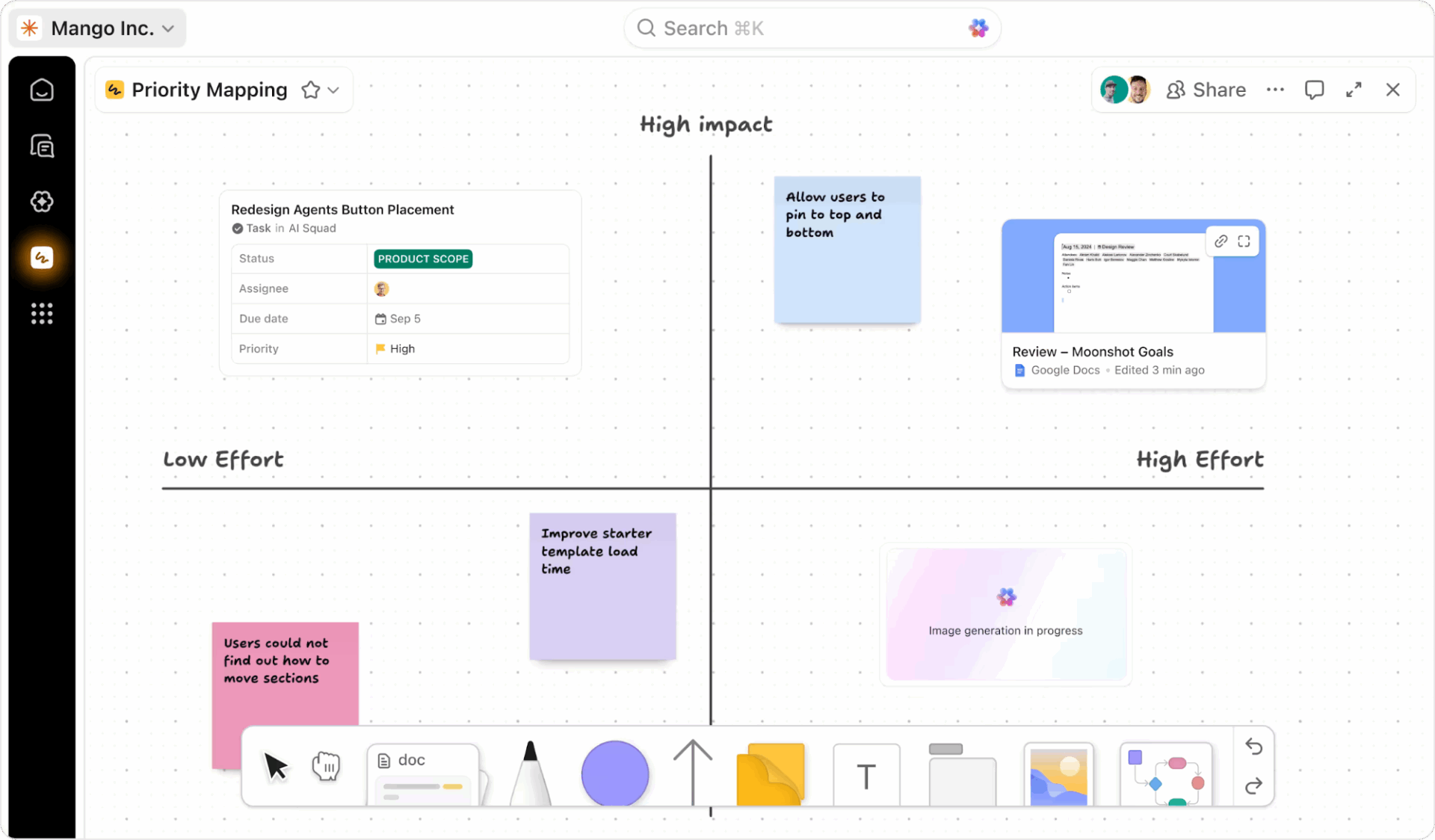
Run your next planning session directly on a Whiteboard to map the initiative end-to-end, assign owners on the spot by creating ClickUp Tasks from sticky notes, and link each step to the right team so everyone leaves with the same plan and a clear path forward.
SMBs often end up paying for a dozen different subscriptions for tools with overlapping features. Inherently, SaaS sprawl creates an administrative burden, apart from being just too expensive. Managing multiple invoices, renewals, and training sessions for different apps is a significant drain on your resources.
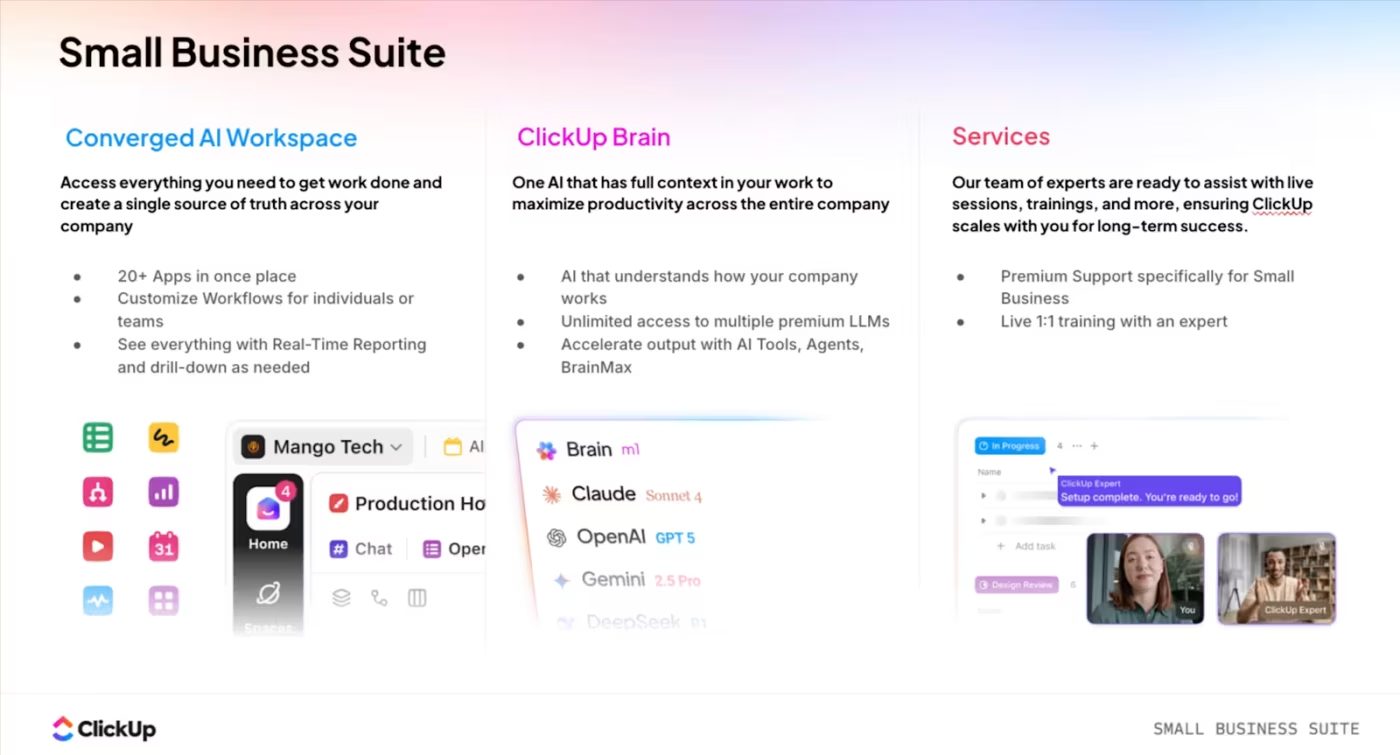
Simplify your tech stack and reduce reliance on separate apps for business management with ClickUp. It combines task management, documentation, whiteboards, time tracking, and internal communication into one platform.
This tool consolidation means fewer logins, one collaboration solution, and less time spent trying to make different tools talk to each other.
💡 Pro Tip: Replace 20+ apps with one workspace. Try ClickUp’s Small Business Suite today!
Work doesn’t just happen at a desk. Your team members might be in the field, visiting clients, or working remotely. Desktop-only tools create information gaps and delays, as updates from the field have to be manually entered later, risking errors or being forgotten entirely.
Stay connected and productive from anywhere with ClickUp’s mobile apps for iOS and Android. You have full access to your tasks, docs, Chat, and notifications right from your phone. Plus, with ClickUp’s Offline Mode, you can continue working even without an internet connection, and changes will sync automatically once you’re back online.
Work doesn’t stop when you leave your desk, and with ClickUp, neither does your access.
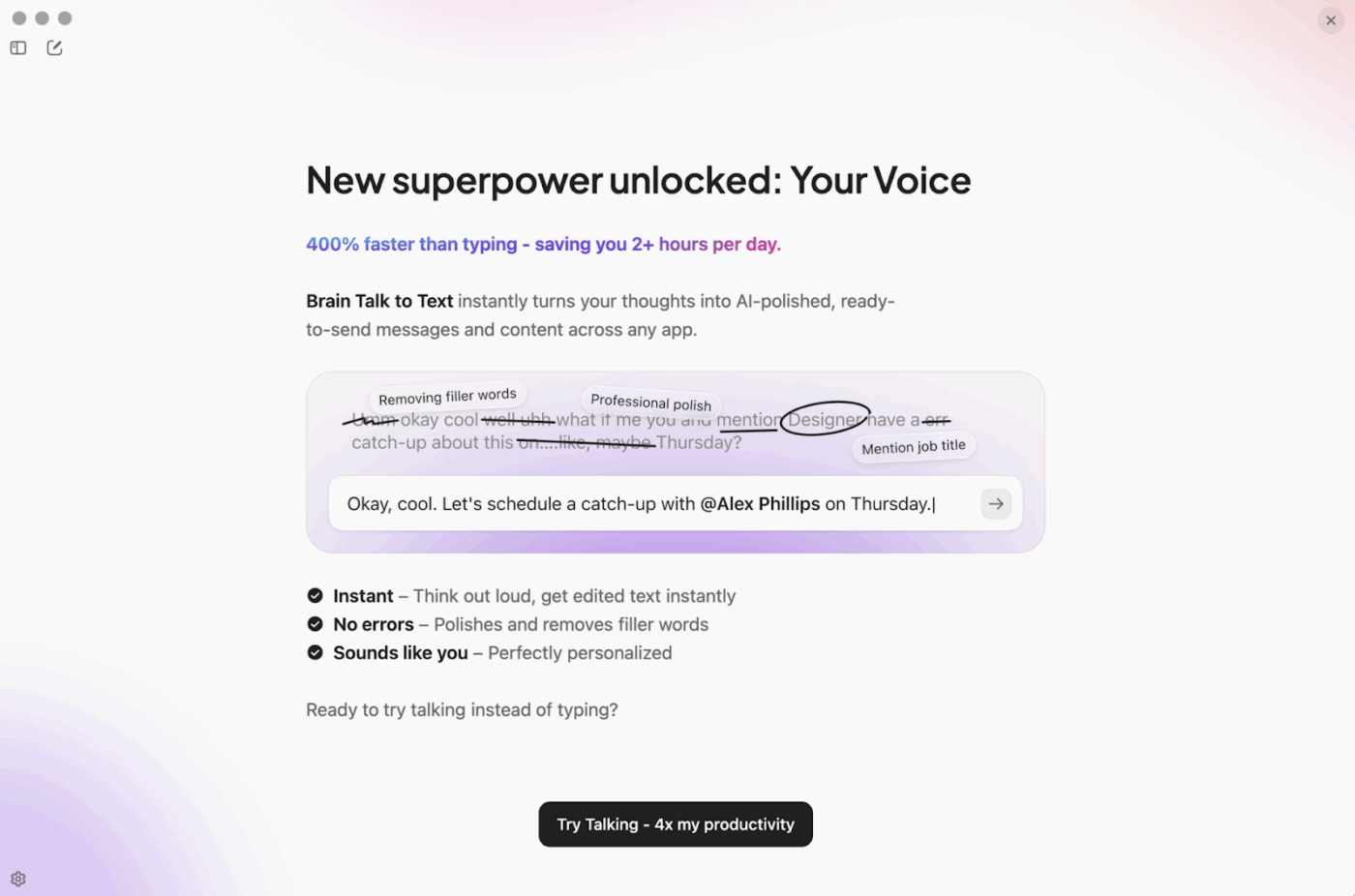
💡 Pro Tip: With Talk to Text in ClickUp, you can get a lot done even on the go! Just speak, and the AI will type and edit. Mention colleagues, tasks, or Docs, and AI auto-connects the right people, with the correct links.
Here’s how teams across different functions put these benefits into practice. 🛠️
Operations teams use ClickUp to execute operations strategy painlessly and successfully. For example, they:
This helps them create operational visibility for workflows like client onboarding checklists, vendor management, and internal request tracking, all flowing through the same workspace.
Marketing and creative teams run campaigns, manage content calendars, and handle creative production using ClickUp. They:
📚 Also Read: How ClickUp’s Marketing Team Uses ClickUp
Support teams use ClickUp to track tickets, manage escalations, and document solutions. For instance, they can:
As the CMO of a small business mentioned on G2:
I really like how ClickUp centralizes all work management in one place. The task and calendar view greatly facilitates day-to-day operational control and helps provide clarity on what needs to be done. It is also very useful to quickly see what the team is involved in, which improves organization and decision-making. The automations and integrated AI add a lot and have helped optimize processes.
If there’s one thing that slows SMBs down as they scale, it’s the invisible work around the work. The follow-ups, the clarification pings, the ‘where are we on this?’ threads, the status meetings that exist because nobody trusts the latest update.
The best collaboration systems reduce the need to check in so often.
ClickUp does it by making progress self-evident. Owners, priorities, dependencies, and decisions stay attached to the work, while updates become part of the workflow. So instead of collaboration meaning more messages, it starts meaning fewer interruptions and cleaner execution.
Get started with ClickUp today!
Yes. ClickUp supports real-time collaboration for small teams, so work stays shared and current instead of scattered across tools.
Multiple teammates can edit ClickUp Docs at the same time, comment with context, and turn decisions into assigned ClickUp Tasks instantly. With @mentions, task comments, and live updates across views, everyone can see what’s moving, blocked, and needs attention right now, without waiting for a meeting or chasing status in chat.
With separate apps, a chat decision lives in one place, the doc lives in another, and the task lives somewhere else, which makes context easy to lose. In ClickUp, you have tasks, docs, chat, and several more that are natively linked, so discussions, documentation, and action items stay attached to the exact project or task they impact, with ClickUp Brain using that shared context to help you move faster without switching tools.
Most teams can set up a workspace and start collaborating within a day. You have ready-to-use templates and onboarding guides that accelerate the process!
For many teams, yes—ClickUp handles project management, documentation, time tracking, and internal communication, reducing the need for separate subscriptions altogether.

© 2026 ClickUp

There’s an easier way. Try a free AI Agent in ClickUp that actually does the work for you—set up in minutes, save hours every week.