






Still downloading templates?
There’s an easier way. Try a free AI Agent in ClickUp that actually does the work for you—set up in minutes, save hours every week.
Sorry, there were no results found for “”
Sorry, there were no results found for “”
Sorry, there were no results found for “”

Bluebeam is widely used by construction, architecture, and engineering teams to manage PDFs, markups, and documentation. But it may not be the right fit for every team—some find it complex or limited in specific workflows.
Whether you need a simpler interface, improved document management capabilities, lower costs, or tools designed for remote collaboration, there are numerous options to consider.
In this blog, we’ll explore the top Bluebeam alternatives and competitors for the construction industry, so you can find a tool that works better for your team’s way of working.
Before diving into alternatives, let’s unpack why Bluebeam falls short.
Based on user feedback and reviews, here are some common limitations of Bluebeam:
While Bluebeam supports document collaboration, PDF editing, and construction project management, these limitations can disrupt the construction process.
Here’s a quick look at the top alternatives for Bluebeam:
| Name | Best for | Key features | *Pricing |
| ClickUp | All-in-one project & task management for construction teams of all sizes | Task management, timelines, workflows, docs, automation, AI and AI Agents, time tracking, Gantt/Board views | Free plan available; Customizations available for enterprises |
| Drawboard Projects | Collaborative design reviews for mid-sized AEC teams | Real-time drawing markup, task/issue tracking on drawings, revision history, guest access, document sharing | Paid plans start at $29/month/user |
| Fieldwire | Task management and on-site construction coordination for small to medium field teams | Task assignment, punch lists, plan viewing, issue tracking, reporting | Free plan available; paid plans start at $54/user/month |
| Adobe Acrobat Pro | Professional PDF editing and secure document management for individuals to large teams | PDF creation/editing, e-signatures, OCR, document comparison, secure sharing | Paid plans start at $19.99/month |
| PDF XChange Editor | Lightweight, high-performance PDF markup and editing for individuals & small teams | PDF editing, annotations, OCR, digital signatures | Free version available; User license starts at $62 /year |
| Foxit PDF Editor | Affordable PDF editing with cloud collaboration for small to large teams | PDF editing, collaboration, security, cloud integration | Paid plans start at $10.99/month |
| Nitro PDF | Business-grade PDF creation, conversion, and automation for small to large teams | PDF creation/editing, e-signing, secure sharing, batch processing | Paid plans start at $17.70/user/month |
| Procore | Full-spectrum construction project and financial management for medium to large construction firms | Project management, budgeting, RFI workflows, scheduling, document control, reporting | Custom pricing |
| Autodesk Construction Cloud | Connected BIM workflows and project lifecycle management for large teams | Design collaboration, document control, BIM workflows, analytics | Custom pricing |
| Buildertrend | Construction management and client communication for small to medium residential construction teams | Scheduling, bids, invoices, client portal, document management, financial tools | Custom pricing |
Finding the right Bluebeam alternative isn’t easy with so many construction workflow management software options out there. We’ve narrowed it down to the top picks, covering key features, pricing, limitations, and what actual construction teams think of each one.
Our editorial team follows a transparent, research-backed, and vendor-neutral process, so you can trust that our recommendations are based on real product value.
Here’s a detailed rundown of how we review software at ClickUp.
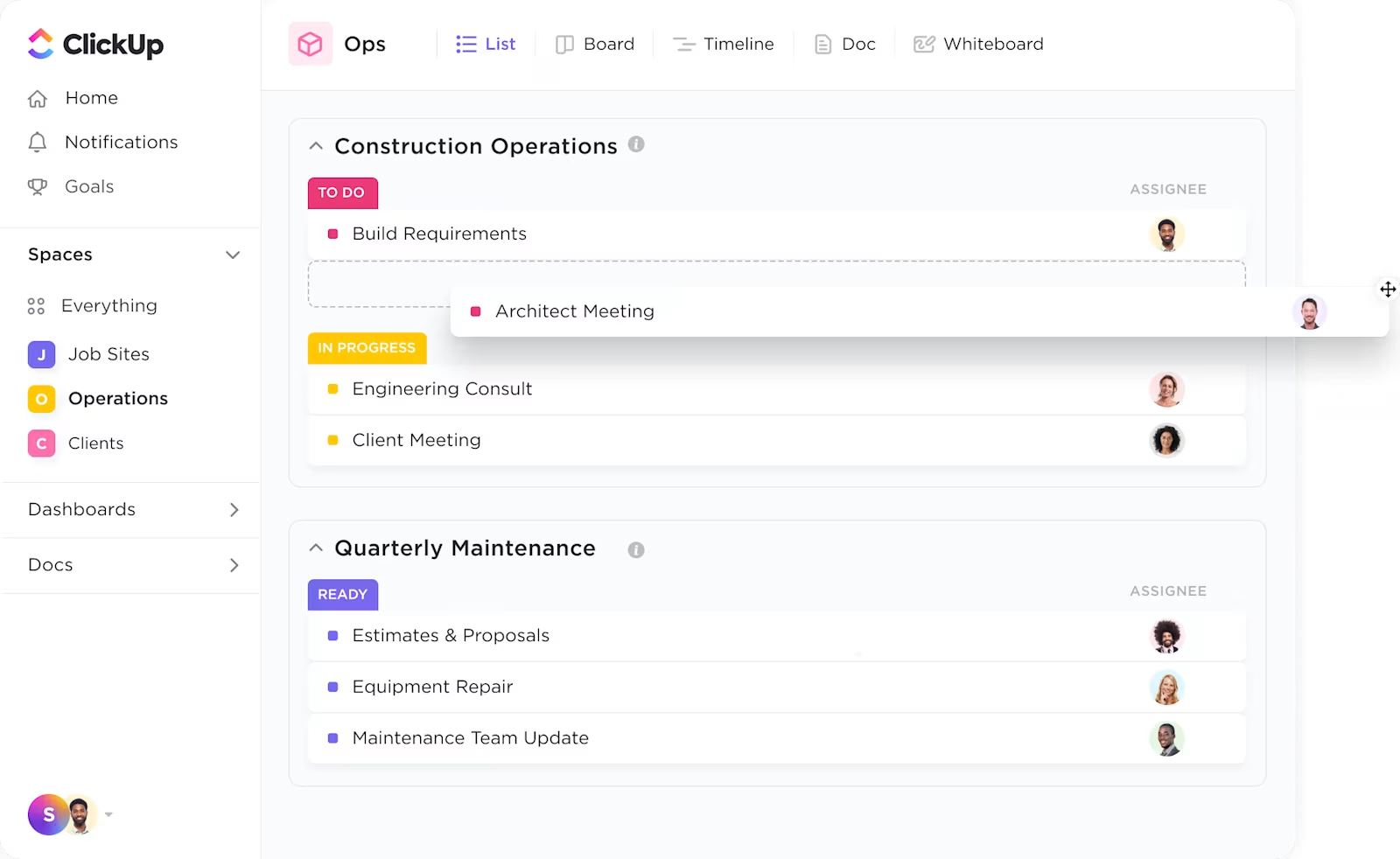
ClickUp is the everything app for work that combines project management, knowledge management, and chat—all powered by AI that helps you work faster and smarter.
While Bluebeam focuses on PDF markup, ClickUp allows you to store, organize, and collaborate on all types of documents—including drawings, contracts, and RFIs.
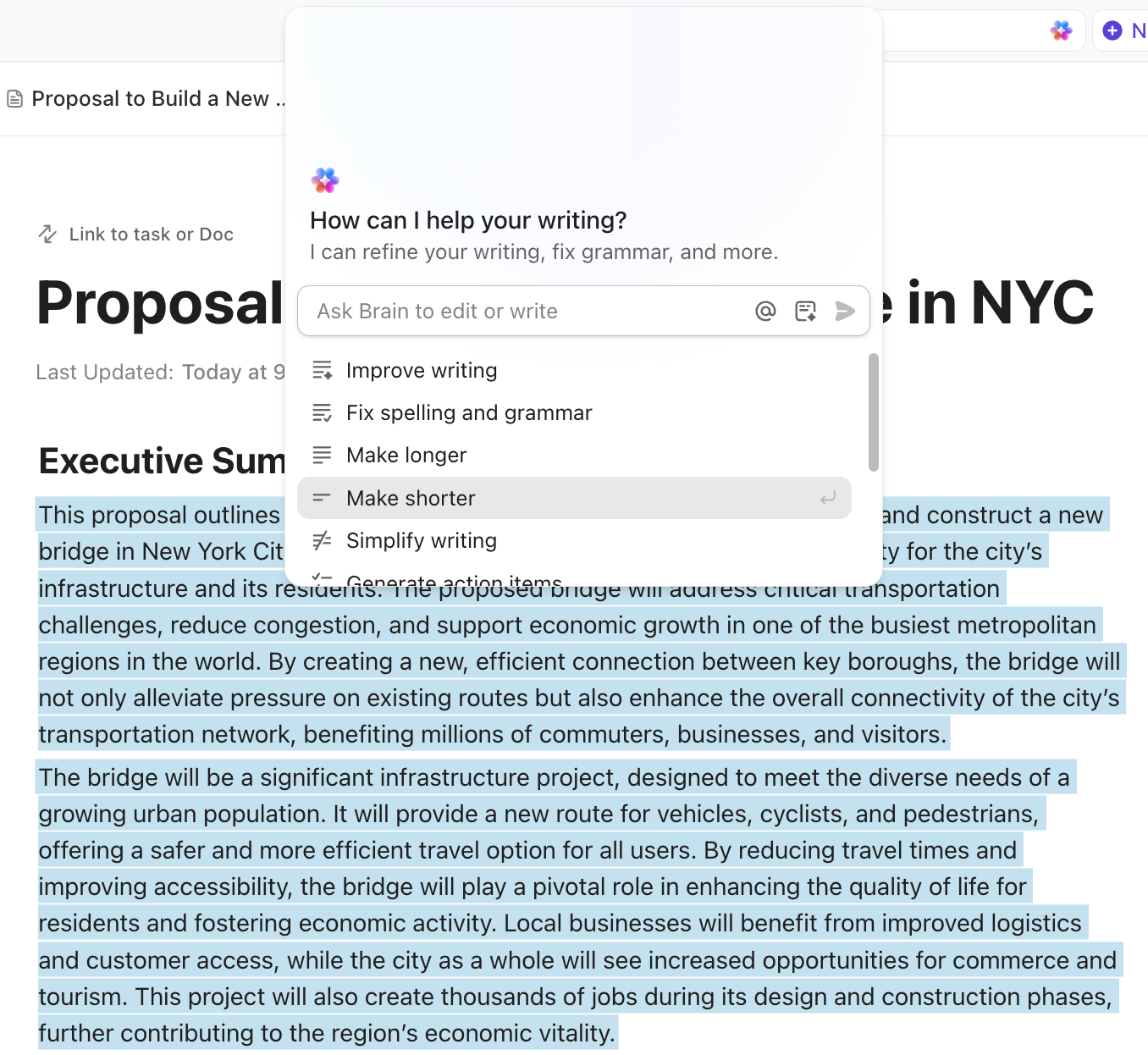
With ClickUp Docs, you can create living documents, share them with your team, and keep everything version-controlled and accessible from anywhere. The built-in AI, ClickUp Brain, helps prevent errors and make quick changes to your documents.
Integrated proofing tools for images, PDFs, and videos allow you to annotate directly on files, assign comments as tasks, and track feedback to completion—perfect for reviewing plans and drawings.
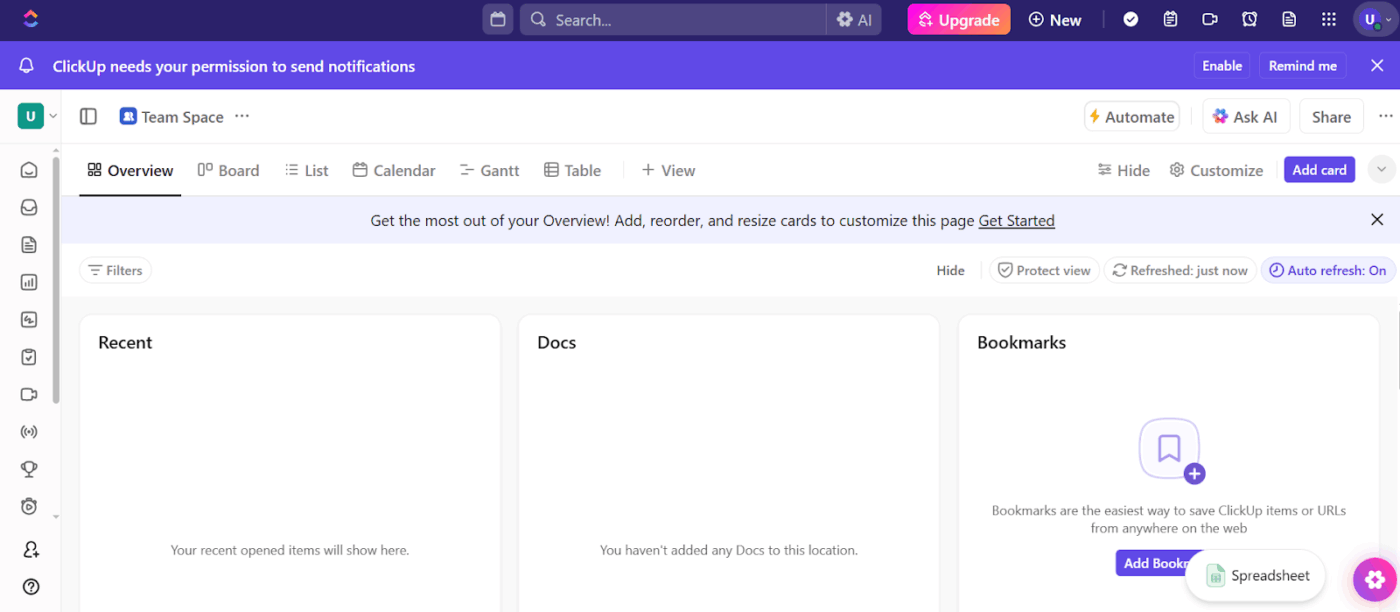
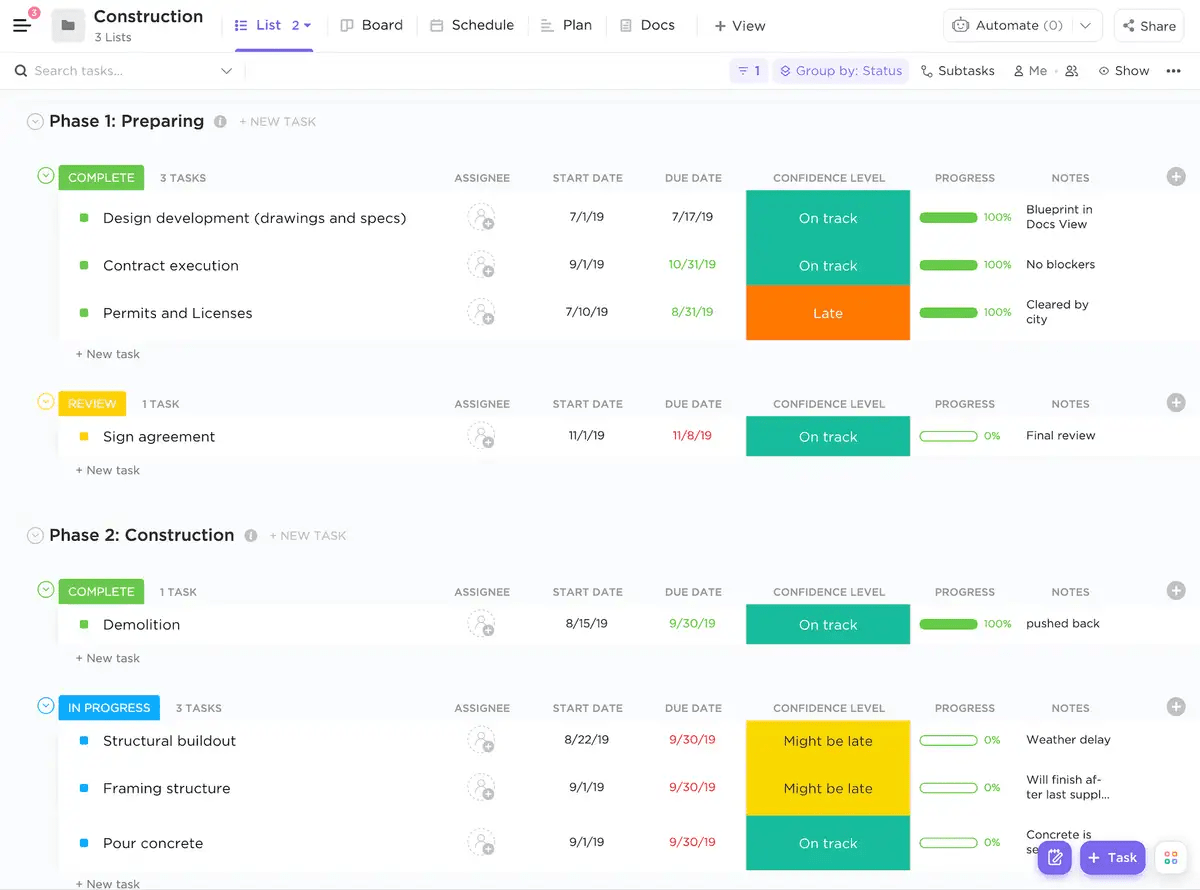
With ClickUp for Construction teams, you can streamline every stage of the construction process, from initial planning to real-time management and KPI tracking.
Offering over 15 customizable ClickUp Views, including List, Kanban boards, Calendar, and Gantt charts, the construction team can plan and visualize every phase of your project.
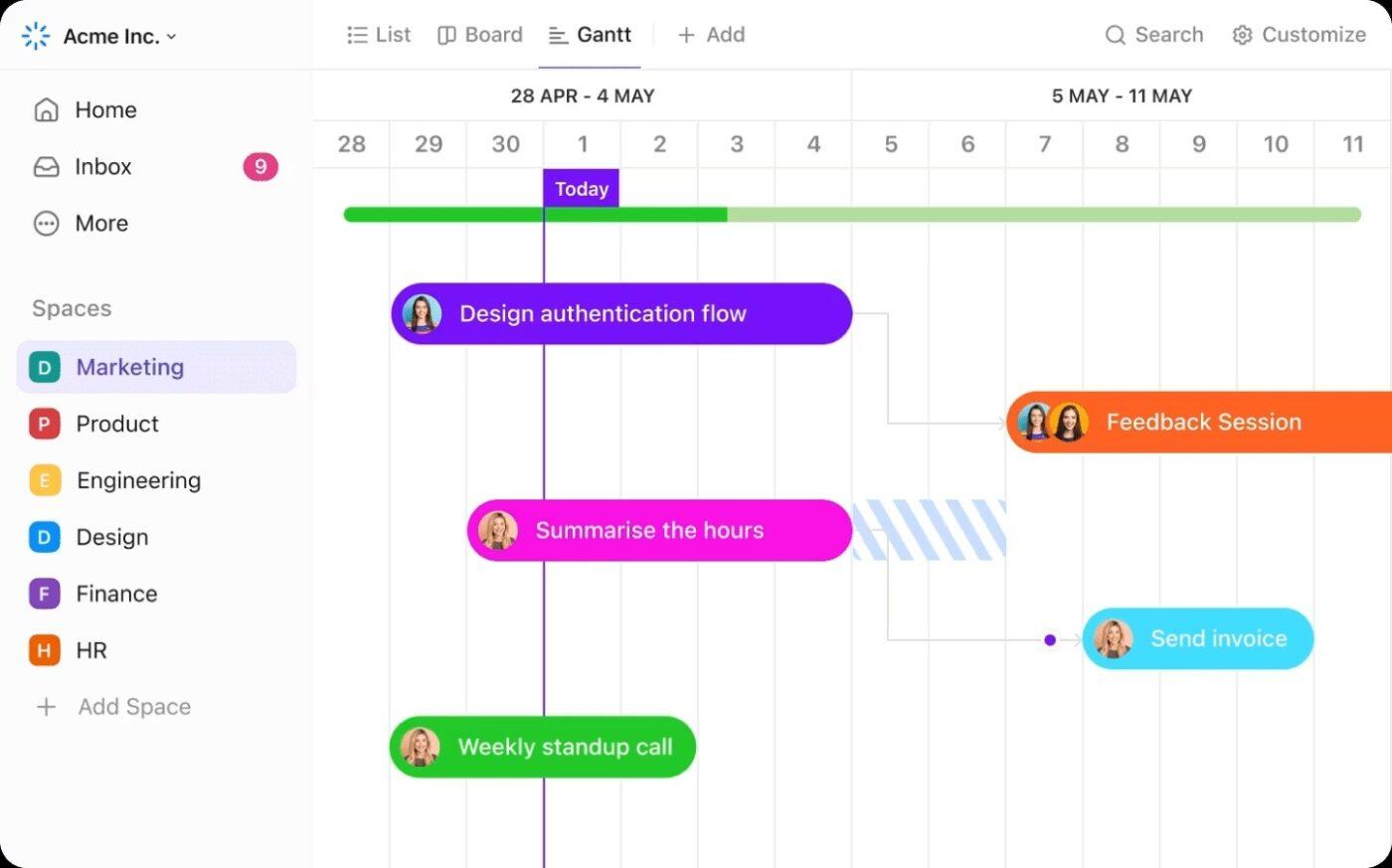
Want to visualize your entire build timeline? The ClickUp Gantt Chart view displays task durations, dependencies, and milestones.
ClickUp’s customizable statuses, automations, and templates let you build workflows tailored to construction processes, like submittals, change orders, punch lists, and inspections. You can automate repetitive tasks and ensure nothing falls through the cracks.
With ClickUp’s AI Agents, you can delegate routine processes, get instant insights, and let AI handle follow-ups or reminders, so your team can focus on what matters most.
Bonus: Streamlining construction workflow management with AI Agents
Construction projects often face delays, miscommunication, and document chaos across distributed teams and job sites. AI agents transform construction workflow management by connecting every stakeholder, automating routine tasks, and keeping projects on track.
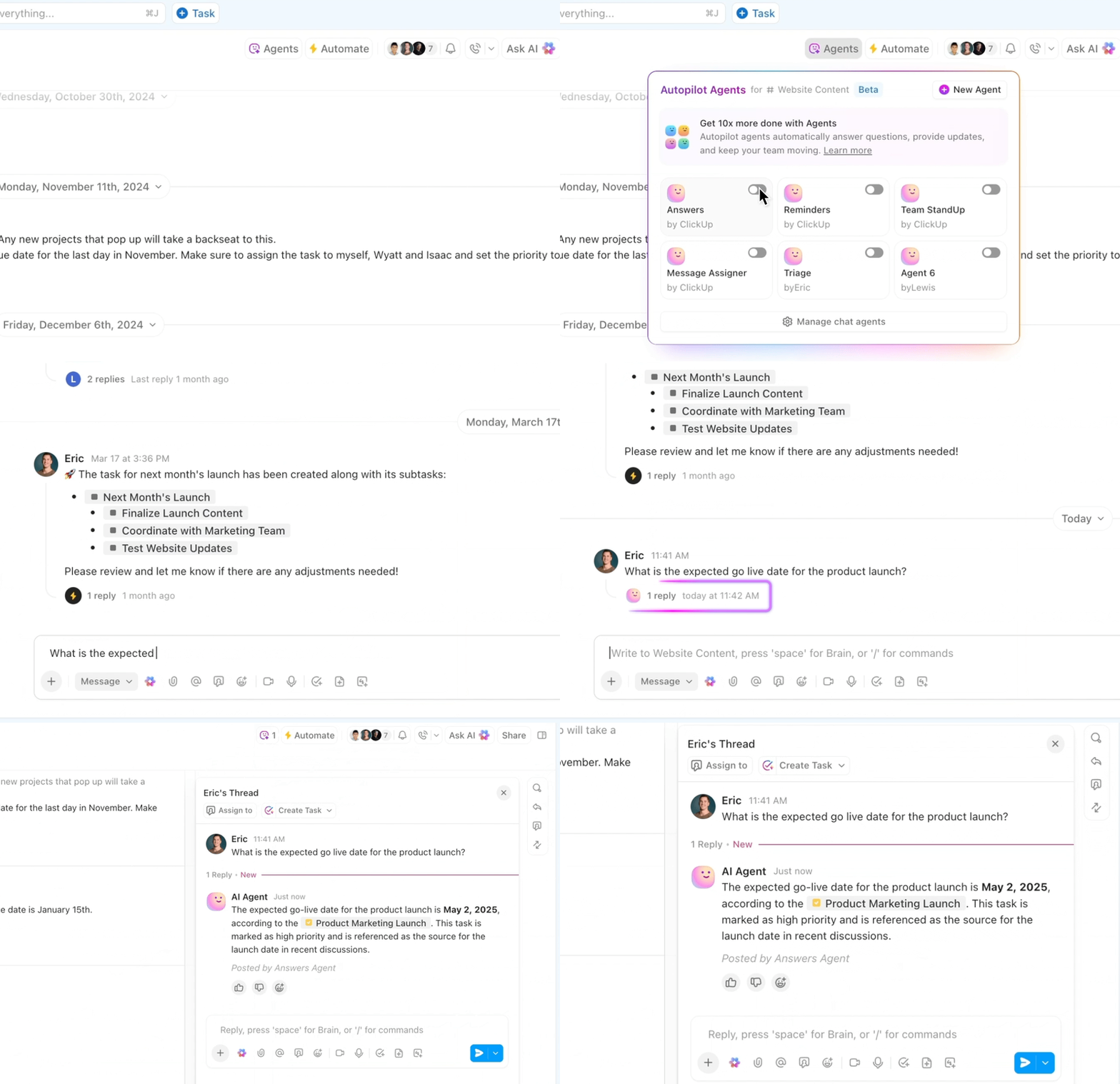
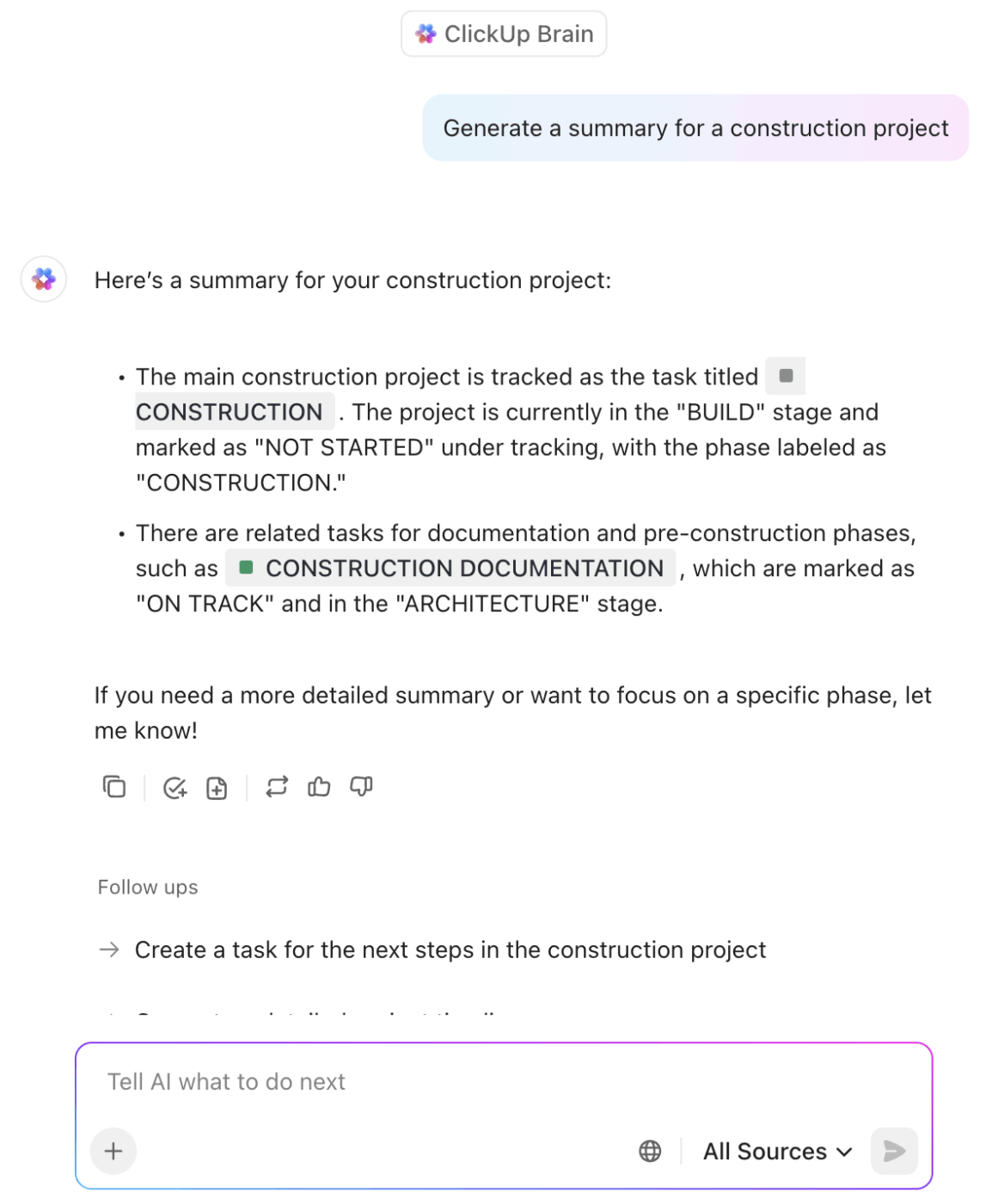
ClickUp’s built-in AI, ClickUp Brain, takes the repetitive tasks off your plate by writing status updates, generating project summaries, and even running standups automatically.
See how ClickUp Brain instantly generates a structured project report—summarizing accomplishments, blockers, and next steps with just one prompt👇
Track project progress, resource allocation, and deadlines with customizable ClickUp Dashboards and reporting. Get real-time insights to keep your projects on time and on budget.
And if you want a head start, ClickUp Construction Management templates are built to handle everything from scheduling to safety checklists. Simply enter your details and get started. No need to start from scratch.
⭐ Bonus: What can ClickUp do for construction management? Catch the details in the webinar ClickUp for Construction Management.
A G2 review says:
ClickUp brings all our tasks, documents, goals, and time tracking into one unified workspace. We’ve been using it since 2018, and it’s incredibly flexible for managing both internal workflows and client projects. The customizable views (List, Board, Calendar, etc.) and detailed automation options save us hours each week. Plus, their frequent feature updates show they’re serious about improving the platform.
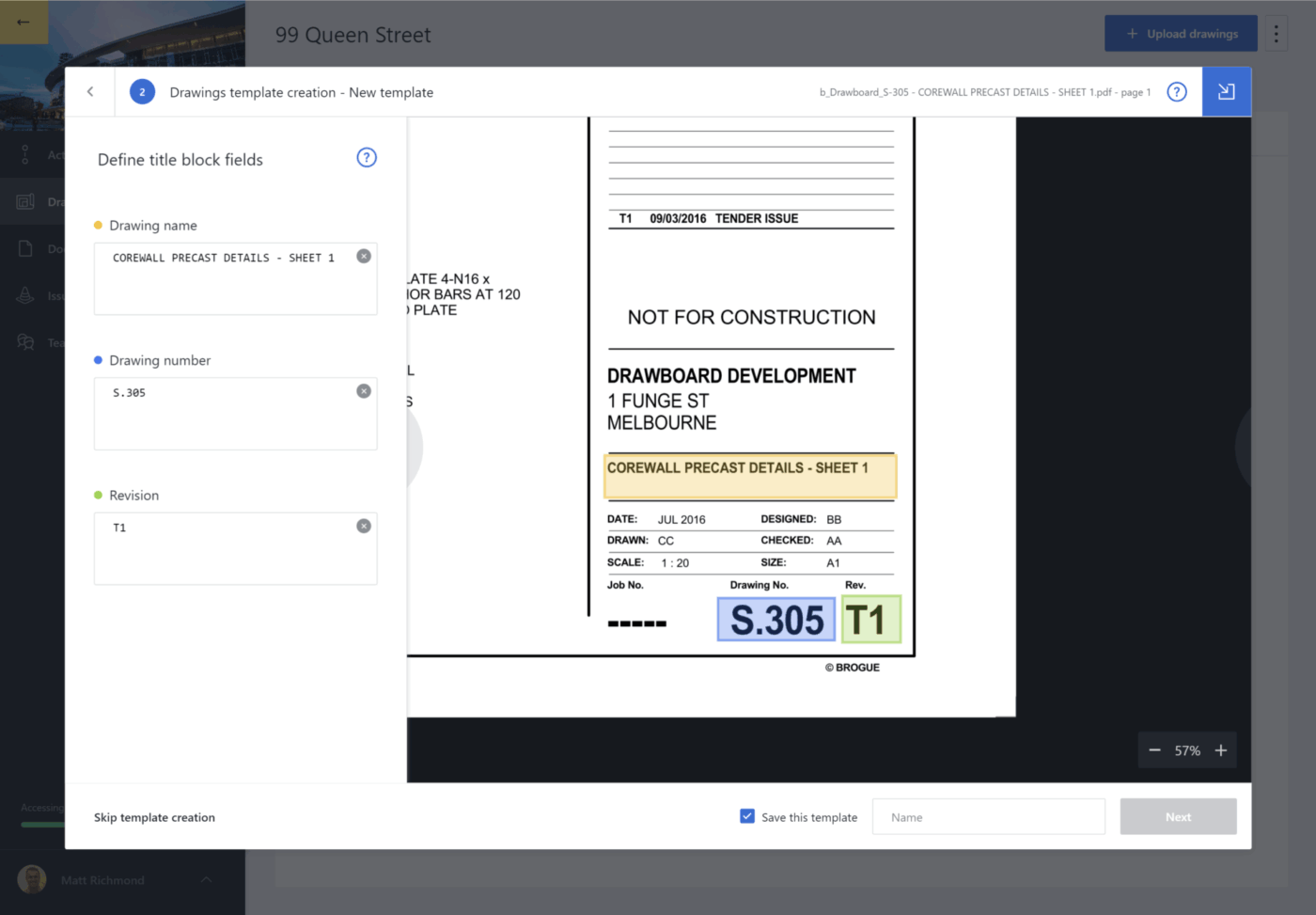
Drawboard Projects is a collaborative design review software purpose-built for Architecture, Engineering, and Construction (AEC) teams who need a fast, real-time solution for marking up plans and coordinating work.
Unlike software focused purely on PDF editing, Drawboard Projects creates a single, live workspace where internal teams and limited-access guests can simultaneously mark up the same drawings or documents.
The platform ties communication and action directly to the visual documentation. By allowing teams to drop trackable Tasks and Issues directly onto the drawings, it transforms passive markups into active, assignable work items. This eliminates the confusion of multiple emails or scattered files.
A G2 user says:
I absolutely love the ability to interact directly with teammates on the same document almost seamless in real-time. This type of coordination is not possible even with something like Bluebeam Studio, which is quick, but not real-time and usable for meetings as they happen.
📮ClickUp Insight: 88% of our survey respondents use AI tools for personal tasks every day, and 55% use them several times a day.
What about AI at work? With a centralized AI powering all aspects of your project management, knowledge management, and collaboration, you can save up to 3+ hours each week, which you’d otherwise spend searching for information, just like 60.2% of ClickUp users!
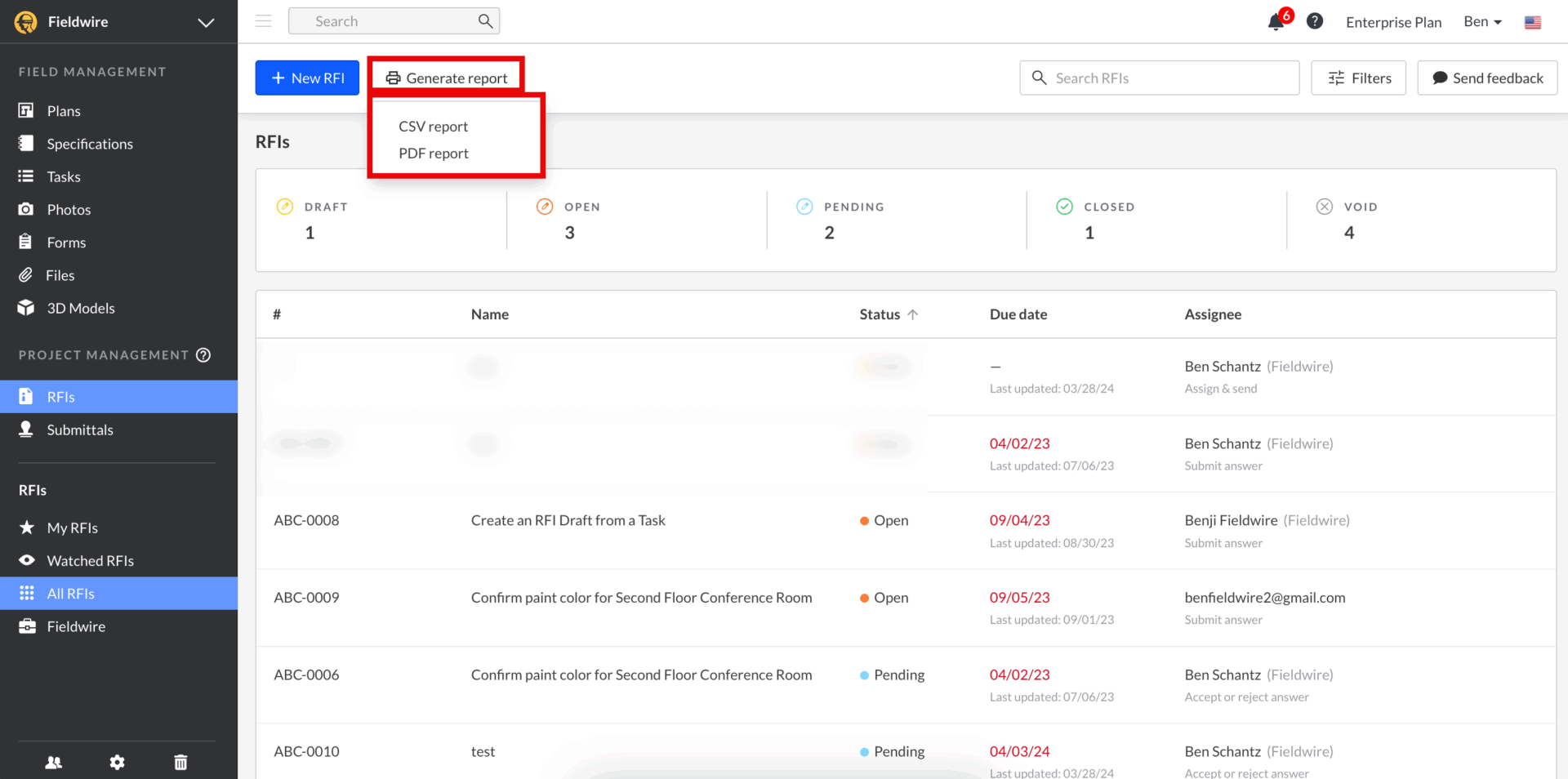
If you’re out on the jobsite and need things to run smoothly, Fieldwire’s got your back. It’s made for field teams who want to work with precision, speed, and less chaos. You can easily assign tasks by location, set deadlines, and track progress in real time—so nothing gets missed.
Need to view or mark up blueprints? You can do it right from your device—even if you’re offline. Managing punch lists or inspections? That’s simple too. With custom forms and smart reports, Fieldwire helps you stay organized and efficient by optimizing your workflow.
A G2 review reads:
I use it mostly to take pictures on-site based on the existing drawings or aerial pictures I upload. It is very easy to work on that when I am back in my office and try to visualize the locations in my drawings. I like how I can create a report of photolog very easily. I don’t need to process a lot if I use this app efficiently in the field. I like to categorize them and add category to each of my tags which makes it very easy to post process at office.
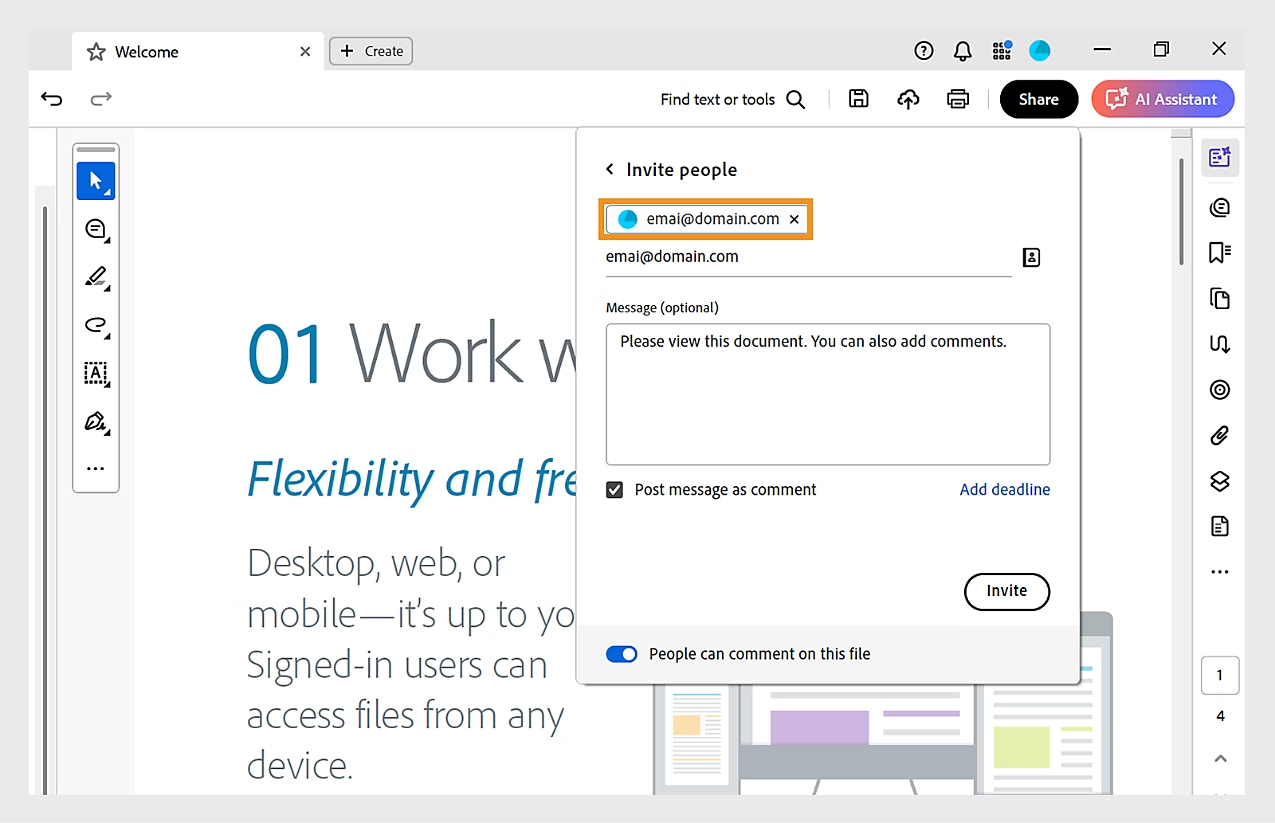
Need a reliable PDF tool that works as hard as you do? Adobe Acrobat Pro DC has you covered. It allows you to easily edit text, images, and layouts right in the PDF without hunting for original files. It also comes with built-in e-signature tools, so collecting approvals is quick, secure, and paper-free.
Whether you’re in the office or on-site, construction companies can access it via the cloud. Device compatibility makes it easy to stay connected and collaborate with your team. So it’s powerful, seamless, and built for pros.
For construction teams, Acrobat Pro helps manage non-drawing-specific documentation, including contracts, RFIs (in document form), submittals, safety manuals, and HR forms.
A G2 reviewer writes:
Adobe is an amazing tool that allows me to create documents from scratch, edit existing files, and convert any document into a PDF format. Additionally, the ability to send documents for remote signing securely is one of the features I value most. It’s definitely a comprehensive and reliable solution for managing all my documents efficiently and safely. Ease of implementation, Customer service, 10/*10
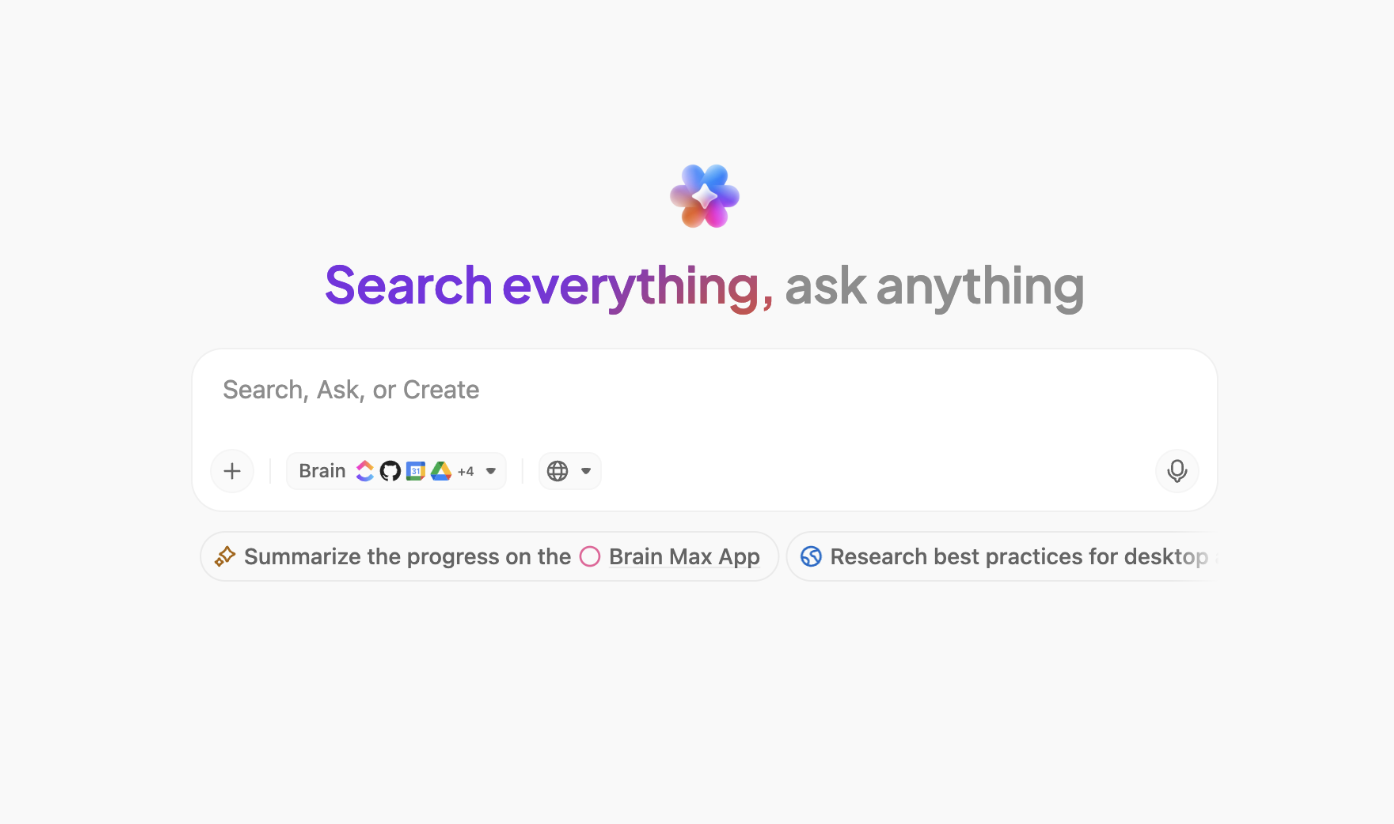
🌟 Bonus: Leverage ClickUp BrainGPT, the desktop AI assistant, to search, summarize, and organize information from across all your work apps, project files, and the web—instantly and hands-free.
You can:
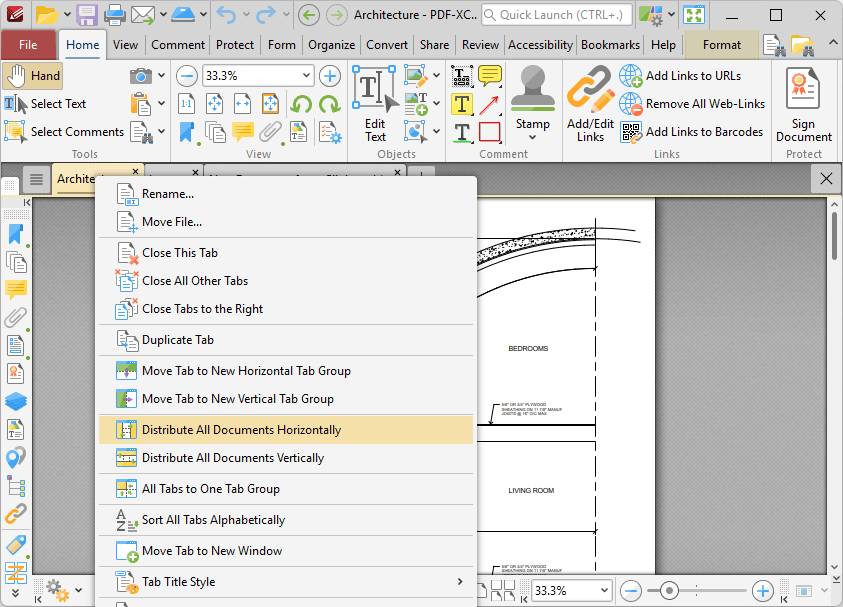
PDF XChange Editor is a fast, lightweight PDF solution built for construction and design pros. It lets you annotate blueprints, highlight revisions, and add precise measurements right on your documents. With tools to calculate distances, areas, and perimeters, it’s perfect for quick validations on-site.
This document collaboration software allows you to collaborate in real-time, keeping everyone on the same page with version control and shared markups. Whether you’re in the office or on the field, PDF-XChange Editor makes PDF workflows sharper, faster, and more efficient.
The core distinction of PDF-XChange Editor is its pricing model—it uses a perpetual license structure, meaning a single, one-time payment provides a license for life, a stark contrast to the annual subscriptions required by many competitors.
A Capterra review says:
It is always easy to read and edit files on this software. I use it for huge files requiring virtual printing. I can confess that it is the best tool in my list already. The tool is easy to use even for newbies. Annotations is a great feature for me. I find PDF-XChange very appropriate. It is cost effective too.
📖 Also Read: Best AI Writing Tools for Content
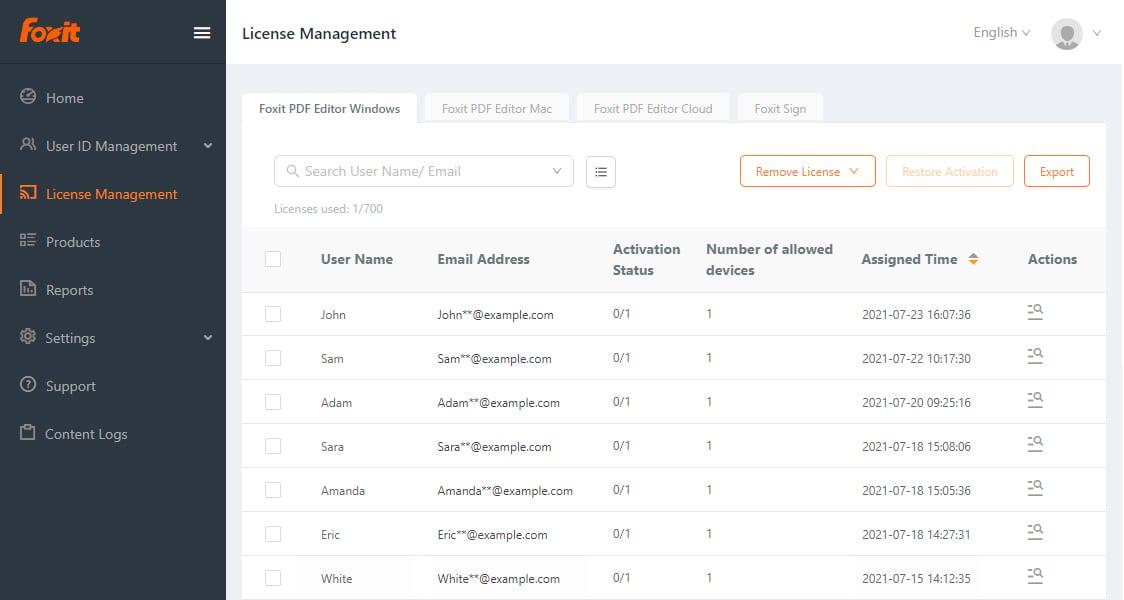
Tired of clunky PDF tools slowing you down? Foxit PDF Editor makes managing and collaborating on documents effortless. Designed for busy professionals, it lets you edit text, images, and layouts directly—no need to dig up original files.
What really sets it apart? Its built-in AI Assistant. You can summarize documents, improve writing, translate content into 30+ languages, and even ask questions in plain English for quick insights.
For construction teams, Foxit offers robust annotation, commenting, and shared review features, allowing teams to quickly mark up plans, proposals, and contracts.
A G2 review reads:
I use the cloud-based version of Foxit PDF Editor on my computer for business purposes, and it’s been very reliable. It makes it easy to edit and fill out PDFs quickly without needing to download software. The interface is straightforward, and everything runs smoothly. It’s a great option for anyone who needs a dependable, web-based PDF editor for work.
📖 Also Read: Best AI PDF Editors for Smart Document Editing
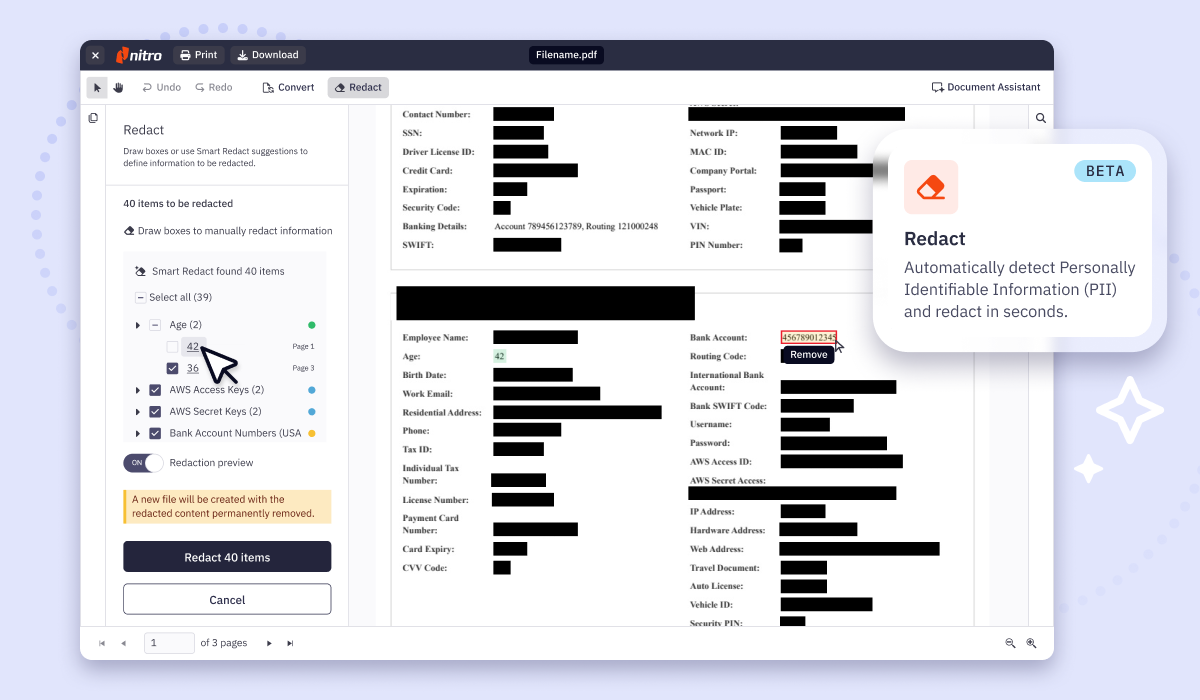
Nitro PDF is a professional PDF editing and e-signature solution that lets you edit text, images, and layouts on the fly. With OCR, even scanned documents become searchable and editable, saving time on data entry.
Teams can accurately export complex PDFs back into editable Microsoft Office formats (Word, Excel, PowerPoint), which is invaluable when original design files are unavailable.
You can batch process files, automate tasks, and merge documents effortlessly. Plus, with built-in eSign tools, approvals are just a click away. It’s all about speed, precision, and getting more done, and that too, paper-free.
A G2 reviewer says:
We use Nitro Pro throughout our office for a variety of purposes. From reviewing contract documents and getting signatures, to marking up civil plan sheets, to approving invoices and making notes for reference. Flawless from start to finish for all of these purposes.
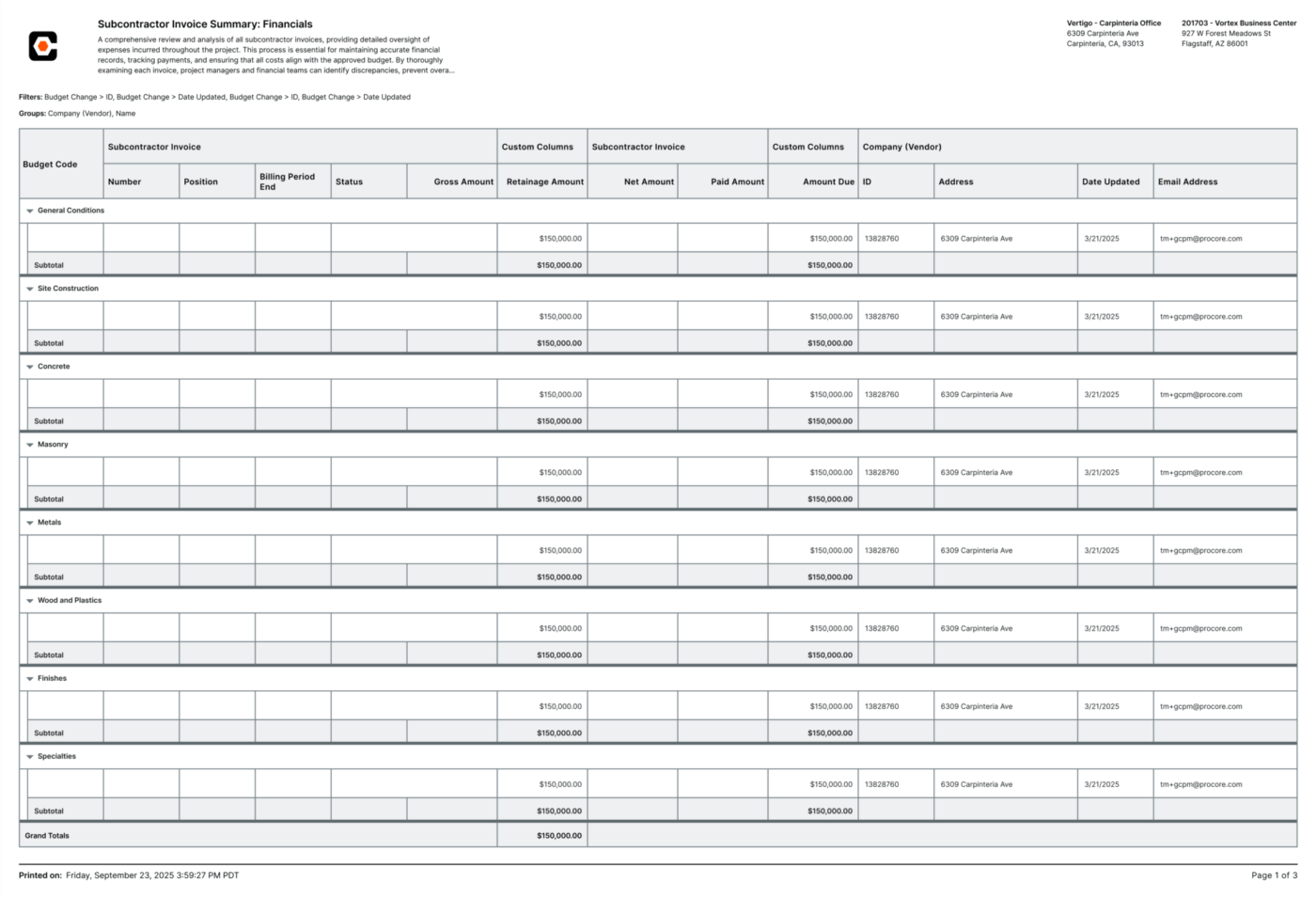
Procore is a comprehensive, cloud-based construction management platform designed to unify all aspects of a project, from pre-construction to closeout.
It brings teams, workflows, and data together in one place. From real-time budget tracking and contract management to keeping change orders in check, it helps you stay on top of costs.
Its quality and safety tools let you standardize inspections and reduce risk, while document management ensures everyone’s working from the latest files. With Procore, you’re not just managing projects, but you’re building smarter, safer, and more profitably from start to finish.
While Bluebeam excels at PDF markups, Procore centralizes the entire construction lifecycle.
A G2 review says:
I completed one course featuring the Pro Core tools in the Pro Core Learning program and how to use them. I have to say, the videos are very informative, short length, and straight to the point! The system is easy to use, and it’ll literally get rid of that file cabinet in your office!
Keep your construction projects on track and error-free with Autodesk Construction Cloud. Its core product, Autodesk Build, incorporates the former PlanGrid technology.
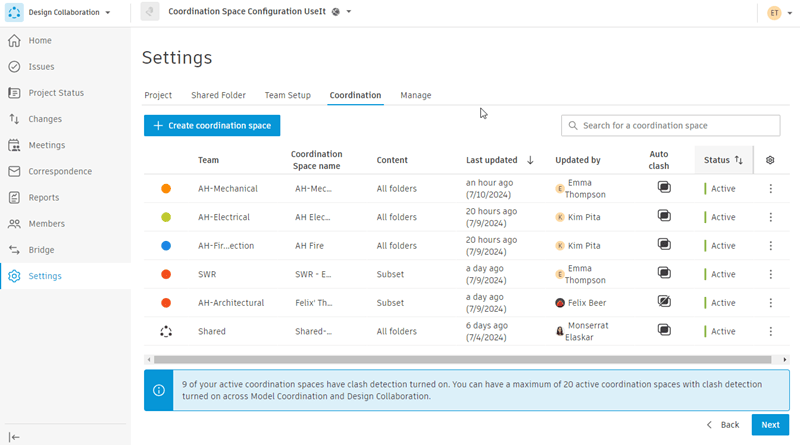
It acts as a Common Data Environment (CDE), integrating all aspects of the construction project lifecycle and connecting teams and data from design to build. Collaborate on models in real-time, reduce design errors, and avoid costly rework.
With built-in cost management, project managers can track budgets, manage contracts, and forecast expenses confidently. Plus, clash detection helps resolve issues before they hit the site. It’s everything you need for smoother, smarter construction.
A G2 review reads:
What I like best is how it brings all project stakeholders and information into a single, centralised platform. For M&E delivery, where coordination is absolutely critical, having real-time access to the latest models, drawings, RFIs, and field data is a massive advantage.
📖 Also Read: Powerful Document Comparison Software for Teams
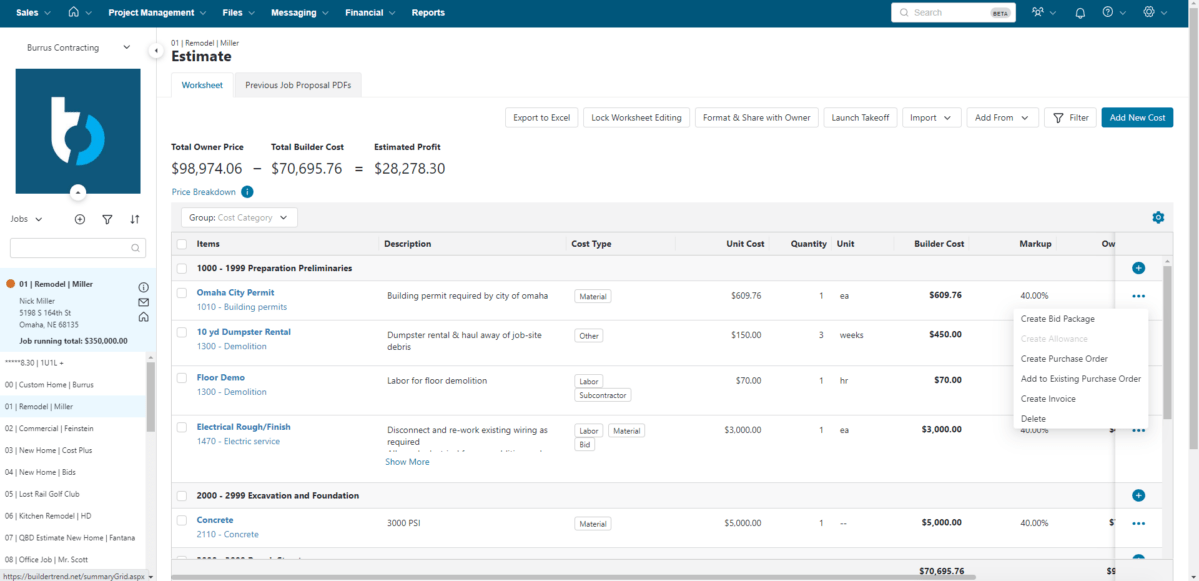
Buildertrend is your tool for smoother construction management. Whether you’re a home builder or remodeler, it keeps your projects organized with features like scheduling, time tracking, and daily logs.
Key features like the Client Portal allow homeowners to track project progress, approve selections and change orders, and make payments.
For the construction team, Buildertrend streamlines complex financial workflows, including bidding, budgeting, job costing, and invoicing, directly linking them to field activities like daily logs and time tracking.
Plus, its sales tools help you track leads, send proposals, and run email campaigns to stay connected with prospects and boost conversions. Everything is cloud-based and easy to access, so Buildertrend helps your team stay in sync.
A G2 review says:
I love that Buildertrend is a one stop shop for everything building related. It has a great way to make selections, run a calendar and view all your documents. It also can do purchase orders and change orders.
While Bluebeam is a good tool for document markup and collaboration, it’s not the only option, especially if you’re looking for greater flexibility, real-time communication, and end-to-end project management.
Whether you need advanced task management, seamless document control, or faster team collaboration, the right Bluebeam alternative can significantly enhance your construction workflow management.
ClickUp offers a powerful, all-in-one platform designed to streamline every phase of your construction projects, from planning and execution to communication and delivery. With customizable templates, real-time collaboration, and built-in automation, ClickUp adapts to your team’s needs and helps you stay ahead of every project deadline.
Ready to change the way you manage construction projects? Try ClickUp for free today and see the difference.

© 2026 ClickUp

There’s an easier way. Try a free AI Agent in ClickUp that actually does the work for you—set up in minutes, save hours every week.