







Still downloading templates?
There’s an easier way. Try a free AI Agent in ClickUp that actually does the work for you—set up in minutes, save hours every week.
Sorry, there were no results found for “”
Sorry, there were no results found for “”
Sorry, there were no results found for “”
According to MGMA (Medical Group Management Association) research, medical practices face mounting pressure as operating costs outpace revenue, making administrative efficiency critical for maintaining margins.
While the healthcare industry is avoiding billions in costs through electronic transactions, practices still leave billions in savings untapped.
This guide breaks down the best medical practice management software platforms, comparing their billing automation, scheduling capabilities, and EHR integration to help you find the right fit for your practice size and specialty.
| Tool Name | Best For | Best Features | Pricing |
|---|---|---|---|
| ClickUp | Teams of all sizes managing administrative workflows and practice operations with AI-powered automation. | ClickUp Brain for AI-powered task automation, ClickUp Automations for workflow triggers, ClickUp Dashboards for real-time visibility, ClickUp Forms for patient intake workflows | Free forever; customizations available for enterprises |
| athenahealth | Cloud-based practices prioritizing patient experience and network intelligence | Cloud-native platform, athenaNet network insights, integrated EHR and billing, patient engagement tools | Custom pricing |
| AdvancedMD | Practices needing customizable workflows and user-friendly interfaces | Customizable templates, integrated telehealth, robust reporting, mobile access | Custom pricing |
| NextGen Healthcare | Specialty practices requiring tailored clinical workflows | Specialty-specific templates, population health tools, integrated PM and EHR | Custom pricing |
| Tebra | Small and new practices seeking an all-in-one platform | Combined PM and EHR (formerly Kareo + PatientPop), patient marketing tools, simplified billing | Custom pricing |
| SimplePractice | Solo practitioners and small behavioral health practices | Telehealth built-in, client portal, insurance claims filing, appointment reminders | Starts at $49/month |
| CureMD | Practices wanting a comprehensive all-in-one cloud solution | Unified EHR/PM/billing, AI-assisted documentation, clearinghouse integration | Custom pricing |
| eClinicalWorks | Large practices needing integrated EHR and population health | Integrated EHR and PM, population health management, patient engagement, telehealth | Custom pricing |
| PracticeSuite | Multi-specialty practices and billing companies | Cloud-based PM, RCM services, multi-specialty support, patient portal | Custom pricing |
| DrChrono | Mobile-first practices and those focused on billing efficiency | iPad-native design, integrated billing, customizable medical forms, API access | Custom pricing |
Our editorial team follows a transparent, research-backed, and vendor-neutral process, so you can trust that our recommendations are based on real product value.
Here’s a detailed rundown of how we review software at ClickUp.
When your front desk staff spends 45 minutes per patient on insurance verification calls, or your billers are chasing the same denied claims for the third time this month, something needs to change. Medical practice management software addresses these operational challenges.
It’s a type of digital tool designed to handle the business side of a healthcare practice. This includes everything from patient scheduling and sending appointment reminders to handling complex medical billing and insurance claims processing, also known as revenue cycle management (RCM).
The goal is to automate and streamline these tasks, freeing up your clinical staff to focus on what they do best: patient care.
The best medical practice management software goes beyond calendar organization. It connects directly with electronic health records (EHR), automates repetitive tasks, and provides real-time visibility into your practice’s performance.
For a small clinic, this might mean simpler billing and easier patient communication. For a large hospital system, it could involve managing claims across multiple locations and ensuring everything is HIPAA compliant.
Ultimately, this software reduces administrative burden. When your team spends less time on manual data entry, denied claims follow-up, and system integration issues, your practice operates more efficiently, collects revenue faster, and delivers better care.
📮ClickUp Insight: 88% of our survey respondents use AI for their personal tasks, yet over 50% shy away from using it at work. The three main barriers? Lack of seamless integration, knowledge gaps, or security concerns.
But what if AI is built into your workspace and is already secure? ClickUp Brain, ClickUp’s built-in AI assistant, makes this a reality. It understands prompts in plain language, solving all three AI adoption concerns while connecting your chat, tasks, docs, and knowledge across the workspace. Find answers and insights with a single click!
Choosing software is difficult when you don’t know what to look for. You might end up paying for flashy features you’ll never use while missing the core functions that actually save you time and money. This leads to regret and forces your team to create inefficient workarounds, undermining the software’s value.
A solo behavioral health practitioner has vastly different needs than a multi-location orthopedic group. Before you even look at demos, you need to pinpoint your biggest administrative headaches. Is it a high rate of claim denials—which affect 20.4 percent of commercial claims? A chaotic scheduling process? Or patients complaining about poor communication?
The most effective practice management platforms share several core capabilities that directly impact your bottom line and staff efficiency. Here’s what you should treat as non-negotiable:
If your practice is already struggling with tool sprawl—where scheduling is in one app, billing in another, and patient communication in a third—consolidation is critical. This administrative burden is a classic case of context-switching, where staff must toggle between disconnected platforms, re-enter data, and manually track what should be automated.
📮ClickUp Insight: Context-switching is silently eating away at your team’s productivity. Our research shows that 42% of disruptions at work come from juggling platforms, managing emails, and jumping between meetings. What if you could eliminate these costly interruptions?
ClickUp unites your workflows (and chat) under a single, streamlined platform. Launch and manage your tasks from across chat, docs, whiteboards, and more—while AI-powered features keep the context connected, searchable, and manageable!
👀 Did You Know: 66 percent of physicians are already using healthcare AI tools in their practice.
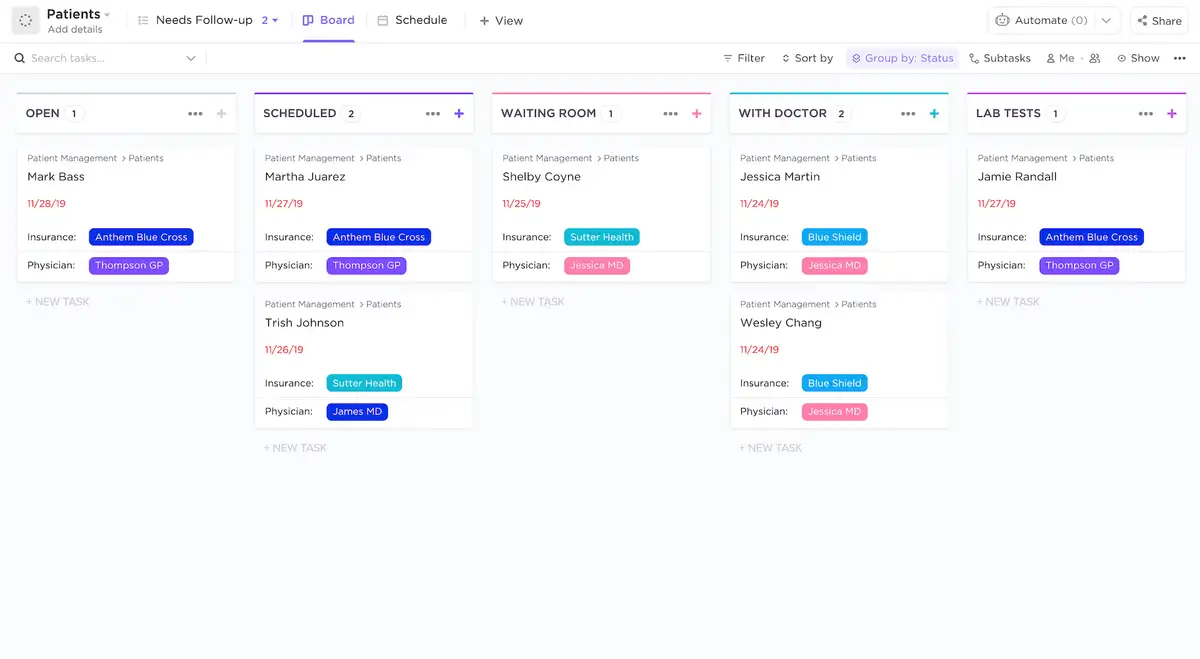
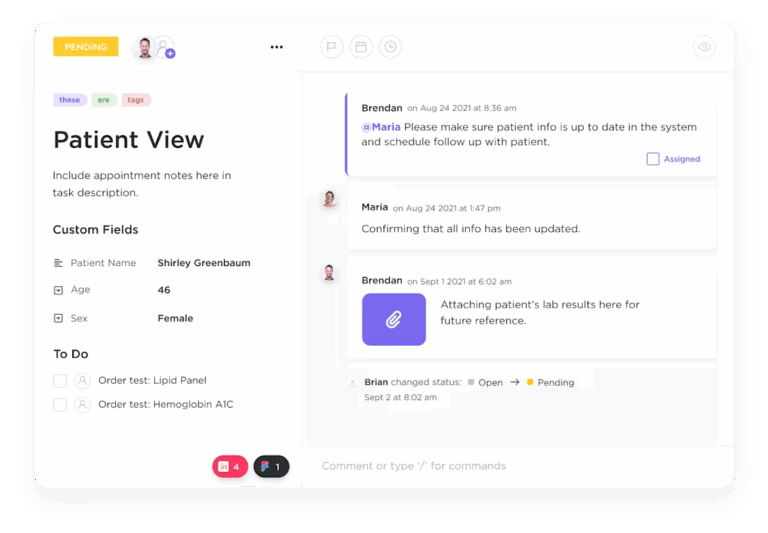
Even with a dedicated EHR, your practice’s administrative work is likely scattered across spreadsheets, emails, and sticky notes. This leads to missed patient intake tasks, difficult staff coordination, and limited visibility into administrative bottlenecks. This wastes time, frustrates staff, and creates inconsistent patient experiences.
While ClickUp isn’t a traditional medical practice management system with built-in billing, it effectively addresses these operational challenges. It acts as the connective layer for all the administrative work that happens outside the exam room. For healthcare teams using specialized clinical software, ClickUp brings visibility, automation, and AI-powered efficiency to your practice’s operations.
ClickUp Brain, your AI assistant, can summarize task statuses and tell you exactly what needs attention across your workspace.
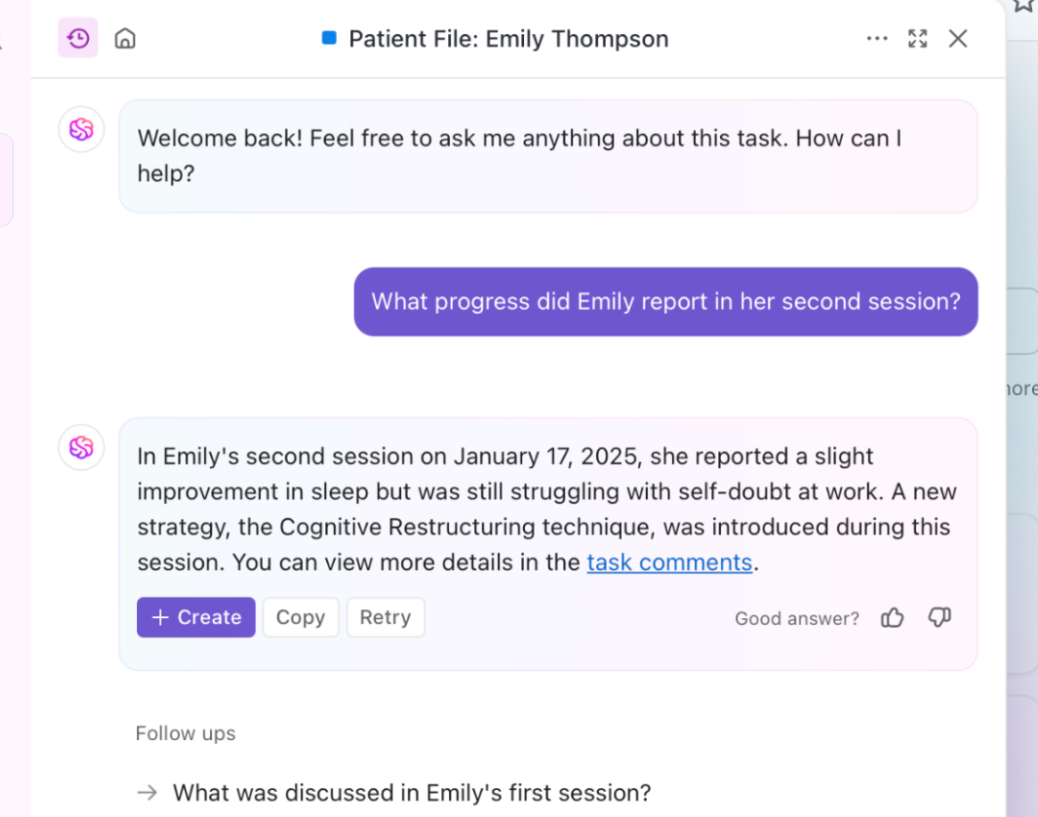
It can also turn meeting notes or a process Doc into clear action items, helping your team convert decisions into tasks quickly. And when you need to communicate consistently, Brain’s writing tools can help draft and refine internal updates, patient-friendly instructions, and more.
Automation also helps keep work moving. ClickUp Automations can assign tasks when a status changes, notify the next person in the handoff, and apply templates so nothing starts from scratch.
This is especially useful for time-sensitive admin work where delays are costly, such as reimbursement follow-ups, patient scheduling coordination, or missing documentation.
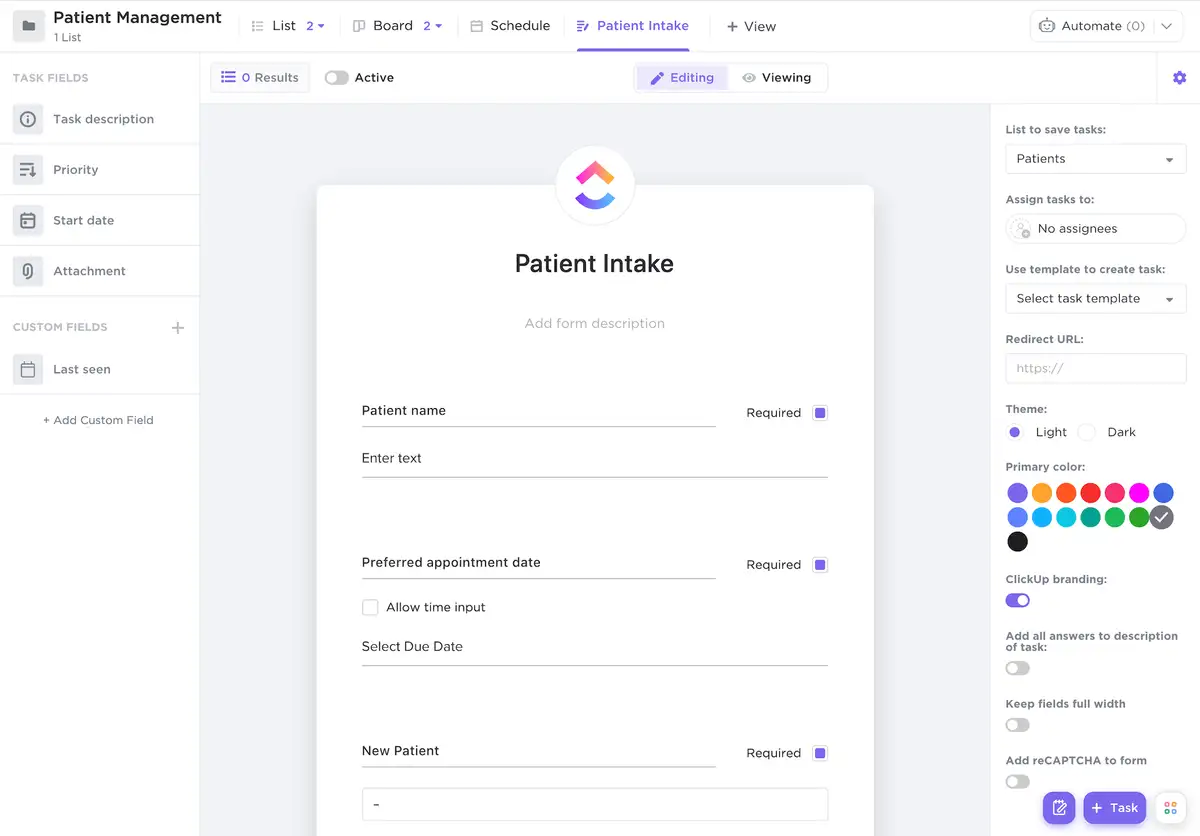
Most clinics run on constant inputs: new patient onboarding, insurance verification, referral processing, record requests, prior authorizations, billing follow-ups, and facilities issues. ClickUp Forms let you standardize what information your team collects, then automatically create a task with the right owner, due date, and required details.
That means fewer back-and-forth messages and less “who’s handling this?” If you run multiple locations or specialties, you can use templates so every request follows the same structure, regardless of who submitted it.
Keeping track of every patient’s medical history, lab results, conditions, and more is crucial for running a successful practice. ClickUp’s Patient Management Template helps save time on organizing your database so you can focus on what truly matters: giving the best care possible!
With this template, you get:
💡 Pro Tip: Keeping client data secure is an absolute top priority at ClickUp. This platform is SOC 2 and HIPAA-compliant, ensuring that all patient and practice information across the ClickUp infrastructure remains secure and private.
Pros:
Cons:
Here’s what a G2 reviewer shared:
What I like best about ClickUp is that it brings everything into one place. Tasks, timelines, notes, and updates all live in the same system, which reduces back and forth between tools.
I also value the flexibility. We can customize statuses, fields, and views to match how our team actually works. That makes it easier to stay organized and gives clear visibility into who is responsible for what and where projects stand at any given time.
💡 Pro Tip: To scale your operations painlessly, introduce ClickUp’s Super Agents into your workflows! By using Super Agents alongside humans, your team will have more time to focus on their most impactful work.
Here are a few things a Super Agent can take off your plate as your ambient AI teammate:
Learn more about using Super Agent:
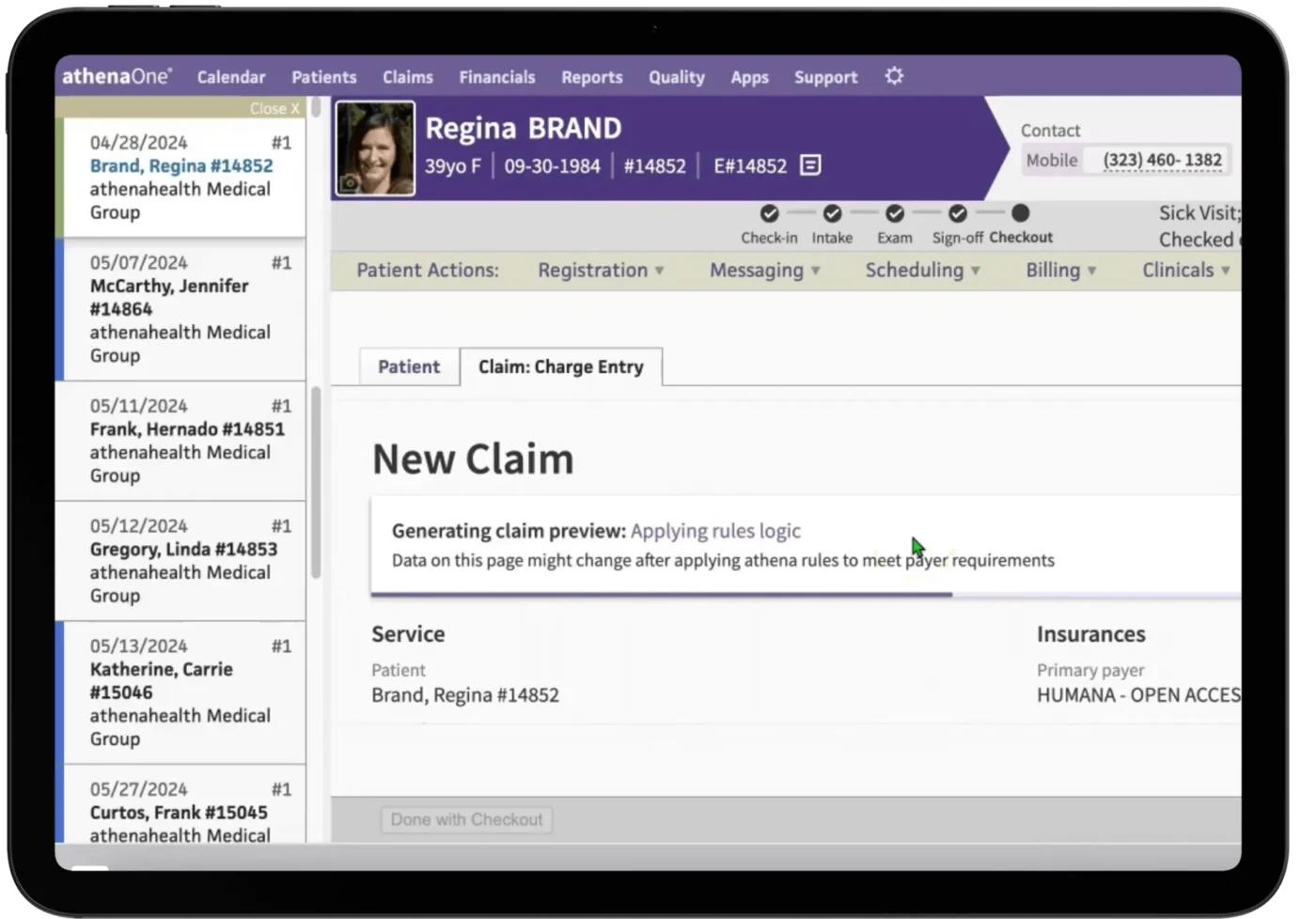
Your practice deals with frequent claim denials because of ever-changing payer rules, and you don’t have the staff to keep up. This harms your operational efficiency, leading to a slow revenue cycle and forcing your team to spend hours on the phone with insurance companies instead of helping patients.
athenahealth delivers a cloud-based platform built around network intelligence. Its athenaNet connects thousands of practices, using their collective data to update billing rules and identify payer trends in real time. This means your claims benefit from the experiences of other practices, reducing denials caused by outdated information.
The platform integrates practice management with EHR and patient engagement tools. For practices that want to offload billing complexity, athenahealth also offers revenue cycle management services where their experts work on your denied claims for you.
Pros:
Cons:
Here’s what a G2 review says:
I really appreciate athenaOne for its user-friendly templates and easy-to-use calendars and schedules. I love the Athena chat feature that allows me to reach out to colleagues effortlessly. It also helps me plan calls and schedules by viewing the calendars for our providers for the day. Additionally, it has been very basic and easy for us to use since we’ve been using it for nearly 15 years.
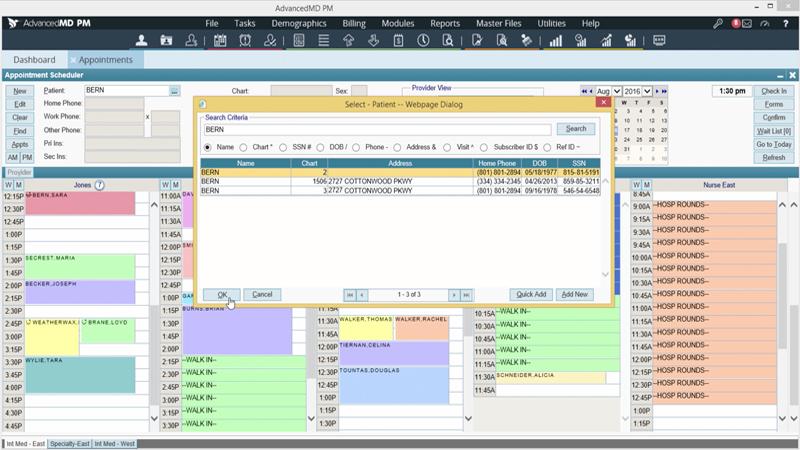
Mid-sized practices often find themselves in an awkward middle ground—basic software can’t keep up, but enterprise solutions feel like overkill. AdvancedMD targets this gap.
It offers a highly customizable practice management platform that balances flexibility with usability. The system allows you to tailor workflows, forms, and reports to your exact needs, making it popular with practices that need more than a one-size-fits-all solution.
It includes integrated telehealth, which is crucial for offering hybrid care. The platform’s reporting capabilities are a standout, with customizable dashboards that provide clear visibility into financial and operational performance.
Pros:
Cons:
Here’s what a G2 reviewer shared:
Once you have set up the system, it is easy to navigate. It is easy to post, and it is easy to run reports. Everything in the system is time and user stamped so it is also easy to track who did what and when. This is a great feature for accountablity.
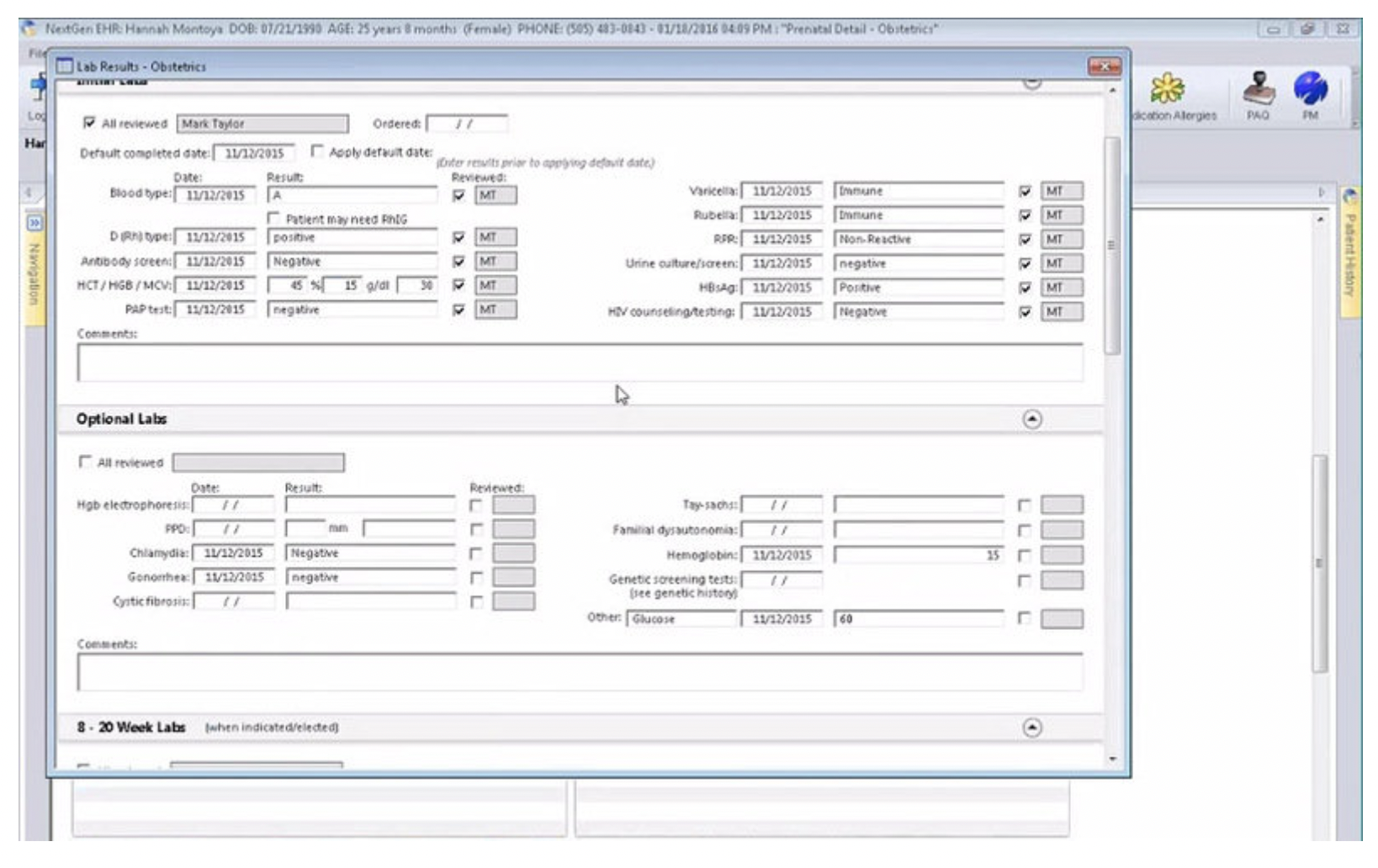
NextGen Healthcare focuses on providing clinical and administrative workflows tailored to specific disciplines like cardiology, orthopedics, and behavioral health. This specialization reduces setup time and ensures the software matches how your specialists actually work.
The platform combines practice management with EHR capabilities, seamlessly connecting clinical and administrative data. Its population health tools also help practices manage patient panels proactively, which is critical for those participating in value-based care programs.
Pros:
Cons:
Here’s what a Capterra review shares:
Powerful for healthcare practices; once set up, it streamlines patient care and office management effectively.
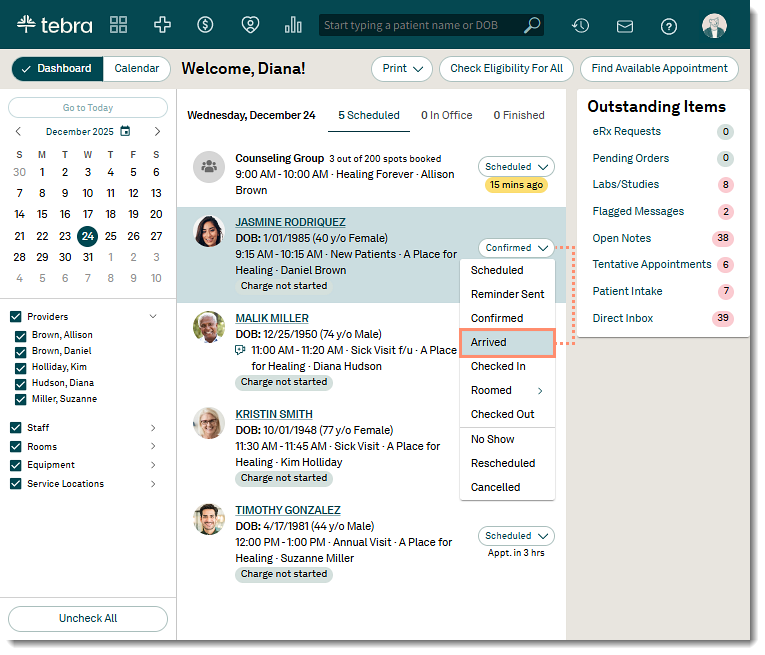
As a small or new practice, you need both operational software and tools to attract new patients. Juggling separate tools for practice management and marketing is expensive and complicated, creating another layer of administrative work you don’t have time for. This fragmentation makes it impossible to get a clear picture of your practice’s health.
Tebra solves this by combining practice management (from Kareo) and patient marketing (from PatientPop) into a single, unified platform. It’s designed as an all-in-one solution for independent practices that need to manage operations and grow their patient base simultaneously.
The platform emphasizes accessibility, with simplified billing workflows and an intuitive interface that reduces the learning curve for teams without dedicated IT staff. Its marketing features, like online reputation management, help you build your practice’s brand and attract new patients.
Pros:
Cons:
Here’s what a Capterra user shared:
Overall, I have found Tebra to be efficient and effective in the sense that it has been simple and easy to navigate when creating a note.
💡 Pro Tip: ClickUp Brain MAX (ClickUp’s AI-powered desktop companion) is especially useful for medical practice management teams because it reduces the friction of finding information and capturing actions while you are moving fast between tools.
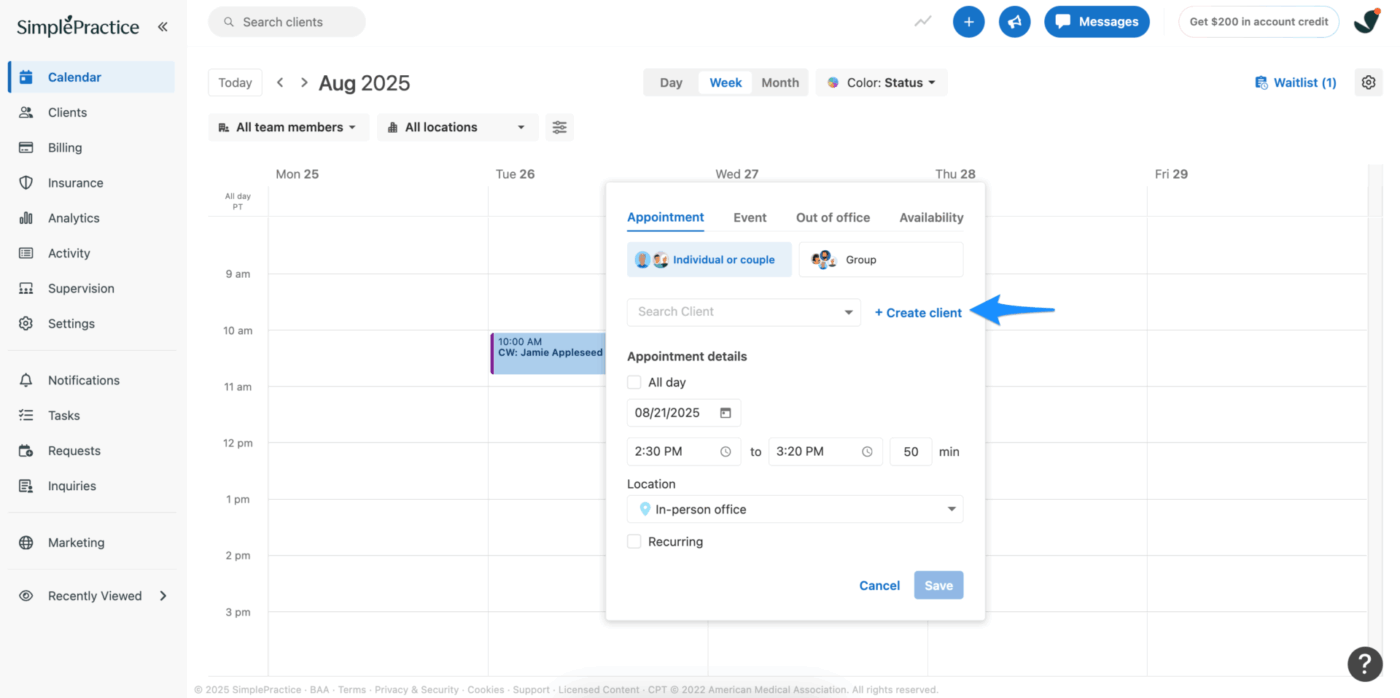
SimplePractice is designed specifically for solo and small behavioral health practices. Its philosophy is simplicity over feature depth, allowing you to handle scheduling, documentation, billing, and telehealth without needing administrative staff.
Telehealth is a core part of the platform, not an add-on, with video sessions launching directly from your calendar. The client portal lets patients handle their own intake paperwork and appointment booking, reducing the back-and-forth that consumes your day.
Pros:
Cons:
Here’s what a Capterra reviewer says:
It was been very easy to learn and use. My providers like the simple notes section to document their sessions. And submitting claims to insurance is very simple.
Here’s a video that tells you about some useful tools that can reduce admin work for therapists:
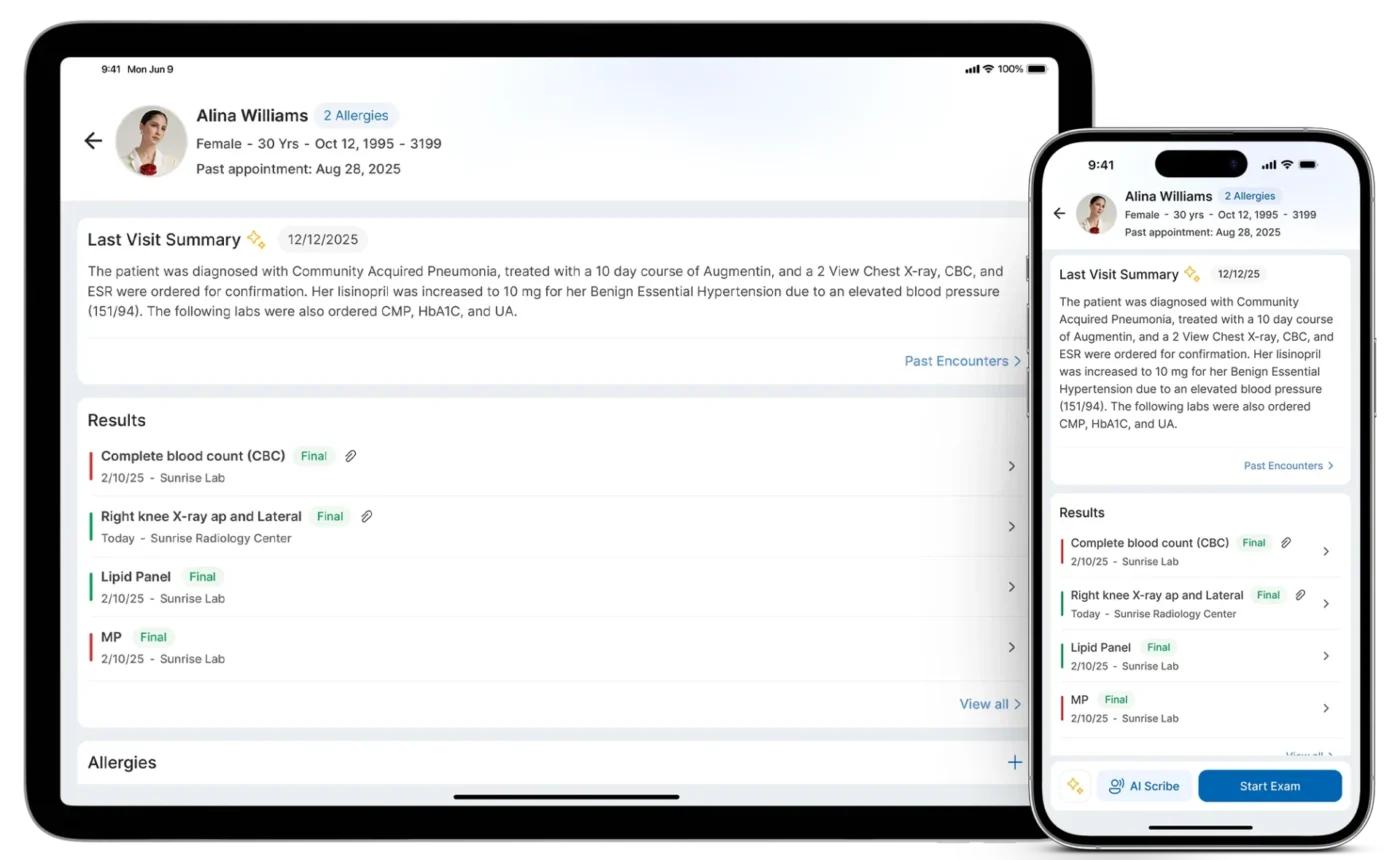
When a practice uses disconnected systems for EHR, billing, and practice management, data has to be re-entered in multiple places. This leads to errors, wastes time, and creates frustrating inconsistencies between clinical notes and billing claims. This work sprawl makes it impossible to operate efficiently.
CureMD addresses this with a comprehensive, all-in-one cloud platform that combines EHR, practice management, and medical billing into a single, unified system. Data entered once flows seamlessly through the entire workflow, from documentation and coding to claim submission.
The platform uses AI-assisted documentation to help providers complete notes faster by suggesting relevant codes and identifying gaps. Its integrated clearinghouse handles claim submission and tracking, while real-time eligibility verification catches coverage issues before they become problems.
Pros:
Cons:
Here’s what a Capterra review mentioned:
Pretty easy interface to use and learn, does help with the billing and organizing documents.
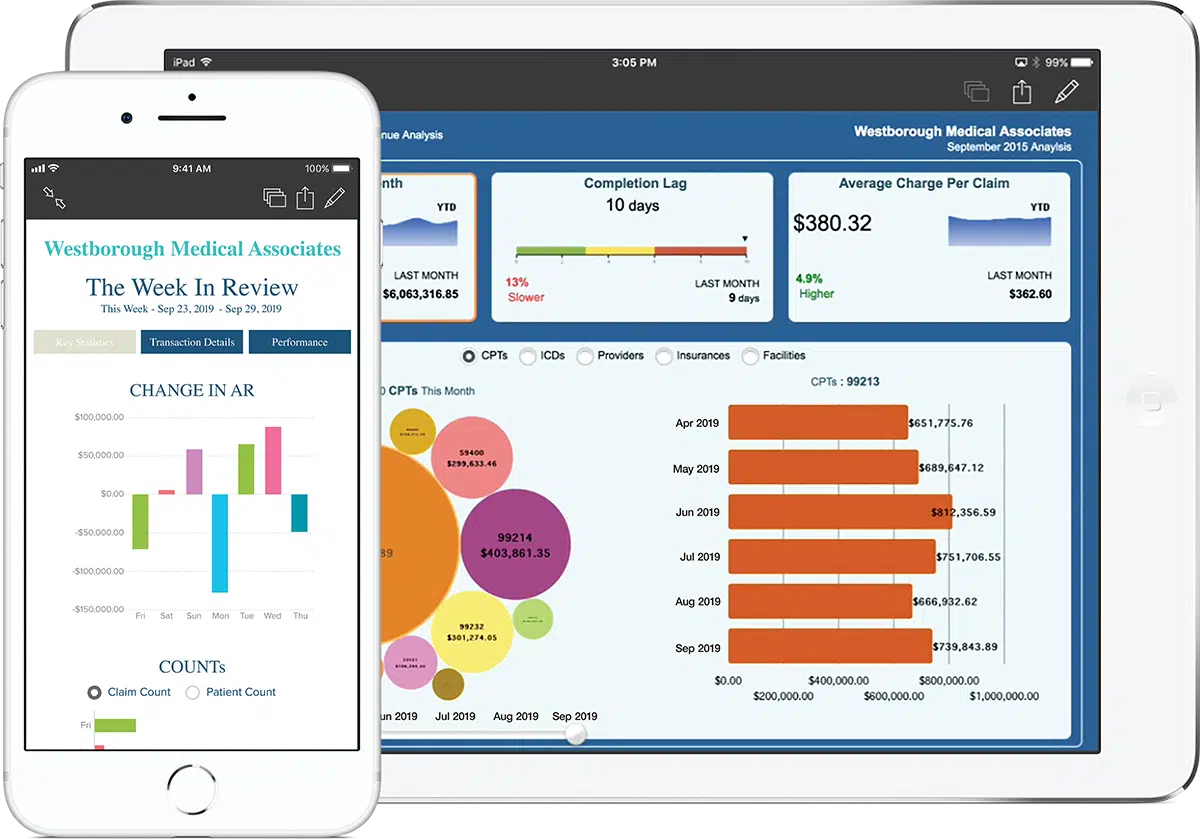
eClinicalWorks is built for larger practices and health systems that need comprehensive EHR and practice management capabilities. It handles complex multi-provider and multi-location operations with features designed for high patient volumes.
Its integrated approach means clinical documentation, scheduling, billing, and patient engagement all share a common platform. The population health management tools are a key differentiator, helping you identify care gaps and manage chronic conditions across your entire patient panel.
Pros:
Cons:
Here’s what a G2 reviewer shared:
Userfriendly, Easy access for all the information we can have at one place. It is easy for implementing into new practices and also easy to teach to the new people joining, Customer support is really enthusiastic and reachable always, I use this software daily because out practice uses software only for everything. There more than 10 features I like about.
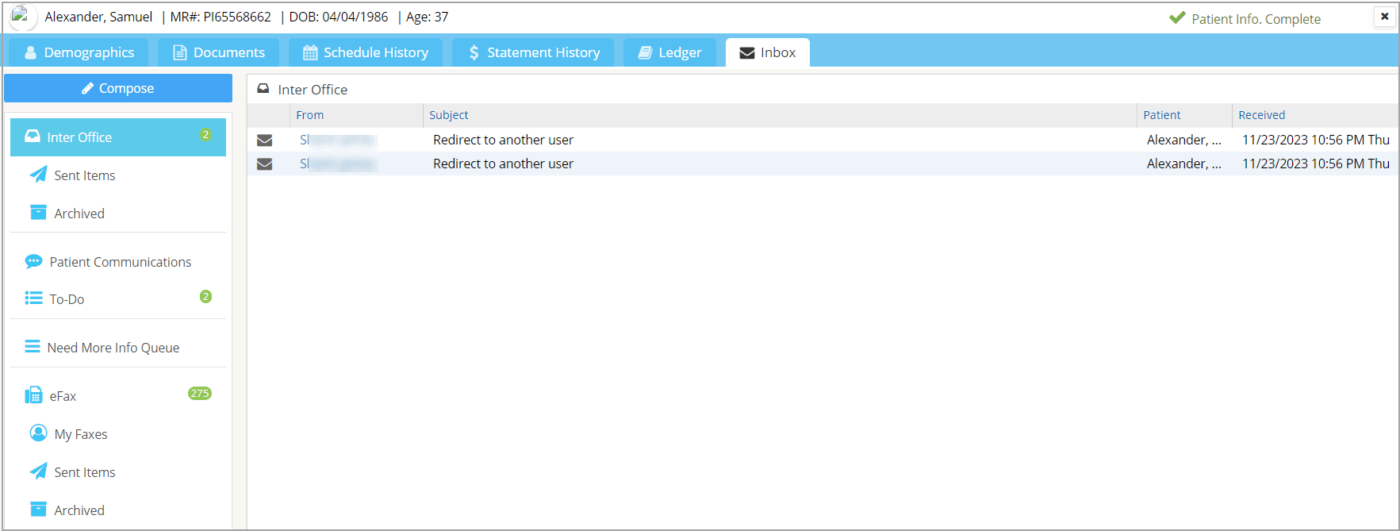
PracticeSuite offers a cloud-based platform that serves both medical practices and the billing companies that support them. This dual focus means it can handle complex billing situations and gives you the flexibility to change your billing model without changing your software.
The platform supports multiple specialties with configurable workflows. Its RCM features include claim scrubbing and denial management, while the patient portal handles self-service scheduling and communication.
Pros:
Cons:
Here’s what a Capterra reviewer shared:
Good price, ability to integrate with a wide range of other programs/products
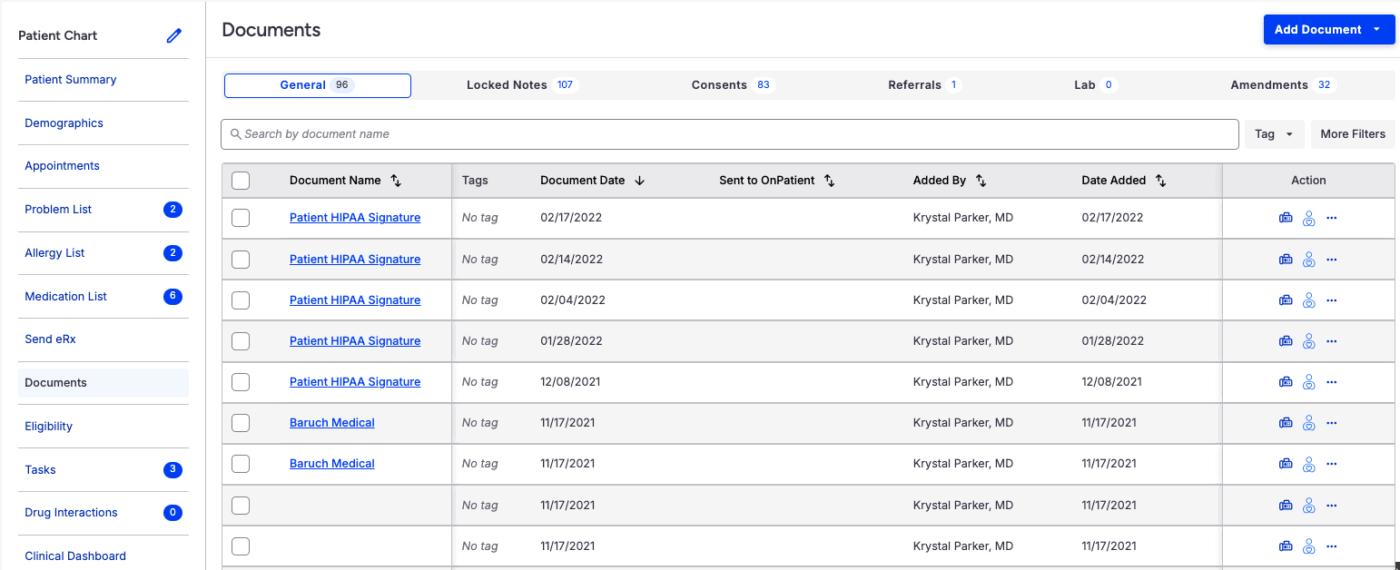
Healthcare teams need a mobile-first solution that enables true point-of-care documentation and provides full functionality on tablets and smartphones.
DrChrono was built with a mobile-first design, featuring an iPad-native interface that is optimized for touch interaction. This allows providers to chart and manage tasks at the point of care, improving both efficiency and patient engagement.
The platform combines EHR and practice management with integrated billing. It also offers customizable medical forms and an API for practices with the technical resources to build their own integrations.
Pros:
Cons:
Here’s what a G2 reviewer shared:
I like the reporting system in DrChrono by EverHealth. The filters really make it easy to track patients, services, products, and finances. It helps streamline problem-solving, create marketing campaigns, and track revenue effectively.
The right medical practice management software depends entirely on your practice’s size, specialty, and key operational challenges. Specialized platforms like athenahealth and NextGen Healthcare are great for practices needing deep clinical integration, while simpler solutions like SimplePractice and Tebra are perfect for solo practitioners who value ease of use.
Finding a solution that reduces administrative burden and frees your staff for patient care is critical. Whether that’s through automating appointment reminders or streamlining claims, the best tool is the one your team will actually use every day.
For practices looking to bring order to their administrative workflows—coordinating staff, tracking tasks, and automating repetitive processes—ClickUp provides a flexible foundation that complements specialized healthcare software. Get started for free and see how AI-powered workflow management can reduce the operational chaos that slows your practice down.
Practice management software handles administrative functions like scheduling and billing, while EHR systems manage clinical documentation like patient health records and visit notes. Many modern platforms integrate both, but they serve different core purposes in a practice.
General project management tools like ClickUp can effectively manage administrative workflows and staff coordination. However, they don’t replace specialized functions like medical billing or clinical documentation, so the best approach often combines both types of software.
AI automates repetitive tasks like appointment reminders and claim scrubbing. More advanced AI can also assist with clinical documentation by suggesting codes and summarizing patient information, reducing the manual work that consumes staff time.
Small practices should focus on core operational needs: reliable scheduling with automated reminders, straightforward billing, patient communication tools, and cloud-based accessibility. Ease of use is often more important than a long list of enterprise features you won’t use.

© 2026 ClickUp

There’s an easier way. Try a free AI Agent in ClickUp that actually does the work for you—set up in minutes, save hours every week.