






Still downloading templates?
There’s an easier way. Try a free AI Agent in ClickUp that actually does the work for you—set up in minutes, save hours every week.
Sorry, there were no results found for “”
Sorry, there were no results found for “”
Sorry, there were no results found for “”

During a quarterly review, you noticed something odd. Campaign performance looked strong on the surface; the traffic was up, content output had doubled, and the team was busy. But when the revenue slide came up, no one could clearly explain which campaigns actually influenced the pipeline, or why a high-priority launch underperformed.
The data existed, but it was fragmented across dashboards, spreadsheets, and tools.
As teams scale content, channels, and experiments, the challenge for marketing leaders becomes alignment and insight.
That’s why, in this blog post, we’ll explore AI tools for marketing leadership that help you connect performance to outcomes, surface risks early, and guide teams toward smarter decisions. 📊
Most leadership teams don’t need more AI outputs. They need clearer answers to two questions: what’s driving the pipeline, and what’s at risk next.
Here are some features that the best AI marketing tools offer:
📮 ClickUp Insight: Only 10% of our survey respondents regularly use automation tools and actively seek new opportunities to automate.
This highlights a major untapped lever for productivity: most teams still rely on manual work that could be streamlined or eliminated.
ClickUp’s AI Agents make it easy to build automated workflows, even if you’ve never used automation before. With plug-and-play templates and natural language-based commands, automating tasks becomes accessible to everyone in the team!
💫 Real Results: QubicaAMF cut reporting time by 40% using ClickUp’s dynamic dashboards and automated charts—transforming hours of manual work into real-time insights.
Here’s a small glimpse into how these AI tools for marketing leadership stack up:
| Tool | Best for | Best features | Pricing |
|---|---|---|---|
| `ClickUp | End-to-end marketing planning, execution, and reporting Team size: Small teams to enterprise | Converged AI Workspace, Super Agents, BrainGPT, campaign summaries, dashboard insights, automations, docs, whiteboards, forms, workload planning | Free forever; Customization available for enterprises |
| HubSpot Marketing Hub (AI) | Inbound marketing automation and CRM-connected campaigns Team size: Mid-sized teams to large orgs | AI lead scoring, SEO suggestions, Breeze AI personalization, CRM sync, attribution, AI chat, form optimization | Free planCustom pricing |
| Salesforce Marketing Cloud + Einstein | Large-scale multi-channel journeys and enterprise personalization Team size: Enterprise | Predictive scoring, send-time optimization, content selection, journey builder, multi-touch attribution, mobile messaging | From $25/user/month, Advanced tiers billed annually |
| Adobe Marketo Engage | B2B lead management and lifecycle automation Team size: Mid-market and enterprise | AI lead scoring, GenAI chat, webinar summaries, automation workflows, multichannel nurturing, CRM integrations | Custom pricing |
| 6sense | Predictive intent, account identification, and pipeline forecasting Team size: B2B marketing and sales teams | Buyer intent scoring, AI email agents, Signalverse data, identity resolution, orchestration workflows | Free tierCustom pricing |
| Demandbase | Account-based marketing and sales alignment Team size: Enterprise GTM teams | Journey analytics, Next Gen Orchestration, AI segmentation, Agentbase automations, IP-based ads | Custom pricing |
| Dynamic Yield | Real-time personalization for high-traffic websites and commerce Team size: Retail, marketplaces, enterprise web teams | AdaptML recommendations, A/B testing, multivariate experiments, predictive scoring, experience orchestration | Custom pricing |
| Braze | Cross-channel engagement and mobile marketing Team size: Growth, lifecycle, retention teams | AI decisioning, Canvas journey builder, SMS, email, push, WhatsApp, zero-copy triggers, predictive attributes | Custom pricing |
| Amplitude AI | Product analytics and behavior-led growth strategy Team size: Product, growth, marketing | AI anomaly detection, natural-language insights, experimentation, session replay, behavioral segmentation | Free tier, Paid plans from $61/month |
| Canva Magic Studio | AI-driven visual content creation for campaigns Team size: Marketing, design, social teams | Magic Media, Magic Write, Magic Design, Magic Edit, Magic Animate, cross-channel resizing | Free tierPro from $15/user/month |
Our editorial team follows a transparent, research-backed, and vendor-neutral process, so you can trust that our recommendations are based on real product value.
Here’s a detailed rundown of how we review software at ClickUp.
🔍 Did You Know? The concept of ‘virality’ existed long before social media management. In the early 1900s, word-of-mouth contagion models were studied alongside epidemiology, shaping how marketers later understood referral loops and network effects.
Here are our picks for marketing leaders who need performance-to-pipeline clarity:
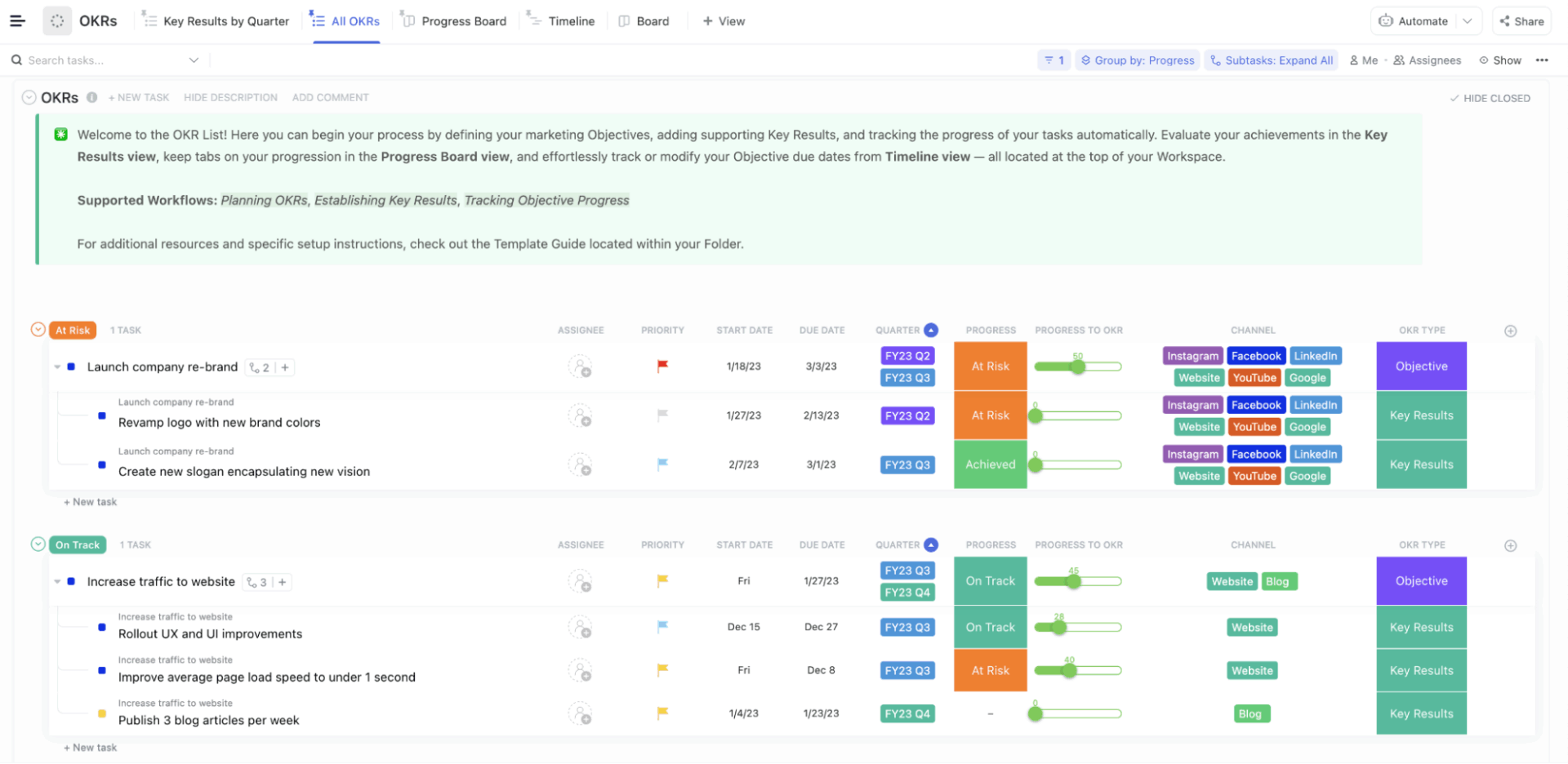
First on our list, we have ClickUp for Marketing Teams, which brings planning, collaboration, documentation, and execution in a connected workspace, eliminating Work Sprawl.
As the world’s first Converged AI Workspace, you get AI that’s built right into its docs, chat, whiteboards, automation, and more. Summarize discussions, generate plans, and move from visuals to action without context switching.
Let’s look at some of its core AI convergence features:
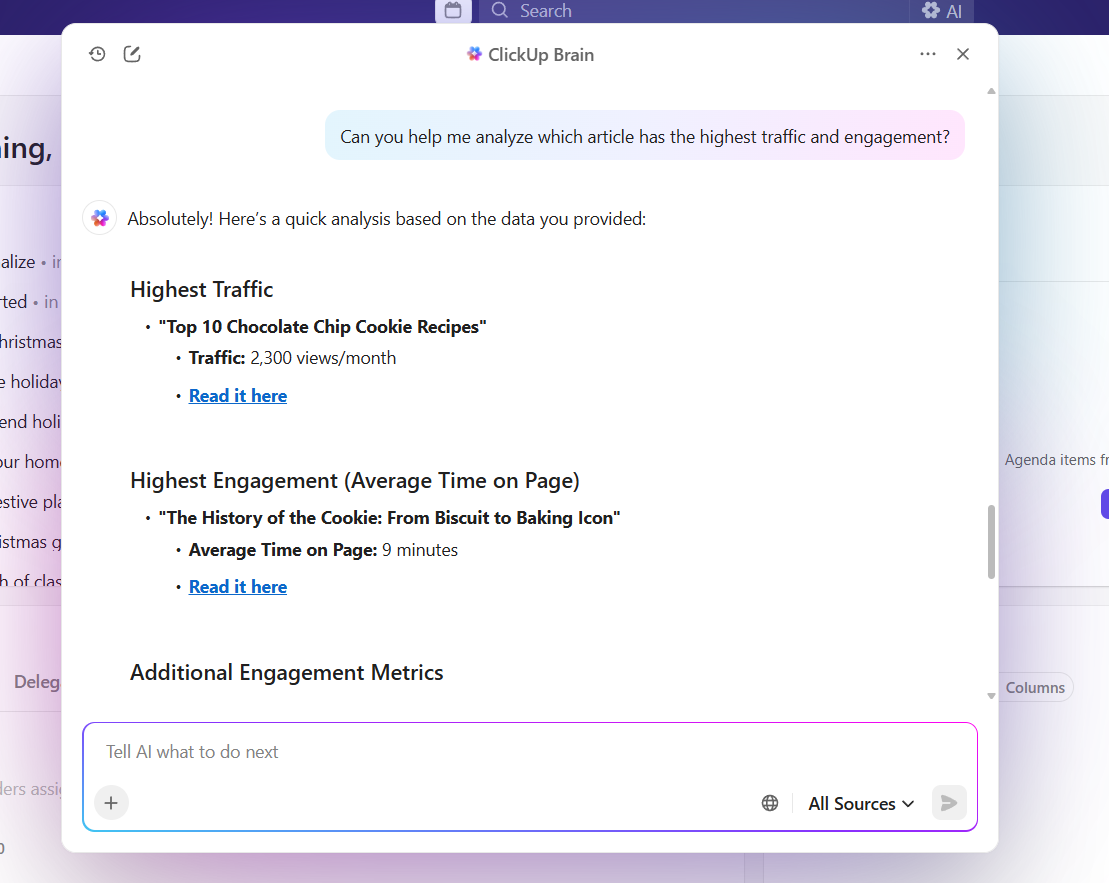
ClickUp Brain is built into your work and understands the context of your tasks, docs, comments, and project data. This way, instead of generic responses, it gives work-aware answers, summarizes activity, detects blockers, and even generates content based on your real work data.
You can use it for these marketing use cases:
ClickUp Super Agents are AI teammates that adapt to changes in your workspace and take action based on your instructions. They can monitor spaces, respond to queries, create tasks, and organize work with minimal supervision.
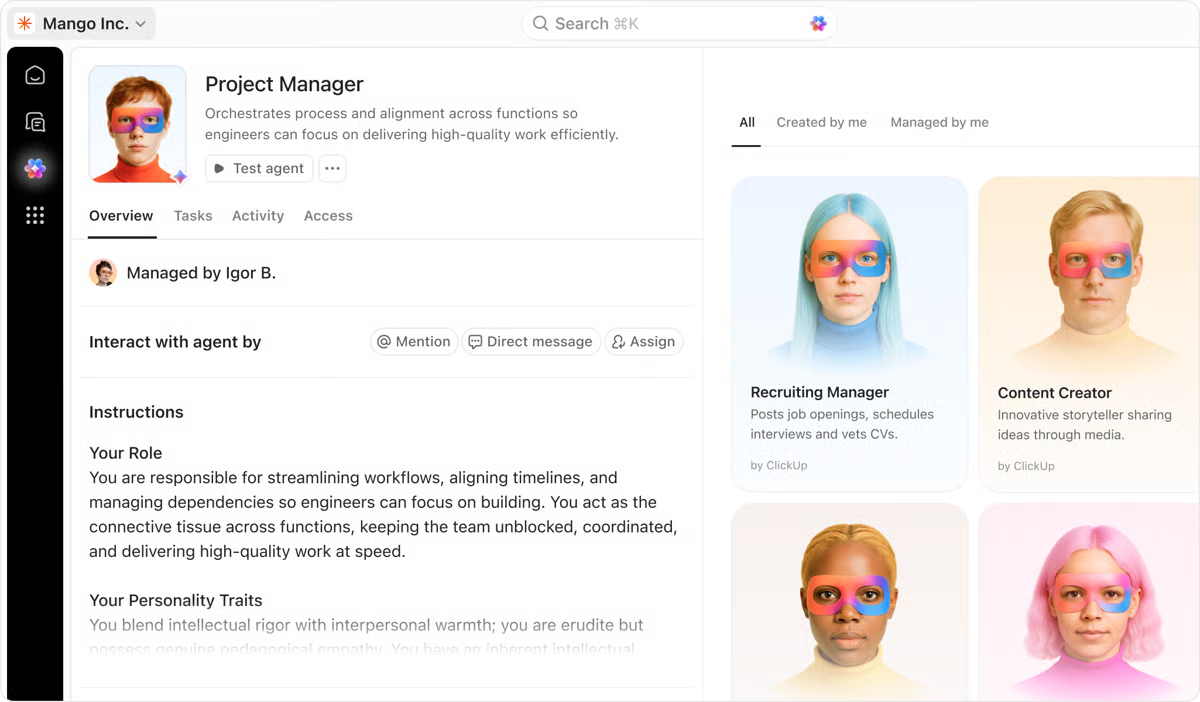
For instance, you can use them for:
These Agents adapt over time and become increasingly aligned with how your team works.
Find out more here:
Bring ClickUp Brain and ClickUp Agents’ power outside ClickUp into a dedicated AI desktop app that unifies search, AI models, and context from all your connected apps with ClickUp BrainGPT. It ends AI Sprawl and surfaces work context wherever you need it.
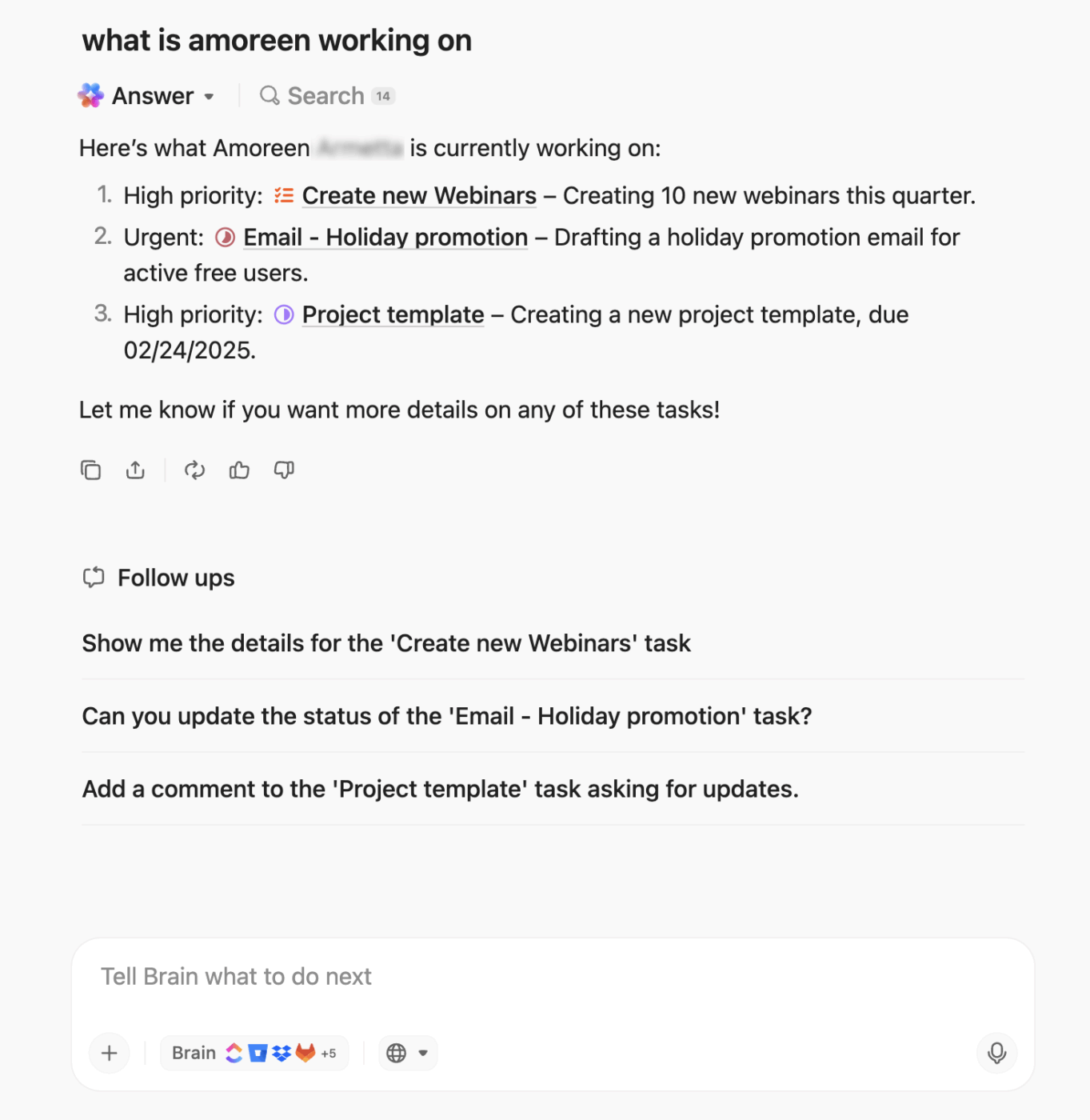
You get:
Here’s what a user had to say:
…The AI inside tasks are quite useful, helping with summaries, reassigning, finding tasks, and saving time in general for small things. Automations are powerful aswell can help in reducing a lot of repetitive tasks for assigning priorities, etc., and you can replace that with AI agents, which is basically automations on Steroids lol…I like having both list and board views (unlike asana with only list and Trello for only board).
The chat channels feel Slack-like, which is great, as I don’t have to pay for another software + the ability to create documents within a task is so useful, no need to go to drive, create a Google Doc, and then link that inside a task. Helps to keep you sane…
🚀 ClickUp Advantage: Turn scattered marketing data into decisions using ClickUp Dashboards. You get AI Cards that give you a real-time, executive-ready view of campaign performance, content velocity, and team capacity.
Instead of manually pulling updates from tasks, Docs, and comments, AI Cards automatically summarize progress, flag risks, and surface insights across your workspace.
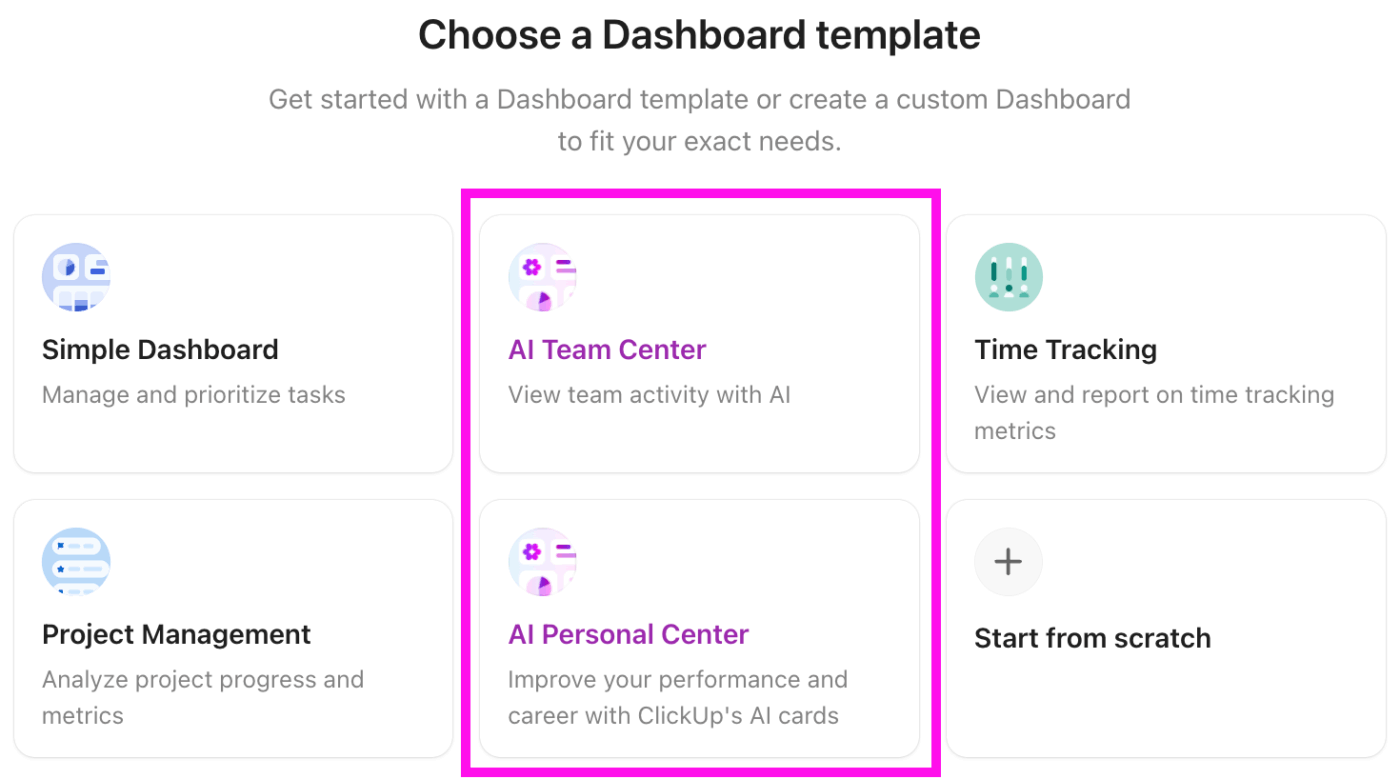
For instance, a growth marketer can add an AI Card with the prompt, ‘Summarize the status of all Q3 demand gen campaigns and highlight blockers’ to instantly see what’s on track, delayed, and why. Content leads can ask ‘Which blog posts are stuck in review and for how long?’ while performance marketers can monitor spend pacing, launch readiness, or asset dependencies.
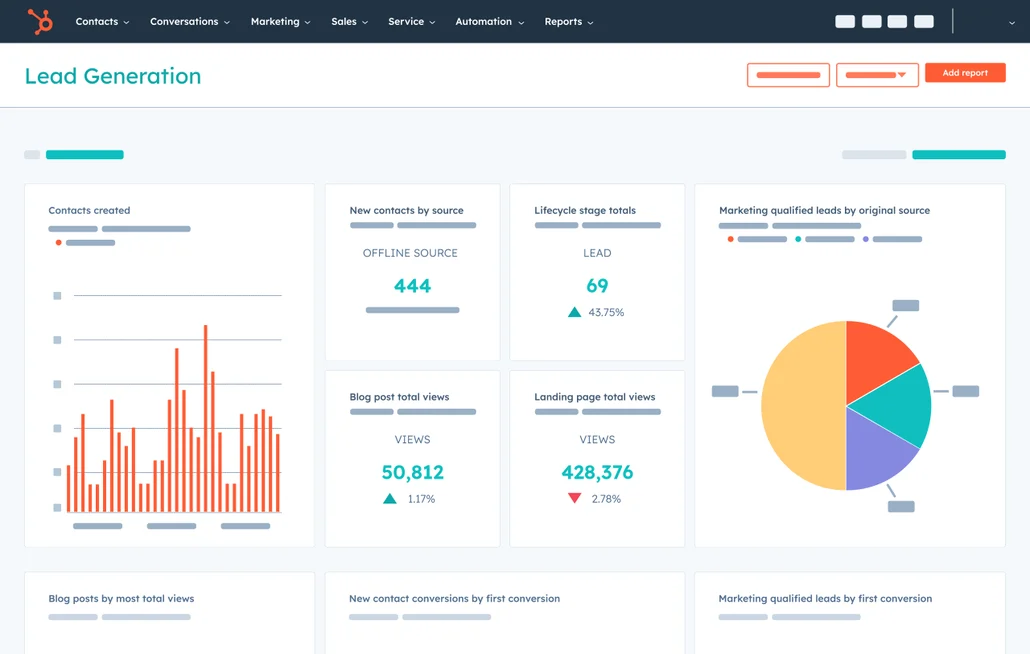
HubSpot Marketing Hub uses AI to support everyday marketing tasks like lead capture, personalization, and performance tracking. Its AI features are built directly into the platform, so teams can use CRM data to guide campaigns. This setup helps marketers manage emails, landing pages, and websites more efficiently, especially as campaign volume grows.
For scaling marketing teams already working inside HubSpot, the AI feels like a natural extension of existing workflows. The platform’s Breeze AI tools help automate common marketing tasks. They guide website visitors to relevant content, adapt forms based on visitor behavior, and support content plans with suggestions for SEO improvements.
According to a Capterra user:
The user interface is very intuitive, so even new team members can get up to speed quickly. I find the seamless integration between CRM and marketing functions particularly helpful, as it keeps data consistent and automates processes. Saves a lot of time because I no longer have to jump back and forth between different tools. I love the email tool, super easy and intuitive to use. You can create and send great newsletters supper quickly using drag and drop…In some instances, the contact forms and mailing templates/modules are limited in terms of number of drop downs and various consent footers.
🧠 Fun Fact: In the 15th and 16th centuries, Venetian printers and merchants used some of the earliest forms of audience segmentation. Printers tailored the content of news sheets, used genre-specific labels on title pages, and crafted messages to appeal to specific reader groups.
📖 Also Read: How ClickUp’s Marketing Team Uses ClickUp
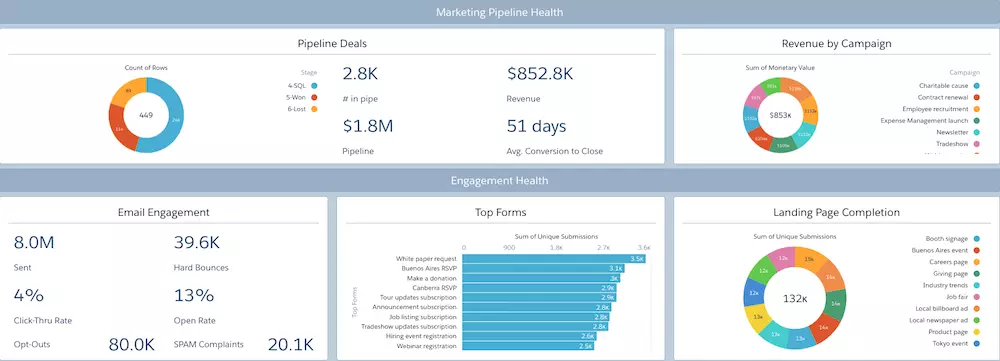
Salesforce Marketing Cloud uses Einstein AI to support data-driven marketing across email, mobile, and web channels. The AI marketing tool works off Salesforce’s Data Cloud, which allows teams to analyze customer behavior, predict engagement, and adjust campaigns in real time.
The platform is a common choice for enterprises managing high volumes of customer interactions and complex journeys. Einstein helps automate decisions like when to send messages, how to score engagement, and which audiences to prioritize, making a marketing manager’s life easier.
It also supports AI-generated content like subject lines, email drafts, and audience segments. On the analytics side, marketing teams get visibility into multi-touch attribution and journey performance, with recommendations on where to optimize.
Per a G2 review:
Salesforce Marketing Cloud Engagement distinguishes itself with its robust and highly adaptable Journey Builder, which provides much more advanced features than platforms such as Pardot (MCAE), HubSpot, and Marketo. This tool empowers marketers to visually map out and automate intricate, multi-channel customer journeys, incorporating real-time decision-making and personalized experiences. A key strength is its built-in support for mobile messaging channels like WhatsApp, SMS through MobileConnect, and push notifications—capabilities that are often only available as add-ons or are limited on other platforms…When combined with its enterprise-level scalability, advanced data management features, and AI-driven personalization via Einstein, SFMC stands out as a truly comprehensive and forward-thinking marketing automation platform.
🧠 Fun Fact: Color psychology has deep roots in ancient civilizations. In Egypt, pigments like gold, blue, and green carried powerful symbolic meaning—signaling divinity, rebirth, fertility, and authority. Modern brand color psychology is simply a continuation of these long-standing traditions, using color to influence perception and behavior.
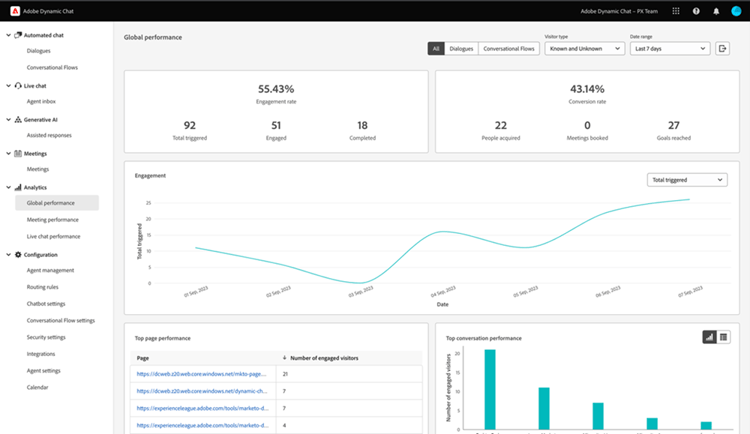
Adobe Marketo Engage is often used by B2B teams that need to manage long, complex buyer journeys across multiple channels. Its AI features are built to support personalization at scale, whether that’s through email, web, ads, or mobile.
On the day-to-day side, Marketo’s AI for execution management helps with things like drafting on-brand emails, adjusting subject lines, and personalizing content based on behavior. Automation handles lead scoring, journey steps, and timing decisions, while marketing analytics give visibility into pipeline impact and campaign performance.
Straight from a G2 review:
It’s a gamechanger with seamless integration with Adobe products like Target for efficiency with lead targeting to concentrate of prospects lead which are likely to become our potential customers. I love it for CRM integration for follow up of sales. It’s versatility with creating campaigns and use of multichannel for distribution reaching wider audience. Best when it comes to lead nurturing and segmentation…Customization is not for the faint hearted takes time and interest.
🔍 Did You Know? Cognitive load theory shows that when marketers are overloaded with too many simultaneous decisions—copy, creative, channels, budget—they default to ‘safe’ choices. This explains why structure, briefs, frameworks, and automation actually increase creativity.
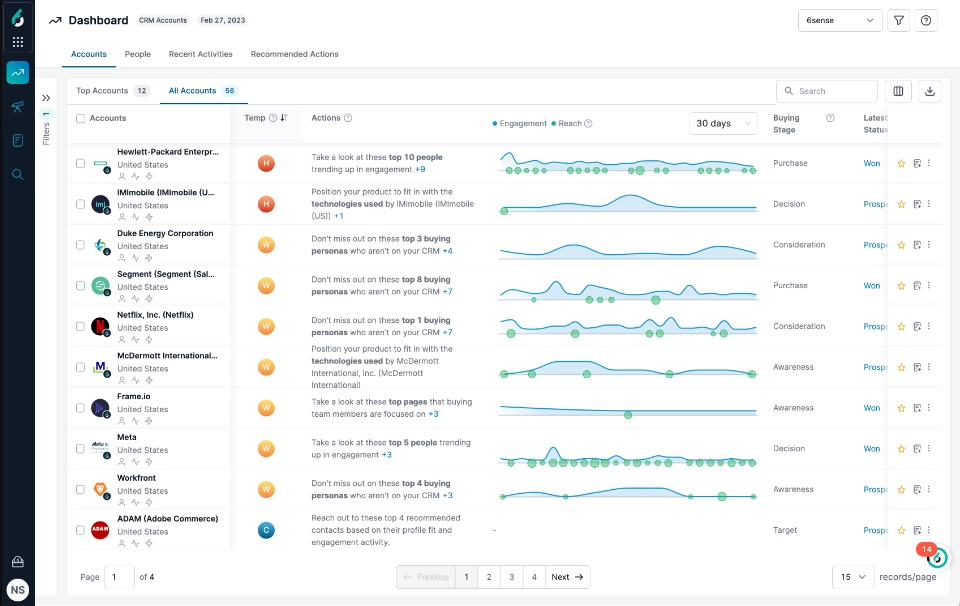
6sense is designed to help B2B revenue teams understand buyer intent earlier in the funnel. Central to this is 6AI, which analyzes intent data, firmographics, technographics, and behavioral signals across the 6sense Signalverse to predict buying stages before prospects identify themselves.
This intelligence feeds directly into account prioritization, helping modern marketing and sales teams focus on accounts that show real purchase intent.
Leadership tools like Predictive Modeling and Buying Stage Segmentation score accounts and map buying committees. Additionally, Identity Graph connects anonymous website activity to known accounts inside CRMs like Salesforce.
Here’s what a user had to say:
web deanonymization and audience builders are truly a gamechanger. Then, the baked in workflows and orchestration tools means you can take that data and make it easily actionable. Whats great is that you can change that to not just focus on easy actions, but also create a complex flow of dynamic changes. It suits a variety of skill levels. Effectively, once you’ve built the engine to do what you need it to, you can trust that 6sense is taking care of the rest. Throughout the use of 6sense, the customer support from both the ticket system and our CSM has been invaluable. They’re quick to support, talk us through new features and provide insight
⚡ Template Archive: The ClickUp Strategic Marketing Plan Template is a ready-to-use folder that helps you move from broad strategic thinking to operational execution.
The marketing campaign template gives you:
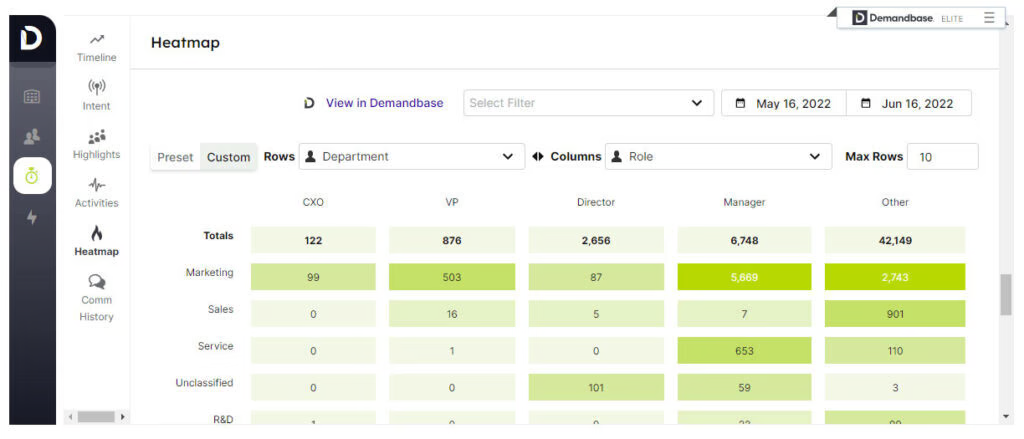
Demandbase is a campaign management tool built around account-based go-to-market teams that need clearer signals on which accounts are worth engaging. Its AI analyzes real-time intent data and account activity to surface buying readiness, align sales and marketing, and guide outreach.
JourneyIQ adapts advertising and engagement as accounts move through buying stages. Plus, Demandbase GPT lets teams ask natural-language questions to generate segments or campaign recommendations. On the execution side, Buying Group Setup Agents and Filter Agents automate persona mapping and account prioritization.
A G2 user says:
I find Demandbase One’s interface very intuitive. It doesn’t require extensive training to get started, making it accessible and user-friendly for individuals without needing to dedicate significant time to learning the platform. I also appreciate its capability on the advertising side, specifically in targeting specific accounts in display ads, which would be impossible without this tool…The initial setup for Demandbase One is quite complicated and requires a dedicated team to manage all the necessary technical integrations. This complexity can be challenging for those without technical expertise. Additionally, the integration process can suffer if the internal team handles it poorly, as was the case in my experience.
🔍 Did You Know? The term ‘brand’ originated from the Old Norse word brandr, meaning ‘to burn,’ because livestock owners literally burned symbols into cattle to identify them.
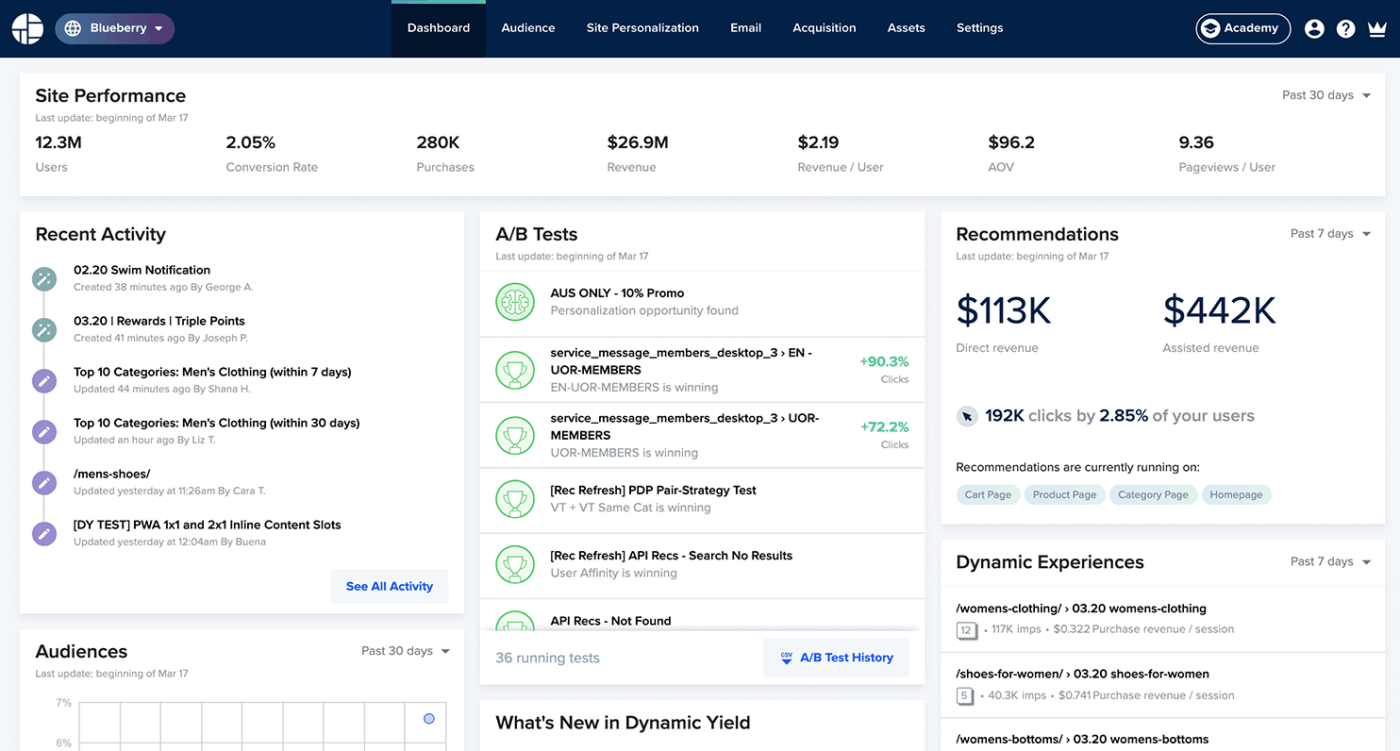
Dynamic Yield, now part of Mastercard, focuses on real-time personalization across digital advertising touchpoints. Its Experience OS uses native AI, including AdaptML, to decide which content, products, or offers to show each user based on behavior and context.
The platform is commonly used by teams that need consistent personalization across web, mobile, apps, email, and ads, especially in high-traffic or commerce-heavy environments.
Under the hood, AdaptML relies on predictive models and self-training NLP. This is how it powers features like product recommendations, abandoned cart experiences, and ‘resume where you left off’ journeys. The recommendations engine combines deep learning and reinforcement learning to handle large product catalogs and adjust experiences in real time.
Quoting a user:
Dynamic Yield is a best-in-class personalization platform that has significantly scaled our personalization efforts across multiple brands. Its robust segmentation and targeting tools enable us to deliver impactful, data-driven campaigns across web, mobile, and email, creating a seamless omnichannel experience. I like & highly recommend Dynamic Yield. Nothing to dislike, but minor limitations that can be overcome are: Limited built-in analytics capabilities (where comprehensive detail is required) – We’re working on pushing raw data to our internal analytics tools to have this view.
🧠 Fun Fact: In the 1800s, French newspaper La Presse introduced the first mass-scale content monetization model by lowering subscription prices and using ads to fund operations. It was an early masterclass in growth strategy, CAC reduction, and revenue diversification.
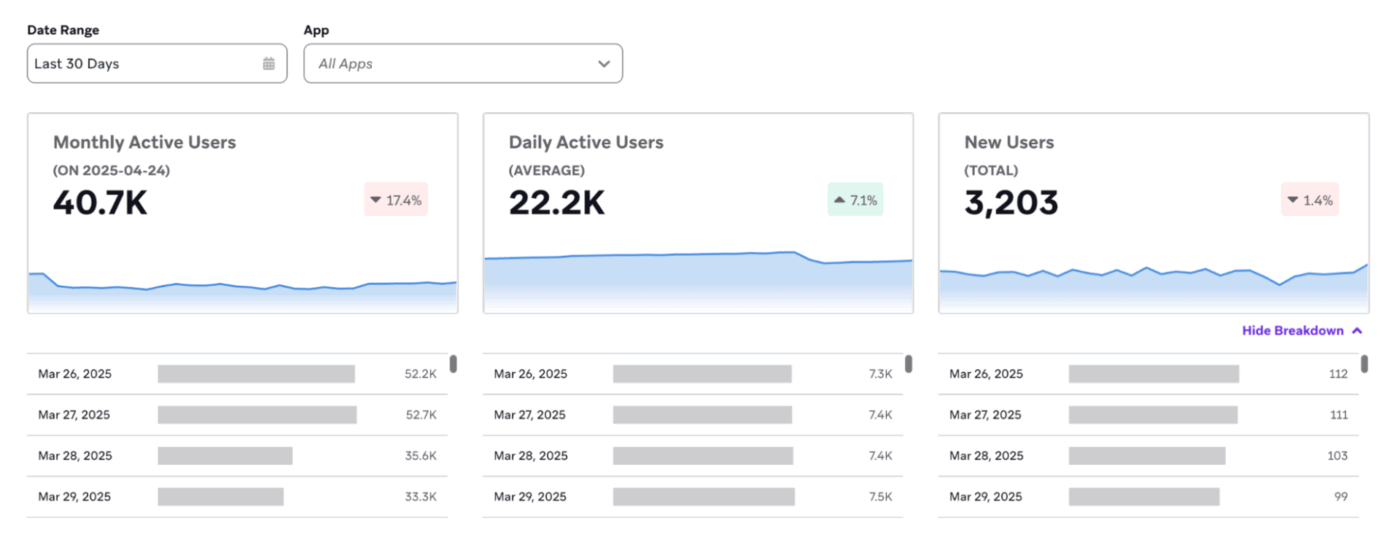
If you want to run personalized customer journeys, Braze is a good pick. BrazeAI sits at the center of the platform and helps teams with real-time data-driven decision-making across email, SMS, push, WhatsApp, and in-app messaging. It combines first-party data with predictive and generative artificial intelligence to support campaigns that adapt based on user behavior.
Canvas and Canvas Context enable flexible journey orchestration with temporary variables for deeper personalization. Additionally, Zero-copy Canvas Triggers activate data directly from cloud warehouses.
A Capterra user said:
When compared to similar products and businesses, Braze stands head and shoulders above the rest. Braze has a more robust collection of features and capabilities, and it is always being refined and updated. In addition to providing you with a powerful business tool, the organization provides you with a lot of information on how to utilize it effectively. We were able to get up to speed fast thanks to the assistance of their onboarding staff, and their customer service is excellent.
🧠 Fun Fact: Beatlemania, which exploded in the U.K. in 1963 and peaked globally in 1964, is often studied by sociologists as an early example of rapid, contagious cultural spread. It was driven by mass media, fan networks, and emotional contagion.
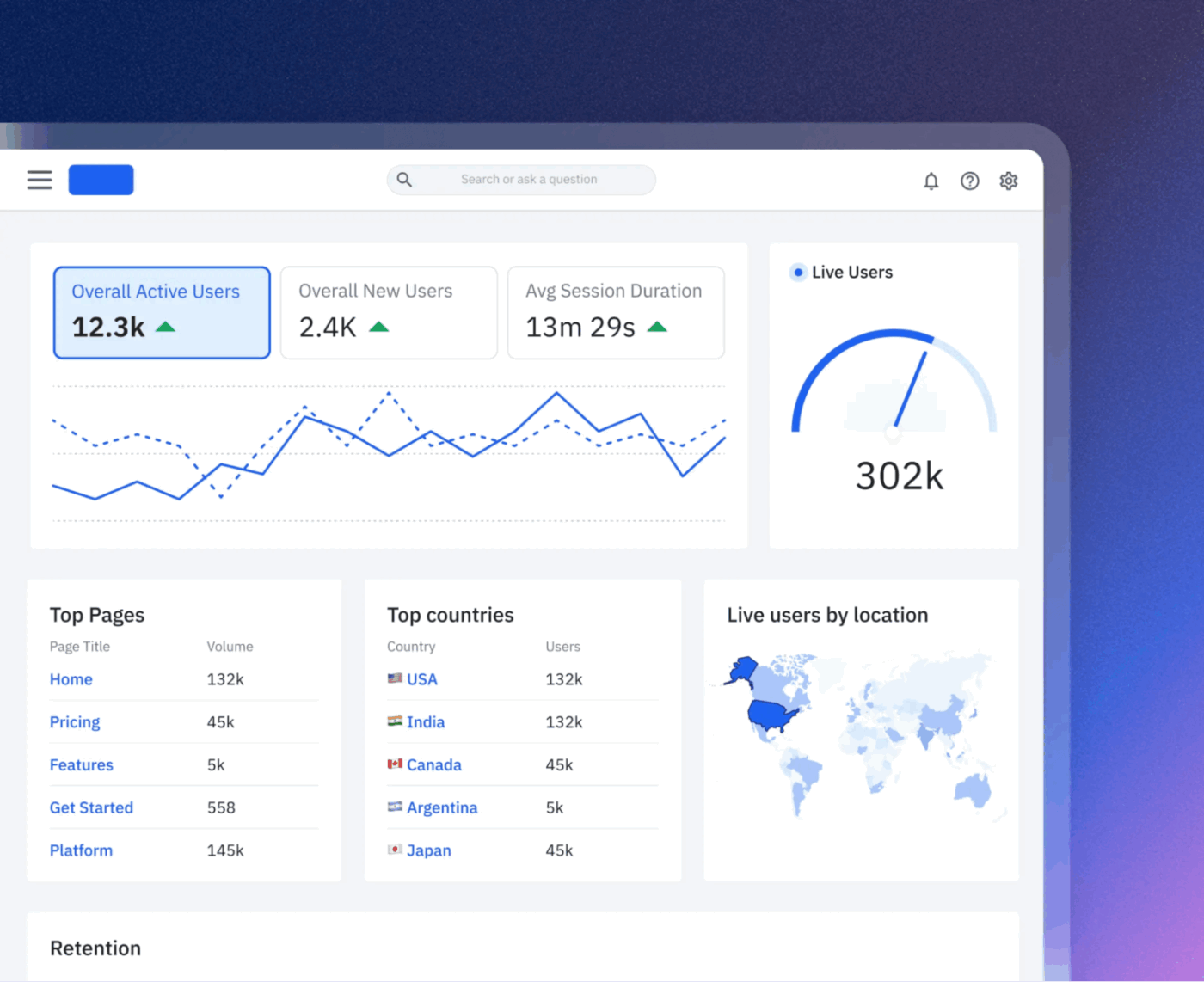
Amplitude is used by product, marketing, and growth teams that want to understand why users behave the way they do. It turns behavioral data into clear insights through Product Analytics, Web Analytics, and Session Replay, all working together.
AI is layered in to help teams spot patterns, diagnose issues, and iterate faster, especially when tracking activation, retention, or conversion changes.
Features like AI Agents monitor data continuously to flag anomalies and suggest next steps. You can ask natural language queries like, ‘Why did conversions drop last week?’ and get direct answers. Feature and Web Experimentation support no-code A/B and multivariate testing.
A G2 review noted:
What I like best about Amplitude Analytics is its perfect combination of ease of use, speed, and flexibility. The platform is very easy to implement and integrates smoothly with our existing data stack, which made adoption seamless across teams…One challenge with Amplitude Analytics is the limitation on creating visualizations for only up to one year at a time. For teams that want to analyze multi-year trends or historical performance at a glance, this can be restrictive. Extending the time range for visualizations would make the platform even more powerful for long-term analysis.
⚡ Template Archive: The ClickUp Marketing Team Operations Template helps marketing teams organize work, improve visibility, and streamline operations across content, campaigns, collaboration, and reporting.
You can:
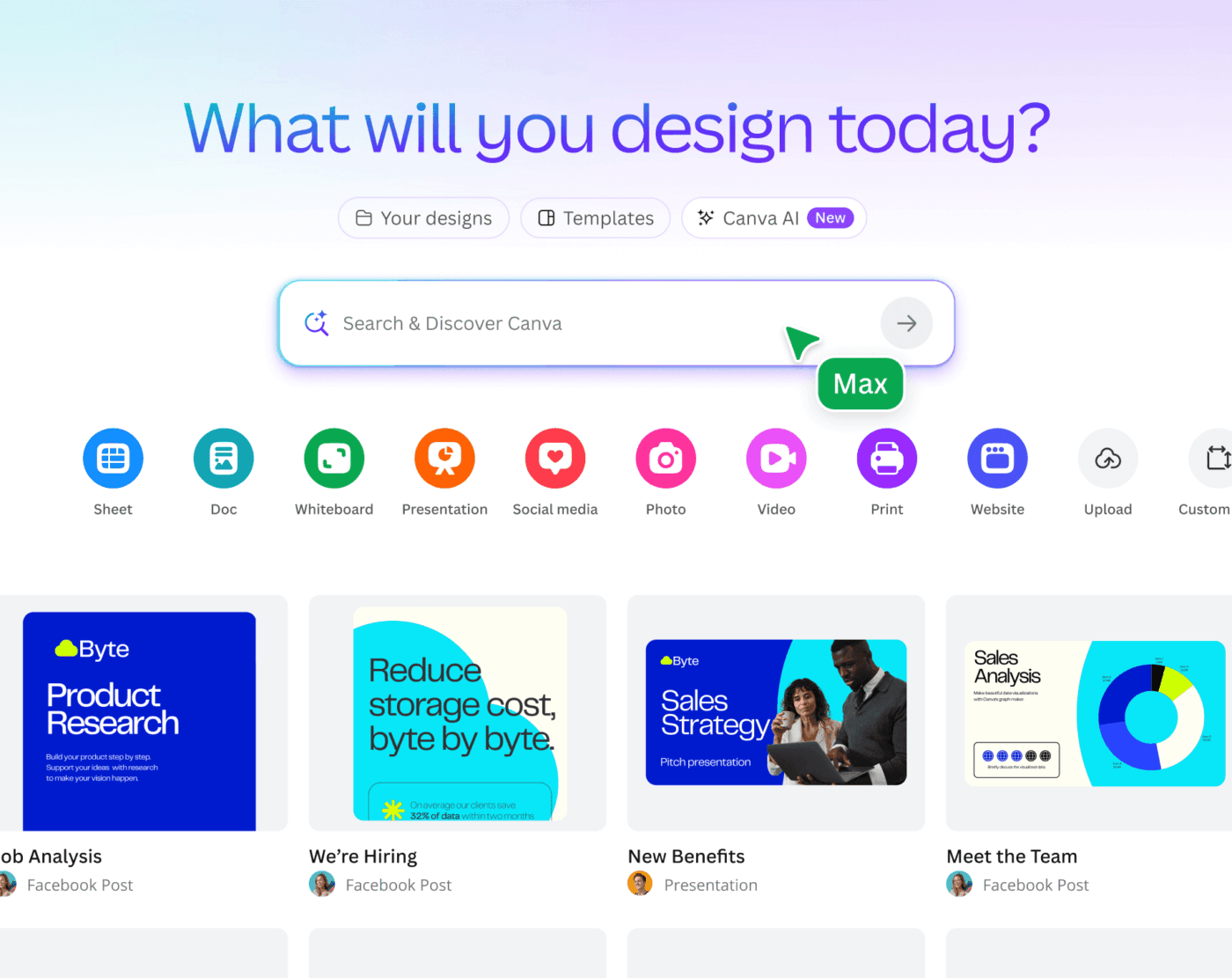
Canva Magic Studio brings AI directly into Canva’s design workflow. The suite combines text, image, and video generation so you can create social posts, presentations, and campaign visuals from simple prompts.
Tools like Magic Media and Magic Design handle early-stage creation, while Magic Edit, Magic Grab, and Magic Expand support detailed tweaks without advanced design skills. Magic Switch adapts designs for different channels, and Magic Write helps refine copy alongside visuals.
A user shared their experience:
Canva is incredibly versatile, and over the past few years I have used it extensively…Canva added so many features, that it is getting too complex. User-friendliness has suffered tremendously, and I have decided not to renew my subscription, once my current subscription expires. The AI features are not exactly what I expect, images are sometimes really weird. Some AI features incur additional cost, which is not really what I expect, when I have a paid subscription.
🔍 Did You Know? In the 1920s, psychologist Daniel Starch developed one of the earliest advertising effectiveness models, emphasizing that ads must be seen, read, believed, and remembered. His work is the foundation for modern creative measurement.
📖 Also Read: Best Canva AI Alternatives for Designers
AI can help you write faster, test smarter, personalize deeper, and predict outcomes earlier. But for marketing, it should also know when to act, what to ignore, and how to keep teams aligned. This is where many stacks fall apart – insights live in one tool and campaigns in another.
As a Converged AI Workspace, ClickUp brings planning, collaboration, documentation, execution, and AI into one system. ClickUp Brain summarizes campaign performance, turns discussions into action items, and generates plans without losing context.
Plus, ClickUp Super Agents can monitor workflows, flag risks, and automate routine decisions. And with ClickUp BrainGPT, teams get faster, deeper AI assistance across work, docs, dashboards, and tasks. Sign up to ClickUp for free today! ✅

© 2026 ClickUp

There’s an easier way. Try a free AI Agent in ClickUp that actually does the work for you—set up in minutes, save hours every week.