
Sorry, there were no results found for “”
Sorry, there were no results found for “”
Sorry, there were no results found for “”
As a data analyst, you’re spending hours cleaning, merging, and manually visualizing data and insights. But you start to notice some cracks.
Your manual processes are leading to error-prone reporting.
You have a backlog of ad-hoc requests from other teams.
Here, an AI dashboard generator comes to your rescue. It speeds up data prep, reduces errors, and frees up your time for deeper analysis.
Not all dashboards are built to make your life easier. Let’s quickly go over what to look for, and then we’ll get into the 10 best AI dashboard generators out there!
The right dashboard generator transforms your reporting workflow. But the wrong one can slow you down even more.
Here’s what you should consider in an AI dashboard generator tool:
| Tool name | Best for | Key features | Pricing |
| ClickUp | AI-powered dashboards and efficient workflows | AI-guided dashboard setup, ClickUp Brain, customizable cards, automations | Free Forever; Customization available for enterprises |
| Dashboard AI by Prototypr.ai | Design-first dashboard generation | AI-powered generation, vision integration, community marketplace | Free: 25 free credits Pay-as-you-go: 50 credits for $25 USD |
| Polymer AI Dashboard Generator | AI-driven data visualization and dashboard creation | Drag-and-drop, automatic insights, interactive visualization | Free Starter: $50/month Pro: $100/month Teams: $250/month Enterprise: Custom pricing |
| Bricks AI Dashboard Creator | Data visualization from spreadsheet data | Multi-format presentation, collaboration, data cleansing | Free Premium: $20 per seat/month Enterprise: Custom pricing |
| Mokkup.ai | Customizable BI dashboards with Power BI/Tableau integration | Drag-and-drop, 180+ templates, export wireframes | Standard: Free Mokkup Pro: $8/month Teams: $10/month per license |
| Supadash | Quick, real-time data visualization with PostHog integration | Real-time monitoring, visual query builder, customizable dashboards | Free Basic: $7/month Pro: $19/month Enterprise: Custom pricing |
| BlazeSQL | AI-powered SQL queries and visualizations with enterprise security | Natural language SQL, multi-database support, white-labeling | For Individuals Pro: $99/month Advanced: $149/month For Teams Blaze Team: $249/month Blaze Team Advanced: $499/month Blaze Enterprise: Custom pricing |
| Onvo AI | Intuitive, AI-driven dashboards with multilingual support | Plain english queries, multilingual dashboards, easy API/SDK integration | Startup: $199/month Growth: $499/month Enterprise: Custom pricing |
| Leniolabs AI Data Dashboard | Transforming raw data into interactive visualizations | Prompt-based customization, CSV uploads, interactive exploration | Free to use |
| Spotfire by TIBCO | Advanced data visualization and real-time insights with geographic context | Custom extensions, real-time streaming, responsive layouts | Custom pricing |
When teams manage projects across different tools, dashboards often turn into a patchwork of spreadsheets, slide decks, and scattered reports. Without a centralized system, it becomes harder to spot risks early, visualize workflow progress, or make confident decisions.
This is when teams look for a tool that displays visual data points showing their progress on projects, milestones, KPIs, and business performance. To make data visualization intuitive, ClickUp, the everything app for work, introduced ClickUp Dashboards.
ClickUp Dashboards provide a structured way to centralize and visualize work in real time. Instead of manually compiling reports, you can build dynamic dashboards that pull live Workspace data from tasks, time tracking, goals, docs, and project performance.

Each dashboard is fully customizable, with pre-built cards to monitor workload, sprint velocity, priorities, or time estimates. All this time, advanced filters help big time to focus on exactly what matters, whether it’s tracking a single sprint or reviewing company-wide KPIs.
To make building dashboards even smarter, ClickUp Brain steps in as an intelligent guide. If you’re not sure which metrics to track or how to structure your dashboard for a specific project, you can ask this AI in the workplace for suggestions.
For example, you might prompt it with, ‘What KPIs should I include for a sprint dashboard?’ or ‘What metrics matter most for tracking a marketing launch?’ Brain’s recommendations help you set up work dashboards that are not only fast to create but also more strategic and aligned with your goals.
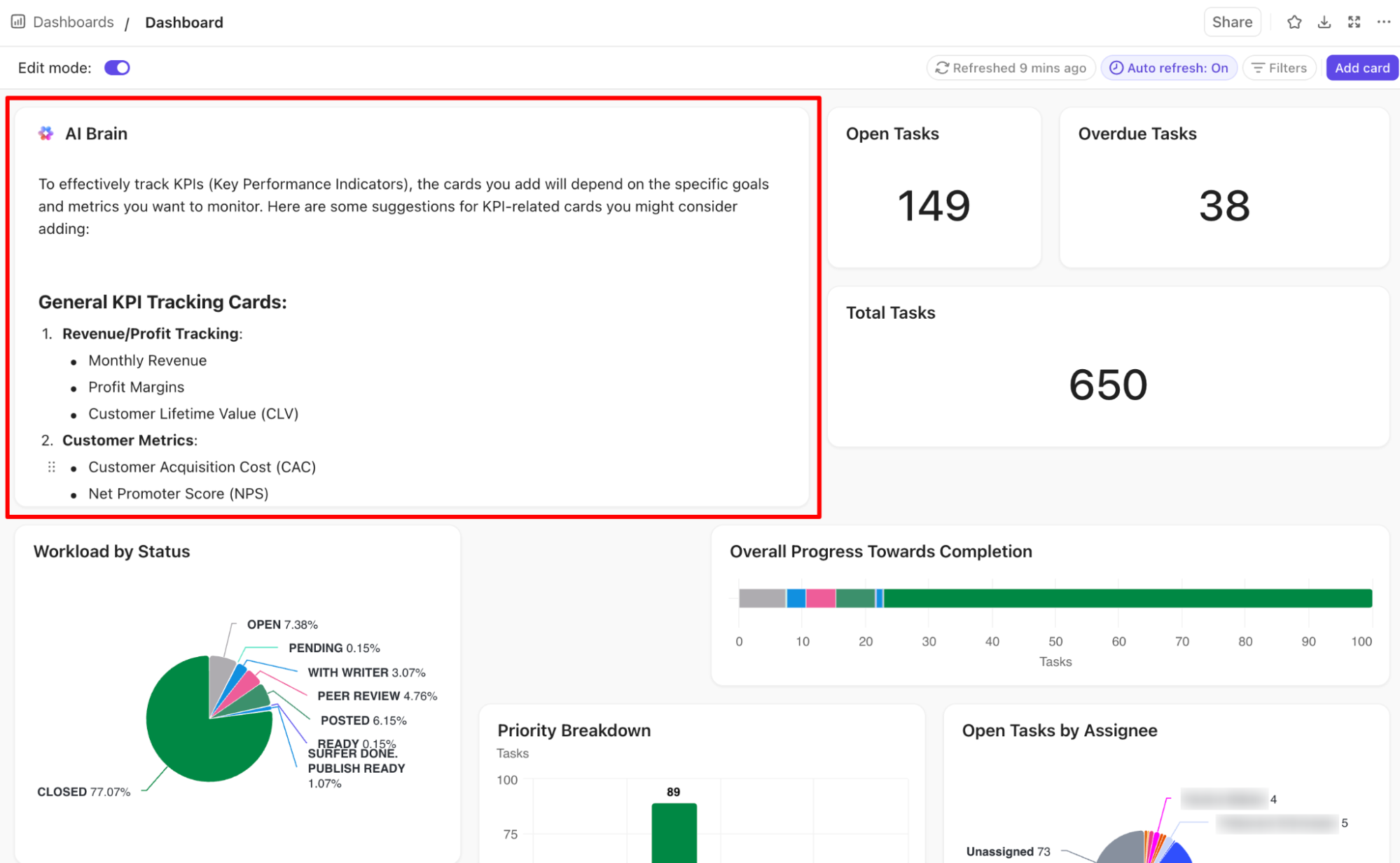
Together, ClickUp Dashboards and ClickUp Brain simplify reporting, helping teams create living, breathing dashboards that keep pace with work.
ClickUp Brain already helps teams build dashboards faster with AI recommendations—but ClickUp Brain Max takes it further. Instead of manually typing queries or setting up filters, you can use its desktop talk-to-text companion to simply say what you need.
💡 Pro Tip: Use Brain Max during team reviews—dictate follow-up KPIs or risk flags as they come up, and they’ll appear directly in your dashboards for immediate tracking.
Once you have the dashboard fully set up, ClickUp Automations takes the manual maintenance off your plate. You can create specific rules that automatically update task statuses, move cards across your dashboard, trigger reminders, or notify teams when a goal is at risk.
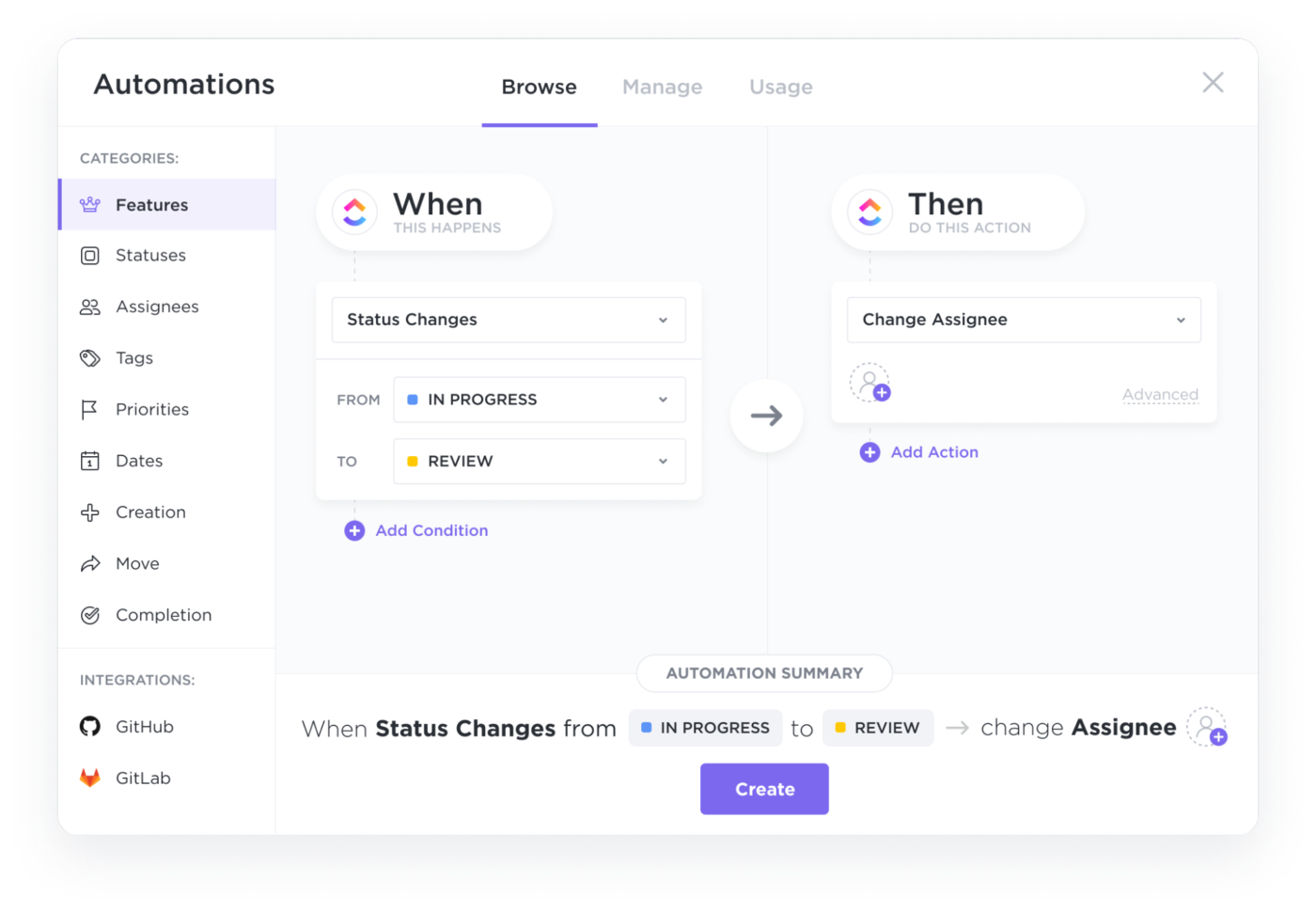
This means you’re not just managing a project management dashboard, but actively keeping it up to date without needing to manage every update manually.
Here’s a G2 review:
The best part about ClickUp is the ability to create a custom dashboard that prioritizes certain types of tasks. It’s easy to use the workload view to assign tasks to your team and share the aforementioned dashboards with your clients, so they can see what’s important to them in a dedicated area. Best of all, it integrates with existing services such as GitHub, and if you’re a developer, it’s easy to create custom integrations if that’s more your jam. I now use this on a daily basis to manage all of my projects.’
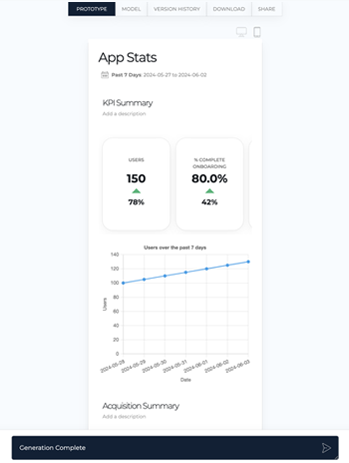
Prototypr.ai’s Dashboard AI uses models like OpenAI’s GPT-4o, Llama 3, and Google Gemini 2.0 Flash to help users generate fully functional, high-fidelity dashboards and product analytics mockups.
You can use natural language to describe the new dashboard you need. The tool generates complete, responsive dashboards instantly. You can then ask Google Gemini 2.0 Flash to summarize dashboards into emails or reports.
📮ClickUp Insight: 88% of our survey respondents use AI for their personal tasks, yet over 50% shy away from using it at work.
The three main barriers? Lack of seamless integration, knowledge gaps, or security concerns.
But what if AI is built into your workspace and is already secure? ClickUp Brain, ClickUp’s built-in AI assistant, makes this a reality. It understands prompts in plain language, solving all three AI adoption concerns while connecting your chat, tasks, docs, and knowledge across the workspace. Find answers and insights with a single click!”
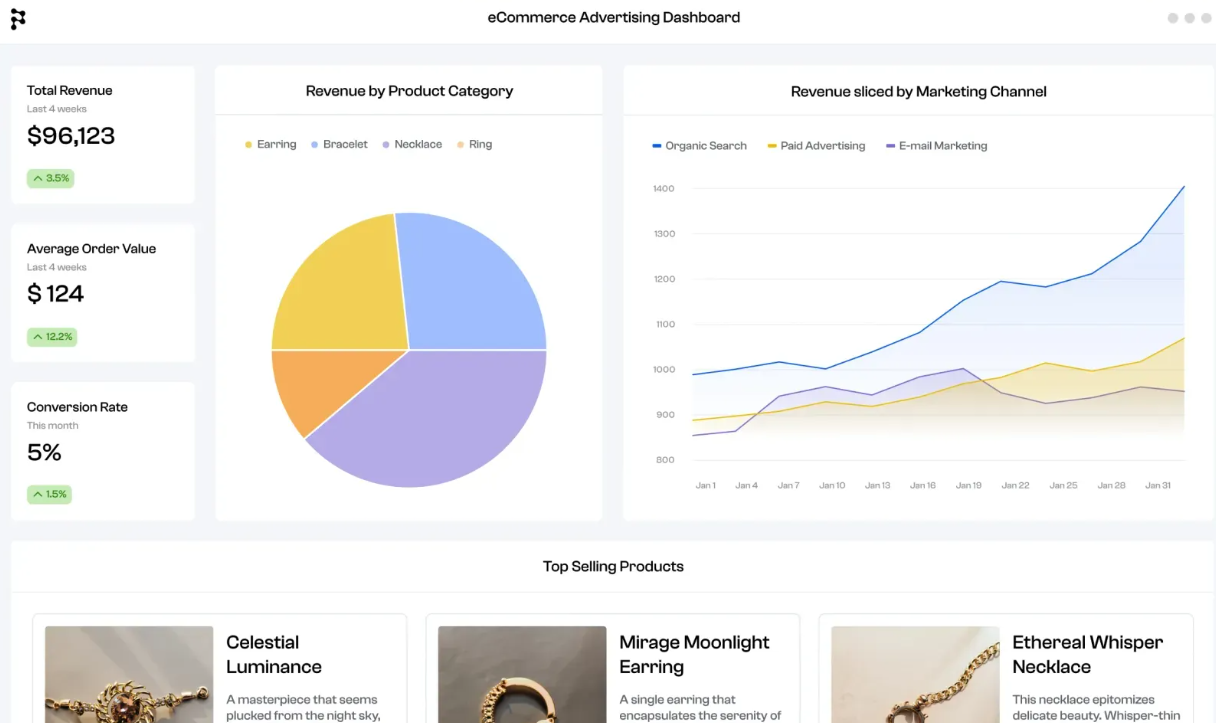
Designed for users without a technical background, the Polymer AI Dashboard generator helps create dashboards from your datasets using an intuitive, drag-and-drop interface.
The tool offers over 20 pre-built templates tailored for various use cases, such as e-commerce, sales, and marketing dashboards, that can be customized to match specific branding and analytical needs.
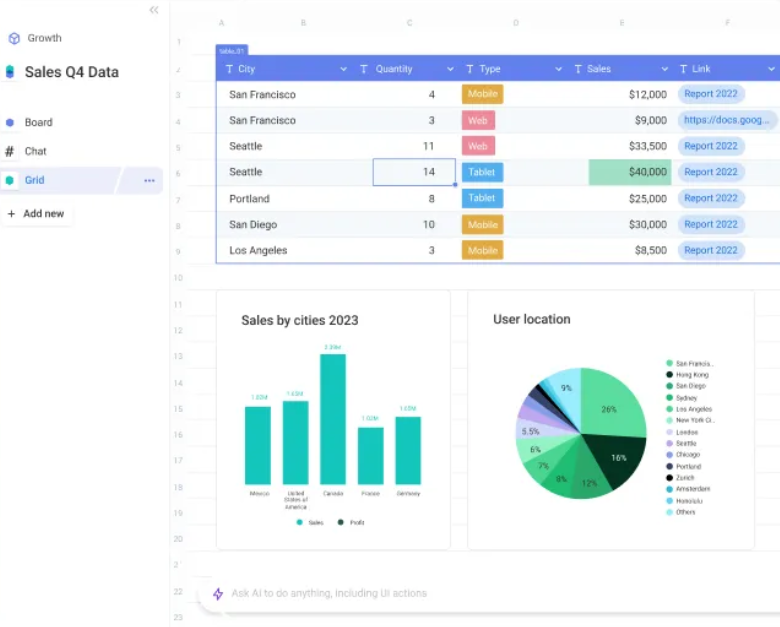
Bricks AI Dashboard Creator integrates AI capabilities with a user-friendly spreadsheet interface to simplify data visualization and analysis. You can import data from various sources, including Google Sheets, Excel, and CSV files, to consolidate data from different tools in your tech stack.
Additionally, the tool improves data quality by automatically identifying and correcting inconsistencies, errors, and anomalies within your datasets.
💡 Pro Tip: Look for dashboard tools that let you comment or add notes right on specific charts or data points. It makes collaboration a lot easier when discussions stay tied to the exact numbers you’re talking about.
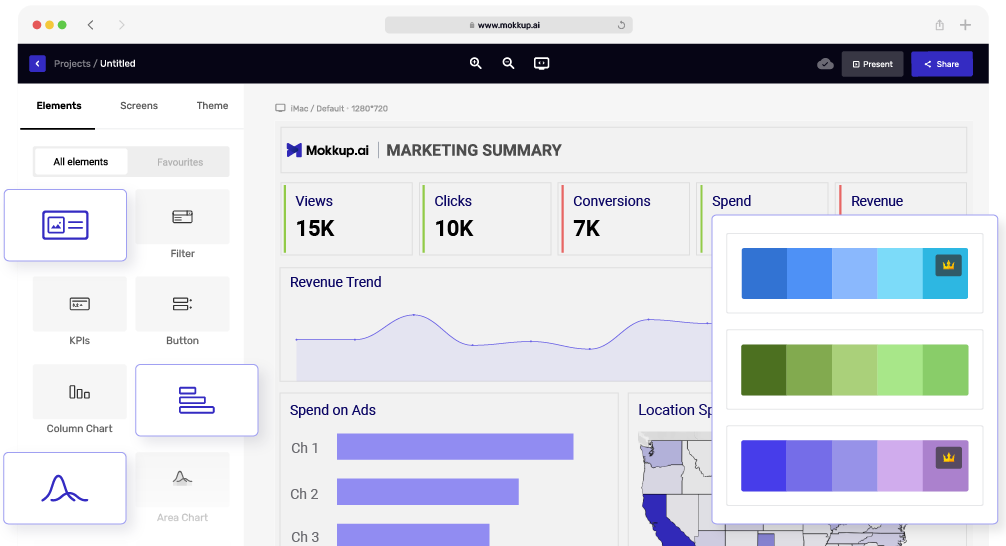
Mokkup is a wireframing dashboard generator for data analysts, BI developers, and visualizer. With an intuitive drag-and-drop interface, combined with over 180 ready-made templates and more than 20 customizable widgets, Mokkup.ai lets you create dashboard wireframes in minutes. You can apply curated color themes and branding tools to keep your dashboards visually consistent and aligned with your brand.
You can also export wireframes directly into Power BI or Tableau, saving time and eliminating the need to start from scratch. It’s built with collaboration in mind, so you can easily share designs, gather feedback, leave comments, and make real-time updates with your team.
Here is a Capterra review:
I like the dashboard-specific layout, elements and multiple screens as this is a bit hard to replicate with other tools. It’s going to be very helpful for my team.
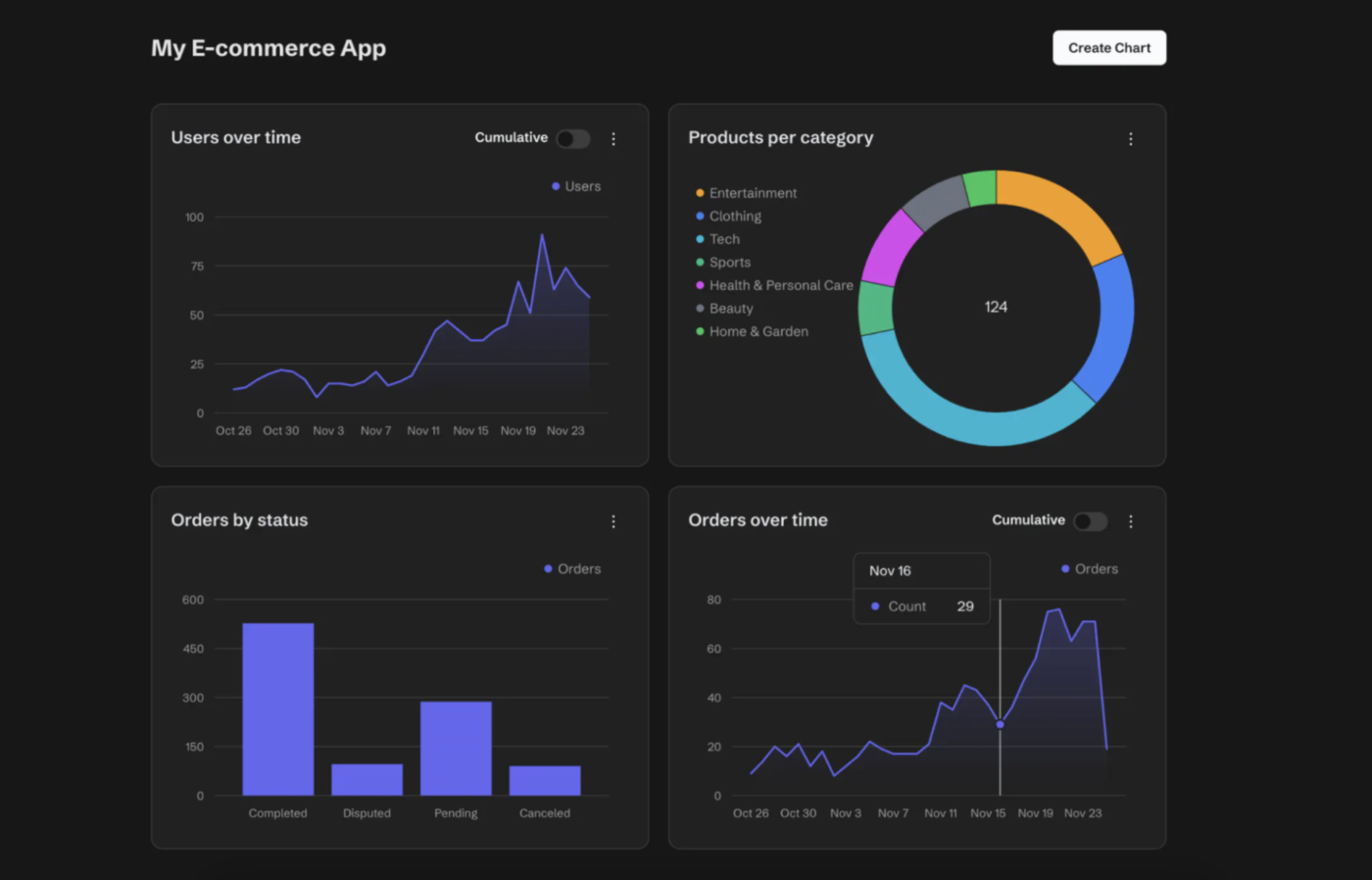
Supadash makes it easy for you to visualize and analyze your data without needing to write complex SQL queries or deal with complicated setups. Once you connect your database, Supadash automatically generates time series charts and other visualizations in just a few seconds and offers you an immediate overview of your data.
From there, you can easily expand your dashboard by adding extra charts using either raw SQL queries or the built-in visual query builder, whichever suits your workflow best. It also integrates seamlessly with PostHog, allowing you to paste your API key, select the events you want to track, and instantly get a tailored dashboard.
🔍 Did You Know? While it’s making headlines today, the concept of artificial intelligence has been around since the early 1900s! Long before intelligent assistants, early scientists were already dreaming up machines that could think. The real breakthroughs didn’t occur until the 1950s, but the groundwork had been laid decades before most of us were born.
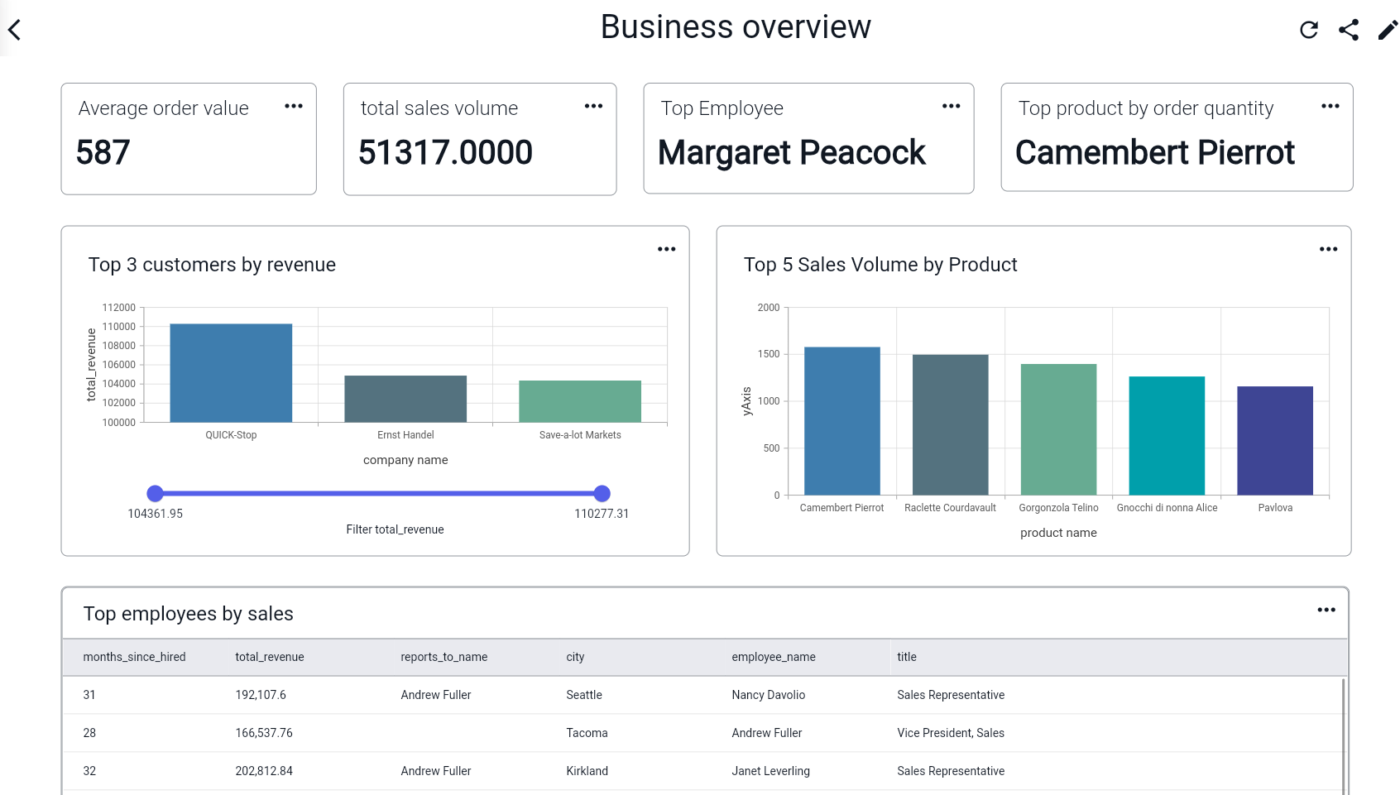
BlazeSQL lets you effortlessly convert natural language into SQL queries and visualizations using powerful AI models like OpenAI’s GPT-4 and Claude-3.5-Sonnet. Once you’re connected to your SQL databases, simply tell the AI what kind of graph or table you need and it’ll generate it in seconds.
You can also use the simple drag-and-drop interface to arrange charts and tables exactly how you want them, all tailored to your specific needs. BlazeSQL also offers proactive insights by automatically surfacing key metrics and trends based on your roles and priorities, so you don’t have to go searching for updates.
For Individuals
For Teams
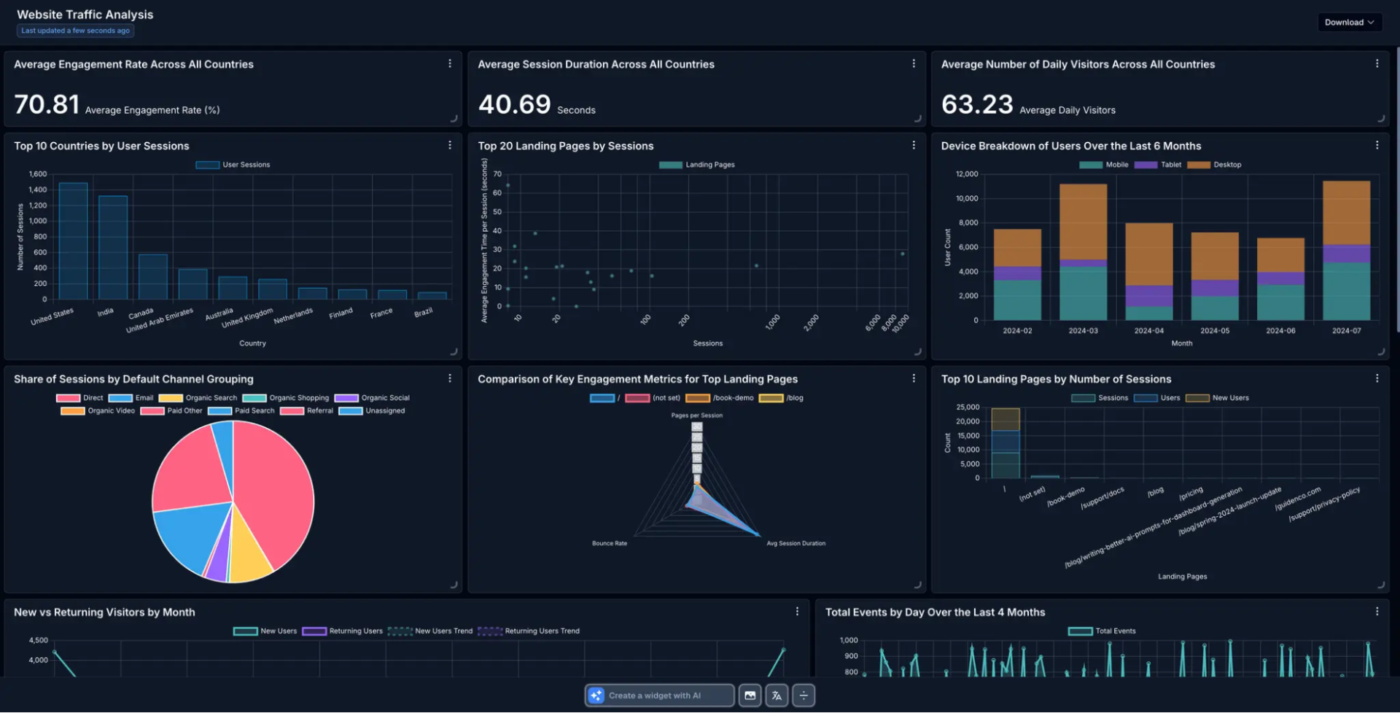
Instead of struggling with complex queries, you can simply type your questions in plain English and Onvo AI will automatically generate the visualizations and charts you need. The platform makes connecting to your data sources incredibly easy. With just one click, you can integrate with SQL/NoSQL databases, Redshift, Snowflake, BigQuery, and popular SaaS apps like Salesforce and Google Analytics to import data.
Onvo.ai also gives you the freedom to customize your dashboards to match your branding, color schemes, and fonts based on dashboard design examples. Create a look and feel that works for you. Plus, with flexible APIs and SDKs, you can embed your dashboards into web and mobile apps with minimal hassle.
Here’s a Capterra review:
The graphics are very professional yet simple and easy to visually digest. The support team is unbelievably good, responds very quickly and makes quick improvements.
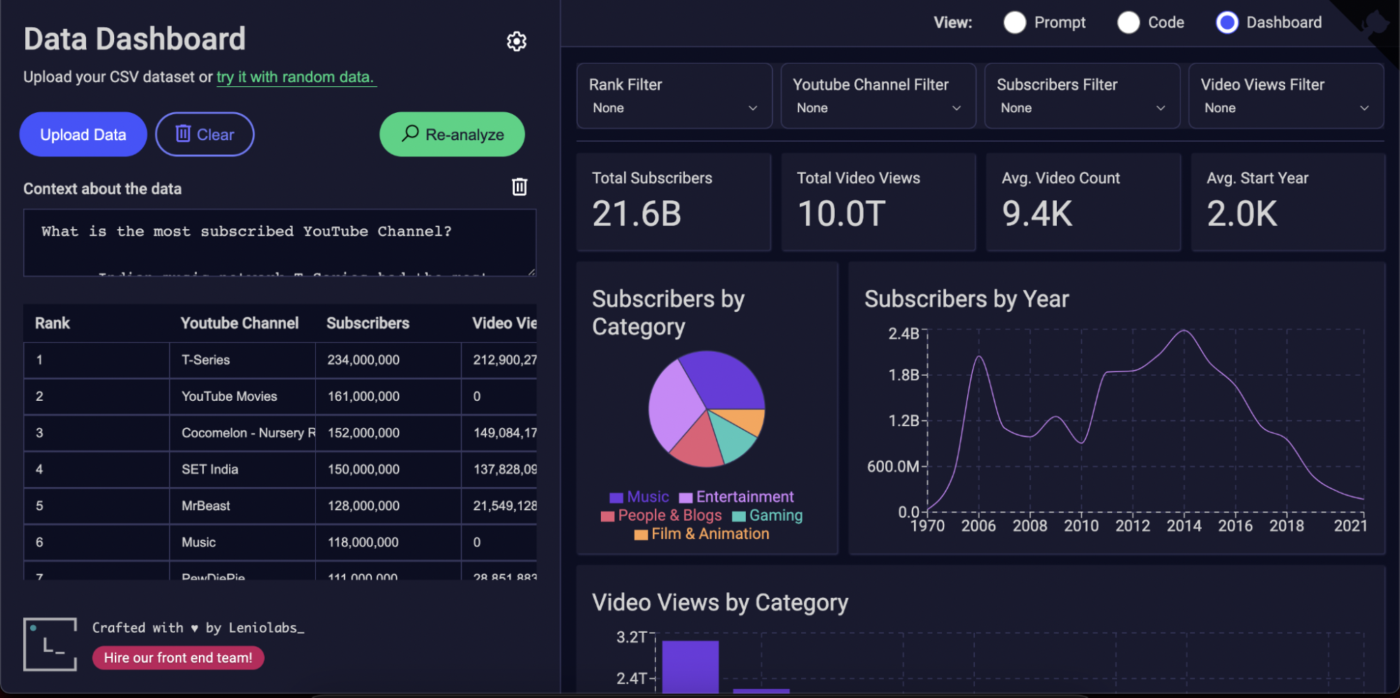
Leniolabs AI Data Dashboard, powered by OpenAI’s GPT-3 transforms raw datasets into meaningful, visually engaging charts without requiring users to manually set up titles, labels, or data mappings. You can upload your own CSV files to see your data come to life or play around with random datasets if you just want to explore. Once done, you can export the charts as JavaScript code, so it’s easy to plug them right into your web projects.
🔖 Bonus: How To Create A Dashboard In Excel?
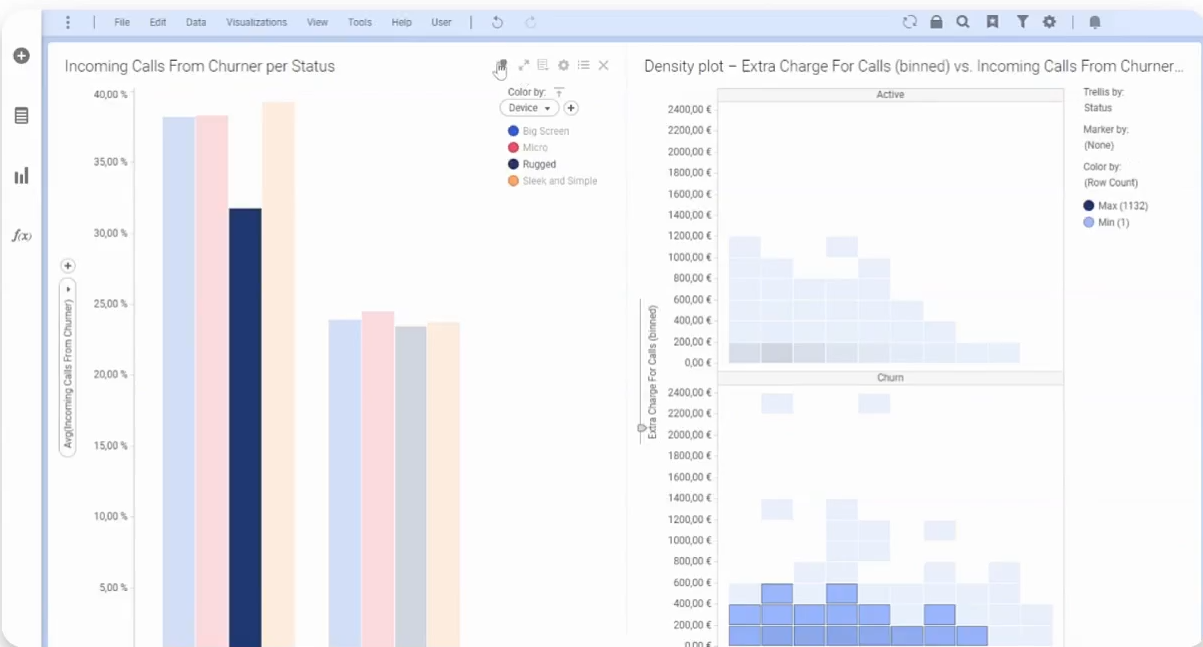
By integrating geographic context into data analysis, Spotfire helps businesses monitor geological conditions and identify regional trends in health, energy, manufacturing, and supply chains.
To make multi-layer data mapping more intuitive, the tool allows you to interact with data using natural language queries, and the map layers respond to actions such as marking and selection. The platform also suggests optimal visualizations and analytical methods based on the data context.
Here’s a G2 review:
It comes loaded with data visualization capabilities for large datasets and helped in identifying the trends & anomalies. It integrates well with all the data sources like Maximo and SAP Hana. D3.Js further extends its functionality by using custom visuals.
Rather than spending time pulling data from multiple sources and piecing together manual reports, you can now access real-time insights into your KPIs, project progress, and overall performance in one place. AI dashboard generators streamline the entire process, eliminating busywork and allowing your team to focus on what matters.
Among the top solutions driving this change, ClickUp stands out. With its powerful AI capabilities, fully customisable dashboards, and built-in automation, ClickUp makes it simple to track project progress, monitor KPIs, and collaborate seamlessly.
Sign up on ClickUp for free to start visualizing your data.

Manasi Nair
Max 14min read

Arya P Dinesh
Max 21min read
Arya P Dinesh
Max 15min read

© 2026 ClickUp