Sorry, there were no results found for “”
Sorry, there were no results found for “”
Sorry, there were no results found for “”
Juggling work deadlines, personal goals, to-do lists, and habits feels like an endless struggle. This quickly turns overwhelming when each element competes for your limited attention.
In this chaos, a personal life dashboard is a game-changer. Think of it as your command center—the hub where you track goals, monitor your habits, and manage tasks while keeping your eyes on the prize.
Whether you’re on a journey of personal development or trying to organize your life, a personal life dashboard gives you an idea of where you stand.
But how do you build such a dashboard? We’ve got you covered. Just sit tight and trust the process we’re about to share.
Unlike scattered notes and disparate apps, a personal life dashboard is a centralized system for tracking various aspects of one’s life, from tasks and goals to habits and well-being.
It is your personal control panel, helping you visualize your priorities, monitor progress, and manage key areas such as work, health, routine, and relationships.
🔍 Did You Know? The concept of digital dashboards originated from car dashboards, which offered real-time information about the vehicle or the journey at a glance!
Several people use the personal life dashboard alongside life planning software to map out short and long-term goals at micro and macro levels.
This combination takes care of the finer details by incorporating a self-care plan for holistic mental and physical well-being into the life plan. It also helps reinforce good habits while gradually phasing out bad habits for a healthier and more balanced lifestyle.
💡 Pro Tip: Planning your daily activities can be hectic, but there’s a solution that can help! Explore 10 free life planning templates that help you work towards your goals by allowing you to identify resources you lack and track your progress precisely. 📈
A personal life dashboard is a reliable system designed for streamlining task management, tracking progress, and maintaining balance in your life. Here are some of the key benefits that it has to offer:
🔍 Did You Know? The average adult makes 35,000 decisions a day—so take every help you need to prevent decision fatigue!
Before we start building your personal dashboard, let’s understand how to set objectives. Setting clear objectives is instrumental in aligning your personal dashboard with priorities and expectations.
Start by exploring a few goal examples to narrow down what you really want. Your personal goals may revolve around personality development, financial planning, fitness tracking, creative pursuits, and more.
Identifying this broader category makes it easier to create a personal dashboard that aligns with this vision. Next, break down the objectives across SMART parameters. This would be:
Reinforce these SMART goals with an element of flexibility. After all, life changes, and so do your objectives and dashboards. So, maintain some flexibility to accommodate evolving priorities.
By setting clear objectives and working your way up, your personal dashboard becomes a tool for creating a life plan.

💡 Pro Tip: It can be difficult to track each goal you set. Explore free Google Sheets goal tracker templates that offer you a pre-defined structure for data visualizations of every goal to keep you accountable!
A personal dashboard is a central location for your goals, tasks, habits, and personal growth metrics. Creating one requires careful planning and customization to match your unique lifestyle.
Here is a step-by-step process for creating a personal life dashboard that works for you:
Start by identifying the key areas of your life that you wish to track. This may include personal life data related to:
Aim to include only 4-6 key areas, as adding too many will make your personal dashboard cluttered and ineffective. A great way to do this is to identify the key life areas that impact your well-being and productivity.
ClickUp’s Personal Project Management feature allows you to organize your personal life elements into distinct sections for better clarity and management.
Use it to create dedicated Spaces for each life category and use Custom Fields to add relevant qualifiers, such as hour tracking, percentages, and habits.
ClickUp also lets you visualize your workspace in different views, such as Lists, Boards, and Calendar Views, to help manage these life areas in your preferred dashboard layout.

You can use the ClickUp Calendar to switch between daily, weekly, and monthly views to get a clear picture of your goals. Add customized timelines to get exact information about the timelines of all your tasks so you know which ones need your attention.
💡 Pro Tip: Need help with achieving all your goals? Why not share your calendar with your loved ones? They can cheer you on as you work toward your targets—whether they’re personal or professional!
We’ve already talked about the importance of setting SMART goals. Let’s just quickly brush our memory of what these entail:
📈 Fun Fact: Write down your goals. Research says that people who note their goals are 42% more likely to achieve them than those who don’t!
Once you’ve outlined your SMART goals, break them down into smaller milestones. Then, create action plans for achieving these milestones.
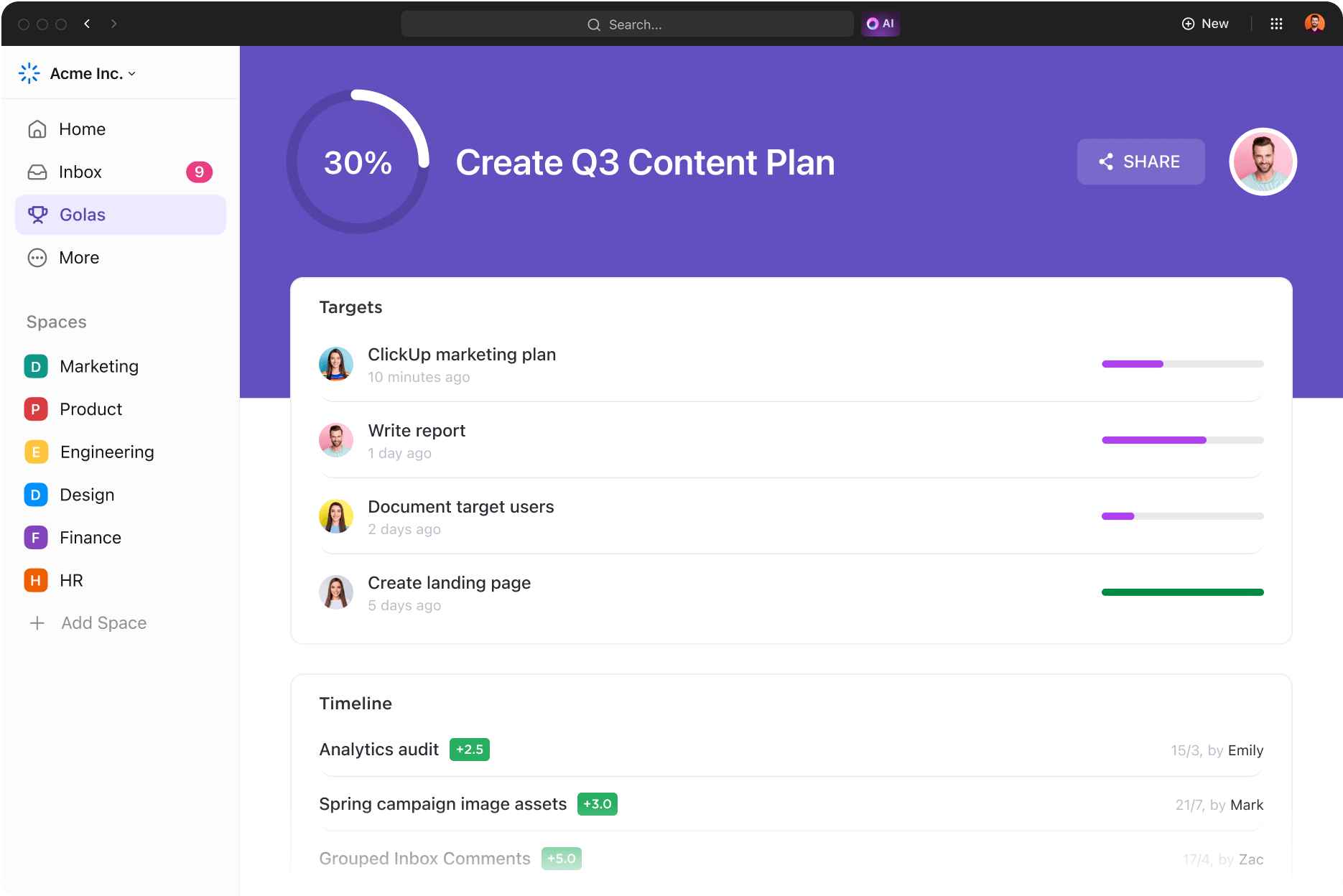
Create structured, trackable goals using the ClickUp Goals feature. ClickUp Goals allows you to plan out your goals using the data points along SMART parameters and add them to your personal productivity dashboard.
Set milestones, attach tasks, and track progress in real time to get more done, without the administrative load!
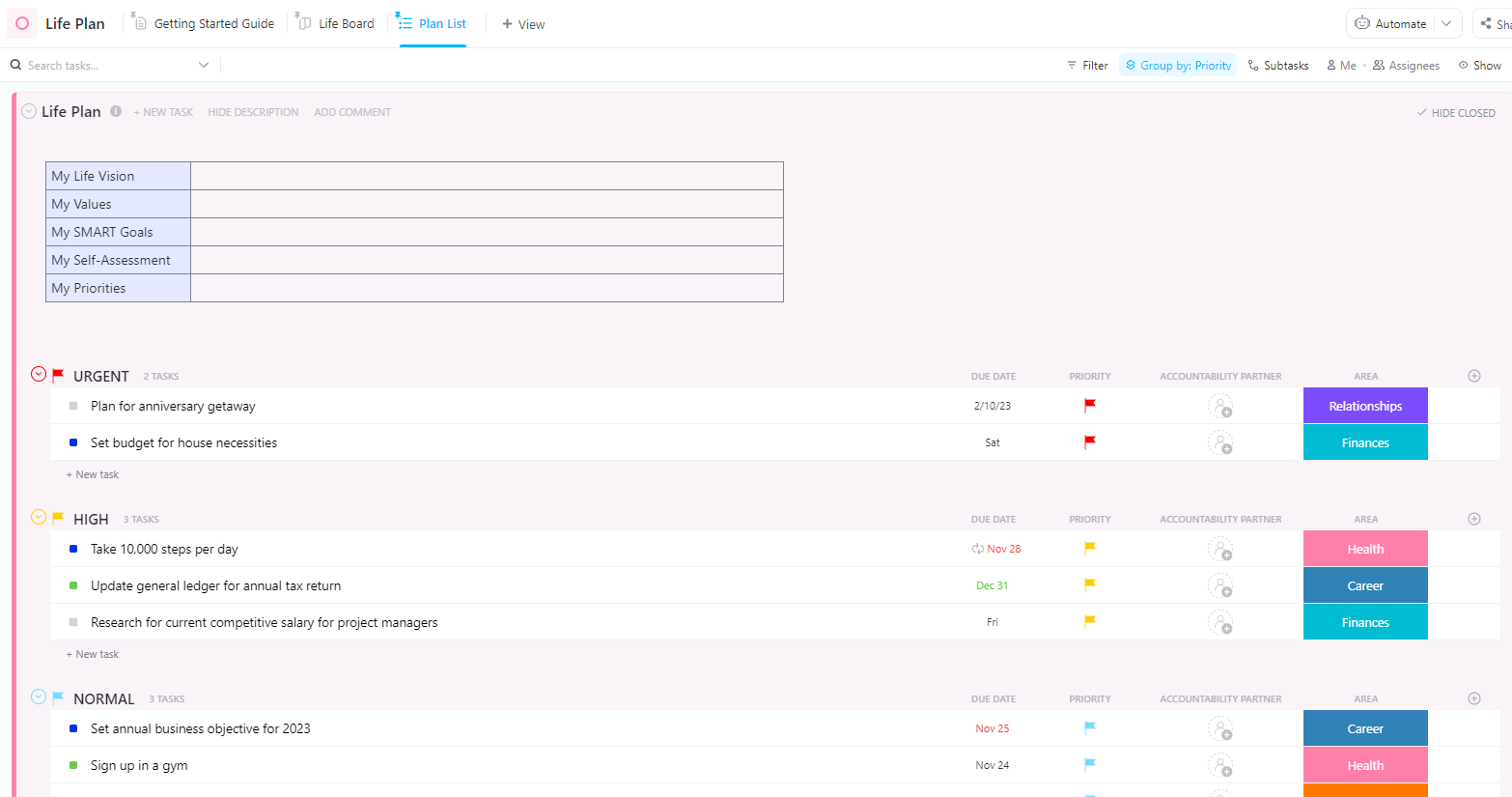
If the idea of goal-setting using all your data is new or overwhelming to you, get started with the ClickUp Life Plan Template. With this structured and pre-planned framework, you can:
Now that you have a clear idea of your goals and key life areas, it is time to design your personal dashboard.
You can start using a simple tool like Google Sheets or a to-do list app. Alternatively, a project management tool would be more suitable if you want a solution that grows with you.
Once you’ve zeroed down on the tool, there are a few things that you’ll have to consider while creating your dashboard. These include:
❗️ Do you prefer a visual overview or detailed insights? (Graphs vs. Lists)
❗️ What kind of widgets do you need? (Tasks, progress bars, habit streaks, financial summaries)
❗️ How often will you update your dashboard? (Daily, weekly, monthly, or yearly)
Based on your response to these questions, you may choose from any of the following layouts to get started with your custom dashboard:
ClickUp is your one-stop destination for building a rich and power-packed personal life dashboard.
For starters, ClickUp offers multiple Views for visualizing your personal dashboards. You have Lists, Boards, Calendars, Tables, Timelines, and Mind Maps—the whole nine yards.
Pick a design that suits your preferences, and you can effortlessly change the dashboard layout.
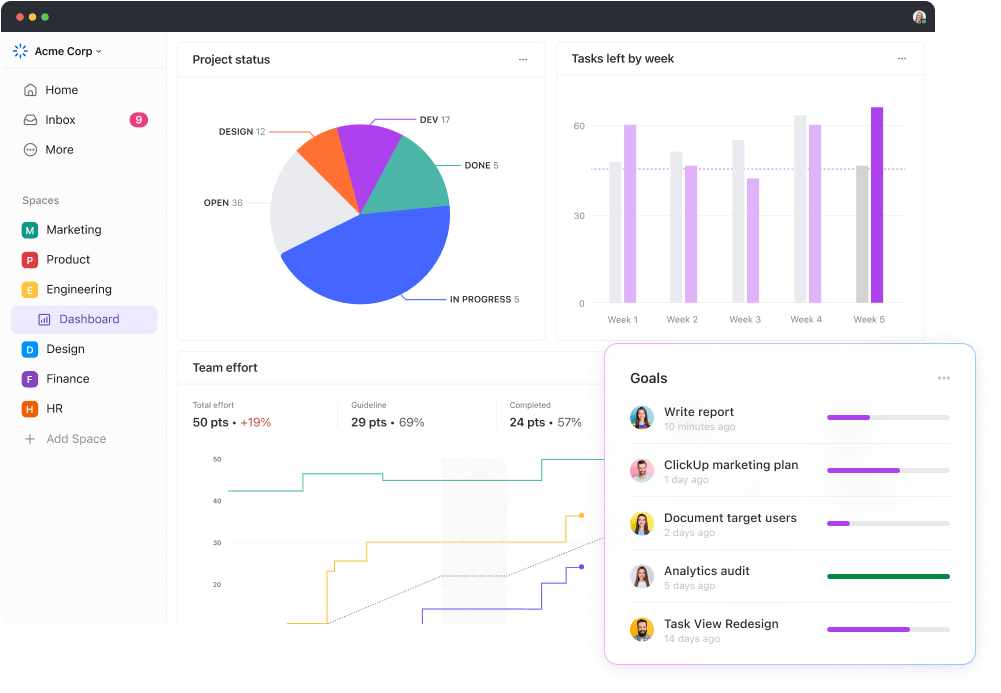
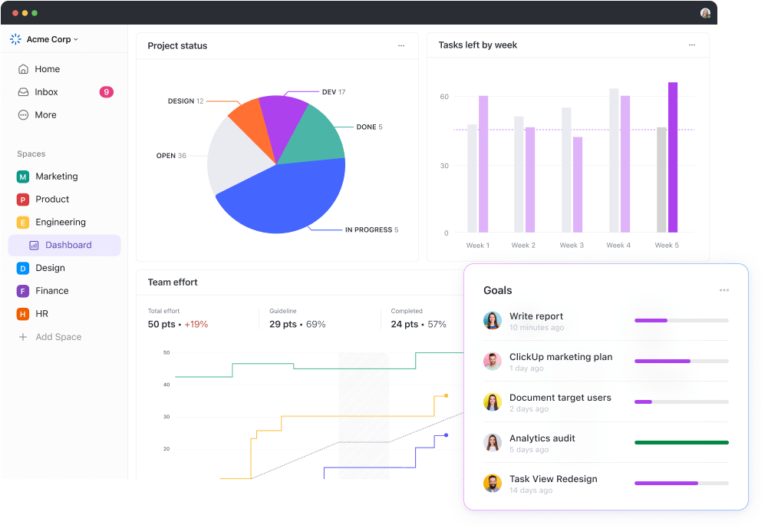
Next, you have ClickUp Dashboards that make it easier to create a custom, no-code dashboard.
Whether you’re tracking personal productivity or yearly finances, the ClickUp Dashboard pulls data from multiple sources to provide you with the information you need!
Apart from saving you the headache of manual data entry, ClickUp Dashboards also include AI Insights, which make the Dashboard data easily digestible.
Finally, ClickUp lets you build custom dashboards with simple drag-and-drop cards available within the platform. You get to choose from:
ClickUp also integrates with various productivity apps, personal well-being platforms, to-do lists, and other systems to expand the capabilities of your dashboard.
You don’t have to be a data scientist to plan your life using ClickUp; you just need to be tech-savvy enough to get work done!
Your daily actions and habits influence how your life plays out. So, use the dashboard to track your daily habits to eliminate bad habits and reinforce the positive ones. Based on your key life area, decide which habits you wish to track consistently.
A good example of these habits includes:
Keeping track of these habits will motivate you to stay consistent and help identify patterns that need improvement.
ClickUp lets you set up recurring tasks, daily checklists, and reminders so that you can track your habits regularly.
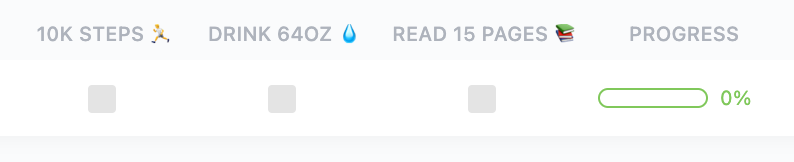
If you’re looking for a readymade solution to track your habits, then the ClickUp Personal Habit Tracker Template is perfect for you. This is how it helps you:
Your dashboard is your personal productivity hub. Use it to manage your daily, weekly, and long-term tasks to stay on top of your responsibilities without feeling overwhelmed.
Here are a few strategies to organize and prioritize your tasks for efficient management:
💡 Pro Tip: Use color coding and tags to organize and prioritize your tags. This will make information available at a glance.
Such proactive task management empowers you to take charge of your life as you discharge your responsibilities with ease.
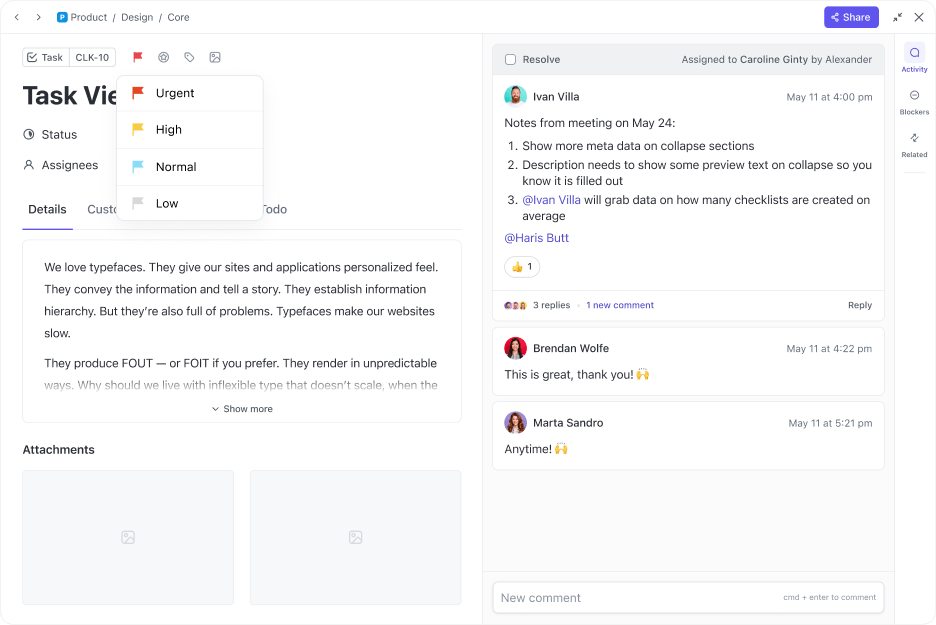
ClickUp Tasks makes it easier to maintain your personal productivity. Use it to set task priorities so that you focus on the most important items first. Establish due dates to ensure you meet deadlines and set up recurring tasks to automate repetitive actions.
Your personal life is not static. So why should the dashboard be any different?
You need a personal life dashboard that evolves with your changing needs. To cater to this, set a periodic (weekly or monthly) review to:
A good practice is to schedule a 15 or 30-minute reflection session on Sundays to update your personal dashboard for the coming week. For less frequent tasks, you can do it on the 1st of every month.

ClickUp makes it easy to maintain your dashboard as a living document. You get:
Here are some best practices for maintaining and updating your personal life dashboard:
Dedicate time for weekly or monthly reviews. Check your dashboard, update progress, and eliminate irrelevant redundancies. Timely dashboard maintenance prevents clutter and ensures that the dashboard stays actionable.
Follow the KISS principle—keep it simple, silly. Overloading your dashboard with unnecessary widgets, trackers, or goals will only make it unusable. Seek clarity and simplicity to stay focused on the activities that matter most.
📈 Fun Fact: Visual tools like progress bars and charts drive motivation as the brain processes visuals 60,000 times faster than text.
When updating your dashboard, add in micro habits to build consistency. These small, easy-to-follow actions, such as spending five minutes a day marking off completed habits or reviewing the dashboard each Sunday, will eventually become second nature.
You may not find the perfect dashboard that works for you on the very first attempt. So, don’t be afraid to experiment with different views, layouts, and widgets to find out what works for you.
Your dashboard should grow with you. Whether you’re building a new fitness routine or kick-starting a side hustle, update your personal dashboard to reflect these changes.
A personal life dashboard is a great way to stay on track. Organizing your goals, habits, and daily tasks in a central hub makes it easy to achieve your personal goals.
Identifying key life areas, setting SMART goals, designing a custom layout, and tracking habits consistently puts you in charge of your life. ClickUp offers many features for building and maintaining a fully customized personal life dashboard.
Its dynamic dashboard, customizable widgets, goal tracking, automation, and ready-to-use templates, give you everything you need to stay productive and organized. Start building your ultimate personal life dashboard today. Sign up for ClickUp!

Manasi Nair
Max 29min read
Manasi Nair
Max 14min read
Manasi Nair
Max 9min read

© 2026 ClickUp