






10 Best Marketing Workflow Software Tools in 2026

marketing workflow management software blog feature

Start using ClickUp today

  • Manage all your work in one place
  • Collaborate with your team
  • Use ClickUp for FREE—forever

Marketing teams need to collaborate not just with each other, but also with the folks in sales, customer service, and IT. There are a lot of moving parts in the marketing process, and it’s easy to drop the ball without the right tools.

Fortunately, marketing workflow management software provides much-needed structure and accountability to keep your team on target. If it’s high time for your marketing team to improve their workflow, there’s one thing you need to do now: sign up for the best marketing workflow software tools of 2025. 📝

In this guide, we’ll break down which features to look for in workflow management software, plus we’ll reveal our 10 favorite tools for marketing workflows.

Summarize this article with AI ClickUp Brain not only saves you precious time by instantly summarizing articles, it also leverages AI to connect your tasks, docs, people, and more, streamlining your workflow like never before.
ClickUp Brain
Avatar of person using AI Summarize this article for me please

What Should You Look for In Marketing Workflow Software?

Without exaggeration, we can say that there are dozens of workflow management software out there.

So how do you pick the best platform for your marketing workflow? Look for software that includes these features:

  • User-friendly dashboards: You don’t have the luxury of spending hours training your team on software. Go with an intuitive platform that your marketing team can use out of the gate
  • Marketing automation: Automated workflows make life so much easier. With a one-time setup, you can automate hundreds of workflows with the right tool. Look for marketing task automation features that offer conditional workflows with a simple drag-and-drop interface
  • Integrations: Marketers use a ton of tools for email marketing campaigns, social media, blogging, and more. Opt for marketing software that integrates with your other solutions so everything works together seamlessly
  • Project and task management functionality: The best marketing workflow management software handles more than simple to-dos. They should also keep an eye on your budget, due dates, and team member activity
Summarize this article with AI ClickUp Brain not only saves you precious time by instantly summarizing articles, it also leverages AI to connect your tasks, docs, people, and more, streamlining your workflow like never before.
ClickUp Brain
Avatar of person using AI Summarize this article for me please

The 10 Best Marketing Workflow Software Tools to Use in 2025

The right marketing workflow management software is the foundation of your marketing processes. Do more in less time, boost profitability, and streamline the management process for saner, better execution of your marketing campaigns.

It all comes down to choosing the right workflow management software. In our humble (yet experienced) opinion, these 10 options are the best for marketers in 2025. 🤩

1. ClickUp

Track and visualize key metrics to strategize marketing plans with ClickUp Dashboards

We would be crazy not to put ClickUp at the top of our list—and with good reason. Marketing teams are increasingly turning to ClickUp for more robust project management capabilities and features like resource management and marketing automation software.

With ClickUp, marketing teams create Whiteboard documents for brainstorming and then effortlessly convert them into marketing projects with tasks, due dates, and assignees in a few clicks. ClickUp’s marketing plan templates are also a major plus for teams in a time crunch.

Avoid bottlenecks by visualizing each project and milestone within ClickUp’s Gantt charts, Dashboards and Kanban boards. The platform even tracks workflow analytics connected to each project, task, and team member to show you exactly where your projects stand.

Oh, and did we mention that ClickUp offers free training and 24-hour support? You probably won’t need it since the platform is so intuitive, but it’s nice knowing help is always available.
ClickUp best features

  • Custom workflows: We know your team is unique, which is why ClickUp gives you a completely customizable task management solution for marketing
  • Built-in proofing: Why bother leaving ClickUp to proof marketing copy on another platform? ClickUp’s marketing workflow software allows you to manage Whiteboards, Docs, and proofing processes in the same place
  • ClickUp Docs: Easily document your content marketing workflow or marketing and sales process in Docs. Nest pages, use slash commands, or summarize content with ClickUp Brain
  • 15+ customizable views: Need to see a social media workflow in a Kanban or List view? Choose from 15 views to manage your marketing processes
  • Marketing-friendly templates: Use the ClickUp Marketing Plan Template to simplify marketing workflows with plug-and-play project flows that are ready for action
Plan and organize your entire marketing strategy with the ClickUp Marketing Plan Template

ClickUp limitations

  • ClickUp includes functionalities for more than marketing, so it can be overwhelming for some users
  • The Free Forever tier has limited storage, fields, and integrations

ClickUp pricing

  • Free Forever
  • Unlimited: $7/month per user
  • Business: $12/month per user
  • ClickUp Brain: Add to any paid plan for $7 per Workspace member per month
  • Enterprise: Contact for pricing

ClickUp ratings and reviews

  • G2: 4.7/5 (6,900+ reviews)
  • Capterra: 4.7/5 (3,600+ reviews)

2. Insightly

Marketing workflow tools: Insightly
Via Insightly

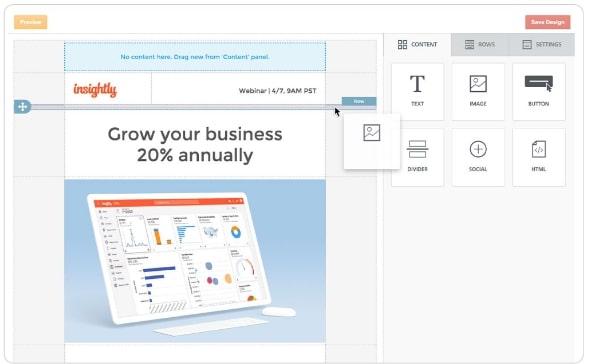
Insightly is marketing workflow automation software for lead generation. It’s a solid option if you’re mostly concerned about generating and nurturing leads before passing them along to sales.

Insightly lets you plan email marketing campaigns, build landing pages, and use drag-and-drop logic builders to visualize the customer journey.

While Insightly is a popular marketing automation software, it doesn’t handle project management and marketing tasks as adeptly as the other options on this list. Still, it’s good if you want to add more structure to your lead gen and marketing workflow efforts.
Insightly best features

  • Dynamic email list segmentation
  • Insightly automatically tracks open rates, click rates, and other essential metrics across your marketing and approval workflows
  • It integrates with popular software like Slack and QuickBooks

Insightly limitations

  • It doesn’t offer robust project management or social media workflow tools
  • Some users report delays with its workflow automation features

Insightly pricing

  • Plus: $99/month, billed annually
  • Professional: $499/month, billed annually
  • Enterprise: $999/month, billed annually

Insightly ratings and reviews

  • G2: 4.2/5 (860+ reviews)
  • Capterra: 4/5 (620+ reviews)

3. Marketo

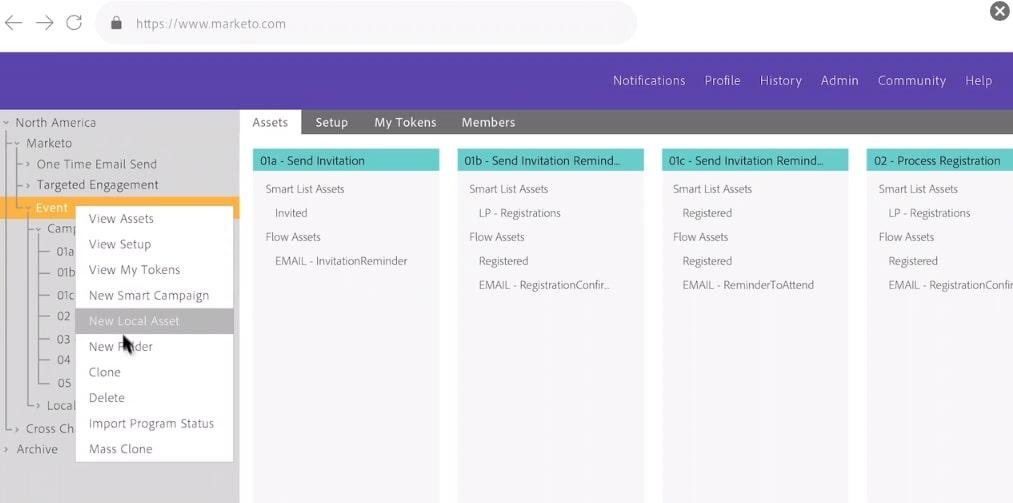
Adobe Marketo is yet another marketing automation workflow tool, but it’s a fit for both B2B and B2C teams. If you do account-based marketing, Marketo includes ABM-specific automation for targeting the right accounts.

Marketo also includes features for lead management, email marketing, and multi-touch attribution, so it’s ideal for multichannel marketing campaigns.

The downside is that you’ll need to upgrade your subscription to include Adobe Workfront if you want task management solutions. It’s also a different platform, so the lack of integration between your work and tasks could be a deal-breaker to keep your team members on the same page.
Marketo best features

  • Generative AI for messaging customers
  • Automatic syncing between sales and marketing activities
  • Marketing and sales processes are easy to customize and add details

Marketo limitations

  • Adobe is coy about its pricing, so you have to request a quote for any pricing information
  • Some users report a lack of flexibility in Marketo’s reporting
  • Marketo is huge and can be intimidating for new users

Marketo pricing

  • Contact for pricing

Marketo ratings and reviews

  • G2: 4.1/5 (2,300+ reviews)
  • Capterra: 4.2/5 (650+ reviews)

4. ActiveCampaign

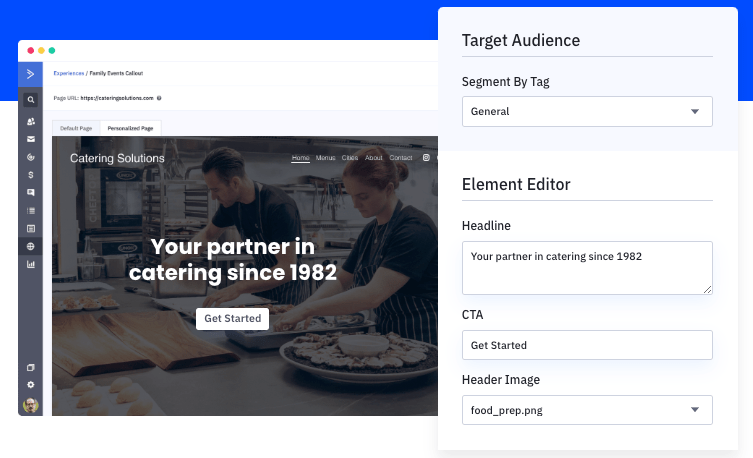
ActiveCampaign is a popular B2C marketing tool. It’s primarily an email service provider (ESP), but it brings email, SMS, and social media posts into one platform. This workflow management software also acts as a customer relationship management (CRM) platform, gathering data on your audience’s interests and personalizing messaging at every stage of the customer journey.

Build email marketing and landing pages in one platform, as well as marketing automation flows and creating personalized content marketing workflow structures within ActiveCampaign. But if you want to track projects and tasks, you’ll need to use a different workflow management tool.
ActiveCampaign best features

  • 900+ app integrations into its workflow management software
  • 800+ pre-built automations for marketing workflows
  • Built-in email designer
  • Great for marketing managers and social media managers alike

ActiveCampaign limitations

  • Some users say the email flows are too simple
  • ActiveCampaign lacks advanced customization
  • Some users say the platform is hard to use

ActiveCampaign pricing

  • Plus: $49/month for three users, paid annually
  • Professional: $149/month for five users, paid annually
  • Enterprise: Contact for pricing

ActiveCampaign ratings and reviews

  • G2: 4.5/5 (10,100+ reviews)
  • Capterra: 4.6/5 (2,200+ reviews)

5. Optimizely

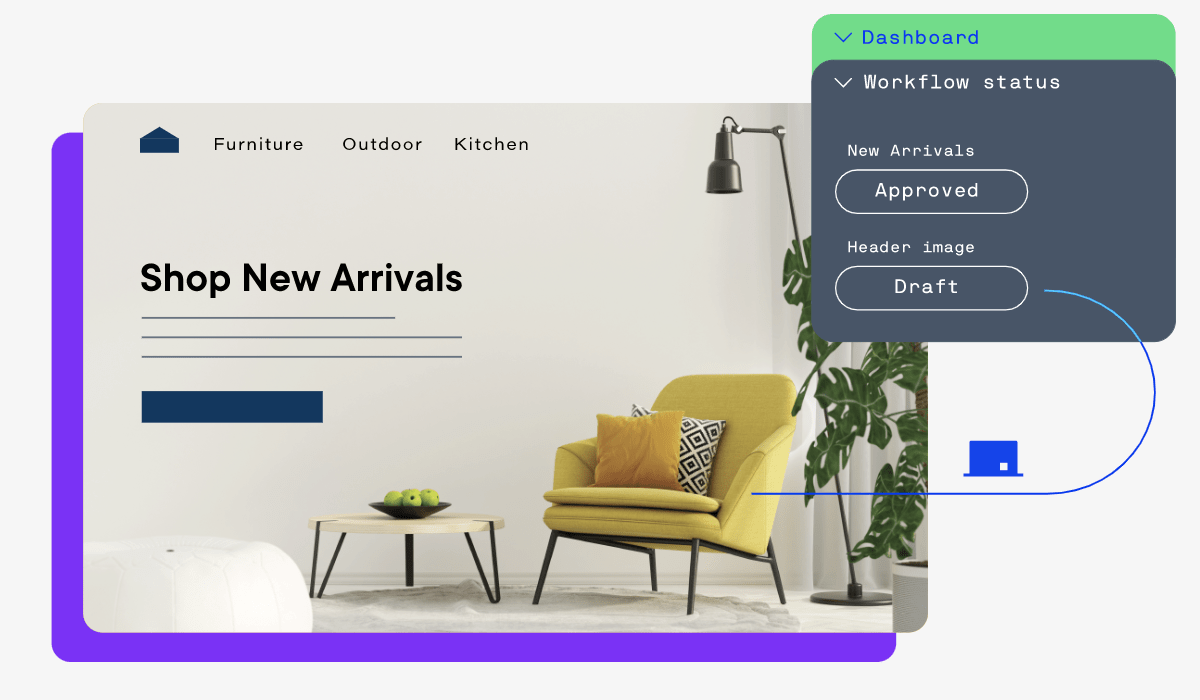
Optimizely’s content marketing platform (CMP) allows for asset collaboration, shared workspaces, and campaign automation in one place.

This robust marketing workflow software includes features for campaign planning, requesting work, managing tasks, digital asset management (DAM), content editing, and performance analysis.

That’s a lot of firepower in this marketing workflow tool, but some people report a lack of customer support and performance with Optimizely.
Optimizely best features

  • Calendar integrations for simpler meeting scheduling
  • Brand and asset management
  • Content production and distribution
  • Feature flagging software

Optimizely limitations

  • Minimal customer support and documentation
  • It’s hard to read some reports

Optimizely pricing

  • Start: Free
  • Manage: $79/month per user
  • Create: Contact for pricing
  • Orchestrate: Contact for pricing

Optimizely ratings and reviews

  • G2: 4.2/5 (30+ reviews)
  • Capterra: N/A

6. CoSchedule

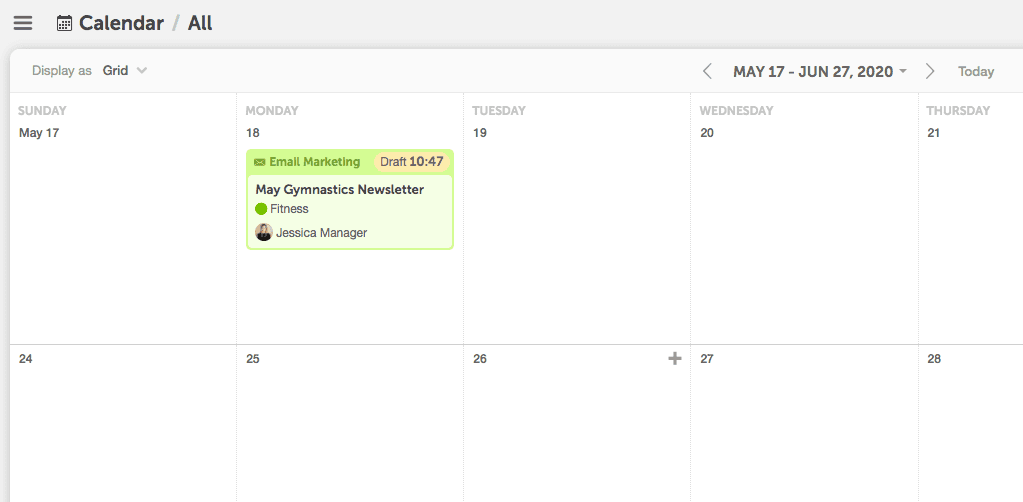
CoSchedule is best known as a marketing scheduler, but it also offers an all-in-one marketing suite subscription. With the CoSchedule Marketing Suite, you get a marketing calendar, digital asset management, and project management in one platform.

Assign content marketing-related tasks within CoSchedule, compose in the app, and push the content through automated proofing workflows.

Users also like the digital asset management system that’s baked into CoSchedule. This makes it a cinch to see your existing assets and avoid rework.

CoSchedule best features

  • Visualize marketing workflows in the Calendar Organizer
  • Manage all marketing content and creative with Asset Organizer

CoSchedule limitations

  • $29 a pop per user is on the expensive side, especially for large teams
  • Some users report the platform isn’t intuitive
  • Lack of structured onboarding

CoSchedule pricing

    Explore article topics
    Everything you need to stay organized and get work done.
    clickup product image
Super Agents

Still downloading templates?

There’s an easier way. Try a free AI Agent in ClickUp that actually does the work for you—set up in minutes, save hours every week.
