
Sorry, there were no results found for “”
Sorry, there were no results found for “”
Sorry, there were no results found for “”
Most people looking for a Microsoft Word alternative aren’t after a Word clone. Some want to skip the per-year subscription, others need easier real-time collaboration, and plenty just want a tool that fits how they already work.
The honest answer is that there’s no single “best” one, only the best one for the way you work. Below, the 10 strongest options are matched to the needs driving your choice. Meaning you can jump to the one that sounds like you from the ToC and skip the rest.
Tell us the tool you’re evaluating, and we’ll tell you if it’s the right fit, backed by data from 10,000+ teams who already made the call.
See what actually works for your team size, so you can decide with confidence.
Pick LibreOffice Writer for a free, offline, near-complete Word replacement. Pick Google Docs when real-time collaboration is the priority. Pick ClickUp or Notion when documents need to connect to tasks and projects. Pick Apple Pages on a Mac, WPS Office for the Word ribbon without the bill, and Proton Docs when privacy matters most.
Every tool in the table below is reviewed in full further down. Prices are list prices at the time of writing and change often, so confirm on each vendor’s pricing page before you commit.
| Tool | Best for | Standout feature | Starting price | Where it taps out |
|---|---|---|---|---|
| LibreOffice Writer | Offline, open-source editing | Near-complete Word parity, fully offline | Free (open-source) | No built-in real-time co-editing |
| Google Docs | Google Workspace users | Live multi-user editing, plus nested document tabs | Free with a Google account | Needs setup for offline; .docx layout can shift on export |
| ClickUp | Documents connected to tasks and projects | Docs that turn lines into live tasks, plus Brain AI | Free; paid from $7/user/mo | More surface area means a heavier week-one setup |
| ONLYOFFICE | .docx fidelity on a team | High-accuracy OOXML rendering, plus self-hosting | Free; paid from $20/admin/mo | Smaller template and add-on ecosystem |
| WPS Office | A familiar Word-style interface | Near-identical ribbon, plus a full PDF toolkit | Free (ad-supported); Pro+ $69.99/yr | Ads and limited cloud storage on free |
| Apache OpenOffice Writer | Simple, open-source offline docs | Lightweight, runs on older hardware | Free (open-source) | Slow release cadence; weak .docx saving; no co-editing |
| Apple Pages | Mac and iOS users | Design-led templates and layout control | Free on Apple devices | No native Windows or Android app |
| Zoho Writer | Business docs in the Zoho stack | Mail merge, e-signatures, and approval workflows | Free; WorkDrive from $2.50/user/mo | Slows on large docs; imperfect .docx conversion |
| Notion | Docs plus databases | Block-based pages that double as databases | Free; paid from $10/seat/mo | No native .docx export; large pages slow down |
| Proton Docs | Private, encrypted documents | End-to-end encryption on every keystroke | Free (5GB); paid from $3.99/mo | Lighter formatting and templates; no Sheets or Slides yet |
How we review software at ClickUp
Our editorial team follows a transparent, research-backed, and vendor-neutral process, so you can trust that our recommendations are based on real product value.
Here’s a detailed rundown of how we review software at ClickUp.
The right alternative is the one that matches the job you do most. Weigh these against your own workflow, in roughly this order of impact.
Prefer to watch first? This walkthrough covers several tools below, plus a few that didn’t make the cut.
For most people switching from Word, LibreOffice Writer is the best alternative: it’s free, fully offline, and the closest match to Word’s core features. Teams that edit together should default to Google Docs, and teams whose documents tie into projects and tasks are better served by ClickUp. The seven other tools below each win a specific use case, matched to the reason you’re leaving Word.
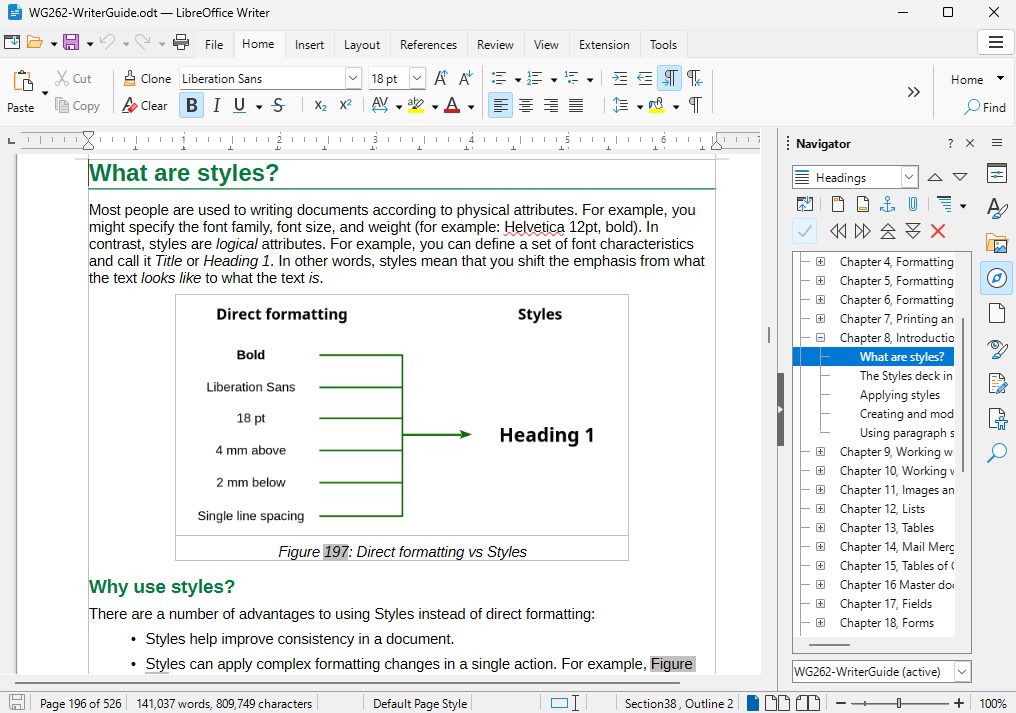
LibreOffice Writer is the closest free, offline replacement for Word’s core document work. It is open-source, runs on Windows, macOS, and Linux, and opens and saves .docx files with high fidelity. It is also the most widely adopted option here: The Document Foundation, which maintains it, recorded 400 million downloads since 2011 and now sees close to a million a week.
It is built for students, writers, and anyone who needs a full desktop word processor without a subscription.
A grad student can write a 200-page thesis with chapter styles, auto-numbered footnotes, a generated table of contents, and a bibliography, then export a clean .docx for an advisor, all offline and without a subscription.
Its AutoCorrect and AutoComplete speed up repetitive typing, and the included templates cover most standard document types. Because it is fully offline, nothing depends on a connection or a cloud account.
A Capterra user appreciates LibreOffice Writer as a powerful open-source suite with broad format compatibility
I appreciate LibreOffice for being a powerful, open-source suite with a strong feature set and compatibility with various document formats. Its community-driven development ensures regular updates and improvements.
Where it taps out: The interface looks dated next to cloud tools, the grammar checker is basic, and there is no built-in real-time co-editing.
Best for: Anyone who wants a free, offline, near-complete Word replacement.
Skip it if: Live collaboration is central to your work.
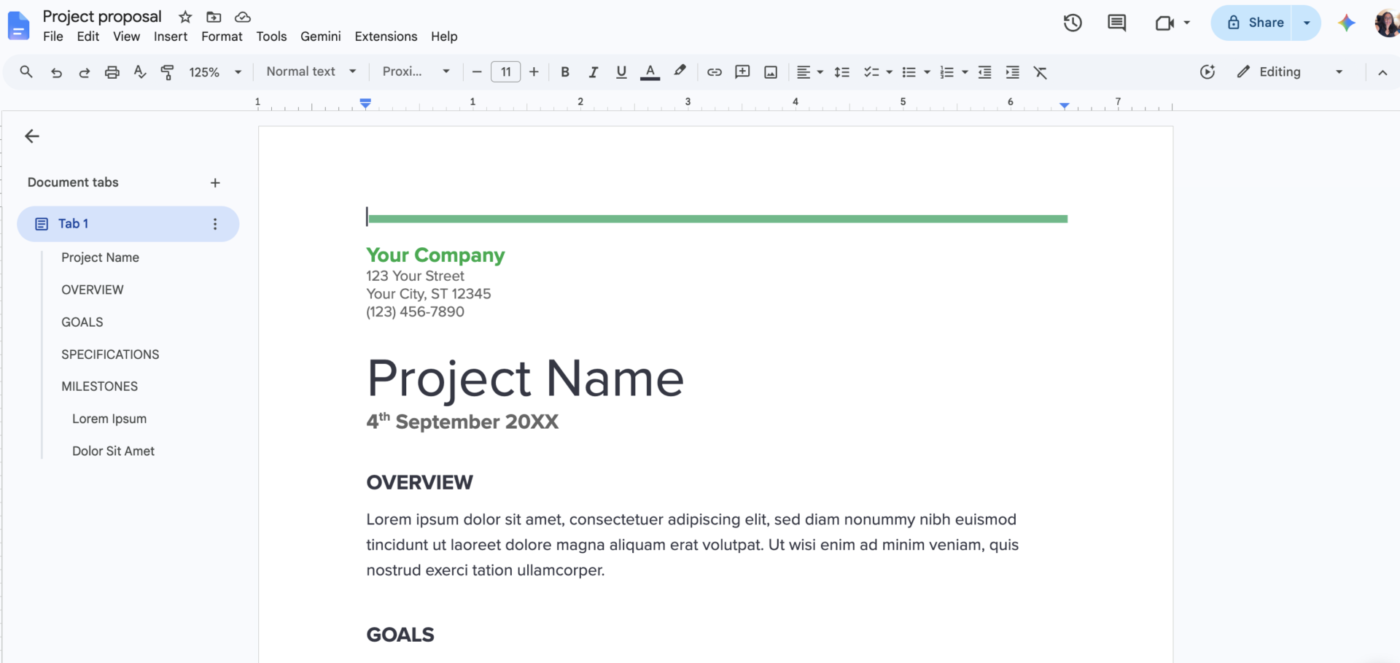
Part of the Google Workspace, Google Docs is a free, browser-based word processor that lets several people write in the same document simultaneously, with changes syncing automatically. It suits students, remote teams, and anyone who works across devices.
Suggestion mode lets reviewers propose edits that the owner can accept or reject. Comments thread against specific text, and anyone can be assigned as an action item. Named version history restores any prior state, so there’s no separate backup to manage.
Document tabs are the underrated standout in Google Docs. One file can hold multiple nested tabs in a left-hand sidebar, so an entire project brief, agenda, and notes live in a single link.
It also pulls live data from Sheets, exports to .docx and PDF, and works inside the wider Workspace stack. All of this while Gemini drafts and summarizes on different tiers.
A G2 user loves that everything they need is in one place, even AI integration:
Everything I need is available in one place, and I have my business email within Google Workspace. I use the Docs and Gemini when I do research and create documents for my business. The price is low and affordable.
Where it taps out: Offline mode exists but needs setup in advance and is less seamless than a true desktop editor. Its formatting controls are lighter than Word’s, and a .docx layout can shift on export, so skim formal documents before sending them.
Best for: Teams that live in shared documents.
Skip it if: You need precise print formatting, or you work offline constantly without setting it up first.
Also Read: Google Docs Alternatives
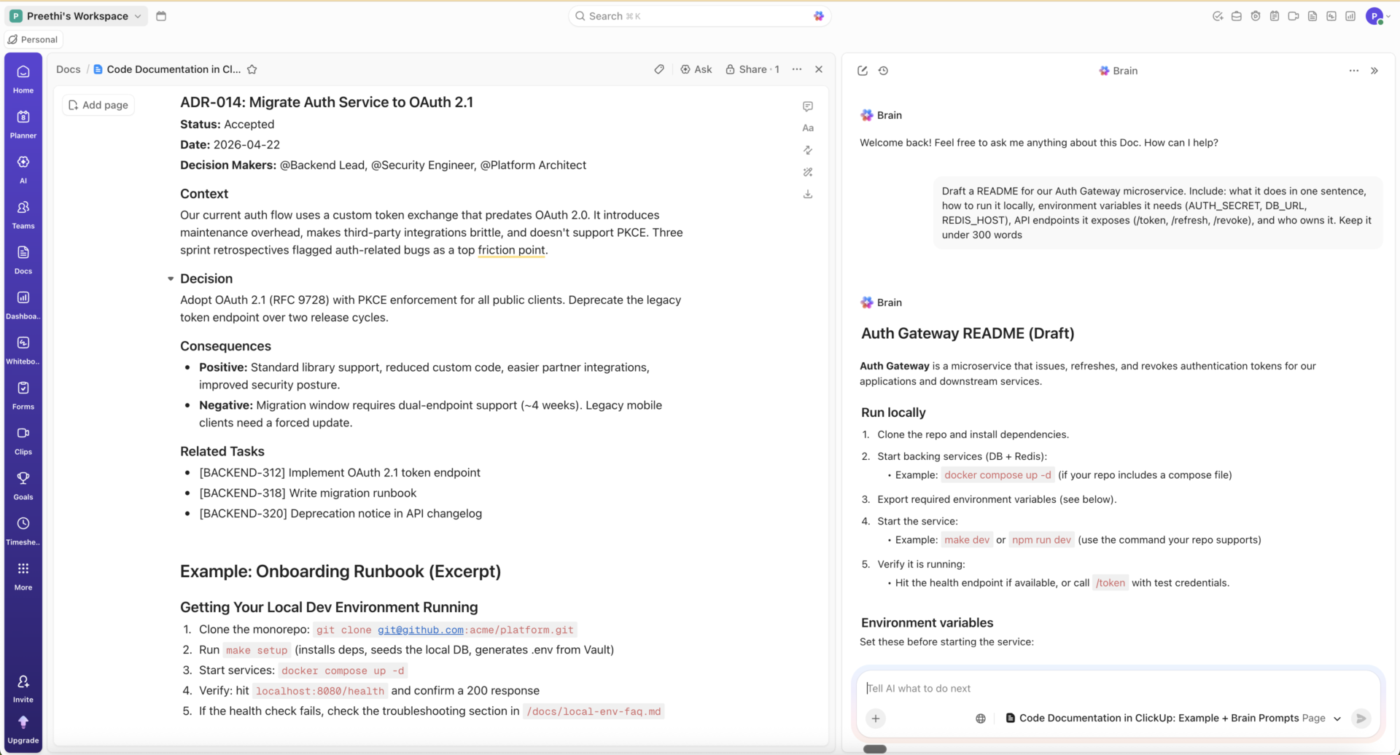
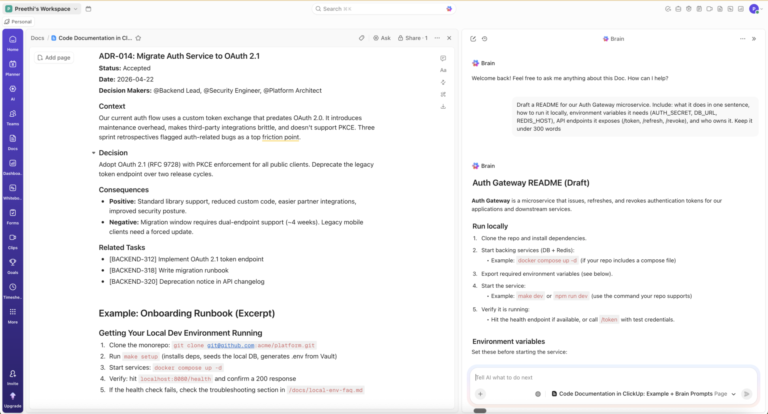
ClickUp earns its place by connecting documents to the work they describe. It is a converged work platform with a built-in editor, ClickUp Docs. The writing and the project it drives live in the same place.
It fits teams whose documents are tied to projects: a launch plan, a spec, a PRD, an onboarding guide.
Docs support rich text, embedded media, nested pages, real-time co-editing, and version history, holding up for long-form work. The difference is the linking. Highlight a line in a doc and turn it into a live task, and that task carries an assignee, due date, and status that update wherever it appears.
ClickUp Brain, the platform’s AI, runs from the free tier. It drafts and summarizes content, answers questions across your connected docs and tasks, and autofills properties like assignee and priority. Super Agents go further, acting inside the workspace on tasks you assign or @mention them on.
For quick capture that feeds the same system, Docs pair with a lighter note-taking apps workflow.
A G2 user likes that ClickUp keeps Docs alongside tasks and projects in one place:
What I like most about ClickUp is that it brings task management, docs, project tracking, and collaboration into one place. I found the interface clean and easy to navigate after getting familiar with it, and the different views like lists and boards help organize work better. The customization options are useful because workflows can be adjusted based on the project. I also liked being able to track deadlines, priorities, and progress without switching between multiple tools.
Where it taps out: The breadth that makes ClickUp powerful also means more setup than a single-view tool. New teams report a learning curve while configuring their first Spaces, views, and Custom Fields.
Best for: Scaling teams that want documents living next to their tasks.
Skip it if: You need a simple, standalone word processor and nothing more.
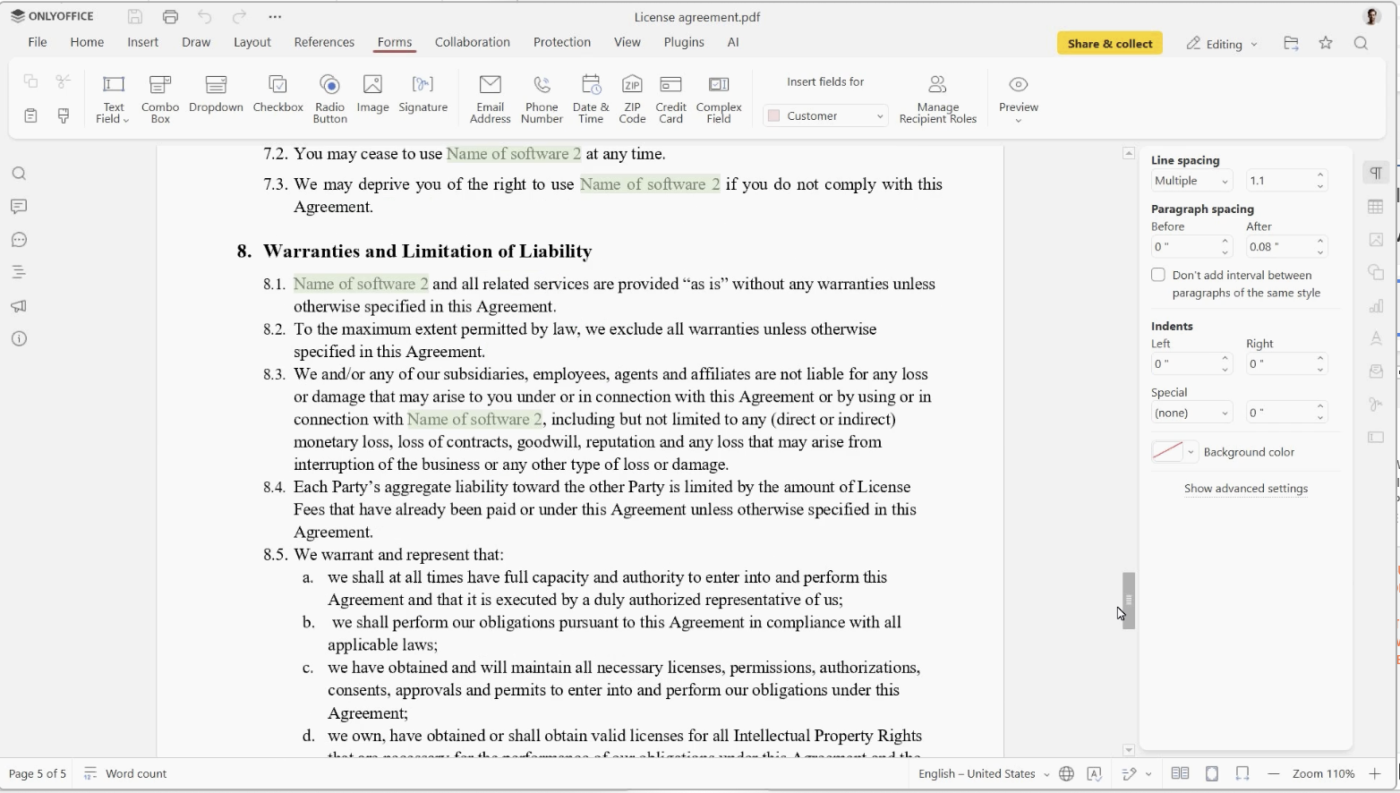
ONLYOFFICE is built for teams that need Word-format accuracy without giving up collaboration. It renders .docx, .xlsx, and .pptx files with little formatting drift because the editor treats OOXML as its native format. That means a spec full of nested tables, tracked edits, and custom styles survives the round trip to an Office user and back.
The fit is strongest for businesses, schools, and privacy-conscious teams that want co-editing without moving everything into Google Workspace or Microsoft 365.
Fast mode shows collaborators’ changes in real time. Strict mode keeps others’ edits hidden until you save and accept them. Track changes, comments, built-in chat, and version history are built into the editor.
The deployment choice is the real draw. Run the free desktop editors offline, use the managed cloud, or self-host the Community edition so every file stays on your own servers. Self-hosting also opens connectors to Nextcloud, Seafile, and SharePoint, letting a team bolt ONLYOFFICE onto storage it already runs.
A Capterra user points to ONLYOFFICE’s cross-format editing and the ability to pick a document back up without internet:
You can send a document to a non-user, and they can easily download the software and access the documents. Easy to type and edit documents. Able to edit documents from other software. When your machine switches off, you can continue with your document from your mobile phone. Supports other formats. Easy to sync calendars.
Where it taps out: ONLYOFFICE has a smaller template and add-on ecosystem than Microsoft 365 or Google Workspace. Teams that rely on niche Word add-ins, legal templates, or admin-managed extensions may feel that gap.
Best for: Teams that need strong .docx fidelity, co-editing, and self-hosting control.
Skip it if: You want add-ins, templates, and a full ecosystem.
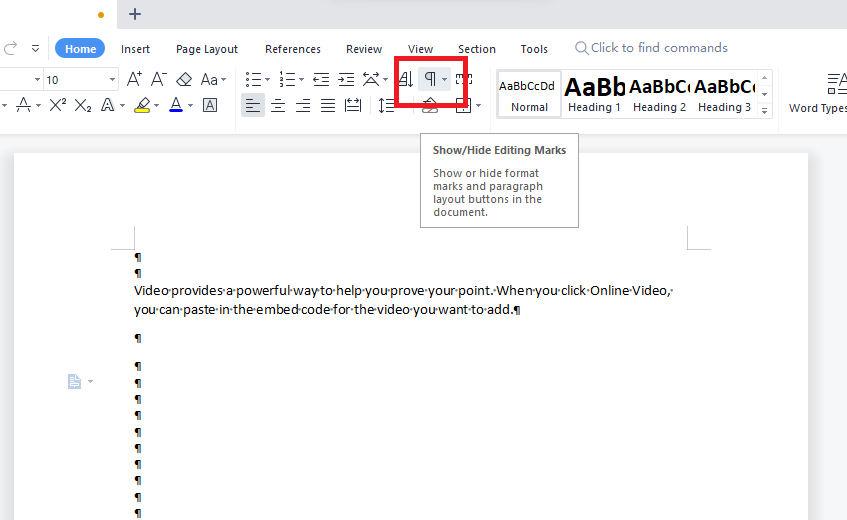
WPS Office is the easiest switch for anyone who likes Word’s layout but not its price. The ribbon interface mirrors Microsoft Office closely enough that most habits carry over on day one, with no relearning where the toolbar lives.
It fits freelancers, students, and small teams that mostly need Writer, spreadsheets, presentations, PDFs, and Office file compatibility in one lightweight suite. WPS supports common Microsoft file formats, including .doc, .docx, .xls, .xlsx, .ppt, and .pptx, and runs on Windows, macOS, Linux, Android, and iOS.
The PDF toolkit is a stronger reason to pick it over simpler free editors. It lets you edit, convert, compress, merge, split, and sign PDFs.
WPS AI further adds drafting, rewriting, document summaries, translation, spell check, and PDF Q&A. Useful, but not a full Microsoft Copilot substitute. Some AI tools have daily usage limits on paid plans.
A G2 user bought WPS Office for what it packs into a lightweight suite:
About WPS Office: I like it. I bought it because it’s a lightweight, all-in-one suite with excellent Microsoft Office compatibility, plus useful built-in PDF editing tools.
Where it taps out: The free tier includes ads and limited cloud storage. WPS also has less ecosystem depth than Microsoft 365, especially for Word add-ins, admin controls, SharePoint workflows, and Copilot.
Best for: Freelancers and small teams that want a Word-like editor, PDF tools, and low-cost Office file handling.
Skip it if: Ads break your focus, or you need generous cloud storage on the free plan.
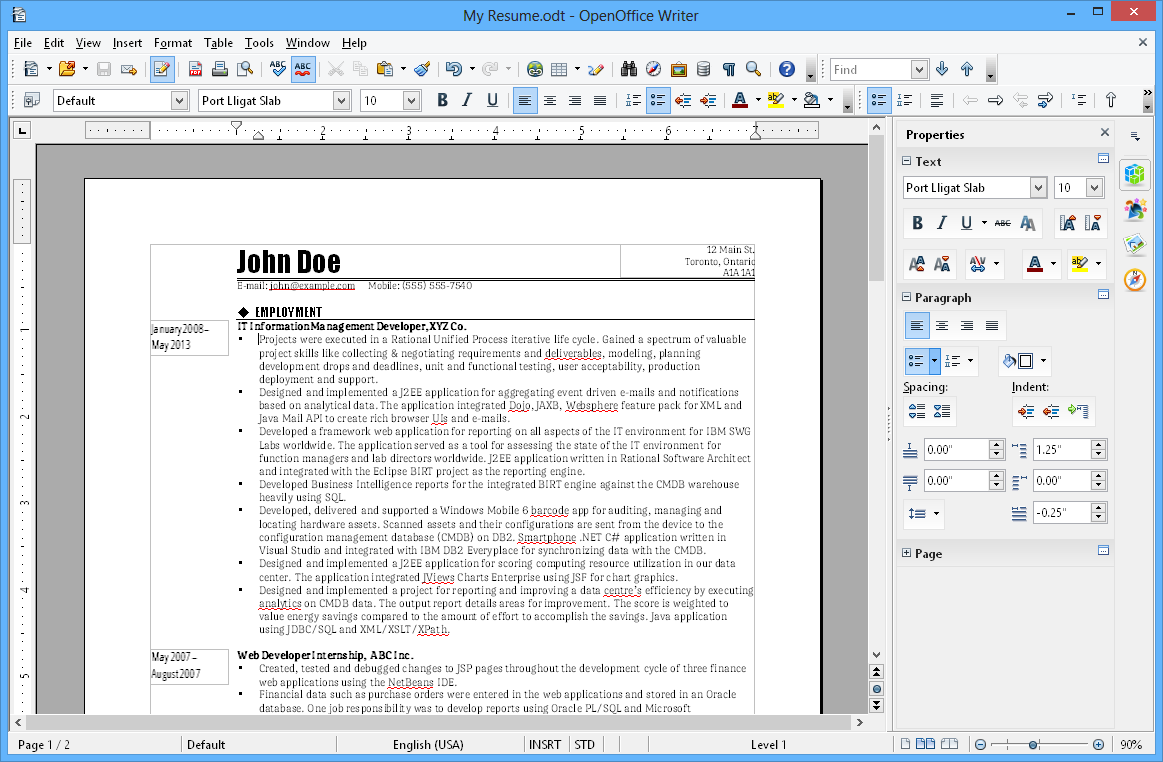
Apache OpenOffice Writer is the pick for basic documents on older machines. It is free, open-source, and light enough for low-spec hardware, where heavier office suites can feel slow. That makes it useful for students, home users, and small offices keeping older laptops alive.
Writer handles letters, reports, long-form documents, tables of contents, references, notes, PDF export, and mail merge. It runs locally, needs no account, and stores files on your machine, which matters when cloud sync is not the goal. It suits people who want offline reliability over modern collaboration.
The native format is OpenDocument Text (.odt). Writer can open .doc and .docx files and save to older Word formats, but .docx round-tripping is not its strength. If you exchange polished Word files every day, ONLYOFFICE or LibreOffice is a safer pick.
A G2 user values OpenOffice Writer for the formats it handles:
The capability to open all the common document types and enable to save it in all the common formats. It is free and easy to use.
Where it taps out: It has no real-time collaboration, and its release cadence is slow. Most reviewers now reach for LibreOffice when active development matters.
Best for: Simple offline documents on modest hardware.
Skip it if: You want frequent updates, .docx saving, or any collaboration.
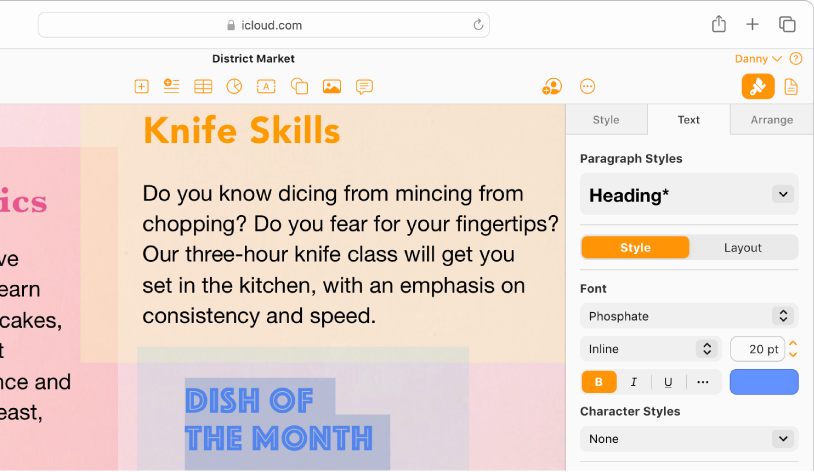
Apple Pages is the natural alternative to Word for people already working on a Mac, iPhone, or iPad. It is free for core document creation, editing, and collaboration, and pairs a clean interface with Apple-designed templates. The result feels more design-led than Google Docs and less dense than Microsoft Word.
It fits Apple users creating reports, letters, proposals, resumes, newsletters, and lightweight brochures.
The real advantage of Pages is layout. It gives you typography controls, image masking, page templates, shapes, tables, charts, and free-form text placement without pushing you into a full design app. It is closer to a light page layout tool than a plain text editor.
A founder can lay out a pitch-ready one-pager, drop in charts, then export to PDF for investors without ever opening a separate design app.
Collaboration runs through iCloud. Mac, iPad, iPhone, and even PC users can edit shared Pages documents, with Windows users joining through iCloud.com. Pages can also import and export Microsoft Word files, PDFs, EPUBs, RTF, and TXT, which makes it workable for occasional Office handoffs.
A G2 user reaches for Apple Pages when a document needs to look polished:
Pages is quite useful for creating professional documents, I always use it to make my business proposals, and Pages gives a more professional air than others, it is very easy to use, images can be dragged more easily, it has more fonts that look better.
Where it taps out: Pages has no native Windows or Android app. Mixed-platform teams depend on iCloud.com, and complex Pages-to-Word exports can create formatting friction.
Best for: People working mostly within Apple’s ecosystem who care about design.
Skip it if: Your team needs full native apps on Windows or Android.
Read More: Document Editing Software
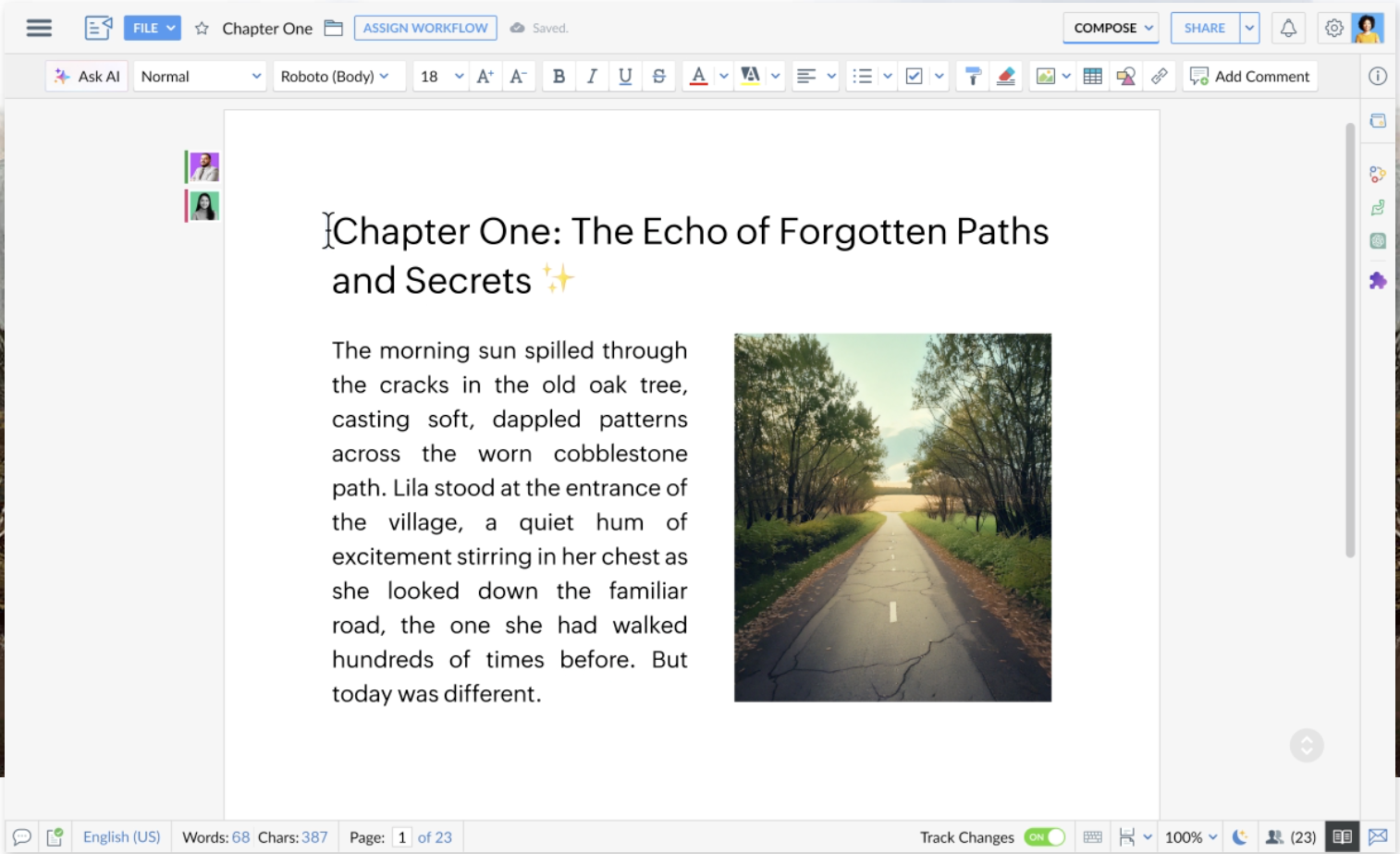
Zoho Writer handles normal writing well, but its real strength is proposals, offer letters, contracts, policy docs, and templates that need review, merge fields, signatures, or approvals.
It fits teams already using Zoho CRM, WorkDrive, Sign, Forms, or Zoho One. With Writer, a sales team can generate proposals from CRM data. HR can build offer letters from templates. Operations can route policy updates through comments, review, and approval before sharing the final version.
Writer supports DOCX, DOC, ODT, PDF, TXT, and HTML, with offline editing when you lose internet access. Collaboration covers real-time editing, comments, document history, and review workflows. Zia, Zoho’s AI writing assistant, helps with drafting, rewriting, proofing, writing analysis, and style suggestions.
A G2 user leans on Zoho Writer to keep documents clean and shareable across platforms:
It gives me all formats which I require for creating effective documents, and it corrects grammar mistakes on its own without any external help. As well as collaborating, creating, and sharing documents virtually on all platforms is easy and stress-free.
Where it taps out: Zoho Writer is tuned for business workflows over heavy formatting, so very large or complex documents are better handled in a dedicated desktop editor.
Best for: Zoho teams creating proposals, offer letters, approvals, and merge-based documents.
Skip it if: You need perfect Word fidelity, Microsoft Copilot, or complex legal-document formatting.
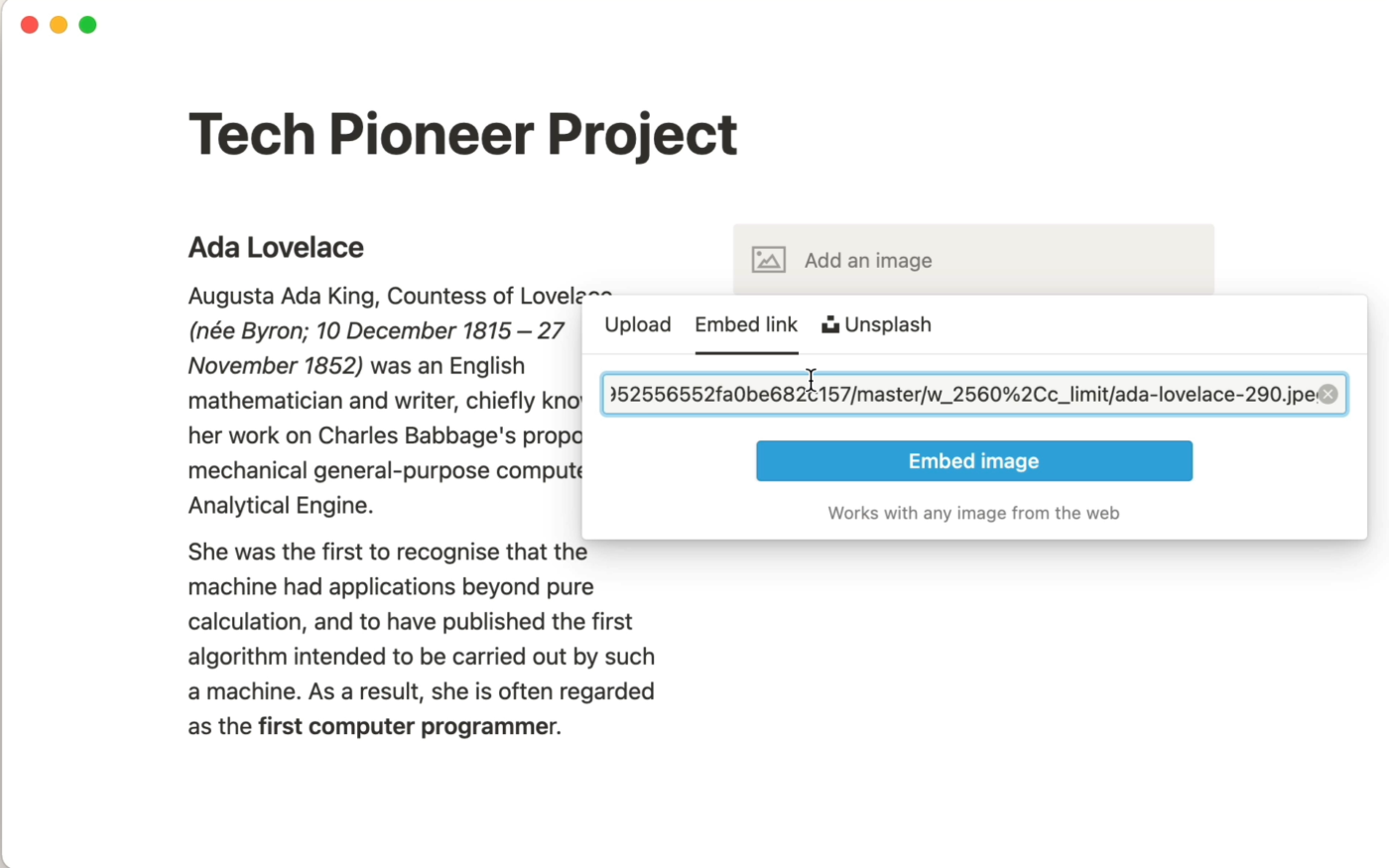
Notion is the alternative for teams who want documents, notes, wikis, and lightweight task tracking in a single workspace. Its block-based system lets one page hold text, tables, images, and embedded data, and any page can nest almost endlessly. That means a single workspace scales from a quick note to a full team wiki.
It fits teams writing briefs, SOPs, meeting notes, project plans, and internal knowledge bases.
The database layer is its strength. The same content can appear as a table, list, board, gallery, calendar, or timeline. A content team can keep briefs, drafts, due dates, approvals, and publishing status in Notion.
Notion AI further helps with drafting, summarizing, searching, and workspace Q&A. Custom Agents can handle recurring workflows.
A G2 user likes that Notion collapses several tools into one workspace:
Instead of juggling multiple apps (notes, tasks, docs, databases), Notion brings everything into one place. You can write notes, manage projects, track habits, and even build simple CRMs—all inside the same interface.
Where it taps out: Notion is built for connected docs and databases rather than print-precise formatting, so it’s a better fit for wikis and briefs than for documents that need exact Word layout. Large pages and databases can also slow down.
Best for: Teams building docs, wikis, briefs, and trackers in one connected workspace.
Skip it if: You need native .docx export, tracked changes, or complex Word-style formatting.
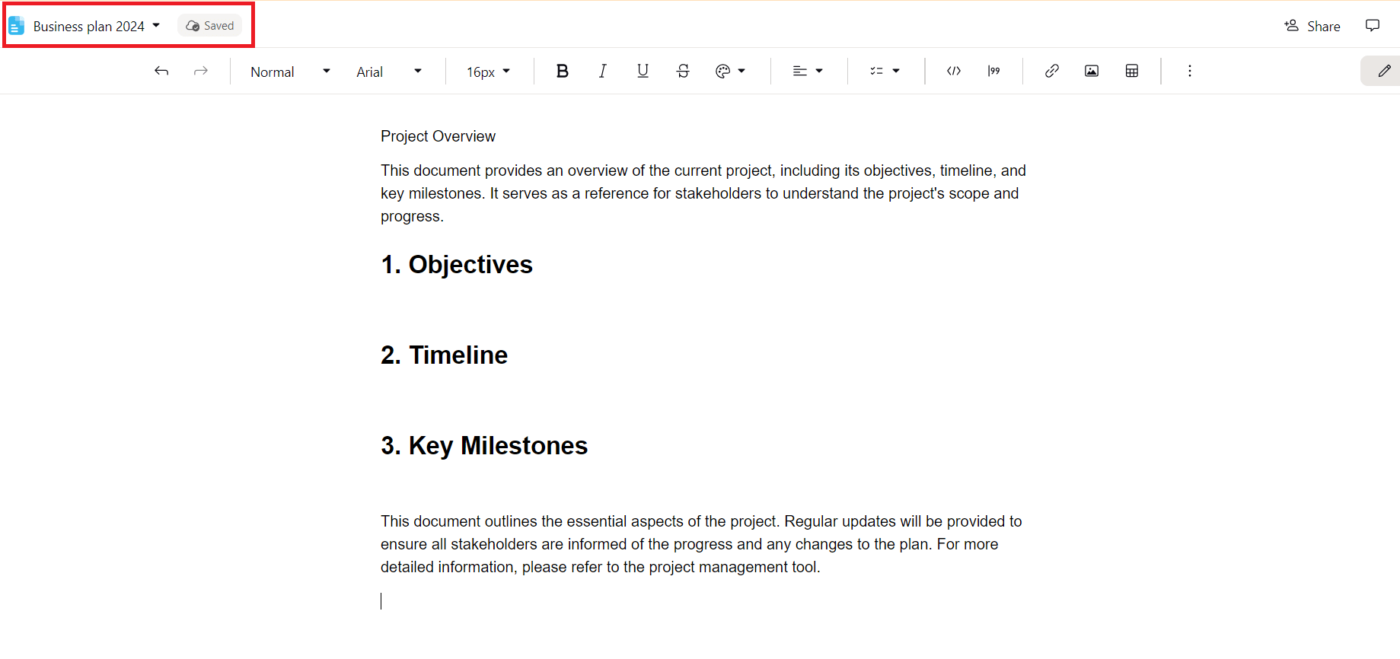
Proton Docs is the choice when privacy is the deciding factor. This end-to-end encrypted document editor is from the Swiss company Proton (the team behind Proton Mail). It fits lawyers, healthcare teams, finance teams, consultants, and privacy-first businesses that handle sensitive drafts. Think client notes, strategy docs, internal policies, or director-level materials you don’t want scanned for ads or AI training.
The editor supports real-time collaboration, live cursors, comments, and suggestions. External collaborators can view or edit through secure sharing links, even without a Proton account.
The security layer is the real reason to choose it. Proton says Docs encrypts every keystroke and keeps document access limited to you and the people you choose. A lawyer can draft a confidential client agreement, share an edit link with co-counsel who has no Proton account, and know every keystroke is encrypted.
That said, Proton Docs is still younger than Google Docs, Word, and Zoho Writer. It works well for private writing and review, but it is not the best choice for advanced formatting, templates, mail merge, add-ons, or complex .docx workflows.
A G2 user values how Proton Workspace centralizes company files, with one thing setting it apart:
What I like most about Proton Workspace is how easy it is to centralize all the company’s files and documents in one secure place. This significantly improves organization, teamwork, and quick access to information from any device. Additionally, it gives me a lot of confidence due to its focus on privacy and data security.
Where it taps out: Its formatting and template set are lighter than those of a mature word processor, and there are no Sheets or Slides companions yet, since the priority is security over breadth.
Best for: Privacy-first teams writing sensitive documents inside Proton Drive.
Skip it if: You need Word-level formatting, Google Docs polish, or a large template/add-on ecosystem.
You’ve matched a tool to your job. Before you move years of documents into it, confirm it clears the two checks that catch most regrets.
Open a real file, not a blank one. Take an actual formatting-heavy document, edit it in your shortlisted tool, export it back to .docx, and check that tables, fonts, and spacing hold. This five-minute test surfaces the compatibility problems that otherwise show up at the worst moment, mid-deadline, in front of a client.
Check your one non-negotiable. Everyone has a single hard requirement that overrides the rest:
Clear both, and the switch sticks.
Switching isn’t always the answer.
If you exchange heavily formatted files with Word users daily, where a shifted table or font breaks a contract or a client deliverable, Word’s own fidelity is hard to beat. The same goes for advanced formatting at scale: mail merge into complex templates, deep referencing, or macros your team already relies on. And if you’re locked into Microsoft 365 for Outlook, Teams, and Excel anyway, a separate word processor adds friction without removing a cost you’re still paying.
The honest test: If your one non-negotiable is perfect Word compatibility, the safest Word alternative is Word. Everywhere else, the options above win.
There’s no single best Word alternative, only the one that fixes why you’re switching.
If you need formatting-heavy documents that don’t break for Word users, LibreOffice or ONLYOFFICE hold the line. If the document is something a group builds together in real time, Google Docs still owns that. And if privacy is the dealbreaker, Proton Docs encrypts every keystroke.
Two checks decide whether the switch sticks. Open a real formatting-heavy file and export it back to .docx before you trust it. Then confirm your one non-negotiable (offline, data control, platform, or privacy) actually holds.
But if your documents are really part of a larger project, briefs, specs, or launch plans, the better question is why they live apart from the work at all. ClickUp keeps docs, tasks, and deadlines in one place. Try ClickUp for free.
Yes, but fidelity varies. ONLYOFFICE renders .docx most accurately because it treats OOXML (the format Word uses) as native, and LibreOffice Writer handles complex .docx with high fidelity. Apache OpenOffice opens .docx but saves it weakly, making it the riskiest choice for round-tripping files with Word users.
For most people, it’s LibreOffice Writer, the closest free match for Word’s core features (styles, footnotes, tables of contents, references), and it works fully offline. Google Docs is the better free pick if real-time collaboration matters more than formatting depth. Both edit .docx files at no cost, unlike Word’s full desktop app, which needs a Microsoft 365 subscription.
It depends on the stack. ONLYOFFICE fits teams needing .docx fidelity plus self-hosting; Zoho Writer suits proposals, contracts, and approval workflows inside the Zoho ecosystem; and ClickUp fits teams whose documents are tied to projects, tasks, and deadlines. Google Workspace remains the default for deep Google users.
Desktop editors like LibreOffice, Apache OpenOffice, and the free ONLYOFFICE and WPS desktop apps work fully offline with no account required. Cloud-first tools like Google Docs and Notion can work offline too, but you must enable it in advance, and it’s less seamless than a native desktop editor.
Partially. Microsoft offers a free, feature-limited web version of Word with a Microsoft account, but the full desktop app requires a Microsoft 365 subscription ($99.99/year) or a one-time Office 2024 purchase. Free alternatives like LibreOffice Writer remove the cost entirely.
Both are free, open-source forks of the same original OpenOffice.org code, but LibreOffice is far more actively developed. LibreOffice ships frequent updates and stronger .docx support, while Apache OpenOffice releases slowly, and it can open but not reliably save .docx files. For most users, LibreOffice Writer is the better pick; choose OpenOffice only for basic offline documents on older, low-spec hardware.

Manasi Nair
Max 26min read
Manasi Nair
Max 26min read
Manasi Nair
Max 20min read

© 2026 ClickUp




