






Still downloading templates?
There’s an easier way. Try a free AI Agent in ClickUp that actually does the work for you—set up in minutes, save hours every week.
Sorry, there were no results found for “”
Sorry, there were no results found for “”
Sorry, there were no results found for “”

A G2 user summed up their experience with Upbase like this:
What I like best about Upbase is that it’s simple enough to work for the solopreneur. Also, Upbase doesn’t force a specific approach. It’s flexible so you can use it in the way that works best for you.
That ease of use is a big reason why Upbase works so well for solopreneurs. When you’re managing your own work, you don’t want a tool that overcomplicates things. Upbase stays adaptable and easy to shape around your personal workflow.
However, as your work evolves, flexibility alone may not be enough. If you’re handling multiple projects and clients or coordinating with a growing team, you may need stronger progress tracking and workflow automation.
That is where Upbase alternatives come in. In this article, we explore tools that build on Upbase’s strengths while offering more scalability for how you work today.
To help you compare your options quickly, here is a high-level view of the best Upbase alternatives at a glance.
| Tool name | Key features | Best for | Pricing* |
| ClickUp | Unified project planning, 15+ task views, AI-powered assistance with ClickUp Brain, native time tracking, workload management, calendar scheduling, Docs, Dashboards, Automations, and templates | Individuals and teams seeking to manage complex projects and scale work without tool sprawl | Free Forever; Custom pricing available for enterprises |
| Trello | Kanban boards with cards and lists, Butler automation for rules and workflows, Trello AI for brainstorming and action item creation, email and Slack to card capture, card mirroring, and ready-made templates | Individuals and small teams that want a simple, visual way to handle projects and track progress | Free plan available; Paid plans start at $6/month per user |
| Monday.com | Highly customizable boards and workflows, multiple views including Kanban, Gantt, Timeline, Calendar, and Workload, real-time dashboards, built-in time tracking, WorkDocs, WorkForms, and 200+ app integrations | Small to mid-sized teams that need flexible workflows, workload visibility, and real-time project tracking across departments | Free plan available; Paid plans start at $12/month per seat |
| Wrike | Custom workflows and statuses, space-level automation, Wrike Whiteboard for brainstorming, dynamic request forms, AI-driven work intelligence, project blueprints, and role-based access controls | Small teams managing complex projects that require strong control, standardization, and scalability | Free plan available; Paid plans start at $10/month per user |
| Asana | Task and subtask management, list, board, calendar, and timeline views, portfolios for cross-project visibility, goals tracking, AI-powered summaries and risk detection, workflow templates, and scalable process management | Mid- to large-sized cross-functional teams that want structured execution with visibility into goals and outcomes | Free plan available; Paid plans start at $13.49/month per user |
| Akiflow | Task-to-calendar scheduling, natural language planning, focus mode and time blocking, AI assistant for conflict detection, fast task capture via command bar, and availability sharing | Founders and individual operators who want tasks tightly aligned with their calendar and daily time availability | Paid plans start at $34/month per user |
| Basecamp | Centralized project spaces for to-dos, messages, files, and schedules, Hill Charts for progress clarity, Campfire group chat and Pings for communication, automated check-ins, item references, and built-in time tracking for billing | Small teams that want simple, centralized collaboration with clear project context and minimal setup | Free plan available; Paid plans start at $15/month per user |
| Jira | Scrum and Kanban boards, issue and bug tracking with full traceability, advanced roadmaps for portfolio and capacity planning, performance reports and dashboards, granular security controls, and deep integrations with developer tools | Large Agile and software teams managing complex projects, bugs, and large-scale workflows | Free plan available; Paid plans start at $7.91/month per user |
| Zoho Projects | Milestone-based project planning, task dependencies, built-in time tracking with billing integrations, workload charts, workflow automation with blueprints, issue tracking with SLAs, and in-context collaboration | Small teams already using Zoho apps that want tightly integrated project execution and billing | Free plan available; Paid plans start at $3.90/month per user |
| Notion | Custom databases for tasks and projects, timeline and multiple project views, dashboards for progress tracking, AI Autofill for automation, granular permissions, sprint workflows, and connected PRDs inside tasks | Small to mid-sized teams that want flexible project management combined with documentation and knowledge management | Free plan available; Paid plans start at $12/month per user |
| Todoist | Natural language task input, flexible recurring tasks, reminders via Quick Add, Today view for daily focus, Karma productivity tracking, and public or private project sharing | Individuals and small teams that want lightweight task management and habit building | Free plan available; Paid plans start at $2.93/month per user |
Our editorial team follows a transparent, research-backed, and vendor-neutral process, so you can trust that our recommendations are based on real product value.
Here’s a detailed rundown of how we review software at ClickUp.
Upbase is a task management software designed to help small businesses and teams stay organized. You can manage tasks, projects, and basic documentation in a clean interface without the complexity of enterprise software.
However, as your team grows and work becomes more collaborative and fast-paced, you may find Upbase limiting.
Here is what to look for in an Upbase alternative:
📮 ClickUp Insight: Low-performing teams are 4 times more likely to juggle 15+ tools, while high-performing teams maintain efficiency by limiting their toolkit to 9 or fewer platforms. But how about using one platform?
As the everything app for work, ClickUp brings your tasks, projects, docs, wikis, chat, and calls under a single platform, complete with AI-powered workflows. Ready to work smarter? ClickUp works for every team, makes work visible, and allows you to focus on what matters while AI handles the rest.
Let’s explore each Upbase alternative in detail, including best features, limitations, pricing, and real user reviews.
Work today is fragmented and spreads across too many tools. This constant switching wastes time and makes it easy to lose track of what really matters.
ClickUp solves this with a converged AI workspace, bringing together your projects, tasks, calendar, and team knowledge. With AI-powered suggestions and workflow automation, you can prioritize work and collaborate without friction.
Let’s explore how ClickUp Project Management Software helps you reduce work sprawl and spend less time switching between tools and more time actually getting work done.
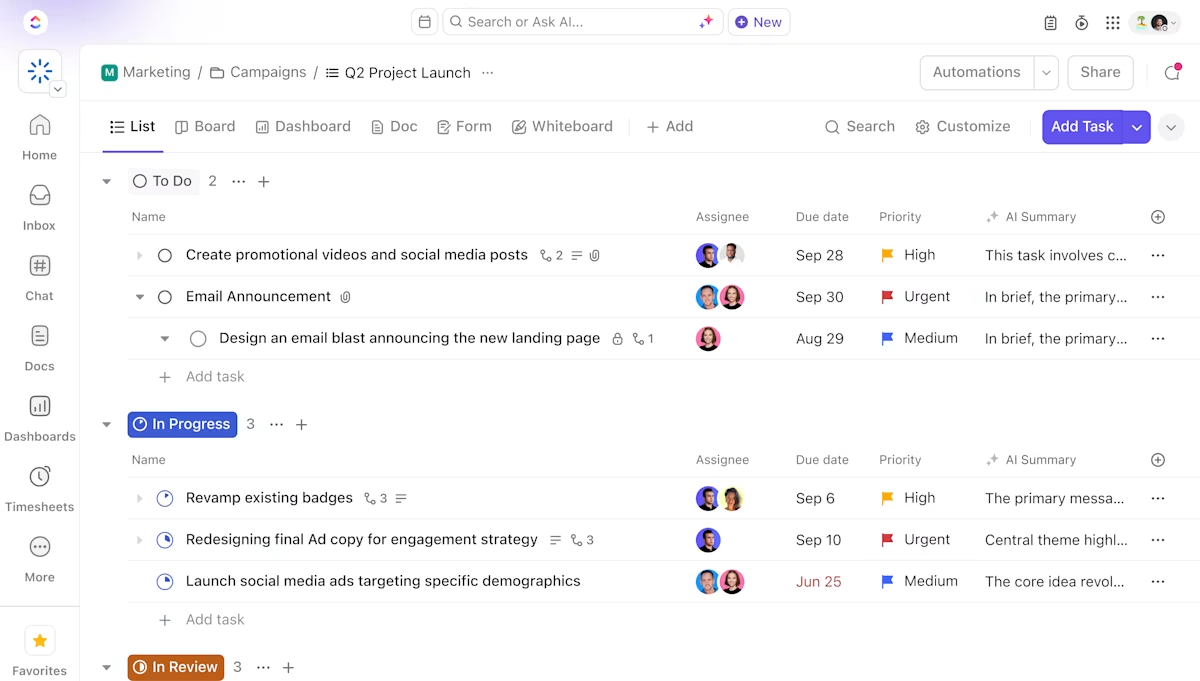
ClickUp Tasks offers you a connected space to plan and launch multiple projects, from individual initiatives to team activities.
You can create tasks and subtasks, set owners, and assign due dates, all from one place. Projects can include stages and milestones that help you start off work with clarity and purpose.
Watch how ClickUp streamlines project management from planning to execution.
Once your project structure is in place, you can choose between 15+ Custom Views that best fit how you want to track progress.
These views make it easy to switch between detailed task execution and big-picture project planning without leaving ClickUp.

ClickUp’s AI‑powered Calendar automatically schedules priority tasks and blocks focus time based on your deadlines and workload. When plans change, it can adjust your schedule so meetings and work stay balanced without manual rescheduling.
Integrate Outlook or Google Calendar with your ClickUp calendar, so all your meetings and tasks appear in a single, combined view.
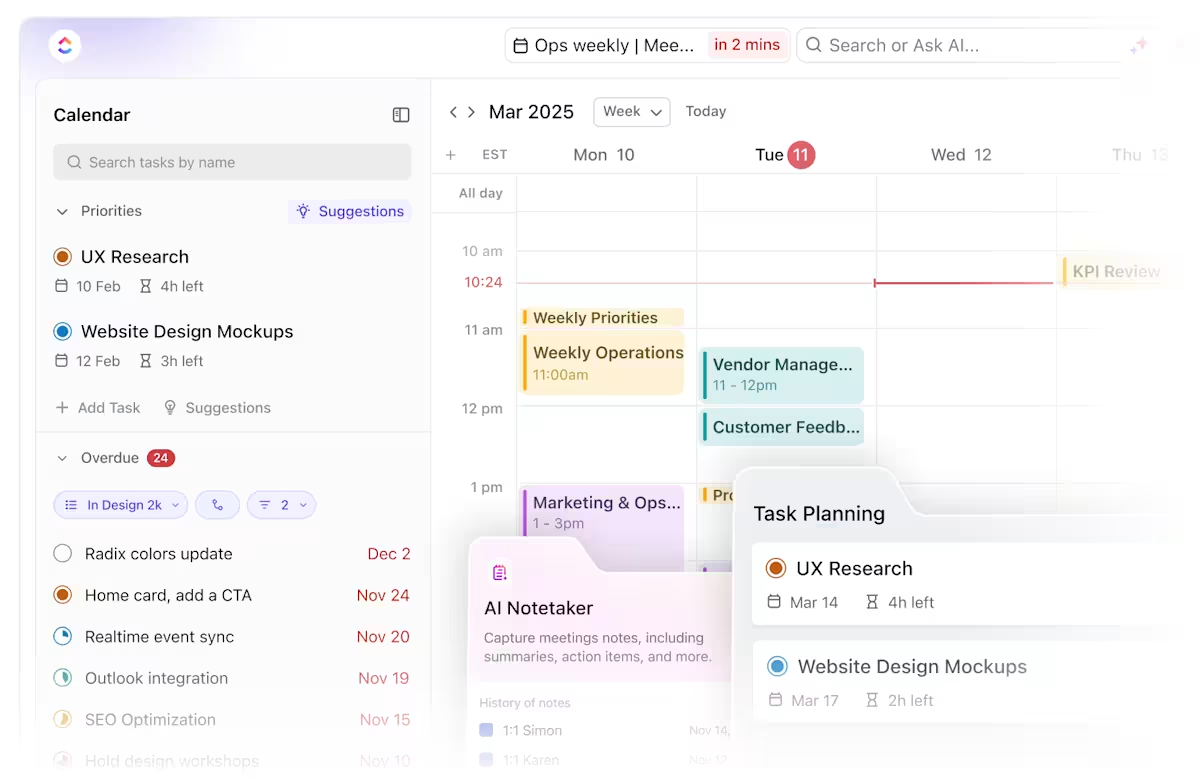
You get AI-generated transcripts for all your meetings, and can generate action items and turn them into tasks on the spot. This turns your calendar into a planning tool that helps you capture work as it happens and improve productivity.
ClickUp Time Tracking lets you monitor and record time at the exact point where work happens. You can track time spent on tasks or log hours after the task, keeping effort tied directly to the work delivered.
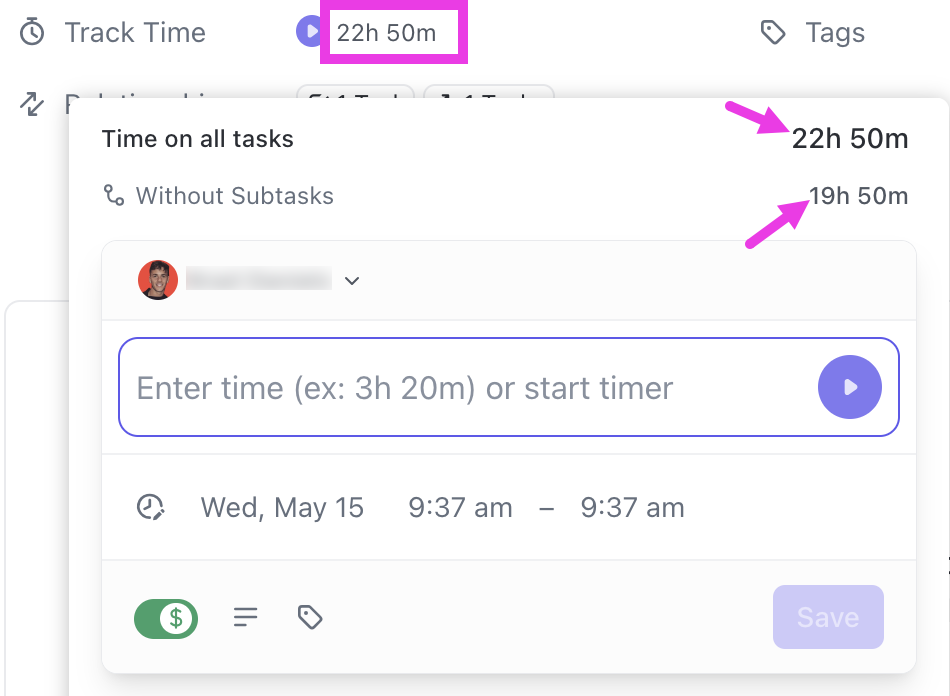
That time data rolls up into timesheets and reports, making it easier to understand how projects consume time and where workloads are stretching. By comparing planned estimates with actual effort, you gain clearer visibility into delivery risks and team capacity.
🎯 Quick Hack: If your work happens across devices or tools, ClickUp still keeps time tracking simple. Track time from desktop, mobile, or your browser using the free Chrome extension, or connect tools like Toggl or Clockify to sync time automatically. You can also mark entries as billable, so invoice-ready hours are always visible without extra reconciliation.
ClickUp Brain acts as an in-workspace assistant that helps you make sense of ongoing work without digging through tasks, comments, or Docs. It surfaces the information you need at the moment you need it.
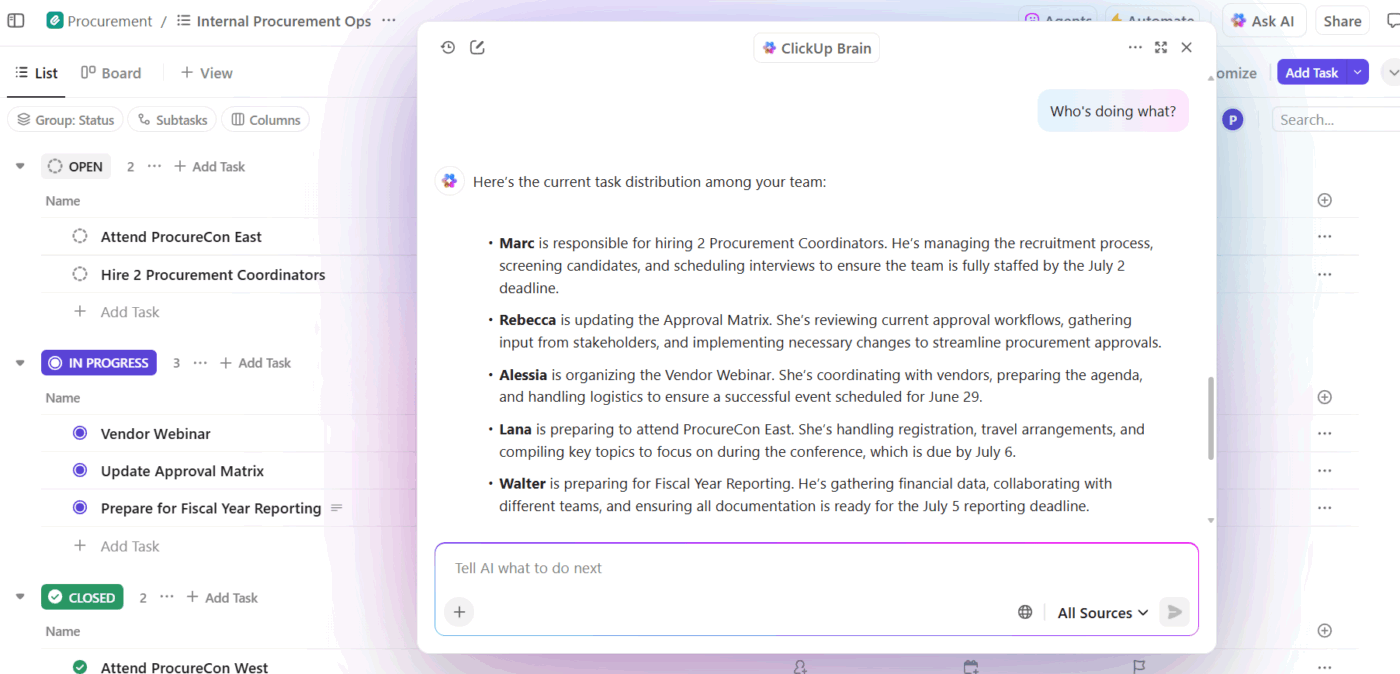
Instead of manually writing status updates or follow-ups, you can rely on Clickup Brain to turn raw inputs like notes, files, and conversations into usable content. This keeps day-to-day execution moving while reducing the effort spent on administrative work.
💟 Bonus: As projects grow, you need faster ways to understand progress and turn conversations into action. ClickUp BrainGPT, a desktop app, extends Brain’s capabilities to support project management at scale.
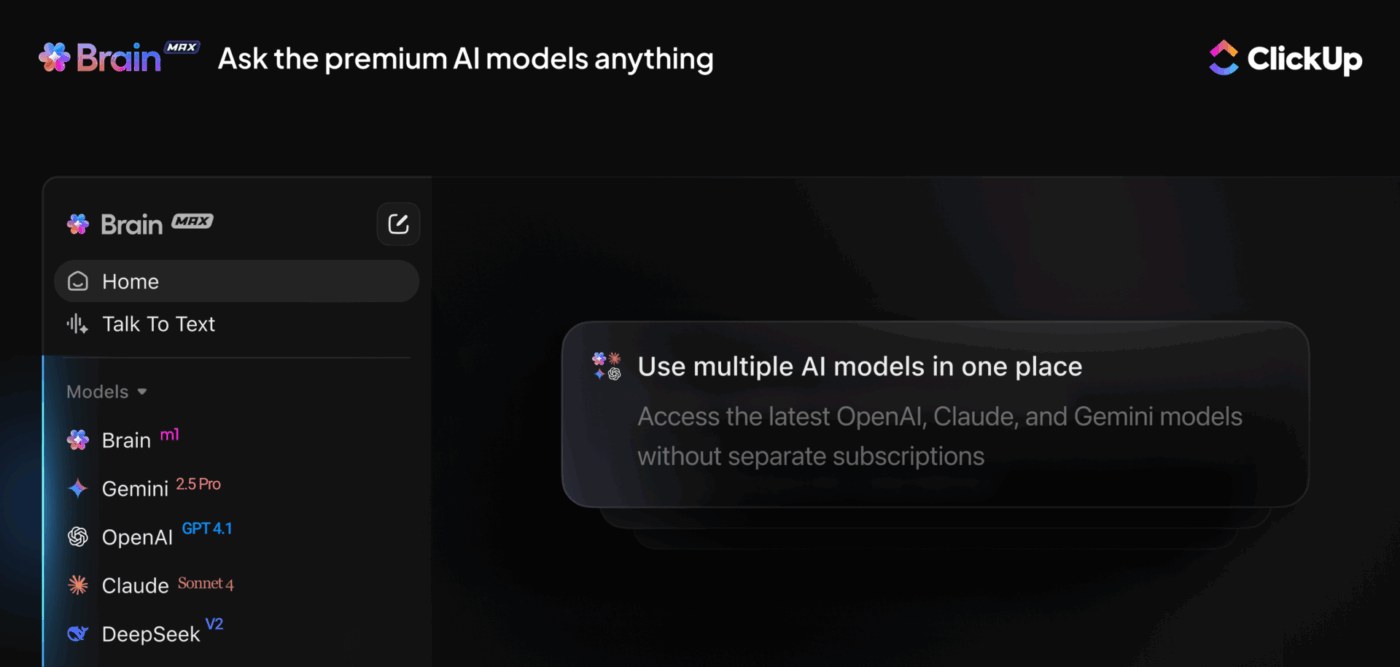
It can:
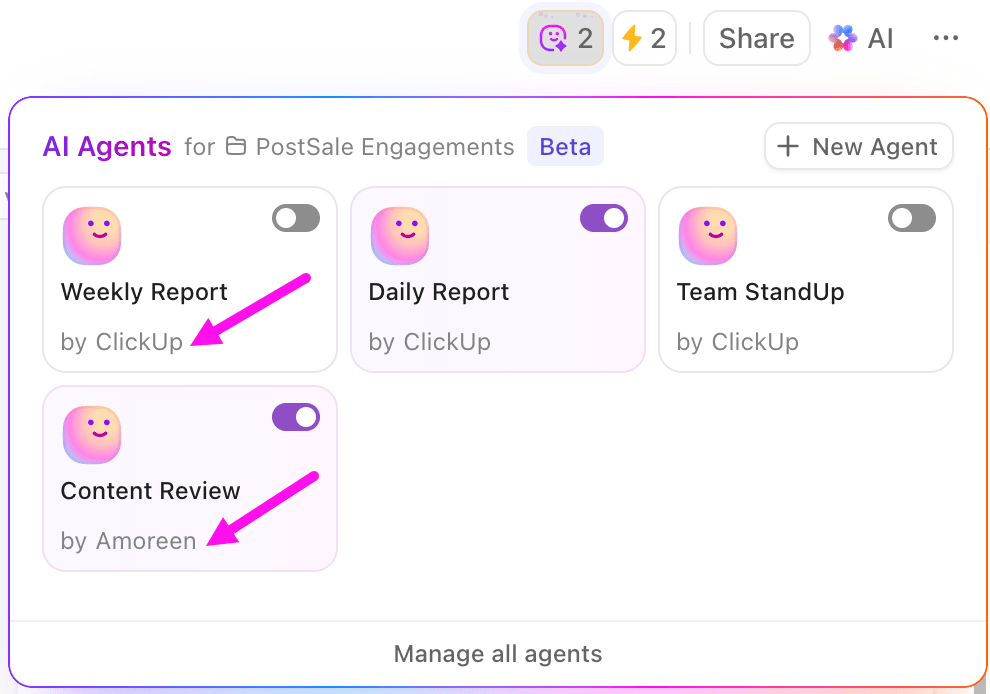
ClickUp Automations takes repetitive work off your plate. Instead of manually updating tasks or chasing updates, you can set rules that assign work, change statuses, send alerts, or move tasks forward as soon as conditions are met. This keeps projects moving even when no one is watching them closely.
With ClickUp AI Agents, automation goes a step further. These agents can act on context from your workspace to suggest next steps, summarize updates, and help manage task flow across projects.
When your work follows familiar patterns, starting with a proven structure can save time and reduce decision fatigue. ClickUp’s free templates give you a simple framework that you can adapt to fit your daily routine.
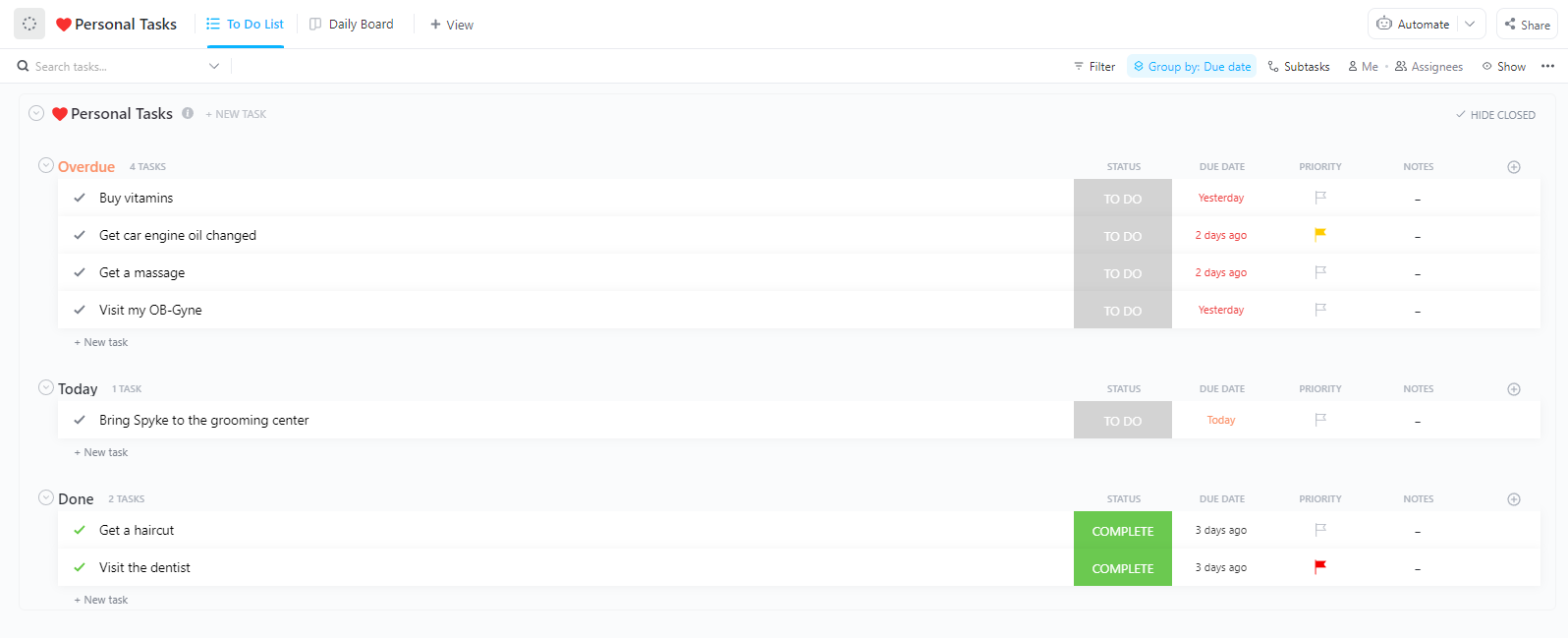
For example, the ClickUp Daily Planner Template helps you organize daily tasks and time blocks in one place. You can map out your day and use the Calendar View to see deadlines and schedules clearly. This way, your daily plan stays realistic and actionable.
A G2 user says:
I really appreciate the breadth of features that ClickUp offers, which helps me manage short-term tasks throughout the week and more complex, months-long projects. I appreciate being able to keep track of what tasks I’m responsible for and their urgency easily, making my daily workflow simple.
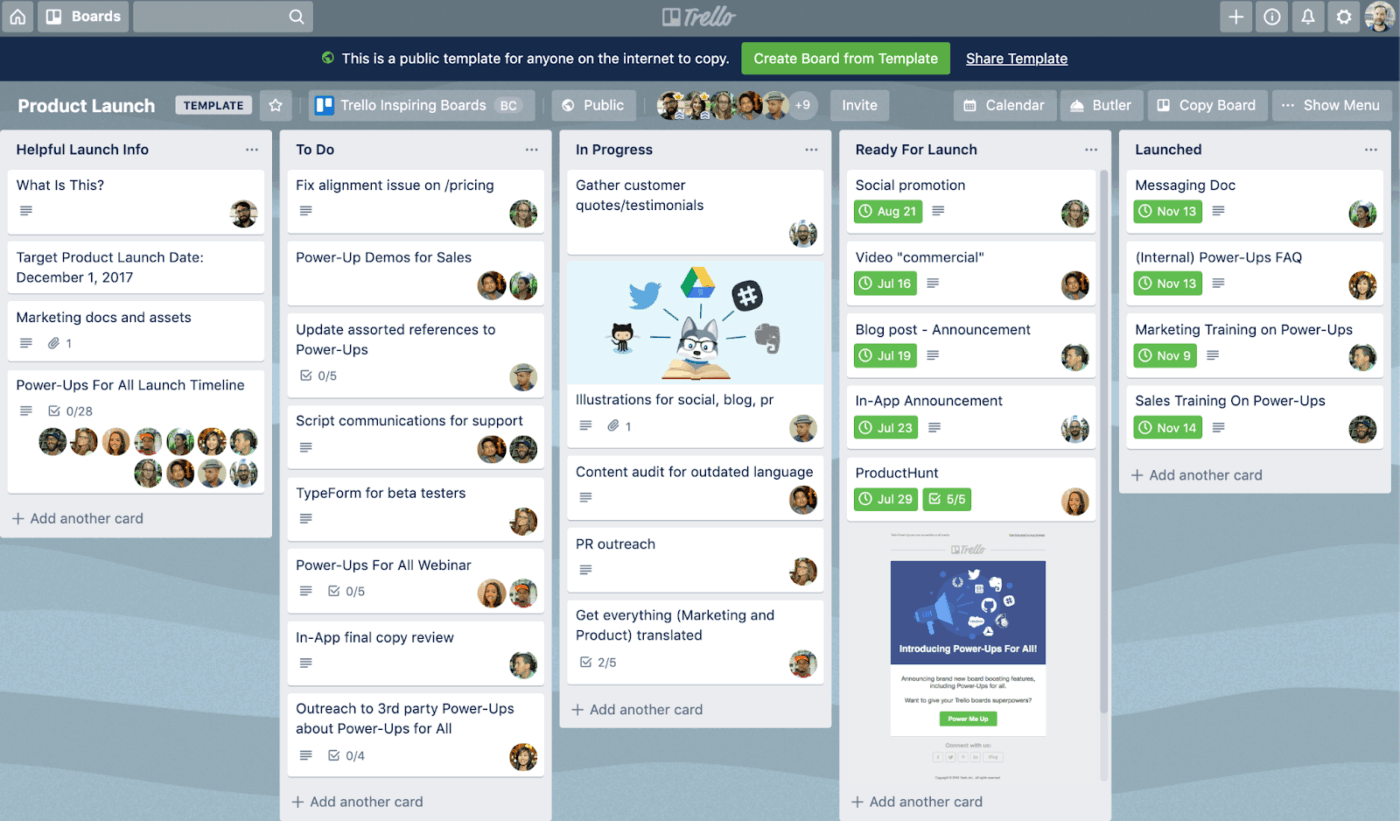
When you want to manage simple projects with clarity, Trello provides an easy-to-use system. It is built around a Kanban-based structure using boards, lists, and cards, which makes it easy to organize tasks and see progress at a glance.
Butler, Trello’s built-in automation tool, takes the repetitive work out of managing your boards. It can automatically move cards between lists, assign tasks to teammates, update due dates, and even trigger complex multi-step workflows based on rules you set.
Trello AI helps you communicate clearly and work more efficiently within your cards. You can use it to brainstorm ideas based on your topics and identify action items to add directly to your cards.
A G2 review says:
I like that Trello lets me separate work into different sections and subsections, which makes it easy for me to organize projects by subject or task. This separation really helps me sort things out and keep my work from getting messy. I also find the color tagging option useful, as it allows me to categorize tasks according to their importance or specialization needs.
📖 Read More: Best Trello Alternatives and Competitors
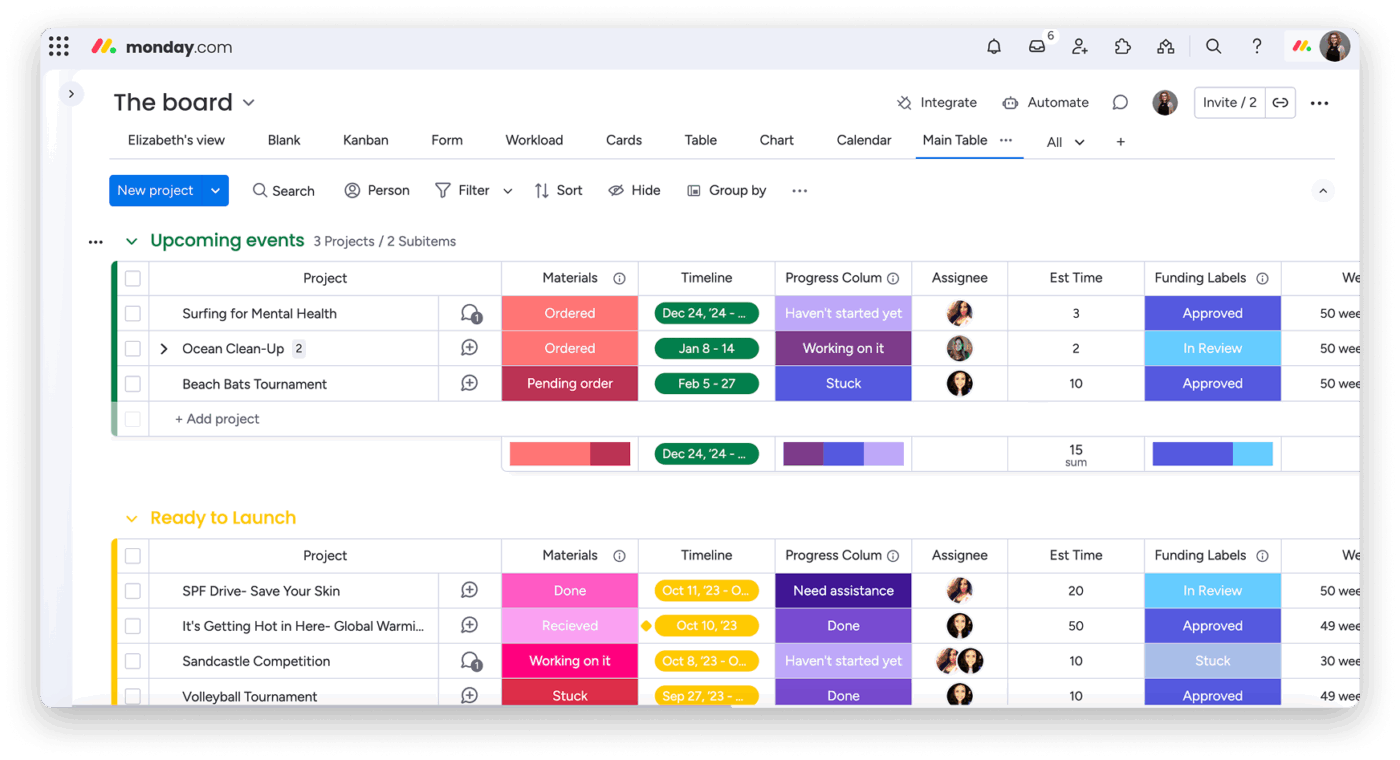
Monday.com is a flexible work management system that helps teams plan and track projects efficiently. Its highly customizable boards and workflows let you structure work to fit your team’s needs.
You have several ways to view your work, including Kanban, Timeline, Gantt, Calendar, and Workload views. With customizable dashboards, you can track every project in real time. Charts, numbers, and workload indicators highlight progress and key metrics.
Time tracking and workload management capabilities provide visibility into task durations and help balance work across your team. At the same time, resource planning and project tracking views make it easier for you to define milestones and manage dependencies efficiently.
A Capterra review says:
What I liked most about monday.com is its visually appealing interface and customizable workflows. The drag-and-drop functionality makes project management intuitive, and the integration options with apps like Slack, Google Drive, and Zoom are excellent
📖 Read More: Best monday.com Alternatives & Competitors
👀 Fun Fact: ClickUp crossed 3.6 billion tasks created, with 1 billion of them added in just one year 🚀
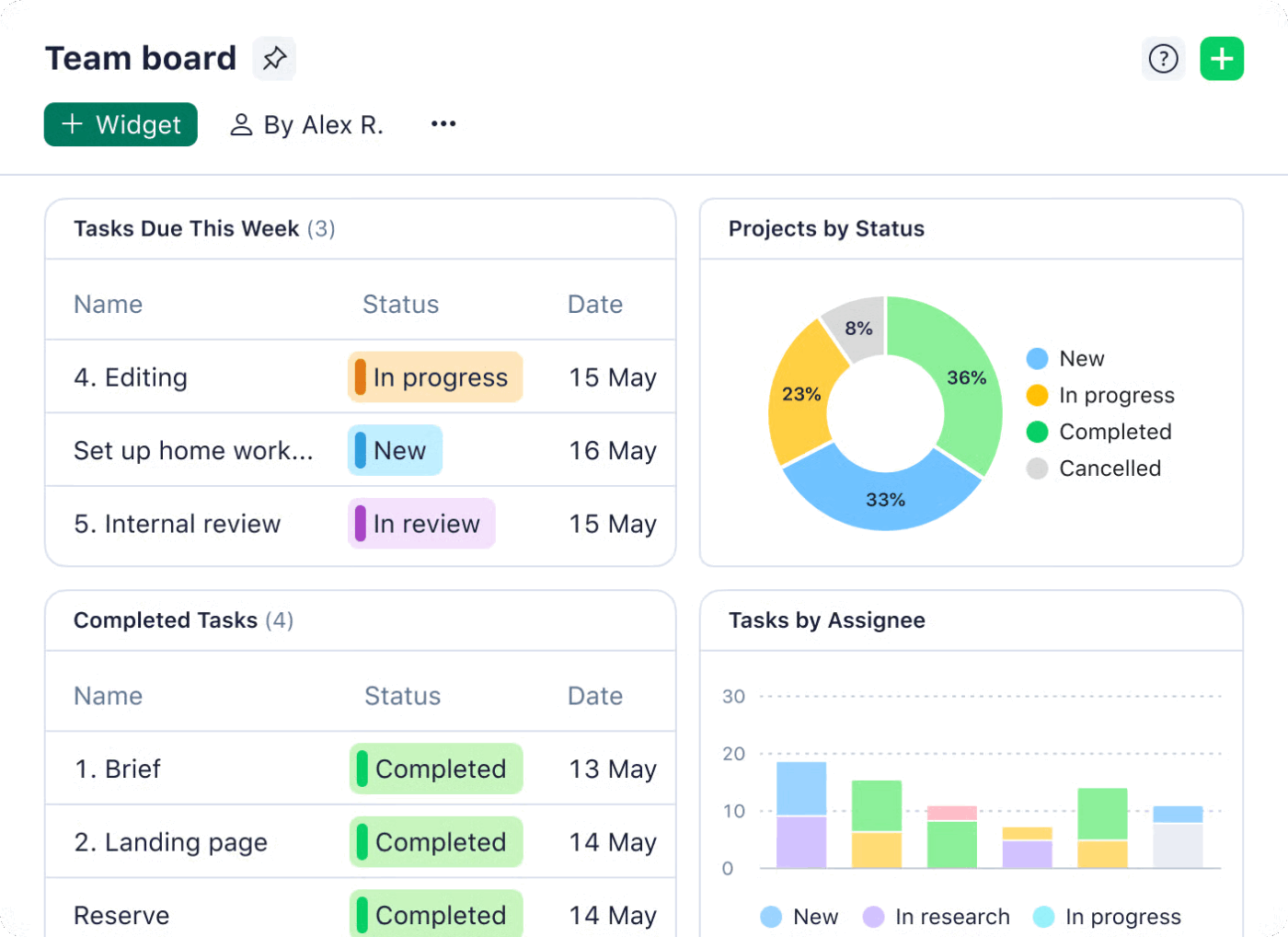
With Wrike, you can tailor workflows, statuses, and item types to match your team’s terminology and working style.
Space-level automation further supports this by enabling rules and actions to be applied at a team or department level. This helps standardize processes while still supporting different ways of working across the organization.
When you need to plan and brainstorm, use Wrike Whiteboard to share ideas with your team. Ideas created on the whiteboard can be linked directly to project plans, making it easier to move from discussion to execution without losing context.
The platform also streamlines how work enters the system. Dynamic request forms standardize input from internal and external users and connect requests directly to the correct workflows. By ensuring details are captured early, you avoid unnecessary follow-ups and start work with a clearer context.
A Reddit review says:
I’ve used a ton of PM systems and I really like Wrike. Not just because I’m a PM, but for the fact that 30 members of my team all picked it up easily and use it daily. It makes my job as a PM much easier that we have 100% adoption of a software.
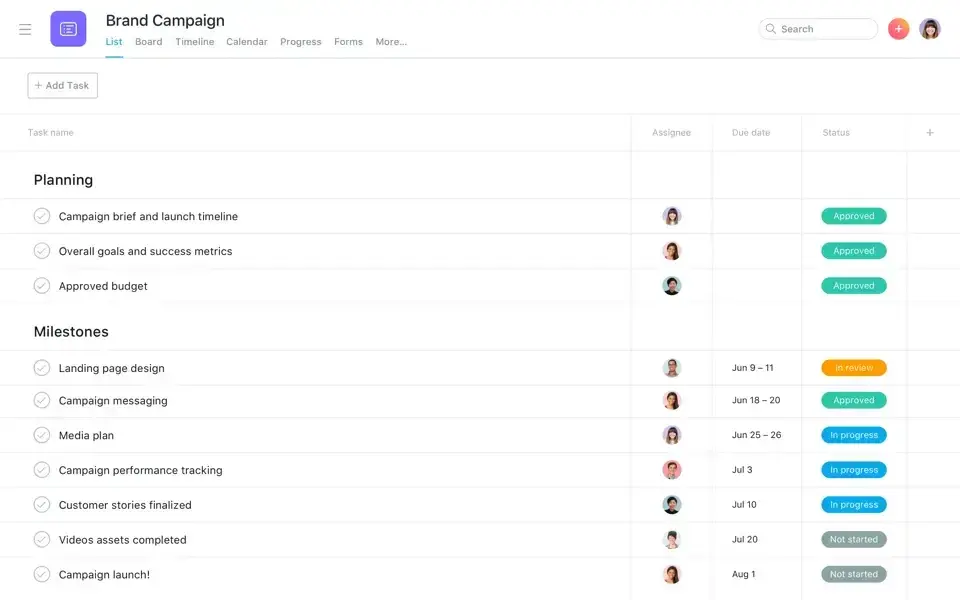
Asana is a work and project management software that helps you plan and manage work across teams in one shared workspace.
For day-to-day execution, you can create tasks with clear owners and due dates. Break work into subtasks and follow progress using list, board, calendar, or timeline views.
As work scales, portfolios give you a single place to monitor multiple projects. You get clear visibility into progress without jumping between project spaces. Goals connect this work back to company priorities and show how execution drives real outcomes.
Asana AI adds a layer of intelligence on top of your workflows. Working directly with your project data, it summarizes project status and identifies blockers and risks to help you make confident decisions.
A G2 review says:
I really enjoy using Asana because it lets me dump all my thoughts and ideas in one place and then organize them into a clear plan. It makes working with team members easy, from sharing tasks to collaborating through comments on everyone’s own timeline. I also like the flexibility around notifications, whether they come through email or directly in the app
📖 Read More: Best Asana Alternatives and Competitors
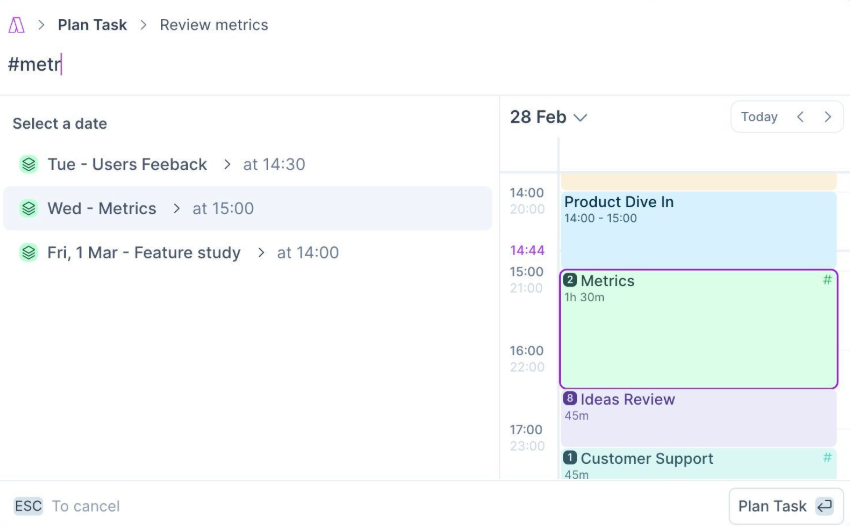
In Akiflow, it’s easy to transform your tasks into actionable calendar events, so planning matches your actual available hours.
With natural language planning, you can create and schedule tasks using simple text like “10 am tomorrow for 1h”. Focus mode and time slots let you organize similar tasks into dedicated blocks while keeping your work uninterrupted.
Aki, the AI assistant, helps you work more efficiently by spotting scheduling conflicts and suggesting adjustments. It keeps your day balanced so you can focus on the work that truly drives results.
A Capterra review says:
I started using Akiflow to have a single source of truth for my various apps. I needed a place where all tasks come together, giving me an overview of what is still on my to-do list. Akiflow has a sleek user interface, and I like that it elevates tasks (instead of the calendar kanban view). I also like the integration with WhatsApp for ease of adding new tasks. The AI tool works relatively well
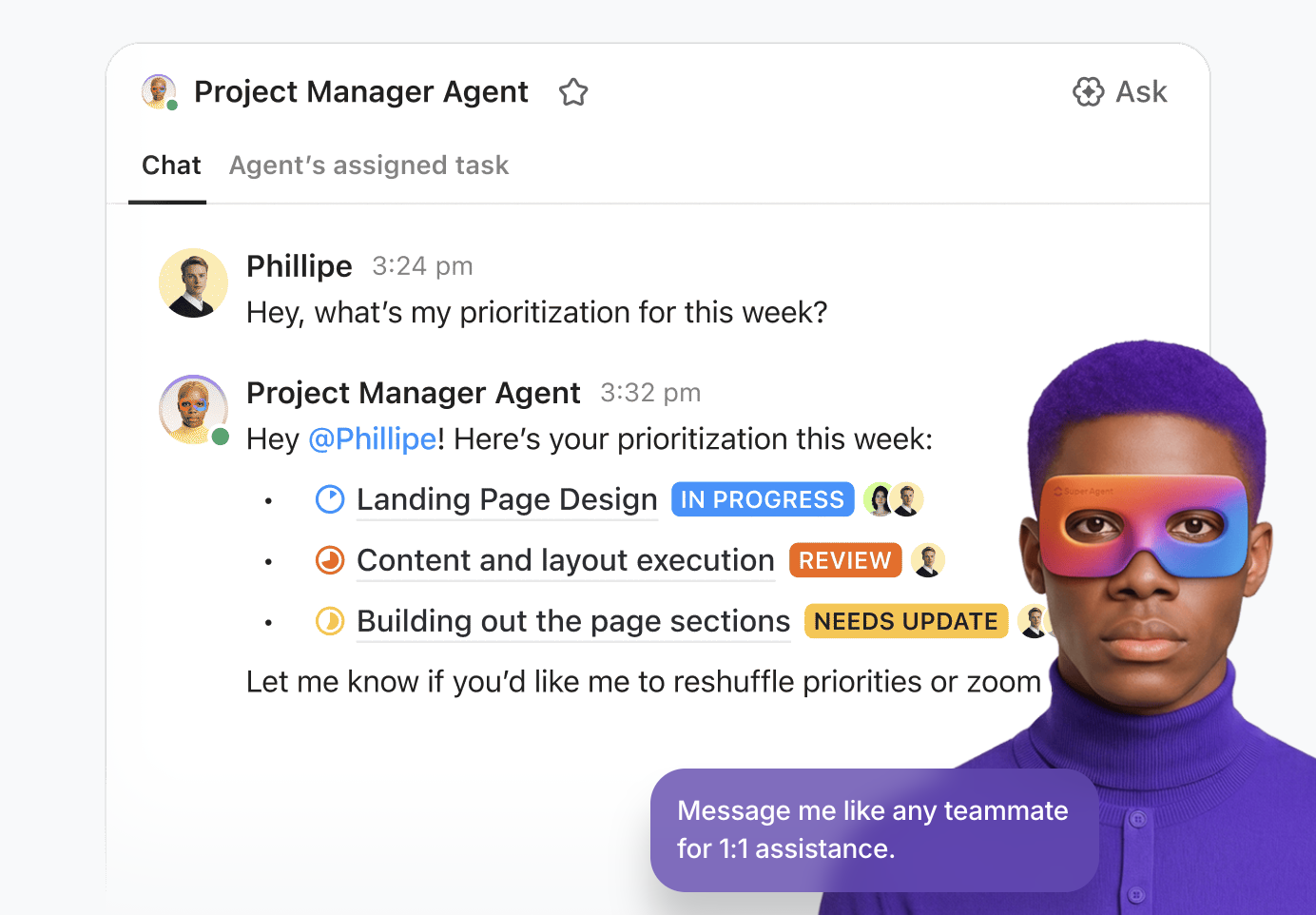
🌟 Bonus: ClickUp’s Super Agents help small teams feel way bigger than they are by quietly handling everyday busywork across projects, chat, and docs.
These ambient, self-learning, and contextual agents can take over much of the repetitive work you need to get through every day.
For example, a Super Agent can sort incoming client requests, turn messages into tasks, update statuses, and gently remind owners before anything slips. It can draft quick client replies, turn meetings into clear action items, and share simple progress updates with your team.
Behind the scenes, Super Agents keep checklists tidy, fill in details, and flag blockers so your humans can focus on the meaningful, high‑impact work.
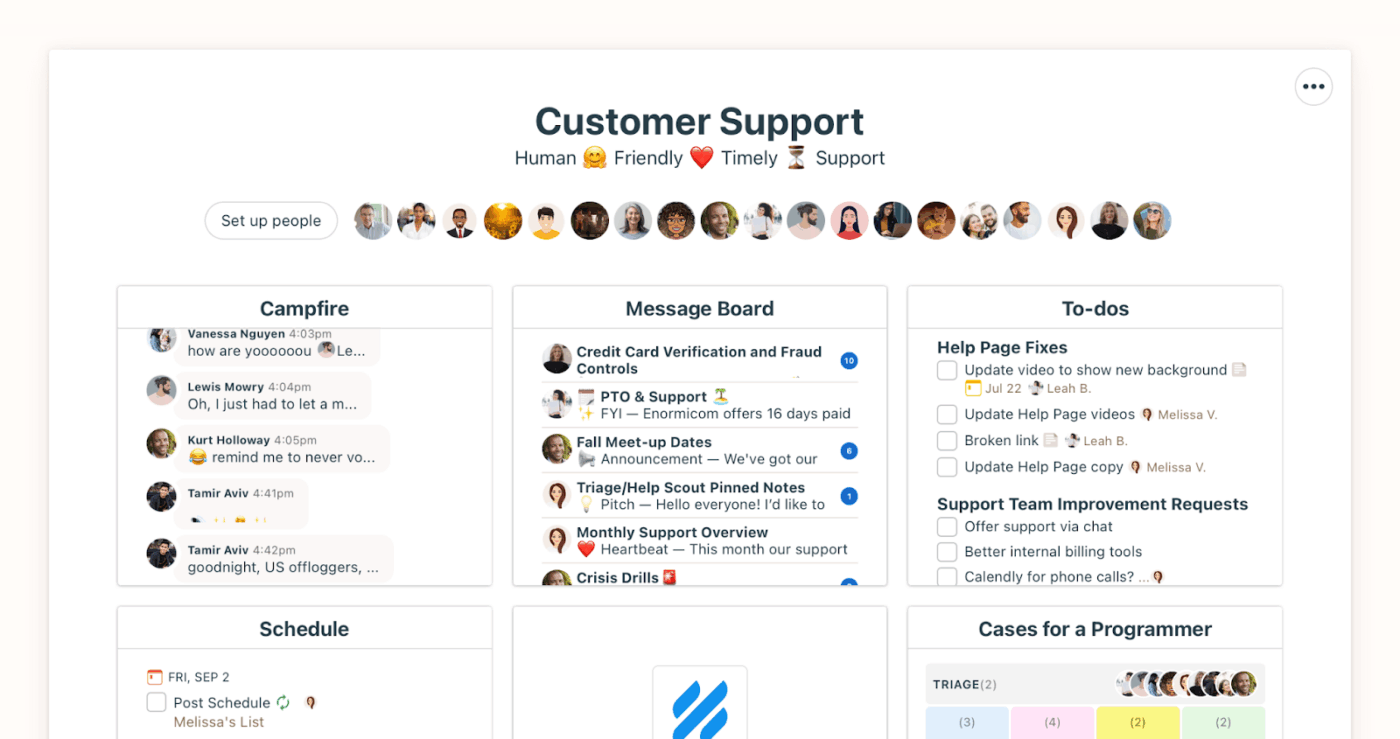
Basecamp is a project management and collaboration platform that brings tasks and communication in one place.
Everything about a project, including to‑dos, messages, files, and schedules, lives in one centralized space. Your team members can see the full context at a glance, reducing confusion.
The Hill Chart offers a unique perspective on progress. Instead of a generic percentage completion, a hill-shaped curve represents the lifecycle of a task.
Staying connected with your team is also simple. You have Campfire Group Chat for group discussions and Pings for sending private messages.
A G2 review says:
Basecamp simplifies project management while still giving me the depth I need to stay on top of complex workflows. The platform feels intuitive yet powerful enough to handle the technical rigor of my projects
📖 Read More: Top Basecamp Alternatives
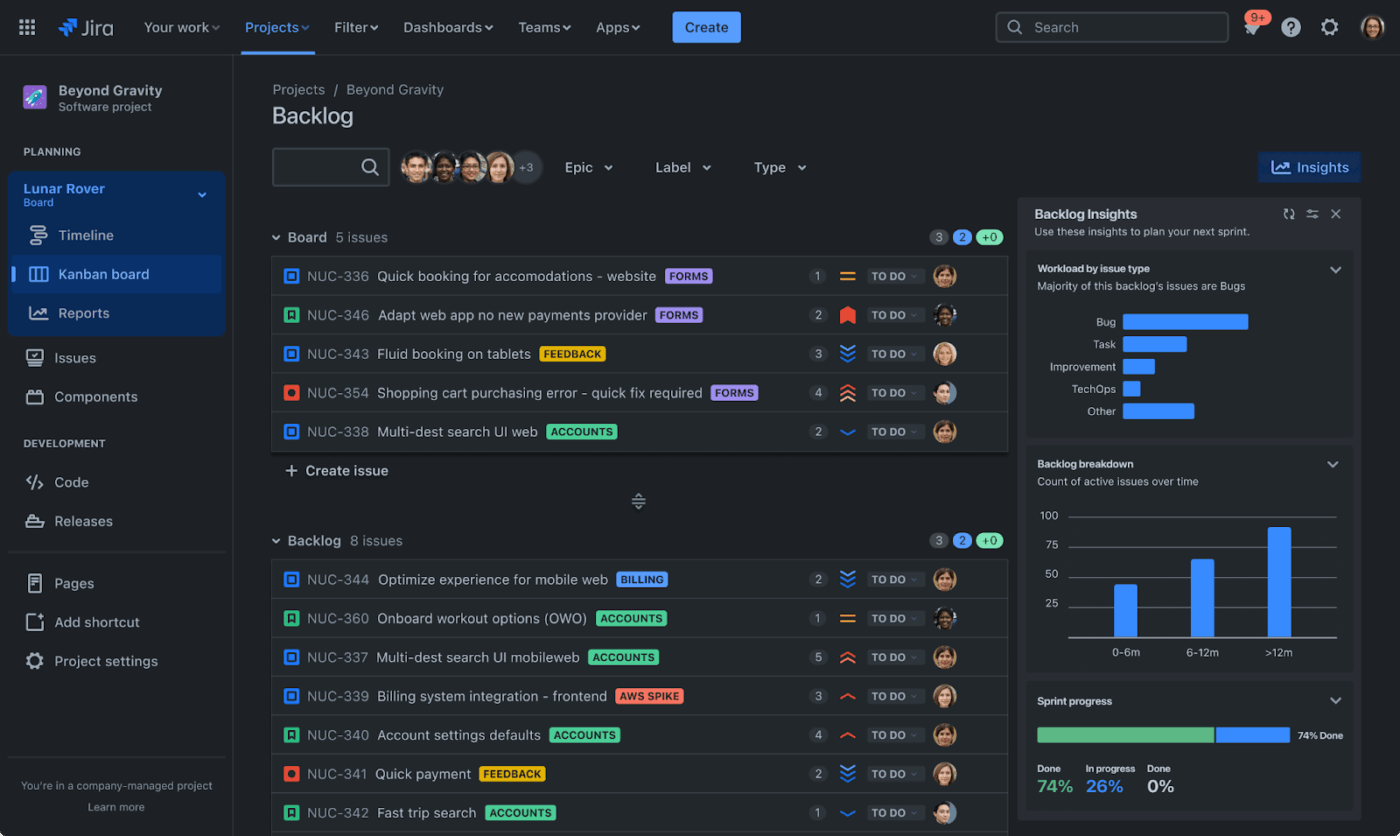
Jira, from Atlassian, is an Agile project management app that focuses on developer-centric workflows for software and engineering teams. Originally built for bug tracking, it now supports Agile teams through Jira Software, Service Management, Work Management, and Align.
With its Scrum and Kanban boards, you can monitor progress and identify blockers quickly. Issue management helps you track tasks, stories, bugs, and epics with priorities, statuses, due dates, and attachments. It also keeps a complete history of all updates for full traceability.
For larger teams, Jira offers portfolio and resource management through Advanced Roadmaps. You can plan timelines and team capacity and ensure workloads are distributed evenly.
A Capterra review says:
I have been using it for 4 years in a row now and the experience has been immersive. It is the first thing I use while beginning my day at work. I track the tasks at hand and begin working with higher priority items. It is simpler to use over a period of time and easily checkout branches in github using the commands specified in the Jira UI
📖 Read More: Best Jira Alternatives & Competitors for Agile Teams
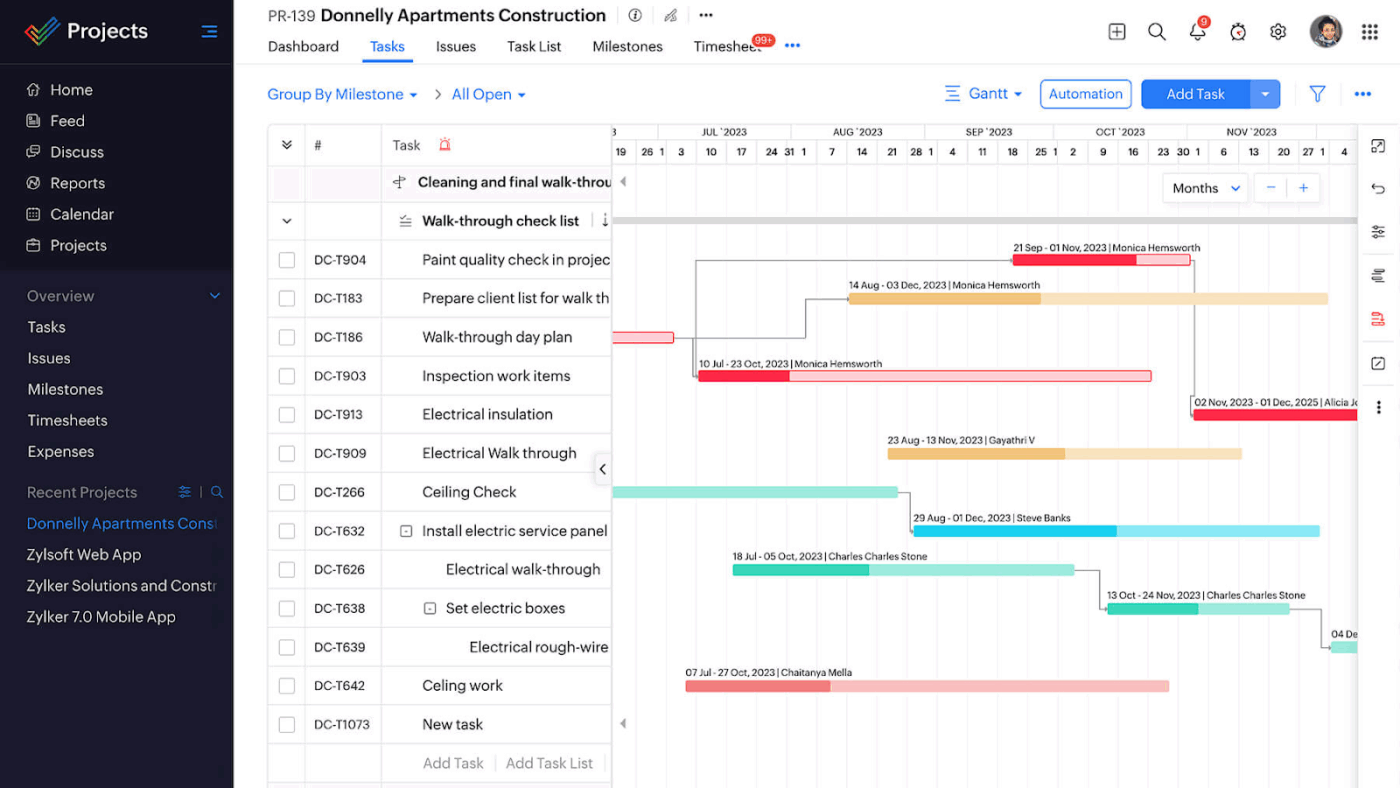
If your team already uses Zoho tools, Zoho Projects is a project management solution that extends your existing setup.
The platform helps you plan and run projects with a clear task structure built around milestones, tasks, and subtasks. Plus, task dependencies ensure work follows the right sequence and provide you with clear visibility into progress.
As tasks are executed, built-in time tracking lets you log and approve hours through timers and timesheets. These entries can be converted into invoices using Zoho Books or Zoho Invoice integrations, helping you connect project execution with billing.
A Reddit review says:
I’ve been using Zoho Projects for about a year now, and overall, it’s a nice tool for task and project management. The integration with other Zoho apps is seamless, which is a big plus if you’re already in the Zoho ecosystem
⚡ Template Archive: Free Daily Planner Templates that Promote Smart Prioritizing and Focused Work
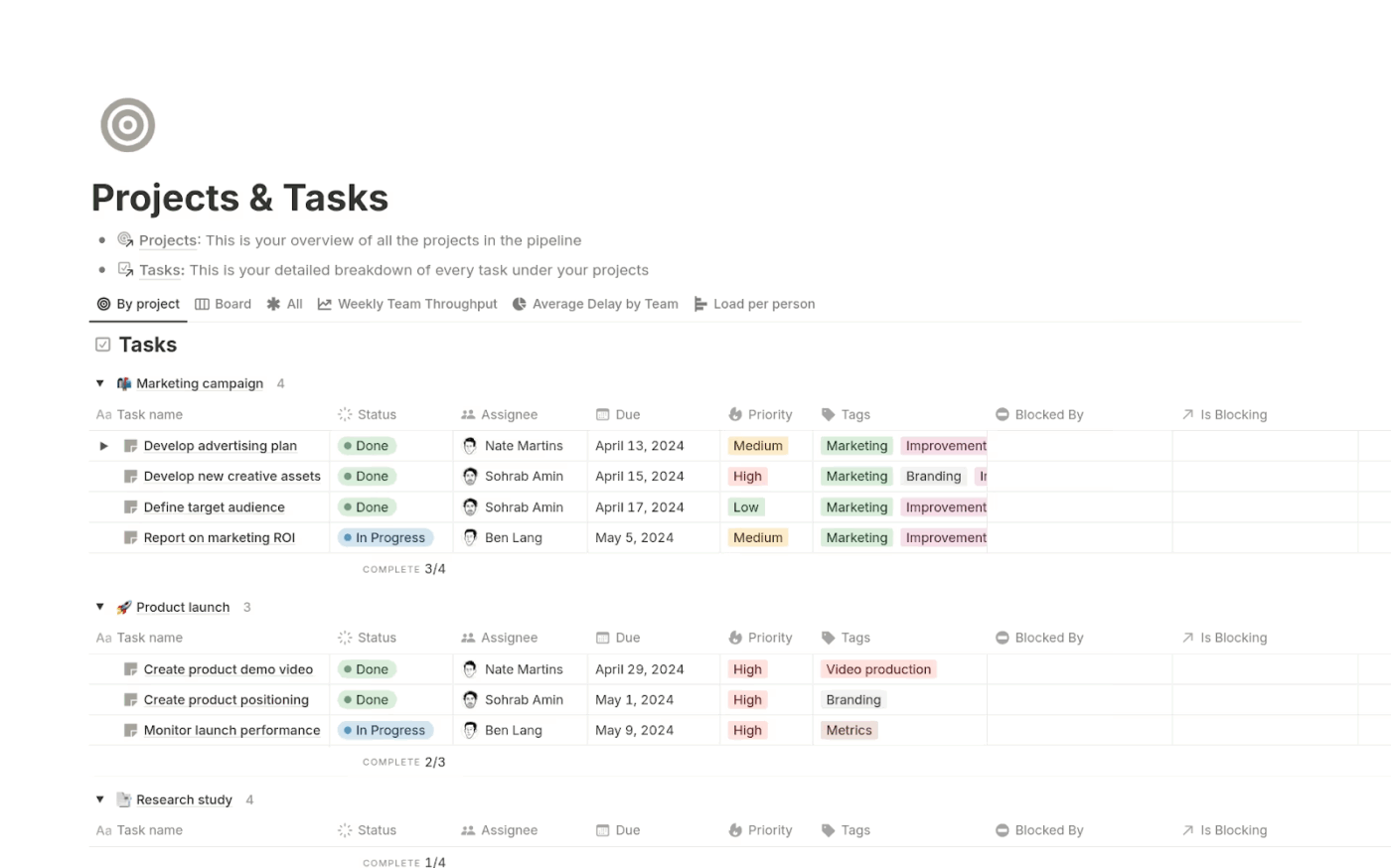
Notion is a project management tool that supports both structured planning and flexible execution.
Instead of fixed task formats, Notion lets you build custom databases with your own fields (priority, status, assignee, deadlines, tags). The same database can then be viewed in multiple ways for detailed task planning and high-level project oversight.
Dashboards pull data from multiple sources into visual charts, giving teams a clear view of progress.
To reduce manual effort, Notion also supports automation through AI Autofill. It works with the information in your workspace to assign tags or categories and pull out important points like metrics, key results, or action items from descriptions.
A G2 review says:
I use Notion for my studies to make notes and manage my workflow with a to-do list. I like how I can have everything arranged perfectly, just like in a notebook, making it easy for me to access everything I need in a neat and clean manner. It helps me reduce stress by having things in order, so I can easily see what is left to be done and what to do next
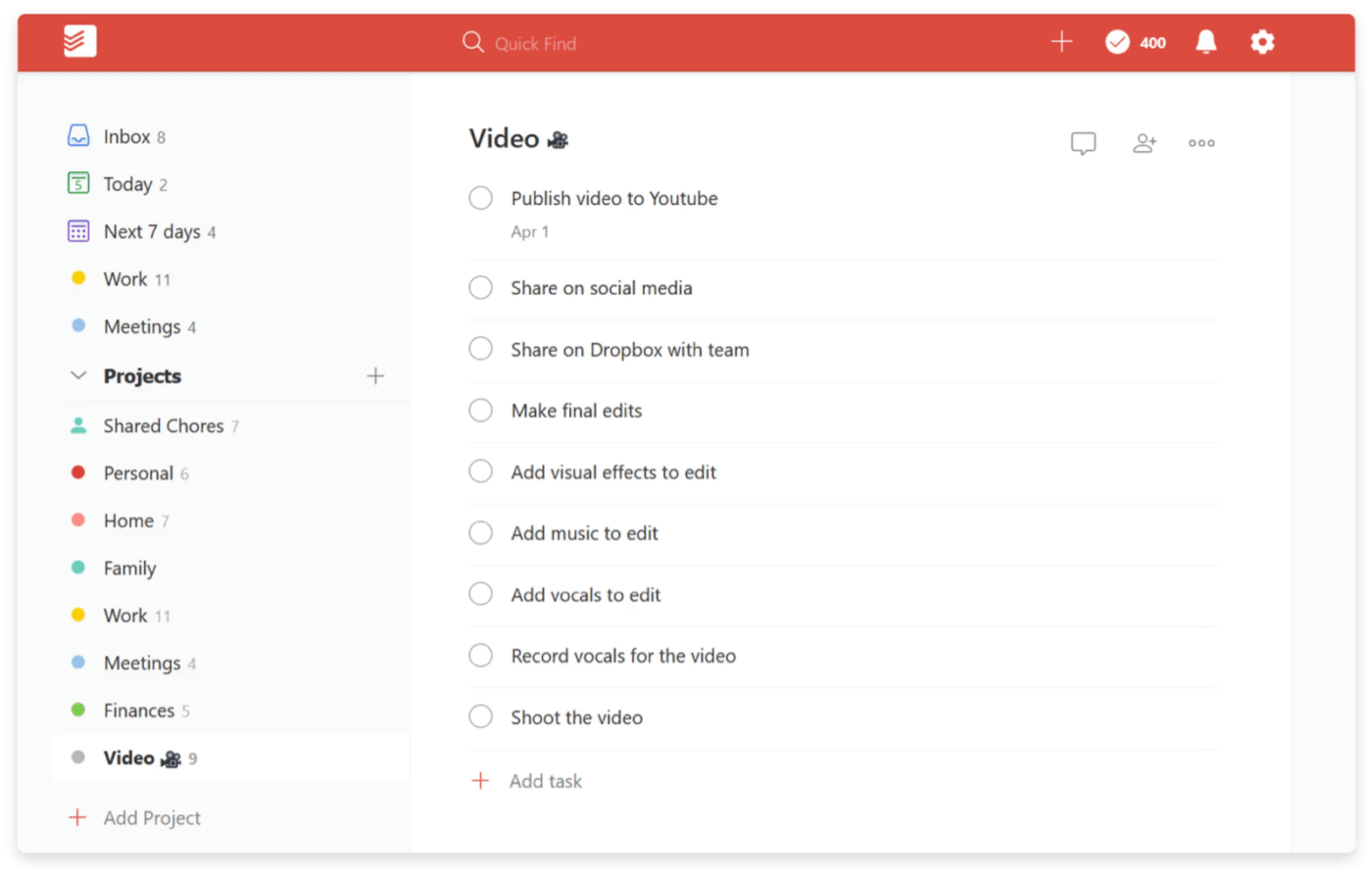
Todoist offers natural language task input, letting you add tasks simply by typing in plain text. Just enter ‘Submit report tomorrow at 5 pm #Work p1’ and Todoist automatically sets the due date and priority for you.
Recurring work is handled with a high level of flexibility. You can create flexible schedules such as tasks that repeat every weekday, every third Friday, or at custom intervals. This makes it especially effective for managing routines and ongoing operational work.
Plus, the platform encourages consistency through its built-in Karma feature. By tracking completed tasks and productivity trends over time, Karma offers you insight into your progress and helps maintain consistent habits.
A Capterra review says:
It was quite simple to get started. Just downloaded it and started adding tasks right away. No complicated setup or anything. The design is clean, which I like. It’s not cluttered, so I can see what I need to do without getting distracted. I can check my tasks on my phone and laptop, which is super handy
Scale up your team’s capacity without the overhead by adopting these AI agents for business. 👇
Upbase works well for simple planning, but it can start to feel restrictive once your work becomes more dynamic. ClickUp is built for that next stage. It takes a unified approach to keep work organized and reduce the constant switching between apps.
With ClickUp, progress is visible across multiple views, and deadlines stay clear due to the AI-powered calendar. Knowledge and execution remain linked, while intelligent prompts and summaries help teams focus on what matters most.
If you want a single system that grows with your workflow and not around it, ClickUp is a powerful alternative to Upbase.
Start using ClickUp for free and keep all your work moving forward in one place.

© 2026 ClickUp

There’s an easier way. Try a free AI Agent in ClickUp that actually does the work for you—set up in minutes, save hours every week.