






Still downloading templates?
There’s an easier way. Try a free AI Agent in ClickUp that actually does the work for you—set up in minutes, save hours every week.
Sorry, there were no results found for “”
Sorry, there were no results found for “”
Sorry, there were no results found for “”

It’s 9 a.m. and your to-do list already feels overwhelming. You’ve got meetings overlapping, deadlines closing in, and that one task that always gets bumped to tomorrow.
If you’ve tried TimeHero, you probably liked its scheduling approach. However, do you need something a little more innovative, flexible, and customizable?
In this blog post, we’ve rounded up the top TimeHero alternatives, each of which offers intelligent task automation, smart scheduling, and time management. 🕰️
When a tool starts getting in the way more than helping, it’s a clear sign to consider other options. Here’s what real users have shared about where TimeHero falls short. 📈
🧠 Fun Fact: Before calendars were something you tapped on your phone, people in prehistoric Scotland were already tracking time using the moon. Around 8,000 BCE, they carved 12 pits in the ground at Warren Field, lined up with lunar phases, creating the world’s oldest known calendar.
Here’s a table to help you pick from the best TimeHero alternatives. 📊
| Tool | Key features | Best for | Pricing* |
|---|---|---|---|
| ClickUp | • AI-powered Calendar & Calendar View • Brain + Autopilot Agents for smart scheduling • Workload View for capacity planning • Automations, recurring tasks & AI Notetaker | Best for all teams (individuals → enterprises) needing intelligent task planning, scheduling, and collaboration | Free plan available; Enterprise: Custom pricing |
| Motion | • AI auto-scheduling & real-time reshuffling • Deep work time-blocking • Daily planning emails • Google/Outlook sync | Best for users who want dynamic AI scheduling that adapts instantly to changes | Free trial available; Paid plans start at $49/user/month; Enterprise: Custom pricing |
| Todoist | • Natural language task creation • Karma system for productivity gamification • Priority levels & progress tracking • Multi-platform sync | Best for individuals & freelancers wanting simple personal task tracking | Free plan available; Paid plans start at $5/user/month |
| Reclaim | • Smart Meetings with buffer times • Habit Scheduler for routines • Automatic rescheduling • Google & Outlook integration | Best for professionals needing smart calendar defense & focus time protection | Free plan available; Paid plans start at $10/user/month; Enterprise: Custom pricing |
| TickTick | • Habit tracking + tasks • Built-in Pomodoro timer • Multiple views (list, Kanban, calendar) • Voice memo to task conversion | Best for people balancing tasks & habit-building in one tool | Free plan available; Paid annual plan for $35.99/year |
| Taskade | • Visual workflows with mind maps & Kanban • Built-in video chat & comments • AI Workflow Generator & AI agents • Unlimited subtasks & nested lists | Best for remote teams needing visual task/idea mapping with collaboration | Free plan available; Paid plans start at $20/month; Enterprise: Custom pricing |
| Trello | • Kanban boards & card-based workflows • Butler automation • Power-Ups for extensions • Integrations (Slack, Drive, Jira) | Best for teams managing simple, visual-first workflows | Free plan available; Paid plans start at $6/user/month; Enterprise: Custom pricing |
| Things3 | • Natural language scheduling • Magic Plus button for fast capture • Logbook & structuring tools • Seamless Apple ecosystem sync | Best for Apple users (individuals, freelancers, professionals) needing distraction-free task management | No free plan; One-time purchase per device |
| Wrike | • Granular permissions & compliance workflows • Resource allocation & workload management • Customizable dashboards • AI-assisted time tracking | Best for enterprises & complex organizations needing project controls & compliance | Free plan available; Paid plans start at $10/user/month; Enterprise: Custom pricing |
| Sunsama | • Daily guided planning ritual • Pull tasks from multiple tools • Calendar + task integration • Time tracking for insights | Best for knowledge workers seeking mindful daily planning & focus | Free trial available; Paid plans start at $16/month |
| Akiflow | • Keyboard-first command center • Time blocking from tasks • Universal inbox & smart notifications • Deep integrations across tools | Best for productivity power users preferring time blocking & unified task mgmt. | Free trial available; Paid plans start at $19/month |
🔍 Did You Know? The calendar app market size is projected to reach $16.37 billion by 2030, growing at a compound annual growth rate of 10.4% during the forecast period.
Our editorial team follows a transparent, research-backed, and vendor-neutral process, so you can trust that our recommendations are based on real product value.
Here’s a detailed rundown of how we review software at ClickUp.
TimeHero is a go-to for automating task schedules and blocking time across calendars. It helps individuals plan their days around real work. But it often runs out of room for teams that need deeper control over tasks, stronger automation, and built-in AI support.
Whether you need a more visual tool, are better at handling recurring tasks, or are just…less bossy about your schedule, this list has something for you. 🎯
ClickUp is the everything app for work that combines project management, knowledge management, and chat—all powered by AI that helps you work faster and smarter.
It includes features to add extra layers of visibility, team collaboration, and AI-backed decision-making into your everyday workflows.
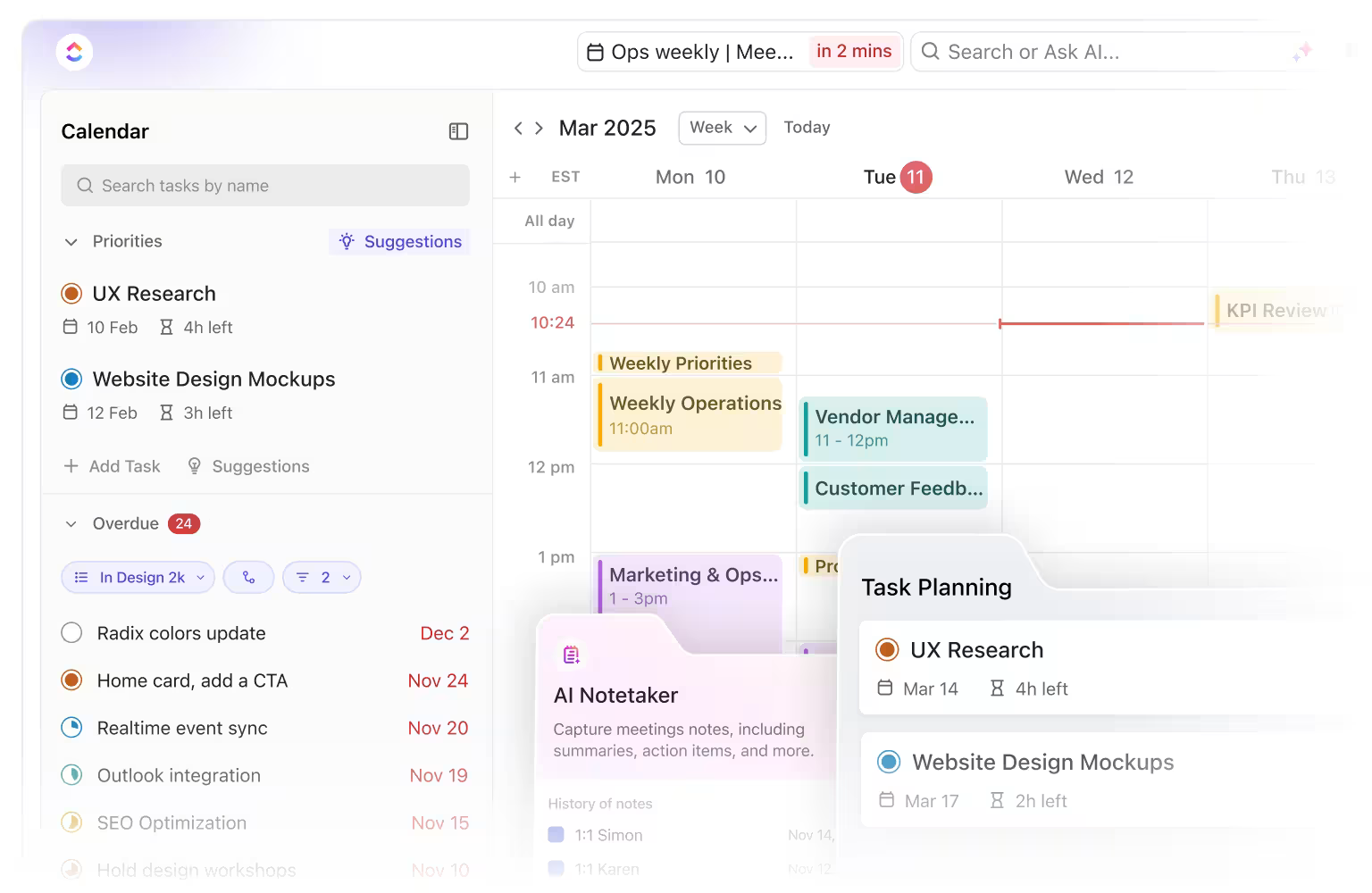
When planning your day for maximum efficiency, start with the ClickUp Calendar. It creates your daily schedule based on real-time inputs, including task deadlines, meetings, workload, and team availability.
Let’s say you’re planning a product marketing campaign across three regions. You need time for reviewing campaign design, daily check-ins with regional leads, and coordinating feedback loops. The AI calendar blocks those slots automatically based on preset priorities and adjusts your tasks if anything shifts.
Every meeting syncs directly to and from your Google Calendar, plus you get support for all major online meeting tools like Google Meet, Zoom, or Teams. Why does this matter? It enables you to join these meetings directly from your ClickUp workspace, instead of switching multiple tabs.
💡 Pro Tip: Want to capture notes automatically during a client kickoff meeting? Toggle on the ClickUp AI Notetaker in your Calendar. It joins permitted meetings on its own, transcribes and records the discussion, extracts action items, and automatically creates linked tasks, removing the need to retype or track anything manually.
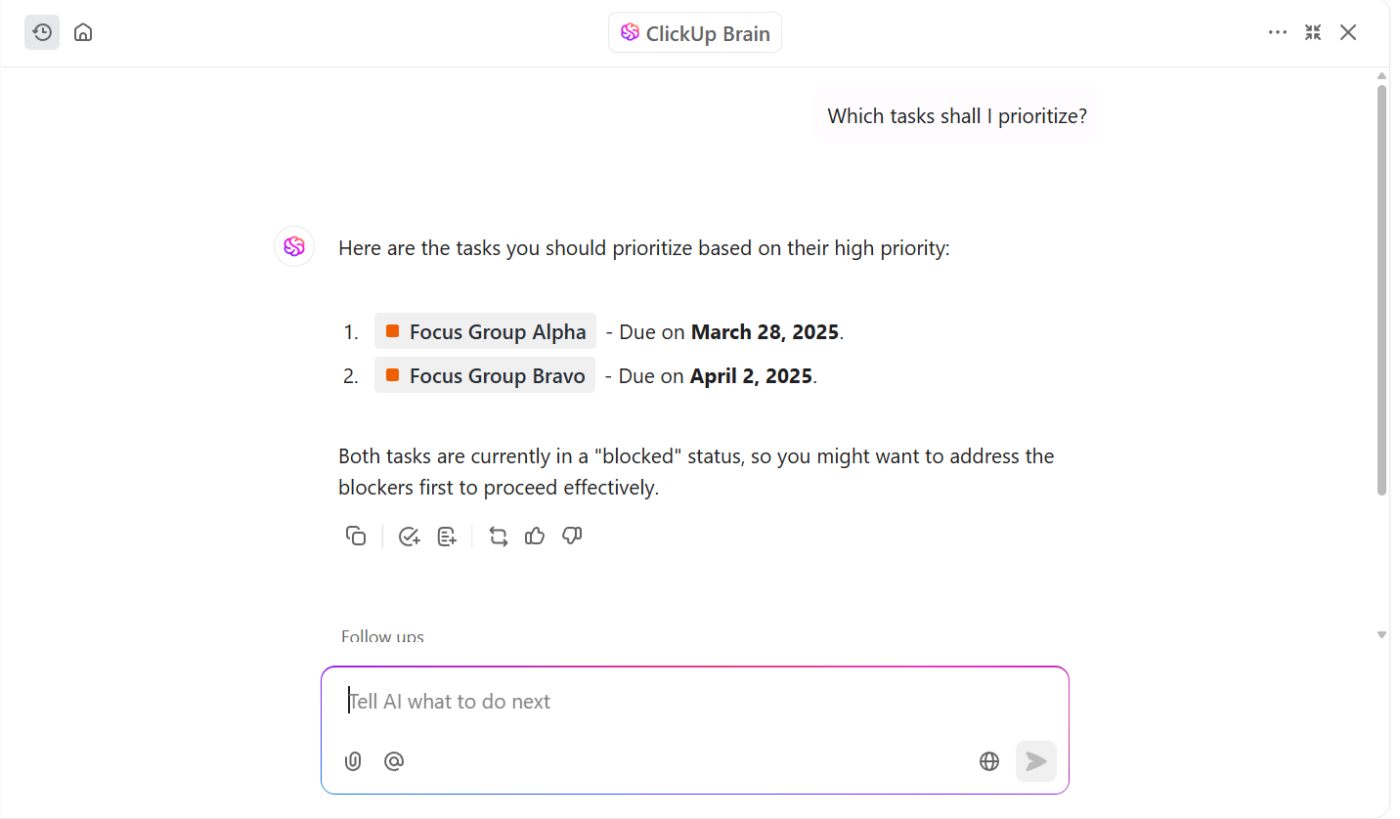
Now layer in ClickUp Brain to optimize your schedule. This AI assistant doesn’t guess what’s important; it studies how you work to make sure its recommendations work for, and not against, you.
Suppose your days include focused design work in the mornings, calls in the afternoon, and deep review sessions twice weekly. ClickUp Brain uses these patterns, task durations, and current deadlines to structure your week.
Then, ClickUp Autopilot Agents take it one step further. Instead of you constantly rearranging tasks when projects shift, create Custom Autopilot Agents to automatically adjust priorities, reassign owners, and even reschedule deadlines for your key tasks.
For example, if a client meeting moves, your agent will cascade the change across dependent tasks, free up focus blocks, and re-slot deliverables—without you lifting a finger.
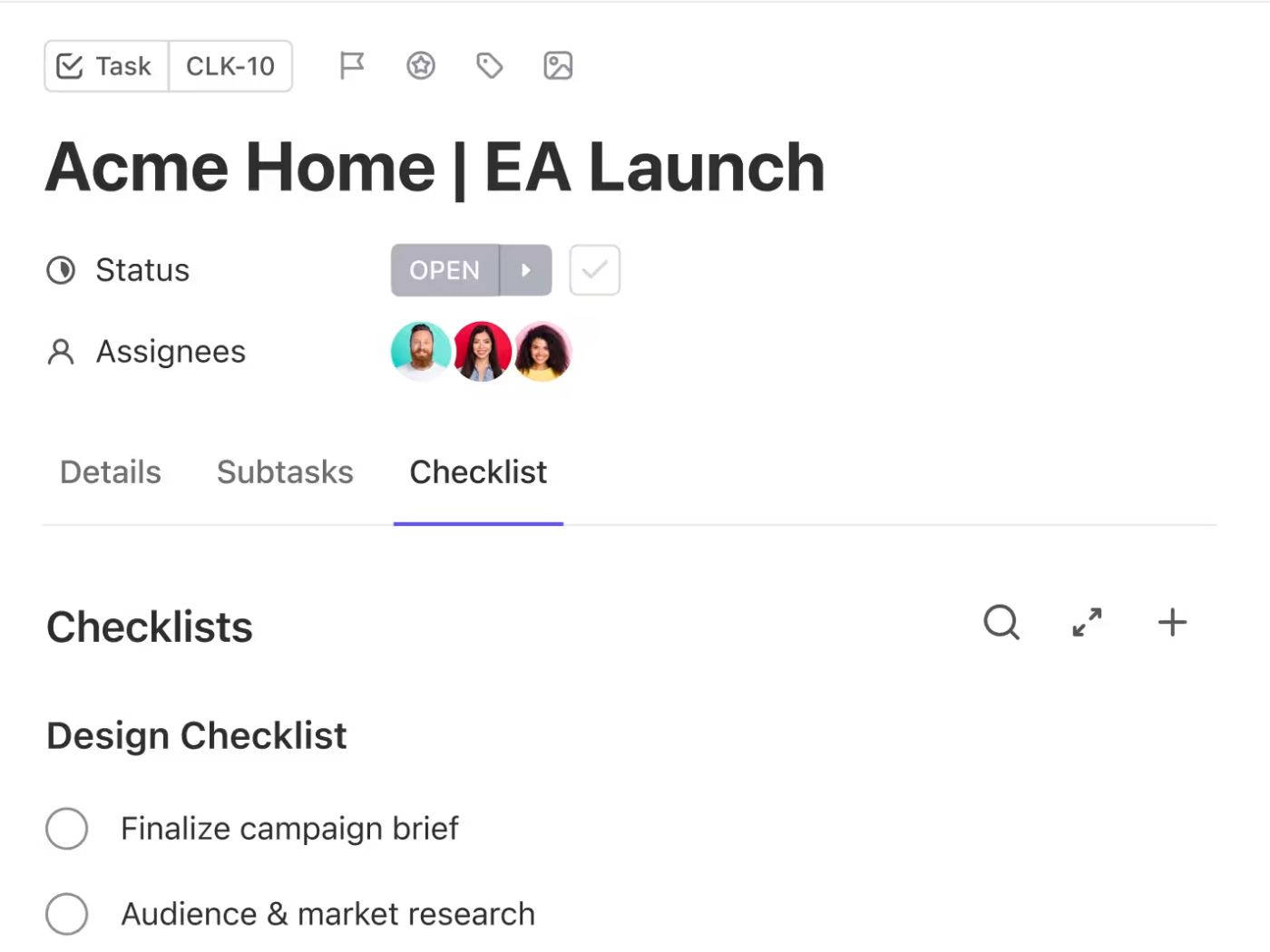
You’ve got your day mapped out, and it’s time to start getting things done. Turn to ClickUp Tasks, where every task assignment lives. Each task supports Time Estimates and Time Tracking, Custom Fields, subtasks, Dependencies, and threaded comments for added context.
For example, if you’re coordinating a new website launch. You can create tasks for UX design, copy drafts, development handoffs, QA, and final rollout, and tag each one with owners, deadlines, and priorities.
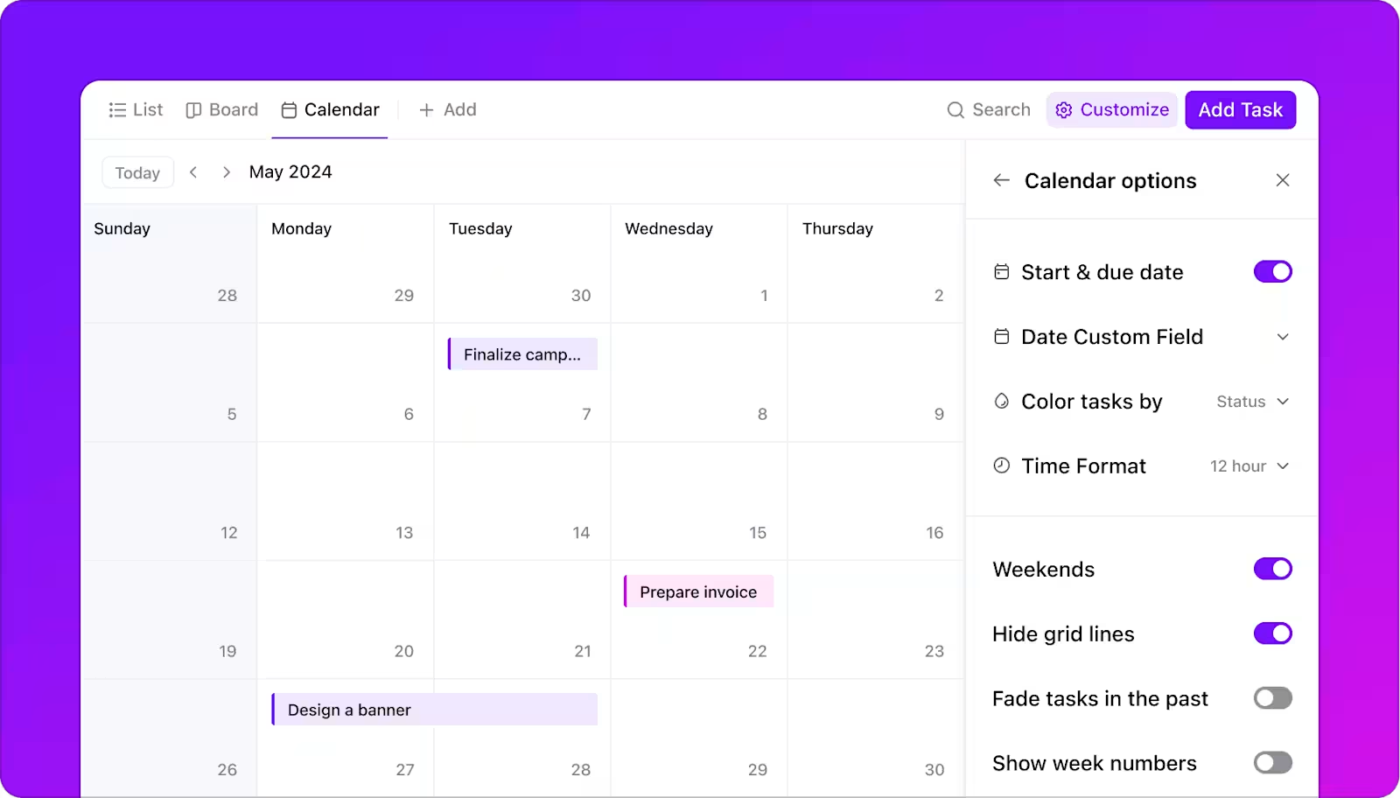
Everything syncs visually in ClickUp Calendar View, where you can shift task and project timelines and spot blockers at a glance. You can see your tasks by day, 4-day block, week, or month. Rescheduling and updating due dates instantly is as simple as dragging and dropping task timelines.
You can color-code tasks by assignee or priority, display Custom Fields, filter tasks by status, and even include Recurring Tasks or national holidays to plan projects better.
💡 Pro Tip: While the Calendar View helps you visualize and plan task timelines, the Workload View in ClickUp is ideal for planning your team’s capacity. Say your designer has got three deadlines to meet in the same week. Workload View highlights this overload instantly, so you can reassign or redistribute work before things fall behind.
This is how one Reddit user described their experience:
ClickUp is definitely worth it! I mean, beyond it being a PM tool, it has so many uses. My absolute favourite is Calendar View though. Nothing beats being able to see all my work and commitments in one place. So my work assignments? Check. That coffee date? Check. Mom’s birthday? Also check! There’s one thing that does beat that though. ClickUp Brain. Guys, I can just ask it when I’m free to schedule a meeting or if my team members can take up more work and it’s all right there! Mind? Blown.
📮 ClickUp Insight: Our work-life balance survey found that 46% of workers work 40-60 hours per week, while a staggering 17% exceed 80 hours! Yet, the grind doesn’t stop there—31% struggle to carve out personal time consistently. It’s a perfect recipe for burnout. 😰
But you know what? Balance at work starts with visibility! ClickUp’s built-in features like Workload View & Time Tracking make it easy to visualize workload, distribute tasks fairly, and track actual hours spent—so you always know how to optimize work and when.
💫 Real Results: Lulu Press saves 1 hour per day, per employee using ClickUp Automations—leading to a 12% increase in work efficiency.
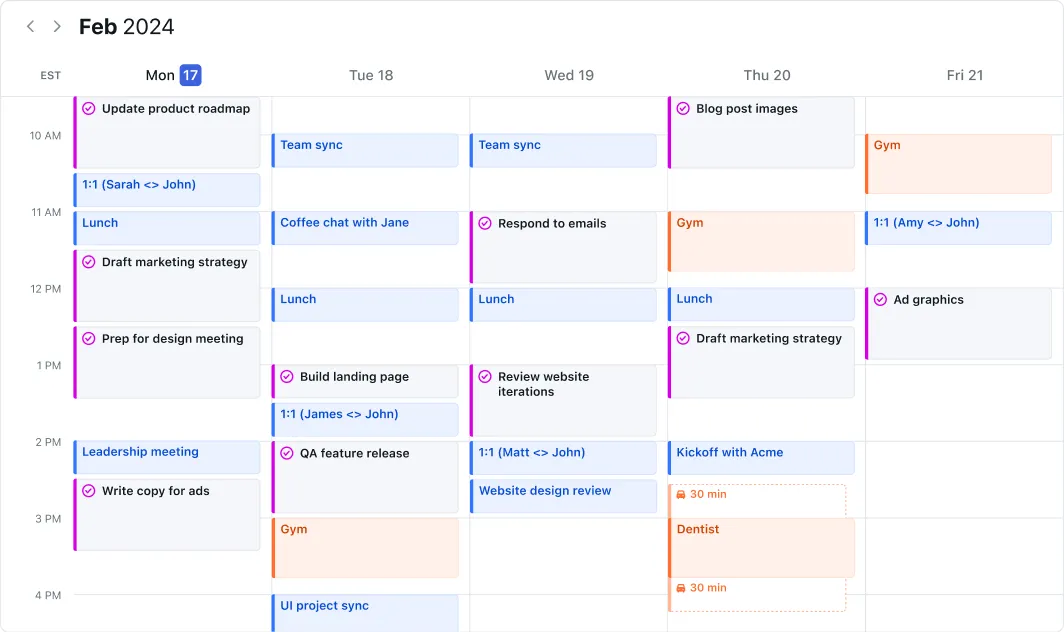
Feeling overwhelmed trying to schedule your workday? Motion tackles this problem head-on. This AI-powered platform takes the guesswork out of prioritizing tasks, automatically scheduling them based on deadlines, duration estimates, and your working hours.
When unexpected meetings pop up or deadlines change, the task scheduling tool adapts on the fly, eliminating tedious manual rescheduling. It learns from your work patterns to suggest optimal times for deep focus and streamlines collaborative work through simple task assignment and progress tracking.
Straight from a G2 review:
I love the AI time fill ins. If I need to cancel a meeting or have some spare time it fills my space with what project/task needs to get done…The only couple downsides is having everything set up accordingly in projects and templates for reason use. Automating tasks and steps are simple but doesn’t go in as complex as I’d like in terms of writing variables for names or automatically starting projects apart of the company rather then a private personal level.
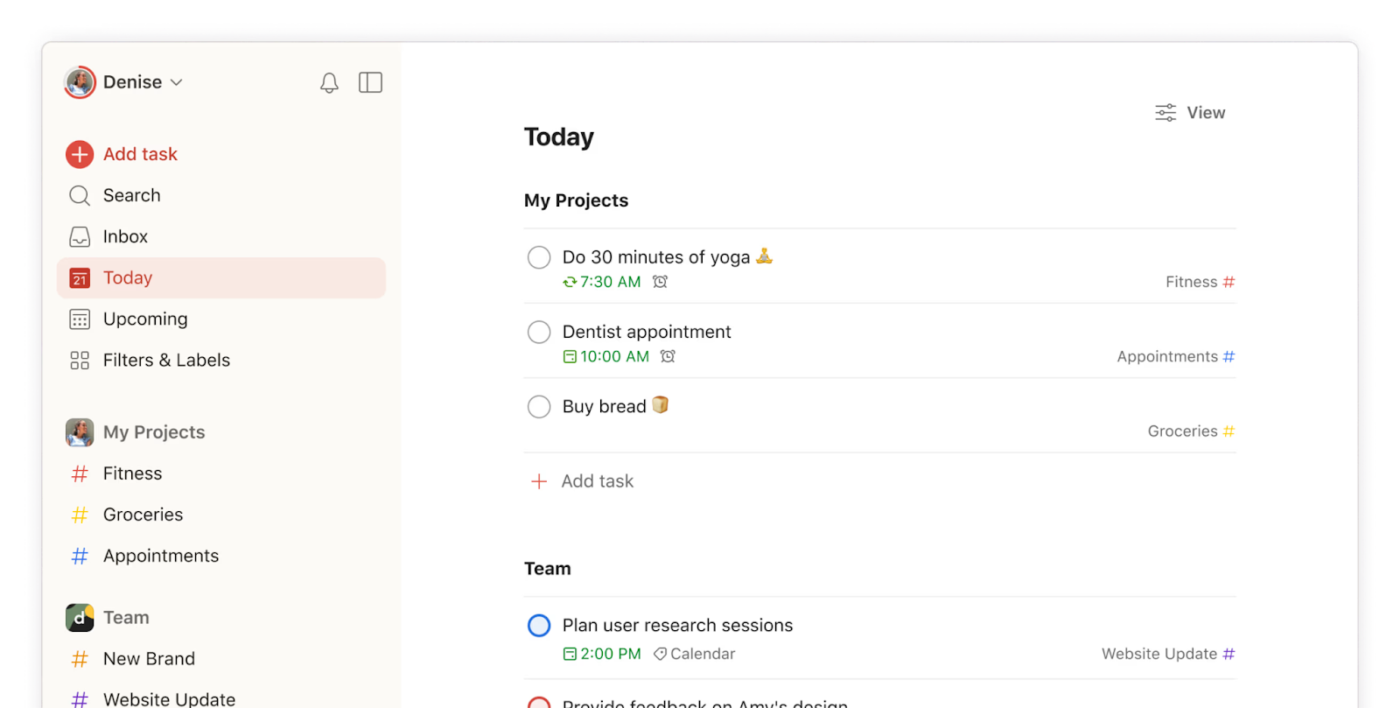
Todoist strikes an ideal balance between simplicity and robustness. The clean interface makes capturing tasks a breeze, while its AI abilities turn natural language phrases like ‘Submit report every Monday at 9 a.m.’ into scheduled tasks.
The ‘karma system’ adds friendly competitiveness to a workspace, awarding points for completed tasks and gamifying productivity. Many users start with this daily planner app for personal tasks, but soon find themselves using it for complex work projects as well.
One G2 review puts it this way:
I’m using Todoist since 2016. I completed 57.500 tasks for now. In the recent years I saw a lot of progression in the life of this program. I think it is an easy to use program with a lot of handy tools and options. I can’t imagine my life without a tool like Todoist. Both my professional life, and my private life. If someone want to organize the hundreds of daily tasks, Todoist is the best choice! I use it every day.
💡 Pro Tip: When everything feels urgent, it pays to have a prioritization system you can rely on. Use the Eisenhower Matrix to sort what’s truly urgent and important—and what can wait, be delegated, or dropped altogether.
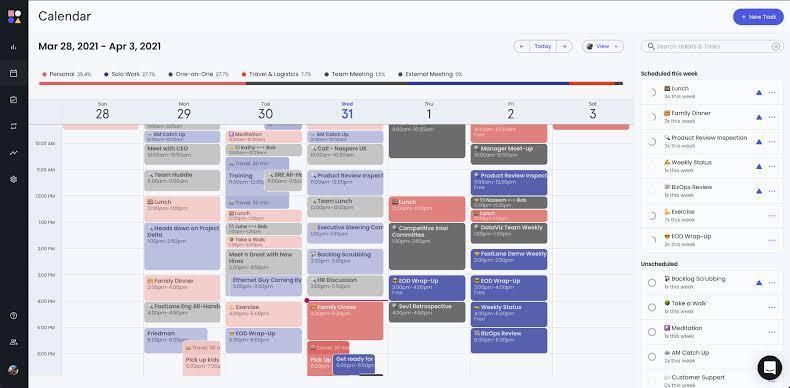
Reclaim AI is an intelligent calendar assistant that actively does the heavy lifting for you, including scheduling tasks, habits, and breaks between meetings. It adapts to unexpected schedule changes, keeping your priorities intact even when plans shift.
The meeting management software connects with tools you’re probably already using, like Google Calendar and Outlook, and it works behind the scenes to fit everything in without overloading your day. Have a last-minute meeting pop up? The tool adjusts your schedule immediately. Fall behind on a task? It’ll reschedule it for you. And yes, it builds in buffer time and break time too.
A G2 reviewer shared this feedback:
I like that my internal team meetings can become flexible so that I can offer more availabilities when I have important client or prospect meetings. It was really easy to implement with the team, and I loved integrating it into my work day.
📖 Also Read: Best Calendly Integrations
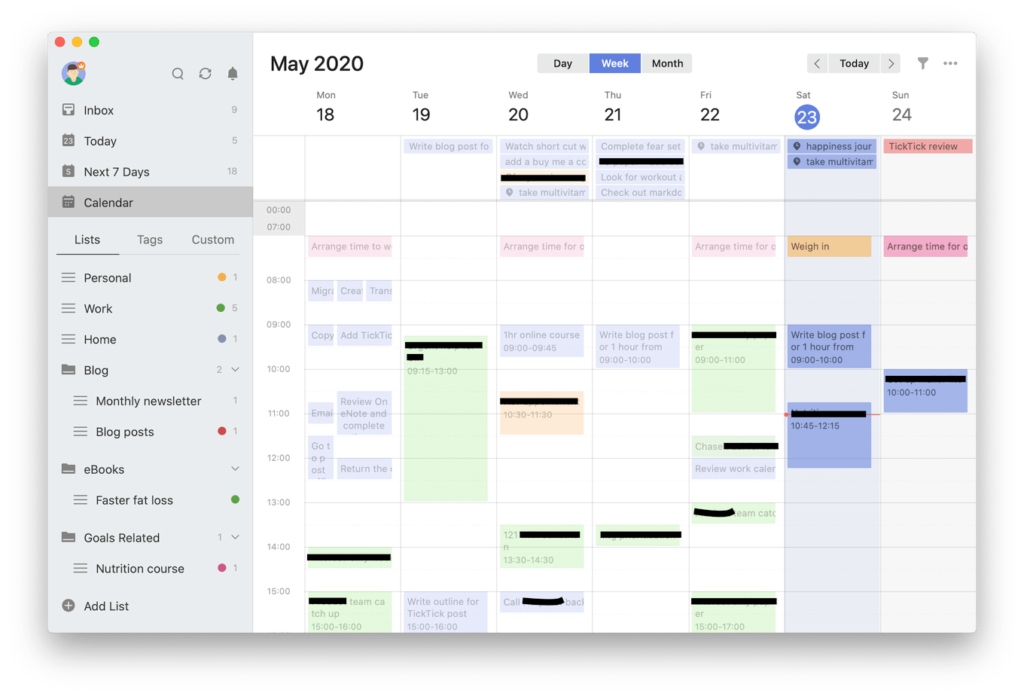
Want to tackle to-dos and build better habits while at it? TickTick brilliantly combines these two. Unlike specialized task managers, it helps you develop consistent routines, monitoring daily habits alongside regular tasks.
The built-in Pomodoro timer encourages focused work sessions followed by restorative breaks. Tasks come alive with rich formatting options, file attachments, and voice memos. Many users jump ship from other apps specifically for TickTick’s natural language processing that transforms simple sentences into scheduled tasks with reminders and due dates.
According to one Capterra reviewer:
Copying task lists from email is super easy. It separates all lines into separate tasks automatically. Also pomodoro timer is very useful. Of course there is also calendar view. Some shortcuts are bit difficult to use keyboard location-wise like ~ symbol. Natural language processing is not so good like Todoist, but it’s totally enough.
🤝 Friendly Reminder: Want to get more done without feeling burnt out? Start by scheduling your most important tasks when you’re at your best—whether that’s early morning, late afternoon, or in the quiet of the night. It’s like putting your brain’s prime time to good use.
Taskade combines task management with real-time team communication in a visually appealing package. It emphasizes visual organization through mind maps, org charts, and Kanban boards. Plus, the built-in video chat and comments features eliminate the need to jump between multiple apps for team discussions.
The tool also offers AI-powered task generation and project outlining, which means you can describe a goal and let Taskade build the structure needed to achieve it. Add to that collaborative editing in real time, automatic syncing across devices, and smart due date tracking, and you’ve got a unified workspace for planning, communicating, and executing work.
A satisfied G2 user had this to say:
Taskade has transformed from a basic project management tool to a powerful AI automation tool that lets you build multiple AI agents that can operate in teams autonomously. You can also build workflows that include options like transcribing content without using external tools. Since Taskade is cloud-based, implementation is easy. Customer support is available directly or via the regular live streams. Integration with other tools is relatively easy, though not used much in our situation.
🤝 Friendly Reminder: Don’t let work bleed into your evenings or weekends. Set clear boundaries for when you’re ‘on’ and when you’re off the clock. Your calendar should reflect your personal time too, not just meetings and deadlines. 26% of workers in a ClickUp survey say that the best way to disconnect from work is by engaging in hobbies!
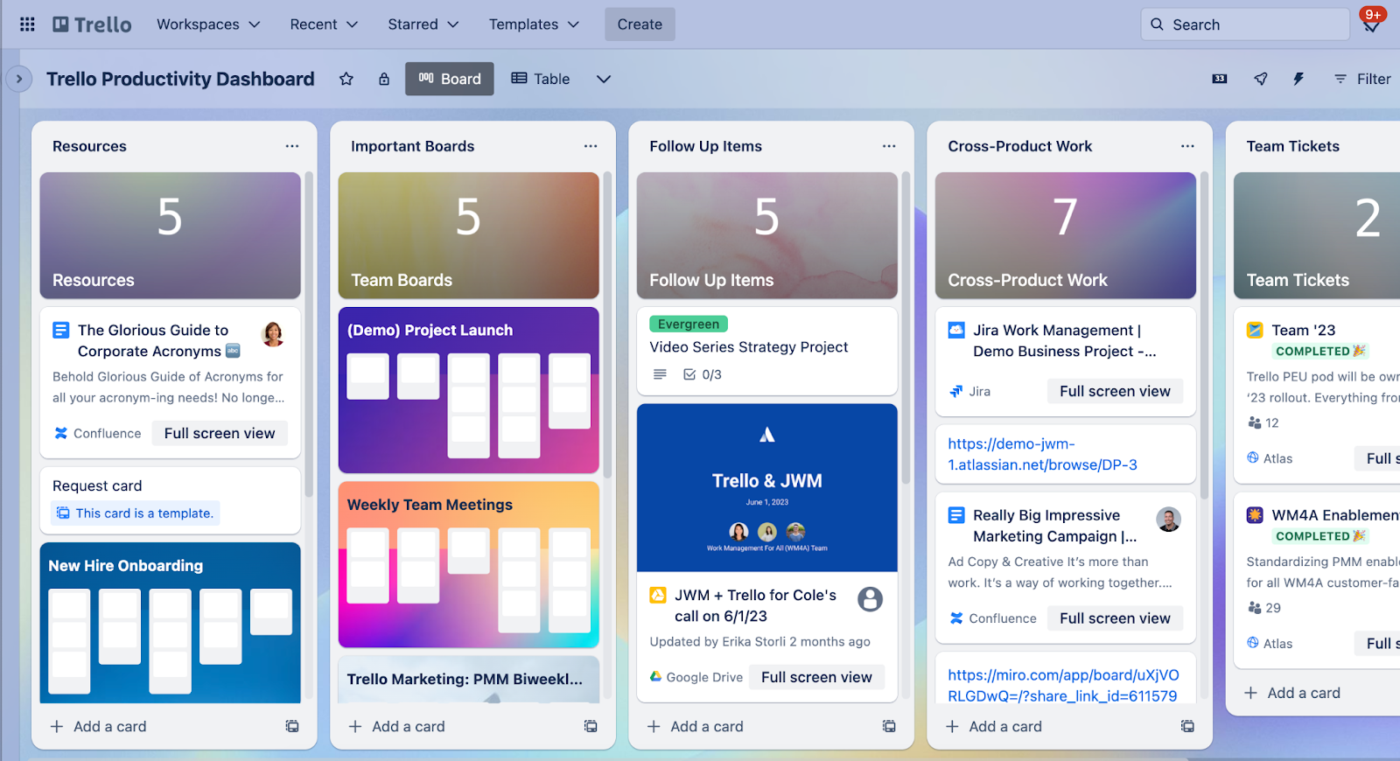
Trello makes visual task management accessible to everyone. This board-based tool represents work as cards that move through customizable columns representing different stages of completion. Its simplicity masks powerful features like automation rules, custom fields, and calendar views.
You can also integrate the platform with tools like Slack, Google Drive, and Jira to keep your workflows connected. For teams, Trello offers shared boards, due date tracking, and @mentions for seamless collaboration. Plus, it adapts to different use cases, such as tracking content calendars, software development sprints, wedding planning, and beyond.
A Capterra reviewer shared this feedback:
Trello is probably the easiest to pick up and use of all the project management software that is commonly found in businesses…I dislike how everyone has to be on the same plan. I use Trello across organisations and I like to be on a premium membership, however, some of the teams I work with don’t have paid subscriptions…
🤝 Friendly Reminder: Back-to-back meetings are not a badge of honor. Add 10–15 minute buffers between meetings so you can stretch, reflect, or just breathe. Your future self will thank you.
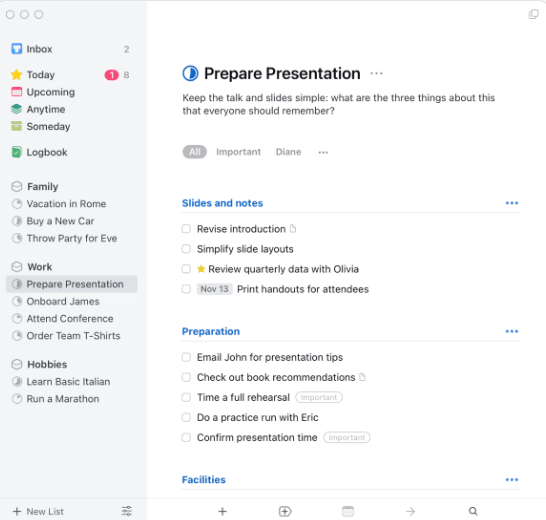
Things 3 keeps task management clean, simple, and refreshingly focused. With features like natural language scheduling, project deadlines, and a Logbook to track completed tasks, it’s designed to help you stay organized without overwhelming you.
If you’re deep in the Apple ecosystem, you’ll appreciate how smoothly it syncs across your devices. Quick Find makes it easy to jump to anything quickly, and the Magic Plus button lets you add tasks exactly where you need them. You get smart structuring tools like section headers and a ‘This Evening’ planner for light time-blocking, all wrapped in a minimal interface.
According to one G2 reviewer:
Minimal looks and is clearly integrated with a lot of useful tools. That makes me more productive than ever…It’s not supported by a platform like Make. That would be so great to allow me create an amazing productive workflow.
🔍 Did You Know? The ancient Egyptians were building a smart calendar. They created a 365-day solar calendar with 12 months of 30 days and added five extra ‘epagomenal’ days at the end of the year. This innovation helped align their calendar with the annual flooding of the Nile, which was crucial for agriculture.
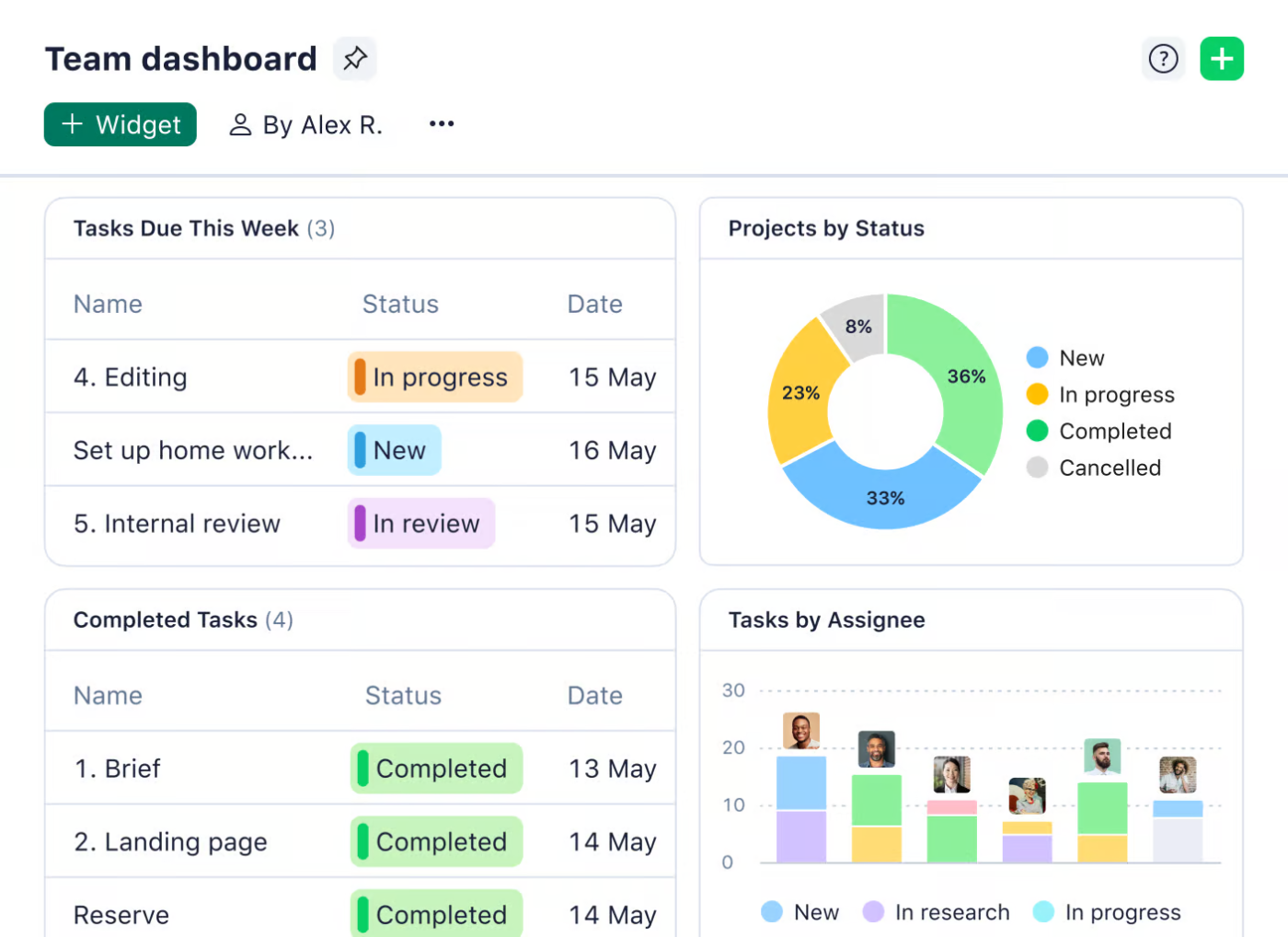
Wrike delivers robust project management capabilities designed to meet enterprise needs. It handles sophisticated resource allocation, dependencies, and cross-team collaboration.
The platform’s customizable dashboards transform complex data into actionable insights for operations managers. Many enterprise teams choose Wrike specifically for its granular permission controls and approval workflows. Wrike excels when managing projects with regulatory compliance requirements or complex team interdependencies.
Straight from a Capterra review:
I like how Wrike helps increase transparency and collaboration within our entire organization. In a project, the data within the fields only “copies/duplicates” within the same task/project line level. The only way to get the data within the top level task to copy into sub tasks is to either pay to enable integrations and pay to have their solutions engineers write code to create a “Wrike to Wrike Integrations” or to manually transfer the data into the sub tasks.
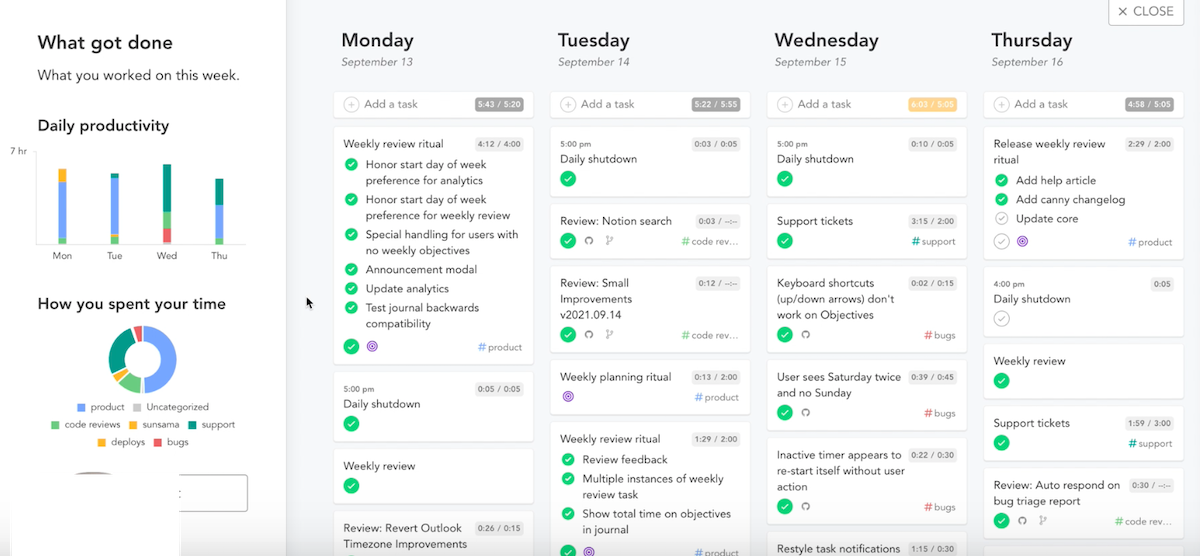
Dreaming of a calmer, more intentional workday? Sunsama helps you achieve just that. This thoughtful productivity tool combines task management with daily planning rituals that encourage mindfulness about work. It asks you to choose tasks for your day, deliberately respecting cognitive limits.
It sends you daily reflection prompts to help you develop better planning habits over time. Plus, its calendar integration shows how your task list translates to time commitments, preventing overload and stress.
A Capterra reviewer shared this feedback:
Sunsama needs to improve their real-time collaborative environments. Our team uses Sunsama to manage meetings–specifically our twice-weekly scrum meetings that typically have long agendas….The meeting page reloads regularly; sometimes content is lost; other times collaborators can’t see newly added information or can’t add info themselves. It’s certainly gotten better — and our struggles have become less frequent — but there’s still room for improvement.
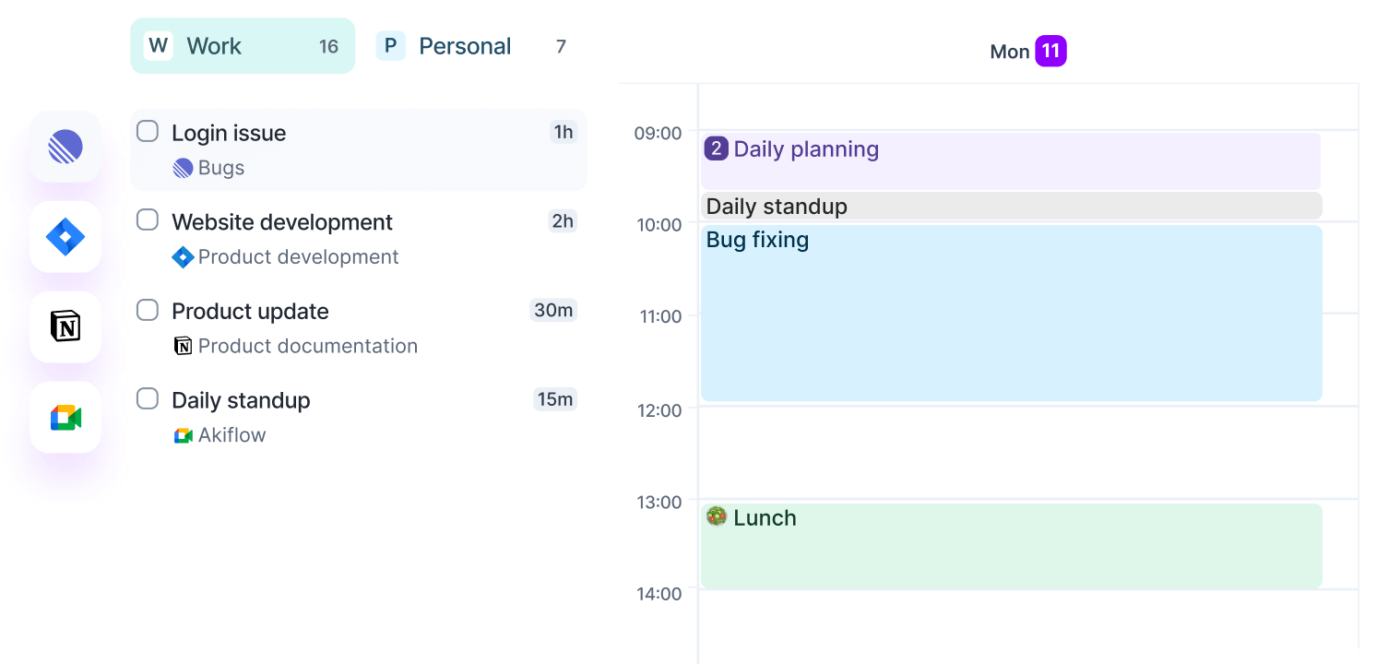
Akiflow connects emails, project management calendar events, and tasks from popular apps into one command center. The keyboard-first approach appeals to efficiency-minded professionals who prefer typing commands over clicking icons.
The time block feature transforms task lists into concrete calendar blocks. Akiflow also includes smart notifications that prevent task overlap, a universal inbox for collecting to-dos from different platforms, and quick capture shortcuts to add tasks instantly from anywhere.
One Reddit review puts it this way:
The Time Slots are divine, for one. I love being able to have frames of time into which I can throw multiple intended tasks, and those frames can recur. […] I also would find it pretty hard to live without the Upcoming frame, which allows you to schedule tasks and projects into future weeks or months, rather than have all of them stacked up inside folders waiting to be scheduled. […] The rituals and stats tracking are great too, and I really love being able to highlight a goal of the day or a week.
Every team has a rhythm, and the right tool aligns with it. This list highlights TimeHero alternatives built for modern teams. From AI-supported prioritization to calendar coordination and deep task visibility, each tool brings something unique.
But only one brings it together in a system that scales without friction.
ClickUp, the everything app for work, blends structure with flexibility. It offers layered project management, intelligent scheduling, and real-time collaboration under one roof. If you’re managing client workflows or personal priorities, this tool gives you control without complexity.
Sign up for ClickUp today! ✅

© 2026 ClickUp

There’s an easier way. Try a free AI Agent in ClickUp that actually does the work for you—set up in minutes, save hours every week.