






Still downloading templates?
There’s an easier way. Try a free AI Agent in ClickUp that actually does the work for you—set up in minutes, save hours every week.
Sorry, there were no results found for “”
Sorry, there were no results found for “”
Sorry, there were no results found for “”

The first time your team logs into a virtual office platform, it usually goes one of two ways:
Virtual offices like Teamflow aim to bring teams together, but they often still leave context scattered across chats, documents, and tasks. The result? A daily scavenger hunt to answer questions like, “What’s the update on that?” or “Where’s the file I need?”
This lost context and tool hopping defines work sprawl: a pervasine drain on your team’s productivity and potential. The right alternative should bring your team together and keep all the context in one place. In this blog post, we’ve rounded up 10 Teamflow alternatives that offer different takes on virtual collaboration. Let’s dive in! 🎯
These are the best Teamflow alternatives compared. 📄
| Tool | Best for | Best features | Pricing* |
| ClickUp | Managing remote meetings, updates, and async collaboration in one place Team size: Ideal for hybrid, async, and distributed teams | ClickUp Chat, async video via Clips, meeting recaps with the AI Notetaker, built-in project intelligence with ClickUp Brain and ClickUp Brain MAX | Free forever, customizations available for enterprises |
| SpatialChat | Hosting interactive remote events and spontaneous conversations Team size: Ideal for event teams and remote-first groups | Spatial audio, temporary messages, private chats, zoned presentations | Free; Paid plans from $5/month per user (Virtual Office) |
| Gather | Creating a 2D office where teams can move and interact naturally Team size: Ideal for creative agencies and game-loving teams | Pixel map builder, spatial audio, walk-in meetings, private spaces | Free (up to 10 users); Paid plans from $7/month per user |
| Kumospace | Replicating real office layouts with virtual floor plans and personal desks Team size: Ideal for teams that want realistic virtual HQs | Floor navigation, desk claiming, visual room booking, and custom branding | Free; Paid plans from $16/month per user |
| ivCAMPUS | Designing virtual campuses with academic workflows in mind Team size: Ideal for universities, colleges, and training centers | Virtual office hours, interactive lectures, attendance tracking, campus-wide events | Free trial; Custom pricing |
| Sococo | Running structured remote workflows inside a virtual office setup Team size: Ideal for productivity-focused teams and SMBs | Room-based workflows, availability status, and archive-ready spaces | Starts at $14.99/month per user |
| Tandem | Jumping into instant voice chats without scheduling meetings Team size: Ideal for fast-paced teams needing quick interactions | Instant voice/video calls, activity indicators, screen sharing | Free; Paid plans from $59/month (10 users) |
| Teemyco | Customizing branded digital workspaces with social features Team size: Ideal for brand-conscious teams and internal ops teams | Room branding, bulletin boards, Slack/calendar integration, coffee break tools | 14-day free trial; Paid plans from $8/month per user |
| Slack | Coordinating text-first team comms through channels and threads Team size: Ideal for remote teams needing structured messaging | Channels, thread replies, bot workflows, 2K+ app integrations | Free; Paid plans from $8.75/month per user |
| Roam | Reshaping virtual workspaces to match changing meeting needs Team size: Ideal for client-facing and project-based teams | Configurable rooms, external access, interactive tools, and room archives | Starts at $18.88/month per user |
📖 Also Read: Best Screen Recording Chrome Extensions to Use
Here’s why many teams start looking for Teamflow alternatives:
🧠 Fun Fact: Remote job openings are on the rise. FlexJobs reported an 8% increase in fully remote listings. The biggest demand is in computer and IT, followed by project management, sales, operations, and healthcare.
These are our picks for the best Teamflow alternatives. 👇
Our editorial team follows a transparent, research-backed, and vendor-neutral process, so you can trust that our recommendations are based on real product value.
Here’s a detailed rundown of how we review software at ClickUp.
ClickUp’s Remote Team Project Management Software gives remote teams one place to talk, assign work, record updates, and track outcomes without context switching. ClickUp solves work sprawl by bringing all your work into one AI-powered, unified workspace. Here’s how:
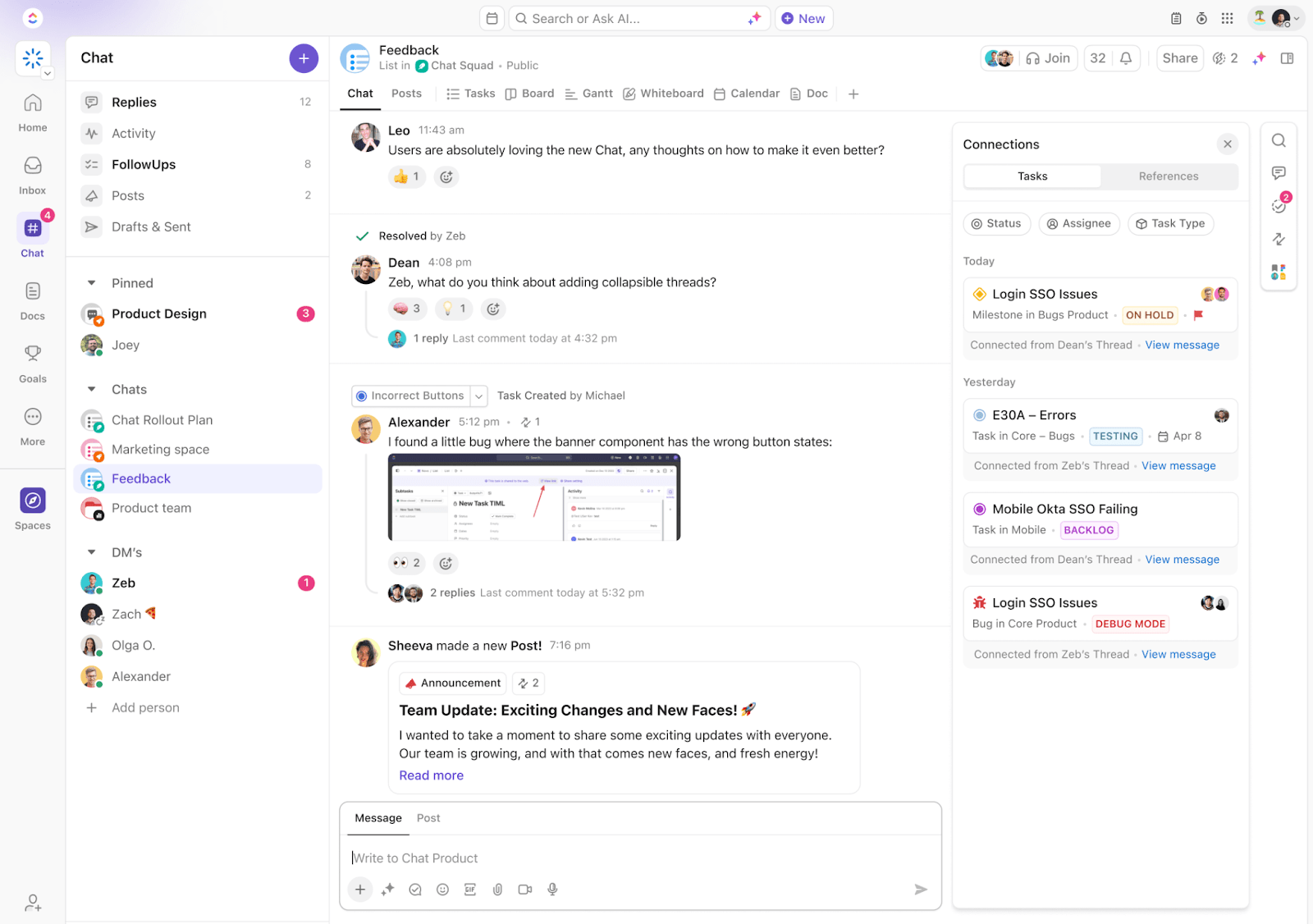
ClickUp Chat keeps conversations tied to your tasks, lists, or projects so context travels with the discussion.
So when a designer flags an issue in the weekly sync, you can drop that into the task chat, tag the dev team, and spin off a follow-up task immediately. You don’t need to restate the problem or copy-paste updates across tools.
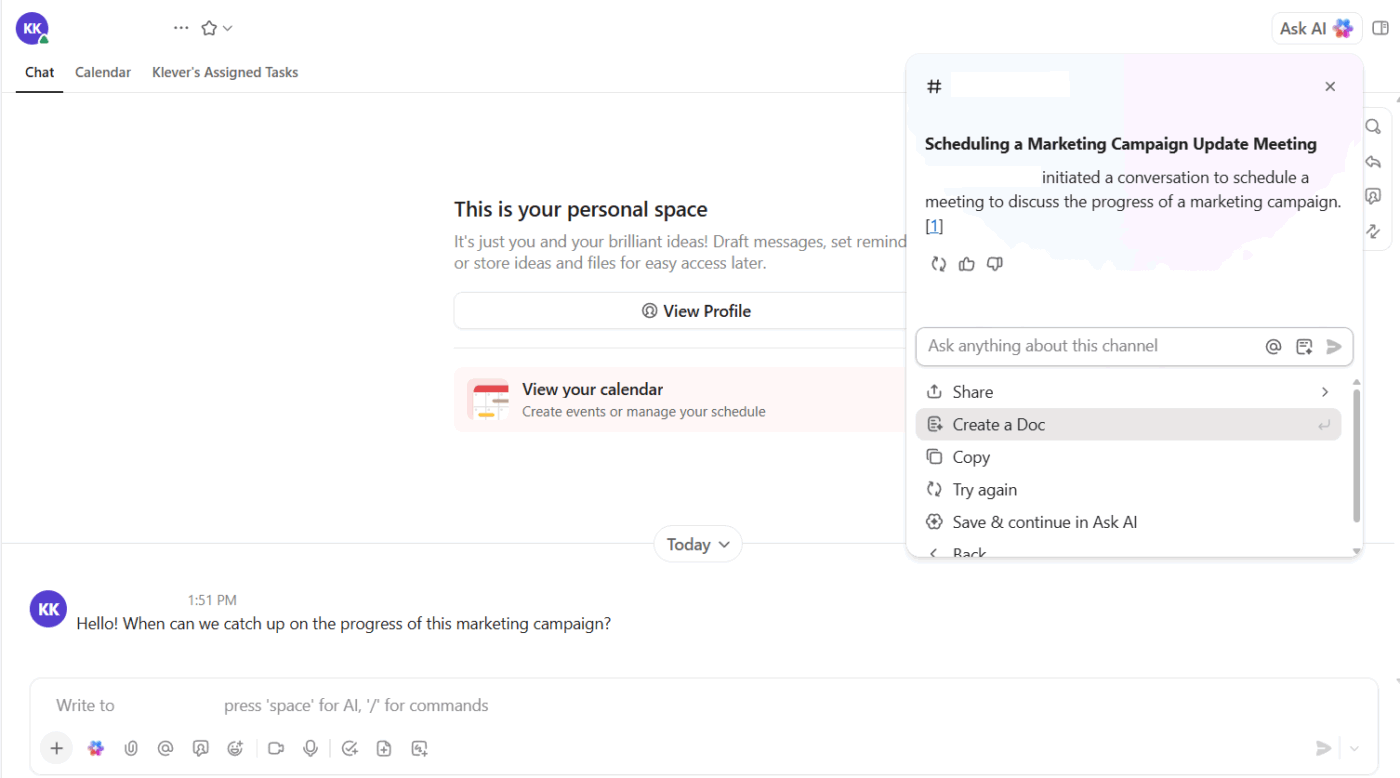
And the built-in AI assistant, ClickUp Brain, makes this even smoother. For instance, if someone joins the thread later and asks what’s going on, it can summarize the entire conversation and link to the work so far.
💡 Bonus: Looking for an app that is more than just a virtual office?
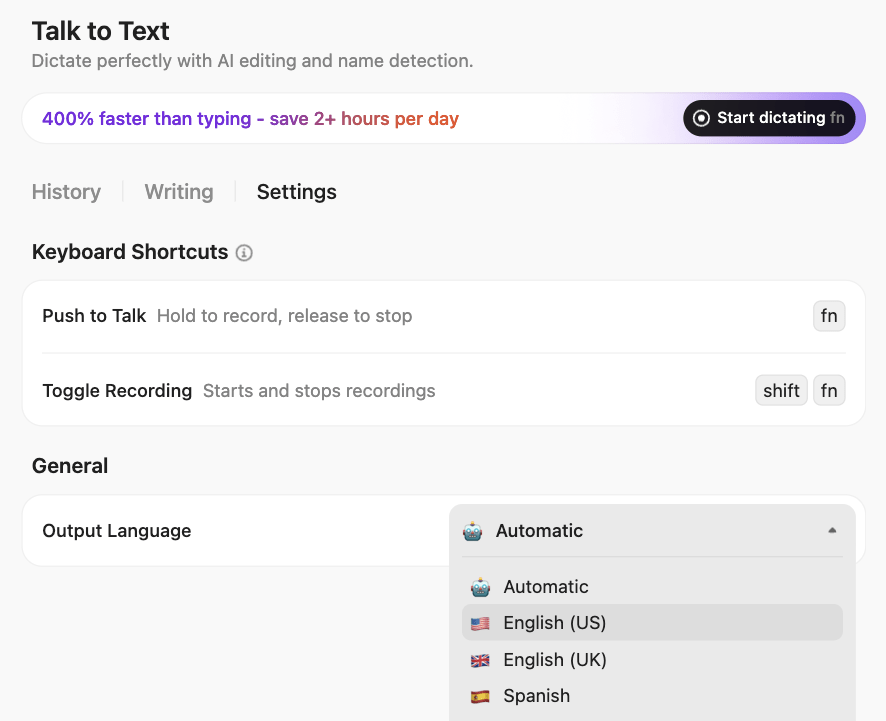
Try ClickUp Brain MAX—the AI Super App that truly understands you, because it knows your work. Ditch the AI tool sprawl, use your voice to get work done, create documents, assign tasks to team members, and more.
Of course, not everything works in text. Async video is often easier when your team works across time zones. ClickUp Clips lets you record your screen and voice from inside the platform.
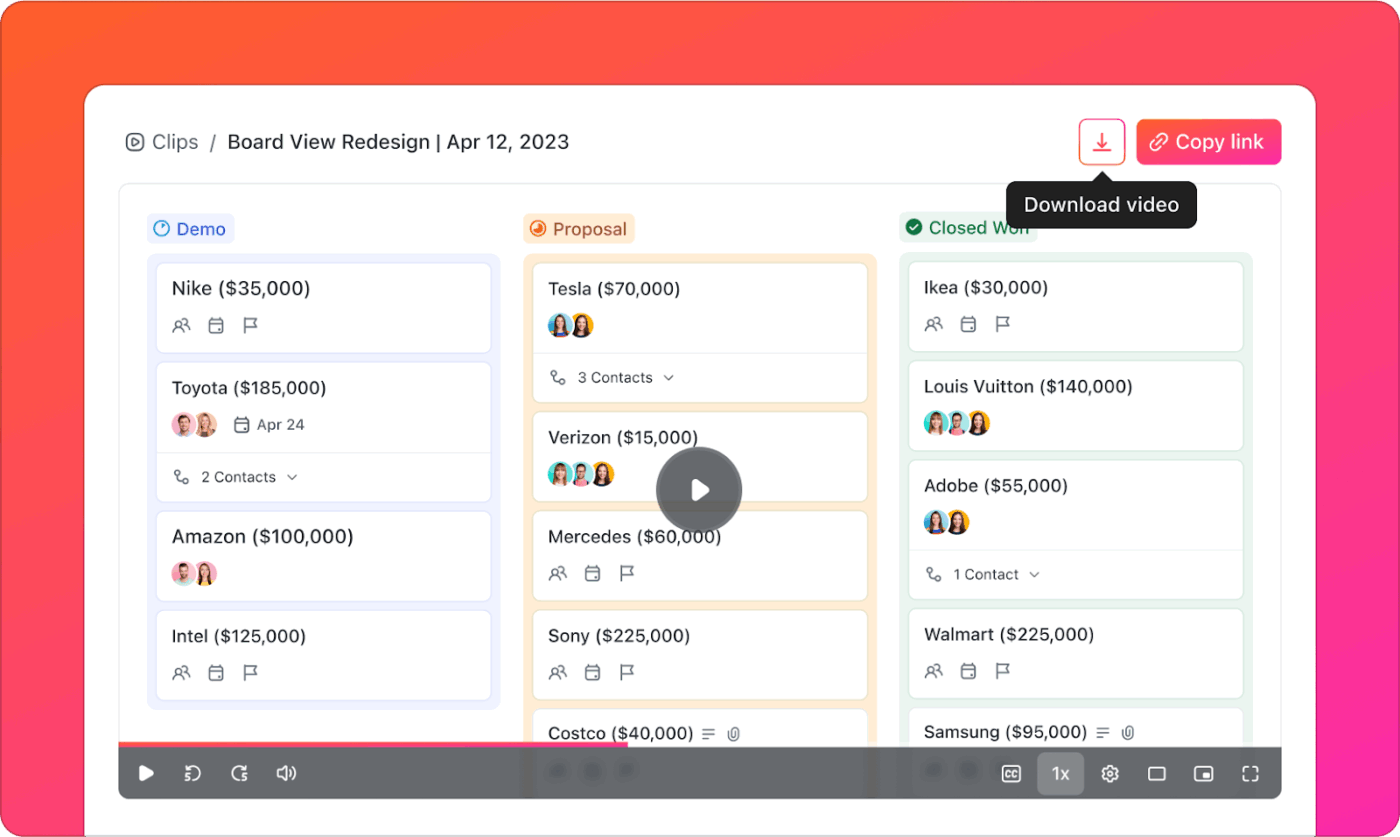
Say the product manager can’t join the roadmap review. You use AI screen recorders to walk through the updates, share it in the task, and let ClickUp Brain auto-summarize the key decisions. The team sees what’s changing, why it matters, and what needs follow-up.
Watch this video to learn more:
Or if you want to catch up IRL, ClickUp SyncUps keep remote teams aligned with quick, structured check-ins, right inside your workspace.
You also skip the usual back-and-forth since Clips stay tied to the work they explain. Anyone can reply in comments, ask for changes, or create new Tasks in ClickUp without switching tools.
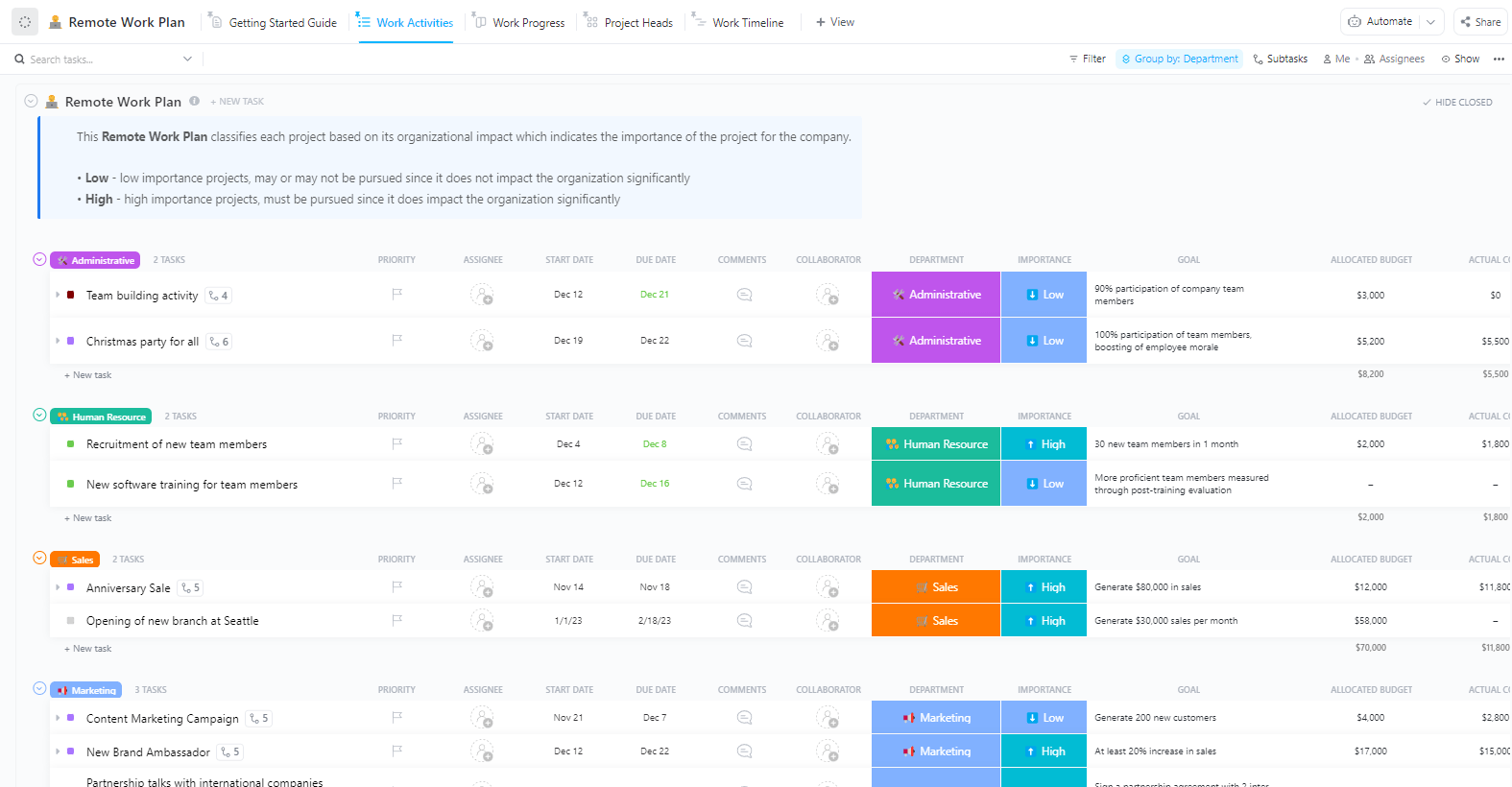
Now, structure matters just as much as communication. The ClickUp Remote Work Plan Template helps you build that from day one. The template also includes built-in workload views and dashboards.
Managers can spot overload early, reassign work, and avoid bottlenecks without a separate resourcing tool. ClickUp Brain fills in gaps by summarizing progress, suggesting next steps, or surfacing related tasks.
A user on Reddit shared:
ClickUp Brain saves me a ton of back and forth honestly. I know there are AI tools with a pretty efficient free tier, but the constant switching between tabs takes a toll. And honestly, when I’m in my deep work zone, this is the last thing I want to do. I primarily use the AI for writing stuff since I’m in the content industry. It also edits what I’ve written (ah-mazing!). Another thing that really helps me is Docs. I love the formatting options, especially those banners. So cute!
💡 Pro Tip: Tired of forgetting what was said in meetings? Use the ClickUp AI Notetaker to automatically capture notes, action items, and decisions—then link them to tasks so your team always stays in sync.

SpatialChat’s remote collaboration tool lets you walk away from boring conversations and drift toward more interesting groups, just like you would at a real event. You’re not trapped in a grid of floating heads; you can roam around and join conversations organically.
The spatial audio means you hear people talking as you get closer, creating those natural ‘oh, what are you discussing?’ moments that make events worth attending.
A G2 review says:
SpatialChat provides a virtual space where you can meet with friends or co-workers. My favorite feature is that you can share the room, and the volume in the conversation will amplify or reduce as you get closer or further respectively. You can also share your screen, or a video that will play like if it were in a screen.
🔍 Did You Know? Fully remote workers consistently outperform their in-office counterparts in terms of engagement. Gallup’s report shows that 31% of remote employees feel highly engaged, compared to 23% for hybrid roles and on-site roles that allow some remote work, and only 19% for those that don’t.
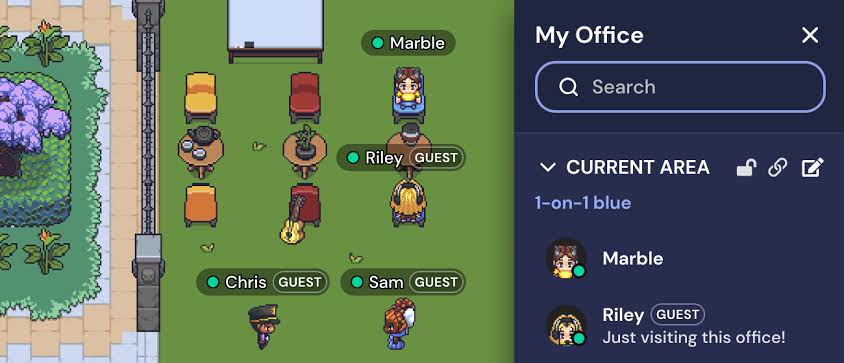
Remember when office life felt more like hanging out than working? Gather brings back that energy through 2D pixel environments that resemble those from a Super Nintendo game.
Your team members appear as tiny avatars wandering around custom-built office spaces, complete with meeting rooms, coffee areas, and random decorative plants.
The proximity audio creates natural interactions. You can walk over to someone’s desk to start a conversation, which sounds bothersome only until you realize how much you miss those spontaneous ‘hey, quick question…’ moments.
From a Reddit thread:
My team used it extensively for all internal meetings. As a fully remote team we stayed on it all day. It was a great way to pre-signal when we were available for conversations. There was no need to slack someone “can you chat?”. I really liked that aspect.
🎥 Watch: How ClickUp can revolutionize the way your team works
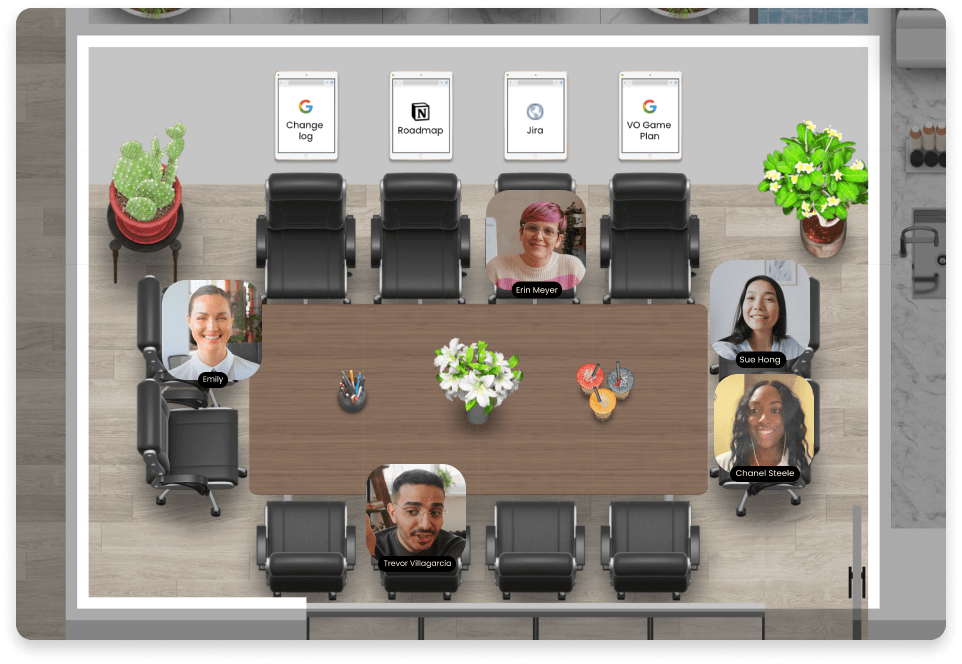
Kumospace delivers photorealistic environments where you can recreate your company’s physical layout down to the weird motivational posters in the break room. This Teamflow alternative focuses on spatial memory, helping remote workers maintain the mental map they had when they could physically walk to Becky’s desk or grab coffee near the marketing team’s corner.
You get the same layout familiarity without the commute, plus the ability to customize spaces that would require expensive renovations in real life.
📚 Also Read: Best Zoom Alternatives
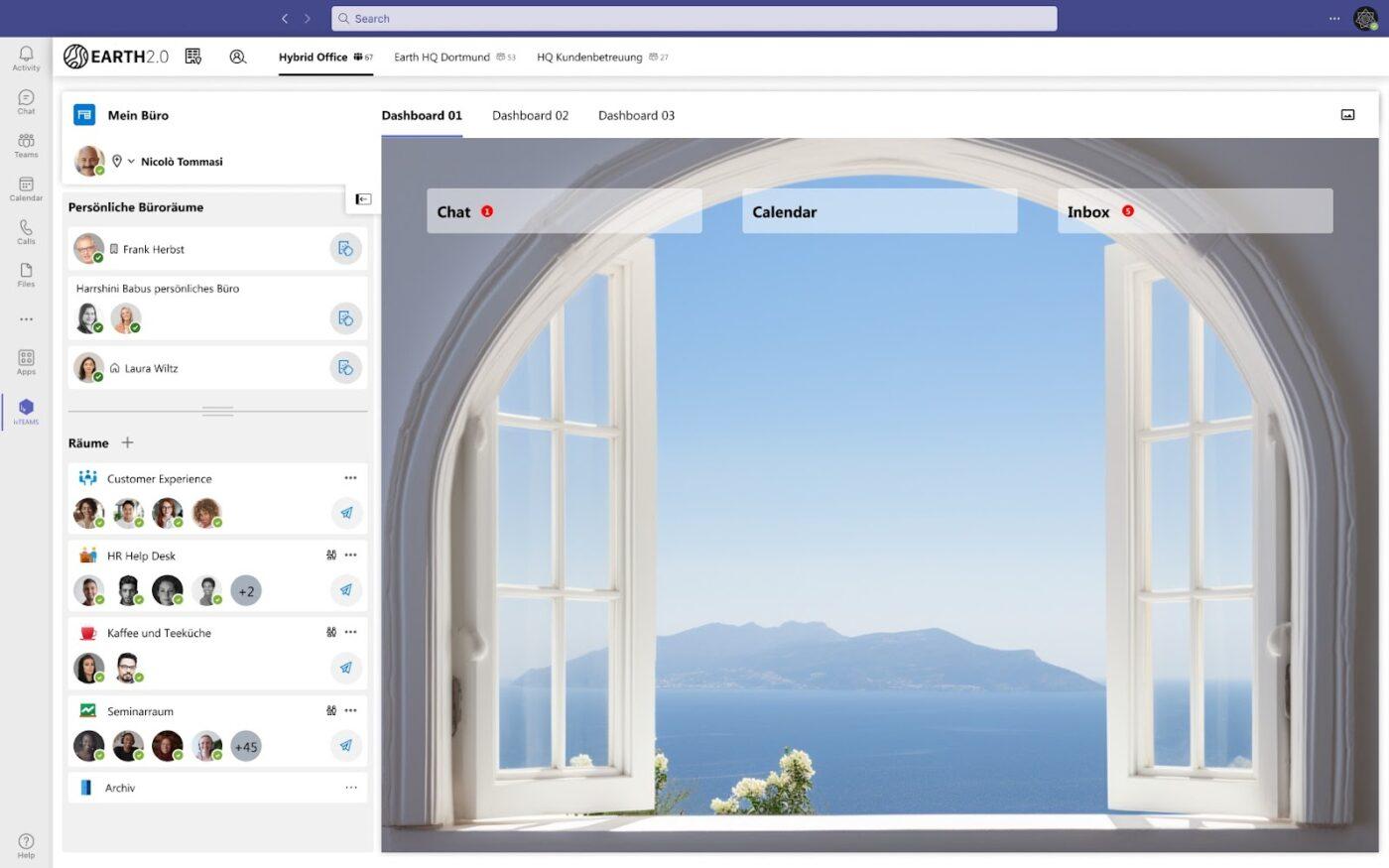
Regular Zoom lectures often feel like watching paint dry, especially when you’re trying to engage 200 students who have their cameras off. ivCAMPUS builds virtual campuses that work for academic life.
Think interactive lecture halls where students can raise their hands visually, study lounges for group projects, and professor offices with proper queuing systems for office hours.
This alternative to Teamflow understands academic workflows instead of trying to force educational needs into generic meeting software.
📮 ClickUp Insight: 48% of employees say hybrid work is best for work-life balance. Yet, with 50% still working mostly in the office, staying aligned across locations can be a challenge. But ClickUp is built for all kinds of teams: remote, hybrid, async, and everything in between.
With ClickUp Chat & Assigned Comments, teams can quickly share updates, give feedback, and turn discussions into action—without endless meetings. Collaborate in real time via ClickUp Docs and ClickUp Whiteboards, assign tasks directly from comments, and keep everyone on the same page no matter where they work from!
💫 Real Results: STANLEY Security saw an 80% increase in teamwork satisfaction thanks to ClickUp’s seamless collaboration tools.
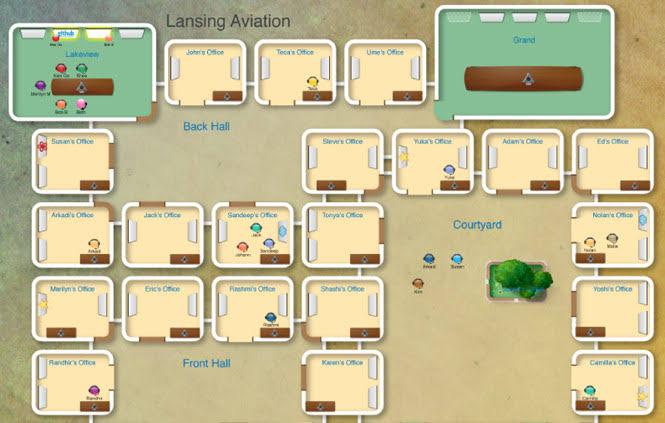
If Gather is the fun coworker who decorates their desk with action figures, Sococo is the organized one who color-codes their calendar. It treats virtual offices like productivity tools rather than social experiments.
You get designated rooms for different work activities, clear availability indicators, and seamless integration with the apps your team already uses daily.
Sococo appeals to teams who want remote work to feel professional and efficient rather than novel and experimental. Think less ‘let’s play in our virtual treehouse’ and more ‘let’s get work done in our digital HQ.’
According to a G2 review:
The most helpful thing about Sococo is that it allows me to feel like I am in-office with my remote colleagues, even though we all work from different locations. I enjoy being able to customize floorplans of the virtual office space and use it as a real office with rooms that serve different purposes. Online status, notification, and meeting tools help make the workday have a more personal feel.
🧠 Fun Fact: About 83% of employees say that they feel more productive in hybrid/remote environments than in in-office/on-site settings. That’s a clear sign that flexibility has become one of the top priorities for today’s workforce.
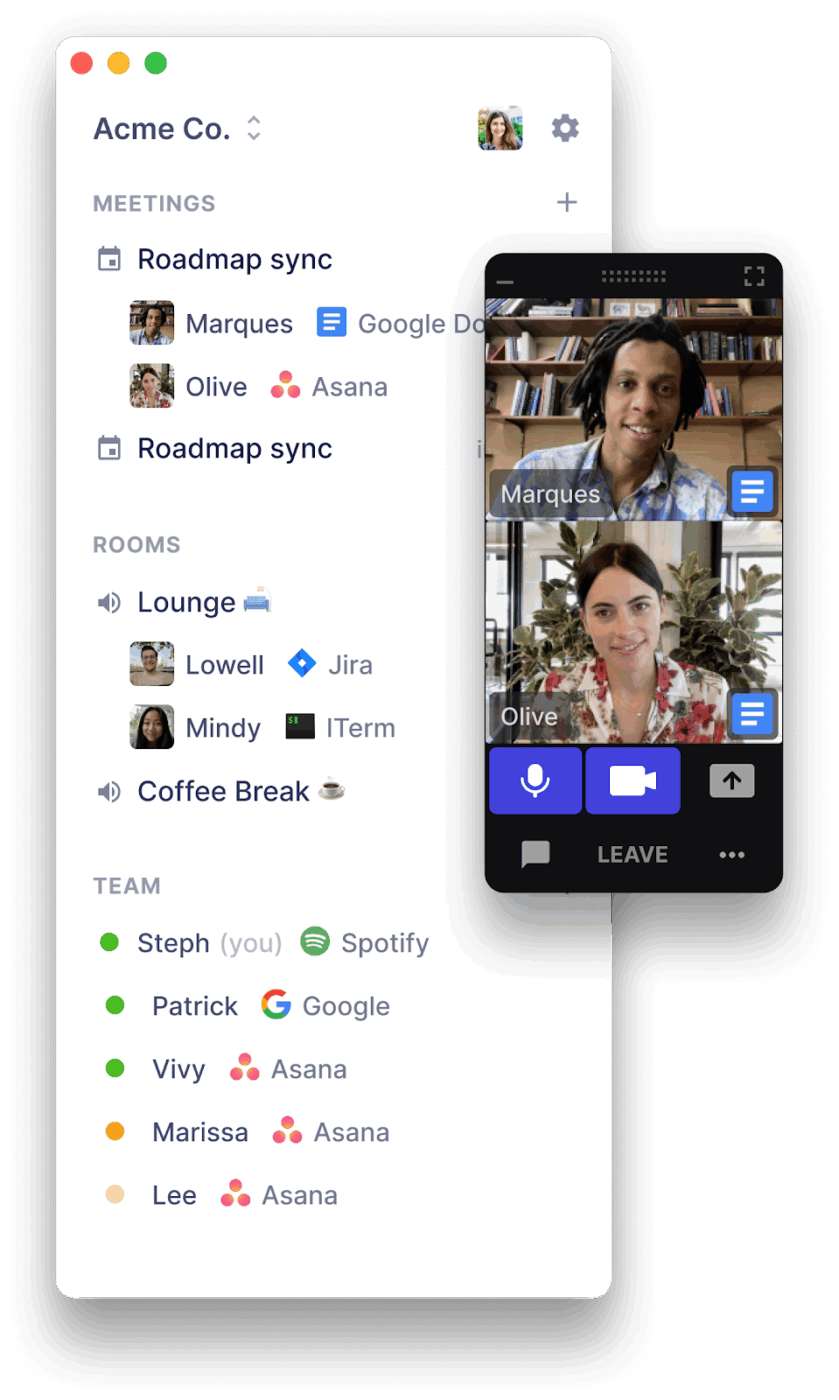
You know that moment when you need to ask someone a quick question, but scheduling a meeting feels ridiculous? Tandem eliminates that friction. You can click on any team member’s profile and start talking immediately—no invitations, no waiting rooms, no ‘can you hear me now?’ rituals.
The platform assumes most workplace conversations happen spontaneously and shouldn’t require the same ceremony as a board meeting. Voice calls start by default, as most quick questions don’t require video, but you can upgrade to video at any time.
⚙️ Bonus: Explore these work-from-home hacks and home office tips to create a comfortable work environment.
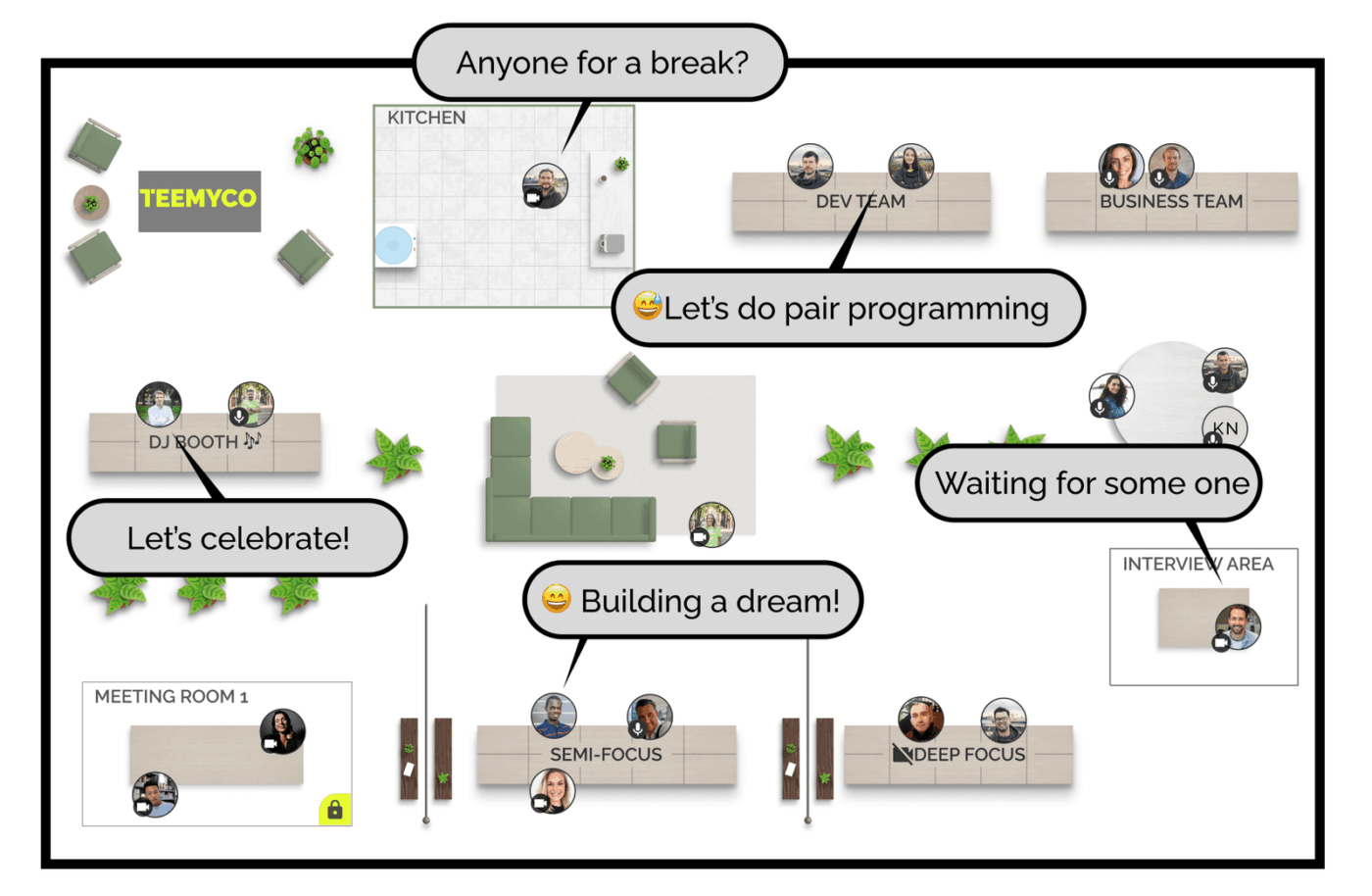
Teemyco lets you recreate your office layout digitally, complete with brand colors, company logos, and inspirational wall quotes (you know what we’re talking about!).
Teams can customize virtual office layouts with different rooms and incorporate company branding elements to maintain that corporate identity everyone worked so hard to establish.
The Teamflow alternative focuses on making remote work feel less like a series of random video calls and more like being part of a cohesive workplace culture.
Based on a G2 review:
Teemyco put cooperation even inside the same building at ease. I can simply drop into the office of my colleagues with one click. We also use this for our customers, they come right into our virtual office and love it. No more Teams, Google Meet, etc. needed.
🔍 Did You Know? Most younger workers aren’t ready to give up flexibility. In fact, 77% of Gen Z and 75% of millennials working remotely or in hybrid roles say they would consider leaving if required to go on-site full-time.
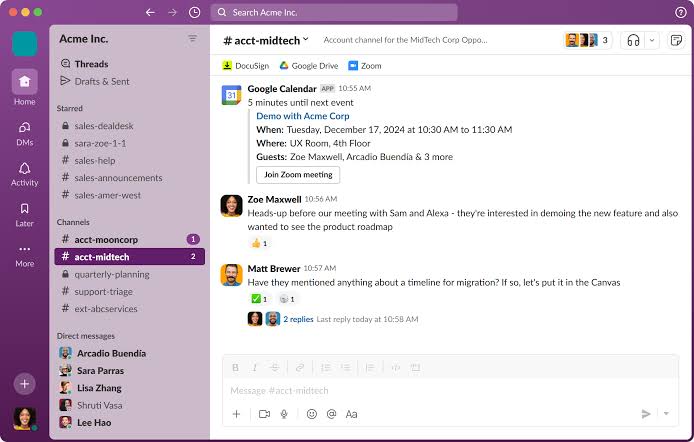
While everyone else is building virtual offices and spatial audio experiences, Slack sticks to what it does well: organizing team communication around topics and projects rather than physical spaces.
It doesn’t try to recreate your office layout or make you walk around as a digital avatar. Instead, it provides the text-based infrastructure that most remote teams rely on for daily real-time collaboration. Channels keep conversations organized, while integrations connect your entire tool stack.
📚 Also Read: Best Slack Alternatives for Team Chat
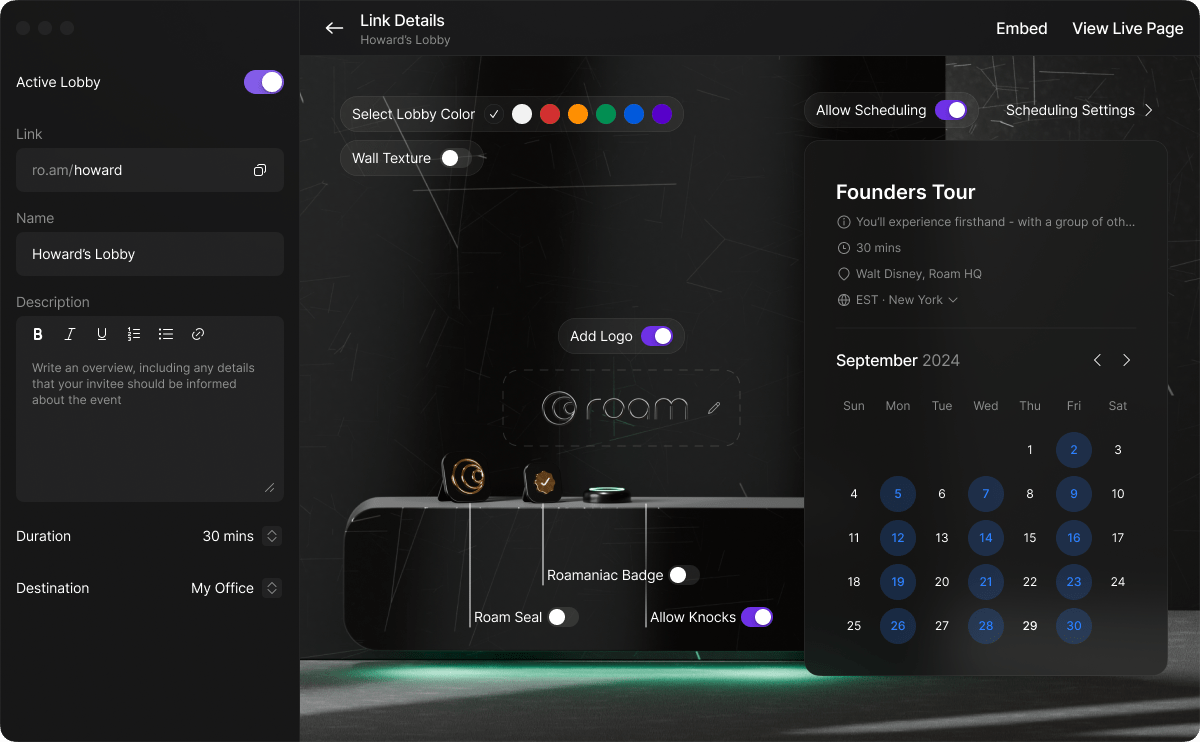
Most Teamflow alternatives force you to commit to one layout and stick with it, like you’re signing a digital lease. Roam takes the opposite approach with spaces that reshape themselves based on what you’re doing.
Need a brainstorming room for creative sessions? Build it. Have a client presentation this afternoon? Reconfigure the same space with presentation tools and professional branding. For tomorrow’s training workshop, transform it again.
This workplace flexibility appeals to consulting firms, agencies, and any team whose work changes dramatically from project to project.
As shared on G2:
Roam is a full virtual office, that I’ve been using daily for the past few months. It allows you to see who is online, know on the doors (start voice call) and see who is talking to who. Screen share showing other people cursors so people can point at the other screen just by hovering over the screen share (this is really helpful). […] It takes time to get use to it, because it’s not intuitive. Notifications are the worst. A call is just a beep, you missed the beep, you missed the call. There’s no pending notifications at the desktop level (at least on Mac’s notification center).
🔍 Did You Know? The World Economic Forum predicts a big rise in global digital jobs. By 2030, these roles are expected to grow by 25%, reaching over 90 million positions.
You don’t need a virtual office to prove your team is working. You need a space where work moves forward, conversations stay clear, and no one’s stuck waiting for someone to appear ‘online.’
If most Teamflow alternatives feel more like placeholders than solutions, it’s time to try something that helps you get work done.
ClickUp brings your tasks, docs, updates, and check-ins into one connected space without forcing anyone to sit around in a digital room.
Sign up for ClickUp today! ✅

© 2026 ClickUp

There’s an easier way. Try a free AI Agent in ClickUp that actually does the work for you—set up in minutes, save hours every week.