






Still downloading templates?
There’s an easier way. Try a free AI Agent in ClickUp that actually does the work for you—set up in minutes, save hours every week.
Sorry, there were no results found for “”
Sorry, there were no results found for “”
Sorry, there were no results found for “”
For decades, research on productivity has focused on the big picture: labor markets, tech shifts, and global economic forces.
However, for startups, the real story unfolds at the firm level: how work is managed day-to-day, how efficiently teams collaborate, and how quickly projects progress from idea to delivery. Operational drag here doesn’t just waste time; it kills momentum.
But what if you could delegate the endless coordination to an intelligent assistant? AI project management tools can act as a central nervous system for your projects, automating the tedious work of tracking, delegating, and reporting.
In this blog, we will discuss the top project manager assistant AI tools for startups that make work visible, nudge accountability, and keep projects moving without you playing referee. 🫡
When you’re running a startup, every hour feels like borrowed time. Here are some details that matter most in your AI project management tool:
⚙️ Bonus: Is AI taking over? Find out if AI is replacing project managers and what it means for you. P.S. It might just be making your job smarter, faster, and a whole lot easier!
Here’s a quick comparison table to give you an overview of the top 10 AI project management tools for startups:
| Tool | Best for | Key features | Pricing* |
| ClickUp | All-in-one AI-powered project and team management for individuals, startups, mid-market teams, and large enterprises | ClickUp Brain for contextual insights, Brain MAX for unified AI across OS, Talk-to-Text for 4x faster input, AI Agents for workflow automation, Enterprise Search, Automations, Docs, Dashboards, Whiteboards with AI image generation | Free forever; Customizations available for enterprises |
| Asana | AI task assignment and automated project tracking for startups, SMBs, and scaling enterprises | AI Teammates for workflow automation, Smart Chat, Smart Status, Smart Projects, real-time insights, and synthesis | Free plan available; Paid plans start at $13.49/month |
| Wrike | Risk prediction and workflow optimization for SMBs, mid-market teams, and enterprises | Predictive risk analysis, AI-powered briefs and agendas, Copilot for content generation, Microsoft Copilot & Claude integration | Free plan available; Paid plans start at $10/month |
| Hive | Workflow automation with integrated collaborations for small teams, SMBs, and growing startups | HiveMind AI for turning notes into tasks, Buzz AI for Q&A + dashboards, AI content + image generation, 1,000+ integrations | Free plan available; Paid plans start at $7/month |
| Motion | AI scheduling and time-blocked task management for startups, enterprises, and high-growth teams | AI Scheduler for auto-prioritization, dependency management, project structure generation, and proactive delay detection | Paid plans start at $148/month per user |
| Forecast | Resource forecasting and profitability tracking for SMBs, professional services, and enterprises | Predictive AI engine for timelines, budgets, resource allocation; AI-powered timesheets; Agile story point tracking | Custom pricing |
| Fellow | AI-powered meeting productivity for startups, SMBs, and distributed teams | Auto-transcription + summaries, Ask Fellow chatbot, collaborative agendas, CRM update automation, 500+ templates | Free plan available; Paid plans start at $11/month |
| Taskade | Lightweight AI collaboration for individuals, freelancers, and small teams | AI-generated workflows, mind maps, templates, live collaboration, mobile AI agents for task lists | Free plan available; Paid plans start at $20/month |
| Notion AI | Flexible knowledge and task management for individuals, startups, and hybrid teams | AI writing + editing, auto task creation, Q&A across workspace, template generation, integrations with Jira + Slack | Free plan available; Paid plans start at $12/month |
| Tara AI | Agile sprint planning for engineering teams in startups and SMBs | Automated backlog grooming, sprint plan optimization, dependency mapping, project health monitoring, and effort estimation | Custom pricing |
Our editorial team follows a transparent, research-backed, and vendor-neutral process, so you can trust that our recommendations are based on real product value.
Here’s a detailed rundown of how we review software at ClickUp.
Now, let’s dig into our picks for the best project management apps. 👇
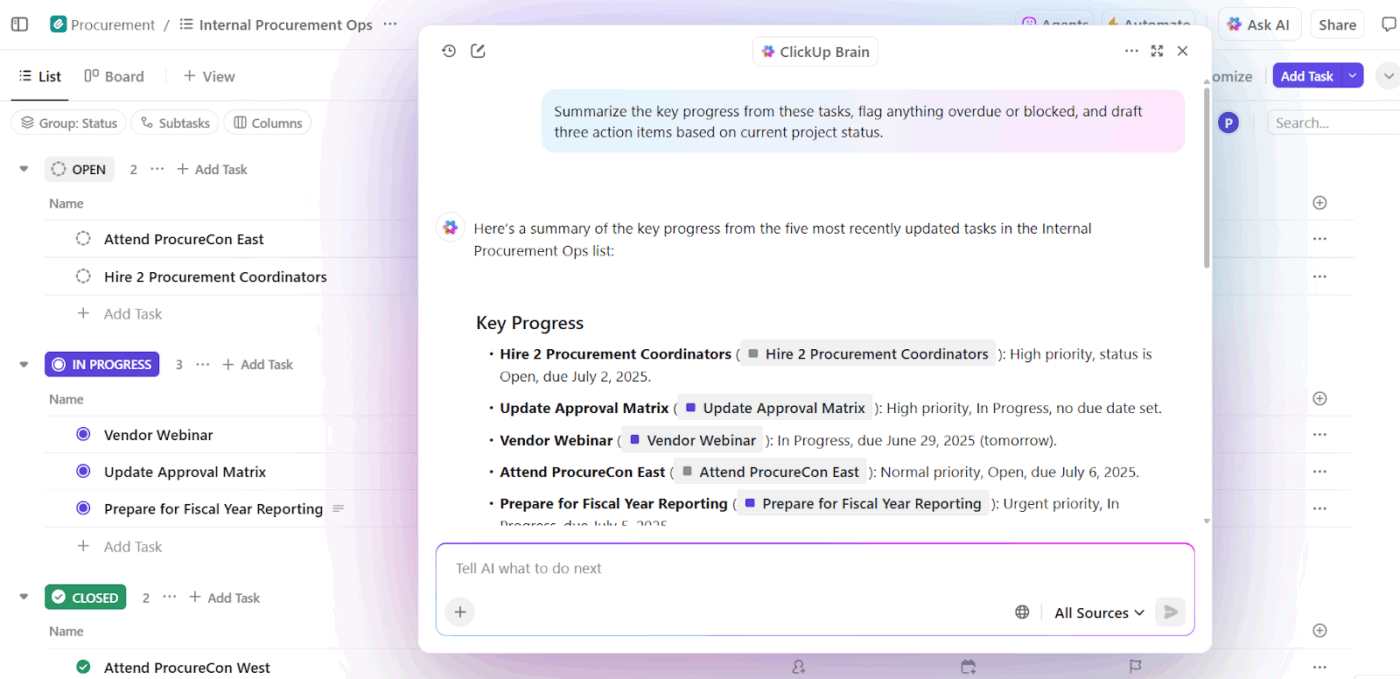
ClickUp for Project Management Solutions is the everything app for work that combines project, knowledge, and chat in one place—all powered by the world’s most cohesive work AI.
For startups, this means less time managing apps and more time focusing on building, scaling, and staying ahead of deadlines. Let’s look at some of its best features. 👀
ClickUp Brain is the first neural network that connects tasks, docs, people, and knowledge across your entire workspace. You can retrieve instant, contextual insights from across all your work with a simple natural language prompt.
It can:
For instance, if a product manager needs a sprint retrospective summary, Brain can pull in highlights from tasks, chat threads, and meeting notes. It also suggests improvements for the next sprint.
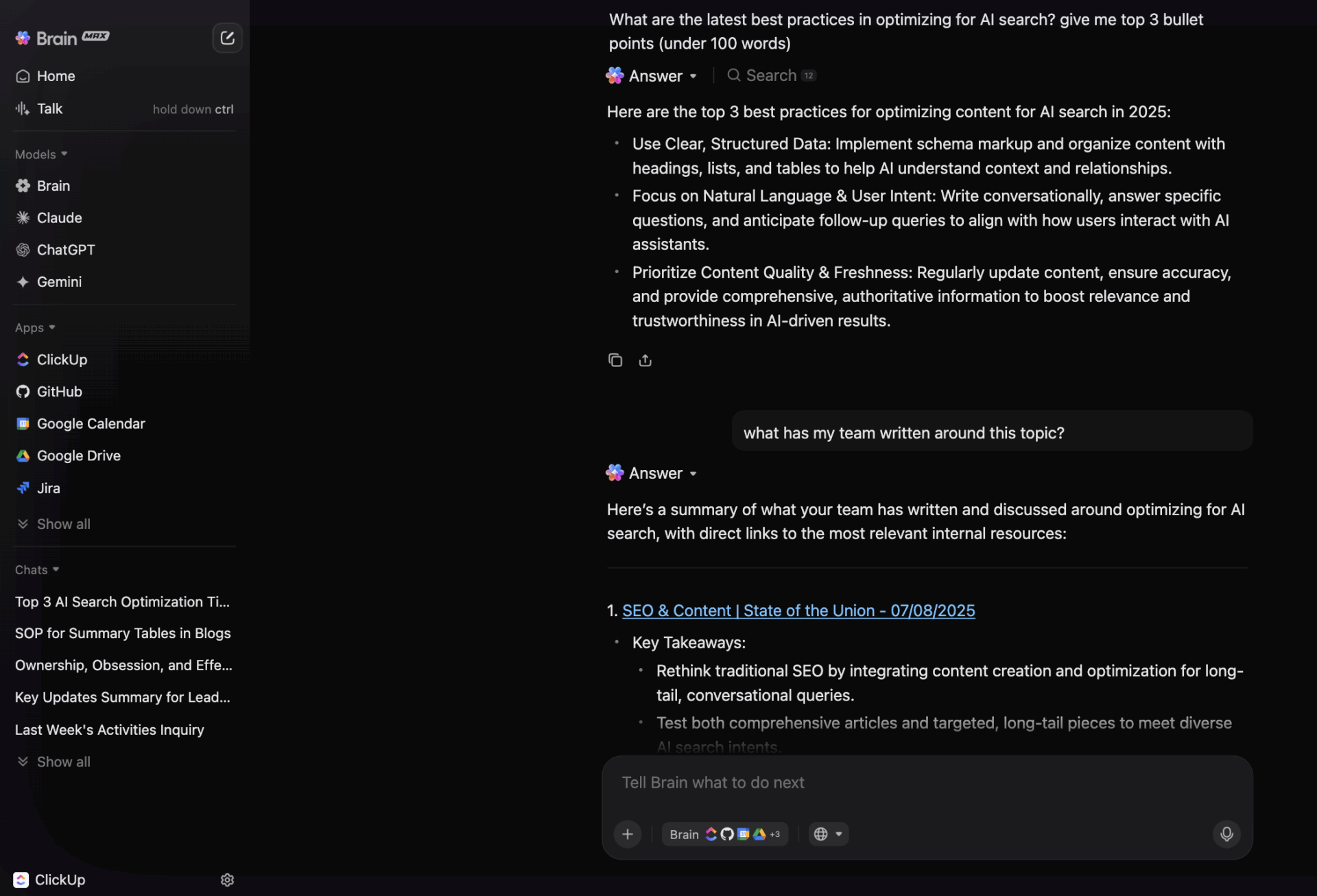
ClickUp Brain Max is a high-performance engine upgrade designed for power users and enterprises that need smarter, faster, and more scalable AI. It brings search, automation, voice commands, and AI models into one connected hub (desktop app!). It gives you:
Here’s a glimpse of how powerful this tool is:
ClickUp AI Agents actively execute work on your behalf. Think of them as project coordinators who handle the busywork so your team can focus on scaling.
Choose from prebuilt agents for common workflows like sending updates or assigning tasks, or create custom agents tailored to your startup’s specific needs.
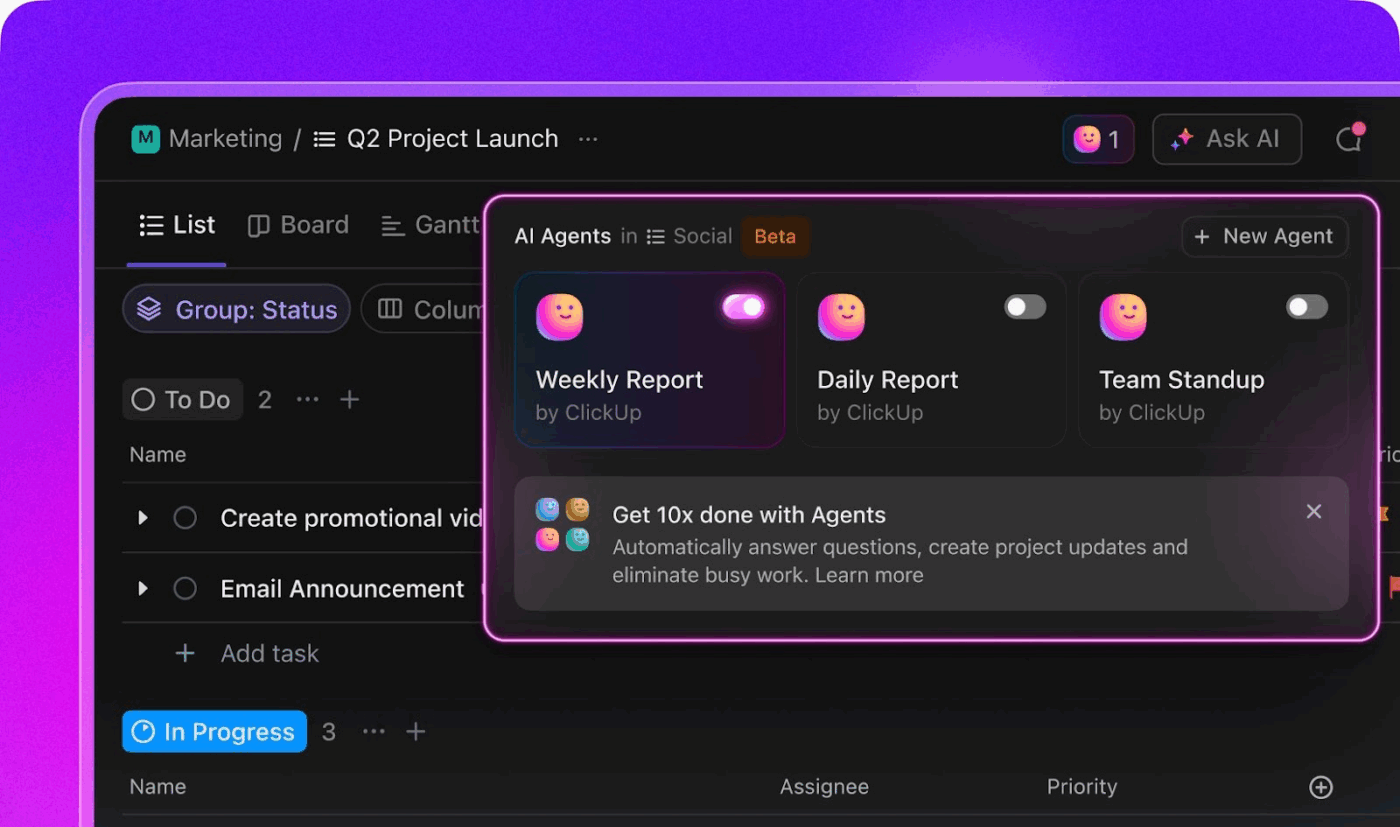
Suppose a client sends over a detailed email with multiple update requests. A prebuilt AI agent breaks the email into subtasks, assigns them to the right teammates, and sends a polished summary to the client.
Try this for yourself today:
Want to consolidate tools and set your small business up for success in 2026? Check out our step by step playbook
This is how a G2 reviewer described their experience:
ClickUp is not just a project management tool, it’s a complete productivity platform. I use it daily as a ticketing system, for client communication, and to organize complex workflows. The AI features are a real highlight – they help me find content faster, prioritize tasks, and keep context across projects. The flexibility to customize everything, from views to automations, makes it fit perfectly to the way I work.
📖 Also Read: Best Project Management Tools
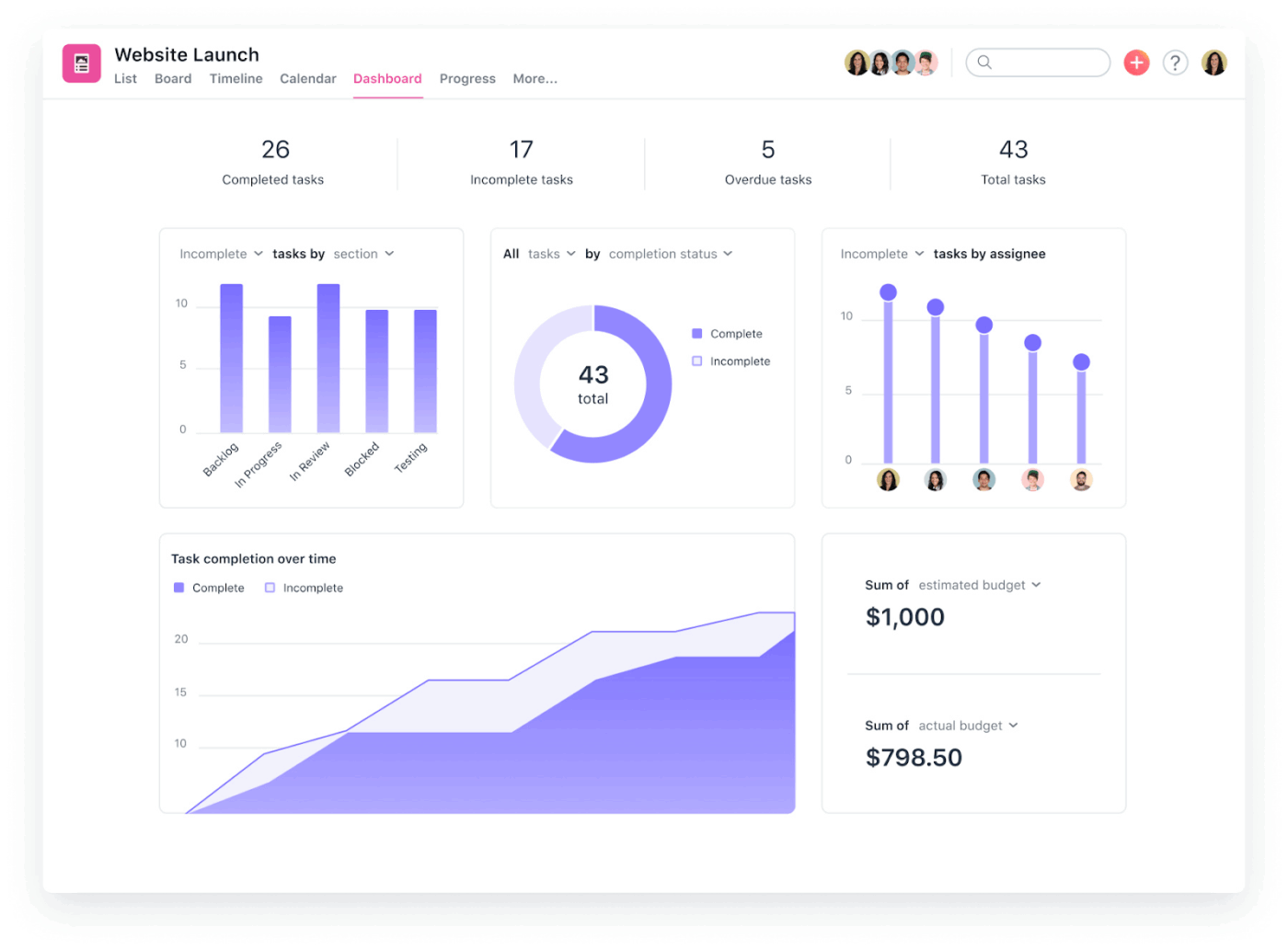
Asana AI Teammates are built into Asana’s Work Graph®, so they can help you manage cross-functional workflows while adapting to your team’s way of working. These assistants are built to scale across different roles and industries, giving both startups and large enterprises more clarity and control.
The AI agent for project management combines real-time insights with workflow automation, which makes teamwork more transparent. AI Teammates can also synthesize conversations, documents, and timelines into actionable insights, allowing startups to focus on speed and iteration.
With features like Smart Chat, Smart Status, and Smart Projects, you can get real-time updates and even generate project plans with AI.
According to a G2 reviewer:
I love that Asana allows you to customize your interface to match how you prefer to work and the pacing/organization of your workflows…this tool allows you both to have the flexibility to design your workflows the way that works best for you…I would say the downside of Asana is that there is a lot of individual accountability involved in the process of completing tasks…
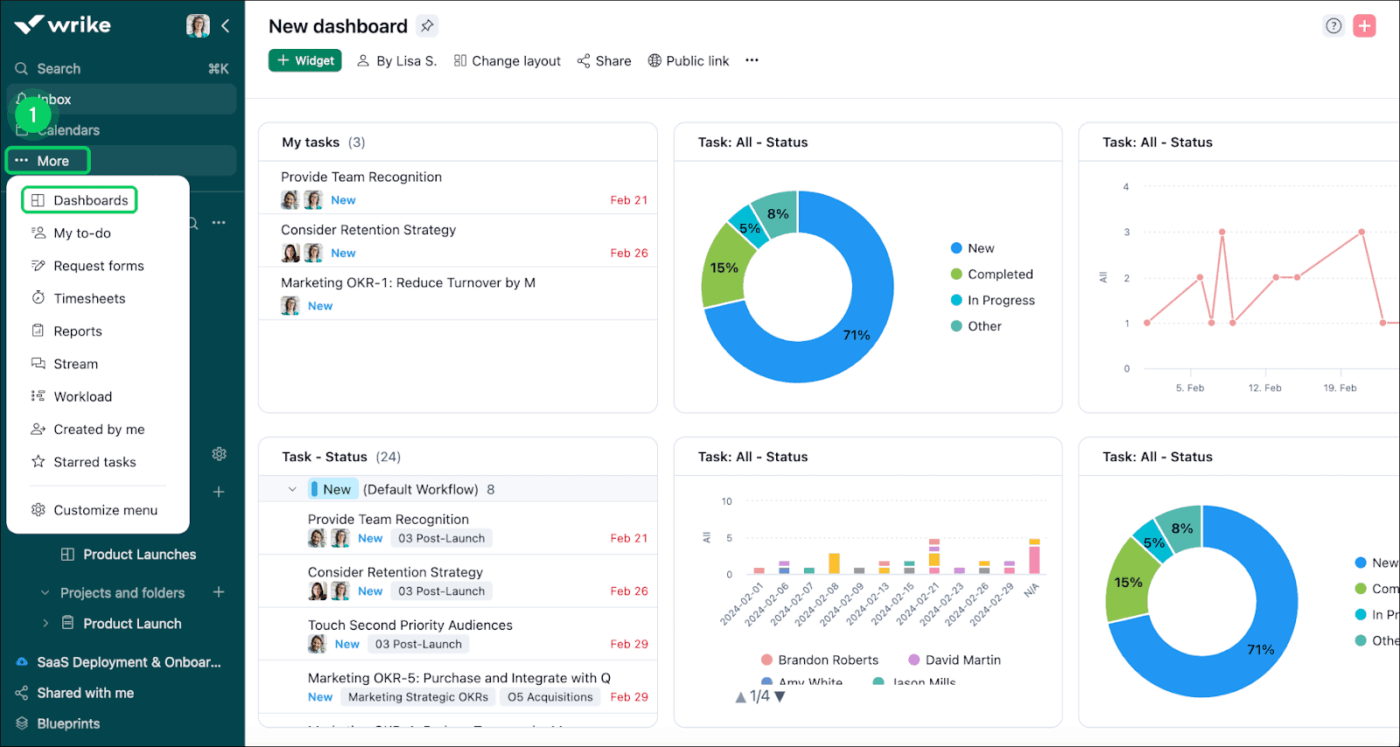
Wrike has leaned into AI with its Work Intelligence suite that integrates AI throughout all project phases.
The Copilot feature does the heavy lifting on content creation. You can prompt it to generate project briefs, meeting agendas, or campaign plans, then have it automatically extract action items from meeting notes. It also handles editing, translation, and tone adjustments directly within tasks.
The platform’s predictive risk analysis is another great feature that makes a project manager’s job easier. The AI learns from your team’s task patterns to identify bottlenecks before they derail timelines, proactively suggesting interventions.
This is how a G2 reviewer described their experience:
One thing I really like about Wrike recently is how it has become more intelligent and easier to use. The artificial intelligence suggestions and smart search features help me quickly find what I need and focus on what is most important… One area where I believe Wrike can improve is the user interface. In our day-to-day work, it often feels difficult to locate key features quickly. Some of the most-used functionalities are not very intuitive to find, which can slow us down.
📖 Also Read: Best Wrike Alternatives & Competitors
🧠 Fun Fact: In Renaissance Italy, architects like Filippo Brunelleschi used mechanical models to plan domes and complex structures. These physical models acted as early simulations, much like modern AI predicts project outcomes before execution.
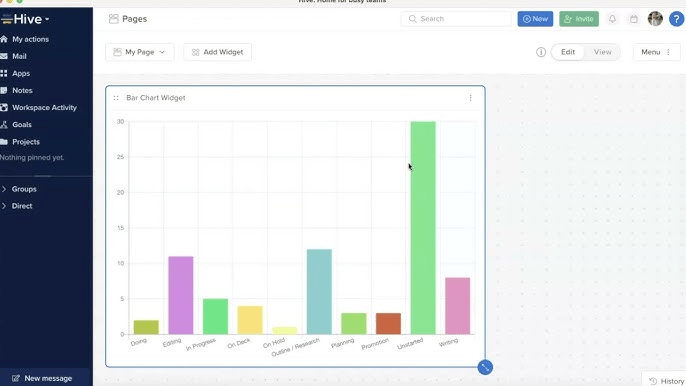
Hive has built an AI agent for productivity into its core with HiveMind. The central AI engine turns natural language into actionable work. You can feed it brainstorming notes, emails, or even single-sentence ideas, and it automatically generates project tasks and next-step actions.
The Buzz AI assistant handles the knowledge management side. It answers questions about your projects, auto-generates dashboards and widgets, and walks users through setup processes.
The AI also accelerates content creation by pairing text and image generation, great for marketing teams working at startup speed.
The platform handles the tedious stuff through custom automations that trigger repetitive actions and sync with 1,000+ other apps.
See what this Capterra reviewer had to say:
I personally like that Hive allows flexibility to each member of the team and everyone can work on the project in whatever way it suits them…Hive also offers third party integration and provides the integration of email and chat options. HiveMind is another powerful addition to Hive which is its AI assistant which helps in generating the content.
📖 Also Read: Hive Alternatives for Project Management
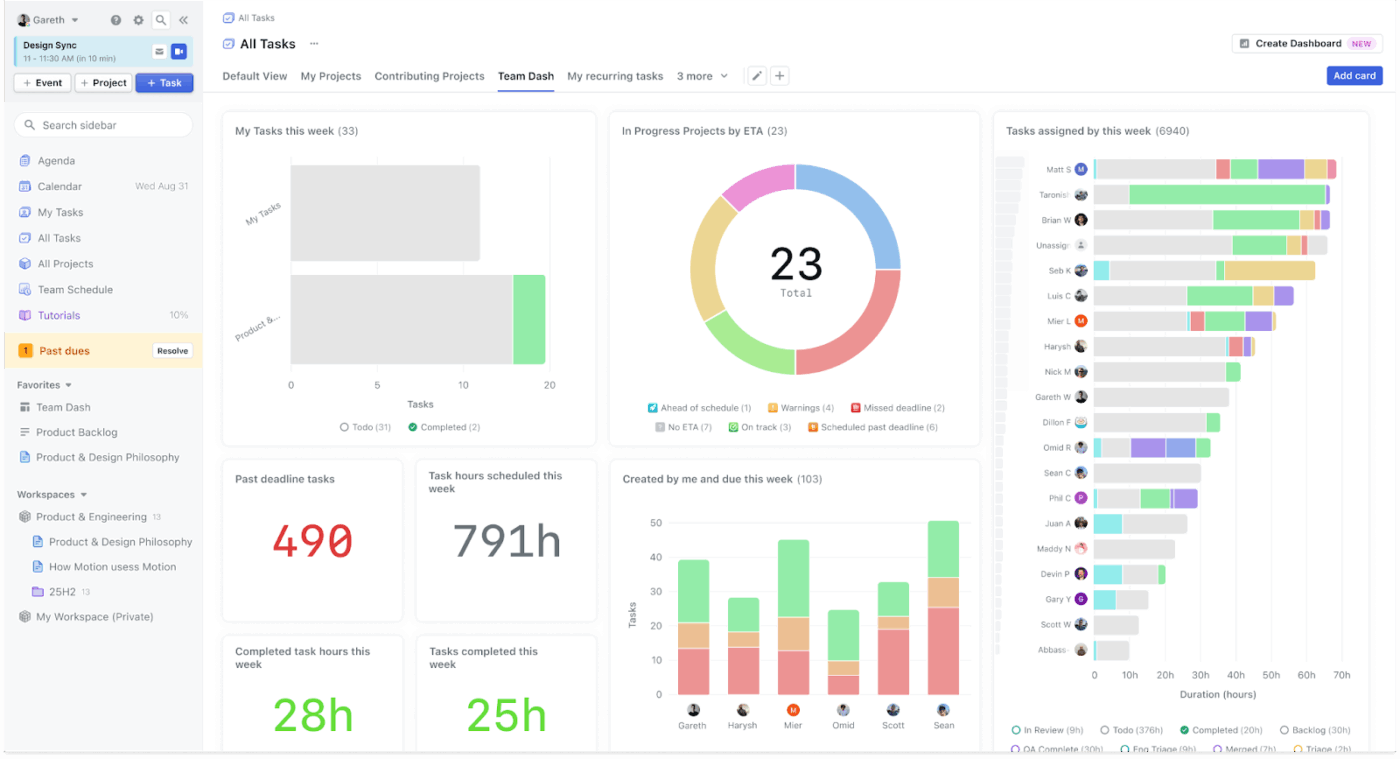
Motion’s AI-powered execution prioritizes autonomous optimization. The tool actively manages your work instead of just tracking it.
The AI Calendar automatically plans, prioritizes, and optimizes daily tasks by analyzing deadlines, dependencies, and team capacity in real-time. It doesn’t leave you to figure out what to work on next, reshuffling priorities based on conditional changes.
Project generation also happens at remarkable speed. You can describe a project or upload documents, and the AI Project Manager creates complete project structures with tasks, deadlines, assignees, and stages within seconds.
Straight from Capterra:
The thing I liked most about Motion is ease of accessibility and automatic adding of tasks. Plus, the use of AI makes it even better and easier to do daily tasks…the high price for unlocking additional features is a big turn-off for me.
💡 Pro Tip: A great project management strategy is to pair the RACI-AI Framework with the MIT (Most Important Task) sprint technique. Define who’s responsible, accountable, consulted, and informed, and then layer in AI to track each role’s tasks in real time. And then identify 3 priorities for the team daily, while AI monitors progress and flags blockers.
Looking for the best way to use AI in project management? This video shows you how to get started 😎
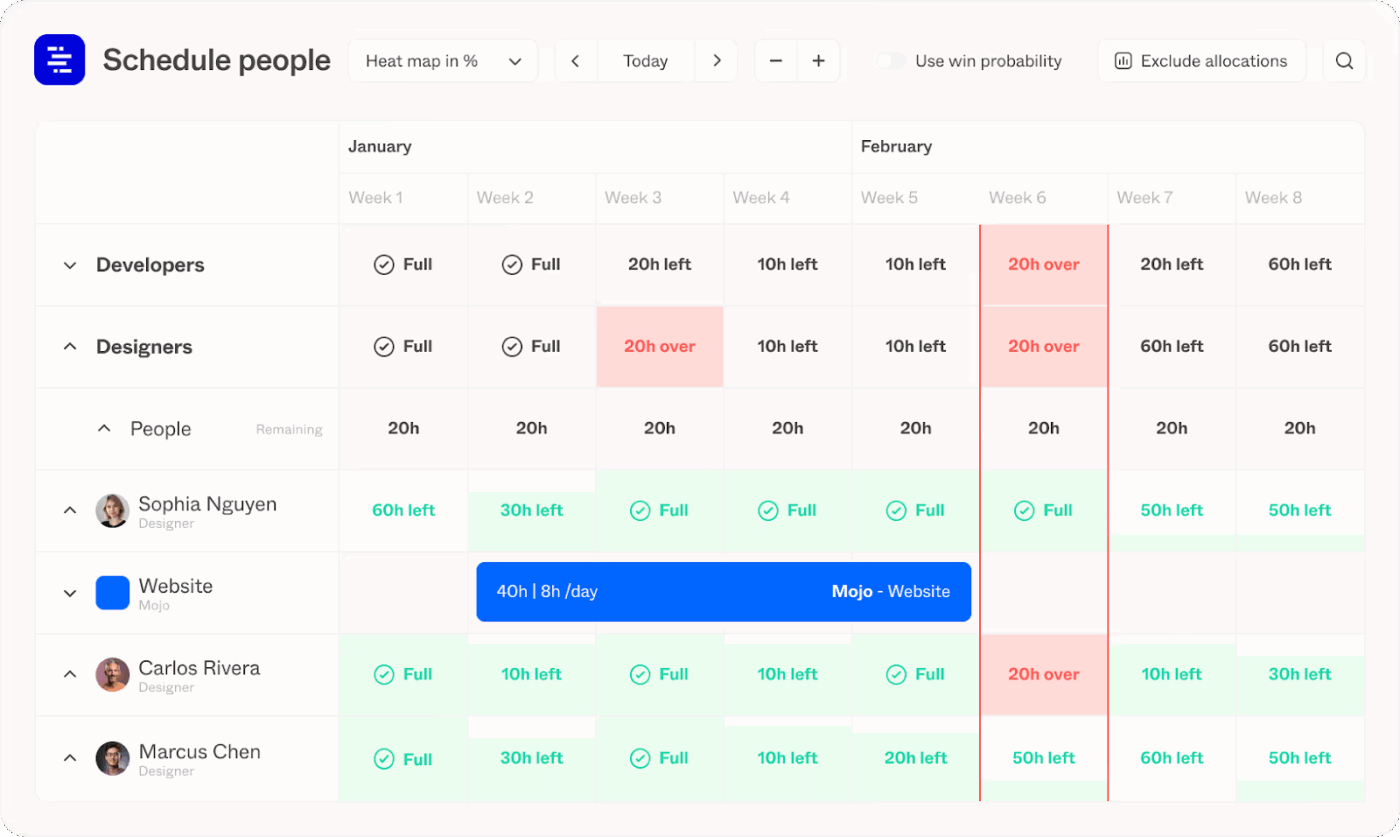
Forecast takes an AI-native approach to project management, unifying project execution, resource planning, and financial oversight.
This AI tool for startups offers a predictive engine that analyzes patterns and learns from top-performing project managers within your organization to forecast timelines, resource needs, and budget consumption.
Risk identification happens proactively, with the AI flagging potential delays, budget overruns, or under-resourcing scenarios early. Additionally, Forecast provides real-time visibility into workload distribution and resource allocation through AI-driven analytics dashboards.
The automated time tracking uses AI-powered timesheets that enhance reporting accuracy without the usual administrative burden. For agile teams, the virtual assistant automatically tracks and calculates story points, helping estimate effort and progress on user stories.
🧠 Fun Fact: In the 19th century, the London Metropolitan Police implemented one of the earliest forms of task delegation software, but with paper. Officers’ duties were mapped and tracked with color-coded logs.
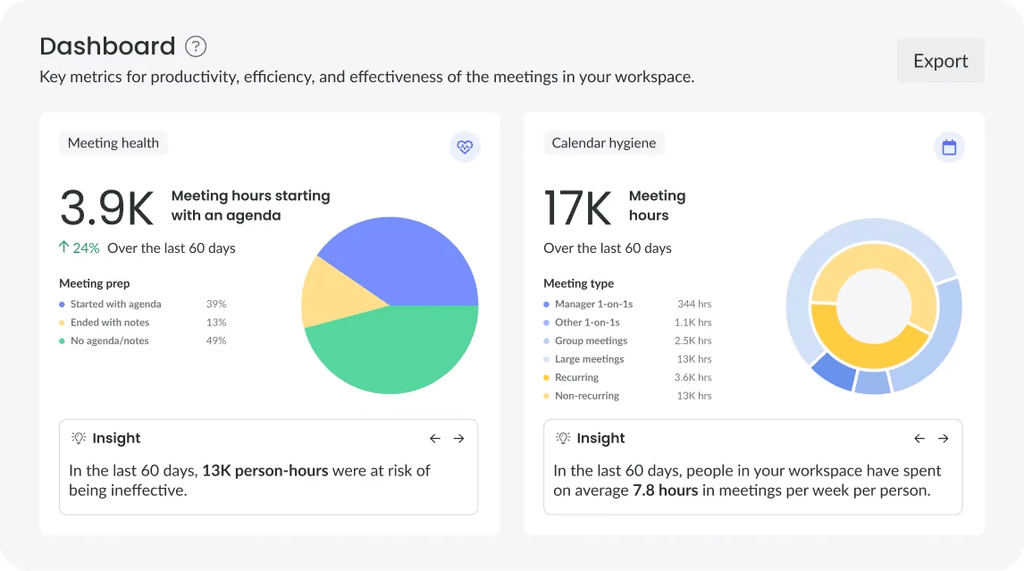
Fellow has positioned itself as an AI-powered meeting intelligence platform that bridges the gap between discussions and execution. It records, transcribes, and summarizes conversations automatically, generating clear recaps with key decisions and assigned action items after meetings.
Additionally, its collaborative agenda creation functionalities remind attendees of previous follow-ups. The AI also suggests relevant topics based on meeting history and context.
The Ask Fellow chatbot acts as a meeting memory system, searching through transcripts to answer questions, catch team members up, and even draft follow-up emails. And for sales and client-facing teams, Fellow automates CRM updates by extracting relevant information and suggesting field updates.
From a G2 review:
Fellow helps me keep track of engineering meetings, notes, and action items in one place. I use it to prepare agendas before discussions and to capture decisions during the meeting, so nothing gets lost…The UI can feel a bit crowded when switching between different streams of notes.
📮 ClickUp Insight: 32% of workers believe automation would save only a few minutes at a time, but 19% say it could unlock 3–5 hours per week. The reality is that even the smallest time savings add up in the long run.
For example, saving just 5 minutes a day on repetitive tasks could result in over 20 hours regained each quarter, time that can be redirected toward more valuable, strategic work.
With ClickUp, automating small tasks—like assigning due dates or tagging teammates—takes less than a minute. You have built-in AI Agents for automatic summaries and reports, while custom Agents handle specific workflows. Take your time back!
💫 Real Results: STANLEY Security reduced time spent building reports by 50% or more with ClickUp’s customizable reporting tools—freeing their teams to focus less on formatting and more on forecasting.
📖 Also Read: How to Manage Project Managers
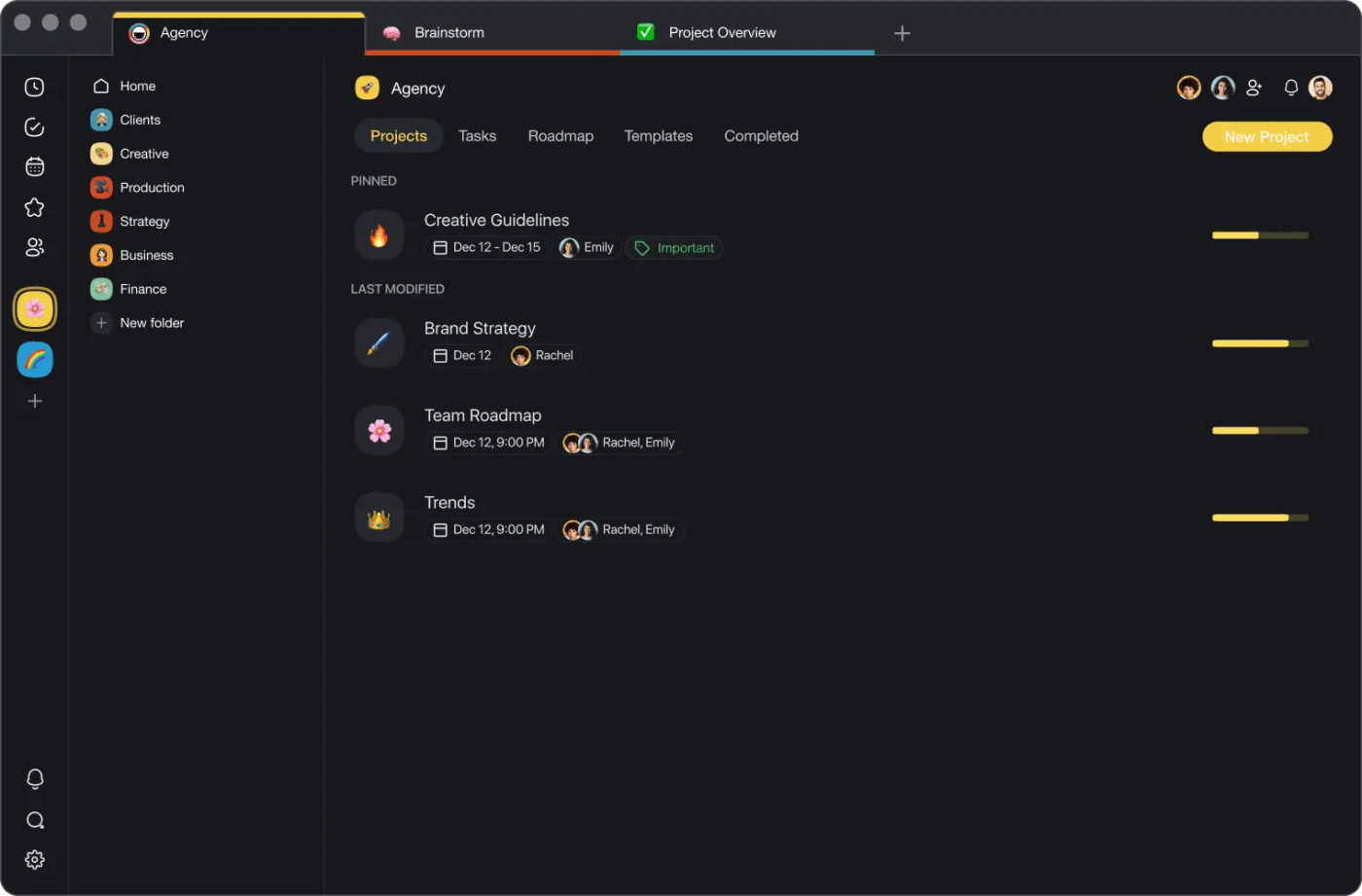
Taskade is an AI project manager that allows teams to generate, plan, and automate entire workflows from prompts using natural language processing.
The platform’s multimodal views let you switch between lists, boards, mind maps, org charts, and calendars to visualize work in whatever format works best.
Plus, real-time collaboration integrates an AI assistant directly into live editing sessions. Its AI summarizes notes, creates outlines, and even suggests next actions during team discussions.
The platform also offers hundreds of AI-powered project management templates pre-filled with intelligent content tailored to specific workflows. With its mobile AI agents feature, you can build, train, and launch AI assistants directly from your phone to manage task lists on the go.
See what this G2 reviewer had to say:
I love the intuitive interface and how easy it is to create nested tasks, which perfectly mirrors our project structures…Currently, the mobile app could be more robust; I find I primarily use the desktop version for more complex tasks.
📖 Also Read: Taskade Alternatives & Competitors
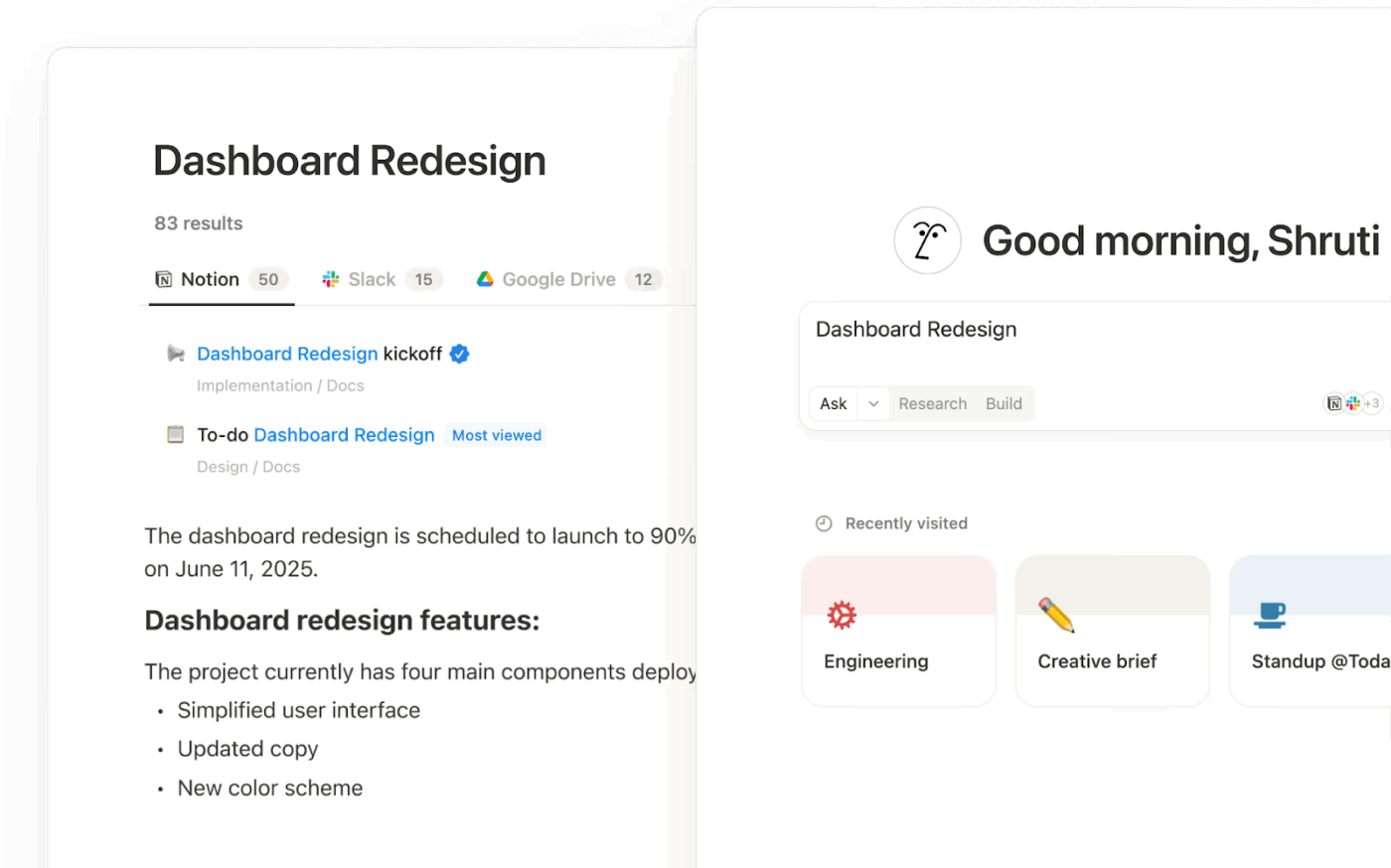
Notion AI is embedded into the Notion workspace, remodeling how teams handle documentation, knowledge management, and project coordination. Its smart writing and editing capabilities generate, summarize, rewrite, and brainstorm content directly inside your database.
You can use it to automate task creation and meeting note summarization from both written and voice input. Plus, its natural language querying lets you ask questions and get answers from across your workspace.
AI also assists with template creation, quickly generating and customizing project, content, or knowledge base templates with auto-filled suggestions. Everything integrates seamlessly with existing workflows through connections to Jira, Slack, and Google Calendar.
📖 Also Read: Best Notion Alternatives & Competitors
🧠 Fun Fact: The Ziggurat project in Mesopotamia required complex coordination of thousands of workers and materials over decades.
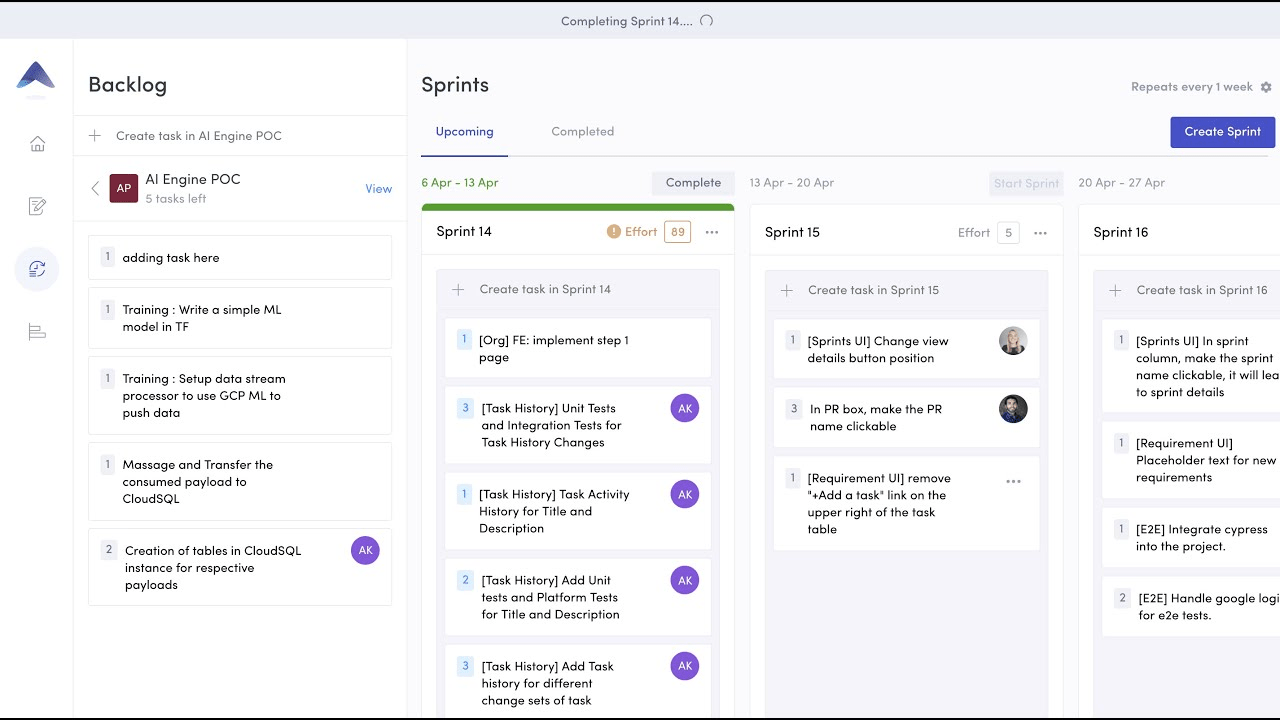
Tara AI (acquired by UiPath) is an AI-powered project delivery platform specifically designed for software development teams. It focuses on automating the complex aspects of agile project management and resource planning.
Its intelligent backlog grooming automatically prioritizes items based on project goals, deadlines, and team capacity. Plus, you also get suggestions on dependencies and task estimates.
Sprint planning automation generates optimized sprint plans with task assignments tailored to developer availability, skill sets, and project velocity, while project health monitoring capabilities detect risks and bottlenecks in sprint progress.
The platform’s effort estimation leverages machine learning models trained on historical data to provide accurate time estimates for user stories and bugs.
🔍 Did You Know? During the 1930s, the Critical Path Method (CPM) was created for large chemical plant projects in the U.S. It was the first systematic approach to identifying which tasks truly drive project timelines.
Startups grow faster when work is simple and organized in one place. We’ve listed some of the best AI tools to help with this. However, if you have to choose one, we recommend ClickUp!
From ClickUp Brain’s data-driven insights and Brain MAX’s unified AI hub to AI Agents that automate repetitive work, you get more than task management. Add in Enterprise Search to find answers fast, Automations that keep projects moving, and Docs and Dashboards for context and tracking for an all-in-one productivity engine.
Skip patchworking tools and struggling with Work Sprawl.
Sign up to ClickUp for free today! ✅

© 2026 ClickUp

There’s an easier way. Try a free AI Agent in ClickUp that actually does the work for you—set up in minutes, save hours every week.