


Sorry, there were no results found for “”
Sorry, there were no results found for “”
Sorry, there were no results found for “”
One minute, you’re crushing your to-do list, feeling unstoppable. The next, you check your phone ‘just for a second,’ and poof—three hours vanish into an abyss of memes and notifications.
Sound familiar? We’ve all been there.
Time management is challenging but not impossible! But how?
Enter the Pomodoro Technique—a simple yet powerful time management strategy. Here’s the gist: break your work into 25-minute intervals (called Pomodoro sessions), followed by short breaks. Knock out four Pomodoros, and you earn a more extended, well-deserved break to recharge.
But does it really work? You bet! The key is finding the right Pomodoro app.
We’ve listed the 10 best Pomodoro apps to help you become the productivity champ you’re meant to be!
Find your favorite Pomodoro app among the best!
Choosing a Pomodoro app is like finding the perfect running shoes—you need the right fit to go the distance.
But you might think, “Can’t I just use a simple timer? Why do I need a whole new app for this?”
While the Pomodoro Technique is simple, an app helps you systematically break down work and track your progress.
👀 Did You Know? Employees lose 720 work hours annually to distractions, costing companies millions.
So, what makes a Pomodoro app genuinely effective? Here’s what to look for.
💡 Pro Tip: While many apps are available, try this free Pomodoro Timer from ClickUp to get started with the technique immediately.
Now that you know what to look for, let’s find you the perfect Pomodoro app to be your productivity companion.
🧠 Fun Fact: The Pomodoro Technique gets its name from a literal tomato (Pomodoro is Italian for tomato)! The technique’s creator, Francesco Cirillo, used a tomato-shaped kitchen timer as a student in the late 1980s to time his study sessions, later naming the method after it.
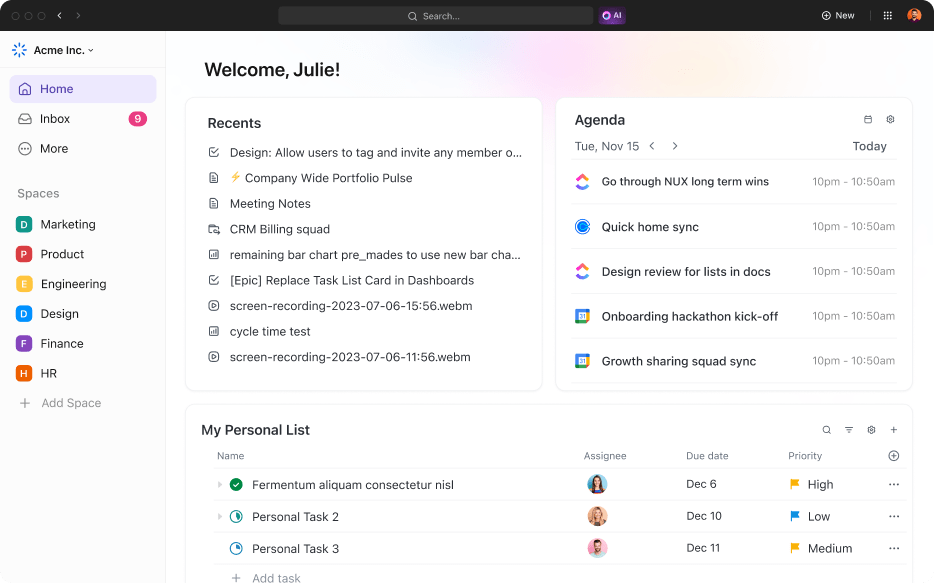
If only simple timers could work! To consistently boost your focus and productivity, you need more. That’s where ClickUp, the everything app for work, comes in.
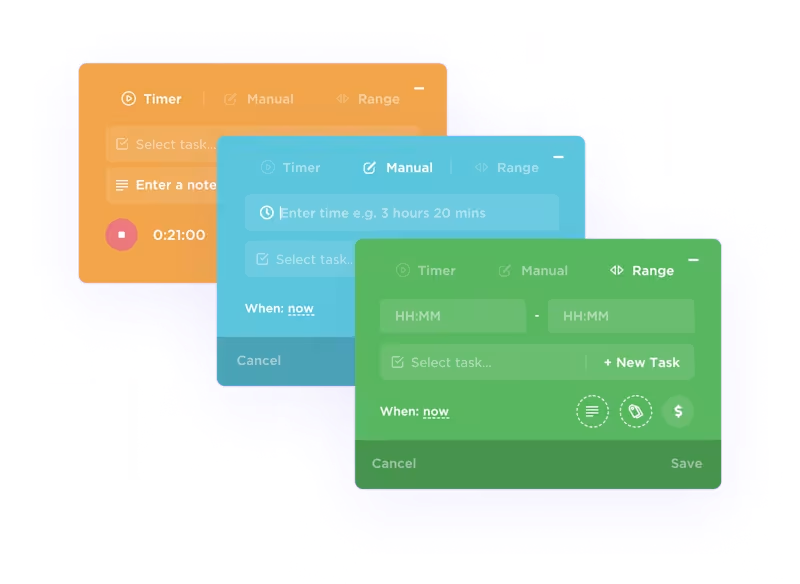
ClickUp goes beyond time management. It offers powerful features for collaboration, task automation, and project oversight. The ClickUp Project Time Tracking simplifies monitoring time spent on tasks and projects across devices. It even comes with a handy Chrome extension that links tracked time directly to specific tasks.
You can easily set time estimates, add notes, mark time as billable for invoicing, and filter data for detailed analysis.
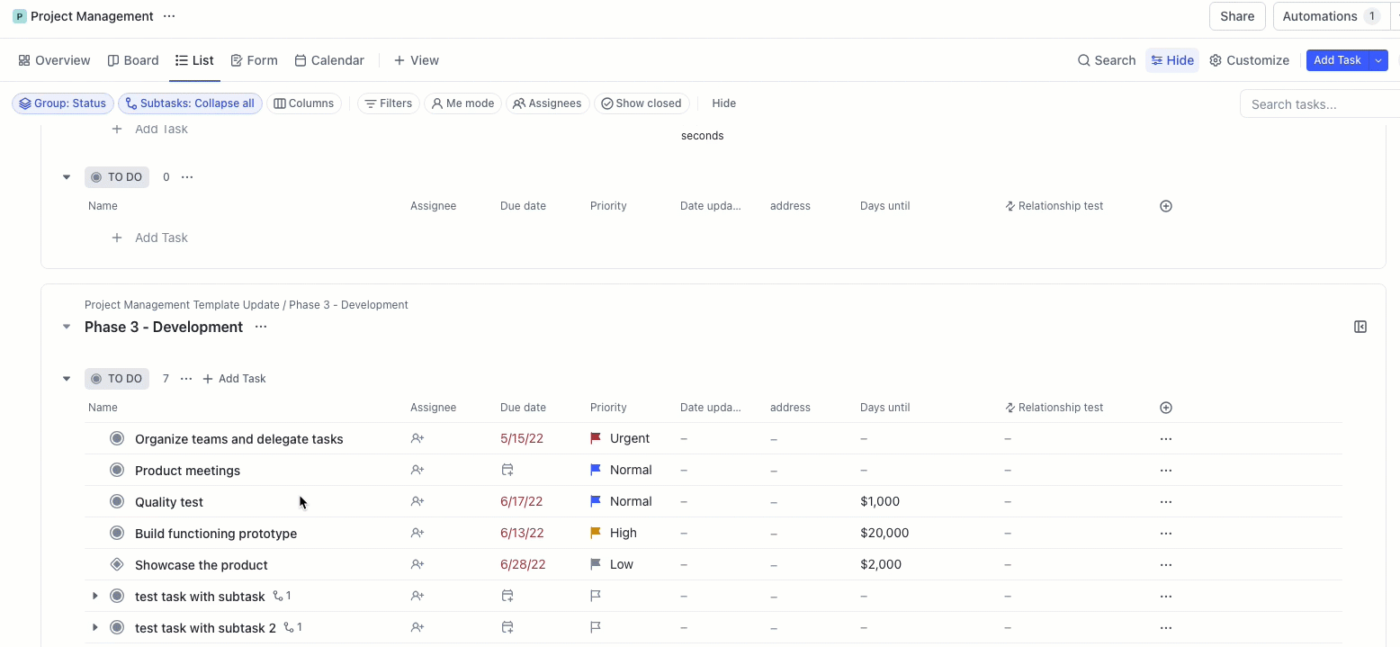
ClickUp Tasks, on the other hand, helps you break down large projects into manageable tasks and subtasks for laser focus. Prioritize essential tasks in four levels—Urgent, High, Normal, and Low—to tackle the most crucial items first.
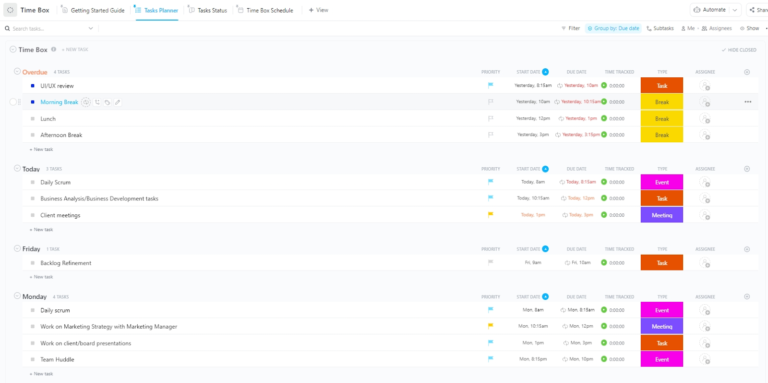
Beginners can start with the ClickUp Time Box Template to organize their day into specific focus blocks, create actionable deadlines, and break down projects into manageable milestones, facilitating efficient resource allocation.
ClickUp’s List View makes organizing tasks a breeze and declutters your workspace. Plus, Custom Statuses in ClickUp let you see priorities, due dates, and progress in a single view. No more distracting window-switching!
Do you prefer a more visual approach? ClickUp Whiteboards offers a dynamic task management matrix where you can organize, prioritize, and visualize your tasks while collaborating with your team in real time. And there’s more: you can experiment with different Pomodoro and break durations by generating Pomodoro work intervals with ClickUp’s built-in AI assistant, ClickUp Brain.
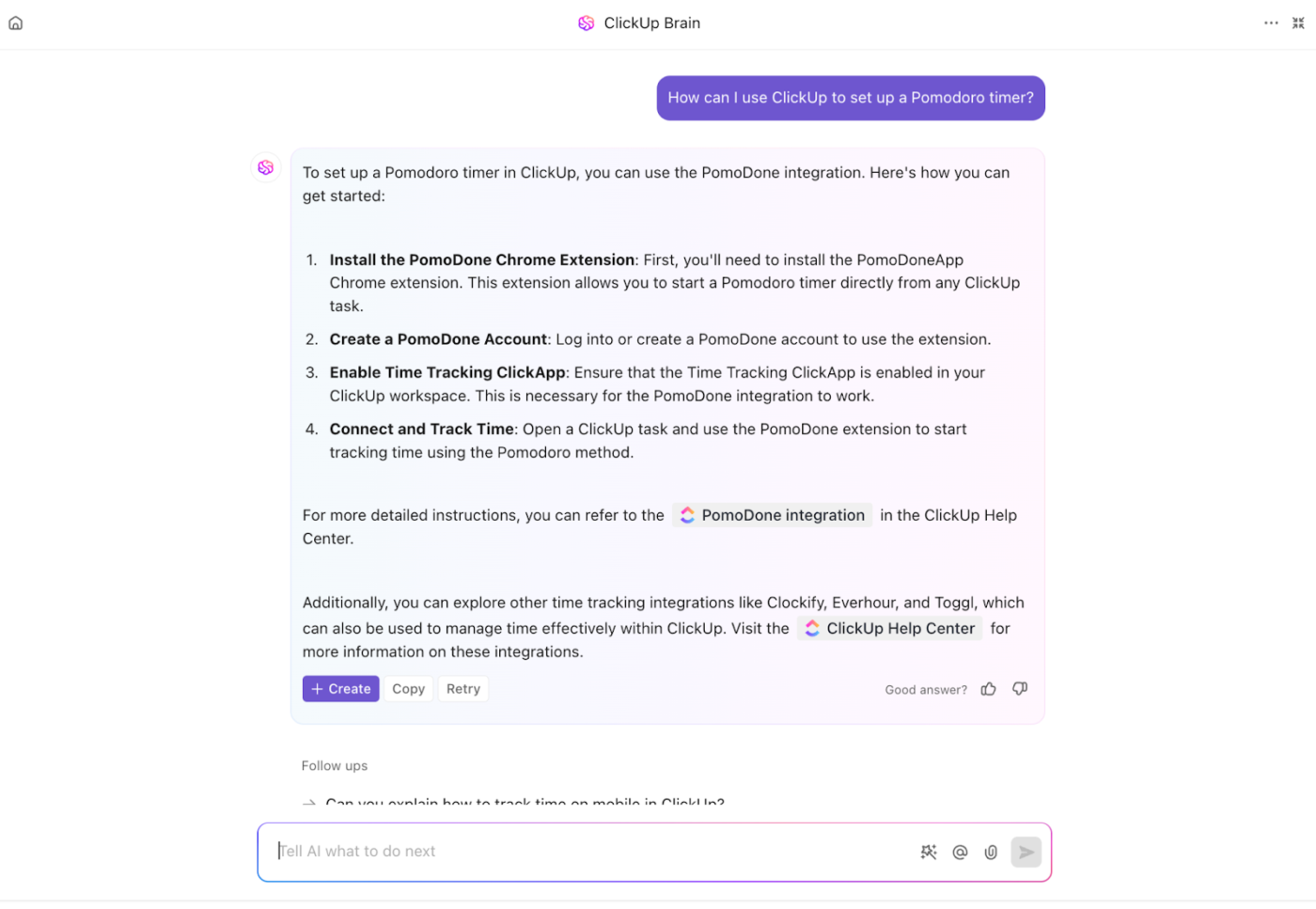
Need a bit more structure? The ClickUp Time Management Schedule Template can help. It lets you optimize daily and weekly productivity by organizing schedules, setting achievable goals and deadlines, visualizing tasks, and prioritizing for maximum efficiency.
All in all, ClickUp’s time management is what you need if you want to ace productivity.
Click-up helps keep me organized and increases my productivity at work. I now get more done in less time since I’m more focused.
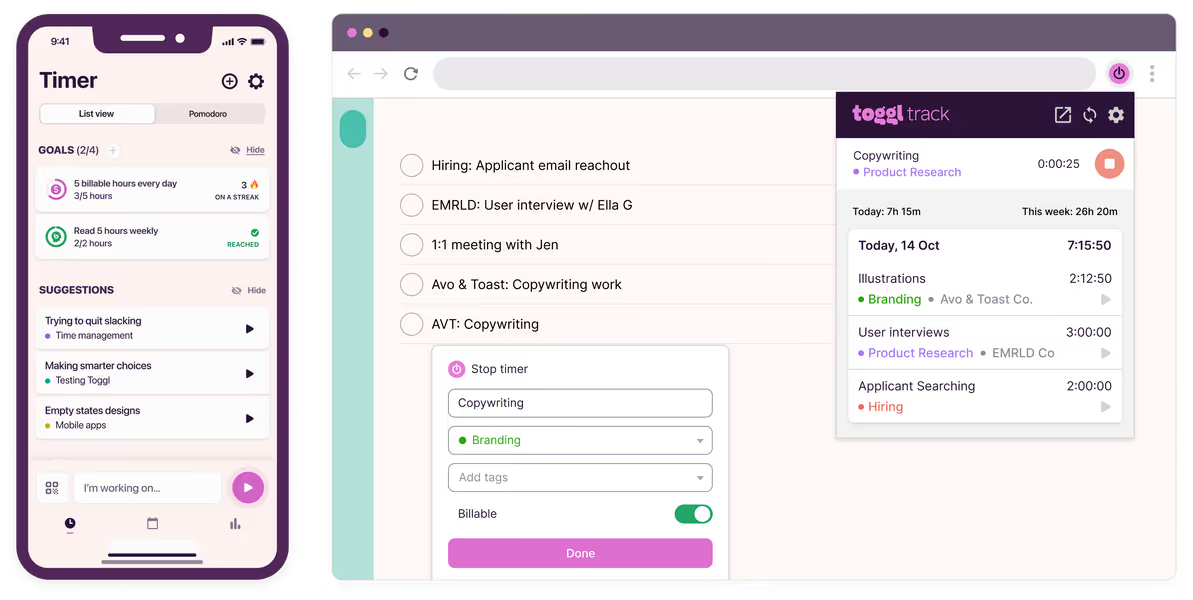
If your main focus is precise time tracking and you want to incorporate Pomodoro into your routine seamlessly, Toggl Track is your best option.
With Toggl Track, you can easily track every minute of your day. Its one-click timers, detailed reporting, and smooth integration with tools like Trello make it a standout choice for anyone serious about managing their time efficiently.
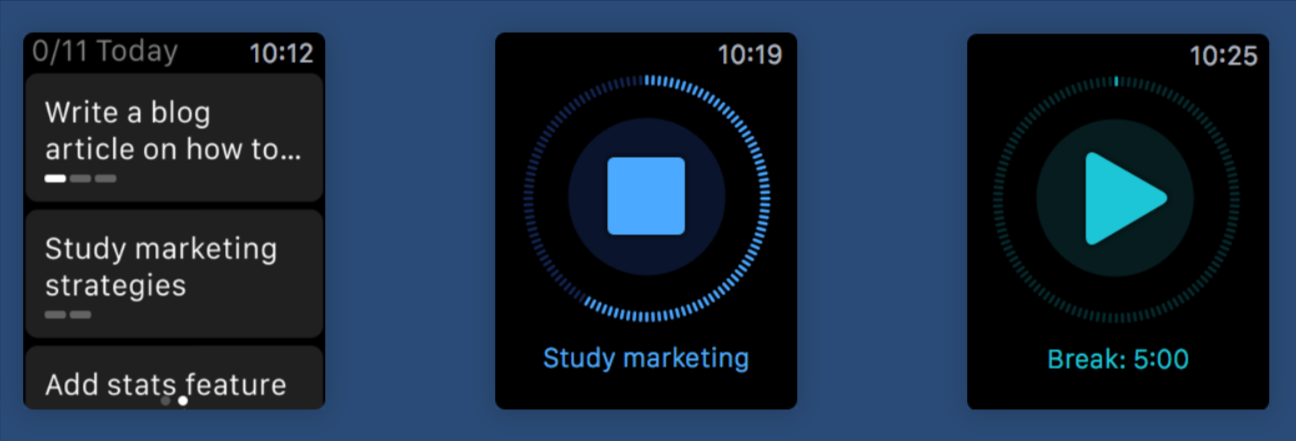
If you live and breathe within the Apple ecosystem (iPhone, Mac, Apple Watch) and crave a distraction-free environment specifically designed for deep work, FocusList is worth a serious look. Its clean and simple design helps you plan your day and estimate time for tasks easily.
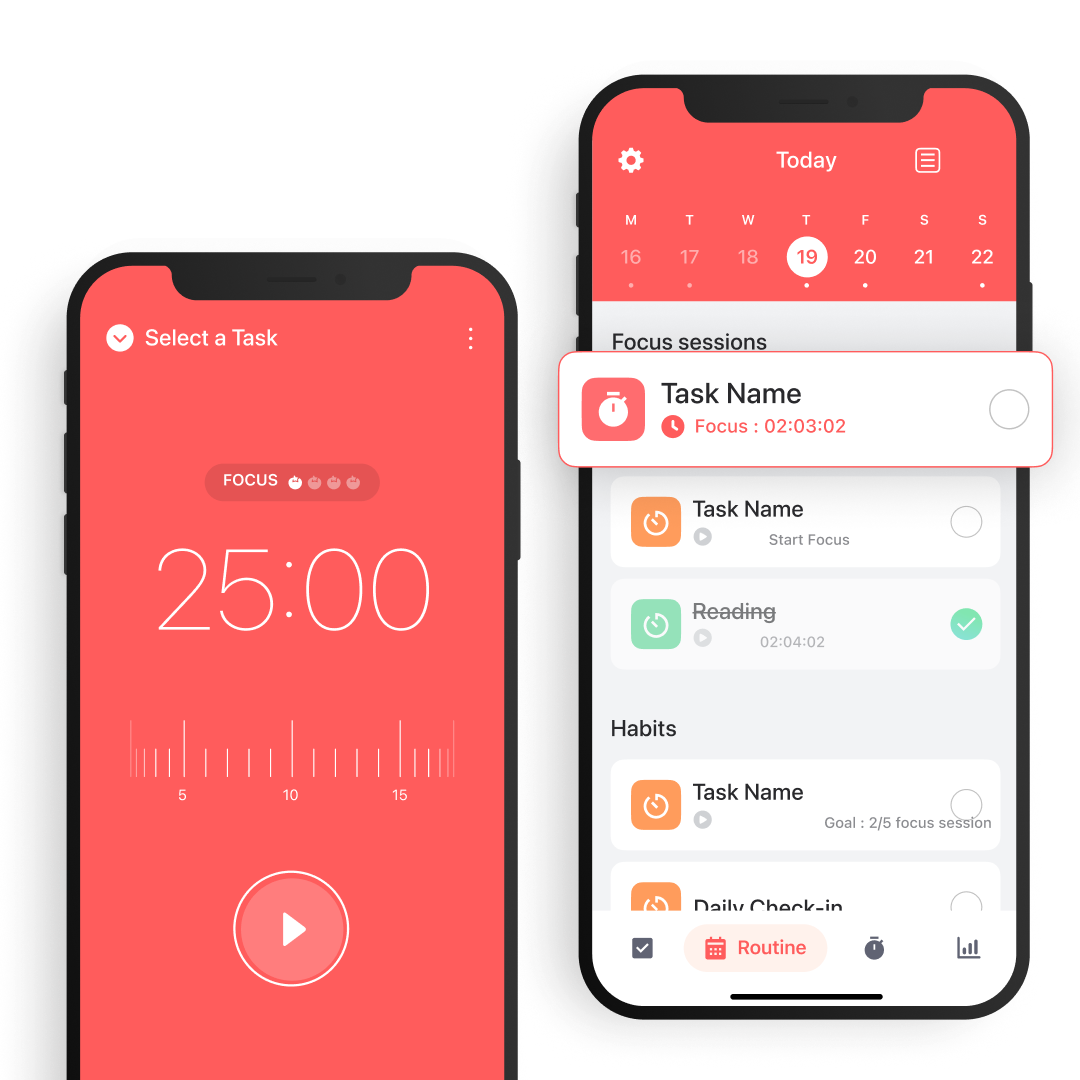
Want to harness the power of the Pomodoro Technique without getting bogged down in complex features? Focus Keeper is the app for you.
It’s designed for students, remote workers, and anyone allergic to complicated apps. In the toll home page, you’ll get options for a 5-minute break, 30-minute break, and customized long breaks.
📮ClickUp Insight: Knowledge workers send an average of 25 messages daily, searching for information and context. This indicates a fair amount of time wasted scrolling, searching, and deciphering fragmented conversations across emails and chats. 😱
If only you had a smart platform that connects tasks, projects, chat, and emails (plus AI!) in one place. But you do!
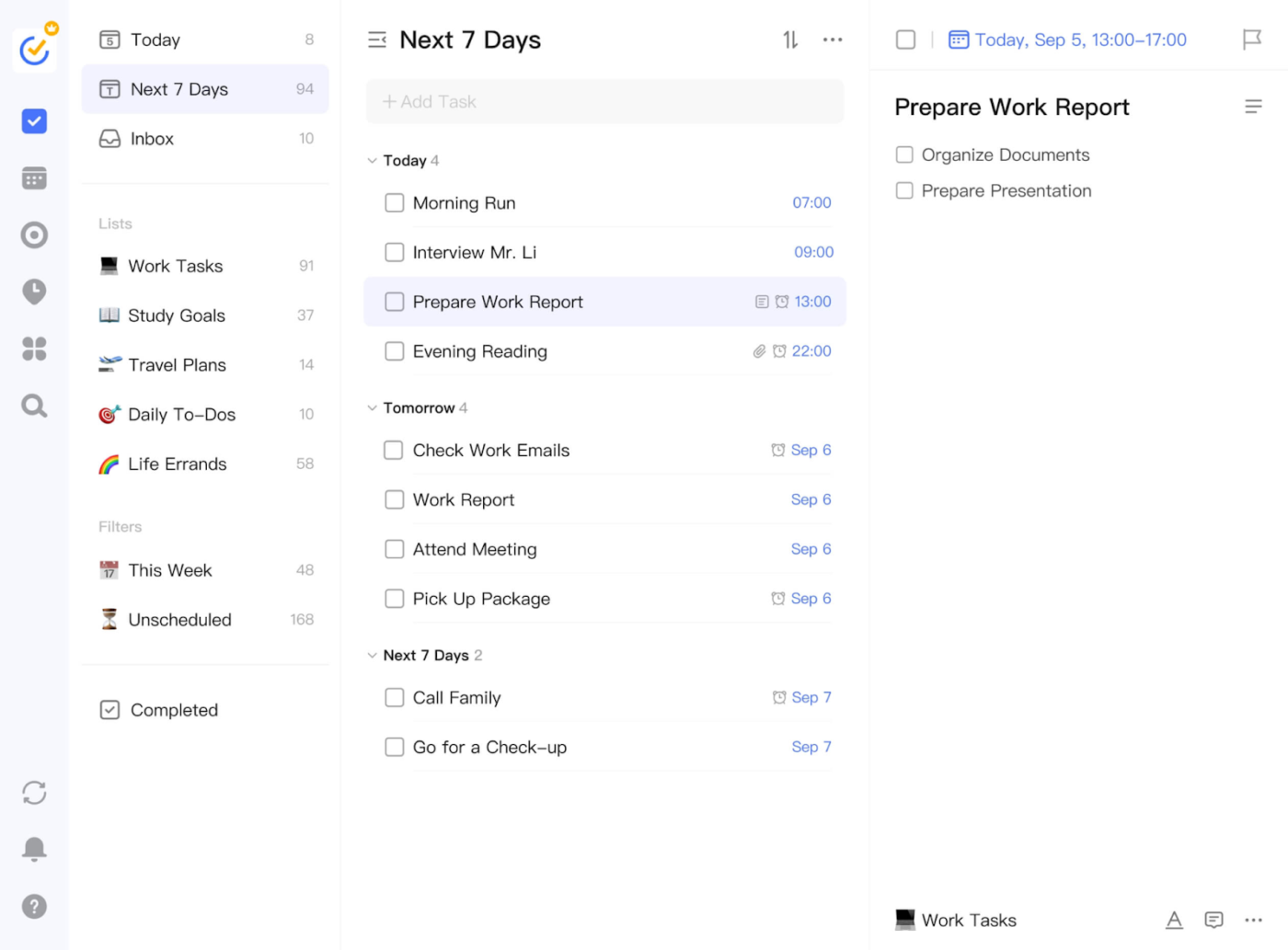
TickTick is a full-blown productivity tool with an excellent Pomodoro feature. If all you need is a basic timer, TickTick might feel like overkill.
But this app could be an effcient project time management tool for those who love setting goals, organizing tasks, tracking work habits, and syncing everything seamlessly across devices.
🧠Fun Fact: Micro-breaks of at least 10 minutes improve productivity. Backed by science!
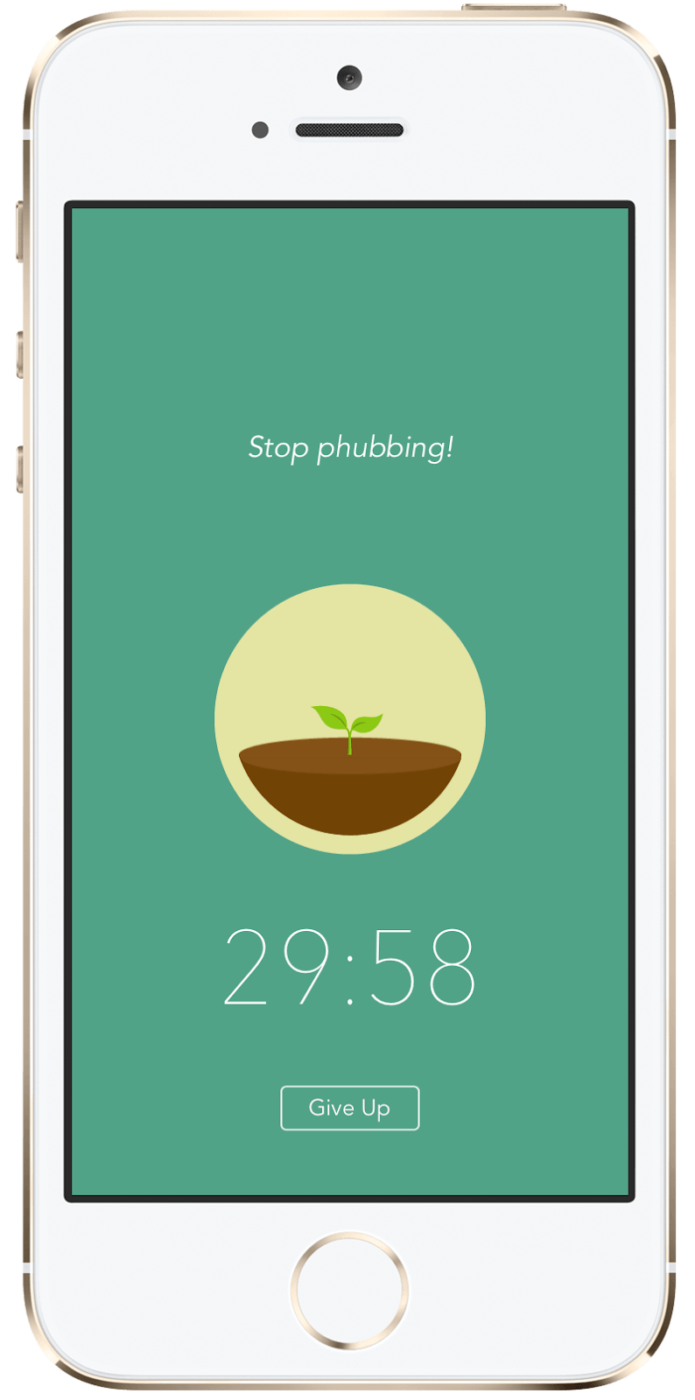
Everything is more fun when gamified or tied to a purpose, right? That’s exactly what the Forest app does—it turns your focus hours into a game where you plant virtual trees as you work.
Forest partners with Trees for the Future, so the coins you earn from growing your digital forest can help fund the planting of real trees. Stay focused, grow your virtual grove, and get more done! It’s the perfect productivity tool for mission-driven millennials and Gen Z workers who want their work sessions to make a difference.
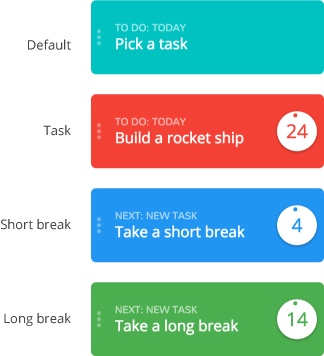
Are you looking to integrate some time management techniques into your Trello workflow? Pomello is what you need.
Rather than being a standalone task manager or a full-service productivity app, Pomello focuses on what it does best: turning your Trello cards into Pomodoro tasks. It’s simple, seamless, and offers productvity insights!
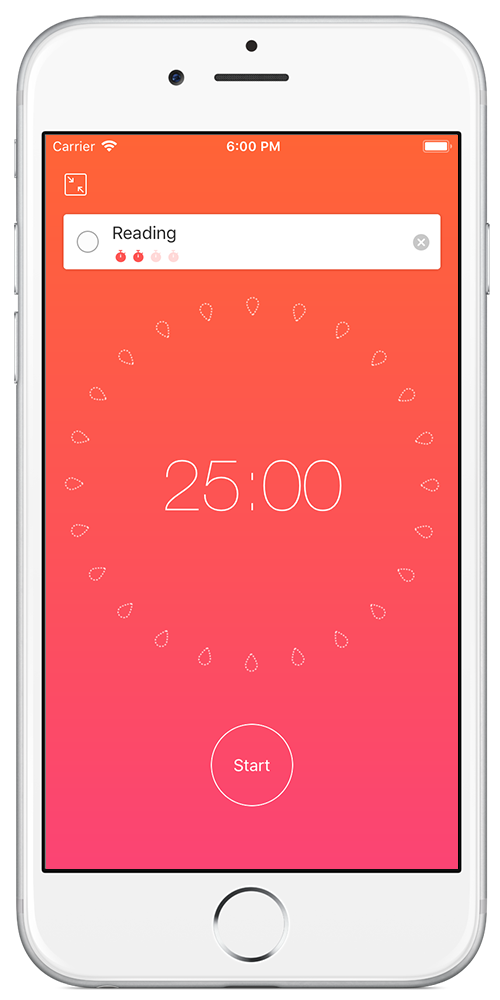
Focus To-Do is a strong contender if you need one app to handle task management and Pomodoro timing. This versatile time management tool lets you organize your tasks, set deadlines, and dive straight into focused work sessions, all within the same app.
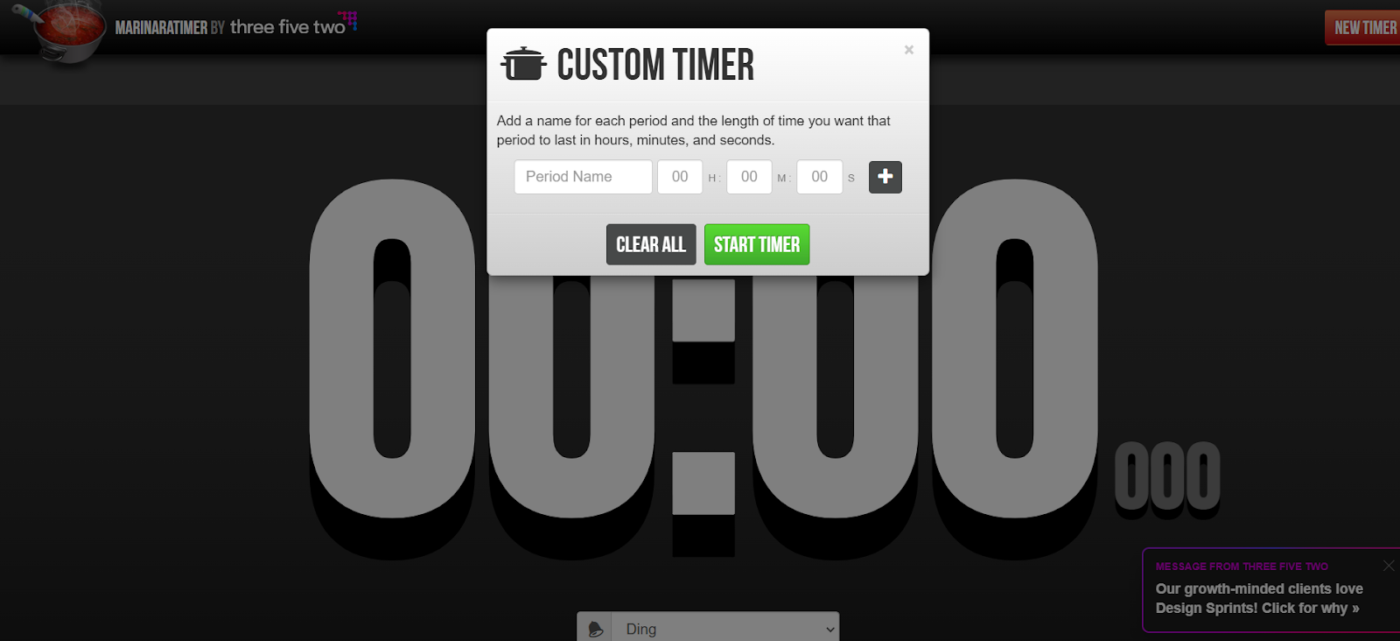
Are you looking for a Pomodoro tracker that keeps things simple yet flexible? Meet Marinara Timer—a simple, web-based Pomodoro tracker that skips the standard 25/5 intervals in favor of customizable cycles that fit your flow.
Simply set time segments per your workflow or schedule and check off tasks without disruptions. Plus, it’s not for solo work, either. With shareable timers, you can easily synchronize work sessions with your team.
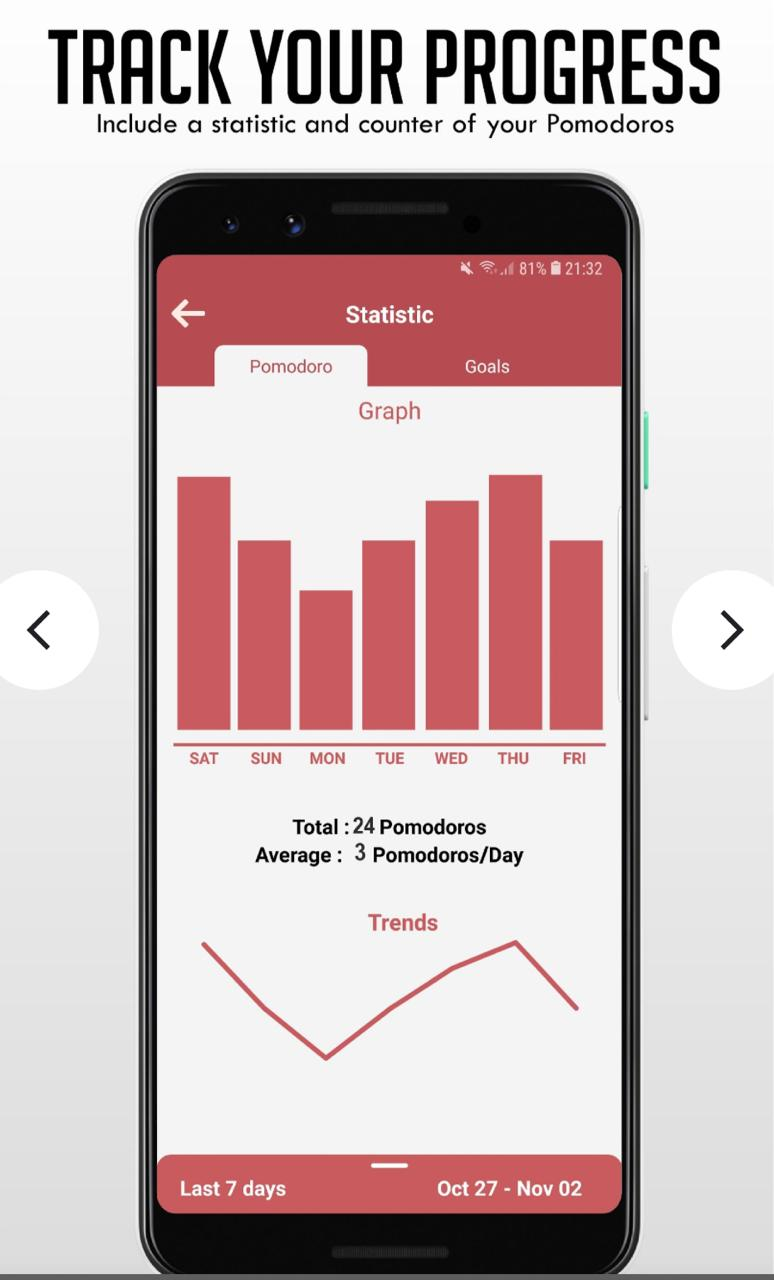
Tomato Timers keep things refreshingly simple, stripping away all the extra features to deliver a straightforward, customizable Pomodoro cycle for your work and break intervals.
Set perfect work and break durations, loop through cycles effortlessly, and track basic tasks. Plus, leverage built-in analytics to track your Pomodoro patterns.
💡Pro Tip: Choose an app that best fits your needs. For example, a freelancer might prioritize task management with time-tracking tools, while a university student might benefit most from features designed to minimize distractions and boost focus.
➡️ Also Read: Free Time Management Templates (Calendars & Schedules)
So there you have it! A list of the best tools for starting to use the Pomodoro Technique. But in the long run, timers alone aren’t enough. You need a tool that does it all!
As the everything app for work, ClickUp takes your Pomodoro productivity from simple time tracking to complete project and productivity management. It keeps you accountable and in sync with your to-do list expectations.
With features that help you break down tasks, track time, and create productivity reports across devices, ClickUp is the one to beat. Sign up for a free ClickUp account today!

Manasi Nair
Max 26min read
Manasi Nair
Max 26min read
Manasi Nair
Max 20min read

© 2026 ClickUp




