






Still downloading templates?
There’s an easier way. Try a free AI Agent in ClickUp that actually does the work for you—set up in minutes, save hours every week.
Sorry, there were no results found for “”
Sorry, there were no results found for “”
Sorry, there were no results found for “”
You stare at your laptop screen, feeling defeated. It’s 12 am, and you’re still trying to figure out your new project management tool. It sounded simple at first, but now you’re three days into wrestling with user permissions, custom fields, and integration settings.
Meanwhile, the actual project deadline is getting closer.
If you’re running a small team or startup, you’ve been there (the irony isn’t lost on anyone: the tool meant to make you productive becomes a productivity killer).
And so, we’ve compiled the top three project management tools that require minimal setup time. You can use them for project tracking, team management, task creation, and more. Let’s bring all your projects under one roof! 💪
🔍 Did You Know? The classic sticky note, still used by teams today to manage priorities, was invented by accident in 1968 when a 3M scientist created a weak adhesive. It became a low-tech but wildly popular ‘setup-free’ project management solution.
Here’s a comparison table that helps you understand the best project management software at a glance.
| Tool | Best for | Key features | Pros and Cons | Pricing* |
| ClickUp | AI-powered project management and collaboration for individuals, small teams, and enterprises | ClickUp Brain and Brain Max, Automations, Integrations, Docs, Whiteboards, mind maps | Pros: AI generates tasks, docs, and workflows instantly – Handles simple and complex projects Cons: Desktop version is more feature-rich, Extensive customization can take some time | Free forever; Customizations available for enterprises |
| Basecamp | Simple project communication and task management for small to mid-sized teams | To-do lists, message boards, Campfire chat for cross-functional collaboration, resource allocation, file storage, and project scheduling | Pros: Straightforward setup, Predictable structure, Built-in communication tools Cons: Limited advanced features (no Gantt, dependencies), Minimal customization | Free; Paid plan starts at $15/month per user (Plus) |
| Trello | Visual task and workflow management for small teams or project managers | Kanban boards, customizable cards, project planning using checklists, labels, and Power-Ups (integrations) | Pros: Easy to set up and use. Visual, intuitive task tracking. Flexible for teams and individuals Cons: Boards can get cluttered at scale, Kanban-focused, and limited view options | Free; Paid plans start at $6/month per user |
Our editorial team follows a transparent, research-backed, and vendor-neutral process, so you can trust that our recommendations are based on real product value.
Here’s a detailed rundown of how we review software at ClickUp.
🧠 Fun Fact: In the 1960s, NASA relied on early project management systems like PERT (Program Evaluation and Review Technique) to send astronauts to the moon. These setups were so complex that they needed entire rooms of staff just to manage tasks and timelines.
Here are the key criteria to look for in your project management software:
Here are the top three task management software designed for quick setup, easy onboarding, and immediate productivity while tracking multiple projects. 👀
When you’re setting up a new project, every hour spent creating docs, structuring workflows, or linking tools is an hour lost in execution. Plus, your team must now familiarize themselves with a whole host of docs (and sometimes tools) to get work done. This leads to work sprawl, exhaustion, and a nagging sense of disconnection from work.
ClickUp, a Converged AI Workspace, is built to solve for precisely this. It is the world’s first Converged AI Workspace, bringing together all work apps, data, and workflows. How, you ask?
ClickUp Project Management Software combines project management, knowledge management, and chat—all powered by AI that helps you work faster and smarter. Here’s what makes it a go-to choice for fast, AI-powered project setup and management. 👀
Choose from 1000s of ClickUp project management templates customized to your project, download them for free, and voila! You’re all set and ready to execute/
These ready-made structures are tailored for different workflows and industries. With just a few clicks, you can load templates that include pre-built Spaces, Folders, Lists, tasks, and Docs—each designed to support popular project management methodologies like Agile, Scrum, or Kanban.
These templates come with customizable fields, statuses, and views, allowing teams to quickly organize tasks, assign responsibilities, and track progress without starting from scratch. This saves your team a ton of time in project setup and also ensures consistency and best practices across all your projects.
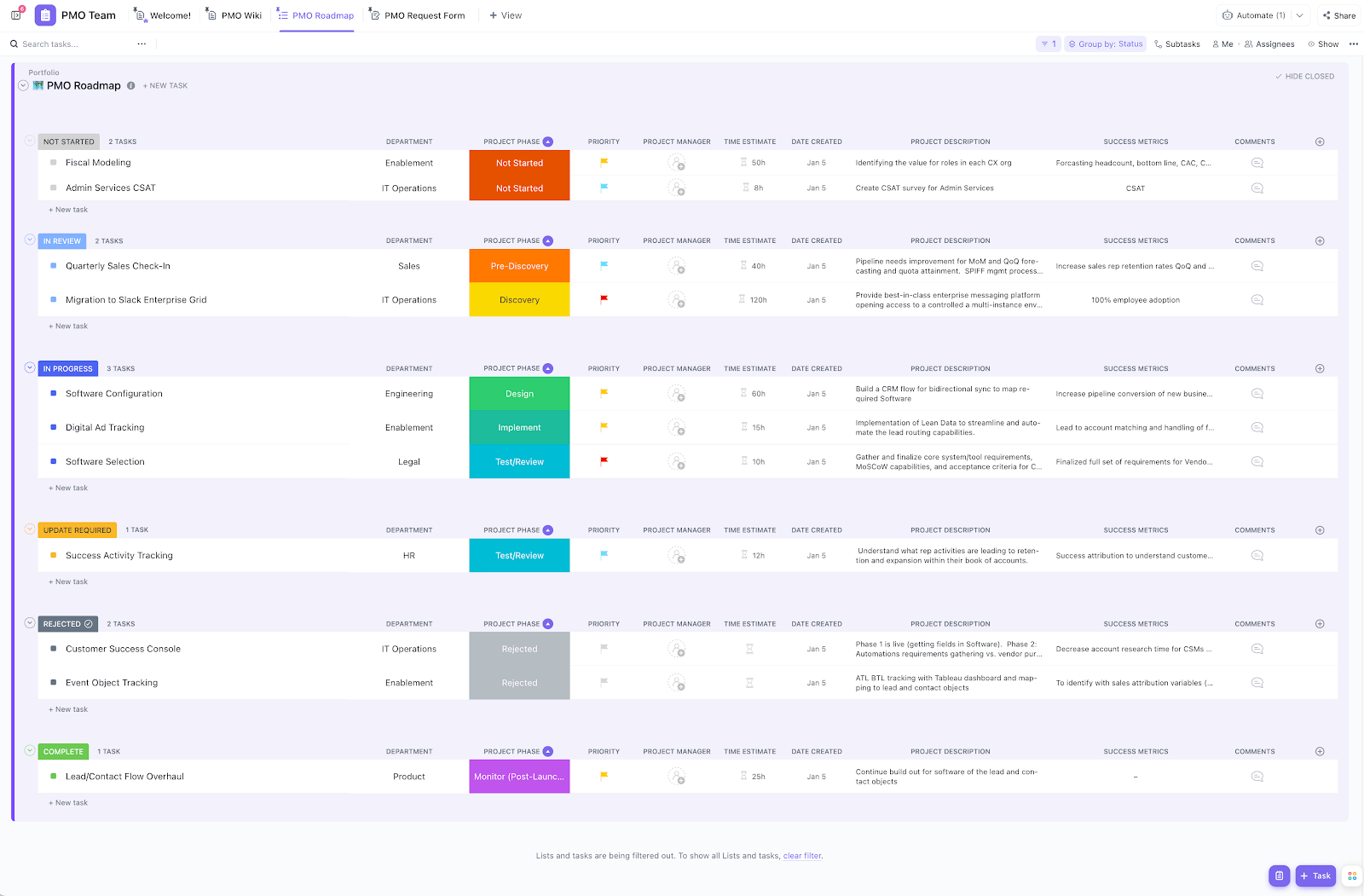
The ClickUp Project Management Template above, for instance, provides a pre-built structure that organizes tasks, phases, and resources from the outset. Beyond tasks, the template brings context into one place. Use connected ClickUp Docs for project plans or SOWs, Forms to capture requests, and ClickApps like Time Tracking or Dependencies to keep work accountable and predictable.
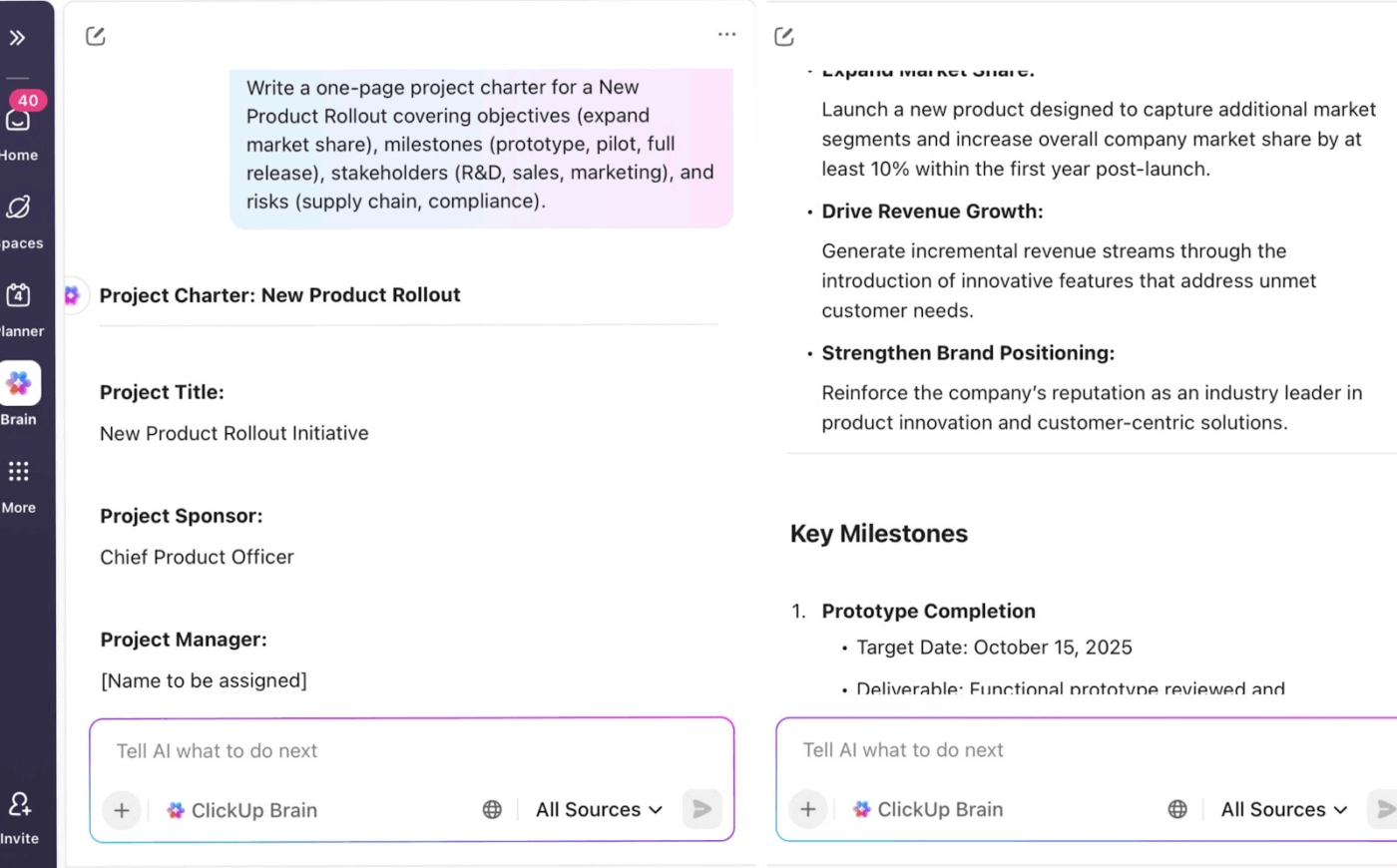
ClickUp Brain is a built-in AI project assistant, designed to eliminate the slow, manual setup that usually drags projects down. It auto-generates Docs, task lists, and even suggests automations so you can get your workspace running in minutes.
For instance, a startup founder can type ‘Create a go-to-market plan for a new product launch.’ ClickUp Brain instantly gives you a task list with deliverables like website updates, press releases, and ad campaigns, complete with deadlines and owners.
ClickUp Brain can even recommend automations, such as ‘auto-assign design tasks when content is approved’ or ‘send an email reminder before deadlines,’ to reduce manual follow-ups.
💡 Bonus: Tired of digging through files or jumping between tools just to keep projects moving? ClickUp Brain MAX is built to simplify project management from day one—no complicated setup, no steep learning curve:
Whether you’re launching a product, tracking sprints, or managing client deliverables, try ClickUp Brain MAX—the AI Super App that truly understands you, because it knows your work. Ditch the AI Sprawl, use your voice to get work done, create documents, assign tasks to team members, and more.
ClickUp Automations let you set up ‘if this, then that’ rules. You pick the trigger and decide what should happen next.
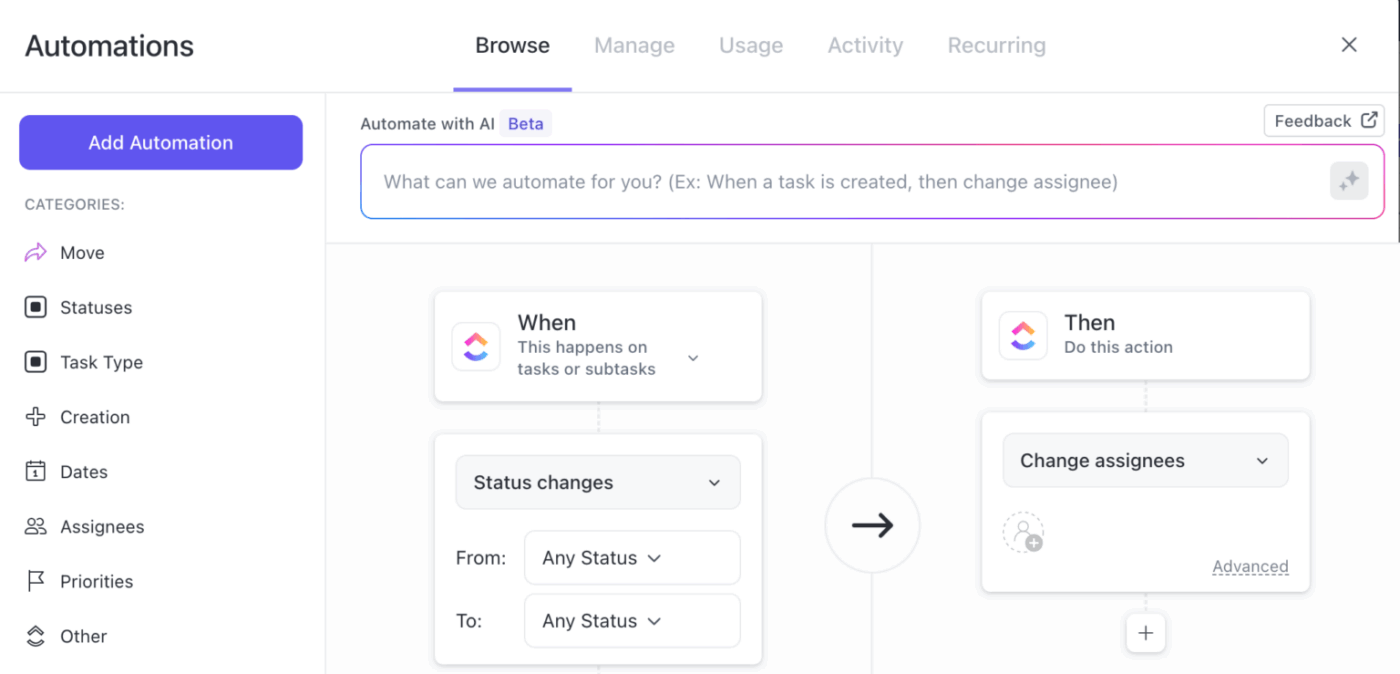
It takes only minutes to build, and once it’s set, the workflow continues to run on its own.
And if you don’t want to build rules manually, the AI Automation Builder can create them for you. Simply type what you need in natural language, such as ‘If priority is high, assign to John and set the due date for tomorrow,’ and the automation is generated instantly.
Without a clear, real-time view of progress, teams struggle to identify bottlenecks, allocate resources effectively, and align stakeholders. ClickUp Dashboards give you a real-time view to monitor projects, goals, and team activity.
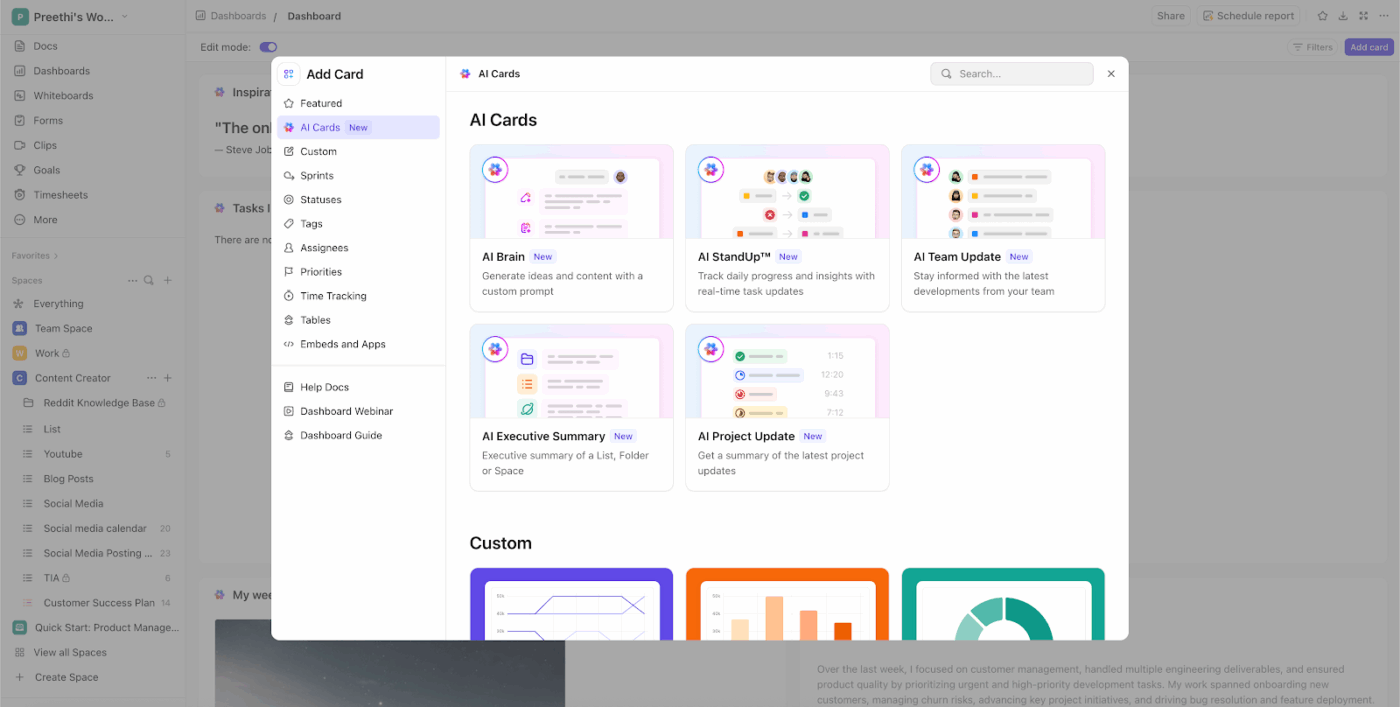
You can add AI Cards onto your Dashboard to display tasks, charts, time tracking, goals, docs, or even AI-powered insights. Rearrange, resize, or remove cards instantly so your Dashboard keeps up as priorities shift. You can drop in:
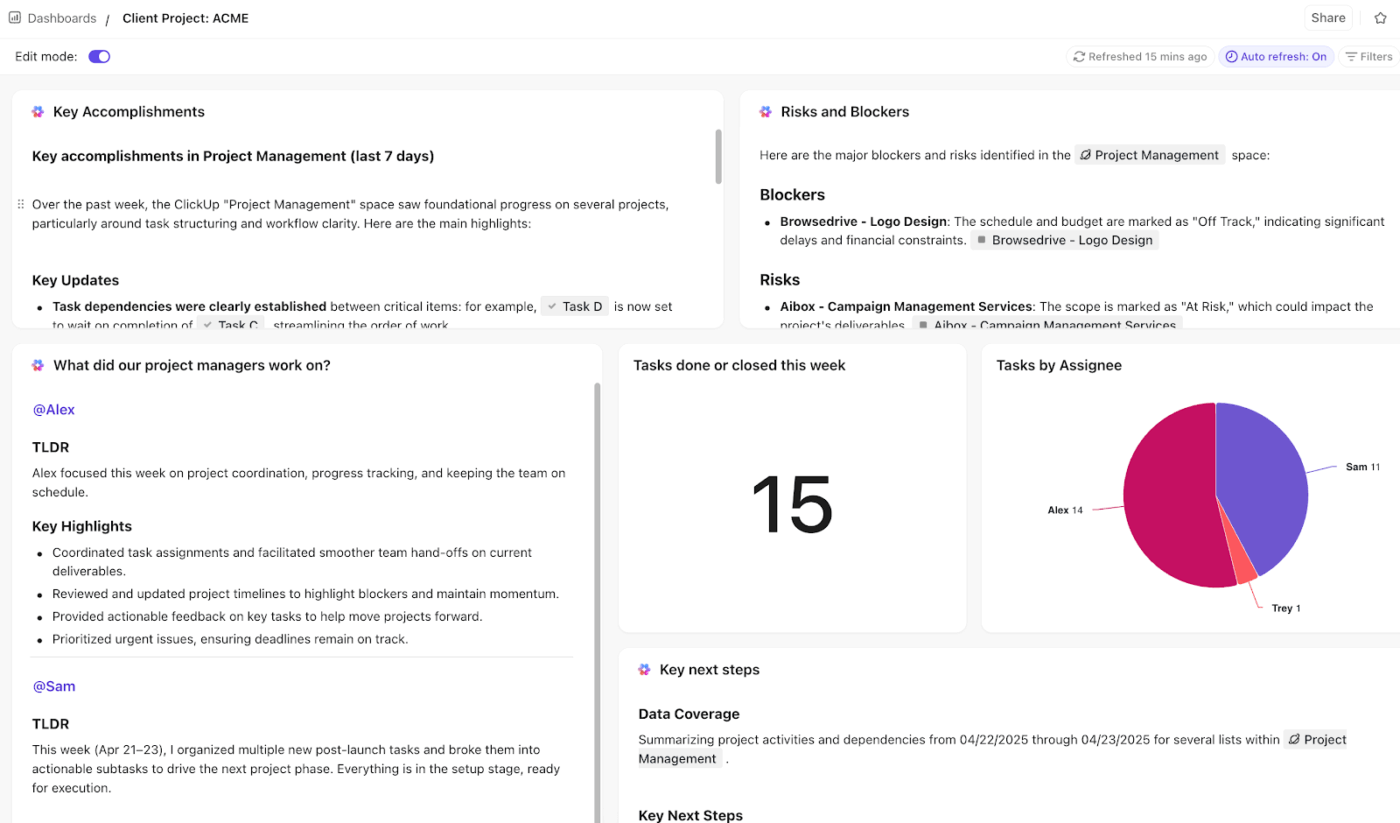
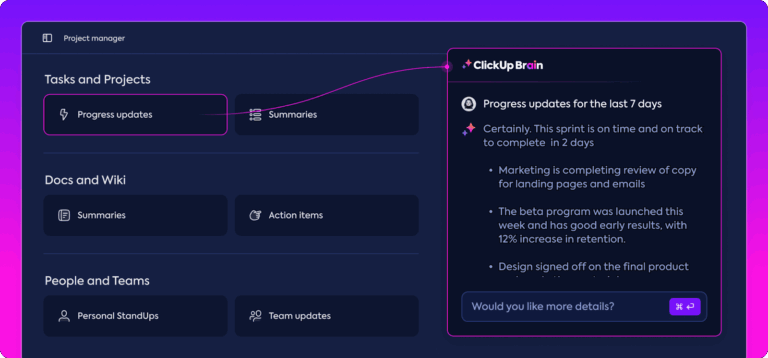
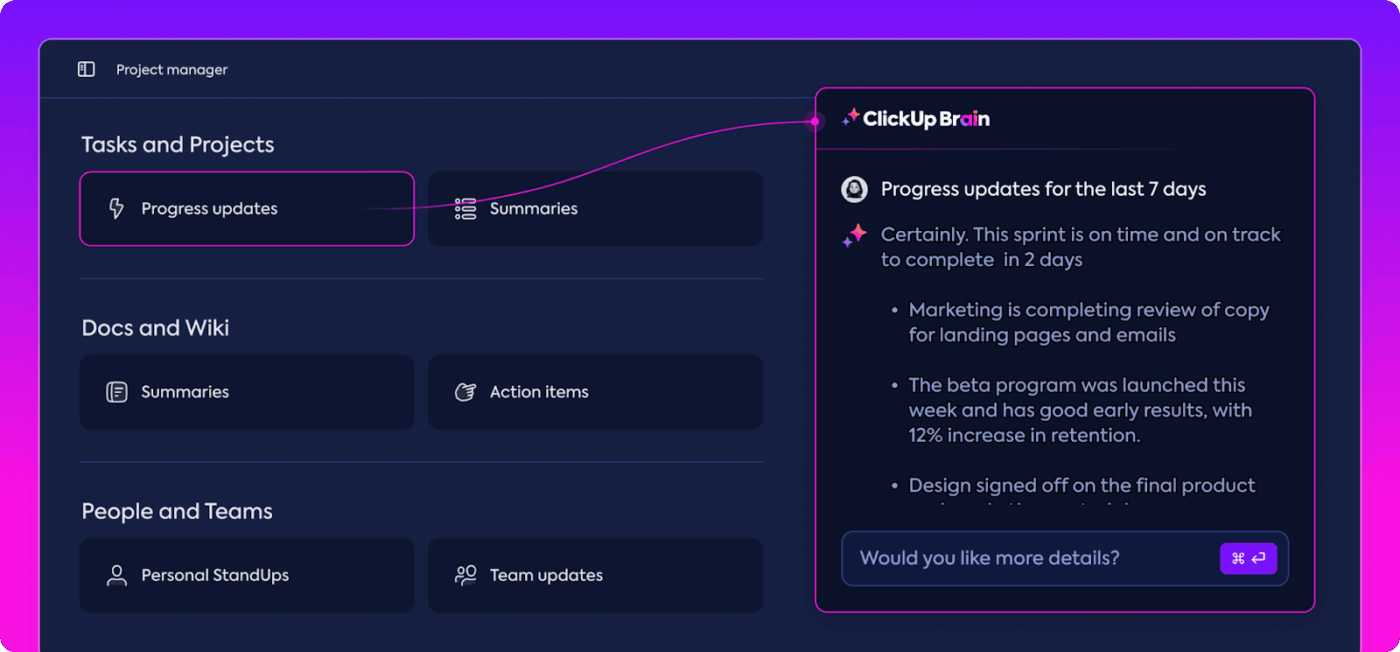
For instance, the Key Accomplishments card allows the AI to automatically look at all the tasks you’ve completed over the last seven days in your space and generate a little paragraph for you. It highlights the big wins, foundational work, and scans for tasks marked ‘At Risk’ or ‘Blocker.’
Managing multiple priorities is hard enough—updating task statuses, generating reports, chasing blockers? That’s where ClickUp AI Agents come in.
Pre-built autopilot AI Agents are designed to supercharge project management by automating routine tasks, providing real-time insights, and supporting teams with instant answers. Built directly into your workspace, these smart assistants work behind the scenes to keep projects moving.
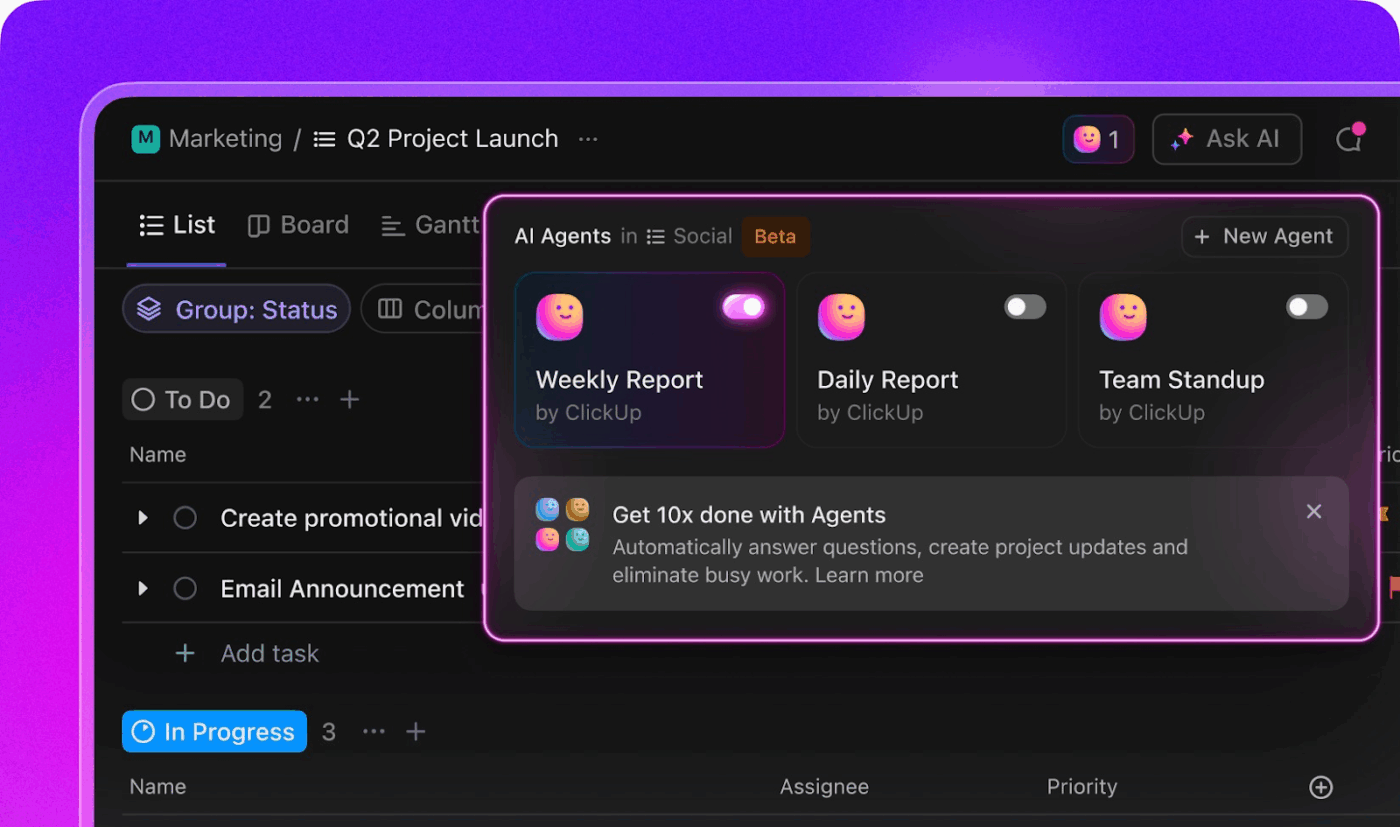
Here’s what project managers can unlock with ClickUp Agents:
ClickUp keeps all projects, tasks, and docs connected in one place, so you can switch between client deliverables, internal goals, and ad-hoc requests without losing context.
With AI-generated summaries and customizable views, you instantly see what’s urgent, what’s blocked, and what can wait, making project prioritization a breeze.
This G2 review sums it perfectly:
ClickUp brings everything I need for project management under one roof. Tasks, docs, goals and even chats. I really appreciate the ease of use and how smooth the ease of implementation was when getting the team onboarded. The number of features is impressive, and I can tailor workflows to match anything from a simple task list to a complex agile sprint. Despite it’s depth, The ease of integration with other tools keeps things connected without extra efforts. The dashboard gives me a bird’s eye view, which saves a lot of time when managing multiple projects…
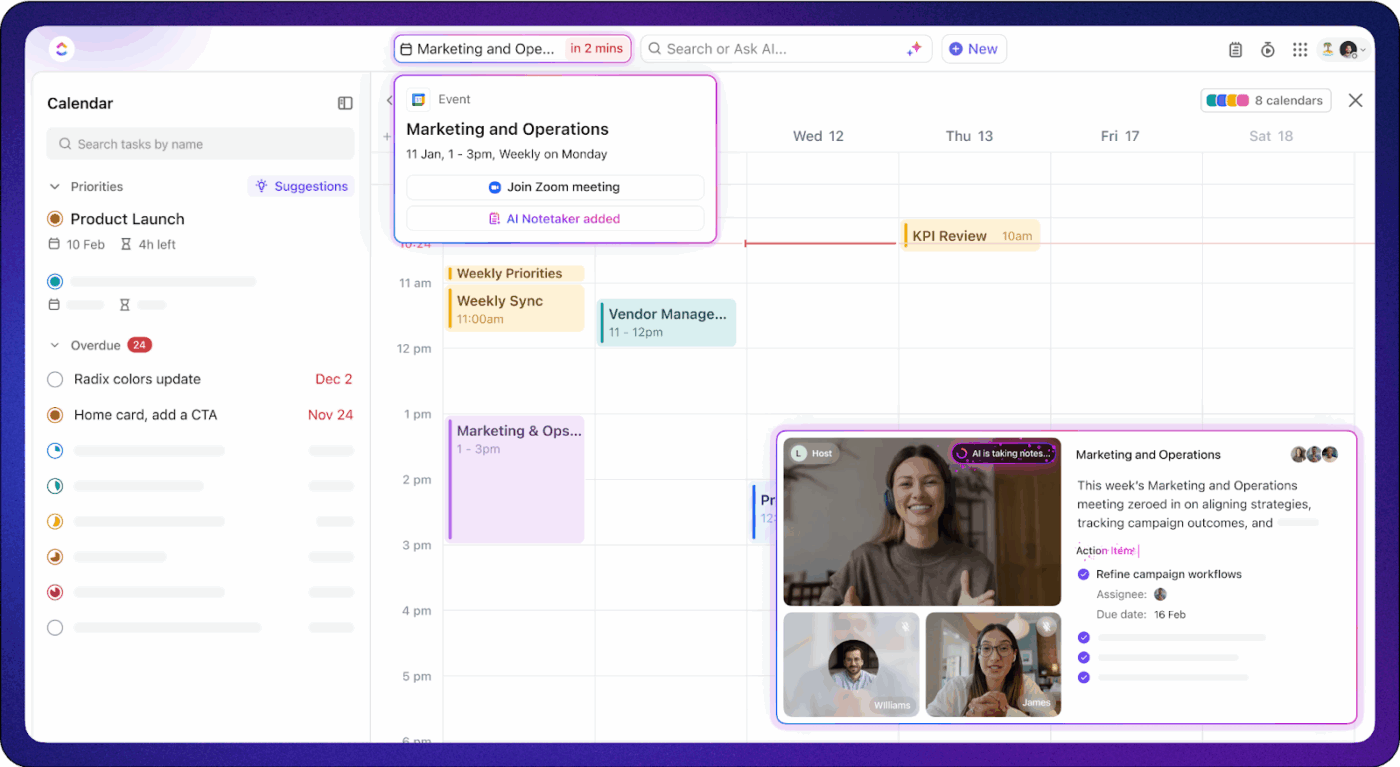
💡 Bonus: ClickUp AI Notetaker automatically joins your meetings, transcribes conversations, and creates clear, organized notes, so project managers never have to worry about missing important details.
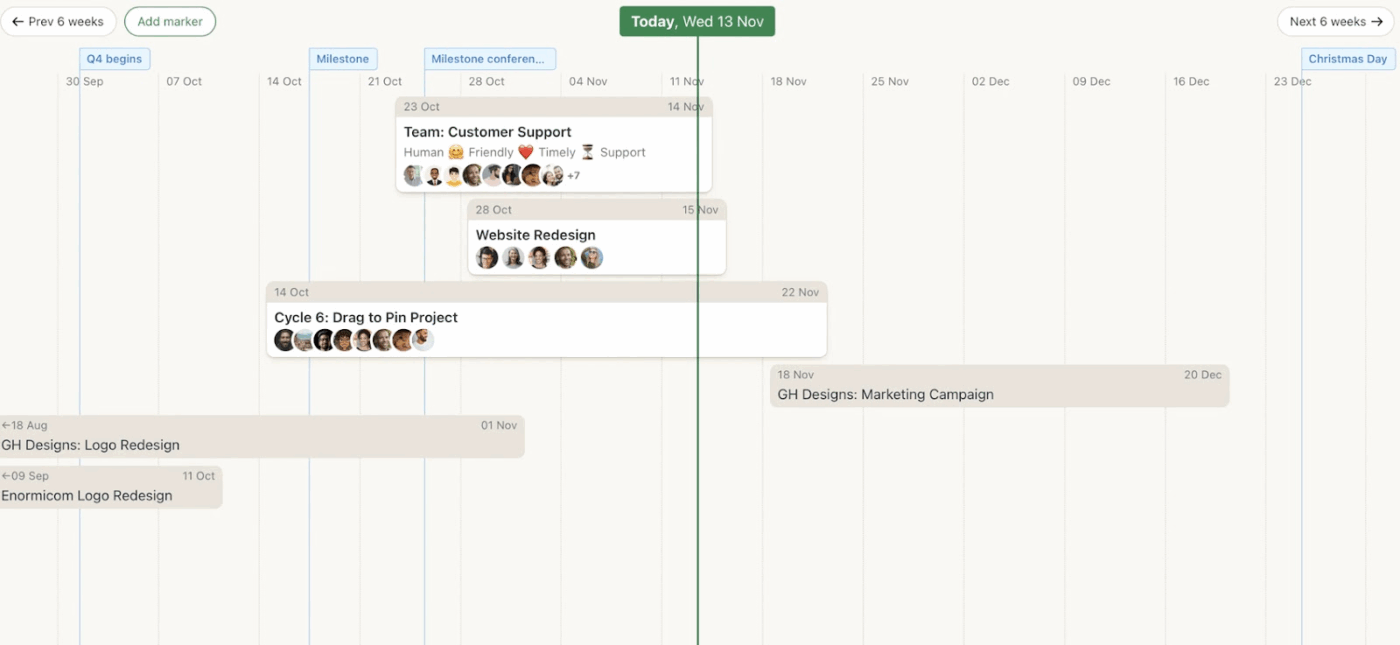
Basecamp thrives in simplicity. When you create a new project, you simply choose which tools you need from their toolkit. This can include their message board for team discussions, a to-do list for tracking tasks, and a shared calendar for deadlines. Everything, from tasks and files to decisions and conversations, lives inside these projects.
The home screen shows your projects, assignments, and upcoming events so you immediately know what’s on your plate. Each person sees only their work, deadlines, and priorities, removing distractions and making onboarding painless.
You also get practical features like their Campfire chat for quick questions and automatic check-ins to replace weekly status meetings. It also gives you a Card Table that works like a basic Kanban board, reducing setup time.
Basecamp’s Hill Charts let you see exactly where projects stand, from early exploration to final delivery. This visual approach helps you manage multiple projects by spotting which work is on track and which areas need attention.
Here’s what a Basecamp review from a user said:
I have been using Basecamp daily because of its unique and easy-to-use features, like its simplicity and easy integration that brings together to-do lists, message boards, file sharing, schedules, and team chat with ease of implementation…However, Basecamp is too basic for complex project management needs. It lacks advanced features like Gantt charts and task dependencies, time tracking, or detailed reporting.
📮 ClickUp Insight: The average professional spends 30+ minutes a day searching for work-related information—that’s over 120 hours a year lost to digging through emails, Slack threads, and scattered files. An intelligent AI assistant embedded in your workspace can change that.
Enter ClickUp Brain. It delivers instant insights and answers by surfacing the right documents, conversations, and task details in seconds—so you can stop searching and start working.
💫 Real Results: Teams like QubicaAMF reclaimed 5+ hours weekly using ClickUp—that’s over 250 hours annually per person—by eliminating outdated knowledge management processes. Imagine what your team could create with an extra week of productivity every quarter!
💡 Bonus: Top Basecamp Alternatives
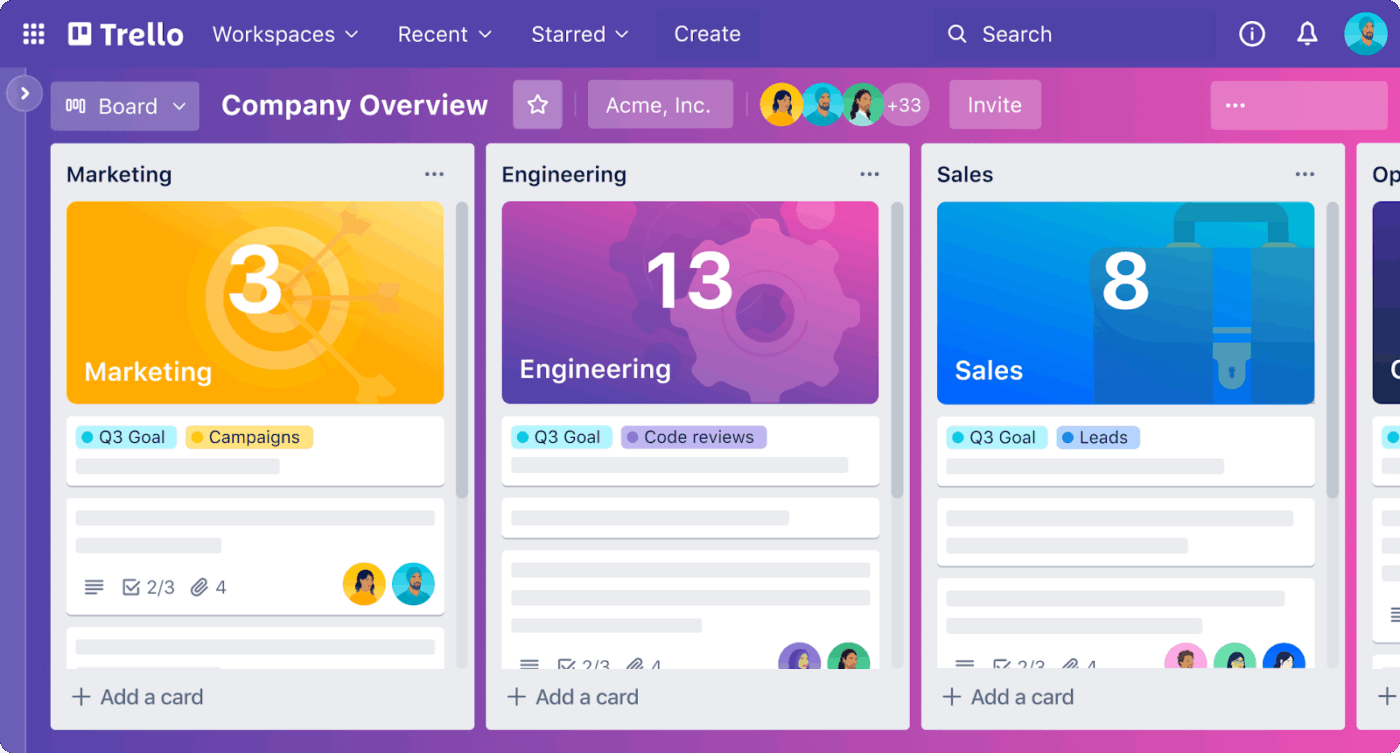
Trello is a visual, Kanban-style task organizer. Trello boards represent your projects, lists show different stages of work (To Do, In Progress, and Done), and cards hold individual tasks. You can drag and drop cards as work moves forward. This intuitive approach makes it easy to grasp.
Each card grows with your needs. Start with a basic task title, then add details as needed: checklists for breaking down complex work, team member assignments for accountability, and due dates for time management. You can also attach files to them for context.
The collaborative features work seamlessly, with team members receiving notifications when they’re mentioned in comments or assigned to tasks. Color-coded labels help categorize tasks at a glance, while filtering and sorting options keep large boards manageable.
Trello’s boards, lists, and mirrored cards enable you to track work across multiple projects without losing context. Paired with Butler automation, routine updates run in the background, allowing you to prioritize other tasks.
Straight from a G2 review:
What I really love about Trello is how easy it is to use. You can get started right away—just create a board, add your tasks, and start moving them around…What I don’t like about Trello is that it can get pretty basic once your projects start getting more complex. There’s no way to create dependencies between tasks or track progress in detail, which can be a real pain if you need something more robust.
🔍 Did You Know? In the 1800s, large construction projects, such as railroads, were managed using telegraphs to send updates across long distances.
📖 Also Read: Best Trello Alternatives and Competitors
Not every tool makes the main list, but a few still deserve a shoutout. Here are some other project management software worth exploring for specific use cases:
👀 Did You Know: Over a three-year period, organizations using ClickUp achieved an estimated 384% return on investment (ROI), according to Forrester Research. These organizations generated about US $3.9 million in incremental revenue through projects enabled or improved by ClickUp.
When everything feels urgent, it’s easy to get stuck. Here are action-driven techniques to help you stay organized and in control:
⚡ Template Archive: Prioritize tasks by urgency and importance with a simple drag-and-drop matrix with the ClickUp Eisenhower Matrix Template. It’s perfect for cutting through the noise to focus on what matters most.
🎥 Watch: The 10 Best AI project management tools compared:
Starting a new project shouldn’t involve wading through a maze of settings, permissions, and tutorials. A project management tool that takes less time to set up matters here. You can start organizing work and tracking progress right away instead of spending days figuring out the software.
ClickUp, the everything app for work, is the perfect workspace for this. Its project management features keep your tasks and deadlines organized, while ClickUp Brain gives you AI-powered insights to focus on what matters most.
So, what are you waiting for? Sign up to ClickUp for free today! ✅

© 2026 ClickUp

There’s an easier way. Try a free AI Agent in ClickUp that actually does the work for you—set up in minutes, save hours every week.