






Still downloading templates?
There’s an easier way. Try a free AI Agent in ClickUp that actually does the work for you—set up in minutes, save hours every week.
Sorry, there were no results found for “”
Sorry, there were no results found for “”
Sorry, there were no results found for “”

If you’re running an accounting firm, you know the importance of practice management software. It helps you organize client work, track deadlines, automate routine tasks, and keep communication centralized.
A popular platform used by mid-sized and large firms is Karbon. But while Karbon has its loyal users, it has limitations too. For example, it lacks a dedicated client portal for secure file sharing and billing.
In this blog, we share the top 11 Karbon alternatives for accounting practice management. We cover the key features, pros and cons, and the pricing of each tool on the list. Let dive in!
Before we begin, here’s a summary of the top Karbon alternatives to help you choose the right practice management solution for your business needs.
| Tool name | Key features | Best for | Pricing* |
| ClickUp | Customizable dashboards, Automations, ClickUp Brain, Integration with Gmail, Outlook, QuickBooks | Integrated project management for accounting teams Team size: Soloprenuers, Small teams to large enterprises | Free plan available; Custom pricing for enterprises |
| Tidyflow | Integrate with Xero, QuickBooks Online, and Zapier, preview files, and AWS storage security | Integrated project management for accounting teams Team size: Individuals or small teams | Paid plans start from $19/month per user |
| TaxDome | TaxDome Drive, branded client portal, TaxDome AI, IRS-compliant e-signatures | Delivering a unified client-centric experience Team size: Small to mid-sized firms | Paid plans start from $800/year |
| Canopy | WIP and profitability reports, 256-bit encryption, Canopy AI, IRS e-Services | Tax resolution and retrieving transcripts Team size: Small to medium accounting and tax firms | Paid plans start from $150/month for unlimited users |
| Jetpack Workflow | Standardized workflows, customizable tags, 70+ readymade templates, and integrates with 2000+ apps | Automating recurring client work Team size: Small teams | Paid plans start from $45/month per user |
| Financial Cents | Engagement letters, work insight dashboard, integrates with QuickBooks | Centralizing firm and client data Team size: Small to mid-sized accounting/bookkeeping firms | Paid plans start from $69/month per user |
| Xero | Connects 21,000+ banks, Xero AI, Xero Me, Hubdoc | Tracking business cash flow Team size: Small businesses and sole traders | Paid plans start from $29/month per user |
| QuickBooks | Progress invoicing, e-file 1099 forms, and integrates with Google Calendar | Automating client communication and data collection Team size: Small to medium-sized businesses | Free trial; Paid plans start from $38/month per user |
| Firm360 | Visual workflow builder, IRS e-signatures, KBA, Firm360 print driver | Centralizing and automating project workflows Team size: Small to medium-sized accounting firms | Paid plans start from $49/month per user |
| Bonsai | Built-in rate card, Schedule C forms, integrates with QuickBooks Online and Xero, 100+ currencies | Consolidating billing operations Team size: Solo professionals and small teams | Paid plans start from $15/month per user |
| Pixie | AutoGPT-powered Co-pilot, filtered views, Kanban boards, | Automating workflows in an accounting practice Team size: Small to medium-sized accounting | Free trial; Paid plans start from $129/month for unlimited users |
Our editorial team follows a transparent, research-backed, and vendor-neutral process, so you can trust that our recommendations are based on real product value. Here’s a detailed rundown of how we review software at ClickUp.
With deadlines, client communication, and compliance work piling up, the right practice management software can transform accounting and tax firms.
Here’s why you might want to consider Karbon alternatives:
Here’s what a G2 review says,
There is so much customization in Karbon, and every decision you make will affect something else (reporting-wise). Sometimes it’s really hard to understand the implications of any decision you’re making to your setup/structure, it’s just a lot to learn.
👀 Did You Know? Before written ledgers, traders used tally sticks and counting stones to record transactions—a far cry from today’s automated client portals.
Let’s look at Karbon alternatives for tax and accounting firms and the features and capabilities they offer.
Modern firms need a system that does more than track tasks and manage emails; they need a platform that unites everything in one intelligent workspace. That’s where ClickUp stands out.
ClickUp is the world’s first Converged AI Workspace, bringing together all work apps, data, reporting, and workflows in one place.
Instead of dealing with the Work Sprawl of jumping between separate tools for client communication, task tracking, and reporting, ClickUp centralizes it all—so your team can focus on delivering exceptional service.
With built-in features like task automation, customizable dashboards, and AI-powered writing and summarization, ClickUp helps accounting firms boost productivity and streamline collaboration.
You get 100% context, 100% of the time, and a single place for humans and AI agents to work together.
For firms ready to move beyond traditional practice management software, ClickUp offers a unified, flexible, and cost-effective alternative built for the future of accounting operations.
Let’s explore how accounting firms and professionals can use ClickUp for Finance to streamline their financial operations.
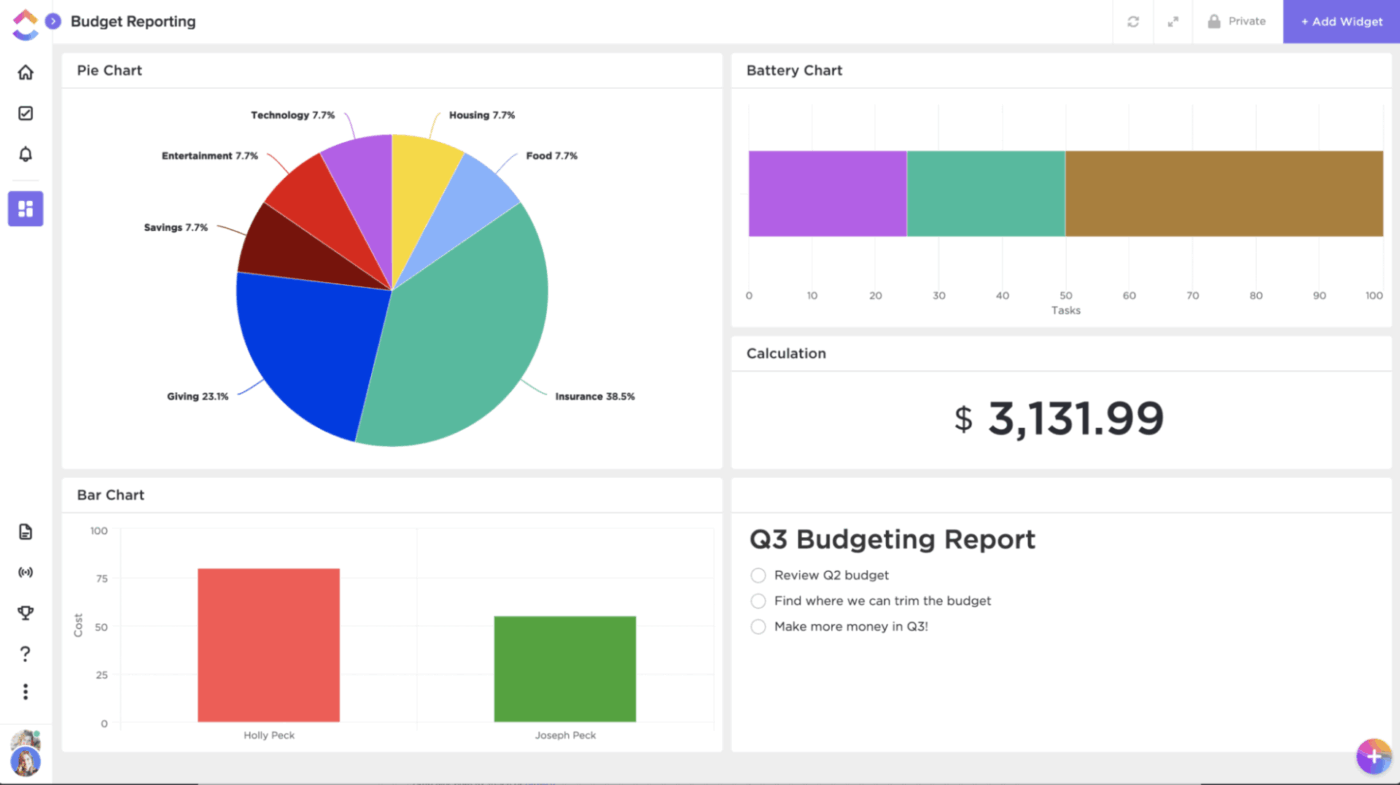
Finance teams benefit greatly when all of their data is visualized in one place. ClickUp Dashboards are the perfect solution here. They’re extremely intuitive and fully customizable. Use them to visualize budgets, track spending, and display profit margins at a glance. No need to wrangle spreadsheets; track the health of your accounting firm in real-time.
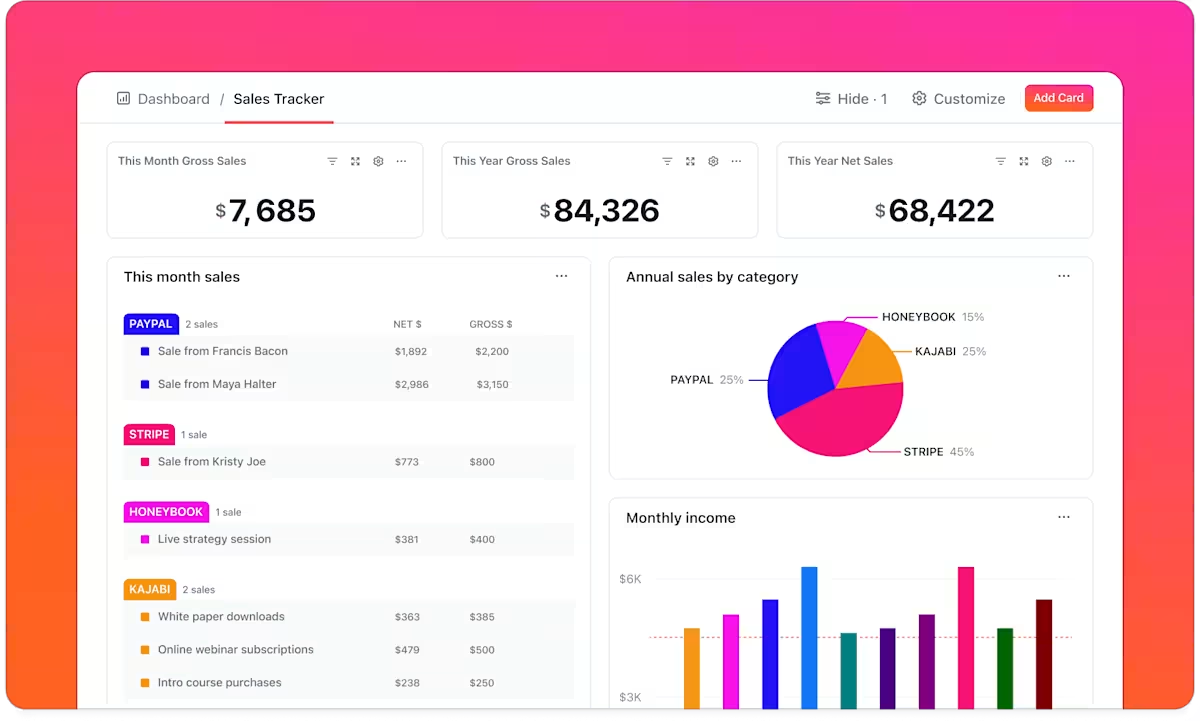
⭐️ Bonus: If your team prefers to maintain their books on dedicated account management tools for compliance reasons, fear not! Clickup integrations for finance and accounting teams help you:
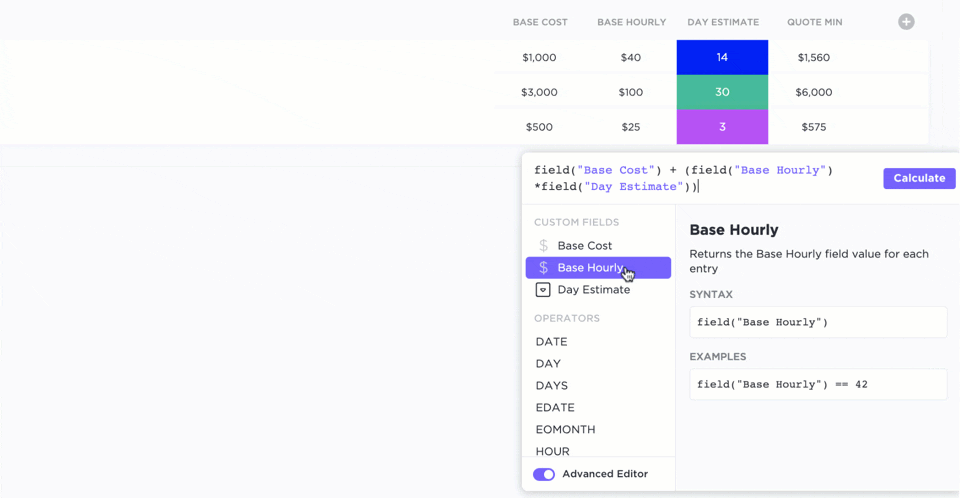
Avoid duplicating effort or wrestling with data in separate documents. ClickUp’s Formula Fields let you build complex calculations right in ClickUp.
For example, when billing a client, use ClickUp Formula Fields to multiply hours by billable rates, identify discrepancies between the budget and actual spend, or calculate the number of days remaining until a deadline. These live formulas update automatically across your tasks, eliminating the need to export data from spreadsheets.
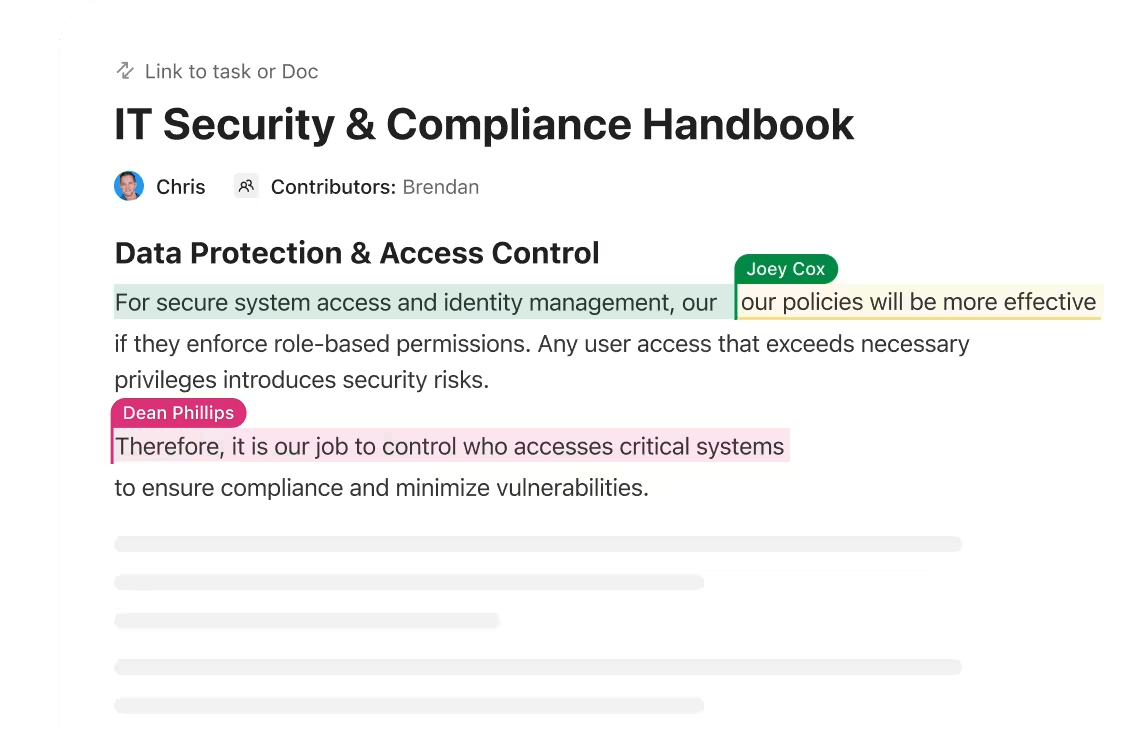
With ClickUp Docs, your team can draft, edit, and store all documentation in one place. It is linked directly to tasks or projects. From onboarding checklists to compliance workflows, every file lives inside your workspace. It is searchable and version-controlled, ensuring accuracy across large client portfolios.
💡 Pro Tip: ClickUp Chat embeds communication alongside projects and tasks, making it easy to clarify deliverables, share updates, or even loop in clients. By keeping discussions connected to the work itself, rather than relying on emails or messaging apps, you can reduce miscommunication and expedite resolution when it comes to client communication.
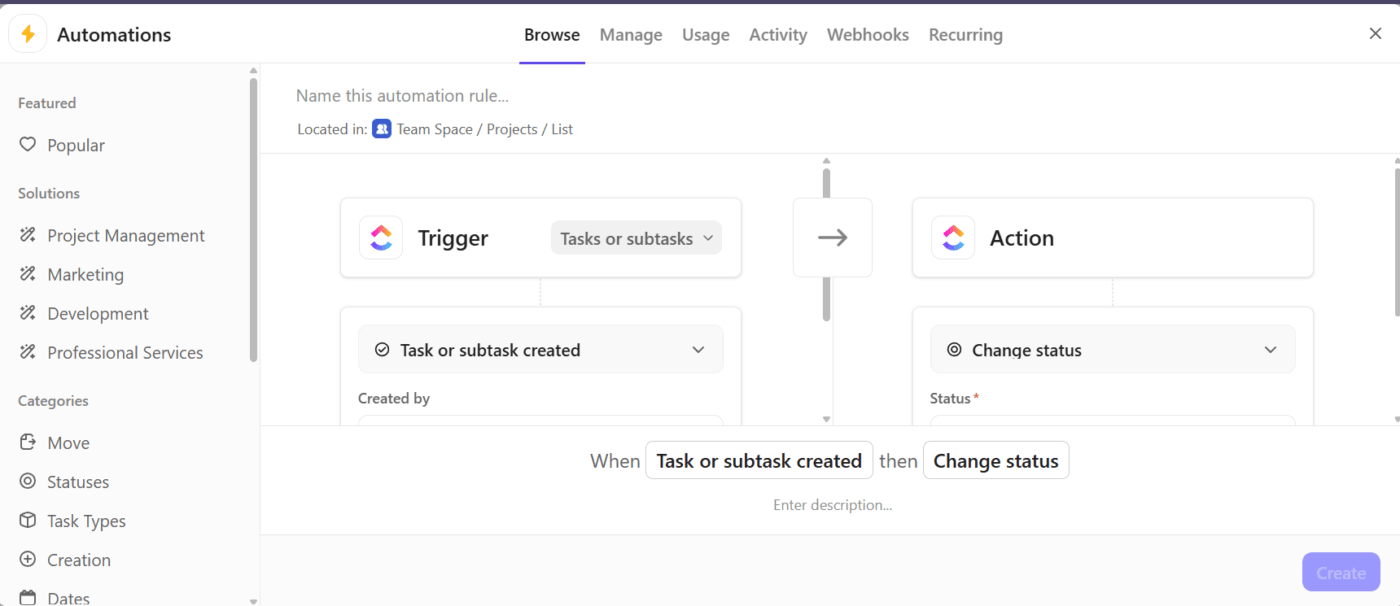
Get rid of manual task handoffs. ClickUp Automations enable you to define rules such as “When a return is marked complete, assign the next review task” or “when status changes, notify the manager.”
For example, you can automate the client onboarding process. Every time a new client is added to your Workspace, ClickUp creates an “Onboarding checklist”, assigns a team member to help the client, and assigns tasks.
💡 Pro Tip: Need to track client names, expense categories, or payment dates within tasks? ClickUp’s Custom Fields allow you to embed this directly into your task structure.
AI in accounting is a perfect way to free up teams for strategic analysis and advisory. With ClickUp Brain, AI is integrated directly with your accounting workflows. It can analyze data, surface key insights from detailed reports, summarize client calls, auto-generate follow-up tasks, or answer questions like “which audits are overdue this quarter?”
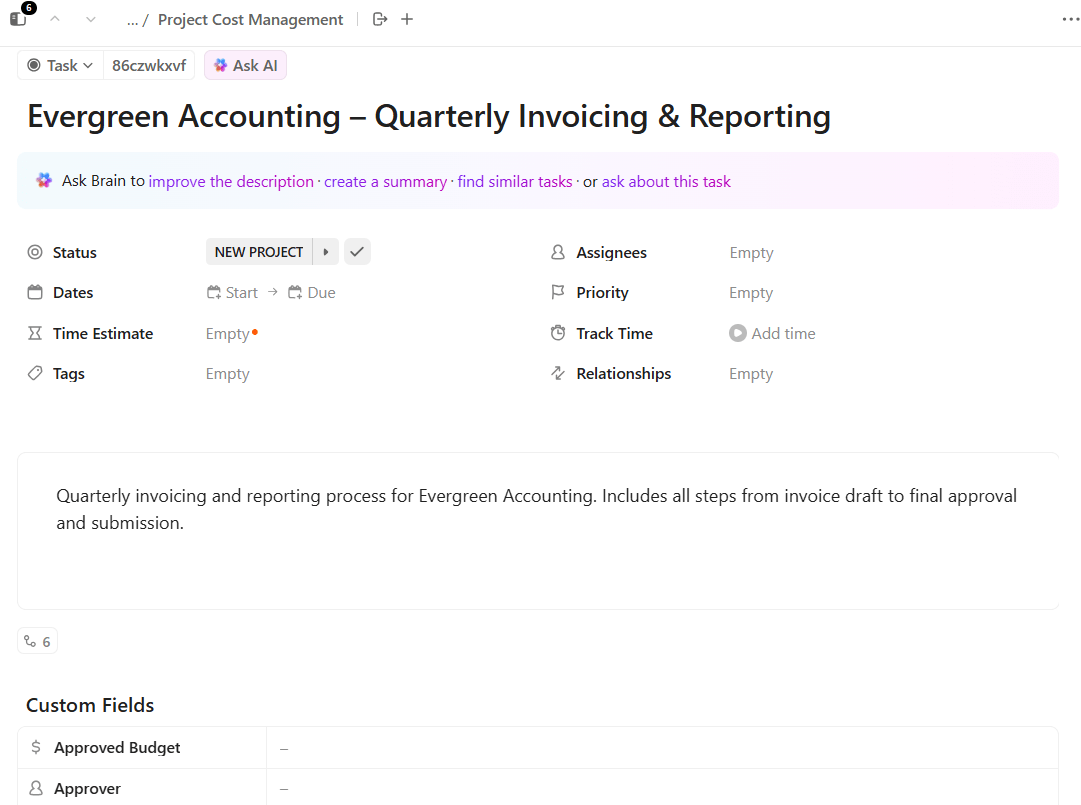
For example, instead of manually creating tasks, you can create a client portal inside ClickUp and ask ClickUp Brain to generate a task list for quarterly invoicing and reporting.
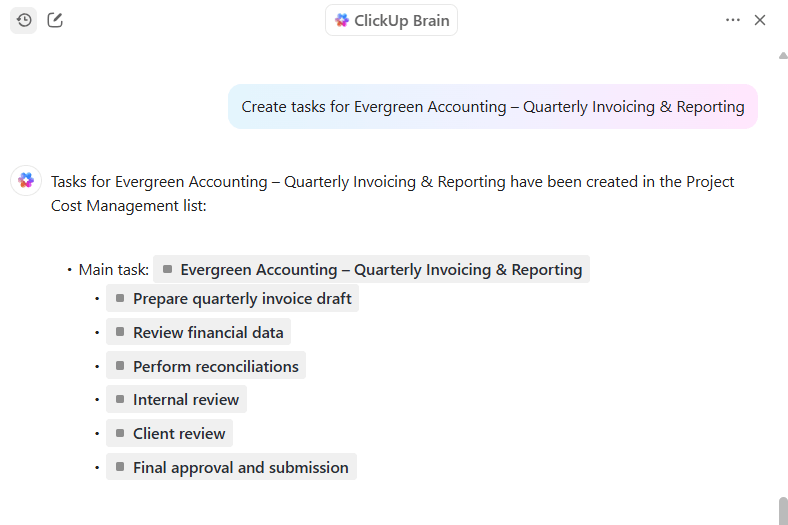
Once you run the request, it will create a task list as shown below.
🎥 Watch: How to use ClickUp for Accounting and Financial firms:
Here’s a G2 review:
ClickUp has completely transformed how our team manages tasks, projects, and workflows. Its intuitive interface, customizable features, and all-in-one platform make it a standout tool in the world of productivity software.
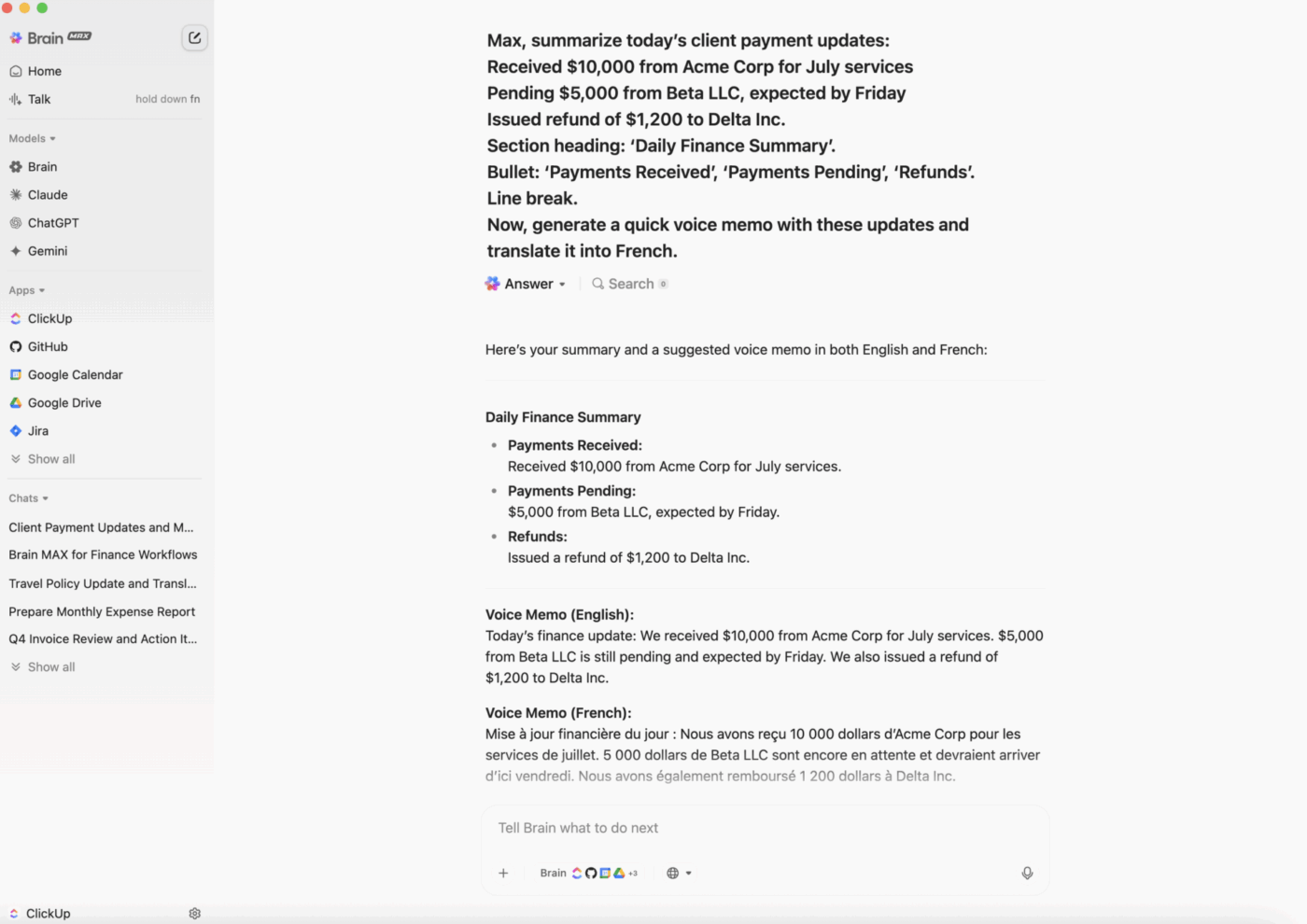
💡 Pro Tip: ClickUp’s BrainGPT is a game-changer for accounting practice management, bringing AI-powered efficiency and clarity to every aspect of your firm’s workflow. Here’s how:
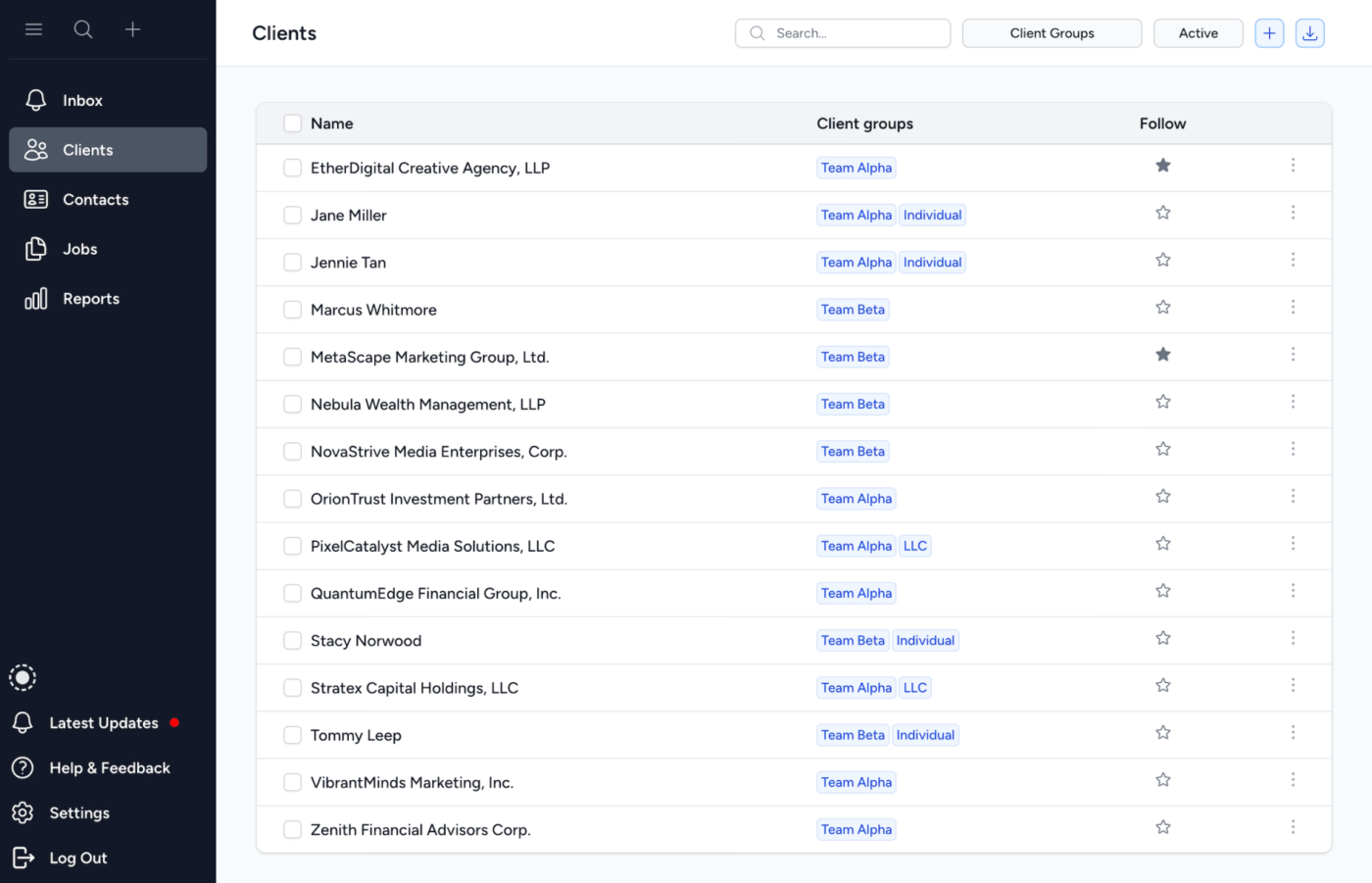
Tidyflow is a practice management tool built for small accounting firms that need no-code workflow management features. You can onboard yourself in under ten minutes and automate recurring bookkeeping or accounting tasks.
Using the task management system, you can create workflows, assign deadlines, and track recurring jobs. Even as a one-person firm, you can stay on top of compliance work without drowning in spreadsheets.
For client interactions, Tidyflow includes a secure client portal that simplifies file collection and communication. Your clients can upload everything directly, improving turnaround time. This ties into Tidyflow’s document storage, where all files are linked to the right tasks and client records.
Solo accountants also benefit from Tidyflow’s time tracking and capacity planning features. Billable hours can be logged directly against tasks, and workload views help practitioners avoid overcommitting during peak seasons.
Here’s a Capterra review:
TidyFlow has been an invaluable practice management tool for our team. By allowing us to automate our task workflows and effectively manage our capacity, the team is able to spend more time adding value and building positive client relationships.
🤝 Friendly Reminder: To build trust with your clients regarding data protection, implement two-factor authentication (2FA) and single sign-on (SSO). This ensures secure access to sensitive information.
⚡ Template Archive: Free General Ledger Templates for Accounting in Excel and ClickUp
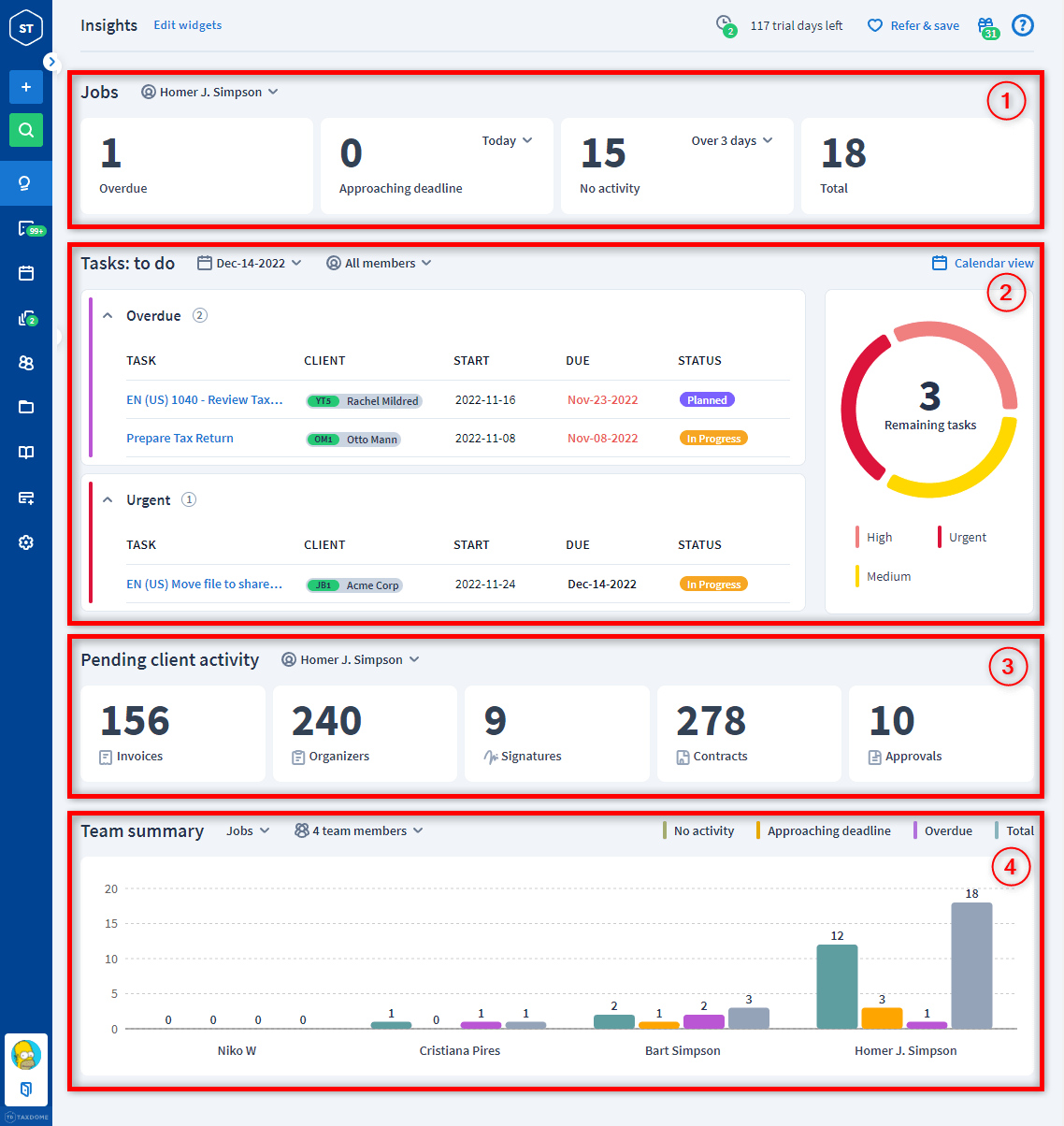
TaxDome is a practice management solution designed for accounting and bookkeeping firms, enabling them to unify their operations within a single interface. The key feature, workflow automation, offers pipelines with customizable stages, dependencies, and automated triggers.
With AI-powered reporting, you gain insights into invoices, time entries, job tracking, and more. The smart search allows you to quickly find relevant data and turn it into compelling reports with visualization.
Another practice management feature is the built-in CRM for client management. You can store contact info, client communications, documents, tasks, and onboarding workflows—all within customizable client profiles. It even supports lead capture, automated onboarding, and reminders.
And if you want a branded mobile-first way to streamline client collaboration, document sharing, and payments, there’s TaxDome’s white-labelled app. It allows you to publish branded mobile apps under your brand name in the App Store and Google Play.
Here’s a G2 review:
We’ve been using TaxDome for over a year now to manage our growing tax and accounting practice. Overall, it’s become an essential part of our workflow, helping us streamline client communications, document management, e-signatures, billing, and more, all under one roof.
📮 ClickUp Insight: 15% of workers worry automation could threaten parts of their job, but 45% say it would free them to focus on higher-value work.
The narrative is shifting—automation isn’t replacing roles, it’s reshaping them for greater impact. For instance, in a product launch, ClickUp’s AI Agents can automate task assignments and deadline reminders and provide real-time status updates so teams can stop chasing updates and focus on strategy. That’s how project managers become project leaders!
💫 Real Results: Lulu Press saves 1 hour per day, per employee using ClickUp Automations—leading to a 12% increase in work efficiency.
📚 Read More: Best Project Management Software with Client Portals
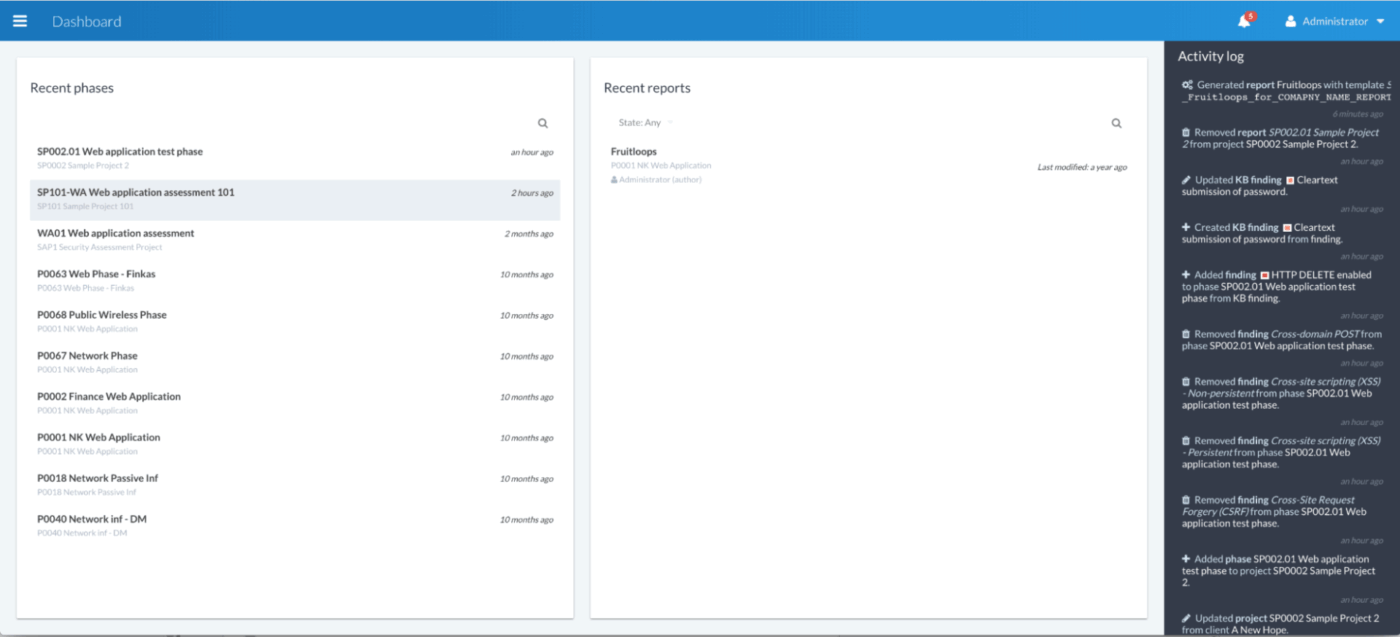
Canopy is a cloud-based practice management solution. it’s a strong Karbon alternative that’s primarily used by tax professionals. The tax resolution module streamlines complex IRS issues with built-in workflows, letter templates, and smart decision-making tools. It allows you to handle collections, penalty abatement, or spousal relief cases.
To track the health of the firm, you have the Insights feature to uncover where you’re most profitable, where you’re losing money, and who is the most efficient team member. And with client data collection features such as billing realization and client profitability, you know the problem areas at a glance.
Wondering how to use AI in accounting? Canopy makes it practical with features to auto-generate tasks and reminders based on client actions, rename and classify documents, and surface insights with simple prompts.
Finally, Smart Intake gives your clients an AI‑powered client onboarding experience. Through predictive questionnaires, document checklists, and pre‑filled forms offered by the Smart Intake feature, you can onboard clients quickly.
Here’s a G2 review:
We’ve tested three different practice management software platforms for our accounting firm, and Canopy has been the clear standout. It’s incredibly user-friendly—not just for our team, but for our clients as well. Canopy has truly anticipated everything we need to run our business efficiently and smoothly.
⭐️ Bonus: In ClickUp, you can start with Prebuilt Autopilot Agents to handle quick wins, such as posting task summaries, generating updates, or answering questions, without the hassle of setup.
Then upgrade to Custom Autopilot Agents when you’re ready to define your own triggers, responses, and multi-step logic—tailoring AI-driven automation exactly to your firm’s workflows.
Watch this video to know how AI agents in ClickUp make your accounting workflows more powerful!
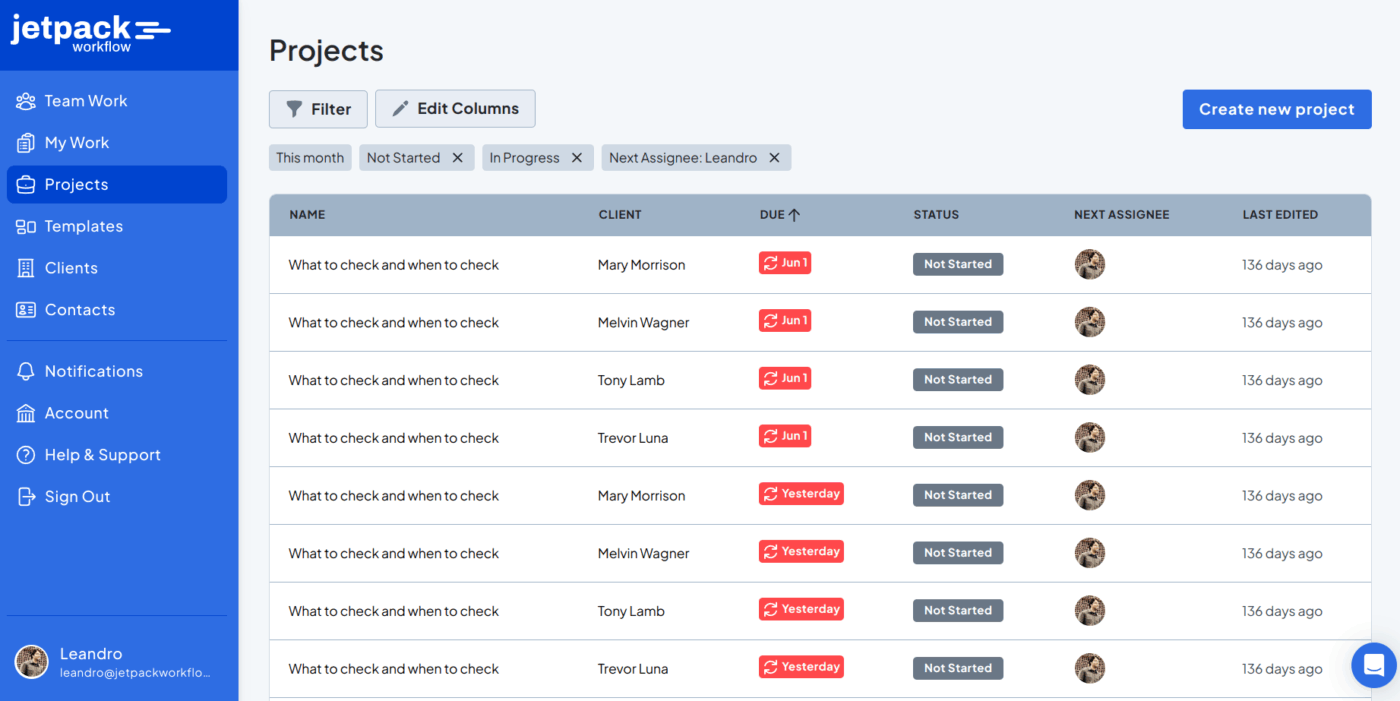
Jetpack Workflow helps accounting professionals manage bookkeeping, payroll, tax prep, and client advisory services by automating recurring tasks and deadlines. You can standardize workflows using service checklists and templates, so everything runs smoothly.
As work progresses, you can use labels to flag tasks as “urgent,” “waiting on,” or “in review.” These tags are customizable; you can change the text, choose colors, and even assign multiple labels to track projects.
Within this simple practice management tool, you can message your team, alert them to important information, and add permissions for critical client documents.
Jetpack handles client handoffs and next steps automatically. All your data is stored securely in Amazon’s S3 data centers, with multiple backups to keep client records safe.
Here’s a G2 review:
Jetpack is a clean and straightforward workflow solution that is designed specifically for accounting practices. The designers are familiar with the accounting business and have made the functionality match. I especially enjoy the new UI in V2.
👀 Did You Know? The first electronic spreadsheet, VisiCalc, launched in 1979, was so revolutionary that people bought Apple II computers just to run it.
Steve Jobs even admitted that VisiCalc “propelled the Apple II to success.” Within a few years, it reshaped accounting—eliminating hundreds of thousands of clerical roles but also creating over 600,000 new jobs for accountants as demand for faster, more versatile number-crunching grew. Proof that automation doesn’t always come after our jobs.
📚 Read More: Best Client Portal Software for Client Management
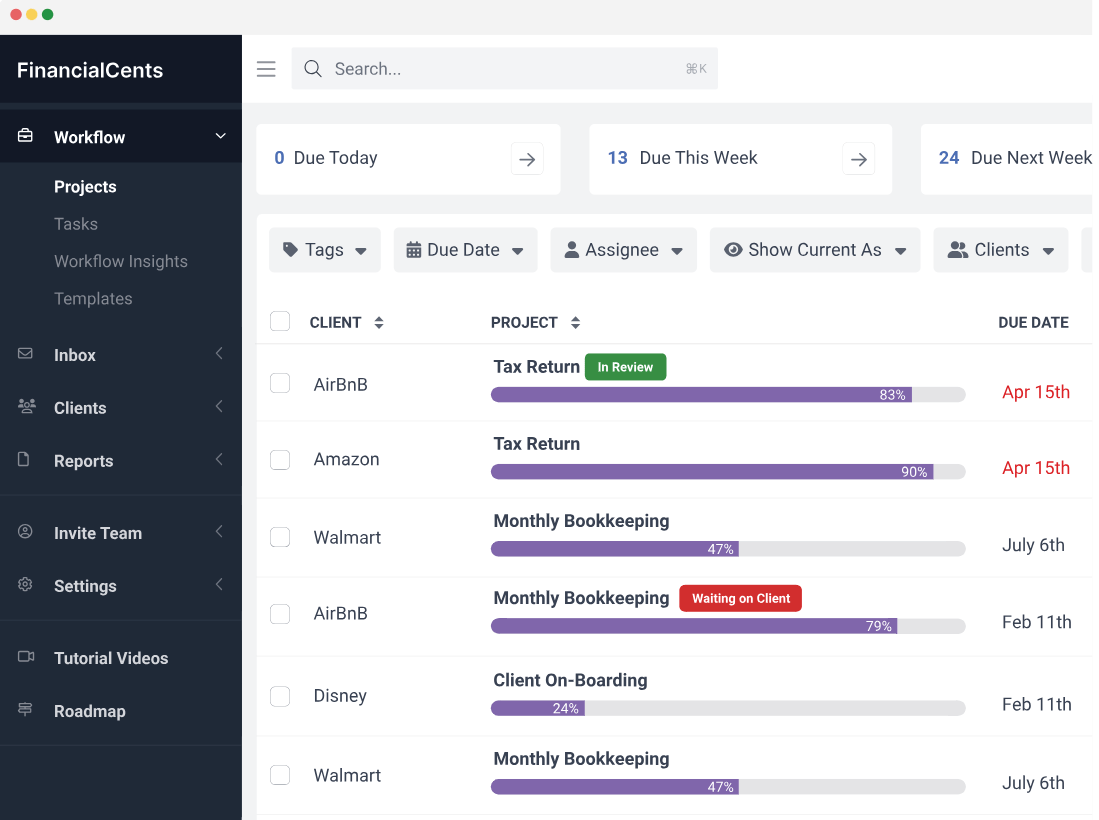
Financial Cents is a user-friendly practice management platform for accountants, bookkeepers, and CPAs. It centralizes your firm’s workflow, from client tasks to team collaboration.
On the team management side, Financial Cents offers capacity management, giving you real-time visibility into team workloads. You can set capacity limits, rebalance assignments, and avoid burnout during peak periods.
Email integration enables you to connect Gmail or Outlook directly to the platform, transforming messages into actionable tasks and keeping every client conversation linked to the relevant workflow or project.
When it comes to client management features, Financial Cents serves as both a CRM software for accountants and a billing hub:
Here’s a G2 review:
Financial Cents gives me the at-a-glance overview of all project statuses that I have been searching for. It enables us to manage a fully remote team and many clients seamlessly. It’s very intuitive to implement and use.
🧠 Fun Fact: Over 5,000 years ago in Mesopotamia, accountants used clay tokens shaped like jars, loaves, and animals to tally goods. They were pressed into clay tablets, giving rise to the earliest form of written recordkeeping and accounting.
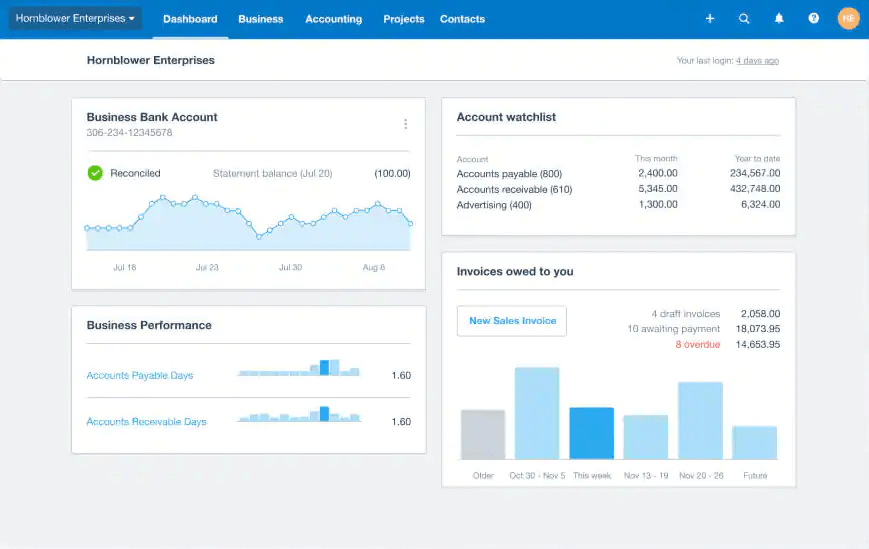
Xero is a popular accounting software with a suite of tools for accountants and bookkeepers. Beyond core bookkeeping, Xero is a practice management solution with features designed to simplify compliance, staff oversight, and client collaboration.
With Xero Workpapers, your accounting firm can manage compliance workflows seamlessly, preparing and reviewing financial statements with built-in templates and standardized processes. Xero HQ acts as the central hub for managing clients, staff, and queries. It gives visibility into deadlines, communications, and upcoming work.
To streamline day-to-day operations, Xero Practice Manager offers workflow automation and management tools that cover jobs, tasks, timesheets, and invoicing.
You can upload client bills or forward them via email, and Xero’s AI pulls out details to draft bills for approval. Using Xero Me, you get snap receipts, and the app automatically extracts and logs the necessary data.
Here’s a G2 review:
Xero has been an absolute game-changer for our business. The interface is clean, intuitive, and user-friendly, even for those without a strong accounting background. The real-time dashboard gives us a clear picture of our cash flow, and the ability to reconcile bank transactions with just a few clicks saves us hours each week.
🧠 Did You Know? Luca Pacioli, known as the father of modern accounting, published his first book, “Summary of arithmetic, geometry, proportions and proportionality,” in 1494, in which he introduced the concept of double-entry bookkeeping.
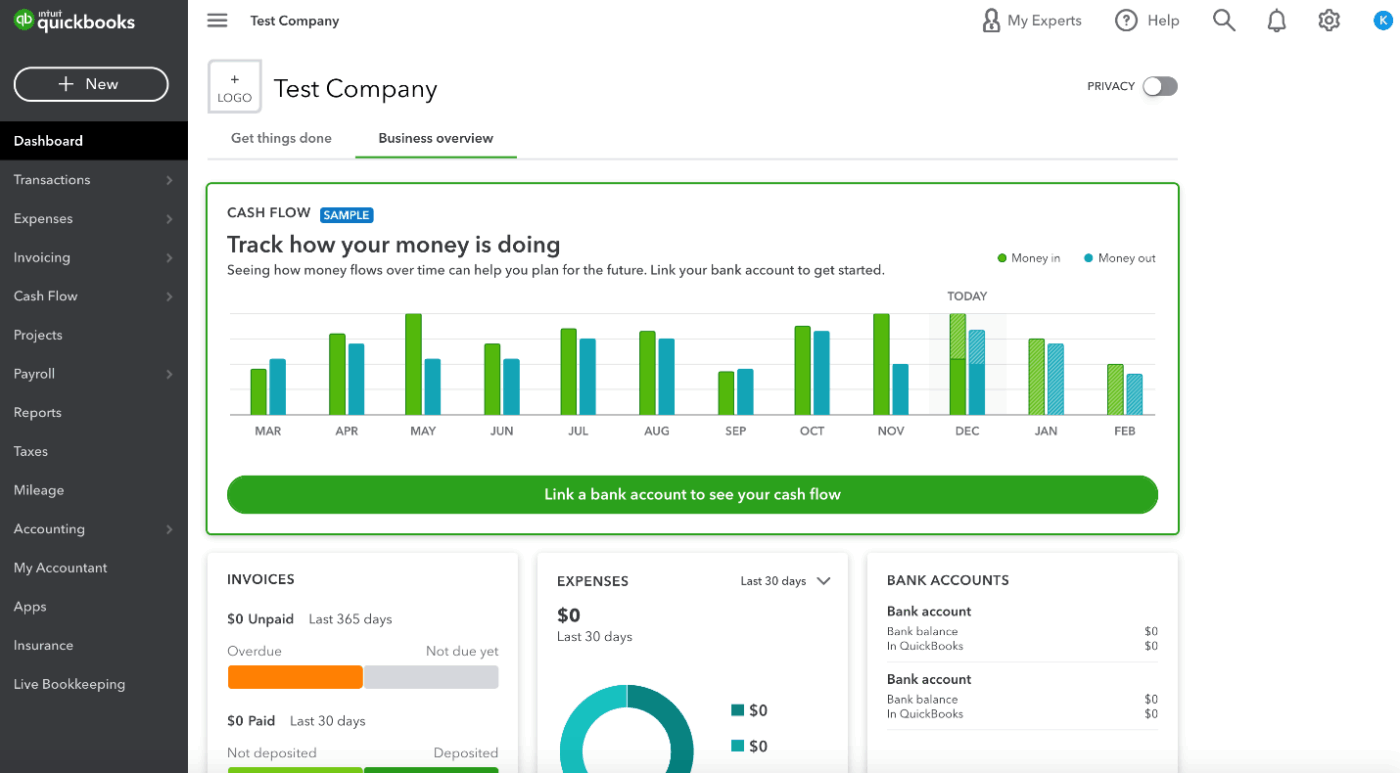
QuickBooks centralizes accounting by giving you visibility over your business’s finances. From income statements and balance sheets to tracking cash flow, you can see everything in a single dashboard.
With batch invoicing and batch expensing, you can create and send dozens of invoices or expense entries in one go—critical during tax season or client billing cycles. With the AI-driven Finance Agent (available in Advanced), QuickBooks goes beyond numbers.
It automatically forecasts revenues, flagging performance variances, and guiding firms toward strategic financial goals. For firms managing multiple client books, QuickBooks Online Accountant offers real-time financial insights, client access under one login, and professional-grade reporting dashboards for holistic client advisory.
Here’s a G2 review:
QuickBooks Online is incredibly user-friendly and intuitive. Its clean interface makes it easy to navigate, even for those new to accounting software. It’s a solid choice for small businesses or anyone looking to maintain control of their finances at a basic to intermediate level.
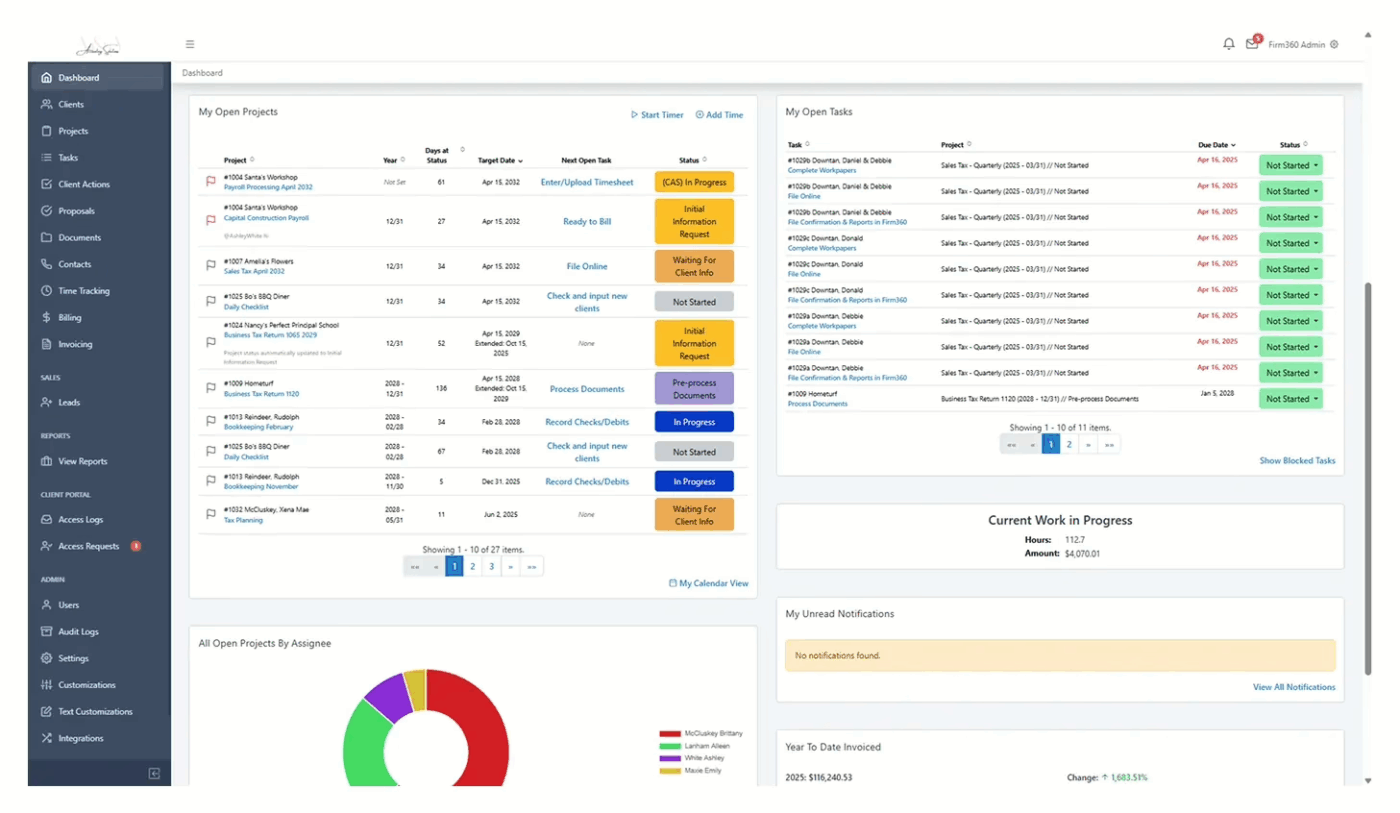
Beyond its accounting practice management features, Firm360 also offers project management features. With its visual Project Workflow Builder, you can map out recurring projects, like tax returns, audits, and extensions. Track both the target and deadline dates, including federal and state due dates and extensions within each project.
What’s more, completing a task can automatically trigger the next one. Project templates control this flow. When a project moves to the next status, new tasks activate automatically, keeping work moving without manual updates.
Choose from customizable templates for recurring workflows, enabling consistency across the firm, standardization of processes, and reduced setup time. And what about seasonal workload spikes during tax seasons? Using automated task generation and intuitive dashboards, your team can plan ahead even during the busiest times.
Here’s a G2 review:
I am an Accounts Receivable Supervisor, and I am using Firm360 software for managing my clients’ Invoices and other documents, which I need to review on a daily basis. It is the best software for managing and reviewing all documents.
⚡ Template Archive: Free Project Management Templates for All Types of Projects
👀 Did You Know: Over a three-year period, organizations using ClickUp achieved an estimated 384% return on investment (ROI), according to Forrester Research. These organizations generated about US $3.9 million in incremental revenue through projects enabled or improved by ClickUp.
📚 Read More: Best Ramp Alternatives
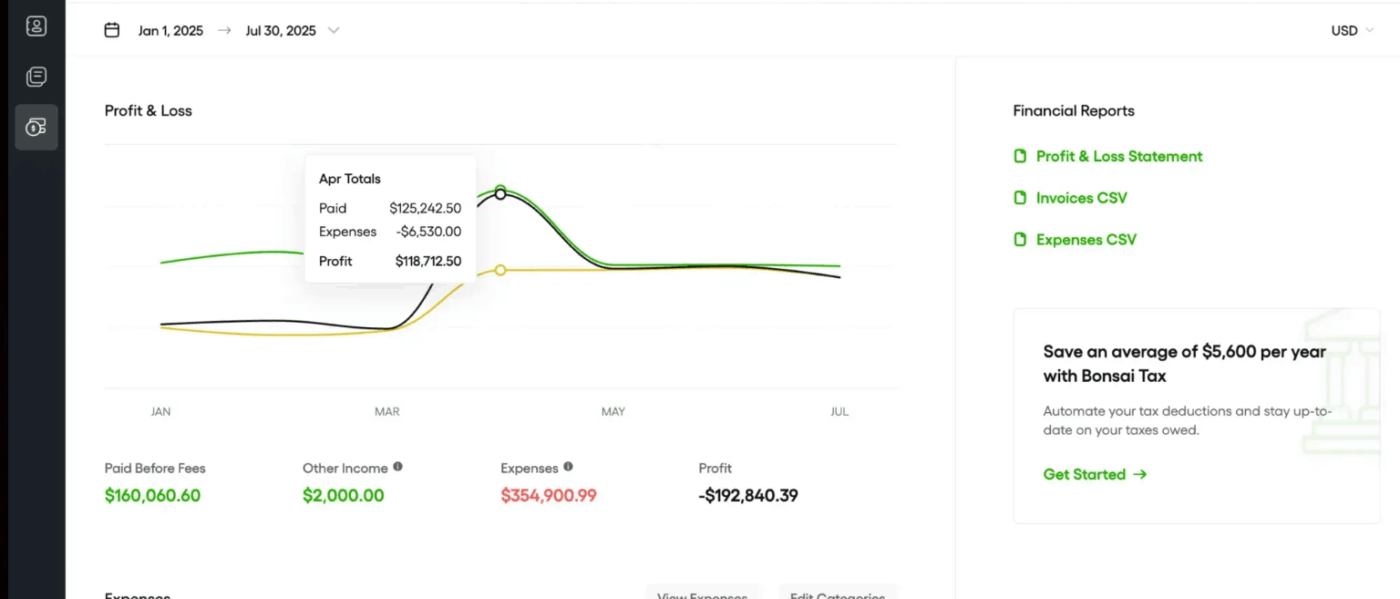
Bonsai helps you send and track invoices, all while staying connected to your projects, time entries, and client records. For clients on retainers or recurring services, you can automate billing cycles to keep payments coming in on time.
Expense tracking is simple. You can log expenses in any currency, and Bonsai will convert them using live exchange rates. Each expense is linked to time entries, retainers, or invoices, so you can track how much you’ve earned and spent. You can mark expenses as billable or non-billable, and add a custom markup when passing those costs on to clients.
Bonsai includes a built-in rate card system that helps you define standard rates for different service types or create custom rates for specific clients and projects. You can download Schedule C or write-off reports in minutes using Bonsai’s built-in templates, and set up reminders for upcoming estimated tax payments.
Here’s a G2 review:
I like how Bonsai has enabled me to reduce my productivity/operations software spend on a monthly and yearly basis. Since I switched to it, I don’t have to have a SaaS software for Accounting/Bookkeeping/Invoicing, Proposals, Contracts, P&Ls, and scheduling because now Bonsai handles this all in one spot.
📚 Read More: Top Hello Bonsai Alternatives to Try
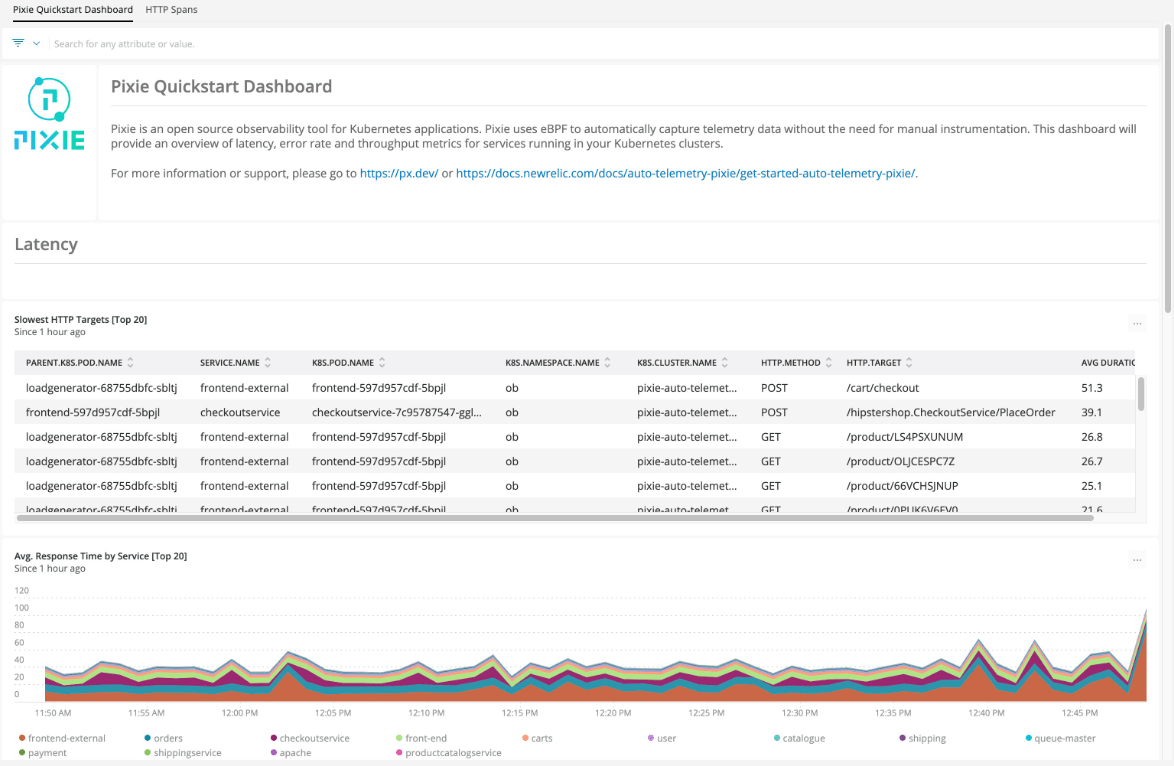
The Karbon alternative Pixie combines project coordination, client workflows, and automation for accounting and bookkeeping firms.
You also get team management and reporting features. Internal notifications keep you updated when tasks are completed or emails are read, and customizable work reports help you monitor productivity at both firm and staff levels.
Additionally, it has one-click templates that can be scheduled weekly, monthly, or annually, complete with instructions and checklists. You can even embed training videos to create repeatable workflows.
Pixie offers pre-built and customizable onboarding workflows, including welcome emails with secure upload links, task checklists, and automated reminders. You can also set up automated emails within these workflows—whether it’s reminding clients to upload documents or sending a quick note when a task is complete.
Here’s a G2 review:
It’s like a dynamic spreadsheet and very intuitive and simple with columns and lists and dates and filters, and can be tailored for your firm and flexed, so I really do love this for two years plus.
⚡ Template Archive: Free Client Portal Templates to Simplify Client Management
Karbon isn’t your only option. If you’ve made it this far, you’re already considering a switch or at least wondering if there’s something better out there.
ClickUp gives your accounting team the flexibility to work the way you actually work without losing structure from recurring tasks to deadlines.
All your workflows, people, and clients in one place, working together.🧩
Sign up on ClickUp for free. And explore if it is the right fit for your accounting team.

© 2026 ClickUp

There’s an easier way. Try a free AI Agent in ClickUp that actually does the work for you—set up in minutes, save hours every week.