Sorry, there were no results found for “”
Sorry, there were no results found for “”
Sorry, there were no results found for “”
You know that feeling when your to-do list is a mile long, but nothing seems to be getting done? The problem, often, isn’t the workload—it’s how the work is structured. Large tasks can be overwhelming, making it hard to know where to start or how to move forward.
Breaking them down into smaller, actionable steps helps you stay on track and make real progress.
In this blog post, we’ll explore how to use tasks and subtasks to organize your work and make your entire process more efficient and transparent.
Let’s turn that cluttered to-do list into an organized workflow! 📜
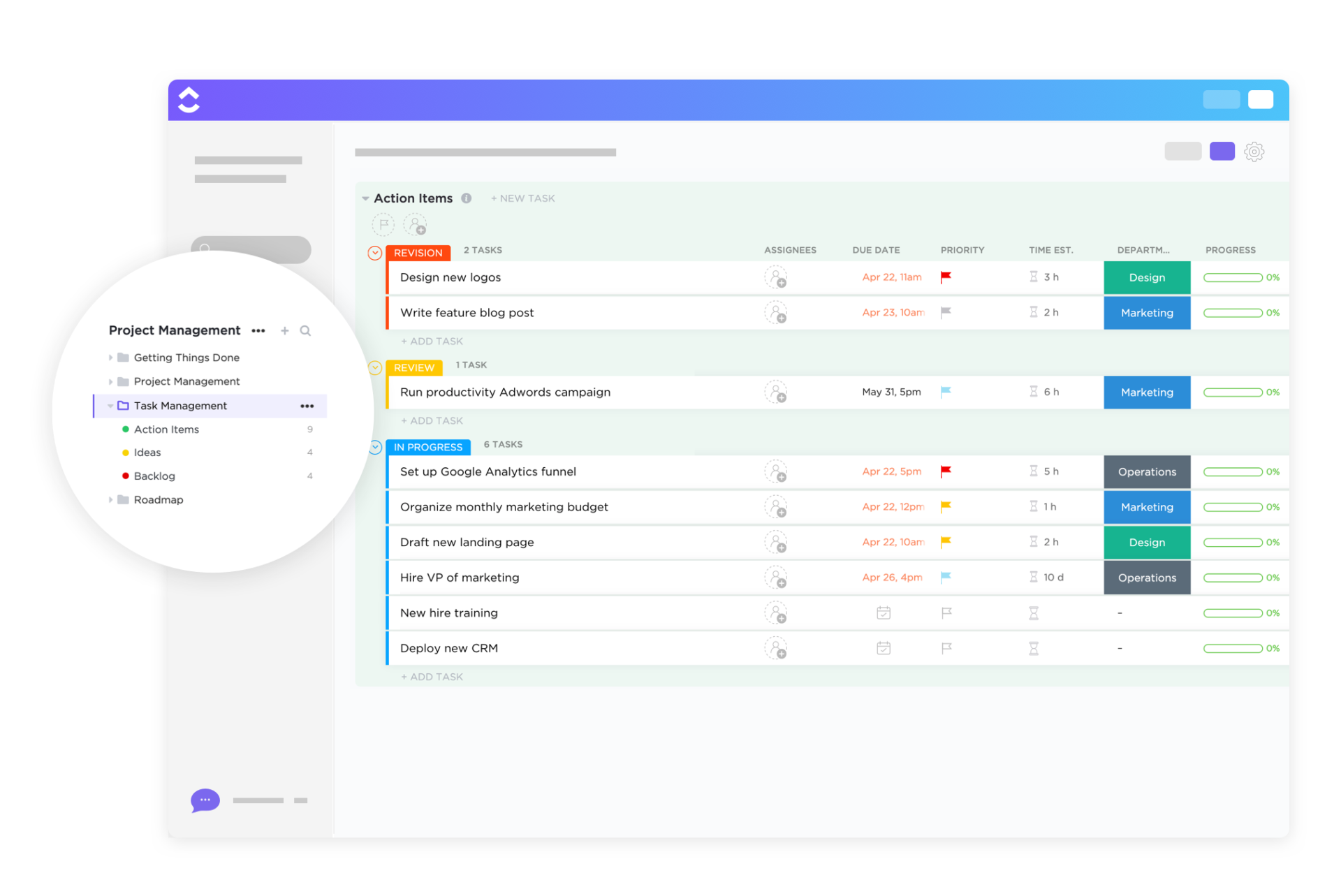
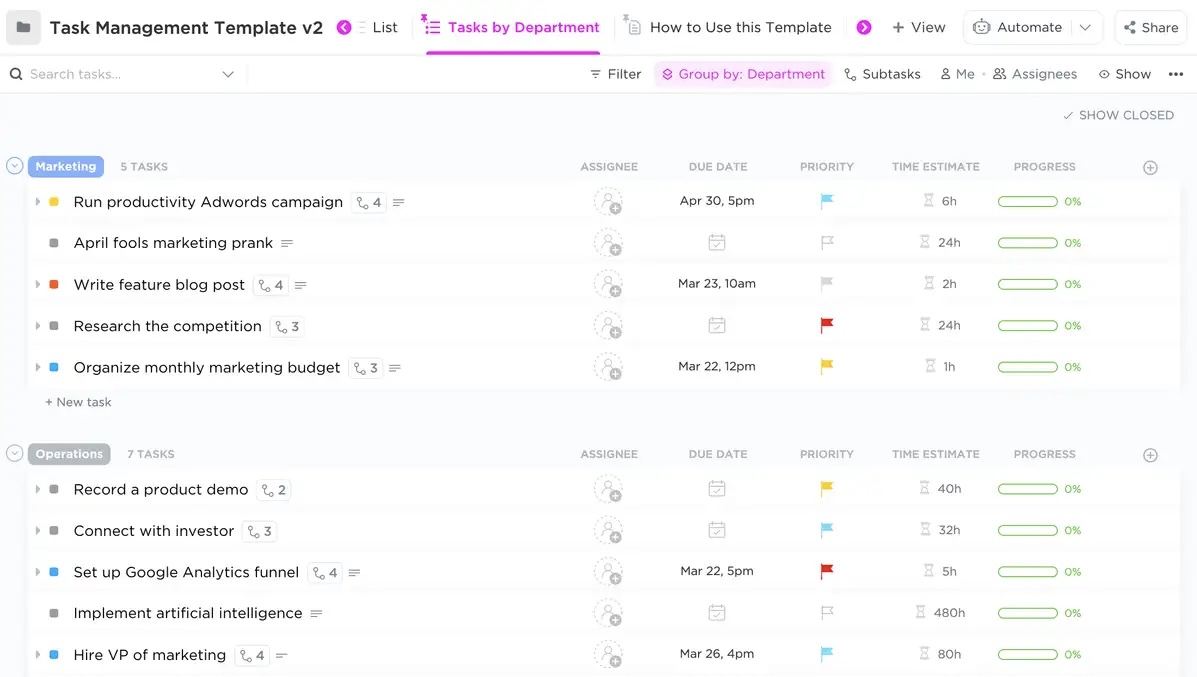
Make task management a breeze and boost your team’s productivity! Try the ClickUp free Task Management Template to organize, prioritize, and track every task in one place. ✅
A task represents a single, actionable unit of work. It is typically the main objective that needs to be completed within a project.
Conversely, a subtask is a smaller, more specific action that contributes to completing a larger task. Breaking down tasks into subtasks makes the overall work more manageable and clearly defines the steps to reach the end goal.
In project management, tasks and subtasks are foundational elements that help organize, delegate, and track work progress. Understanding the relationship between tasks and subtasks is essential for managing complex projects effectively.
Additionally, dividing a parent task into subtasks helps prevent being overwhelmed and improves focus. It’s especially useful in large projects that involve multiple contributors. Ultimately, subtasks allow for a granular approach, ensuring no detail is overlooked.
🧠 Fun Fact: The Great Pyramid of Giza is one of the oldest examples of a ‘project’ with tasks and subtasks. It is believed to have involved meticulous planning, resource allocation, and teamwork.
Tasks and subtasks are the backbone of project management, breaking down complex goals into structured, actionable steps. Their role extends beyond simple to-do lists, influencing efficiency, accountability, and workflow optimization across various industries.
Here’s why tasks and subtasks matter in project management:
Use cases of tasks and subtasks in different project scenarios:
📌 Software development: Organizing sprints into development, testing, and deployment phases ensures efficiency and bug-free releases
📌 Marketing campaigns: Structuring a campaign into research, content creation, design, approvals, and distribution keeps execution seamless
📌 Event planning: Managing tasks like booking venues and finalizing guest lists ensures no detail is overlooked
📌 Construction projects: Scheduling procurement, permits, and execution into clear phases helps prevent delays
Tasks and subtasks help break down work into manageable units, but serve different purposes. Here’s a table highlighting the key differences between tasks and subtasks:
| Feature | Tasks | Subtasks |
| Definition | Standalone work items with clear goals | Smaller steps within a larger task |
| Scope | Covers a broad deliverable | Focuses on a specific action within the task |
| Assignees | Assigned to individuals or teams | Can be assigned to anyone, regardless of parent task assignee (unless private) |
| Dependencies | May depend on other tasks | Can have their own dependencies and are often linked to the parent task |
| Tracking | Progress tracked separately | Progress contributes to task completion |
Understanding when to use each component ensures better organization and efficiency in project management.
Tasks should be used when managing distinct deliverables or larger objectives. They work best when:
Subtasks are ideal for breaking down a complex task into actionable steps. They should be used when:
📌 Example: If the existing task is ‘Develop the prototype,’ subtasks might include ‘Create wireframes,’ ‘Build an initial model,’ ‘Conduct testing,’ and ‘Gather feedback.’
💡 Pro Tip: Run healthy, fun competitions between team members using gamification to engage them, and assign points or badges on task completion.
While tasks define what needs to be done, subtasks bring structure and efficiency to execution. Implementing subtasks into your projects and broader goals offers several advantages, making workflows smoother and outcomes more predictable.
Subtasks provide a structured way to break down large tasks into smaller, more manageable steps. This breakdown makes it easier to track progress, reducing confusion and preventing tasks from feeling too vague or overwhelming.
Subtasks help teams prioritize effectively by distinguishing high-impact actions from minor details.
Subtasks eliminate the burden of tackling an entire project at once. They allow for a step-by-step approach where urgent or dependent actions take precedence. This ensures that teams focus on what matters most and allocate resources efficiently.
When tasks are broken down into subtasks, it becomes easier to distribute responsibilities among team members. Subtasks define specific roles, preventing confusion and overlapping efforts.
They also improve communication by offering clear updates on individual contributions, making check-ins more productive, and reducing micromanagement.
🧠 Fun Fact: There is a day dedicated to celebrating project managers! The International Project Management Day is celebrated worldwide on the first Thursday of November every year.
Optimizing parent tasks and all the subtasks ensures that work stays on track and deadlines are met. Here’s how to structure tasks effectively to maximize productivity and accountability.
Before dividing a new task into subtasks, define the overall objective. A vague or loosely defined task leads to confusion and inefficiency.
For example, a clearer task than ‘Improve website performance’ would be ‘Optimize website loading speed to under two seconds.’
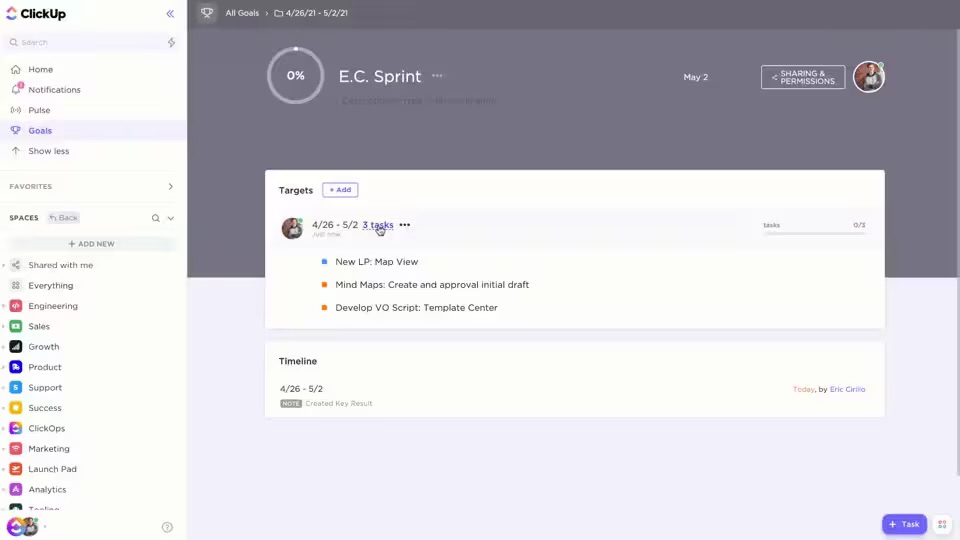
ClickUp Goals makes goal-setting easier by allowing you to create trackable, structured objectives that align with your work. It lets you connect tasks and lists directly to your goals, so progress updates automatically as tasks are completed.
💡 Pro Tip: Use sound notifications—for example, a cheerful ding—to add a sense of accomplishment when a task is finished.
Once the main task is defined, break it down into manageable subtasks. A well-structured task prevents bottlenecks and ensures all necessary steps are accounted for.
👉 To stay organized, break tasks into smaller, actionable steps and create subtasks that make progress easier to track and manage.
For instance, if the task is ‘Launch a new email marketing campaign,’ the subtasks could include:
ClickUp Tasks offer an intuitive interface that helps you create subtasks within each task. You can organize action items in a checklist format or as separate items with due dates and assignees.
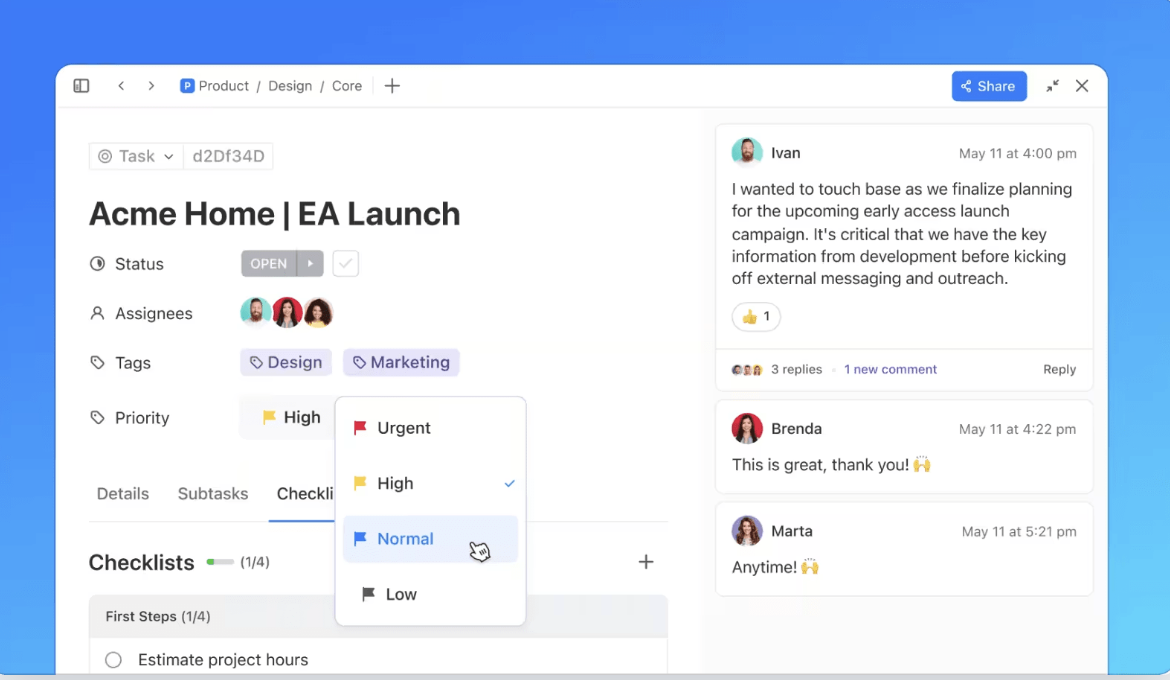
Subtasks often overlap across different teams. To resolve this little hurdle, ClickUp lets you add subtasks to multiple lists, ensuring that a design subtask, for example, appears in both the marketing and creative team’s workflow without duplicating efforts.
🧠 Fun Fact: The International Space Station (ISS) is considered one of the largest and most complex projects ever undertaken, involving collaboration between agencies from five countries: the United States, Russia, Canada, Japan, and Europe.
Clear ownership is crucial for accountability. Every task and subtask should have an assigned owner and deadlines to keep things moving.
For example, if the main task is to develop a new feature for an app, you can assign subtasks to team members based on their expertise:
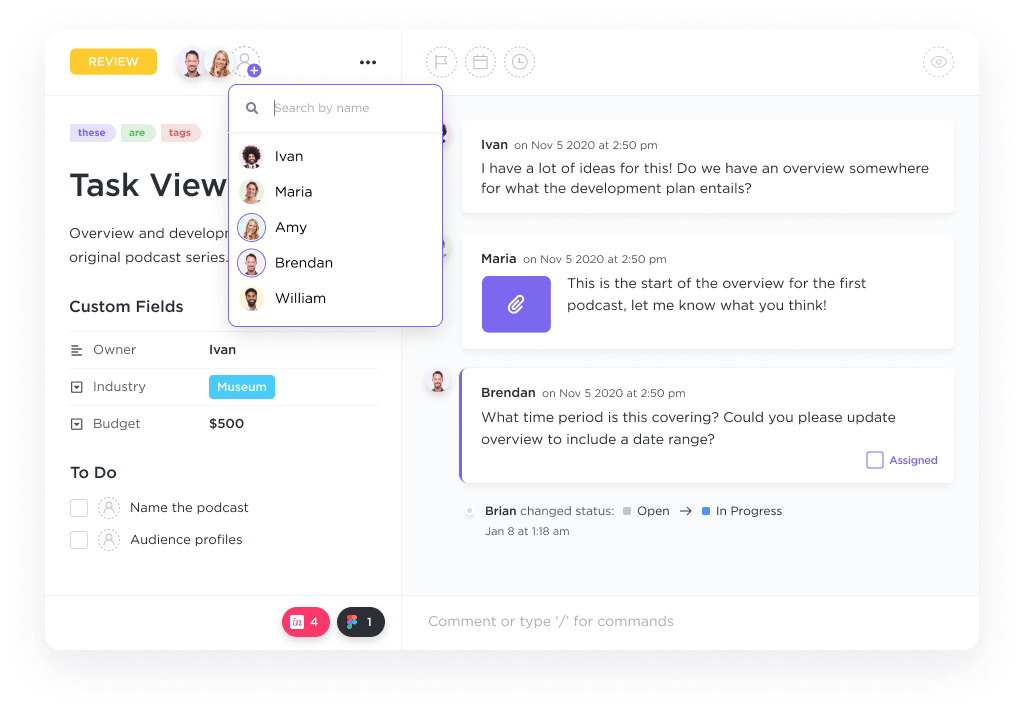
Multiple Assignees allow a single task to be assigned to various team members, ensuring that all responsible parties stay involved.
Additionally, ClickUp Assign Comments turns discussions into actionable items. Instead of sifting through long comment threads, team members can track, resolve, or reassign comments directly, keeping communication clear and workflows efficient.
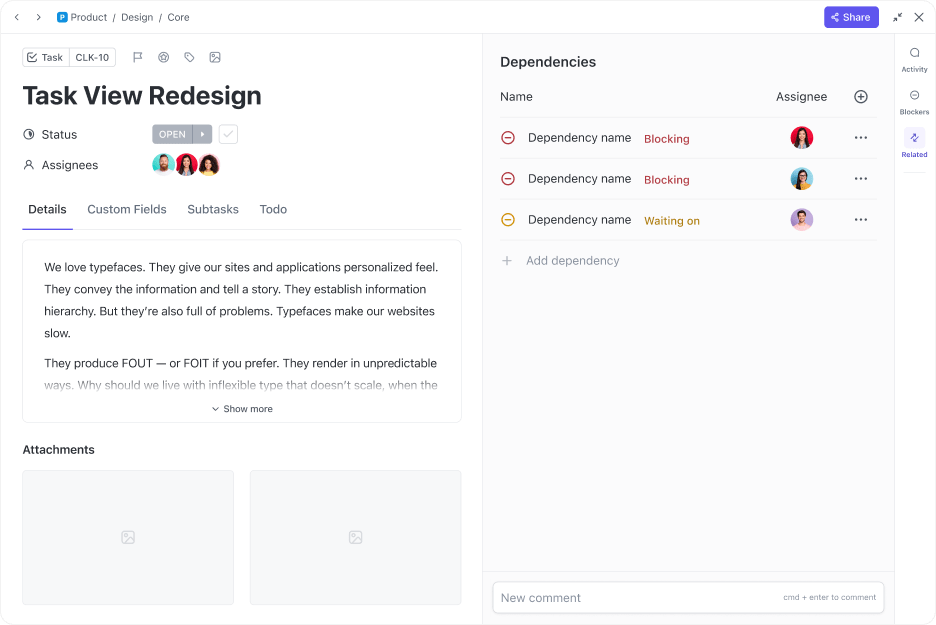
Tasks often rely on each other, and setting dependencies ensures they are completed in the right order. Without dependencies, teams may waste time waiting for work that hasn’t started.
For example, if the task is ‘Publish a blog post,’ the dependencies could be:
ClickUp Dependencies allows you to set ‘Blocking’ and ‘Waiting on’ dependencies, ensuring that team members work in the correct sequence. This prevents unnecessary delays and keeps workflows smooth.
Tracking real-time progress helps identify delays and potential roadblocks before they escalate. Without regular updates, tasks can easily fall behind schedule without anyone noticing.
ClickUp Dashboards provide a fully customizable way to visualize work, track progress, and manage teams—all in one place. With real-time insights, you can keep track of task completion, risks, and blockers across projects.
Additionally, you get a clear view of who’s working on what, track overdue tasks, and spot bottlenecks before they slow down progress.
For instance, if a designer is overloaded with work while developers are available, you can redistribute work to balance the load.
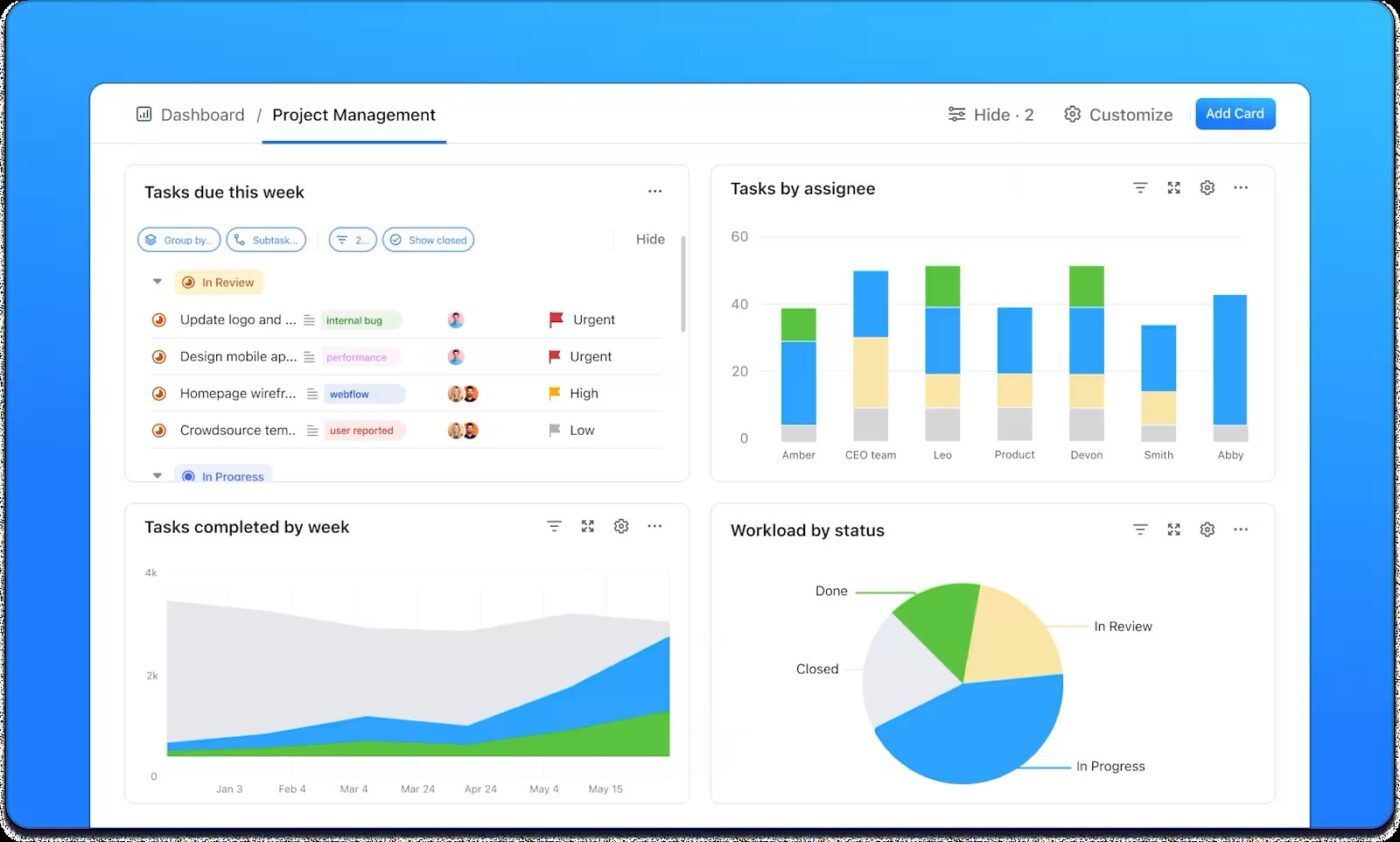
📖 Also Read: How to Create a Task Dashboard to Manage Tasks
Tag Expert, a web analytics agency, streamlined its project management by leveraging ClickUp’s task and subtask features. The agency needed a way to automate task creation and manage repetitive workflows efficiently.
Here’s what they did:
This approach significantly enhanced efficiency as subtasks ensured all steps were covered, saving time. Plus, automation reduced human error, and the team focused more on execution.
🔍 Did You Know? 65% of project managers will most likely use AI during the project deployment and execution phases.
The marketing team at a digital agency needs to launch a new client campaign. The project includes content creation, approval, and scheduling. Initially, the project was managed as a single task, but the complexity and multiple steps involved led to confusion and missed deadlines.
🔗 Before:
The marketing team had one task, ‘Launch Campaign,’ but lacked clarity on who was responsible for what. Key steps, like finalizing the scope, content review, and approval, were overlooked or delayed due to unclear ownership.
🔗 Transformation:
The project was broken down into specific subtasks:
🔗 Results:
Therefore, transforming a single task into detailed subtasks helped the team achieve clarity, improve communication, and enhance project efficiency. Subtasks ensured every step was accounted for, reducing mistakes and delays, leading to a smoother, more successful campaign launch.
🔍 Did You Know? The global project management software market size is expected to increase from USD 7.36 billion in 2023 to USD 15.06 billion by 2032.
Effective project management hinges on the ability to organize tasks and subtasks efficiently. Several task management tools streamline this process, each offering unique features to enhance productivity. Here’s a quick overview of the top tools:
🔍 Did You Know? The first ever project management software was called ‘PERT’ (Program Evaluation Review Technique). The U.S. Navy developed it in the 1950s for the Polaris missile project.
ClickUp sets itself apart as an everything app for work, providing a unified solution to manage multiple projects, track tasks, and collaborate with teams. What makes ClickUp unique is its ability to adapt to various workflows and industries.
Here are some features that help teams manage tasks and subtasks with precision. 👇
ClickUp allows you to customize task lists, statuses, and priorities to fit your team’s specific needs. For example, you can use ClickUp List View to create separate lists for different project stages, departments, or client deliverables, keeping everything organized as your project grows.

To help your team stay focused, you can leverage ClickUp Task Priorities to assign priority levels to tasks, like ‘Urgent,’ ‘Normal,’ or ‘Low,’ ensuring that the most critical tasks are tackled first.
Plus, you can set ClickUp Custom Task Statuses like ‘To Do,’ ‘In Progress,’ and ‘Completed’ or tailor them to better align with your project’s unique needs. This way, every task stays organized and moves forward smoothly.
ClickUp Project Hierarchy simplifies organizing tasks and teams for complex projects with multiple moving parts. It gives you control at every level, from the broad Workspace to the smallest Checklist.
You can start by creating a Workspace for your entire organization, then break things down into Spaces, Folders, Lists, and even individual Tasks with subtasks and checklists. This flexibility helps you save time and stay on top of every detail, helping your team stay productive and efficient.
Effective communication is the key to trust, and ClickUp makes that easy with its real-time collaboration tools.
Features like ClickUp Chat and Assign Comments ensure that conversations happen right where the work is, whether through direct task comments, group chats, or audio and video calls. This means feedback is always clear, timely, and easy to act on, keeping everyone in sync.
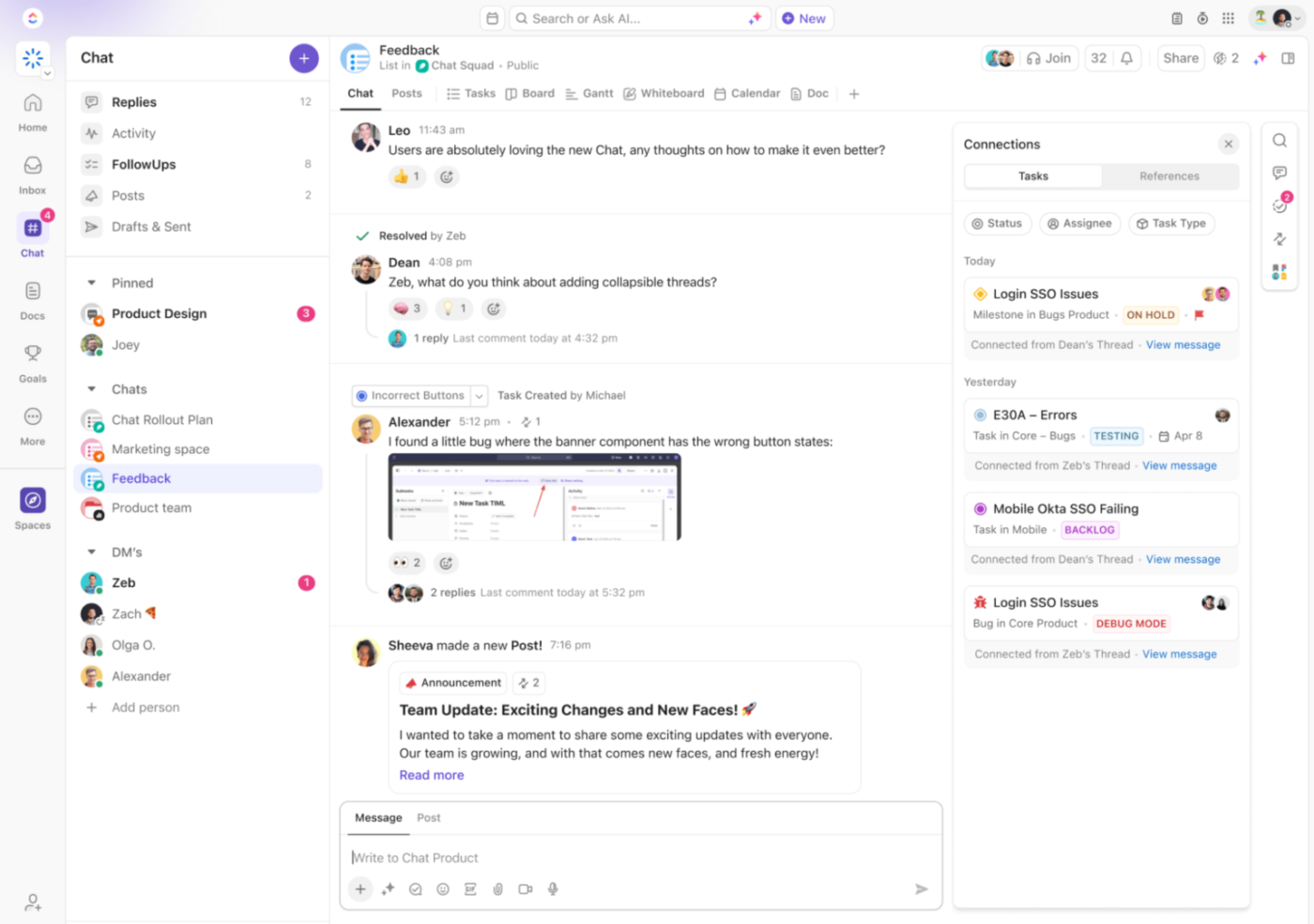
ClickUp Brain takes collaboration a step further by providing AI-powered assistance that effortlessly aligns teams. It can instantly summarize task updates, generate action items from discussions, and suggest the following steps based on project progress.

🧠 ClickUp Brain Max brings talk-to-text directly to the desktop, making it effortless to capture ideas, tasks, and updates without losing momentum. Instead of typing out every detail, just speak and watch Brain Max turn your words into structured tasks or notes. For teams managing complex projects, this eliminates context switching and ensures every detail is captured in real time.
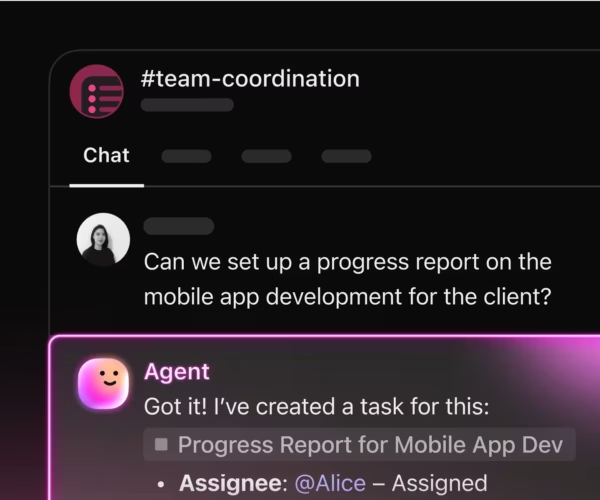
🤖 ClickUp AI Agents take repetitive project tasks off your plate by running in the background and acting on triggers you define. Whether assigning subtasks, sending reminders, or surfacing risk flags, AI Agents keep your workflows moving without manual oversight. The result: more focus for your team, less time wasted on admin work.
ClickUp integrates seamlessly with various tools, including Slack, Google Drive, and Zoom, enhancing productivity by consolidating workflows. This integration allows your teams to work within a unified platform, reducing the need to switch between multiple applications.
Effective task management is essential to every high-performing team.
The ClickUp Task Management Template is built to support all types of teams, projects, and workflows. Instantly see who’s assigned which task, when tasks are due, and how long they’ll take, or add new Custom Fields like budgets, URLs, or file attachments.
This task management template helps you:
📖 Also Read: Free Project Communication Plan Templates
Tasks and subtasks are the backbone of a well-organized project. Breaking down significant goals into smaller, manageable steps gives you clarity, ensures accountability, and keeps your team on track.
With ClickUp, creating tasks, adding subtasks, and assigning ownership have never been easier. From setting up dependencies to tracking real-time progress with dashboards, everything you need to keep things moving efficiently is right at your fingertips.
So, if you’re ready to take control of your projects and see the big picture come to life, ClickUp has the tools you need.
Sign up for ClickUp for free today!

Praburam Srinivasan
Max 22min read
Praburam Srinivasan
Max 24min read

Manasi Nair
Max 28min read

© 2026 ClickUp