






Still downloading templates?
There’s an easier way. Try a free AI Agent in ClickUp that actually does the work for you—set up in minutes, save hours every week.
Sorry, there were no results found for “”
Sorry, there were no results found for “”
Sorry, there were no results found for “”
Our meeting effectiveness survey shows that nearly 40% of respondents attend between four and more than eight meetings per week, with each meeting lasting up to an hour.
When meetings work well, that time turns into clarity, decisions, and momentum. When they don’t, you’re basically hosting a weekly reunion where everyone comes, catches up, and leaves without anything changing.
The problem is everything happening around the meeting.
You’re switching between your calendar view, a doc that three people are editing at once, and a task management tool that has no idea a meeting even happened. By the time you corral all the pieces, you’ve forgotten why you called everyone together in the first place.
This guide walks through how to run meetings in ClickUp, from setting the agenda to tracking what actually gets done afterward. Let’s get started! 🎯
Running meetings in ClickUp means creating the agenda, taking notes during the call, assigning tasks from discussions, and keeping everything connected to the projects affected by those decisions.
The practical difference shows up in two ways:
With your meetings in the same system as your tasks, you can easily eliminate Work Sprawl., aka the fragmentation of work activities across multiple, disconnected tools, platforms, and systems that don’t talk to each other.
🔍 Did You Know? There’s a real phenomenon called a ‘meeting hangover.’ It’s a period of reduced focus and motivation after a frustrating or unproductive meeting.
Teams move their meetings into ClickUp, the world’s first Converged AI Workspace, to eliminate fragmentation. This matters for a few specific reasons:
Bringing meetings into ClickUp means fewer meeting management tools to manage and fewer places where decisions get lost.
📮ClickUp Insight: 37% of workers send follow-up notes or meeting minutes to track action items, but 36% still rely on other, fragmented methods.
Without a unified system for capturing decisions, key insights you need may get buried in chats, emails, or spreadsheets. With ClickUp, you can instantly turn conversations into actionable tasks across all your tasks, chats, and docs—ensuring nothing falls through the cracks.
If you’ve ever wondered how to run effective meetings without losing track of what’s important, you’re in the right place. Below is a simple, step-by-step walkthrough to help you plan, host, and follow up on meetings in ClickUp. 📝
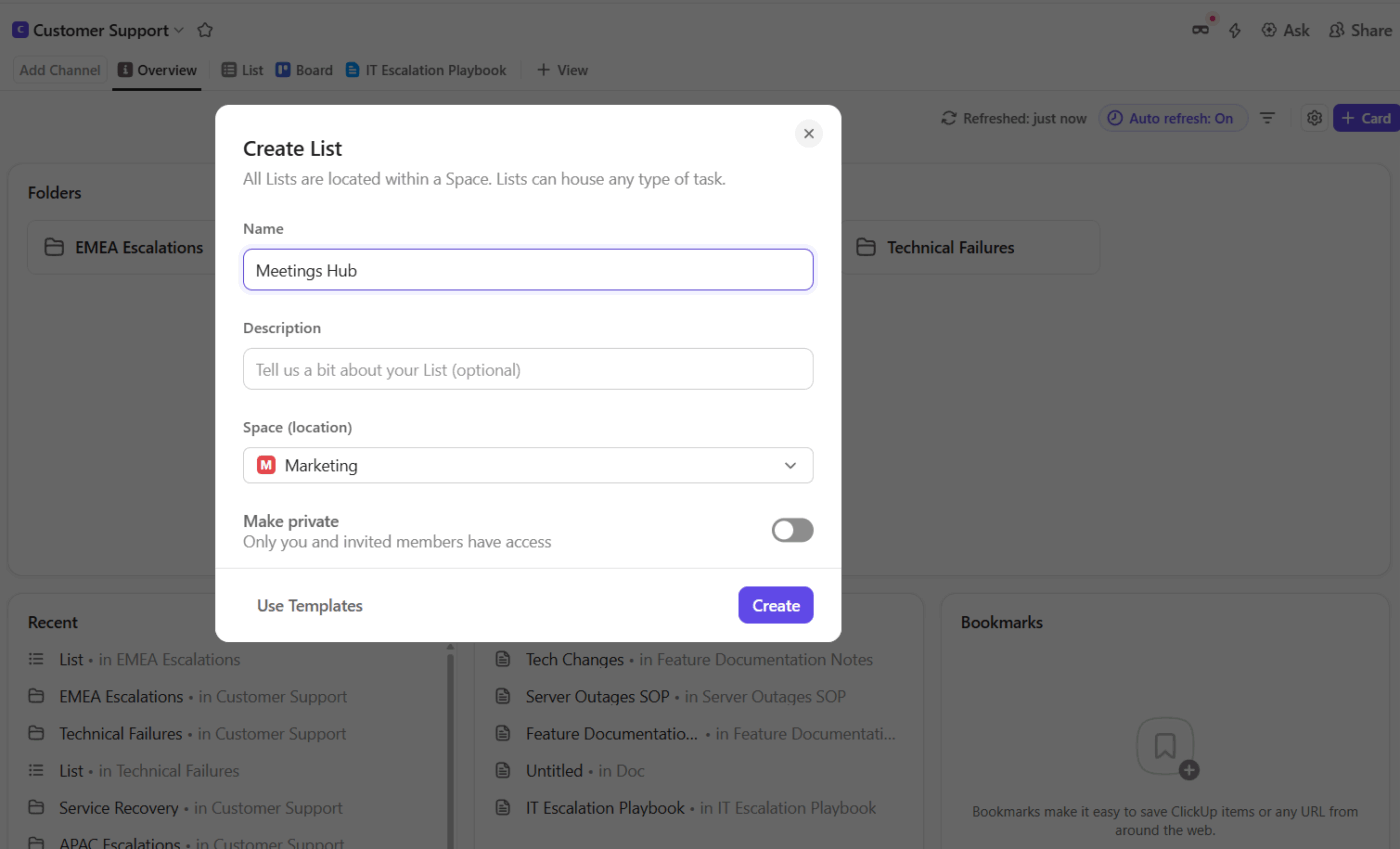
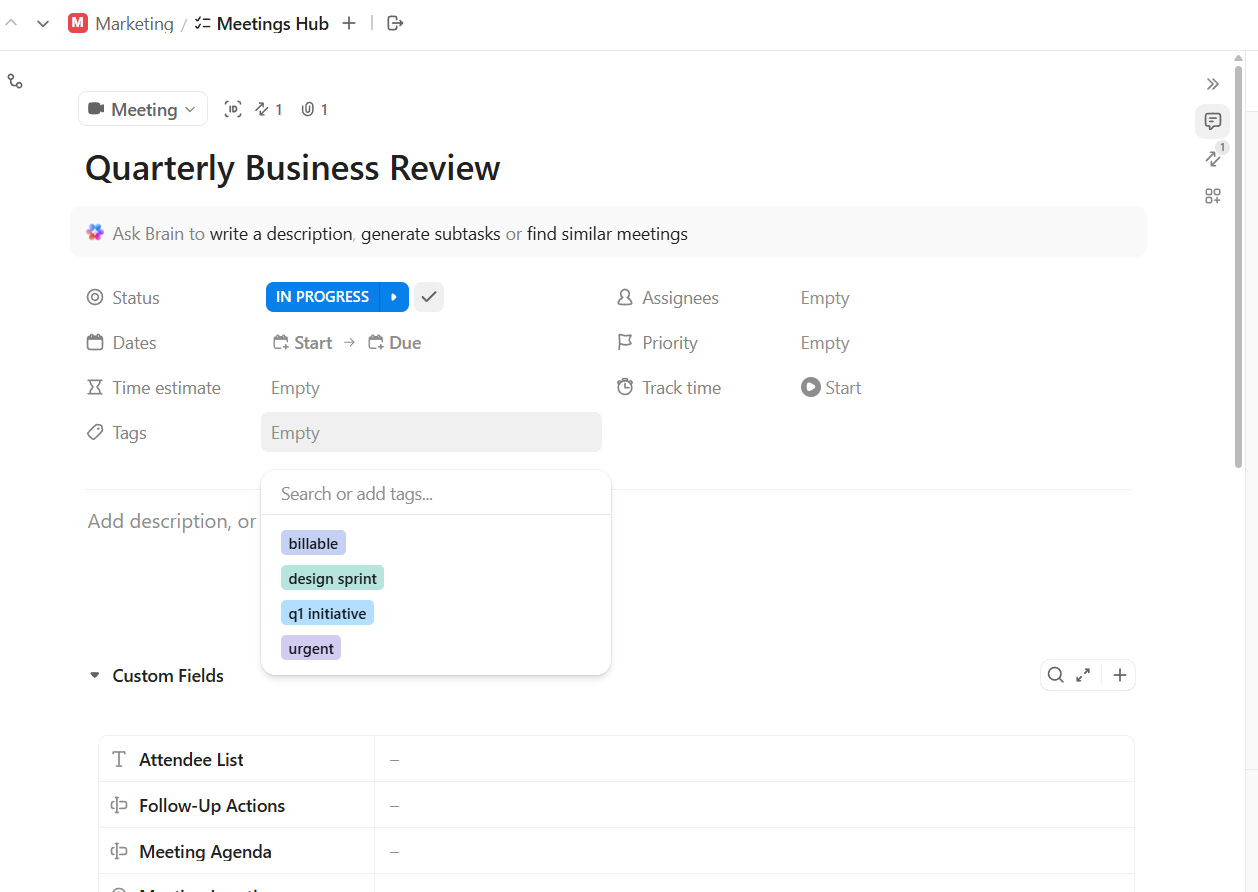
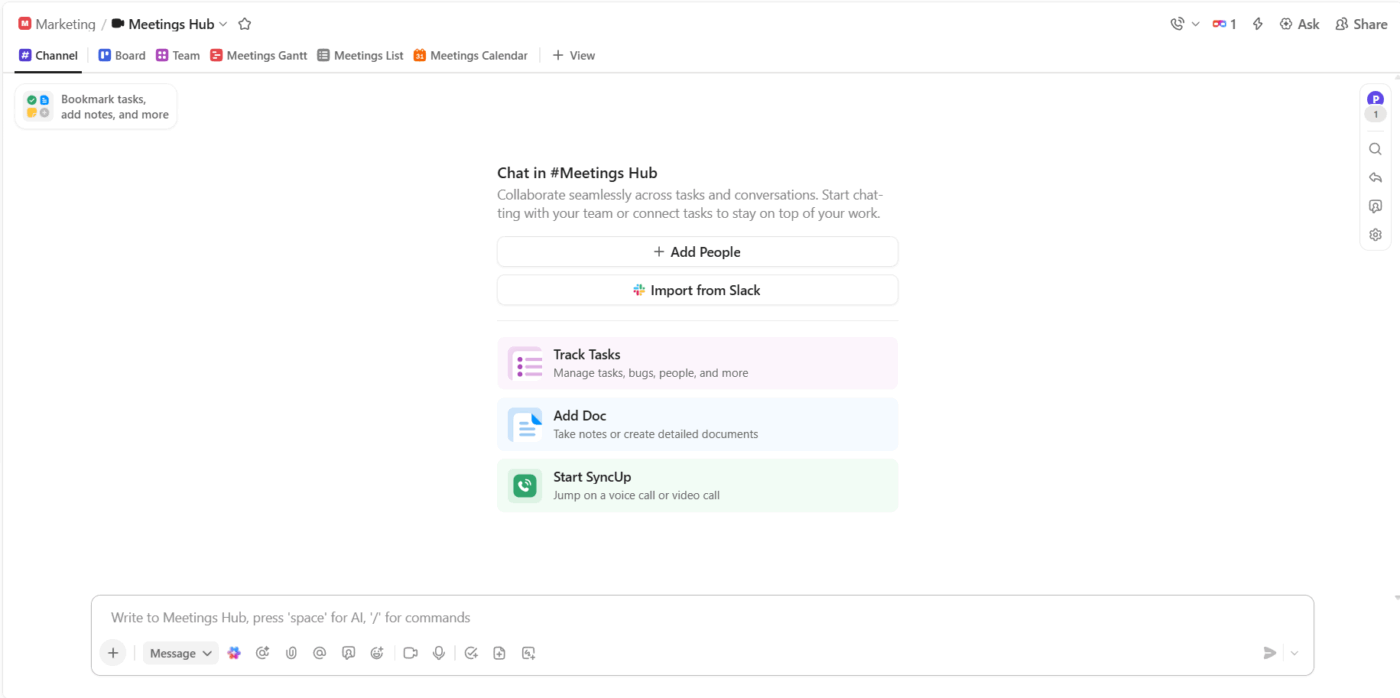
Create a Meetings Hub as your single source of truth for all meeting activity, making it easy to find agendas, notes, and follow-ups.
To create a Meetings Hub in your ClickUp workspace:
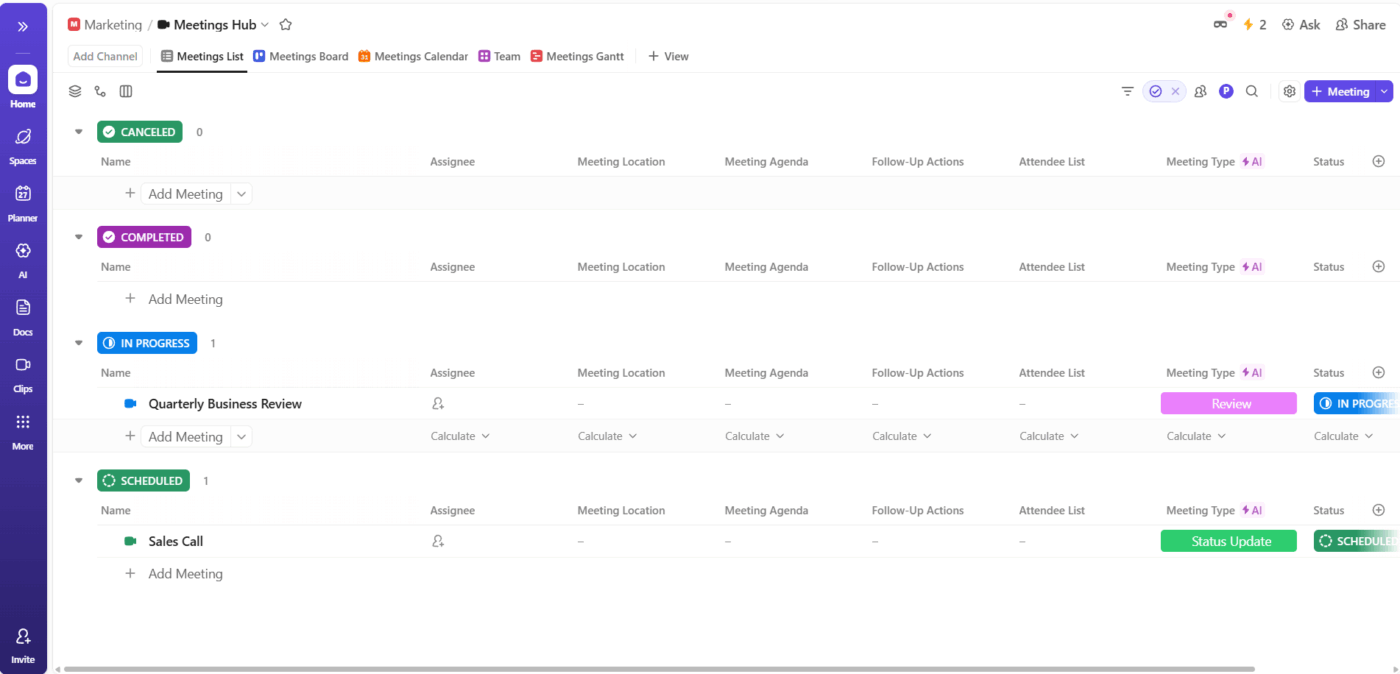
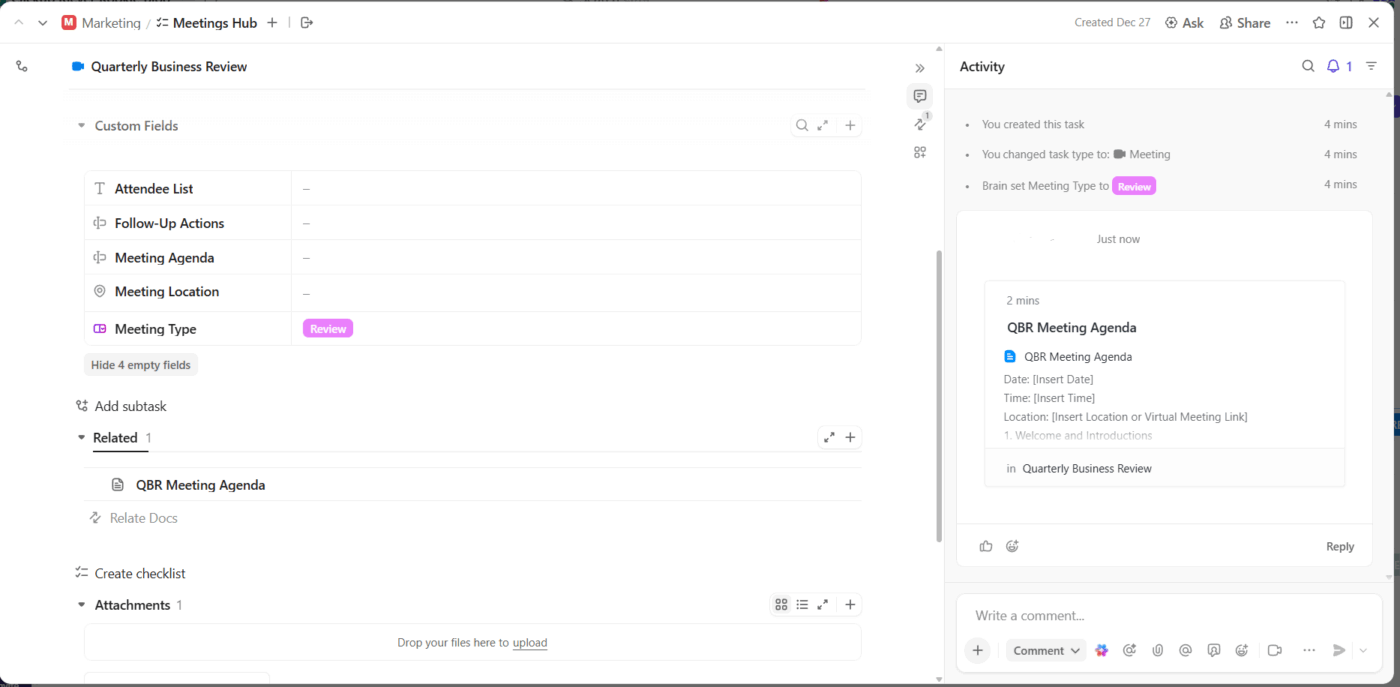
🔍 Did You Know? In the late 20th century, the number of meetings attended by the average employee doubled. Executives were spending nearly 23 hours per week in meetings by the 1990s, more than a full workday just talking to others rather than doing focused work.
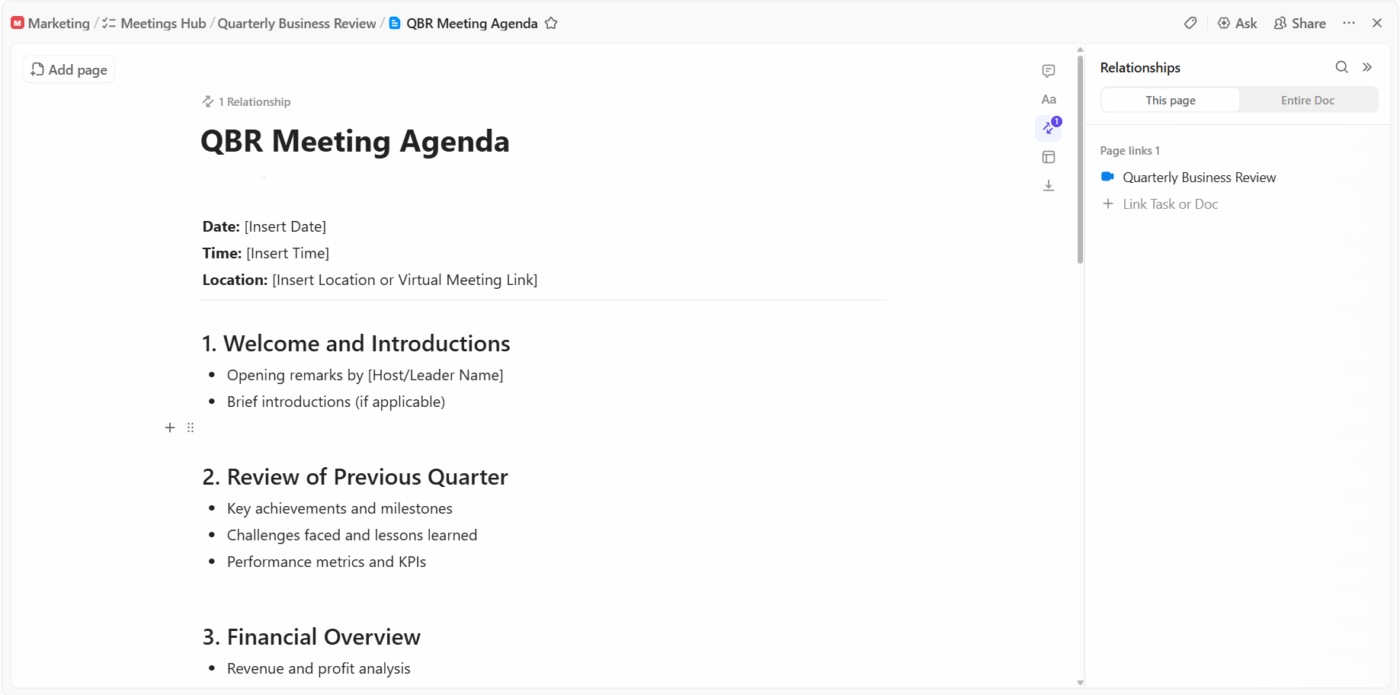
Collaborative meeting agendas ensure everyone arrives prepared and aligned, saving time and surfacing key topics early. ClickUp Docs makes it easy for all attendees to contribute before the meeting starts.
To plan your agenda:
🔍 Did You Know? Some of psychology’s first formal organizations literally started in meetings. For example, the Psychonomic Society was founded in Chicago in 1959 when a small group of experimental psychologists gathered to share research.
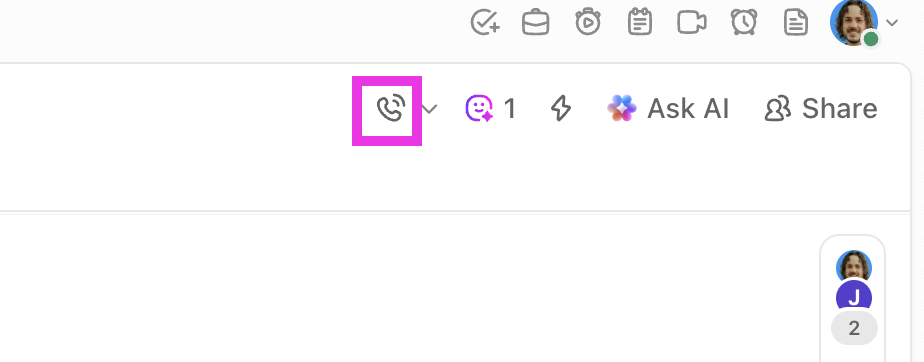
ClickUp SyncUps allow your team to meet in real time, right inside the task management software, so context and collaboration stay together. This is ideal for standups, brainstorming, or any meeting where live discussion is valuable.
To run a live meeting:
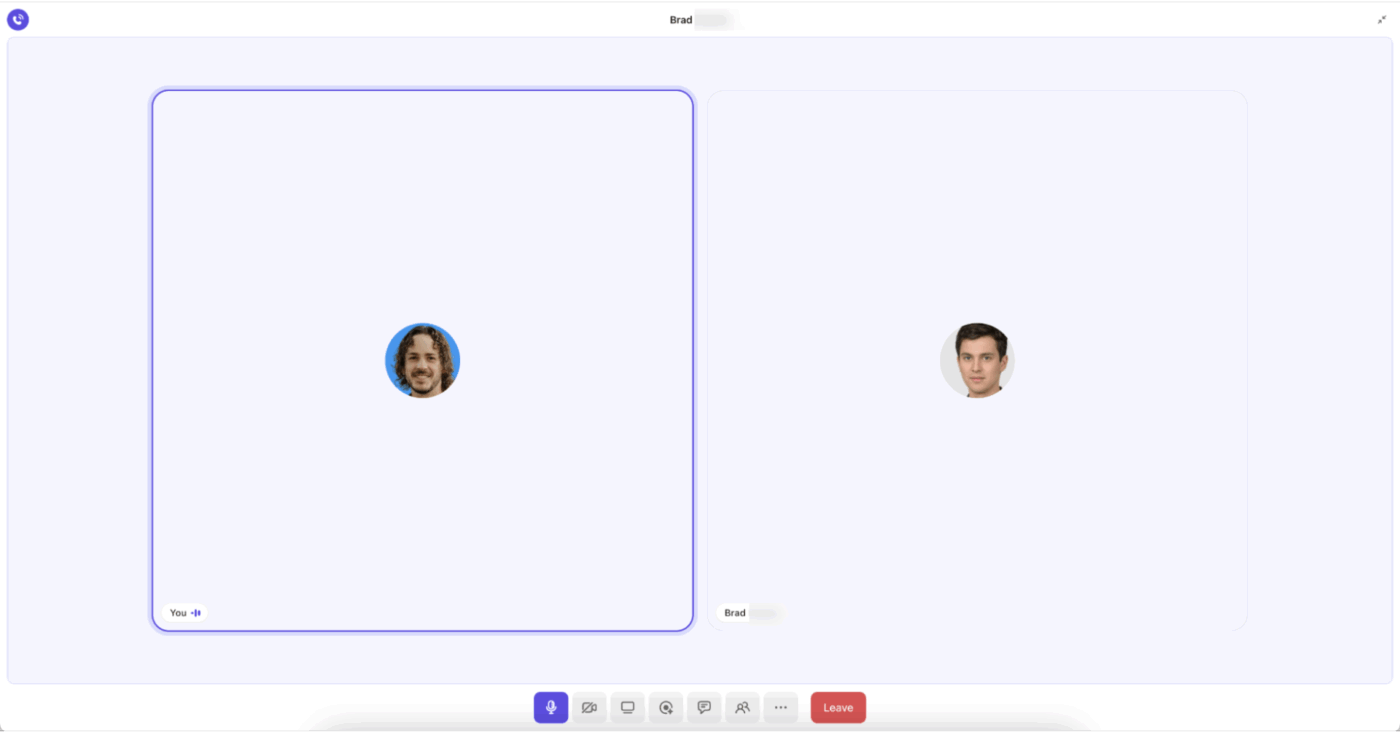
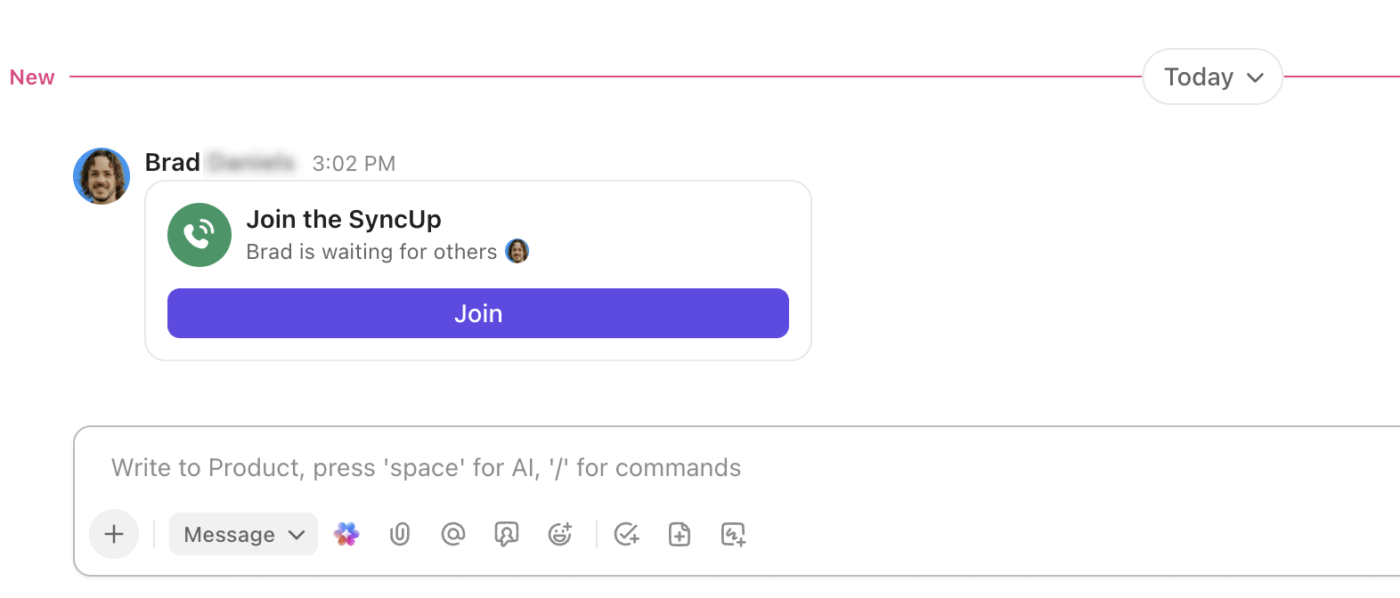
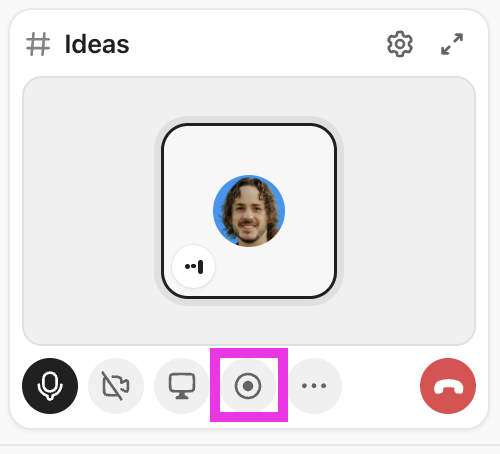
💡 Pro Tip: If you’re running a meeting in an external conferencing tool like Zoom or Google Meet, ClickUp’s AI Notetaker ensures no detail is missed. It frees you to participate fully by automatically creating a comprehensive record of your meeting.
To use the AI Notetaker:
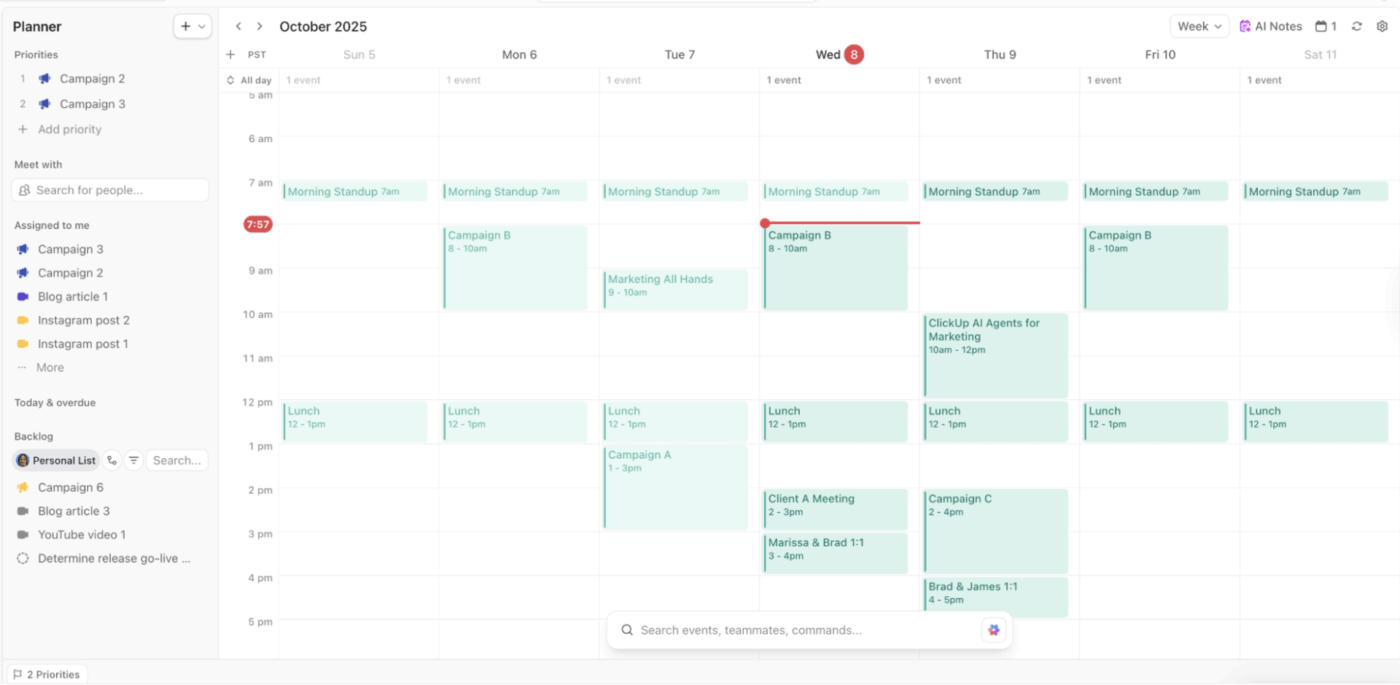

🤩 Bonus: Use ClickUp Brain to ask questions about your meeting notes or get summaries so you can quickly extract insights!
🎥 Watch this video to learn how AI supports meeting notes:
Meetings only drive progress when outcomes become action. ClickUp makes it seamless to assign and track every decision.
To turn outcomes into action:
For recurring meetings, review previous action items at the start of each session to maintain continuous progress.
🔍 Did You Know? Medieval trade fairs weren’t just for buying and selling goods. They were large gatherings where merchants exchanged information, built networks, and coordinated commerce across regions, foreshadowing modern business conferences and collaborative environments.
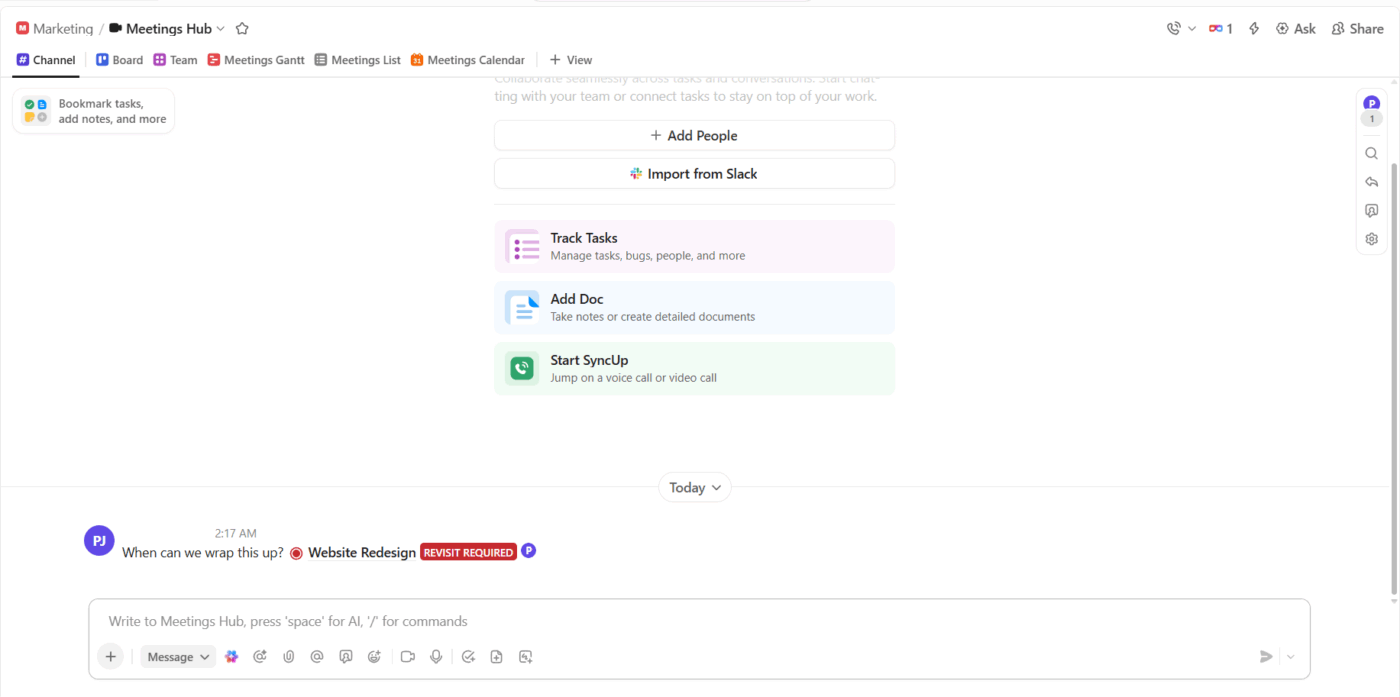
Not every discussion needs a live call. Async meetings keep work moving without calendar congestion, letting everyone contribute on their own schedule.
To run an async meeting in ClickUp:
ClickUp Brain helps you instantly extract value from your meeting content by summarizing discussions, highlighting decisions, and surfacing action items. This means you spend less time recapping and more time moving work forward.
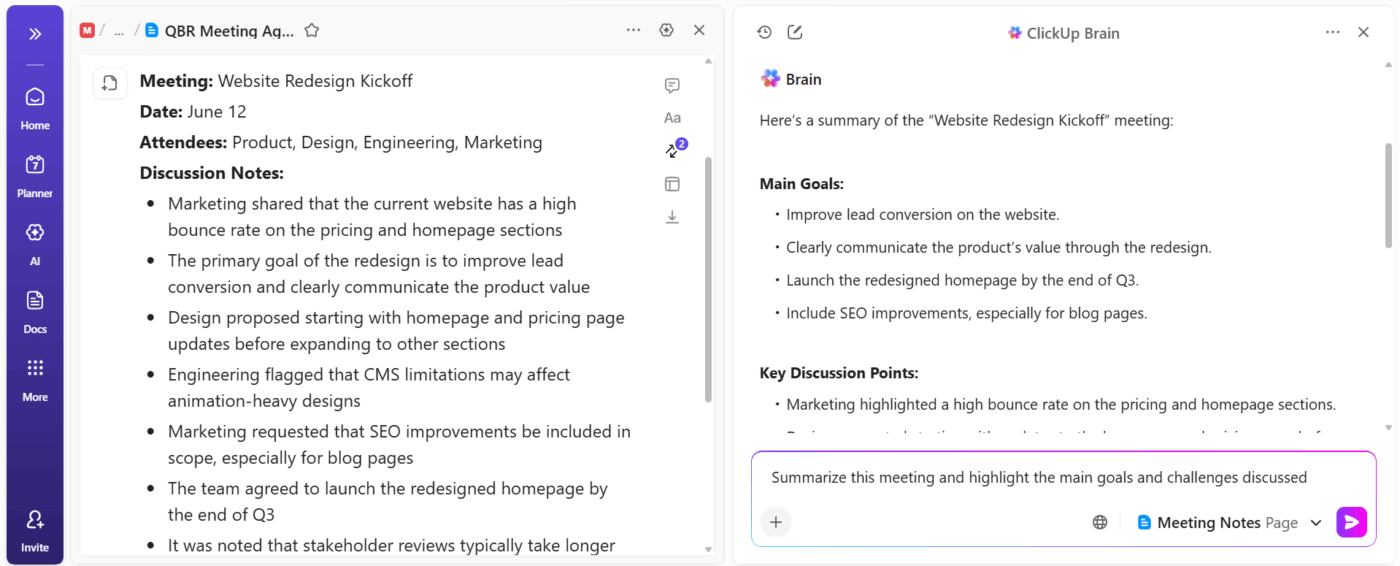
For example, after a project kickoff call, you open ClickUp Brain and share the meeting notes Doc. You ask ClickUp Brain to summarize the discussion and extract all decisions made.
In seconds, you get a concise summary and a list of next steps, which you can share with your team or convert into Tasks. This ensures everyone is aligned and nothing is missed, even if some team members couldn’t attend.
📌 Example prompts:
ClickUp BrainGPT, the standalone AI desktop app, gives you advanced, conversational AI that can analyze complex meeting content, answer nuanced questions, and connect information across your workspace and the web. This unlocks deeper understanding and faster decision-making.
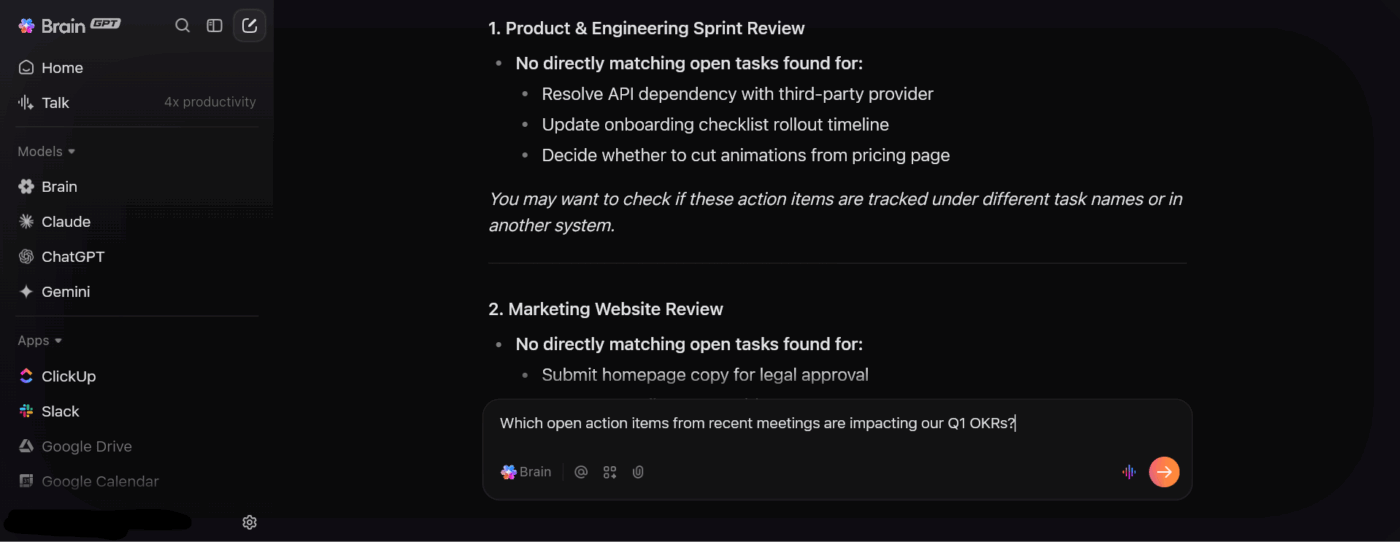
During a quarterly review, you need to understand how recent meetings relate to your team’s OKRs. You launch ClickUp BrainGPT and ask, ‘Which action items from last month’s meetings are still open and impact our Q1 goals?’
BrainGPT searches across your docs, tasks, and connected apps, then provides a targeted list. This helps you prioritize follow-ups and keeps your team focused on what matters most.
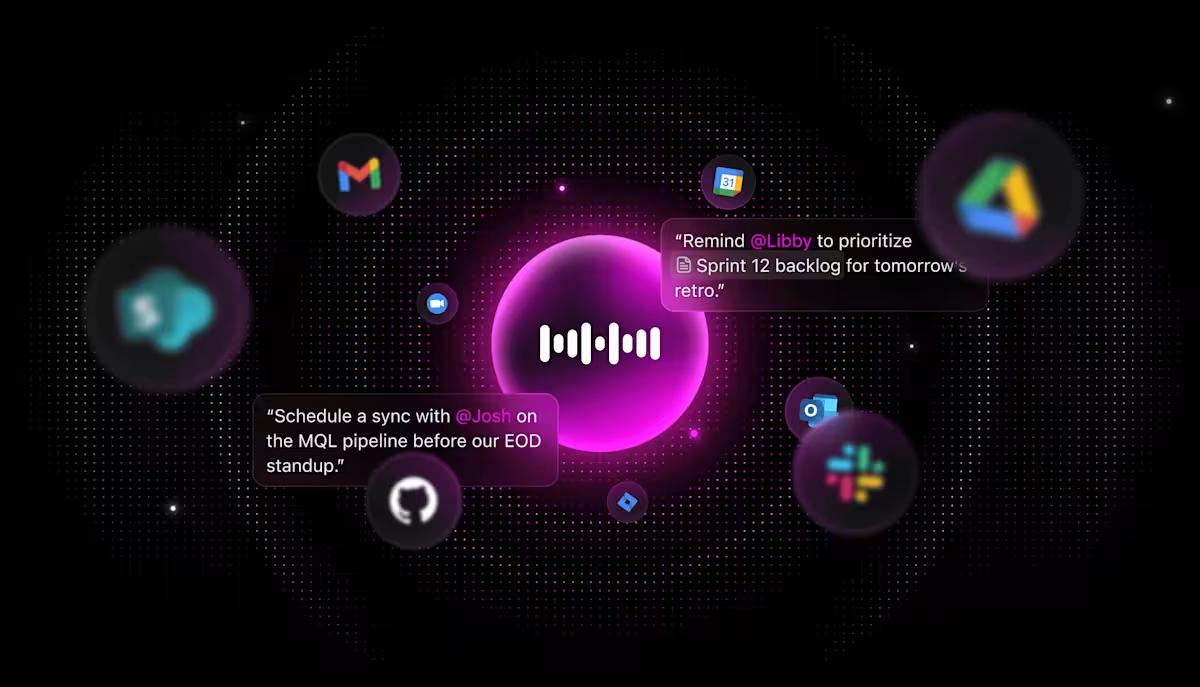
💡 Pro Tip: Capture ideas and actions on the fly with ClickUp Talk to Text in BrainGPT. It lets you dictate action items and follow-up messages, making it easy to capture valuable information without interrupting the flow of conversation.
ClickUp’s Super Agents are AI-powered teammates that can automate repetitive meeting workflows, such as sending follow-up emails, creating tasks from decisions, or escalating issues.
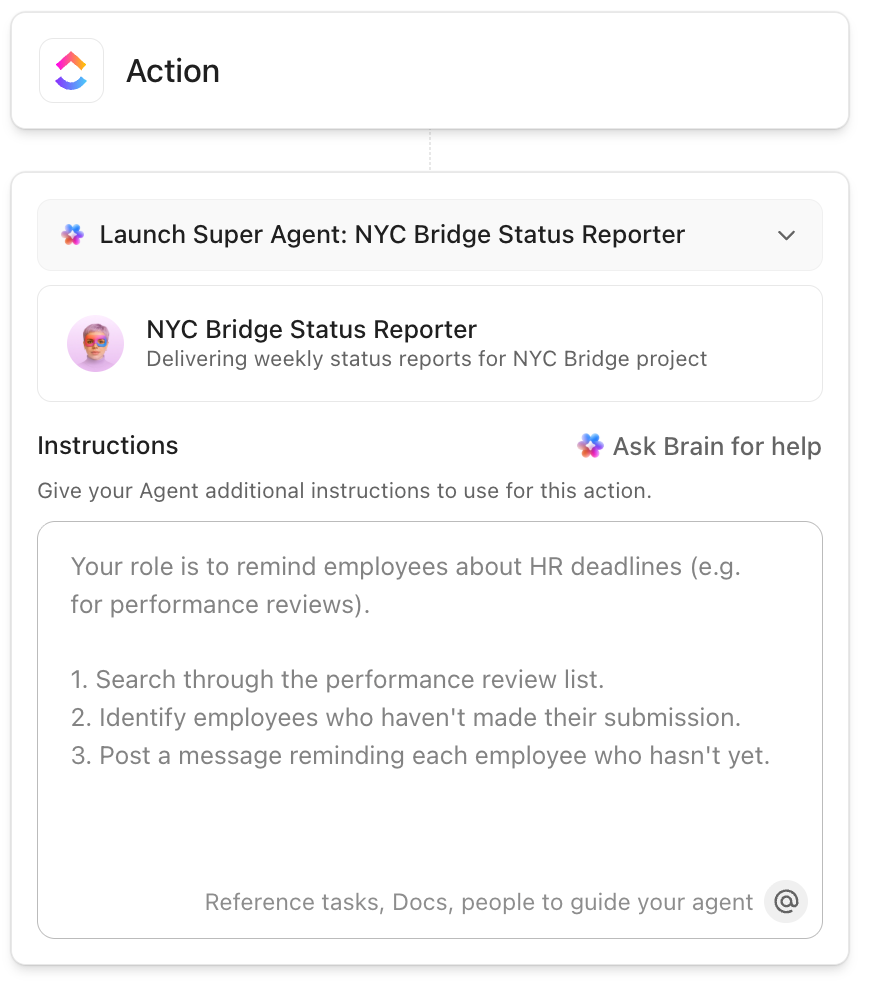
After a client status meeting, your Super Agent can:
This simplified workflow automation means your team spends less time on admin and more time delivering value to clients.
🔍 Did You Know? The idea of meetings as a commercial force began in Detroit in 1896, when local business leaders recognized that conventions and organized gatherings generated significant economic impact through travel, hotel stays, dining, and local commerce. This realization helped birth the professional MICE (Meetings, Incentives, Conferences, Exhibitions) industry.
Running effective meetings in ClickUp demands a strategic approach to planning, execution, and follow-up. Here are some best practices to try. 💁
Before scheduling anything, ask yourself: What decision needs to be made, or what problem needs solving?
Write this goal at the top of your ClickUp Doc so everyone knows why they’re there. When people understand the purpose upfront, they come prepared, and the conversation stays focused.
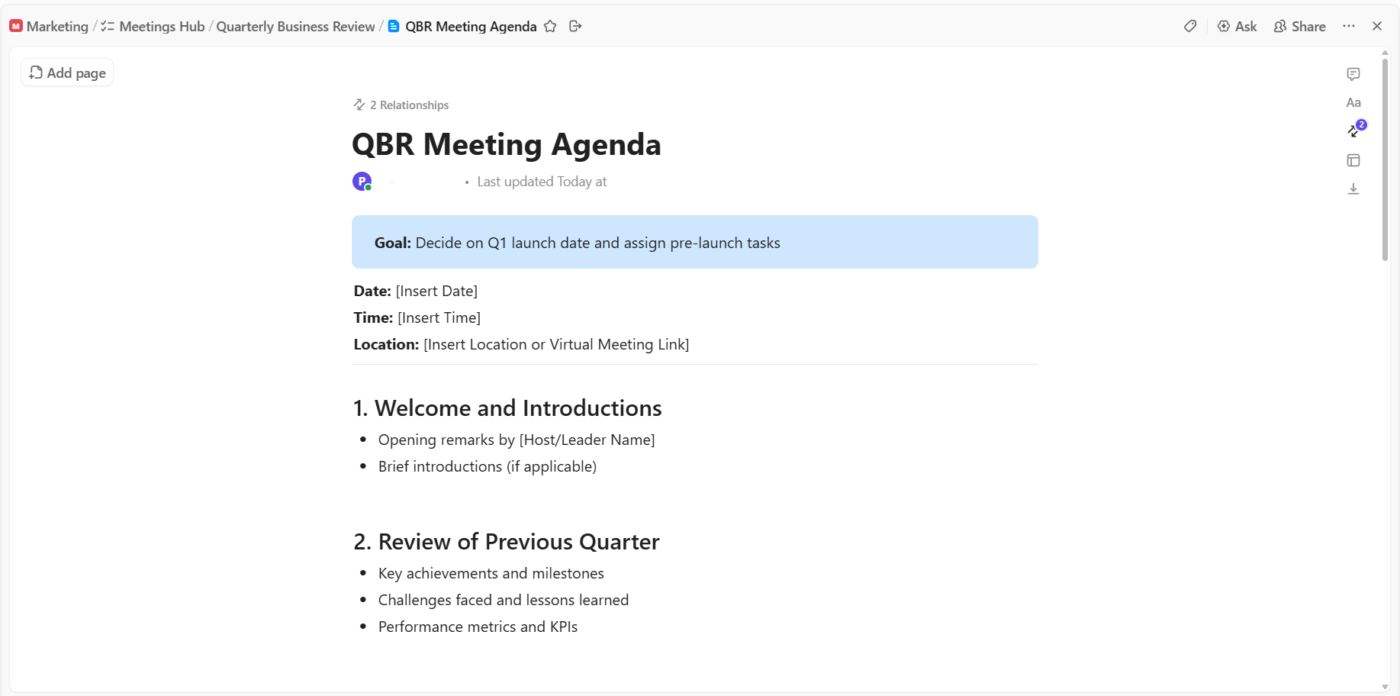
Vague meetings waste everyone’s time. Instead of ‘Discuss project updates,’ try ‘Decide on Q1 launch date and assign pre-launch tasks.’ The latter has a clear finish line.
If your weekly standup is scheduled for 30 minutes but consistently runs 45, you’ve got a problem. Maybe you’re covering too much, or maybe certain topics need their own separate meetings.
Respect your team’s time by starting and ending punctually, and use ClickUp Reminders to keep discussions on track throughout the meeting.
The meeting’s over, but your job isn’t done yet.
Within one day, review your meeting Doc, clean up any messy notes, and ensure all tasks are properly assigned with clear descriptions. Send a quick message in ClickUp Chat or comments tagging everyone who has action items, with a simple, ‘Here’s what we’re all working on from yesterday’s meeting.’
This is also where a Super Agent can step in to handle the follow-up workflow end-to-end.
This keeps momentum going and prevents the dangerous assumption that ‘someone else will handle it.’ Quick follow-up is the difference between productive meetings and meetings that accomplish absolutely nothing.
A real-life ClickUp user shares their thoughts on Reddit:
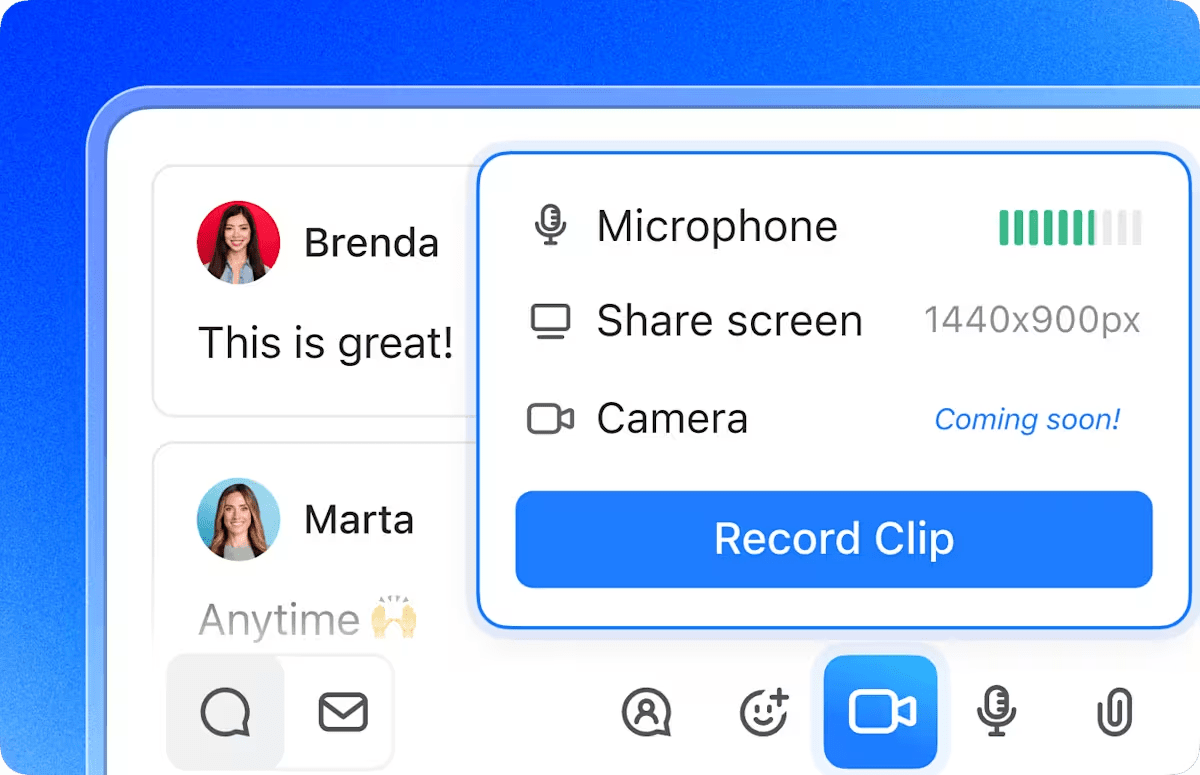
I find myself using ClickUp Clips almost daily now—it’s just easier to show someone what I mean with a quick screen recording than trying to explain it in text. And since it transcribes everything, I can actually find what I need later without digging through folders.
Their Docs system has quietly replaced most of our Google Docs work. Everything just flows better when our documentation lives in the same place as our projects. The team adapted to it faster than I thought they would.
I was on the fence about ClickUp Brain at first, it just seemed like another AI gimmick. But it’s saved me from some tedious writing tasks, especially when I need to summarize lengthy client emails or get a draft started…
The AI notetaker feature was the real surprise. We used to lose so many action items after meetings, but now it catches everything and assigns tasks automatically. Follow-through has gotten noticeably better.
Here are some common traps productive teams fall into when managing meetings in ClickUp, and what to do instead.
| Common mistake | Problem | ClickUp becomes cluttered, and people start ignoring notifications |
| Treating meeting notes as ‘final’ instead of living documents | Important context, links, and decisions never get updated after the meeting ends | Revisit the same ClickUp Doc or Task each meeting and update it so it becomes an ongoing record |
| Creating meeting tasks without linking them to real work | Action items live in isolation and never connect to projects or sprints | Link meeting tasks to related Lists, epics, or Docs so work is traceable |
| Turning all discussion points into multiple tasks | ClickUp becomes cluttered and people start ignoring notifications | Create tasks for the most important outcomes, decisions, and action items. Keep brainstorming inside task comments or Docs |
| Overusing @mentions during meetings | People become notification blind and start muting ClickUp | Reserve @mentions for owners and decision-makers within the project management tool |
| Treating meeting time and async updates the same | Discussions that could be async end up wasting meeting time | Use comments and ClickUp Clips for async updates, reserve meetings for decisions and blockers |
| Not integrating ClickUp with calendar tools | Meetings and ClickUp tasks live in two separate worlds | Sync Google Calendar or Outlook so events display in your Planner, search results, and Calendar views. |
Running meetings gets a lot easier when you’re not starting from a blank page each time. Try these ready-to-use productivity templates from ClickUp to handle the structure, so you can focus on the discussion itself. 🗓️
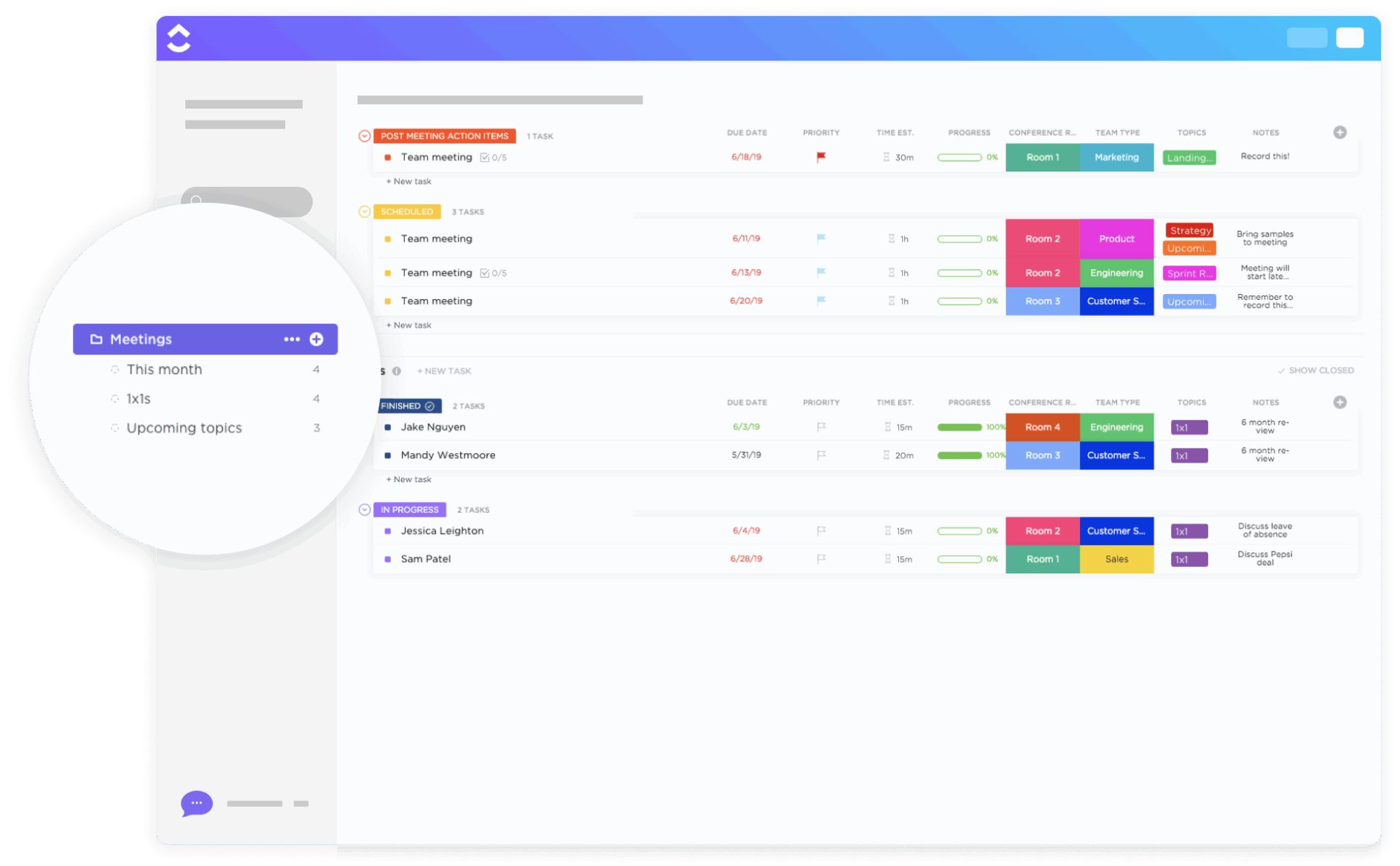
The ClickUp Meetings Template is designed to streamline the planning, execution, and follow-up of all types of meetings, making team collaboration more productive and organized. It provides a centralized system where teams can prepare agendas, track action items, and monitor progress, ensuring that every meeting is purposeful and aligned with organizational goals.
Additionally, the template comes with a ready-to-use folder structure to organize all your meeting materials and processes from the start.
🧠 Fun Fact: The very first conference call happened in 1915, when AT&T connected people in New York, San Francisco, and Washington, D.C. Audio conferencing thrived early because it piggybacked on existing phone networks.
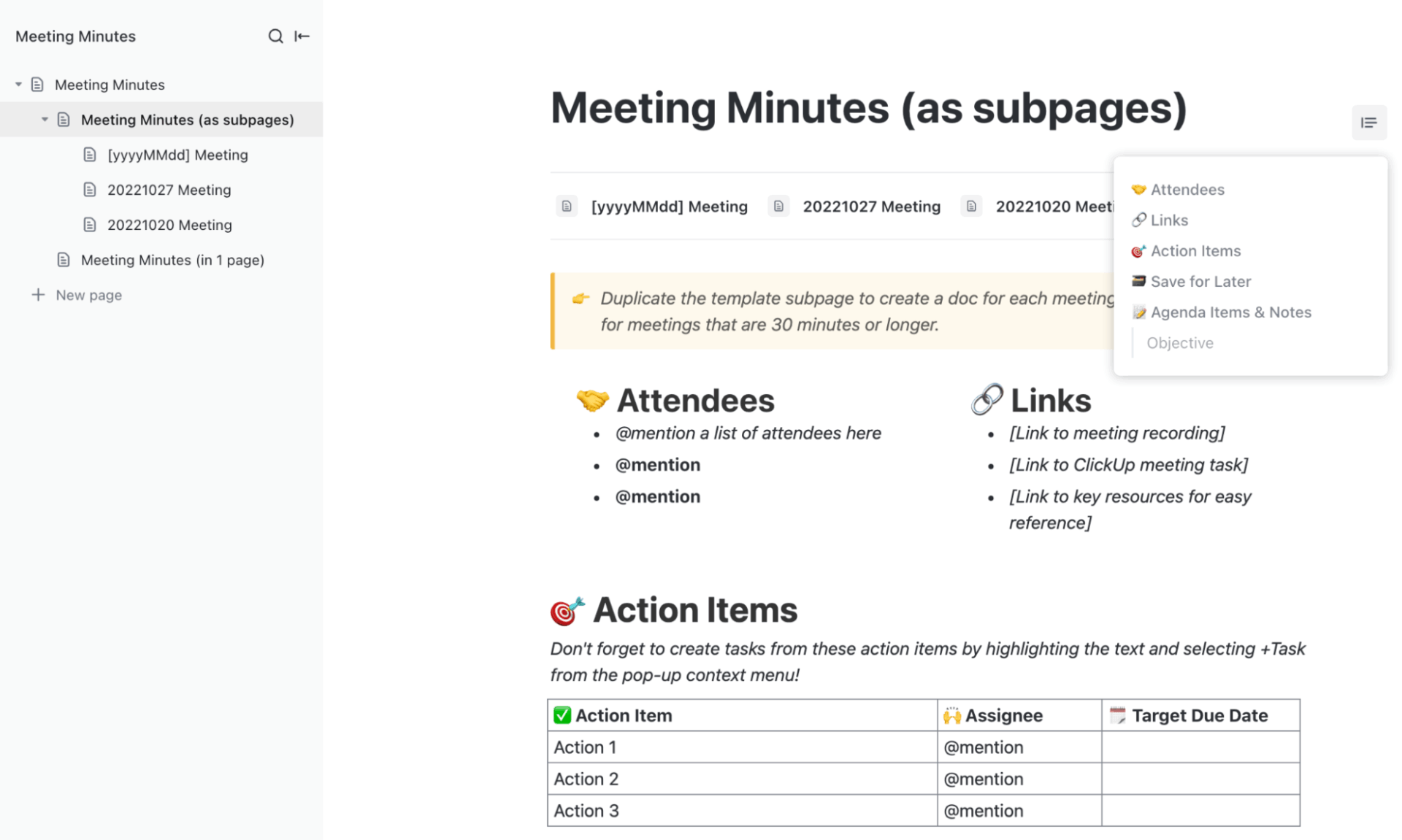
The ClickUp Meeting Minutes Template makes documenting meeting discussions, decisions, and action items efficient and straightforward. Its main purpose is to provide a structured framework for organizing attendees, agendas, and follow-up tasks, ensuring that all key points and outcomes are clearly recorded and easily accessible for stakeholders.
This template is set up as a collaborative ClickUp Doc that provides a comprehensive outline for summarizing meetings. It includes pre-built pages for organizing teams, capturing individual meeting notes, and providing instructions to help users get the most out of the template.
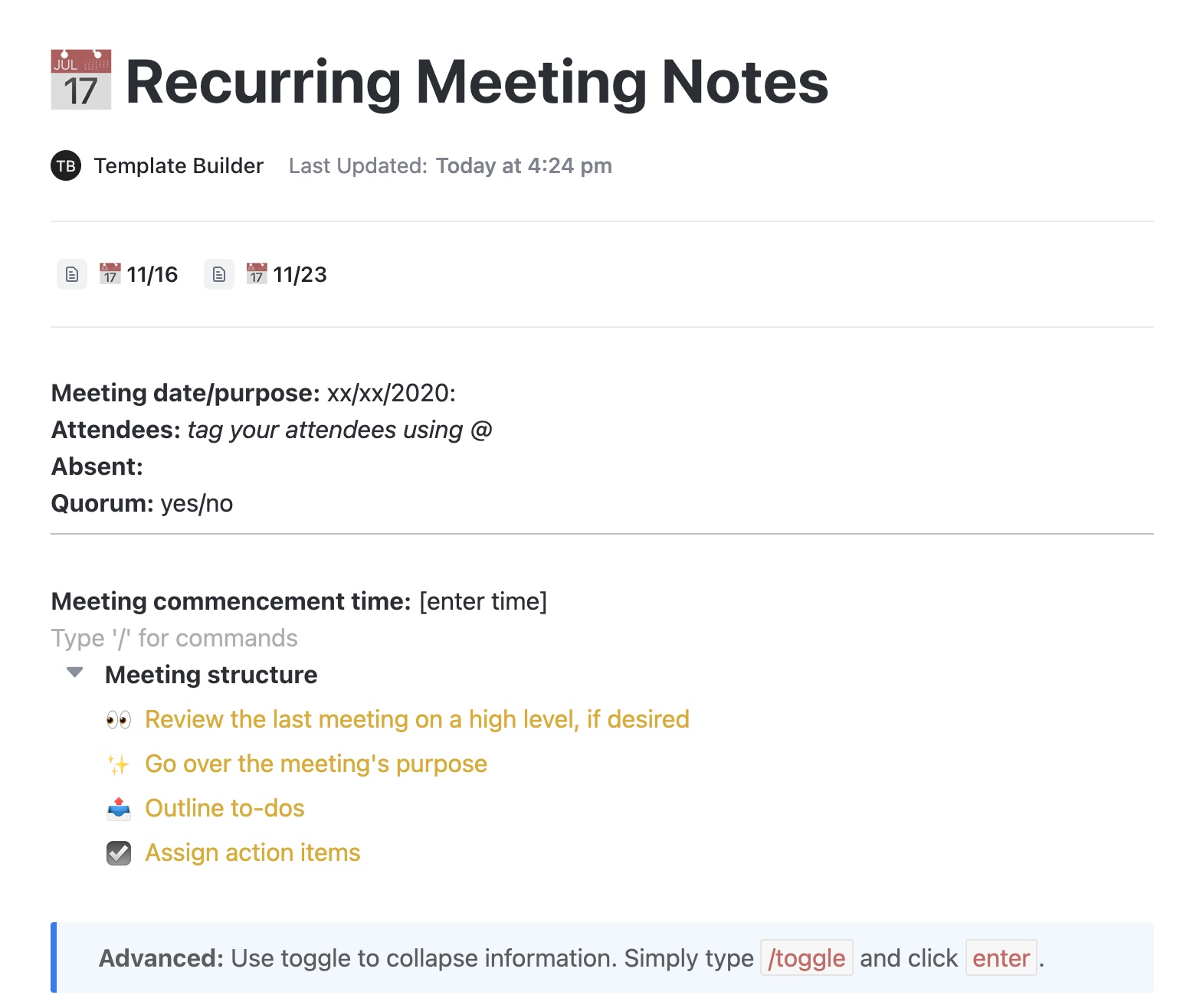
The ClickUp Recurring Meeting Notes Template helps teams efficiently document and organize regular meetings. It tracks ongoing discussions, decisions, and action items to capture important information and keep it accessible for future reference. This template is structured to support thorough meeting and process documentation.
It includes clearly labeled sections for:
🔍 Did You Know? While AT&T’s Picturephone wowed audiences in the 1960s, it was expensive, bandwidth-hungry, and impractical for most businesses. It wasn’t until the late 1980s and 1990s, when video compression improved and enterprise costs dropped, that video meetings became commercially viable.
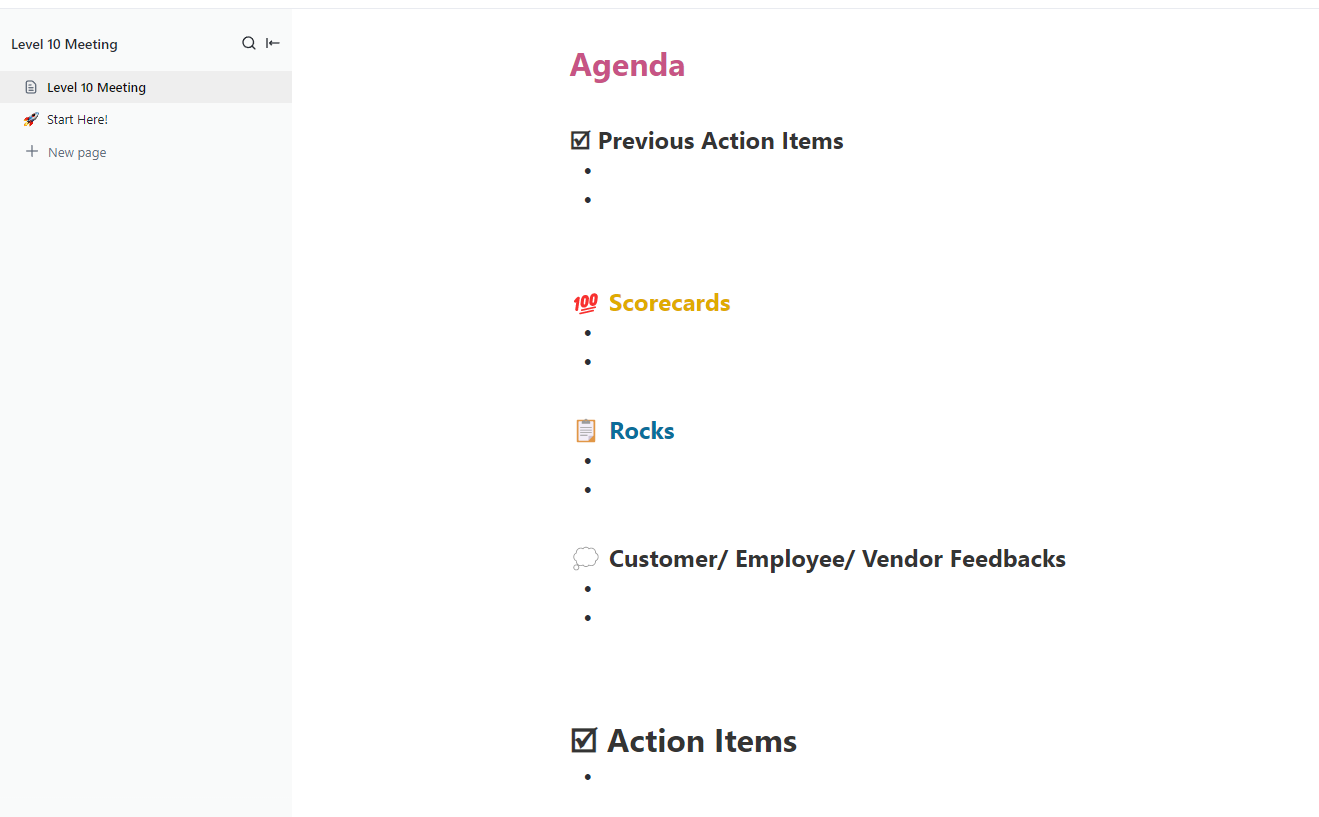
The ClickUp Level 10 Meeting Template facilitates highly structured and productive leadership meetings. Its main purpose is to keep teams aligned on weekly, monthly, and quarterly goals, maintain transparency, and ensure everyone is updated and accountable in real time.
The main page centers on a big Agenda heading. Under it, the meeting is organized into clearly defined sections:
🎥 Learn how to run an effective Level 10 meeting:
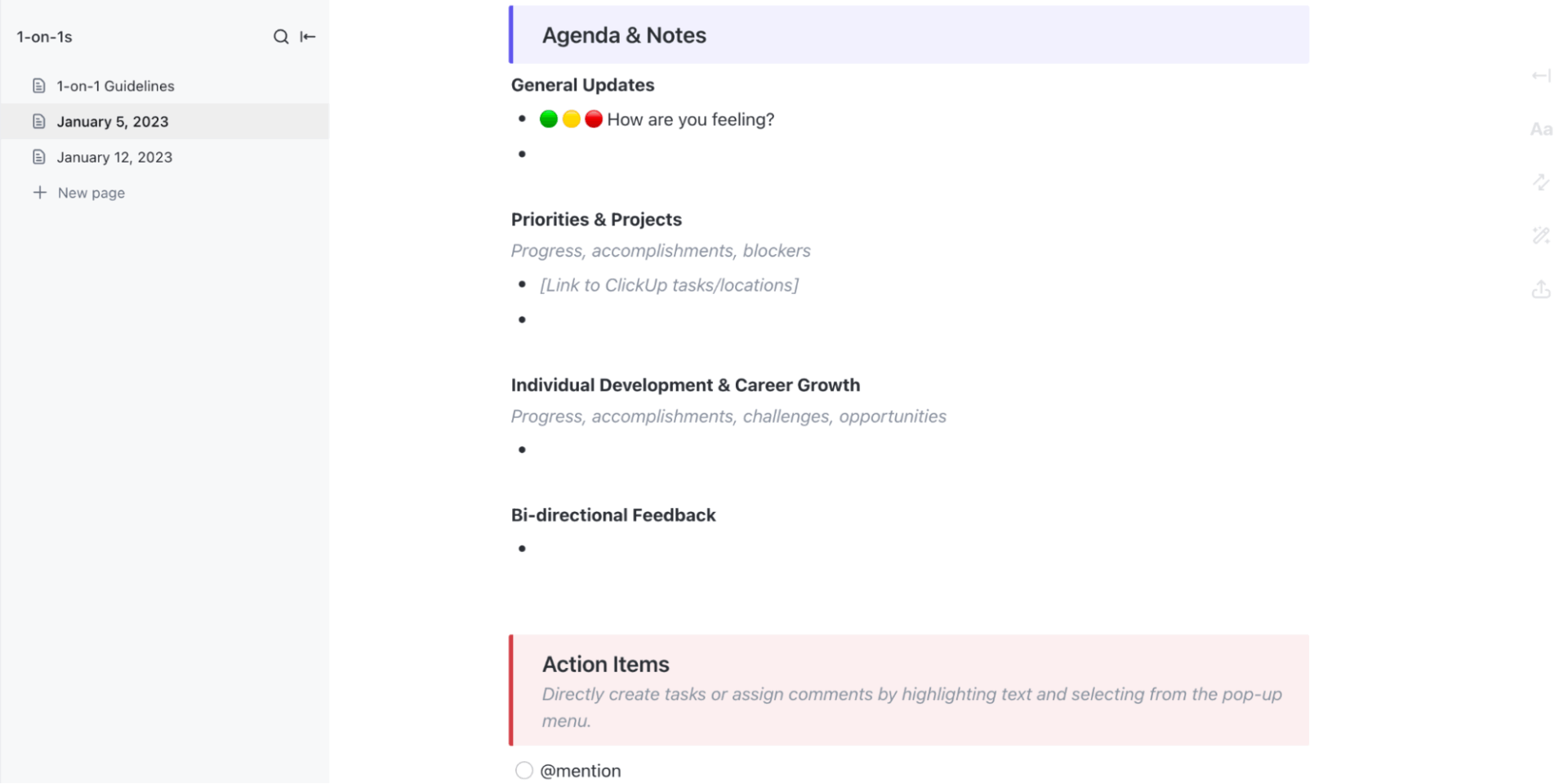
The ClickUp 1-on-1s Template makes one-on-one meetings between managers and team members more organized and effective. Its primary purpose is to facilitate clear communication, align on goals and priorities, and ensure actionable feedback is captured and followed up on.
The Meeting Expectations section breaks the process into three simple stages:
Inside each dated meeting page, sections guide the conversation: how the employee is feeling, current projects and priorities, growth and development topics, and two-way feedback.
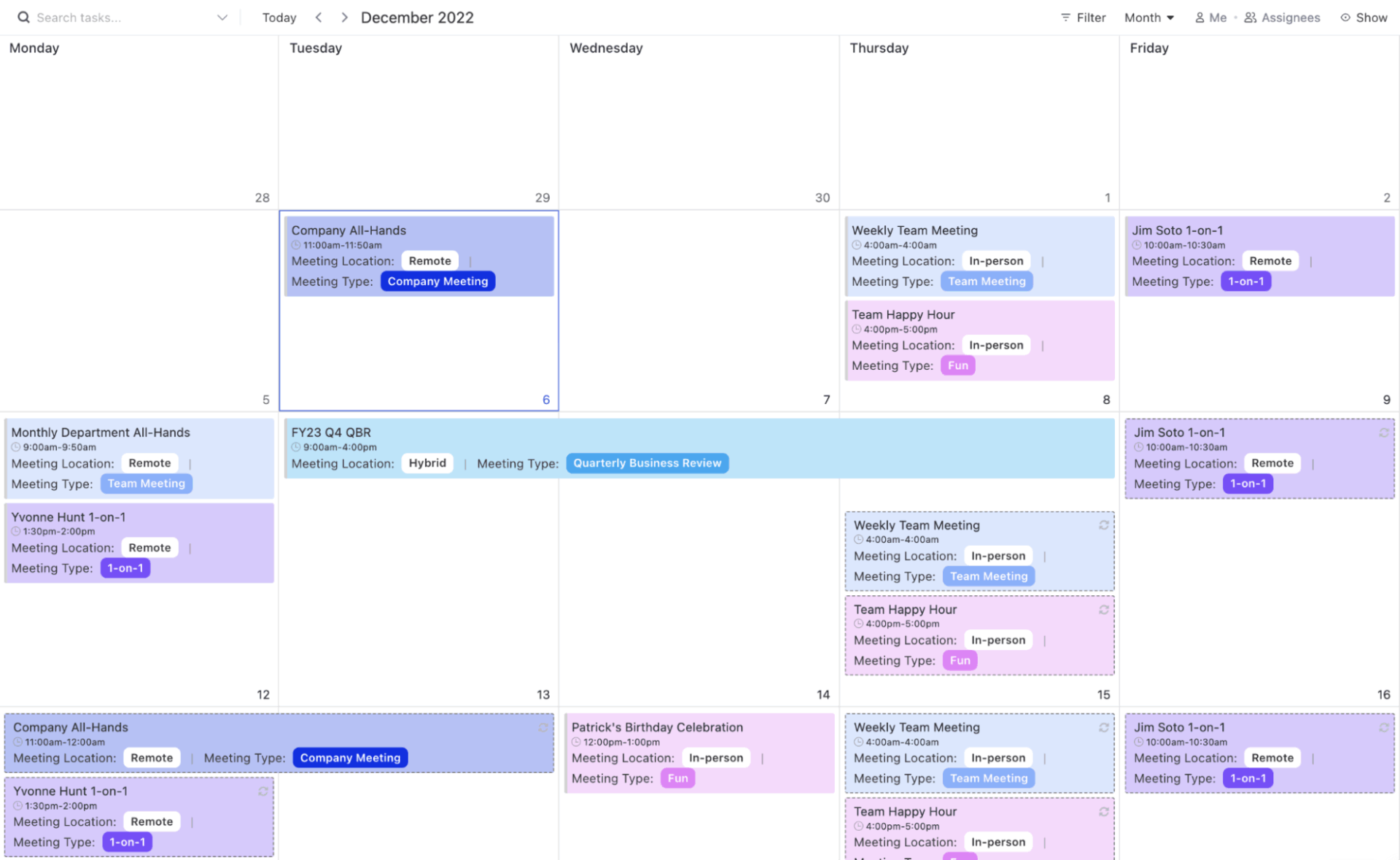
The ClickUp Meeting Tracker Template efficiently centralizes agendas, notes, action items, and follow-up tasks. It ensures that all meeting-related information is organized and easily accessible in one place.
The template is structured in a List and includes ClickUp Custom Task Statuses to track the progress of each meeting: Open, In Progress, and Closed. It also features Custom Fields to capture essential meeting details, such as Meeting Type, Meeting Location, Timekeeper, Notetaker, and Leader.
Most meetings end with good intentions and zero follow-through. Someone volunteers to handle that thing, another person agrees to check in on the other thing, and everyone leaves feeling productive. Two weeks later, nothing happened because those commitments lived in someone’s notebook.
ClickUp fixes this by turning conversations into trackable work without extra steps.
SyncUps let you share ideas without leaving your workspace, while the AI Notetaker captures every detail automatically when you’re focused on the discussion. ClickUp Brain extracts action items and decisions instantly. Tasks get assigned, linked to projects and due dates, and monitored alongside everything else your team already tracks.
Stop letting good conversations evaporate into thin air. Sign up for ClickUp today! ✅
Create a dedicated Meetings list or folder, use tasks for each meeting, and add agendas, attendees, and action items to each task or to an attached ClickUp Doc. Keep all meetings in the same structure so they’re easy to find later.
Yes. You can collaborate directly with team members in ClickUp via voice/video SyncUps. Additionally, you can use ClickUp Integrations with Zoom, Google Meet, and Microsoft Teams to join/schedule video meetings from your workspace.
Simply add the ClickUp AI Notetaker to your meeting, and all the notes will be captured in a ClickUp Doc for you.
Yes. ClickUp Brain can scan notes, suggest action items, next steps, and summaries, as well as create follow-up tasks.
Use a recurring Meeting Agenda or Team Meeting template in ClickUp Docs or Tasks. Set a task to recur weekly or monthly, so you reuse the same format each time.
Use async meetings when updates don’t need discussion, people are in different time zones, or decisions are minor. Use live meetings when decisions, brainstorming, or sensitive topics are involved.

© 2026 ClickUp

There’s an easier way. Try a free AI Agent in ClickUp that actually does the work for you—set up in minutes, save hours every week.