






Still downloading templates?
There’s an easier way. Try a free AI Agent in ClickUp that actually does the work for you—set up in minutes, save hours every week.
Sorry, there were no results found for “”
Sorry, there were no results found for “”
Sorry, there were no results found for “”
Choosing a project management tool comes down to one question: Do you need a simple task list to get through your day or a platform that consolidates all your work?
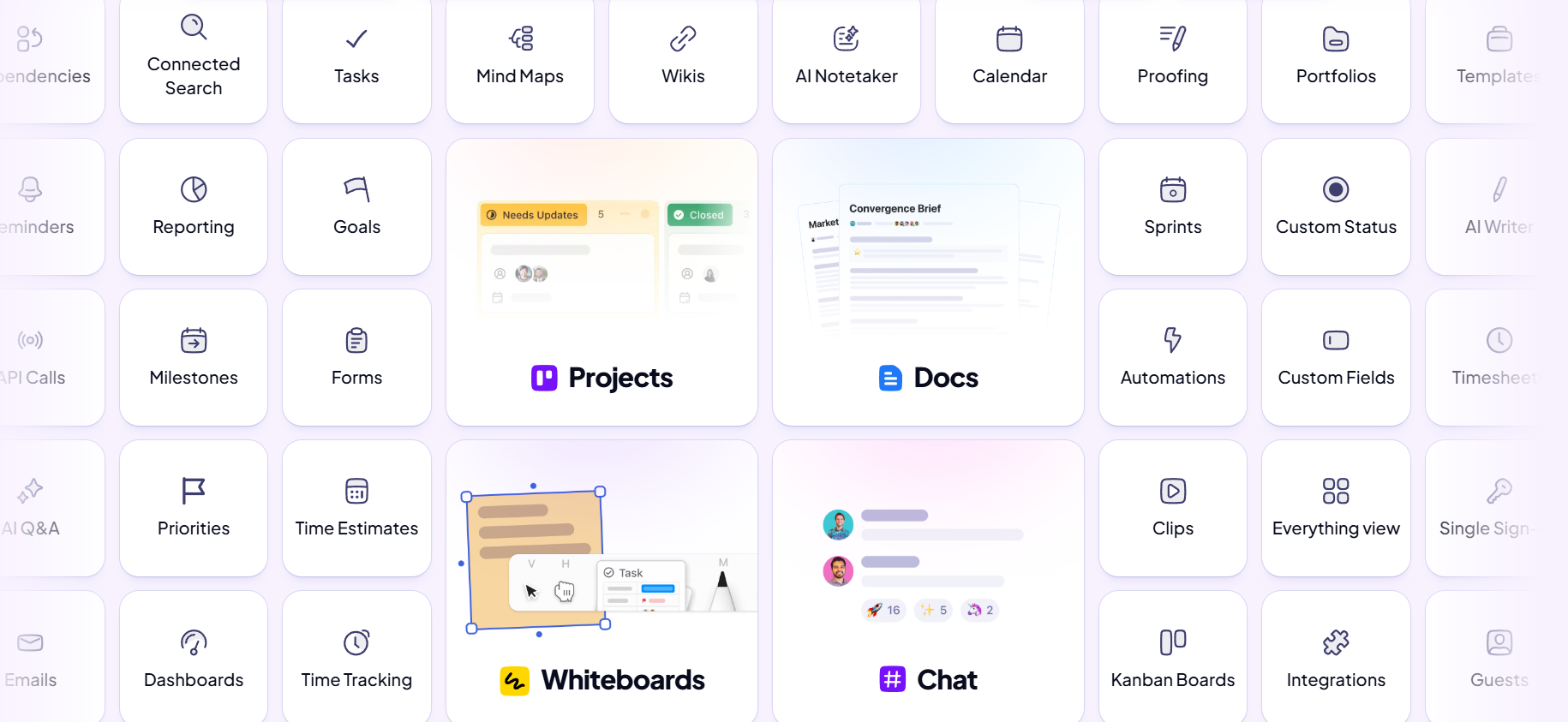
Hitask is a task manager designed for teams that need to organize assignments and shared calendars on a single screen. ClickUp is the world’s first Converged AI Workspace. That means it integrates your tasks, documents, whiteboards, and automations into one customizable workspace, powered by Contextual AI that knows your work.
The right choice between Hitask vs. ClickUp depends on whether your team needs a streamlined checklist or a scalable system for complex operations.
Here’s how they compare.
| Feature/category | ClickUp | Hitask |
| Team size | Teams of all sizes, from individuals to enterprises requiring a centralized hub for tasks, docs, and AI-driven operations | Small teams and individuals seeking a minimalist, single-screen task list |
| AI and automation | ClickUp Brain provides context-aware AI across tasks, docs, and chat with automated workflows via ClickUp Automations | Limited to basic recurring tasks; no native AI or advanced logic-based triggers |
| Task management | Hierarchical structure with Spaces, Folders, Lists, and Tasks plus ClickUp Custom Fields to capture details for any workflow | Flat task lists with basic subtasks and categories |
| Project views | 15+ project views, including List, Board, Gantt, Calendar, Timeline, and Table | Calendar view, list view, and basic Kanban boards |
| Time tracking | Native time tracking with Timesheets, Time Estimates, billable status, and automated capacity reporting—across the app, web, and extension | Built-in start/stop timer on tasks with fundamental time-spent summaries |
| Collaboration | Real-time collaboration in ClickUp Docs, ClickUp Chat, comments, and @mentions | Task comments, file sharing, and team calendar |
| Integrations | 1,000+ native integrations and a public API to automate data flow across your entire tech stack | Essential sync for Google Calendar and Outlook; lacks a public API for custom builds |
🔎 Did You Know? 53% of leaders say productivity must increase, yet 80% of the global workforce reports lacking the time or energy to do their job. This is because they’re tired of being interrupted by meetings, emails, or pings every 2 minutes.
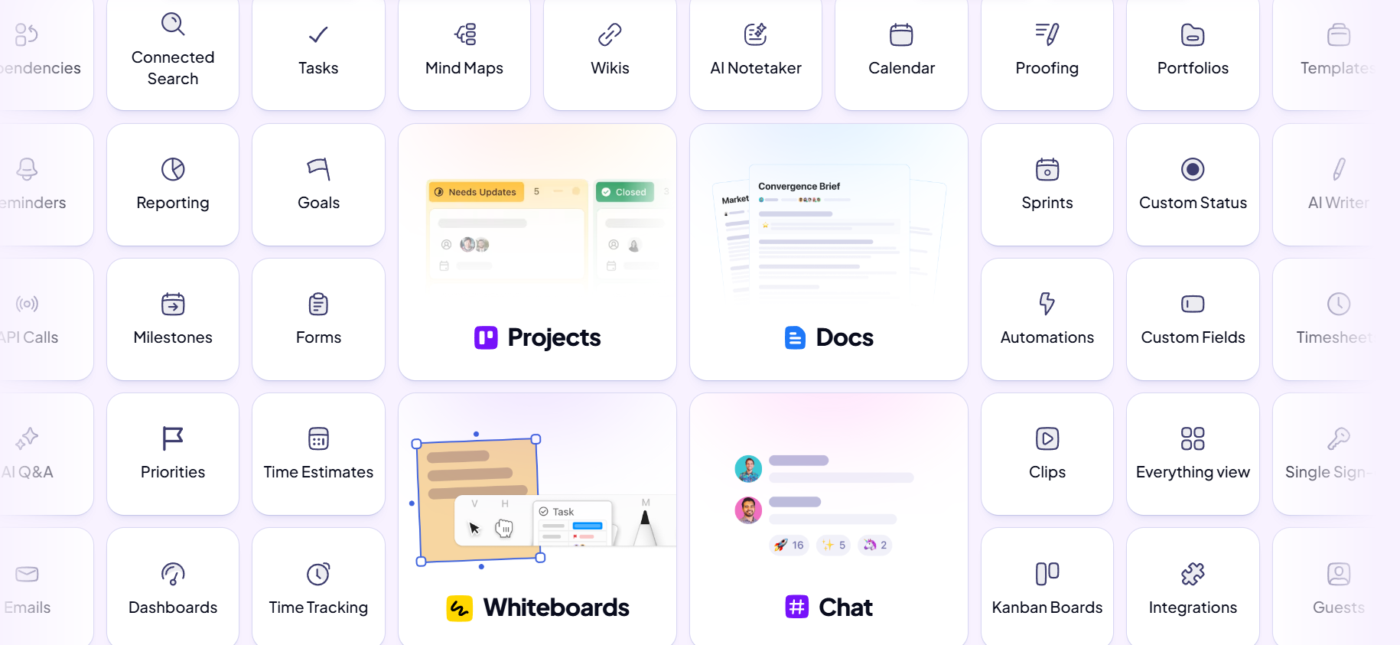
This constant stream of interruptions forces your team to lose hours every week jumping between disconnected apps. Instead of letting this Work Sprawl slow you or your team down, you can bring every task and conversation into a single unified workspace like ClickUp. It serves as a central hub for your entire operation, bringing your data, communication, and planning together in one place.
With its clear Project Hierarchy, teams of all sizes across functions can organize projects using dedicated Spaces, Folders, Lists, Tasks, and Subtasks.
Pros:
Cons:
Some teams feel that powerful project management platforms are too complex for their needs. They get bogged down in features they’ll never use, and the steep learning curve leads to low adoption and frustration. These teams crave simplicity more than feature-rich tools.
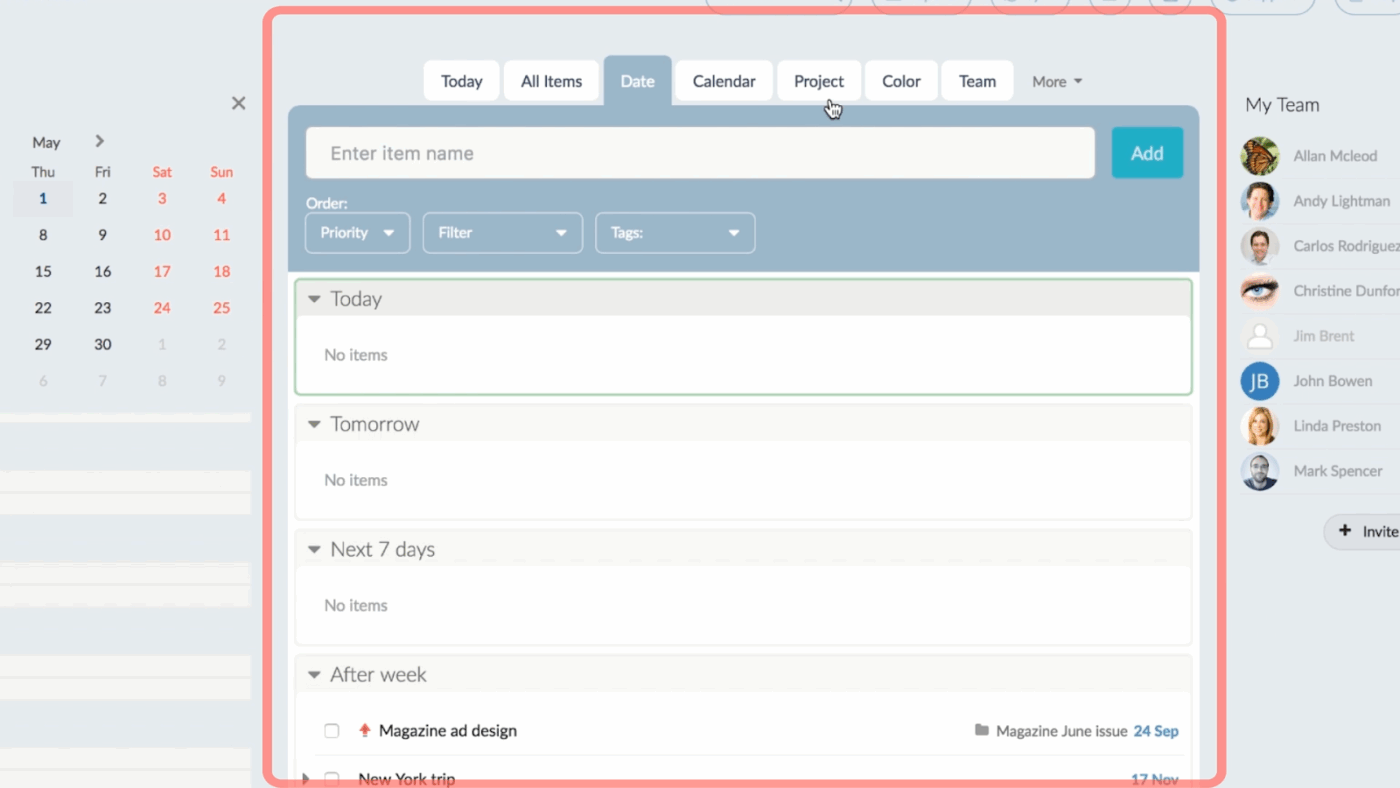
Hitask is a lightweight task manager for such teams. Its USP? A clean, minimal interface. It focuses on a single-screen dashboard for simple task management and time tracking. Your team can get started with basic task coordination in minutes without needing extensive onboarding.
Pros:
Cons:
📚 Also Read: How to Use ClickUp as a Kanban Board
While both platforms help you manage tasks, they’re built for fundamentally different types of work. Hitask offers a simple to-do list, while ClickUp provides a comprehensive, scalable platform that brings all your work into one place.
Let’s take a closer look at how they compare on the features that matter most.
Every day, full-time employees spend an average of 8.7 hours on unproductive activities such as unnecessary meetings or repetitive tasks.
This diminishes productivity and opens the door to human error, leading to important steps being missed. In a basic task manager, this friction is a constant. In a Converged AI Workspace, it’s engineered into your workday.
Your team’s drowning in repetitive, manual tasks. Every day, you waste valuable time updating statuses, reassigning work, and notifying stakeholders of progress. This not only kills productivity but also opens the door to human error, causing important steps to be missed.
👉🏼 In a simple task management tool, this busywork’s unavoidable. In a Converged AI Workspace, it’s automated.
ClickUp
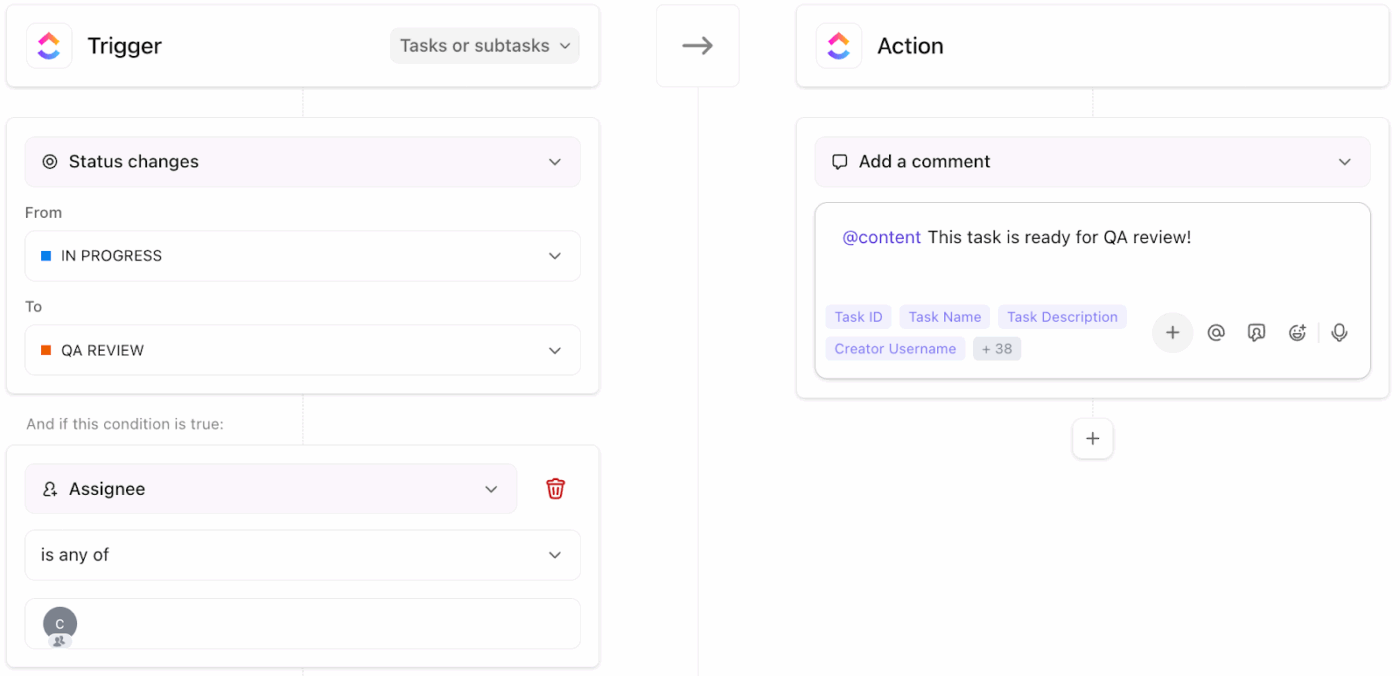
ClickUp eliminates manual effort by combining automated actions with an integrated AI engine. Instead of performing every update yourself, you can set up ClickUp Automations to handle the if-then workflows. This way, you can create workflows that instantly act on your behalf—for example, when a developer moves a task to ‘In Review,’ ClickUp can automatically reassign it to a QA lead and post a notification in the project chat.
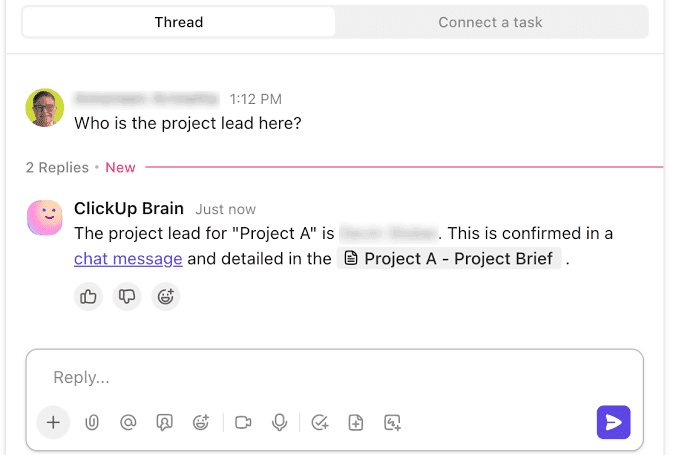
Beyond logic-based rules, ClickUp Brain acts as an intelligent partner that understands the full context of your workspace. Because it is connected to your tasks, docs, and messages, it can perform complex cognitive work that standard automation cannot.
You can use it to:
Hitask
Hitask doesn’t have any native AI or advanced workflow automation features. Its automation capabilities are limited to Recurring Tasks, which allow you to schedule a task to repeat daily, weekly, or monthly. It can’t perform actions based on changes in your workflow. Every status update, assignment change, and team notification must be managed manually by a human user.
🏆 The verdict: For teams looking to reduce manual work and leverage AI to work smarter, ClickUp is the clear choice. Hitask is designed for teams who prefer a fully manual approach to task management.
📮ClickUp Insight: 88% of our survey respondents use AI for their personal tasks, yet over 50% shy away from using it at work. The three main barriers? Lack of seamless integration, knowledge gaps, or security concerns.
But what if AI is built into your workspace and is already secure? ClickUp Brain, ClickUp’s built-in AI assistant, makes this a reality. It understands prompts in plain language, solving all three AI adoption concerns while connecting your chat, tasks, docs, and knowledge across the workspace. Find answers and insights with a single click!
A flat to-do list makes it impossible to see how large initiatives break down into smaller, actionable steps. And how each individual action feeds into the bigger picture. Without a way to structure this complexity, projects become disorganized, and it’s unclear how work is connected or who owns what.
Teams often end up needing a system that can mirror the real-world complexity of your projects.
ClickUp
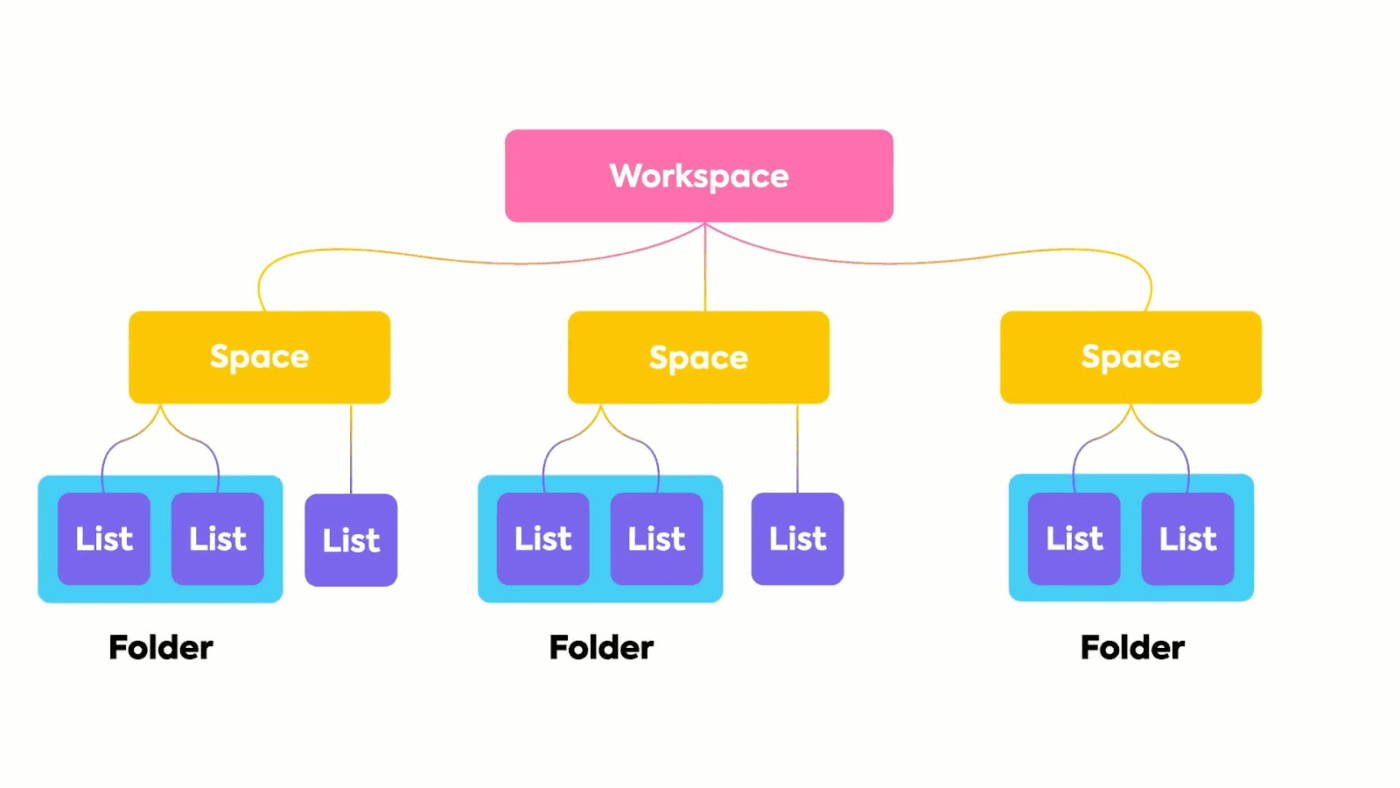
ClickUp organizes work through a multi-layered ClickUp Hierarchy designed to keep even the largest organizations structured. Your work lives in a Workspace, which is broken down into Spaces for different departments or high-level functions.
Within these Spaces, you can create Folders for specific projects and Lists to hold individual tasks. This provides a clear path from shared, company-wide goals down to individual, daily to-dos.
To handle the granular details of your workflow, ClickUp provides deep customization options:
Hitask
Hitask offers a flat structure for task management. It is centered around a ‘single-screen’ dashboard. While it allows you to group tasks into projects and use color-coded categories, it lacks the deep nesting capabilities required for complex project architecture.
🏆 The verdict: ClickUp is built for teams with complex, multi-layered projects that require deep customization and clear dependencies. Hitask is better suited for individuals or small teams with straightforward workflows who want to see everything on one screen without navigating a complex hierarchy.
When a tool offers only one or two rigid views, someone always has to compromise—or worse, they export data to another tool just to visualize it, working in silos and managing extra work. Your project management platform should adapt to your team, not the other way around.
🧠 Fun Fact: Gartner research shows only 23% of digital workers are completely satisfied with their work applications, yet those satisfied are nearly three times more likely to describe themselves as much more productive.
ClickUp
Give every team member the perfect perspective with over 15 customizable ClickUp Views. Because these views are built into the same workspace, you can switch between them with a single click without losing data or context.
Here’s how you can use them:
💡 Pro Tip: To maintain consistency as you scale, you can save any project structure as a ClickUp Template. You can choose from 1000+ templates across project management, marketing, sales, HR, engineering, and other use cases to standardize your best processes. From client onboarding to product launches, templates help you set up workflows quickly and reuse them instantly.
Hitask
Hitask offers three basic views: a list view for organizing tasks, a shared team calendar for scheduling, and a simple Kanban-style board. You can use it to see your assignments, team schedules, and project progress without navigating through multiple layers of the app.
What it lacks in advanced visualization tools like Gantt charts or workload heatmaps, it makes up for with basic project templates and reporting tools. You can easily duplicate successful project structures and track time-based productivity.
🏆 The verdict: For teams that require multiple ways to visualize work and report on cross-departmental progress, ClickUp’s extensive views and dashboards are essential. Hitask is better suited for teams that value a singular, unified view where all tasks and schedules live on one page.
🔎 Did You Know? US professionals lose approximately 59 million hours every workday to uncaptured tasks such as emails, meetings, and manual, memory-based logging. For a 15-person professional services firm, this leakage can cost $1.6 million in annual revenue.
Time-tracking software tools are a great way to curb wasted effort. When you capture every minute directly within your workspace, you gain the data necessary to spot ‘invisible friction points’.
For example, meetings that consistently run over or specific project phases that regularly exceed their scope. This allows you to refine your processes and prevent future time leaks before they impact your bottom line.
ClickUp
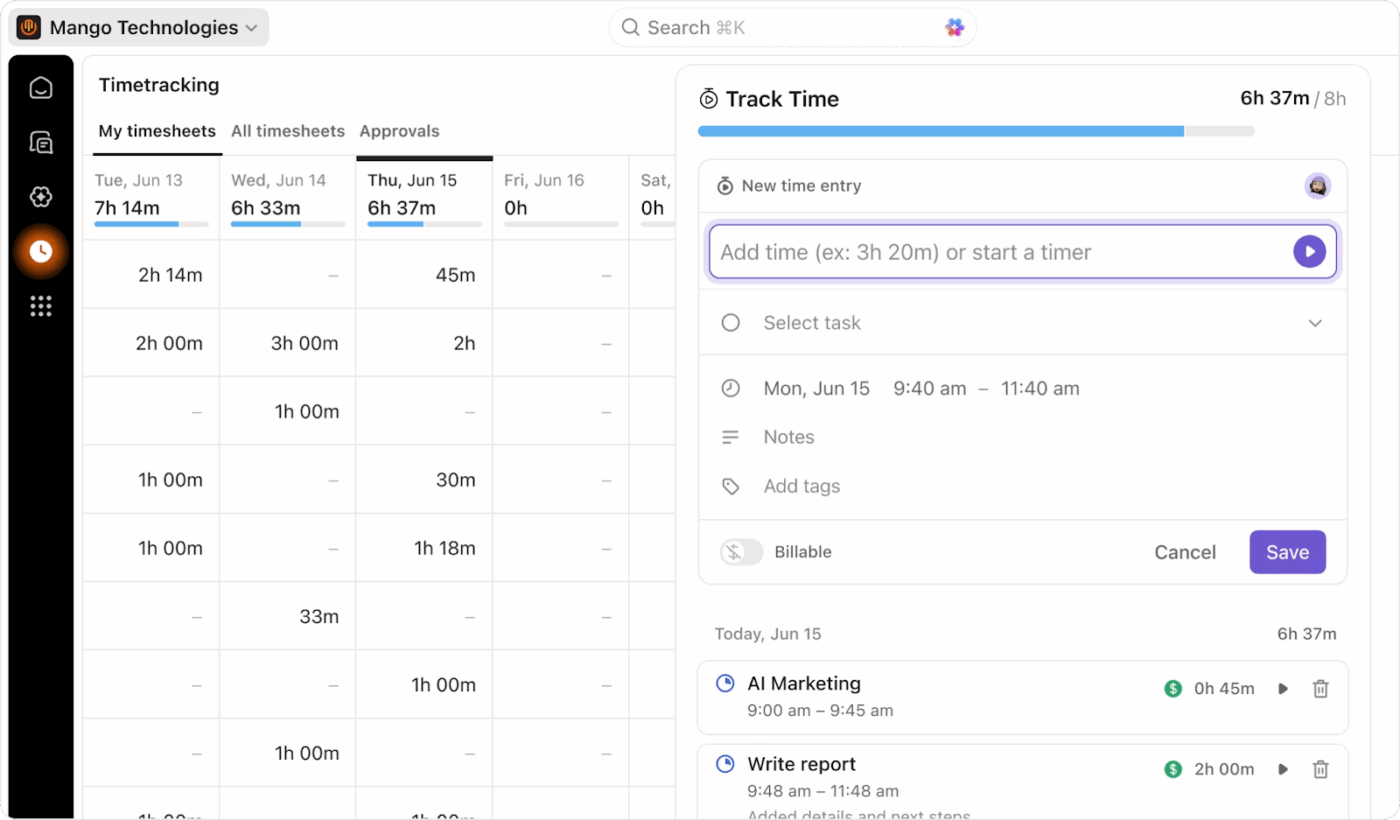
ClickUp treats time as a core project metric rather than a secondary log. With ClickUp Time Tracking, you and your team can start and stop a timer directly from a task, add time manually, or even track time that isn’t associated with a specific task. Every billable minute is captured in real time, directly addressing repetitive or unimportant tasks.
Since the workspace syncs in real time, all your time data flows directly into ClickUp Timesheets and ClickUp Dashboards. It provides a real-time overview of where most time is being spent—and whether that’s a cost or revenue item. You can group and filter this data by person, project, or any Custom Field to get the insights you need for workforce productivity improvement and accurate billing.
Hitask
Hitask includes a built-in time tracker on every task. You can start and stop a timer to log your hours and generate basic reports that show time spent per task or per user. If you’ve got a small team or need a friction-free way to justify billable hours as a freelancer, Hitask lets you do so without the overhead of a complex reporting suite.
🏆 The verdict: Both tools offer native time tracking, which is a plus. However, ClickUp can connect time data to billable rates, Dashboards, and Workload Views, providing a much deeper level of insight for teams that need resource allocation and profitability.
Are your team’s conversations fragmented across email, Slack, and meeting notes? This basically means when a project-related question comes up, you have to dig through different apps to find the answer. It’s both time-consuming and error-prone.
This Communication Sprawl makes it nearly impossible to maintain a single source of truth for your projects.
Decisions and discussions should live with the work they relate to.
🔎 Did You Know? It’s not just you—an average employee wastes 2.5 hours per day searching for information across fragmented systems.
So, which tool solves it?
ClickUp
ClickUp serves as a true collaboration hub by consolidating all forms of team communication into a single workspace. Instead of jumping between apps, you can manage the entire lifecycle of a project—from brainstorming to final approval—in a single tab.
For example, this is how it works:
Hitask
Team collaboration in the workplace for Hitask centers on task comments and file attachments. While it doesn’t offer a native document editor or a visual whiteboard, it does provide a built-in Team Chat that lets you exchange messages without leaving your workspace.
You also get a shared team calendar that provides a synchronized view of everyone’s assignments, which helps small teams stay aligned on deadlines without the overhead of complex team communication tools.
🏆 The verdict: ClickUp is designed for teams that want to eliminate context switching by housing docs, chat, and visual brainstorming in one platform. Hitask handles basic task-level coordination and real-time messaging, but you will likely need external tools like Google Docs or Zoom for more in-depth collaborative writing and visual planning.
Your project management platform shouldn’t exist in a vacuum. When your software doesn’t sync with your CRM, code repository, or file storage system, your team is forced to do manual data entry. This creates a fragmented workflow, with information often outdated, leading to administrative delays and data silos that slow project delivery.
To reduce Tool Sprawl, your fragmented systems must enable automated information flow across your entire technical stack.
ClickUp
ClickUp functions as a centralized hub for your operations, offering over 1,000 native ClickUp Integrations that consolidate your existing software into one workspace. By linking your primary tools, you eliminate the need for constant tab-switching and manual updates.
You can use ClickUp Integrations for:
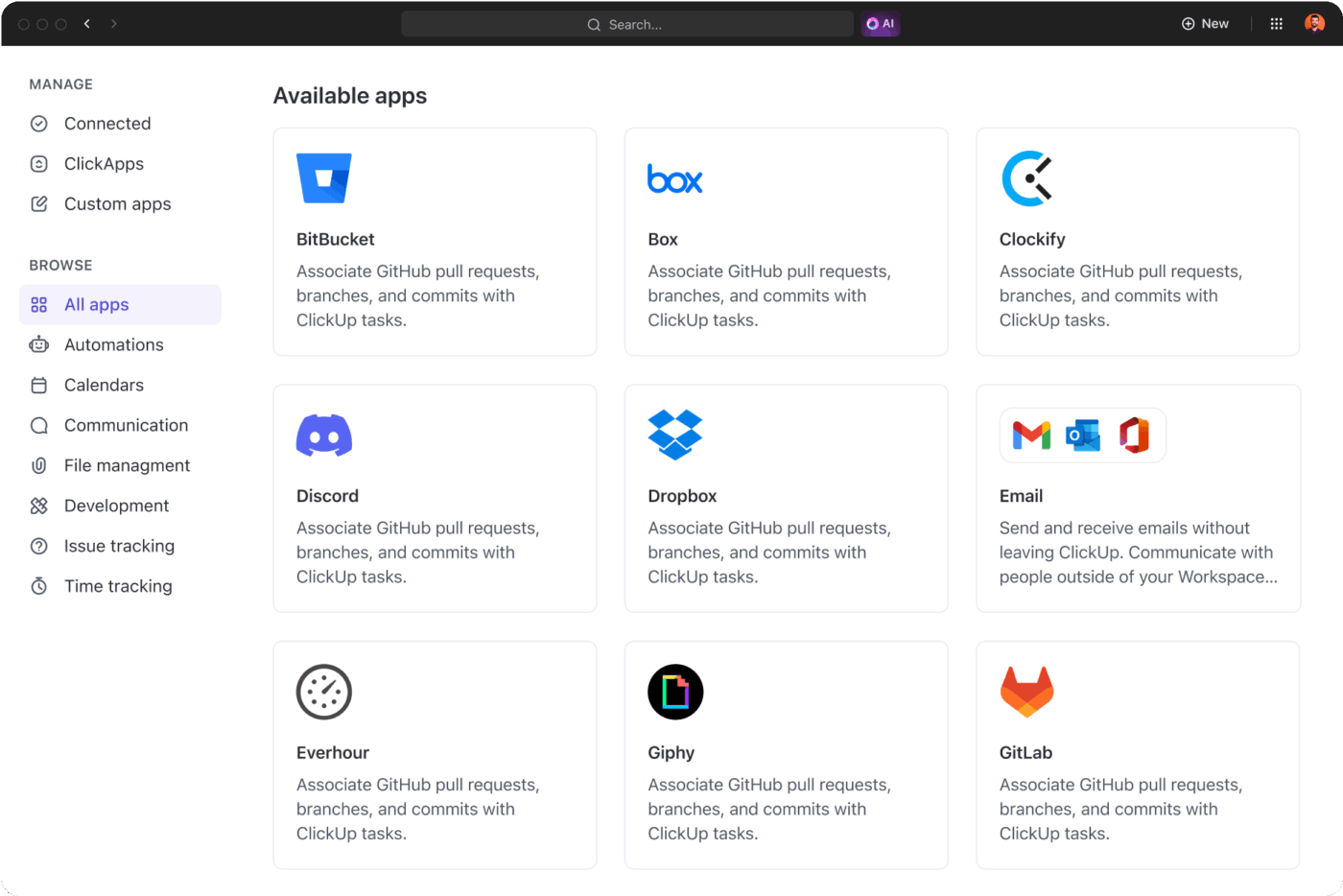
💡Pro Tip: Build your own custom connections between ClickUp and your existing tech-stack using the ClickUp API. You can also maintain a single source of truth with two-way calendar sync and by embedding content from other apps directly into your tasks and ClickUp Docs.
Hitask
Hitask focuses on a smaller, curated selection of integrations designed for basic business functions. It primarily connects with scheduling and email tools, such as Google Calendar for deadline synchronization and Outlook for turning emails into actionable tasks.
While it includes a Slack integration for activity notifications, it lacks a public API and native connections for specialized CRM or development software. This makes it a viable option for teams with a limited software footprint, but larger organizations with complex stacks may need manual workarounds to keep disparate data sources in sync.
🏆 The verdict: ClickUp’s vast integration library and open API make it a central hub that can connect to virtually any tool in your stack. Hitask covers the essentials but may require manual workarounds for teams with more specialized software.
The right tool depends on what matches your current needs. Hitask is a simple task manager, while ClickUp serves as a complete company productivity platform.
Choose ClickUp if your team juggles multiple complex projects, needs AI to automate work and provide insights, or wants to consolidate your docs, chat, and project management into one place. It’s built to eliminate Work Sprawl and scale with your team as it grows.
Choose Hitask if your team has straightforward to-do lists, values a minimal interface above all else, and has no plans to adopt advanced workflows or automation.
Ultimately, the choice is between a tool you might outgrow and a platform that grows with you.
Teams ready to stop switching between apps and start working smarter can get started for free with ClickUp today.
Yes, you can easily import your work from Hitask into ClickUp. Simply export your tasks from Hitask as a CSV file, then use the ClickUp import tool to map your data to the appropriate fields.
ClickUp offers a wide range of advanced features not found in Hitask, including but not limited to a context-aware AI assistant, customizable automation, multiple project views like Gantt Chart and Timeline, and native document collaboration.
ClickUp’s designed to scale for teams of all sizes. Small teams and startups can access robust features right away, while enterprise organizations can leverage advanced permissions, SSO, and powerful AI capabilities to manage complex workflows across the entire company.

© 2026 ClickUp

There’s an easier way. Try a free AI Agent in ClickUp that actually does the work for you—set up in minutes, save hours every week.