






Still downloading templates?
There’s an easier way. Try a free AI Agent in ClickUp that actually does the work for you—set up in minutes, save hours every week.
Sorry, there were no results found for “”
Sorry, there were no results found for “”
Sorry, there were no results found for “”
With real-time conversational intelligence and live transcription in 30+ languages, Hedy is a popular choice among students and multilingual teams.
But not everyone wants to adapt their meetings to a specific AI workflow. Hedy functions well only if its session-based flow matches how you work. And while it provides live AI support, it lacks the features to tie it to execution.
If you are looking for a work management system with built-in meeting intelligence, this list will help.
Let’s take a look at the top Hedy AI alternatives. 📲
For a quick snapshot, the table below compares core capabilities to help you understand where each tool fits best.
| Tool | Features | Best for | Pricing* |
| ClickUp | AI-powered meeting summaries and transcription, meeting workflow automation with agents | Teams of all sizes that want meetings, tasks, docs, and workflows in one platform | Free Forever; Customization available for enterprises |
| Granola | Automatic transcription with AI-enhanced notes, AI chat | Small leadership teams who want a private AI meeting notepad | Free plan available; Paid plans start at $14 per user/month |
| Superpowered | AI meeting transcription and summaries, calendar integrations | Freelancers and small teams that want simple AI meeting notes without a meeting bot | Free plan available; Paid plans start at $36 per user/month |
| Otter.ai | Real-time meeting transcription, speaker identification, searchable meeting library | Mid-size teams and enterprises that need real-time meeting transcription and collaborative notes | Free plan available; Paid plans start at $16.99 per user/month |
| Fireflies.ai | Automatic meeting recording and transcription, smart search, CRM integrations | Mid-size teams and enterprises that want searchable meeting transcripts across departments | Free plan available; Paid plans start at $18 per user/month |
| MeetGeek | AI meeting summaries and highlights, meeting analytics, action item detection and follow-ups | Small to mid-size teams that want automated meeting recordings and AI summaries | Free plan available; Paid plans start at $15.99 per user/month |
| tl;dv | AI meeting summaries with timestamps, highlights, and shareable meeting clips | Small to mid-size sales and customer-facing teams that need meeting highlights and coaching insights | Free plan available; Paid plans start at $29 per user/month |
| Fathom | Instant AI summaries after meetings, CRM integrations for sales teams | Freelancers and small teams looking for a free AI meeting recorder with instant summaries | Free plan available; Paid plans start at $19 per user/month |
| Fellow | AI meeting notes, meeting templates, collaborative meeting agendas, performance insights | Small to mid-size teams that want structured meeting management with agendas and action tracking | Free plan available; Paid plans start at $11 per user/month |
| Avoma | Revenue intelligence for sales calls, conversation analytics, CRM integrations for pipeline tracking | Mid-size teams and enterprises that need meeting intelligence for sales and revenue teams | Free trial available; Paid plans start at $29 per user/month |
While Hedy is good at providing real-time conversational support, it’s not ideal if you need deeper workflow integrations.
When looking for an alternative, ensure that the tool offers:
Let’s take a closer look at the top AI tools that not only take notes but turn virtual meetings into actionable work.
Many AI meeting tools are excellent at producing transcripts. But that’s not where meetings end, right? You need something to eliminate the broader system overhead of managing work across disconnected platforms.
ClickUp gives teams a Converged AI Workspace for planning and automating meeting workflows end-to-end.
In addition to AI-powered meeting transcription and summaries, you get a centralized hub for documentation, collaboration, and execution.
Let’s see how ClickUp replaces multiple point tools with a single operational system.
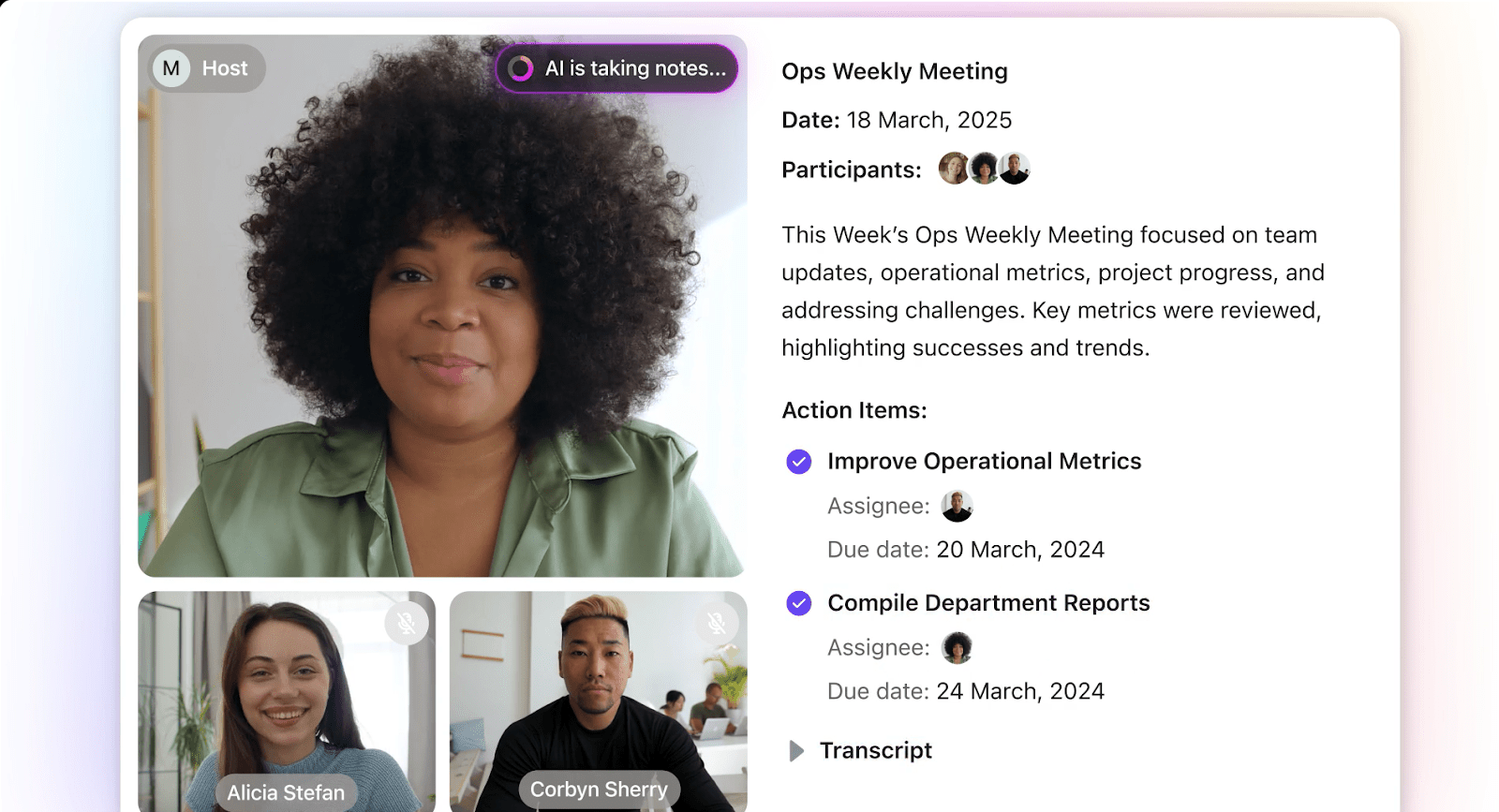
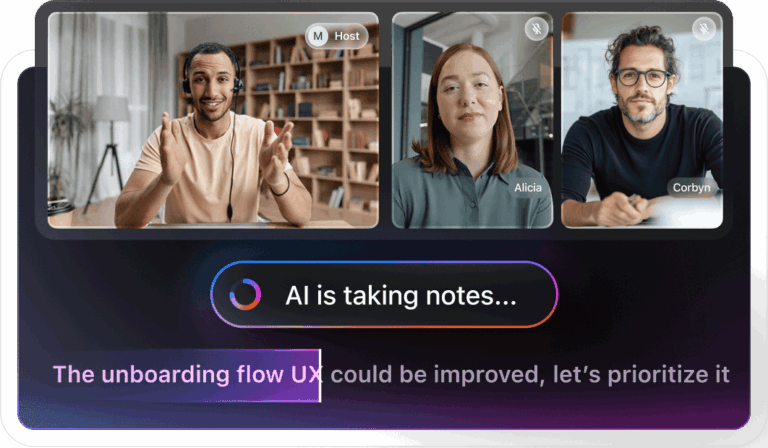
ClickUp’s AI Notetaker captures your conversations automatically and makes them part of your project workflow.
After every meeting, you get a private document that includes the meeting title and date, a list of attendees, a video or audio recording, a brief overview of the session, key takeaways, next steps, key topics, and the full transcript of the conversation with speaker labels.
You can later ask ClickUp’s built-in, Contextual AI questions about any of your meetings and get answers based on the notes.
This video shows how you can automate meeting notes and tasks in ClickUp 📹
When teams use external document management tools, knowledge becomes detached from execution. Meeting notes in one platform must be referenced separately when creating tasks in another.
ClickUp Docs solve that problem for good. They become the single living space for everything that comes out of a meeting.
When you draft an agenda in a Doc before a meeting, everyone can see, edit, and comment on it in real time, so the discussion starts with a shared structure. After a meeting, your notes from the AI Notetaker are also logged in a Doc. From there, the action items can be converted into ClickUp Tasks with due dates and assignees. This removes the administrative lag between discussion and delivery.
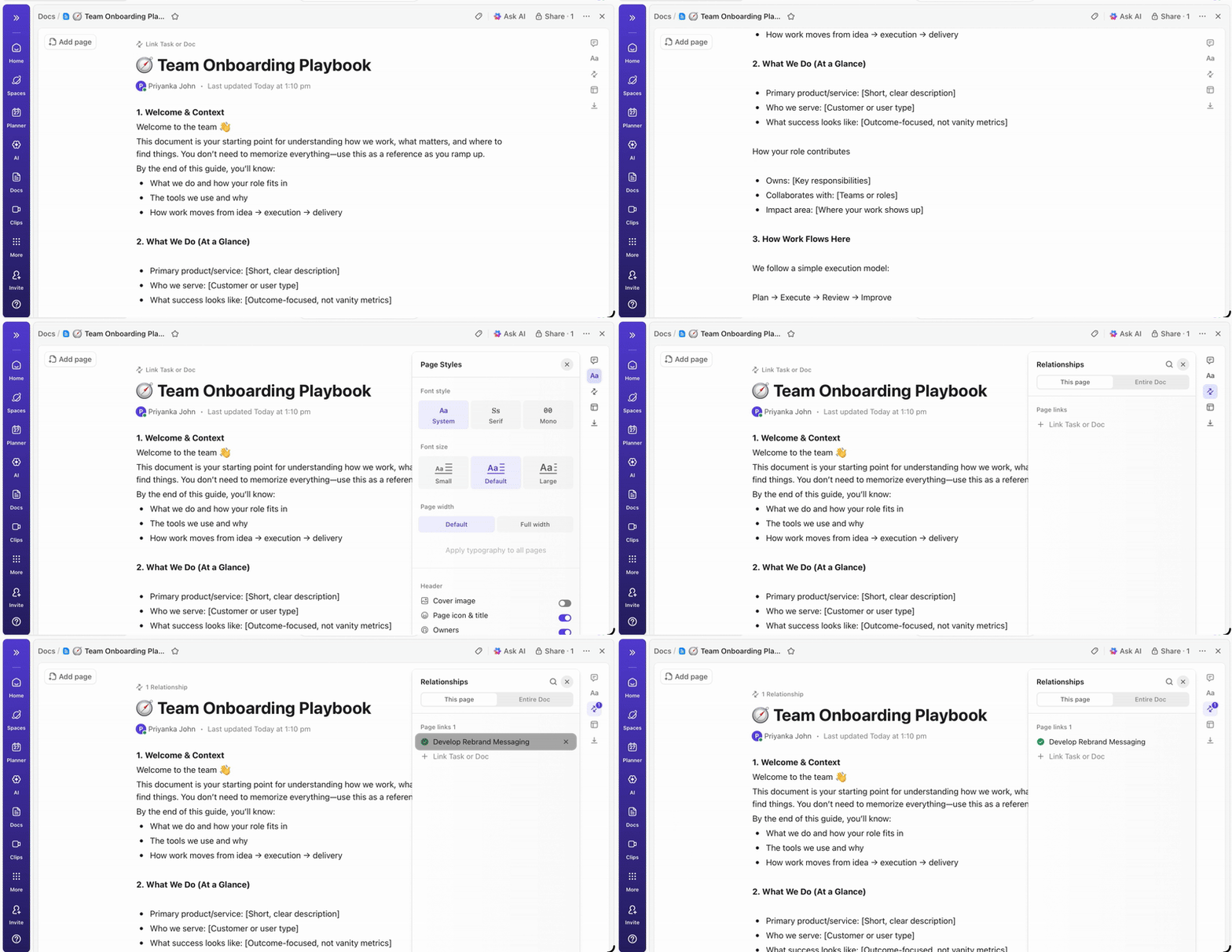
All of this is stored in the Docs Hub. You can filter and retrieve past meeting notes easily, which matters when you’re tracking commitments over weeks or quarters.
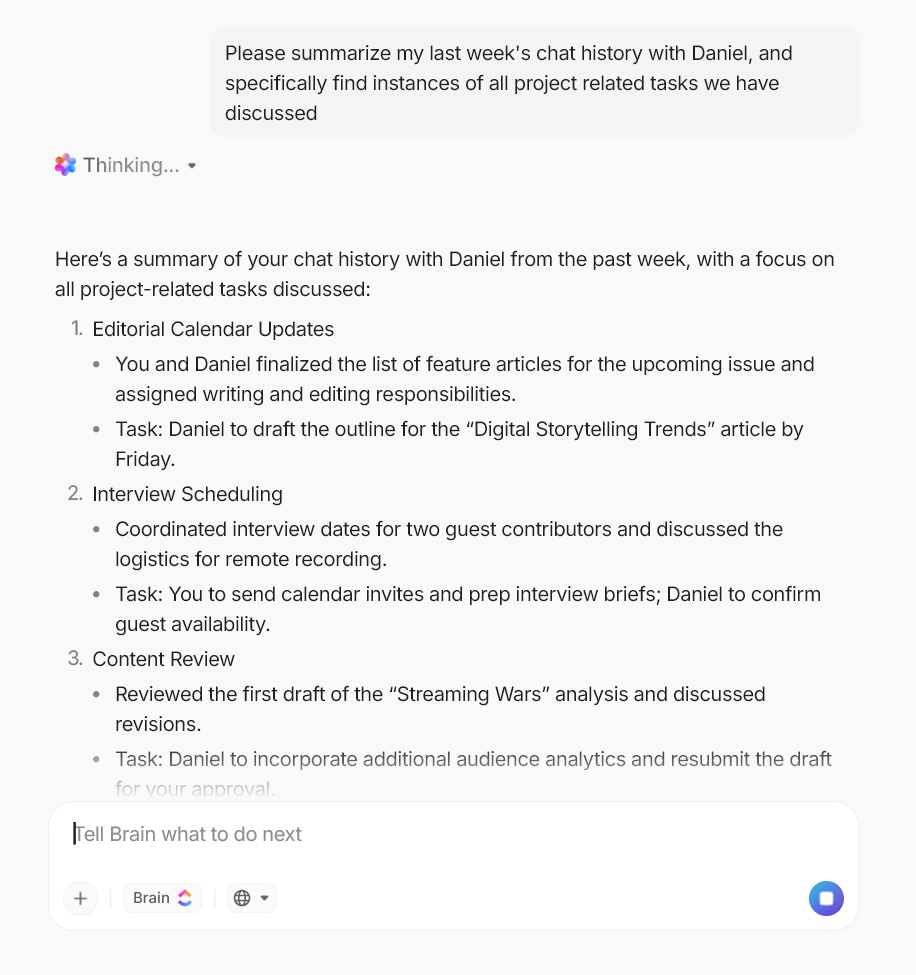
With ClickUp Brain, you get an AI-powered personal assistant that can retrieve information from tasks, documents, chats, and past updates. During meetings, it can provide a clear picture of what’s already been discussed or completed to avoid repetitive discussions.
For example, if a team member asks about the status of a feature during a meeting, ClickUp Brain can instantly summarize progress across the relevant tasks, highlight recent updates, and surface any blockers that were previously logged.
After meetings, the AI automatically creates tasks, assigns owners, links them to the appropriate project or document, and captures deadlines directly from the conversation. This way, meeting outcomes are immediately integrated into the workflow, making it easier to track accountability and follow through on decisions.
AI Super Agents in ClickUp can autonomously handle recurring operational tasks tied to meetings.
Think of them as your AI teammates that work with complete contextual knowledge of your workspace. They can analyze the latest activity across tasks to produce a concise progress summary. Also, when new decisions or responsibilities are discussed during a meeting, a dedicated agent can create tasks, assign owners, attach related documents, and set deadlines so that action items are immediately reflected in the workspace.
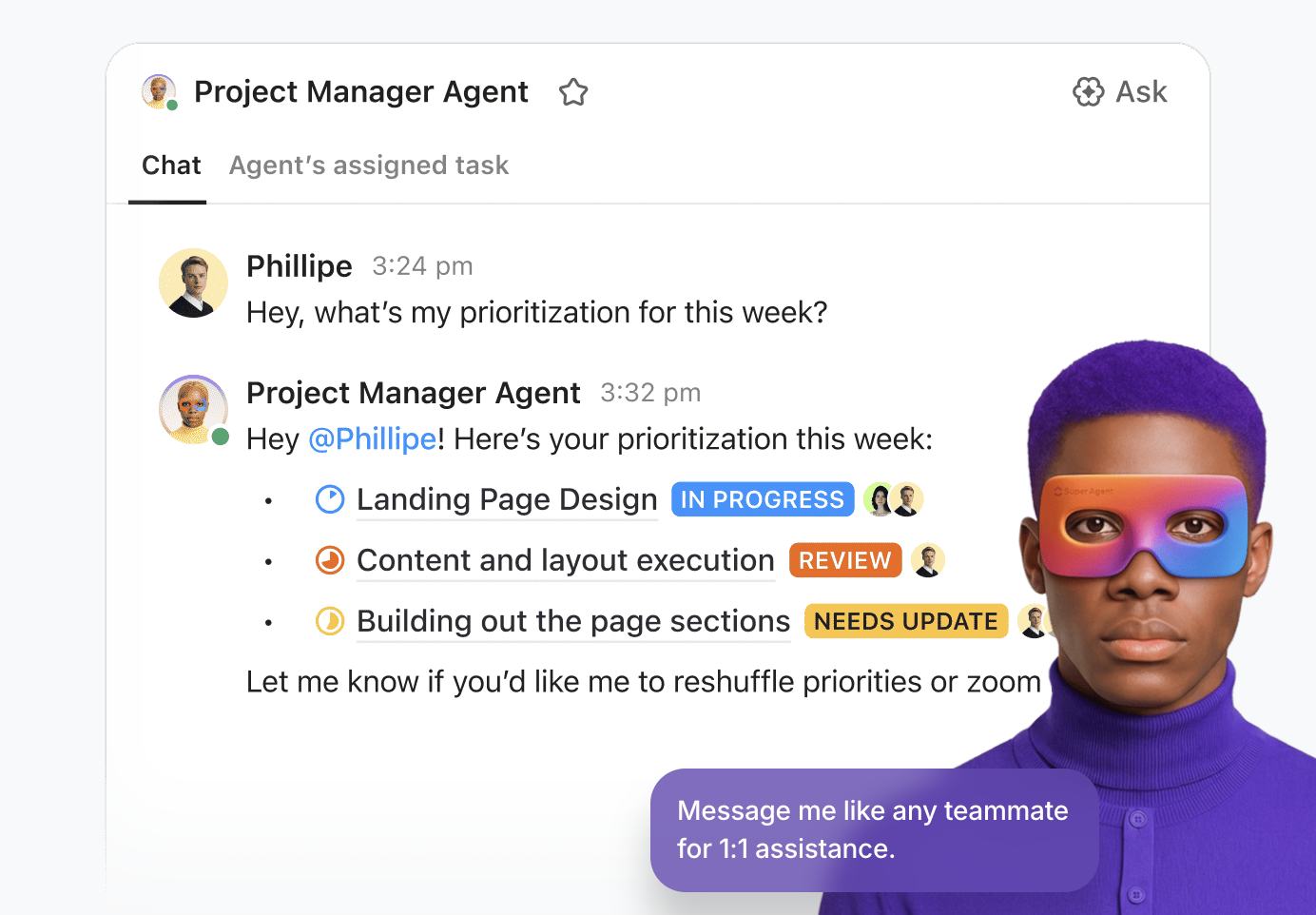
ClickUp Super Agents have infinite, ambient knowledge, which means they detect changes to your tasks, docs, and chat threads inside the workspace and update their context in real time. They also have infinite memory, so they’ll remember how you like your meeting digest, for example, and if you want your meeting action items highlighted in your notes as a bulleted or numbered list, etc.
You can automate any meeting workflow with them—from prepping for a client call to tracking and reporting progress on the decided action items.
A G2 user reports:
After trying different platforms throughout my career as a Project Manager, I can say that ClickUp has become my favorite. I am particularly in love with the AI Notetaker function: as a PM, this feature is pure gold. I can focus on the session without being distracted by taking notes, as the system generates clear summaries with key points, both in short meetings and in long ones where it is difficult to follow the entire thread.
📮 ClickUp Insight: 62% of respondents say AI agents don’t live up to the hype yet, describing them as early-stage or even creating more work than they remove.
That frustration often shows up in the handoff. An agent summarizes a meeting, suggests next steps, or flags an issue, and then stops. You still have to create tasks from the action items, assign owners, update statuses, and follow up manually.
Super Agents are designed to take care of all those steps. They can use chain actions to turn meeting notes into tasks, update project statuses, route work to the right owners, and keep workflows moving inside the same system where execution happens.
When an AI agent can take work from “here’s what should happen” to “it’s already in motion,” the value becomes real.
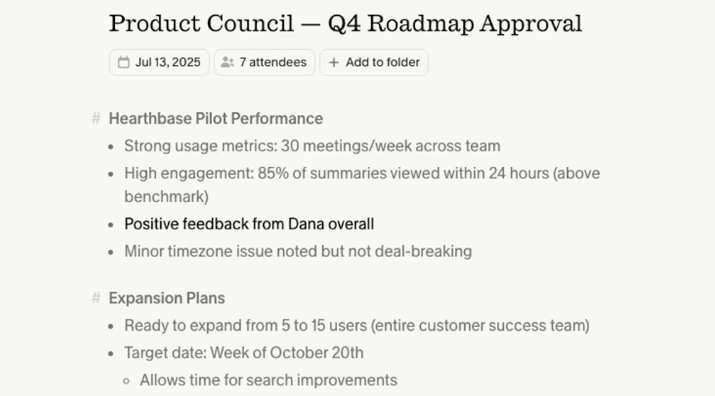
Granola’s AI meeting assistant focuses on enhancing your notes rather than replacing them entirely with AI output. After personal or business meetings, it refines what you’ve written and adds context from AI-generated transcripts to produce structured, actionable summaries.
Since the tool runs on your device and captures audio locally, your notes remain completely private. When you’re ready to share, you can send them directly to tools like Slack, Notion, HubSpot, Affinity, Attio, and Zapier using built-in integrations.
For better formatting, you get basic Markdown to structure your notes with headers and bullet points. You can also add images and screenshots to your notes to provide additional context.
Straight from a G2 review:
What I like best about Granola is how effortlessly it handles meeting notes without disrupting the flow of the conversation. It listens directly from my device audio no bots joining calls and produces clean, structured summaries with decisions, action items, and key points.
📚 Read More: Best AI Productivity Tools
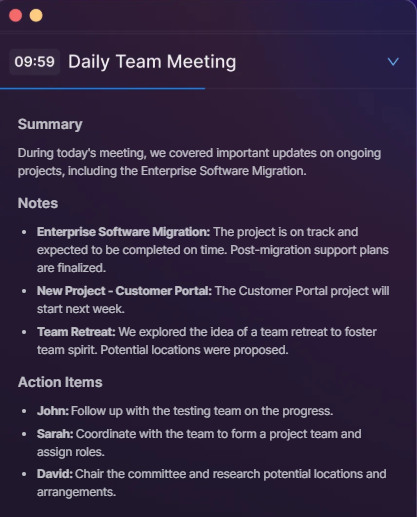
Superpowered lets you stay focused on your discussions while it handles note-taking.
The auto-join feature gets you into meetings on time, and the countdowns give you a 10-minute heads-up before each event. And if you are running late, you can let the other attendees know with just a click.
The tool doesn’t record or store audio or video, and transcripts are deleted 7 days after notes are created. It also meets SOC-2 Type-2 and GDPR compliance standards.
A user on Product Hunt says:
Used to rigorously take notes for meetings and then spend time formatting the notes/action items, now I don’t have to worry about it. Also love how it doesn’t disrupt the meeting!
👀 Did You Know? Studies show employees spend 15% of their working time in meetings, yet only 37% of meetings actually lead to decisions. Even worse, 64% of recurring meetings and 60% of one-off meetings have no agenda, which makes it difficult for teams to stay focused or track outcomes.
AI meeting assistants solve this problem by automatically generating agendas, recording discussions, and organizing follow-ups, ensuring meetings actually lead to action.
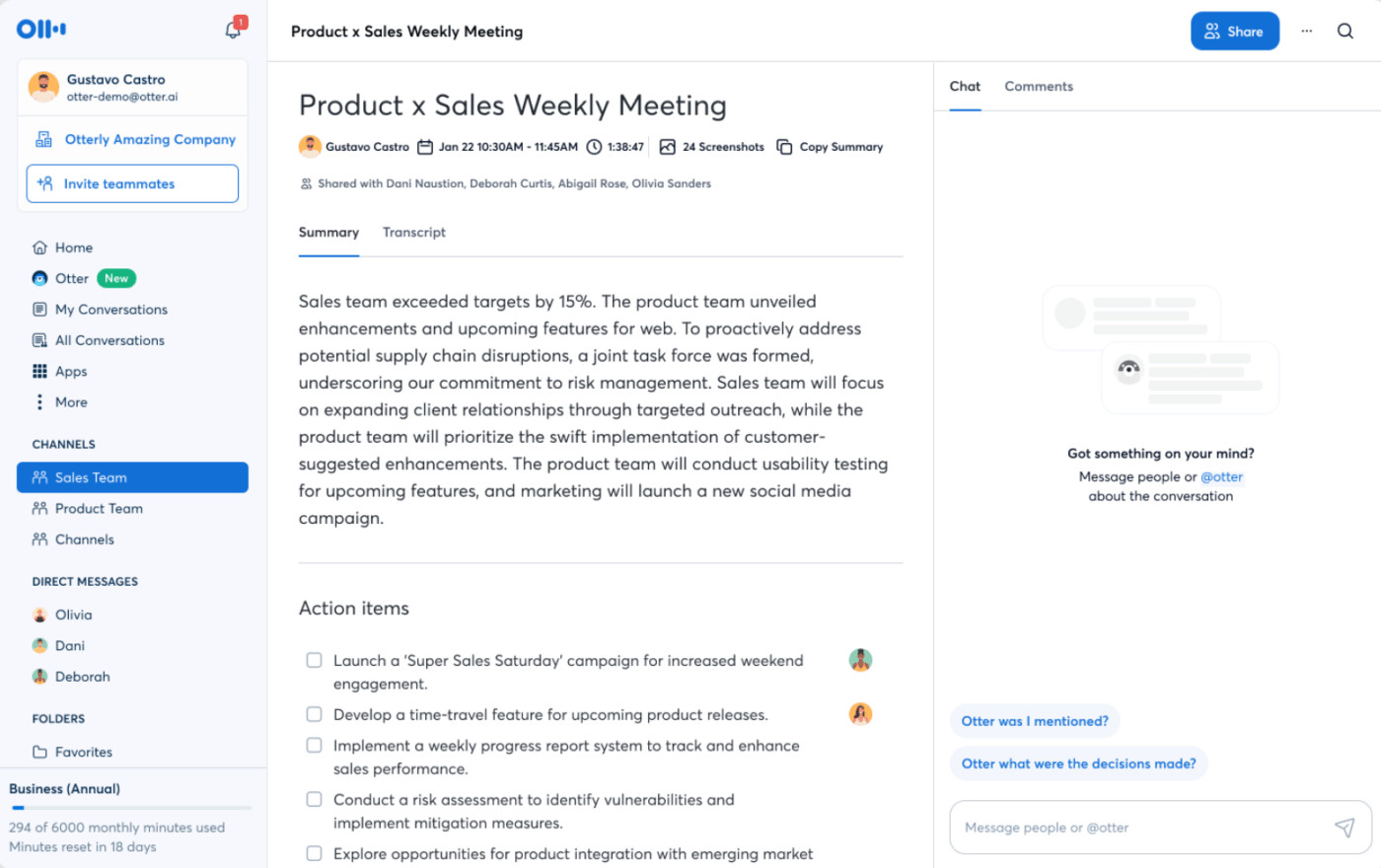
Otter can transcribe virtual and in-person meetings in real time, letting you see the conversation as it happens and review it instantly. During meetings, the AI tool automatically adds screenshots of shared slides or screens into your transcript. With these visual references alongside the text, you get full context around what was discussed.
You can interact with the tool’s AI Chat to ask natural language questions about a transcript and get useful answers. It can also draft follow-up emails or next-step messages directly from the content of your meeting and produce contextual summaries of specific topics covered in the conversation.
For better control, toggle synced calendars on or off, so only relevant meetings appear in the app. You can also enable or disable automatic notetaker placement for specific calendars or meetings.
Here’s what a user on G2 said:
Otter consistently joins meetings on time and reliably, making it a dependable tool for our team. Its ability to capture clear and accurate summaries allows us to revisit important points without needing to watch the whole recording again.
🚀 ClickUp Advantage: ClickUp Brain MAX, your desktop AI Super App, extends AI to the entire workflow surrounding meetings. It connects all the tools in your tech stack, so you can connect new information to the right projects or documents as discussions happen without manually transferring information between tools.
Brain MAX supports voice-first workflows through Talk To Text, allowing you to dictate ideas, create tasks, draft messages, or update project details directly through voice commands. After meetings, it summarizes updates across projects and answers questions about the meetings.

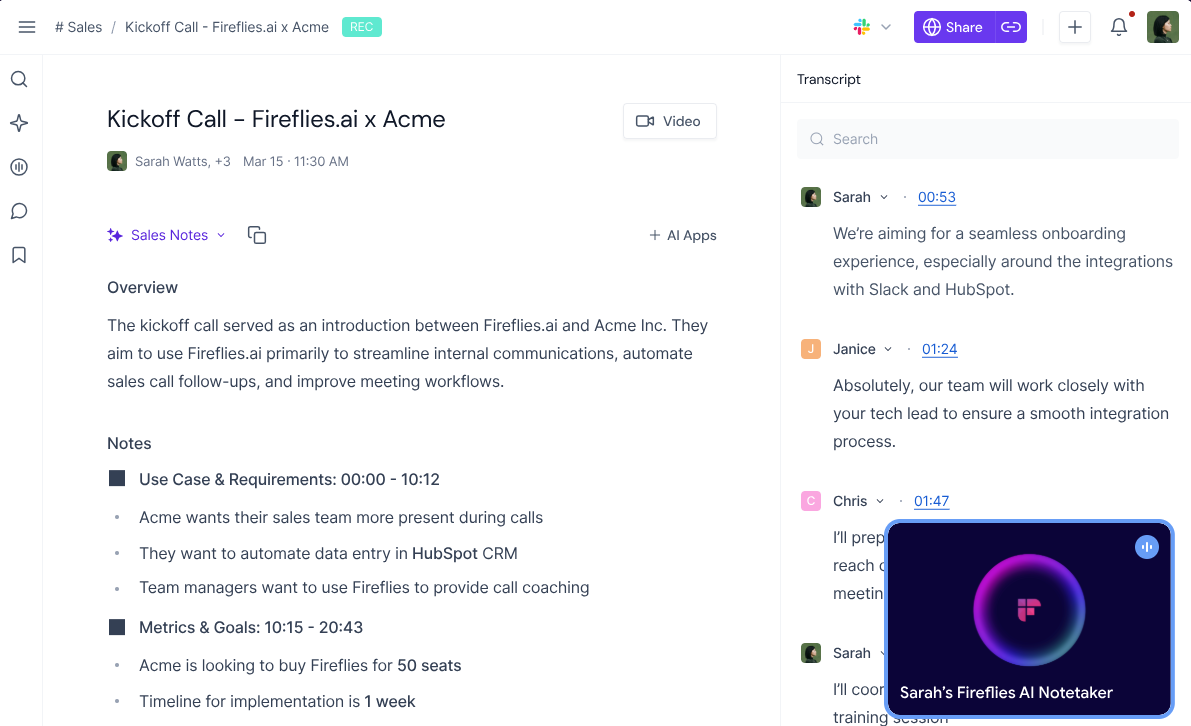
With automatic, accurate meeting transcription and support in 100+ languages, Fireflies.ai is a reliable note-taking app. You get searchable meeting archives and an AI assistant, AskFred, who answers your questions about past meetings.
An AI-powered feed provides bulleted summaries of recent meetings, letting you quickly skim key takeaways and priorities without reading full transcripts. Before meetings, you can see discussion points and outstanding action items from previous calls, so you get complete context even before you join.
To make collaboration easier, you can create and share audio clips from recorded meetings, tag team members for follow-ups, and sort meetings by topic or client. Teams can also see conversation metrics on a dashboard, like talk-time analytics, sentiment analysis, topic tracking, AI filters, and more.
A G2 user says:
I use Fireflies.ai to record, transcribe, and summarize my meetings automatically. I like the AI-generated meeting summaries the most because they help in meetings where I can’t join, but I still get the discussion details.
🧠 Fun Fact: If your calendar feels packed on Tuesdays, you’re not imagining it. A Microsoft study shows Tuesday is the busiest meeting day, accounting for 23% of weekly meetings.
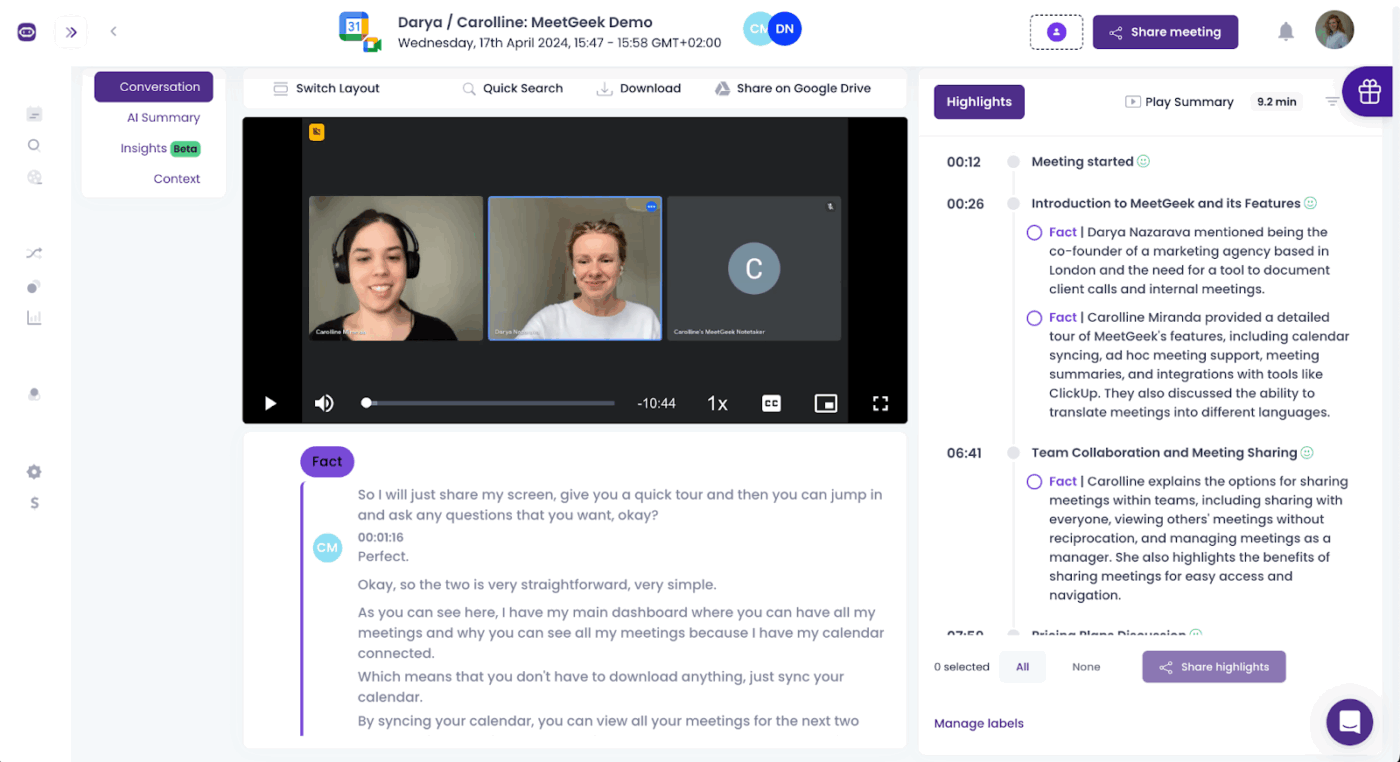
MeetGeek automatically generates AI-meeting minutes and sends a structured email summary to participants shortly after the call ends. The email includes a one-paragraph overview, meeting outline, next steps, key highlights with action items, and a link to the full transcript.
You can control who receives it, edit the generated summary before sending, customize content, and use tools like save, copy, reset, or regenerate to refine the output.
Automated workflows let you connect your meetings to other tools in your tech stack, such as RingCentral, Notion, Trello, etc. You can create simple workflow rules that trigger for all meetings or only those that match certain criteria. The meeting assistant then sends either the full summary or selected highlights, like key decisions or action items, to your chosen application.
A user review notes:
As a language coach, I find MeetGeek very useful for keeping track of my sessions and seeing how my clients progress. It’s easy to use; it automatically finds my meetings and joins them with little intervention from me. The summaries it provides are good and help me focus on the key points for my next sessions.
📚 Read More: Best Productivity Tools for Agencies and Teams
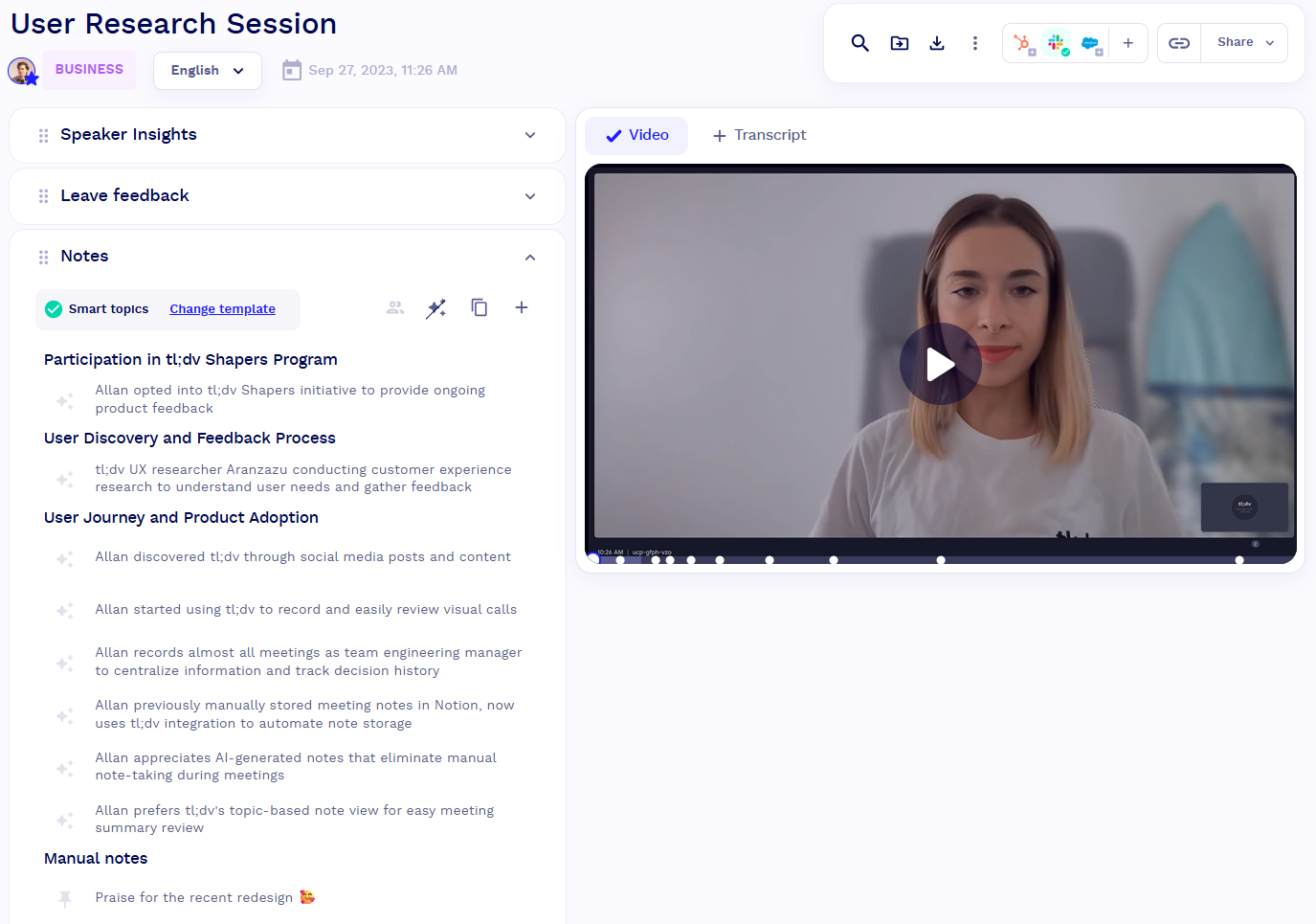
Instead of a wall of text, tl;dv’s AI capabilities organize minutes by topic, so you can quickly navigate decisions, challenges, follow-ups, and recurring themes. Each topic includes a brief summary and a link to the moment in the recording where it was discussed.
The tool also supports semi-automated notes by letting you pin key moments during the meeting. When you pin something, AI generates a focused summary of that specific moment and uses an AI-assigned tag to incorporate it within the larger summary.
With Meeting Templates, you can create and apply custom structures to your meetings so that AI-generated summaries follow a predefined format. This makes it easier to turn recurring meeting discussions into structured process documentation and standardize workflows over time.
Starigh from a G2 review:
tl;dv is an incredibly useful tool for preparing meeting summaries and capturing all key discussion points. The ability to choose from different summary templates streamlines the process and ensures consistency across teams.
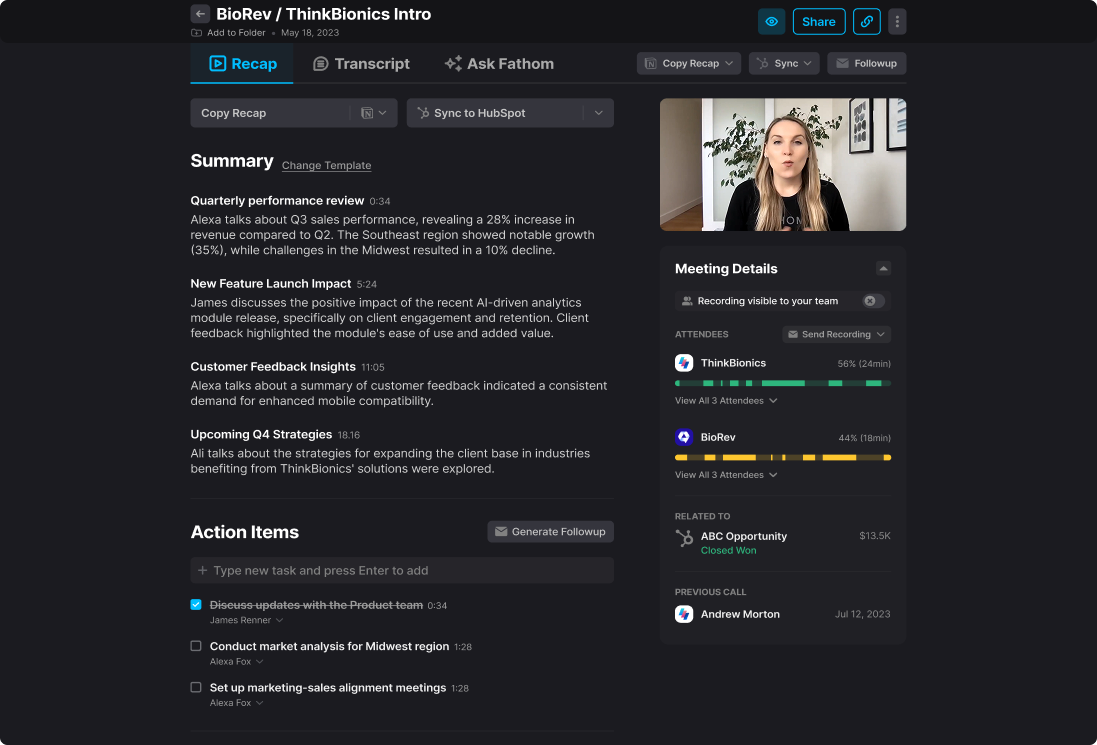
Fathom’s AI notetaker turns your entire meeting into a 1–2 minute recap with highlights, decisions, and tasks clearly laid out. It also has a chat-style AI interface where you can ask questions about your meetings or request follow-up drafts and insights after the call.
The tool integrates with Slack, Zapier, HubSpot, Salesforce, Asana, etc., so meeting data can flow into your broader work stack. For teams, it offers features like shared folders, access controls, recording playlists, highlight sharing, etc., so everyone stays aligned even if they missed the call.
You get transcription in many languages, with the option to build custom vocabularies or dictionaries for your company’s acronyms and jargon. This helps improve transcription accuracy and overall meeting effectiveness, especially in discussions that involve complex or technical terminology.
A G2 user says:
What I like most about Fathom is how seamlessly it handles meetings without any extra effort from me. It automatically records, saves everything to the cloud, and provides a full transcript. If I forget a detail or need to revisit a discussion, I can quickly go back and review it.
📮ClickUp Insight: 27% of our survey respondents believe weekly updates could be replaced with asynchronous alternatives, while 25% say the same for daily standups. However, this may involve juggling multiple specialized tools, creating scattered information, and incurring additional costs.
ClickUp revolutionizes teamwork by centralizing discussions via comment threads, enabling quick recorded updates through ClickUp Clips, and more—all within one platform.
💫 Real Results: Teams like Trinetrix have reduced unnecessary meetings by 50% with ClickUp!
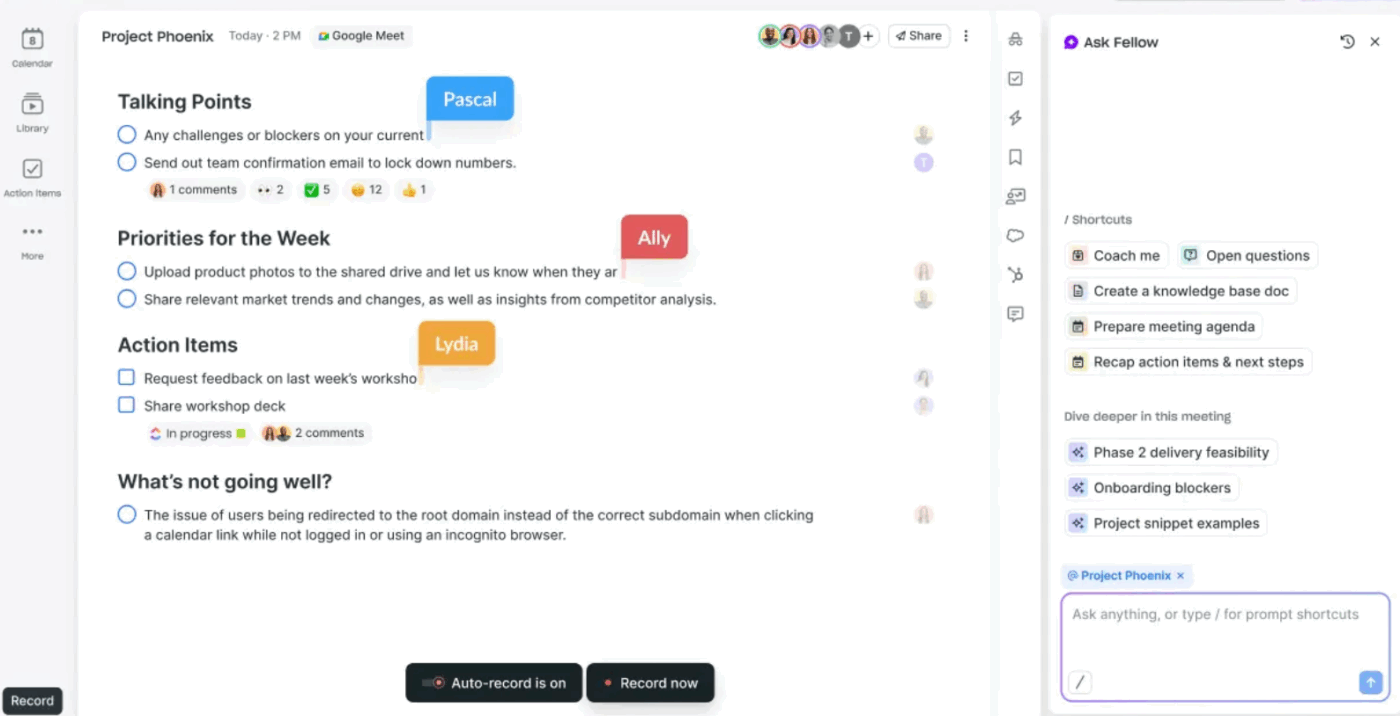
Fellow is a meeting management software that embeds AI capabilities into your meeting workflows.
It integrates with platforms like Zoom, Google Meet, Microsoft Teams, and Slack to record meetings, transcribe audio, detect decisions, and extract action items.
The ‘Ask Fellow’ AI assistant works across all your past meetings to fetch updates you missed and pull relevant excerpts and summaries without replaying entire calls.
AI also helps prep for meetings with ease. The ‘AI Agenda Builder’ generates structured agenda headings and talking points from the meeting title and calendar description. And the ‘AI Suggested Topics’ propose topics that you can add to meeting agendas.
Here’s what a G2 user shares:
What I like best about Fellow is how intuitive and user-friendly it is. It makes managing meetings, notes, and follow-ups seamless, helping me stay organised and collaborate effectively with my team.
🧠 Fun Fact: 58% employees admit they block time on their calendars just to protect focus time from more meetings.
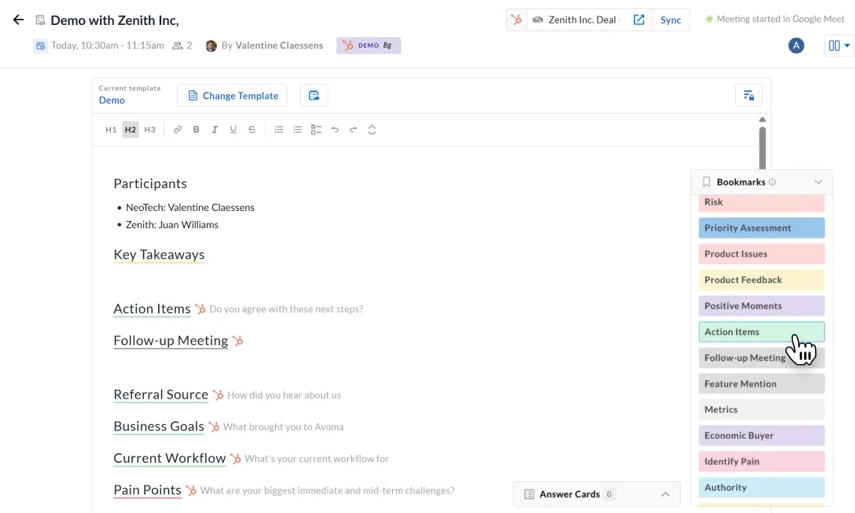
Avoma is an AI-powered meeting coach that detects key elements of a conversation, like customer objections, competitor mentions, pain points, and priorities, and highlights them for review. It also scores calls based on your own sales methodology or custom criteria, helping identify where reps need coaching or where deals may be at risk.
Features like ‘Live Answer Assistant’ provide contextual suggestions during live calls, and ‘Smart Trackers’ monitor important phrases to alert you to risks and opportunities.
With the ‘Bookmarks’ features, you can timestamp key moments, capture the surrounding conversation, summarize it into a short note, and organize it under a relevant category.
A user review notes:
I use Avoma for recording and reviewing sales calls, and it’s very seamless with high reliability; I experience no transcription failures or errors. I really appreciate the Ask Avoma feature as it saves a lot of time by helping me check specific details from conversations.
Sure, transcription accuracy matters when looking for a meeting notes tool. But how the tool connects real-time insights to execution is just as important.
With ClickUp, meeting summaries are directly linked to execution. AI-generated action items can be converted instantly into tasks with owners, due dates, and priorities, so you never miss important details.
Instead of managing transcripts and task lists separately, everything stays connected in a single workspace where progress is tracked automatically.
Move beyond traditional note-taking and start converting conversations into clear execution plans.

© 2026 ClickUp

There’s an easier way. Try a free AI Agent in ClickUp that actually does the work for you—set up in minutes, save hours every week.