






Still downloading templates?
There’s an easier way. Try a free AI Agent in ClickUp that actually does the work for you—set up in minutes, save hours every week.
Sorry, there were no results found for “”
Sorry, there were no results found for “”
Sorry, there were no results found for “”
Most teachers turn to Google Sheets and Google Docs because they’re quick and familiar. But building a lesson plan from scratch every time? That’s just busywork with a prettier font.
This post cuts through the noise. We’ve rounded up five Google Sheets lesson plan templates you can plug in and use today. Plus, check out ClickUp templates designed to help you plan, organize, and teach without losing hours to formatting and rework.
👀 Did You Know? Lesson planning as we know it today was influenced by John Dewey, a groundbreaking American philosopher and educator. While Dewey didn’t invent lesson plans, he reshaped how they’re used by emphasizing experiential learning and making lessons relevant to students’ lives. His focus on hands-on, real-world experiences continues to guide modern educational practices.
These five Google Sheets templates are built for quick wins. Whether you plan by the week, teach younger students, or work around a specific theme, each offers a practical layout that you can tweak without overthinking.
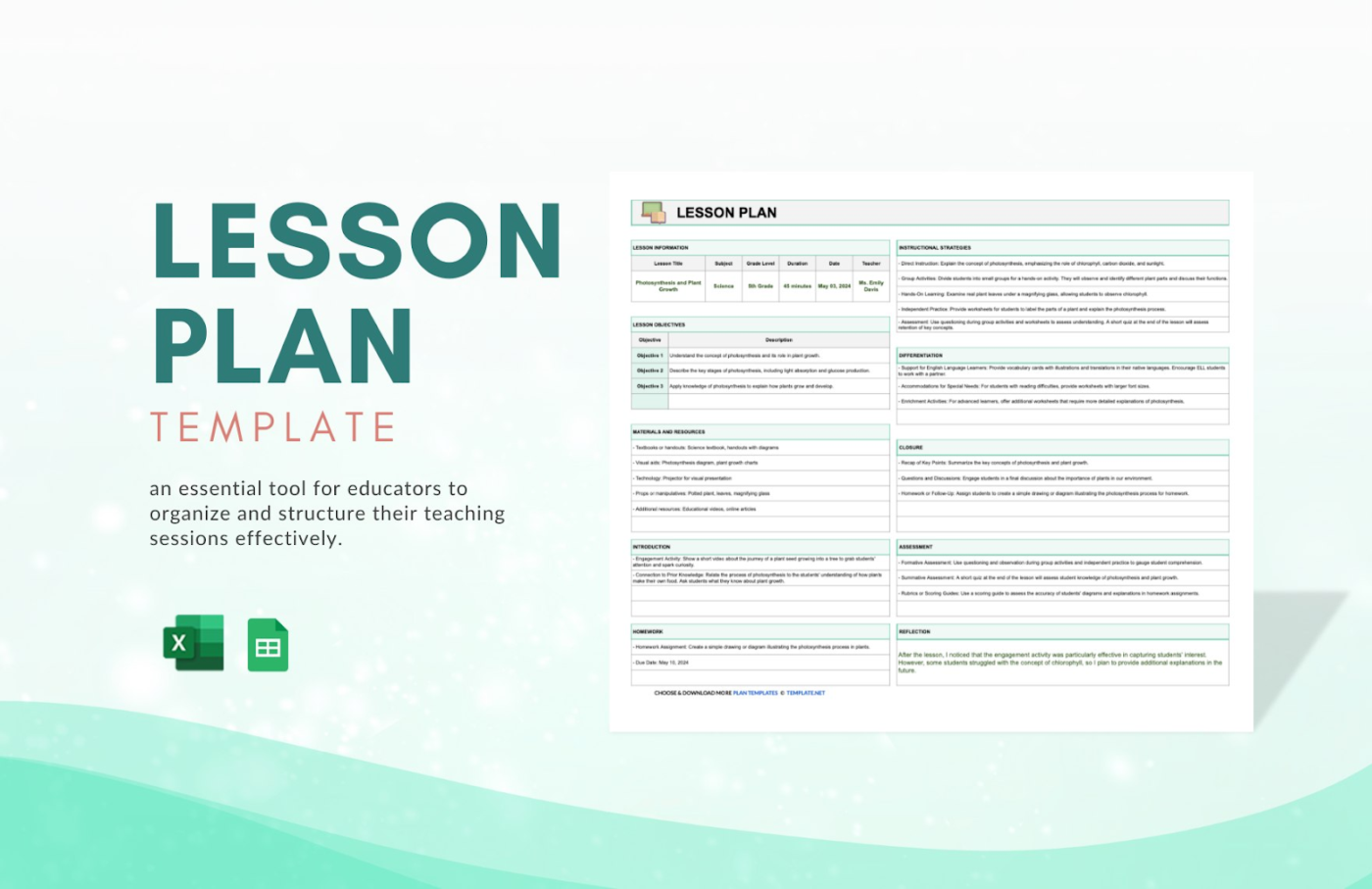
The Google Sheet Lesson Plan Template by Template.net gives you a complete view of your lesson—from objectives to assessments—all laid out in a simple, editable format. It’s free and includes dedicated sections for learning goals, required materials, teaching strategies, differentiation methods, and even post-lesson reflection.
The structure is designed for teachers who want clarity and consistency across lessons without the need to reformat every lesson.
In a real classroom setting, it helps you:
🖊️ Ideal for Upper elementary or middle school teachers who need a free full-scope template to plan, execute, and evaluate their lessons in one place.
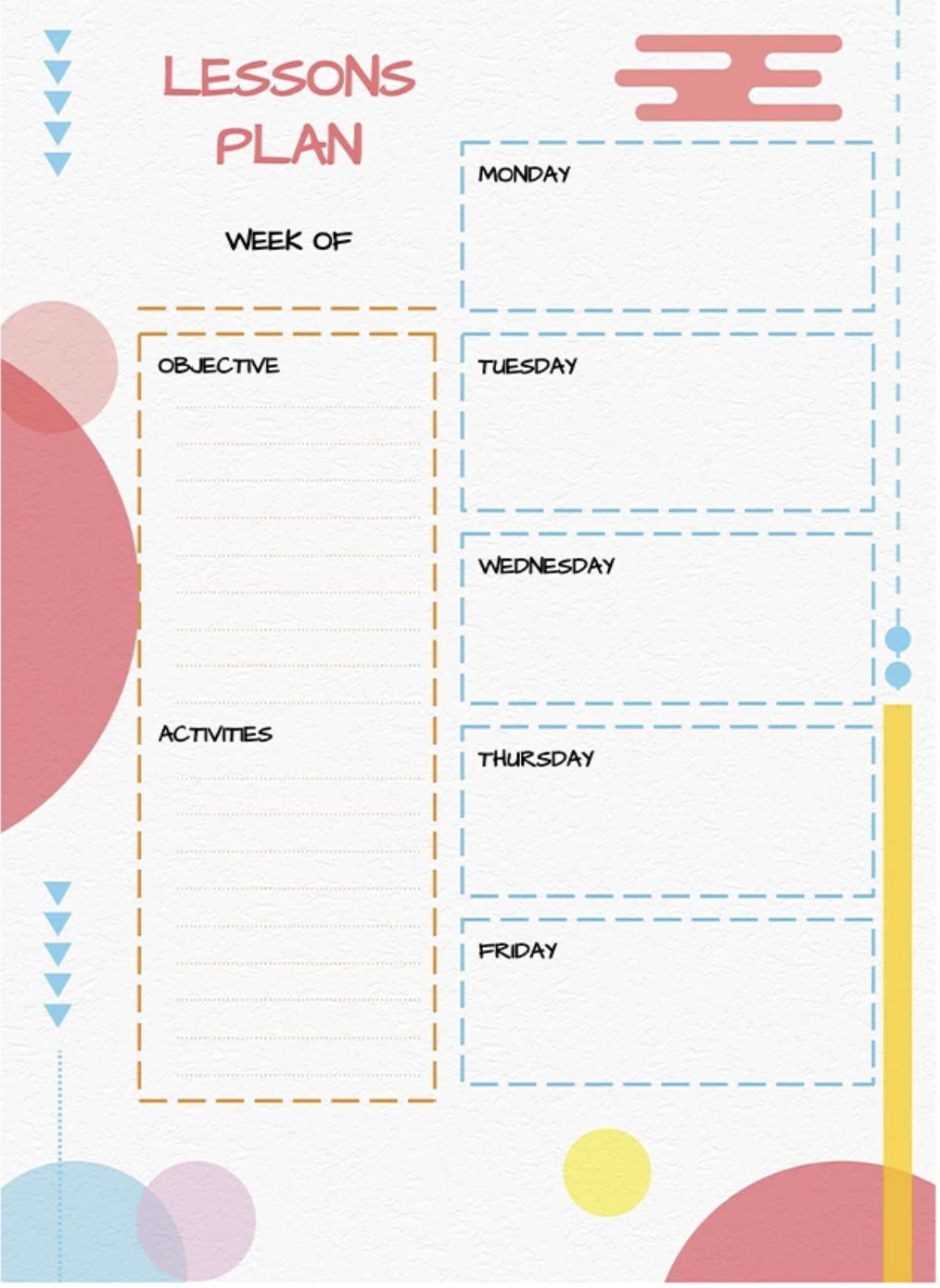
The Google Sheets Lesson Plan Template by GooDocs is a bright, easy-to-follow weekly lesson planner, built for speed and simplicity. It gives educators a clear snapshot of their entire week, with labeled spaces for daily activities, objectives, and subject planning.
The layout is fully editable and stripped down to just the essentials—ideal for anyone who needs to map out lessons fast without getting bogged down in formatting.
Here’s what makes it worthwhile in a real classroom setting:
🖊️ Ideal for: Kindergarten or elementary teachers who want a quick glance at a weekly digital planner with a clean, colorful design.
🧠 Fun Fact: Prefer using AI to design your work? You’re in good company. 71% of teachers and 65% of students believe artificial intelligence tools are essential for success in both college and the workplace.
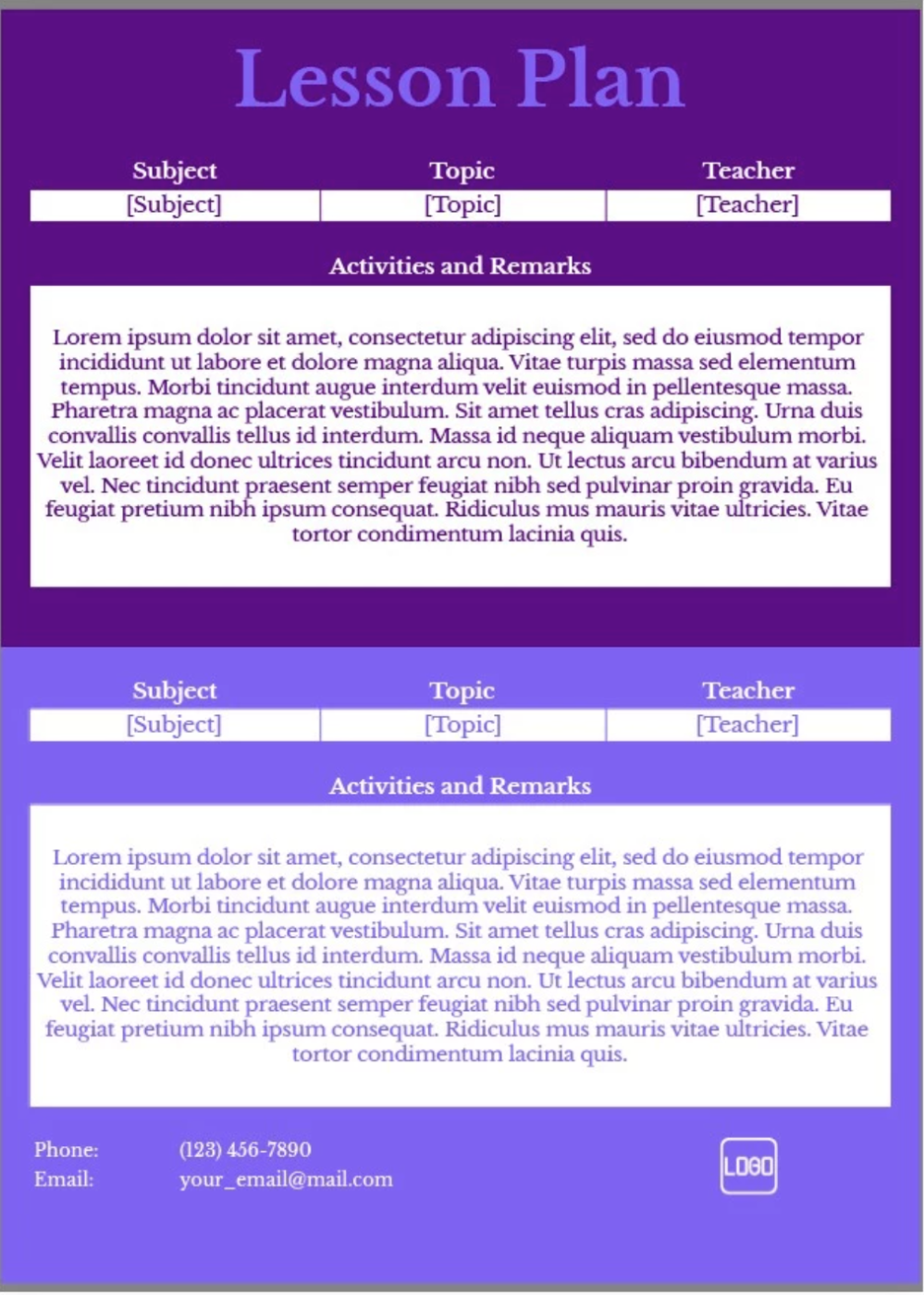
The Google Sheets Dark Theme Lesson Plan Template offers a clean, high-contrast layout with extra space for detailed notes and instructions. It’s designed for lessons that require more explanation, making it a good fit for subjects that involve step-by-step guidance or extended remarks.
With two sections for subject, topic, and teacher info, plus a large field for activities and observations, it helps keep all your content in one place. This prevents cramming everything into small boxes.
Here’s how it helps in a real classroom setting:
🖊️ Ideal for: High school or upper-grade educators who need extra space to break down complex topics and track lesson insights.
📖 Also Read: The Best Side Hustles for Teachers
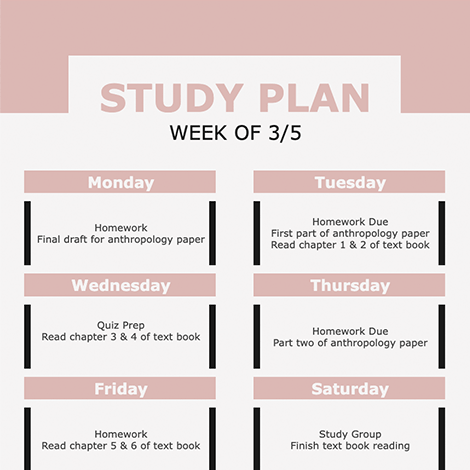
If you’re a student, a robust study plan can make or break your schedule. The Google Sheets Study Plan Template by Google Sheets Template is designed for students who need a simple, visual way to manage their weekly workload—especially when compared to traditional paper planners.
It breaks down tasks day by day—homework, quiz prep, readings—so nothing slips through the cracks.
The layout is clean, distraction-free, and easily adjusted as deadlines shift. Whether prepping for an exam or just trying to stay ahead of assignments, this template helps you build a routine that sticks.
This study planner, in a real academic setting, helps:
🖊️ Ideal for: Educators supporting students with test prep routines or independent study plans, especially in high school or early college settings.
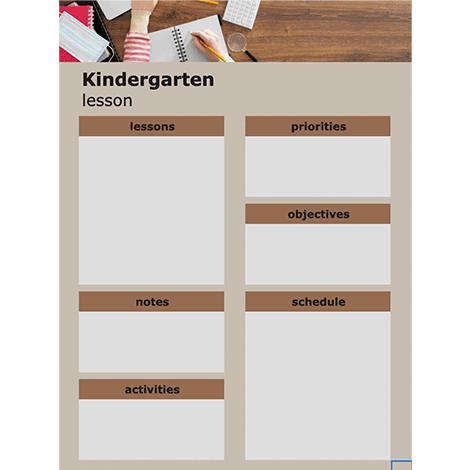
Running a kindergarten isn’t child’s play (pun not intended!). The Google Sheets Kindergarten Lesson Plan Template is built for simplicity and focus—perfect for instructors who need structure and clarity in their lesson planning.
It offers clear blocks for daily lessons, activities, priorities, objectives, and schedules, helping teachers organize the day without overcomplicating the layout. There’s also room for notes and materials, making it easy to prep everything in advance and avoid last-minute scrambling.
Key features that support classroom success:
🖊️ Ideal for: Kindergarten teachers who need a clear, visual day plan that balances structure with flexibility for young learners.
For many educators, Google Sheets is the fastest way to organize a plan. It’s familiar, flexible, and free—and you can access it easily via Google Drive.
But once you move past simple scheduling or start managing more detailed instruction, its limits become clear—especially if you’re trying to collaborate, personalize learning, or track real progress.
Here’s where Google Sheets starts to fall short for lesson planning:
Google Sheets is still a helpful tool—but if your planning process has outgrown the spreadsheet, there are better ways to build and manage your lessons.
📮 ClickUp Insight: 46% of knowledge workers rely on a mix of chat, notes, project management tools, and team documentation just to keep track of their work. For them, work is scattered across disconnected platforms, making it harder to stay organized.
As the everything app for work, ClickUp unifies it all. With features like ClickUp Email Project Management, ClickUp Notes, ClickUp Chat, and ClickUp Brain, all your work is centralized in one place, searchable, and seamlessly connected. Say goodbye to tool overload—welcome effortless productivity.
If you’re ready to level up managing lessons, materials, student progress, and feedback in one place, ClickUp—the everything app for work—is just for you. It combines project management, knowledge management, and chat—all powered by AI that helps you work faster and smarter.
ClickUp templates are built for real classroom workflows, making them useful for both teachers and administrators. They’re not just editable files—they’re visual, dynamic, and collaborative systems that help you organize plans, track progress, manage schedules, and adapt in real time. Everything’s connected, and nothing slips through the cracks.
Here are some alternatives that work better:
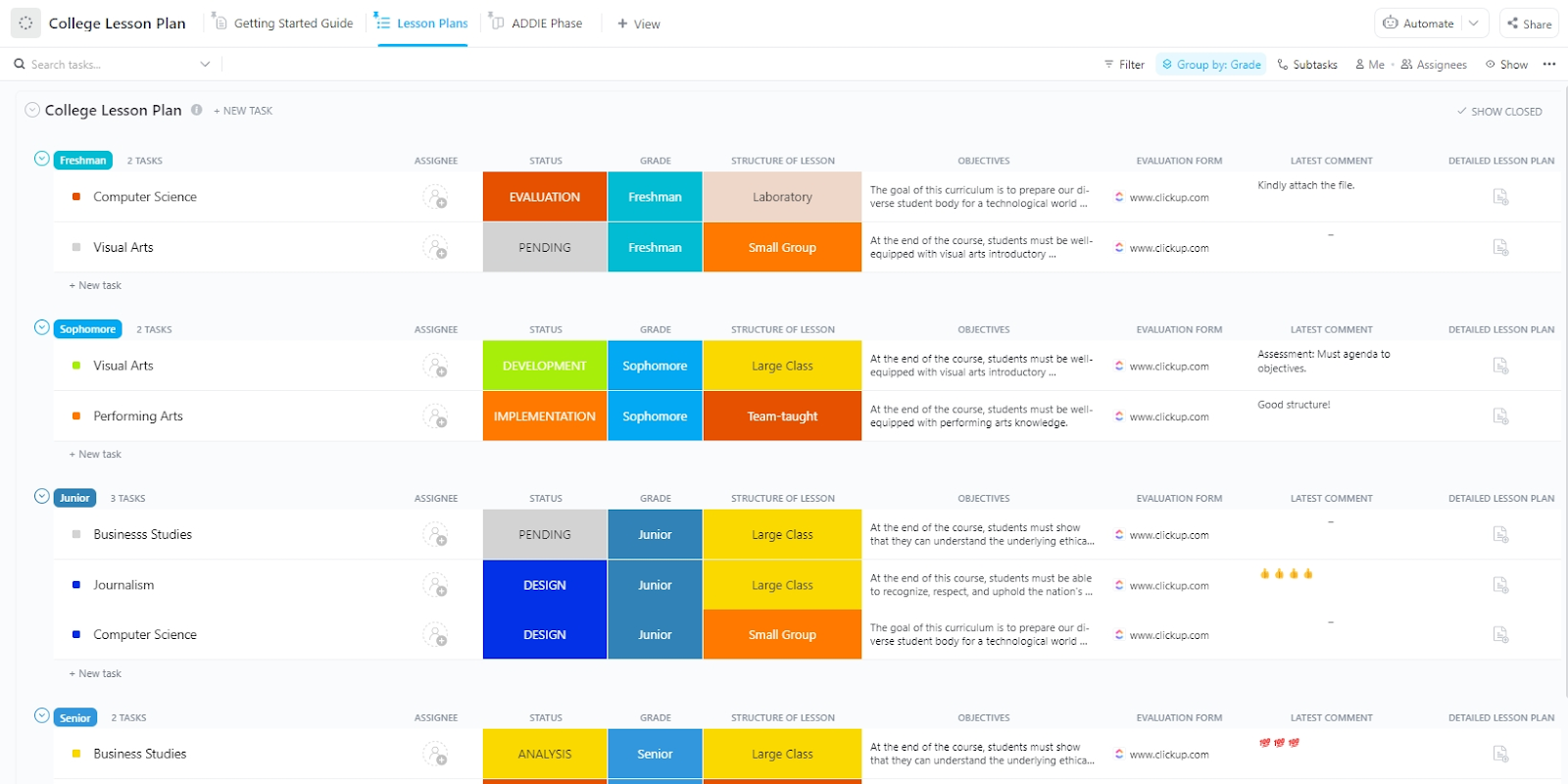
The ClickUp College Lesson Plan Template gives professors a more innovative way to structure, track, and refine their course content. It’s built for long-term lesson planning—connecting learning objectives to real outcomes better while keeping materials, timelines, and feedback loops in one place.
Setting smart goals from the start ensures your course planning stays focused and measurable.
With this template, you can:
🖊️ Ideal for: College instructors building semester-long lesson plans who need structure, flexibility, and visibility across every planning phase.
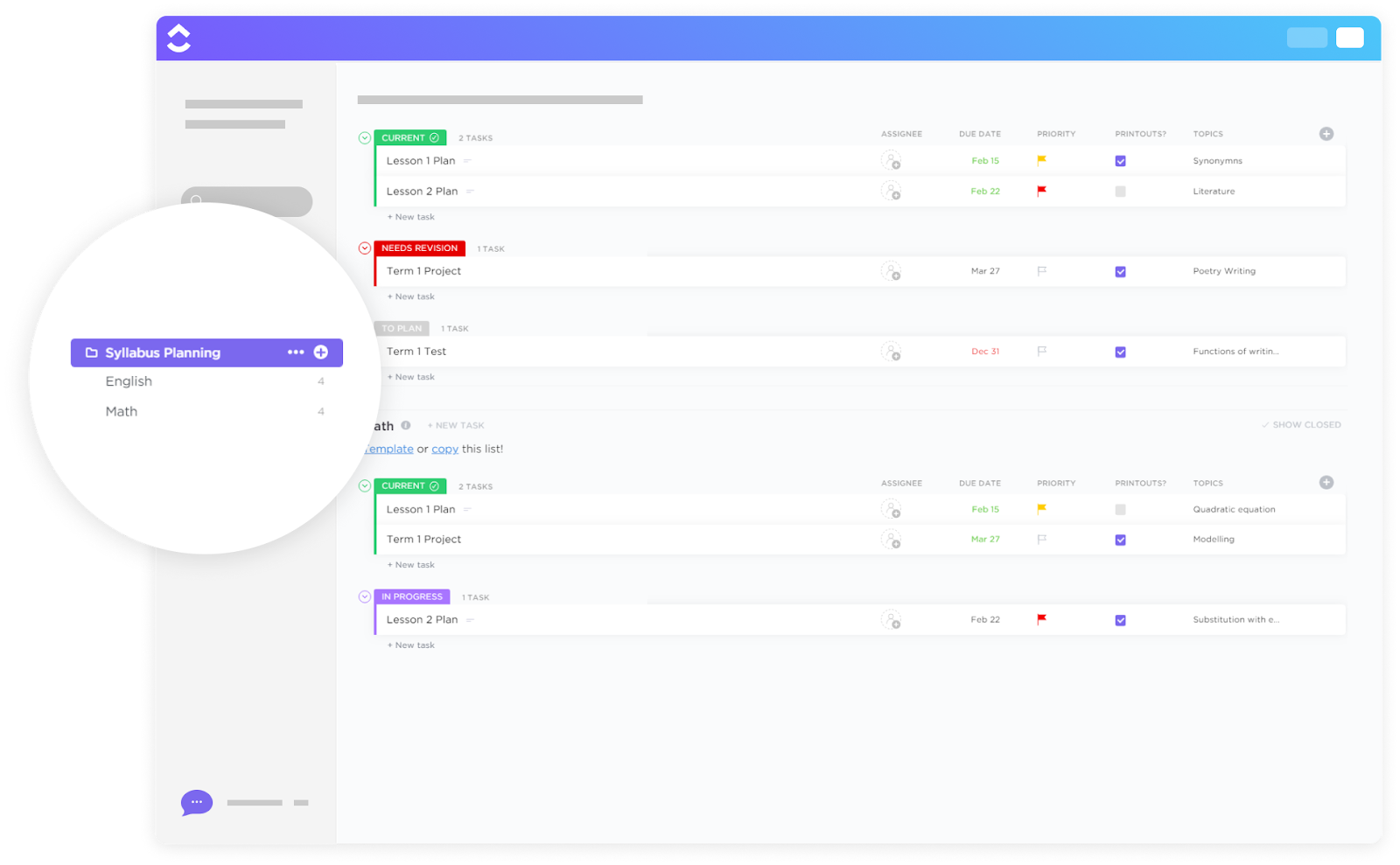
Move beyond static documents and download an actionable syllabus with the ClickUp Syllabus Planning Template. This template combines structure with flexibility so you can plan topics, deadlines, and materials in one place—and then adapt as your course evolves.
It also complements broader university management software by giving you hands-on control over lesson details and daily progress tracking.
Use this template to:
🖊️ Ideal for: Educators developing semester-long syllabi who want a system to structure, track, and adapt plans in real time, while making time sifting through endless updates and revisions a thing of the past.
💡 Pro Tip: Color-code different sections of your lesson plan for quick access. For instance, use one color for homework tasks, a different color for assessments, and a third for in-class activities. This makes it much easier to scroll and find specific tasks, saving you time when you search, review, or update your plan.
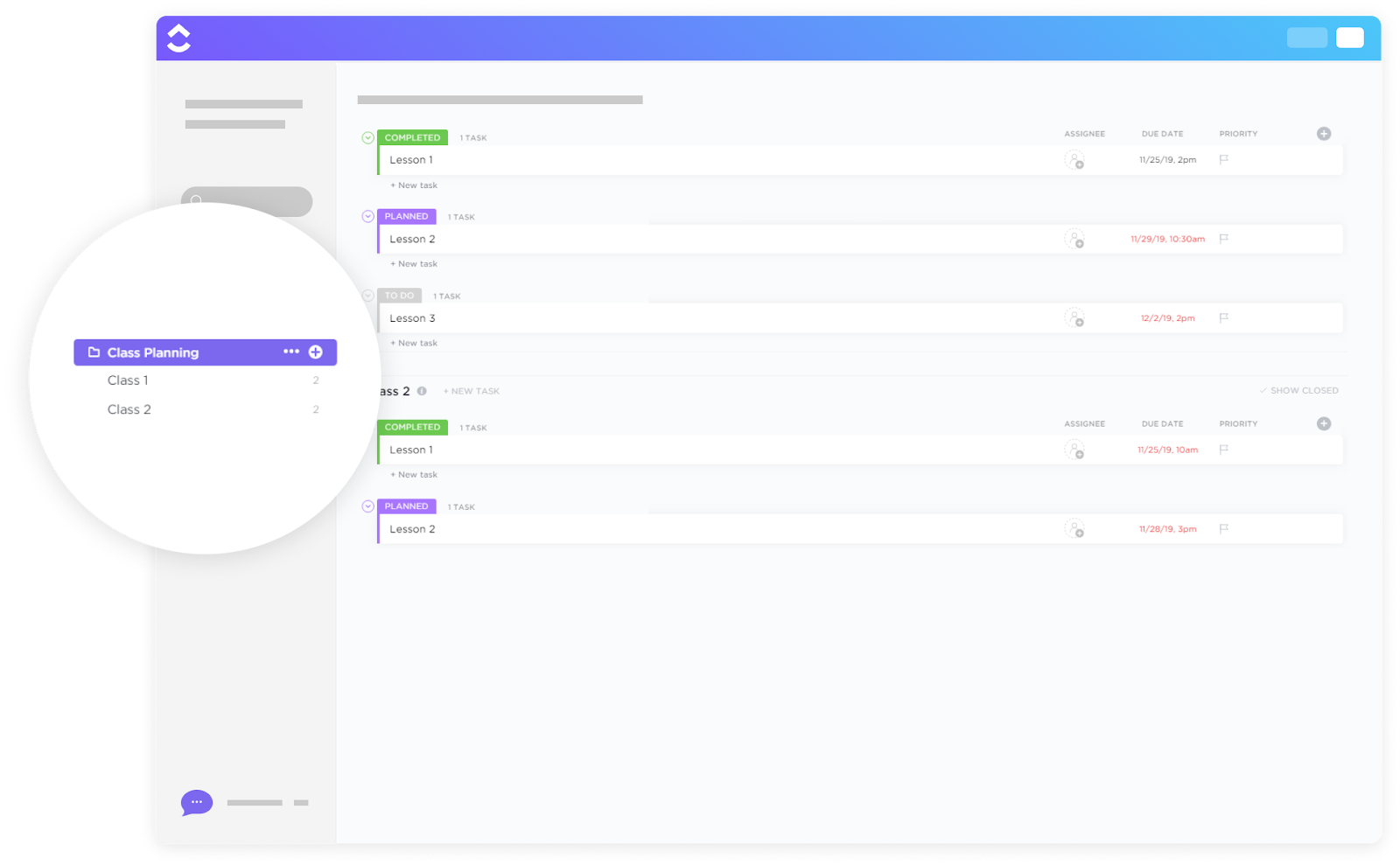
If your work is scattered across multiple platforms, you’re wasting so much time before and during class. The ClickUp Class Planning Template enables educators to manage all aspects of class planning in one place, from lessons and assignments to daily tasks and class-wide goals.
Instead of juggling documents and timelines, you can map your schedule, store materials, and track everything without switching tabs. It also makes it easy to start planning from scratch—just open up ClickUp Docs to outline your class goals and topics before building out the rest.
This template lets you:
🖊️ Ideal for: Instructors managing multiple classes who want to streamline lesson planning, deadlines, and daily classroom tasks in one system.
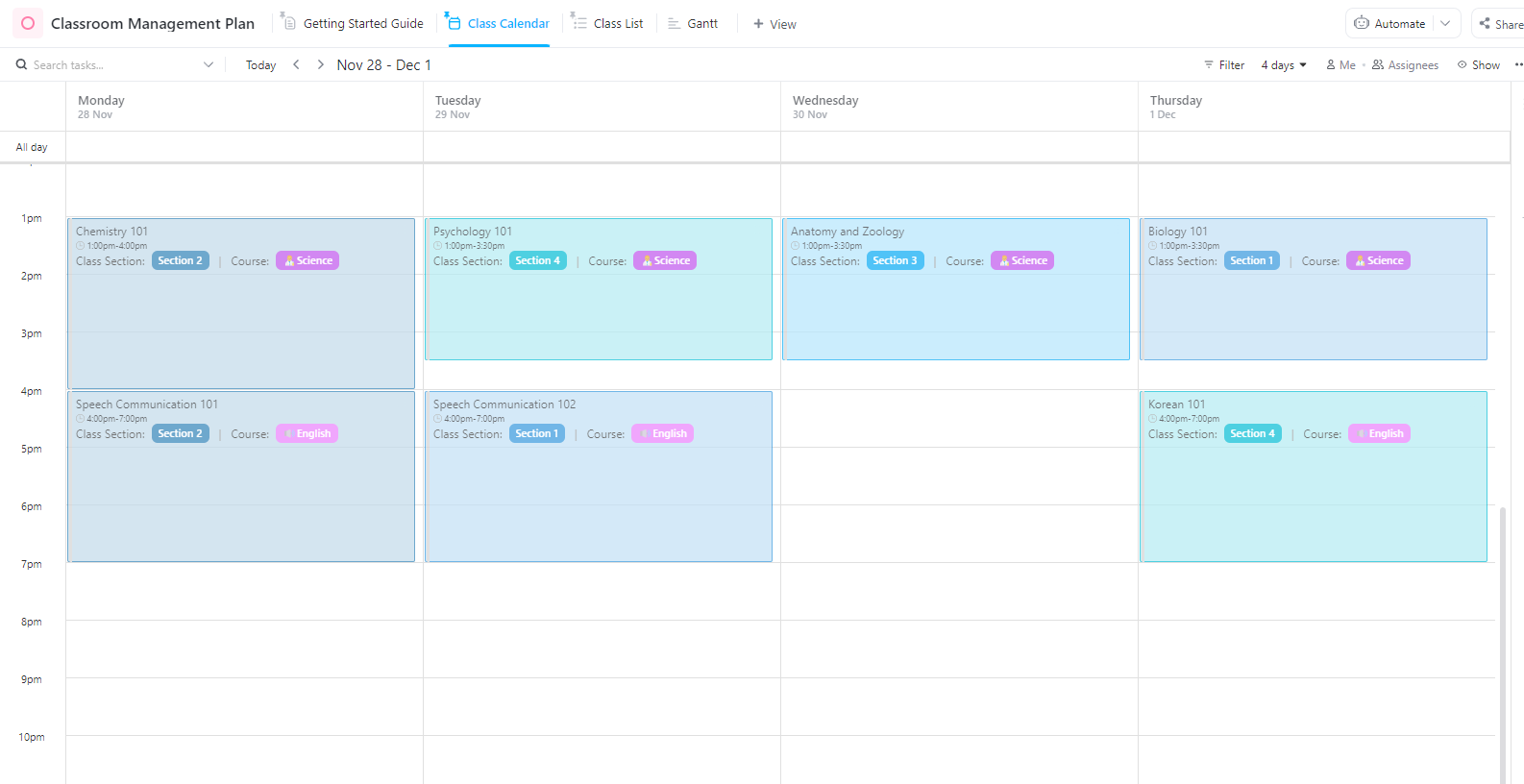
Want to look at all your classes at a glance? The ClickUp Classroom Management Plan Template gives teachers the structure to manage behavior, expectations, and classroom routines in one place.
From tracking progress to streamlining parent communication, this template transforms reactive discipline into proactive planning. It allows you to focus on building a safe and supportive learning environment.
You can also add scheduling tools like ClickUp Calendar, an AI-powered calendar that helps you manage your daily routines and timelines.
Watch this video to learn more about what ClickUp Calendar can do for you.
Use this template to:
🖊️ Ideal for: K-12 educators who need a flexible yet structured way to manage classroom behavior, routines, and student accountability.
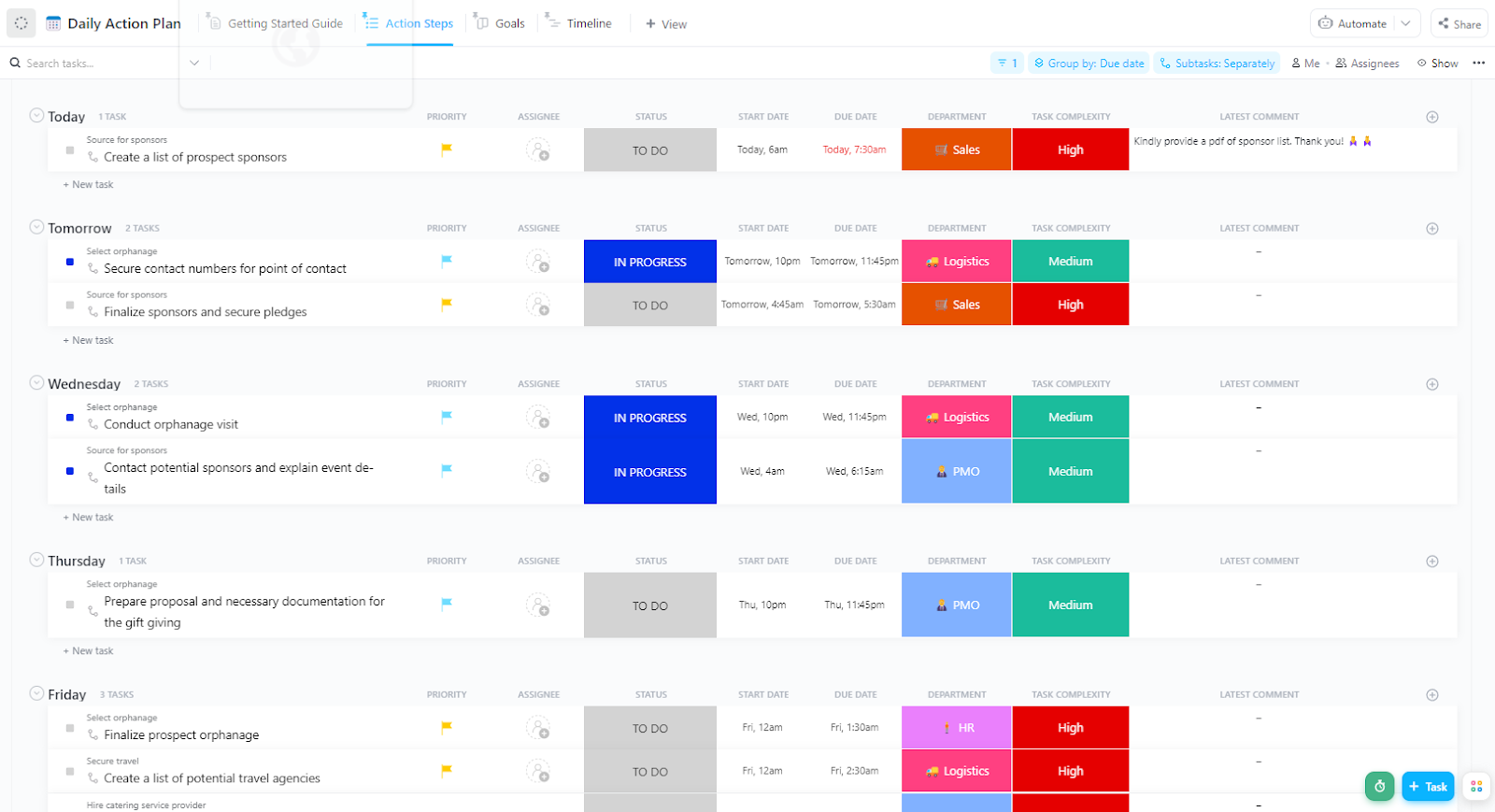
The ClickUp Teacher Action Plan Template helps educators turn planning into progress.
Whether preparing lessons, setting academic goals, or tackling classroom challenges, this template provides a simple structure to track tasks, define expectations, and evaluate outcomes—without needing to switch between teaching tools or paperwork.
This template lets you:
🖊️ Ideal for: Teachers who want a structured daily plan to align goals, stay consistent, and clearly manage classroom responsibilities.
A few years ago we implemented ClickUp in the educational institution where I work because we had to improve the processes in the organization, it was very complicated in a company with around 150 employees, knowing what they are doing and measuring progress, something that has been achieved through the use of ClickUp.
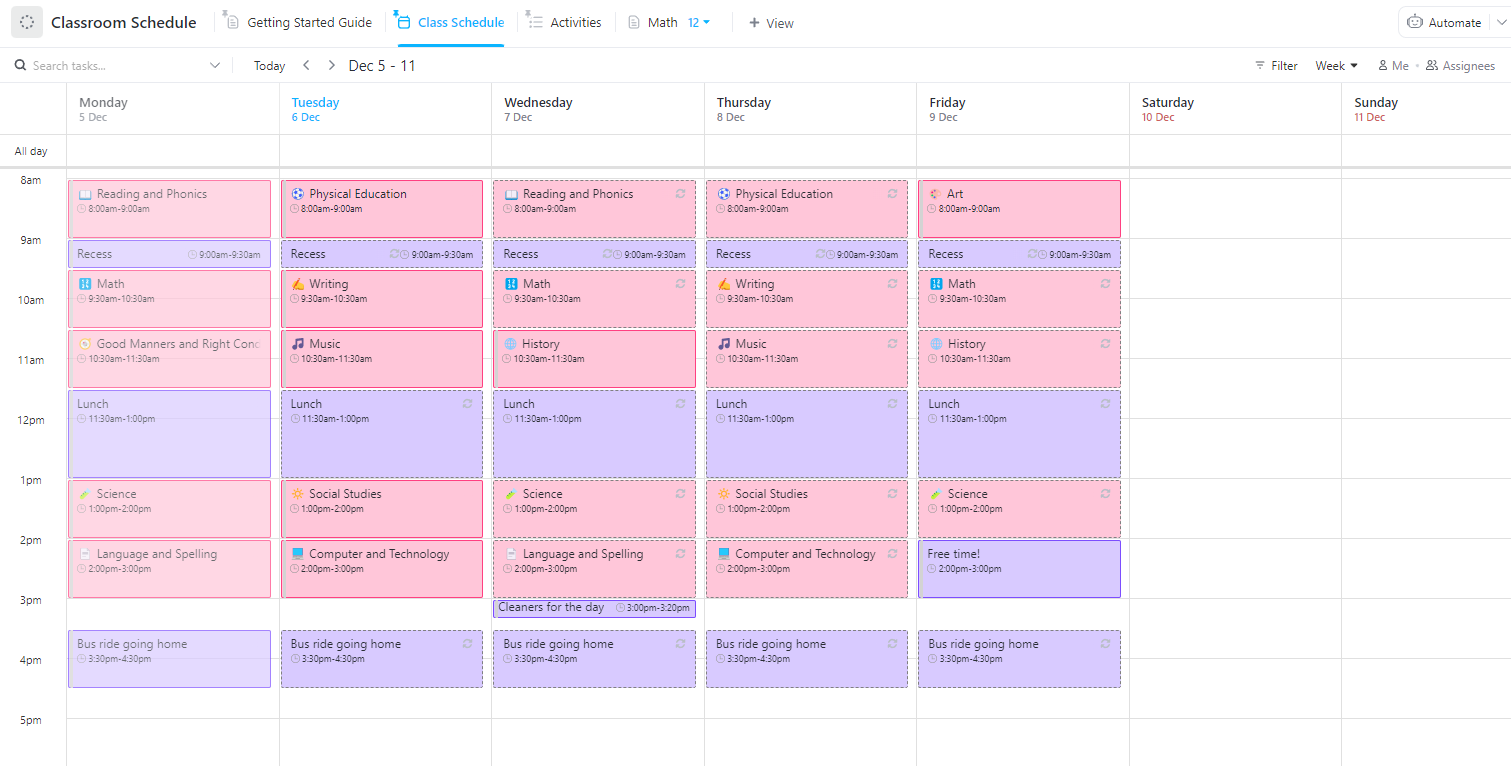
If you’re a teacher looking to organize, adapt, and manage your day clearly, the ClickUp Classroom Schedule Template is the perfect place to begin. Whether balancing multiple subjects or working group activities, this template offers the structure you need—while giving you the flexibility to customize each schedule by student, topic, or period.
It can also complement other support tools, like AI tools for students, to keep learning outcomes aligned and timely.
With this template, you can:
🖊️ Ideal for: Teachers managing subject-wise schedules or multi-classroom planning who need a clear structure with customizable views.
📖 Also Read: Free Work Schedule Templates in Excel & ClickUp
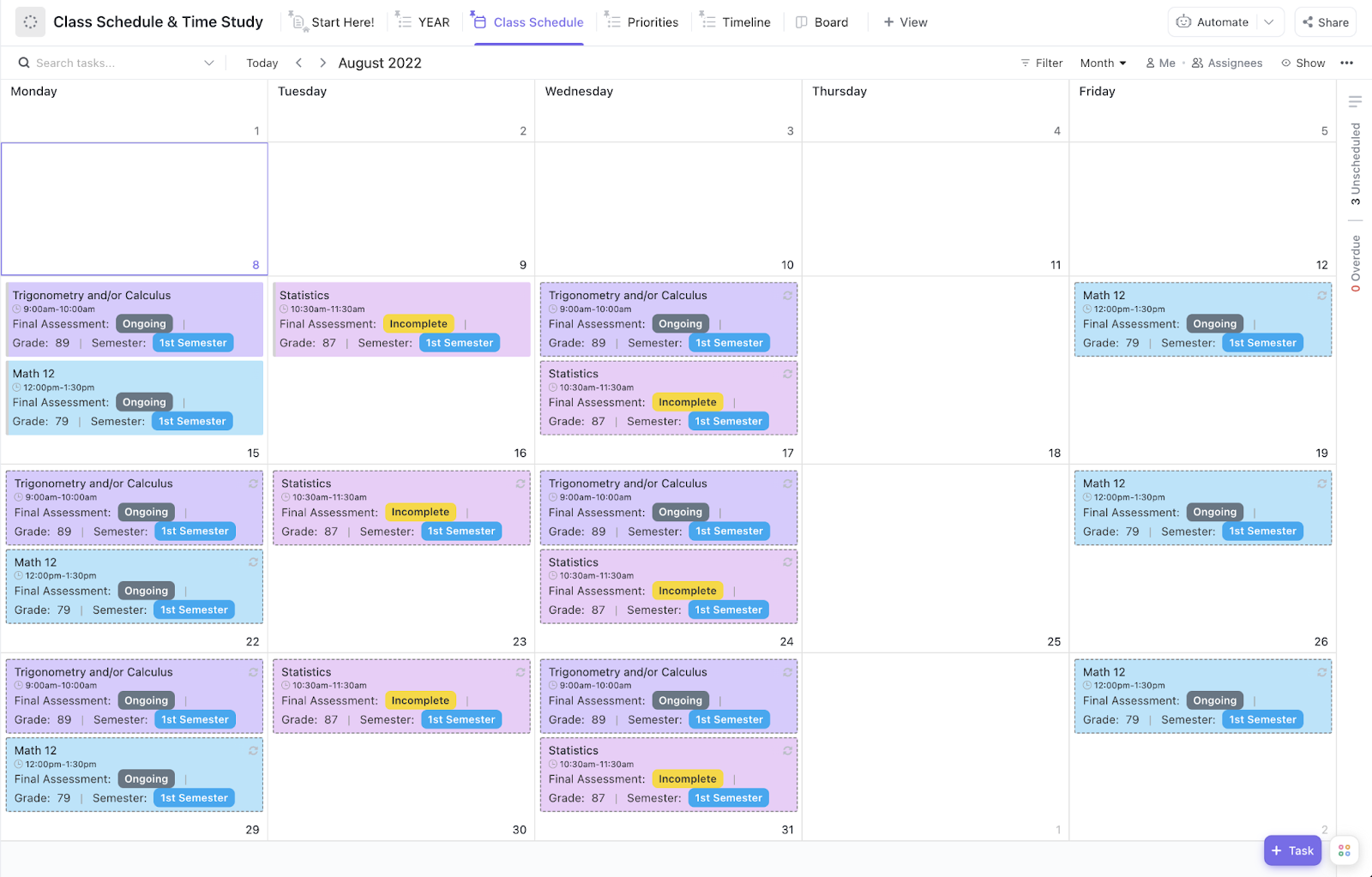
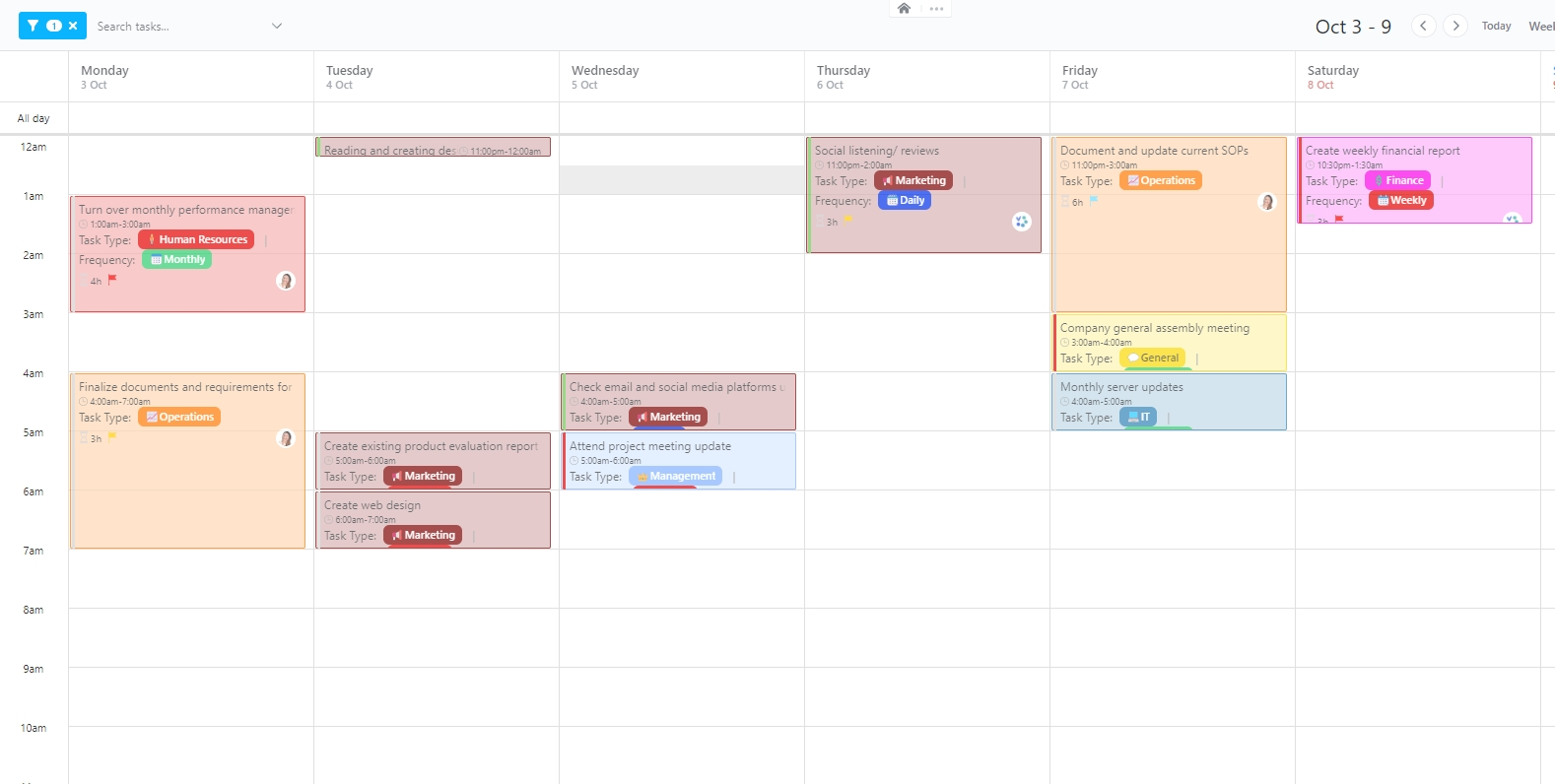
The ClickUp Class Schedule and Time Study Template gives students and teachers the tools to structure their academic day with clarity.
From weekly classes and assignment deadlines to long-term study goals, this template helps you prioritize, schedule, and track everything in one centralized system. This ensures that nothing falls through the cracks, even during peak workload weeks.
This template lets you:
🖊️ Ideal for: Students balancing classes, assignments, and study blocks—or teachers supporting students with structured academic planning tools.
Can structuring your academic day be stress-free? With the ClickUp Hourly Schedule Template, it can be!
This template is built for teachers, students, and professionals who need structure without stress. From planning classes and assignments to managing task payouts or priorities, this template brings everything into one organized system, so your hours are spent getting things done, not figuring out what to do next.
Use this template to:
🖊️ Ideal for: Teachers and homeschoolers managing lesson blocks and daily class schedules, hour by hour.
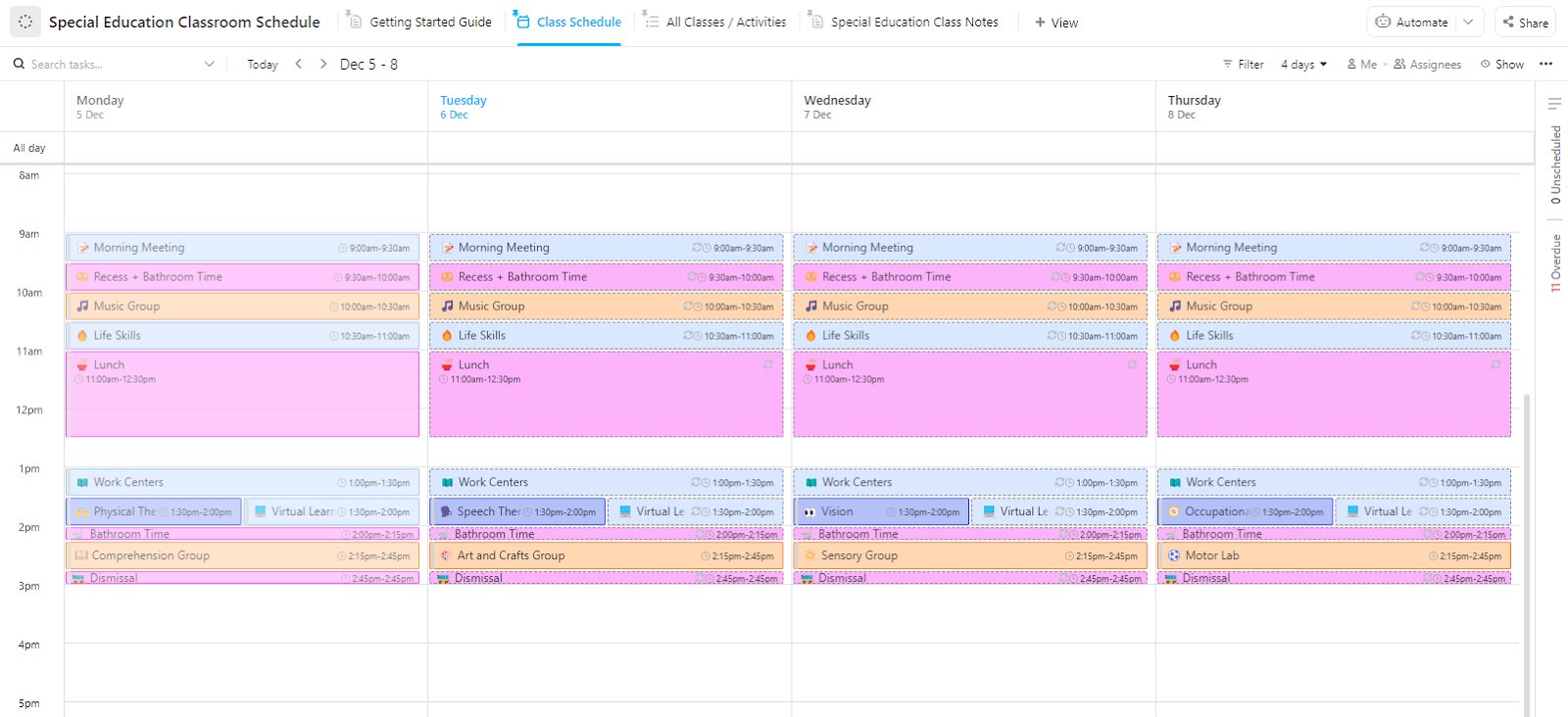
The ClickUp Special Education Classroom Schedule Template helps educators plan flexible, student-centered schedules tailored to individual learning needs. Whether you coordinate lesson times, provide staff support, or arrange student accommodations, this template gives you a clear and editable framework to manage everything in one place.
You can also pair it with KWL templates or similar learning aids to track progress and support IEP goals more effectively.
Let this template:
🖊️ Ideal for: Teachers and special education coordinators planning student-specific schedules, learning support, and classroom routines.
💡 Pro Tip: Allow flexibility in your scheduling. Even if you have specific time blocks for each lesson or activity, life in the classroom can be unpredictable. Add buffer time for spontaneous discussions, student questions, or additional activities, so you’re not stuck rushing through the rest of the plan.
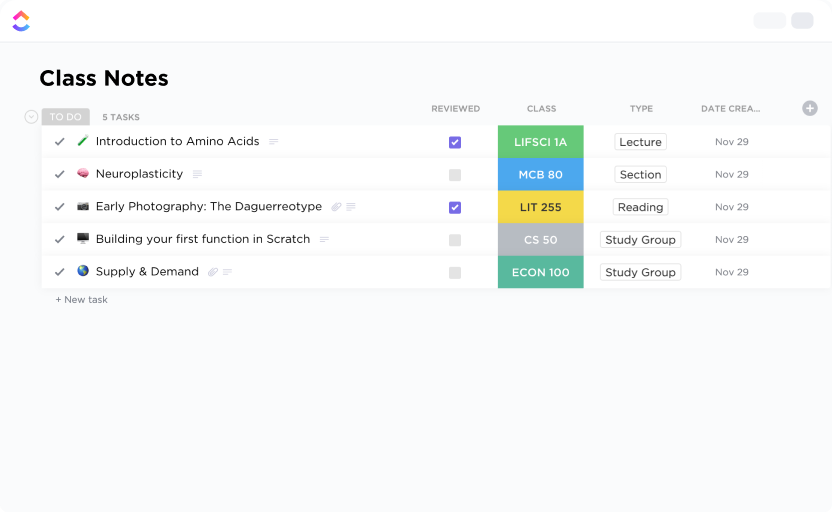
Juggling printouts and loose sheets making you scramble last minute? The ClickUp Class Notes Template can help you organize your learning better.
It gives you a structured, easy-to-use system to track your notes, assignments, and class-specific insights—all in one place. Whether you’re sitting in a lecture or revisiting topics later, this Doc-based template keeps everything connected and searchable.
With this template, you can:
🖊️ Ideal for: Educators who want a clean, searchable note-taking tool system to stay organized and make study sessions more productive.
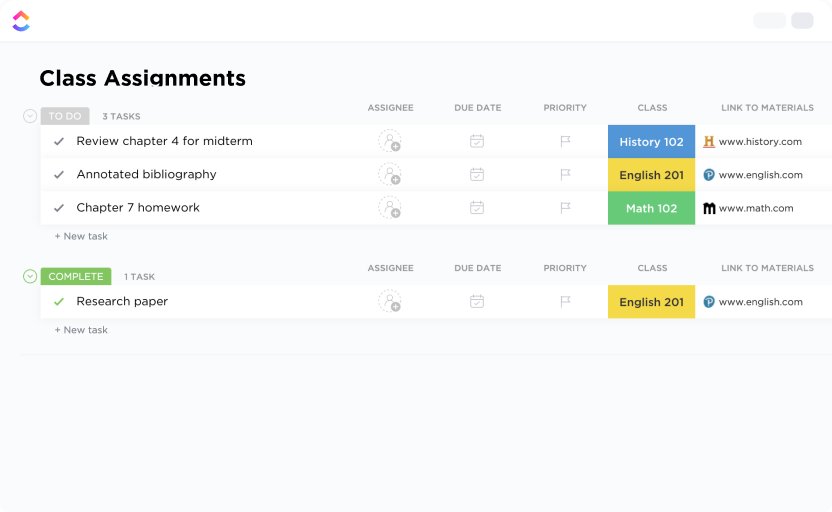
The ClickUp Class Assignment Template takes the stress out of managing student work. Teachers can organize tasks, set deadlines, and track grades in one place—without the hassle of spreadsheets.
For more complex assignments, you can also link resources or use training video software to visually guide students through instructions, saving time and reducing confusion.
Use this template to:
🖊️ Ideal for: Teachers managing multiple student assignments across classes and looking for a single source of truth to streamline instruction and grading.
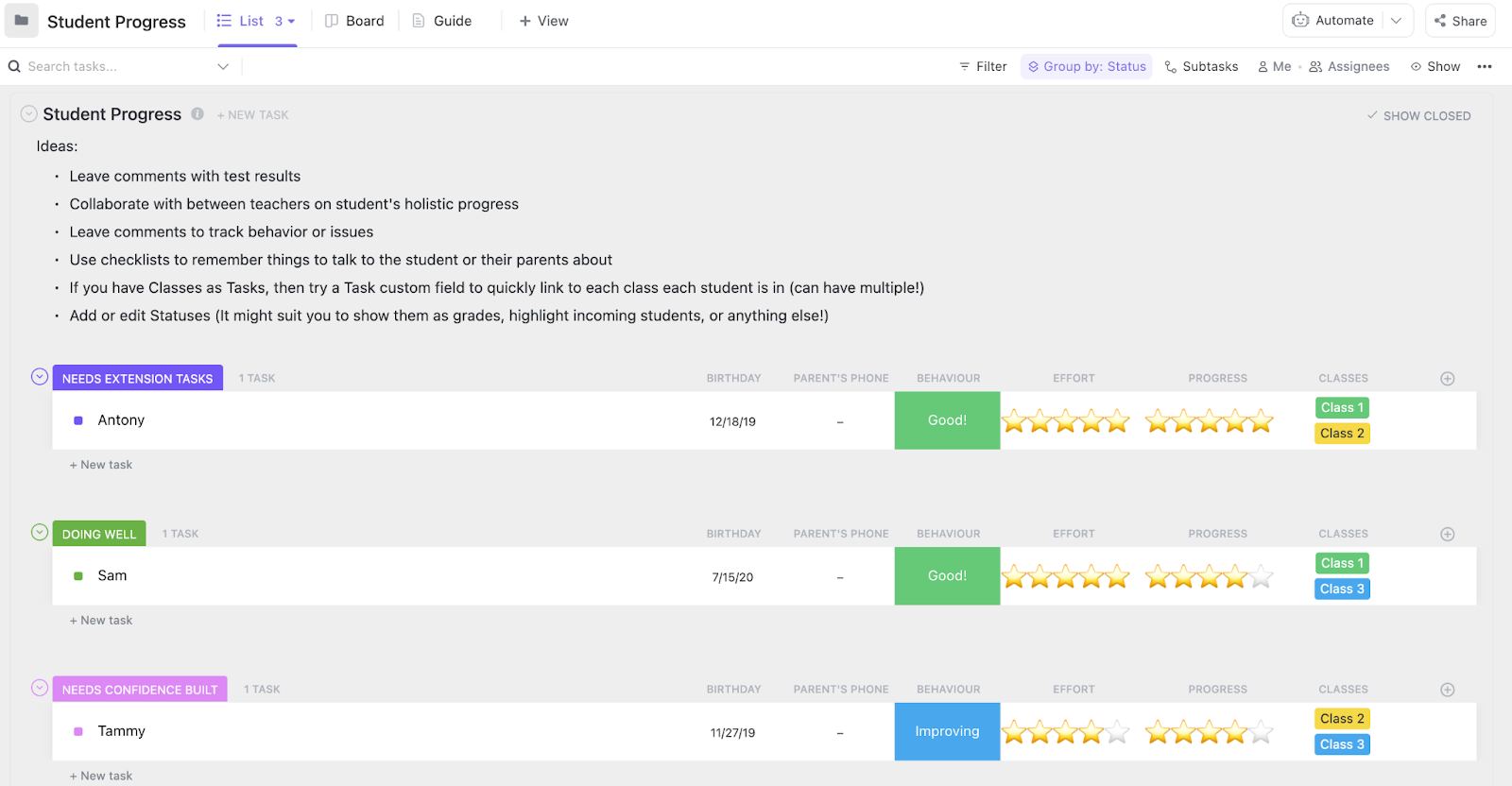
If you’ve been relying on tracking your students’ academic journey on static Google Sheets, there’s a better way! The ClickUp Student Progress Template combines performance tracking, behavioral insights, and action planning in one space—so you never miss a red flag or growth opportunity.
Whether managing individual progress reports or addressing class-wide trends, this template helps you identify patterns early and take action quickly.
Let this template:
🖊️ Ideal for: Teachers and homeschoolers who need a centralized tool to track academic and behavioral performance across all students.
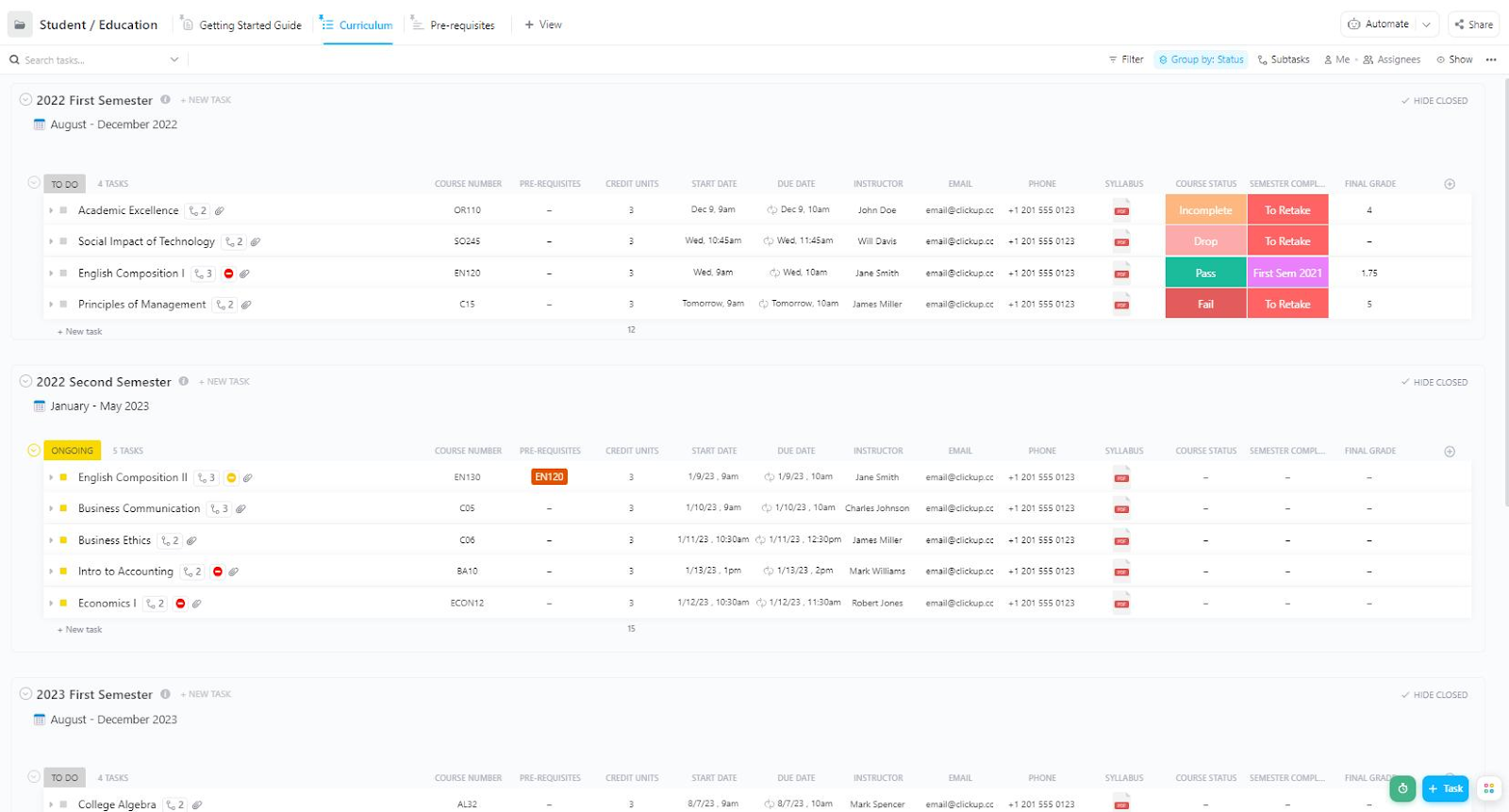
Staying on top of assignments, coursework, and academic goals can be a challenge with scattered notes and multiple apps. With the ClickUp Student Education Template, organize tasks, manage coursework, and track academic goals without scattered notes or multiple apps.
Whether you’re a student or an educator, you can keep everything in one file. For broader academic planning, ClickUp Education also lets institutions simplify education management by centralizing academic and administrative resources in one spot.
With this template, you can:
🖊️ Ideal for: Teachers and homeschoolers managing course schedules, prerequisites, and student assignments in one organized system.
💡Use ClickUp AI to draft lesson plans in minutes
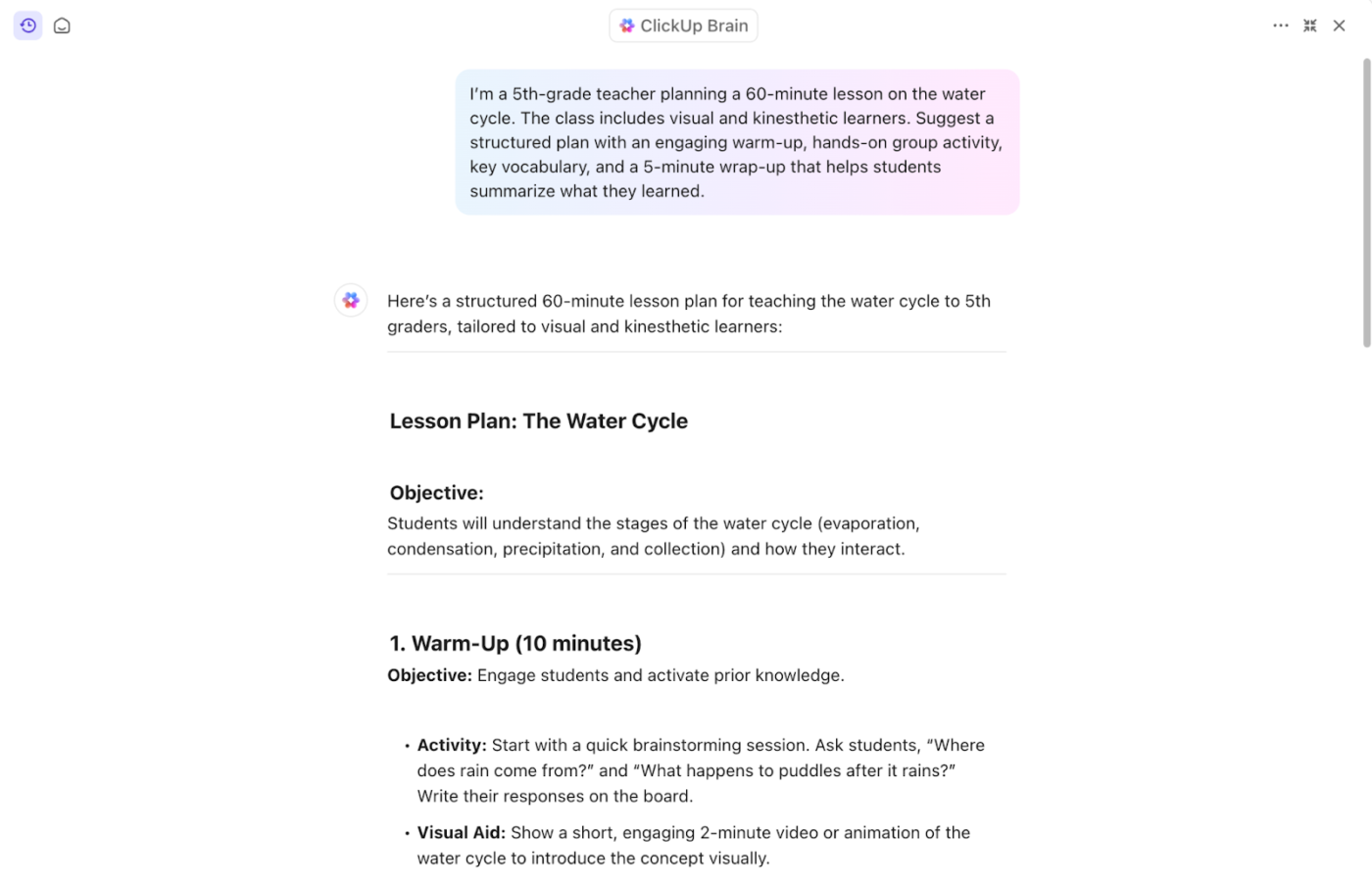
Whether teaching math and science to fifth graders or managing reading time across multiple grade levels, ClickUp Brain helps you skip the blank page. Just start your AI lesson planning by describing your learning goal, class context, and schedule. It builds a structured lesson with pacing, activities, and checkpoints.
Just a lesson plan generator that fits your teaching style and time block.
Here’s an example 👇
Not every Google Sheets template is created for secondary teachers’ planning needs. The best ones aren’t just editable; they’re built to match how educators think, teach, and adapt throughout the week.
Here’s what makes a Google Sheets lesson plan template worth using:
Templates that follow these basics give you the same planning flexibility as many daily planner apps, but without starting from a blank grid every time.
📖 Also Read: Top AI Courses to Help Develop Your AI Knowledge
Google Sheets might help you get started, but it wasn’t built for the realities of the classroom. ClickUp templates go further; they’re built to help teachers make planning a more streamlined part of their day.
Every template is customizable, shareable, and free to use, from organizing class schedules to tracking student progress. You can spend less time piecing things together and more time focused on teaching.
Plus, with flexible views, automation, and tools like ClickUp Brain, you’re not just staying organized; you’re teaching more effectively without adding extra hours to your day.
Sign up for ClickUp to simplify planning and reclaim your prep time.

© 2026 ClickUp

There’s an easier way. Try a free AI Agent in ClickUp that actually does the work for you—set up in minutes, save hours every week.