






Still downloading templates?
There’s an easier way. Try a free AI Agent in ClickUp that actually does the work for you—set up in minutes, save hours every week.
Sorry, there were no results found for “”
Sorry, there were no results found for “”
Sorry, there were no results found for “”
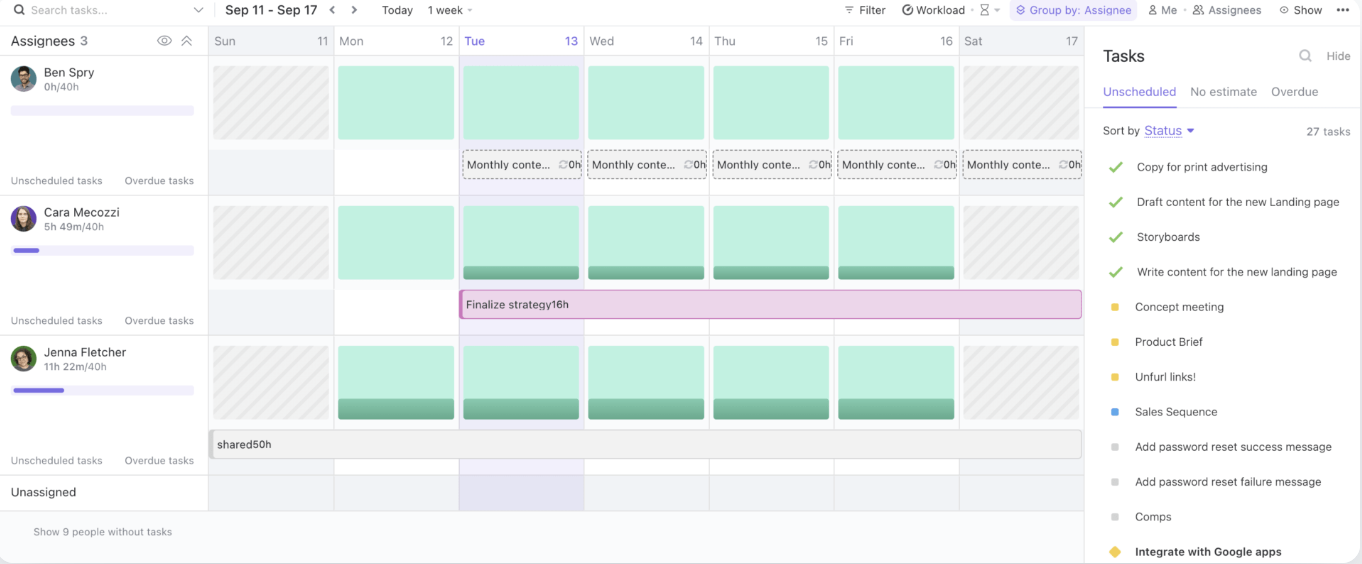
Epicflow handles pipeline visibility well.
But then, it leaves your team stranded with separate apps for tasks, docs, and daily collaboration. With 68% of workers lacking sufficient uninterrupted focus time due to app-switching, this fragmentation is costly.
This guide walks you through the top Epicflow alternatives that range from dedicated scheduling tools to converged workspaces where resource planning lives alongside execution, so you can find the right fit for how your team actually works.
| Tool | Key features | Best for | Pricing* |
|---|---|---|---|
| ClickUp | Converged AI Workspace, Tasks and Views, Workload View, Automations, ClickUp Brain, Super Agents, Proofing, Dashboards, Time Tracking, and Chat | Teams of all sizes that want delivery, collaboration, and resource visibility in one converged system | Free Forever; Customizations available for enterprise |
| Jira | Sprint planning, Advanced Roadmaps (Plans), dependency mapping, JQL, burndown and velocity reports | Agile software teams managing sprints and backlogs at large companies | Free plan available; Paid plans start at $7.91/user/month |
| Float | Drag-and-drop scheduling, utilization %, time-off and working hours, project budgets | Small to mid-sized teams that want simple visual scheduling and fast capacity checks | Paid plans start at $8.50/scheduled person/month |
| Resource Guru | Resource calendar, clash management, time-off tracking, tentative bookings | Small teams that need clean scheduling plus leave management | Paid plans start at $5/person/month |
| Monday.com | Custom boards, Workload widget, Timeline and Gantt, automations, dashboards | Mid-sized teams and agencies that want flexible work management with basic resource views | Free plan available; Paid plans start at $12/seat/month |
| Runn | Live capacity charts, timesheets, utilization, scenario planning, financial forecasting | Agencies and consultancies of all sizes that need resourcing tied to forecasts | Paid plans start at $9/seat/month |
| Celoxis | Portfolio planning, resource load charts, multi-project scheduling, time and cost tracking | PMOs needing portfolio-level control and resource optimization at large organizations | Paid plans start at $10/user |
| Forecast | AI-assisted scheduling, utilization dashboards, budget tracking, PSA-style planning | Large professional services teams optimizing utilization and profitability | Custom pricing |
| Teamwork.com | Client project delivery, resource scheduler, workload views, time tracking with billables | Small to large client-facing teams that need projects + resourcing under one roof | Free plan available; Paid plans start at $13.99/user/month |
| Kelloo | Demand forecasting, skills-based scheduling, portfolio dashboards, what-if planning | Small to mid-sized PMOs planning long-term capacity across a project pipeline | Paid plans start at $2.09/resource/month |
Our editorial team follows a transparent, research-backed, and vendor-neutral process, so you can trust that our recommendations are based on real product value.
Here’s a detailed rundown of how we review software at ClickUp.
Most people start looking for Epicflow alternatives when they realize they don’t just need resource visibility, they need a faster way to plan, collaborate, and actually execute work without extra tools or heavy upkeep. Here are the top reasons:
Let’s now deep dive to look at the top Epicflow alternatives you can choose from:
Epicflow does a solid job of optimizing resources, but most teams still end up juggling the rest of the operating system elsewhere, in different disconnected tools.
And that tool sprawl adds up fast. According to ClickUp’s State of Productivity Report, low-performing teams are 4x more likely to use 15+ tools.
This is when you need a stronger alternative like ClickUp. It’s a Converged AI Workspace that brings together resources, tasks, docs, chat, dashboards, automations, and AI into a single connected system.
Here’s how ClickUp helps teams plan, ship, and stay aligned:
Startups and fast-moving teams do not struggle with the big plans. They struggle with the thousands of small moving parts that pile up every day. ClickUp Tasks give each work item one home for ownership, priority, status, due dates, and dependencies. This makes sure nothing you add to your work list is ever lost.
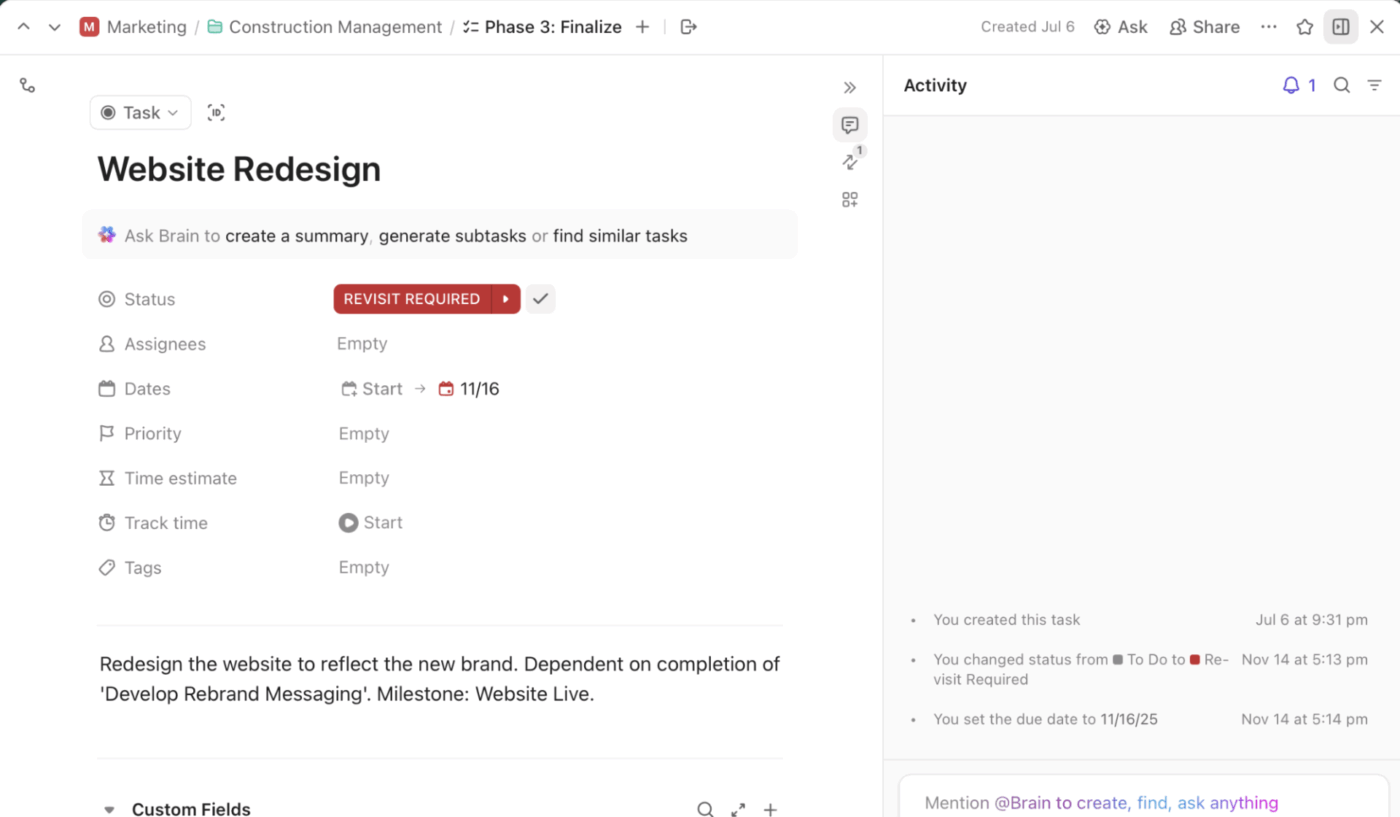
And because every team likes to see work differently, you can pair tasks with ClickUp Views to match how your team executes. Use List for structured backlogs, Board for flow, Calendar for deadlines, and Timeline-style views when sequencing matters.
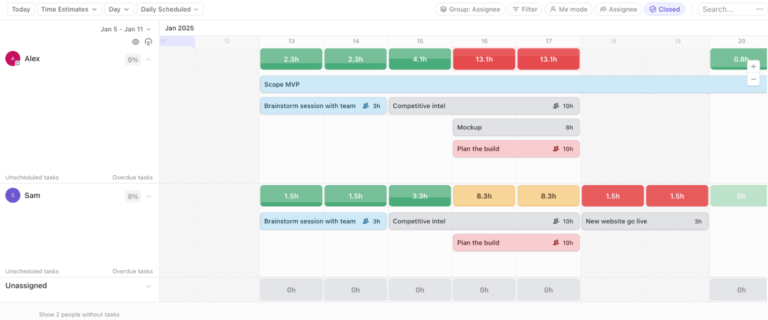
When you’re scaling, the real risk looms when there’s too much work on the wrong people at the wrong time. ClickUp Workload View helps you see team capacity that you can use in real time to catch overload before it turns into missed deadlines or burnout.
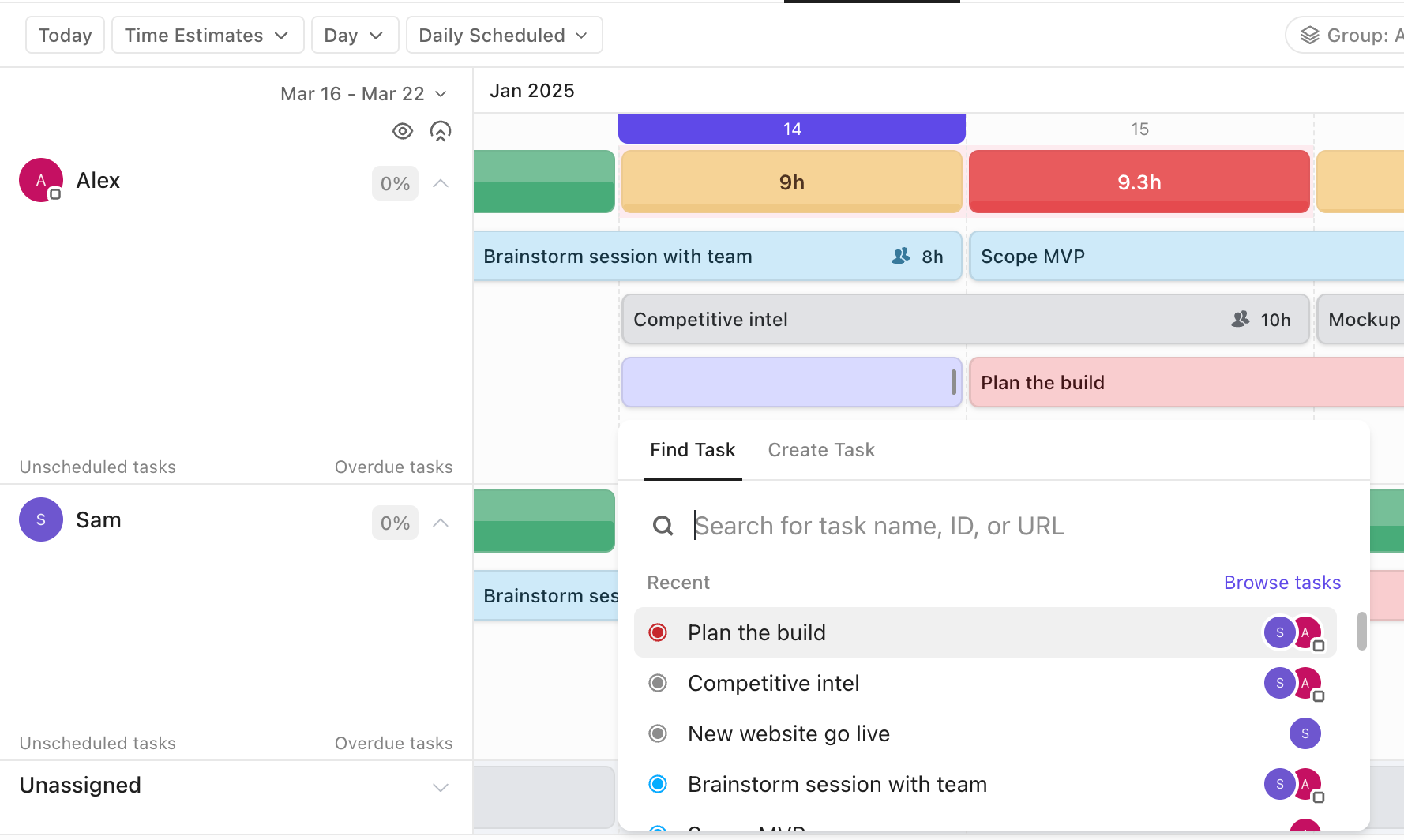
You can view workload by assignee across a date range, compare it against each person’s capacity, and quickly rebalance by shifting ownership or adjusting timelines. It’s especially handy when one project looks fine on its own, but the same few people are quietly carrying three other priorities in parallel.
As your projects grow, your biggest slowdown becomes context. Updates live in tasks, specs live in Docs, decisions live in comments, and nobody has time to stitch it all together before making the next call.
ClickUp Brain fixes that by letting you ask questions directly inside your workspace and get answers anchored to your work. It can summarize long task threads, pull key decisions from absolutely anywhere in your workspace, and turn messy updates into executable action items you can assign right away.
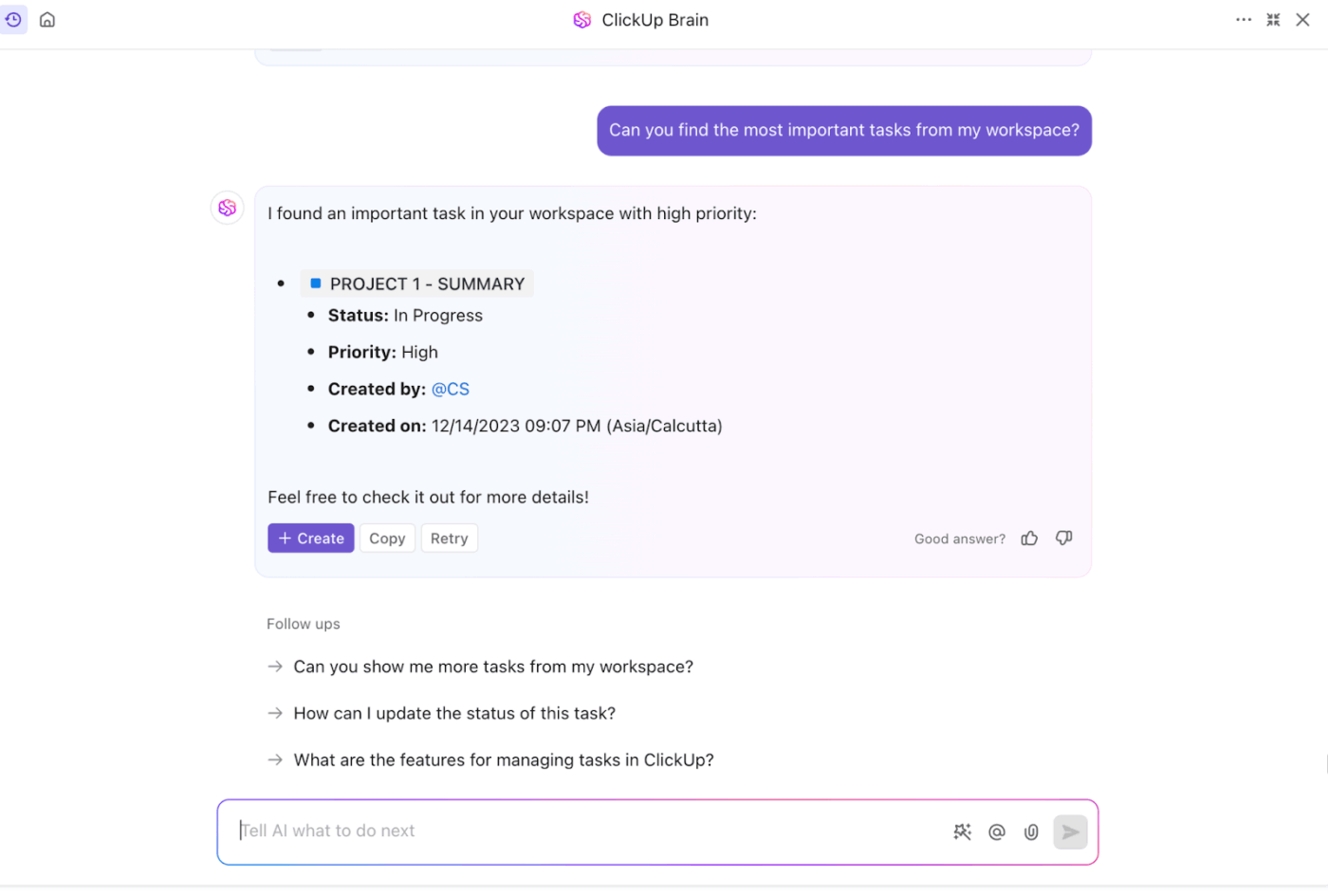
So instead of spending 20 minutes catching up, you can ask Brain:
🚀 ClickUp Advantage: Use ClickUp Super Agents as your always-on ops layer. Super Agents are ClickUp’s AI-powered teammates that work with full workspace context and can run multi-step workflows on your behalf. Simply put, they can monitor work, surface risks, and take action based on the instructions, tools, and permissions you give them.
Say you set up a Super Agent that runs on a schedule, and it:
A lot of work gets stuck on tiny handoffs when you are part of hyper-growth teams. Say someone changes a status, but the owner never gets notified. A task is created, but nobody assigns it. A due date shifts, and nothing downstream updates.
ClickUp Automations help you eliminate that kind of slow bleed by turning routine workflow steps into trigger-based rules.
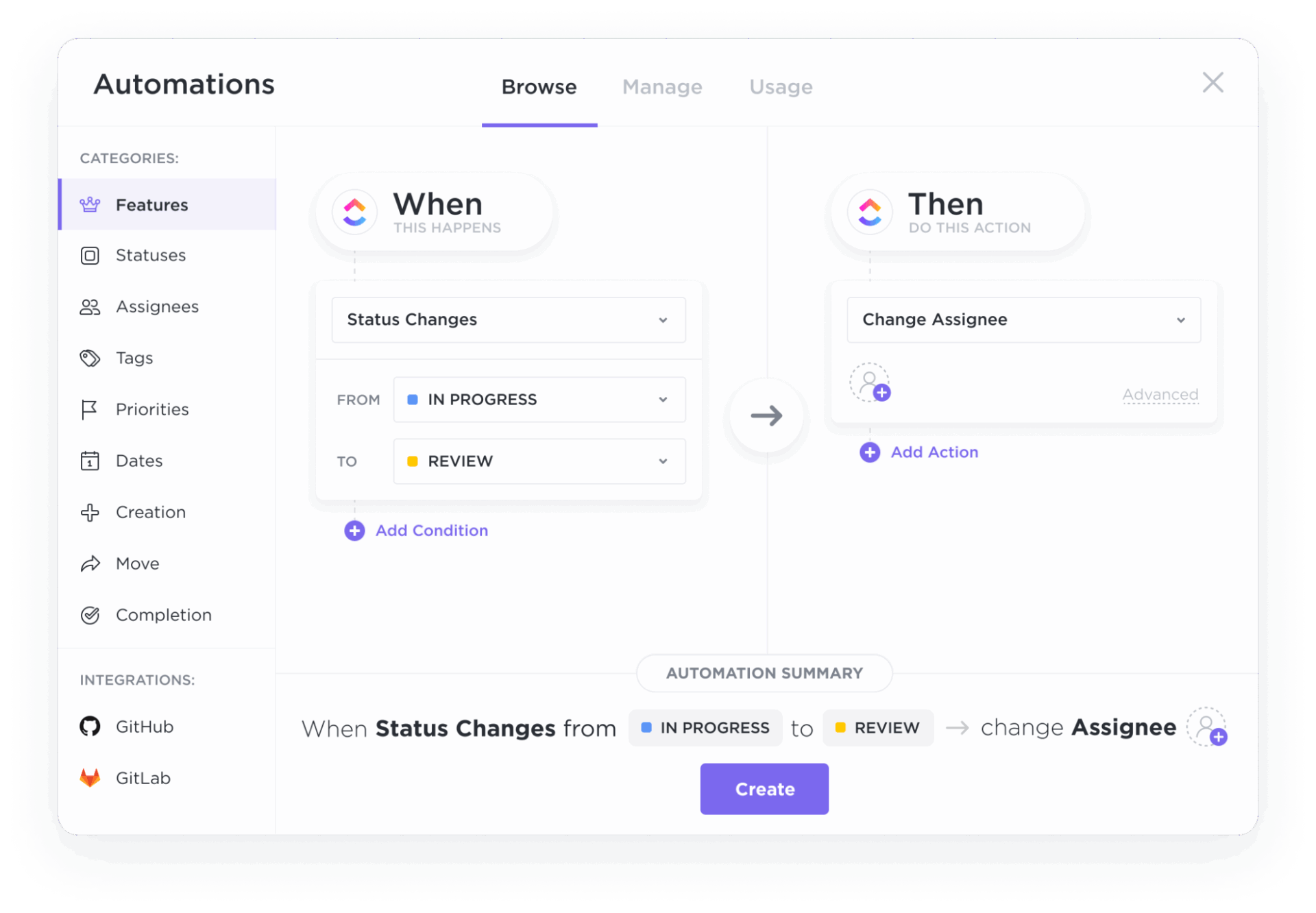
You can automate the boring but essential stuff like assigning tasks when they enter a status, applying a template when a new request comes in, moving work to the next stage after approval, or nudging stakeholders when deadlines are approaching.
Pros:
Cons:
A G2 reviewer says:
I love ClickUp because it makes managing our projects really straightforward. It brings together features that I previously only found in other programs, like channels, chats, and AI agents. With everything managed from a single platform, all the work context stays in one place, so there’s no need to constantly switch between different tools. That makes a big difference and is a huge help in our day-to-day work.
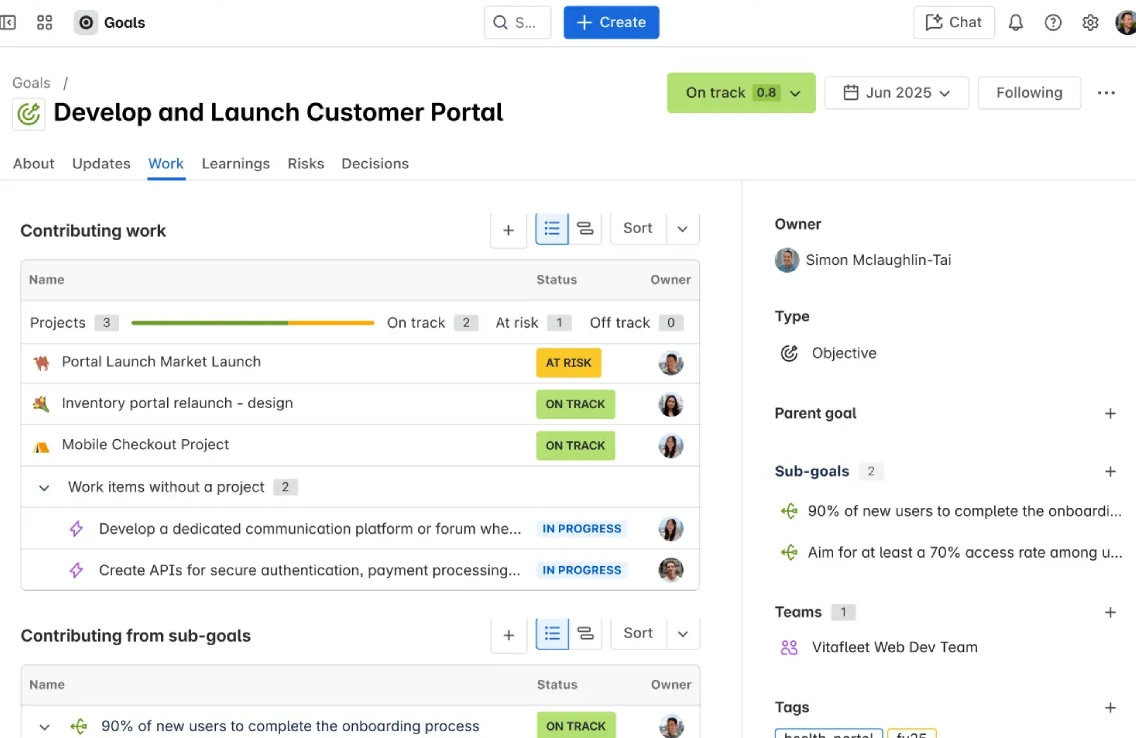
If you’re evaluating Epicflow alternatives, Jira is typically a good contender when your work is tied to software delivery, engineering workflows, and Agile software teams. It’s built around a single source of truth for work items (issues) and the workflows that move them from idea to shipped.
Where Jira gets strong is when you need a planning layer on top of execution. With Jira’s timeline and Advanced Roadmaps (Plans), teams can map dependencies, align multiple projects, and manage team allocation against capacity as plans shift.
Pros:
Cons:
A G2 reviewer says:
Specialized dashboards can be created, which makes it easier to view information in the way I need. Effort can be estimated using story points and QA points, helping with planning and tracking. It also supports handling multiple projects in one place, which is convenient for managing work across teams or initiatives.
📚 Read More: Best Jira Alternatives & Competitors for Agile Teams
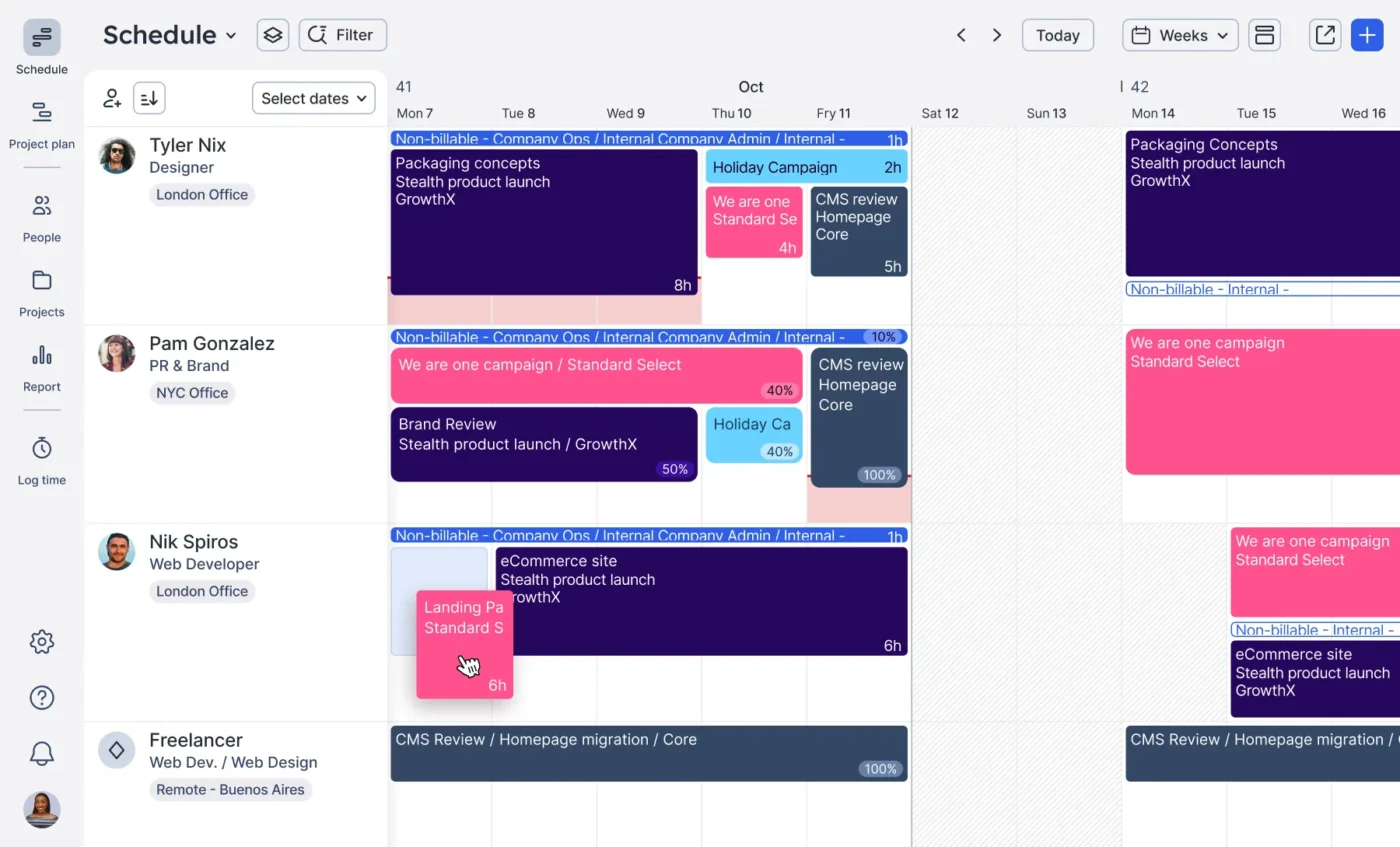
If your main issue is just figuring out who is available and when, a full-blown project management tool can feel overwhelming at once. You just want simple, visual resource scheduling without the extras. Float is designed for exactly that, giving resource managers a clean, drag-and-drop interface to see availability at a glance.
It focuses on doing one thing well: resource scheduling. The capacity view shows utilization percentages, and you can spot gaps or overallocation at a glance.
Pros:
Cons:
A G2 reviewer says:
Float.com provides an intuitive, visual way to manage team capacity and resource planning. The timeline-based interface makes it easy to see availability, prevent over-allocation, and plan projects efficiently. It helps teams stay aligned and improves overall utilization without unnecessary complexity.
📮 ClickUp Insight: 64% of employees occasionally or frequently work outside their scheduled hours, with 24% logging extra hours most days! That’s not flexibility—that’s never-ending work. 😵💫
ClickUp Tasks help you break big goals into smaller, manageable steps, so you always know what to tackle next—without the overwhelm. Just ask ClickUp’s AI to generate subtasks, add checklists, and map dependencies to stay organized and in control. Meanwhile, ClickUp Automations streamline routine work by handling updates, assignments, and reminders—so you can spend less time on busy work and more time on what matters. 🚀
💫 Real Results: Pigment improved team communication efficiency by 20% with ClickUp—keeping teams better connected and aligned.
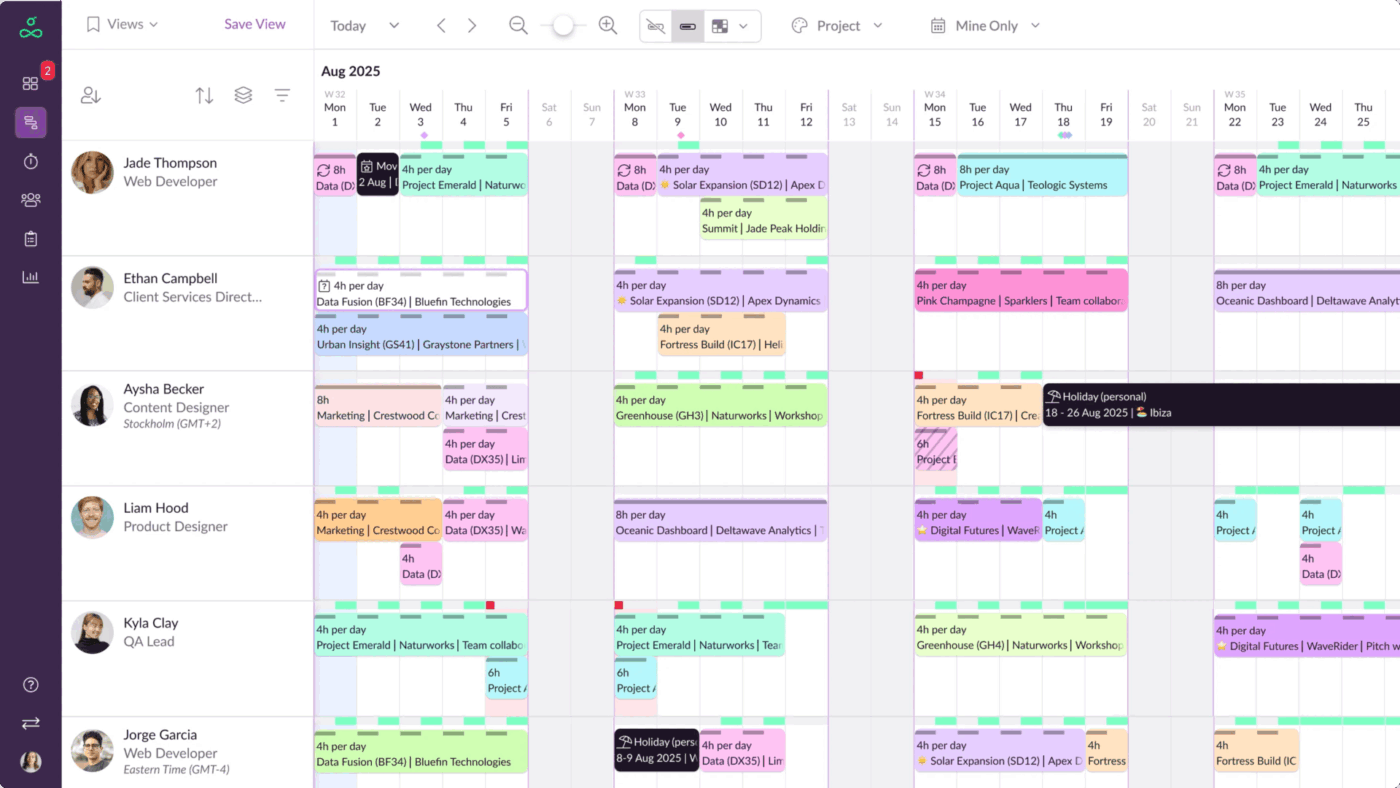
Nothing throws a project plan off faster than realizing you’ve double-booked your lead designer. Resource Guru is built to prevent that.
It helps teams avoid overbooking with a precise calendar view that shows availability, scheduled work, and time-off in one place, supported by leave management.
One of its highlights is clash management, which automatically detects when someone is scheduled beyond their capacity or booked for overlapping assignments.
Pros:
Cons:
A G2 reviewer says:
RG is user-friendly and easy to use. It works really well for us because schedules and people are constantly changing, and we can update appointments quickly and easily so everyone stays informed in real time.
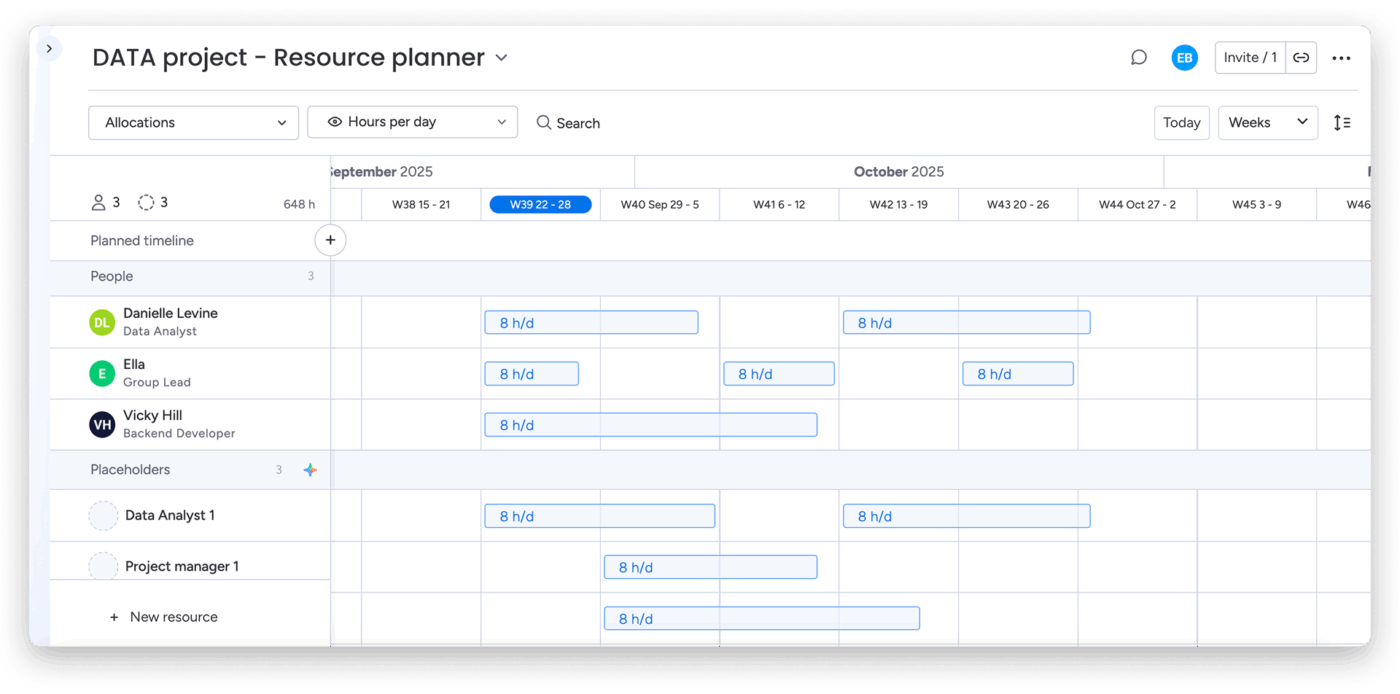
Monday.com offers a highly customizable platform where resource tracking is integrated directly with project execution. This is perfect for teams that want to build their own workflows without being forced into a rigid structure.
It’s built around boards you can shape into your workflows, then layer on automation, dashboards, and integrations so execution stays organized as work scales.
Plus, the Workload widget supports workload management by showing team capacity based on effort estimates.
Pros:
Cons:
A G2 reviewer says:
It helps us stay on track for projects and makes social media planning and scheduling a breeze.
📚 Read More: Best Monday Alternatives for Teams
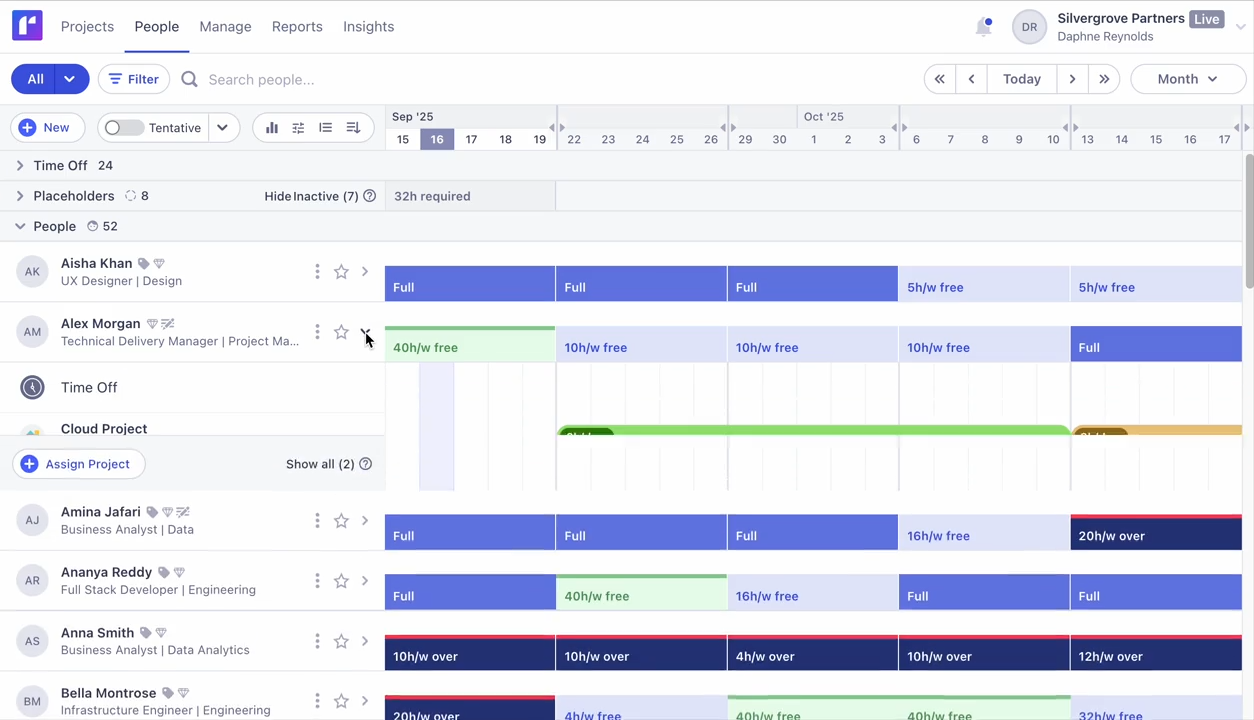
For agencies and consultancies, resource planning is only half the battle—you also need to know if your projects are profitable.
Runn gives you live visibility into team capacity alongside your project financials. Beyond monitoring who’s available, you can also look at whether your projects are on track to make money.
It combines resource scheduling with budget tracking and revenue forecasting, and the platform updates in real time as assignments change.
Pros:
Cons:
A G2 reviewer says:
Runn works well for our organization because it’s inexpensive, cloud-based, and meets our scheduling needs as project managers.
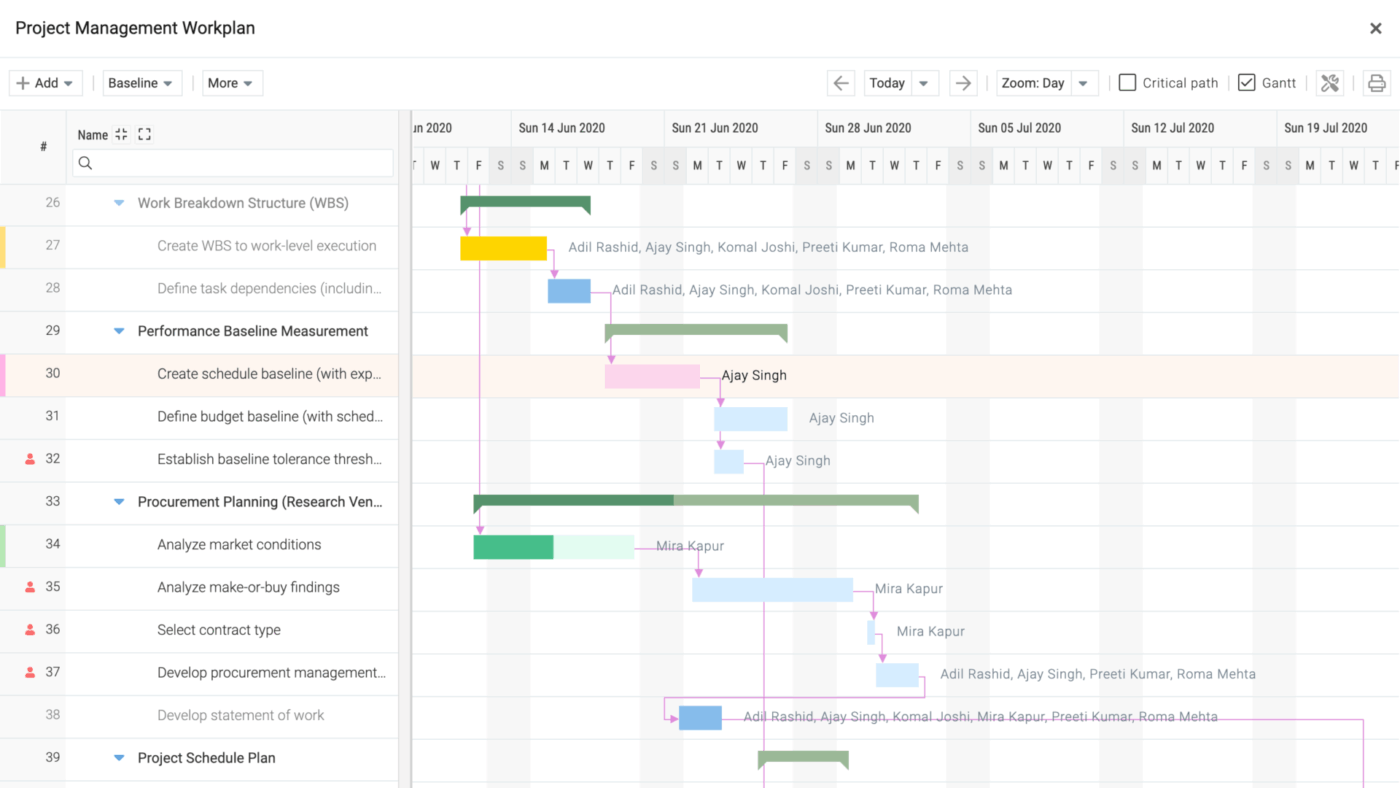
When you’re a PMO managing dozens of projects at once, you need a platform that can handle complexity. Celoxis provides centralized resource visibility with the ability to optimize allocation across your entire portfolio.
It also combines project planning (Gantt, templates, scheduling) with resource planning so you can see workload, allocate job roles, and catch capacity conflicts early.
Plus, Celoxis offers resource load charts that show capacity across all projects, making it easy to identify overallocated team members and redistribute work.
Pros:
Cons:
A G2 reviewer says:
One clear observation I’ve made about Celoxis is that it helps make project planning more realistic. Too often, project deadlines are set without an accurate estimate of actual capacity and workload. Celoxis’s scheduling and planning tools let me arrange tasks in a way that makes the timeline feel practical rather than purely theoretical. I’ve found this especially useful because it cuts down on how often I need to go back and revise the project timeline.
🌟 Bonus: What if you had a team of AI Agents at your command to manage all the documentation and coordination your project needs, 24/7? Just pick the most relevant ones from the ready-made library of ClickUp’s AI Agents.
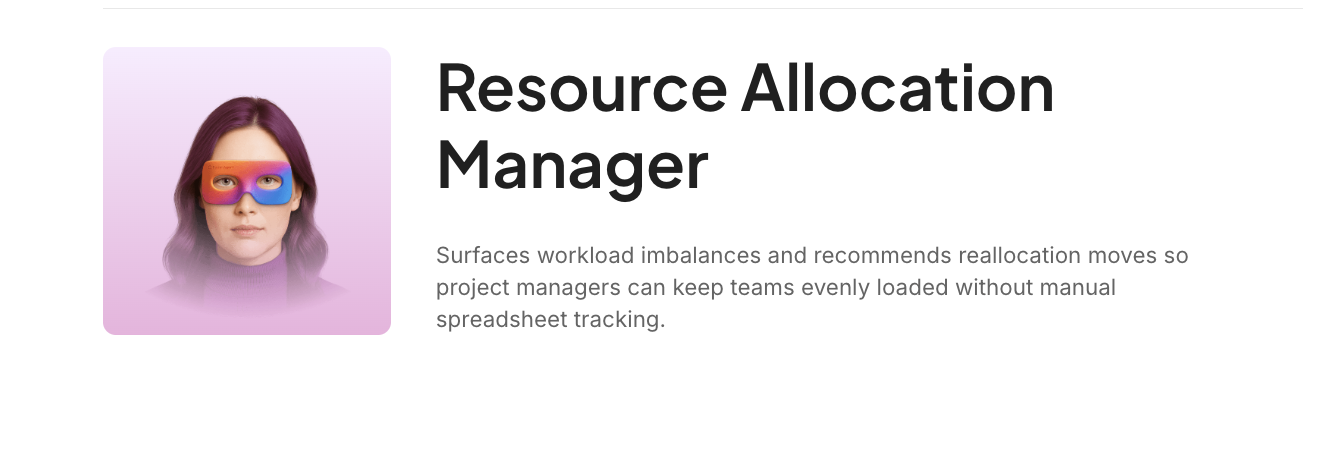
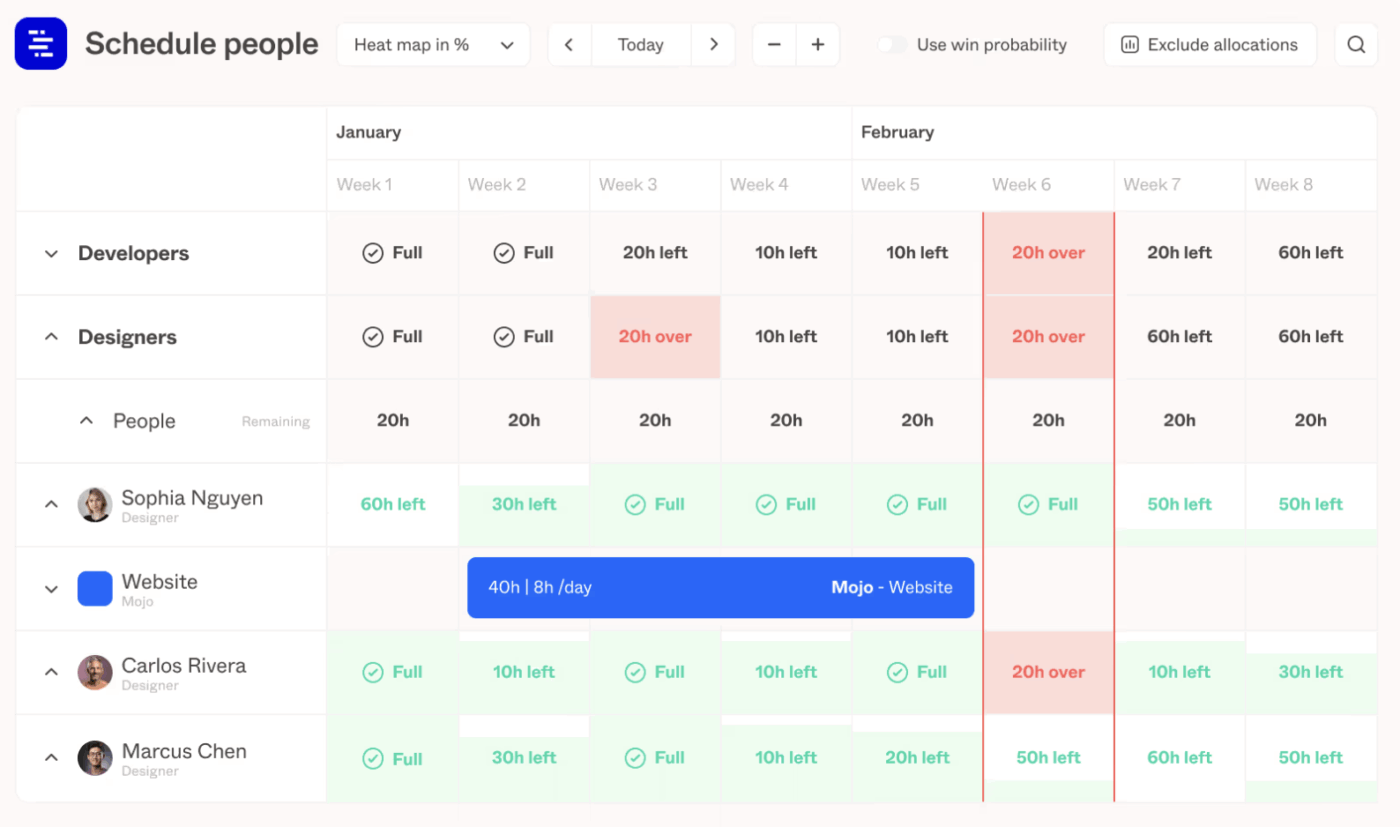
Professional services firms need to optimize for one key metric, which is utilization. Forecast is an AI-powered Professional Services Automation (PSA) platform that helps teams plan projects, allocate people, and track delivery while keeping an eye on utilization and profitability.
Instead of having resourcing as a separate entity, it brings project management, resource management, capacity planning, and financials into one connected workflow.
The core idea is that you plan work and staffing in one place, then Forecast uses AI-assisted forecasting signals to help teams spot utilization gaps, risk, and delivery pressure earlier.
Pros:
Cons:
A G2 reviewer says:
I love how Forecast combines usability with data analysis. It provides a quick and easy route to find work and log time for anyone using the system, but it gathers a range of useful data metrics that can be manipulated to give powerful BI insights.
📚 Also Read: Best Forecasting Tools (Reviews & Pricing)
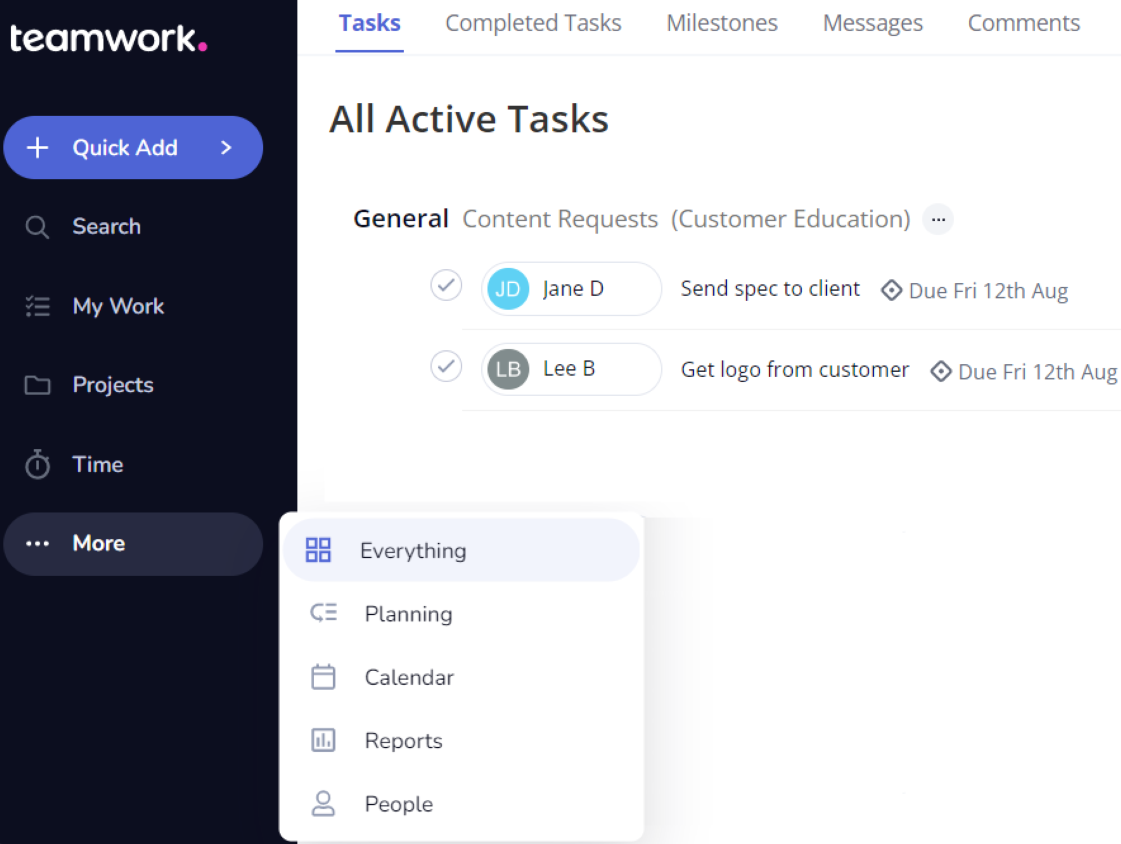
For agencies managing client work, your resource planner needs to be connected to your project delivery, time tracking, client communication, and overall project budgeting. Teamwork.com integrates all of these into one platform.
You can run projects with tasks, milestones, templates, and time tracking, then layer in client collaboration so external stakeholders can stay in the loop.
It also supports the resource planning layer. Teamwork’s Schedule gives you a high-level view of workload across people and projects, so you can create allocations, plan capacity ahead, and spot overloads before they hit delivery dates.
Pros:
Cons:
A G2 reviewer says:
Teamwork’s ability to help with organizational structure, team alignment, and user-friendly task management and organizational tools enables teams to work together seamlessly. This allows for fast and easy task assignment, project tracking, and communication with others in one single program, so an effective workflow and better worker productivity are possible with Teamwork. Teamwork is an ideal way for improving the management of multi-dimensional projects.
📚 Read More: Best Teamwork Alternatives
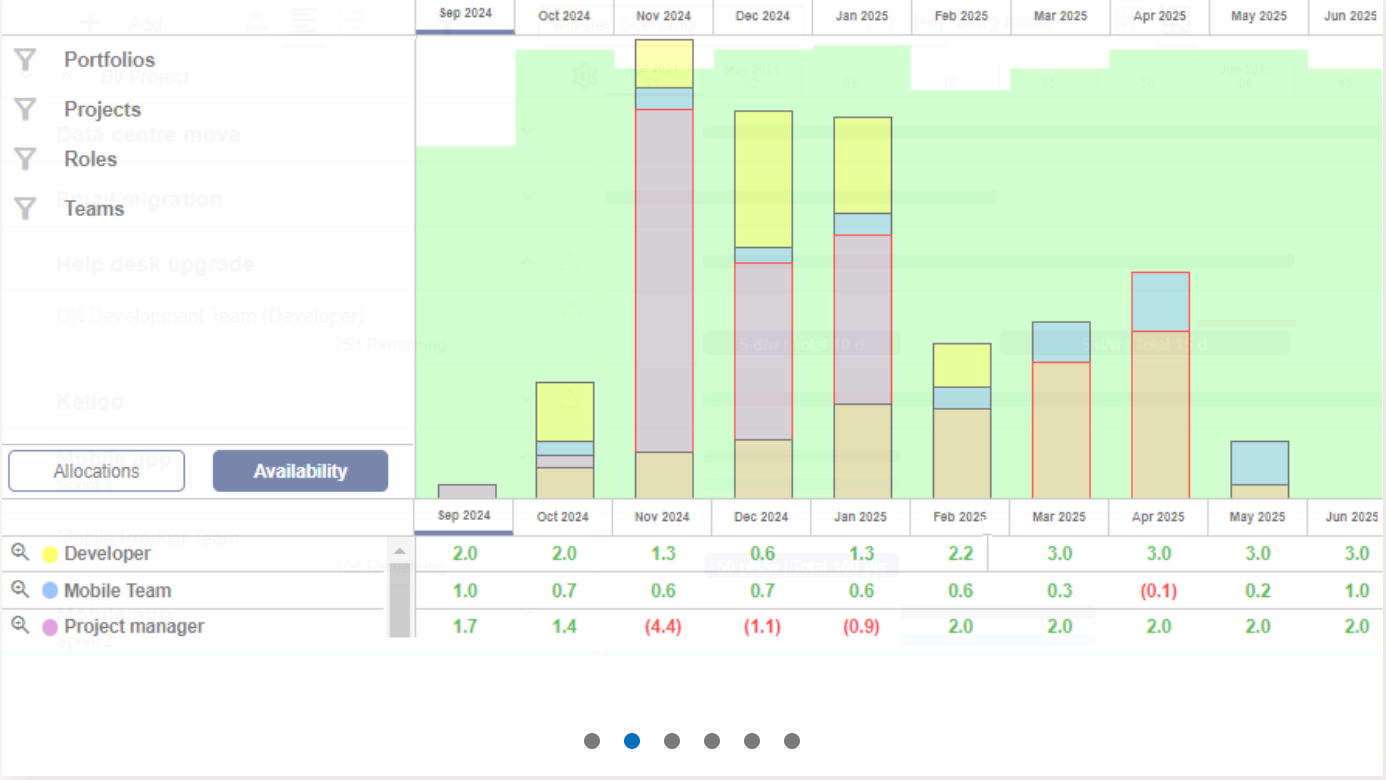
Kelloo is designed for PMOs and resource managers who need to forecast demand and plan capacity long-term. It helps you understand if you have the right skills and capacity for the upcoming work.
It gives you a visual resource planner to schedule and allocate work, then surfaces availability, utilization, and hotspot conflicts across your resource pool.
The platform focuses on portfolio-level resource planning, showing demand across all projects and supporting what-if analysis for strategic decisions.
Pros:
Cons:
Kelloo pricing
💡 Pro Tip: See how you can best use AI to manage your project and resources effectively 👇
Choosing the wrong tool means you’ll be right back here in six months, dealing with the same frustrations.
That’s why you need to land on a solution that does everything you need, from managing projects to resources.
And that solution is ClickUp. It’s a platform designed to solve the root problem of fragmentation. By bringing your resource plans, tasks, documents, and conversations into one place, you eliminate the friction that slows your team down.
Get started for free with ClickUp and bring your resource plans, tasks, documents, and conversations into one place.
Epicflow is a tool for multi-project resource optimization, ideal for identifying future bottlenecks in a project pipeline. You should consider an alternative if you need a platform that also includes native task management, team collaboration, and automation features.
Alternatives differ greatly in how they handle multi-project management. Tools like ClickUp provide integrated portfolio and task management, while platforms such as Kelloo focus solely on high-level forecasting without task execution.
Engineering and product teams should prioritize features like sprint-based capacity planning, seamless integrations with development tools like GitHub or GitLab, and velocity tracking to inform future resource allocation based on past performance.
Yes, AI can provide significant value by automating tasks that managers would otherwise do manually. It can save hours each week by generating workload summaries, predicting at-risk projects, and suggesting optimal task assignments based on skills and availability.

© 2026 ClickUp

There’s an easier way. Try a free AI Agent in ClickUp that actually does the work for you—set up in minutes, save hours every week.