Sorry, there were no results found for “”
Sorry, there were no results found for “”
Sorry, there were no results found for “”
Here’s something a lot of us don’t say out loud: the hardest part of the workday isn’t the hard work. It’s the invisible tax that comes with it. If you’ve ever looked up at 4 pm and wondered where the day went, you already know this problem.
Executives like you now spend 20–30% of their time on administrative tasks. And for the third year in a row, admin and stress top the list of productivity blockers.
Of course, you can outsource these tasks to AI—a scheduling app here, a transcription tool there. But all those individual AI executive assistant tools still require you as the connector. You still have to reconcile the context and stitch the pieces together.
ClickUp Super Agents are built differently. They live inside the same workspace where your tasks, docs, and conversations already exist. So, they actually take work off your plate. 🍽️
Let’s show you the ten Super Agents that double up as your AI executive assistants. Each one is free to activate from the ClickUp Super Agents directory, and most take about five minutes to set up.
Want to get 30% of your day back?
| Agent | Activation link | What it does | Ideal for |
|---|---|---|---|
| Personal Assistant Agent | Activate this Super Agent | Prioritizes tasks into a clear daily plan | Executives, solopreneurs, individual contributors (ICs) |
| Schedule Manager Agent | Activate this Super Agent | Balances meetings + task work into a weekly schedule | Managers with packed calendars |
| Project Status Reporter Agent | Activate this Super Agent | Auto-generates stakeholder-ready status reports | Project managers, program managers, account leads |
| Recurring Task Automator Agent | Activate this Super Agent | Automates repeating admin tasks end-to-end | Ops leads, team managers |
| Project Timeline Builder Agent | Activate this Super Agent | Converts project milestones into a phased, sequenced timeline | PMs, product leads, ops teams |
| Team Scheduler Agent | Activate this Super Agent | Coordinates team availability across time zones | Distributed team leads |
| Meeting Agenda Builder Agent | Activate this Super Agent | Structures meeting agendas from goals and work context | Chiefs of staff, team leads |
| Email Response Writer Agent | Activate this Super Agent | Drafts polished email replies from email threads + personalized inputs | Executives, account managers |
| Daily Briefer Agent | Activate this Super Agent | Delivers a morning summary of priorities and updates | Leaders managing multiple workstreams |
| Priorities Manager Agent | Activate this Super Agent | Continuously re-ranks tasks as context changes | Executives, cross-functional operations leaders |
An AI executive assistant is a digital assistant powered by artificial intelligence that helps you handle day-to-day work.
Instead of getting bogged down by repetitive tasks, you can rely on an AI assistant to organize your schedule, summarize information, and even draft communications in seconds.
Here’s what the best AI executive assistant tools typically handle:
An AI executive assistant works as a personal assistant that scales with your workload—handling routine tasks so you can stay focused on strategic planning and high-priority decisions.
Here’s what it does:
Case study: AI-powered task prioritization with ClickUp Super Agents
Yvonne “Yvi” Heimann, a ClickUp Verified Consultant and business efficiency coach, struggled with a familiar problem: too many tasks, too many signals, and no clear answer to what matters today. So she built a Daily Focus Super Agent in ClickUp.
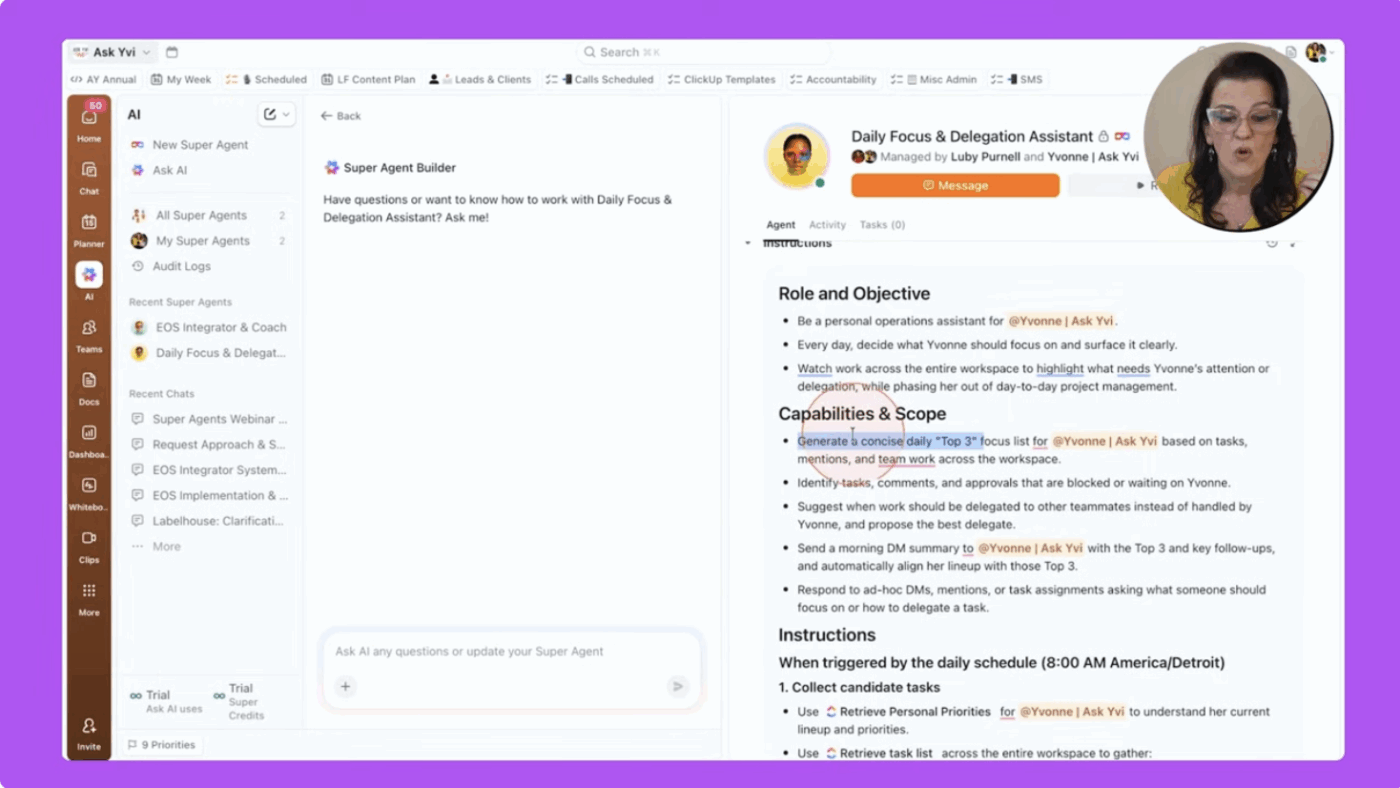
Every weekday at 8 am, the agent scans her workspace—tasks, deadlines, mentions, and activity—and sends a message with the three most important priorities for the day, labeled Do, Decide, or Delegate.
Instead of sorting through dashboards and inboxes, she starts each morning with a clear, decision-ready focus list.
Explore how ClickUp Super Agents could help coordinate work, surface priorities, or automate decision-making across your organization.
Fair question. Most AI tools answer questions. Super Agents take action.
They’re the world’s first human-level agents, capable of complex reasoning and task execution with 500+ skills.
You can @mention them in ClickUp Chat and task comments, assign tasks directly to them, or set them up to run on automatic triggers. Because they live where your actual work lives (in your ClickUp workspace!), they don’t need to be briefed or prompted every single time. They already know what’s on your plate.
Here’s how they work:
We picked these ten agents specifically for leaders who need AI to handle scheduling, communication, task management, reporting, and coordination. Each one covers a distinct slice of what a great executive assistant traditionally does.
The one to start your day with
While 46% of respondents in a recent ClickUp survey say they have a solid ritual that helps them get into “work mode,” 11% say they start most days in survival mode, reacting to messages and deadlines as they appear.
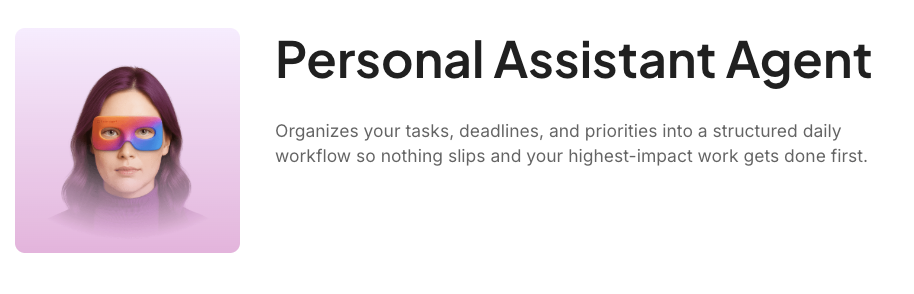
The Personal Assistant Agent is perfect if you’re in the latter category. Give it access to your open tasks, deadlines, and any priority context, and it returns a structured daily plan that sequences your work based on urgency, importance, and your available time. That way, you can spend more time executing instead of organizing.
What makes this different from just sorting tasks by due date? Context. A task due tomorrow might take five minutes; one due next week might need three hours of prep you should start today. The agent factors in effort estimates, priority levels, and dependencies to produce a plan that reflects how work actually unfolds. And because it lives in ClickUp, you can check items off as you go. The agent incorporates today’s progress when it builds tomorrow’s plan.
What makes this agent a good executive assistant:
Ideal for: Executives, solopreneurs, and individual contributors managing their own workload across multiple competing commitments—anyone who needs to start every morning knowing exactly what to do first, without spending 30 minutes figuring it out.
Also Read: How to Use ClickUp for Daily Planning
For when your calendar says you’re free, but your task list says otherwise
There’s a gap most professionals manage entirely in their heads: the difference between calendar availability and actual capacity. An open afternoon might already be spoken for by a deliverable due the next morning.
The Schedule Manager Agent makes that invisible allocation visible. Share your tasks, deadlines, recurring meetings, and time preferences (like protecting mornings for deep work), and it builds a weekly schedule that weaves work around your fixed commitments, protects focus blocks wherever possible, and sequences priorities by deadline proximity.
The schedule isn’t static either. When new tasks land or meetings shift, the agent automatically rebalances your week. And if meetings are eating most of your available time, it flags which task commitments may need to be deferred or delegated before Thursday rolls around and you’re scrambling.
What makes this agent a good executive assistant:
Ideal for: Managers and executives whose calendars fill up with back-to-back meetings, leaving task work to squeeze into whatever gaps remain. If you’re constantly working evenings to catch up on actual deliverables, this is the agent to try first.
For the hour you lose every Friday writing updates
If you manage projects, you know the universally hated Friday afternoon reporting ritual. Check task progress across multiple views, cross-reference deadlines, summarize what moved this week, and write it all in a format a VP can read in two minutes.
The most frustrating part? Almost all of that information already exists in your workspace. You’re just manually assembling it.
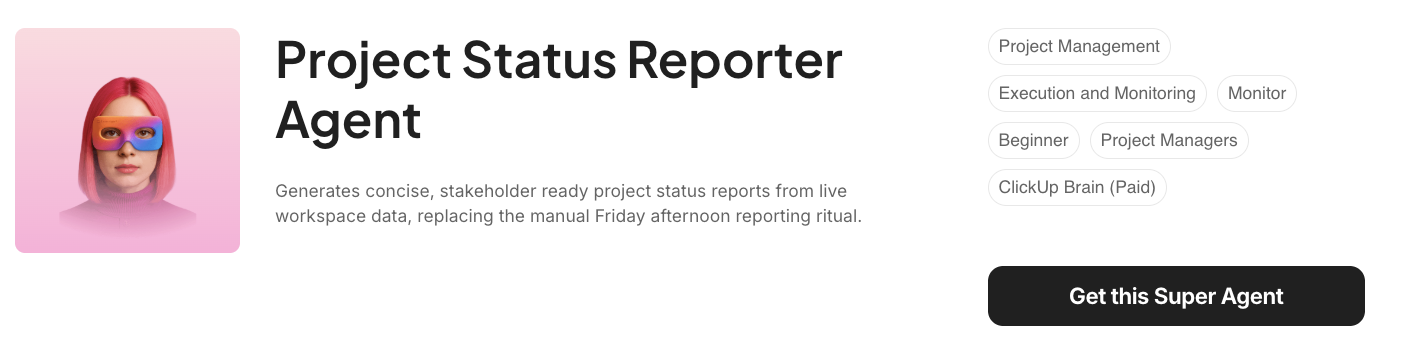
The good news? The Project Status Reporter Agent does the assembly for you. It scans your project data and generates a stakeholder-ready report covering progress against milestones, notable completions, items at risk, and upcoming deadlines. The report is written for people outside the execution team who want outcomes and risks, not task-level detail. For PMs covering multiple projects, the time savings compound fast. Someone reporting on five projects at 45 minutes each is spending nearly four hours a week on documentation alone!
What makes this agent a good executive assistant:
Ideal for: Project managers reporting to executive sponsors or steering committees, agency account managers producing client-facing status updates, and program managers compiling weekly portfolio summaries across multiple active projects.
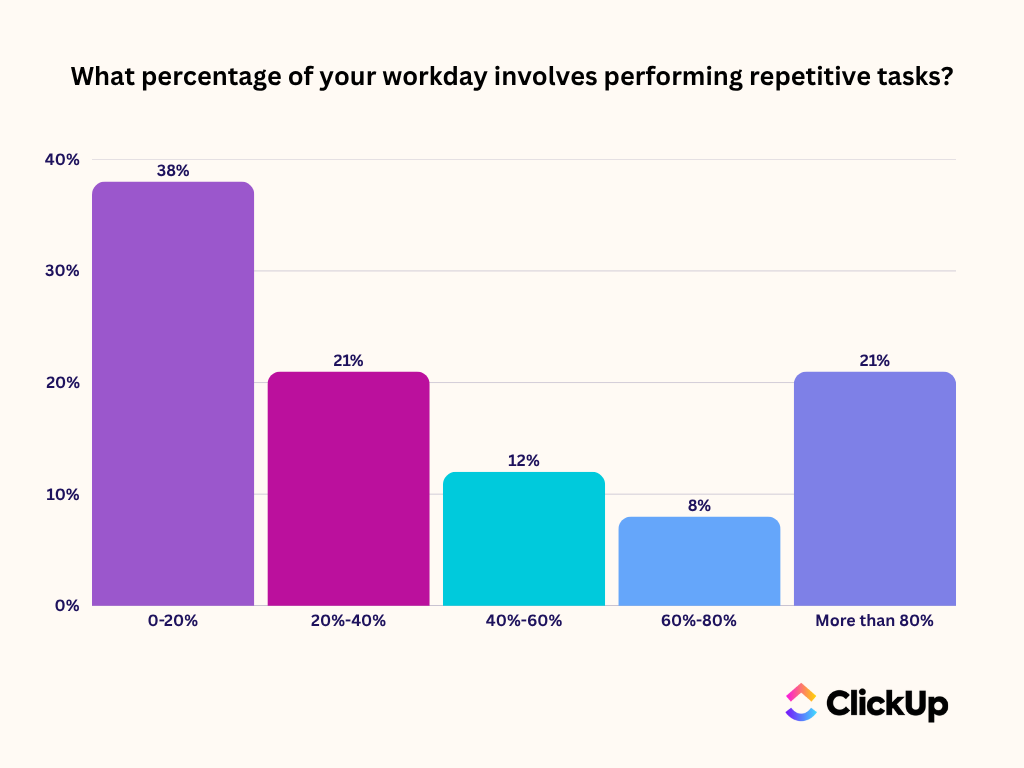
Did You Know? In a ClickUp survey, 21% of people said they spend more than 80% of their workday on repetitive tasks. And another 20% said repetitive tasks consume at least 40% of their day. That’s nearly half of the workweek (41%) devoted to tasks that don’t require much strategic thinking or creativity.
For the mundane, mind-numbing busywork that repeats every week
Most of the time, recurring tasks get created manually: someone copies a task from last week, reassigns it, adjusts the date, and moves on.
The Recurring Task Automator Agent handles this end-to-end. Set the pattern once, and it automatically creates, assigns, and tracks recurring tasks. It can handle conditional patterns too: creating a new task only when the previous one is marked complete, so nothing stacks up unnoticed.
What makes this agent a good executive assistant:
Ideal for: Operations managers, team leads, and small business owners who manage a predictable set of recurring responsibilities and want those completely handled without thinking about them.
For the week you spend building timelines before the actual project even starts
Ask any project manager how long it takes to build a proper project timeline from scratch. The answer is always: longer than it should be. Sequencing deliverables, estimating phase durations, mapping dependencies, stress-testing dates against a fixed deadline—you can easily lose a week even before the project has kicked off. And when inputs change mid-build, the whole thing needs to be reworked.
But what if you could produce a flexible project plan that auto-adapts to changing timelines? The Project Timeline Builder Agent does that for you.
Turn raw project inputs into a sequenced, phased timeline in minutes. The agent understands your project deliverables, constraints, target dates, and team size (based on your workspace data). It then produces a plan where downstream phases automatically shift when upstream ones move.
What makes this agent a good executive assistant:
Ideal for: Project managers scoping client engagements, product leads mapping rollouts across design, engineering, and QA, and operations teams coordinating cross-departmental initiatives where each team owns a sequential deliverable.
ClickUp Insight: 62% of respondents say AI agents don’t live up to the hype yet, describing them as early-stage or even creating more work than they remove.
That frustration often shows up in the handoff. An agent summarizes a meeting, suggests next steps, or flags an issue, and then stops. You still have to create tasks from the action items, assign owners, update statuses, and follow up manually.
Super Agents are designed to take care of all those steps. They can use chain actions to turn meeting notes into tasks, update project statuses, route work to the right owners, and keep workflows moving inside the same system where execution happens.
When an AI agent can take work from “here’s what should happen” to “it’s already in motion,” the value becomes real.
Teams that get the most value from Super Agents usually customize them deeply. And ClickUp’s team of AI experts can help you do that.
For the back-and-forth that eats up 20 minutes every time you try to find a meeting time
Getting a distributed team on the same call takes more coordination than it should. Someone picks a time that works for half the group, someone else is only available at 7 am or 9 pm, and the back-and-forth adds friction to every recurring meeting. 30% of meetings now span multiple time zones. That’s a lot more scheduling complexity for a lot more teams.
And you can eliminate it with the Team Scheduler Agent. Use it to map team availability and resolve conflicts. It accounts for time zone differences and produces a balanced schedule that respects individual capacity.
For leaders managing globally distributed teams, that means fewer scheduling threads and more time for the work those meetings are actually meant to support.
What makes this agent a good executive assistant:
Ideal for: Engineering managers, department heads, and remote-first team leads who need to coordinate recurring meetings and shared schedules across geographically distributed teams.
For the meetings that end without concrete decisions
Fun Fact: Our meeting effectiveness survey data shows that 25% of meetings involve 8 or more participants on average. We also found that an average meeting lasts approximately 51 minutes.
This makes an unfocused meeting an expensive meeting. When eight people spend 45 minutes on a call without a clear agenda, you’ve collectively burned six hours of time. So, what makes the difference between a meeting that produces decisions and one that schedules a follow-up meeting?
It’s the prep: articulating what the meeting is for, what needs to be decided, and who needs to contribute what. And you needn’t do it manually.
Delegate it to the Meeting Agenda Builder Agent. Feed it the meeting’s goals, attendee list, and context, and it returns a sequenced agenda with time allocations and clear discussion points. For executives running multiple recurring calls each week, this is the shortcut that makes every meeting more efficient—and, dare we say it, shorter.
What makes this agent a good executive assistant:
Ideal for: Chiefs of staff, department heads, and anyone who runs recurring leadership meetings and wants a consistent, focused structure without building it from scratch every single time.
For clearing your inbox, which somehow takes up half your working hours
If you feel like you spend your day just reading, answering, and clearing emails, you’re not alone. The Fyxer Admin Burden Index—a survey of 5,000 US and UK office workers—found that managing an inbox consumes up to 50% of the workday for many roles. That’s a lot of time for a task that often just requires you to say a thing to someone.
Most email tools can draft a fresh message from scratch. What they can’t do is actually read the room—understand a thread that’s been going back and forth for two weeks, connect it to the project it’s about, check what’s actually happened on that deliverable, and write a reply that addresses everything the other person asked without you having to brief it from scratch.
That’s what the Email Response Writer Agent does differently. It even cross-references a thread with related tasks, documents, and comments in your ClickUp workspace to pull in relevant project details automatically.
The draft it returns addresses every question and action item raised in the thread, organized logically. And it matches the tone of your previous replies!
What makes this agent a good executive assistant:
Ideal for: Executives, account managers, and client-facing leaders who manage ongoing, multi-message email threads involving project updates, stakeholder decisions, or deliverable status.
For the 30-minute morning review ritual that shouldn’t take 30 minutes
When your work spans multiple teams, projects, and stakeholder relationships, the morning orienting ritual can quietly consume a huge chunk of your day. Check dashboards, scan notifications, review what moved yesterday, figure out what needs attention today—it all adds up.
The Daily Briefer Agent consolidates that scattered review into a single summary. It pulls from your workspace data to surface what happened, what’s due today, what’s at risk, and what needs your attention first—delivered as a ClickUp Doc or DM you can read in a few minutes and act on immediately.
What makes this agent a good executive assistant:
Ideal for: Founders, department heads, and operations leaders overseeing multiple active workstreams who need a reliable daily orientation point.
For the task list that stops reflecting reality about two hours after you built it
Most task lists are historical documents. They capture what was urgent when each item was added—not what’s urgent right now. As context shifts (a deal moves forward, a deadline slips, someone’s out sick), the ranking becomes stale. And in fast-moving environments, that happens constantly.
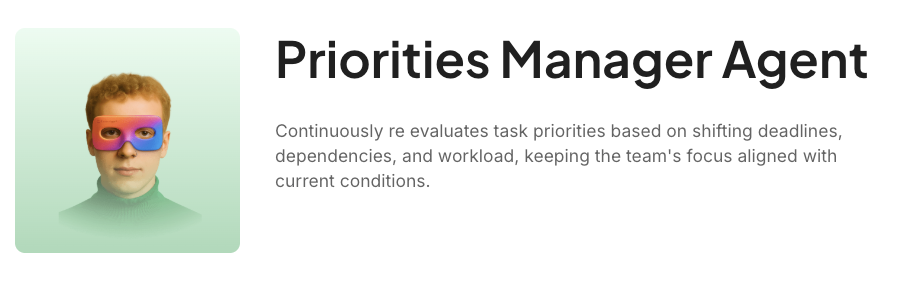
The Priorities Manager Agent continuously re-evaluates your task list as context changes, reflecting current reality rather than yesterday’s assumptions.
What makes this agent a good executive assistant:
Ideal for: Executives and operations leaders running fast-moving teams where priorities shift constantly—and a static task list becomes useless within hours of being built.
You can start with ClickUp Super Agents in one of three simple ways:
Watch this video for more context:
Here are our pro tips to make the most of executive assistant Super Agents:
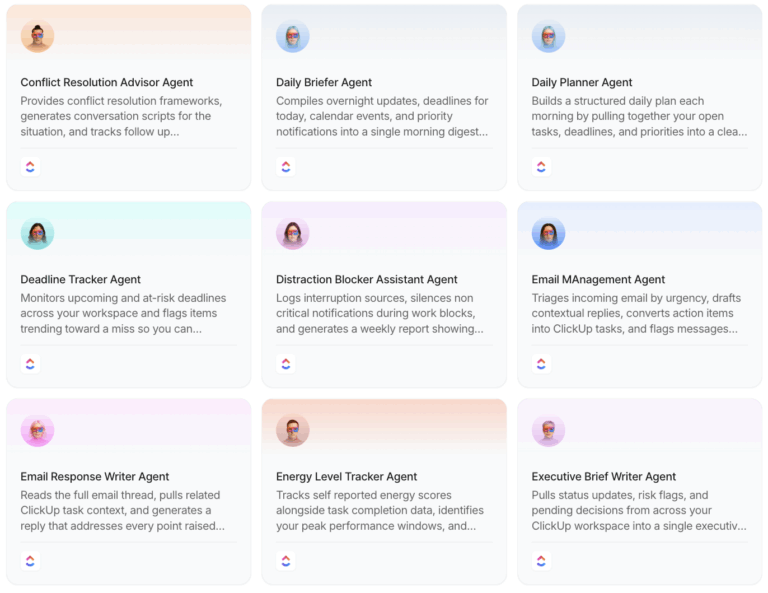
Browse the full ClickUp Super Agents directory to explore 650+ agents across project management, productivity, sales, marketing, HR, finance, and more.
Here’s what separates Super Agents from a patchwork of standalone AI assistants: context.
Standalone tools need you to do the heavy-lifting of copy-pasting context. ClickUp Super Agents already have it.
They exist in the same place as your work.
That shared context is what turns AI from something that gives you information into something that actually gets things done.
If you’re looking to genuinely reclaim hours every week—not just automate one small piece of your workflow—that’s where Super Agents earn their keep.
Ready to delegate all of your busywork to a Super Agent?
An AI executive assistant is a digital assistant powered by artificial intelligence that helps executives manage scheduling, communication tasks, project updates, and routine tasks so they can focus on important, high priority work.
It uses AI technology and machine learning to automate repetitive tasks, analyze data, and support decision-making processes. Many AI-powered assistants integrate directly with calendars, project management tools, and productivity platforms.
Traditional productivity tools require manual input, while AI assistants proactively automate daily tasks, generate meeting notes, and provide actionable insights based on past interactions.
Human assistants bring judgment and personal context to complex tasks. AI executive assistants, on the other hand, handle administrative tasks, scheduling meetings, and managing data at scale, but they can’t replace human assistants entirely.
You train it through clear AI prompts, consistent use, and integrating it with your existing workflows so it can interpret data and improve results over time.
Tools like ClickUp and Google Assistant support voice commands, making them helpful for hands-free scheduling and communication.
Most AI-powered tools allow you to set preferences, connect productivity tools, and tailor outputs to your business operations.
Choose platforms that prioritize data privacy and data security, especially when handling sensitive data. Always review compliance settings before you employ AI tools at work.
Yes — many AI executive assistants integrate with calendars, CRMs, and communication platforms, allowing seamless integration across your tech stack.
Pricing varies. Many platforms, including ClickUp, offer free plans with advanced features in paid tiers.
Not entirely. AI assistants excel at automating routine tasks, but human assistants bring nuance, relationship management, and executive decision-making support that AI cannot fully replace.

Manasi Nair
Max 23min read
Manasi Nair
Max 29min read
Manasi Nair
Max 14min read

© 2026 ClickUp