






Still downloading templates?
There’s an easier way. Try a free AI Agent in ClickUp that actually does the work for you—set up in minutes, save hours every week.
Sorry, there were no results found for “”
Sorry, there were no results found for “”
Sorry, there were no results found for “”

You don’t need to have technical expertise to build a great app.
But you do need a smart starting point.
For most entrepreneurs and no-code builders, ideas aren’t the problem. Execution is. Starting from a blank Bubble project slows you down. And trying to decide what to build first, whether authentication, workflows, user roles, or dashboards, often creates unnecessary friction.
That’s why templates matter. The right Bubble no-code app development template gives you a working foundation with core app features from day one, so you can focus on customization instead of setup.
This guide shares free Bubble.io templates you can start from today, plus ClickUp templates to plan your build, track work, and ship faster.
Let’s find a template that helps you launch your no-code app with confidence.
| Template Name | Download Template | Ideal For | Best Features |
| Bubble Startup Landing Page Template | Download this template | Founders, no-code builders, early-stage teams | App landing flow, waitlist capture, pricing experiments |
| Bubble Social Media Like Instagram Template | Download this template | Startups, creators building social MVPs | User profiles, feeds, likes, comments, follows |
| Bubble Event Management Marketplace Template | Download this template | Event creators, community platforms | Event listings, ticketing, Stripe/PayPal payments |
| Bubble Responsive Webapp (Flexbox) | Download this template | SaaS founders, internal tool teams | Responsive dashboard UI, SPA structure, reusable components |
| Bubble Tasky – Project Management Template | Download this template | Small teams, agencies | Project ideas, tasks, assignments, due dates, comments |
| ClickUp New Product Development Template | Get free template | Product managers, startup founders, cross-functional teams | Milestone tracking, effort and impact scoring, Gantt-based dependencies |
| ClickUp Software Development Template | Get free template | Software engineering teams, product leaders | Roadmap + sprint planning, bug tracking, QA workflows, portfolio visibility |
| ClickUp App Development Plan Template | Get free template | App development teams, no-code builders, PMs | End-to-end task planning, intake forms, % progress tracking |
| ClickUp Product Roadmap Template | Get free template | Product managers, leadership teams | Idea intake forms, impact–effort prioritization, roadmap automation |
| ClickUp Development Schedule Template | Get free template | Founders, product teams, delivery managers | Stage-wise planning, timeline comparison, dependency management |
| ClickUp Agile Sprint Planning Template | Get free template | Agile product and engineering teams | Sprint backlog structuring, effort vs actual tracking, workload balancing |
| ClickUp Project Management Template | Get free template | Project managers, cross-functional teams | Portfolio-level visibility, custom fields, Gantt and timeline views |
| ClickUp User Story Template | Get free template | Agile teams, product owners, UX teams | User-centric story mapping, task breakdowns, phased releases |
| ClickUp Bug and Issue Tracking Template | Get free template | QA teams, product teams, engineering squads | Structured bug intake, triage workflows, severity and priority tracking |
| ClickUp Feature Request Risk Template | Get free template | Product and operations teams | Complexity-based risk review, source tracking, approval pipelines |
| ClickUp Product Launch Checklist Template | Get free template | Product managers, launch teams | Category-based launch tasks, milestones, Gantt and timeline planning |
When building a no-code app, speed and clarity matter most. A good Bubble.io template reduces setup time and provides a clear path from idea to launch.
Here’s what to look for when picking a Bubble.io template for your no-code app. 👇
Here are some of the most popular templates from the Bubble marketplace that will give you a head start on launching a basic version of your app without unnecessary complexity.
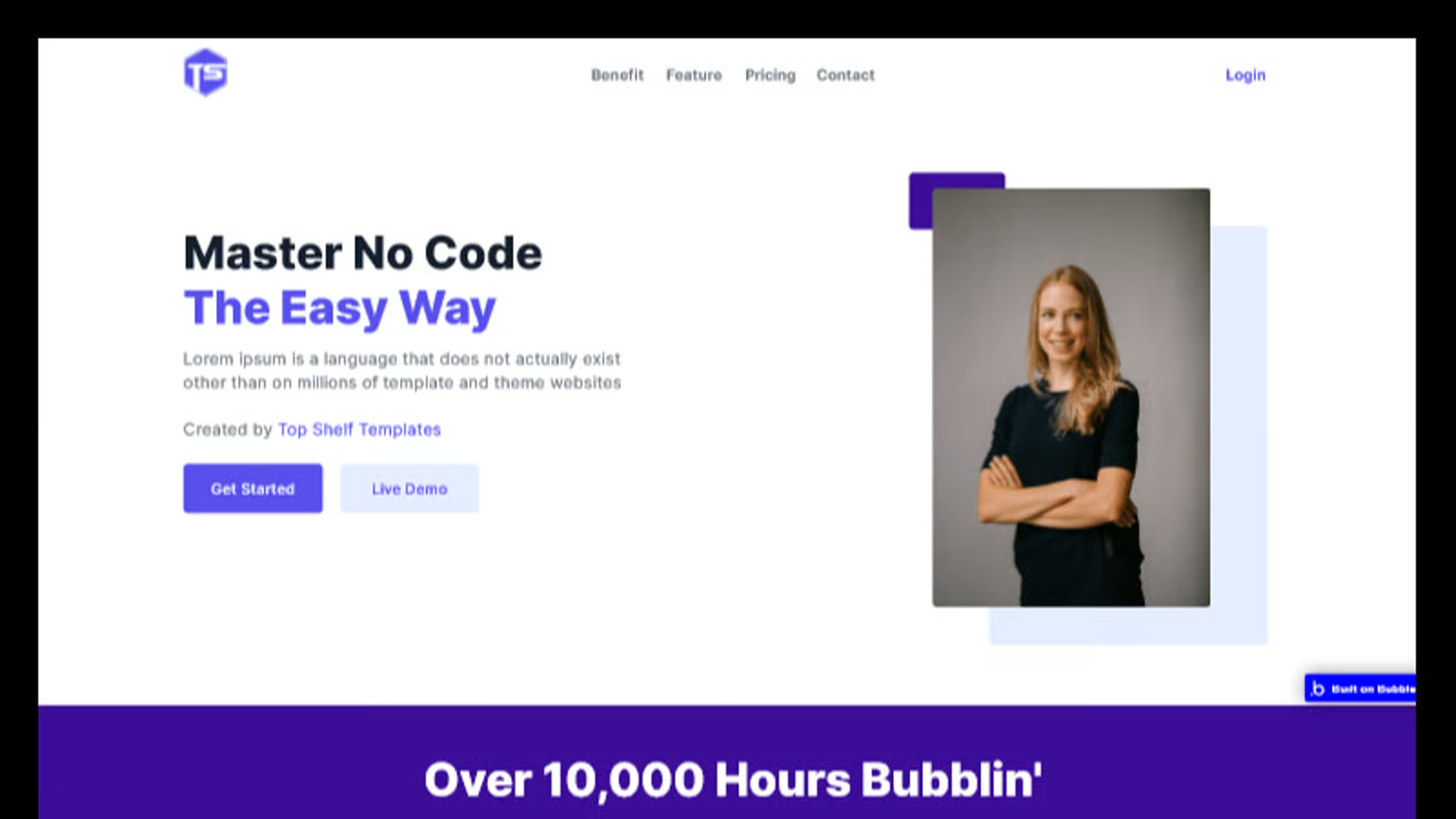
The Bubble Startup Landing Page Template is a ready-made landing page built to help you validate and pre-launch an app idea. It guides visitors through your app story in a smooth, logical flow, starting with eye-catching app visuals, then moving into feature explanations, and ending with credibility-boosting sections like screenshots, team, and pricing.
With clear calls to action and visual previews, you can collect early signups and confidently share your concept with users or investors before spending serious time or money on full development.
Why you’ll love this template:
✅ Ideal for: Founders, no-code builders, and early-stage teams who want to showcase an app idea before building the whole product
👀 Did You Know? For 49% of buyers, a live product demo is what actually convinces them, even more than any trial, review, or marketing page.
💡 Pro Tip: AI is no longer optional in software and no-code app development. It’s already part of daily work. According to the DORA report by Google Cloud:
For no-code builders, the biggest win is using AI to plan clearly before you build. Using AI tools like ClickUp Brain helps you plan and accelerate your app development work.
It acts like a work-aware AI assistant that understands your tasks, docs, and project context. You can use it to:
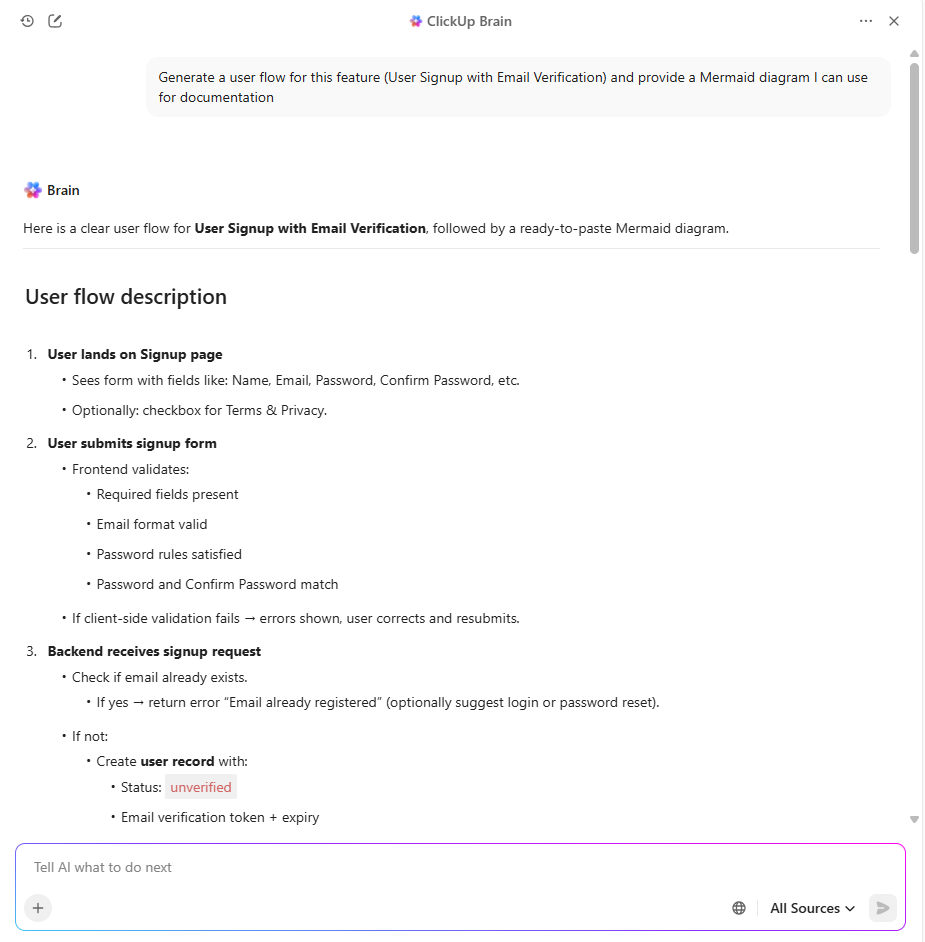
For example, use this prompt: ‘Generate a user flow for this feature (User Signup with Email Verification) and provide a Mermaid diagram I can use for documentation.’
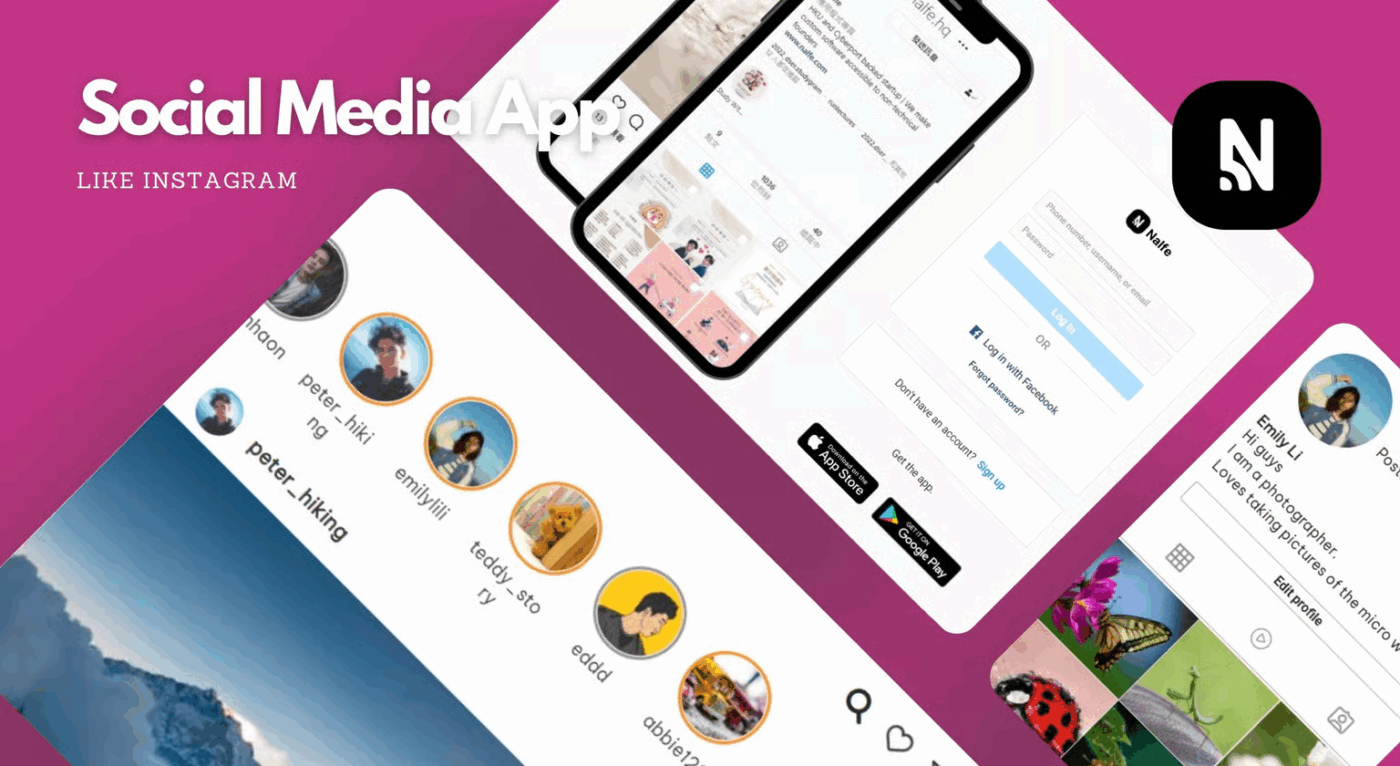
If you want to build a photo and video-sharing app platform like Instagram, the Bubble Social Media Like Instagram Template is a good option. It comes with user accounts, profiles, posts, and a working feed organized similarly to Instagram.
The template already connects posts, users, and interactions through Bubble’s database, so actions like liking, commenting, tagging, and following work right away. Also, each post is tied to its creator, so engagement updates in real time, and profile pages automatically show user content and activity.
✅ Ideal for: Founders, startups, and social media creators who want to launch a social media MVP or Instagram-style app
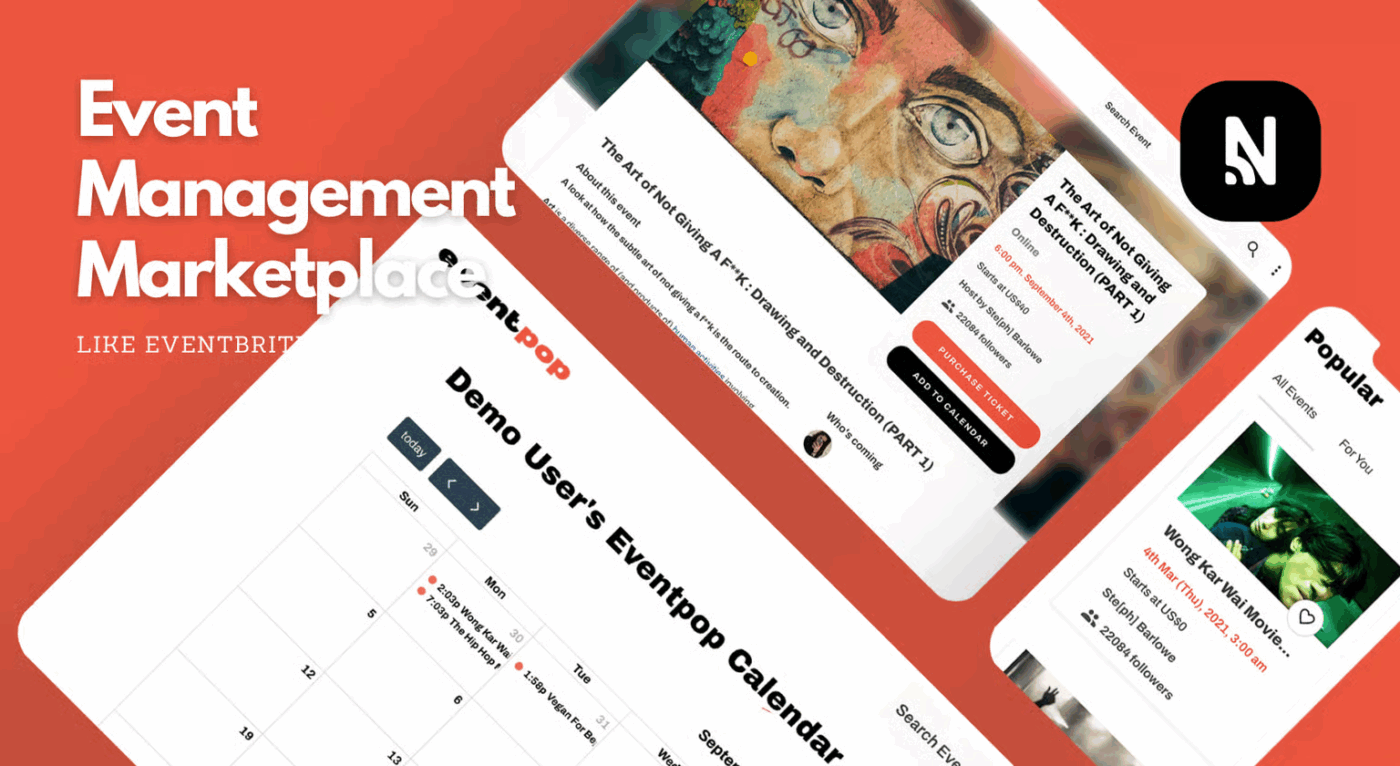
The Bubble Event Management Marketplace Template is a full-fledged no-code starter kit for building an Eventbrite-style event platform on Bubble. It lets hosts create and promote events, while visitors can easily browse listings, understand event details at a glance, and save events to their calendar. The layout is intuitive, making event discovery effortless even for first-time users.
The template also includes built-in ticket purchasing with Stripe and PayPal, allowing users to move smoothly from browsing to checkout and helping you start generating revenue from day one.
✅ Ideal for: Creators and event communities who want to quickly launch a niche or local event marketplace
📊 Stat Alert: 65% of event attendees say a mobile event app can make or break their overall experience. This shows how critical the event app UX is for customer satisfaction.
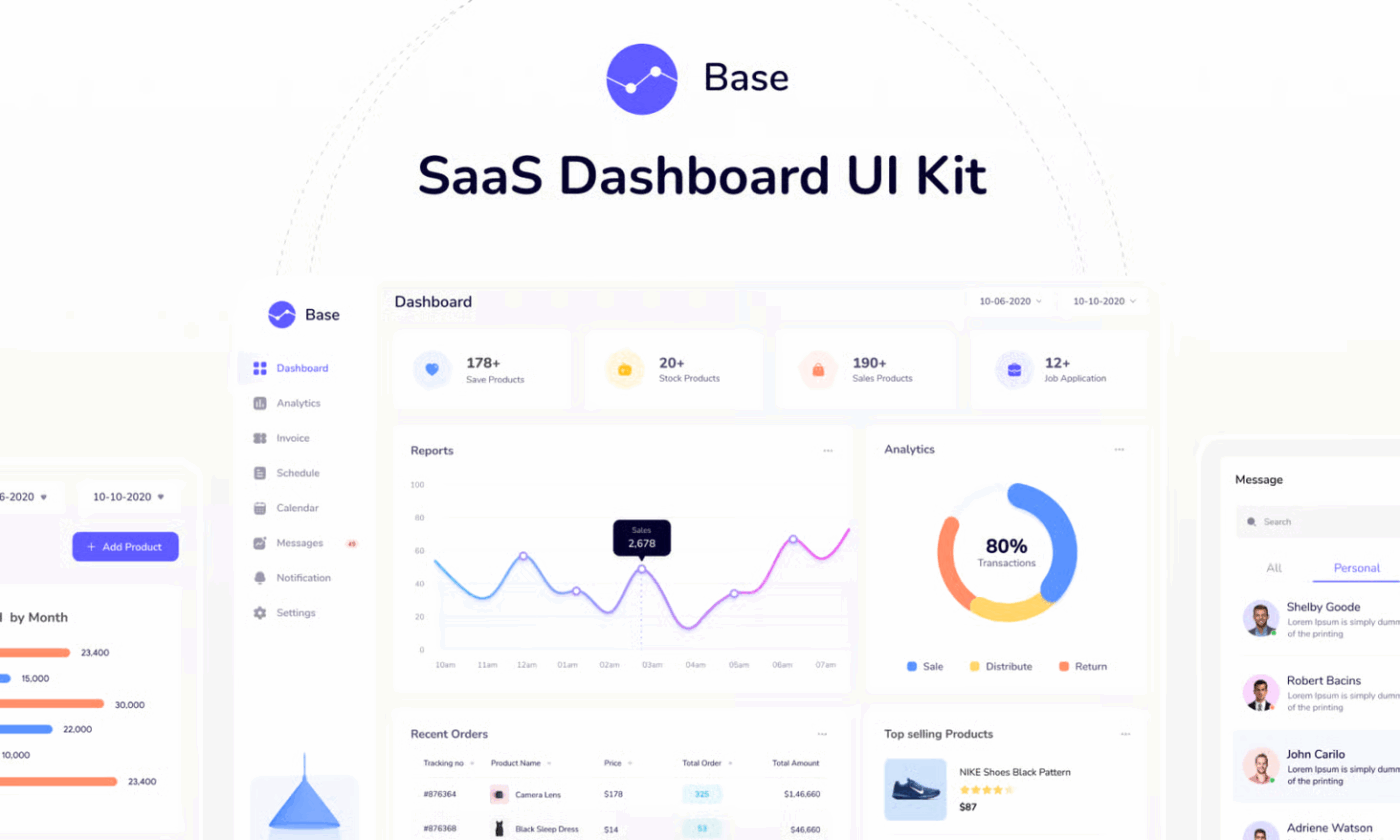
The Bubble Responsive Webapp (Flexbox) Template is a modern SaaS dashboard UI framework built using Bubble’s new Flexbox responsive engine. You will notice a clean look, soft spacing, and a layout that feels similar to tools like analytics dashboards, admin panels, or internal business software.
This template is also built around a Single Page App (SPA) style structure. In a single-page app, the user doesn’t constantly jump between separate pages. Instead, it makes the app feel smoother because the main structure stays the same while only the content changes.
✅ Ideal for: Founders and SaaS teams who want to quickly create a professional-looking dashboard UI in Bubble
👀 Did You Know? An average company now uses about 101 different software applications at the same time. In practical terms, it shows that most organizations don’t rely on just a few tools anymore, with different apps for CRM, marketing, finance, HR, support, analytics, and internal collaboration.
Because of tool sprawl:
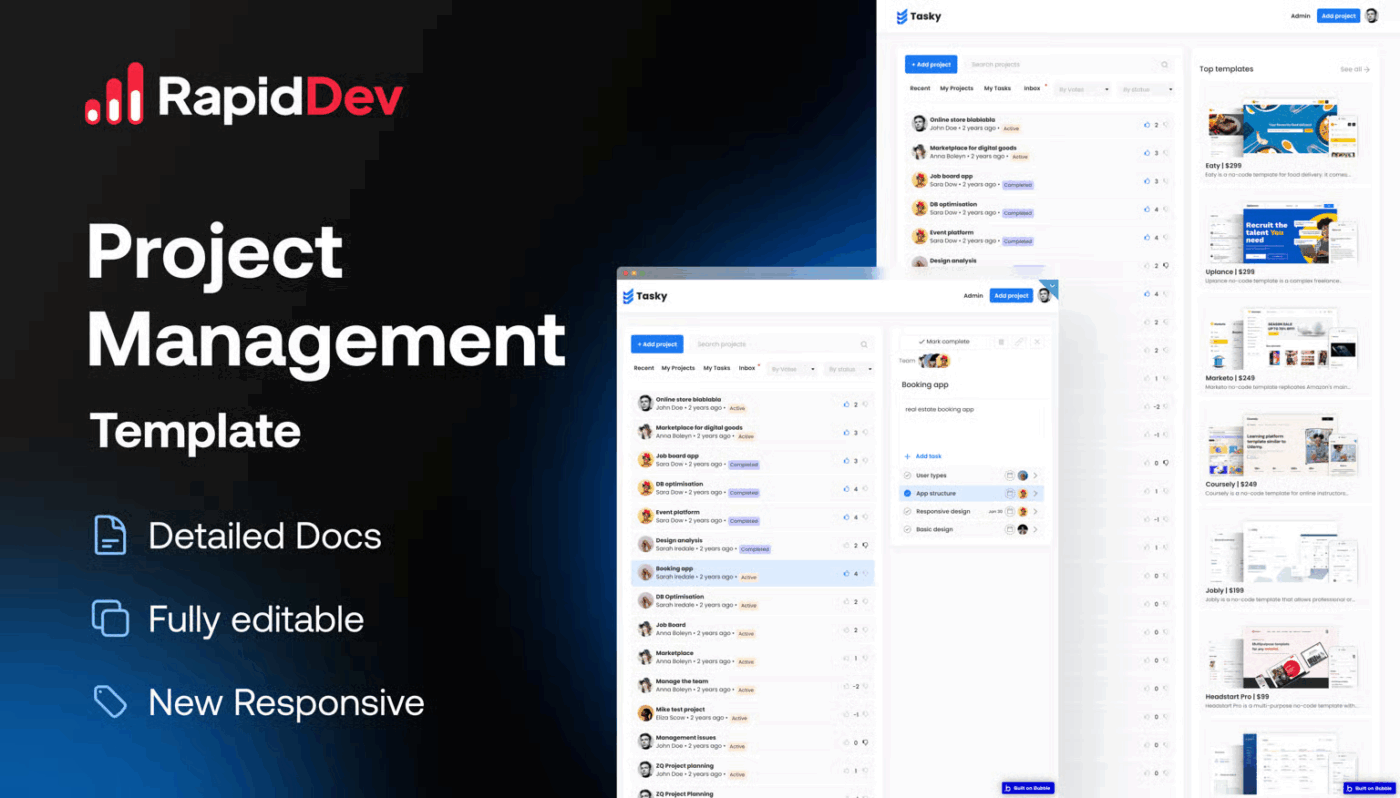
Bubble Tasky- Project Management Template is a no-code project and task management app built on Bubble. It gives you a fully working system where users can create projects, add tasks inside projects, assign work to team members, track progress from a dashboard, and collaborate using comments.
You can set clear deadlines such as ‘Submit proposal by Friday’ or ‘Client review on Tuesday,’ which helps teams understand what’s urgent and plan their workload better. Additionally, tasks can be marked as complete when finished and reopened if changes are needed, making the workflow feel realistic and flexible.
✅ Ideal for: Project teams or agencies looking for a project management app to organize work and track progress
📊 Stat Alert: According to a global survey by the Project Management Institute (PMI), organizations reported that about 8% of their projects failed in the last 12 months.
PMI defines project failure as projects that did not meet objectives or failed to deliver expected value. This highlights that better tools and practices can reduce failure. Project and task management apps help by:
📚 Read More: Best Product Management Tools
Bubble has powerful features for launching no-code web and mobile apps, especially for MVPs. However, user feedback across review platforms and the Bubble community shows a few limitations that become more noticeable as apps grow beyond the early stage, such as:
📚 Read More: Other than Bubble, you can also explore this complete collection of no-code AI tools to build smarter workflows and avoid platform limitations.
When you are building a no-code app, development is only one part of the journey. You still need clarity on what to build, how features connect, who’s working on what, and how close you are to launch. This is where many Bubble.io no-code projects slow down because planning and execution start to feel scattered.
That’s why many Bubble developers and no-code builders pair their app-building tools with ClickUp. While ClickUp isn’t a no-code app builder, it plays a critical role in the same workflow. It helps you design your app logic, manage features, track progress, and move from idea to launch with far more structure and visibility.
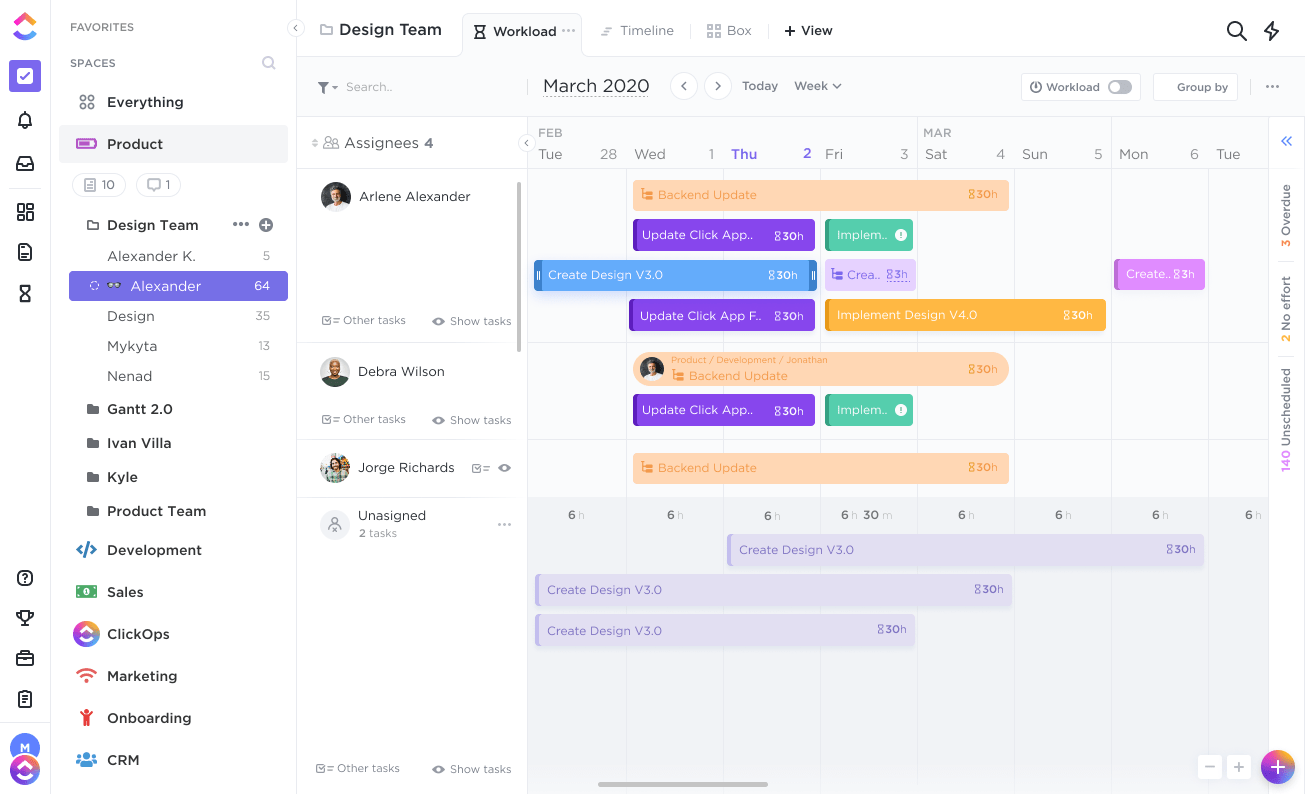
📝 Note: If you want a deeper walkthrough, read this guide on how to use ClickUp for software development that explains the whole setup in detail.
Let’s explore ClickUp software development templates that act as strong alternatives to Bubble templates for the planning and execution side of no-code development:
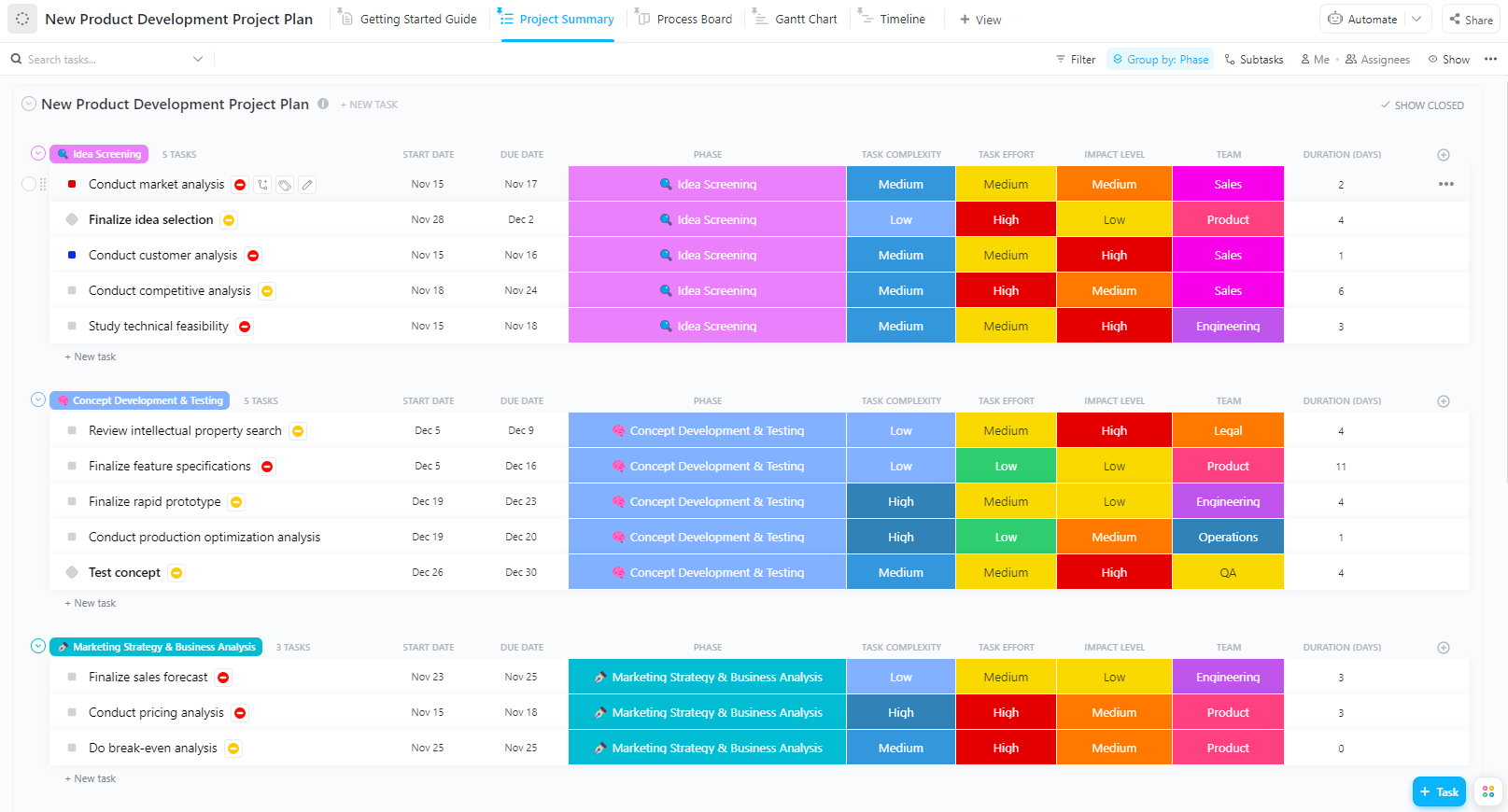
The ClickUp New Product Development Template helps you move a product smoothly from idea to development without confusion. With this template, you can plan every step of the product development process in a logical sequence and track progress across different stages.
The template’s features also add practical context to your planning by letting you assess how complex a task is, how much effort it requires, and how much impact it has on the overall product. This makes prioritization more realistic and helps teams focus on the work that truly matters, instead of treating every task as equal.
✅ Ideal for: Product managers, startup founders, and cross-functional teams who want to plan and launch new products without losing control over timelines or dependencies
📮 ClickUp Insight: 1 in 4 employees uses four or more tools just to build context at work. A key detail might be buried in an email, expanded in a Slack thread, and documented in a separate tool, forcing teams to waste time hunting for information instead of getting work done.
ClickUp converges your entire workflow into one unified platform. With features like ClickUp Email Project Management, ClickUp Chat, ClickUp Docs, and ClickUp Brain, everything stays connected, synced, and instantly accessible. Say goodbye to “work about work” and reclaim your productive time.
💫 Real Results: Teams can reclaim 5+ hours every week using ClickUp—that’s over 250 hours annually per person—by eliminating outdated knowledge management processes. Imagine what your team could create with an extra week of productivity every quarter!
If you need a system that supports your entire software development lifecycle from roadmap planning and sprint execution to bug tracking, QA, and post-release monitoring, the ClickUp Software Development Template is the right template for you.
The main overview dashboard highlights blocked tasks, overdue work, and high-priority bugs, so teams can fix problems early instead of finding them during daily standups.
✅ Ideal for: Software development teams and product managers who want a single system to plan roadmaps, run sprints, track bugs, manage QA, and deliver releases
Here’s what a real user says about using ClickUp for software development:
ClickUp has been a game-changer for our team, transforming outdated workflows in both bug tracking and new product development. With the ability to create structured statuses that accurately reflect task progress, we’ve eliminated confusion and improved visibility across projects. Our bug tracking system, which was once housed in Redmine, felt disconnected and had no visibility. After creating our new system in ClickUp, we had a seamless launch and continue having a great workflow from triage to resolution, ensuring nothing falls through the cracks. We’ve easily implemented automations to save our team from time consuming manual work which has really saved us as well.
📚 Read More: For a broader view beyond templates, check out our in-depth breakdown of software development tools used by modern product teams.
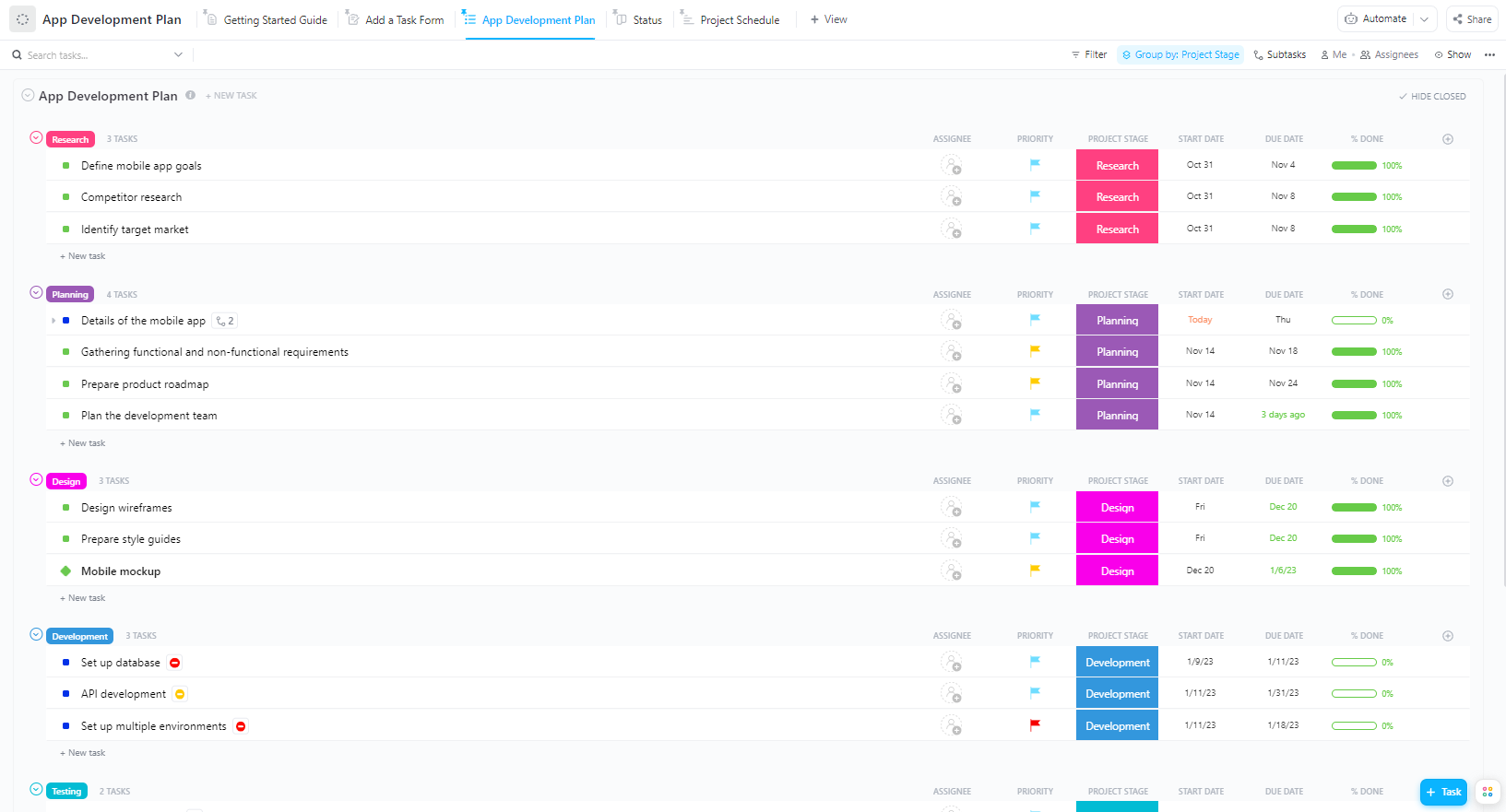
The ClickUp App Development Plan Template gives you a master list of every task required to build an app, like defining app goals, doing competitor research, creating wireframes, running QA testing, and so on. You can also quickly edit tasks, descriptions, assign owners, change priorities, update dates, and track progress.
Once tasks are added, you can manage them visually using the Status Board View, where tasks move smoothly from To Do to Complete. You can also plan task timelines realistically with a Project Schedule Gantt View, which shows dependencies and overall project flow.
✅ Ideal for: Product managers and development teams who want to build and launch successful app projects without losing visibility across tasks and responsibilities
📚 Read More: To understand what supports app building end-to-end, explore our overview of modern app development tools and where each one fits.
The hardest part of a product roadmap is managing changing priorities without losing alignment.
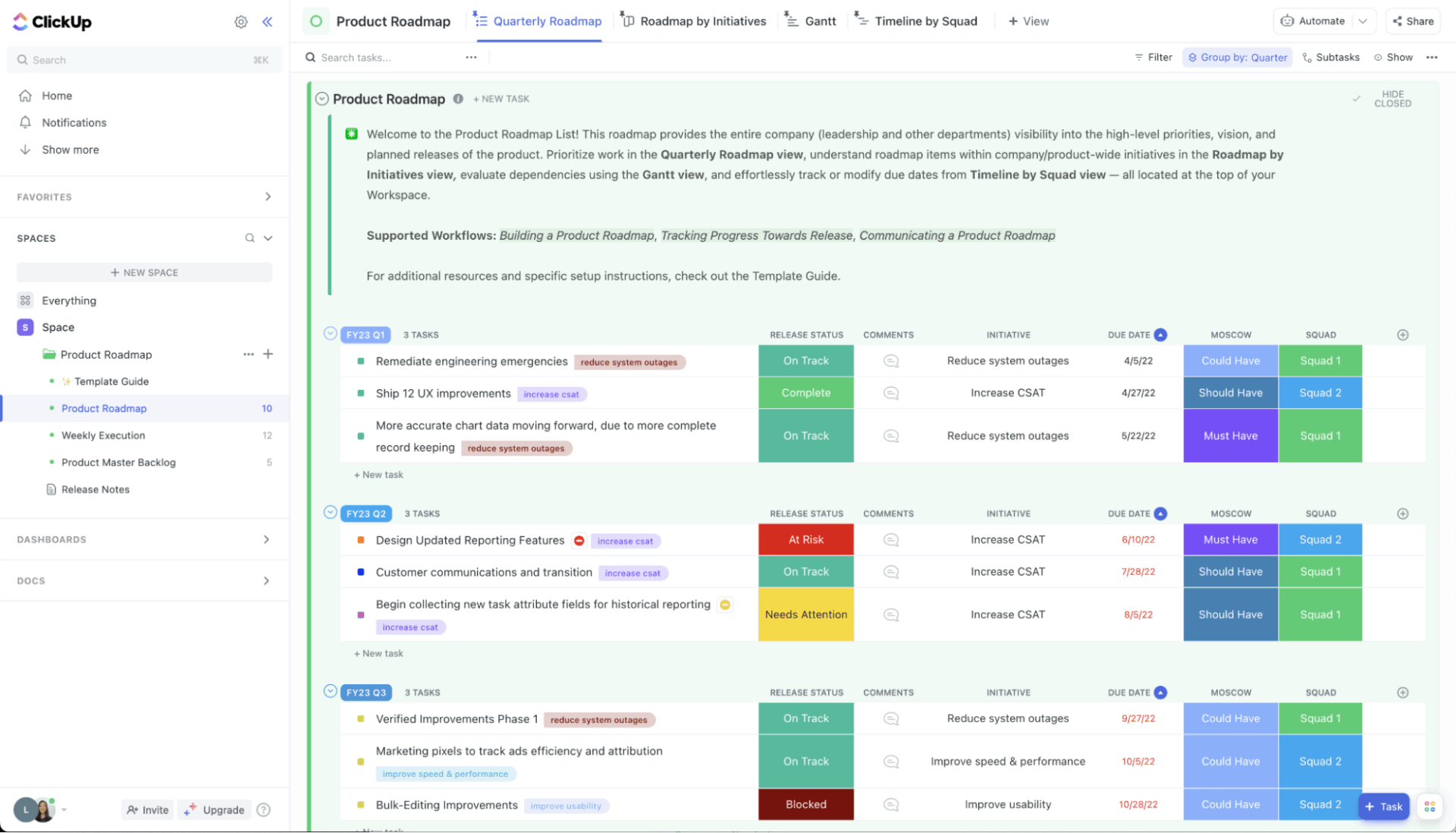
The ClickUp Product Roadmap Template helps you prioritize work logically using Custom Views.
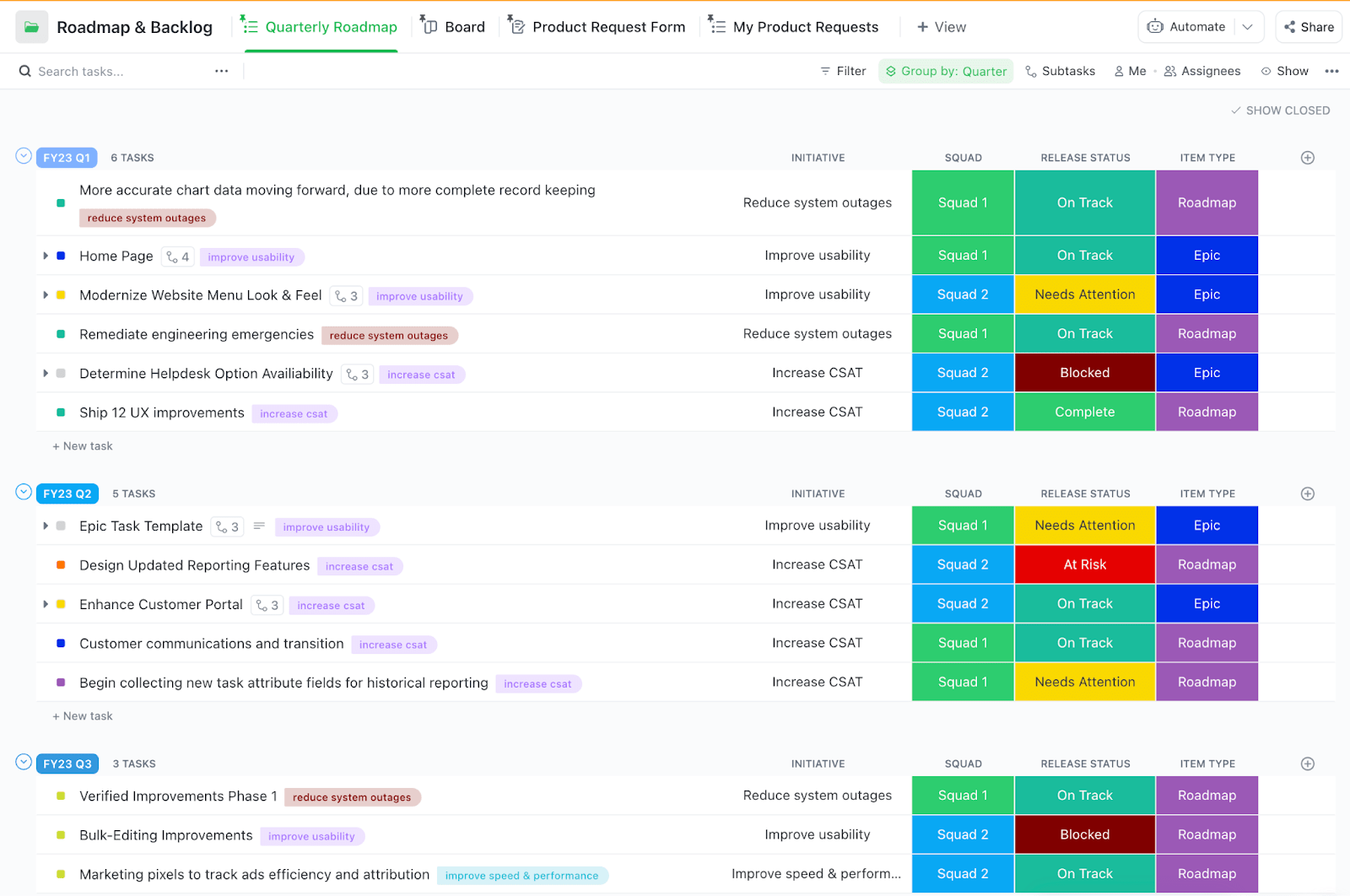
The Quarterly Roadmap View is ideal for medium-term planning with planned features, milestones, and initiatives grouped by quarter. Roadmaps by Initiatives is a Kanban Board View where project activities are represented by cards that can be moved between progress stages with a simple drag-and-drop feature.
The Product Master Backlog View has a Product Ideas & Prioritization List View and an Impact–Effort Matrix to prevent backlog chaos and make trade-offs visible.
✅ Ideal for: Product managers and cross-functional teams who want to prioritize product ideas and share a roadmap with stakeholders
💡 Pro Tip: With ClickUp Whiteboards, teams can visually explore product vision and map priorities before anything is locked in. This is especially useful when reviewing or creating product roadmap examples to compare different approaches and decide what fits your product best.
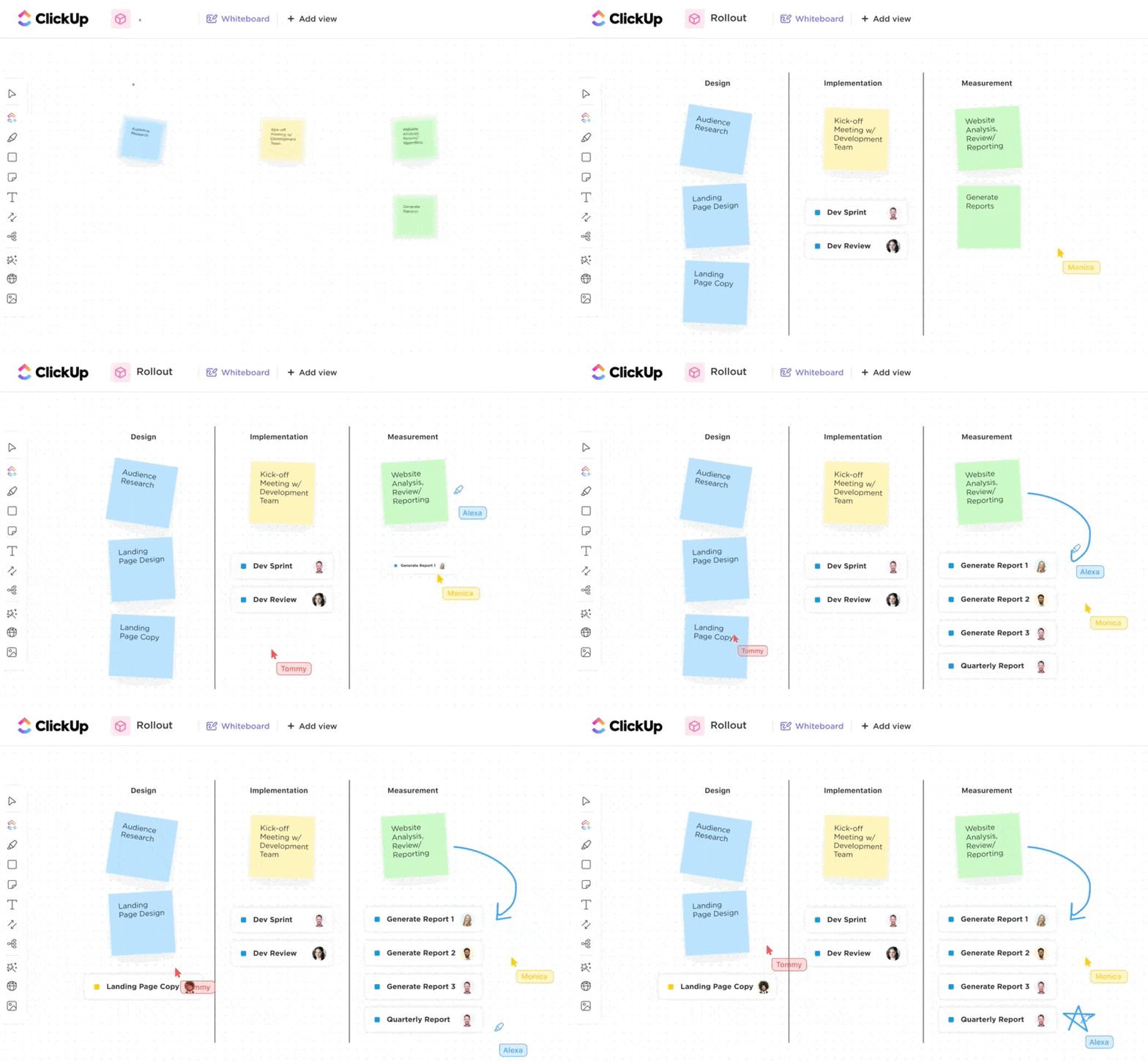
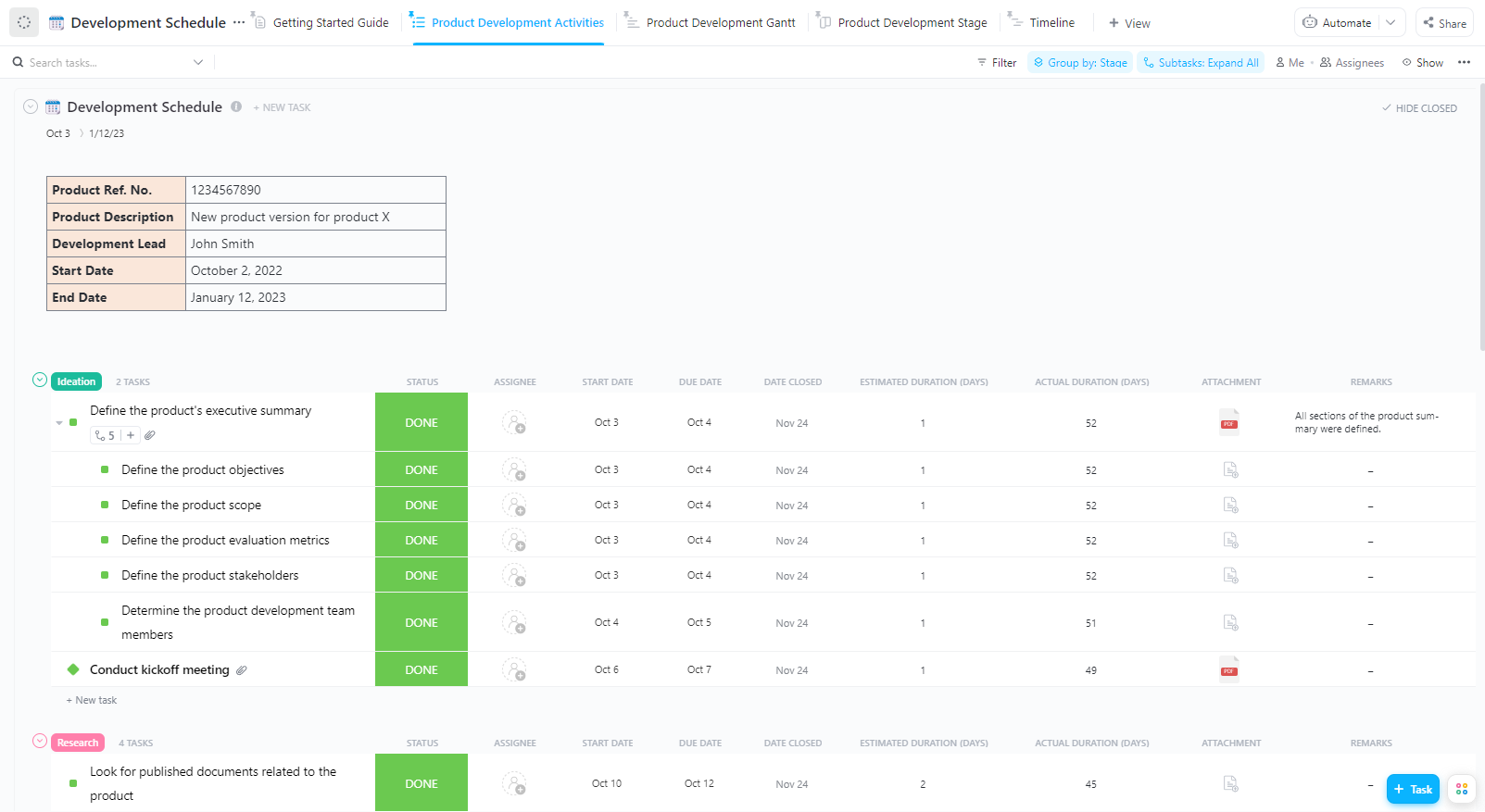
The ClickUp Development Schedule Template helps you manage product development by answering three critical questions at all times: What is being worked on, which stage it belongs to, and how long it will take to complete.
You can break down the entire development journey into small tasks like defining requirements, designing features, building functionality, testing, or preparing for launch, all neatly grouped by stages so you always know where the product stands and what’s coming next.
Also, as work progresses, the template remains flexible. You can add essential notes, upload any reference files, update timelines, and move tasks across stages. This makes progress easy to track and bottlenecks hard to miss. If tasks start piling up in one stage or nothing is moving forward, you’ll see it immediately and can fix the issue before it turns into a delay.
✅ Ideal for: Product managers, founders, and development teams who want a clear, stage-by-stage view of their development lifecycle
📊 Stat Alert: The average product development journey takes around 22 months, i.e, nearly 2 years from idea to launch. This is why having the right processes, templates, tools, and checkpoints matters. They help teams stay aligned from early discovery to delivery.
🎥 Here’s a quick guide on structuring your work and progress across the entire product journey.
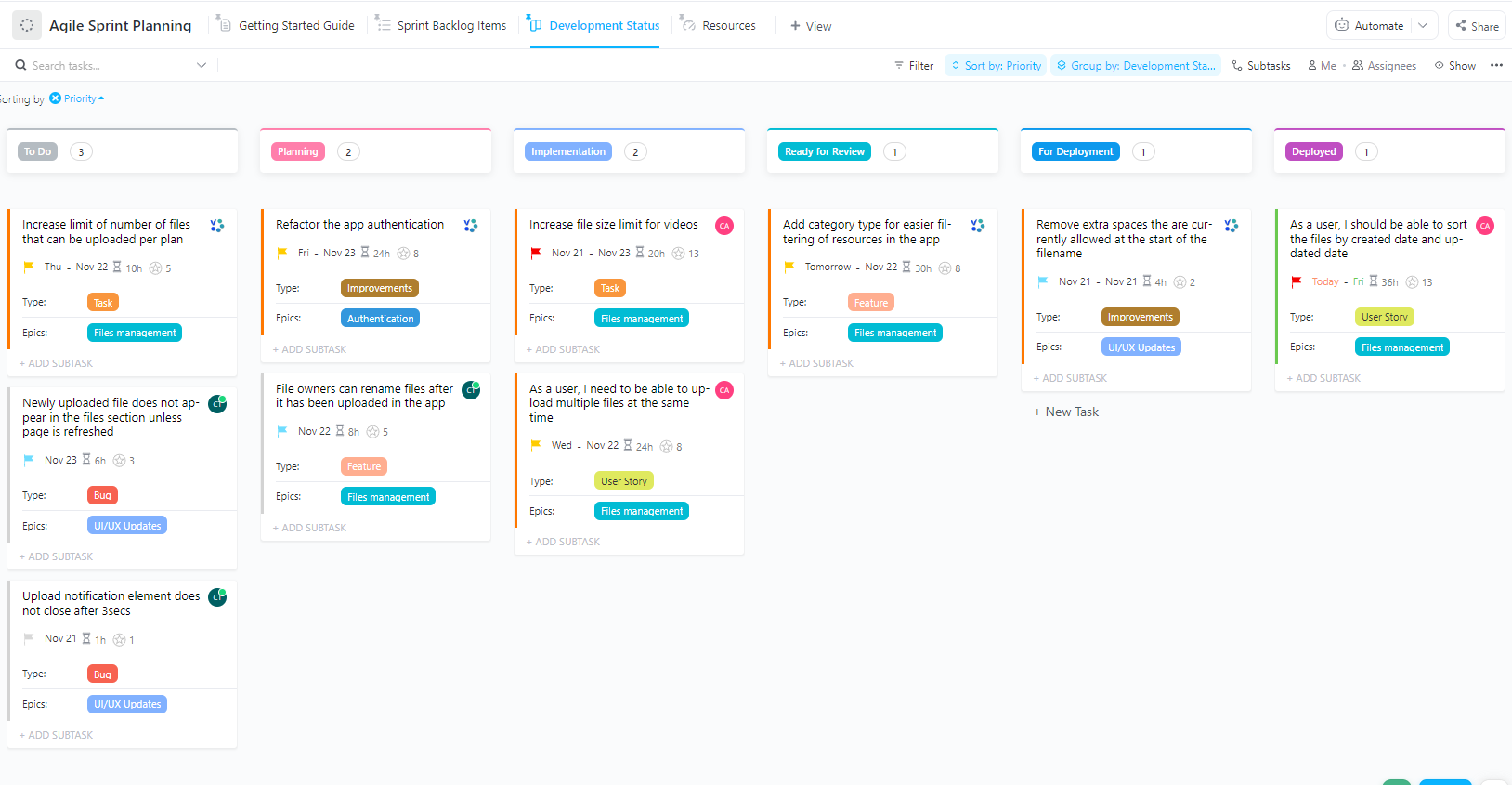
The ClickUp Agile Sprint Planning Template helps teams plan sprints with more confidence by turning backlog items into well-estimated tasks with clear owners. Because all tasks, bugs, user stories, improvements, and features are sorted by priority, your team always stays focused on the work that delivers the most value during the sprint.
The best part about this template is how it connects day-to-day sprint tasks to bigger product goals. Tasks are grouped into epics such as UI/UX Updates, File Management, or Authentication. It also tracks the gap between planned and actual effort using the formula (Estimated Hours minus Tracked Hours), so you can quickly adjust scope and avoid last-minute surprises.
✅ Ideal for: Agile product and engineering teams who want to plan realistic sprints and avoid overcommitment
⚡ Template Archive: If you want more flexibility in how you plan and run sprints, ClickUp’s sprint planning templates give you built-in setups for different Agile styles and team needs. From backlog refinement and capacity planning to sprint execution and retrospectives, these templates help teams stay realistic and keep delivery predictable.
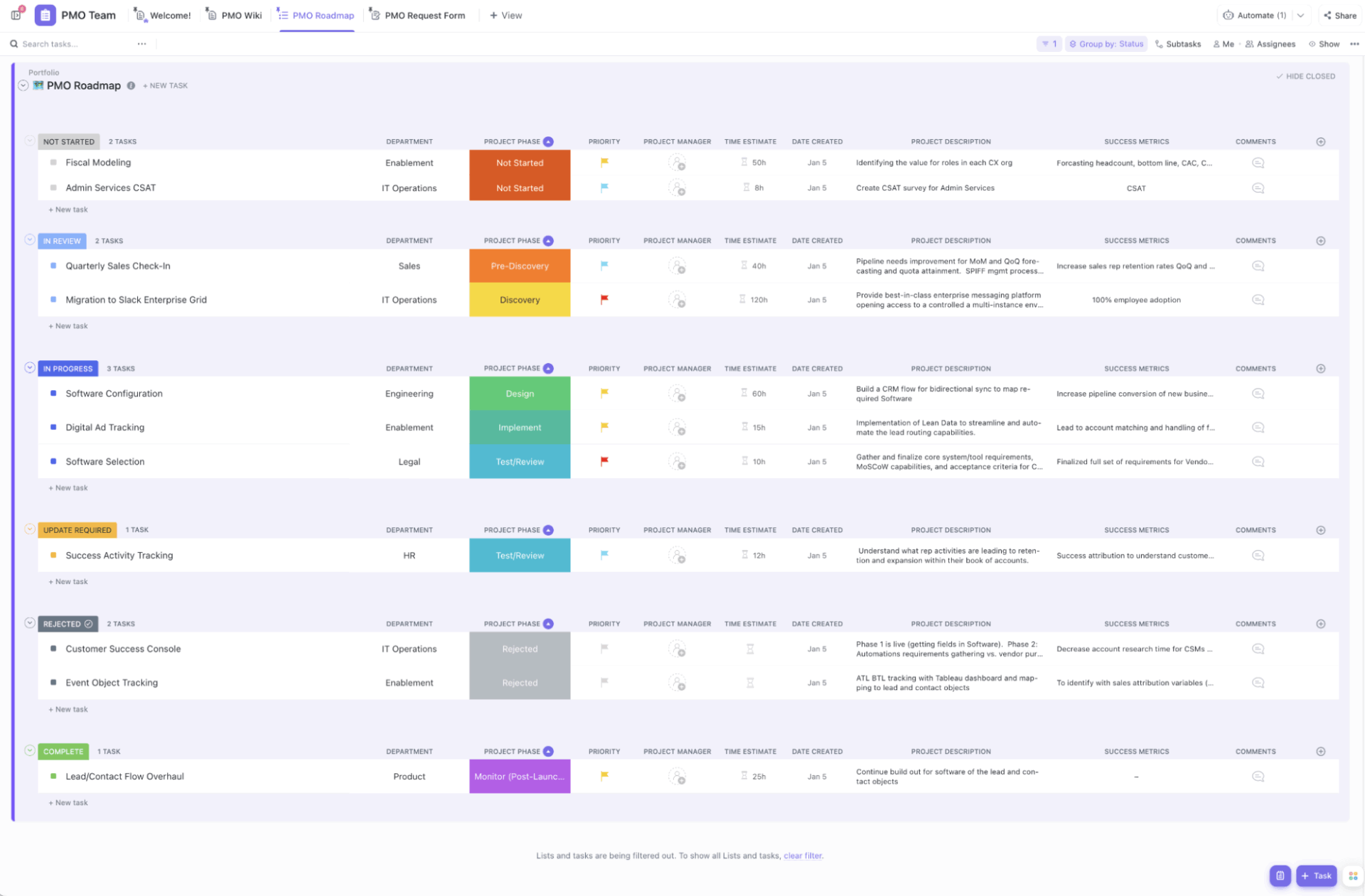
In project management, teams often struggle with scope creep and invisible overload. The ClickUp Project Management Template works as a complete project execution system.
All your project-related work is neatly arranged into organized folders based on project stages like planning, discovery, design, development, testing, and delivery. Each task represents a deliverable, a fix, an improvement, or a milestone-related activity with clear owners, priorities, due dates, and context.
What really elevates this template more than a basic project checklist is the use of ClickUp Custom Fields. These act as extra labels and tracking inputs, making every task more meaningful.
For example, you can add a ‘priority’ field to show what must be done first, an ‘effort’ field to show how heavy the task is, or a ‘department’ field to show which team owns the work. The template also supports stronger collaboration by encouraging documentation and context inside the same workspace.
✅ Ideal for: Project managers and cross-functional teams who need an all-in-one system to plan projects and keep everyone aligned without constant follow-ups
💡 Pro Tip: Context can get lost quickly in software projects because requirements change, bugs surface, and decisions are made mid-sprint. With ClickUp Chat, development teams can keep discussions connected directly to tasks, sprints, and releases.
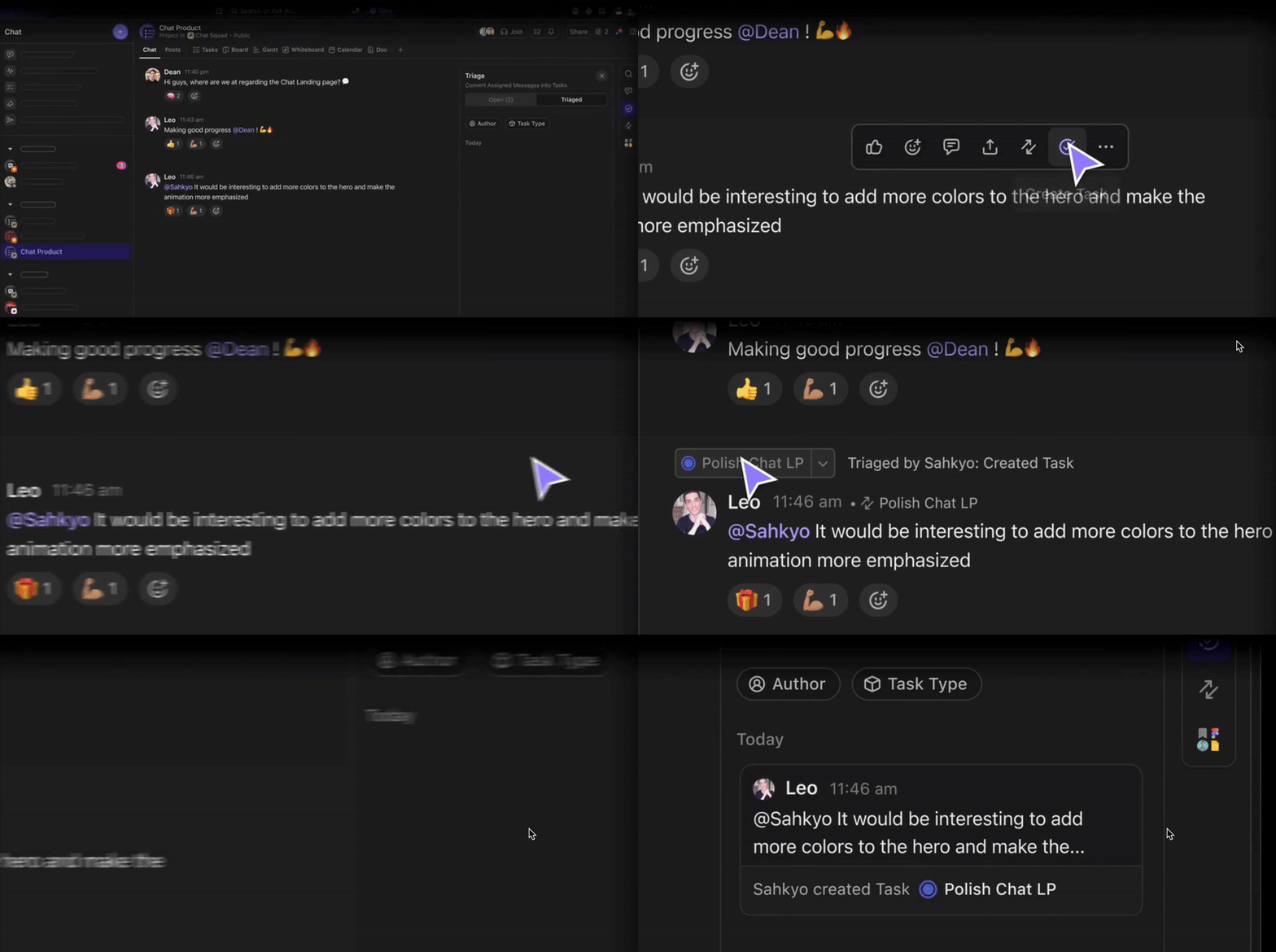
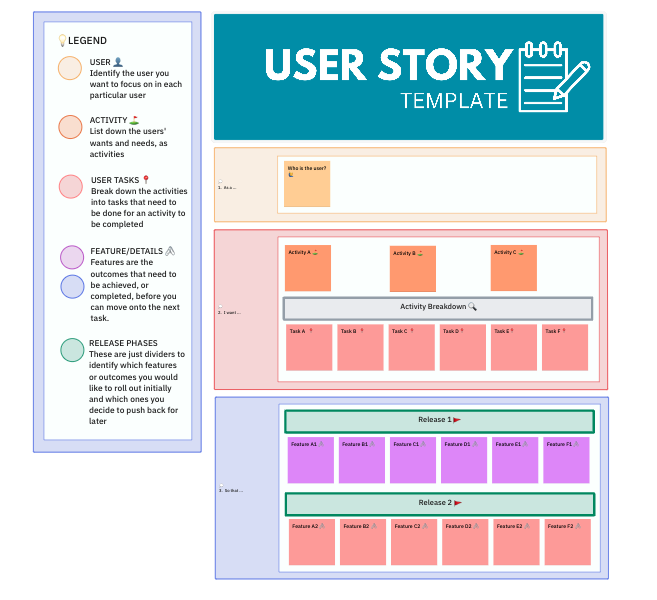
The ClickUp User Story Template is designed to help Agile teams write user stories that feel directly connected to what the user actually needs.
Firstly, it lets you define who the user is and what they want to achieve. For example, a user may want to track an order, book an appointment, download a report, or reset a password without calling support.
From there, the template maps the user’s expected actions step by step, helping teams understand how the feature should actually be used in real life. For example, if the goal is ‘track my order,’ then the activities might include opening the app, going to orders, selecting an order, viewing delivery updates, and receiving notifications.
Finally, with clear acceptance criteria, you can define what ‘Done’ looks like, reducing rework caused by unclear expectations.
✅ Ideal for: Product and Agile teams that want to turn user needs into testable stories without rework, or scope creep
⚡ Template Archive: Explore ClickUp product marketing templates to plan marketing campaigns
✈️ ClickUp Advantage: User story ideas sometimes come up during mid-discussion or while reviewing feedback. At that point, you don’t have to wait to write it down. With Talk-to-Text, you can capture user needs the moment they come to you.
Everything you say is instantly converted into structured text inside ClickUp. It’s a perfect way to use AI for user stories for Agile teams that think faster than they type.
📹 Watch this video to learn more about ClickUp’s speech-to-text capabilities.
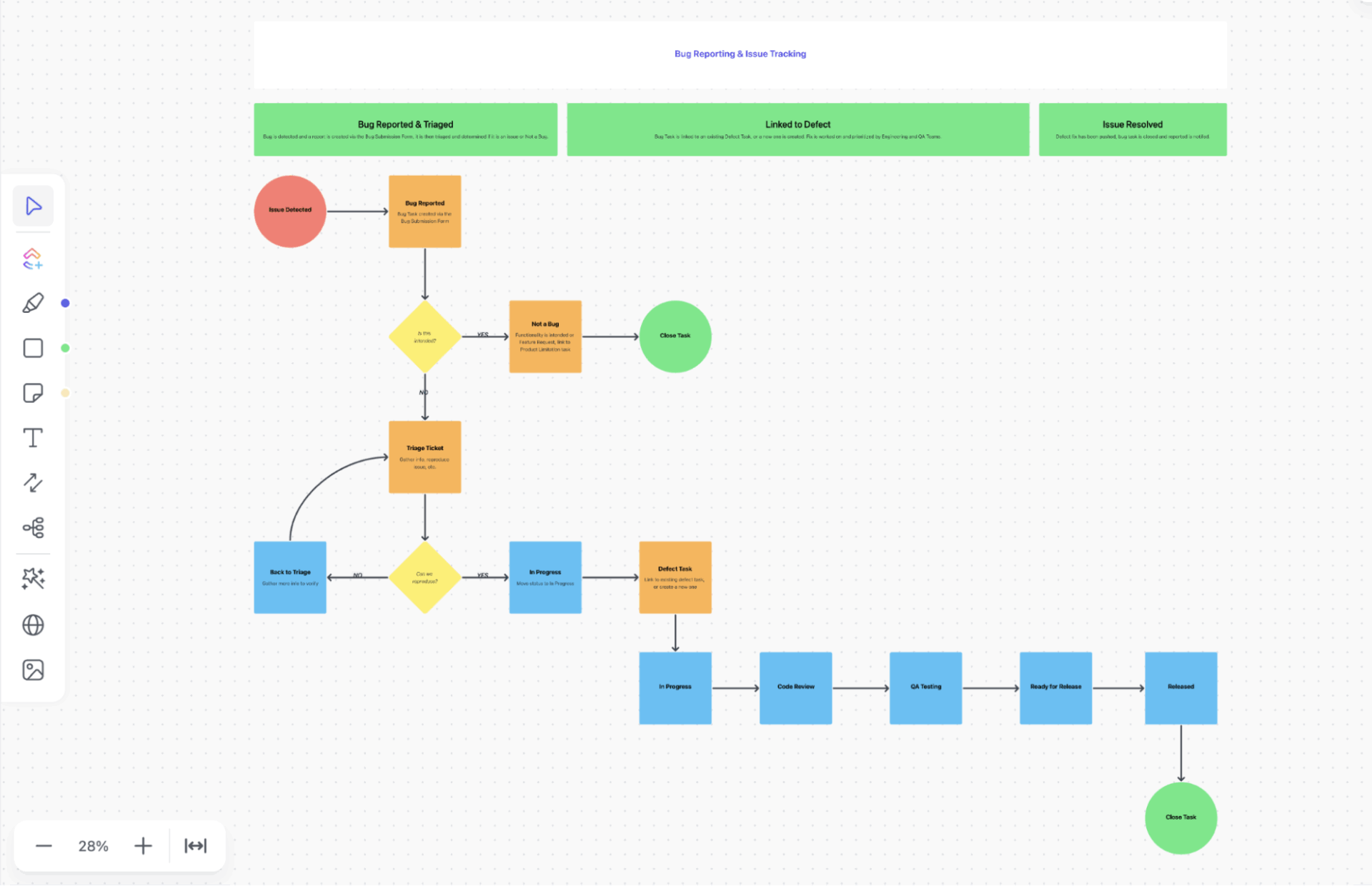
The ClickUp Bug and Issue Tracking Template gives you a system for moving bugs through a clear intake and triage flow that helps teams separate real defects from duplicates or feature requests.
Once a bug is confirmed, it flows into a central defects master list where severity (how bad the bug is) and priority (what should be handled first) guide smarter decisions. Ownership stays clear across squads, and progress is visible from fix to release.
The template also includes space for documenting known limitations and workarounds, so teams don’t waste time re-discussing expected behavior. Clear team processes outlined in ClickUp Docs keep everyone aligned, especially as the team grows.
✅ Ideal for: Product and QA teams that need a systematic process to report, triage, prioritize, and resolve bugs
📌 Did You Know? 50% of organizations don’t measure the cost of bugs that reach production. Only 30% actually track these costs, while 20% aren’t even sure if they do. This means bugs get shipped, users are affected, but the real impact on revenue, churn, and engineering time stays hidden.
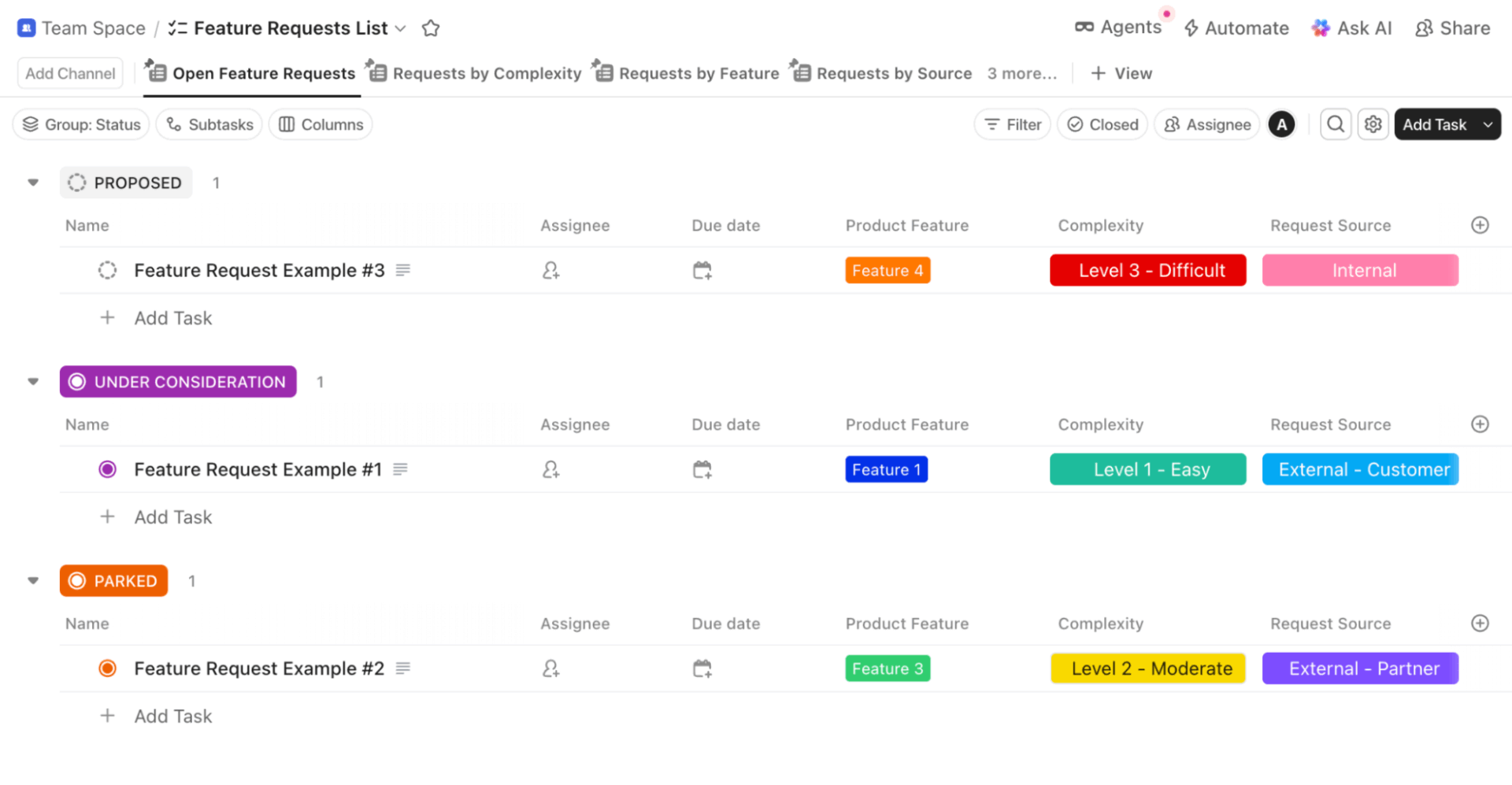
The ClickUp Feature Request Risk Template helps collect feature requests in a central place and turn them into well-thought-out product decisions. Every feature request becomes a Task in ClickUp, and that task carries all the essential details your team needs.
The template has a master database where every feature request is stored in a consistent format. Even if requests come from different sources, like a customer email, a support ticket, a sales call, or an internal team member, everything ends up in the same system, using the same fields.
✅ Ideal for: Product and operations teams that need a risk-aware way to evaluate and approve feature requests before committing engineering time
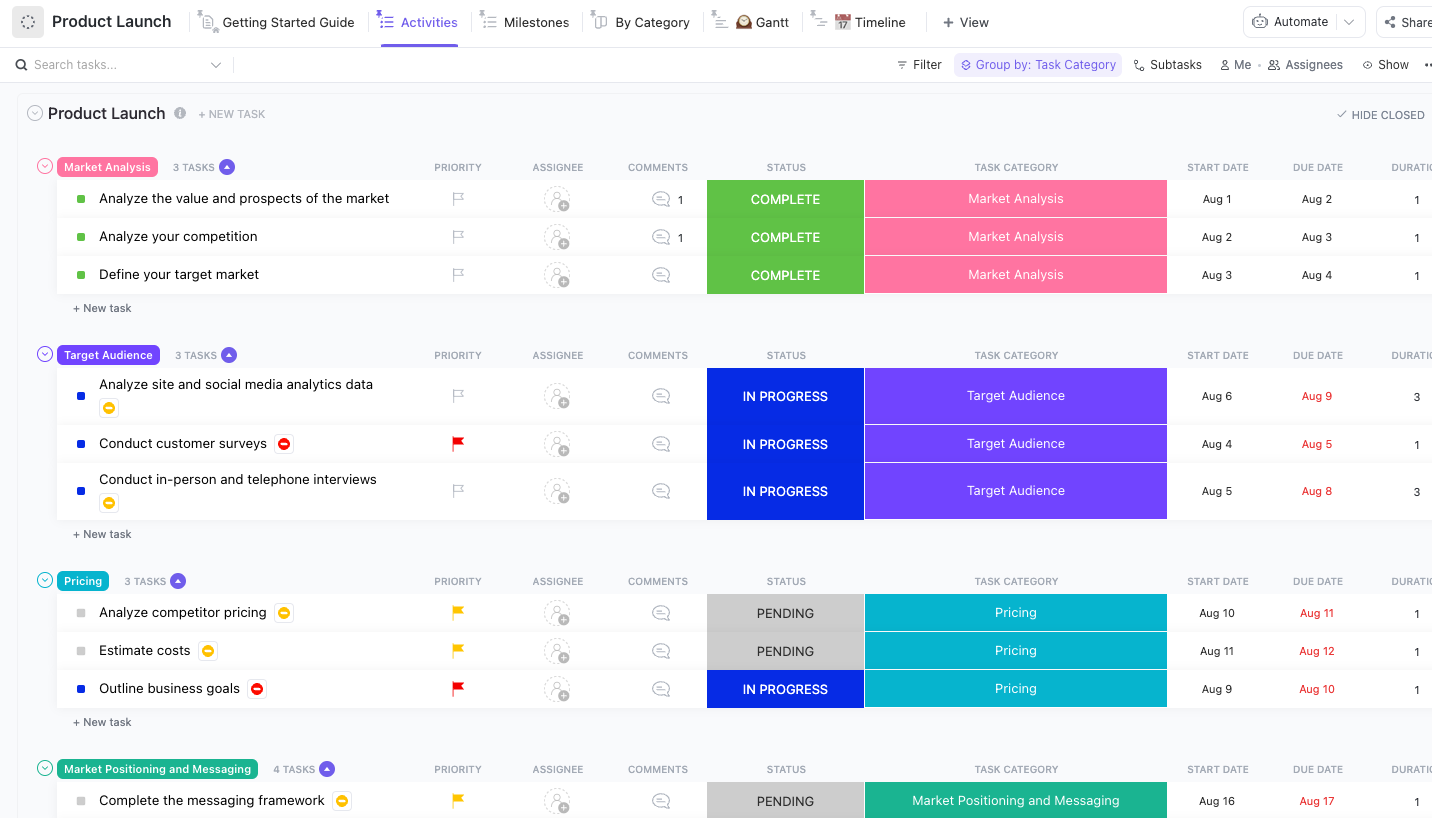
A product launch usually involves many moving parts, including research, messaging, pricing, campaigns, sales prep, internal alignment, and launch-day execution. The ClickUp Product Launch Checklist Template breaks the product launch into smaller, manageable tasks and then groups them into different launch categories.
You start by validating demand through market analysis, understanding competitors, and identifying the right target audience using real data and customer insights. From there, pricing and value positioning are finalized, followed by defining how the product should be positioned and explained in the market.
Execution-focused tasks like go-live checks, webpage updates, releases, and campaign rollouts are clearly mapped out. After the launch, the template helps you track early performance metrics and collect feedback from customers, sales, and support teams.
✅ Ideal for: Product managers and cross-functional launch teams who want a step-by-step system to plan and track product launches
⚡ Template Archive: If you’re planning multiple product launches or refining your process over time, ClickUp’s product launch templates archive gives you ready-made setups for different launch styles and team needs. They’re especially useful when you want a repeatable launch process that still leaves room for flexibility.
Bubble templates make no-code app development easier. They give you a ready-made structure and a solid foundation to turn your ideas into working products without heavy coding knowledge. For MVPs and early launches, they save time and effort.
But building an app is only half the job. You still need clear planning, feature tracking, and a way to stay organized as things move forward. That’s where ClickUp highly customizable templates fit in. They help you map app logic and keep execution on track as you move closer to launch.
Used together, Bubble and ClickUp create a smoother no-code workflow, from idea to launch.
Sign up for ClickUp and keep your no-code project moving forward.

© 2026 ClickUp

There’s an easier way. Try a free AI Agent in ClickUp that actually does the work for you—set up in minutes, save hours every week.