
Sorry, there were no results found for “”
Sorry, there were no results found for “”
Sorry, there were no results found for “”
At some point, we’ve all stared at 27 open tabs, two calendars, and a blinking chat notification, wondering where the day went.
Between managing meetings, chasing deadlines, and remembering what that sticky note even meant, staying organized is exhausting.
The right organizational tools can turn this around.
This blog post explores over 40 tools to bring structure to chaos.
Organizational tools are systems, software, or resources that help individuals and teams manage their tasks, schedules, information, and workspace. These tools streamline processes, optimize workflows, and enhance productivity.
They can be digital, such as project management apps, note-taking software, and collaborative platforms, or physical, such as planners, calendars, file organizers, and sticky notes.
Here are the key benefits of using organizational tools.
When you’re choosing the right organizational tool to keep things on track, here’s what really counts:
🧠 Fun Fact: The word ‘organize’ comes from the Greek word organon, meaning tool or instrument. So technically, when you organize, you’re turning chaos into a working instrument.
Here’s a glimpse of 40+ productivity tools. 📈
| Tool | Best for | Best features | Pricing* |
| ClickUp | All-in-one project management with custom views and workflows Team size: Ideal for individuals, mid-market companies, and large enterprises | AI-powered assistant (ClickUp Brain), customizable views and dashboards, integrated chat and task management, automated scheduling, project templates, task automation | Free forever; Customizations available for enterprises |
| Asana | Organizing team tasks and projects with customizable workflows Team size: Ideal for individuals and mid-size teams | Automate tasks, centralize team communication, use forms to standardize requests | Free plan available; Paid plans start at $13.49/month |
| Trello | Visual task management using Kanban boards Team size: Great for individuals and small teams | Checklists, Power-Ups, Butler automation, Atlassian Intelligence | Free for 10 users; Paid plans start at $6/month |
| Monday.com | Team collaboration with customizable project templates Team size: Suitable for mid-size to large businesses | Time tracking, board customization, pre-built templates | Free plan available; Paid plans start at $12/month |
| Jira | Software development projects and Agile workflows Team size: Development teams and software engineers | Backlog management, bug tracking, advanced filtering | Free plan available; Paid plans start at $7.53/month |
| Pipefy | Workflow automation and process management Team size: Ideal for ops and admin teams of all sizes | AI-powered workflow orchestration, centralized portals, no-code automation | Free plan available; Custom pricing for premium plans |
| Zapier | Automating tasks and connecting apps without coding Team size: Ideal for all team sizes | 8000+ app integrations, conditional logic, multi-step workflows | Free plan available; Paid plans start at $29.99/month |
| Notion | Note-taking and personal organization Team size: Ideal for freelancers, creators, and small teams | 20,000+ templates, AI-powered summaries, Enterprise Search | Free plan available; Paid plans start at $12/month |
| Evernote | Capturing and syncing notes across devices Team size: Great for students, writers, and researchers | AI summarizer, Web Clipper, rich formatting, calendar sync | Free plan available; Paid plans start at $14.99/month |
| Obsidian | Networked note-taking and personal knowledge management Team size: Ideal for individuals | Graph View, backlinks, local Markdown notes, Publish feature | Free plan available; Paid add-ons start at $5/month |
| Coda | Creating documents that function like apps Team size: Suitable for startups and collaborative teams | Coda AI, app-like docs, Packs integrations | Free plan available; Paid plans start at $12/month |
| Lucidchart | Diagramming, flowcharts, and process mapping Team size: Ideal for technical teams and educators | AI diagram generator, real-time collaboration, presentation mode | Free plan available; Paid plans start at $9/month |
| Scribe | Documenting processes and creating how-to guides Team size: Ideal for HR, IT, and training teams | Workflow capture, AI-generated titles, custom branding | Free plan available; Paid plans start at $15/month |
| Google Workspace | Collaboration on digital assets Team size: Ideal for all business sizes | Google Gemini AI, cloud file sharing, calendar and Meet integration | Free plan available; Paid plans start at $7/month |
| Dropbox | Cloud file storage and sharing Team size: Ideal for remote and creative teams | AI search, Dropbox Paper, real-time collaboration | Free plan available; Paid plans start at $11.99/month |
| Slack | Team communication and real-time messaging Team size: Ideal for growing teams and remote workers | Huddles, Slack Canvas, Workflow Builder, native task lists | Free plan available; Paid plans start at $8.75/month |
| Microsoft Teams | Enterprise-level communication with Office 365 integration Team size: Ideal for large organizations | Co-pilot summaries, interpreter agents, chat, meetings | Free trial available; Paid plans start at $7.20/month |
| Zoom | Video conferencing and remote team meetings Team size: Ideal for businesses of all sizes | AI Companion, live captions, meeting summaries | Free plan available; Paid plans start at $15.99/month |
| Calendly | Automating scheduling and appointments Team size: Ideal for solopreneurs and client-facing teams | Client self-scheduling, routing forms, calendar integrations | Free plan available; Paid plans start at $12/month |
| Otter.ai | Automated transcription and collaboration Team size: Ideal for journalists, educators, and teams | Real-time transcription, speaker labels, action items | Free plan available; Paid plans start at $16.99/month |
| Reclaim.ai | Automating scheduling and managing team time Team size: Ideal for busy professionals and small teams | Habit scheduling, buffer time, productivity stats | Free plan available; Paid plans start at $10/month |
| Clean Email | Organizing and decluttering your inbox Team size: Ideal for individuals and freelancers | Bulk actions, smart filters, unsubscribe and screener tools | Paid plans start at $9.99/month |
| Todoist | Personal task management with project categorization Team size: Ideal for individuals and small teams | Priority levels, quick add, cross-device sync | Free plan available; Paid plans start at $2.5/month |
| Toggl Track | Time tracking and productivity analysis Team size: Ideal for freelancers, agencies, and consultants | Idle detection, time audits, billable rates | Free plan available; Paid plans start at $10/month |
| TimeCamp | Team time tracking and reporting Team size: Ideal for SMBs and remote teams | Automated tracking, project budgeting, keyword rules | Free plan available; Paid plans start at $3.99/month |
| Habitica | Gamifying your tasks and building habits Team size: Ideal for individuals and friend groups | Streak tracking, gamification, quests, avatars | Paid plans start at $4.99/month |
| Buffer | Scheduling and automating social media posts Team size: Ideal for content creators and marketers | AI content suggestions, multi-channel scheduling, analytics | Free plan available; Paid plans start at $6/month per channel |
| Canva | Creating visual content like graphics and presentations Team size: Ideal for marketing teams and educators | Magic Design, video editing, social publishing | Free plan available; Paid plans start at $10/month |
| Saving articles, videos, and web pages Team size: Ideal for readers and researchers | Distraction-free reading, highlight tools, tag-based organization | Free trial available; Paid plans start at $2.95/month | |
| MindMeister | Mind mapping and organizing ideas visually Team size: Ideal for educators, students, and teams | Media-rich maps, outline mode, audit trail | Free plan available; Paid plans start at $4.50/month |
| Okta | Identity and access management in enterprises Team size: Ideal for IT and security teams | SSO, adaptive MFA, pre-built app integrations | Free trial available; Custom pricing |
| Nimble | Relationship management with smart CRM features Team size: Ideal for sales and outreach teams | Smart contact enrichment, social media syncing, group outreach | Paid plan: $29.90/month |
| Shopify | Building and managing an e-commerce business Team size: Ideal for startups, SMEs, and D2C brands | Customizable store, secure payments, inventory automation | Paid plans start at $39/month |
| QuickBooks | Accounting, invoicing, and financial management Team size: Ideal for small businesses and freelancers | Payroll, bank sync, expense tracking | Free trial available, Paid plans start at $19/month |
| Sortly | Inventory tracking and asset management Team size: Ideal for small businesses and warehouses | QR/barcode tracking, image-based cataloging, alerts | Free plan available; Paid plans start at $49/month |
| Workable | Streamlining recruitment and hiring processes Team size: Ideal for HR teams and agencies | AI-powered sourcing, mobile recruiting, interview kits | Free trial available; Paid plans start at $360/month |
| When I Work | Employee scheduling and shift management Team size: Ideal for hospitality and hourly staff teams | Real-time alerts, cloud time clocks, payroll sync | Paid plans start at $3/month per user |
| 7shifts | Restaurant scheduling and employee management Team size: Ideal for restaurants and food service businesses | AI scheduling, shift pools, tip distribution | Free plan available; Paid plans start at $31.99/month |
| Workday | Enterprise-level HR, payroll, and talent management Team size: Ideal for large organizations | AI job matching, internal mobility, onboarding flows | Free trial available; Custom pricing |
| Bonusly | Employee recognition and rewards programs Team size: Ideal for all company sizes | Milestone celebrations, peer-to-peer rewards, analytics | Custom pricing |
| TripIt | Organizing travel plans and itineraries Team size: Ideal for frequent travelers | Real-time flight alerts, timeline view, doc storage | Free plan available; Paid plan at $49/year |
| Wanderlog | Collaborative trip planning Team size: Ideal for travel groups and friends | Interactive maps, Gmail sync, route optimization | Free trial available; Paid plan at $39.99/year |
Let’s look at some of the best organizational tools out there. 💁
ClickUp is the world’s Converged AI Workspace that combines project, knowledge, and chat in one place—all powered by AI that helps you work faster and smarter.
Paired with ClickUp’s Project Management Software, you get an extensive set of tools to boost productivity.
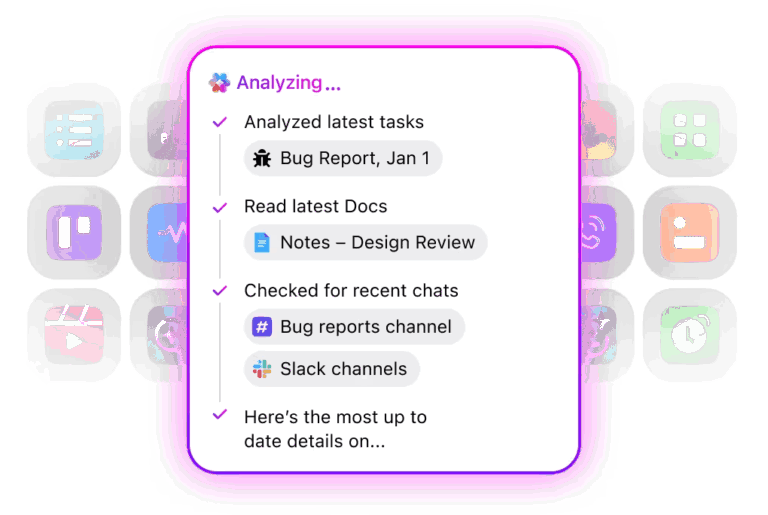
But how? ClickUp Brain, the platform’s AI-powered assistant, is the anchor. Built right into your workspace, it connects all your work so you can stop digging. This contextual AI tool:
Let’s say you’re a marketing manager prepping for a campaign kickoff. Instead of chasing down briefs, last quarter’s reports, or status updates from the creative team, ClickUp Brain pulls it all together in seconds. It answers questions (just ask in natural language!), summarizes threads, and even drafts project overviews for you.

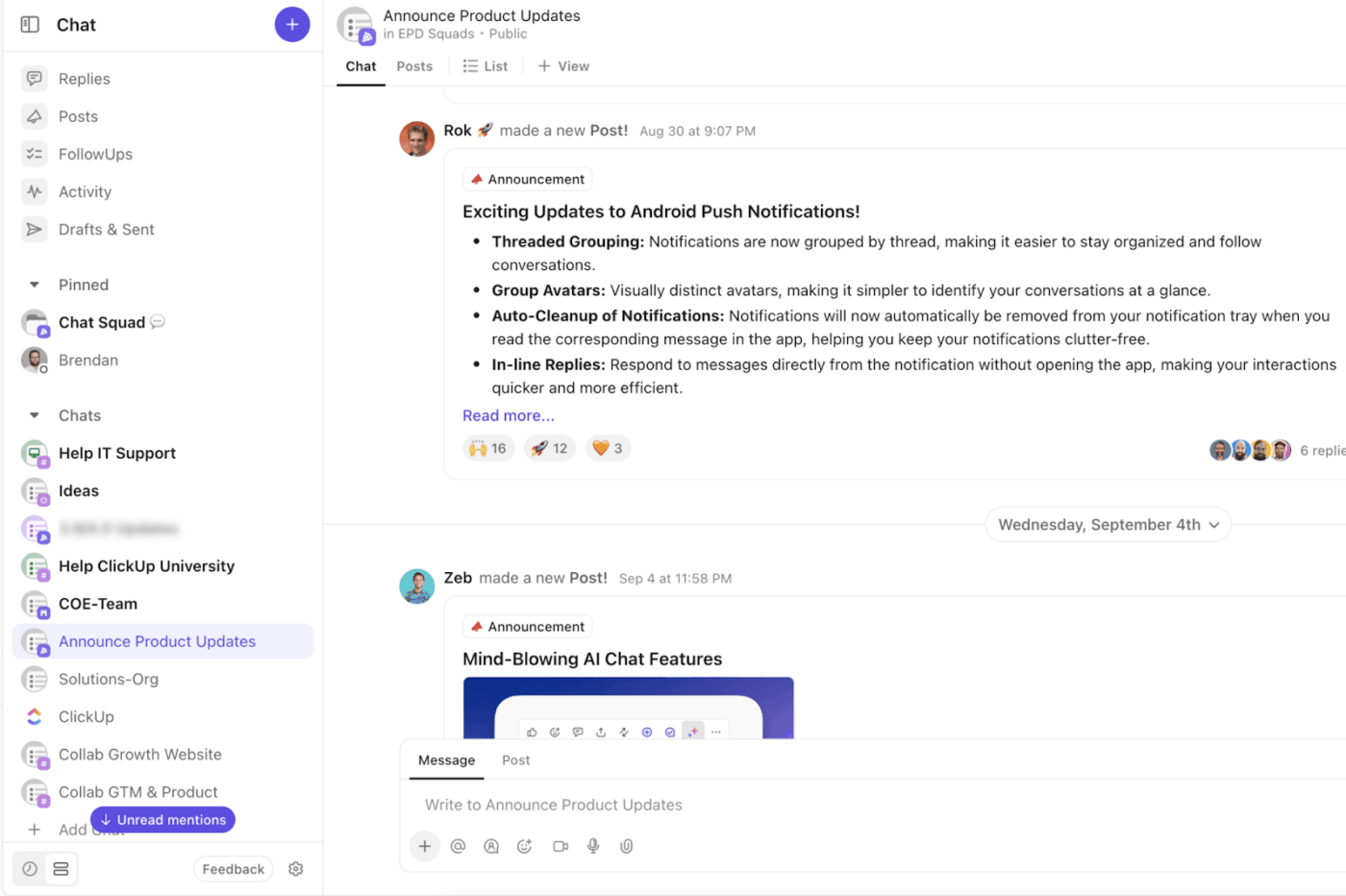
Want all your context and team’s conversations in one place? ClickUp Chat makes it happen.
Planning a product launch? You can brainstorm in chat, assign tasks directly from that conversation, and let ClickUp Brain summarize the discussion with clear next steps.
You’ll never lose the ‘what did we decide?’ moment again. Bonus? You can even hop on a quick call with SyncUps without leaving your workspace.
Of course, knowing what’s happening across your projects is just as important. ClickUp Dashboards make a difference here.
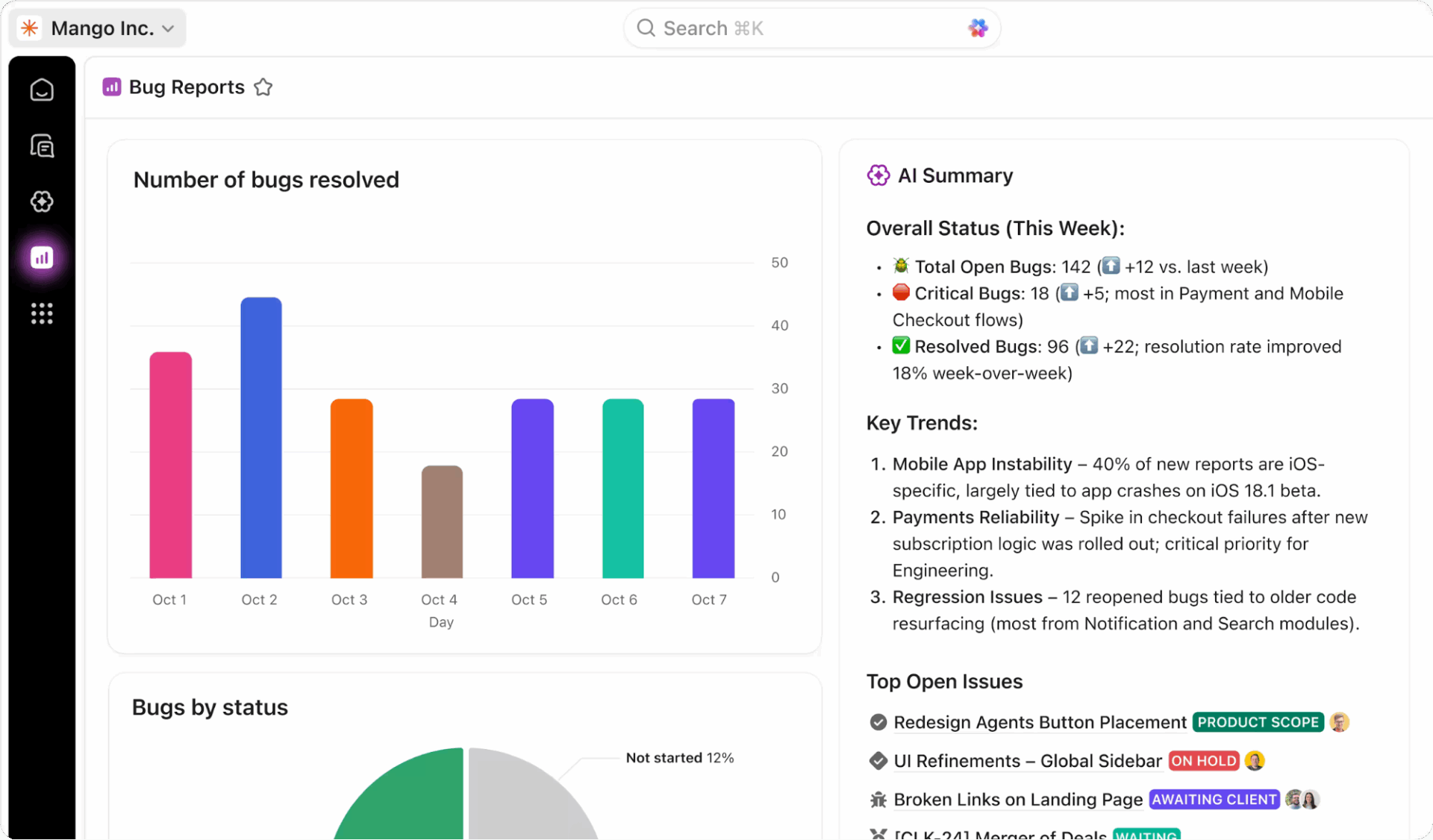
They’re fully customizable, real-time snapshots of your work.
For instance, a sales leader can track that quarterly pipeline, a designer can watch sprint progress, or a founder can review team workload, all from one dashboard.
And then there’s ClickUp Calendar: the AI scheduling powerhouse that keeps your days, deadlines, and deliverables in sync.
Say you’re running back-to-back meetings and suddenly need to reshuffle priorities. The Calendar adjusts, blocks out focus time, reschedules intelligently, and even turns meeting notes into assigned tasks. With ClickUp Brain helping you find the best times and follow-ups syncing automatically, nothing gets missed.
But what if you’re starting from scratch?
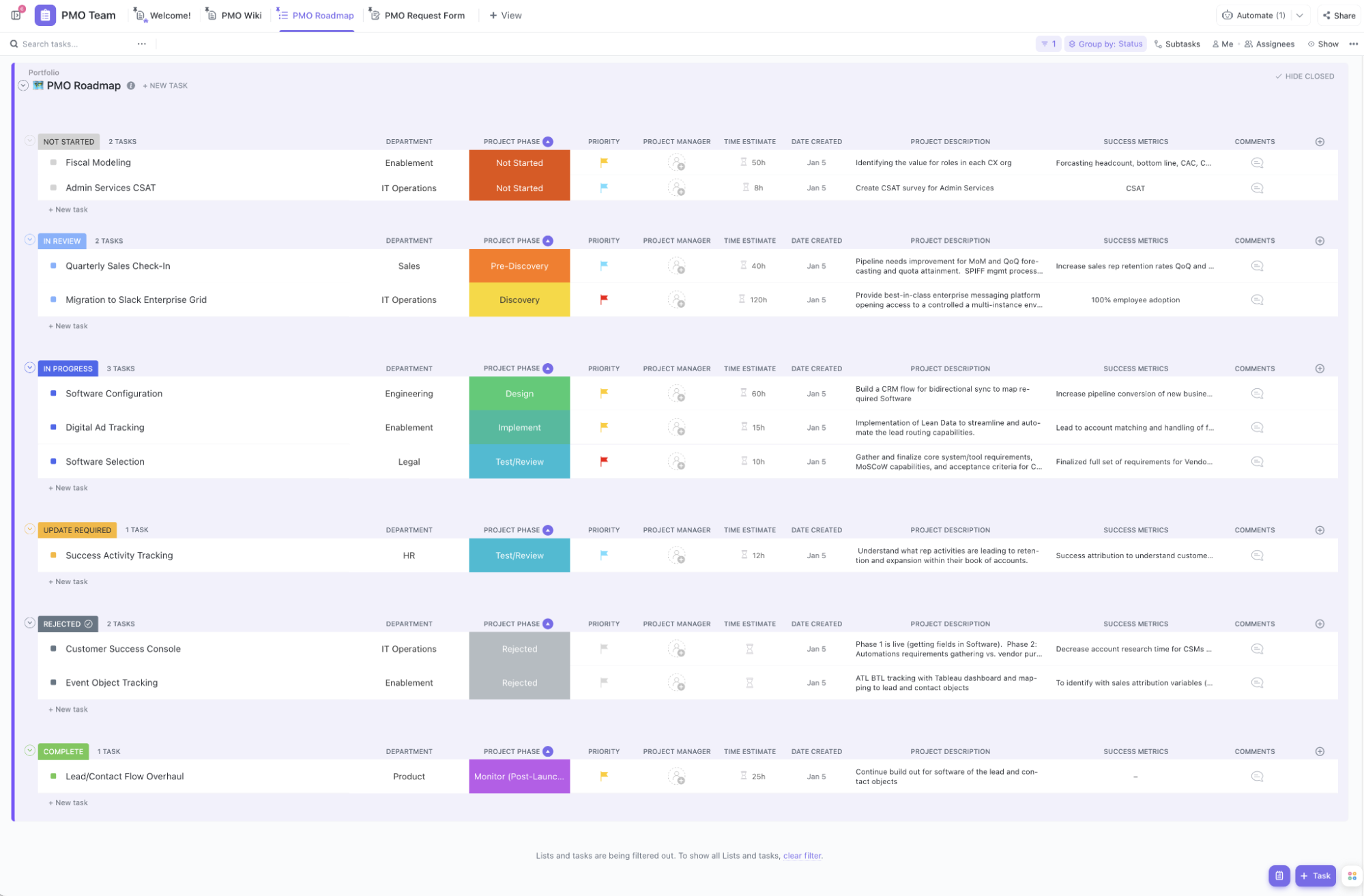
The ClickUp Project Management Template is a visually organized, status-driven roadmap for teams managing multiple projects across departments.
What makes this template special is its use of status grouping, clearly segmented into stages like Not Started, In Review, In Progress, Update Required, Rejected, and Complete. Each section holds relevant ClickUp Tasks tied to departments and project phases, making it easy to see where everything stands at a glance.
This G2 review says it all:
What I like best about ClickUp is its customization and flexibility. Whether it’s creating tailored workflows for different teams (like marketing and web development), using custom fields to track specific project details, or automating repetitive tasks, ClickUp allows me to adapt it to our exact needs. It helps keep everything in one place, making project management and communication seamless across teams. Plus, the integrations and automations save us so much time, allowing us to focus on what truly matters.
📮 ClickUp Insight: Knowledge workers send an average of 25 messages daily, searching for information and context. This indicates a fair amount of time wasted scrolling, searching, and deciphering fragmented conversations across emails and chats. 😱
If only you had a smart platform that connects tasks, projects, chat, and emails (plus AI!) in one place. But you do: Try ClickUp!
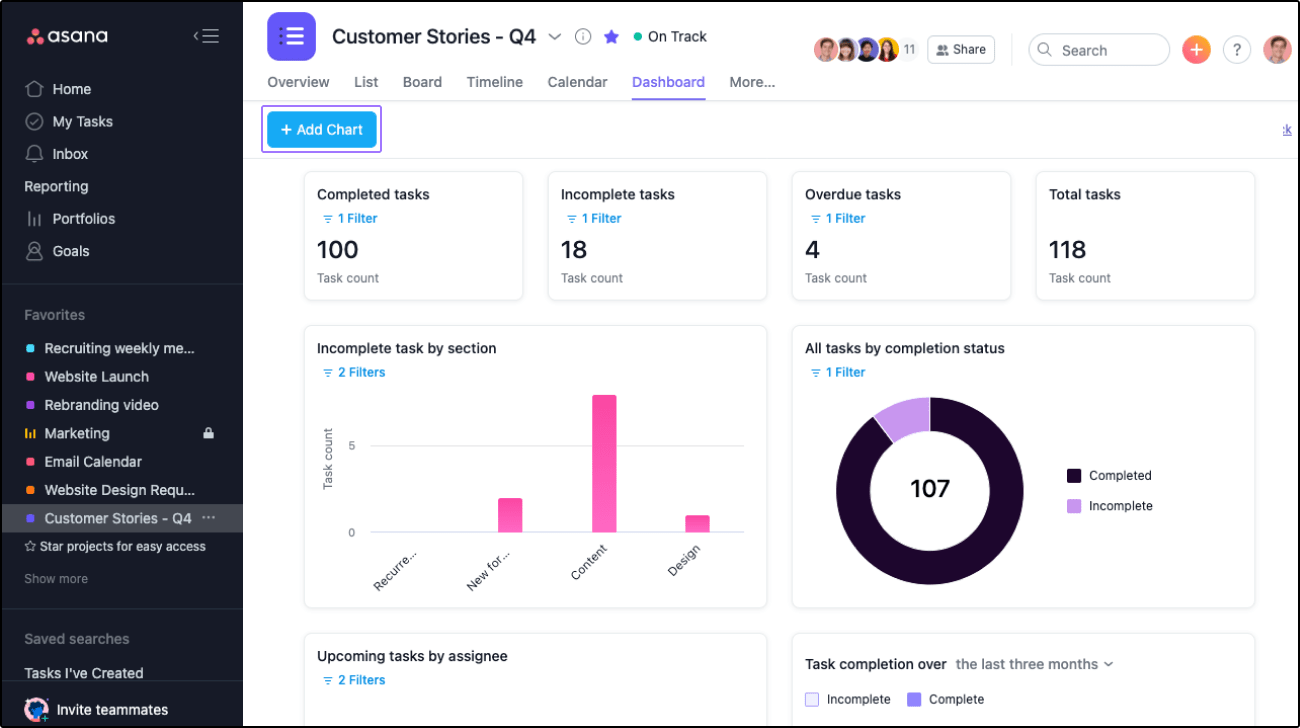
Asana keeps teams on the same page without needing constant check-ins. You can assign tasks, track progress, and build workflows that make sense for how your team works. It’s got just enough structure to keep things moving without feeling rigid.
It’s not the flashiest tool, but it’s reliable, and for teams that need to stay organized without micromanaging, that goes a long way.
Straight from a Capterra review:
Asana can have its navigational challenges. There are a lot of aspects of Asana that take time and effort to learn. These components are not always intuitive. Asana’s tutorial/learning courses are not always the most helpful. In fact, I’ve struggled to understand concepts and not been able to fully engage with every facet of Asana as a result. That’s unfortunate (since I’ve been using Asana for multiple years).
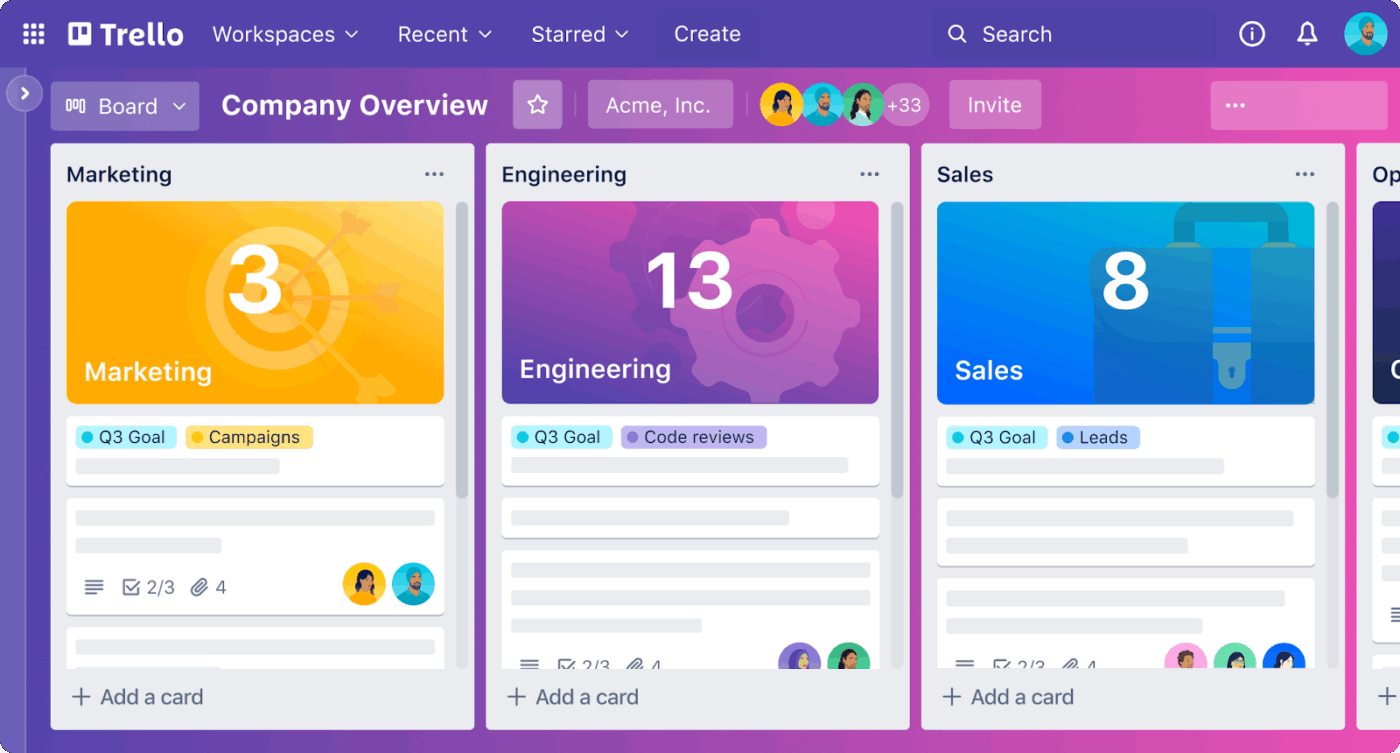
Trello is like a digital bulletin board that helps you see your work at a glance. You create boards, break them into lists, and add cards for each task.
While it’s not ideal for complex projects, the tool works great for solo planners, creatives, and anyone who prefers a clean, straightforward workflow that’s easy to update and hard to mess up.
Per a G2 review:
The User Interface is quite intuitive, with lists, boards, and cards to manage to-do lists. The automation part can be challenging at the beginning, but once you get the hang of it, you’ll see the full benefits of Trello. Don’t even talk about Power Ups to integrate third-party apps you’re already using.
🔍 Did You Know? There’s a condition called productivity guilt where people feel bad for not checking off enough things on their list, even on weekends.
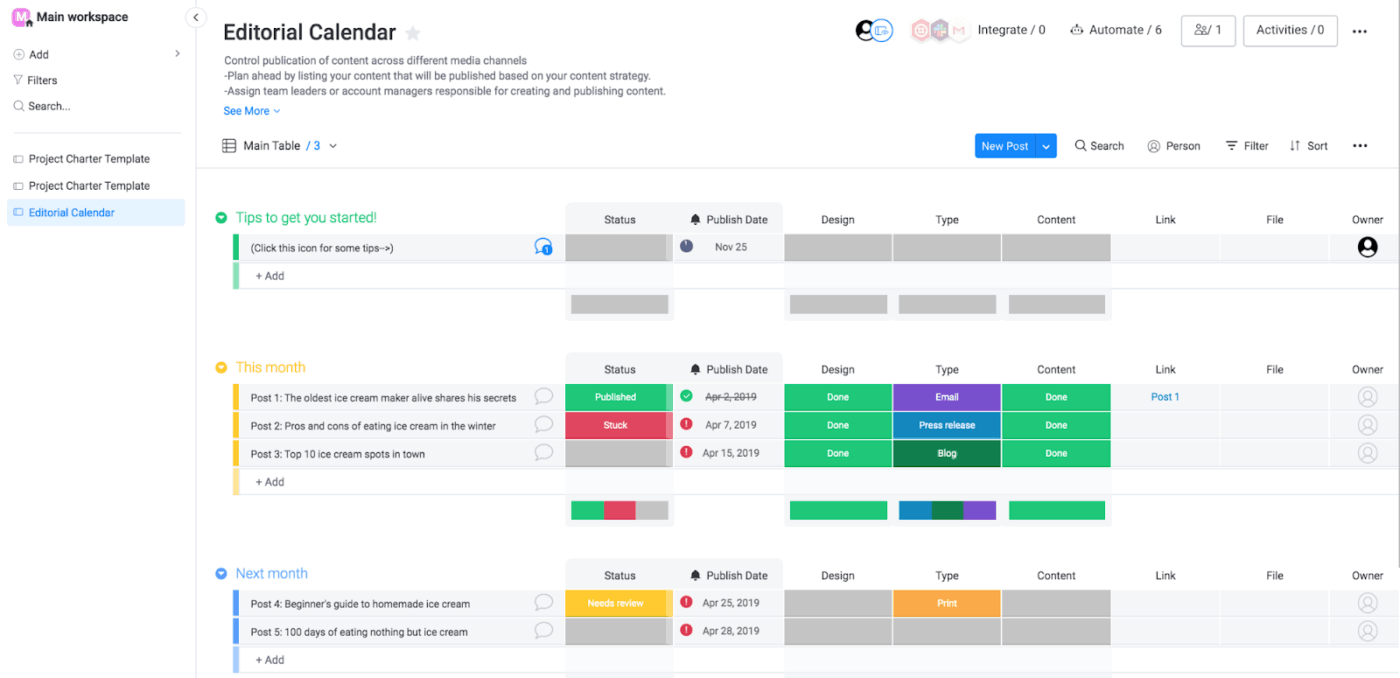
monday.com works well for flexibility and visibility. You get templates to jump-start projects, custom workflows, automation, and colorful dashboards to track progress.
It’s user-friendly once you get started, although more advanced setups may require some experimentation. Teams that need to coordinate across roles or departments will appreciate how clearly Monday.com displays who’s responsible for what.
A G2 reviewer shared this feedback:
There are numerous things I can say I like about Monday, be it the ease of creating workflows or creation automation as per any requirement or the superfast integration for a custom app…There have been times when I needed to do something with subitems, but due to the limitations of the restricted actions we can perform on them, I had to find a workaround. Also there are monday.com retry mechanism and restriction on sending data with monday header for authentication purposes.
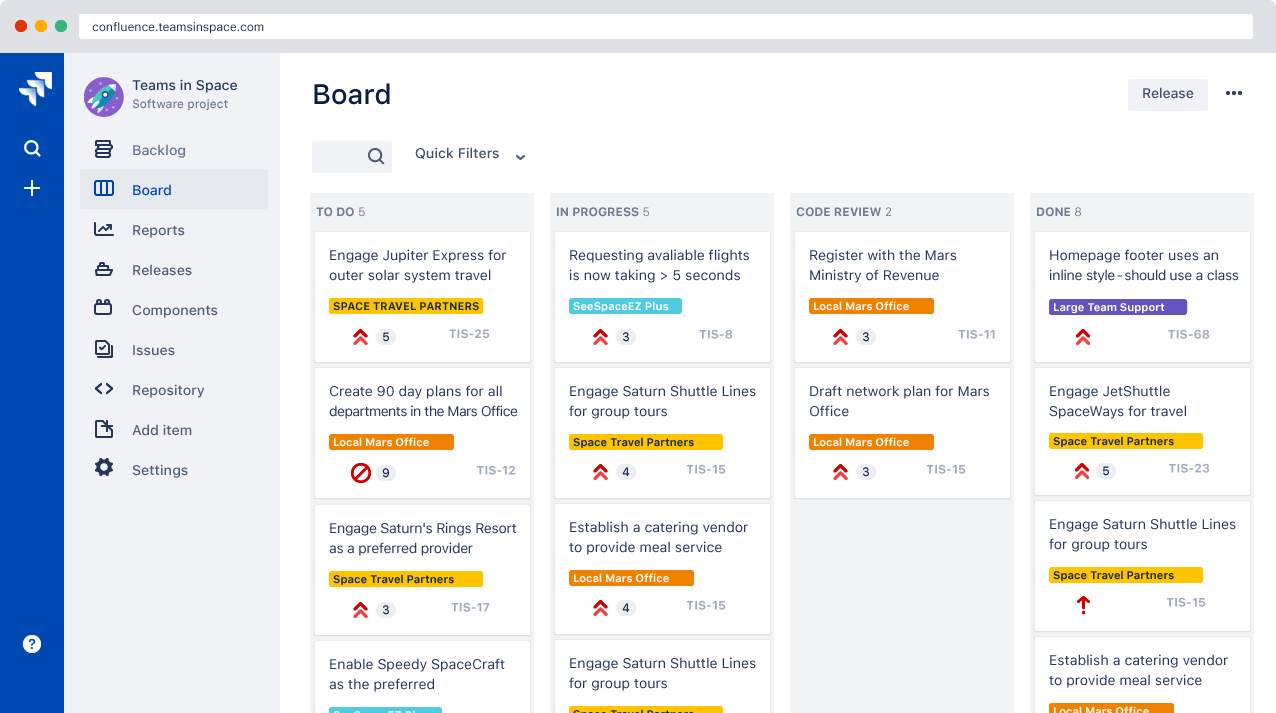
Jira is built for developers with a dedicated structure to track bugs, manage sprints, or run Agile workflows. While it is not the easiest tool for non-technical users, Jira is a good option to keep the entire dev process under control.
According to a review on G2:
I like that Jira makes it easy to keep track of bugs and tasks from start to finish. Everything is in one place, so I can see who is responsible and check progress quickly. The dashboards and filters help me see what is important and what is done. Workflows work well if set up carefully, and Jira connects with tools like Slack, Git, and testing platforms, which keeps the team working together. It has a lot of features like custom workflows and reports, which are useful for bigger projects.
🔍 Did You Know? During the Civil War, the ‘dead line’ didn’t refer to the deadlines we’re familiar with today. It was a real boundary in prison camps, and if prisoners crossed it, they could be shot.
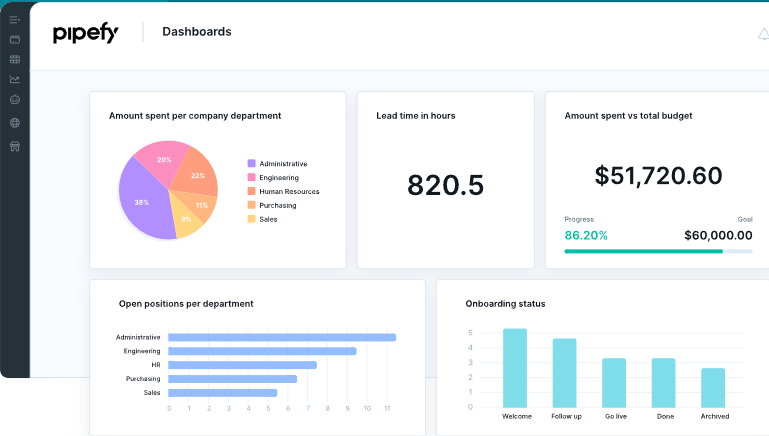
Pipefy helps operations teams keep recurring workflows tight and efficient. Whether you’re handling purchase requests, employee onboarding, or approval chains, you can set up structured processes and automate the boring parts.
It’s especially useful for consistent results every time, like making sure every step of a workflow gets followed, without needing to manually check things off.
According to one Capterra review:
I really appreciate all the different workflow templates it provides; they make it simple to organize any kind of project or task list, and they can be easily modified to fit our needs…I think it would be helpful if they integrated more complex metrics like performance and activity duration; for example, the Gantt chart could show how much time has passed since an activity was scheduled.
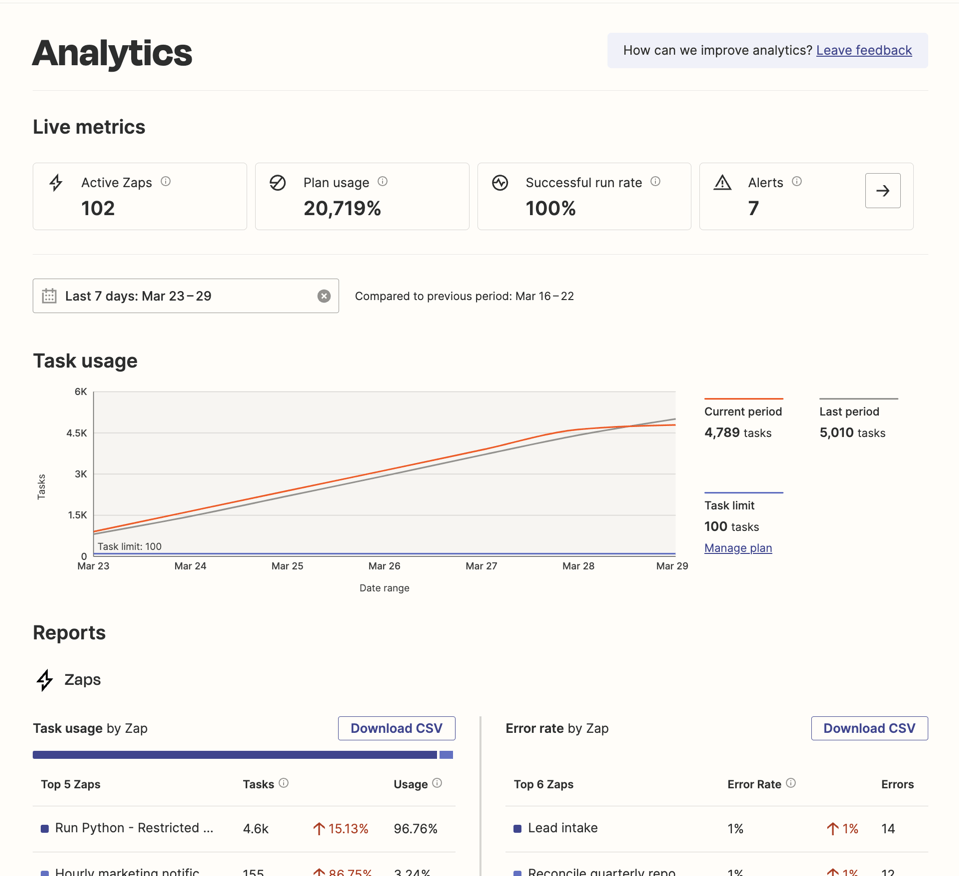
Zapier connects thousands of apps (Gmail, ClickUp, Mailchimp, you name it!) so you can automate tasks with ease. Want to auto-save email attachments to Dropbox or create a new task in ClickUp every time someone fills out a Google Form? Zapier’s got a Zap for that.
A Reddit user shares:
I use it a TON. I wouldn’t be able to do my job half as well without it tbh. We use an LMS platform that doesn’t have a native SF integration and we don’t have the time or resources to build one from scratch — Zapier makes it easy to automate the data flow (users, payments, course progress, etc) into Salesforce. I use it for a lot of other things too but it’s been a lifesaver for that particular platform.
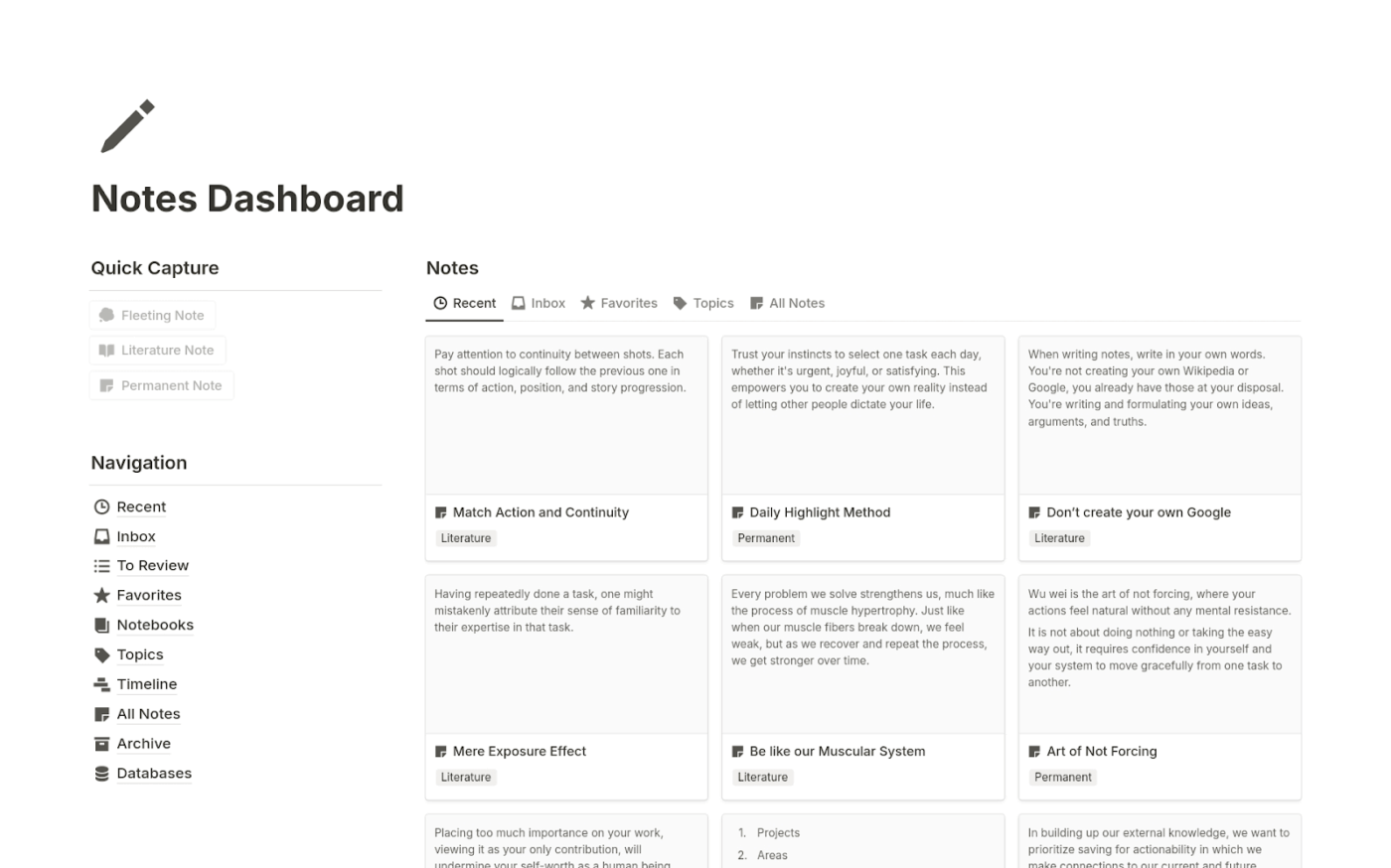
Notion is part notebook, part workspace, and part to-do list. It can be as simple or complex as you want it to be. You can use it to journal, plan a project, build a team wiki, or track goals.
However, setting up your ideal workflow takes significant effort and time. It’s a good choice if you want control over how your information is organized.
A G2 reviewer writes:
Notion is incredibly flexible and lets me bring together documents, notes, tasks, and databases all in one clean workspace. The interface is intuitive, the drag-and-drop structure makes reorganizing content effortless, and the ability to embed different types of media or link related pages is a big productivity boost. I especially appreciate how it allows me to keep everything—project briefs, task lists, and research—visually organized and easy to navigate. It’s also very customizable, so it can adapt to different workflows without forcing you into a rigid structure.
🧠 Fun Fact: Hermann Ebbinghaus’s famous Forgetting Curve shows that people forget about 50% of new info within 60 minutes, and up to 70% in 24 hours. Regular note-taking helps fight this brain fade.
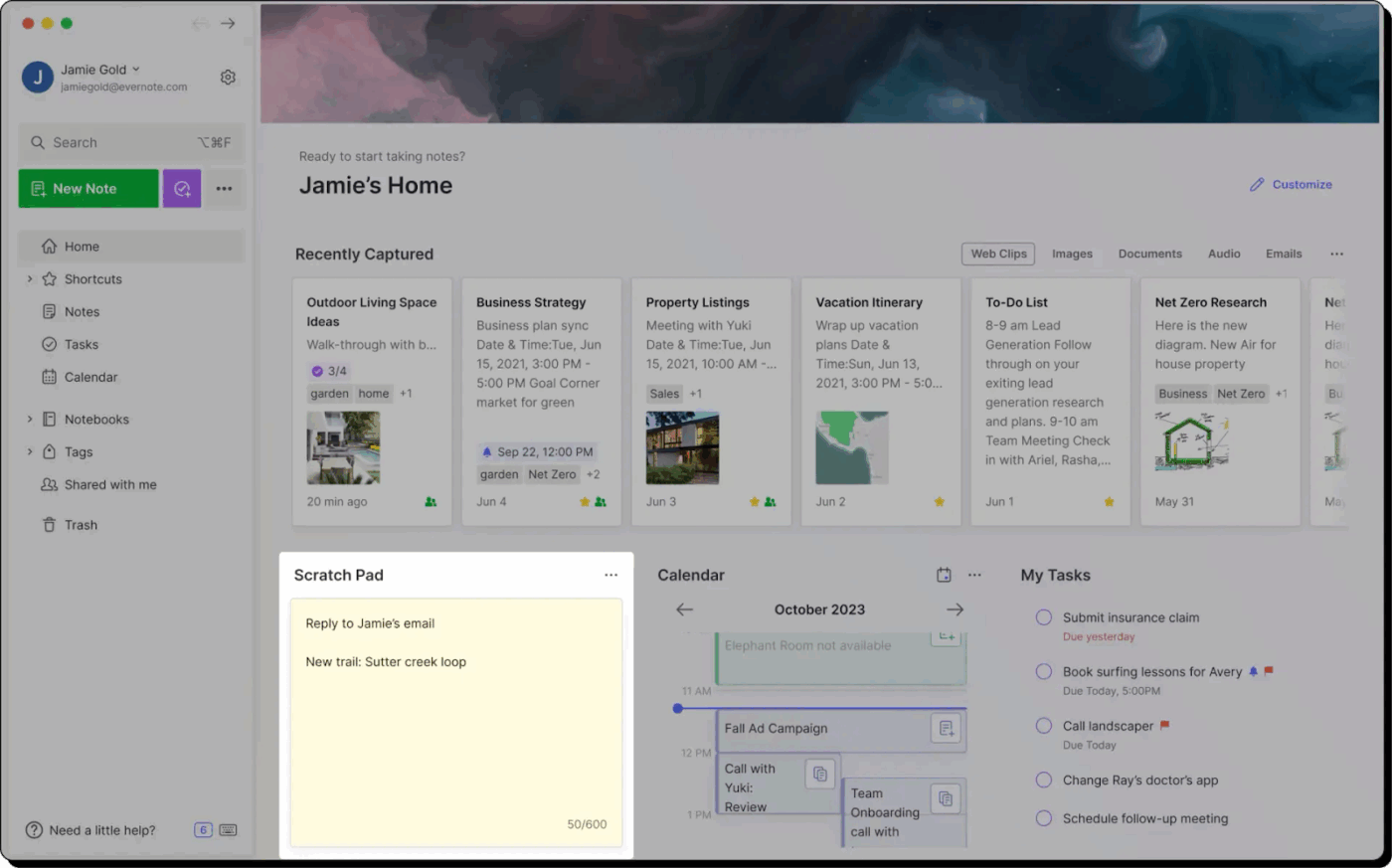
Evernote is a solid choice if you need to capture ideas quickly and find them later, without digging through a million folders. It’s convenient for research, meeting notes, or saving web content.
Everything syncs across devices, so your notes are always with you. If all you need is a reliable digital notebook, Evernote delivers.
This G2 review brings up an interesting angle:
The ability to seamlessly sync across all my devices. I can take notes on my phone during a meeting and instantly access them on my laptop later. The tagging system and notebooks make it easy to organize everything…The free version has some limitations in terms of device syncing, and the premium plans can be a bit expensive for startups with tight budgets.
📖 Also Read: Best Evernote Alternatives & Competitors
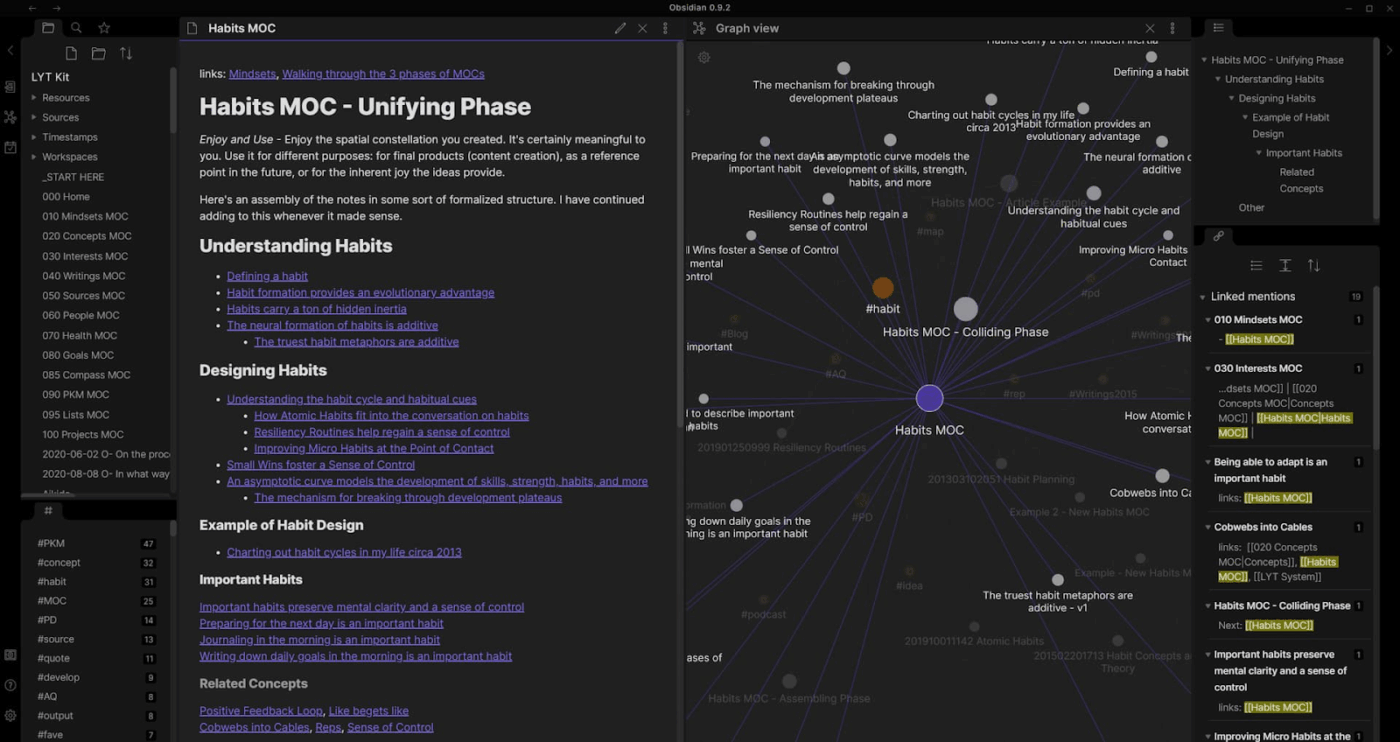
Obsidian is like having a personal knowledge base that grows with your thinking. It’s built for deep note-takers and individuals who like connecting ideas and creating a web of information.
Your notes are stored locally in Markdown files, and you can link them together to build a ‘second brain.’
From a Capterra review:
I settled on Obsidian after long research, and even though there was a learning curve, it was 100% a great choice. I love using it, it looks clean, it’s super fast, it works offline, it’s super customizable and you can make it exactly what you need it to be. Usually if there is a feature missing in the functionality, it’s solved by community plugins.
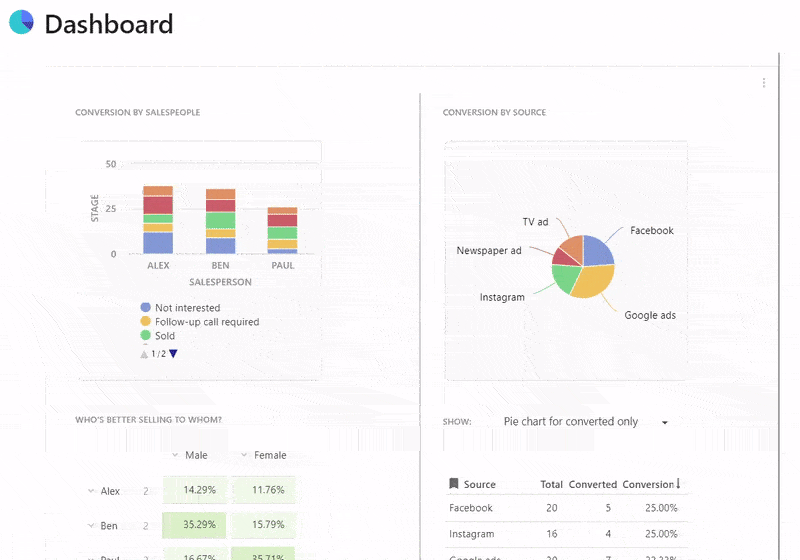
Coda lets teams create interactive documents to manage projects, store data, and automate tasks. Think of it as a doc that can act like an app. If you’re creating product roadmaps, writing meeting notes, or running custom workflows, Coda can handle it.
A quick snippet from a G2 review:
It has tons of possibilities. You can write documentation, create (complex) tables, create pages inside pages, mention people and pages, integrate with miro, google sheets/docs/etc, insert images, links…Some features and possibilities are not very clear and intuitive. Although the interface is very user-friendly, you have to figure out how to use certain functions.
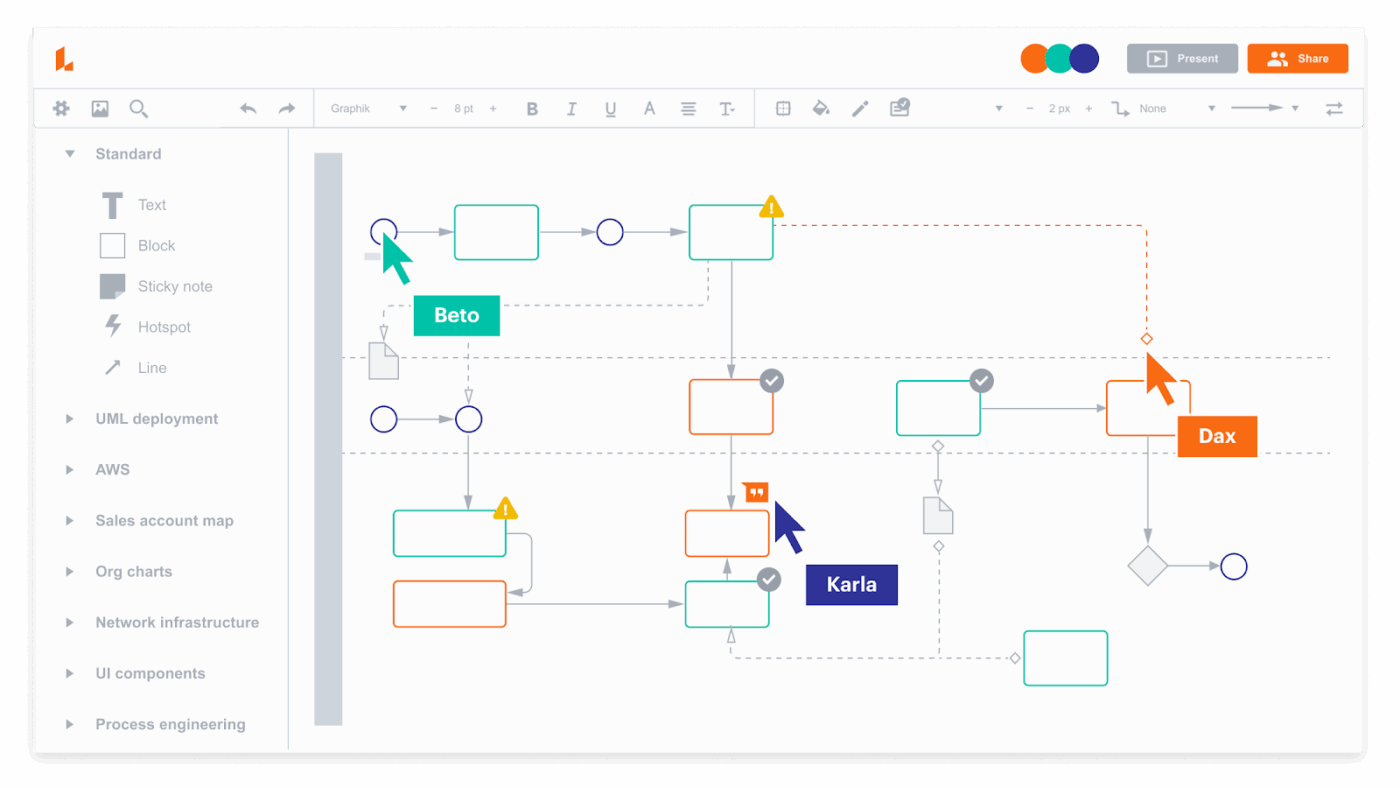
Lucidchart makes complex ideas easier to understand, especially when mapping out systems, workflows, or architecture. It works well for building flowcharts, org charts, network diagrams, and even software architecture maps.
The drag-and-drop interface is clean and intuitive. It supports real-time team communication and collaboration, so your whole team can work on diagrams at once.
According to a G2 review:
The best thing about Lucid, in my opinion, is how simple it is to transform an ambiguous concept into an understandable diagram. The extensive template library saves a great deal of time, and the interface feels very natural. […] The fact that sharing was easy and my team could follow my design right away without further explanation was really beneficial to me.
🧠 Fun Fact: The average person remembers 65% of information when it’s paired with visuals, but only 10% when it’s just text. This is why diagrams, mind maps, and flowcharts are brain food. Visual tools turn chaos into clarity.
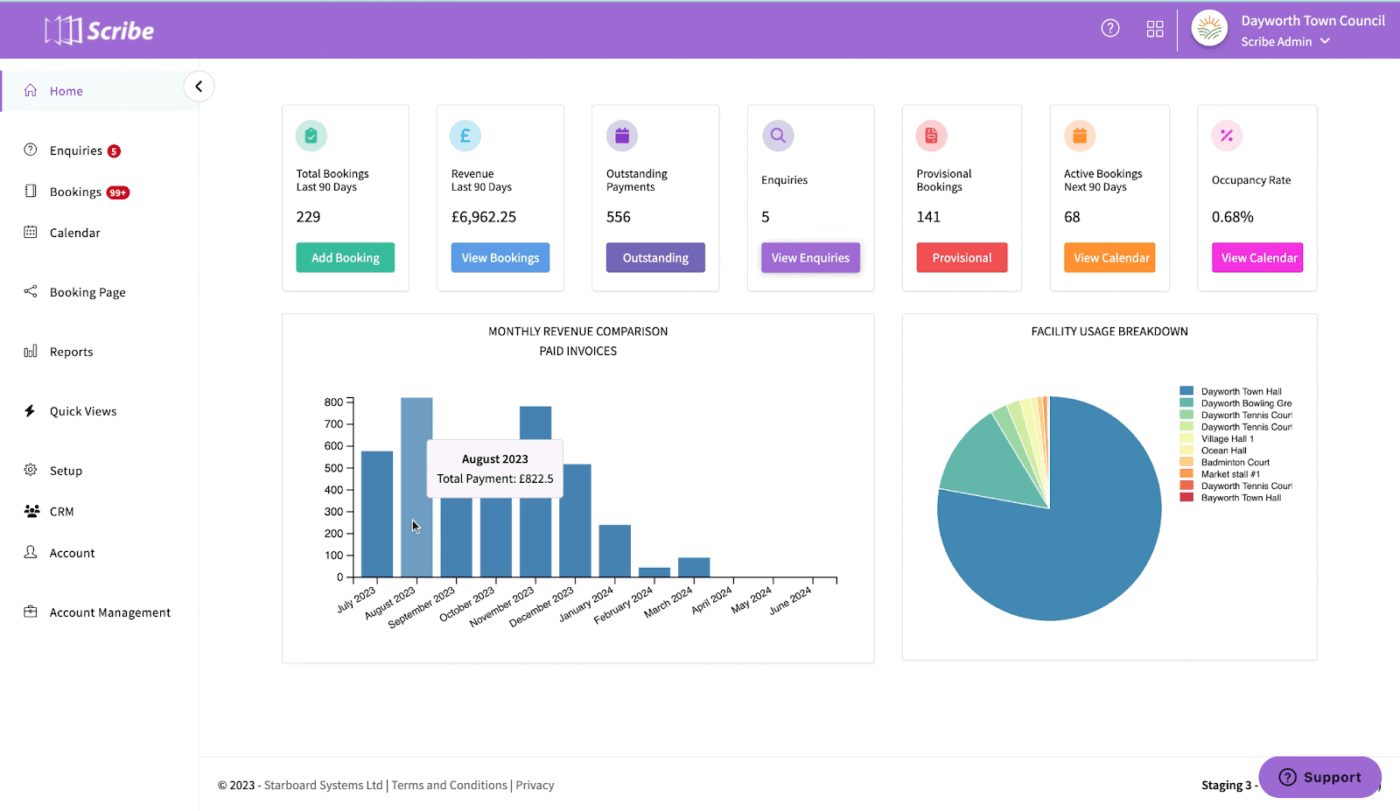
Scribe turns your clicks into clean, step-by-step guides, instantly. Just hit ‘record,’ perform a task, and it captures every step with annotated screenshots and instructions.
It’s a helpful asset for teams who need to document processes, train new hires, or build internal SOPs without spending hours writing them out.
A G2 review puts it this way:
I like the integration into my browser and ease of creating and publishing a new guide…I ran into an issue when I went to embed the video as I had not shared the Scribe on the other tab. Perhaps a pop-up on that tab to remind you to share or some kind of an alert that lets you know that it has not been shared would be helpful.
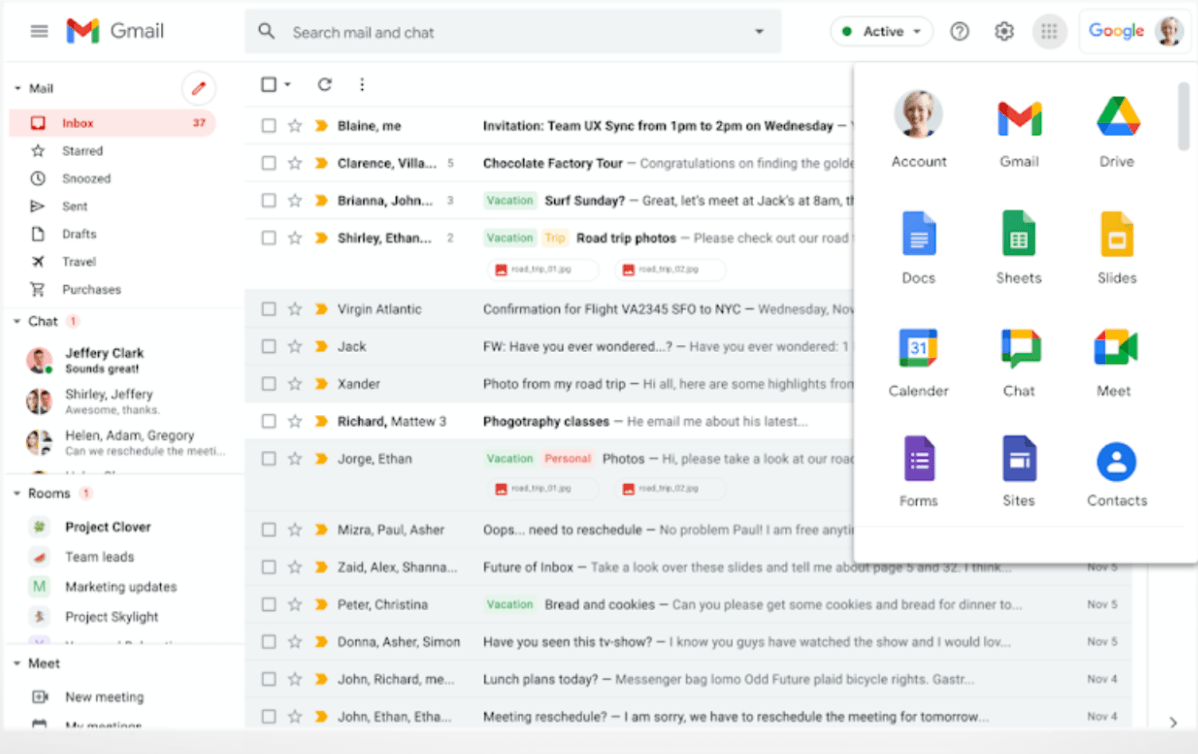
Google Workspace is a digital HQ for teams who thrive on collaboration. Docs, Sheets, and Slides let multiple people edit, comment, and brainstorm in real time. Gmail, Chat, and Meet keep communication fluid, while Google Drive organizes your files in the cloud.
Everything syncs, and features like shared calendars and admin controls scale with you.
A G2 review says:
I like how everything is seamlessly connected in one platform. Having Gmail, Drive, Docs, Sheets, Calendar, and Meet integrated makes collaboration effortless. It’s very user-friendly, easy to implement, and accessible from any device. Real-time collaboration on documents and spreadsheets saves time and keeps everyone aligned, which is especially helpful for remote or hybrid work.
🔍 Did You Know? Poor communication in teams leads to confusion, stress, and wasted time. A report found it causes a 51% increase in stress, a 41% drop in productivity, and a 31% rise in tension, along with more missed deadlines.
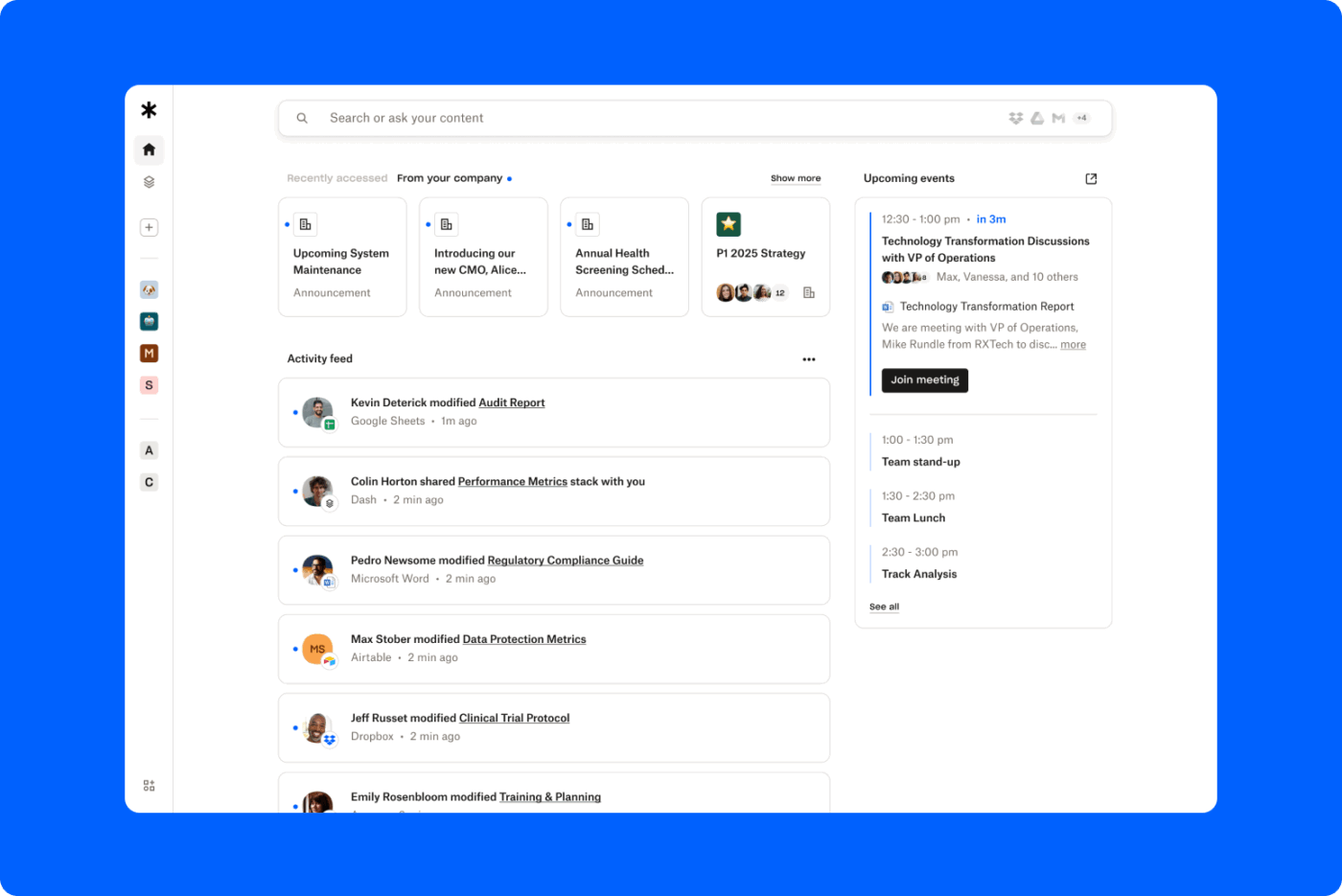
Dropbox securely stores and syncs files. Its intuitive interface, reliable backups, and file versioning make it ideal for teams that need constant access to digital assets.
If you collaborate on a doc, store design files, or share with clients, Dropbox keeps everything organized and accessible from any device. It also plays well with other tools, making it a dependable backbone for distributed teams.
A Capterra reviewer shares this feedback:
I personally utilized it for sending and sharing PDFs during our company webinars. For that, it was very helpful and easy. The most basic plan provides a lot of storage space compared to others…It just doesn’t compete with Google Drive or SharePoint when it comes to features. If you are looking for just file sharing, you only get 2GB of space on a free plan compared to 15GB for Drive, plus access to Docs, Sheets, and others. Adobe software offers eSignature and PDF editing, but with many other features.
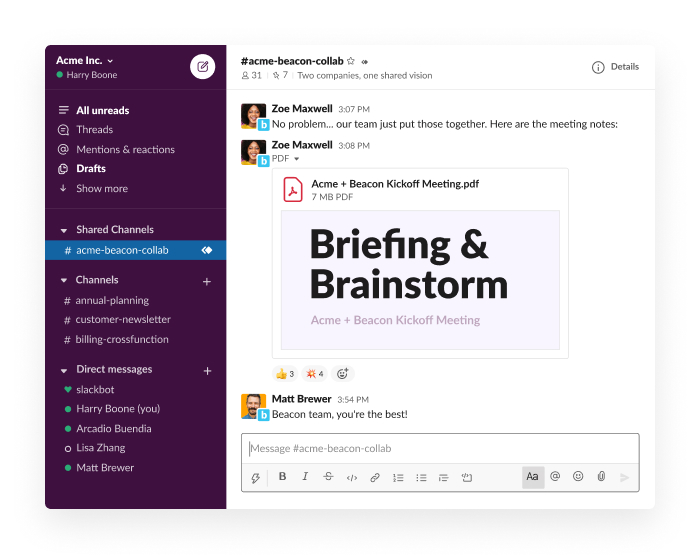
Slack organizes conversations and connects teams in real time. It’s the center of daily work with channels for different topics, threads to keep discussions focused, and Slack integrations with all your favorite tools.
Used well, it can reduce emails and increase transparency, but without good boundaries, it can also become a noisy distraction.
Here’s a Gartner review about this organizational tool:
The ability to have DMs, groups and channels all at the same time and the possibility to convert from the smaller groups to channels effortlessly. The huddles are also very good
📮 ClickUp Insight: About 41% of professionals prefer instant messaging for team communication. Although it offers quick and efficient exchanges, messages are often spread across multiple channels, threads, or direct messages, making it harder to retrieve information later.
With an integrated solution like ClickUp Chat, your chat threads are mapped to specific projects and tasks, keeping your conversations in context and readily available.
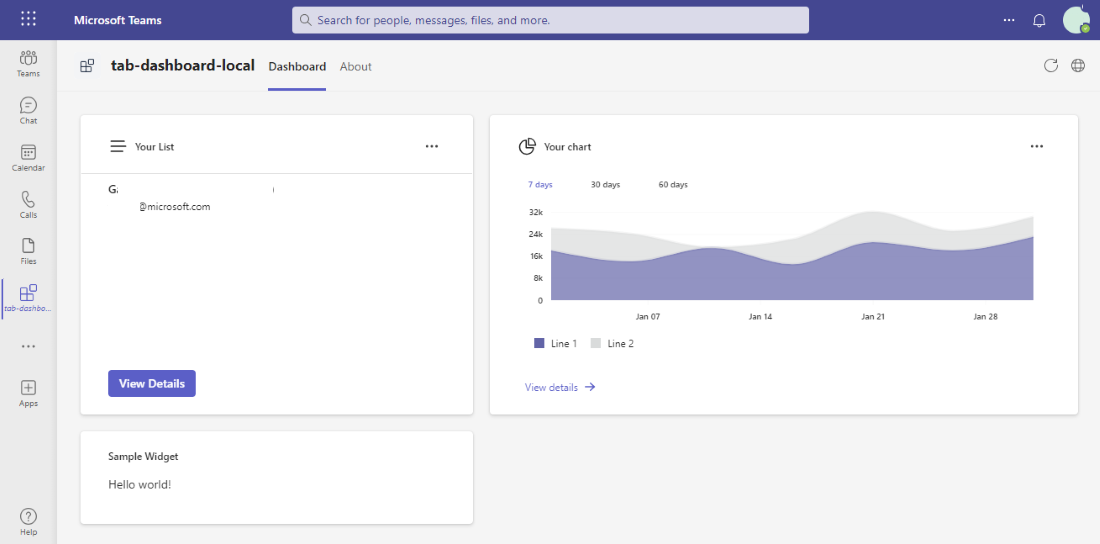
Microsoft Teams is a solid pick for larger organizations, especially those already using Microsoft 365. It combines chat, video meetings, file sharing, and integrations with Word, Excel, and Outlook.
It’s not the most minimalist app, but it covers all the bases for enterprises that need structure, security, and deep Microsoft integration.
One G2 review puts it this way:
The best thing about Microsoft Teams is how well it integrates with the rest of the Microsoft 365 suite. Jumping between Teams, Outlook, SharePoint, and OneDrive is seamless, which really boosts productivity…What I find frustrating is that Teams can feel cluttered and unintuitive, especially for new users. Notifications can be overwhelming, and navigating between chats, channels, and meetings isn’t always as fluid as it should be. Also, performance can lag on slower machines, and occasionally, syncing issues with files or calendar events crop up.
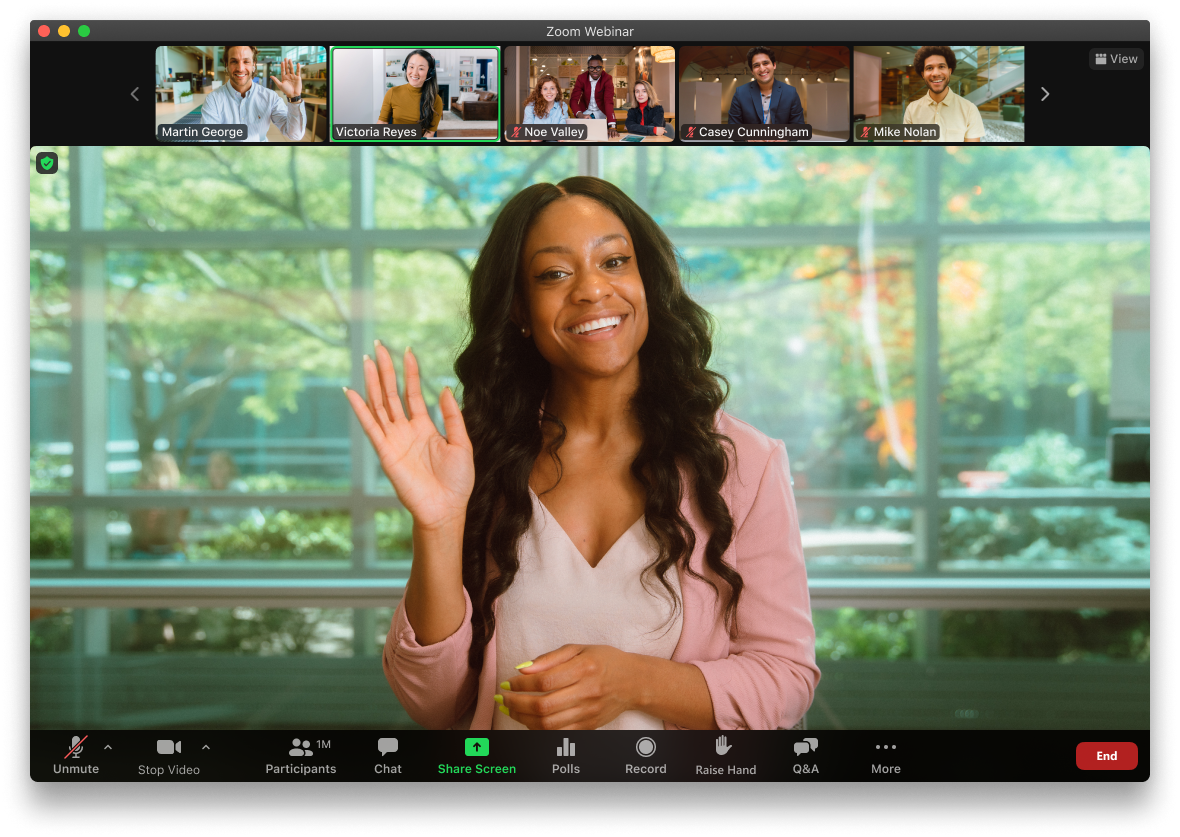
Zoom has become the go-to for virtual meetings, and for good reason. It’s reliable, scalable, and simple to use.
Features like screen sharing, breakout rooms, and cloud recordings make it flexible for any virtual interaction.
Here’s a G2 review of this tool:
Zoom Workplace is extremely reliable for video conferencing, team meetings, and webinars. The interface is simple and user-friendly, making it easy for anyone to join or host a meeting without technical issues. I especially like the high-quality video and audio, breakout rooms for group discussions, and the ability to record sessions for later use. Its integrations with calendars, project management tools, and collaboration apps make daily workflows smoother. The platform also works consistently across devices, which is very convenient.
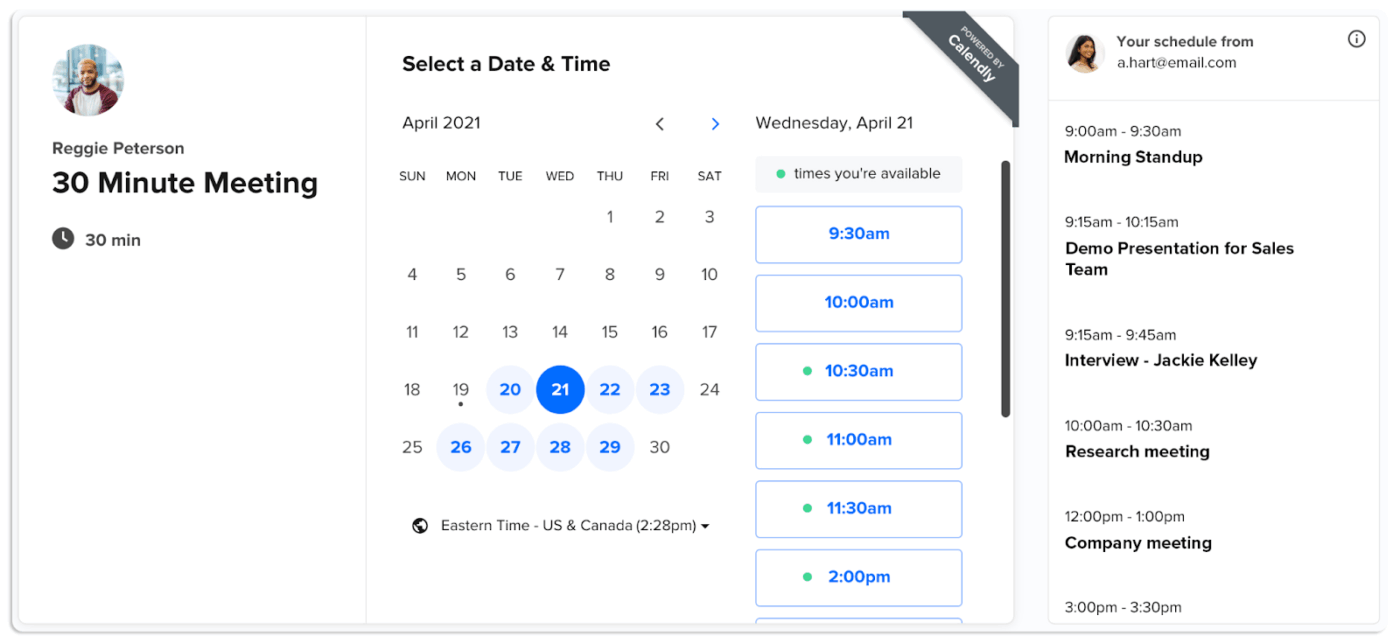
Remember when you used to send ‘When are you free?’ emails? Calendly eliminates this.
Just set your availability, send a link, and let people book time without the back-and-forth. Calendly integrations sync with your calendar, prevent double-booking, and allow for buffer times and reminders.
This is how one G2 reviewer describes their experience:
Calendly has seriously streamlined our scheduling process. It’s awesome for letting users, clients, and prospects book calls with us for everything from software demos to tech support, training, and quick catch-ups…The event type setup can be a bit of a headache – it’s not always super intuitive. And sometimes, it feels like settings change without any heads-up, which can be pretty confusing when we suddenly run into unexpected changes.
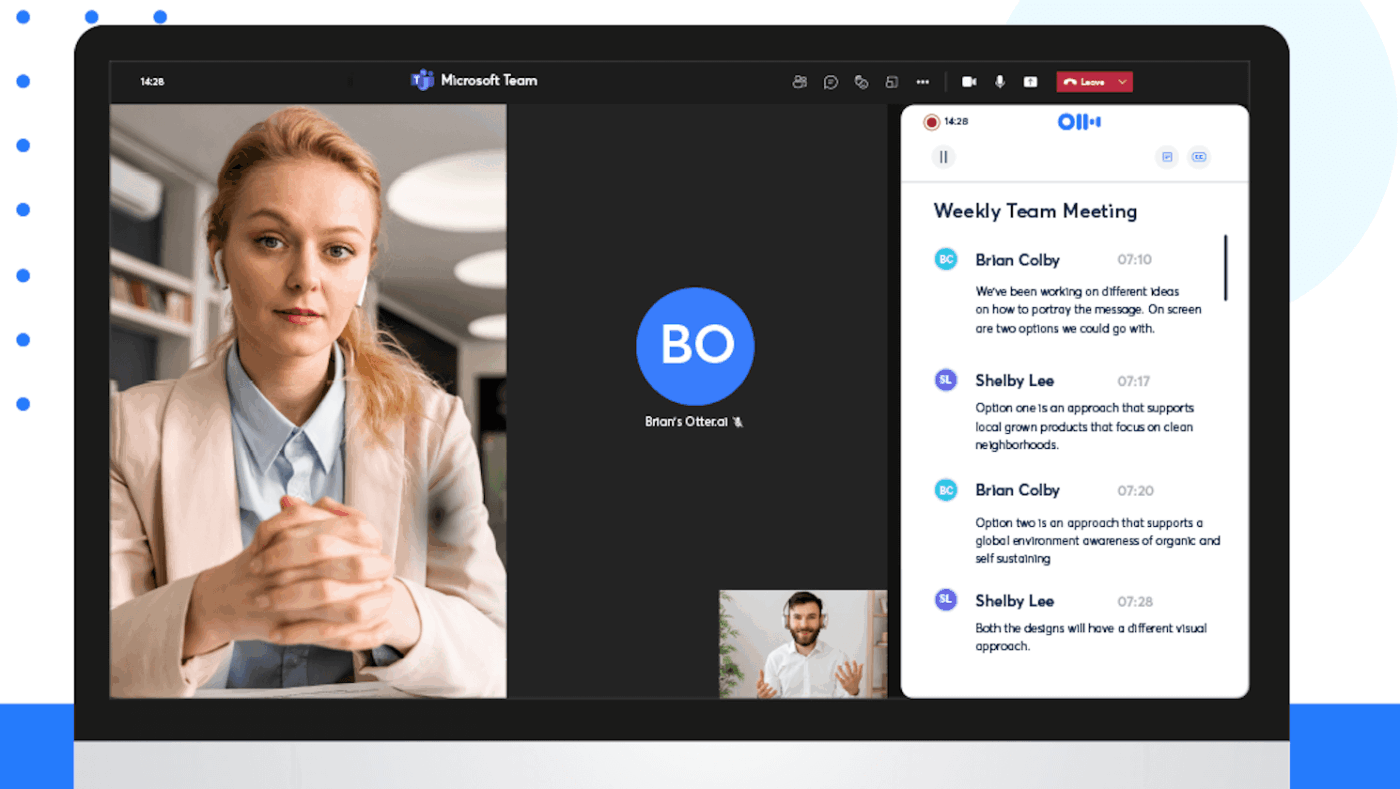
Otter.ai transcribes meetings, lectures, and interviews in real time, complete with speaker labels and searchable text.
You can highlight key moments, share transcripts, and even collaborate with teammates. It integrates with tools like Zoom and Google Meet, making it reliable for anyone who wants accurate records without scribbling through the whole meeting.
A G2 review says:
Otter has helped me take and process notes in real time and share them immediately after meetings. I also like that I can use it to record in-person meetings from my phone and then process them in Otter or another LLM like ChatGPT to develop next steps or prototypes of policies or programs based on the meeting. Another use is the recording of podcasts or webinars to develop learning modules to deepen my ability to recall key concepts and applications of what was covered.
🧠 Fun Fact: Leonardo da Vinci’s to-do list from the 1490s wasn’t your average grocery run or daily chores. Instead, he jotted down things like measuring the city of Milan, studying geometry with top professors, and figuring out how people walk on ice in Flanders. He also planned to learn about squaring triangles and fortification techniques (from bomb experts, no less).
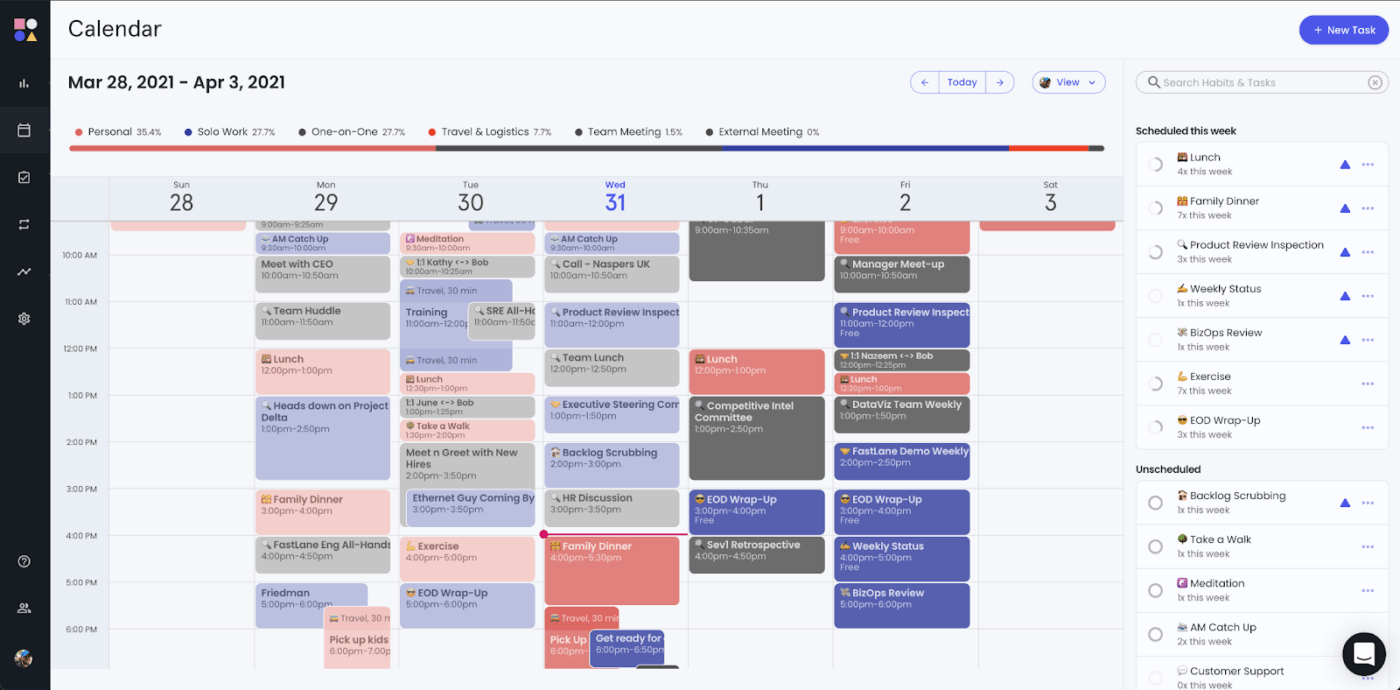
Reclaim.ai auto-blocks focus time, finds the best slots for meetings, and adjusts your schedule as things change. This way, you can stay on top of shifting priorities without lifting a finger.
If you’re constantly double-booked or your deep work keeps getting derailed, Reclaim’s AI-scheduling features act like a buffer between you and burnout.
A satisfied G2 reviewer had this to say:
I use ReclaimAI for the stats. I struggle with time management and making sure I’m working on the proper habits. I take advantage of the critical levels you can assign to habits…Although the Time defense feature is excellent, I haven’t gotten it to work. It is very possible I’m not setting this up right. When I use it, my Calendar events are all over the place. The more I use it, the better I will understand how it works. Adding vacation or day off would be neat, and it automatically updates your day.
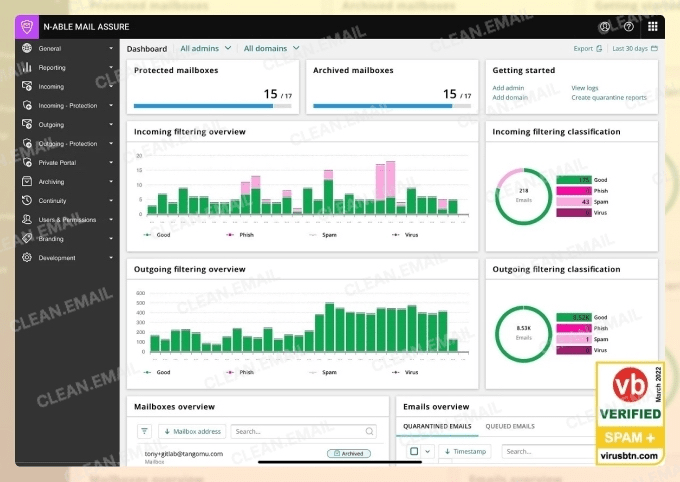
Clean Email helps you take back control of a messy inbox. It organizes emails into easy-to-manage bundles, automatically applies rules, and enables you to unsubscribe from content you never signed up for in the first place.
The tool’s smart filters and bulk actions make decluttering quick and painless.
Let’s look at a G2 review for this organizational tool:
The best part is it organizes our mail according to our necessity, stops spam mail and mutes unimportant mail and even suggests the list of mails which are needed to be cleaned and also about the mails which are required to be unsubscribed…It sometimes adds some of the necessary emails and promotions to the unsubscribe list and suggests my important mails as spam. Except for that, this organizes well and maintains my mail well.
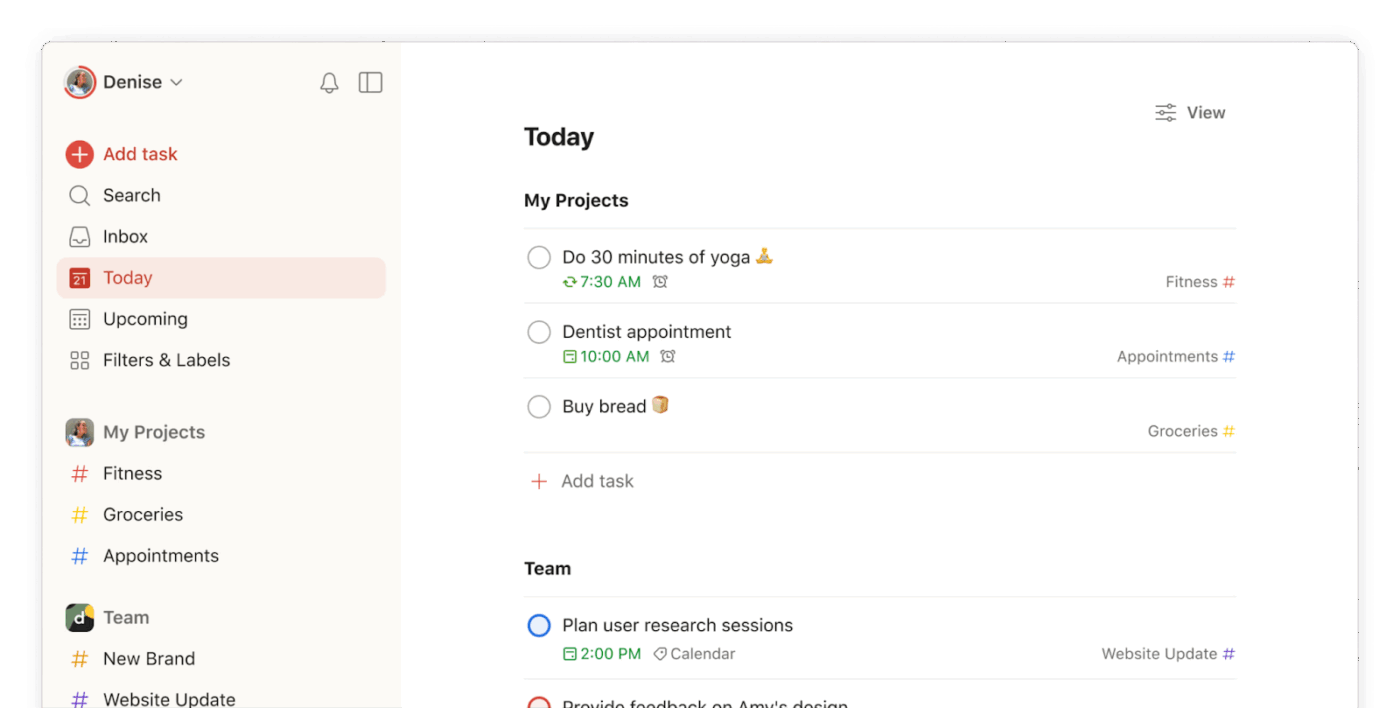
Todoist helps you wrangle your tasks and projects in a clean, distraction-free interface. Set priorities, schedule recurring tasks, organize by label or project, and sync across all your devices.
With Todoist, you can plan your week, track long-term goals, or just get reminders to buy milk.
This Capterra review caught our eye:
I’m thoroughly impressed by Todoist’s simplicity and versatility. It allows me to create as many projects as I wish, offering endless personalization options to enhance my experience…I believe Todoist could further enhance its utility by improving its reporting features. Having more detailed statistics for frequently used projects or insights into peak productivity periods, such as the most active weeks of the year, would be invaluable…
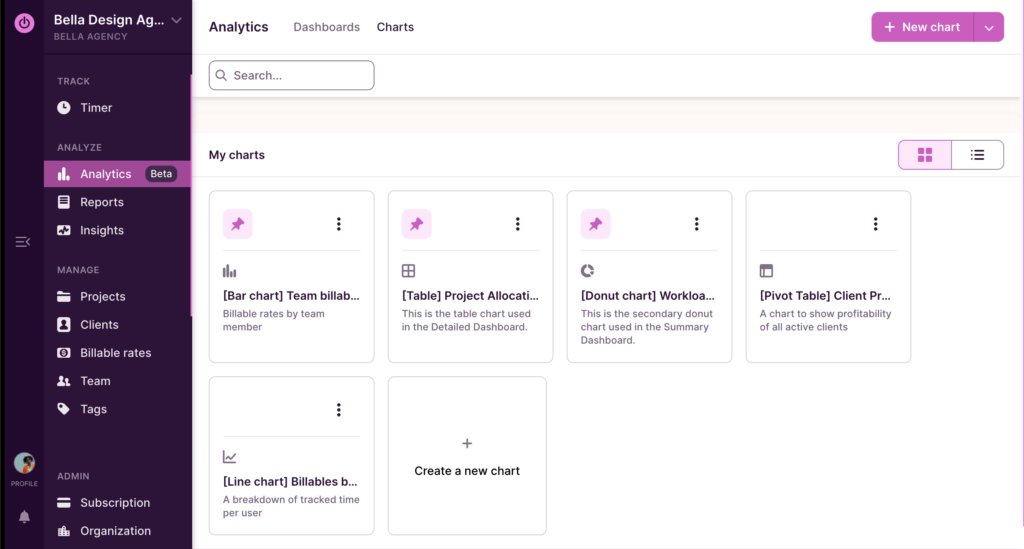
Toggl Track is a simple time tracker for people who want to know where their hours are going. Start a timer with one click, tag your work by client or project, and generate reports to see how your time adds up.
It’s a nifty time management hack for freelancers, agencies, or small teams that bill by the hour or just want better time awareness. There’s even idle detection and integrations with tools like Asana and Trello to make tracking seamless.
A Reddit user writes:
I’ve literally been looking for several days for a stopwatch or time tracking software that provides the Start and Stop times. FINALLY tried Toggl Track and it’s been the only one that shows start and stop times. Only thing I don’t like is having to Log in but I like their windows app that I can resize to make small and I no longer have to worry about accidently closing my browser running a stopwatch and losing my time. And it’s SUPER simple to use, no needing to open any menu or extracting a pdf with times. A couple mouse clicks and it shows the time you started the timer and the time you stopped the timer.
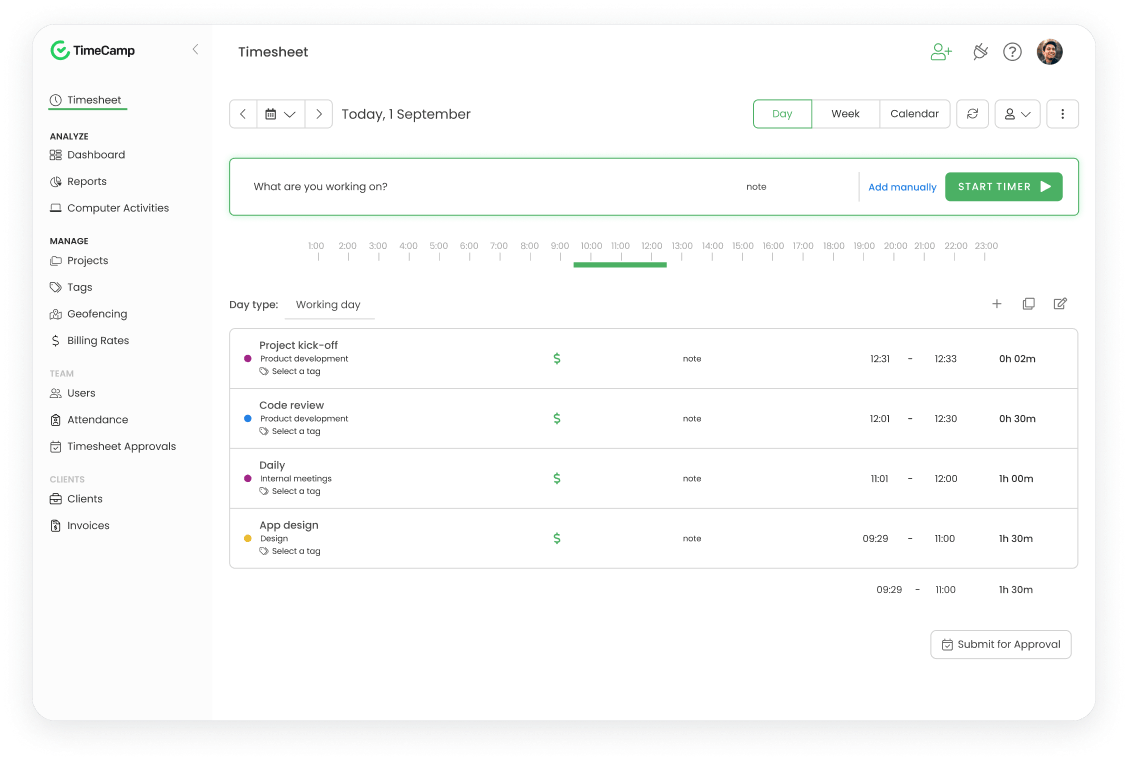
TimeCamp breaks down time by client, task, or project for reports that show productivity trends and billable hours.
It integrates with popular project management and billing tools, making it good for freelancers, agencies, and teams that need transparent, accurate time logs without micromanagement.
Based on a G2 review:
Good basic, editable, reasonably priced time tracker program for somewhat disorganized individuals with a few clients. Not over-automated, leaves me in control of the program and its results.
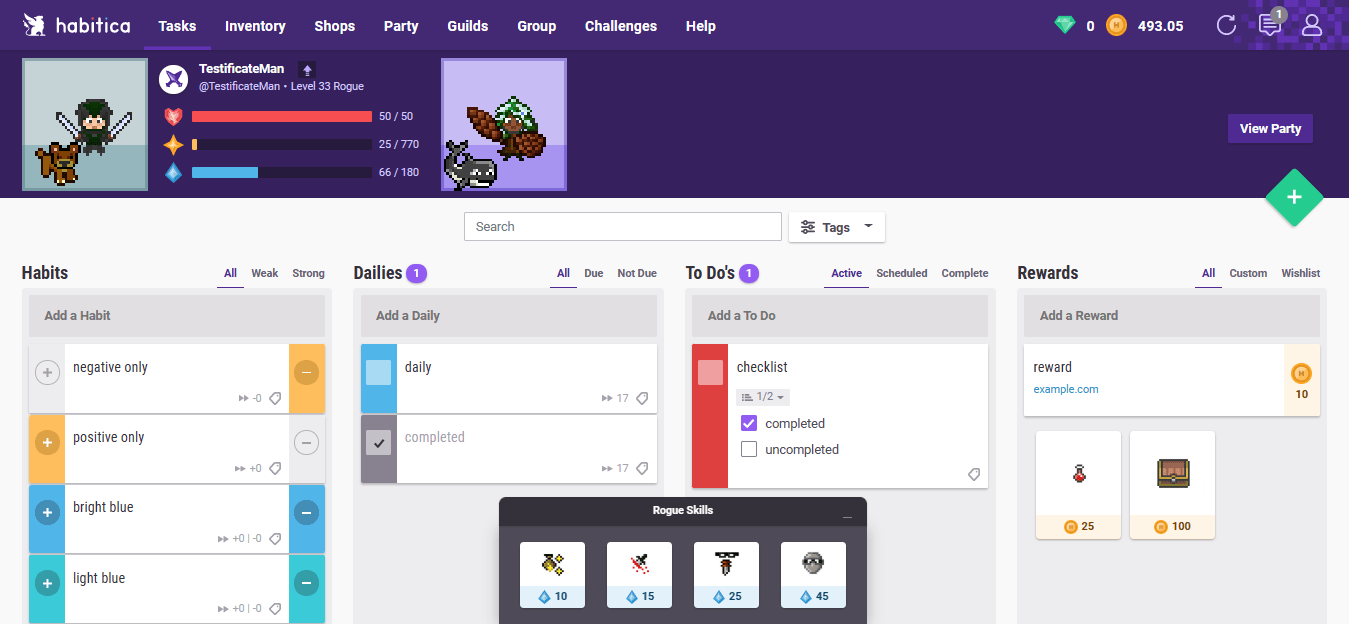
Habitica transforms productivity into a role-playing game (RPG) where checking off tasks helps your avatar level up. Build habits, track goals, earn rewards, and join challenges with friends or co-workers.
It’s fun, motivational, and surprisingly effective, especially if you thrive on streaks, stats, or a little friendly competition.
A comment on a Reddit post says:
Works really well for my brain and has been helping me do things I’ve been wanting to do for a long time. Gives me the dopamine for tasks that I’m missing as a neurodivergent person.
🔍 Did You Know? In one experiment, participants performed worse on memory tasks if a smartphone was even visible nearby, even when it was turned off. So yes, that ‘focus mode’ needs physical distance too.
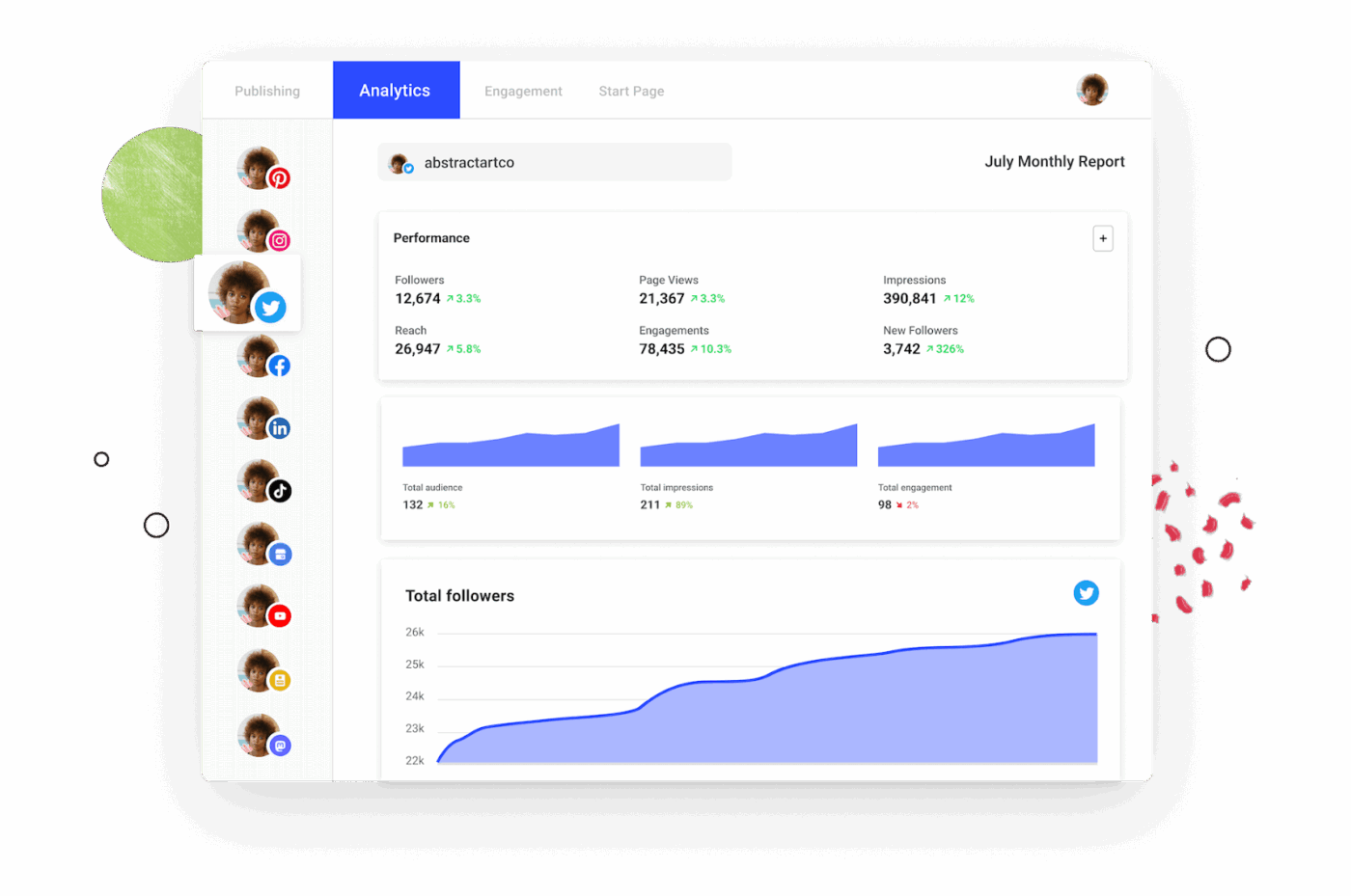
Buffer makes it easy to manage social media like a pro. Schedule posts across platforms, collaborate on drafts, get data-backed recommendations, and even build landing pages with its Start Page feature.
Its clean interface, analytics tools, and AI content assistant help small teams and solo creators keep their social strategy sharp.
One Capterra review offers a helpful breakdown:
Using Buffer has been a transformative experience for managing my social media presence. The platform offers a seamless and efficient way to schedule and post content across various social media channels…The one downside I’ve encountered with Buffer is the text limit for Twitter/X posts. While this is more of a constraint imposed by Twitter/X itself, it would be great if Buffer could offer some features or tips to help manage these limits more effectively, like an automatic character counter or suggestions for shortening text…
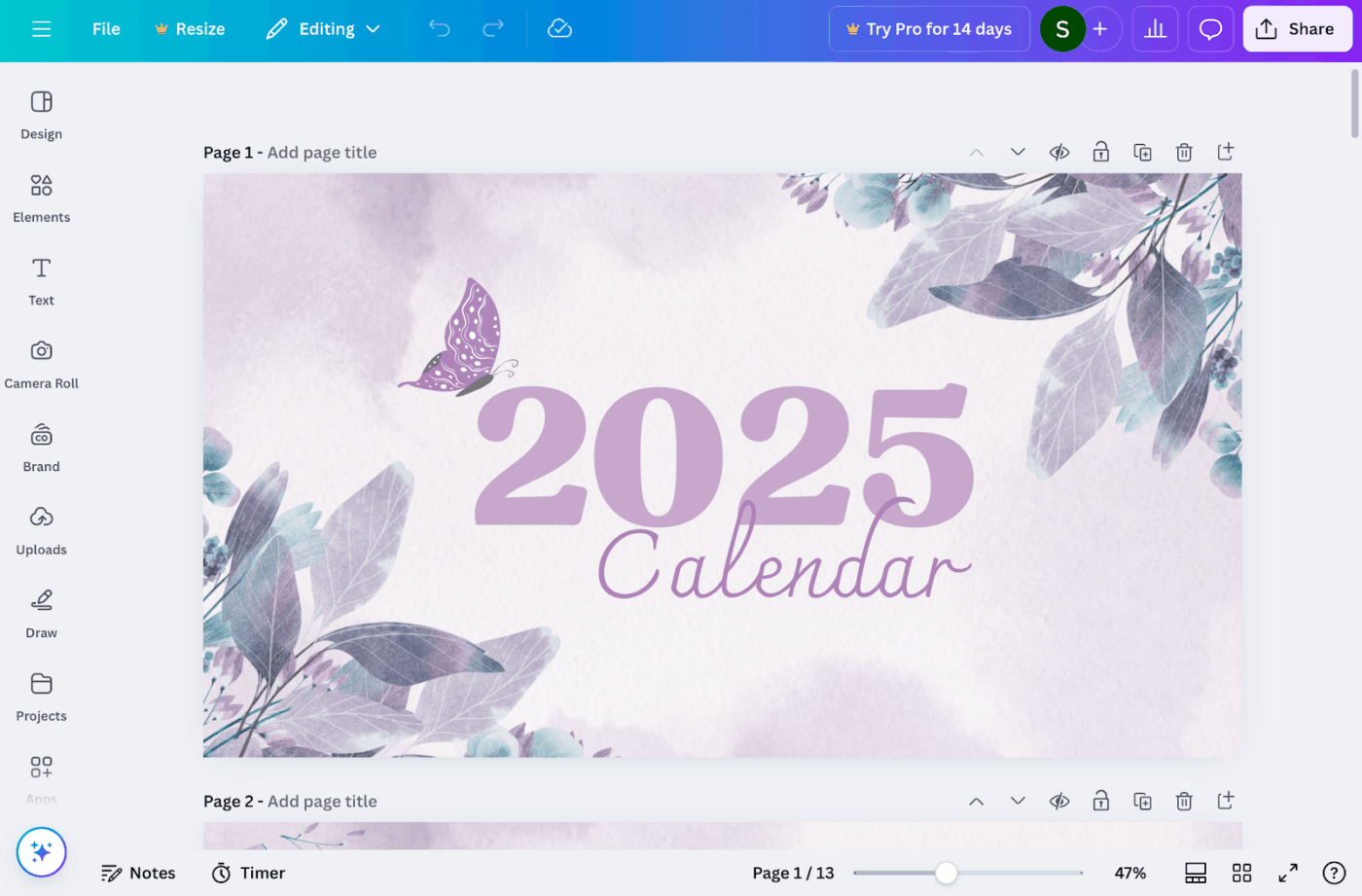
Canva is a go-to platform for creating beautiful visuals in minutes. Choose from thousands of templates, drag and drop your way to custom graphics, and collaborate with teammates in real time.
From pitch decks and social posts to resumes and reports, Canva makes design accessible to anyone who needs eye-catching content.
Per a G2 review:
Canva makes professional-looking design accessible to anyone, even without prior design experience. Its drag-and-drop interface, vast library of templates, fonts, and graphics, along with AI-powered features, help me quickly create everything from social media posts to presentations and marketing materials.
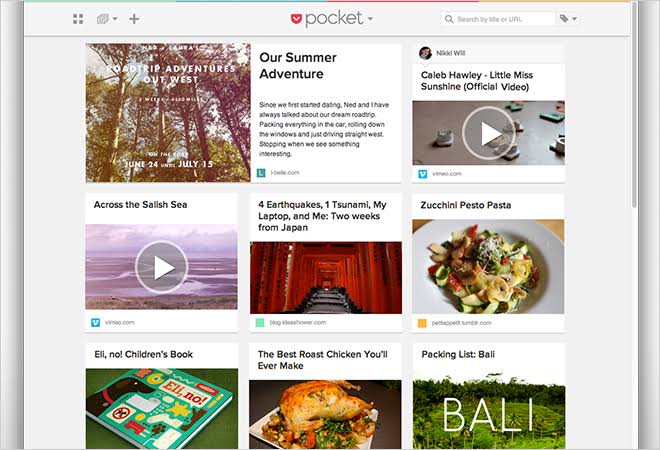
Pocket lets you capture articles, videos, and web content to revisit later, online or offline, distraction-free. Tag what you save, organize it your way, and let the tool recommend new reads based on your interests.
It’s ideal for researchers, content creators, and knowledge-hoarders who want a smarter way to manage their reading list.
See what this G2 reviewer had to say:
I use the Pocket extension on my Firefox browser to save articles I find while researching B2B SaaS topics. The best thing about Pocket is its ability to assign tags right away when I’m saving the content (blog, social posts, YouTube videos). Hence, I don’t have to visit the website to segregate the content saved…I think there was a free automated read-aloud option on Pocket which I’m finding missing.
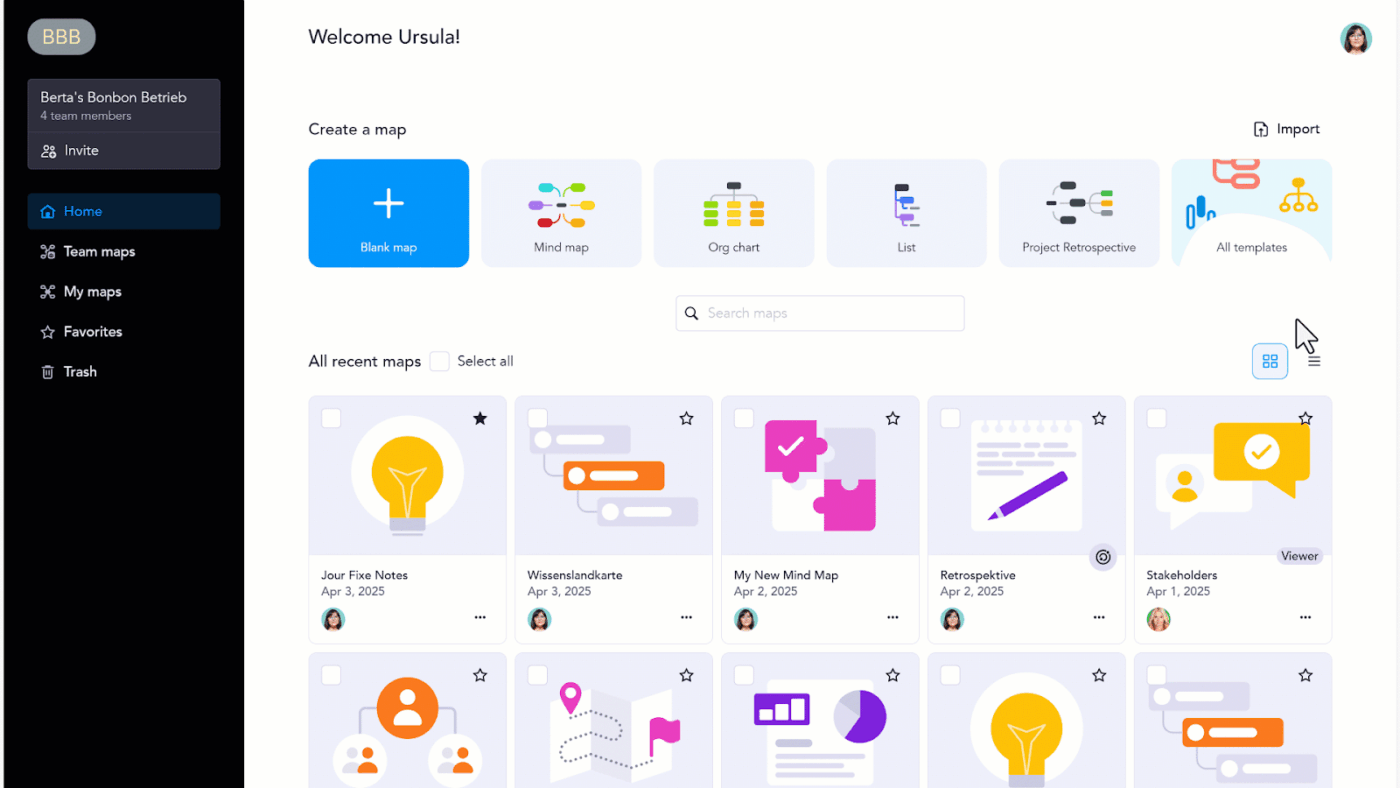
MindMeister is a mind mapping tool that helps you sketch ideas, make sense of complex thoughts, and collaborate with your team.
Customize your maps, drop in icons and links, and organize your thoughts visually without the overwhelm. If you’re planning a project, writing a thesis, or just thinking things through, MindMeister gives your ideas space to grow.
A Capterra reviewer writes:
We use mindmeister to do collaborative project look-backs. The huge benefit it is already has all the tabs for different options (eg “what could we improve” and “what could we learn”) so that we’re collecting both positive and negative feedback. This is especially useful because the biggest difficulty with project overviews is when they are either entirely negative or entirely positive.
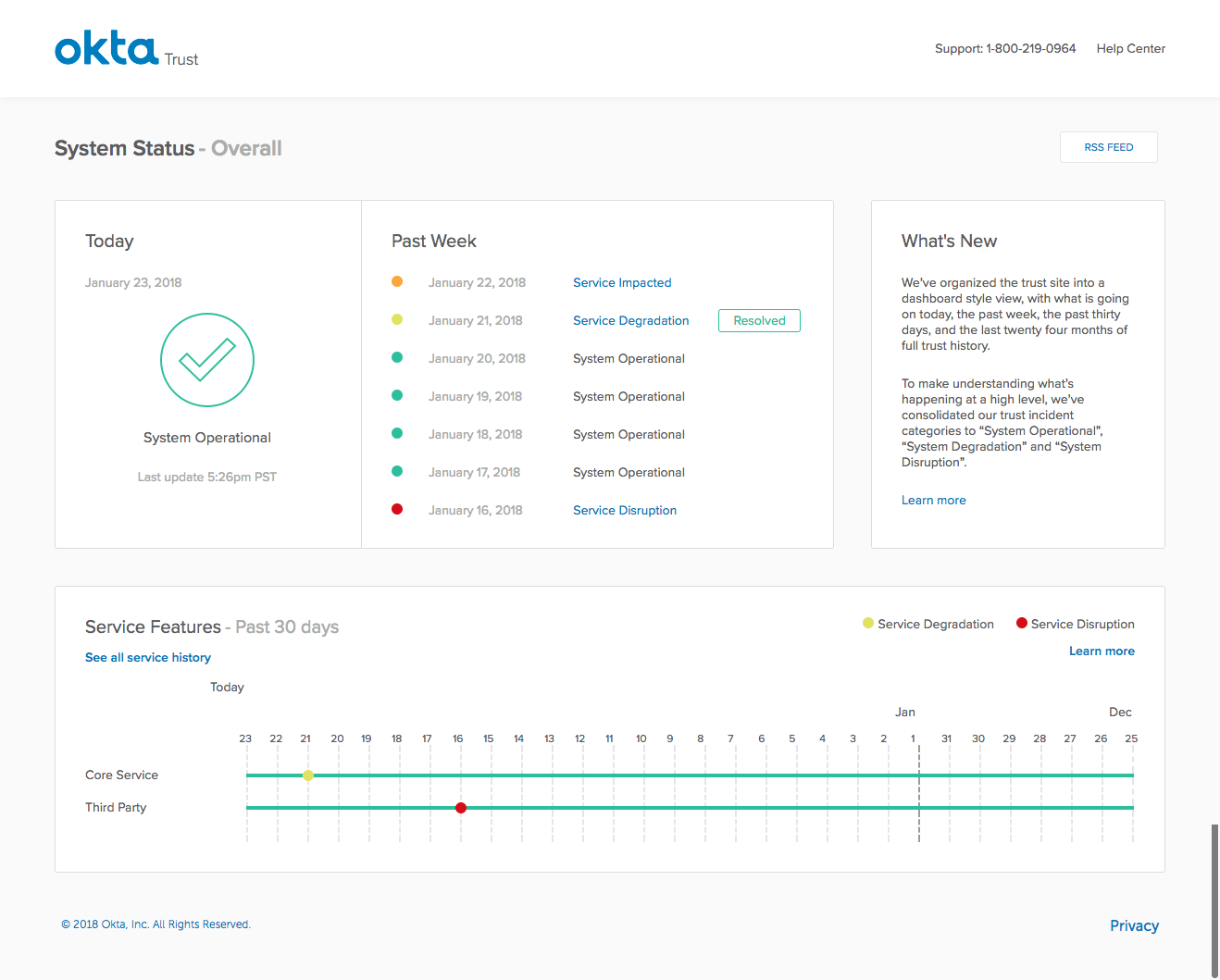
Okta gives your team one place to access all their tools, with single sign-on (SSO), multifactor authentication (MFA), and airtight identity controls.
Its integrations cover thousands of apps, and it’s built for IT teams who want to protect data without compromising on productivity.
One Capterra review puts it this way:
I like the dashboard of being able to create schedules and calendars of employees assigned to certain after hour responsibilities…When the password prompts you to reset, it won’t allow it. It will ask for a security phrase that I was told “has no answer” so you’ll never get back in and you have to reach out to customer service to have it reset. None of the security questions you pick are relative.
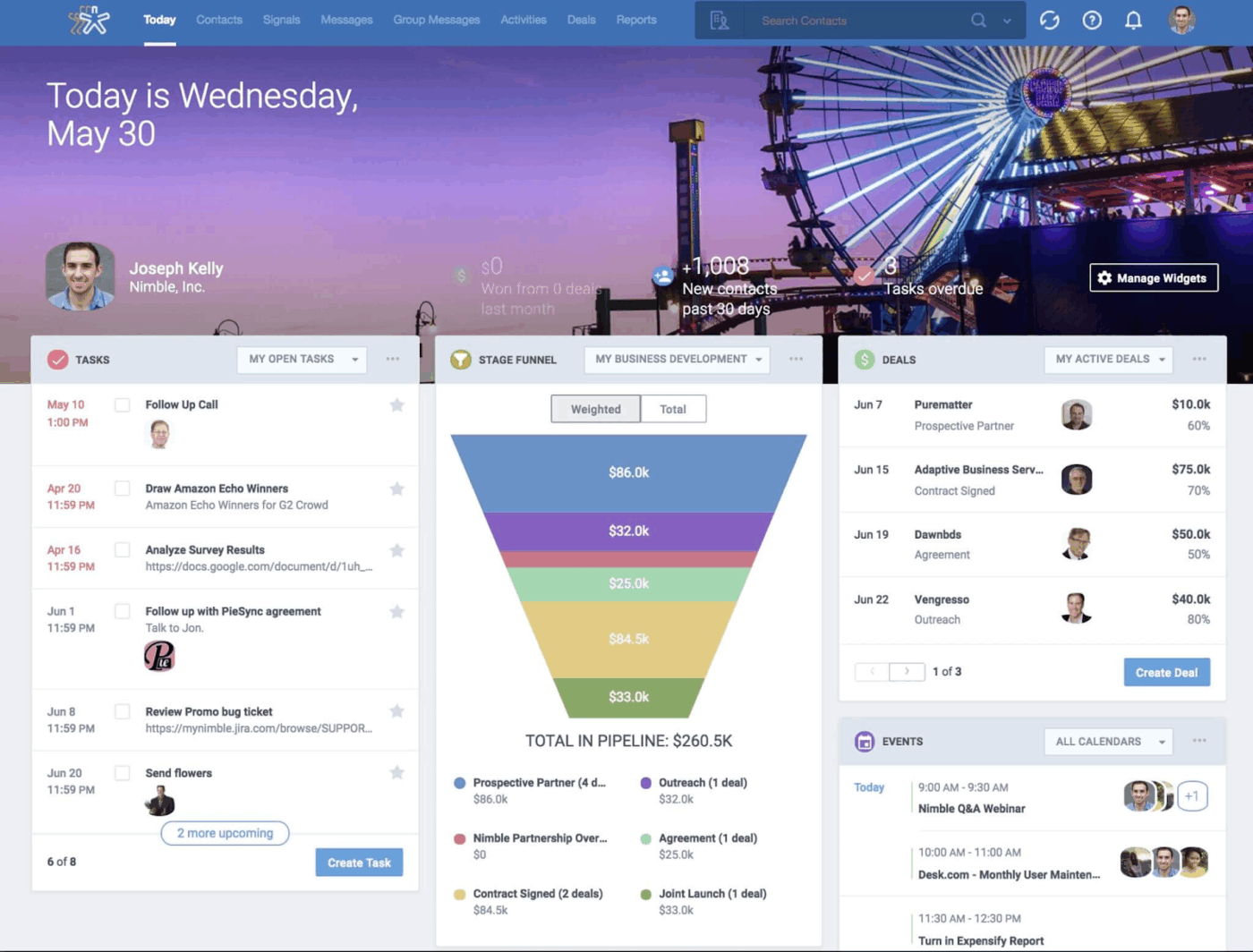
Nimble is a socially savvy assistant that pulls your contacts, emails, and calendars for instant context on every conversation. It auto-updates contact details from across the web and shows you a complete communication history, so you never miss a follow-up again.
Its browser extension lets you grab leads from anywhere online, and integrations keep everything in sync.
According to a G2 review:
Nimble takes out about 70% of the work required to find, understand, capture, tag, and contact people. The result is you have more time to work on relationships with people instead of massaging their data.
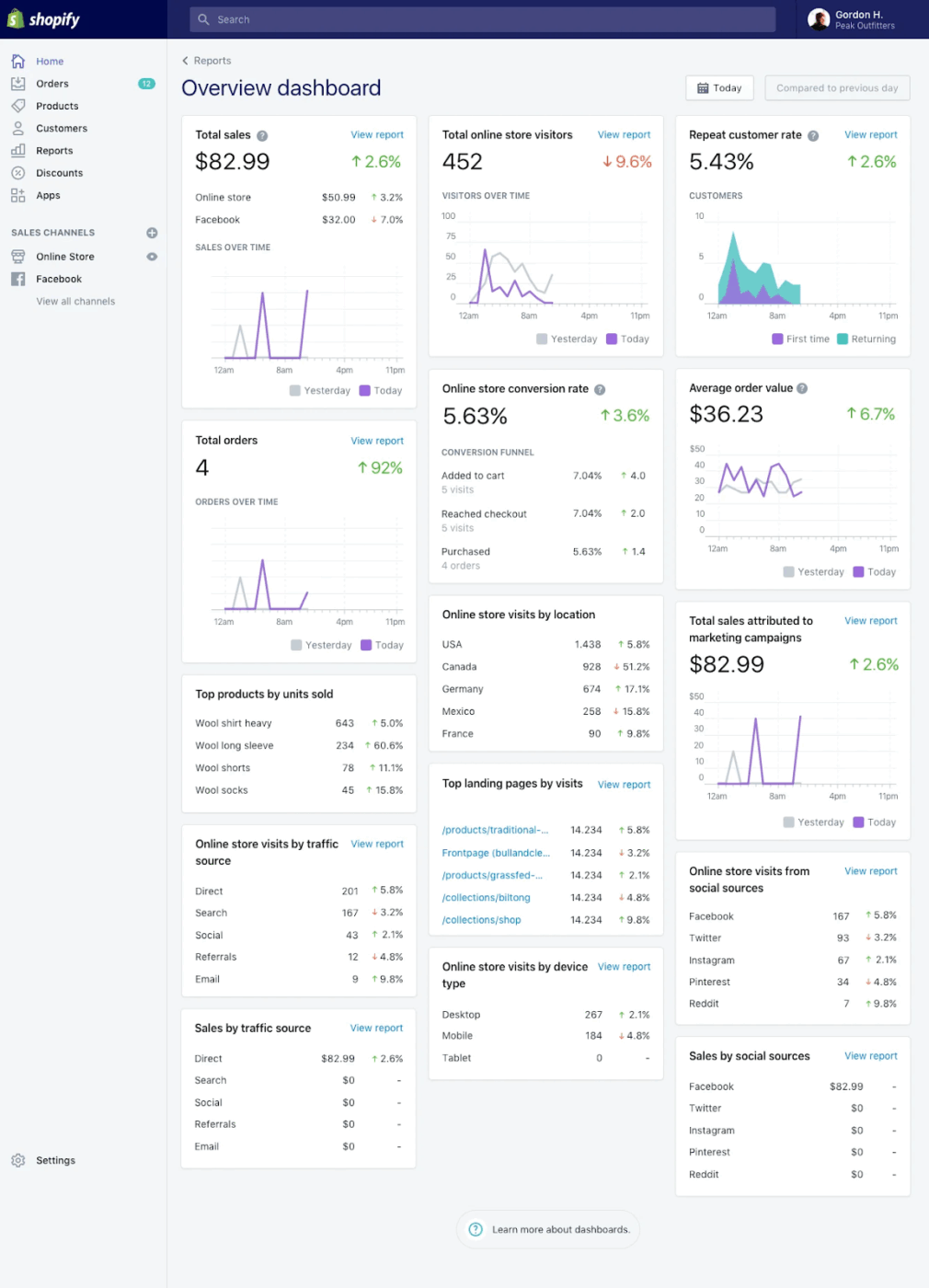
Shopify gives you everything you need to start, run, and grow an e-commerce store. Design your shop, manage products, accept payments, ship orders, and scale up, all from one sleek dashboard.
With built-in analytics, powerful apps, and customizable themes, Shopify lets you tailor your store to fit your brand (and business goals).
This is what a G2 review says:
Brilliant. Exactly what I need to start and run a relatively successful ecommerce store. By using the Shopify App Store I really expanded the sites features as well…Customising the themes without loads of coding knowledge can sometimes be a headache. I like least that they don’t have a customer service number anymore
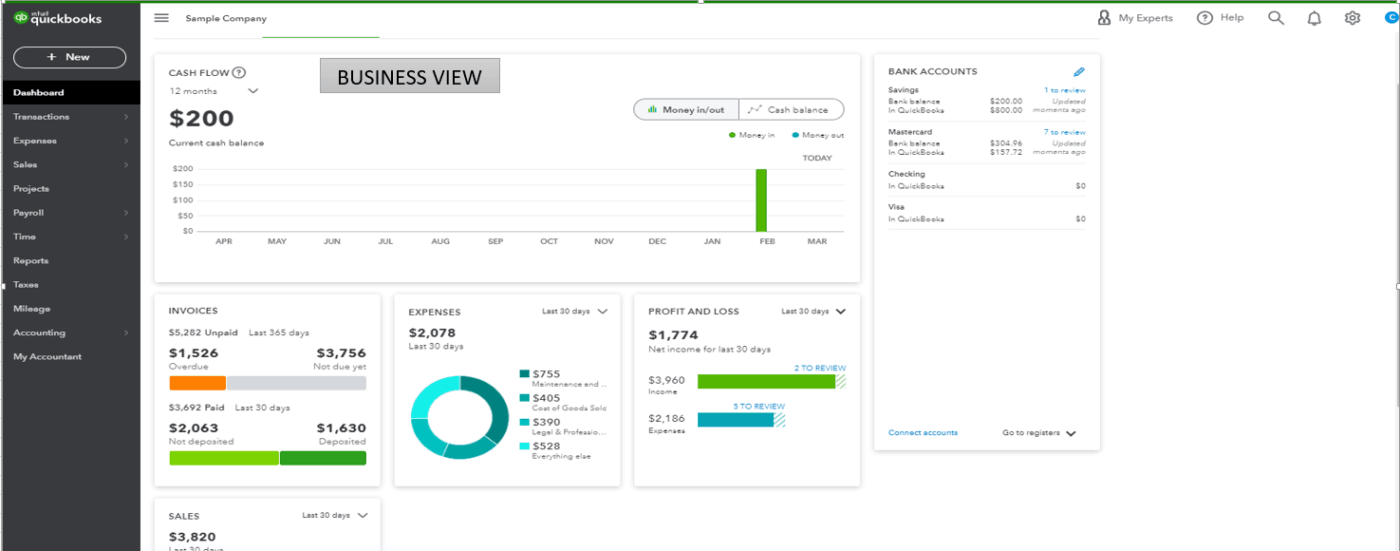
QuickBooks automatically tracks income, expenses, payroll, and taxes so that you spend less time crunching numbers. Create pro-level invoices, link bank accounts, and generate reports that make sense. It helps you stay organized, tax-ready, and financially clear-eyed all year round.
A Reddit user adds:
QBO is easy. You link a bank account so transactions are automatically imported. You create revenue, expense, asset, liability, etc accounts in your Chart of Accounts. You can set up rules so that QBO automatically classifies specific types of imported transactions into accounts you specify (for example: transactions with “VERIZON” in the bank text get automatically classified to the Phone Expense account). This way you don’t have to manually classify every imported transaction.
🔍 Did You Know? When teams use visual project boards like Kanban, they subconsciously form stronger memory links to tasks. It’s tied to the method of loci effect (memory palace technique); your brain remembers things better when it’s mapped visually.
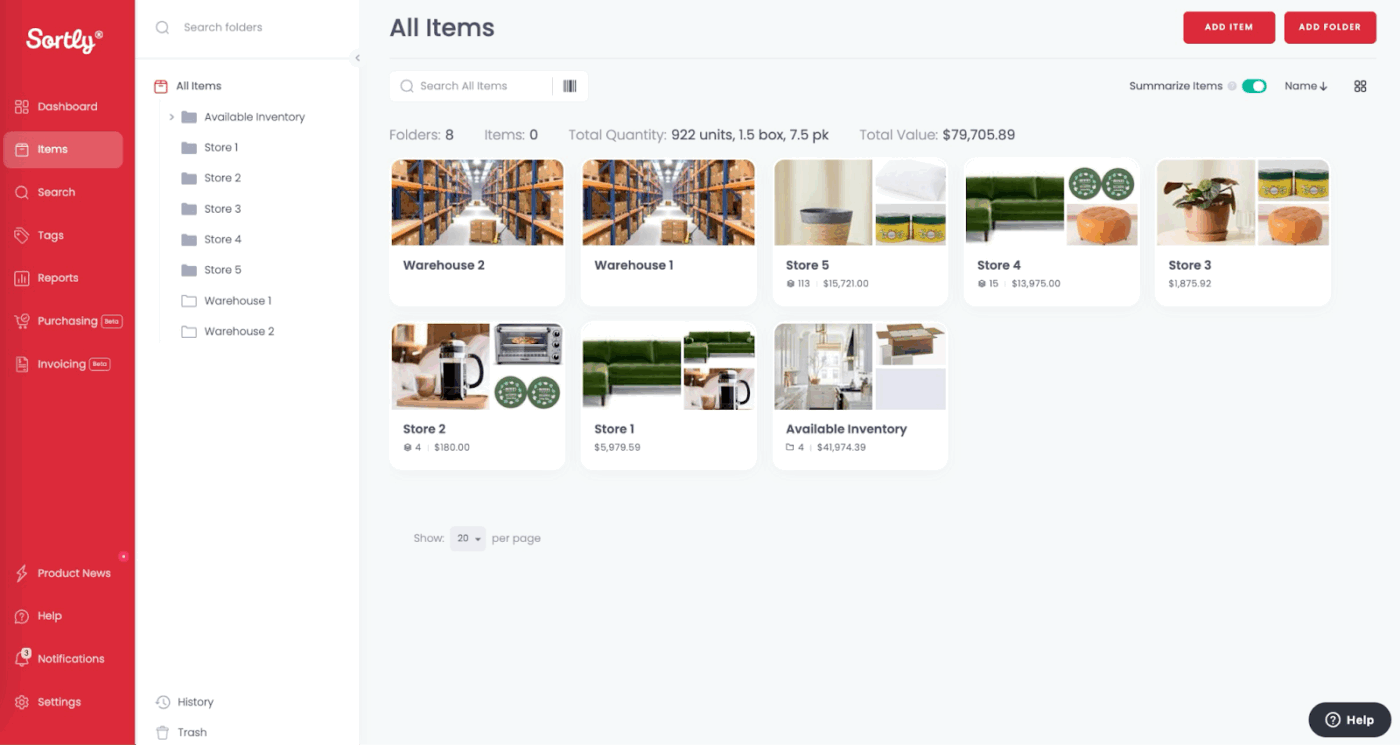
Sortly makes inventory management visual, simple, and stress-free. Snap photos of your items, tag them with custom fields, and use QR codes or barcodes to keep things organized.
Mobile-friendly and intuitive, it’s built for small teams and businesses that want to stay in control without spreadsheets or a steep learning curve.
As noted in a Capterra review:
It is very easy to book out stock and also very accurate at knowing where it’s been if you need to check an items history. It reduces losses and maintains brilliant inventory control…Having to search through the history of an item to be shown an event happend three weeks ago. I’d prefer a exact date and time.
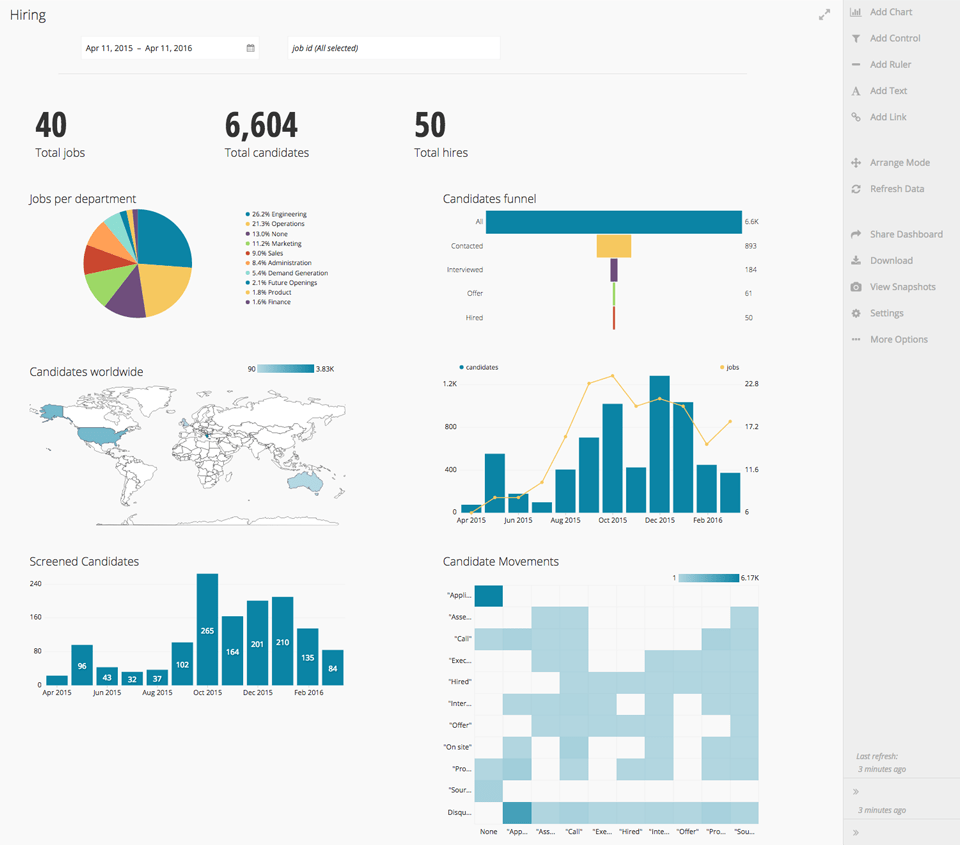
Workable is a hiring platform that helps you post jobs, track applicants, schedule interviews, and make collaborative hiring decisions. You get custom pipelines, team feedback tools, HR templates, and reporting dashboards that show what’s working (and what’s not).
From a G2 review:
What I like best about Workable is its user-friendly interface and how it simplifies the entire hiring process—from job posting to candidate onboarding. The platform makes it easy to collaborate with hiring teams, track applicant progress, and communicate with candidates all in one place.
🔍 Did You Know? At Zappos, new hires used to get paid to quit. After onboarding, employees were offered $2,000 to leave if they felt the job wasn’t right for them. The idea: only people truly motivated to stay would turn down the cash.
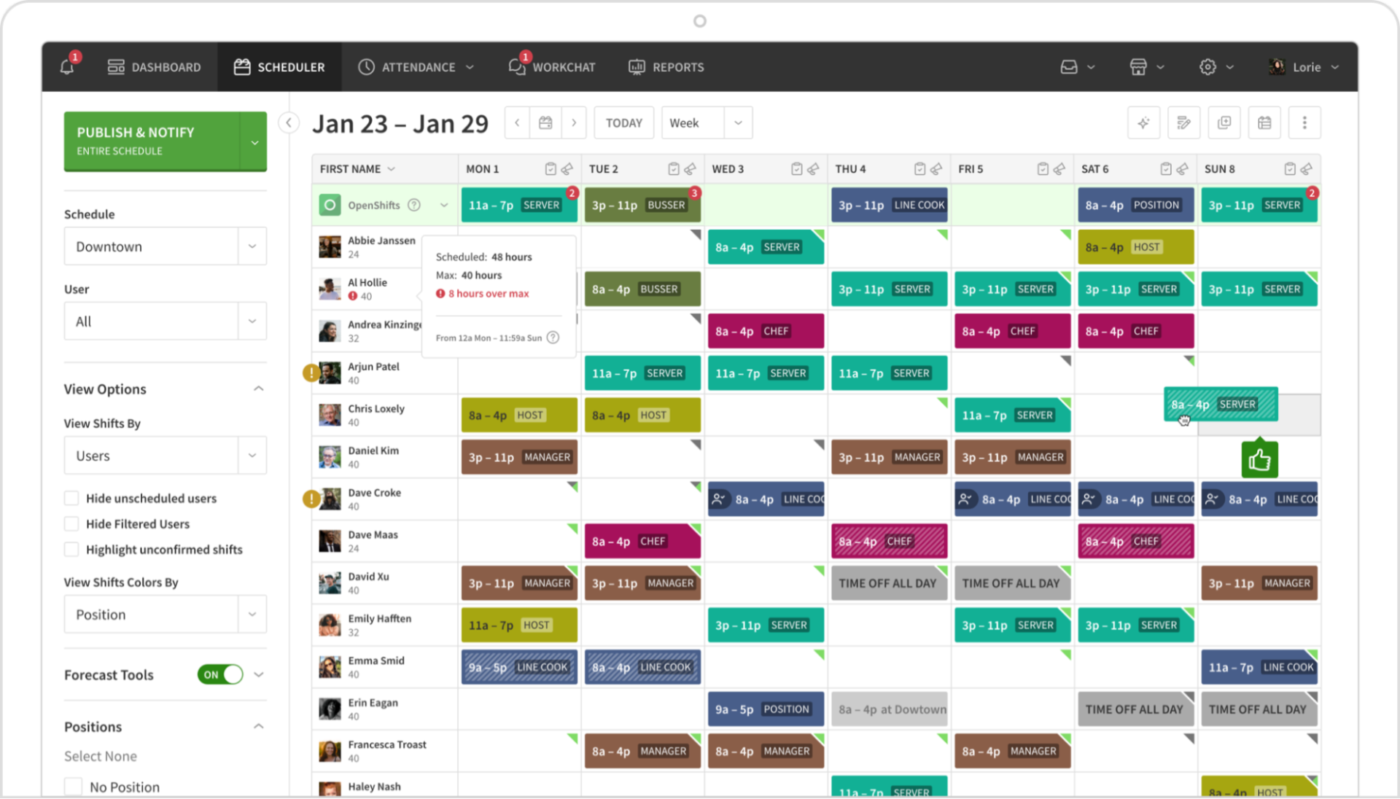
When I Work makes it easy to build, share, and manage employee schedules in minutes. Employees can swap shifts, clock in, and chat with each other via the app, while managers get real-time updates and time tracking for smooth payroll processing.
It’s especially helpful for hourly teams in retail, hospitality, or healthcare, where flexibility is a must and clear communication is critical.
As shared in a Capterra review:
Ease of the app. Makes your work schedule a no brainer. You can do so much more than just see when you work like messaging co-workers, projected and total hours, exact amount of your pay check and the projected year, request time off or more time, it’s like having your boss in your pocket at all times.
🧠 Fun Fact: Marie Kondo’s organizing method is inspired by Shinto philosophy. In Shinto, even inanimate objects are believed to hold energy, which is why her method emphasizes gratitude and emotional connection to belongings.
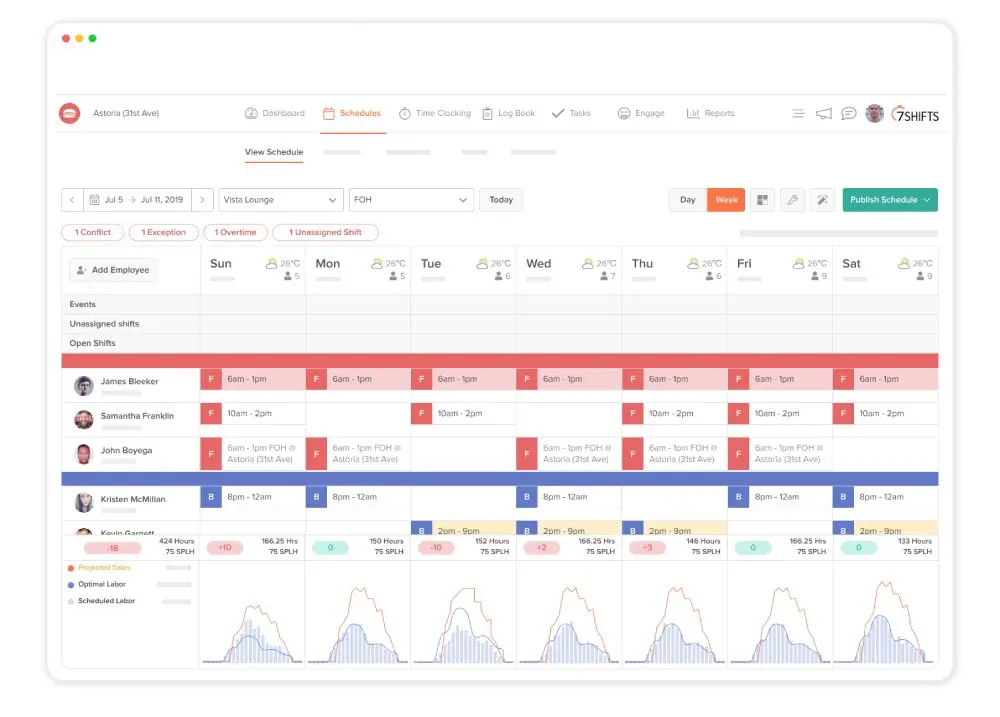
7shifts facilitates restaurant staffing by letting you build schedules, track labor costs, monitor compliance, and even forecast demand.
Employees get on-the-go access to schedules, shift changes, and time-off requests, while managers stay in control of labor costs and team performance.
Straight from a G2 review:
It is easy to see the schedule at a glance, and the colors/letters make it obvious what each position is. 7shifts is great for posting announcements and messages, and targeting them to specific positions…Sometimes if there are a lot of employees and you want to go forward a week, you have to scroll back down to get back to the same section.
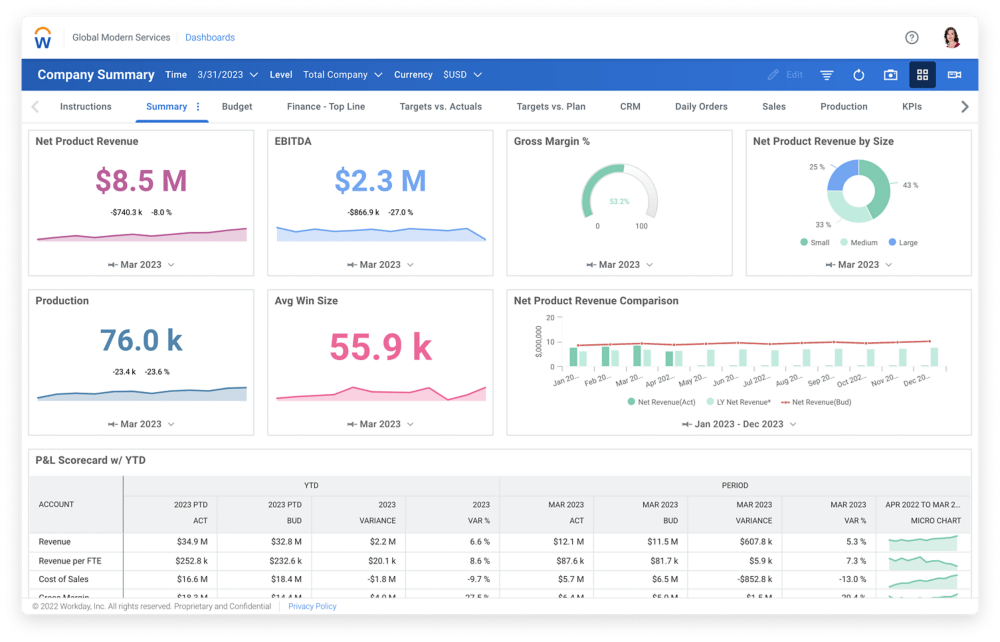
Workday is a solid platform for hiring and onboarding to payroll, benefits, and performance tracking. It’s smart, mobile-friendly, and packed with analytics that help you make strategic workforce decisions.
A Capterra review notes:
Workday did work well across a very large organization for needs like Payroll, Benefits Tracking, Benefits Enrollment, Performance Reviews and more. It’s best fit for very large or complex organizations, and organizationally, is pretty prohibitive from smaller/mid sized companies from truly adapting and taking advantage.
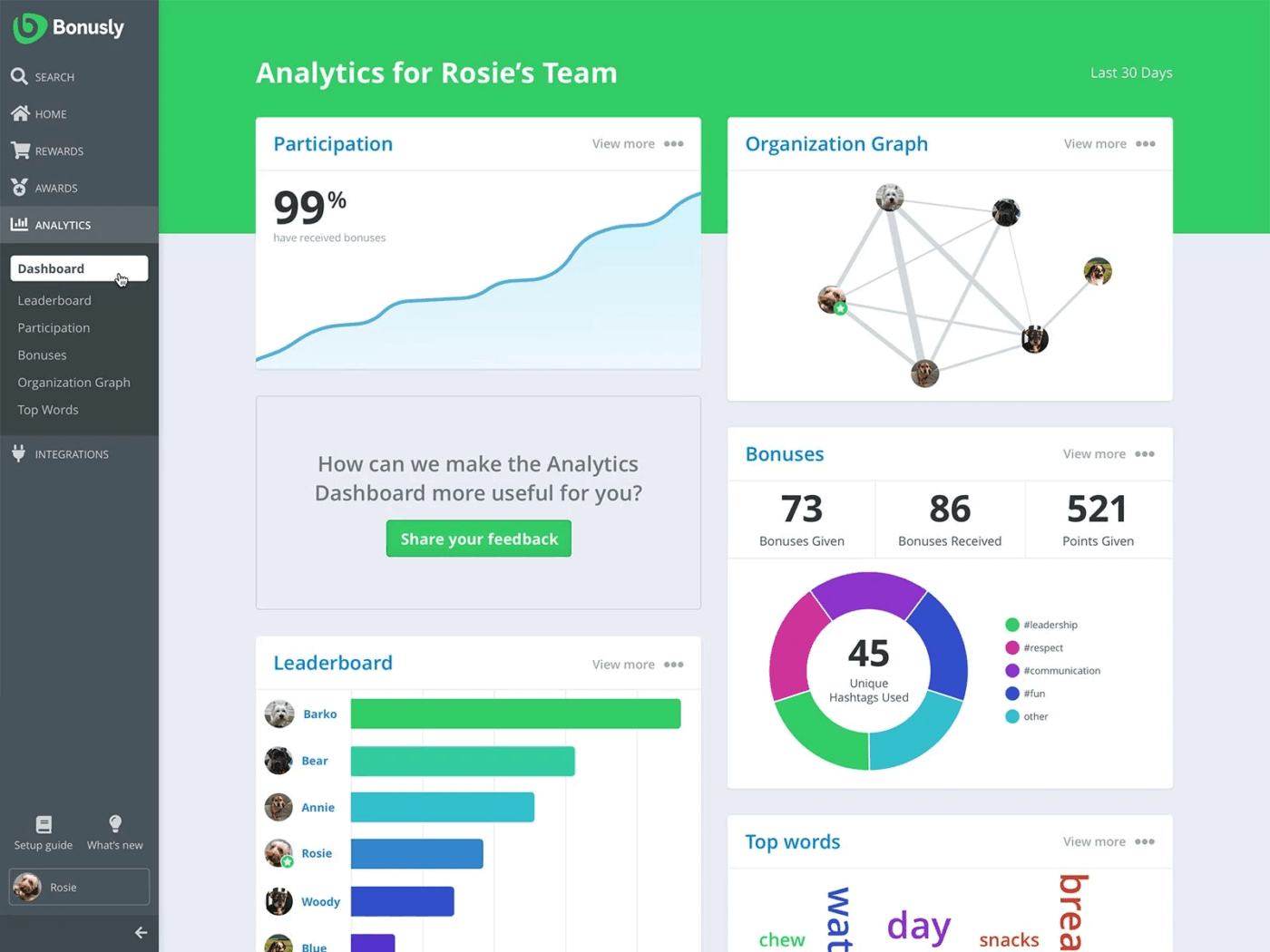
Bonusly helps teams feel seen and appreciated without the awkward ‘employee of the month’ plaques. It lets coworkers give each other micro-bonuses for great work, which can be redeemed for real rewards.
Integrated with Slack, Teams, and more, it makes recognition part of your day-to-day, not a once-a-year thing. Bonusly is ideal for companies looking to boost morale and encourage peer-to-peer appreciation.
From a G2 review:
What I like best about Bonusly is how easy it is to use. The interface is simple and clean, so anyone can get started right away without much training. It was also really easy to set up and roll out to the whole team—took barely any time to implement…One small thing I’d say is that sometimes the monthly points can feel a bit limited, especially if you have a bigger team and want to recognize a lot of people. It would be nice to have a bit more flexibility with that. But overall, it’s not a major issue and doesn’t take away from how useful the platform is.
🔍 Did You Know? According to Gallup, employees who receive regular recognition are more productive, engaged, and likely to stay at their jobs. Interestingly, peer-to-peer recognition is just as powerful as top-down praise in boosting morale and workplace culture.
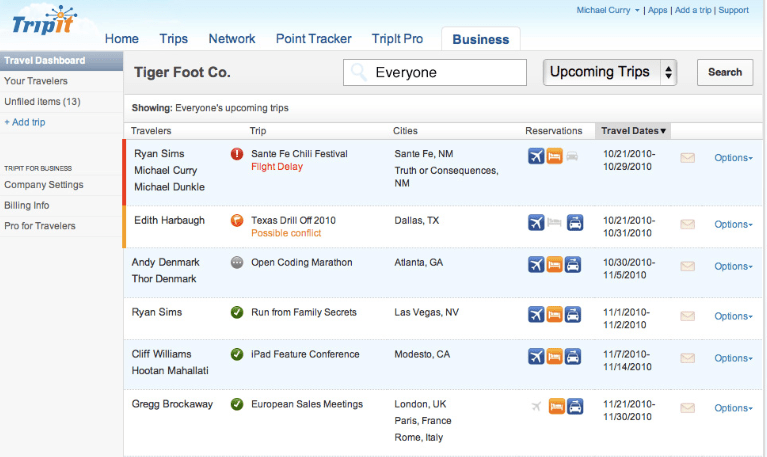
TripIt organizes all your travel bookings into a master itinerary so you never have to dig through your inbox at the airport again. Just forward your confirmation emails, and it builds your travel plan for you, complete with maps, alerts, and backup plans.
For frequent flyers or just anxious travelers, the tool takes the stress out of trip logistics and keeps everything in one place.
From a Reddit thread:
I’ve used it for about a dozen years or so. My favorite feature (and really the only one I use it for) is that it automatically adds my trips and all my booking info to my calendar. I book a lot with booking.com and Priceline and once I do, boom – right into my calendar it goes once TripIt receives the confirmation email.
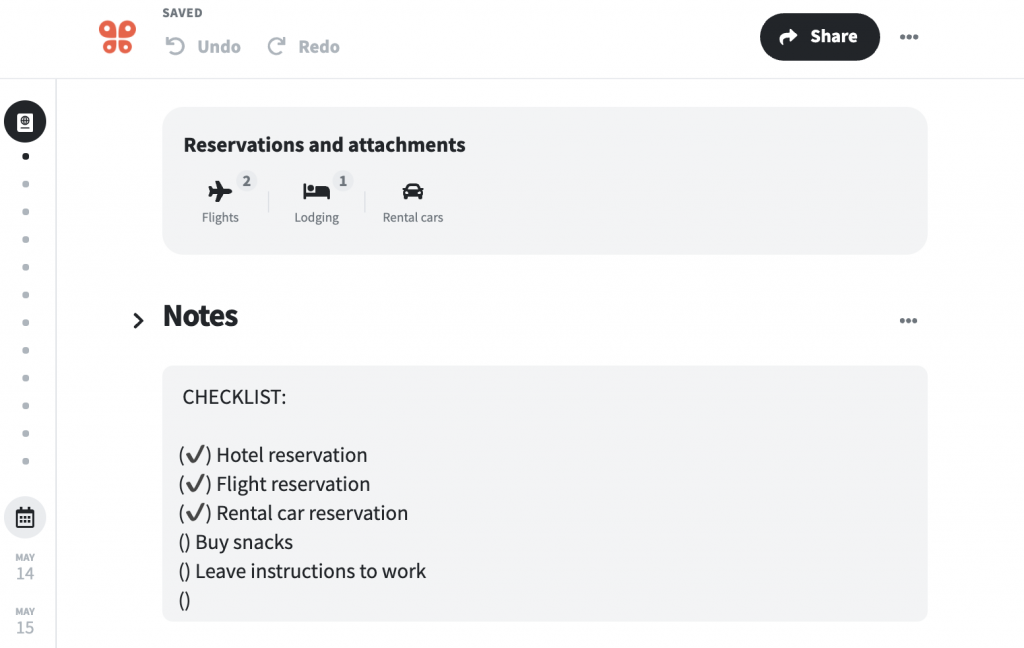
Wanderlog is a collaborative travel planner that lets you build detailed itineraries, organize activities, and share plans with travel buddies.
Add reservations, pin spots on a map, and make to-do lists, online or offline. It’s great for group trips where everyone wants a say, but no one wants to deal with the spreadsheet.
A Reddit user shares:
Love Wanderlog! Used it for my 24 day trip to France. I wouldn’t have been able to track 12 different hotels, several activities, trains and flights to over 8 different cities without it!
🔍 Did You Know? A study in Applied Research in Quality of Life found that vacation anticipation boosts mood for up to 8 weeks. After the trip? The happiness bump usually fades in just days.
With so many organizational tools out there, finding the right one comes down to what actually sticks and scales with your day-to-day.
ClickUp stands out.
From AI-powered productivity features to real-time chat, customizable dashboards, and an intuitive calendar, it replaces the need for juggling multiple apps. It’s built to bring everything, tasks, docs, goals, and your entire team, into one streamlined workspace.
So, why wait? Sign up to ClickUp for free today! ✅

Manasi Nair
Max 25min read
Manasi Nair
Max 25min read
Manasi Nair
Max 20min read

© 2026 ClickUp