
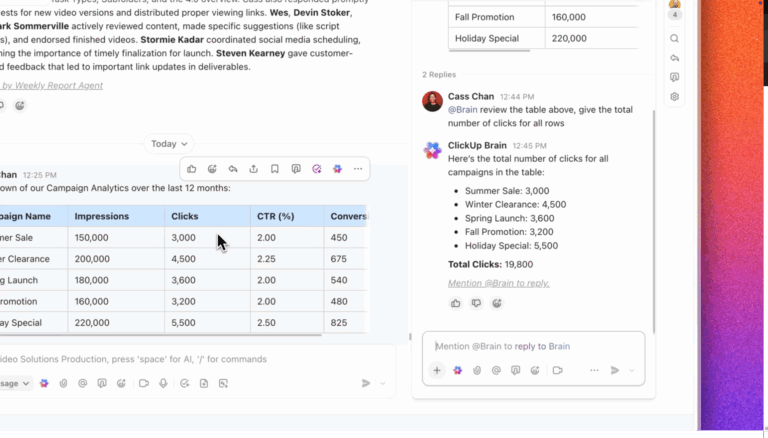
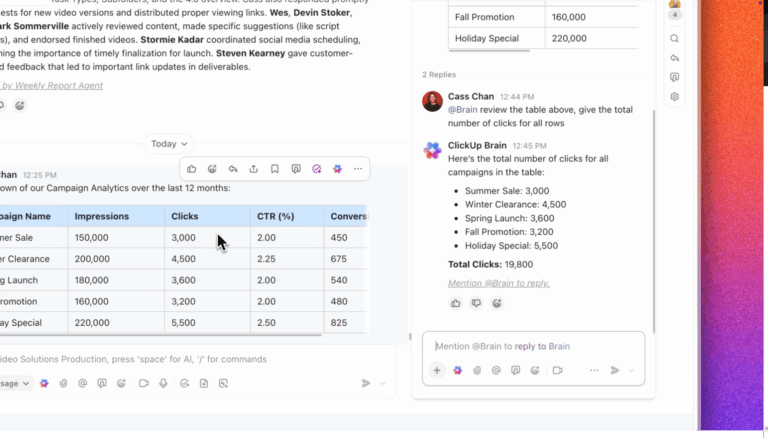
10 Best AI Accounting Software & Tools in 2026

Upgrade from manual accounting today

  • Automate bookkeeping and invoice tracking
  • Use AI for real-time insights and reports
  • Use ClickUp for FREE forever
Get Started

Artificial intelligence has officially crossed the line from “experimental” to “essential” for finance teams. If you’re not using AI tools for accounting tasks, you’re making things more complicated than they need to be.

AI accounting tools can save you time and money while improving business performance. It automates repetitive tasks so you can put your brainpower into more important things like decision-making. 🤠

That’s why six in every ten CFOs already use them, with knowledge management (49%), accounts payable process automation (37%), and error and anomaly detection (34%) being the most widely adopted use cases.

Ready to let accounting automation transform your workflow, too? Here are the 10 best AI tools for accounting and finance to get you started.
Summarize this article with AI ClickUp Brain not only saves you precious time by instantly summarizing articles, it also leverages AI to connect your tasks, docs, people, and more, streamlining your workflow like never before.
ClickUp Brain
Avatar of person using AI Summarize this article for me please

How Is AI Used in Accounting?

Accounting firms have long used data entry software to reduce human error and improve profitability. When you add AI technology to the mix, magic happens.

Accounting is all about calculations, mathematics, regulated processes, and tax compliance. Those are some of the things automation software does best.

AI accounting software allows accountants to put tedious tasks on autopilot and improve their financial operations. Here are some of the many benefits AI brings to accounting processes:

  • AI-powered data prediction
  • Faster financial data analysis thanks to advanced algorithms
  • Improved financial report accuracy
  • Lightning-fast automated invoice processing
  • Real-time insights and alerts
  • Reduced manual data entry
  • Scalability without an increase in manual work
Summarize this article with AI ClickUp Brain not only saves you precious time by instantly summarizing articles, it also leverages AI to connect your tasks, docs, people, and more, streamlining your workflow like never before.
ClickUp Brain
Avatar of person using AI Summarize this article for me please

What to Look for in an AI Tool for Accounting

AI tools for accounting provide indisputable benefits, from improving financial insights to automating time-consuming tasks. It’s all about identifying what you’re looking for and finding the right tool.

Everyone from freelance CPAs and startups to Fortune 500 CFOs and large accounting firms can use features like these:

  • Automated bookkeeping: AI tools should automate bookkeeping tasks to help you save time, make better decisions, improve expense management, and reduce financial statement errors
  • Automated invoice processing: Good AI-powered accounting software can automate payments and invoices to improve expense reports
  • Integrations: AI accounting tools that integrate with your other software—from Slack to QuickBooks—make life easier
  • Machine learning: Leading AI tools use machine learning algorithms to assess mathematical models and improve processes without instruction; it’s an accounting industry must-have
  • Templates: When manual work is required, a good tool can speed it up with bookkeeping templates, payroll templates, and general ledger templates

How we review software at ClickUp

Our editorial team follows a transparent, research-backed, and vendor-neutral process, so you can trust that our recommendations are based on real product value.

Here’s a detailed rundown of how we review software at ClickUp.

Summarize this article with AI ClickUp Brain not only saves you precious time by instantly summarizing articles, it also leverages AI to connect your tasks, docs, people, and more, streamlining your workflow like never before.
ClickUp Brain
Avatar of person using AI Summarize this article for me please

10 Best AI Tools for Accounting

The hardest part of finding an AI tool for accounting is sifting through all the options. We’ve narrowed it down to the top 10 AI accounting tools.

With this list, you can assess each tool based on the best features, limitations, pricing, and reviews to make the right choice.

1. ClickUp

While most accounting tools solve a single problem, ClickUp for Accounting Teams is the only platform that unifies your entire financial operation. Manage accounts, create shareable reports, and let ClickUp Brain act as your digital personal assistant so you can focus on the larger strategy.

ClickUp Brain is an AI-powered virtual assistant that uses natural language processing to help with everything from financial management and project detailing to client check-ins and meeting updates.

And if you want even more powerful AI, try ClickUp Super Agents. Super Agents are autonomous AI teammates that don’t just answer questions; they execute multi-step financial workflows across your tasks, docs, and 1,000+ integrations.

Instead of you manually moving data between tools, a Super Agent can be assigned to “Close the Month.” It will proactively scan for missing receipts, ping team members for approval, reconcile line items against your budget, and draft a final summary in a ClickUp Doc—all while you focus on higher-level strategy.

💫 Unlike basic bots, Super Agents “own” goals. Assign an agent to “Manage Accounts Receivable,” and it will monitor overdue invoices, send personalized reminders, and update your cash flow dashboard autonomously

You can automate entire accounting workflows with ClickUp’s Super Agents! Choose a pre-built agent from the library or create your own!
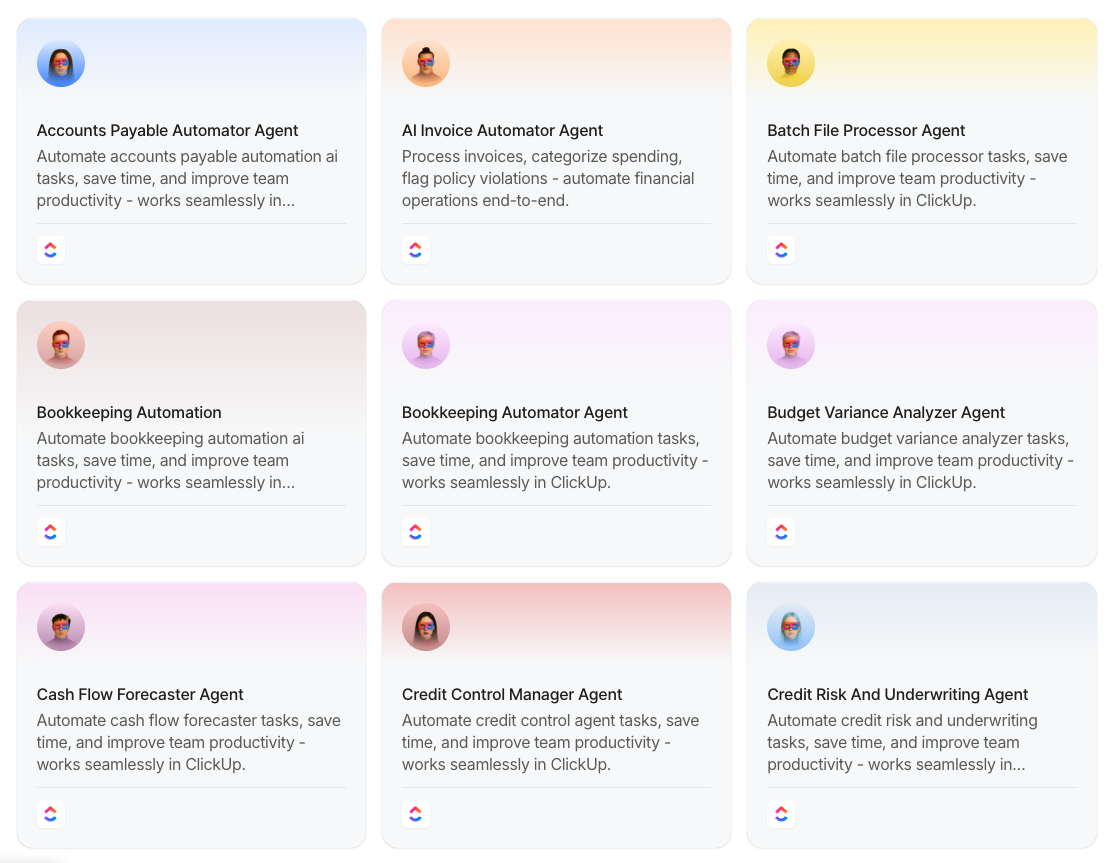
That’s 8+ accounting agents, configured to work together and handle workflows autonomously!

Super Agents can maintain a continuous, unchangeable log of every financial action, making year-end audits a “one-click” experience. Find out how:

You can also use ClickUp Docs to create spreadsheets and explore templates for all things finance.

For example, the ClickUp Accounting Template is designed to help manage your invoices, sales records, income, and predicted revenue. Keep up with accounts receivable and accounts payable (AR/AP) and use resource tracking to improve overall financial performance.

ClickUp has over 1,000 ready-made integrations with other tools to keep everything in one convenient, customizable Dashboard.
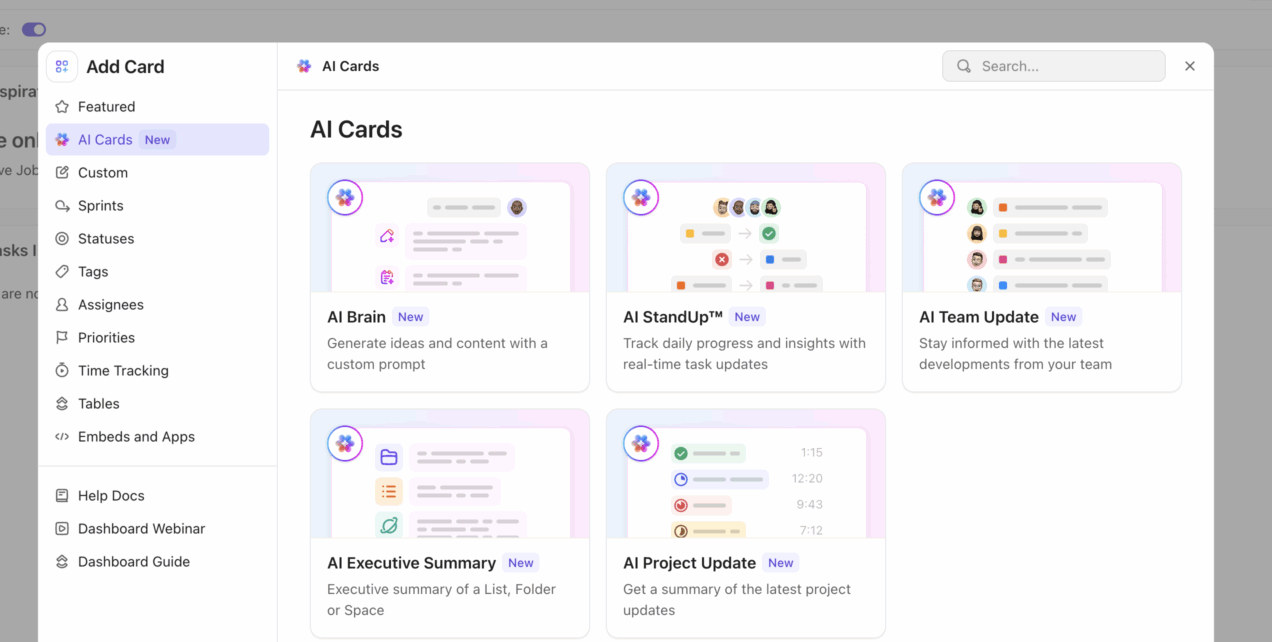
Visualize financial performance in real time with Dashboards

ClickUp Dashboard AI Cards
Generate precise AI summaries using AI Cards in the ClickUp Dashboards

Instead of building reports manually, ClickUp Dashboards give you a live view of your financial data as it changes.

  • Track revenue, expenses, and cash flow in real time
  • Monitor AR/AP, overdue invoices, and payment status
  • View team workload and financial impact together
  • Build custom widgets for forecasts, budgets, and KPIs

Because Dashboards pull directly from your tasks, time tracking, and financial data, your reports stay automatically up to date, no exports or rebuilding required. You get to leverage 1,000 ready-made integrations with other tools to keep everything in one convenient, customizable Dashboard.
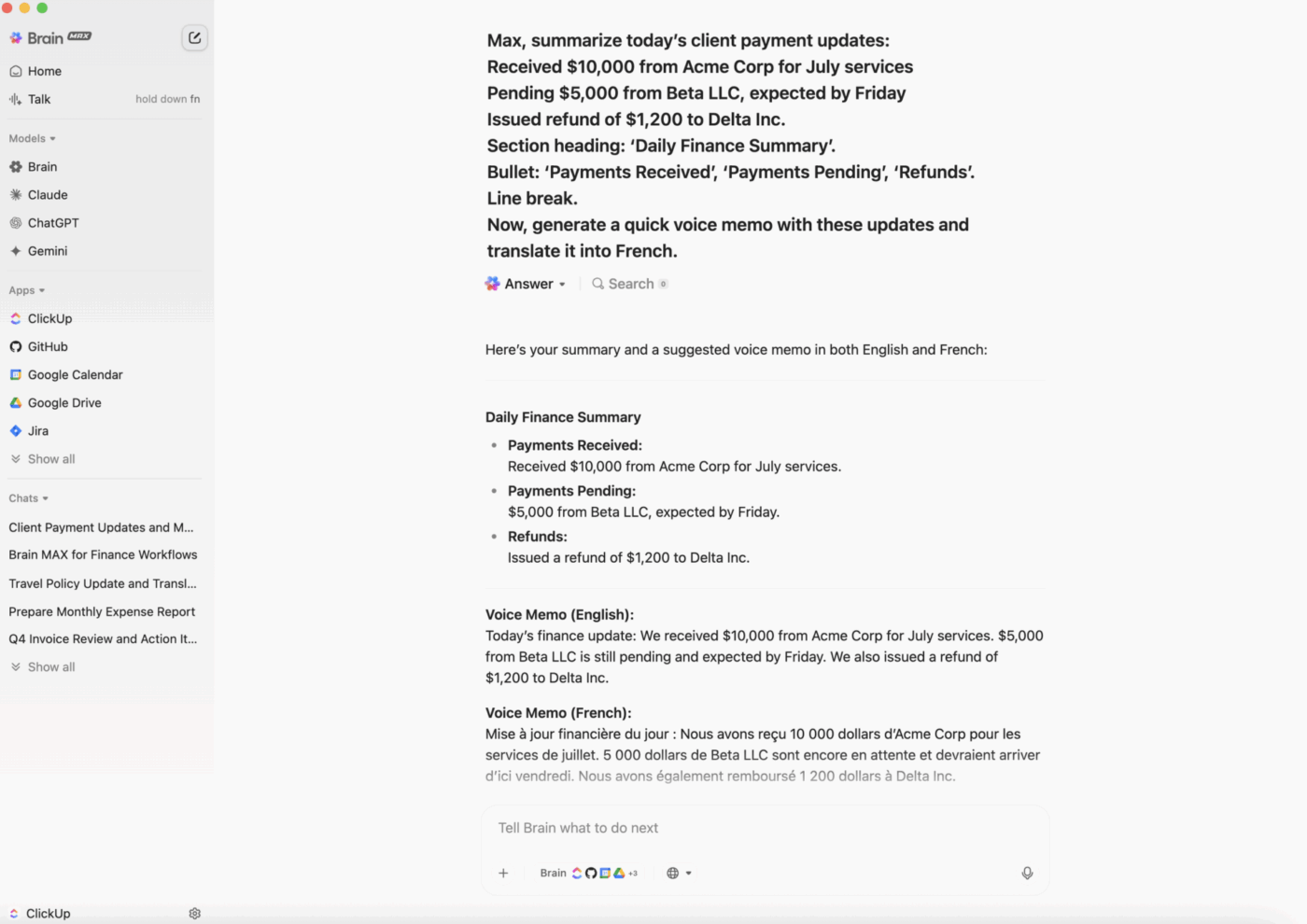
Take it further with ClickUp Brain MAX

Brain Max use case for finance

ClickUp Brain MAX introduces a voice-first AI assistant that understands your workspace, context, and team—so you can manage finance workflows faster than ever.

With Talk to Text, you can speak out invoices, action items, client updates, or reporting tasks—and Brain MAX will instantly format and assign them in ClickUp. No typing. No tab-switching. Just fast, structured outputs from your spoken input.

Why Brain MAX is a win for finance teams:

  • Talk through reports or policy changes—AI captures, structures, and saves them
  • Voice-based task creation: Say, “Max, create a task to review Q4 invoices by Friday,” and it’s done
  • Finance-specific formatting: Use natural commands like “bullet,” “line break,” or “section heading” to format reports
  • Context-aware AI: Automatically links tasks, Docs, and @mentions based on what you say
  • Multilingual support: Dictate in one language and output in another—great for global finance teams
  • Enterprise Search: Find a specific tax line item or an obscure invoice detail instantly across every connected app (QuickBooks, Netsuite, Slack, and Gmail) without leaving ClickUp

It’s perfect for CFOs, accountants, and finance ops leaders who want to manage financial workflows hands-free—while staying fully synced with the team.

ClickUp best features

  • Choose from hundreds of templates to help with everything from budget and cash flow management to project management
  • Use ClickUp Brain’s AI power to summarize financial planning meetings, connect with clients, outline audit policies, update sales forecasting reports, and more
  • Choose from over 100 ClickUp Automations to put back-office tasks on autopilot
  • Make informed decisions and improve your business’s financial health with help from ClickUp’s ChatGPT Prompts for Finance
  • Switch between multiple views, create custom Dashboards for every team member, and use project time tracking to streamline your workflow

ClickUp limitations

  • Some users may face a learning curve with ClickUp’s many features and functionalities (we’ve solved this with free video tutorials for almost everything)
  • ClickUp Brain isn’t available on the Free Forever plan

ClickUp pricing

free forever
Free Free
Key Features:
60MB Storage
Unlimited Tasks
Unlimited Free Plan Members
unlimited
$7 $10
per user per month
Everything in Free Forever, plus:
Unlimited Storage
ClickUp Chat
Native Time Tracking
business
$12 $19
per user per month
Everything in Unlimited, plus:
Google SSO
Custom Exporting
5K Monthly Automations
enterprise
Get a Custom Demo
Everything in Business, plus:
White Labeling
Live Onboarding Training
250K Monthly Automations
* Prices when billed annually
The world's most complete work AI, starting at $9 per month
ClickUp Brain is a no Brainer. One AI to manage your work, at a fraction of the cost.
Try for free

ClickUp ratings and reviews

  • G2: 4.7/5 (11,000+ reviews)
  • Capterra: 4.7/5 (4,500+ reviews)

What are real-life users saying about ClickUp?

A G2 user shares:

Clickup has solved a lot of issues in our business. We now have a place to track everything such as accounting, leads, business operations, and random things that come up. We also have all of our processes written out inside Clickup Docs.

📊 Most AI accounting tools automate tasks. Few connect your entire workflow.

You might use one tool for invoicing, another for bookkeeping, another for reporting, and maybe a separate AI tool on top of all that.

Individually, they work. Together, they don’t. That’s where the real inefficiency comes in.

AI in accounting is most powerful when it has full context across your work, not just a single slice. When your data, tasks, and communication are connected:

  • Bookkeeping updates reflect across reports automatically
  • Financial insights are based on live, complete data
  • AI can generate summaries and forecasts without manual input
  • Your team spends less time stitching systems together

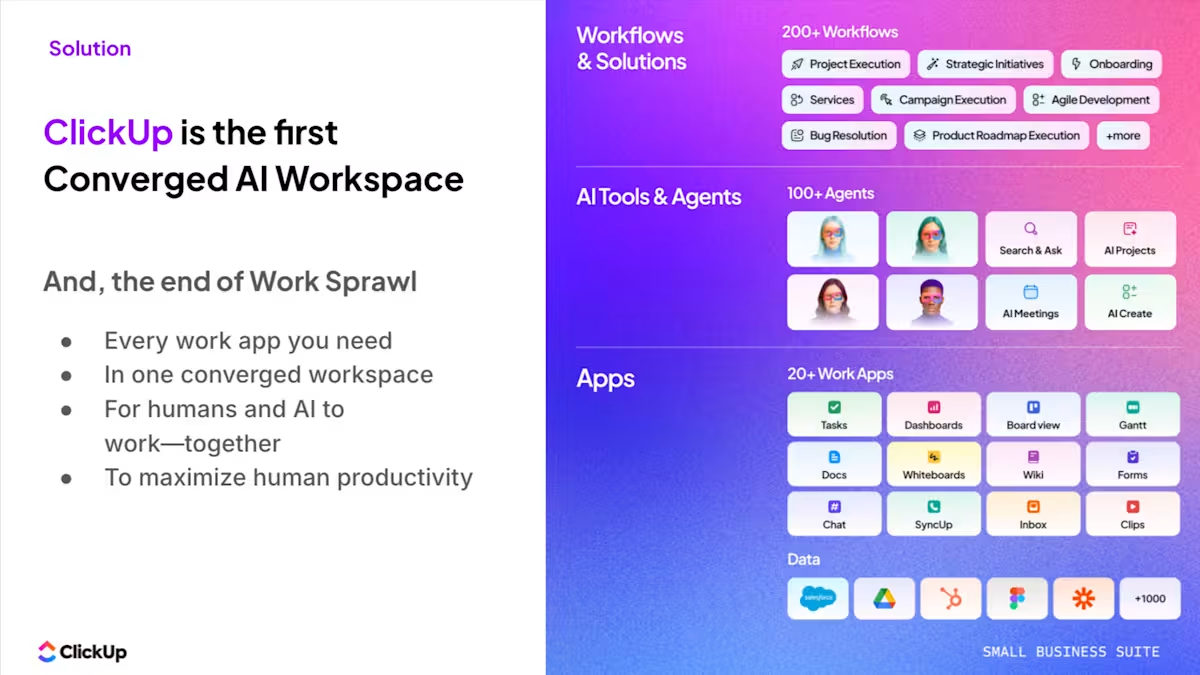
A converged AI workspace like ClickUp’s Small Business Suite brings all of this into one place, so AI isn’t just automating tasks, it’s helping you run your financial operations end-to-end.

That’s the difference between using AI tools… and actually becoming AI-powered. See how this small business did it. 👇🏼
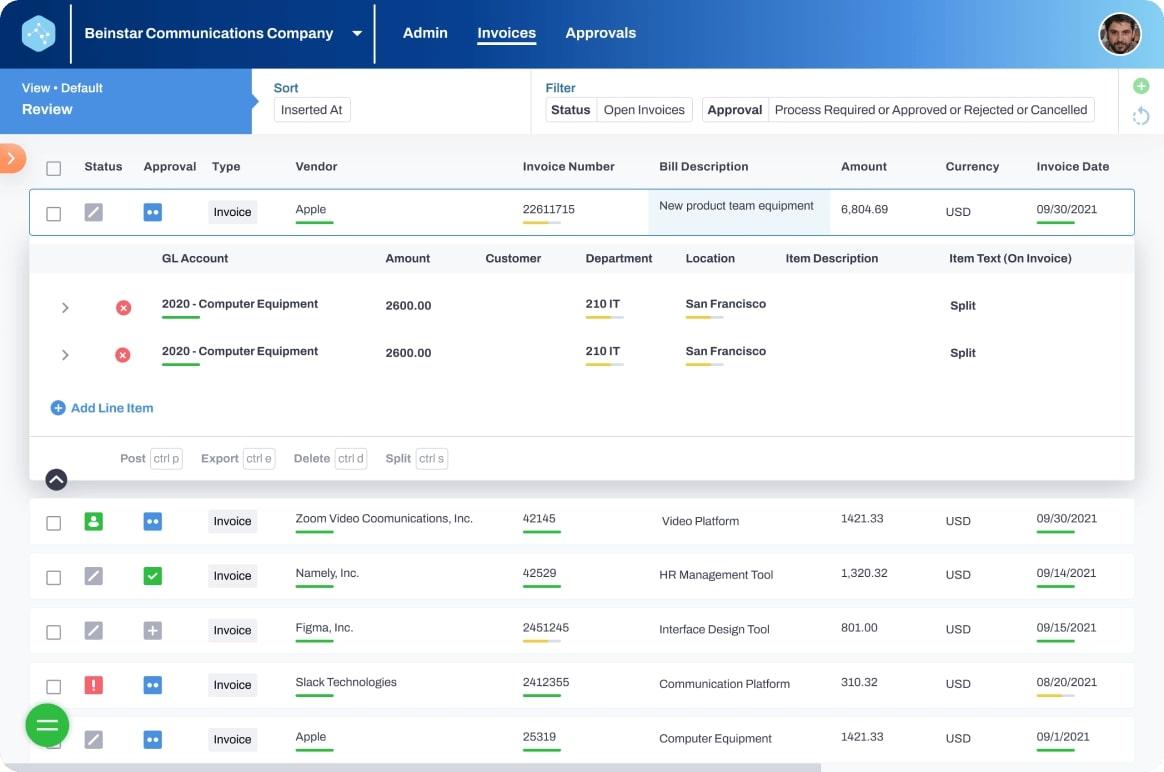
2. Vic.ai

AI tools for accounting: screenshot of Vic.ai's Invoices
via Vic.ai

Vic.ai is an AI-powered invoice processing tool with high accuracy rates and advanced machine learning algorithms. It uses powerful algorithms trained on millions of invoices to automate almost every aspect of billing without the need for templates or custom rules.

Once an invoice is uploaded, Vic.ai can extract essential details, detect duplicates, and put the approval process on autopilot. It also keeps your team on track by identifying which employee needs to review each step of the invoice approval process.

Vic.ai best features

  • Use integrations with leading enterprise resource planning (ERP) tools to automatically sync financial data
  • Reduce human error by allowing Vic.ai to identify and flag duplicate invoices and other accounting mistakes
  • Automatically recognize, code, and calculate value-added tax (VAT) and other taxes to improve accuracy and tax compliance
  • Improve financial decision-making using insights and analytics based on your accounting firm’s latest data

Vic.ai limitations

  • No visible pricing information; some customers report that the tool is expensive for freelance accounting professionals and small businesses
  • Reviews mention a need for additional sorting and report options to improve efficiency

Vic.ai pricing

  • Customers must contact Vic.ai and provide business information to request a price quote

Vic.ai ratings and reviews

  • G2: 4.8/5 (20+ reviews)
  • Capterra: Not enough reviews

What are real-life users saying about Vic.ai?

From a G2 review:

The AI accurately captures invoice data which significantly reduces manual entry. It’s integrated smoothly with our ERP system, saving us both time and resources. I use Vic.ai frequently to process invoices. 
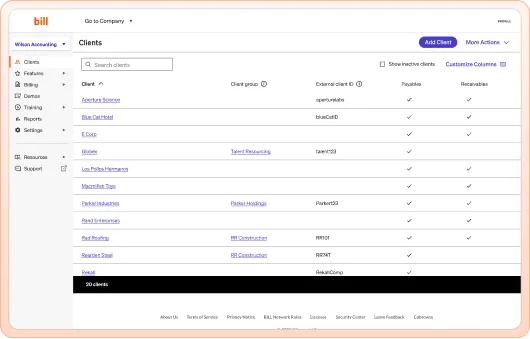
3. Bill

Bill product example
via Bill

Bill is a cloud-based tool that automates AR/AP processes. It’s designed for accounting firms and businesses that want to streamline the billing and invoicing process.

Users also gain access to Divvy From Bill, an automated credit and expense management software, at no extra charge. Divvy offers lines of credit up to $15 million and tools to help control budgets and manage spending.

Bill’s integrated platform also lets you manage budgeting and spend. You can also use it to issue virtual cards and for employee reimbursements.

Bill best features

  • Use smart rules and workflows to automate bill payments and approvals
  • Control spending across teams, projects, departments, and vendors with increased visibility
  • Get cash-back rewards for eligible purchases made with Divvy lines of credit
  • Navigate multiple clients with ease to process AP invoices, approvals, and payments

Bill limitations

  • May charge fees for some services and individual transactions
  • Bill does not provide support for all credit cards, payment methods, and currencies

Bill pricing

  • Essential: $49/month per user
  • Team: $65/month per user
  • Corporate: $89/month per user
  • Enterprise: Custom pricing

Bill ratings and reviews

  • G2: 4.3/5 (1,700+ reviews)
  • Capterra: 4.2/5 (500+ reviews)

What are real-life users saying about Bill?

From a Capterra review:

Bill is a great software to keep track of bill payments, AR, AP, customer invoicing and payments, running reports and has great customer support.
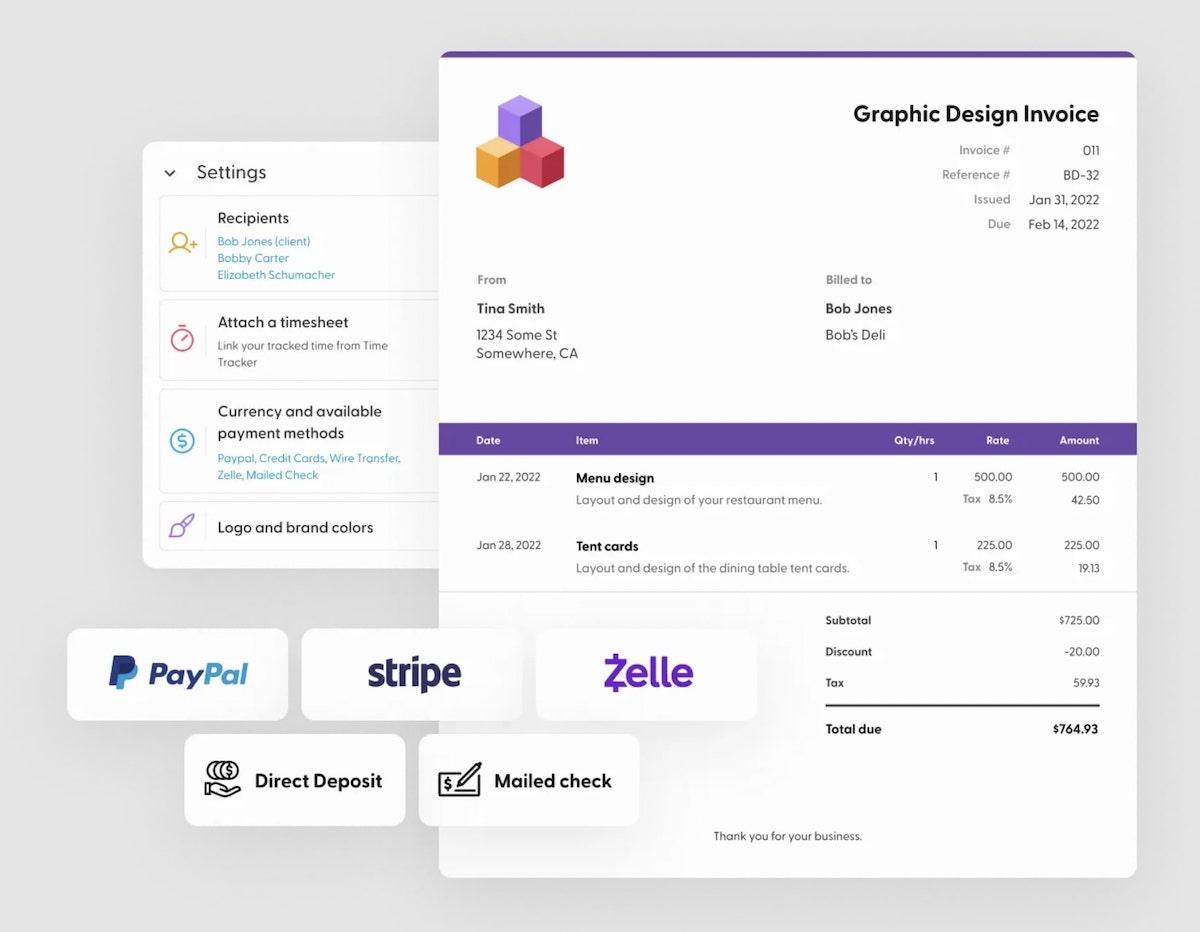
4. Indy

AI tools for accounting: screenshot of Indy's invoice features
via Indy

Indy is an AI workflow and admin program designed for independent professionals. It allows freelancers to create proposals, draft contracts, send invoices, and—most importantly—get paid. 🤑

With Indy, you can track your time for effortless billing, negotiate the terms of your contract, store files, and run your business from one convenient dashboard.

Its Pro Bundle comes with a project portal and built-in calendar too, so you can manage your time across multiple clients and projects.

Indy best features

  • Take advantage of the free plan and get unlimited access to basic features with limited access to advanced functionality
  • Let the Indy AI writing assistant help you create contracts and proposals using ChatGPT
  • Unify your work using the app’s integration with Zapier and Google Calendar (paid plan only)
  • Set up recurring invoices, offer multiple payment options, set tax rates, and keep track of every transaction to ensure tax compliance

Indy limitations

  • Free plan limits users to three proposals, contracts, and invoices per month
  • Some user reviews report inaccuracies when manually tracking time

Indy pricing

  • Free
  • Pro: $25/month per user

Indy ratings and reviews

  • G2: Not enough reviews
  • Capterra: 4.7/5 (100+ reviews)

What are real-life users saying about Indy?

A user on Capterra says:

Overall, I’ve found Indy to be a pretty capable all-around CRM, time tracker, contract manager, and invoice creation solution. The beauty of Indy is how all-in-one it is. Instead of having to pay for multiple subscriptions, I can just use Indy and have access to all of the features I need. 

👉🏽 Our Small Business AI Playbook breaks down exactly how to use AI to reduce complexity in your workflows.
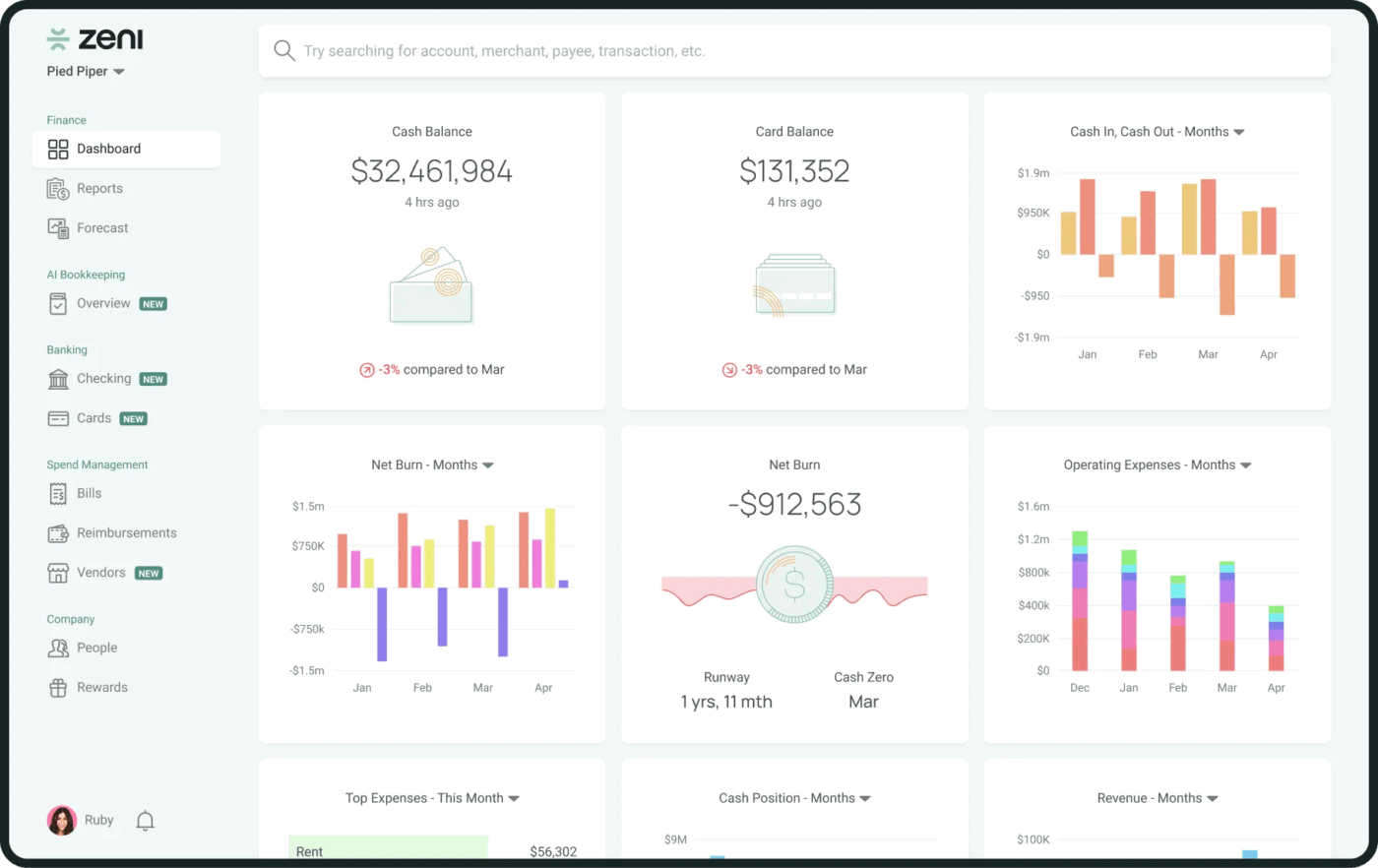
5. Zeni

via Zeni
via Zeni

Think of Zeni as a premium “Finance-as-a-Service” platform rather than just a software tool. While other tools focus on one slice of accounting, Zeni provides a unified “command center” combining AI-driven bookkeeping, banking, and tax services with a dedicated team of human experts (Controllers and CFOs).

Zeni’s standout feature is its specialized AI Agent ecosystem, which includes an “AI Bills Agent” and “AI Accountant Agent” that learn from your company’s specific historical data to improve financial accuracy every month.

Zeni best features

  • Access a single-page view providing real-time metrics essential for startups, such as Net Burn, Cash Runway, and OpEx
  • Get FDIC-insured business checking (up to $3M insurance) and corporate cards with up to 1.75% cashback—all synced directly to your books
  • Compare monthly, quarterly, and yearly reports to track financial progress and identify trends
  • Extract necessary data from receipts and forward it to a dedicated email address for consolidation and record-keeping
  • Improve communication and information sharing between multiple teams with automatic updates and notifications

Zeni limitations

  • Because it’s an all-in-one suite, you may end up paying for banking or card features even if you only need the bookkeeping

Zeni pricing

  • Starter: Starts at $494/month billed annually
  • Growth: Starts at $719/month billed annually
  • Enterprise: Custom pricing

Zeni ratings and reviews

  • G2: 4.6/5 (80+ reviews)
  • Capterra: Not enough reviews

What are real-life users saying about Zeni?

Here’s feedback from a user on G2:

I enjoy how I can approve bills through my permission levels, and my CFO takes care of higher bills which helps fix previous bill pay issues. Zeni has saved us a lot of time by entering bills for approval easily. Their expertise in bookkeeping, keeping our ledgers and books up to date, is very valuable. 
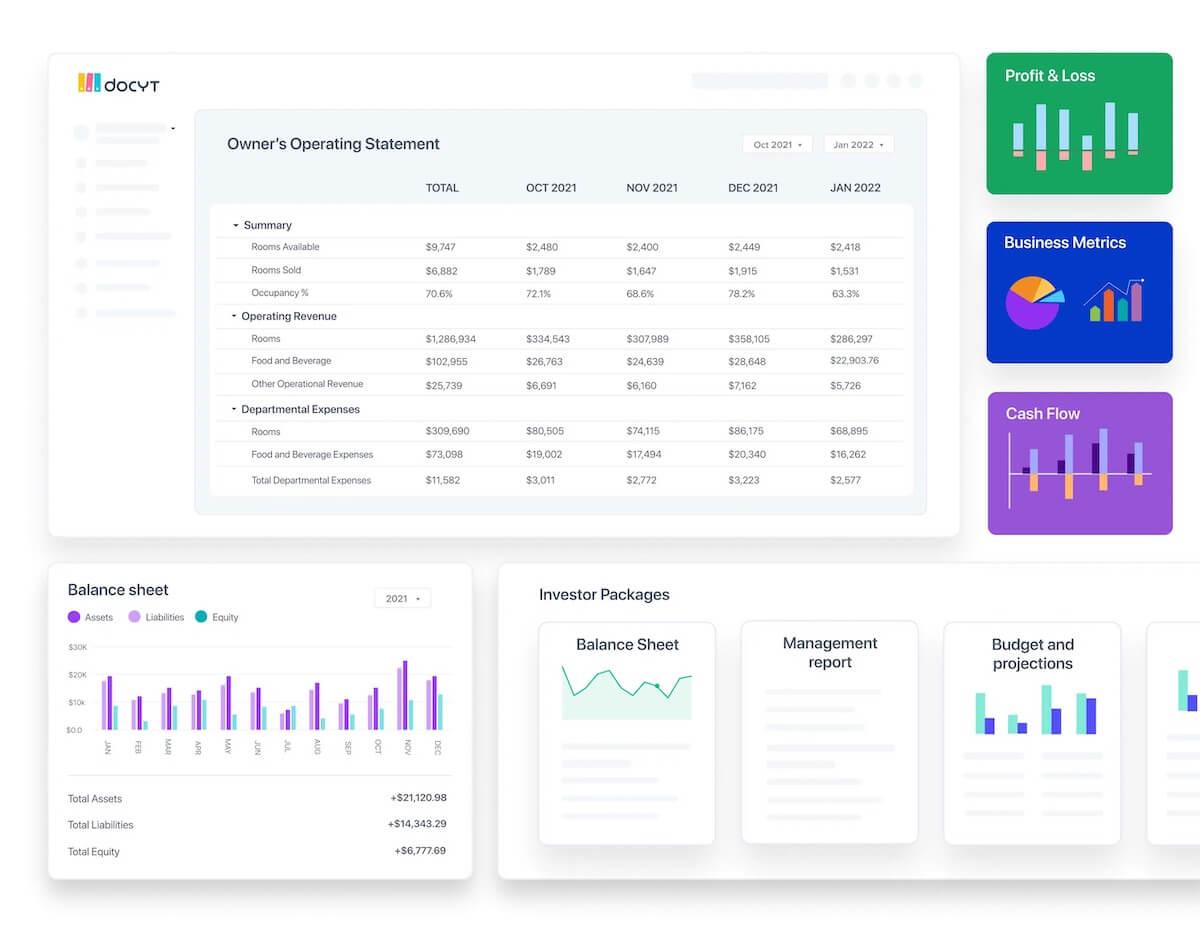
6. Docyt

Screenshot of Docyt's dashboard
via Docyt

Docyt is an AI-powered bookkeeping platform designed to automate back-office and accounting tasks. Gain insight with real-time reports and ensure financial control over all aspects of your business.

Docyt also allows you to keep all critical financial information and documents in one secure place and create separate vaults for different projects or businesses.

Docyt best features

  • Multiple plans to suit various needs, from expense management to automated bookkeeping for large operations
  • The mobile app is easy to use and navigate, providing secure, on-the-go financial tools and information
  • Use the expense tracking feature to track and control your business’s budget and cash flow
  • Integration with most major POS and PMS systems to provide industry-specific reporting

Docyt limitations

  • Some user reviews mention difficulty connecting with customer support and slow response times
  • Some users mention the need for additional features to assist with accounting project management

Docyt pricing

  • Impact: $299/month
  • Advanced: $499/month
  • Advanced Plus: $799/month
  • Enterprise: $999/month

Docyt ratings and reviews

  • G2: 4.7/5 (30+ reviews)
  • Capterra: 4.6/5 (30+ reviews)

What are real-life users saying about Docyt?

Here’s what a user on Capterra feels:

Docyt’s advanced features, such as machine learning expense categorizations and revenue reconciliations for third-party billing systems, have been invaluable to our practice…Additionally, the secure vault for storing key financial documents ensures that our clients’ sensitive information is protected and well organized.

7. Gridlex

Screenshot of Gridlex's AI Advisor feature
via Gridlex

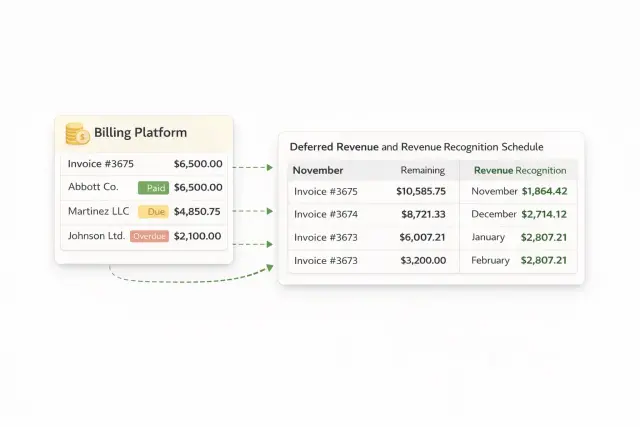
Unified AI ERP and accounting software designed for mid-market businesses that are tired of “app fatigue.” By bundling accounting (Sky), HR/Payroll (Ray), and CRM (Zip) into a single ecosystem, Gridlex ensures that a sale in your CRM automatically triggers an invoice in your ledger and calculates a commission in your payroll—no third-party connectors required.

Its Autonomous Profitability Engine uses AI to map every dollar of expense—down to the specific employee hour—against real-time revenue to give you a true “Unit Economics” view of your business.
Gridlex best features

  • Share data across CRM, HR, and Accounting so your AI insights are based on the entire business
  • Automatically handle complex multi-element revenue recognition (SaaS, subscriptions, and milestones) to ensure GAAP compliance without manual spreadsheets
  • Automatically distribute overhead and indirect costs across departments or projects for hyper-accurate P&L statements using patented algorithms
  • Easily build custom automated workflows (e.g., “If an invoice is 10 days late, notify the Account Manager in the CRM and pause the subscription”)

Gridlex limitations

  • Because it handles everything from HR to Accounting, the UI can feel dense and “enterprise-heavy” compared to simpler tools like Indy
  • New users often require 2–4 weeks of dedicated onboarding to master the cross-functional automations

Gridlex pricing

  • Start: $10/month per user
  • Grow: $30/month per user
  • Scale: Contact for pricing

Gridlex ratings and reviews

  • G2: Not enough reviews
  • Capterra: Not enough reviews

8. Booke

Booke mobile and desktop views
via Booke

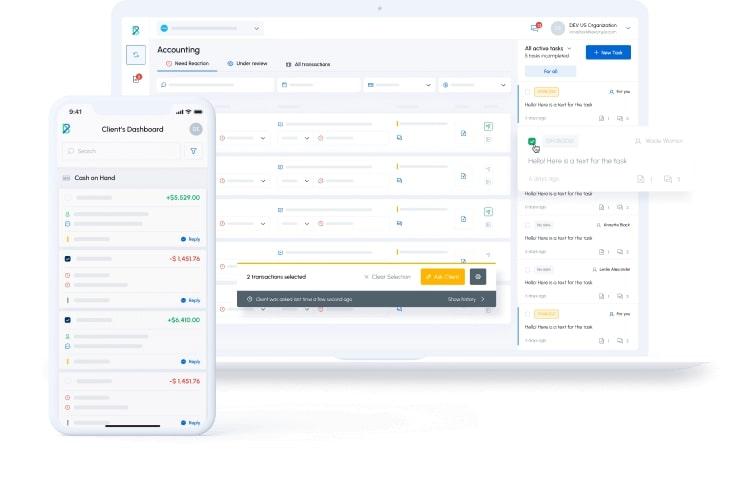
Booke is a bookkeeping automation tool that makes daily accounting tasks easier. It uses AI technology to reconcile errors and provide real-time data extraction. The more you use it, the better the AI becomes.

While standard tools use basic rules, Booke leverages Isolated AI Brains—proprietary GPT-4 models trained exclusively on an individual client’s data. This ensures that the AI understands the unique context of your specific business without mixing it up with others.

Booke has expanded into a full Robotic AI Bookkeeper capable of handling 95% of transactions autonomously, leaving only the most complex edge cases for human review.
Booke best features

  • Leverage AI to resolve coding errors, categorize transactions, communicate with clients, and automate your work
  • Increase efficiency with AI-powered automation for month-end close tasks
  • Find and fix errors in seconds with Booke’s advanced error detection features
  • Automatically ping clients for missing info (like a blurry receipt) and updates the books the moment they respond.

Booke limitations

  • The interface is built heavily for accounting firms; solo business owners might find the feature set more than they need
  • Some users report a “steep” initial setup, including a non-refundable $50 enrollment fee to train your first AI Brain

Booke pricing

  • Smart: $10/month per client
  • Premium: $20/month per client
  • Enterprise: Contact for pricing
  • Robotic AI Bookkeeper: Contact for pricing

Booke ratings and reviews

  • G2: Not enough reviews
  • Capterra: Not enough reviews

9. Blue Dot

Screenshot of Blue Dot's dashboard
via Blue Dot

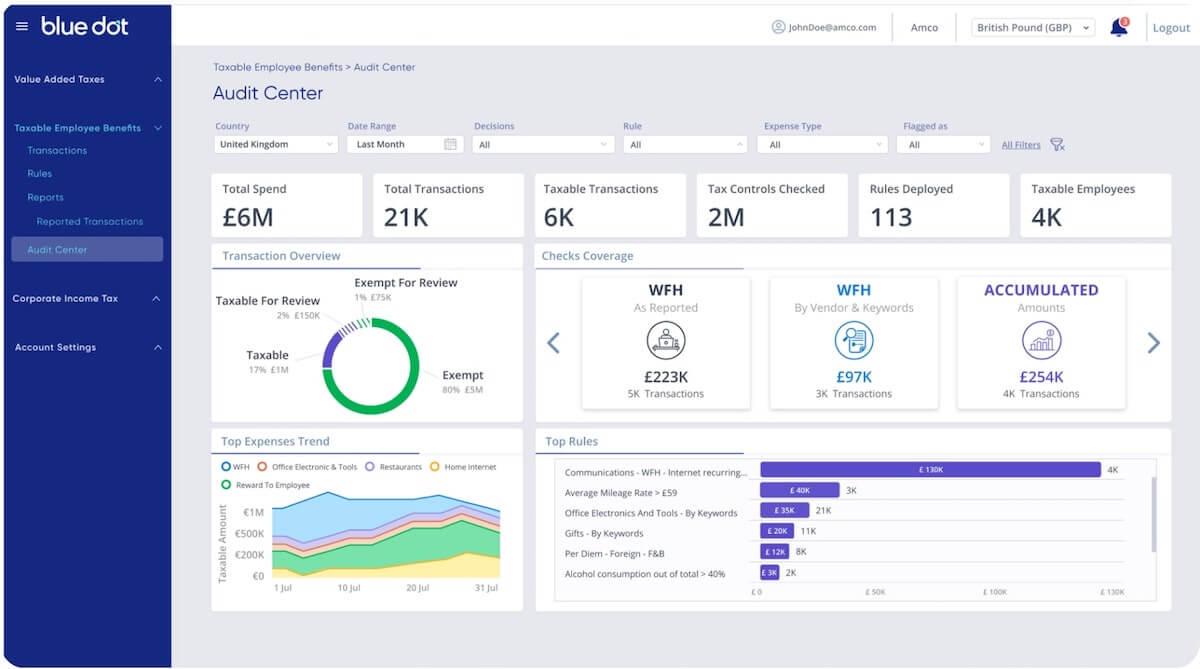
Blue Dot is an AI tax compliance platform that uses patented technology to help businesses ensure tax compliance. Reduce tax vulnerabilities for consumer-style spending and get a 360-degree view of all employee-driven transactions.

Use the tax knowledge base to find any information you need for your business and harness the power of natural language processing to leverage external data.
Blue Dot best features

  • Use VATBox to identify and calculate any eligible or qualified VAT spending
  • Let the Taxable Employee Benefits feature leverage AI to detect and analyze wage tax information
  • Improve your expense management workflow and let Blue Dot’s proprietary AI-driven suite apply checks and tax rules to keep your business compliant
  • Create corporate income tax reports that ensure compliance with minimal need for human input

Blue Dot limitations

  • Can be challenging to get an idea of general customer experiences due to a lack of user reviews on popular platforms
  • No public pricing: requires a custom quote based on transaction volume and complexity

Blue Dot pricing

  • Custom pricing

Blue Dot ratings and reviews

  • G2: Not enough reviews
  • Capterra: Not enough reviews

10. Truewind

Truewind is an AI-driven finance and bookkeeping platform that empowers small businesses and startups. It provides accurate monthly reports and tailored financial solutions for your industry.

It is specifically built for venture-backed startups and complex businesses (like family offices or POS-heavy retailers).

Users also receive access to Truewind’s concierge team of experts to ensure precision and transparency in their accounting.

Truewind best features

  • Automatically compare your current month to historical patterns and generate a report explaining anomalies (e.g., “Software spend increased 12% due to a new seat at AWS”)
  • Make timely, informed business decisions with faster monthly close times and efficient bookkeeping
  • Contact and work with certified public accountants (CPAs) who can assist you with every step of your business’s financial processes
  • Keep back-office operations accurate with minimal hands-on time so you can put your focus on growing your operation
  • Simplify bookkeeping processes and integrate them with the tools you use to make financial management stress-free

Truewind limitations

  • Because it’s a “black box” service (software + humans), you have less granular control over the specific AI prompts used for your books

Truewind pricing

  • Custom pricing

Truewind ratings and reviews

  • G2: Not enough reviews
  • Capterra: Not enough reviews
Summarize this article with AI ClickUp Brain not only saves you precious time by instantly summarizing articles, it also leverages AI to connect your tasks, docs, people, and more, streamlining your workflow like never before.
ClickUp Brain
Avatar of person using AI Summarize this article for me please

Maximize Efficiency and Accuracy With AI

The integration of AI software has changed the accounting and finance industries.

AI tools use automation to improve the accuracy and speed of financial reporting, offering valuable insights to help you make better decisions. 🌻

If you’re ready to streamline your financial processes, reduce costs, and improve efficiency for all things financial management, it’s time to embrace digital transformation.

Get started today—sign up for ClickUp!

Everything you need to stay organized and get work done.
clickup product image
Super Agents

Still downloading templates?

There’s an easier way. Try a free AI Agent in ClickUp that actually does the work for you—set up in minutes, save hours every week.





