






Still downloading templates?
There’s an easier way. Try a free AI Agent in ClickUp that actually does the work for you—set up in minutes, save hours every week.
Sorry, there were no results found for “”
Sorry, there were no results found for “”
Sorry, there were no results found for “”


Most teams evaluating AI CRM tools are not starting from zero.
You already have a CRM, automation rules, reporting tools, and a growing list of AI add-ons. The real challenge is not adding more intelligence, but keeping sales activity and AI outputs in sync as work happens. When that breaks, forecasts drift, and actionable insights arrive too late to matter.
This is where AI CRM tools need to be evaluated differently. Beyond feature checklists, the real test is whether AI updates your CRM as a byproduct of work rather than as an extra step.
In this article, you will see how AI CRM tools handle task creation and real-time visibility, and what actually matters when choosing one that supports execution.
Here’s a quick snapshot of the leading AI CRM tools and what each one is best suited for.
| Tool | Key features | Best for | Pricing* |
| ClickUp | AI-powered task creation and prioritization with ClickUp Brain, automated deal tracking using Custom Statuses and Automations, real-time CRM Dashboards with AI Cards, built-in Docs, Chat, Forms, and deep integrations with email, Slack, and Zoom | Teams looking for an all-in-one AI CRM that connects sales execution, automation, and visibility in a single workspace without tool sprawl | Free forever; Customizations available for enterprises |
| HubSpot CRM | Deal auto-updates from existing records, custom pipelines with rules and approvals, shared inbox for support, Breeze AI for content creation, chatbots and task queues | Teams that want an all-in-one CRM with sales, marketing, and service tightly connected | Free plan available; Paid plans start at $20/month per seat |
| Salesforce CRM | Einstein AI for lead scoring and activity capture, Data Cloud for unified customer data, generative AI with natural language queries, CRM Analytics with Tableau, enterprise-grade security | Large or growing teams with complex sales models and cross-team workflows | Free trial available; Paid plans start at $25/month per seat |
| Nimble CRM | Unified contact records with social and email context, Prospector browser extension, AI-assisted messaging, built-in newsletters and engagement tracking | Relationship-driven sales teams focused on outreach and contact context | Free trial available; Paid plans start at $29.90/month per seat |
| Copper CRM | Native Google Workspace integration, drag-and-drop pipelines, AI deal alerts, workflow automation, project linking after deal close, AI email rewriter | Google Workspace–centric teams that want a lightweight, easy-to-use CRM | Free trial available; Paid plans start at $12/month per seat |
| Pipedrive CRM | Visual pipelines, AI Sales Assistant for deal insights, AI-powered reporting via prompts, deal rot alerts, website visitor tracking | Sales teams that want strong pipeline visibility and simple AI guidance | Free trial available; Paid plans start at $19/month per seat |
| Close CRM | Built-in calling, SMS, and email with automatic activity logging; AI note-taking with call transcription and summaries; multi-channel sequences with engagement-based lead prioritization | Sales teams focused on fast follow-ups and high-volume outreach without CRM complexity | Free trial available; Paid plans start at $19/month per seat |
| Nutshell CRM | AI timeline summaries for people, companies, and leads; call transcription summaries from Zoom, Meet, Teams, and Click-to-Call; AI agents like Sales Objections Coach; built-in reporting | Teams that want clear customer context and practical AI help during sales conversations | Free trial available; Paid plans start at $19/month per seat |
| monday.com CRM | Customizable visual CRM built on Work OS; monday sidekick AI for emails, pitches, and task organization; tight integration with work management tools; forms and quote management | Teams that want to manage sales and day-to-day work in one flexible system | Free plan available; Paid plans start at $18/month per seat |
| Apollo.io | 210M+ B2B contacts and 30M+ companies; advanced filtering and sales intelligence; AI-driven enrichment and outreach personalization; Chrome extension; CRM sync | B2B teams focused on prospecting, enrichment, and outbound at scale | Free plan available; Paid plans start at $59/month per user |
| Zendesk Sell | Prospect database with millions of business and contact records; structured outreach with email sequences and task automation; revenue forecasting and customizable dashboards; native integration with Zendesk Support | Teams that want sales and support data connected and structured outreach without losing context | Free trial available; Paid plans start at $25/month per user |
| Freshsales CRM | 360° customer view across channels; Freddy AI for lead intent scoring and deal prioritization; AI-written emails and sequences; visual pipelines and workflow automation | Sales teams that want built-in AI guidance and multichannel communication in one CRM | Free plan available; Paid plans start at $11/month per seat |
| Keap | Lead capture through forms and landing pages; AI-assisted email and SMS content creation; visual automation builder for lead nurture, scheduling, and payments; built-in invoicing | Small businesses and solopreneurs that need lead nurturing, automation, and payments in one system | Free trial available; Paid plans start at $299/month |
| Attio CRM | Flexible data models with graph-based relationships; AI for company research and insight extraction; native AI call transcription with buying signal detection; real-time collaboration with shared notes and templates | Teams that need a highly flexible, relationship-driven CRM for modern GTM workflows | Free plan available; Paid plans start at $36/month per seat |
| Zoho CRM | Zia AI assistant for commands, insights, and forecasting; built-in analytics and BI dashboards; omnichannel customer communications across email, phone, social, and chat; visual Blueprints and Canvas customization | Teams that want a full-featured CRM with strong automation and customization at a lower price point | Free plan available; Paid plans start at $20/month per user |
Our editorial team follows a transparent, research-backed, and vendor-neutral process, so you can trust that our recommendations are based on real product value.
Here’s a detailed rundown of how we review software at ClickUp.
Before diving into capabilities, it’s worth understanding the baseline. A standard CRM implementation typically includes forms for lead capture, as well as views and dashboards to organize contacts and visualize deals.
These features help you manage data, but they still depend largely on manual updates and static insights. Now, let’s look at what AI-powered CRM systems bring beyond this foundation and how they help you move from tracking information to driving real sales process improvement.
To help you decide, we’ve evaluated each AI-powered CRM system on features, strengths, pricing, and user reviews.
You already use AI to draft emails and analyze deals, but it operates in isolation. The problem is that your AI tools don’t know your pipeline, and your CRM remains disconnected from real sales activity.
ClickUp solves this by bringing AI and sales execution into one converged AI workspace. AI works directly on your leads, tasks, and follow-ups, using the same data your team updates every day. As deals progress, work updates automatically, and visibility stays intact. This reduces work sprawl and turns AI from a separate layer into a practical part of how you actually sell.
Let’s look at how ClickUp CRM Project Management Software uses AI inside your sales workflow to reduce manual updates and missed follow-ups.
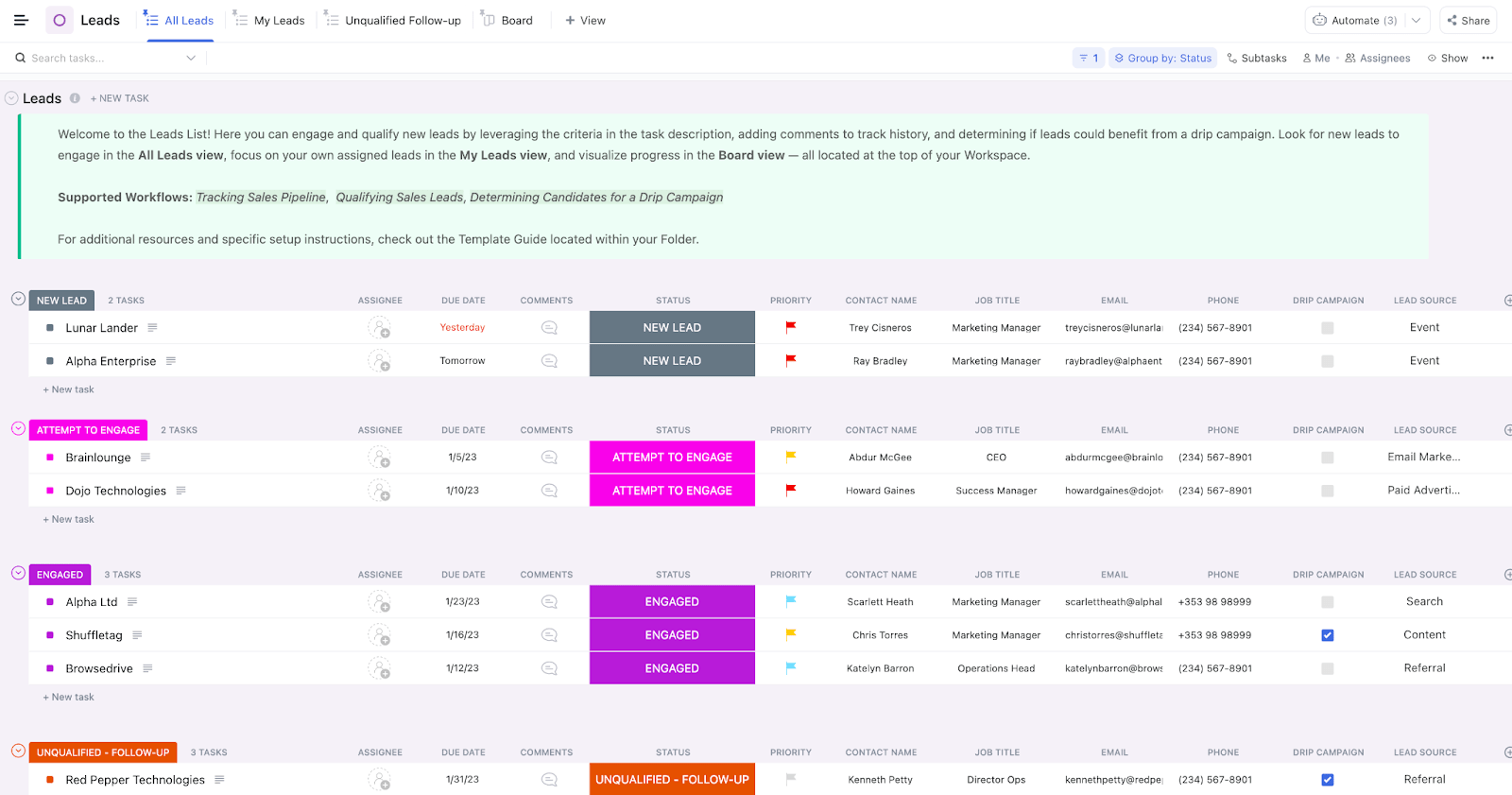
Start building your CRM in ClickUp that matches how you sell. Each deal becomes a ClickUp Task enriched with Custom Fields like deal value, win probability, account owner, renewal date, and source.
Additionally, define deal stages using Custom Task Statuses, such as Lead, Qualified, Demo Scheduled, Proposal Sent, and Closed, to reflect real buying signals. Then filter to find high-value deals at risk and sort by close date to focus on near-term revenue.
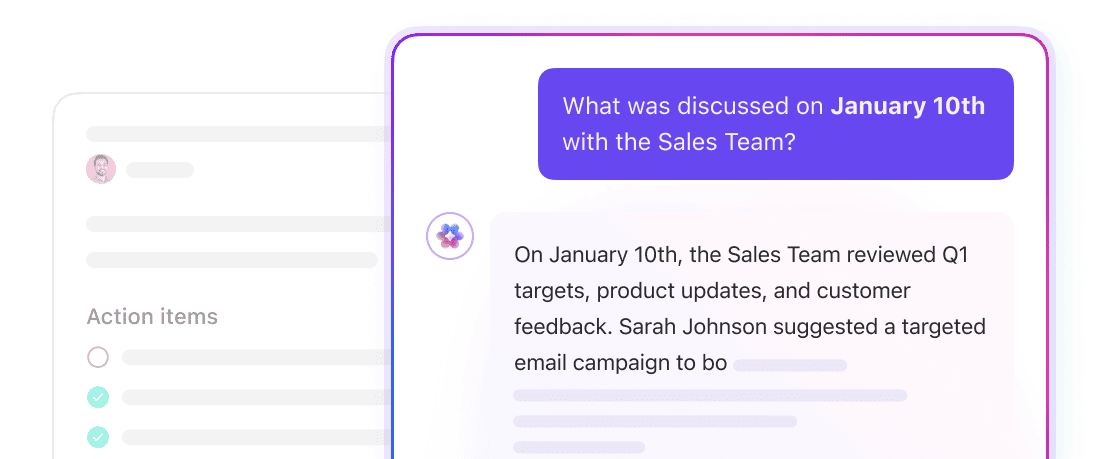
Alongside this, ClickUp Brain, an in-built AI assistant, reduces the manual work that usually follows sales workflows and conversations. When you add meeting notes or deal context, this AI can generate structured tasks with clear titles, relevant subtasks, suggested assignees, and due dates.
As your pipeline progresses, AI helps prioritize follow-ups based on urgency, workload, and deal stage to help you execute the right actions at the right time.
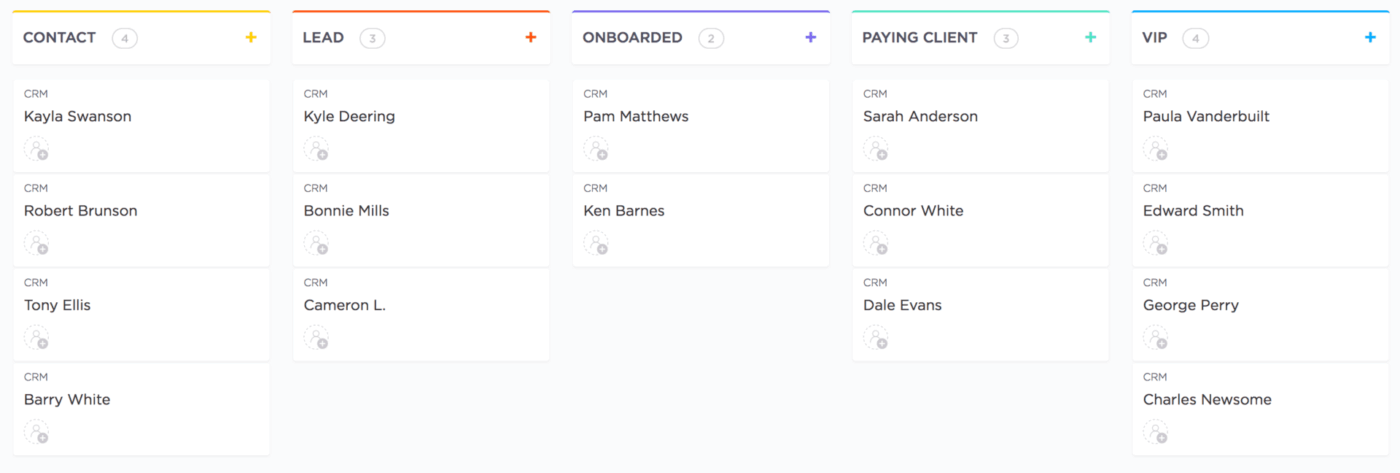
💡 Pro Tip: Use ClickUp’s 15+ Custom Views to manage sales pipelines and customer engagement in the format that fits each task. Switch between List for detailed account tracking, Kanban for pipeline flow, and Table view for quick comparisons to always see your CRM data in the most useful way.
In a CRM workflow, the same actions repeat constantly. ClickUp Automations handle these repetitive steps for you, so your pipeline stays accurate as work happens. These automations are rule-based. You can define the trigger and the action, and ClickUp executes it exactly as instructed.
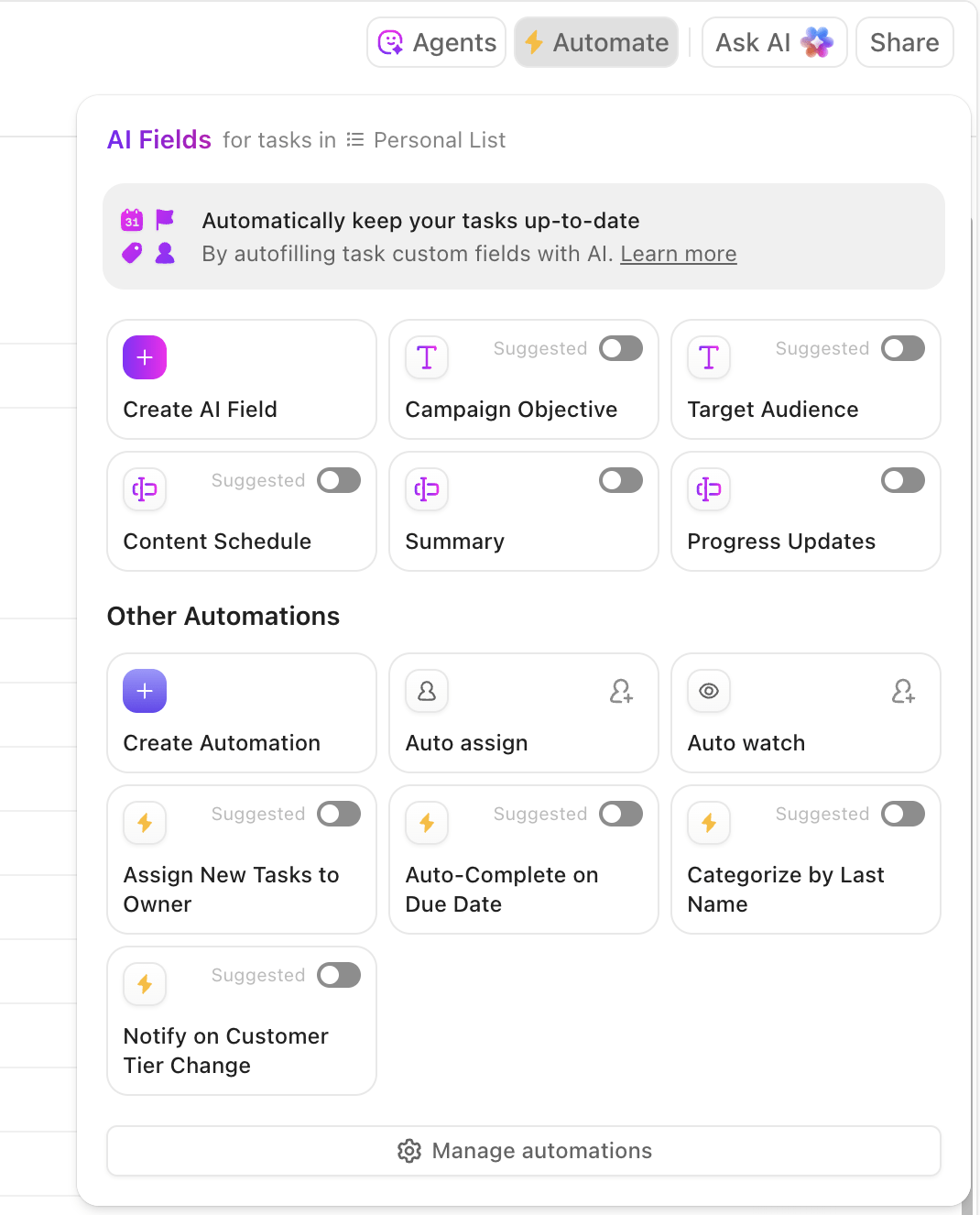
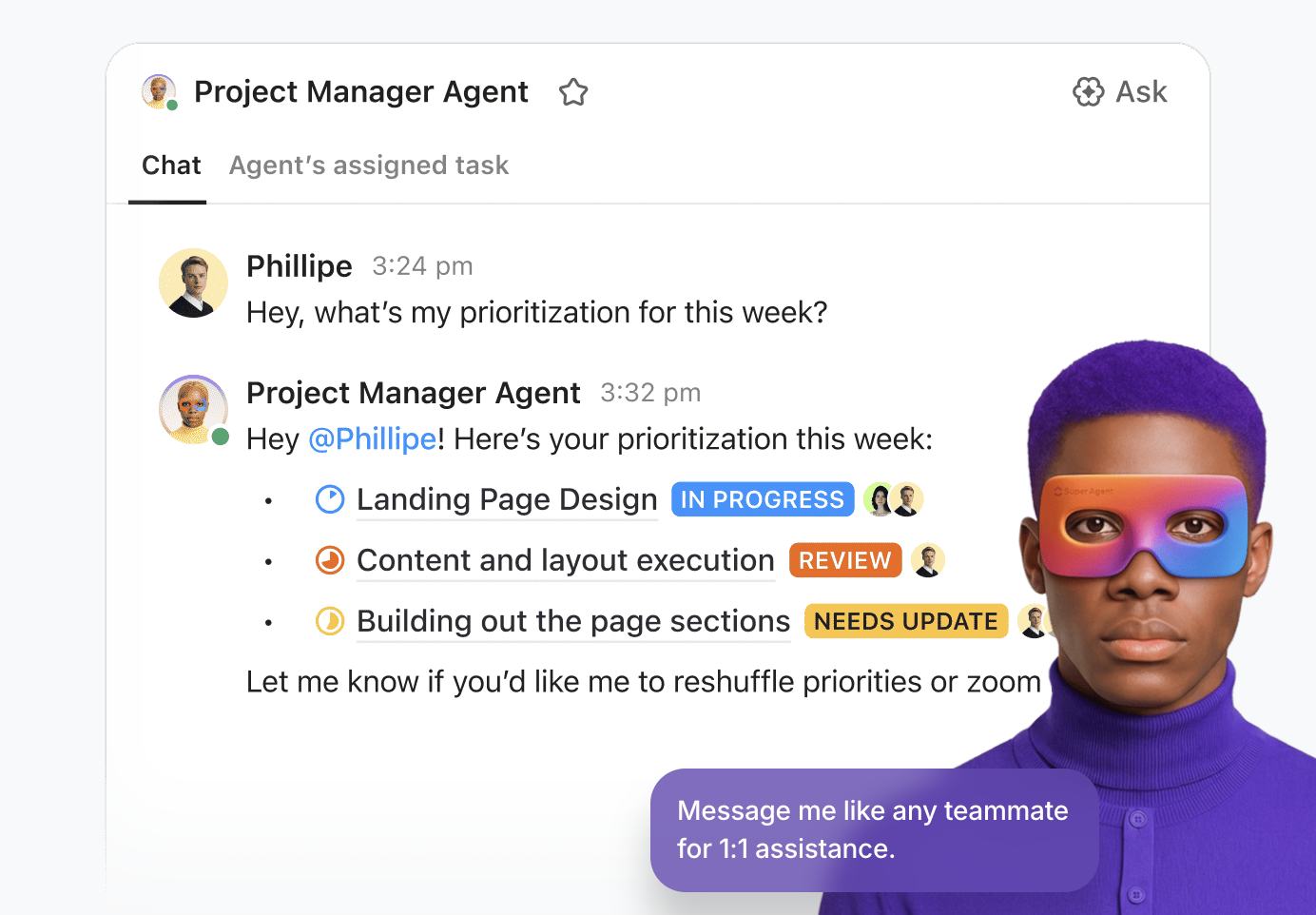
ClickUp Super Agents take this a step further. They observe what is happening across your CRM and act autonomously based on your pre-set requirements and guardrails.
An Agent in ClickUp can assign tasks when they see a deal stall and summarize recent activity before a review. It can even notify you when follow-ups are missed or answer questions like “Which deals need attention this week?” using live pipeline data.
Following up consistently is hard when writing emails takes time and context lives across tools. With ClickUp Brain, draft follow-up emails using deal context like stage and last interaction to keep messages relevant.

You can even generate outreach messages after a demo or refine tone before sending, while staying inside your CRM. Because AI works from live deal data and task activity, your follow-ups stay timely and aligned with what is actually happening in the pipeline rather than relying on generic templates.
ClickUp Dashboards give you a single view of how your sales pipeline is performing while showing how your team is moving deals forward. You can track KPIs like total pipeline value, deal value by stage, win rates, close dates, and stalled opportunities.
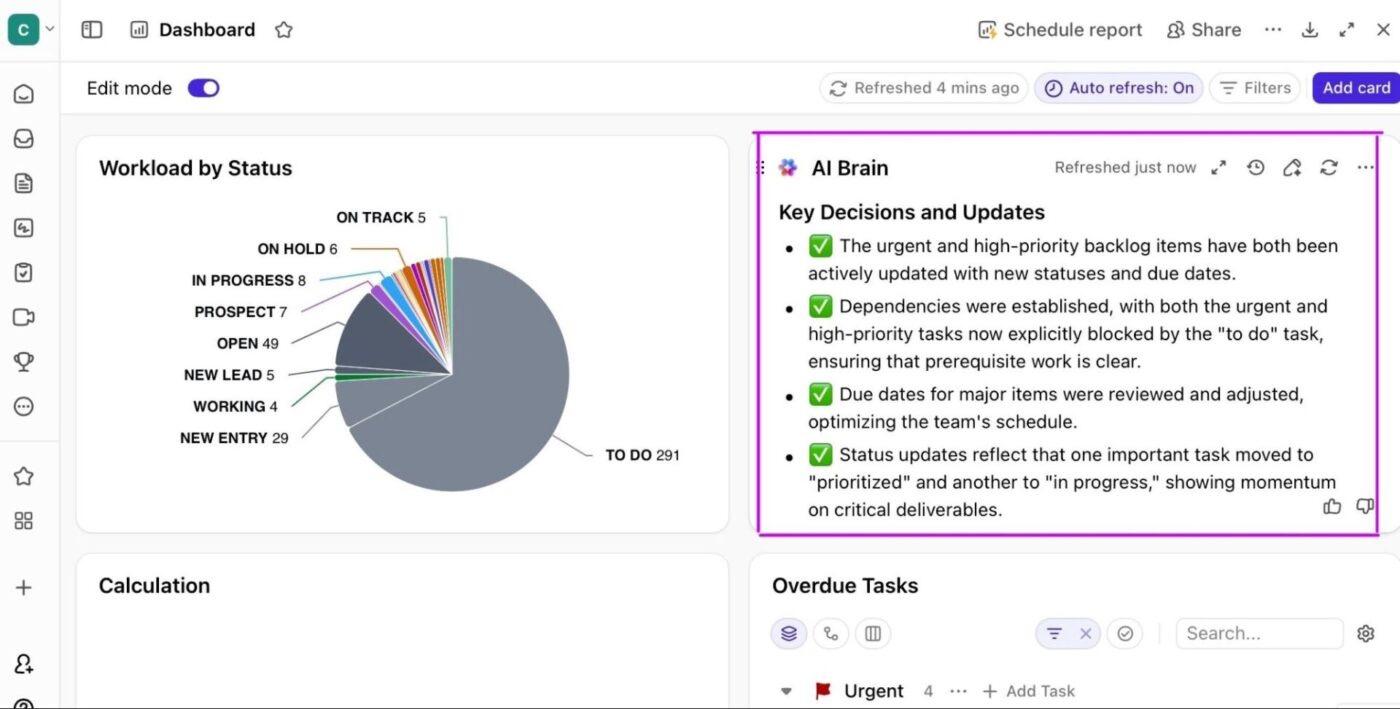
Plus, AI Cards add context on top of your pipeline data by summarizing progress and risk directly from ongoing sales work. These summaries help you identify stalled deals or uneven workload without reviewing every task or report.
ClickUp offers plenty of free CRM templates that help you get started quickly without designing everything from scratch. A good example is the ClickUp CRM Template, which gives you a ready-made structure for managing leads, contacts, and deal progress in one place.
This template comes with preconfigured statuses, Custom Fields, and multiple Views to manage your sales process clearly. You can organize accounts with relevant context and visualize your pipeline without setting up every component manually.
A G2 user says:
ClickUp’s sheer flexibility is its greatest strength. As someone managing cross-functional initiatives in a fast-growing AI SaaS company, I appreciate how it consolidates tasks, docs, goals, chat, and even lightweight CRM-like pipelines into a single platform. The ability to switch between List, Board, Calendar, and Gantt views without duplicating data saves enormous time. Custom fields, automations, and Dashboards let us mirror our exact sales and product workflows
👀 Did You Know? More than 2 million customers now use ClickUp AI to get work done. That number has tripled in the past year, growing from about 665,000 to 2M+ workspaces using AI-powered workflows.
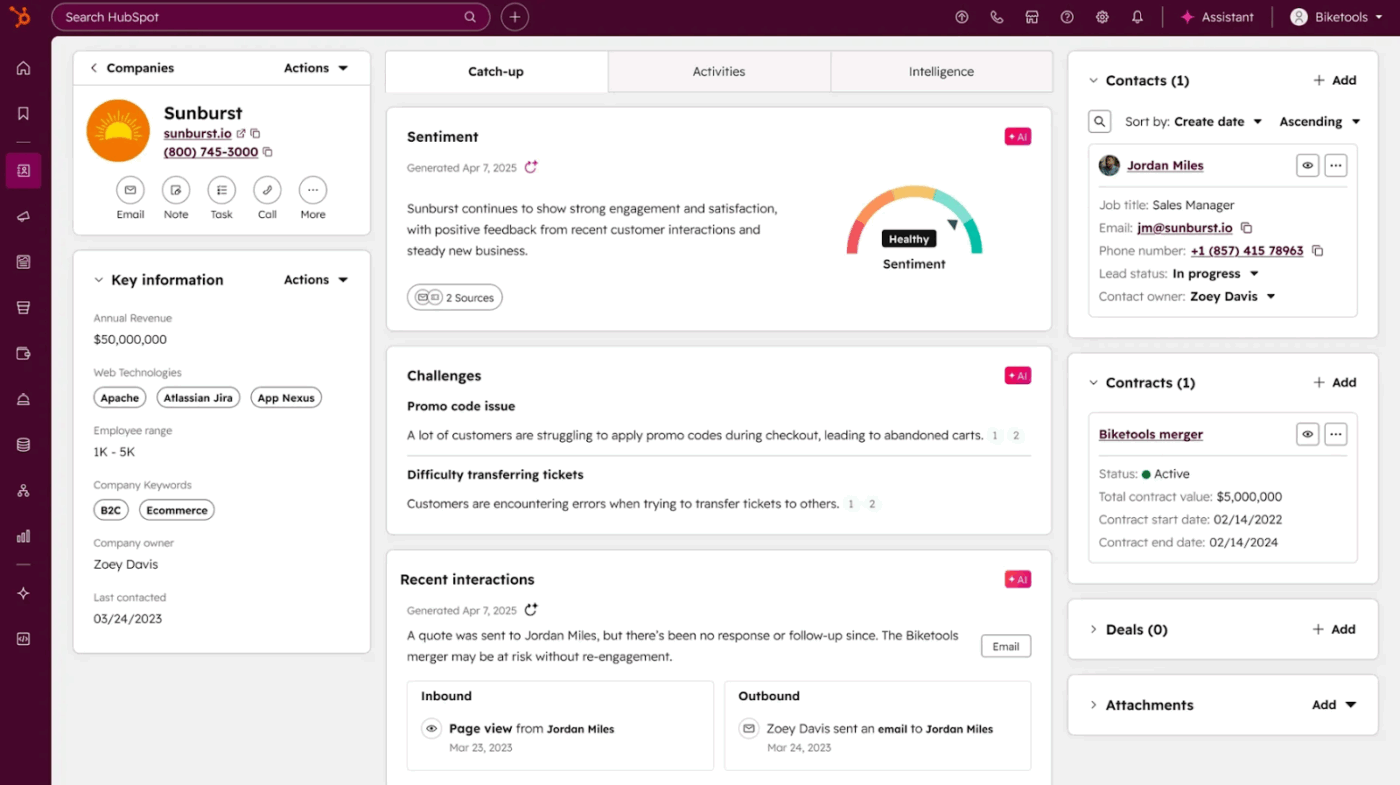
HubSpot CRM is a cloud-based CRM platform that serves as the core of the HubSpot ecosystem.
The platform automatically updates deal records when related contacts or activities change. Additionally, calendar syncing, real-time activity tracking, and a structured task queue help ensure the next action for each prospect is clearly visible.
The tool also includes the Breeze AI assistant, which uses your CRM data and business context to help you prepare for meetings and create content.
You can use Breeze to generate emails, blogs, website copy, and social media posts directly inside HubSpot. Then refine and reuse that content across channels to scale sales and marketing efforts without adding extra resources.
A Capterra user says:
My overall experience with HubSpot CRM has been excellent. It’s a reliable, intuitive platform that has streamlined our customer relationship management and sales processes. The automation features and seamless integrations have significantly boosted our team’s productivity.
👀 Did You Know? CRM did not start with software. In the 1980s, Robert Kestenbaum and Kate Kestenbaum laid the groundwork through database marketing. They used customer data and statistical analysis to predict behavior, introducing concepts such as customer lifetime value and channel management that still shape how CRM systems operate today.
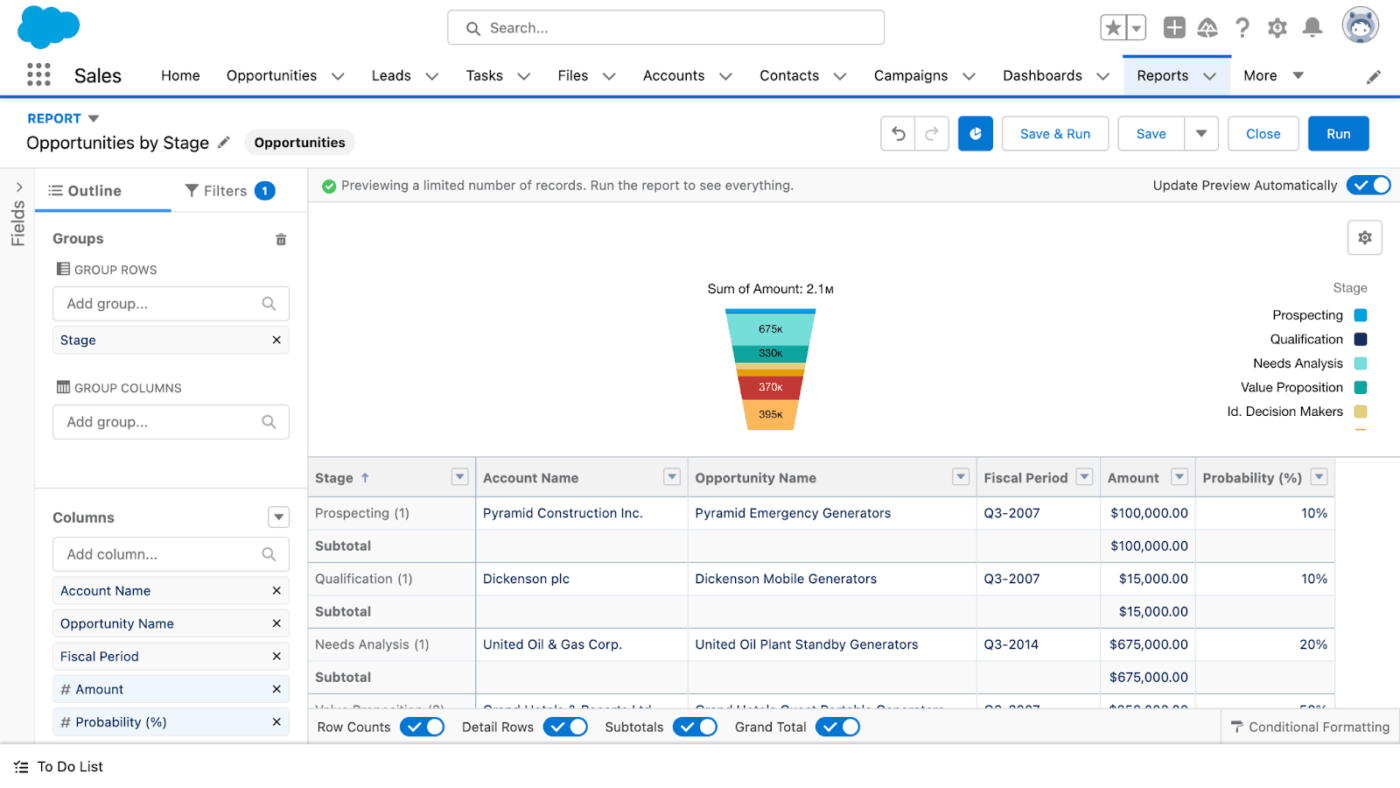
Salesforce CRM helps businesses handle complex needs while keeping customer data and teams connected across the organization.
The CRM offers a built-in AI layer called Einstein that works directly on your CRM data. It can score leads and opportunities and even surface changes in the pipeline or performance.
Combined with Salesforce’s generative AI capabilities in Einstein and natural language interaction, users can ask questions in plain language to generate personalized content, draft customer communications, and receive AI-driven recommendations directly within the CRM.
The platform also includes Data Cloud, which combines customer data from different sources into a single data model. This allows you to analyze behavior across channels and keep sales, service, and marketing data in sync.
A G2 user says:
Salesforce offers an extremely robust set of CRM tools that help manage sales pipelines, customer data, and relationships in one centralized platform. Its customization capabilities, automation tools, and detailed reporting make it adaptable to businesses of all sizes.
Building a CRM? Watch this video to avoid common mistakes and keep your CRM implementation on track from the start 🎯
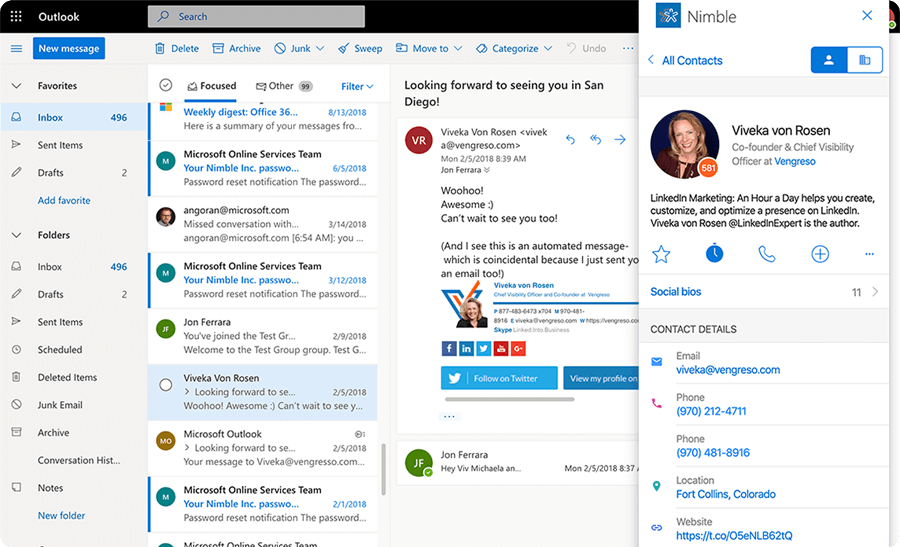
Nimble CRM is a relationship-focused CRM designed to keep all your contact information easy to access. Each contact record brings together emails, calendar activity, social profiles, and interaction history in one place to help you have the full context before reaching out to prospects.
Nimble Prospector, a browser extension, works directly within LinkedIn, Twitter, Facebook, Gmail, Outlook, and standard web pages. This allows you to add and update contacts without leaving the page you are on. Nimble then matches and updates social and business data automatically, reducing manual research and helping keep contact records accurate.
When you want to send newsletters or personalized outreach, the tool lets you do it directly from the CRM. The AI helps draft messages and templates using your intent and the context of each contact. With built-in engagement tracking capabilities, you can see what resonates with your leads and refine your outreach over time.
A Capterra user says:
Nimble is simple to use, solution oriented and affordable for growing businesses, like ours, that requires special focus and dedicated attention in terms of resource management. It is the solution we built around our challenges. Can be customized to suit the unique aspects of our business
🧠 Fun Fact: One of the earliest automated CRM tools came from two Texans. Pat Sullivan and Mike Muhney created ACT, short for Automated Contact Tracking. Many consider it the first true CRM, built to track customer interactions long before modern CRM platforms existed.
📮 ClickUp Insight: Only 12% of our survey respondents use AI features embedded within productivity suites. This low adoption suggests current implementations may lack the seamless, contextual integration that would compel users to transition from their preferred standalone conversational platforms.
For example, can the AI execute an automation workflow based on a plain-text prompt from the user? ClickUp Brain can! The AI is deeply integrated into every aspect of ClickUp, including but not limited to summarizing chat threads, drafting or polishing text, pulling up information from the workspace, generating images, and more!
Join the 40% of ClickUp customers who have replaced 3+ apps with our everything app for work!
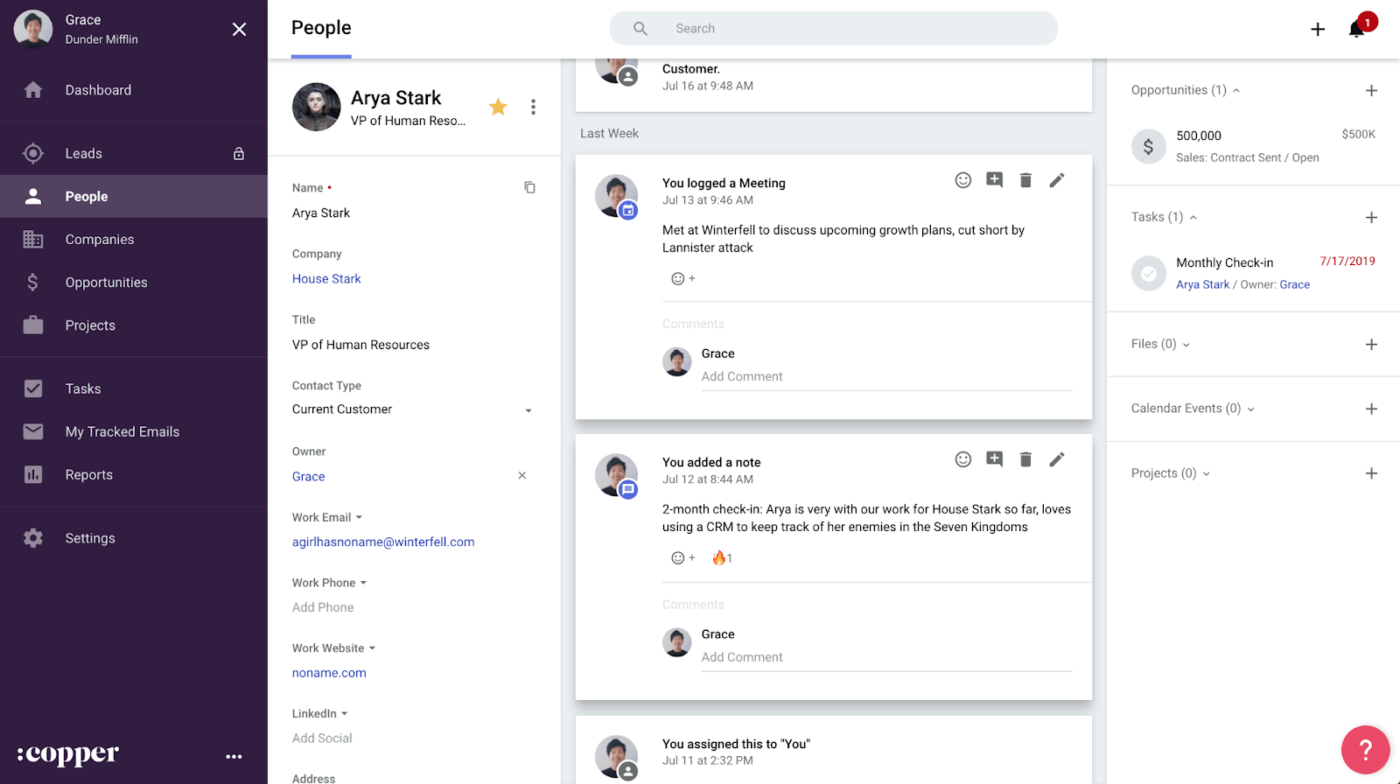
Copper CRM works natively inside Google Workspace, allowing you to manage deals and relationships directly from Gmail, Google Calendar, Drive, and other Google apps.
Drag-and-drop pipelines give you a clear view of where every lead stands, while AI-powered flags and alerts help surface deals that need attention. Built-in AI workflow automation allows you to trigger reminders or follow-up emails as opportunities move through stages.
In addition to sales tracking, you can link projects directly to closed deals, avoiding handoff documents and context loss. The tool integrates with Google Docs, PandaDoc, DocuSign, and QuickBooks to manage contracts and proposals in a single workflow.
You also get an AI rewriter that helps you refine emails with a single click. It can help you adjust the tone or improve clarity, so you can quickly polish and personalize messages without rewriting them yourself.
A G2 user says:
It is one of the best cloud-based CRMs in the market. One of its best features is that it can seamlessly integrate with Google Workspace. It is super easy to use and simple to implement. I have been using it frequently for the past 1 year now. It is a great tool to have
⚡ Template Archive: Employee Onboarding Checklist Templates in Excel & ClickUp to Standardize the Hiring Process
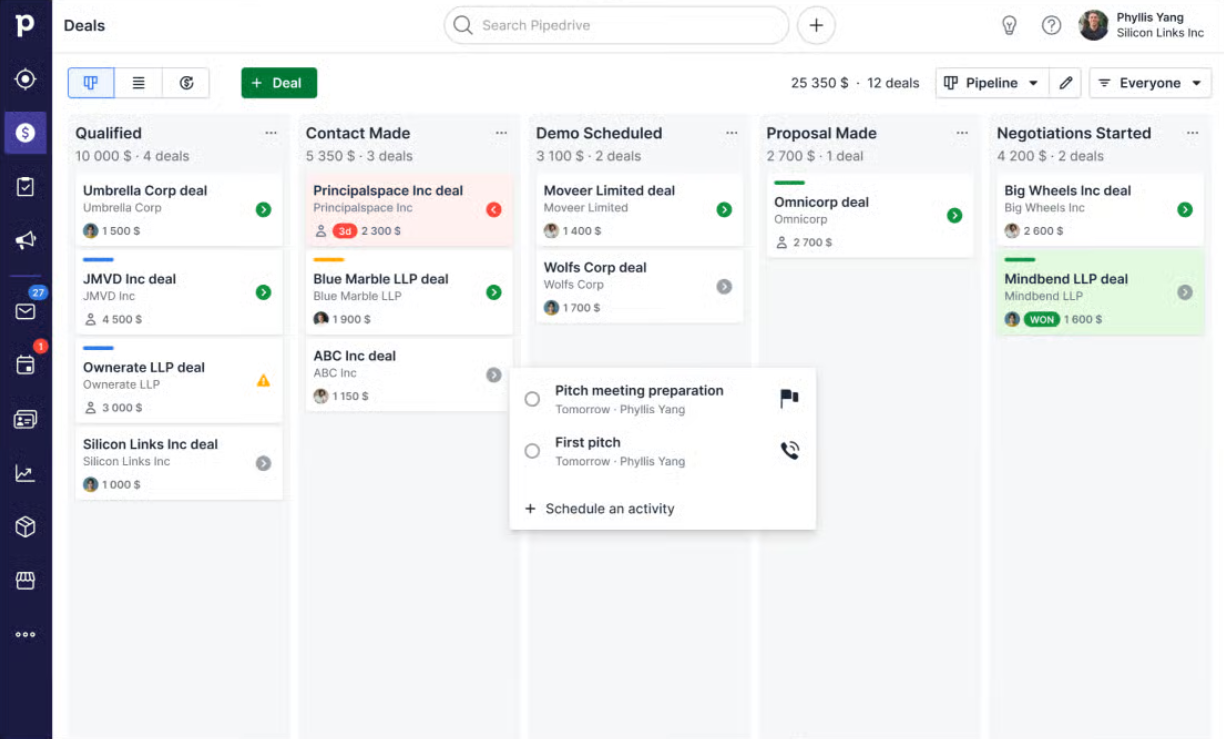
Pipedrive CRM is a sales-focused CRM built around managing deals and everyday sales work. It uses a visual pipeline where you can see every deal and move it through stages to keep track of what needs to happen next.
The built-in AI Sales Assistant helps you understand why deals are won or lost and see how performance changes over time. Using simple prompts, you can also compare progress against goals and forecasts to know where you stand and what to focus on next without relying on spreadsheets.
The tool also lets you manage email directly inside the CRM solution. The AI email writer helps you draft personalized follow-ups, and two-way sync with Gmail and Outlook automatically logs conversations. With customizable dashboards and reports, you can track progress and forecasts without spending extra time pulling data together.
A Capterra user says:
My experience with Pipedrive has been good overall. Our company decided to implement this platform to manage all the information related to clients and business and it has successfully met all our needs. I really love Pipedrive’s UX. It’s extremely intuitive and easy to use.
👀 Did You Know? Nearly 97% of businesses using a CRM meet or exceed their sales goals, while only 3% fall short. Even more telling, companies that use a CRM are 86% more likely to exceed their sales targets compared to those that do not.
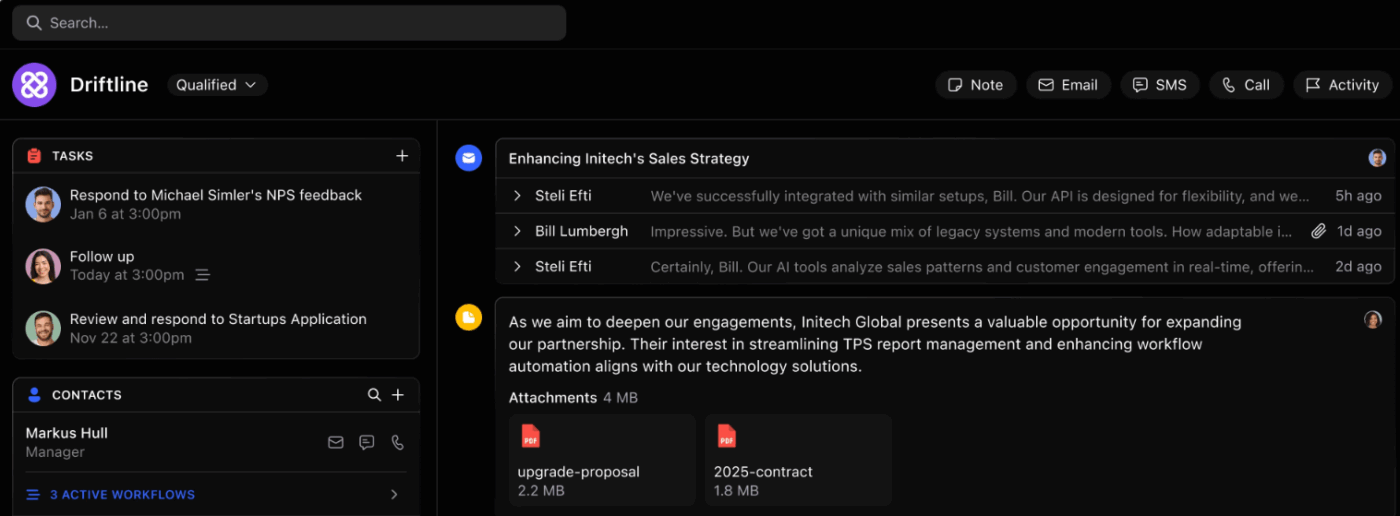
If your sales team depends on fast follow-ups and high outreach volume, Close CRM is built for how you work. It’s a sales-first CRM that helps you keep conversations and deals moving without scattered tools.
You can call, text, and email prospects directly from the platform, and every interaction gets logged automatically. It provides an AI note-taking assistant that transcribes meetings and creates summaries to help you capture key details without writing notes.
This AI tool for sales also supports structured outreach through sequences that combine calls, emails, and SMS. You can automate follow-ups across channels and create dynamic lead lists based on real engagement signals, such as recent replies or email opens. This makes it easier to focus on active prospects and prioritize conversations that are more likely to turn into closed deals.
A G2 user says:
Close makes it really easy to manage and track all communication in one place. The built-in calling, email sync, and lead tracking are seamless, and the Smart Views save a lot of time when prioritising outreach. It’s fast, intuitive, and designed around actual sales workflows, not overcomplicated dashboards.
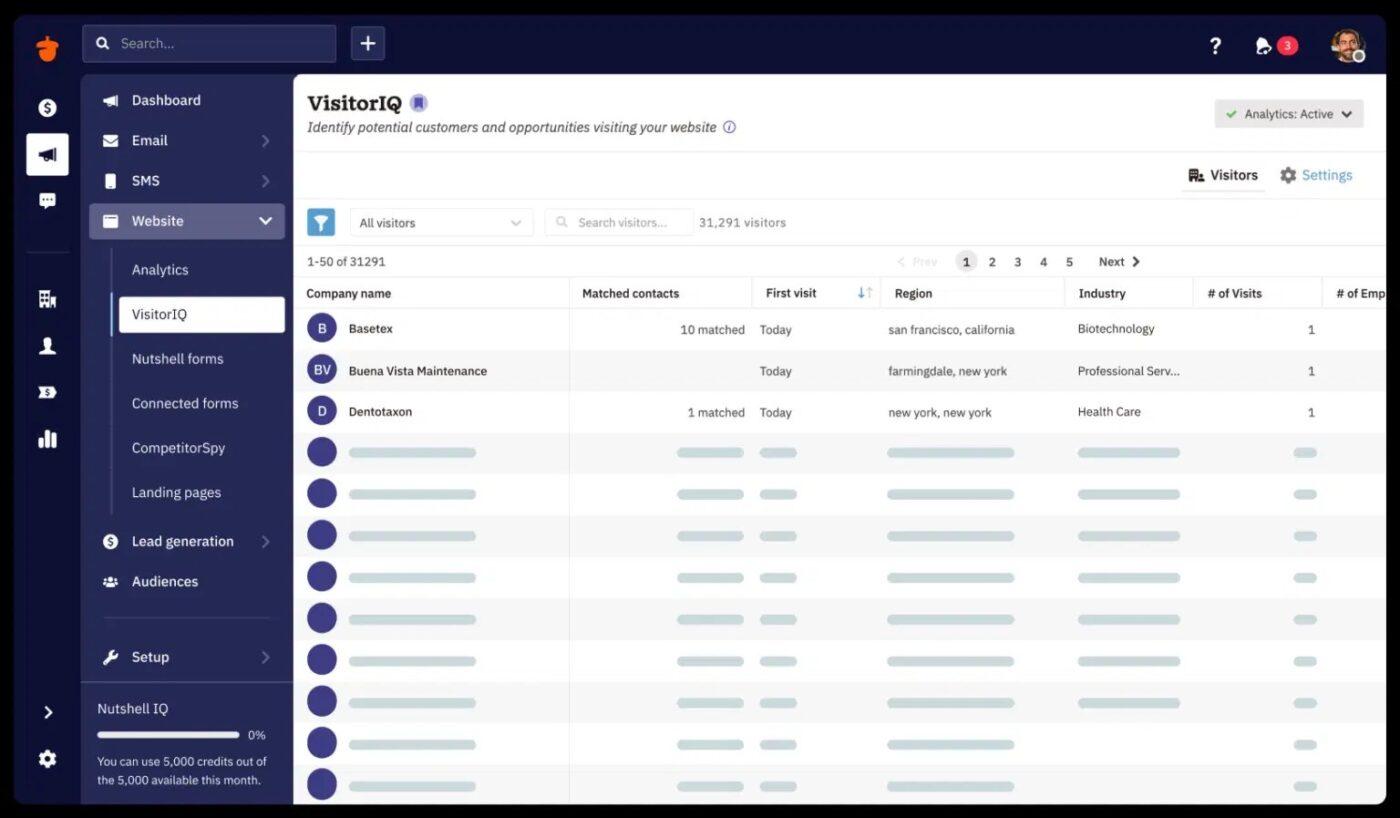
Nutshell CRM offers AI to condense large volumes of customer information into short, usable overviews. Its AI timeline summarization feature gives you accurate summaries of People, Company, and Lead timelines with key talking points and past interactions.
When calls are made through Zoom, Google Meet, Microsoft Teams, or Click-to-Call, the AI also generates summaries from call transcriptions. You can share this with your team so everyone has the same context to move deals forward.
The platform also offers different AI agents that support real sales scenarios. For example, the Sales Objections Coach helps you respond to common pushbacks with role-specific suggestions that keep opportunities from stalling.
A G2 user says:
I love Nutshell for its all-in-one functionality, which includes contact management, visual sales pipeline, emails, marketing, and web chat/text messaging, making it easy to consolidate tools.
💟 Bonus: ClickUp Brain MAX addresses a growing problem in CRM workflows: AI sprawl. Sales and service teams often use separate AI tools for writing emails, analyzing deals, searching past interactions, and automating routine tasks. Brain MAX brings these AI capabilities into one layer that works directly with your CRM data.
It delivers contextual AI across your deals, ClickUp data, accounts, and connected apps, so you are not switching tools or rebuilding context before every follow-up or review. You can search across CRM data and other tools, switch between models like ChatGPT, Claude, and Gemini, and act on actionable insights immediately by creating tasks, drafting emails, generating pipeline summaries, or preparing reports.
With voice-first features like Talk-To-Text, you can capture deal updates or summarize calls wherever you are, keeping your CRM accurate without slowing down your sales flow.
🧠 Fun Fact: A Freshworks survey shows that the top reason companies adopt a CRM is to improve customer service (35%). This is followed by boosting sales revenue (24%), while 14% implement CRM primarily to strengthen data analytics.
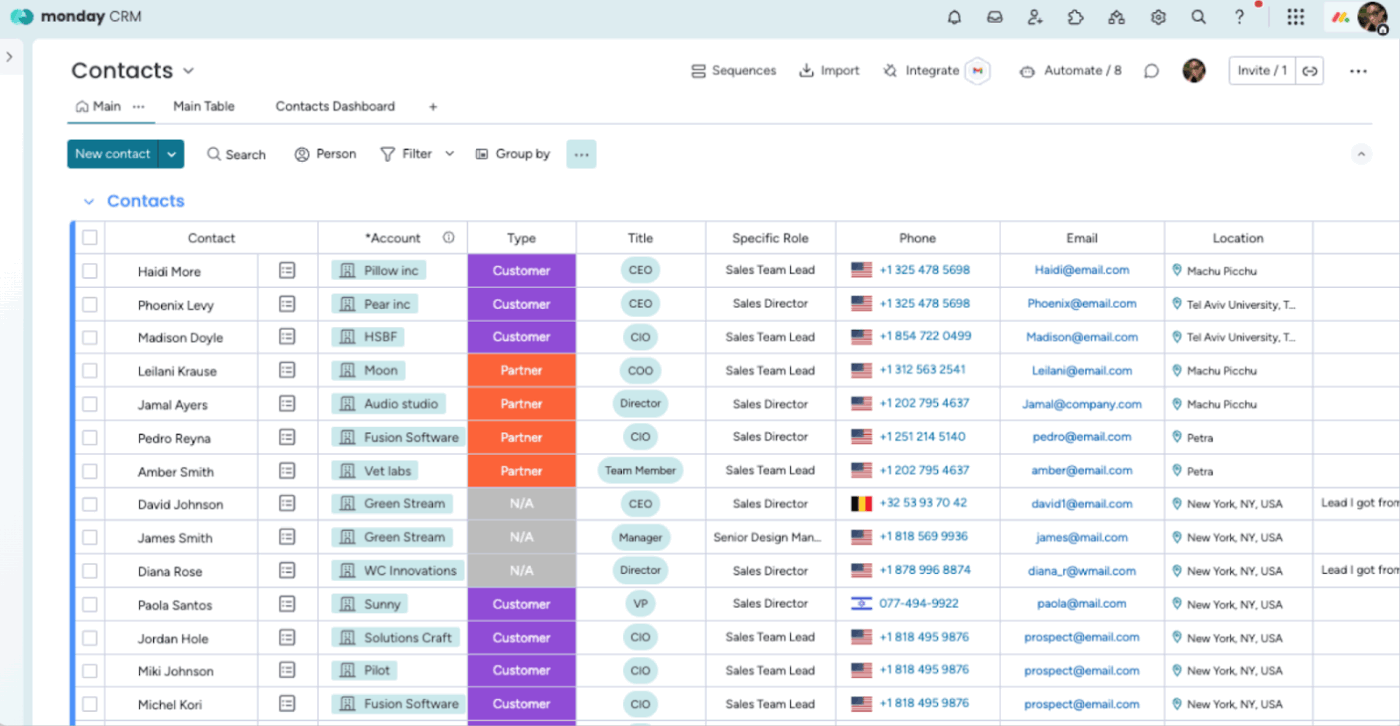
monday.com CRM gives you a visual workspace where you can customize deal stages and add or adjust columns to shape your CRM.
The platform includes Sidekick, an AI assistant that supports both sales and operations teams with everyday work. You can use it to write emails and sales pitches to prospects or vendors and pull in external information for lead enrichment or event planning. It also surfaces trends and suggests next steps based on activity.
Since the CRM connects directly with monday.com’s work management tools, you can manage sales and day-to-day work together in one connected system.
A G2 user says:
I absolutely love the emails and activities feature of monday CRM, which automatically tags emails to clients and leads, making tracking incredibly efficient. This automation, combined with the AI features, helps me extract crucial information like follow-up dates and important details effortlessly.
⚡ Template Archive: Free Onboarding Email Templates (For Clients or Employees) to Craft Engaging and Informative Emails
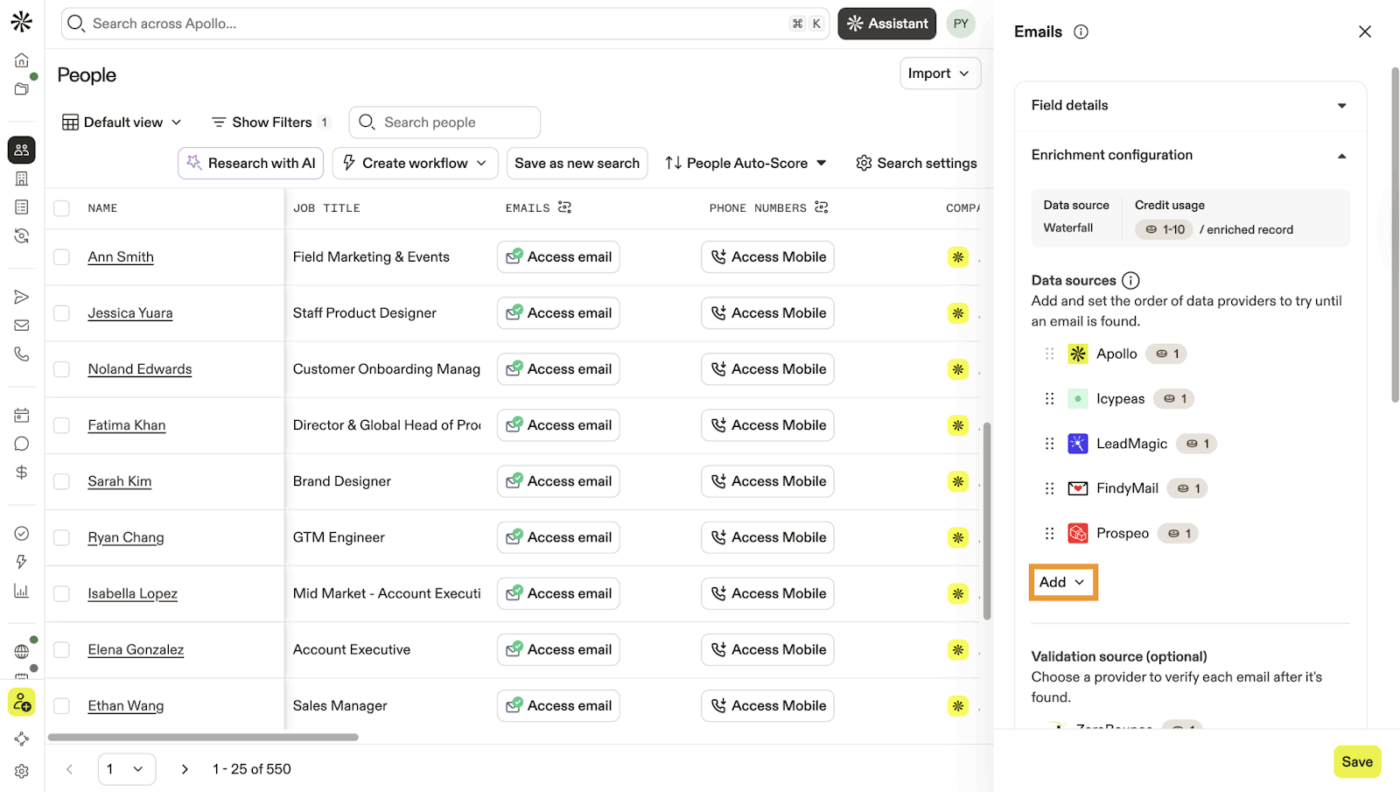
Apollo.io is a B2B customer engagement platform that brings lead generation and CRM capabilities into a single tool.
You get access to one of the largest verified B2B data networks, with over 210 million contacts and 30 million company profiles. Using advanced sales intelligence and more than 65 filters, you can narrow down prospects that closely match your ideal customer profile and build targeted lists for outreach and research.
AI capabilities support sales and marketing teams by enriching contact and company data and personalizing outreach at scale. For instance, it assists with writing and refining emails and keeping CRM records updated.
You can also use its customizable scoring engines to rank leads and accounts based on demographic and behavioral criteria to focus on the most promising opportunities.
A G2 user says:
Apollo.io is very strong for outbound and prospecting. The contact database is large and regularly updated, filters are flexible, and it is easy to build targeted lists quickly. The email sequencing and CRM integrations save a lot of time for sales and revops teams. Overall, it combines data, engagement, and workflows in one place, which improves productivity.
👀 Did You Know? CRM software is a major time saver for teams. About 43% of businesses report saving 5–10 hours of work per employee every week after adopting a CRM. Those gains mostly come from automating routine tasks (50%), centralizing customer data for faster access (46%), and streamlining timely and relevant communication with prospects and customers (41%).
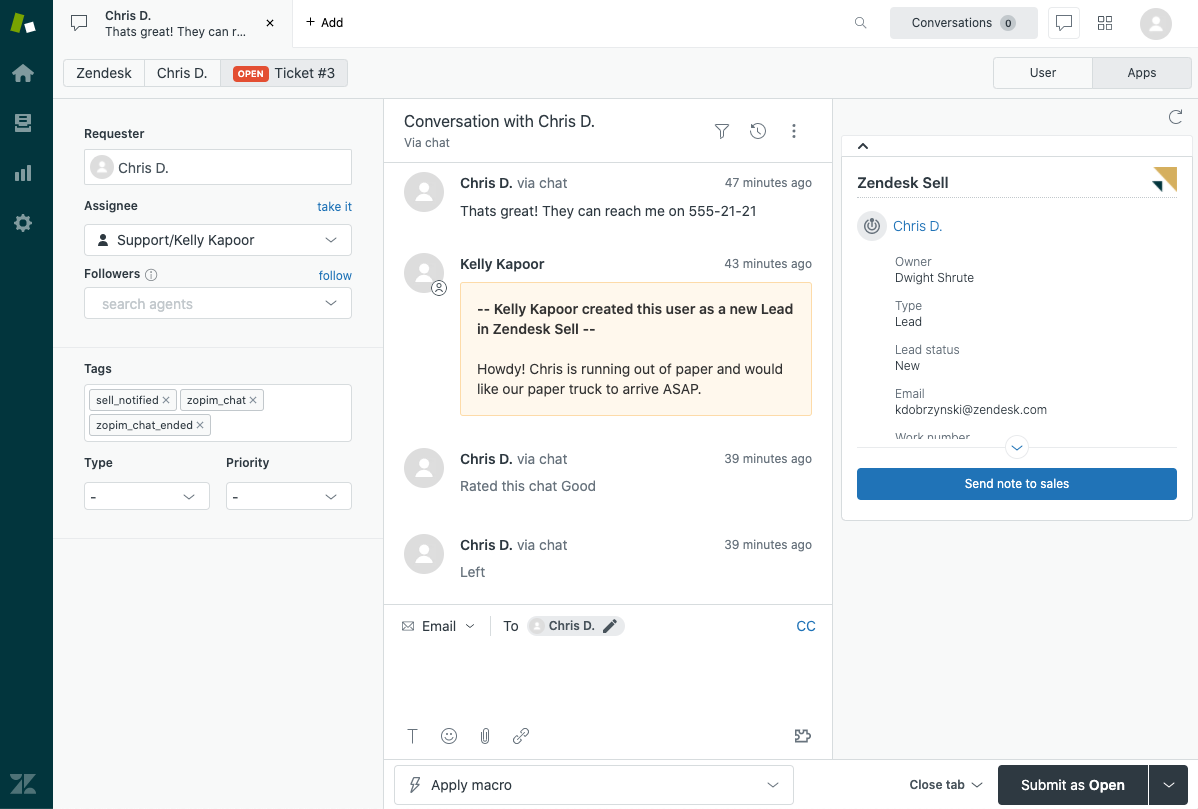
Zendesk Sell is a sales CRM within the Zendesk ecosystem that helps you find and act on new opportunities faster.
It gives reps access to a large prospect database with millions of business and contact records, making it easier to discover new opportunities. You can filter leads by criteria such as industry, location, and job title to build focused lists that match your target accounts.
This sales CRM then helps your team stay consistent with outreach without losing the personal touch. Email sequences and automated tasks let reps follow structured cadences while still tailoring messages to each prospect.
For planning and visibility, Zendesk Sell supports revenue forecasting and deal tracking through pre-built dashboards and customizable reports. Compare your sales metrics right away and use them to guide CRM strategy and team decisions.
A G2 user says:
Everything emails, chats and customer history is available in one place, which makes responding faster and more consistent. What I like most is how flexible and scalable it is. Automation macros, and clear workflows save a lot of time, and the reporting helps teams understand where improvements are needed.
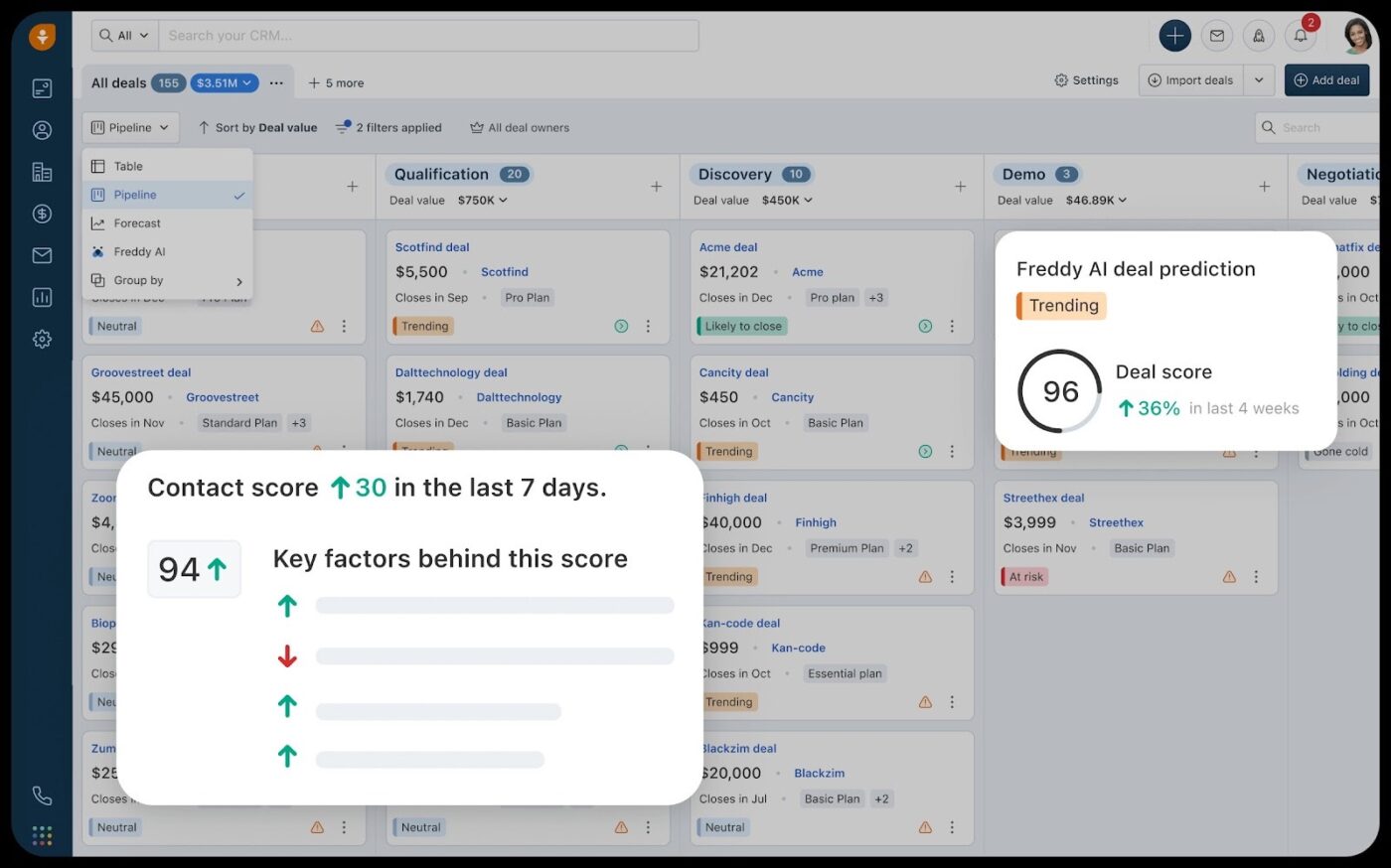
Freshsales, built by Freshworks, is a CRM that helps sales teams close deals faster through AI-powered automation and data-driven insights.
You get a clear 360° view of every customer, from past interactions to current deal status, all in one place. This makes it easier for you to reach customers on their preferred channels and continue conversations without losing context.
Freddy AI, the tool’s built-in AI assistant, analyzes real-time customer engagement and historical data to help you prioritize high-potential prospects, showing which opportunities are gaining momentum and which need attention. It can also draft personalized emails and sales sequences and connect them directly to your outreach workflows.
With built-in email, phone, SMS, and chat, your team can communicate consistently and contextually from a single platform.
A G2 user says:
I use Freshsales to manage leads and improve sales productivity. I like how easy Freshsales is to learn and use, even for beginners, while still offering powerful CRM features like lead scoring, automation, and pipeline tracking.
🧠 Fun Fact: A Forrester study found that CRM adoption is already mainstream. About 70% of organizations use CRM for customer service, 64% rely on it for B2B marketing automation and sales force automation, and 62% use CRM to support field service teams.
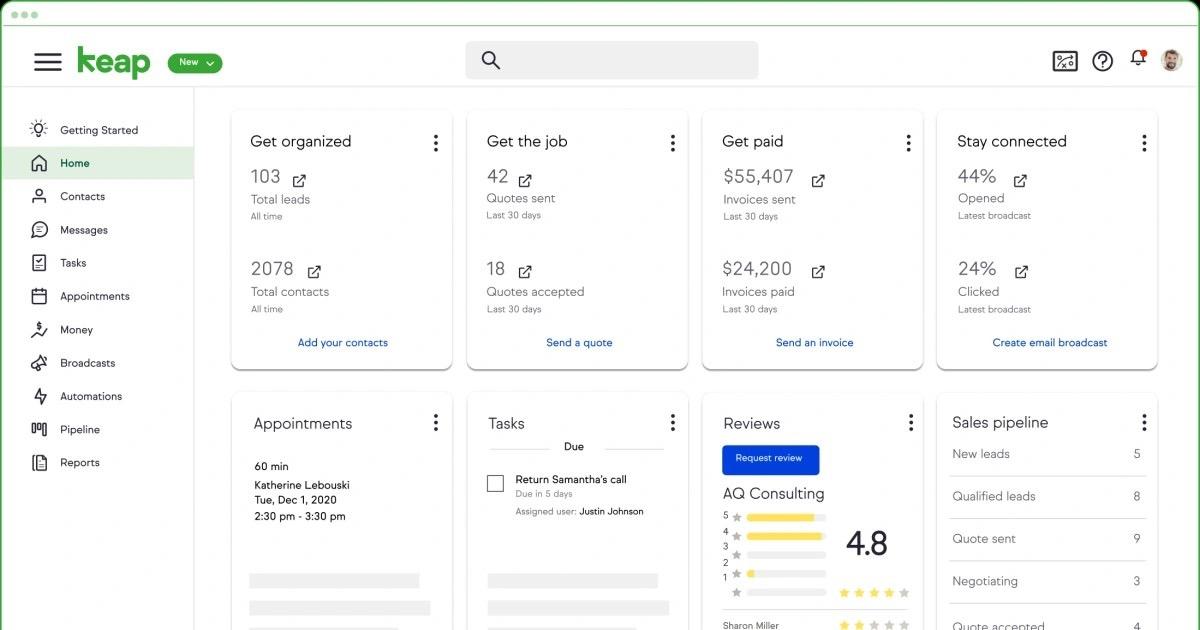
If you’re running a small business or working as a solopreneur, Keap simplifies lead capture and nurturing for you. Collect lead details through forms and landing pages, then automatically follow up based on where each lead sits in your pipeline. This end-to-end nurture flow helps reduce lead drop-offs and keeps engagement consistent.
You also get an AI-powered content assistant that helps you create emails, follow-ups, landing page copy, and SMS messages within the CRM using your business context.
Its visual automation builder supports automated workflows across the entire customer journey. This covers lead capture, communication, appointment scheduling, and payment collection, all driven by customer behavior.
A G2 user says:
I like that Keap is on the cutting edge of automation and uses email and text marketing. The automation features really help me keep up with the fast pace of managing dance studios. It’s very useful for creating automated sequences for new leads and existing families, which helps a lot.
📖 Also Read: How to Use AI for Note-Taking: Tools & Use Cases
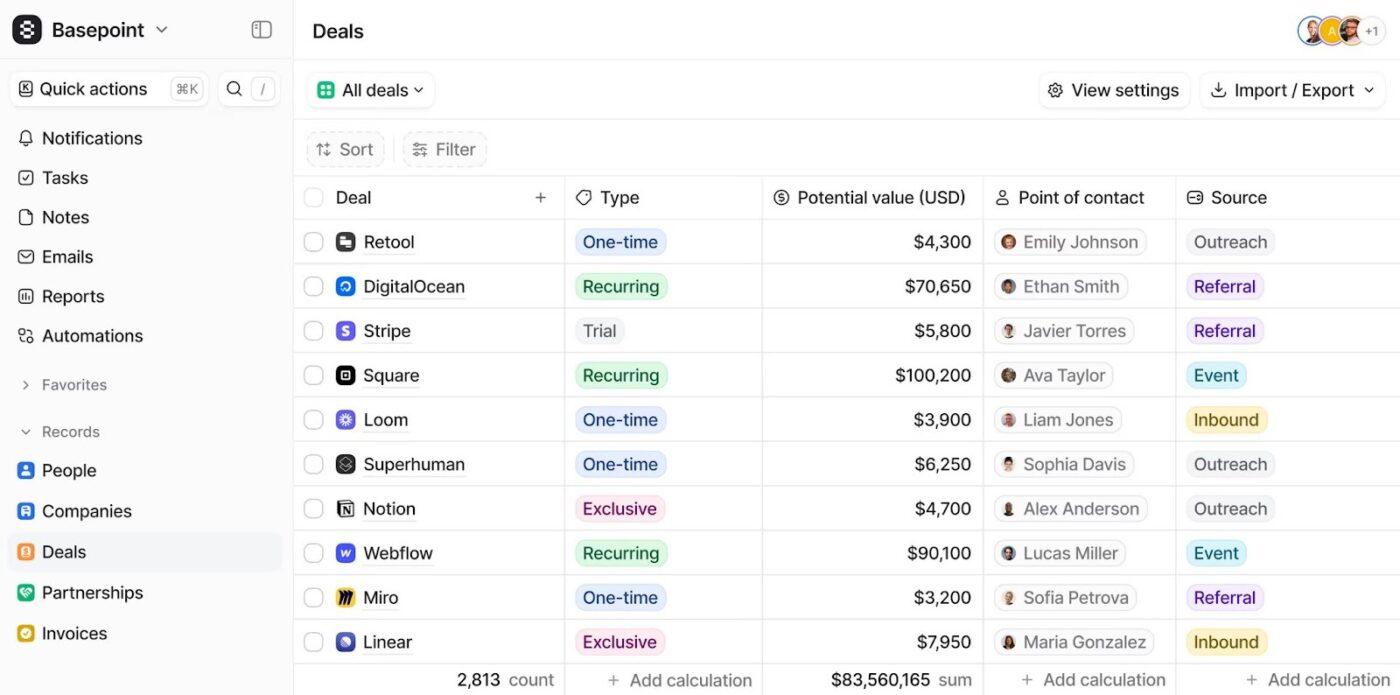
Attio CRM is designed around flexible data models and relationship-driven workflows. You can define your own fields and connect objects using a graph-based structure, which lets you model real-world relationships and track exactly what matters to your business.
The sales software uses AI to simplify complex go-to-market work and turn raw data into something your team acts on. You can uncover detailed company information and identify key decision-makers from records into clear insights.
The tool is built to support real-time collaboration as part of everyday work. You can create reusable templates and write and edit notes together in real time. With features like calendar integration and access from anywhere, this collaborative CRM makes it easy to plan and stay connected without moving conversations outside the CRM.
A G2 user says:
The software is easy to set up, with straightforward templates and active support making the process smooth. I love how flexible it is in viewing information, and the automatic contact integration from Gmail is incredibly efficient
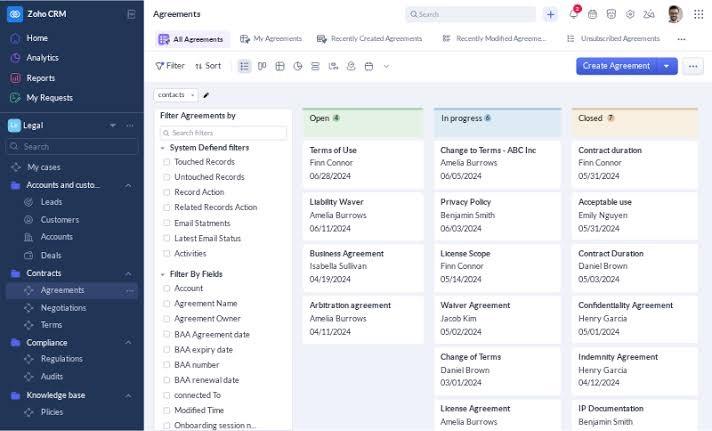
Zoho CRM, a cloud-based CRM solution from the Zoho ecosystem, helps you manage customer conversations more efficiently.
Its AI assistant, Zia, works alongside you to handle everyday CRM tasks. You can use simple chat or voice commands to fetch records, update fields, set tasks, generate reports, or check sales forecasts. Zia also spots patterns in your data and suggests the right time to reach out to leads.
The platform includes built-in analytics and business intelligence capabilities to help you understand performance without relying on separate reporting tools. Real-time dashboards and customizable reports show how your pipeline is moving, and forecasting helps you plan with more clarity.
Additionally, Zoho CRM supports communication via email, phone, social media, and live chat, making it easier to respond to customers on the channels they already use and keep conversations consistent.
A G2 user says:
Zoho CRM is designed for daily use and excels at managing ongoing sales activities and customer relationships. The platform offers a robust suite of features, including automation, analytics, and AI-powered insights, all of which contribute substantial value.
AI CRM tools promise efficiency, but when they live across disconnected systems, they often create more work than they take away. You still need to switch between tools to track deals, update pipelines, and report on performance. That fragmentation slows teams down and leaves gaps between insight and action.
ClickUp brings those moving parts together. It connects your CRM data directly to tasks, documents, chat, dashboards, calendars, forms, and automation. With ClickUp Brain embedded across the platform, you can create tasks and draft follow-ups to keep pipelines accurate and visible in real time.
Ready to turn insights into revenue with AI CRM? Sign up on ClickUp for free and bring your sales workflows and AI into one place.

© 2026 ClickUp

There’s an easier way. Try a free AI Agent in ClickUp that actually does the work for you—set up in minutes, save hours every week.