Sorry, there were no results found for “”
Sorry, there were no results found for “”
Sorry, there were no results found for “”
You’re finally making progress on that report when a notification pulls you away. By the time you get back, you’re reading your own words like they were written by a complete stranger.
This is context switching, the workplace equivalent of being constantly interrupted. Your brain needs time to re-engage, recall your thoughts, and remember the purpose of your task.
Our research at ClickUp found that 42% of workplace disruptions come from juggling platforms, emails, and meetings. This means you’re spending almost half your day just trying to remember what you were doing. The result? You end the day exhausted, and your to-do list is unchanged—or longer.
In this post, we explore what context switching is and how to reduce it. Plus, discover how ClickUp’s Converged AI Workspace can help you stop playing ‘whack-a-mole’ with your work.
Let’s get started! 💪🏼
Context switching is the act of shifting your attention from one task to another and then back again.
It’s that mental gear change you make dozens of times a day, often without realizing it.
The term itself originated in computer science, first described by Christopher Strachey in 1959 to explain how computers could share time between multiple programs. When applied to humans, it means stopping one task, shifting your mental focus, and picking up something entirely different.
Your brain has to ‘bookmark’ where you left off, load up new information, and reorient itself—all of which takes time and mental energy.
🧠 Did You Know: According to psychologist David E. Meyer, shifting between tasks may reduce productivity by around 40% because of the cognitive load involved in re-orienting.
Context switching shows up in different forms throughout your workday:
🔍 Did You Know? Your brain responds differently to switching vs. staying focused. Neuroimaging research at Wake Forest University shows brain areas like the frontal and parietal lobes activate when a task switch is required, meaning there’s a real physiological cost to context switching.
Here’s what context switching may look like for you:
You’re deep into writing a proposal when a calendar notification reminds you about a meeting in two minutes. You save your work, join the video call, spend 30 minutes discussing quarterly goals, then return to your proposal; except now you’ve forgotten where you were going with that last paragraph.
You’re analyzing data in a spreadsheet when an email pops up marked ‘urgent.’
You switch to your inbox, read the message, realize you need information from your chat platform, open that app, scroll through three channels to find what you need, then notice you have six browser tabs open. Each one’s a half-finished task screaming for attention.
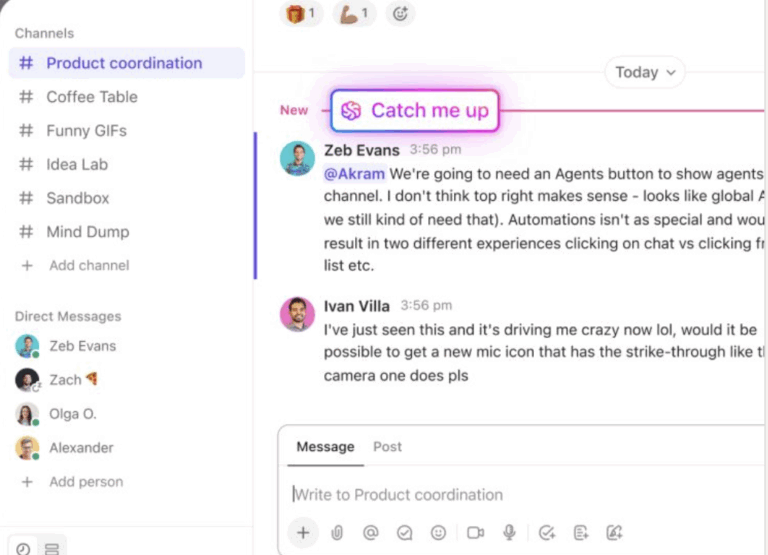
📮 ClickUp Insight: About 43% of workers send 0-10 messages daily. While this suggests more focused or deliberate conversations, it could also indicate a lack of seamless collaboration, with important discussions happening elsewhere (like email).
To prevent unnecessary platform hopping and context switching, you need an everything app for work, like ClickUp, that combines projects, knowledge, and chat in one place—all powered by AI that helps you work more efficiently.
You’re on a video call while simultaneously responding to team messages, glancing at your project management tool, and mentally planning your afternoon. You’re technically doing multiple things, but you’re not really present for any of them.
Most people never realize how much productivity they’re losing until they track their actual switching patterns. Take a look at the impact here. 👀
Your brain runs on single-channel processing. When you jump between tasks, your prefrontal cortex has to dump one set of information and reload another. This creates what psychologists call attention residue.
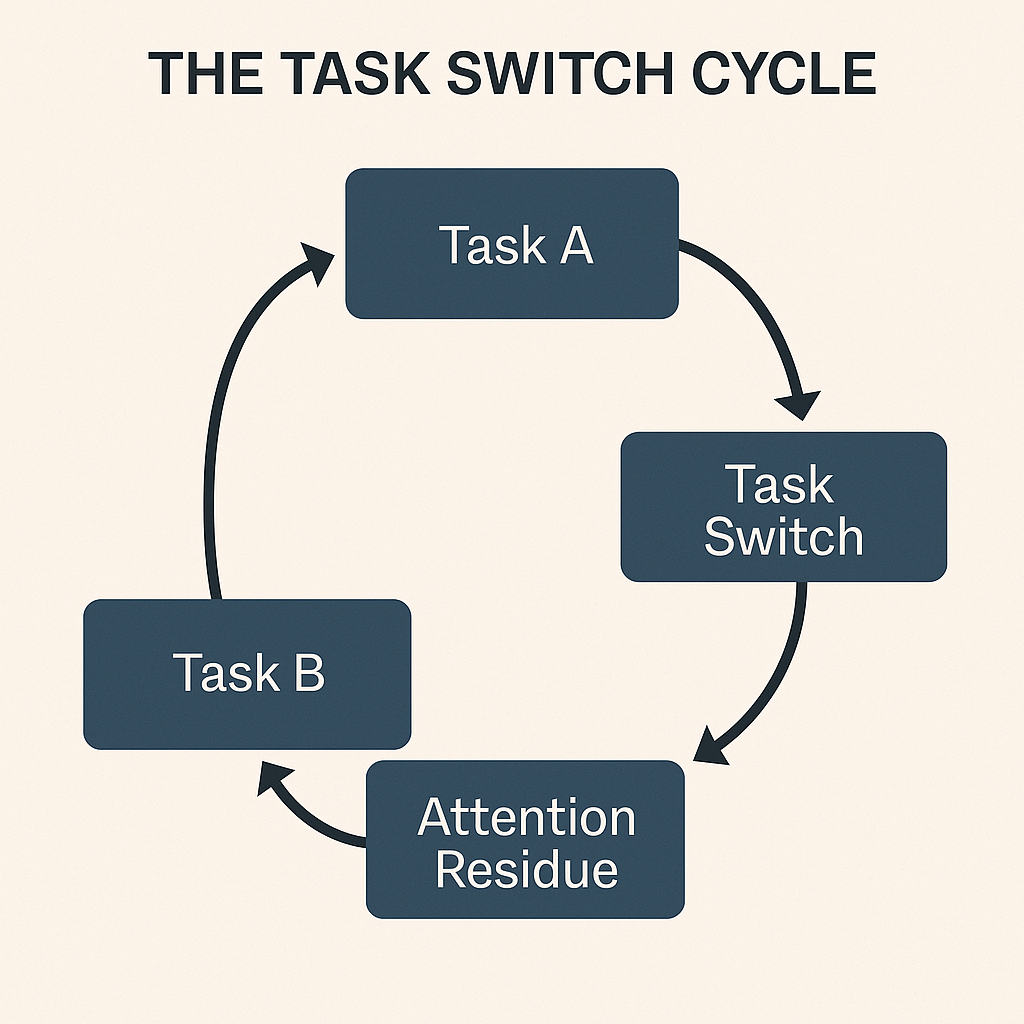
Here’s what that means: Part of your mind stays stuck on the previous task even after you’ve moved on. You’re never giving your full mental capacity to what’s in front of you.
This toggle tax depletes your cognitive resources with each switch. Working memory maxes out quickly. Decision-making deteriorates. Even simple tasks start feeling harder because your mental bandwidth is already drained.
The compounding effect: Each switch makes the next one costlier. By afternoon, you’re mentally exhausted despite accomplishing little.
Constant switching keeps your stress hormones elevated. Your brain interprets each toggle as a mini-emergency requiring immediate response.
The result is anxiety that never quite goes away. You feel perpetually busy without real accomplishment, and that nagging sense of being behind grows stronger even when you work longer hours.
Physical symptoms show up too:
This chronic stress creates a direct pipeline to burnout that most people only recognize too late.
🧠 Fun Fact: In the early 1900s, researchers noticed that people kept doing the old thing even when told to switch to a new one. This was tracked using the Wisconsin Card Sorting Test (1940s), where people had to change sorting rules mid-task.
Context switching sabotages entire teams.
It starts with a communication breakdown. When everyone’s constantly toggling, critical information gets lost. Someone checks their email during your presentation and misses key details. Now you need follow-up meetings to repeat what you already said.
Tool sprawl makes it worse. Your team splits communication across email, messaging tools, project management platforms, and shared docs. Each platform switch breaks concentration and creates information silos.
Plus, workspace software proliferation turns simple updates into archaeological digs through multiple apps. Where did Sarah share that file? Was it in email or chat? Did anyone document that decision?
Here’s what’s driving you to switch contexts constantly.
Every notification that pops up on your screen pulls your attention away from focused work.
The few seconds you spend checking the alert cause mental disruption. Your brain has to process the notification, decide whether to act on it, and then work to re-engage with what you were doing before.
With notification overload throughout the day, you never reach the deep concentration needed for complex work. You end up spending your entire day in a state of partial attention, where you’re technically working but never fully engaged with any single task.
Meetings that lack clear agendas or objectives waste more than just the meeting time itself. They create fragmented schedules where you’re left with small pockets of time between calls, usually 15 to 30 minutes. These gaps are too short to start meaningful work but too long to ignore entirely.
The result is a workday that feels busy but unproductive. You attend meeting after meeting, but the focused work that moves projects forward gets pushed to early mornings, late evenings, or doesn’t happen at all. Poorly planned meetings take up time and destroy the time around them.
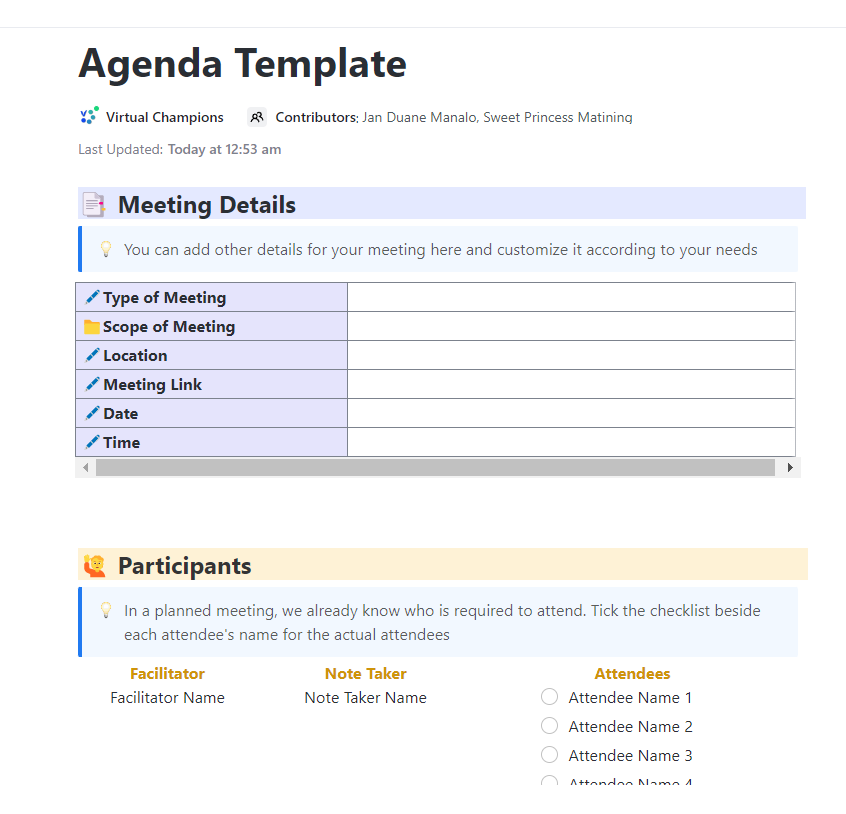
⚡ Template Archive: Stop letting meetings stretch into unfocused chats and scatter your day. The ClickUp Agenda Template gives you a clear structure: set the meeting objective, lay out discussion points, and assign responsibilities, all in a ready-to-go format.
Without clear direction on what matters most, you’re left making constant judgment calls about where to focus your energy.
Should you respond to that urgent-sounding email or finish the report that’s due next week? Should you help a colleague with their question or push forward on your own deliverables?
Each decision requires mental energy, and when priorities aren’t clearly defined, you second-guess yourself throughout the day. This uncertainty leads to frequent task-switching and decision fatigue as you try to keep everyone happy and everything moving forward.
Modern work requires you to monitor multiple channels simultaneously.
Official announcements come through email. Quick questions arrive via messaging apps. Project updates live in task management software. Important discussions happen on video calls.
To stay informed and responsive, you need to constantly check each platform, piecing together scattered information to understand what’s happening. This fragmentation means you’re switching between tasks + entire communication ecosystems, each with its own interface, notification system, and conversation history.
The mental overhead of tracking where information lives and who said what where becomes a significant drain on your cognitive resources.
Organizations are adopting multiple AI tools without integration strategies, creating a new source of context switching that’s actually making work more complicated.
Nearly half of all workers (46.5%) now use two or more AI tools to complete a single task. You might start in one tool to draft content, move to another to analyze information, then jump to a third to format your output.
Each transition requires you to re-establish context, explain your objectives again, and reconcile different outputs. These disconnected tools add extra steps and decision points to your workflow, leading to AI sprawl.
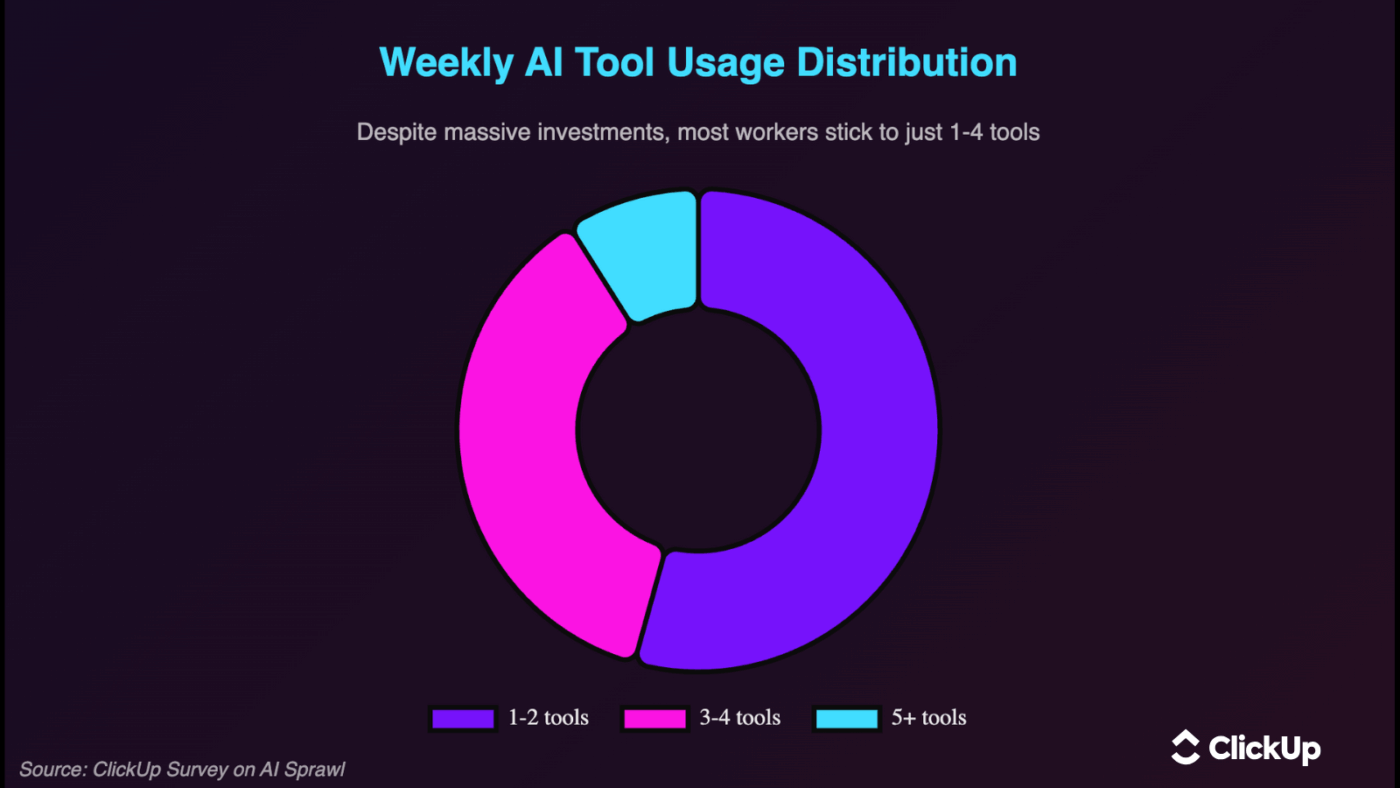
Despite companies investing in dozens of AI solutions, 91% of workers only regularly use 1-4 tools. The rest create noise, add to subscription costs, and increase the mental burden of navigating your tech stack.
Context switching will always exist, but you can dramatically reduce its impact. Start here. 🏁
Every additional tool in your workflow creates friction.
When your tasks live in one system, messages in another, documents in a third, and AI assistance in a fourth, you spend enormous mental energy tracking it all. Choose a platform that brings your core work activities together so everything operates in one place.
When you centralize your work:
The shift from five tools to one removes hundreds of micro-decisions from your day. That mental energy goes back into your actual work instead of managing your workflow infrastructure.
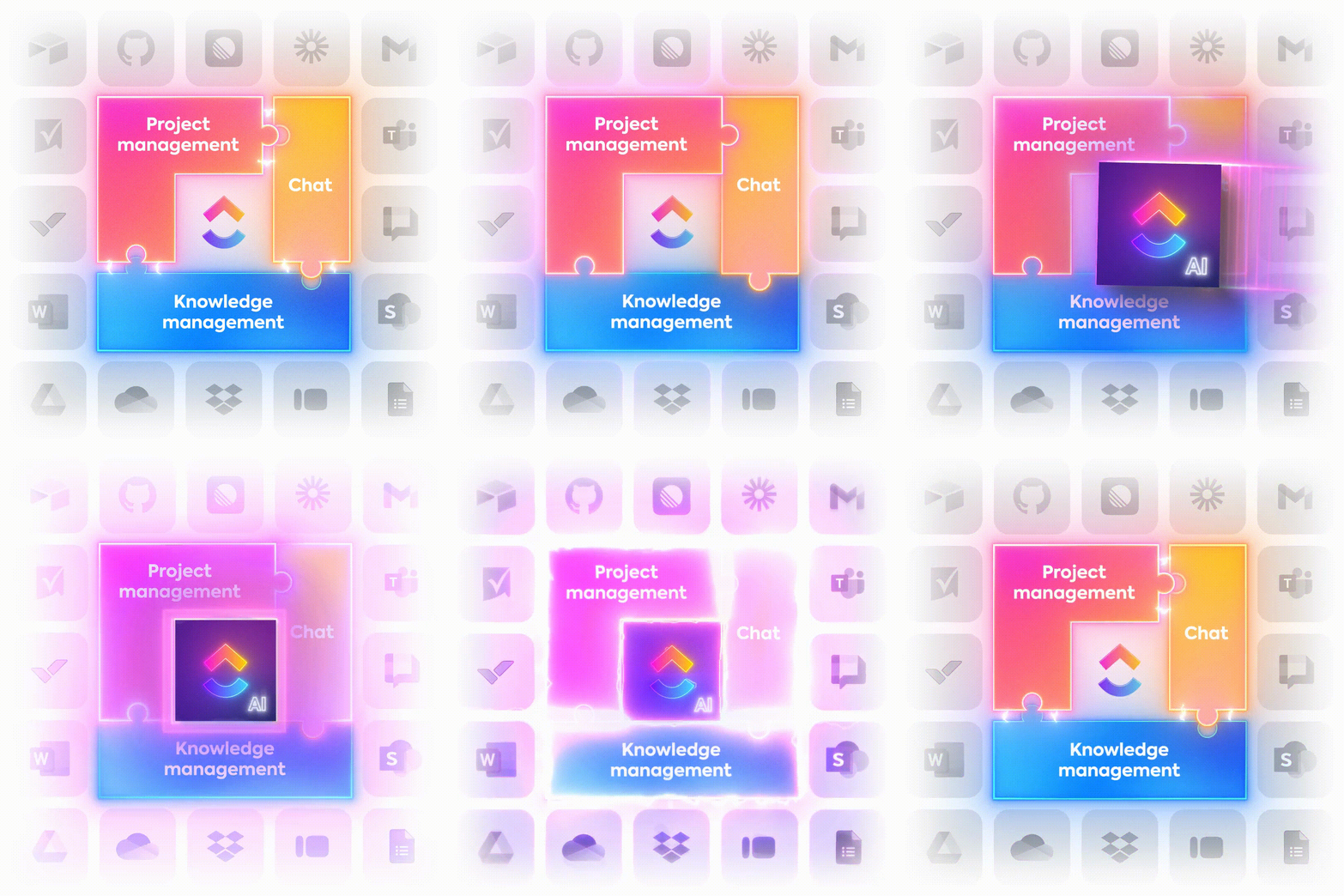
Work today is broken.
60% of our time is spent sharing, searching for, and updating information across different tools.
Our projects, documentation, and communication are scattered across disconnected tools that drain productivity.
ClickUp solves this problem with the everything app for work that combines project, knowledge, and chat in one place—all powered by the world’s most cohesive work AI.
Today, over 3 million teams use ClickUp to work faster with more efficient workflows, centralized knowledge, and focus-driven chat that eliminates distractions and unlocks organizational productivity.
And with contextual AI, the value only compounds.
When work lives in one place, AI understands how your team works, learns from your workflows, and elevates them. Teams gain speed, clarity, and alignment that keeps improving. That is the advantage of SaaS consolidation and convergence in ClickUp.
Protecting uninterrupted time requires active defense. Schedule specific hours for specific types of work and treat those blocks as seriously as client meetings.
The key is batching similar activities together so your brain stays in one mode rather than constantly shifting gears. Here are some tips on structuring your time blocks effectively:
🚀 ClickUp Advantage: Time blocking becomes far more strategic when your calendar thinks for you.
ClickUp Calendar auto-blocks your day around high-priority work, intelligently schedules what matters, and keeps your flow moving.
Here’s a closer look:
It creates a day that supports your brain instead of simply filling your calendar. You’ll get meetings where they belong, deep-work windows where they matter, and collaboration blocks that serve progress.
Uncertainty kills focus. When you’re not sure what deserves your attention, you’ll switch based on how you feel rather than what moves your work forward.
Start each day by identifying your top three priorities. These are the tasks that, if completed, would make everything else negotiable.
Make prioritization work for you:
💡 Pro Tip: Set your day up with ClickUp Tasks so your focus has somewhere to land. Then, mark these as Urgent, High, Normal, or Low to sort your day out using ClickUp Task Priorities.
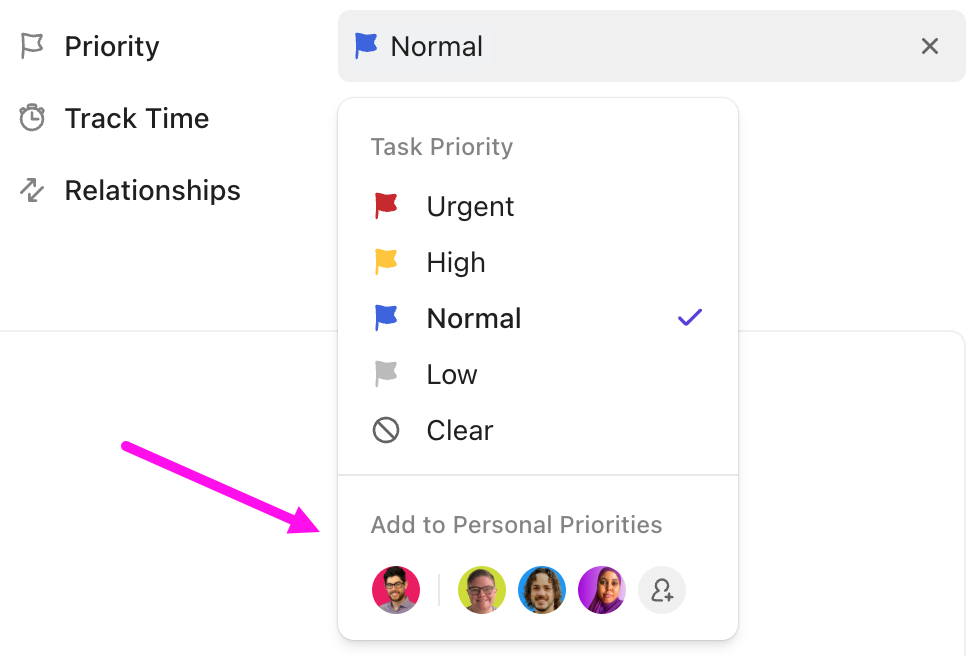
The moment you assign a priority, your workspace reorganizes around it. The system holds the weight, not your brain.
Learn more here:
Real-time communication creates constant context switching because every message expects an immediate response. Asynchronous communication flips this dynamic.
You provide complete information upfront and give people time to respond thoughtfully when it fits their schedule. Shift to async effectively:
This also means recognizing that most work communication is not actually time-sensitive, even when it feels that way.
🚀 ClickUp Advantage: You can leave comments, start threads, or drop updates inside a ClickUp Task so the conversation happens where the work lives.
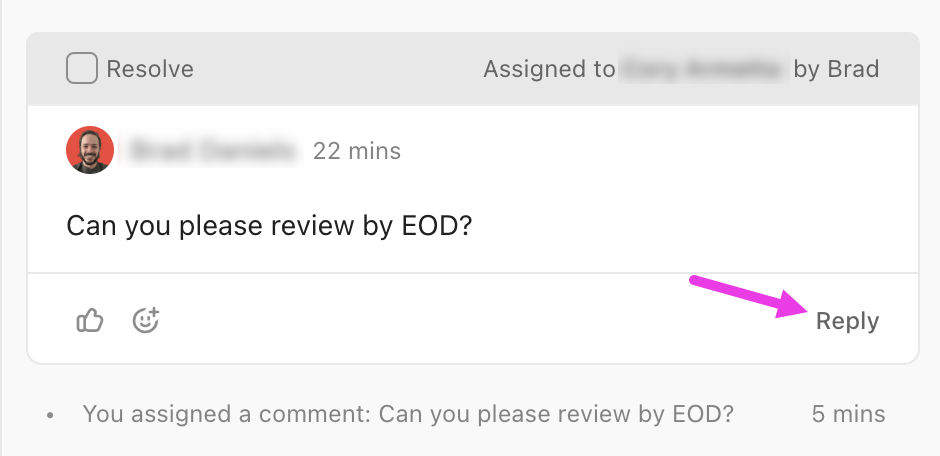
You’ll find real benefit when you realize all context stays with the task, and comment threads keep your deep discussions clean. What’s more, you can action these conversations with ClickUp Assigned Comments.
Work rarely falls apart because people lack skill or motivation. It usually falls apart because the work environment forces constant tab switching, repeated explanation, and mental reloading.
ClickUp’s Project Management Software brings planning, documents, conversations, and AI into a unified digital workspace so teams spend less time re-orienting themselves and more time moving work forward.
Here’s a closer look at how its Converged AI Workspace helps minimize context switching. 📝
Context switching gets loud when people have to collect reference material every time they sit down to work. ClickUp Integrations keep the important stuff in the task so your brain doesn’t have to rebuild the story each time or deal with work sprawl.
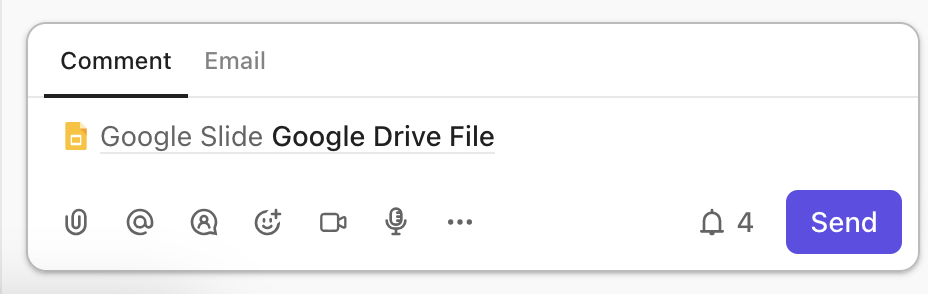
For example, say a lifecycle marketer creates a nurture campaign update. The voice of customer notes came from a research call. The messaging guide sits in cloud storage. The approved segmentation logic lives in a shared document. All of it links inside the campaign task, and the marketer opens the task later in the day and resumes writing immediately.
It feels smooth, intentional, and almost like the work is welcoming them back in.
🧠 Fun Fact: In video games, context switching is studied as ‘mode switching’. For instance, going from building mode to combat mode in RTS games (StarCraft, Age of Empires) increases action latency.
When returning to a task, people often scroll through comment threads, open old documents, or ask teammates to recap decisions. ClickUp Brain’s AI summaries restore the reasoning behind the work, so entry into the task feels familiar again.
Use ClickUp’s AI summaries in tasks, docs, and comments to instantly grasp the key points—no need to dig through long threads or switch between tabs.
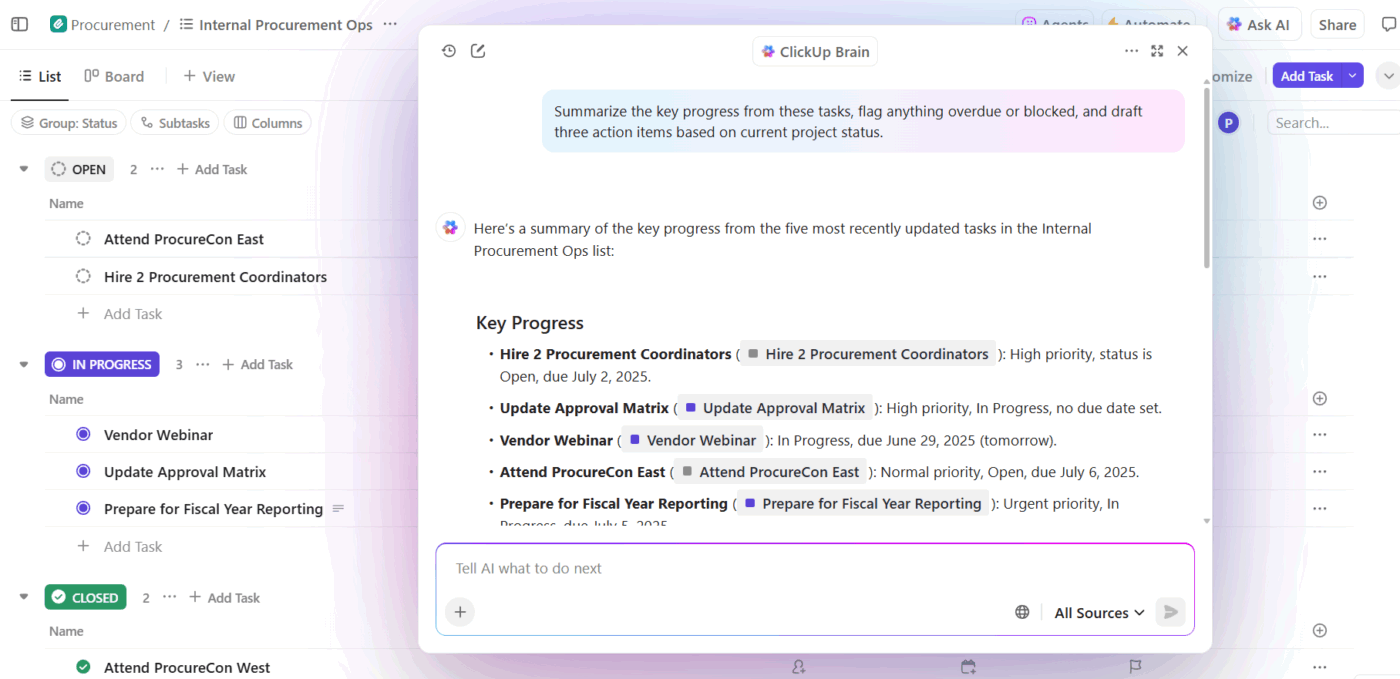
For example, a PM might revisit a feature decision that involved multiple rounds of discussion. ClickUp Brain summarizes the chosen direction, the concern that shaped the decision, and the next meaningful step. The PM moves into execution with clarity already in place.
📌 Try this prompt: Summarize the current final direction for this feature and highlight the key reason the previous option was removed.
ClickUp Brain’s Contextual AI replies in plain language, directly referencing the task’s real context. The PM continues without asking anyone to repeat the conversation.
Here are some other ways to use AI for productivity:
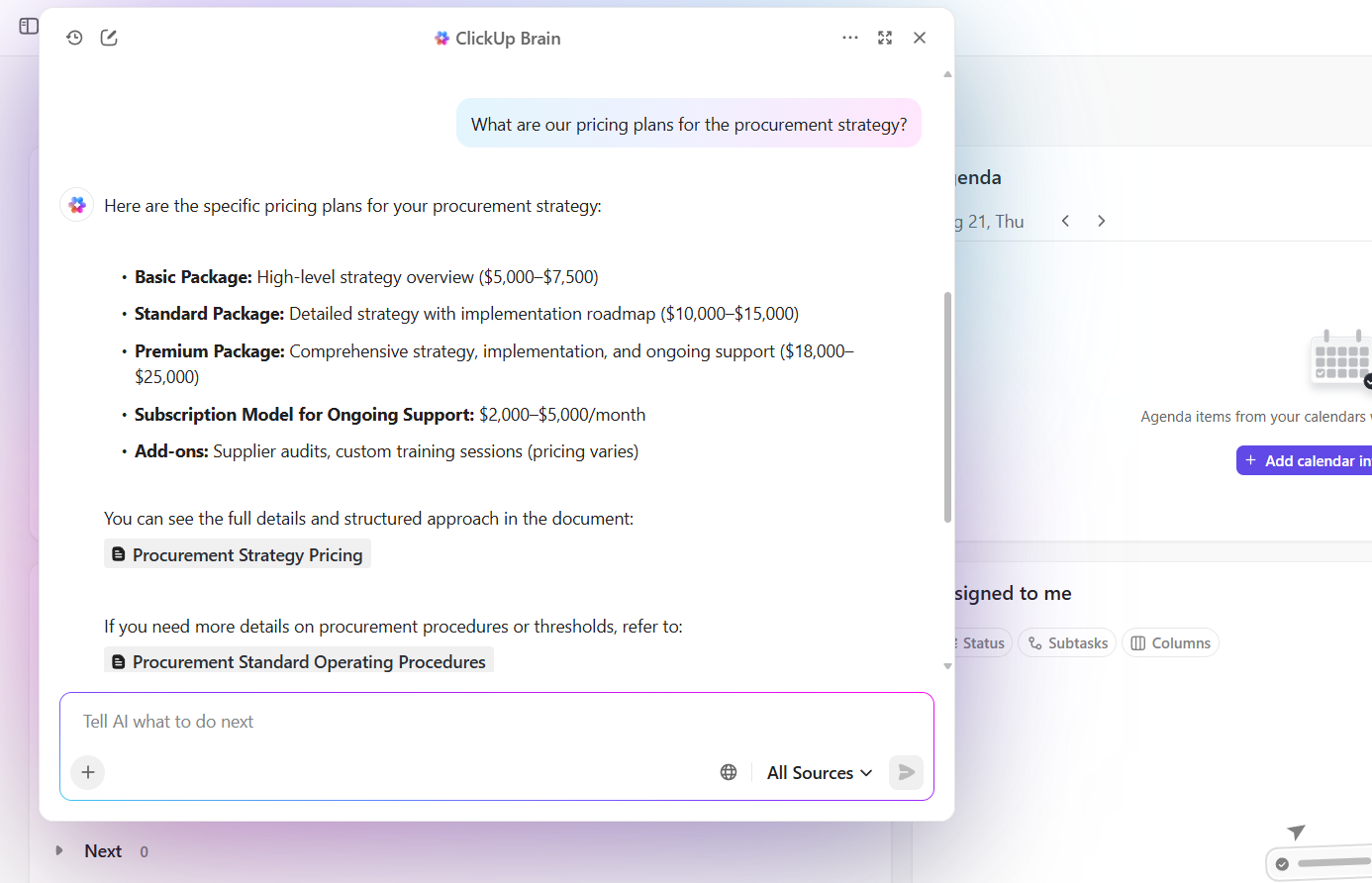
You’re working on a proposal, and remember a client quote that changed direction. You know it’s somewhere in your workspace, but hunting through folders feels like a time-sink.
So, you open ClickUp Enterprise Search, type a phrase, and it pulls up the exact call transcript, the task where the quote triggered a change, and the doc where the team recorded the reasoning. All of this in one place with workplace search.
An existing ClickUp user shares their experience on G2:
As a software engineer, what I appreciate most about ClickUp is its comprehensive platform that brings together task management, documentation, and communication in a seamless way. The ability to customize workflows, along with robust automations and integrations, allows me to stay organized, minimize context switching, and ensure the whole development team remains on the same page. Tools such as ClickUp Docs and Agile-oriented task views simplify both planning and progress tracking. All in all, ClickUp helps me save time and enhances my productivity.
🌟 Bonus: ClickUp’s AI Agents are game changers for anyone looking to minimize context switching and boost productivity.
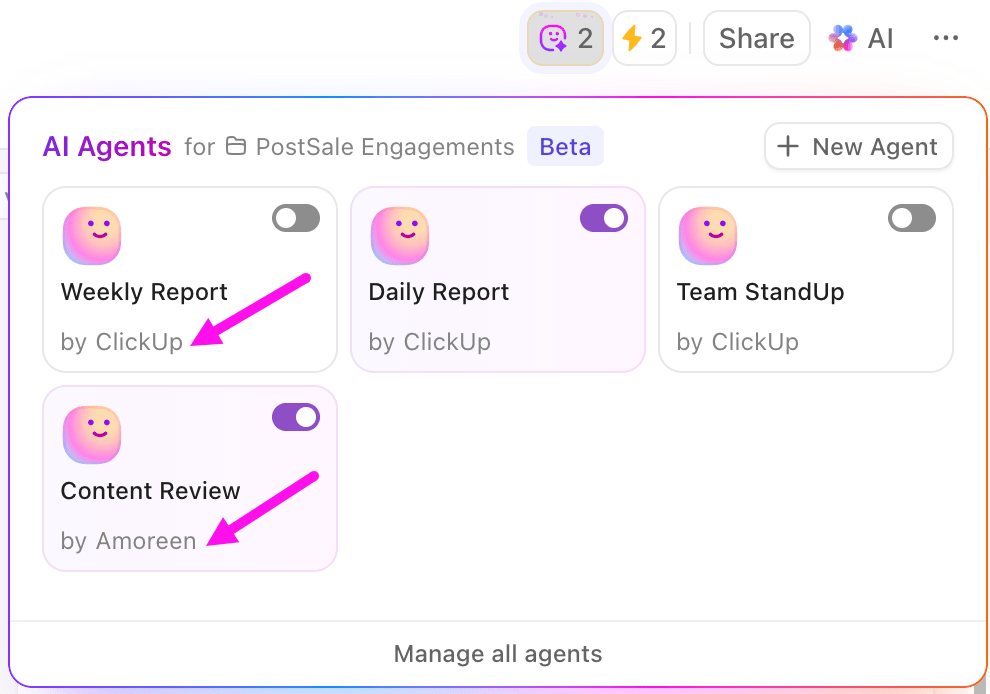
These intelligent agents can be set up to monitor your workflows, answer questions, post updates, and even automate routine actions—all without you needing to jump between different tools or tabs.
Whether you use prebuilt agents for daily standups and reports or custom agents tailored to your team’s unique needs, they work in the background to keep everyone informed and on track.
Meetings often end, and everyone leaves wondering: ‘What did we agree on again?’
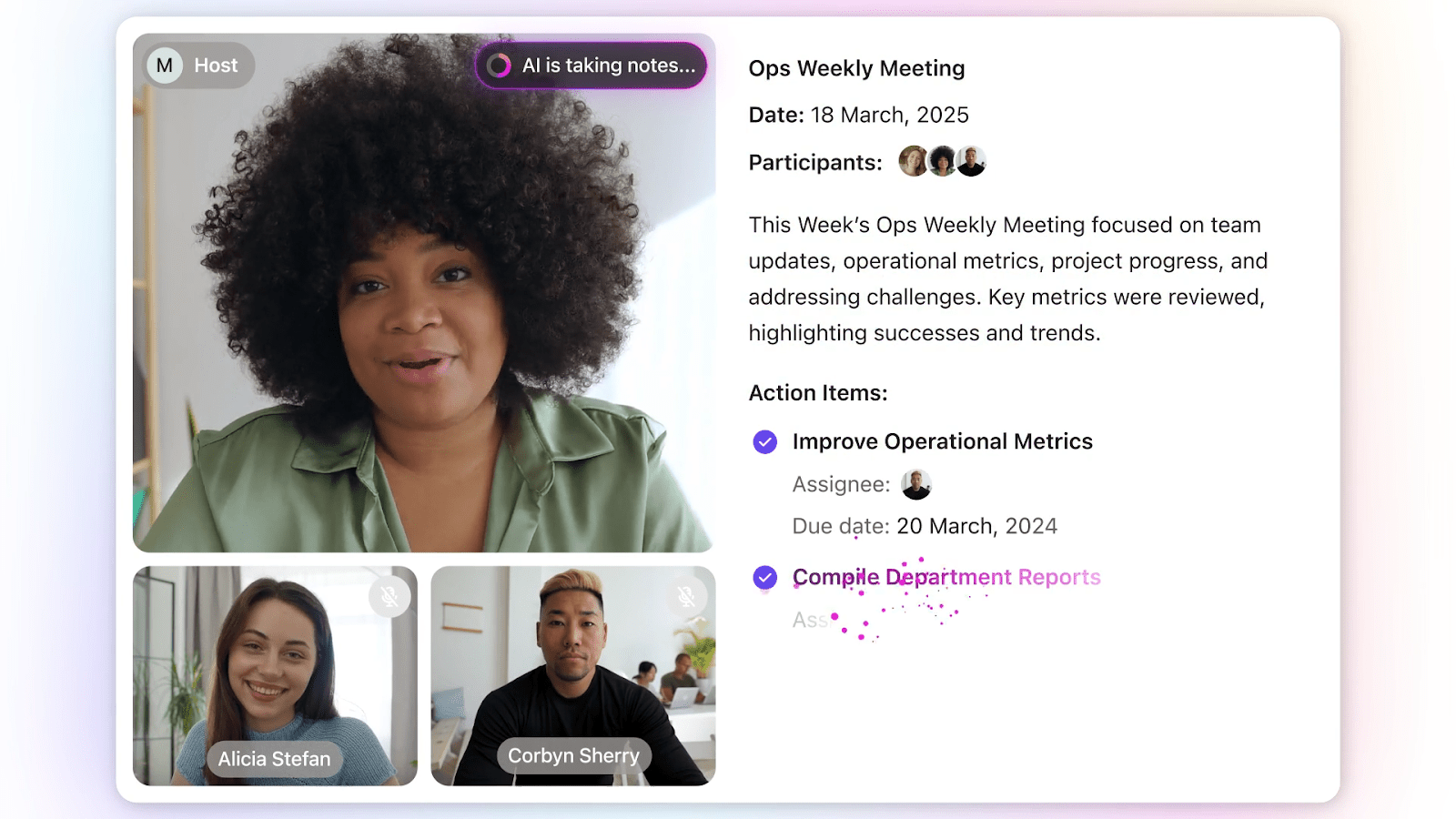
ClickUp’s AI Meeting Notetaker ends that uncertainty. It logs the meeting, generates a searchable transcript, highlights the decisions, and creates the tasks tied to your project list.
Let’s suppose you’re facilitating a cross-functional kickoff with engineering, design, and marketing. The team agrees on three deliverables, assigns owners, and sets deadlines.
After the call, you open the doc created by the AI Notetaker: you see the summary, the action list with stakeholders, and the transcript if you want details. Your team gets to work immediately.
📖 Also Read: ClickUp’s GVP of Marketing on Solving Work Sprawl
Everyone has that moment where they’re working on something, get an idea, and then have to switch tabs to ask an AI to help: ChatGPT for structure, Claude for drafting, Gemini for web context, and suddenly the entire thread of thought collapses.
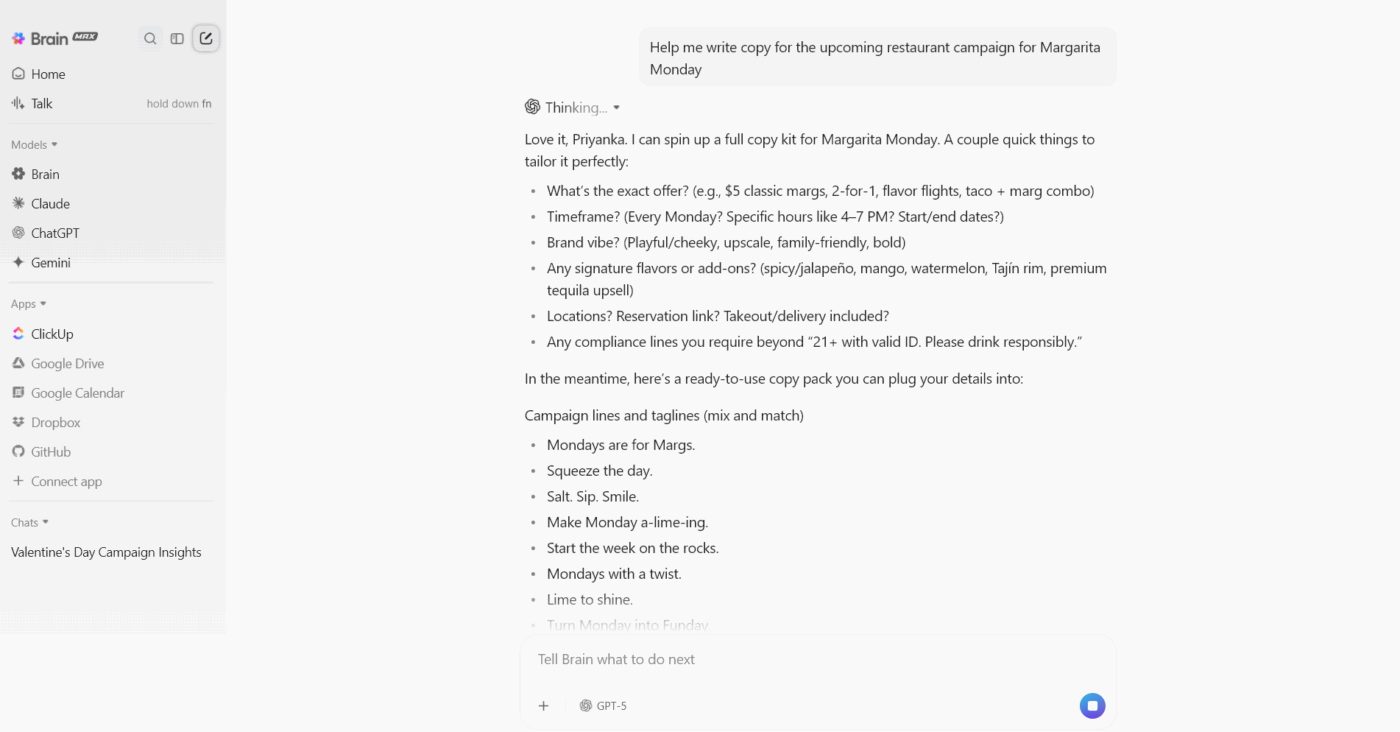
With access to all the premium LLM models, such as Gemini, ChatGPT, Claude, and more in one place, ClickUp Brain MAX cuts that cognitive drop. It lives on your desktop like a companion that already knows your work, your tasks, your docs, your chats, your deadlines, and your goals.
You share half-formed thinking, questions, rough outlines, or messy problem statements, and Brain MAX responds in the context of your projects, tasks, and documents that already exist in ClickUp. You are not trying to remind the AI what the work is. It already sees it.
For example, say a product marketer is working on a Q1 launch narrative. They speak rough thoughts through ClickUp Talk to Text. Brain MAX references the product positioning document stored in ClickUp, customer insights attached to earlier research tasks, and the campaign dates in the planning folder.
It produces a structured outline directly inside the workspace where collaboration continues, and the marketer keeps momentum without tool switching.
🔍 Did You Know? The ‘N-2 repetition cost’ phenomenon (a behavioral metric) shows that switching away from a task and then returning (ABA vs. CBA sequences) leads to poorer performance, indicating lasting effects of previous task context.
Chat rarely lives where work moves forward. That separation forces teams to manually recall decisions later. ClickUp Chat brings conversation into the same space as tasks, docs, and execution, so decisions flow directly into the next step.
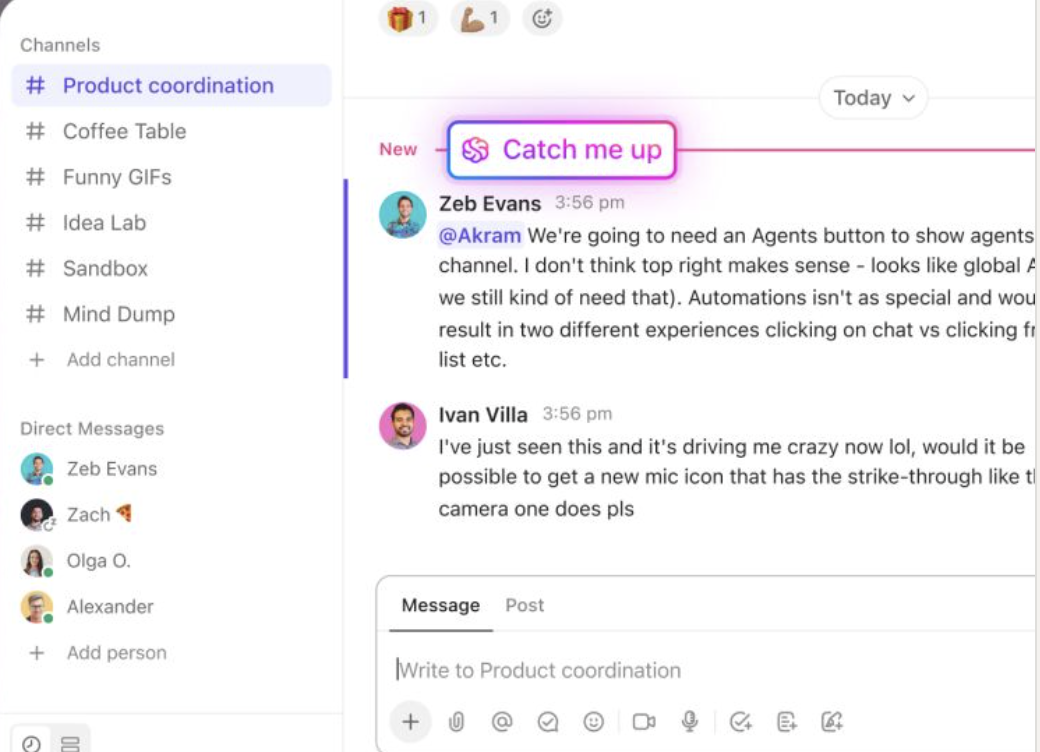
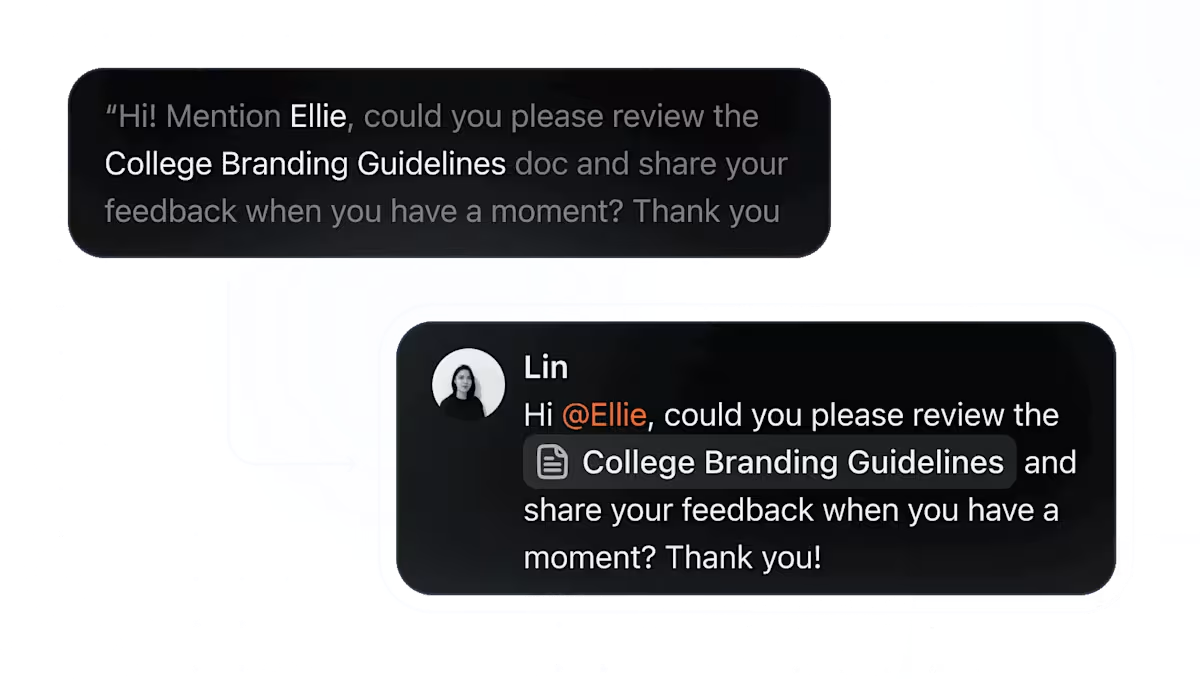
Let’s say your team is preparing a lead-magnet launch. The copywriter shares the latest draft in the Chat channel for the project and asks for headline approval. The product owner replies in the same thread, explains the final choice, and confirms the word count. They turn that message into a task inside the launch list, assigned to the designer.
Later, when the designer opens the task, they see the approved headline, the reasoning behind it, and the file already linked. The work continues smoothly without anyone repeating instructions.
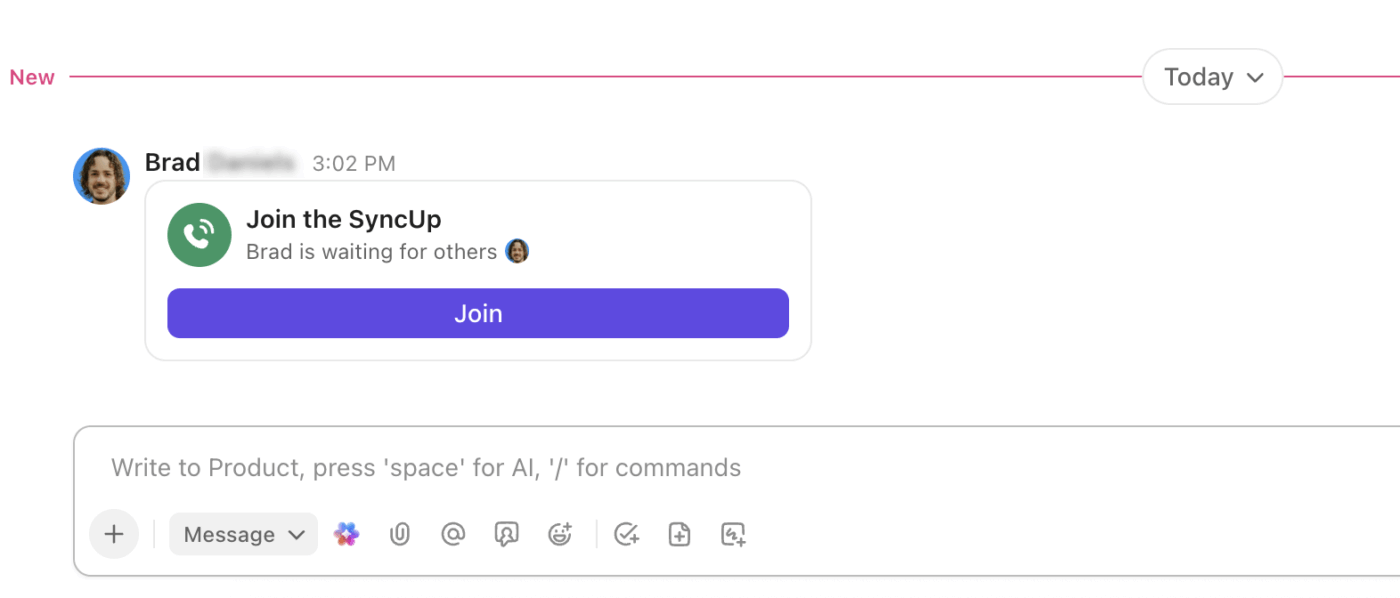
💡 Pro Tip: Start ClickUp SyncUps directly from Chat to turn any conversation into a live review. Capture decisions, share screens, and create actionable tasks instantly, so nothing gets lost and your team can move from discussion to execution without missing a beat.
You cannot improve what you do not measure. Tracking these metrics helps transform vague digital workplace challenges into concrete problems you can address systematically. 👇
Track how many hours per week you maintain uninterrupted work blocks of 90 minutes or longer. This is your most direct indicator of progress.
For example, if you currently average five hours of focused work weekly and increase that to 12 hours, you have gained seven hours of deep work capacity. That translates to roughly one full workday of high-quality output every week. Most knowledge workers should aim for at least 10-15 hours of focused work weekly.
Start by measuring your baseline for two weeks, then track weekly to see if your time blocking and notification management strategies are actually protecting your focus.
🔍 Did You Know? The size of the switch cost correlates with cognitive-ability measures. For instance, in one study, higher working-memory capacity was associated with smaller switch costs.
📖 Also Read: Productivity Hacks and Tips to Try
Count your total meeting hours each week and track the trend over a month or quarter. If you currently spend 20 hours weekly in meetings and reduce that by 25%, you reclaim five hours.
The critical question is what happens to those hours. They should convert into focused work time, not fill up with more meetings or shallow tasks. Track both your meeting hours and your focus hours simultaneously to ensure the time you save actually goes where it should.
A 20-30% reduction is a realistic initial goal for most teams.
🧠 Fun Fact: Bilingual brains are better at switching, but still pay a cost. When someone switches languages frequently (like Spanish and English speakers), the executive control network becomes stronger. However, switching still slows them down each time.
Measure the calendar days between when you start a task and when you finish it. If a project currently takes you eight days to complete because you work on it in scattered 30-minute chunks, reducing context switching might help you finish the same work in four days of more concentrated effort.
This metric directly connects your focus improvements to tangible output. Track 5-10 similar tasks before and after implementing your strategies to see real patterns emerge.
🚀 ClickUp Advantage: Use ClickUp Dashboards to turn team activity into clear, measurable insights. Build a custom Dashboard that connects time, focus, and task data in one place, so you can see where productivity grows and where it drops.
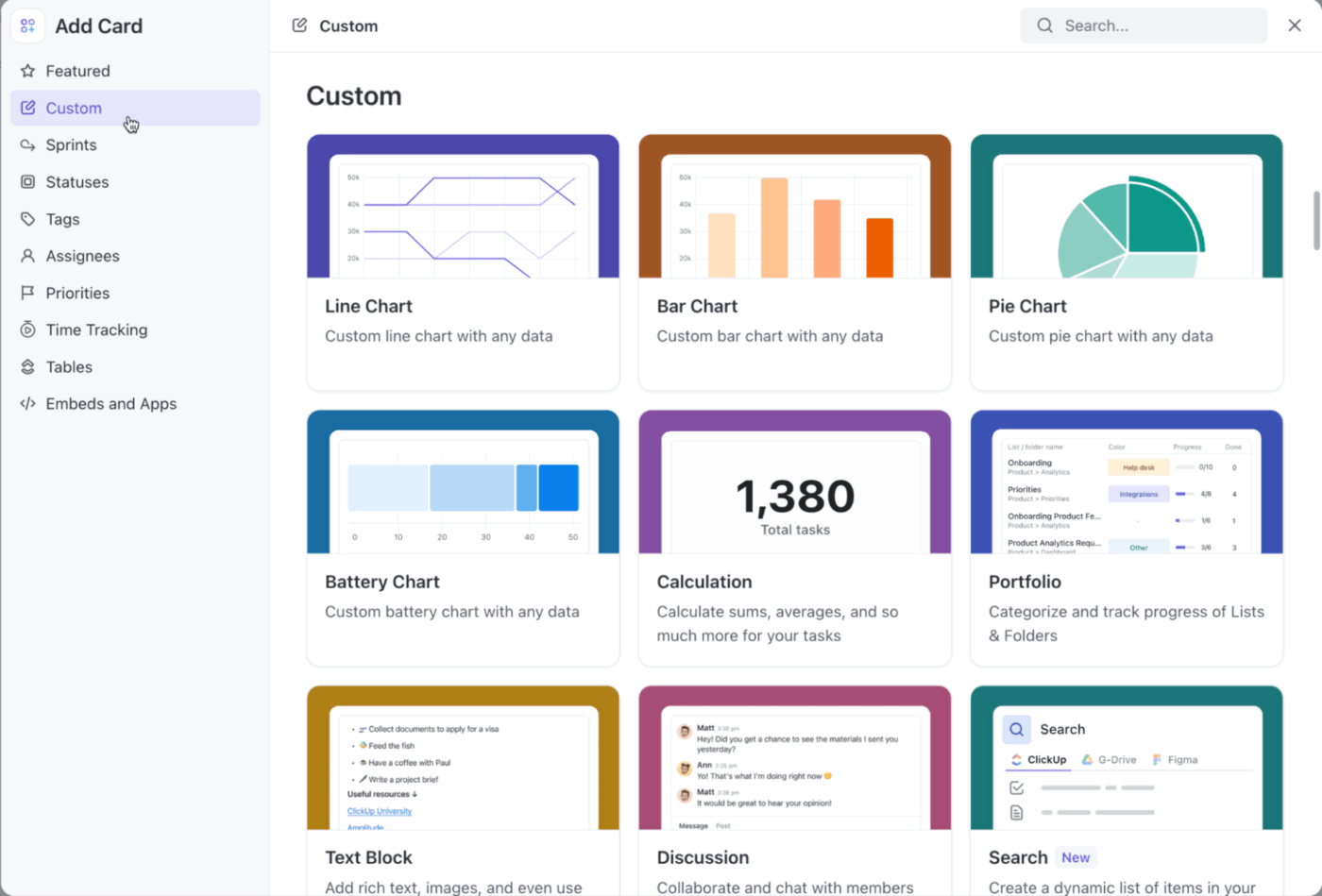
Here’s what you can do:
Every time you pause one task to open another, your brain pays the cost of context switching. That invisible pause adds up across the day, slowing reaction time and draining attention until productivity slips without warning.
The constant toggling between tabs, chats, and tools makes work feel busy instead of effective, a pattern every team recognizes once they track real context switching productivity.
Focus returns when work lives in one place. With ClickUp, all your tasks, files, and conversations are centralized. With AI integrated, your workspace remembers the reasoning behind decisions so you continue without retracing old steps. Conversations flow straight into action through ClickUp Chat, keeping discussion and execution together. Integrations connect your favorite tools, reducing tab-jumping.
To get started on reclaiming your time at work, sign up for ClickUp today! ✅
Multitasking means trying to do several things at once, like checking emails while attending a meeting. On the other hand, context switching means moving from one task to another, even if you’re doing them one at a time. The problem with context switching is that your brain needs time to refocus after every switch, which slows you down.
Studies show people lose up to 40% of their productivity when they switch tasks frequently. It can take anywhere from 15 to 25 minutes to fully regain focus after a single switch, which adds up quickly throughout the day.
Remote teams can reduce context switching by planning work in focused blocks and agreeing on how and when to communicate. Having clear priorities, using shared calendars for focus time, and limiting notifications during deep work all help reduce unnecessary interruptions.
Yes. Using a single, well-organized workspace like ClickUp helps you manage projects, communication, and documentation in one place. This keeps everything connected and cuts down the need to move between different apps throughout the day.
You can train your brain by finishing one task before starting another and scheduling specific times for checking messages or updates. Focus techniques like time-blocking or short, timed work sessions also help build the habit of sustained attention.

Manasi Nair
Max 20min read

Sudarshan Somanathan
Max 22min read
Sudarshan Somanathan
Max 23min read

© 2026 ClickUp