


Looking for ways to save time on time tracking? It sounds like you need time and attendance tracking software!
The good news is that there are a lot of options out there designed to support teams and organizations of all sizes. Some offer basic time tracking functionality, while others are full platforms that combine time and attendance tracking with project management, payroll systems, benefits administration, and more.
Dive in and discover what to look for in time attendance software—and find the perfect tool for your organization in this curated list.
This Article Contains:

 Summarize this article for me please
What Is Time Attendance Software?
Time and attendance software can fill a lot of roles. At the basic level, it offers the ability to track the hours that employees work.
However, most software will do a lot more—like give you tools to divide the workday up into hours worked on particular tasks or projects, or offer features for tracking billable hours and generating invoices. Some software will even give you a full suite of project management tools, complete with board and card views so you can map projects, track tasks, and collaborate with team members.
Summarize this article for me pleaseWhat Should You Look for in Time Attendance Software?
With all the options out there, it can be confusing to choose the right fit for your team. Be on the lookout for software that has the following essential features.
- Simplicity: Instead of adding yet another app to your app stack, look for software that can minimize the number of apps you use, like time tracking software that also offers project management tools, daily logs, or other useful features
- Intuitive user interface: Prevent poor adoption rates by choosing software that makes it easy to clock in, track work hours, submit time-off requests, and more
- The right features for your company: With so many options available, don’t settle for software that can’t track billable hours, vacation time accruals, or some other crucial tool that your company needs
- Configurable interface: Time tracking software should be customizable so you can create a dashboard that shows you the information you need most at a glance
- Easy time entry: Not all time tracking software makes it easy to manually change hours or clock-in and clock-out times, but human errors will happen, and you should be able to make adjustments easily when needed
Summarize this article for me pleaseThe 10 Best Time Attendance Software to Use
Ready to find the best time and attendance software out there? The options in the list below all offer a variety of great features: shift scheduling tools, payroll systems, cloud-based time tracking, and more.
1. ClickUp
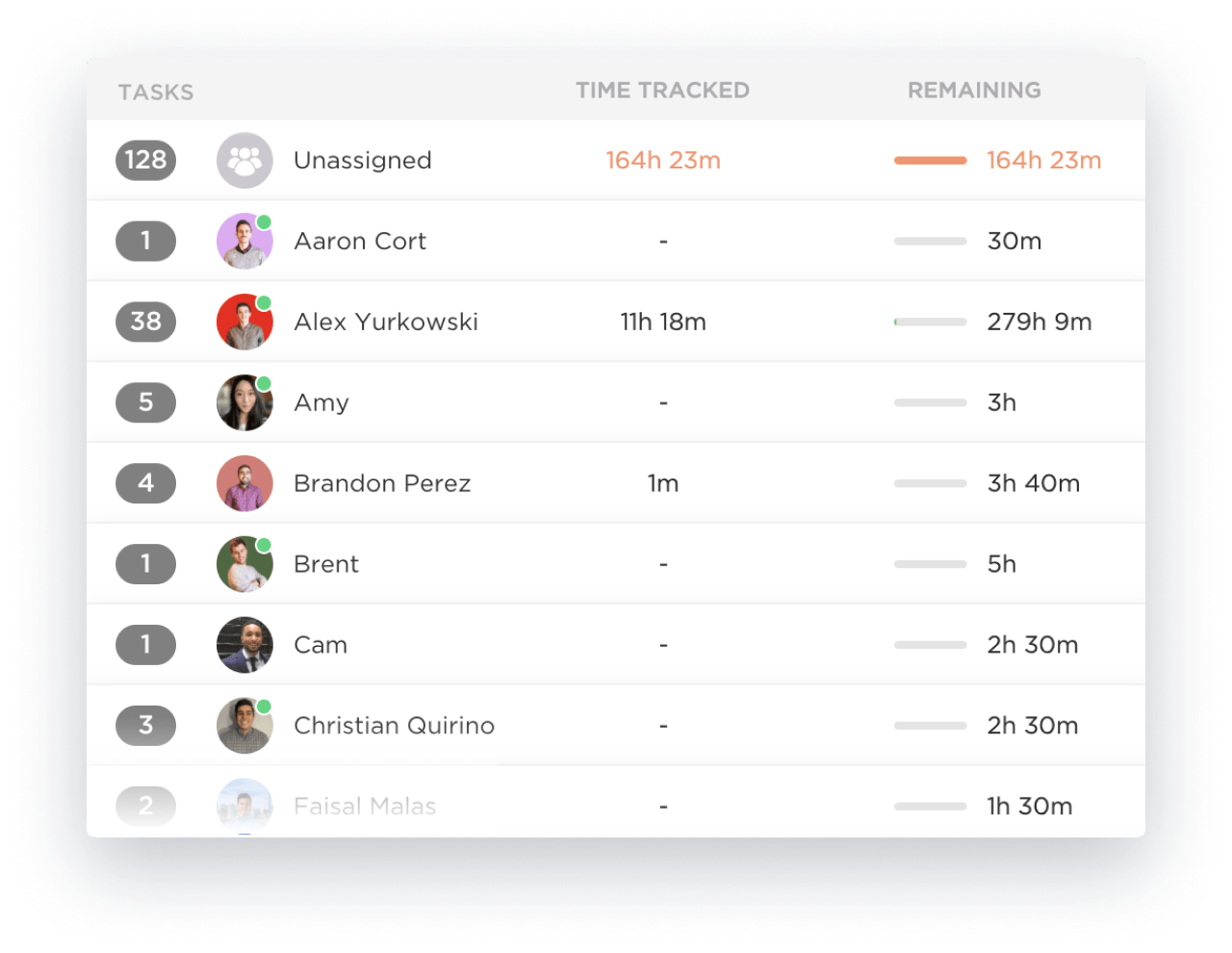
ClickUp gives you the flexibility to track time any way you need to. For example, you can use the ClickUp Attendance Sheet to track who’s working or who’s attending meetings. With ClickUp’s project time tracking features, you can track hours worked from anywhere, make retroactive changes when needed, and keep notes on time worked so you can sort between billable hours or hours worked on specific projects. The ClickUp Services Timesheet Template goes even deeper, giving you an easy way to not only track billable hours, but also track and manage costs and resources for services you provide.
On top of time tracking, ClickUp offers a comprehensive set of tools to monitor employee activity, track tasks, and organize projects. Use project dashboards to help teams stay on task, or use the Workload View to see how much work is on each team member’s plate. You can also track employee activity via the Activity View.
On the human resources side of things, you can use ClickUp’s HR Views to manage employee onboarding, scheduling, and other critical details. Create a central hub that contains employee information and confidential communications between employees and their supervisors. You can use this hub to track development, manage employee engagement surveys, and prepare for upcoming performance reviews.
ClickUp best features:
- Use timers, task tracking, project time tracking features, and other time management tools and techniques to increase employee productivity
- Take advantage of ClickUp’s Employee Timesheet Templates to start tracking time quickly and easily
- Use ClickUp’s reporting tools to generate reports on productivity, hours worked on projects or per person, and more
- Create a digital workplace with time tracking functionality, the ability to collaborate on documents and files, and project and task tracking
- Replace stand-alone HR software with ClickUp’s HR Views, which lets your company onboard and schedule new employees on one platform
ClickUp limitations:
- If you’re looking for basic time tracking, ClickUp may offer more tools than you need
- Be prepared to spend time learning about all the tools and features that ClickUp offers
ClickUp pricing:
- Free Forever
- Unlimited: $7/month per user
- Business: $12/month per user
- Enterprise: Contact for pricing
- ClickUp Brain: Available on all paid plans for $5/Workspace member/month
ClickUp ratings and reviews:
- G2: 4.7/5 (9,000+ reviews)
- Capterra: 4.6/5 (3,800+ reviews)
2. Clockify
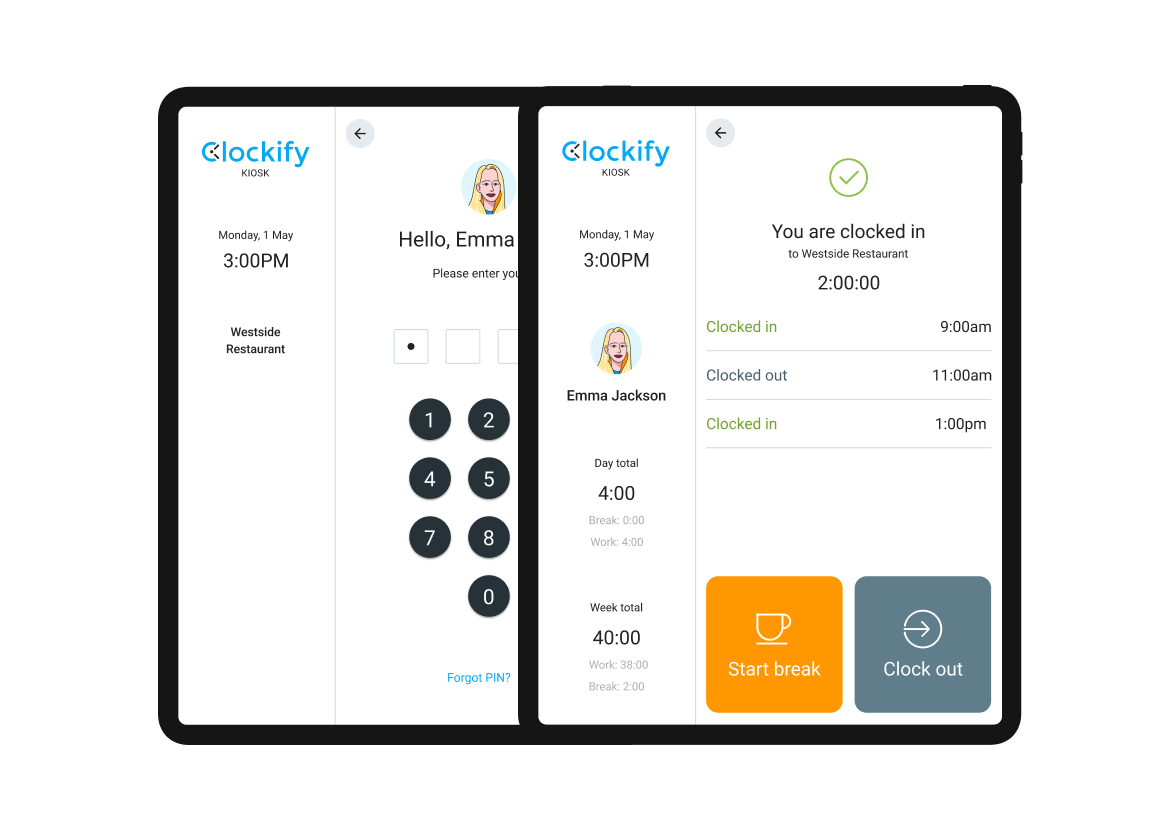
As one of the top time tracking apps out there, Clockify offers a lot of features for a relatively small cost. It gives you the ability to track hours in a variety of different ways: on timesheets for payroll, by project, and by billable hours. Workers can clock in via mobile devices, and you can set up a tablet with Clockify’s Kiosk where everyone can clock in quickly with a PIN.
Clockify best features:
- Use the Time Tracker’s timers to log project hours, billable hours, and more
- Create timesheets for your payroll department in less than a minute
- Set up the Clockify Kiosk to create a simple clock-in system for in-person workers
- Integrate with popular productivity apps including Asana, Trello, Jira, and others
Clockify limitations:
- User errors like forgetting to start or stop timers can lead to inaccurate time tracking
- Cloud-based software may not work well for job sites without internet access
Clockify pricing:
- Free Forever for limited features
- Basic: $3.99 per user/month
- Standard: $5.49 per user/month
- Pro: $7.99 per user/month
- Enterprise: $11.99 per user/month
Clockify ratings and reviews:
- G2: 4.5/5 (150+ reviews)
- Capterra: 4.7/5 (4,600+ reviews)
3. QuickBooks Time
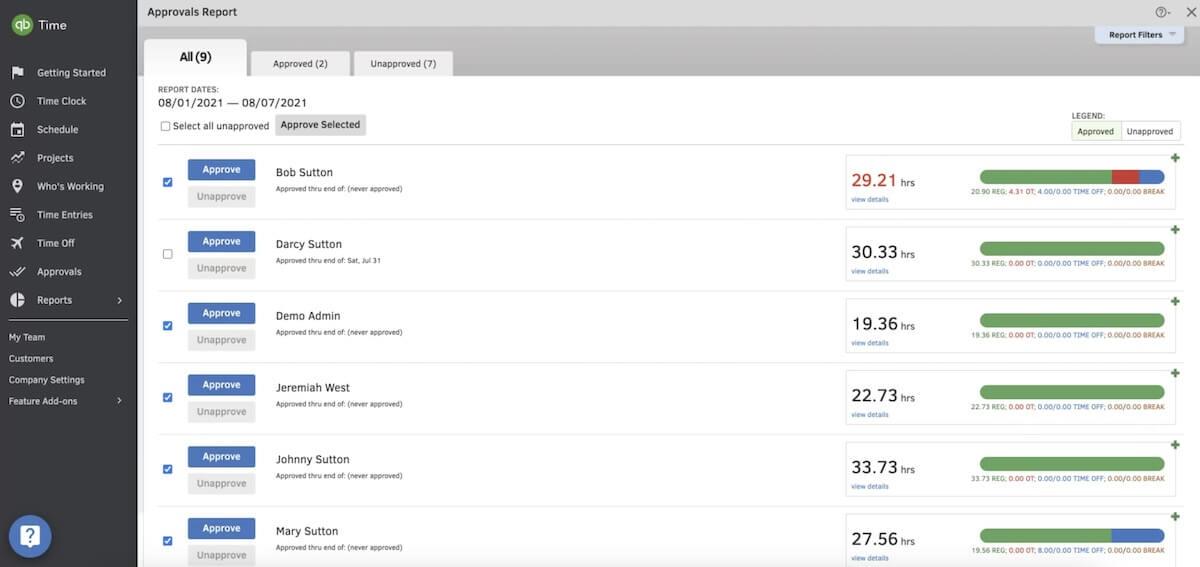
When people think of QuickBooks, they think of accounting software—but with QuickBooks Time, you get a robust set of time tracking tools, too. To start, QuickBooks Time is available across mobile and desktop platforms, making it easy to track time no matter where the job takes you. You’ll use timesheets to track time, and this app also gives managers an easy way to see who is working and what they’re working on.
QuickBooks best features:
- Set up timesheets to track not only hours worked, but also mileage, location data, and more
- Get visibility into who’s working, the projects they’re working on, and other important details
- Create customizable reports to get insights into job costs, payroll planning, and profitability
- Integrate with popular human resources and payroll software like ADP, Square, and JazzHR
QuickBooks limitations:
- Setup can be challenging, and it isn’t as intuitive for new users as other options
- Options for logging time based on different projects or tasks are limited
- Editing clock-in and clock-out times can be challenging
QuickBooks pricing:
- Simple Start: $15/month
- Essentials: $30/month
- Plus: $45/month
- Advanced: $100/month
QuickBooks ratings and reviews:
- G2: 4.5/5 (1,400+ reviews)
- Capterra: 4.7/5 (6,500+ reviews)
4. TimeClick
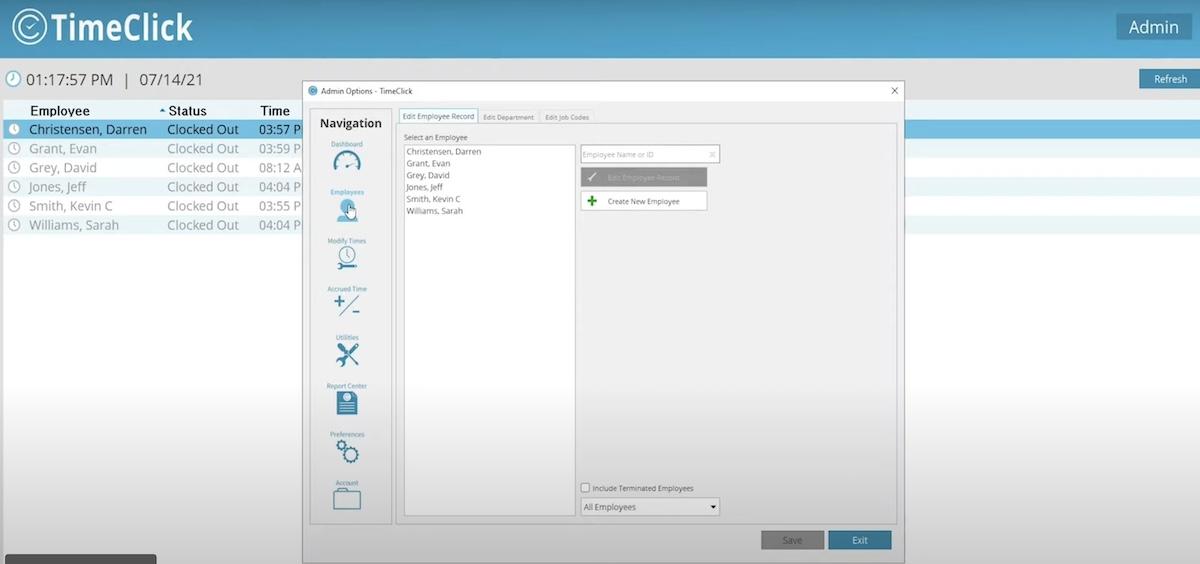
Many time tracking apps are subscription-based, but TimeClick is a one-time purchase that delivers time clock software, timesheets, a paid time-off tracker, and everything else you need to manage payroll and hours worked. What’s more, you can use this software to track time on a granular level. Use job codes to easily manage the hours worked on different teams and projects.
TimeClick best features:
- Clock in and clock out via a workplace kiosk or via mobile app from anywhere
- Automate paid time management with the paid time off (PTO) tracker
- Automate payroll with quick and easy automatic time calculations
- Generate fully customizable reports, exportable as PDF, Excel, or CSV files
TimeClick limitations:
- Doesn’t support more than one pay rate per employee for employees working multiple positions
- Users report that the interface could be a little more user-friendly
TimeClick pricing:
- Prime: $249 plus $99/year for the optional support plan
- Premium: $499 plus $169/year for the optional support plan
- Plus: $699 plus $219/year for the optional support plan
- Platinum: $999 plus $289/year for the optional support plan
TimeClick ratings and reviews:
- G2: 4.3/5 (150+ reviews)
- Capterra: 4.7/5 (400+ reviews)
5. Buddy Punch
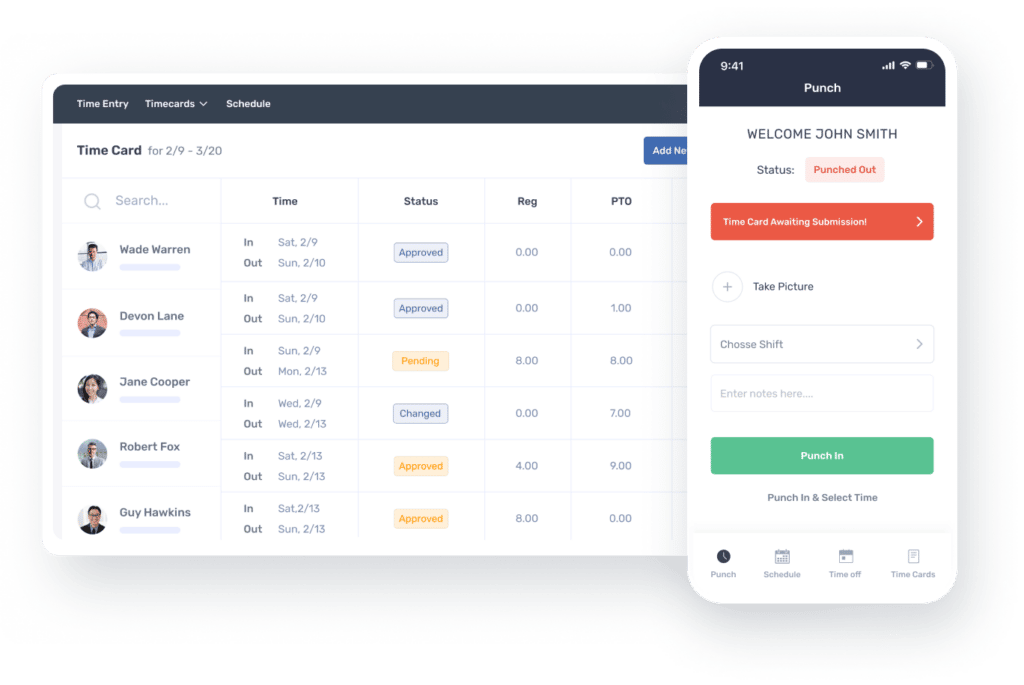
The Buddy Punch platform is designed to automate the entire time tracking and payroll process so you can skip the spreadsheets and time-consuming calculations. In addition to tracking hours worked, it automatically calculates accrued sick time, vacation time, and overtime. Buddy Punch also provides an attendance tracking system so you get visibility into who’s working and what they’re working on.
Buddy Punch best features:
- Use geofencing and IP address locking to track remote employees
- Integrate with popular payroll software like QuickBooks and ADP
- Keep workers accountable with image and GPS tracking
- Automatically process payroll without spreadsheets or calculations
Buddy Punch limitations:
- User reports indicate that it can be difficult to adjust employee time cards when needed
- Can’t video conference with Zoom or other apps while Buddy Punch is also using the device camera unless you turn Buddy Punch off, which also stops the time tracking features
Buddy Punch pricing:
- Standard: $2.99 per user/month, plus a $19 flat base fee
- Pro: $3.99 per user/month, plus a $19 flat base fee
- Enterprise: Contact sales
Buddy Punch ratings and reviews:
- G2: 4.8/5 (200+ reviews)
- Capterra: 4.8/5 (900+ reviews)
6. Time Doctor
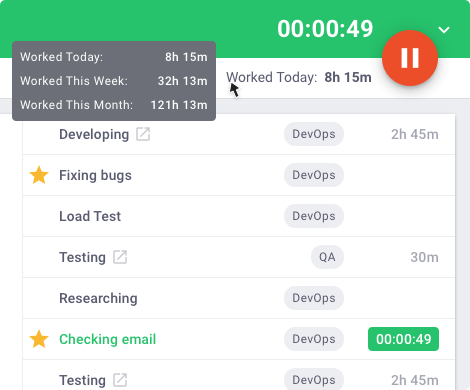
Time Doctor is part time tracking software, part analytics platform. It gives you all the time tracking capabilities you’d expect—like timesheets, the ability to track time for remote workers, and more. Time Doctor combines this with robust analytics so you can track hours worked on projects, and even determine who your top performers are.
Time Doctor best features:
- Track time to the minute for optimized billing accuracy and payroll
- Allow workers to track time even when the jobsite takes them offline
- Keep track of the websites and apps that employees are using most
- Analyze individual workflows to find areas for improvement
Time Doctor limitations:
- Some users report that time doesn’t always sync accurately when switching between computers or devices
- Users say that the mobile app lacks a lot of the functionality of the desktop version
Time Doctor pricing:
- Basic: $5.90 per user/month
- Standard: $8.40 per user/month
- Premium: $16.70 per user/month
Time Doctor ratings and reviews:
- G2: 4.4/5 (360+ reviews)
- Capterra: 4.6/5 (500+ reviews)
7. When I Work
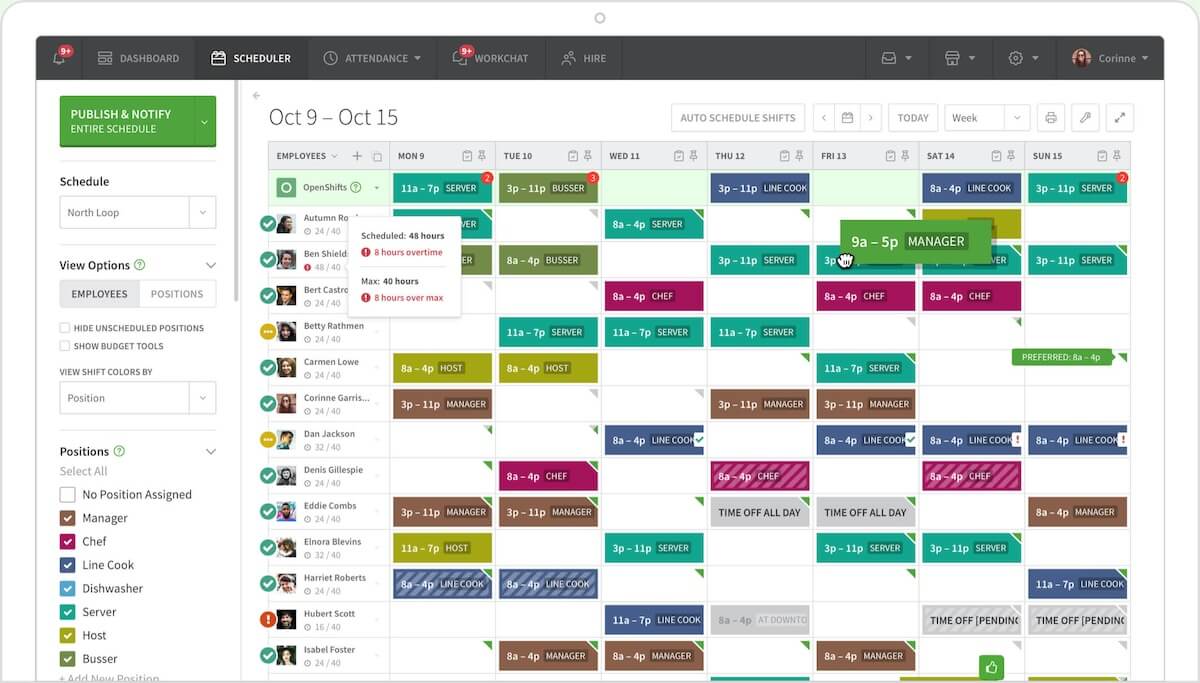
This app delivers a schedule management system that is simple and intuitive. With it, you can create and share a work schedule with your team in minutes. Messaging features let team members communicate easily, even if they’re in different departments or working different shifts, and you can integrate schedules with time clock features so that employees can effortlessly punch in, punch out, and track hours worked.
When I Work best features:
- Create schedules using color coding, calendar views, and other tools
- Use chat features to communicate with team members
- Give team members an organized place to trade shifts or request time off
- Publish and share schedules to instantly notify employees about their shifts
When I Work limitations:
- User reports indicate that customer service can be slow to respond
- Features are lacking for adding breaks to employee schedules
When I Work pricing:
- Essential: $2.50/user
- Pro: $5/user
- Premium: $8/user
When I Work ratings and reviews:
- G2: 4.3/5 (270+ reviews)
- Capterra: 4.5/5 (1,000+ reviews)
8. Everhour
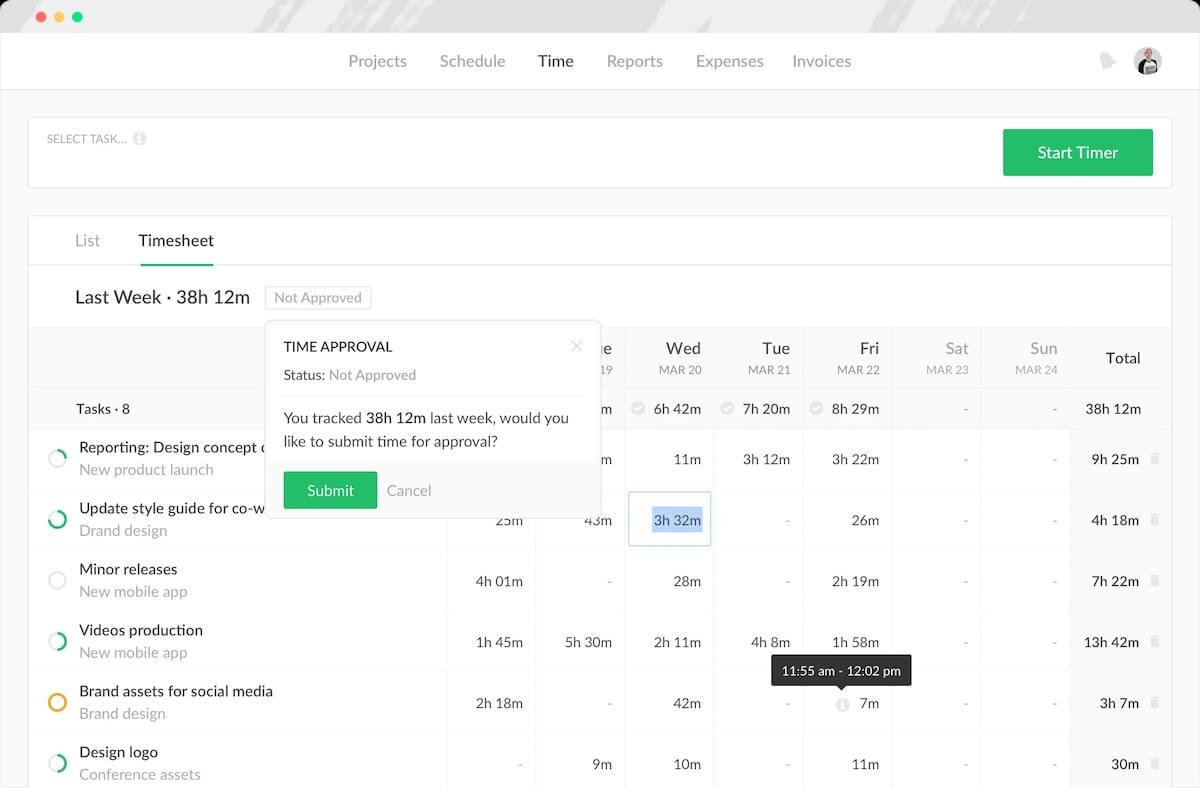
Everhour is a popular choice for time and attendance software—and that’s because it offers a simple time tracker that lets you track hours worked, employee breaks, time spent on tasks, and so on. You can also use Everhour to keep tabs on your budget and generate invoices for clients.
Everhour best features:
- Map out projects and employee schedules with an intuitive visual interface
- Track both time and expenses to stay on top of your project’s budget
- Create and send invoices to clients in just a few clicks
- Integrate with popular project management software like Asana, Jira, ClickUp, and Trello
Everhour limitations:
- Paid plans require a minimum of two to five users—not ideal for individuals or small teams that need more features
- According to reviews, some features could be added—like the ability to color-code tasks
Everhour pricing:
- Free: up to five users
- Lite: $5 per user/month
- Team: $8.50 per user/month
Everhour ratings and reviews:
- G2: 4.7/5 (160+ reviews)
- Capterra: 4.7/5 (390+ reviews)
9. TCP Software
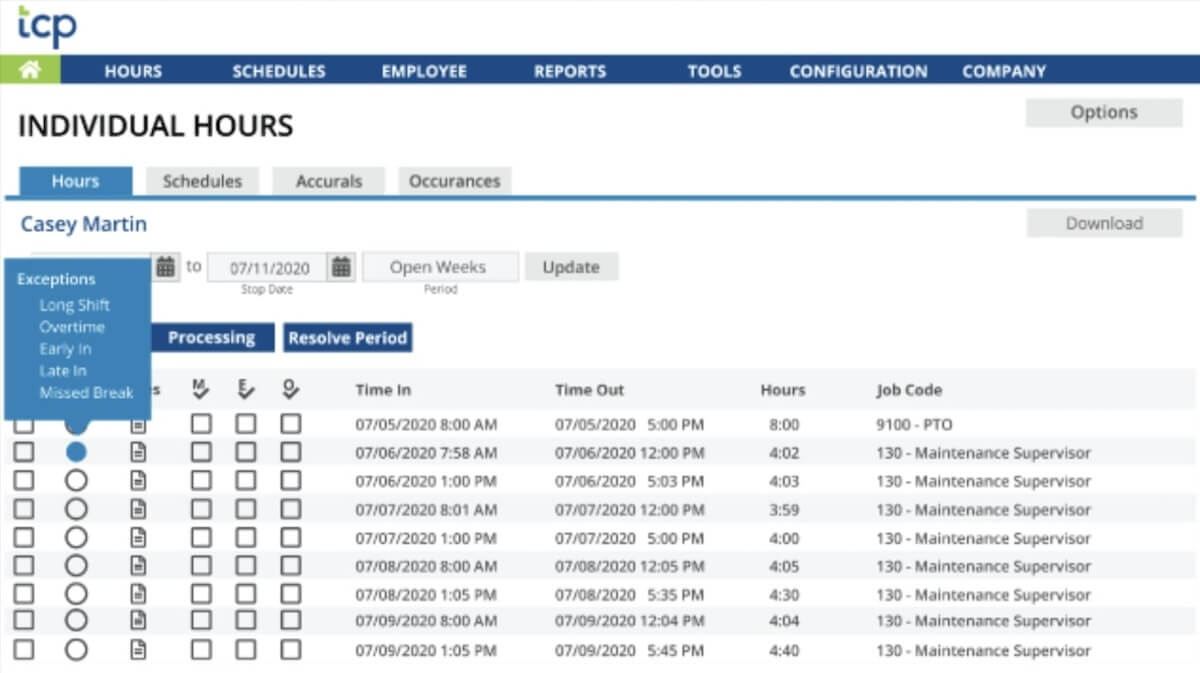
TCP Software actually has three different offerings: the original TimeClock Plus, TCP Humanity, and TCP Aladtec. TimeClock Plus is a workforce management solution with timekeeping features that let you easily manage hours and payroll while maintaining compliance with government regulations. TCP Humanity offers dynamic employee scheduling, which lets you simplify schedule creation with automated conflict-checking. Aladtech is ideal for public sector work like emergency medicine, fire and rescue, and law enforcement, where you need the functionality to support rotating shifts.
TCP Software best features:
- Track attendance, time, overtime, and and more in a simple interface
- Use job codes to track hours worked per job or task
- Customize dashboards to see the time data you need at a glance
- Use time clock devices designed to work with TCP Software products
TCP Software limitations:
- Pricing is not transparent for any of the plans or products
- Users report it can be difficult to set up and install this system
- Some reviews say that customer service can be slow to respond
TCP Software pricing:
- Essentials: Contact sales
- Professional: Contact sales
- Enterprise: Contact sales
TCP Software ratings and reviews:
- G2: 4.3/5 (390 reviews)
- Capterra: 4.4/5 (190+ reviews)
10. Rippling
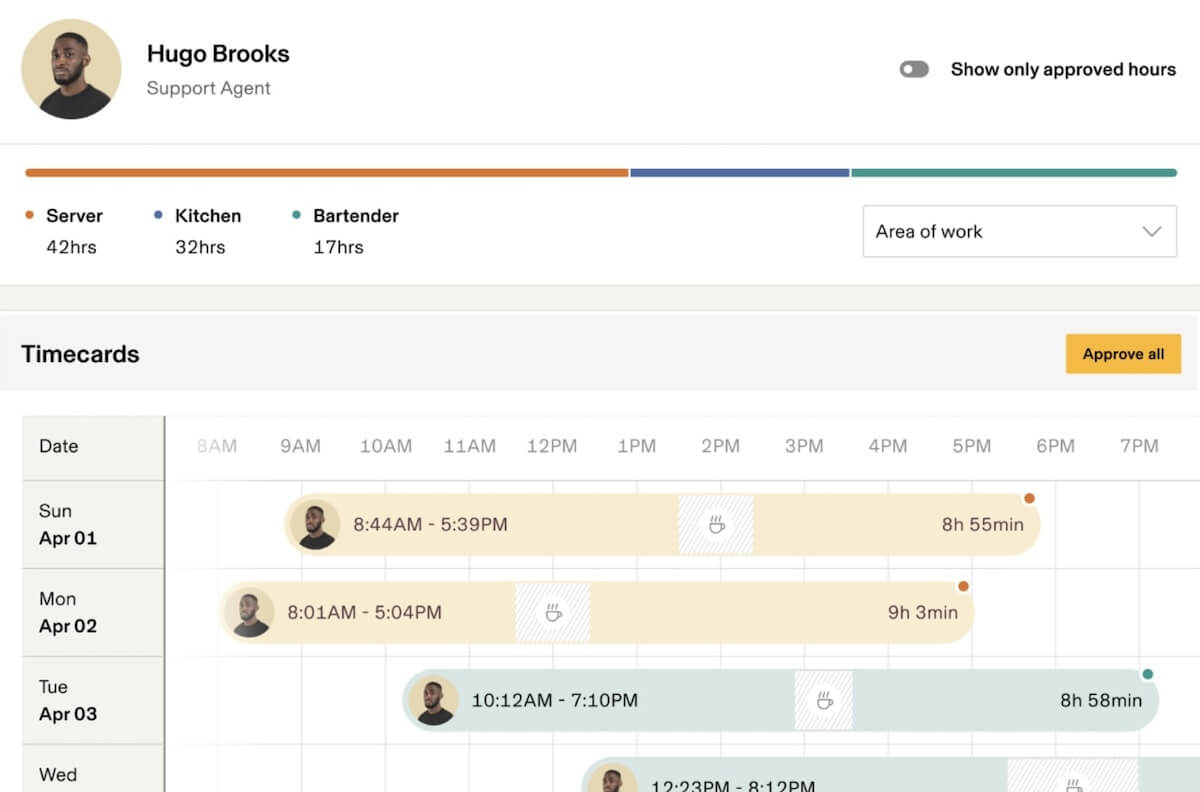
Rippling is a unique time and attendance solution that lets you build your own platform by choosing from an a la carte selection of modules. The Rippling Unified Workforce Management Platform goes beyond time tracking to give you the tools for onboarding and managing human resources. You can combine this with the Finance Cloud, HR Cloud, IT Cloud, or Rippling Unity to get a variety of advanced features for tasks like expense tracking, benefits administration, app and device security, or workflow automation.
Rippling best features:
- Create a centralized system for tracking employee hours, labor costs, and expenses
- Provide self-service access to payroll information, benefits packages, and company policies
- Leverage analytics to get insights into productivity and profitability
- Use the IT Cloud to manage not only employees but also the devices they’re using
Rippling limitations:
- Pricing is unclear—you’ll need to choose your add-ons, then contact Rippling’s sales team to learn more
- Implementation can be a lengthy process
- So many add-ons make it tough for users to find the exact product they need
Rippling pricing:
- Starting at $8 per user per month—but contact sales for pricing beyond basic features
Rippling ratings and reviews:
- G2: 4.8/5 (2,100+ reviews)
- Capterra: 4.9/4 (2,900+ reviews)
Bonus: How to Create an Attendance Sheet in Excel!
Summarize this article for me pleaseStreamline Time Tracking and Project Management With ClickUp
With lots of time and attendance software options available, it’s easy to find an app or platform that will suit your needs—but with ClickUp, you can get all the time management features you need and a whole lot more. Use ClickUp’s features and templates to create timesheets, track billable hours, and create invoices for your clients. Meanwhile, you can rely on ClickUp’s project management features to map out projects and keep your team on track.
Ready to learn more? Sign up here for free to discover how you can streamline both time tracking and project management.


Everything you need to stay organized and get work done.

Recent Articles
7 Best Zoom Alternatives in 2026: Free Plans and Meeting Limits 
7 Best Zoom Alternatives in 2026: Free Plans and Meeting Limits
How to Create a Fillable Form in Microsoft Word (With Templates)
How to Create a Fillable Form in Microsoft Word (With Templates)
7 Best Perplexity AI Alternatives I Tested for Work in 2026 
7 Best Perplexity AI Alternatives I Tested for Work in 2026
