
Sorry, there were no results found for “”
Sorry, there were no results found for “”
Sorry, there were no results found for “”
Your new hire starts on Monday. HR has sent the paperwork, but the laptop is still in transit. Their manager has planned a welcome call, and the teammate assigned to help with setup is away. Before the hire can begin learning the role, someone needs to resolve those gaps.
Preparation matters beyond the first morning. In a 2025 BambooHR and TalentLMS survey of 1,156 US employees who had started a job in the previous year, 52% said onboarding focused too much on admin rather than role training.
A useful onboarding plan needs to cover both: getting people ready to start and helping them learn the work. That means deciding who prepares equipment, who supports the hire, what training they need, and when to check their progress.
Below are 10 employee onboarding examples from companies including Epiq, HCLTech, and Salesforce, documented in company accounts and customer stories published in 2024 and 2025. They cover connected setup workflows, AI-assisted guidance, and role-specific training, with practical ideas you can adapt. You’ll also find a sample workflow with responsibilities and deadlines.
TL;DR: These employee onboarding examples show how teams handle pre-start preparation, buddy support, role-specific training, and feedback. Choose practices that address gaps in your process, then adapt them to your team’s capacity and the hire’s needs. Use the sample workflow to assign responsibilities and deadlines, and assess progress through demonstrated skills and employee feedback alongside task completion.
An employee onboarding example is worth copying when you can name who owns each step and what triggers it. Onboarding is the full process of getting a new hire from signed offer to independent, productive work. Orientation is one piece of it, usually the first day or week.
Look for a practice that addresses a specific need: learning the product, building relationships, or assessing readiness for independent work. Before adopting it, identify which part of onboarding it supports.
| Term | What it covers | How to assess completion |
| Preboarding | Preparation between offer acceptance and the start date | Required pre-start arrangements are ready, with unresolved issues assigned for follow-up |
| Orientation | Introductions to company policies, tools, and ways of working | The hire knows the essentials and where to find further guidance |
| Onboarding | The broader process of learning the role, forming relationships, and receiving support | The hire can meet agreed role expectations and knows when to seek help |
| Role ramp | Practice and training toward the role’s expected performance level | The hire demonstrates the skills and judgment required for the work |
These activities can overlap. A new hire might attend company orientation while shadowing a teammate, then continue role training after the introductory sessions end.
To check whether your plan covers more than setup, use the five areas described in Talya Bauer’s five-Cs framework:
No single company example needs to cover all five. A buddy program can strengthen connection, while a supervised assignment can build confidence and reveal training needs. Use the examples to fill gaps in your onboarding templates, adapting each practice to the work your new hires will actually do.
Equipment, access, and a clear starting plan help new hires begin work without spending their first week chasing requests. These companies organize that preparation in different ways.
At Epiq, onboarding involves several systems, from employee records in Workday to service requests in ServiceNow. Its Launchpad system connects those workflows so laptop ordering, account provisioning, and documentation can move forward together.
A 2025 Microsoft customer story explains how Epiq also uses AI Builder with Azure OpenAI to handle inconsistent employee IDs in mass-hire forms. The AI normalizes the formatting, reducing the manual cleanup needed before the information moves through the process.
This gives each technology a specific job. Workflow automation coordinates the requests, while AI handles an input that would otherwise need someone to interpret and correct it.
Copy: Connect equipment, account, and documentation requests to one onboarding record so managers can see what is ready and what still needs attention.
Adapt: Start with a recurring handoff that creates manual work. Validate AI-processed information before using it to update employee records or request access.
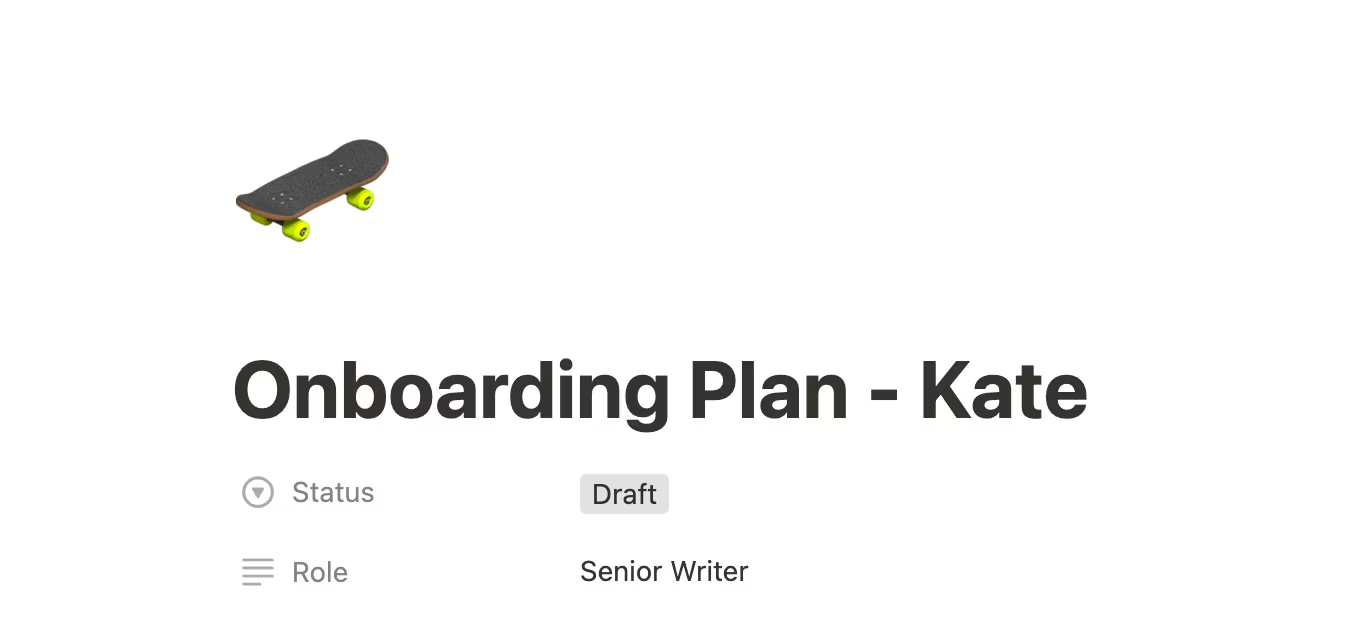
A few days before joining Tremendous, one employee received a Notion document prepared by her manager. It contained her role description, key contacts, current projects, and links to the internal resources she would need.
In her 2024 onboarding account, she described learning company background through recorded department introductions and a shared resource library. About two weeks after joining, the new-hire group met department heads for short question-and-answer sessions.
That gave her time to absorb the material and begin an assignment before the live discussions. She wrote a white paper in her first week, with the onboarding document providing context for the work.
Copy: Prepare a starting document that connects the hire’s responsibilities to actual people, projects, and resources.
Adapt: Record information that applies across roles, then use live sessions for questions. Keep pre-start communication focused on preparation rather than expecting employees to complete training before their employment begins.
A new hire may know what they need to do without knowing which internal tool to use or how to get access. Guidewire’s internal AI assistant, GWiz, helped a newly joined technical product manager with both.
In his 2024 account, he described using GWiz to find the tools he needed and request access through ServiceNow. IT handled device setup, while a BizTech Slack helpdesk provided another route for support.
His onboarding plan also linked to team documentation and included an early assignment: completing an end-to-end product use case. Tool setup therefore supported a defined piece of work.
Copy: Give new hires a clear starting point for finding tools and requesting access, with human support available when they get stuck.
Adapt: Let the assistant guide the request while authorized owners approve access. Include enough information in the request for those owners to act.
Buddy programs give new hires someone to turn to for questions and context. In BambooHR’s 2025 survey, 31% of respondents said their onboarding lacked meaningful interactions. Feeling welcomed by the team was the top driver of belonging, cited by 53%.
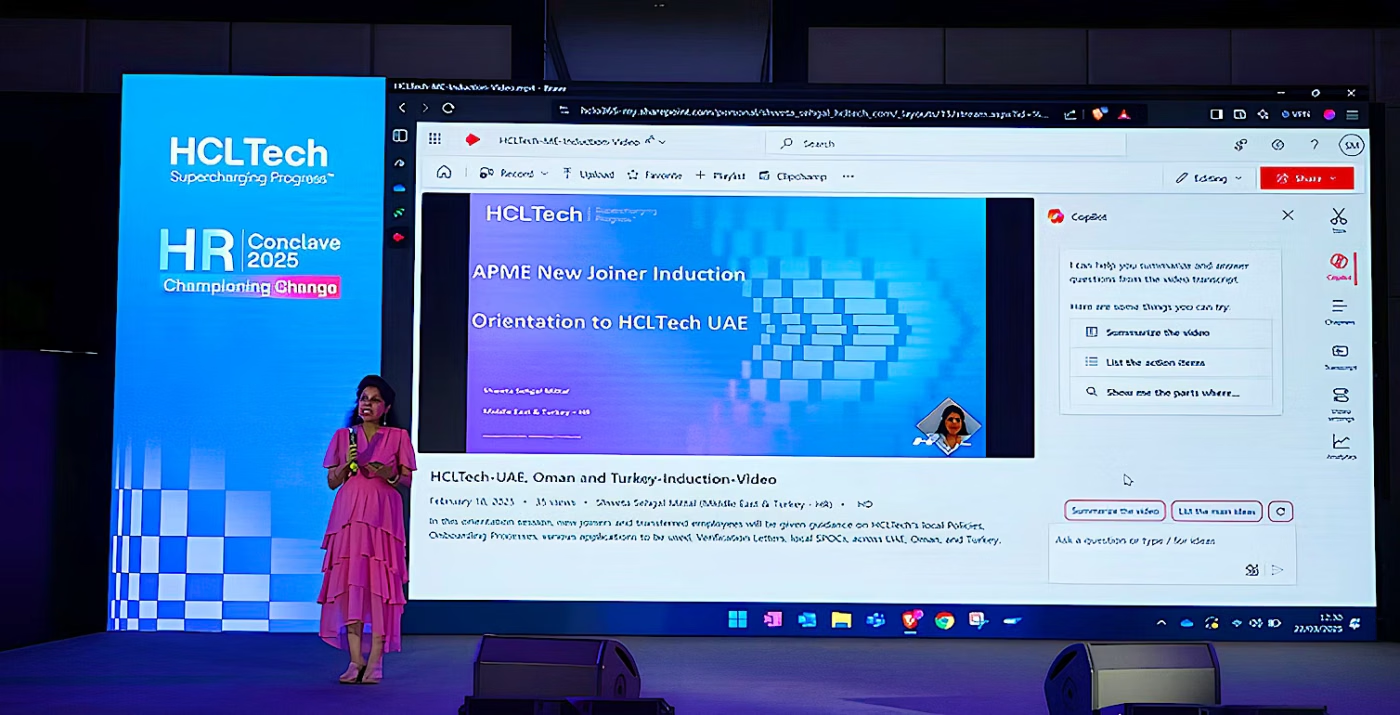
HCLTech’s induction sessions in the UAE, Oman, and Turkey covered regional policies, cultural norms, and workflows. For employees transferring from India, some company-wide information was already familiar.
To reduce repetition, the company introduced a chapter-based induction video in Microsoft Stream, paired with a Copilot chatbot grounded in its transcript. Employees could select relevant sections and ask follow-up questions without waiting for another HR session.
In its 2025 account, HCLTech reported reducing the induction session from three hours to 30 minutes. HR could also review content usage to identify topics that needed improvement.
Copy: Divide induction material into clearly labeled topics and give employees a way to ask questions using approved content.
Adapt: Identify which sections are mandatory and which are reference material. Route questions about individual circumstances to HR.
Tüpraş uses Microsoft 365 Copilot to help HR create onboarding plans for different roles. Instead of preparing each plan from scratch, the team uses AI to organize relevant activities and guidance around the job.
Its Head of HR Technologies and Analytics also described how new hires use Copilot to ask questions about company policies, processes, and projects.
The approach supports both sides of onboarding: HR prepares a more relevant plan, and employees can find information as they work through it.
Copy: Give the AI tool approved role requirements and training resources to help prepare the first draft of an onboarding plan.
Adapt: Have the manager check the workload, sequence, and goals. Include the people responsible for training so the plan reflects their availability.
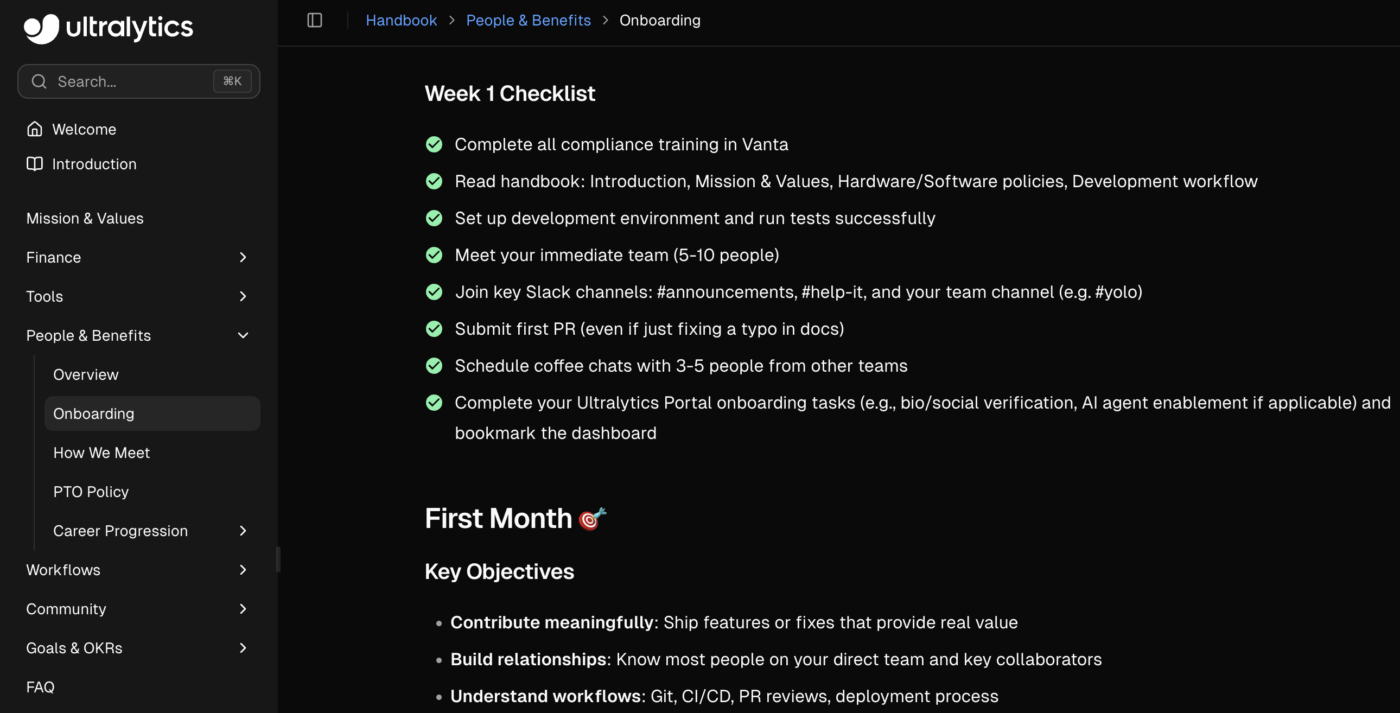
Ultralytics includes learning approved AI tools in its onboarding plan. Its new-team-member handbook, created in 2025, sets out a sequence from pre-start preparation through the first 90 days.
Account setup begins with an invitation to Rippling, followed by company Slack and the Ultralytics Portal. First-week objectives include integrating approved AI assistants and automations into daily work, alongside security training, cross-team introductions, and an early contribution. The portal checklist includes AI-agent enablement where applicable.
This makes AI-tool preparation an assigned part of onboarding instead of leaving each employee to choose tools and work out the rules independently.
Copy: Include approved AI tools in the role’s setup and training checklist.
Adapt: Explain what each tool is for, which information employees may use with it, and when its output needs review. Tailor those instructions to the tasks the hire will perform.
Once the initial setup is complete, employees need practice, feedback, and working relationships. These companies give that support a defined place in the onboarding schedule.
TD Bank pairs Advice Academy attendees with a coach for seven to nine weeks. Its Retail Onboarding Coach Program launched at full scale in February 2024 after a pilot.
According to TD’s account, participants follow a structured curriculum tailored to their role and personalized as needed. Individual and group sessions combine scenario-based learning, role-play, and questions.
The coach has a defined training responsibility and scheduled time with the employee. That gives participants continuing support as they apply what they have learned.
Copy: Give onboarding coaches a curriculum, scheduled sessions, and a clear period of responsibility.
Adapt: Build practice around decisions employees will make in their jobs. Use those exercises to identify where more explanation or supervised work is needed.
Salesforce begins onboarding with a five-day “Discovering Salesforce” program before employees move into function-specific learning. The shared introduction establishes company context; the next stage focuses on the work.
The company’s blog describes a four-day general program for Tech & Product hires, combining interactive and self-paced activities. Role-specific training follows, with workshops covering tools and processes, including building workflows and bots in Slack.
New hires also use Trailhead and receive a Trail Guide, an informal mentor who can help them settle in.
Copy: Show the transition from company orientation to role training in the hire’s schedule, with a clear owner for each stage.
Adapt: Keep essential company information consistent, but adjust practical training to the employee’s role and prior experience.
Canonical combines a manager-created onboarding plan with a later opportunity to meet colleagues in person. The initial plan covers business context, stakeholders, tools, and asynchronous working practices.
In a 2024 account featuring a new Customer Success employee, Canonical described inviting new hires across roles and levels to a funded three-day induction sprint during their first few months. The event includes senior-leader talks and time with other new joiners.
Employees therefore begin with support for their immediate work, then build wider relationships once they have some experience of the organization.
Copy: Teach remote working practices explicitly, including where decisions are recorded and how employees ask for help.
Adapt: Use a later cohort event for broader introductions. Make sure essential training and day-one support do not depend on travel or attendance at that event.
Hirsh Precision brought its internal training curriculum into a learning management system, organizing the content into career pathways and onboarding journeys. New employees could access role-relevant knowledge in one place, with resources available for later cross-training.
In its 2024 workforce update, the manufacturing company also described using its CRM and marketing platform to trigger onboarding emails, internal new-hire notifications, and task assignments.
The setup connects preparation with continued learning: the hiring handoff starts the work, while the learning system organizes the knowledge employees need to develop.
Copy: Group training around the skills and responsibilities of each role, and assign someone to maintain the material.
Adapt: Combine online learning with supervised practice where needed. Track demonstrated competence separately from course completion.
An employee onboarding process flow maps each step to a trigger, owner, output, and deadline. This illustrative workflow gives you a starting structure to adapt using these workflow templates or the free employee onboarding template.
| Step | Trigger | Accountable owner | Output | Suggested deadline |
| Open onboarding record | Offer accepted | People Ops | One shared record with tasks for HR, IT, the manager, and the buddy | Same day |
| Arrange equipment and accounts | Record opened | IT | Equipment ordered and access requests submitted, with delivery and setup dates recorded | 10 business days before start |
| Assign buddy and write 30-60-90 plan | Record opened | Hiring manager | Named buddy and backup, with goals for the first 30, 60, and 90 days | Five business days before start |
| Send day-one logistics | Two days before start | Hiring manager | Schedule, first contacts, and secure setup instructions | Two days before start |
| Confirm equipment and access | Equipment delivered and accounts available | IT | Equipment receipt confirmed, required access tested, and unresolved issues assigned for follow-up | Before work requiring those tools begins |
| Complete a first practical task | Required setup and initial training complete | Hiring manager; buddy supports | A small piece of supervised work or a role-appropriate exercise | End of week one, where appropriate |
| First check-in survey | Day 30 | People Ops | Feedback on tools, role clarity, and connection, with follow-up actions assigned | Day 30 |
| Midpoint review | Day 60 | Hiring manager | Feedback and adjusted goals | Day 60 |
| Review progress before day 90 | Day 80 | Hiring manager | Remaining support and training needs identified | Day 80 |
| Review and plan follow-up | Day 90 | People Ops | Survey, remaining tasks assigned follow-up dates, and improvements recorded for the next hire | Day 90 |
If an offer is accepted after a target deadline, assign the task immediately and agree on an interim plan. When the start date changes, update the related deadlines and notify the people responsible. Keep unfinished work visible after day 90 rather than marking it complete to close the plan.
In a company without HR, the founder or team lead can own the People Ops steps. If there is no IT team, name the person responsible for arranging equipment and confirming access. For shift-based or frontline roles, a preceptor or shift lead can provide role-specific support, with training and check-ins scheduled during working hours.
Start with a specific gap in your current process. Use the table below to choose a relevant practice, then check what people, tools, and preparation it would require.
If you are rebuilding from scratch, these three-day onboarding sprints offer ideas for organizing the initial setup. Review the plan with HR, IT, and the hiring manager before the hire starts.
| If your problem is | Start with |
| Equipment and account requests get lost between systems | Epiq’s connected setup workflows and shared onboarding record |
| New hires lack context for their first assignments | Tremendous’s manager-prepared onboarding document |
| Employees struggle to find tools or request access | Guidewire’s AI-assisted tool discovery and access-request guidance |
| Regional induction repeats information employees already know | HCLTech’s chapter-based videos and transcript-grounded chatbot |
| Onboarding plans need to reflect different roles | Tüpraş’s AI-assisted planning, with manager review |
| New hires lack guidance on approved AI tools | Ultralytics’ first-week AI-tool enablement |
| Employees need support applying their training | TD Bank’s scheduled, role-specific coaching |
| Company orientation does not lead clearly into role training | Salesforce’s shared introduction followed by functional learning |
| Remote hires need relationships beyond their immediate team | Canonical’s later cohort induction alongside manager-led onboarding |
| Role-specific training material is scattered | Hirsh Precision’s centralized curriculum and learning journeys |
ClickUp fits teams that want the trigger-based workflow above in the same place as the rest of their work. Use it to coordinate the work between HR, IT, the hiring manager, and the new hire. Keep each person’s onboarding tasks, deadlines, and supporting resources together, with access limited to the people who need them.
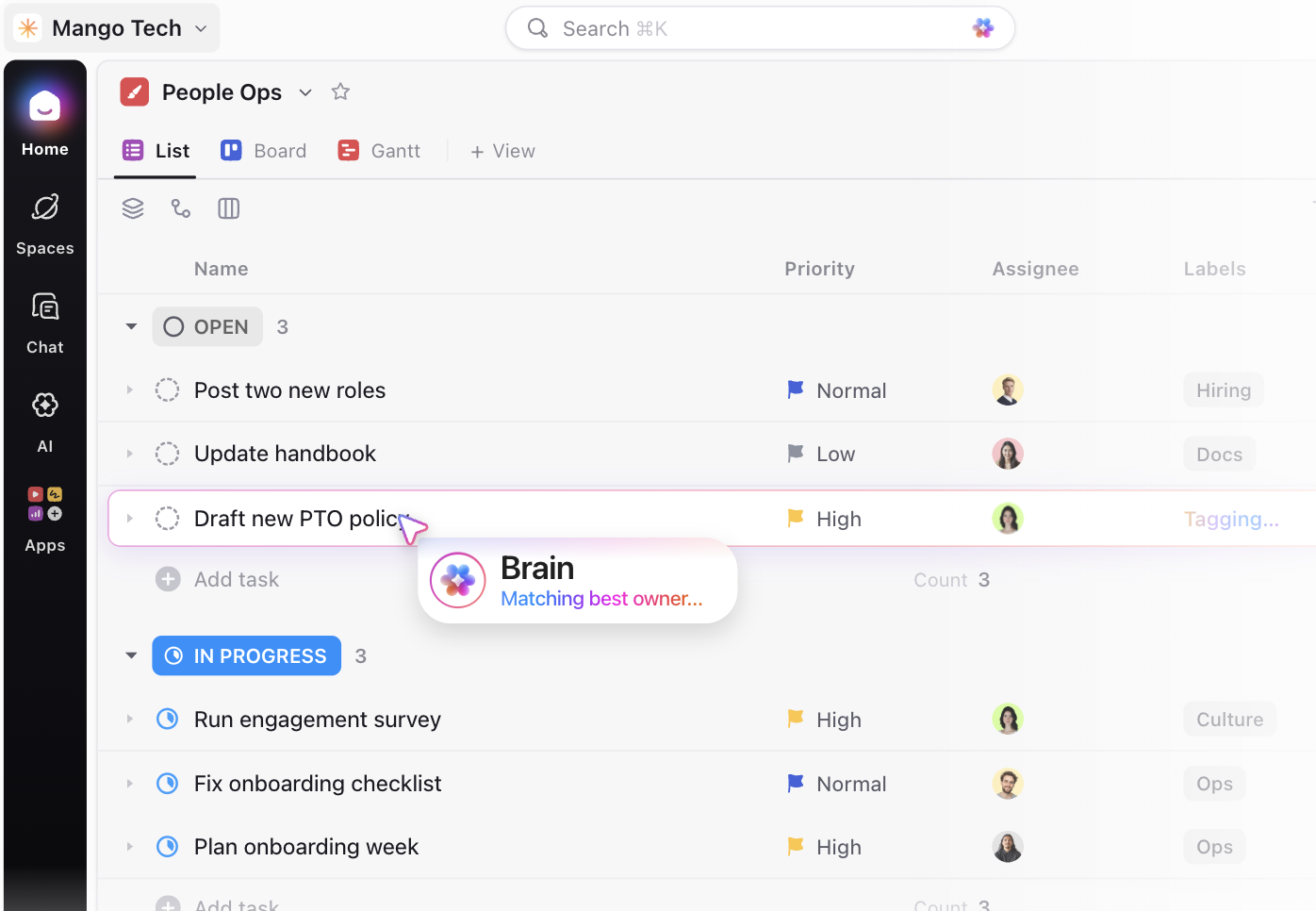
In its 2021 onboarding-team account, ClickUp described a workflow where moving a candidate to NEW HIRE triggered a task for the onboarding team. You can configure a similar handoff, then use a reusable List or task template to add the preparation and training steps for each role.
Use ClickUp Custom Fields to record the start date, department, hiring manager, trainer, and buddy. Assign each actionable task to the person responsible for completing it. Before reusing a template, review its assignees and dates against the new hire’s schedule.
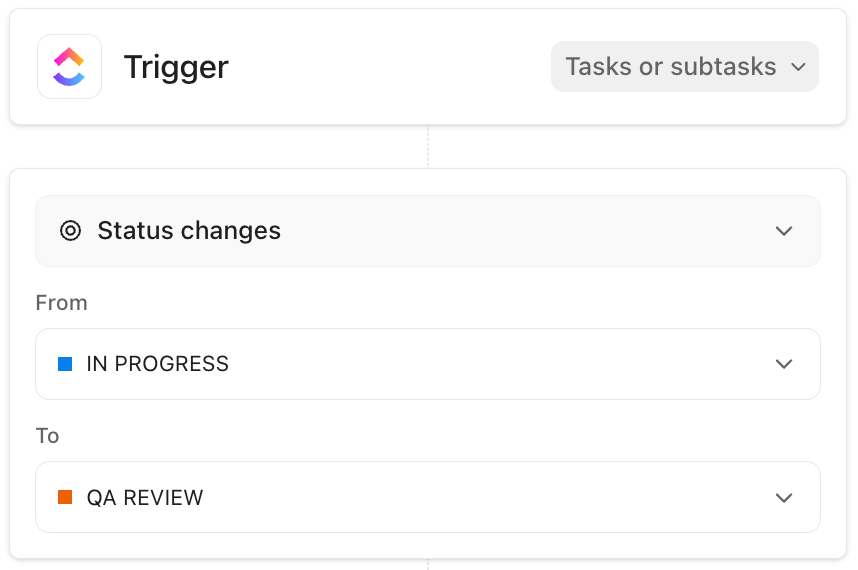
Configure ClickUp Automations around your onboarding stages. For example, an OFFER SIGNED status can trigger a welcome email through a connected email account. An EQUIPMENT status can apply a checklist for ordering supplies, confirming delivery, and testing access.
A separate Automation can move the task to REVIEW when all its checklists are resolved. Make the checklist items specific enough that completion means the equipment and accounts are ready, rather than merely requested. Assign unresolved setup problems to someone who can address them before the hire needs those tools.

Configure an onboarding Super Agent with your approved instructions, role requirements, and the tools it needs to create or update tasks. It can help turn those instructions into assigned work, summarize outstanding preparation, and flag missing details for the coordinator.
For example, ClickUp’s Onboarding Task List Checker, available through its Accelerator package, creates a new hire’s task List from supplied onboarding instructions and includes due dates when provided. For a custom cross-team agent, specify which tasks belong to HR, IT, the manager, and the new hire. Keep decisions about training completion and readiness with the responsible person.
ClickUp Brain² can help employees ask follow-up questions using the relevant Workspace context. Link personalized summaries back to official guidance, route unclear eligibility questions to HR, and review access and sharing settings before including employee-specific information.
Use the hire’s recorded role, region, and start date to organize a personal onboarding page with relevant training, contacts, benefits information, and holiday policies. A configured Super Agent can help assemble guidance from approved sources, while an Artifact provides an interactive page the employee can return to.
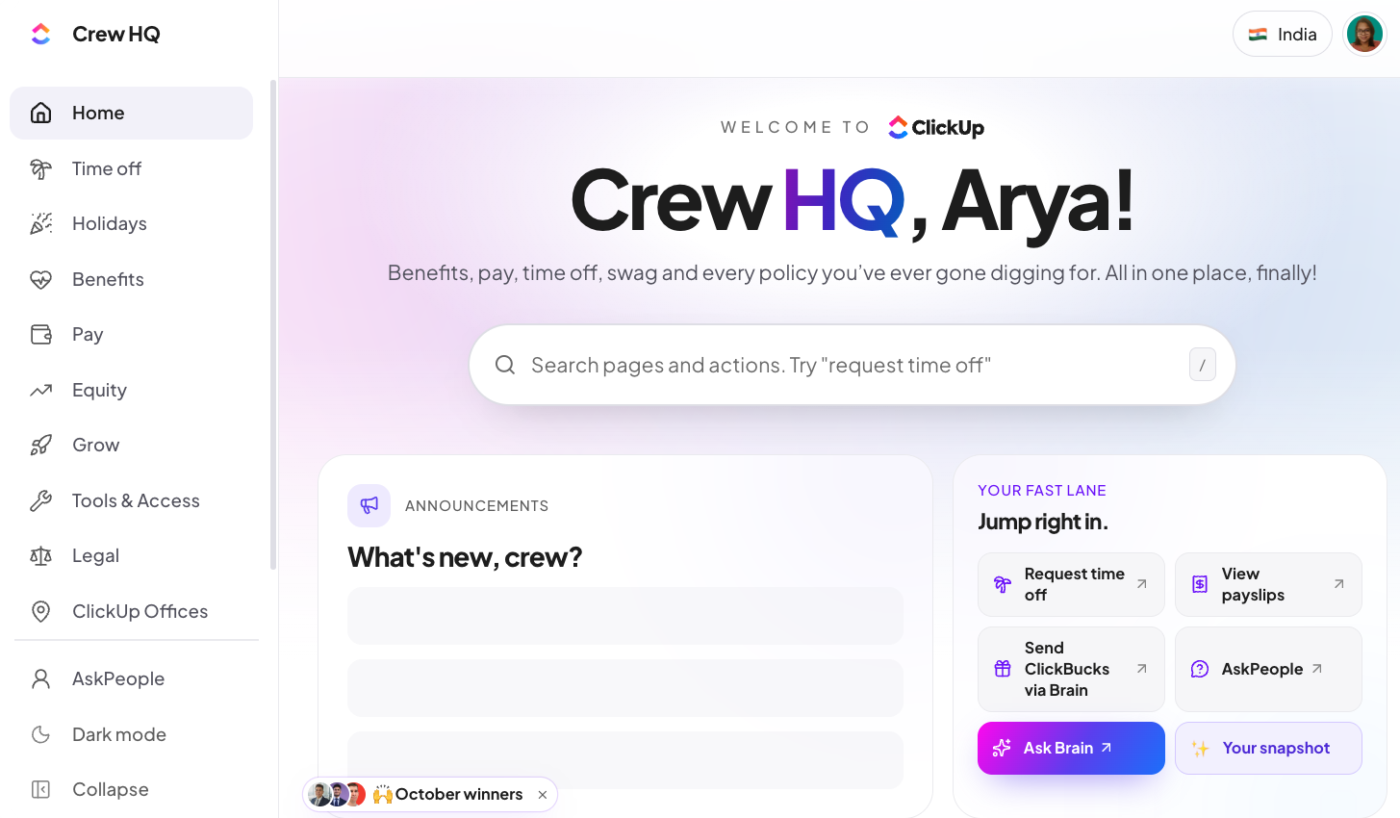
ClickUp uses a personalized resource hub internally through Crew HQ. Built with Artifacts and Crew Directory information, the hub tailors benefits, pay, time off, policies, and other resources to the employee’s region, role, and team. Crew Central remains the source of truth for the underlying policies.
Use ClickUp Forms to collect feedback at your chosen milestones. Form submissions create tasks, giving the team a place to review concerns and assign follow-up work. Configure ClickUp Dashboards to summarize recorded responses and task progress.
Review the feedback alongside the manager’s assessment of role readiness. Carry unfinished training into a follow-up plan, and update the reusable template when the same issue recurs.
Keep payroll, benefits, and other employee records in the systems your organization uses for them, while ClickUp coordinates the cross-team onboarding work.
Use these checks to spot gaps in your onboarding plan.
Before the start date, have HR, IT, and the hiring manager review the plan together. Confirm that the people providing training and support have time allocated, and resolve any missing equipment, access, or instructions. If something will be delayed, tell the hire what to expect and arrange an alternative.
You can borrow useful practices from these companies without adopting their entire programs. Choose what fits the role and what your team can reliably deliver.
Get started with ClickUp for free to coordinate that preparation in one shared onboarding plan.
The five Cs are compliance, clarification, confidence, connection, and culture. They cover required paperwork and policies, clear role expectations, confidence in doing the work, relationships with colleagues, and an understanding of how the organization operates. Use them to check whether your onboarding plan addresses both practical preparation and the support a new hire needs.
A 30-60-90 onboarding plan divides the first three months into periods with defined goals and check-ins. The first 30 days typically emphasize learning, the next 30 introduce more responsibility, and the final 30 focus on greater independence. Treat this as a planning framework, not a fixed rule: responsibilities should progress according to the role, required training, and the hire’s readiness.
Employee onboarding should include required paperwork, equipment and account setup, team introductions, clear role expectations, practical training, and scheduled feedback. Give the hire a written schedule and named contacts for questions. Assign responsibility and deadlines for preparation, then adjust training and support as the hire progresses.
Assess whether the hire can perform agreed role-specific work, knows where to get help, and understands what is expected of them. Combine manager observations and supervised assignments with feedback about tools, training, and support. Track time to agreed proficiency milestones within comparable roles, and assign follow-up actions when the results reveal a gap.
Onboarding can last several weeks or extend over many months, depending on the role’s complexity, the hire’s experience, and required training. Orientation may finish in the first few days, while role-specific learning and support continue. Set review milestones, then use demonstrated readiness and remaining training needs to decide what support should continue.

Arya P Dinesh
Max 16min read

Sudarshan Somanathan
Max 22min read

Manasi Nair
Max 20min read
© 2026 ClickUp