






Still downloading templates?
There’s an easier way. Try a free AI Agent in ClickUp that actually does the work for you—set up in minutes, save hours every week.
Sorry, there were no results found for “”
Sorry, there were no results found for “”
Sorry, there were no results found for “”

When it comes to team collaboration, Trello and Slack are often compared, but they address completely different problems.
Trello is a structured project management tool designed for tracking tasks. Its Kanban-style boards, customizable workflows, and automation make it a good choice to manage task assignments and project progress.
On the other hand, if your team’s biggest challenge is scattered communication—missing updates, endless email threads, or slow response—Slack keeps all your chats in one place, ensuring quick decision-making and better team alignment.
But here’s the real debate: Can Trello replace Slack for collaboration? Can Slack function as a project management tool? Or does your team need a better alternative over Slack vs. Trello? Because we have an ace up our sleeves—ClickUp! Find out more in this blog!
Not sure whether Trello vs. Slack is the right fit for your team? Here’s a quick comparison to help you decide.
| Feature | Trello | Slack |
| Purpose | Visual project management with Kanban boards and task tracking | Real-time communication and collaboration through channels and messaging |
| Strengths | Customizable workflows, task dependencies, and visual organization | Organized channels, direct messaging, and integrations with 2,000+ apps |
| Limitations | Limited real-time communication features | Basic task management capabilities |
| Best Use Case | Teams needing structured task and project management | Teams prioritizing instant communication and collaboration |
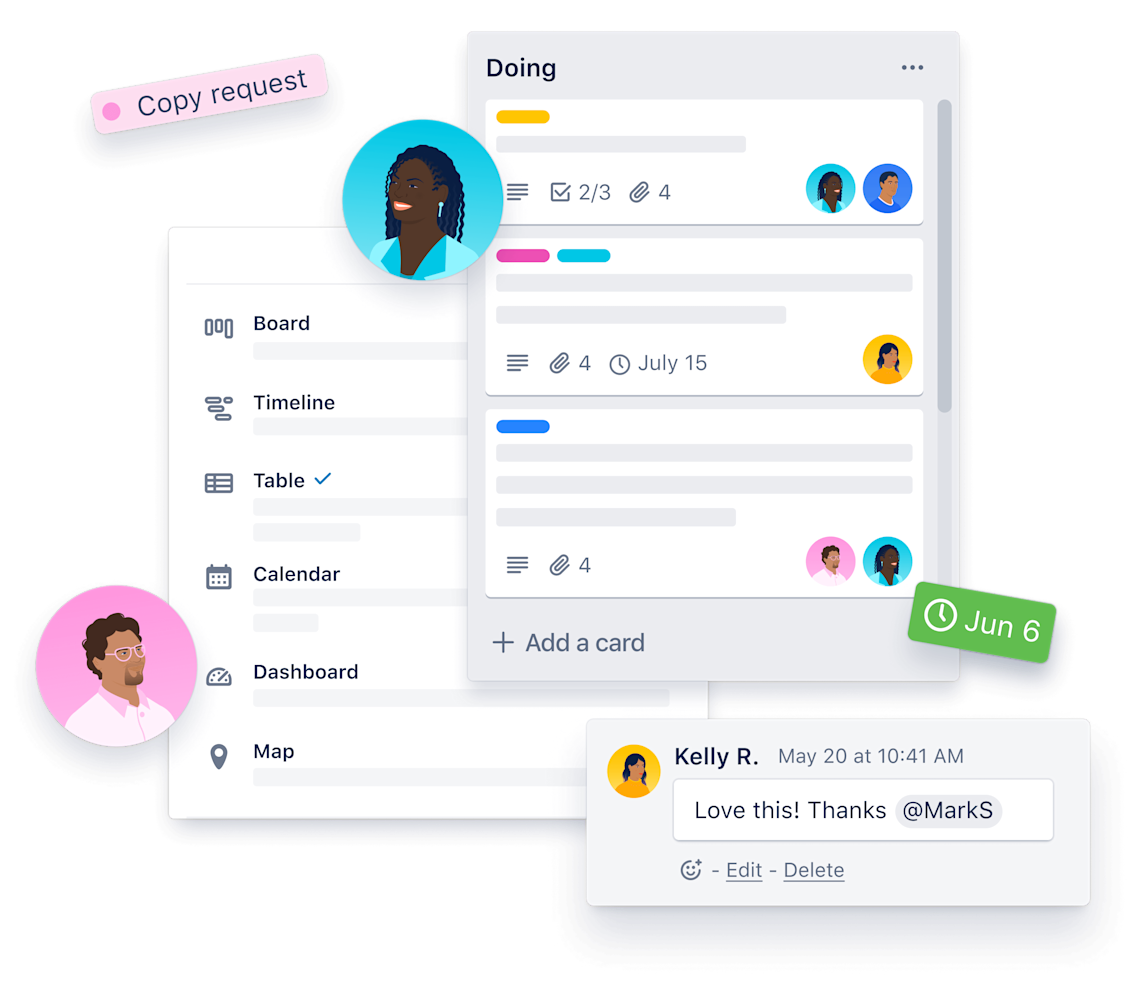
Trello is a visual project management tool that helps teams organize tasks, track progress, and collaborate seamlessly. Based on the Kanban methodology, it uses boards, lists, and cards to structure workflows—so you always know who’s working on what and what’s coming next.
👀 Did You Know? Highly engaged teams show 21% greater profitability, underscoring the financial benefits of fostering strong collaboration and engagement.
If your team thrives on visual organization and structured workflows, Trello turns scattered tasks into a clear, actionable plan. Here’s what makes it a favorite:
Trello offers customizable workflows, making it suitable for various needs, from marketing campaigns and product development to HR onboarding.
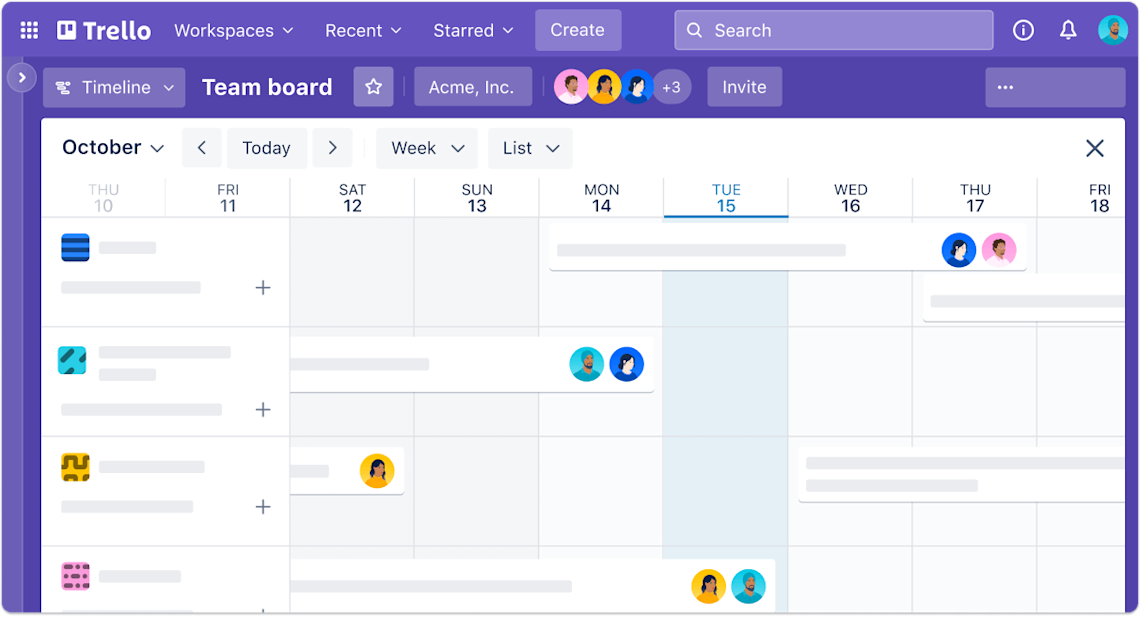
Teams can view their projects in multiple formats, such as Timeline, Calendar, Table, and Map, allowing them to track deadlines and workloads effectively.
Advanced checklists and task dependencies help break projects into smaller, manageable steps while ensuring nothing falls through the cracks.
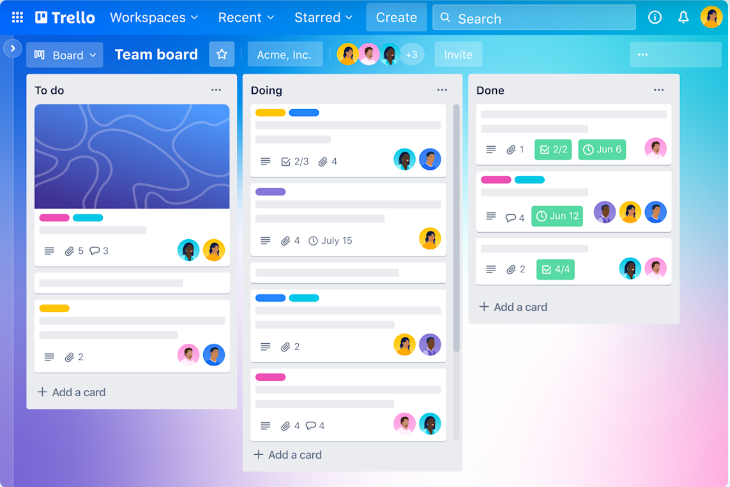
Trello provides ready-made templates that simplify setup for recurring projects, so teams can hit the ground running. Tasks can be categorized with labels and filters, making it easy to track progress based on assignees, due dates, or priority levels.
💡 Pro Tip: Utilize Trello’s built-in automation tool, Butler, to automate repetitive tasks like assigning due dates and moving cards between lists, simplifying your workflow and saving valuable time.
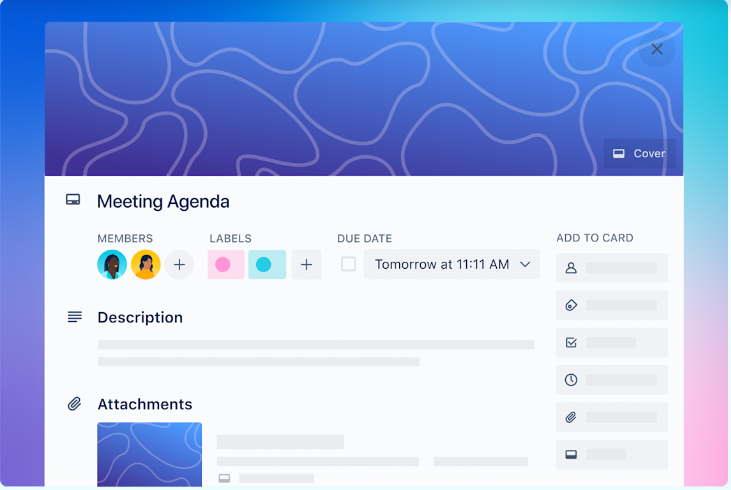
Collaboration is effortless with Trello boards. Teams can invite clients, freelancers, or external partners to specific boards, ensuring controlled access to information while keeping sensitive projects private.
Workspace views and dashboards offer a high-level overview of project status and workload distribution, making it easier to manage multiple initiatives at once.
Even when offline, users can continue working, and Trello will sync their updates once reconnected to the internet.
👀 Did You Know? Context switching can reduce productivity by up to 40%—Trello minimizes distractions by keeping everything in one place!

Trello integrates seamlessly with popular tools like Slack, Google Drive, Jira, and more, allowing teams to centralize their workflow across different platforms.
Whether at a desk or on the move, Trello’s mobile and desktop apps for iOS, Android, Mac, and Windows ensure productivity anytime, anywhere.
📖 Also Read: Best Trello Alternatives and Competitors
Slack is a team communication platform designed to replace cluttered email threads and scattered conversations with organized, real-time messaging. It acts as a central hub where teams can chat, share files, collaborate on projects, and integrate with other tools.
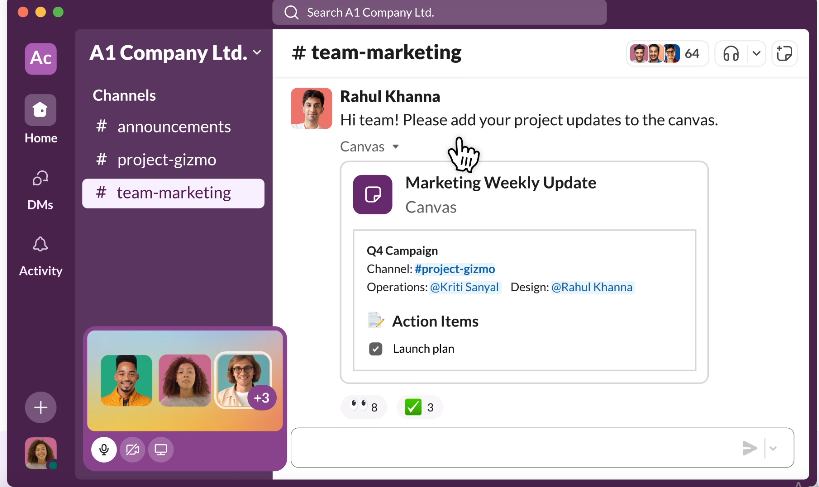
If your team thrives on instant communication and seamless collaboration, Slack is the digital workspace that keeps conversations, files, and tools all in one place.
Here are all the features, pros, and cons that make it a go-to choice for teams:
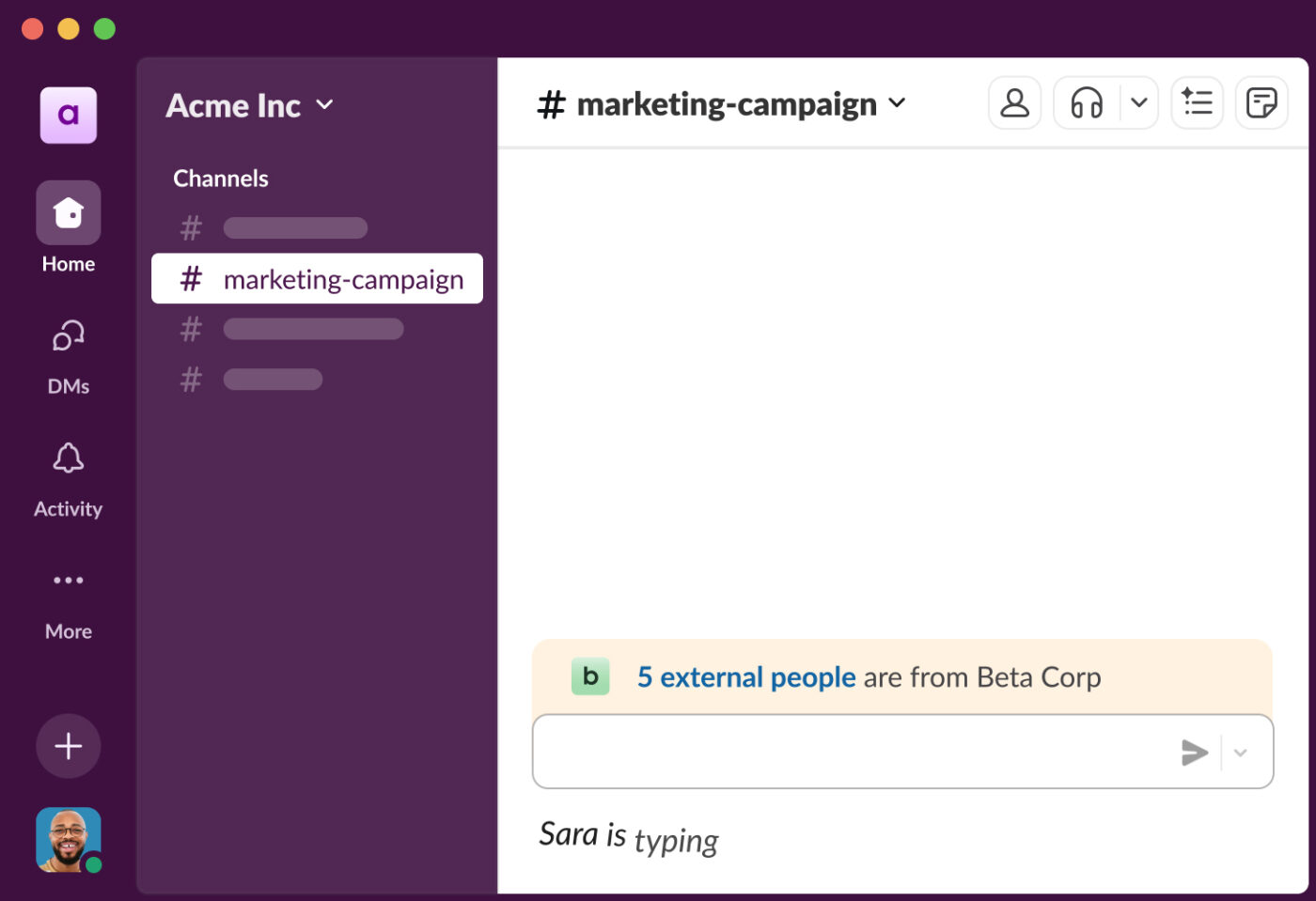
Slack keeps team conversations organized with channels, which can be created for teams, projects, or specific topics. Channels can be public for company-wide discussions or private for confidential matters.
Beyond channels, direct and group messaging allows instant, email-free communication, while threaded conversations keep discussions focused and clutter-free.
Need to talk face-to-face? Audio and video calls, including screen sharing, let you quickly connect with teammates.
💡 Pro Tip: Implementing clear naming conventions for Slack channels, such as prefixing project channels with “proj-” or team channels with “team-,” can improve organization and make it easier for team members to navigate and find relevant discussions.
Collaboration goes beyond messages—Slack makes it easy to share files, images, and videos directly in conversations. With file sharing and collaboration, teams can upload documents, comment on them, and even integrate with tools like Google Drive and Dropbox.
Plus, pinned messages and bookmarks ensure that important links, files, or discussions are always within reach. When searching for past messages or shared files, Slack’s powerful search and filters help you find exactly what you need in seconds.
ClickUp surveyed 4,000+ professionals and found a common issue: when chat lives separately from work, alignment suffers. Check how ClickUp Chat offers a more connected approach.
Take your workflow to the next level with workflow automation and bots. Use Slack’s Workflow Builder to automate repetitive tasks, set reminders, or collect approvals, while bots like Slackbot handle FAQs and automate responses.
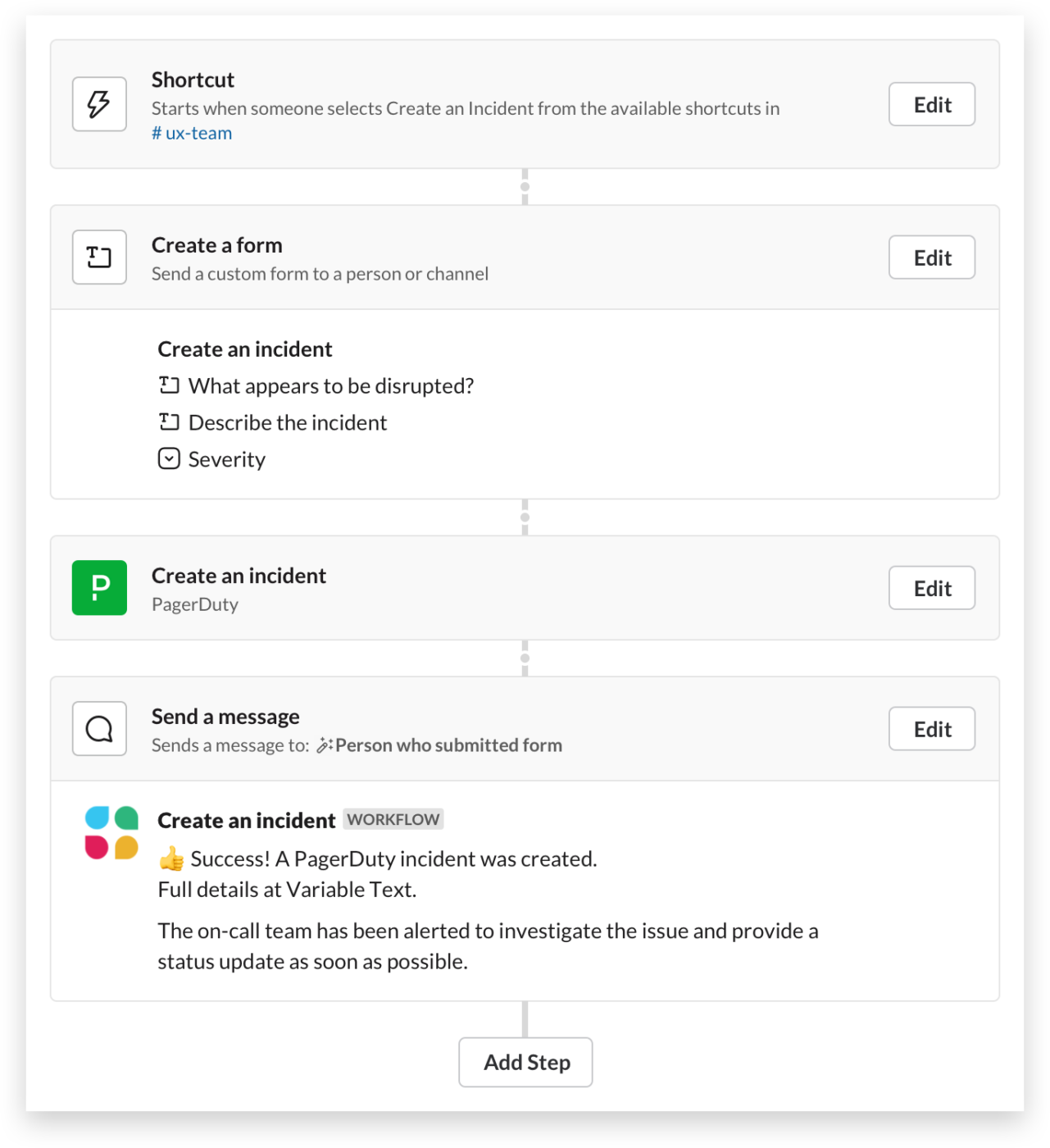
Need to integrate with other tools? Slack supports over 2,000 app integrations, including Trello, Zoom, Google Drive, Jira, ClickUp, and Salesforce, ensuring your team stays in sync without switching platforms.
Stay in control of your notifications with custom alerts and do-not-disturb mode, allowing you to tailor notifications based on keywords, mentions, or specific channels while muting alerts during deep work sessions.
For quick discussions, Huddles provide an easy way to start impromptu audio chats in any channel or DM. If you work with external partners, Slack Connect enables seamless collaboration with clients, vendors, or stakeholders while keeping internal conversations private.
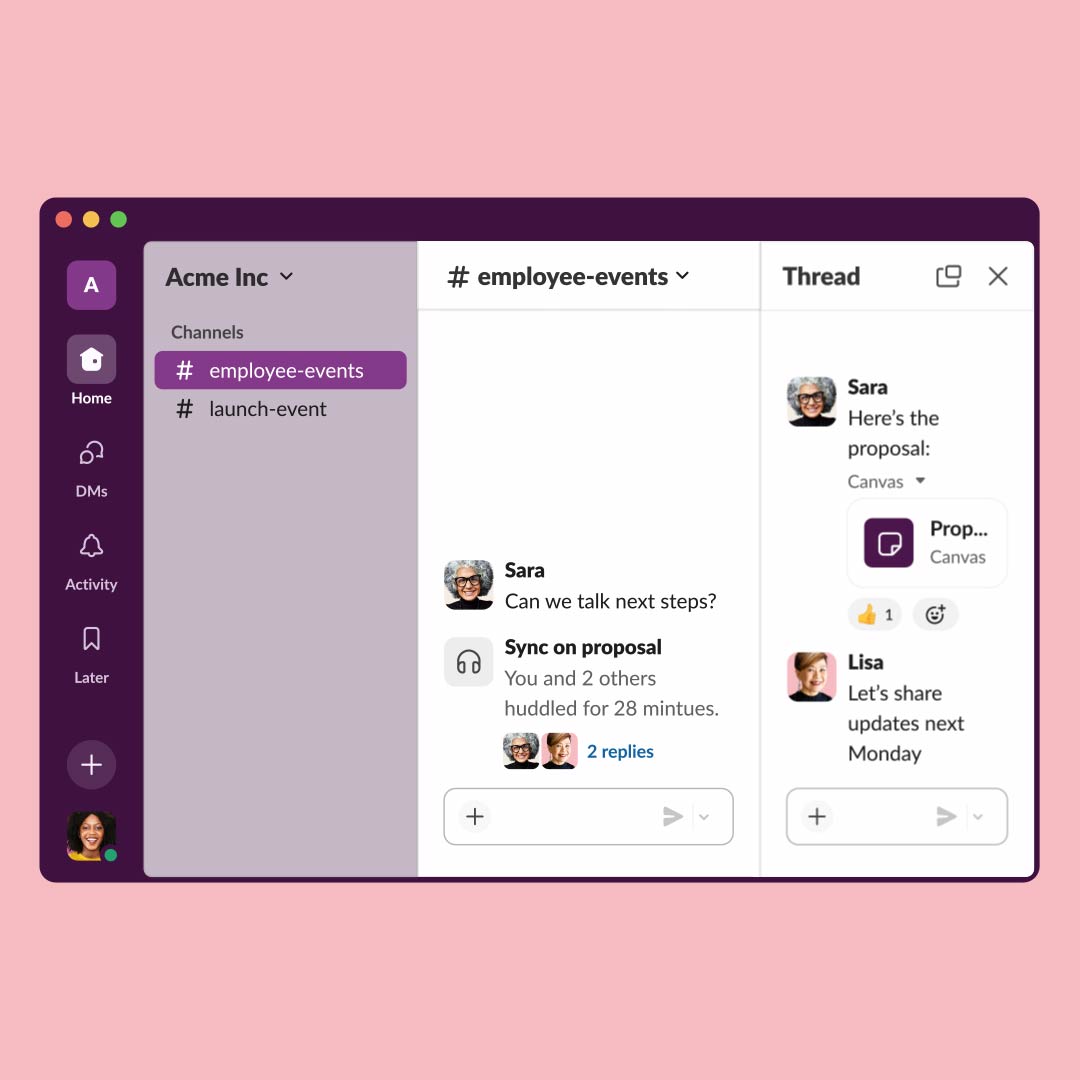
Slack isn’t just about efficiency—it also makes communication fun and engaging. With emoji reactions, users can acknowledge messages without sending extra replies, keeping channels tidy while adding a personal touch.
Trello streamlines project tracking with a visual workflow, while Slack excels at real-time communication and coordination. Your team may favor one or both.
Let’s compare their features to find the best fit.
| Feature | Trello | Slack | ClickUp |
| Task management | ✅ Yes | ❌ No | Yes + Customizable workflows |
| Team chat | ❌ No | ✅ Yes | Yes + Built-in Chat and comments |
| Video collaboration | ❌ No | ✅ Yes | Yes + Screen recordings and meetings |
| Automation and AI | ✅ Basic | ✅ Basic | Advanced AI and automation |
| Multiple project views | ✅ Limited | ❌ No | Yes (Kanban, Gantt, Calendar, List, etc.) |
| File sharing and docs | ✅ Basic | ✅ Yes | Yes + Integrated Docs and storage |
Trello is designed for project and task management, offering Kanban boards, task cards, due dates, checklists, labels, and automation. While Slack excels at communication, its task and project management functionality is limited to reminders and pinned messages.
🏆 Winner: If structured work management is your priority, Trello takes the lead.
Slack dominates with organized channels, direct messaging, threaded conversations, huddles, and video/audio calls. While Trello supports basic communication features within task cards, it’s not built for fast, ongoing discussions.
🏆 Winner: Slack is the clear winner here for its deeper conversational approach.
Both tools integrate with apps like Google Drive, Jira, ClickUp, and Zoom. Trello’s Butler automation streamlines task management, while Slack’s Workflow Builder automates communication.
🤝 It’s a tie! You can prioritize task progress tracking with Trello or workflow efficiency with Slack.
Trello’s intuitive drag-and-drop interface makes it easy for anyone to use. While Slack is simple, it can become overwhelming with too many channels and notifications. Trello keeps things structured, ensuring that even complex projects remain visually organized.
🏆 Winner: Trello is the clear winner here. The tables form the base of its platform, making task updates far easier than Slack does.
Slack makes it easy to share files, images, and documents in real-time, with direct integrations to cloud storage services like Google Drive and Dropbox. In Trello, attachments are limited to task cards, making it less efficient for teams that frequently exchange files.
🏆 Winner: If file sharing is a major part of your workflow, Slack is the better choice.
Both tools offer strong security features, including two-factor authentication (2FA), encryption, and compliance with industry standards like SOC 2, GDPR, and HIPAA.
🤝 It’s a tie! If security is a priority, either tool will keep your data protected.
Slack is designed for teams that need to stay connected anytime, anywhere. With its mobile-friendly user interface, use cases, notifications, and voice/video call features, remote teams can work seamlessly.
Trello’s mobile app is great for task management, but it doesn’t offer the same level of real-time interaction.
🏆 Winner: For remote teams, Slack is the better option. With Huddles, and threads, it’s far easier to find contextual information on Slack than on Trello.
Trello’s free plan is feature-rich, offering unlimited boards, task cards, and basic automation. However, if your team grows, you may need a plan that supports unlimited users.
Slack’s free version has message limits (only the last 90 days of messages are accessible), which can be restrictive for teams that need unlimited message history.
🏆 Winner: Trello is the more budget-friendly option with long-term value.
Ultimately, Trello and Slack serve different purposes. Many teams use Trello for task tracking and Slack for communication, making them a powerful combo.
Reddit discussions make one thing clear—Trello and Slack aren’t even in the same category. But that hasn’t stopped teams from trying to use one in place of the other.
Trello shines as a project management tool, giving teams a visual way to track work with Kanban boards, lists, and automation. It’s a favorite for small teams and solo users, but many Redditors point out that it struggles with complexity as teams scale.
…Trello is great for personal and small projects/small teams. You can add enough automation and integrations to “make due” for mid-to-larger projects. But more serious projects need better systems…
Slack, on the other hand, is built for communication, not task management.
While some users swear by Slack integrations to keep workflows moving, many agree that trying to manage projects directly in Slack leads to chaos—tasks get buried in message threads, and important updates disappear in the scroll.
Slack is NOT a PM tool. (And by the way, I love Slack and try to do just about everything through custom written Slack apps).
So which one wins? According to Redditors, it depends.
If you need structured workflows, Trello is the better pick. If real-time communication is your priority, Slack takes the lead. But for teams looking for the best of both worlds, many suggest pairing Trello with Slack—or better yet, switching from Trello and Slack to an all-in-one tool like ClickUp that eliminates the need for both.
Here’s what a Redditor says,
Having used a ton of PM tools, I find ClickUp to definitely be the most robust and can handle complicated workflows because of the different ways it can go together.
Why choose between Trello and Slack when you can have the best of both worlds—and more—in an all-in-one project management software?
ClickUp isn’t just another project management tool or chat app; it’s the everything app for work that combines Tasks, Docs, Chat, Meetings, Automation, and AI-powered collaboration in a single place.
With ClickUp, there’s no need for separate tools—your team can manage projects, communicate in real time, and automate workflows without juggling multiple apps.
Derek Clements, Marketing Manager at BankGloucester, summarizes it perfectly:
ClickUp is a fantastic tool for organizing tasks and priorities, team collaboration, and data management. The flexibility of spaces and lists makes it adaptable to almost any industry.
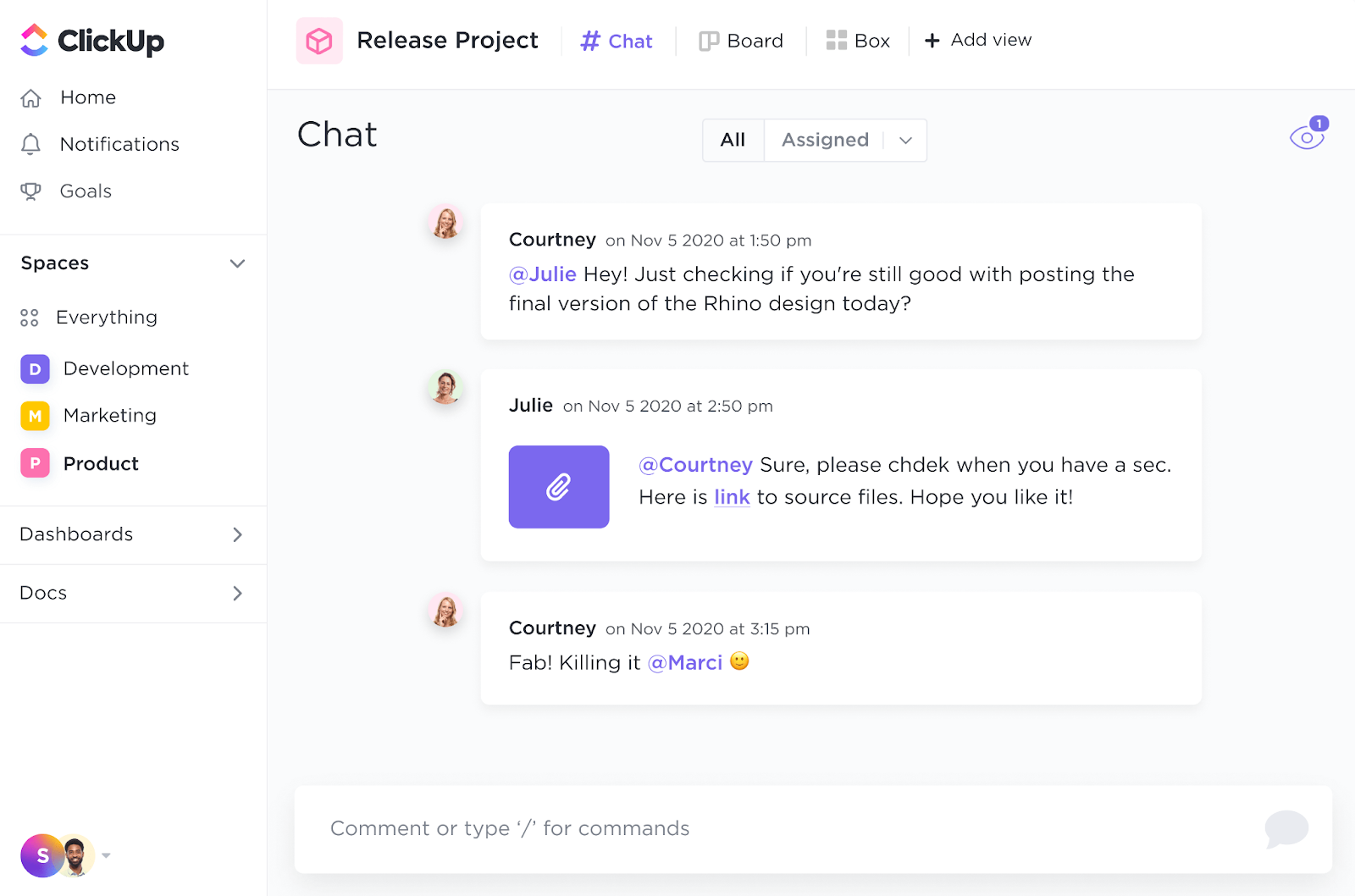
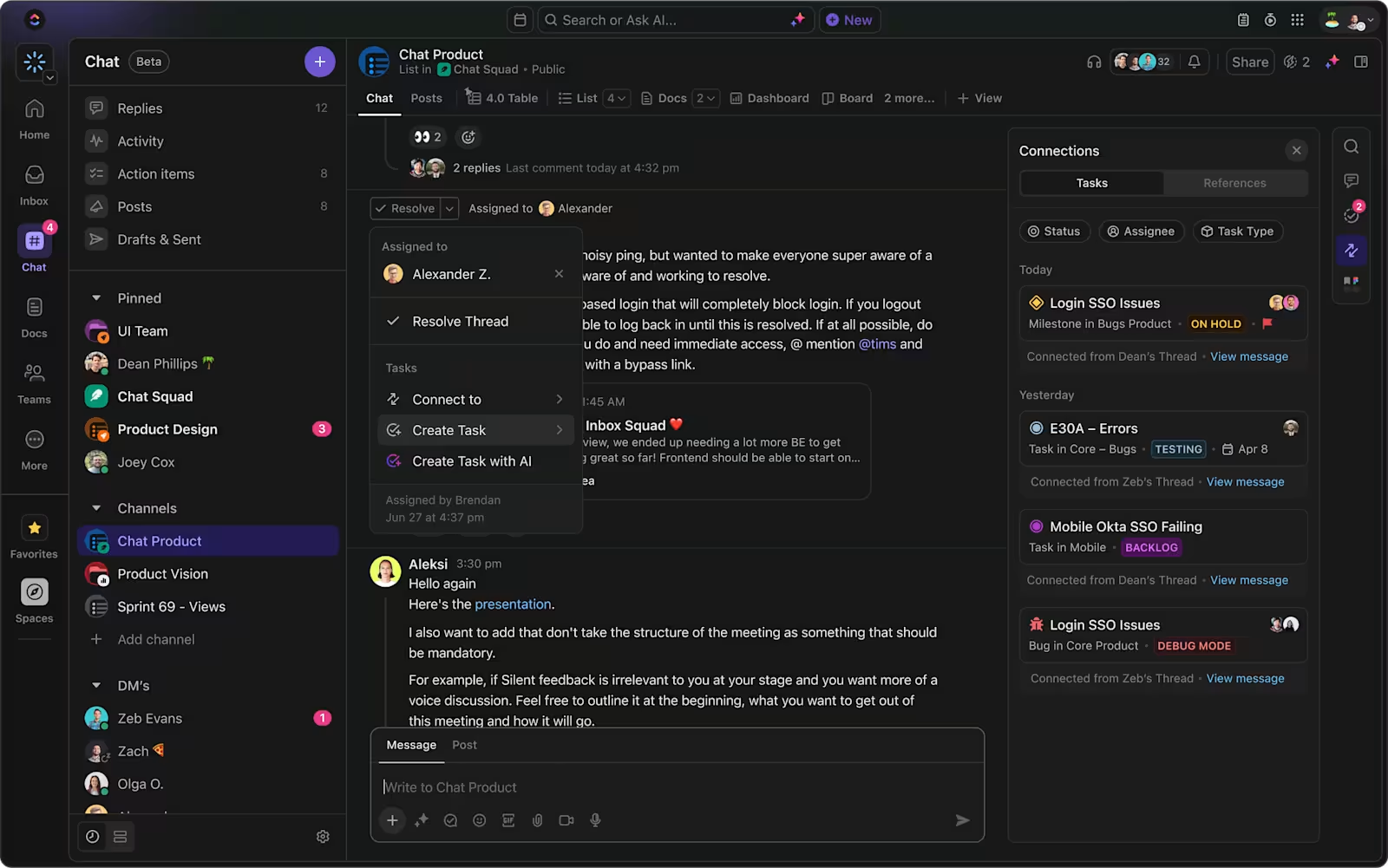
Forget about switching between Slack for discussions and Trello for tasks. ClickUp’s Chat lets teams communicate in real time, keeping conversations organized by project or topic.
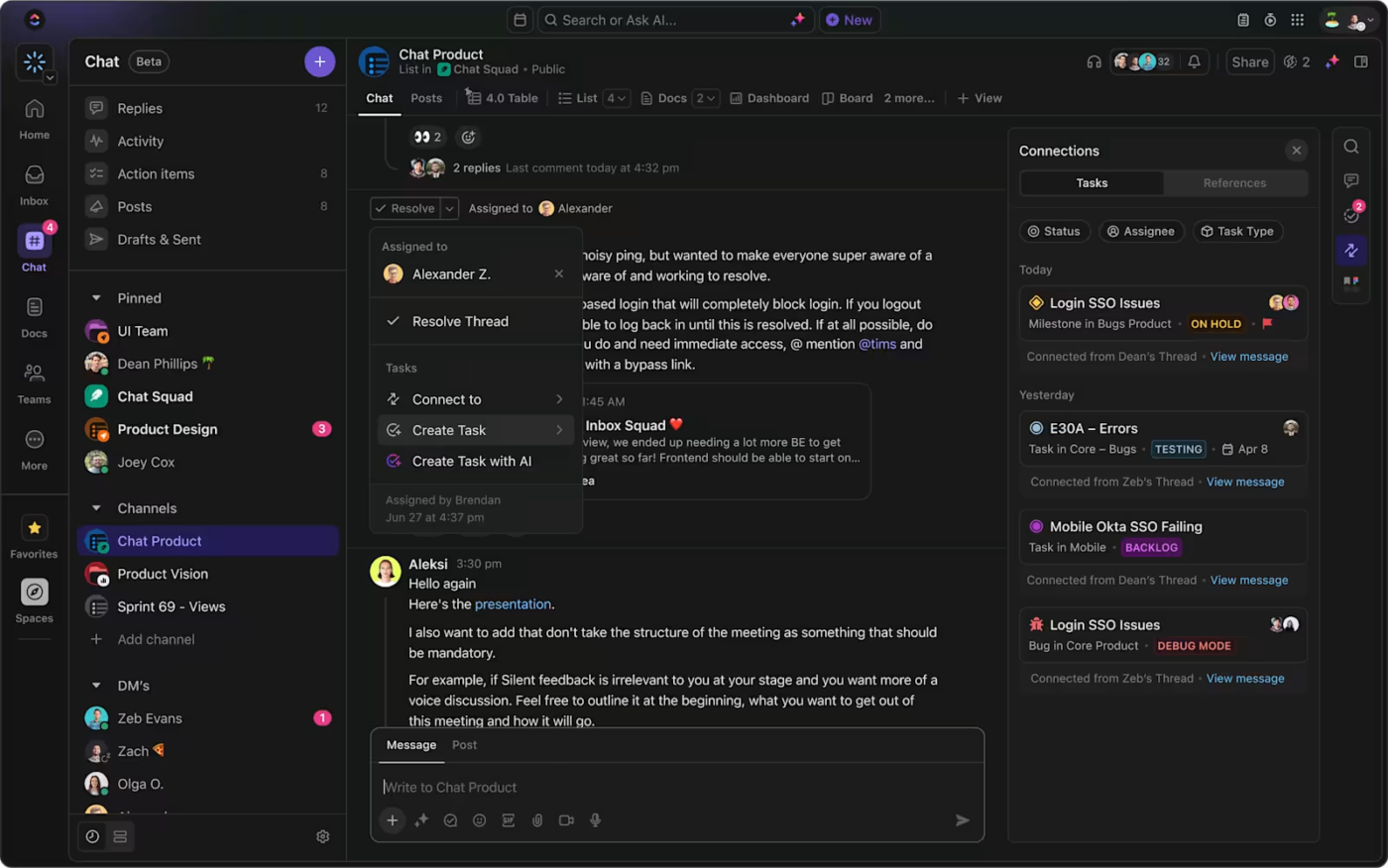
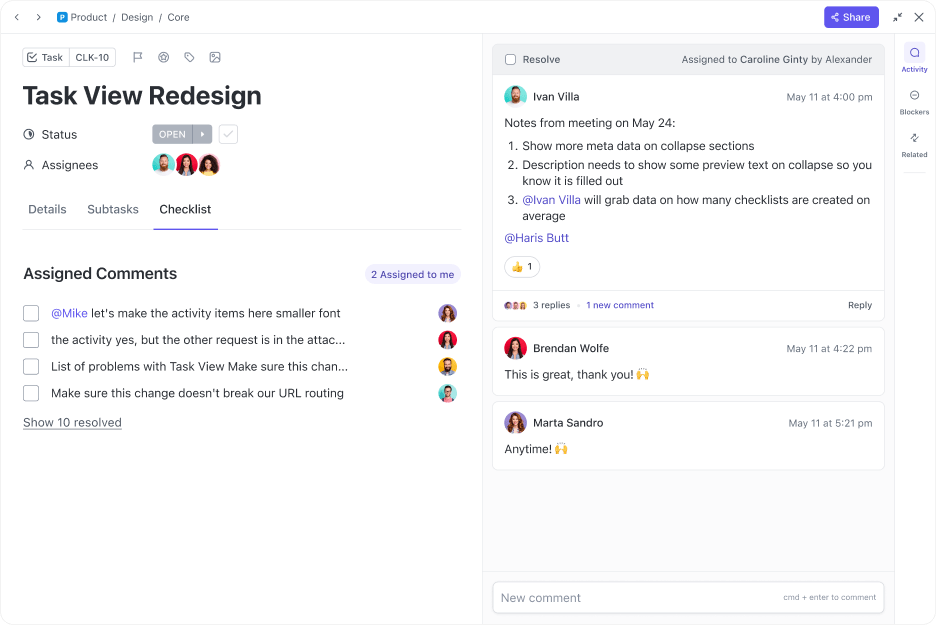
Plus, with ClickUp’s Assign Comments feature, discussions don’t get lost—turn any comment into an action item with a due date, so nothing is missed.
📮ClickUp Insight: About 41% of professionals prefer instant messaging for team communication. Although it offers quick and efficient exchanges, messages are often spread across multiple channels, threads, or direct messages, making it harder to retrieve information later.
With an integrated solution like ClickUp Chat, your chat threads are mapped to specific projects and tasks, keeping your conversations in context and readily available.
Trello’s Kanban boards are great, but ClickUp is better than Trello since it takes project management to another level.
With multiple views, including List, Timeline, Gantt, and Mind Maps, the ClickUp Project Management solution adapts to how your team works best. Easily manage tasks, workflows, and dependencies while keeping communication in the same place.
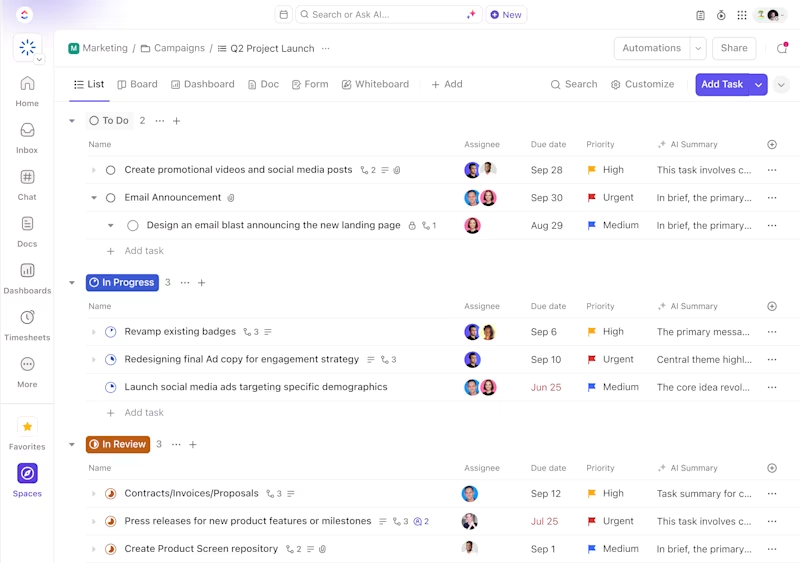
ClickUp Tasks bring even more flexibility—Custom Statuses, priorities, recurring tasks, and dependencies ensure every project stays on track. With nested subtasks, checklists, and automation, teams can break down complex work without losing sight of the big picture.
In fact, Diggs, an innovative pet products company from Long Island City, New York, has greatly improved project tracking and team collaboration with ClickUp.
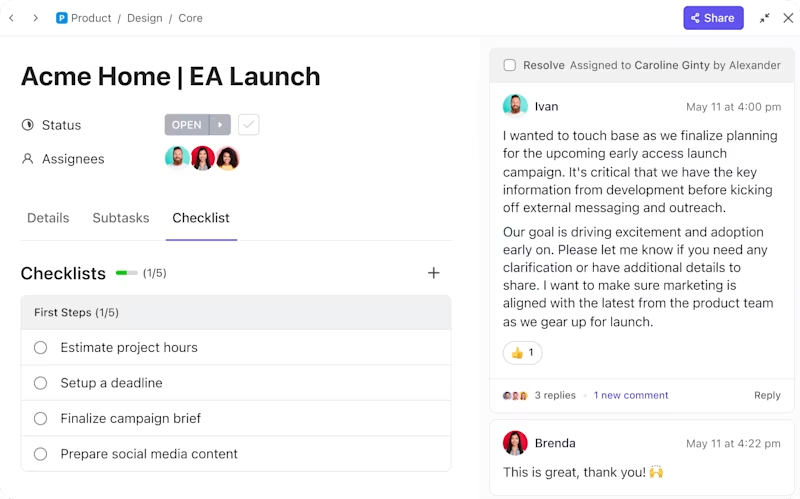
📌 Why ClickUp outshines both Trello and Slack?
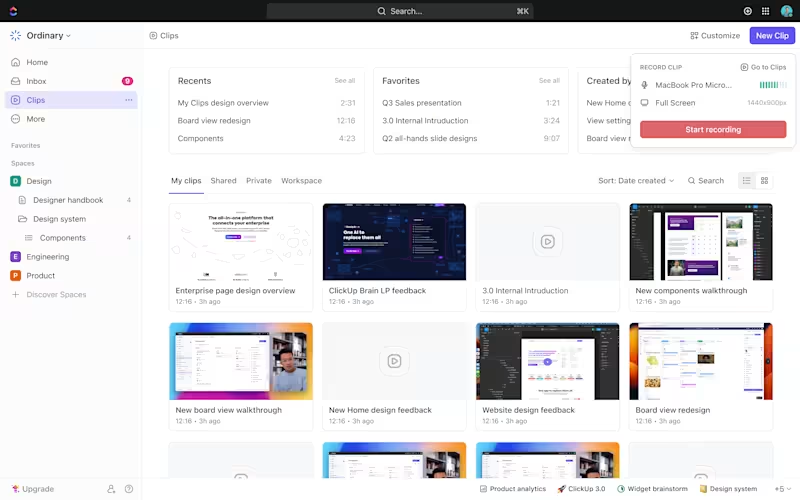
Need to explain a task quickly? Instead of typing long messages in Slack or adding details to Trello cards, record a screen clip with ClickUp Clips or jump into ClickUp Meetings right from your workspace.
This eliminates the need for separate video tools while keeping everything tied to your tasks.
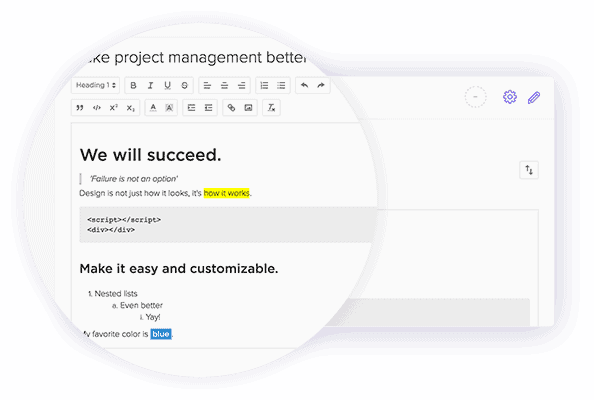
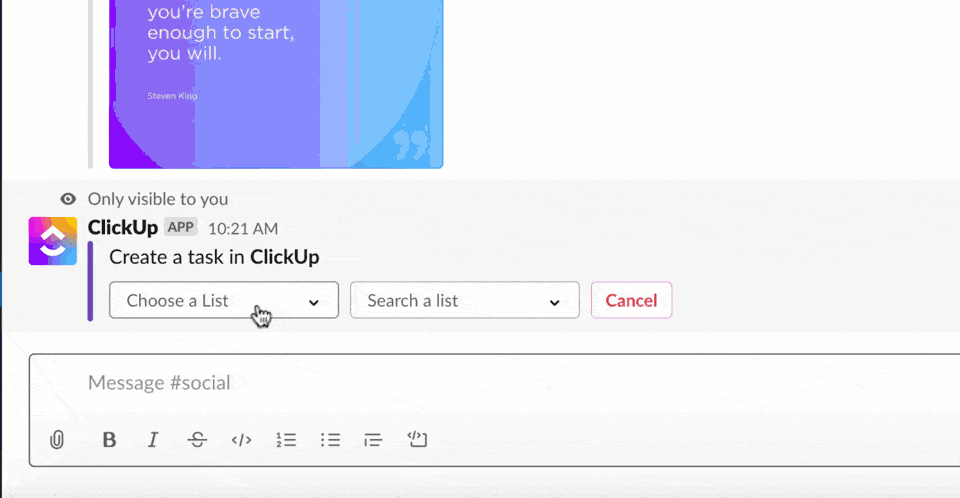
Already using Slack? With ClickUp’s Slack integration, you can create tasks, set reminders, and update work directly from Slack—no app-switching is required.
However, with ClickUp’s built-in Chat, many teams find they don’t need Slack at all.
💡 Pro Tip: Regular peer feedback and check-ins can enhance collaboration and employee satisfaction, as 89% of HR leaders agree these practices are key for successful outcomes.
ClickUp isn’t just a Trello-Slack hybrid—it’s smarter.
With ClickUp Brain, you get an AI-powered assistant that helps automate tasks, summarize updates, and optimize workflows, making collaboration faster and more efficient.

Work today is broken. Our projects, knowledge, and communication are scattered across disconnected tools that slow us down.
ClickUp fixes this with the everything app for work, which combines projects, knowledge, and chat in one place—all powered by AI that helps you work faster and smarter. With multiple views, such as Kanban, List, Gantt, and Calendar, teams have the flexibility they need.
Built-in Chat, Docs, and Whiteboards keep conversations and content tied to tasks, eliminating app-hopping. AI-powered automation reduces manual work, while video collaboration tools replace third-party apps.
Plus, with deep integrations across 1,000+ platforms, ClickUp ensures a seamless workflow—helping teams work smarter, not harder. If your team is tired of app overload, it’s time to upgrade.
Sign up for free today and experience true all-in-one collaboration.

© 2026 ClickUp

There’s an easier way. Try a free AI Agent in ClickUp that actually does the work for you—set up in minutes, save hours every week.