






Still downloading templates?
There’s an easier way. Try a free AI Agent in ClickUp that actually does the work for you—set up in minutes, save hours every week.
Sorry, there were no results found for “”
Sorry, there were no results found for “”
Sorry, there were no results found for “”

Your productivity in social media management improves when you don’t have to publish social media posts or manage schedules over spreadsheets manually.
That’s why tools like Sendible became popular. It helps teams schedule posts, collaborate on content, and manage multiple social accounts from one dashboard.
However, it isn’t a fit for everyone. Many users on G2 report issues with managing paid social media posts and a lack of super admin settings.
So, what are your options if you’re ready to explore Sendible alternatives?
Let’s look at the top tools worth trying.
Here’s a snapshot of top Sendible alternatives and how they stack up side-by-side.
| Tool name | Key features | Best for | Pricing* |
| ClickUp | Built-in AI, task management features, 15+ custom views for visualizing workloads, easy automation, and agentic workflows | All-in-one workspace for social teams that want planning, content creation, collaboration, and reporting in one place | Free forever; Customization available for enterprises |
| Hootsuite | OwlyGPT for AI assistance, Whiteboard for visual planning, Heatmaps for engagement insights | Large teams that manage multi-channel social media operations | Free trial available; paid plans start at $99/month |
| Buffer | Simple scheduler, engagement inbox, AI caption generator, landing page builder | Solo creators and small teams that want unlimited post scheduling and straightforward analytics | Free Forever; Paid plans at $6/month |
| Sprout Social | SmartQ scheduling, bulk posting, brand monitoring, and CRM integrations | Teams that need enterprise-level analytics and social listening | Free trial available; pricing starts at $249/month |
| Zoho Social | Contextual AI, AI-powered Dashboard for insights, No-code AI Agents AI-powered Calendar | Businesses already in the Zoho ecosystem | Free Forever; pricing starts at $10/month |
| Agorapulse | Unified inbox, social listening, automated moderation rules, Competitors Report | Agencies that need competitor benchmarking and social inbox | Contextual AI, AI-powered Dashboard for insights, No-code AI Agents, AI-powered Calendar |
| Later | Visual calendar, Post Tags for performance groups, influencer discovery, media organization | Visual first brands that plan content for Instagram, Pinterest, and TikTok | Free trial available; pricing starts at $25/month |
| Loomly | Unified social Inbox, advanced listening, detailed analytics, and approval workflows | Teams that want calendar-first workflows | Custom pricing |
| CoSchedule | Color-coded tasks, Mia editor, Headline Studio, task templates | Marketing teams that want one central calendar for blogs, newsletters, and social posts | Free Calendar available; pricing starts at $29/month |
| SocialBee | Content categories, automatic recycling, social media copilot for strategy generation | Businesses that rely on category-based scheduling | Free trial with paid plans starting at $29/month |
| ContentStudio | Multi-format content calendar, AI content tools, RSS automation, media search, link tracking | Teams that want multi-channel content discovery and AI-driven publishing | Free trial available; Paid plans start at $29/month |
Our editorial team follows a transparent, research-backed, and vendor-neutral process, so you can trust that our recommendations are based on real product value.
Here’s a detailed rundown of how we review software at ClickUp.
Launched in 2009 by Gavin Hammar, Sendible is a social media management tool designed for agencies and brands. It connects with all major social media networks and provides a content calendar for campaign management.
Here’s what you should look for in a Sendible alternative:
🧠 Fun Fact: Teams that lean into AI are already seeing an edge. Over one quarter of marketers say their AI-powered content actually performs better than human-only content.
⚡ Template Archive: Free Social Media Templates to Boost Your Productivity
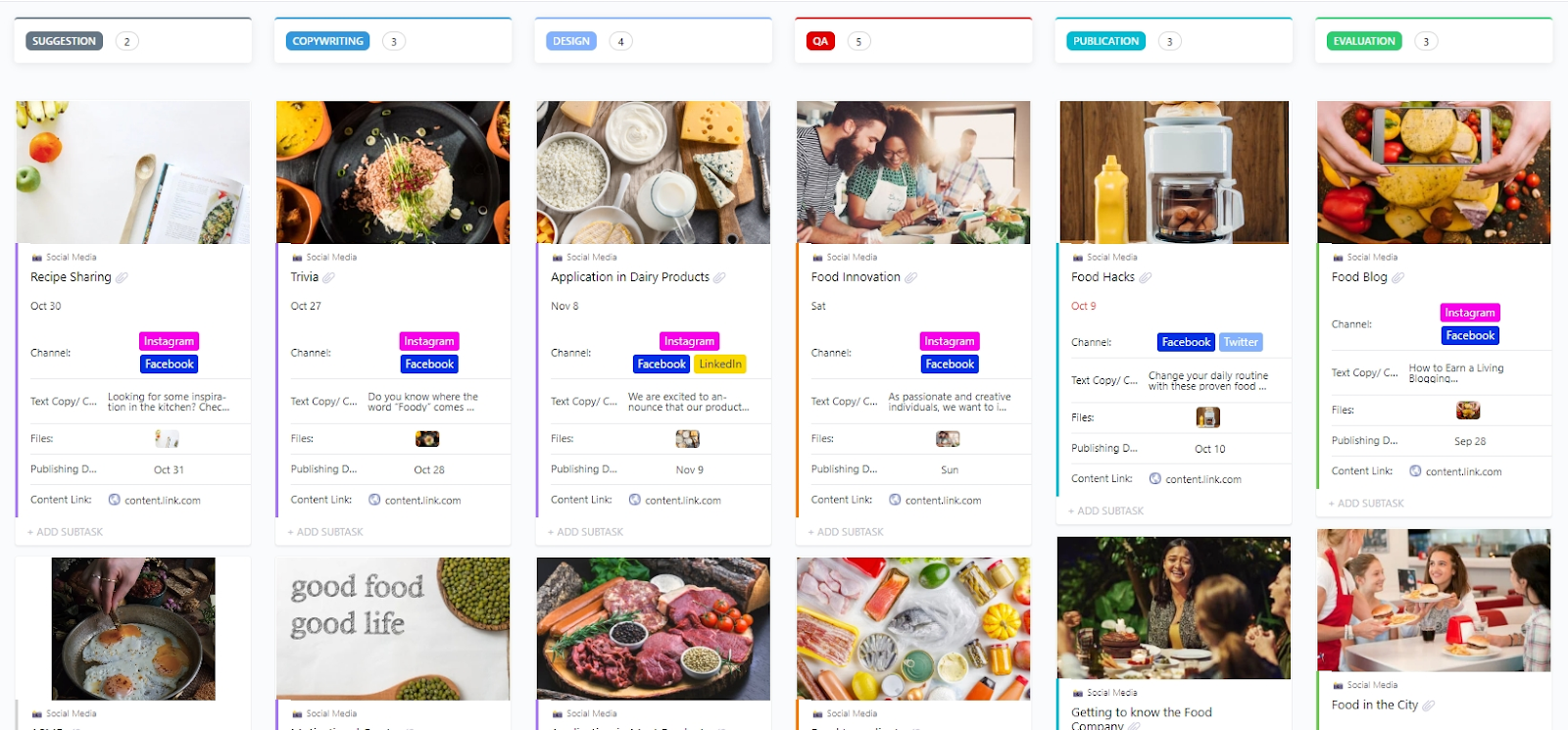
Managing social media across several disconnected tools can make it difficult to see how everything fits together.
ClickUp, the world’s first converged AI workspace, brings multiple tools, documents, conversations, and workflows into a unified platform. Everything from content calendars and creative assets to team discussions and analytics stays in one place.
Let’s see how ClickUp Marketing Project Management Software makes your life easier.
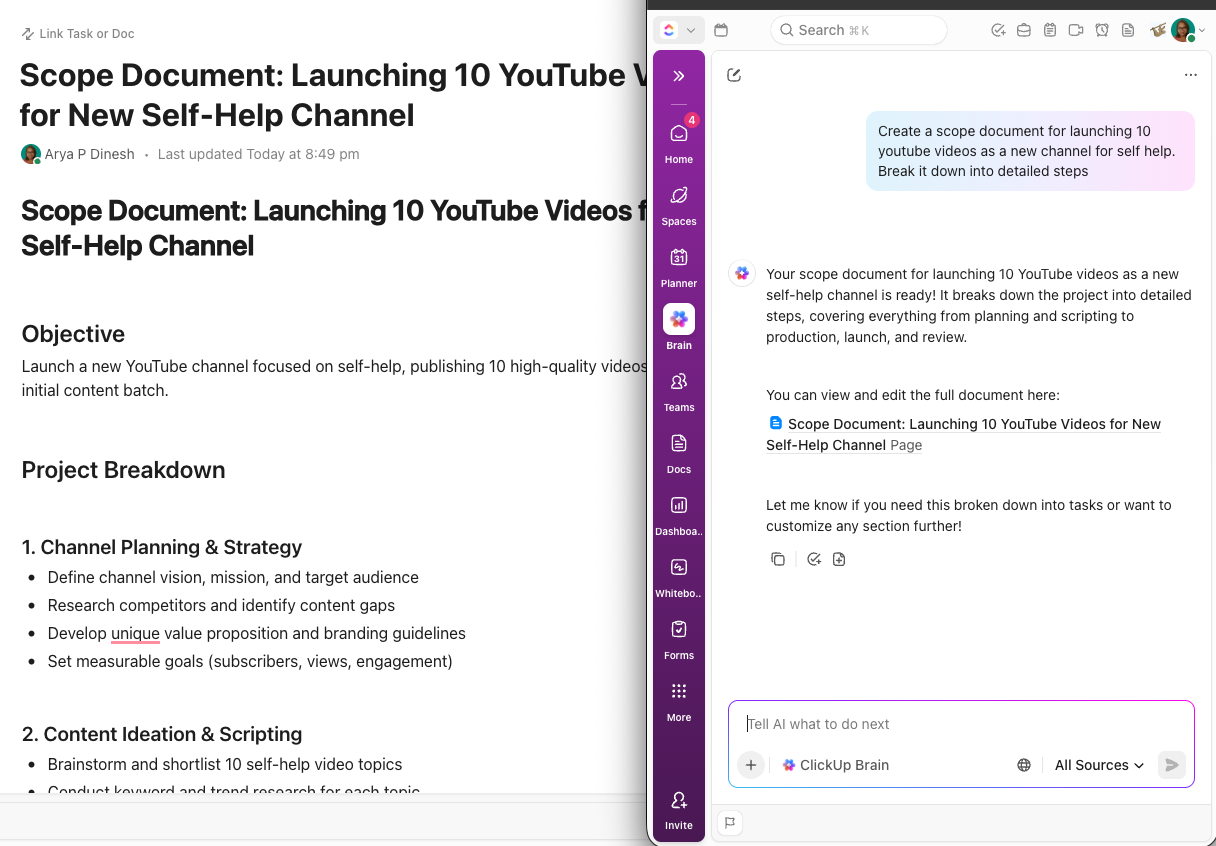
ClickUp Brain, the built-in AI assistant, helps you automate social media content creation and generate insights that are grounded in your actual work. Instead of acting like a standalone chatbot, it works with the full context of everything your teams are planning and producing.
If you’re wondering how to use AI for marketing, this video gives you cues on how to get started and what to do.
Here’s how you can use AI in content marketing for maximum impact:
Save your post ideas and content drafts in ClickUp Docs and co-edit them with teammates in real time, so you’re not switching to Google Docs just for team collaboration features.
💡 Pro Tip: ClickUp Docs gives you Permissions control. For example, use View Only for readers, Comment for reviewers, and keep Edit or Full Edit permissions for your trusted collaborators.
ClickUp Tasks picks up from there and lets you plan your social media content workflow with precision. You can create tasks for reviewing captions, designing graphics, recording videos, or sourcing stock images.
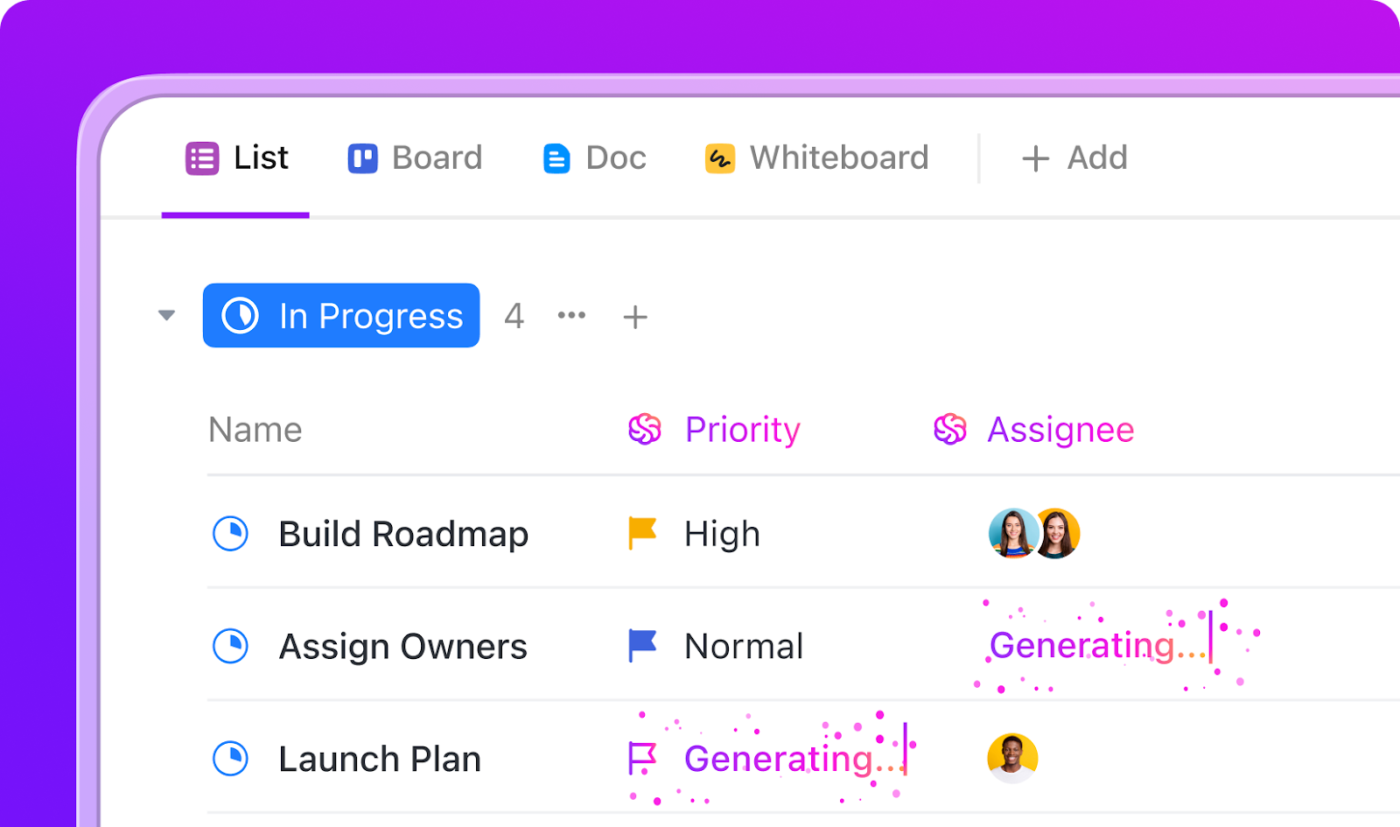
ClickUp Automations, AI Agents, and Brain take over the repetitive tasks.
That means assigning tasks when a draft is ready, updating statuses when designs are approved, moving posts into the right folders, or notifying stakeholders when something needs review.
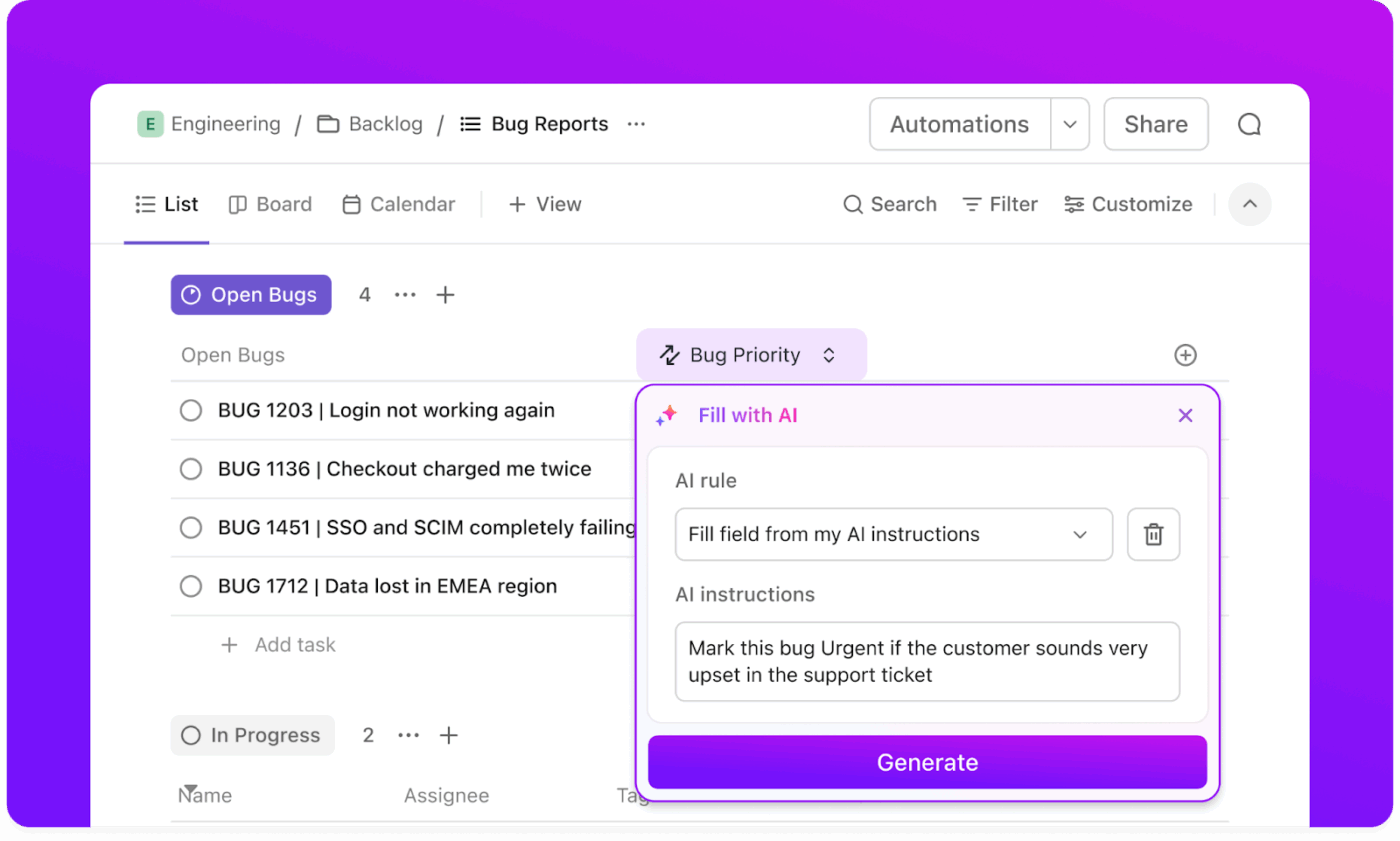
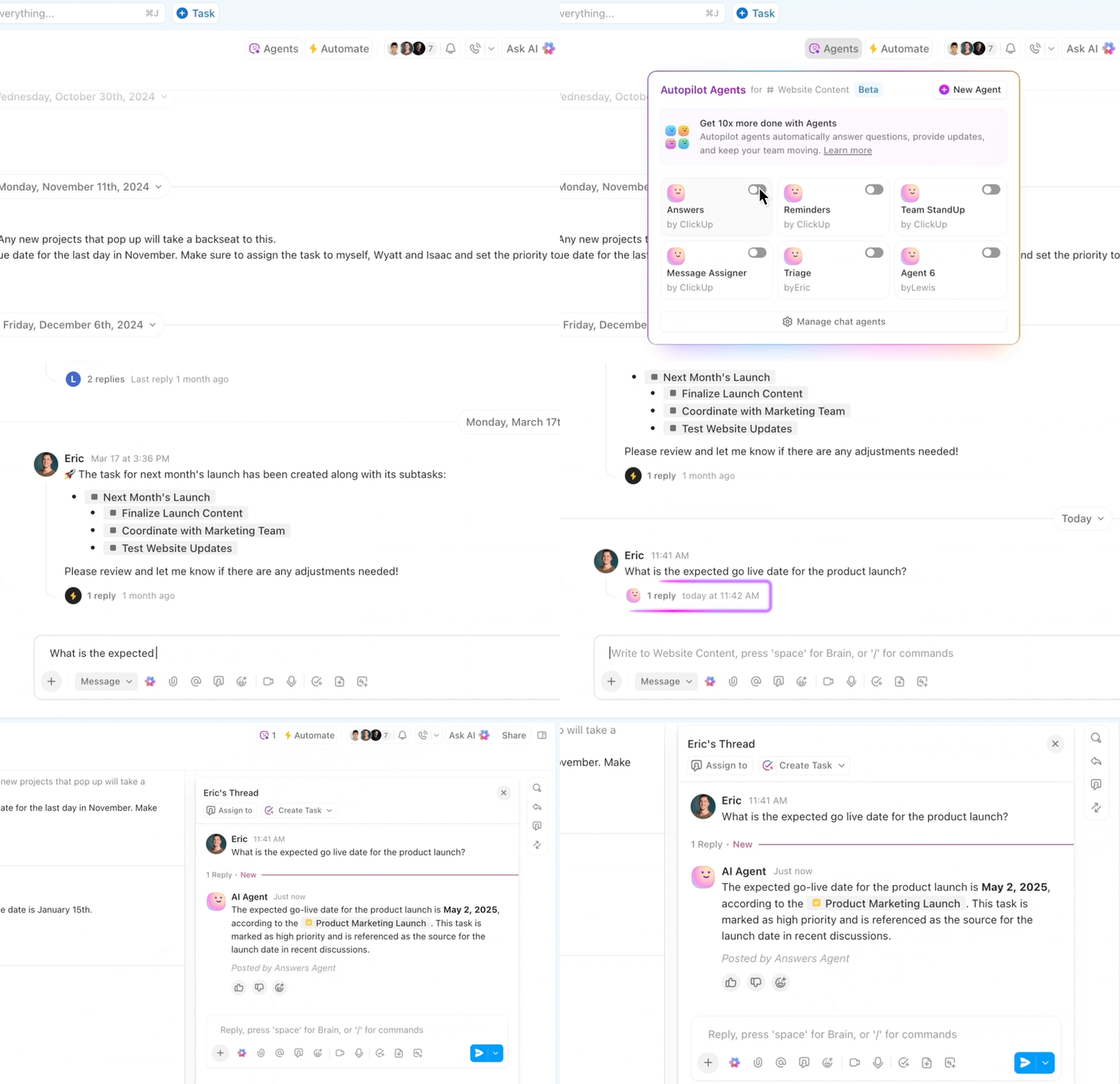
AI Agents go a step further. Instead of stacking dozens of rules, you can simply tell an Agent the outcome you want. Say “review this caption,” “route this to design,” “assign to the social lead,” “update status when revisions are done,” and let it autonomously handle the logic. Agents interpret context from tasks, comments, forms, assets, or briefs to decide what happens next.
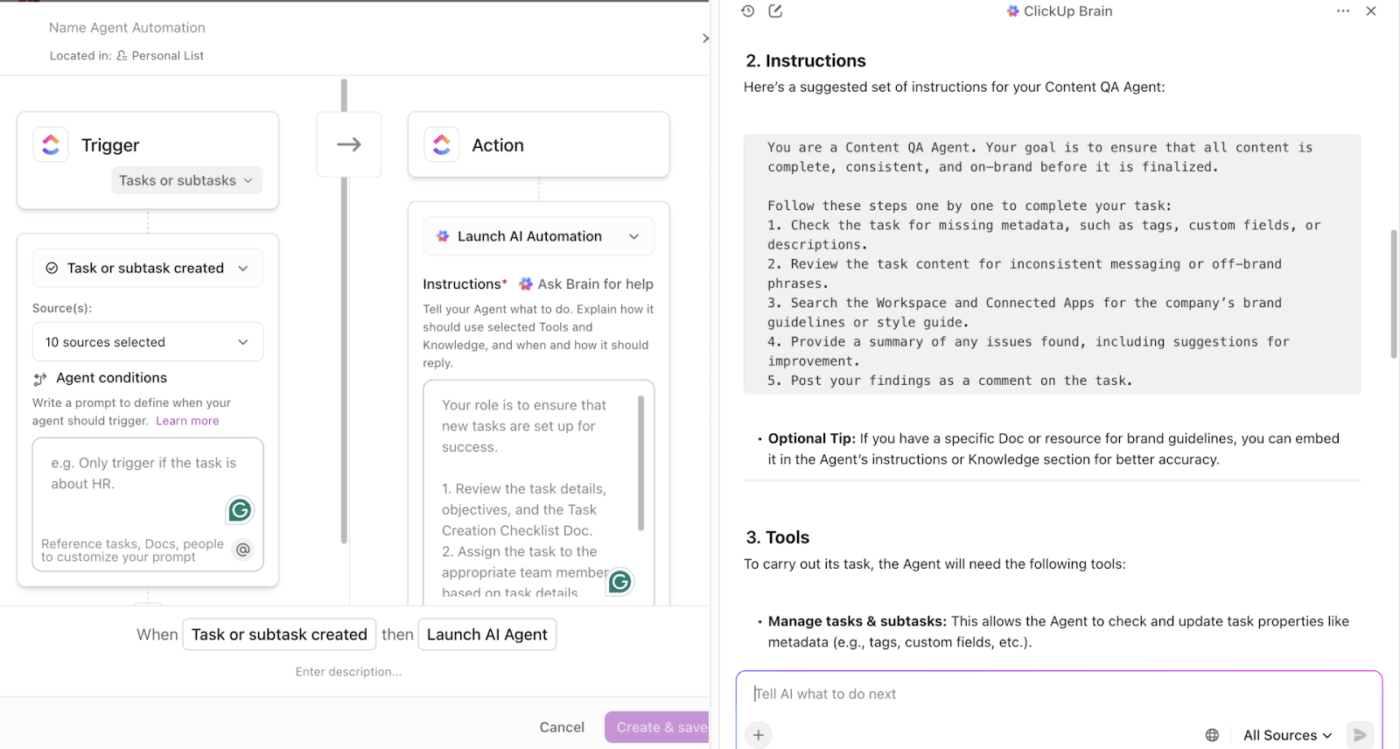
ClickUp’s AI-powered Calendar helps you stay in control by automatically scheduling content tasks and social media meetings at the right times. You can drag and drop tasks onto specific dates, sync everything with your external calendars, and see the plan for the week or month.
After every meeting, you get searchable transcripts and AI-generated summaries that capture decisions and next steps in seconds.
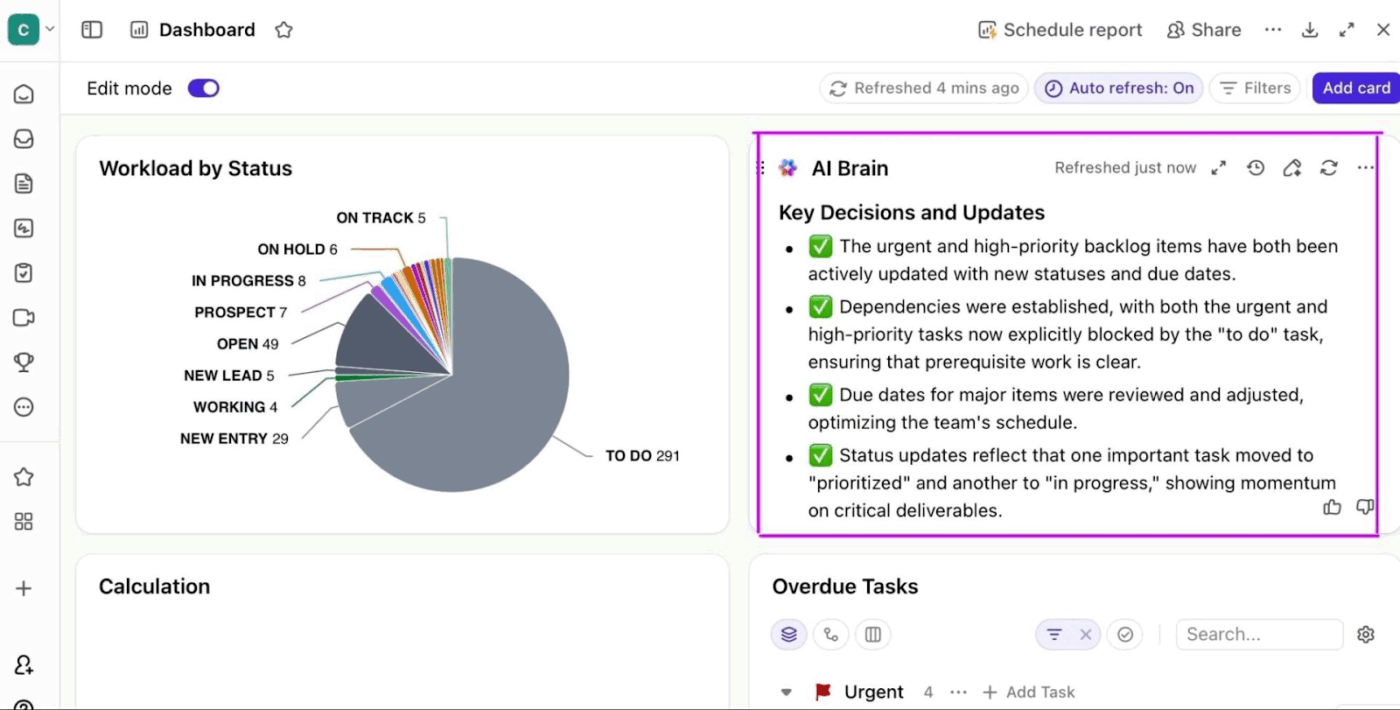
ClickUp Dashboards offer you a real-time, centralized view of your social media workflows. Track task volume and status trends along with bottlenecks and overdue tasks.
ClickUp offers 1000+ ready-made templates to plug and play with your information.
For instance, ClickUp’s Social Media Template gives you a framework to plan and schedule social media posts in one place. You can organize posts by platform, campaign, or status (draft, scheduled, published), manage due dates, and keep your visual content calendar clear.
Alternatively, try ClickUp’s Social Media Posting Schedule Template if you’re looking to create an effective social media strategy and schedule posts ahead of time.
A G2 user says:
ClickUp helps our entire content and marketing team stay organized in one place. I like how we can manage everything from tasks and deadlines to docs, comments, and feedback without switching tools. The dashboards give a clear overview of project progress, and the ability to customize views (List, Board, Calendar) makes it easy to work the way each team member prefers. Integrations with Slack and Google Drive also save a lot of time
📮ClickUp Insight: 62% of our respondents rely on conversational AI tools like ChatGPT and Claude. Their familiar chatbot interface and versatile abilities—to generate content, analyze data, and more—could be why they’re so popular across diverse roles and industries.
However, if a user has to switch to another tab to ask the AI a question every time, the associated toggle tax and context-switching costs add up over time.
Not with ClickUp BrainGPT, though. It lives right in your Workspace, knows what you’re working on, can understand plain text prompts, and gives you answers that are highly relevant to your tasks! Experience 2x improvement in productivity with ClickUp!
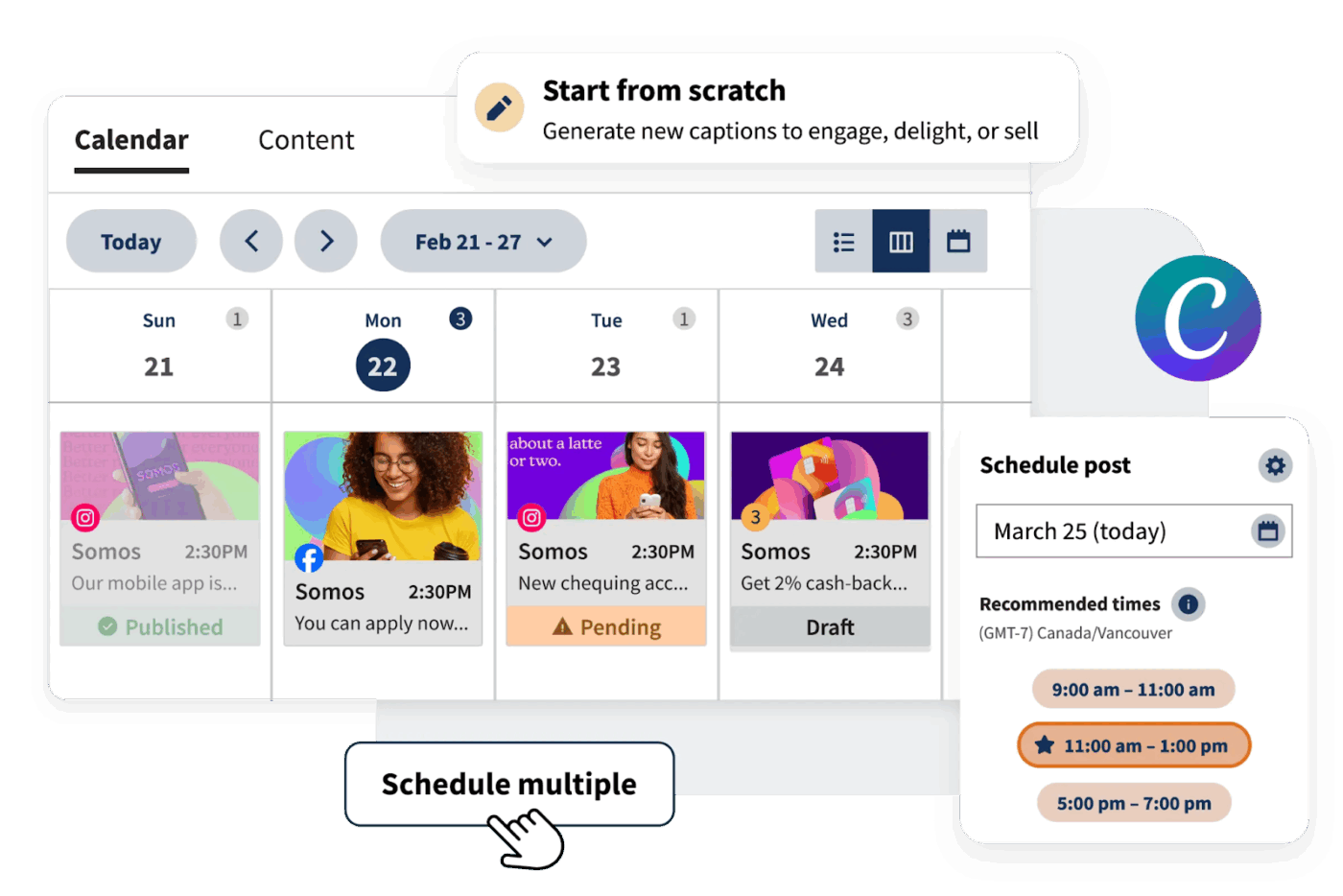
Hootsuite is an all-in-one social media management platform that helps you plan content, monitor activity, and analyze performance.
When you’re managing multiple stakeholders, having everything in one place, including social media scheduling, reporting, listening, and collaboration ,is a huge time-saver.
The pre-built dashboards within the platform help you present your findings easily to executives. You get integrations across paid and organic channels, as well as approval flows to keep the campaigns moving.
Hootsuite gives you an AI assistant: OwlyGPT. The social media AI assistant is trained on millions of top-performing posts and platform best practices, helping you write on-brand captions, generate post ideas, and even repurpose existing content.
It also suggests hashtags, improves tone, and adapts your copy for different networks. Built directly into Hootsuite’s composer, the AI becomes a seamless part of your scheduling workflow.
A G2 user says:
I’m managing social accounts for a fintech SaaS company. There’s something about having everything in one place that just clicks. I don’t need to log into LinkedIn, then Twitter, then Facebook separately throughout the day. It’s all there, waiting for me in these streams I can customize.
The ClickUp Advantage: BrainGPT is your AI-powered desktop companion that makes social media management seamless and efficient. With deep integration across your content calendars, analytics tools, and messaging platforms, it brings all your social media tasks into one unified workspace.
You can use talk-to-text to brainstorm post ideas, draft captions, or schedule content hands-free, while multiple leading AI models help you generate engaging copy, analyze performance metrics, and suggest the best times to post.
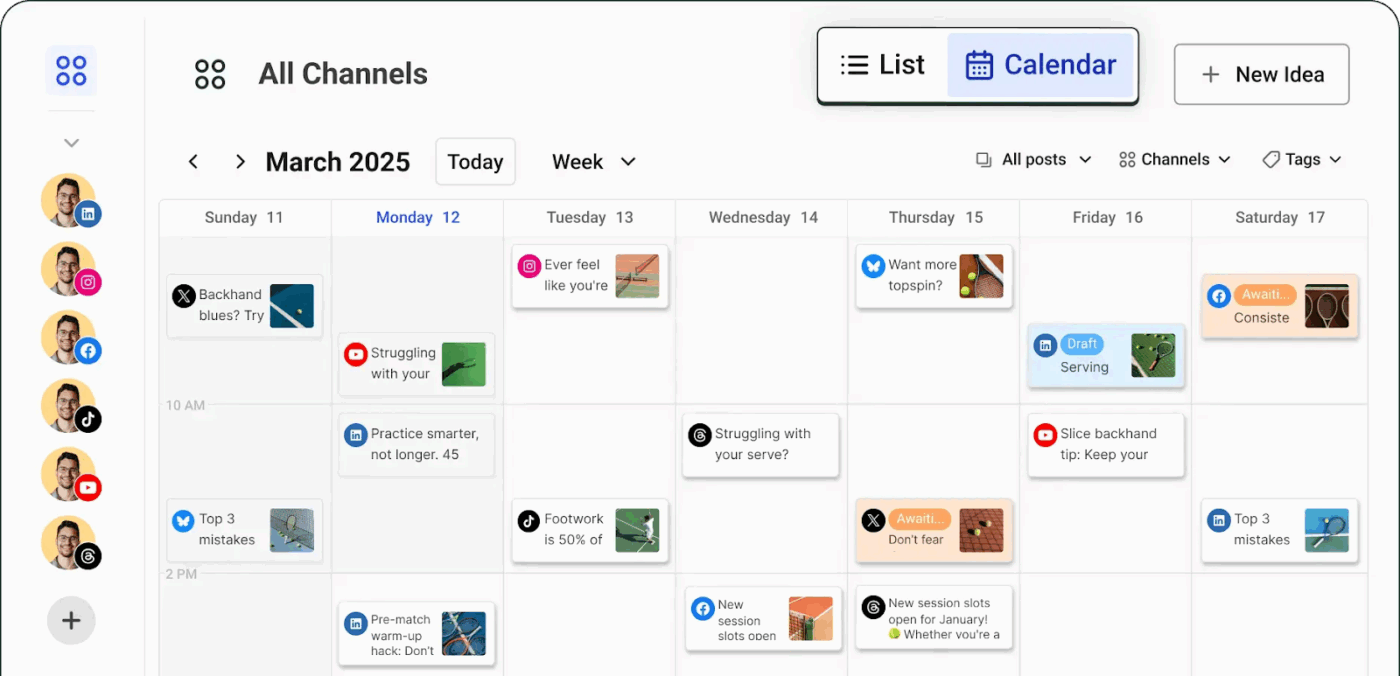
Built for small businesses and solo creators, Buffer makes planning and scheduling content easy across multiple accounts. The platform lets you store social media post ideas anytime, over an accessible and easy-to-use mobile app.
You can also build your own custom landing page in minutes, like your branded mini-website. It allows you to highlight links, products, or offers and direct followers wherever you want.
A Capterra user says:
Buffer makes running my company’s social media accounts simple and structured! Their platform is straightforward and very user-friendly. The company also has great customer service, feels honest and real, and hosts a great podcast about social media!
👀 Did You Know? The very first official social media platform dates back to 1997. Andrew Weinreich launched Six Degrees, a site that let users build profiles and connect with friends long before today’s platforms even existed.
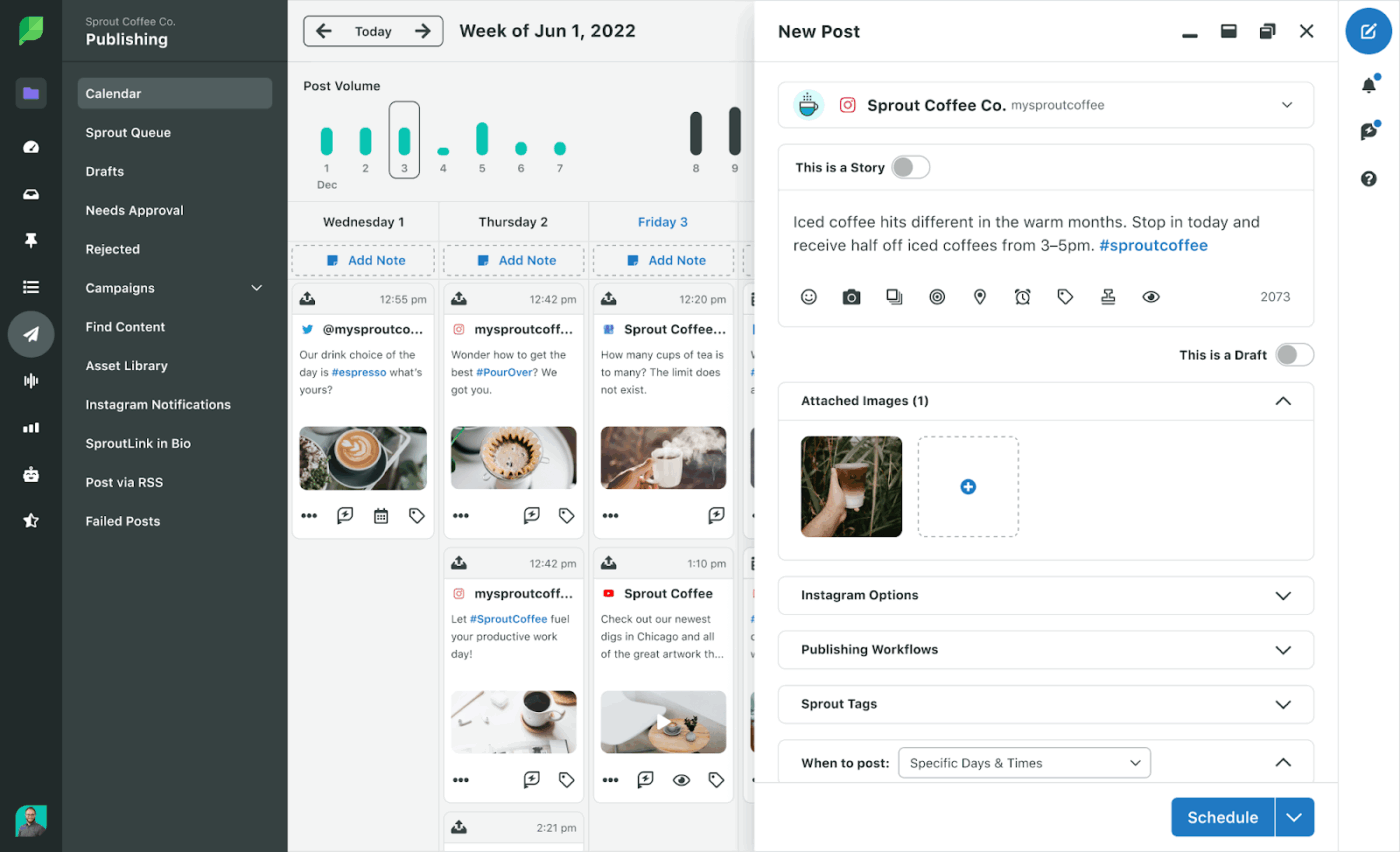
Sprout Social is a social media AI tool that brings all your content, messages, and insights into one simple dashboard.
All messages, comments, and brand mentions from every connected social media platform flow into one ‘Smart Inbox’. You can either reply instantly from the inbox or assign tasks to your team members who need to follow up.
The tool provides comprehensive analytics and detailed reporting. Track engagement, impressions, audience demographics, and post performance across channels and then export these insights as reports in PDF or CSV formats to share with your clients or the C-suite.
With built-in social listening and keyword or hashtag tracking, this Sendible alternative can help identify emerging trends and uncover opportunities to strengthen your brand reputation.
A G2 user says:
What I like best about Sprout Social is its ease of use and reliability. I’m on the platform every day, all day, and it makes scheduling content, pulling reports, and doing customer comparisons incredibly simple. Their customer support and account management team are outstanding
⚡ Template Archive: Free Content Writing Templates For Faster Content Creation
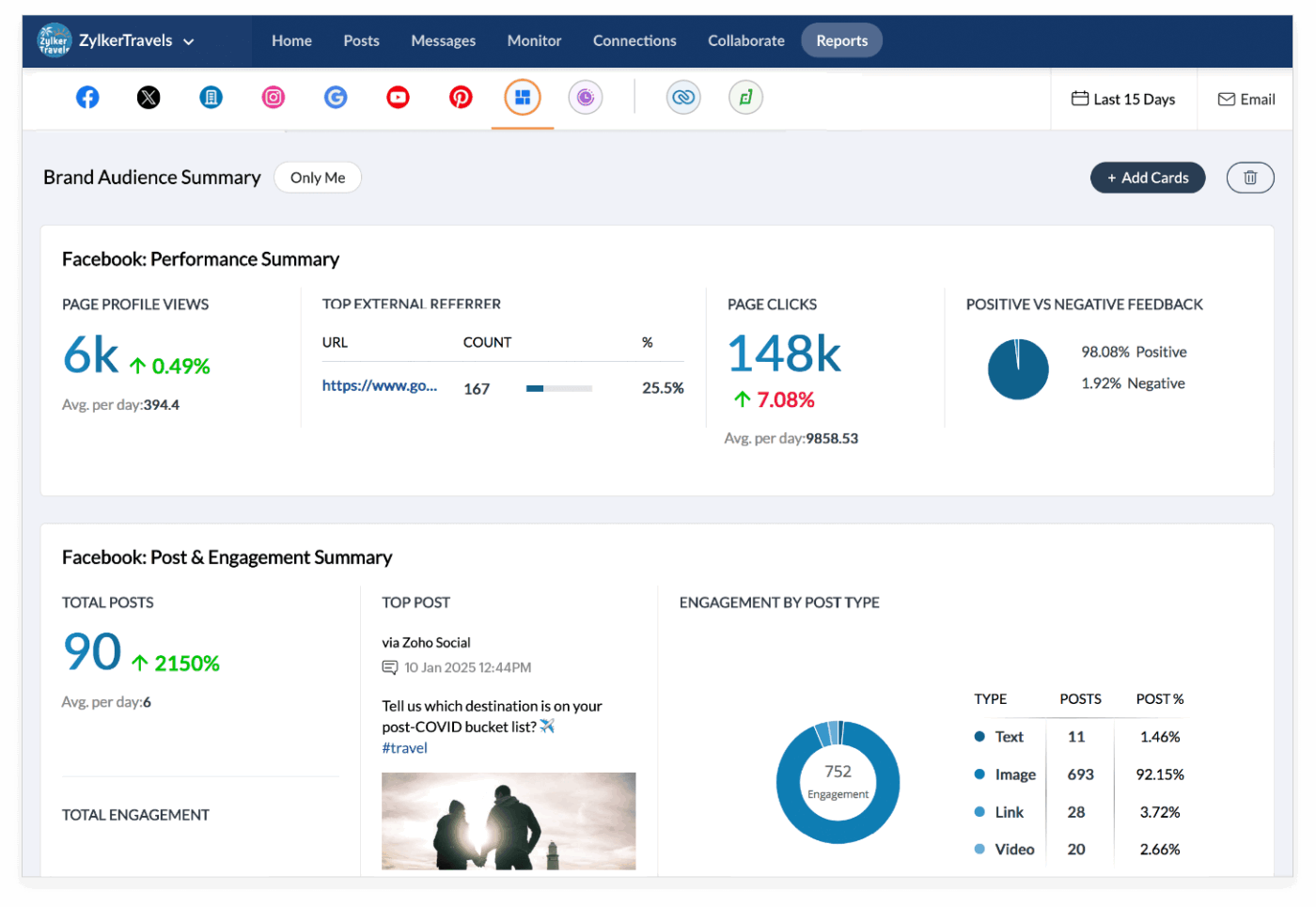
The social media management platform Zoho Social streamlines your entire flow. Build a clear content calendar, schedule, and queue multiple posts intelligently (even using time-slots when your audience is most active), and preview and publish across multiple social networks.
The SmartQ feature predicts the optimal posting times using audience engagement data, allowing you to publish when your followers are most active. With features like custom roles, permissions, and real-time post previews, you and your team can collaborate smoothly and manage multiple brands without confusion.
If you already use other Zoho products, such as CRM, support ticketing tools, or design tools, Zoho Social integrates well with them. This lets you link social interactions to leads or support tickets, keeping your entire workflow connected.
A Capterra user says:
I’ve been using Zoho Social for a while now to manage multiple channels for my brand, and it’s honestly one of the most convenient tools I’ve worked with. The interface is clean, scheduling is straightforward, and I love how it recommends the best times to post based on engagement trends
⭐ Bonus: Social media management can get chaotic fast. You need ClickUp BrainGPT as your AI co-pilot. The desktop AI helps you plan, create, and execute social campaigns effortlessly.
With Brain MAX, you can:
If you’re already dealing with AI sprawl, here are the smart ways to fix it before things spiral.
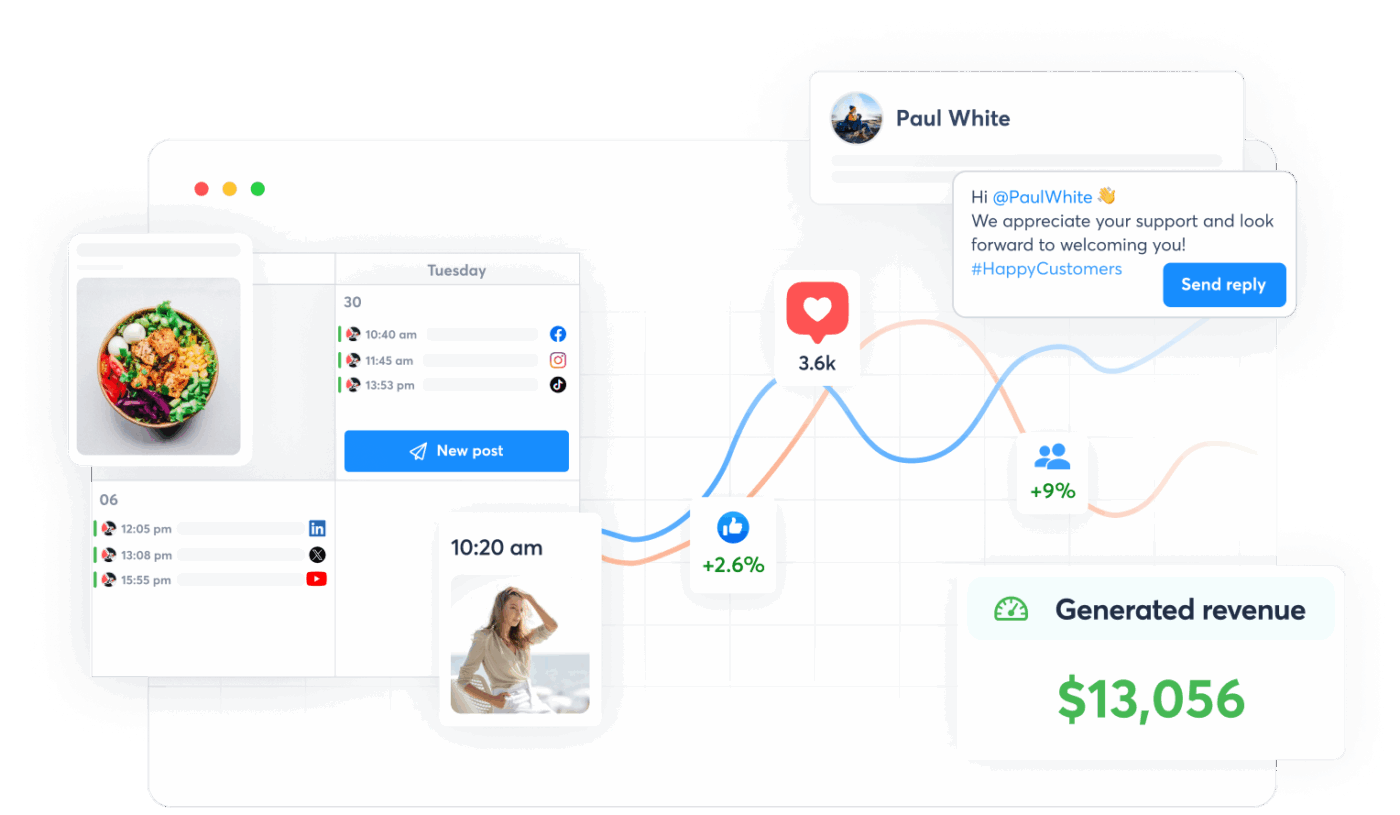
Agorapulse is preferred by teams that need stronger collaboration features.
The tool provides a Unified Social Inbox, where all messages, comments, mentions, private messages, and comment threads are collected in one view, making community management and response handling much easier.
You can set up rules to filter incoming messages, auto‑assign to team members, delete spam or irrelevant comments, and manage follow‑ups easily.
The ‘Competitors Report’ lets you add other brands’ Facebook pages or Instagram profiles. Then you can compare side‑by‑side data: follower counts, number of posts in a time period, total engagement, and average engagement per post. This will help you identify opportunities to improve your own social strategy.
A G2 user says:
The reporting features are absolutely a game-changer and my favorite part of Agorapulse. I can customize reports for weekly and monthly analysis and consolidate metrics across all platforms, which makes it easy to present clear data to leadership
🧠 Fun Fact: Short-form videos and influencer campaigns are delivering the highest ROI in 2025, with short-form content alone bringing in 21%.
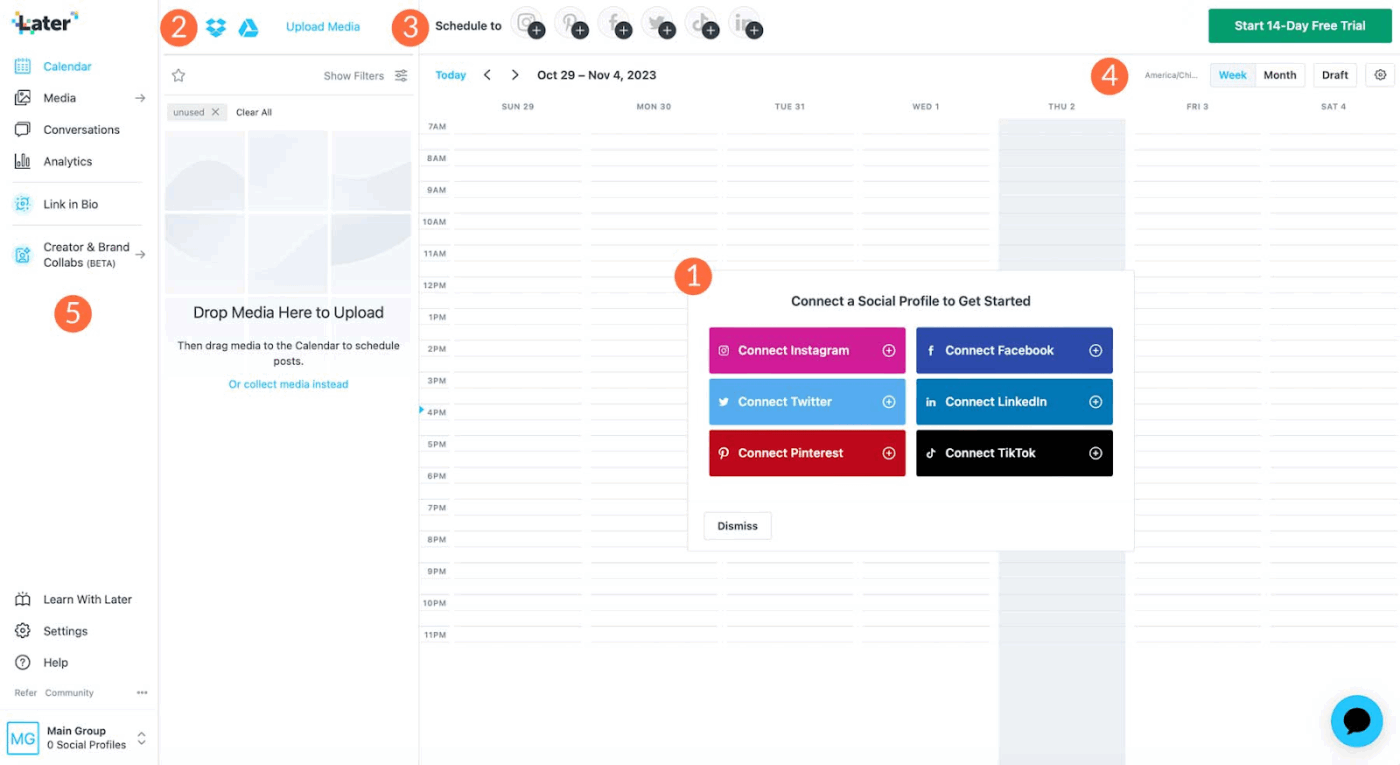
If your brand relies on social media platforms like Instagram, TikTok, or Pinterest, Later is your social media tool of choice.
The platform offers a visual content calendar that allows you to drag and drop images or videos into scheduled slots. Post Tags in Later help you understand social media performance at a broader level. Instead of analyzing posts one by one, you can group them by campaign, product, format, or strategy and view results across channels and time periods.
If you’re running and managing influencer campaigns, Later handles the process for you.
From discovering creators to reviewing their work and collecting their content, you can track everything without using spreadsheets or jumping between apps.
A Reddit user says:
I’d recommend Later if you are managing one account and post a lot of carousels and videos, and want to tag people in your posts. Their Link in Bio feature works well to push people to specific products or pages
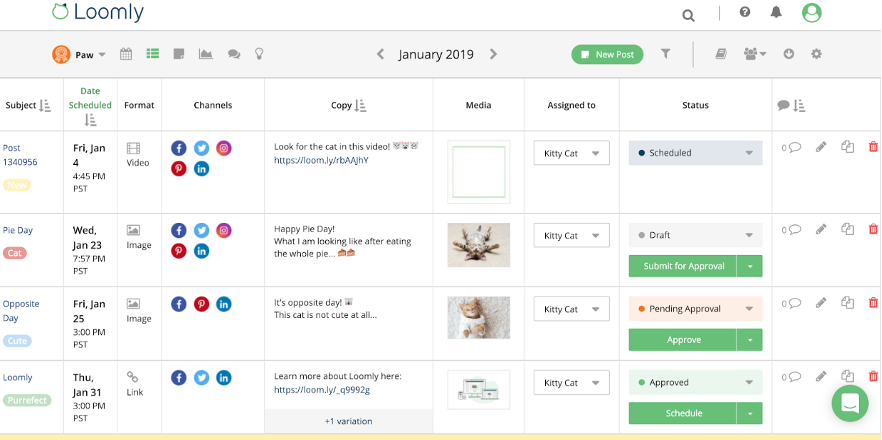
Loomly simplifies social media planning from ideation to publishing. It gives you a visual calendar, content library, and unified workflow across all channels to manage your social media presence.
For teams or agencies, Loomly supports multiple users, client/stakeholder reviews, private vs. public comments, version history, and approval flows.
To speed up content creation, you get a video editor and reusable post templates. You can even pull visuals from Canva, Unsplash, or Google Drive through integrations and remix them directly inside the platform.
Combined with features like collaboration workflows, automatic reminders, post optimization tips, and clear analytics, it handles your publishing process end-to-end.
A G2 user says:
I’ve been using Loomly since the early days (2022!) and have multiple clients using Loomly for their social media planning. I use it daily, and having the posts scheduled so I don’t have to worry about manually posting is a godsend. Implementing this software into my business has been simple, and all my clients enjoy using it because it saves the back-and-forth emails
⚡ Template Archive: Plan, Schedule, and Post Like a Pro with Free Content Calendar Templates
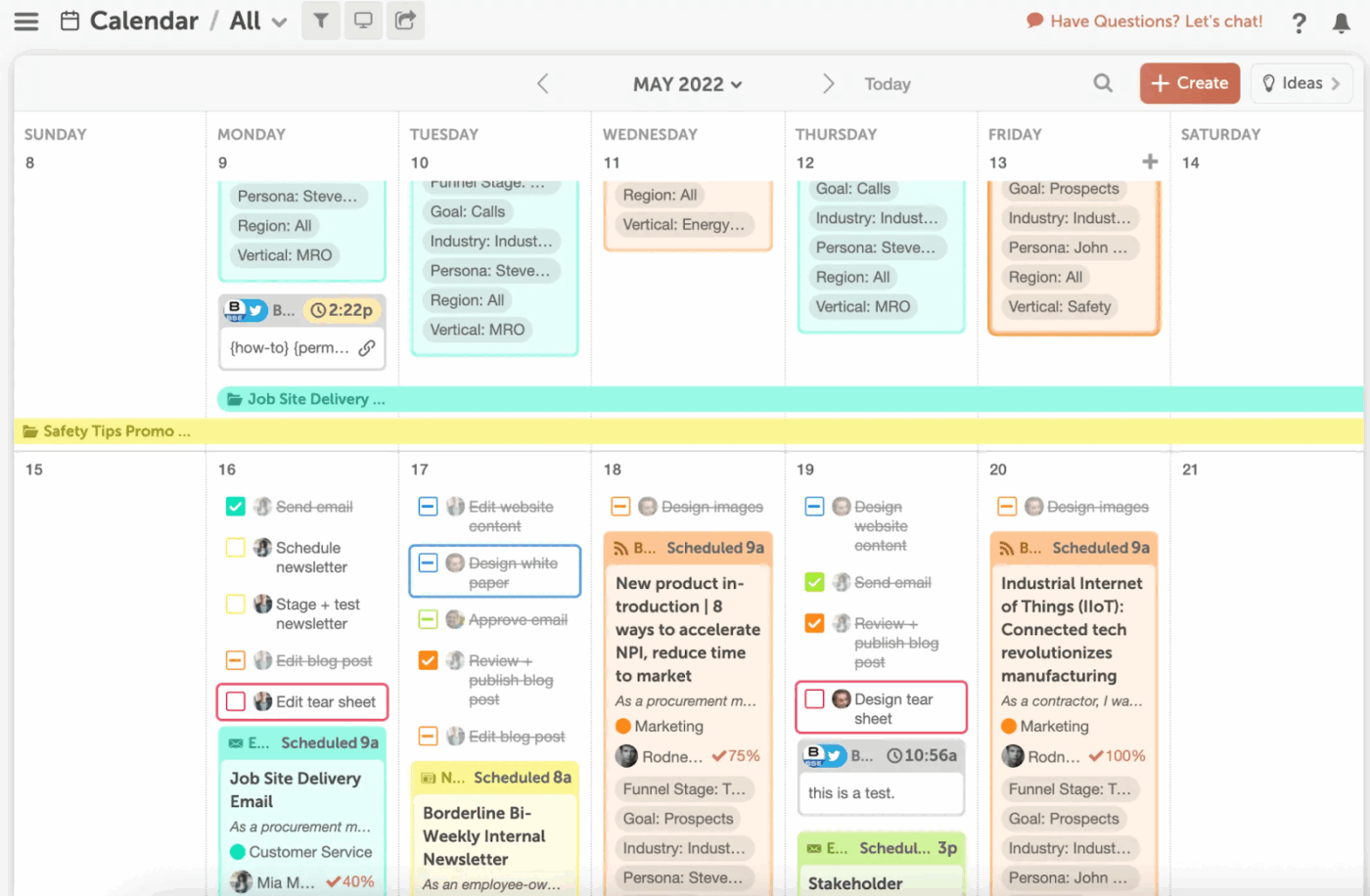
CoSchedule is an editorial calendar designed for marketing teams who want to handle social media sites and other publishing channels together. To get started, you can build a master calendar combining blog articles, social media posts, newsletters, and other content.
Apart from content planning, it offers social media project management features to centralize tasks. Assign tasks to team members (e.g., writing, editing, social posting), set deadlines, and track progress to not miss deadlines.
The ReQueue feature automatically republishes your best-performing social media posts to maintain consistency and maximize reach. This Sendible alternative has a marketing suite that offers insights dashboards, social AI tools, social inbox, and more.
A Capterra review says:
CoSchedule is such an awesome tool for solo bloggers and teams. You can plan out your content, schedule it and even schedule it out several months to a year in advance. You can pretty much set it and forget it. It’s also very easy to use and works right in your WordPress dashboard
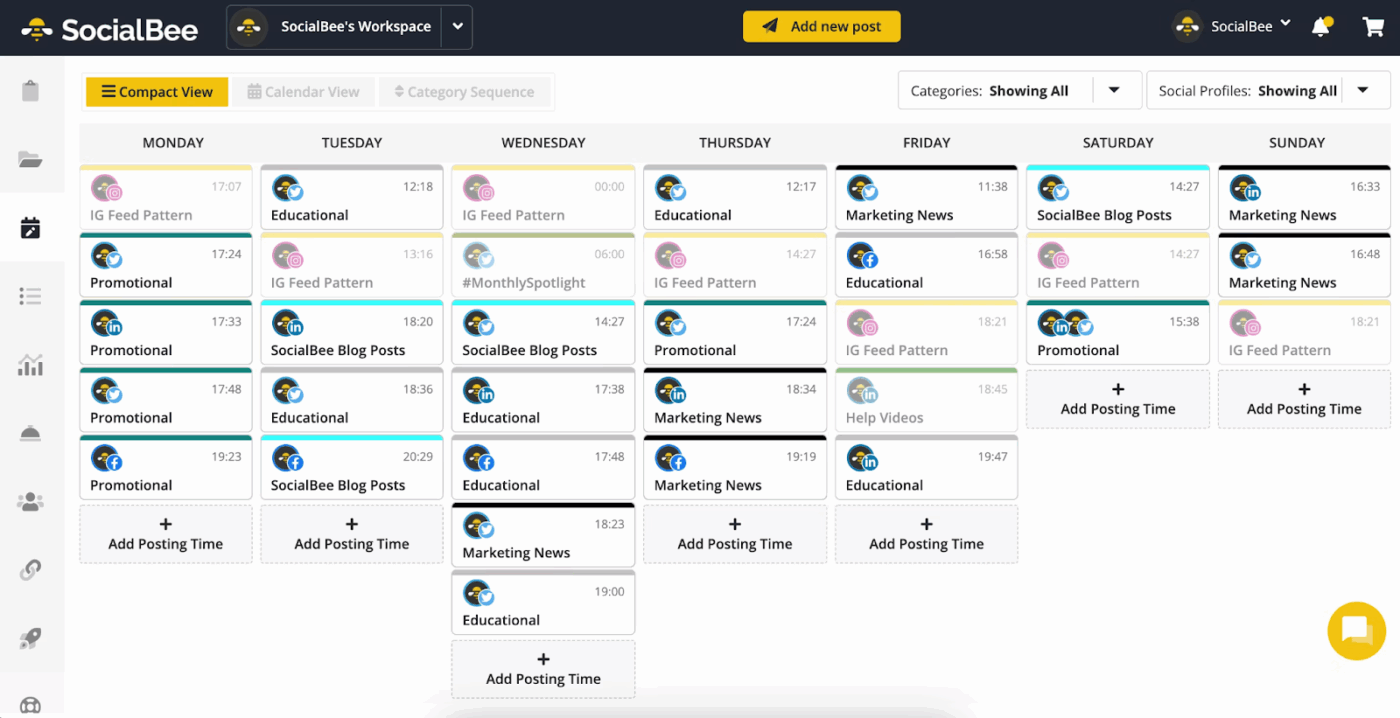
SocialBee focuses on making social posting efficient and organized, especially when you deal with recurring content and frequent updates.
It allows you to categorize content into categories such as blog links, case studies, promotions, and evergreen posts, and automatically recycle your posts.
The social media copilot in SocialBee takes this further by building a strategy tailored to your industry and products. It asks you a few simple questions, then recommends the best social channels for you, and suggests content categories.
A G2 review says:
I like that I can post across multiple social media platforms at once, and customize each. It is simple enough for someone like me who isn’t a super tech wiz to use and figure out without having to watch tons of training videos
✅ Fact Check: 63% of marketers are already using generative AI in their campaigns, and another 27% plan to adopt it within the next six months.
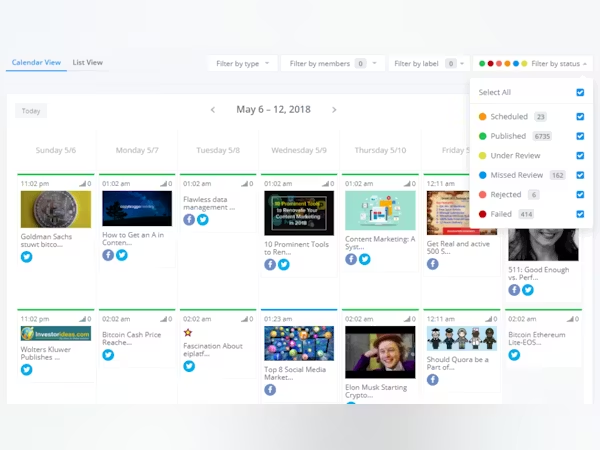
ContentStudio is a multi-channel interactive content calendar that helps you visualize your social media strategy in one place. You can plan an entire month of posts and switch between calendar, list, or grid views based on how your team prefers to work.
It also offers you five flexible publishing options: letting you post instantly, schedule for later, save drafts, use content categories, or move items into a social queue. From there, you can track how each post performs through platform-level analytics that show reach and engagement.
To speed up creation, you get ready-made social media templates for Instagram captions, tweets, and inspirational quotes. ContentStudio’s AI Assistant then helps you turn ideas into eye-catching visuals and text content with minimal effort.
A Capterra review says:
I have been more than satisfied with ContentStudio in general. It has made sharing on social media and most importantly, having the right content to share on social media, so easy! I get really great engagement from the posts that my VA and I share from ContentStudio’s discovery tabs and now having the mobile app allows me to share quick updates and last minute things to my SM followers as well.
📚 Read More: Best Campaign Management Tools to Try Out
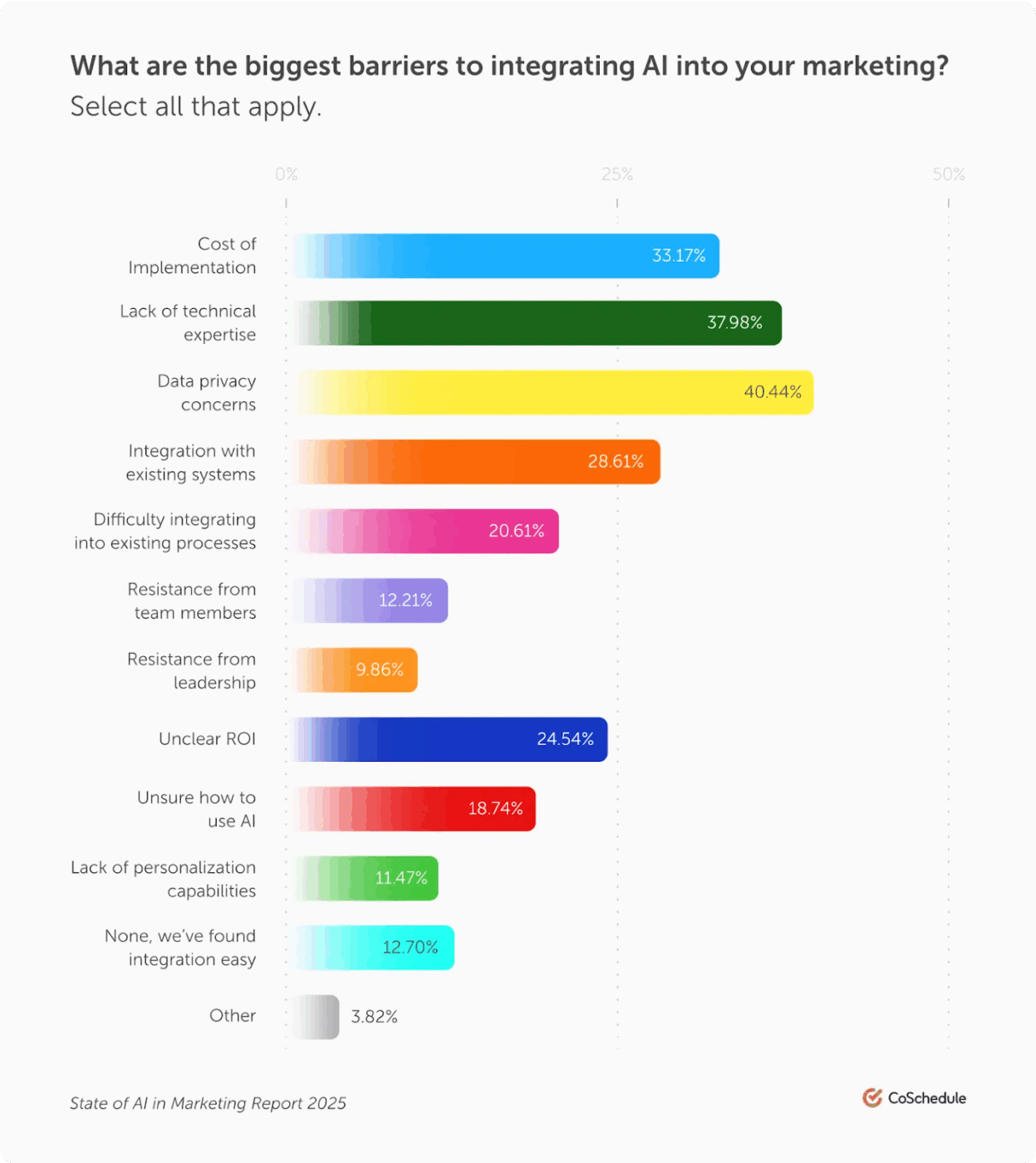
⚠️ Caution: While much has been said about AI boosting efficiency and content output, the reality is more complex, as reported in Co-Schedule’s State of AI in Marketing Report.
40% of marketers still cite data privacy concerns as the biggest barrier to adopting AI, reflecting growing scrutiny around how tools collect, store, and use customer data.
Another 38% struggle with a lack of technical expertise, making it difficult to implement or manage AI solutions without additional training or support.
And a third of marketers point to the high cost of implementation as a major reason they delay adoption.
Beyond these top concerns, teams also face challenges like system integration issues, unclear ROI, and internal resistance, all of which can disrupt or slow down AI-driven initiatives.
“When it comes to managing social media, no other tool is as robust as ClickUp. If you want to know everything that’s going on at any point in time, no other tool can give you the same level of insight”.
— Sarah Lively, Director of Social Media at Cartoon Network
The Sendible alternatives we’ve covered in this blog apply to different types of use cases.
ClickUp stands out by giving marketing teams a centralized home for ideas, content calendars, dashboards, approvals, and AI assistance. Your entire workflow runs from one unified hub.
Sign up on ClickUp for free and give it a test drive.
Some users look for Sendible alternatives because they need more advanced analytics and reporting capabilities. The platform’s analytics features aren’t deep enough for detailed performance tracking or strategic optimization.
Pricing is another reason users explore other options. The plan for creators starts from $29/month and goes up to $638/month for enterprise teams.
If you’re a solo creator or a small business, the pricing can be expensive. Consider exploring other Sendible alternatives that offer similar features at an affordable rate.
If you’re looking for the best free alternative to Sendible, ClickUp is one of the strongest options. It offers you a converged workspace powered by contextual AI, helping you manage every part of your content workflow in one place.
You can plan campaigns, map out content calendars, create content, generate images, manage tasks, collaborate with your team, and track performance in one platform. Since ClickUp Brain adapts to your workflow and keeps everything connected, you don’t need to switch between different apps or multiple AI models.
Hootsuite can be better than Sendible in certain cases, but the choice depends on your needs. Hootsuite is known for its powerful analytics, wider range of integrations, and strong team collaboration features. This makes it a good fit for larger teams or brands that rely on detailed reporting and multi-platform engagement.
On the other hand, Sendible is simpler to use and works well for day-to-day scheduling and client management. Many small to mid-size brands and freelancers prefer Sendible because it delivers essential features without the unnecessary complexity.
If you run an agency and want a capable alternative to Sendible, ClickUp, and Agorapulse are suitable.
ClickUp goes beyond social media management. You can organize campaigns, store assets, and automate tasks without switching tools. Furthermore, its contextual AI also helps speed up your content creation workflow.
Whereas Agorapulse offers a unified social inbox for messages and comments, approval workflows, and client-ready reporting capabilities. This makes it ideal for social media marketing agencies that want a specialized solution to handle multiple networks.
Yes, you can manage Instagram with most Sendible alternatives, and some also support TikTok. However, TikTok’s API is more limited, so features like scheduling or direct posting may vary depending on the tool you choose.

© 2026 ClickUp

There’s an easier way. Try a free AI Agent in ClickUp that actually does the work for you—set up in minutes, save hours every week.