






Still downloading templates?
There’s an easier way. Try a free AI Agent in ClickUp that actually does the work for you—set up in minutes, save hours every week.
Sorry, there were no results found for “”
Sorry, there were no results found for “”
Sorry, there were no results found for “”

Misunderstandings about scope are one of the fastest ways for projects to go downhill. Maybe the client expected three revisions, but your team budgeted for one. Life for project managers, then, can look like this:
A scope of work template solves these problems before they start. It works as a living document that’s easy to edit, share, and adapt for any project.
In this guide, we’ll explore some free scope of work templates in Google Docs that you can start using right away. If you’re looking for a more connected and customizable option, consider exploring ClickUp templates that can be directly integrated into your projects.
Here are a few things to look out for in a Google Docs scope of work (SOW) template:
📚 Also Read: Project Management Memes & Funny Videos
Here’s a summary table for all the scope of work templates listed in the blog:
| Template Name | Template Link | Ideal For | Best Features | Visual Format |
| Scope of Work Template by HubSpot | Download this template | Marketing teams, client-service agencies | Exclusions section, milestones, cost breakdown, flexible formats | Google Docs, Word, PDF |
| Project Scope of Work Template by Template.Net | Download this template | Small businesses, agencies | Objectives, deliverables, timelines, printable, branded | Google Docs, Word, PDF |
| IT Scope of Work Template by Template.Net | Download this template | IT departments, contractors | Definition of terms, formal agreement fields, and an adaptable layout | Google Docs, Word, Apple Pages |
| Professional Work Statement Template by GooDocs | Download this template | HR managers, employers | Work schedule, compensation, leave, contract-style | Google Docs |
| Project Scope Statement Template by ManyRequests | Download this template | Service teams, freelancers | Scope, deliverables, payment terms, digital sign-off | Google Docs, Word, PDF |
| Contractor Scope of Work Templates by WordLayouts | Download this template | Construction firms, contractors | Site locations, compliance, appendices, quality control | Google Docs, Word |
| Event Scope of Work Template by WordLayouts | Download this template | Event planners, coordinators | Objectives, marketing, risks, evaluation, appendices | Google Docs, Word |
| Project Scope Template by Scribd | Download this template | Project managers | Measurable targets, communication, and acceptance criteria | Google Docs, DOCX, PDF, TXT |
| ClickUp Scope of Work Template | Get free template | Project managers, client-facing teams | Custom Fields, multiple views, real-time updates | ClickUp Doc, Gantt, List, Calendar |
| ClickUp Scope Management Plan Template | Get free template | Program managers, PMOs | Change tracking, dependency warnings, tagging | ClickUp Doc, List |
| ClickUp Whiteboard Scope of Work Template | Get free template | Creative teams, consultants | Visual mapping, live collaboration, and convert notes to tasks | ClickUp Whiteboard |
| ClickUp Website Scope of Work Template | Get free template | Web agencies, freelancers | Custom statuses, asset storage, automation | ClickUp Doc, List |
| ClickUp App Scope of Work Template | Get free template | Product managers, dev teams | Feature lists, technical specs, and file embedding | ClickUp Doc, List |
| ClickUp Statement of Work Template | Get free template | Agencies, consultants, legal teams | Status tracking, contract clauses, tagging | ClickUp Doc |
| ClickUp Change Proposal Template | Get free template | Ops managers, project leads | Timeline, resources, signature page, and collaboration | ClickUp Doc |
| ClickUp Project Proposal Whiteboard Template | Get free template | Biz dev teams, consultants | Visual proposal, budget/ROI fields, priority labels | ClickUp Whiteboard |
| ClickUp Scope of Work Services Agreement Template | Get free template | Service providers, agencies | Payment section, status labels, comments | ClickUp Doc |
| ClickUp Project Deliverables Template | Get free template | Cross-functional teams, leads | Milestones, dependencies, Gantt view | ClickUp Doc, Gantt, List |
| ClickUp Work Plan Template | Get free template | Team leaders, PMs | Custom statuses, schedule health, and effort tracking | ClickUp Doc, List |
Here are some of the best editable SOW templates to fit your project requirements. 🚀
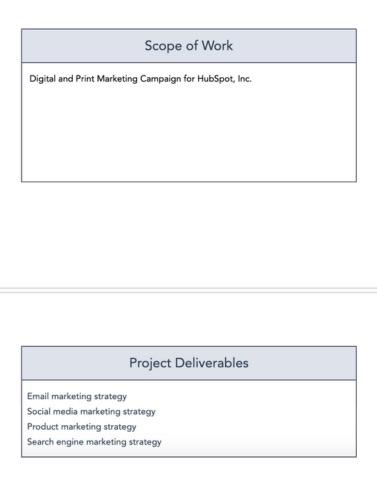
This is a ready-to-use document template that captures every essential detail of a project before it begins. It covers project basics and outlines exactly what will be delivered.
You start by adding core project details, such as title, location, delivery methods, and responsible parties. Then, describe the scope in plain terms, followed by a breakdown of deliverables.
📌 Ideal for: Marketing teams and client-service agencies that need to capture deliverables, exclusions, and costs upfront to prevent misaligned expectations.
💡 Pro Tip: Before moving into execution, it’s critical to align your team and client by securing formal approval of your scope baseline.
This baseline includes three components: the scope statement, the Work Breakdown Structure (WBS), and the WBS dictionary. Together, these define project objectives, deliverables, exclusions, resources, timelines, and more.
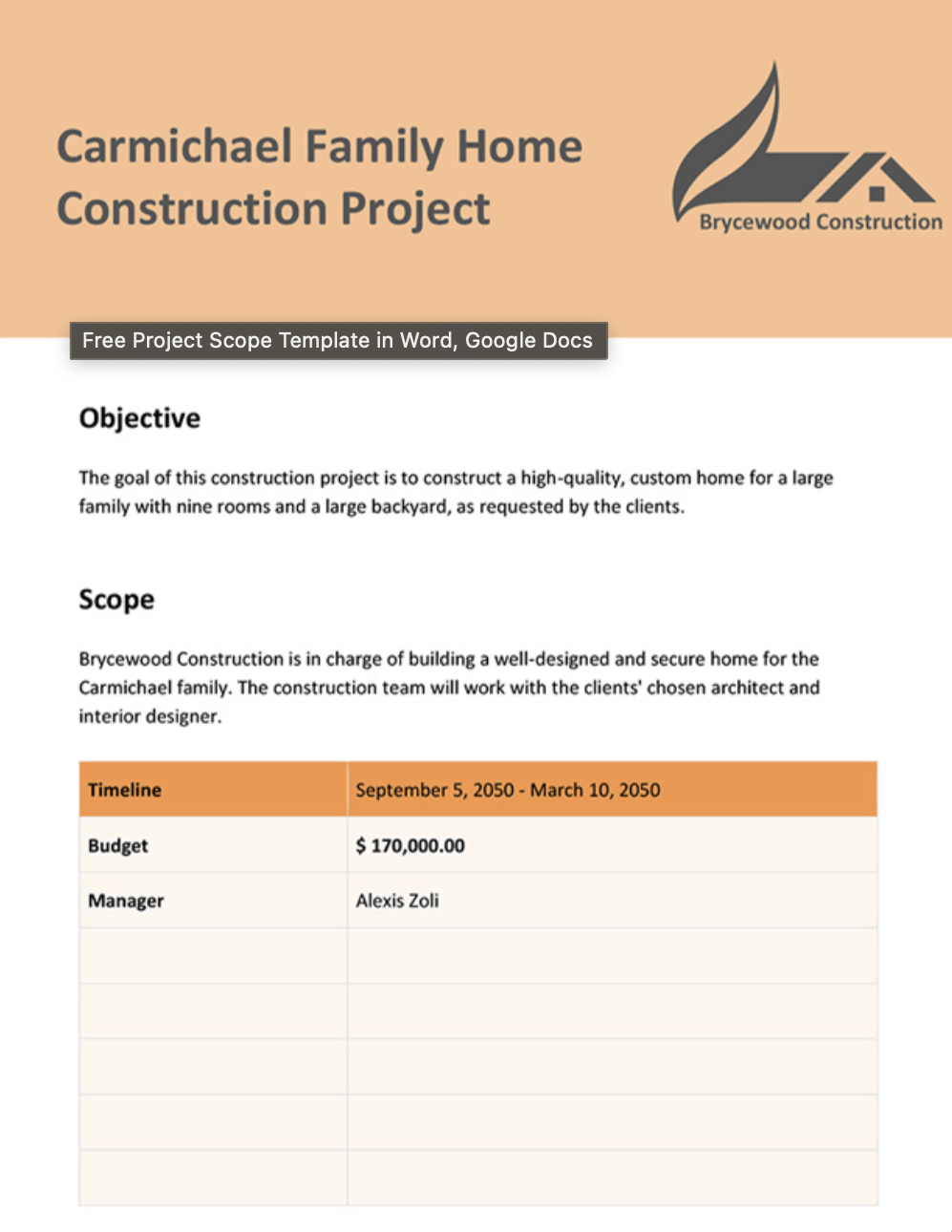
This template is designed for quick customization while keeping all the key project details in a clean, printable format. It opens with space for your company logo and a project title so you can match your brand style from the start.
Plus, the project scope template‘s user-friendly design lets teams quickly tailor sections like objectives, scope, and deliverables—helping ensure clarity and alignment from kickoff to completion.
📌 Ideal for: Small businesses and agencies seeking a branded, printable scope document for quick client reviews and approvals.
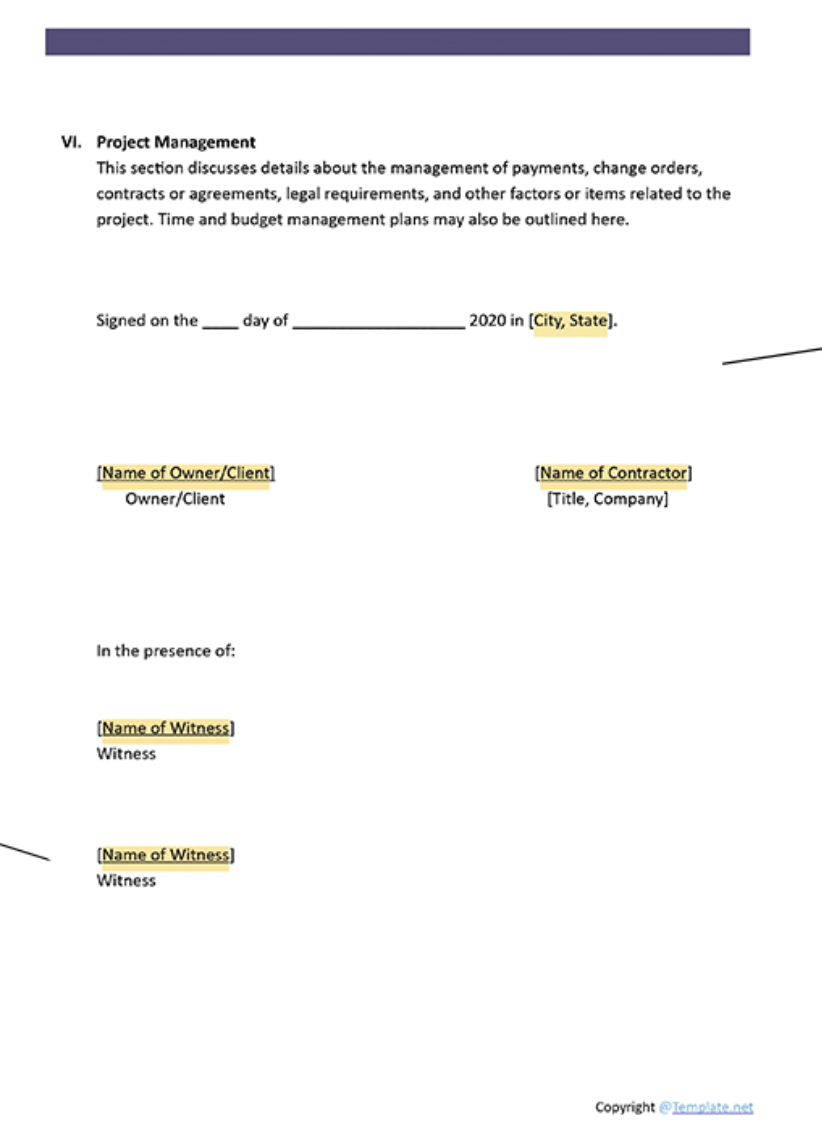
This SOW template from Template.net is designed to capture the technical and administrative details of an IT project in a structured document. It begins with a Definition of Terms section to clarify technical language upfront, ensuring everyone is aligned on terminology.
You can edit it using Microsoft Word, Google Docs, or Apple Pages, and personalize it with your own project management data before sharing or printing.
📌 Ideal for: IT departments and contractors handling technical projects that demand clarity on definitions, compliance, and formal agreements.
📚 Also Read: How to Create a Risk Assessment Checklist
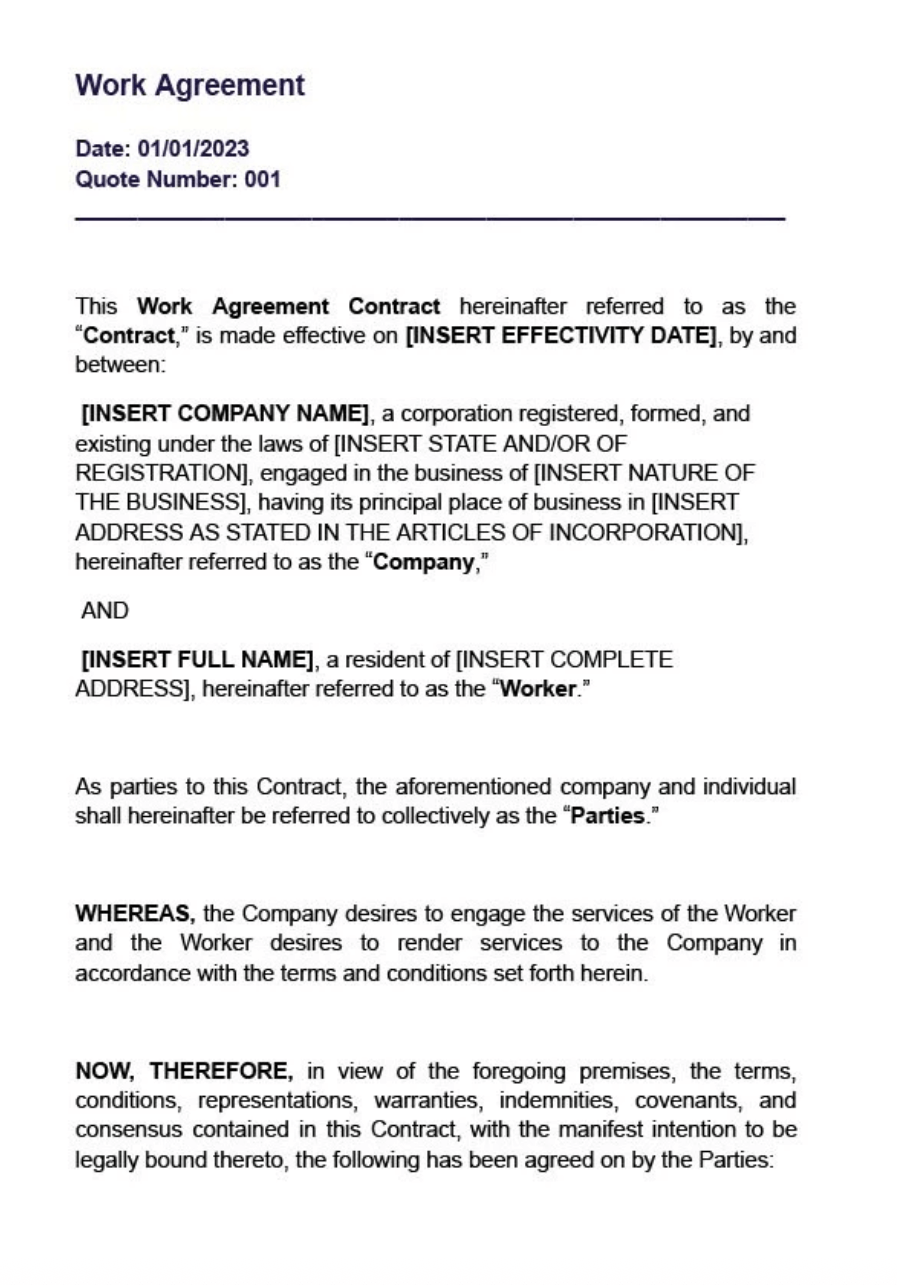
Instead of piecing together agreements from scratch, this template lets you organize every work detail in one document. You can set a clear work schedule using the built-in weekly timetable. Then, spell out compensation in dedicated sections for salary, payment frequency, expenses, leave policies, and overtime pay.
📌 Ideal for: HR managers and employers who need contract-style documentation with work schedules, payment structures, and policy details.
🧠 Fun Fact: The term ‘Work Breakdown Structure’ is often pronounced as ‘webs,’ making it sound just as interconnected as the projects it organizes.
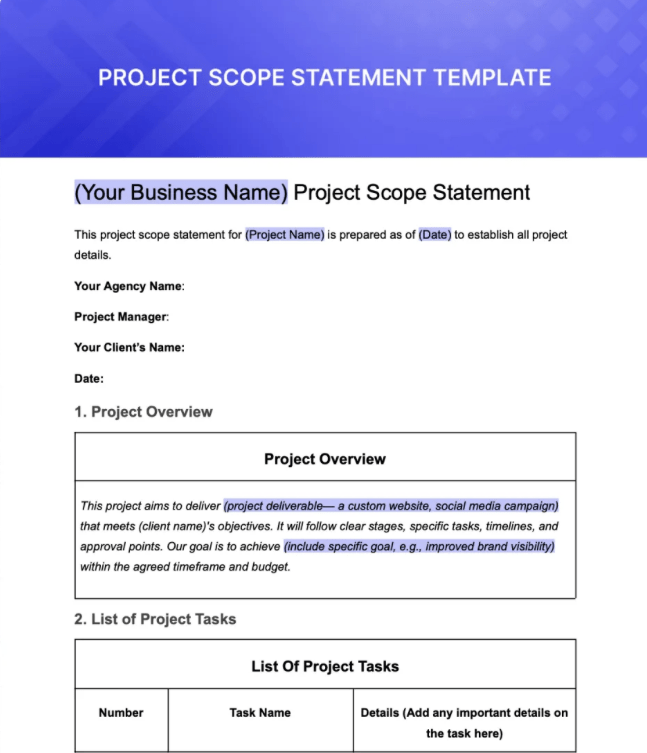
This template by ManyRequests ensures everyone, from clients to team members, knows exactly what’s included in your work scope (and what’s not).
It acts as a tool for alignment, approvals, and protection against misunderstandings. With this project scope statement template, you’ll save time, keep projects on track, and build stronger trust with clients.
📌 Ideal for: Service-based teams and freelancers consolidating scope, milestones, and payment terms into a client-facing document.
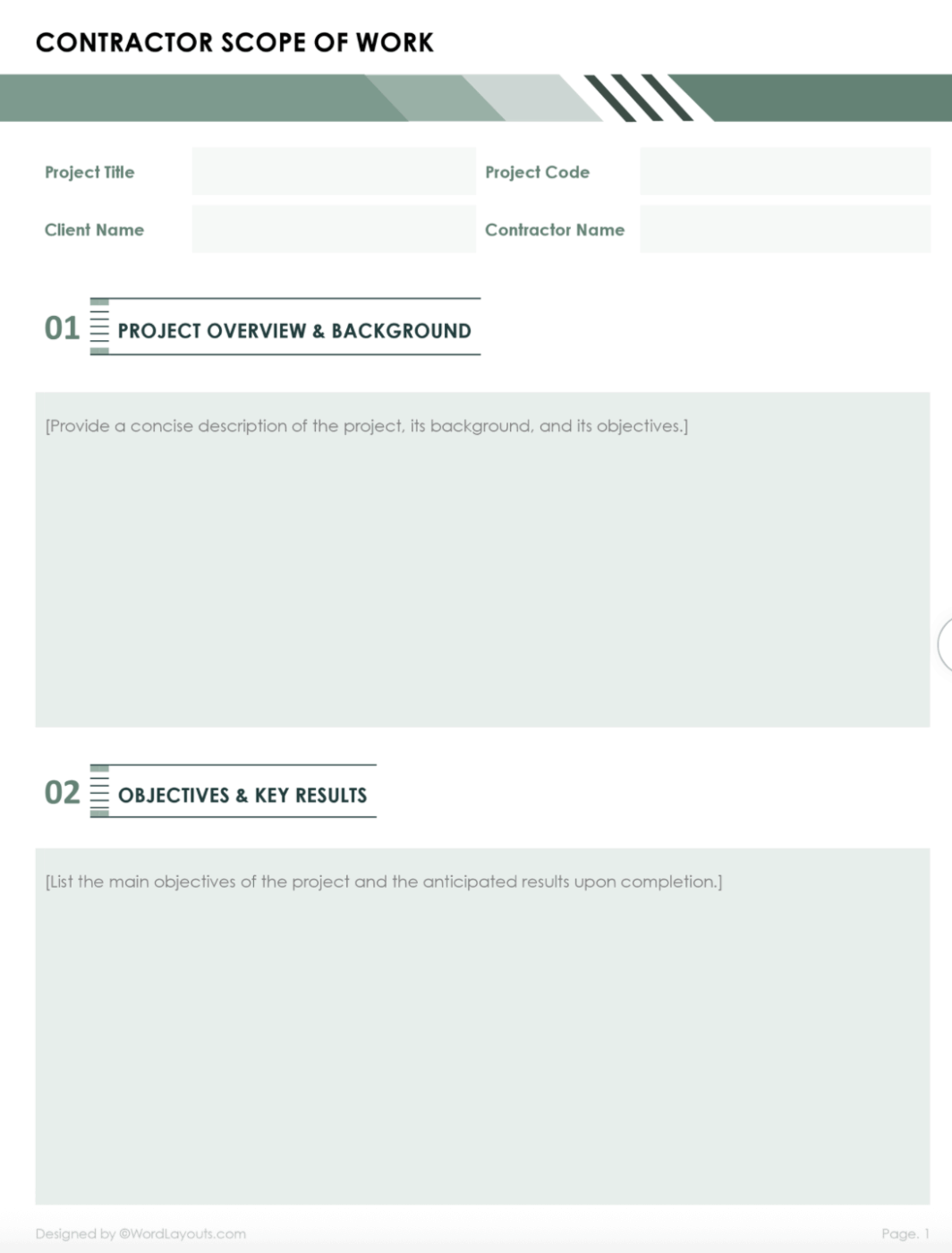
This template walks contractors through every detail needed to define and communicate project scope clearly. It captures everything from the project’s background and objectives to site locations, detailed inclusions and exclusions, milestone timelines, and acceptance criteria.
You also get robust sections for site locations (primary and secondary), payment terms, compliance protocols, appendices, and more.
📌 Ideal for: Construction firms or contractors and field teams that must detail project sites, compliance measures, timelines, and acceptance criteria throughout a project lifecycle.
📚 Also Read: Risk Management Plan Examples for Project Leaders
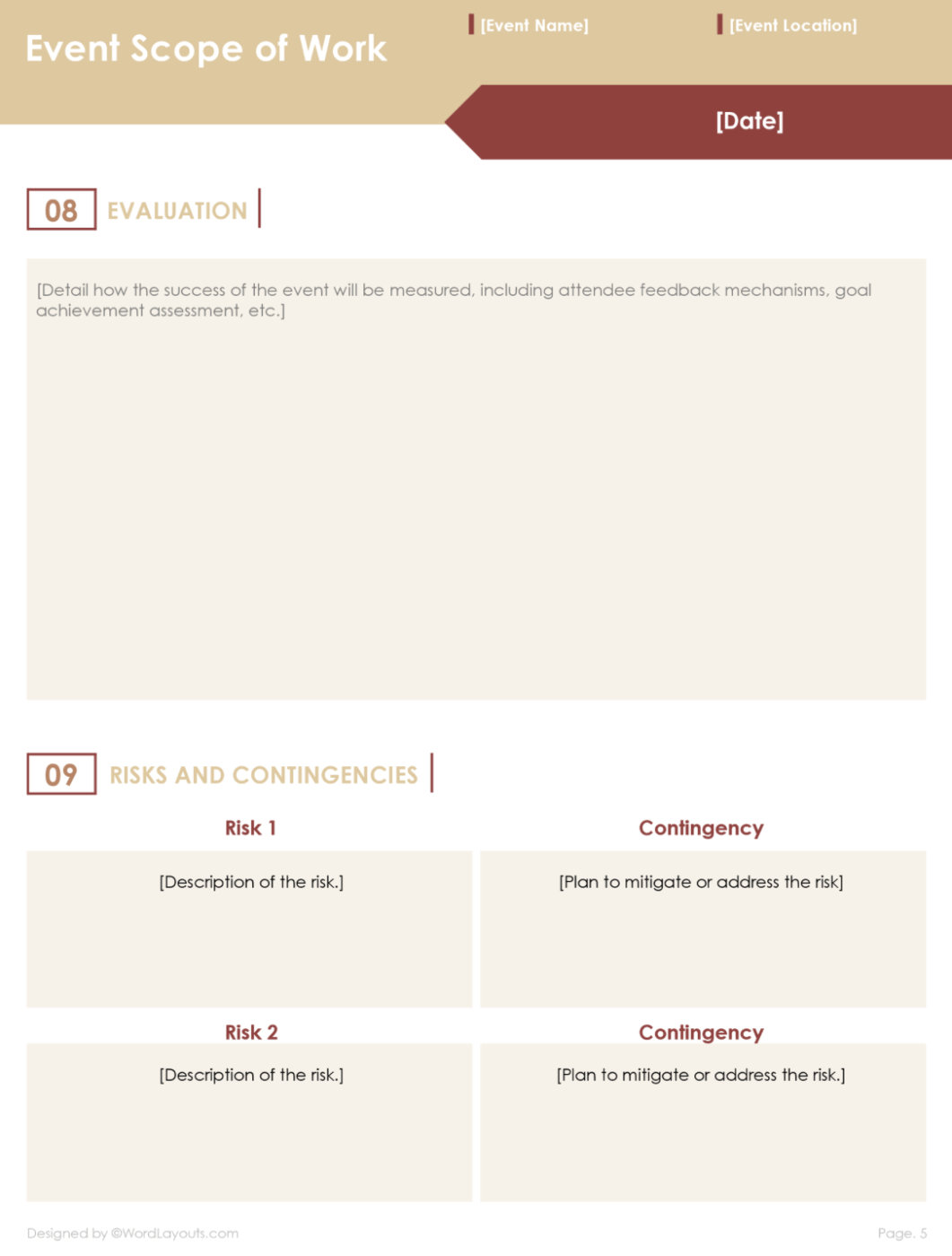
This template by WordLayouts gives event managers a structured document to lock in every event detail before execution. It features clearly defined sections—such as objectives, event details, personnel and responsibilities, equipment and materials, and more.
It helps event planners comprehensively outline the event scope and ensure mutual clarity with clients.
📌 Ideal for: Event planners and coordinators managing logistics-heavy projects where objectives, promotions, and risks must be documented.
🔍 Did You Know? Before WBS became popular, most project failures were thought to happen at the end. But research in the 1990s revealed that projects usually fail at the beginning due to poor planning and unclear scoping.
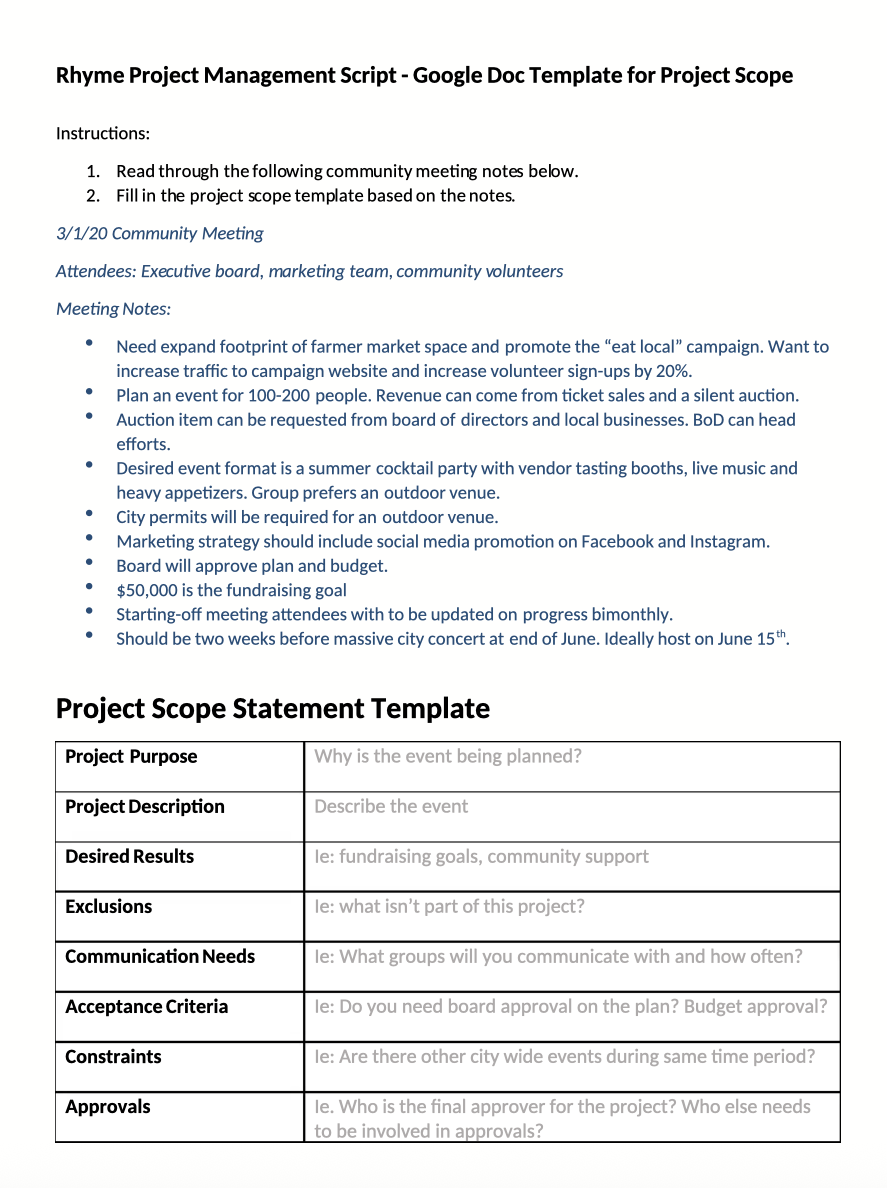
This Scribd template provides a clean layout that clearly defines what needs to be done. It starts with space for key instructions and project kickoff meeting notes, and then moves into a structured table that captures your project’s most critical details.
Available in editable formats like DOCX, PDF, or TXT, it’s flexible enough to fit into your existing workflow. You can even import it to Google Docs or share it with collaborators via Scribd.
📌 Ideal for: Project managers who prefer an adaptable structure for documenting scope, timelines, and communication expectations across teams.
Google Docs’ scope of work templates provides convenience and accessibility. However, they also come with notable limitations that can cause project management challenges:
💡 Pro Tip: Use the WBS rule of 8-80. It says that work packages should take no less than 8 hours and no more than 80 hours to complete. This keeps project tasks manageable without being overwhelming or vague.
When you want live workflows, deep customization, and seamless collaboration all in a single work AI platform, ClickUp steps up as much more than a task management software.
It’s the everything app for work that combines project management, knowledge management, and chat—all powered by AI that helps you work faster and smarter.
Additionally, the platform offers a robust template ecosystem (1000+ templates) that directly links every element of your project’s lifecycle.
Here are some of our most recommended scope of work ClickUp Templates.
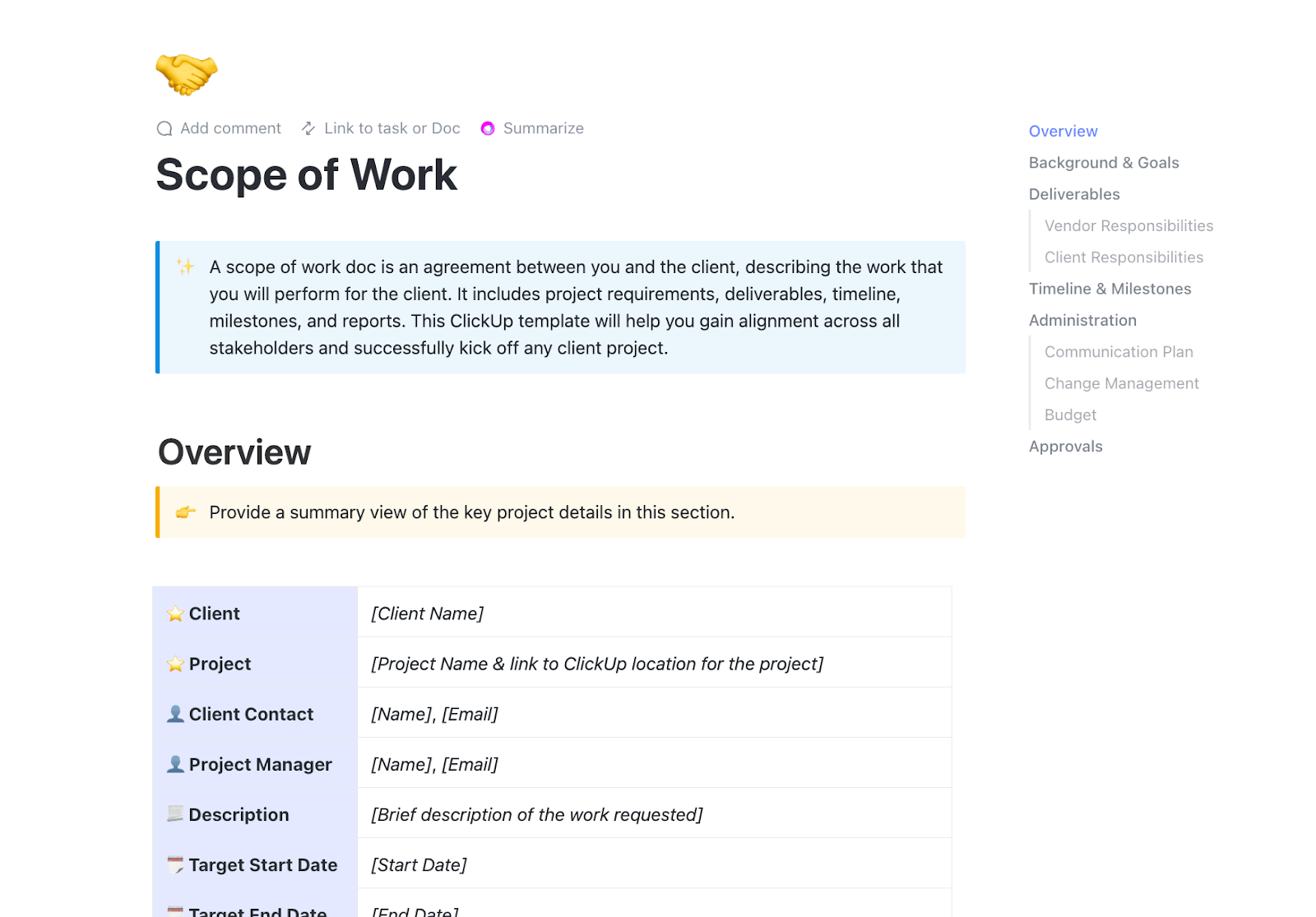
The ClickUp Scope of Work Template outlines your project’s objectives, boundaries, and deliverables in a single, organized document. It’s built right into ClickUp Docs, so you can update details in real time, link them directly to tasks, and ensure that every stakeholder sees the same plan.
Once you’ve defined the scope, you can instantly connect it to timelines, task lists, and automated updates. This way, progress moves forward without constant check-ins.
📌 Ideal for: Project managers and client-facing teams who need a clear outline of responsibilities, deliverables, and timelines.
🚀 ClickUp Advantage: These templates are the absolute best because they work well with the platform’s built-in AI assistant, ClickUp Brain.
With ClickUp Brain’s AI Writer for Work, you can generate complete SOWs with objectives, deliverables, and timelines in seconds.
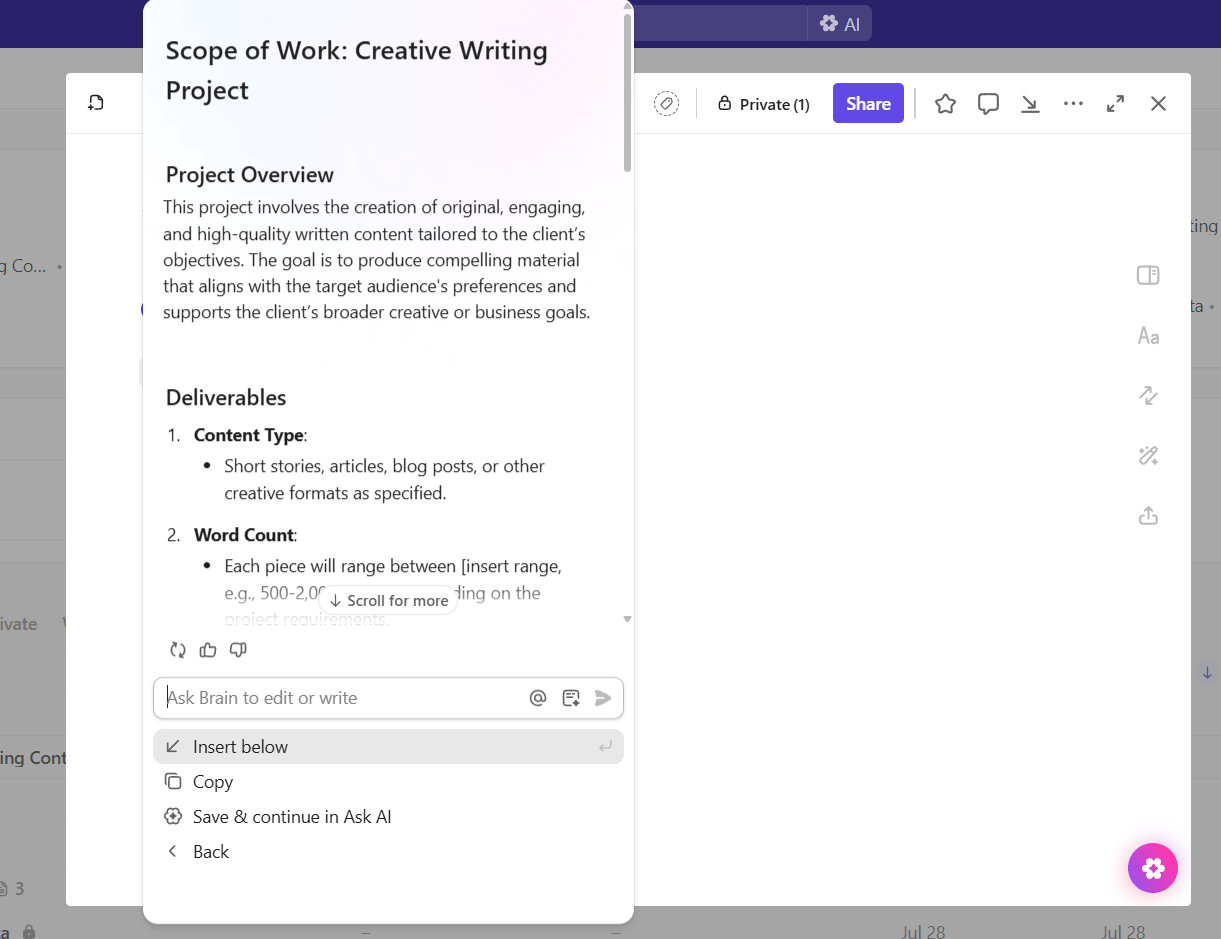
Here are some prompts you can try:
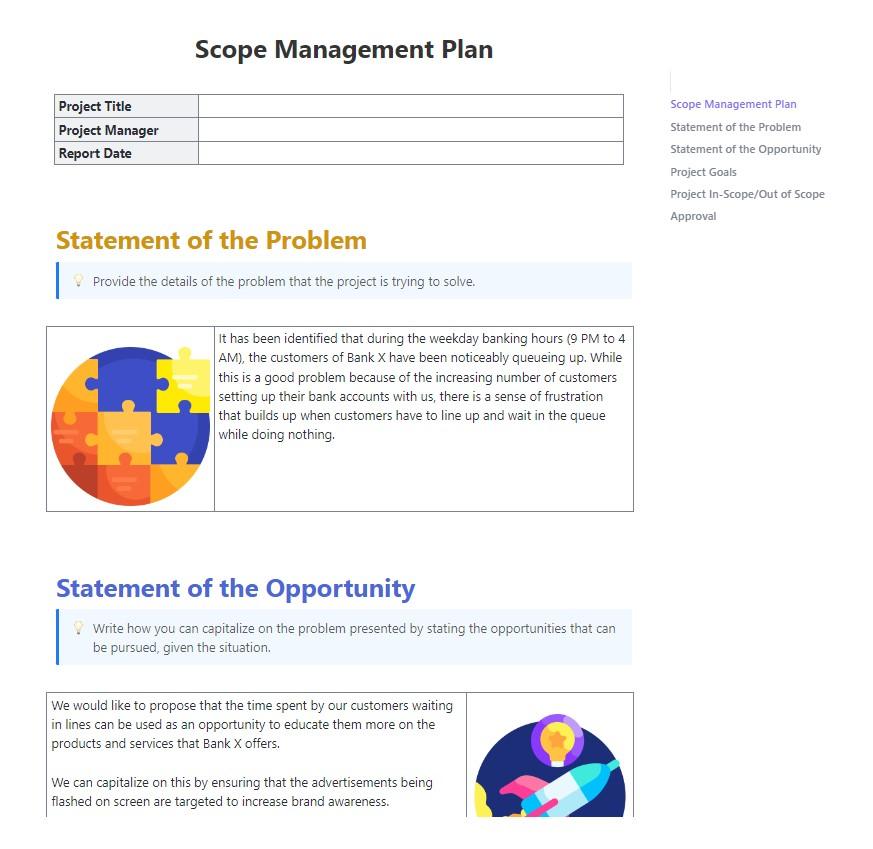
The ClickUp Scope Management Plan Template gives you a structured way to define exactly what’s in (and out) of your project, so everyone’s expectations stay aligned.
It’s built for active scope monitoring. As project deliverables evolve, you can track progress against original requirements, flag changes for approval, and instantly see how adjustments affect timelines or budgets.
📌 Ideal for: Program managers and PMOs managing complex projects where scope changes are frequent and require structured documentation and approval.
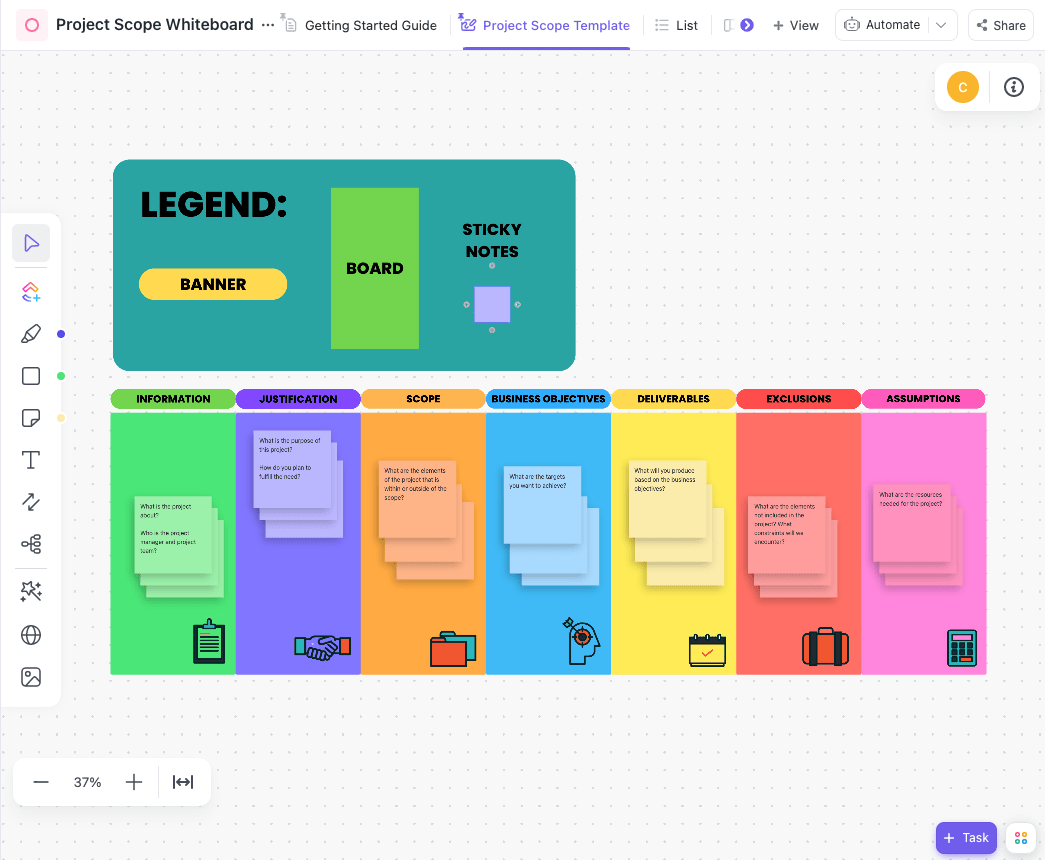
Map out your project scope visually with the ClickUp Project Scope Whiteboard Template. With this template, your team can work together in real time on a shared digital board, adding ideas, organizing details, and breaking big objectives into actionable pieces.
This scope of work template comes pre-built with dedicated sections for assumptions, justifications, objectives, and deliverables, so you can jump straight into planning without starting from a blank canvas.
📌 Ideal for: Creative teams and consultants who prefer to map out scope visually in workshops or kickoff sessions before locking details into tasks.
📮 ClickUp Insight: 16% of managers struggle with integrating updates from multiple tools into a cohesive view. When updates are scattered, you spend more time piecing together information and less time leading.
The result? Unnecessary administrative burdens, missed insights, and misalignment. With ClickUp’s all-in-one workspace, managers can centralize tasks, documents, and updates, reducing busywork and surfacing the insights that matter most, right when they’re needed.
💫 Real Results: Convene unified 200 professionals into one ClickUp workspace, using customizable templates and time tracking to reduce overhead and improve delivery times across multiple locations.
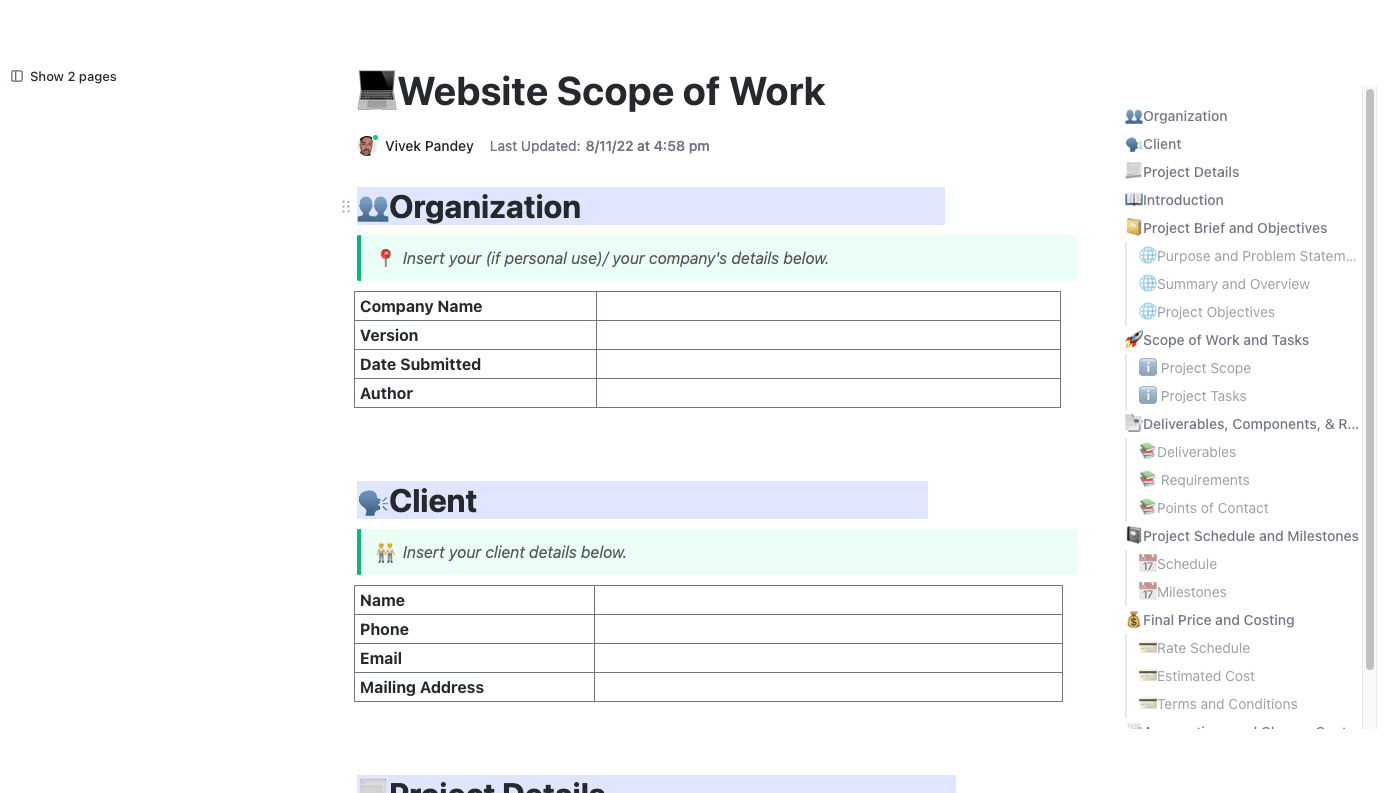
The ClickUp Website Scope of Work Template equips teams with a clear roadmap for website projects. It ensures all stakeholders, including designers, developers, and clients, are aligned on objectives, deliverables, timelines, and tasks.
It also comes with built-in guidance for tricky sections, such as crafting a purpose and problem statement or setting clear exclusions.
📌 Ideal for: Web design agencies, freelancers, and digital marketing teams who need to set clear expectations with clients on project stages, timelines, and exclusions.
🎥 Watch: Find out more about how you can automate your ClickUp workspace with ClickUp Agents:
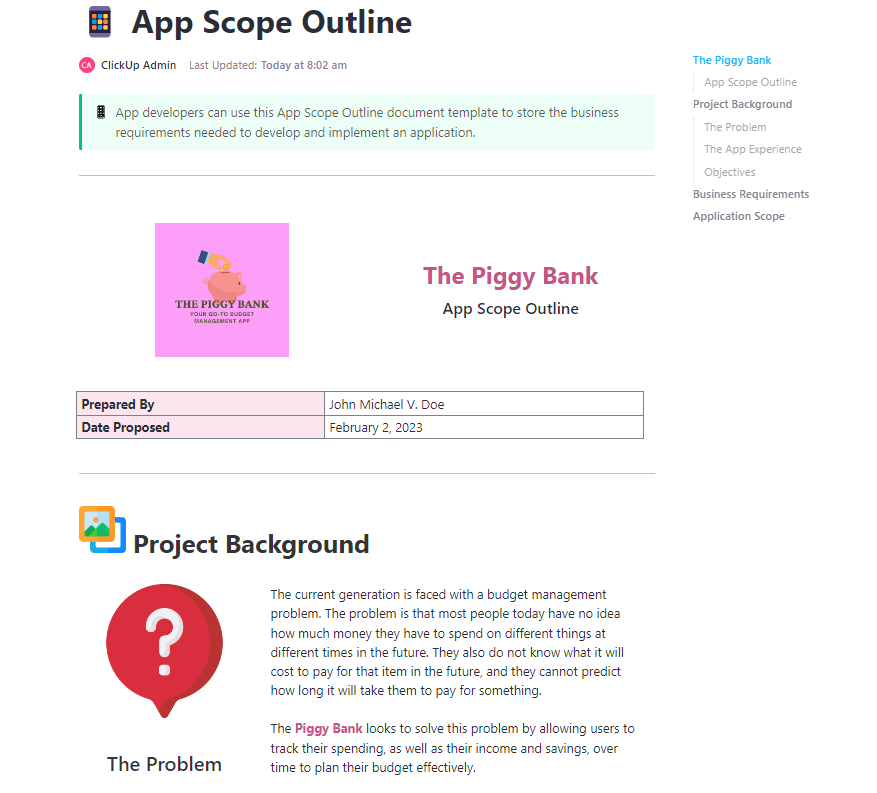
Outline your app’s vision, functionality, and build plan with the ClickUp App Scope Outline Template. From core functionality to edge cases, it’s designed to capture both the big picture and the fine details that engineers, designers, and clients need to stay aligned.
It offers pre-built sections for objectives, feature lists, user stories, and resource requirements. This step-by-step guide walks you through documenting everything from technical specifications to deployment timelines.
📌 Ideal for: Product managers, software developers, and startup teams building apps that require defined features, platform requirements, and testing stages.
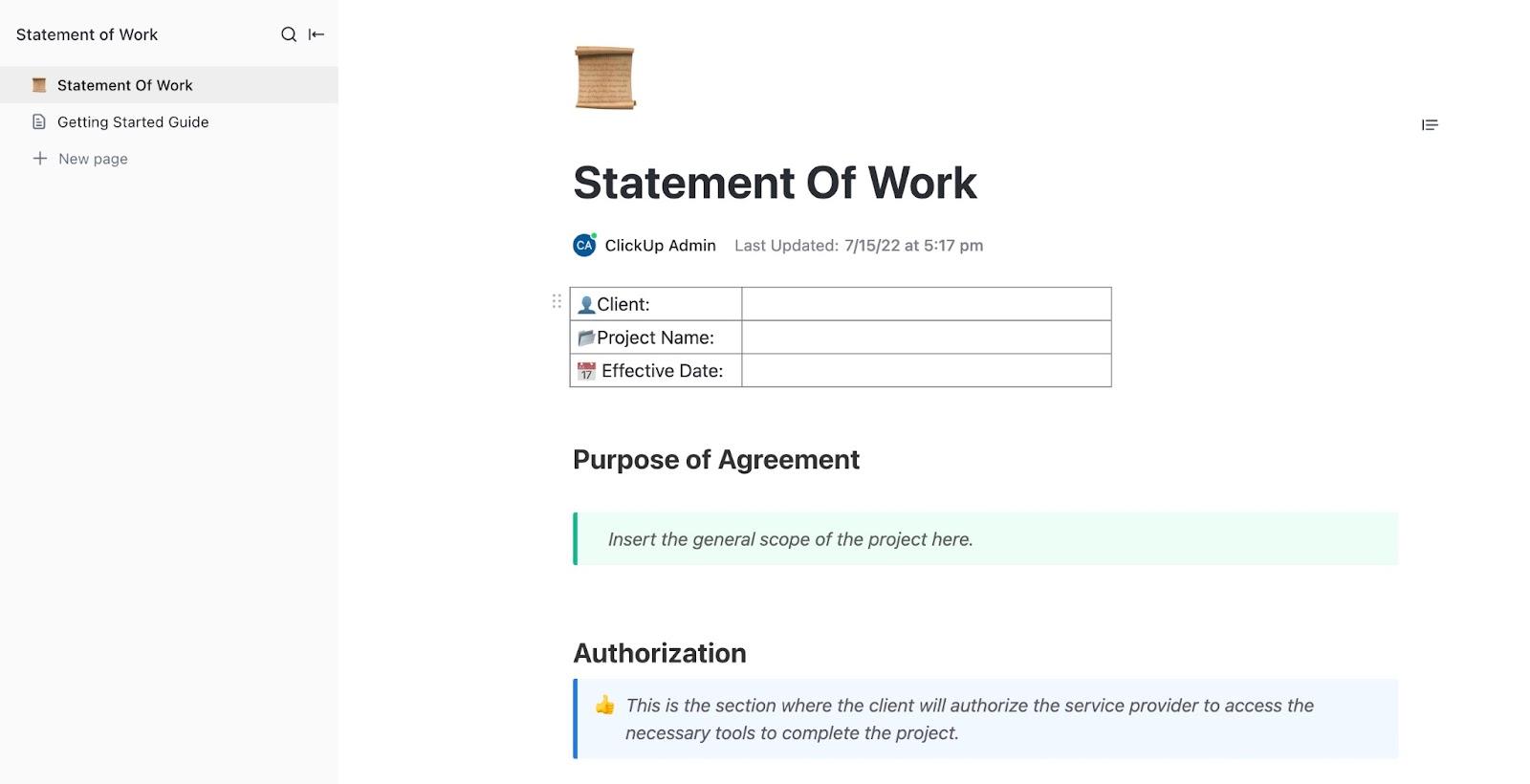
Use the ClickUp Statement of Work (SOW) Template to create a legally sound agreement between you and your clients or contractors. It covers brief descriptions of payment schedules, authorization clauses, legal conditions, and other contractual requirements that protect both sides.
This beginner-friendly template ensures both clients and teams have a shared understanding from the get‑go
📌 Ideal for: Agencies, consultants, and legal teams who need a client-facing, contractual agreement covering deliverables, payment terms, and approvals.
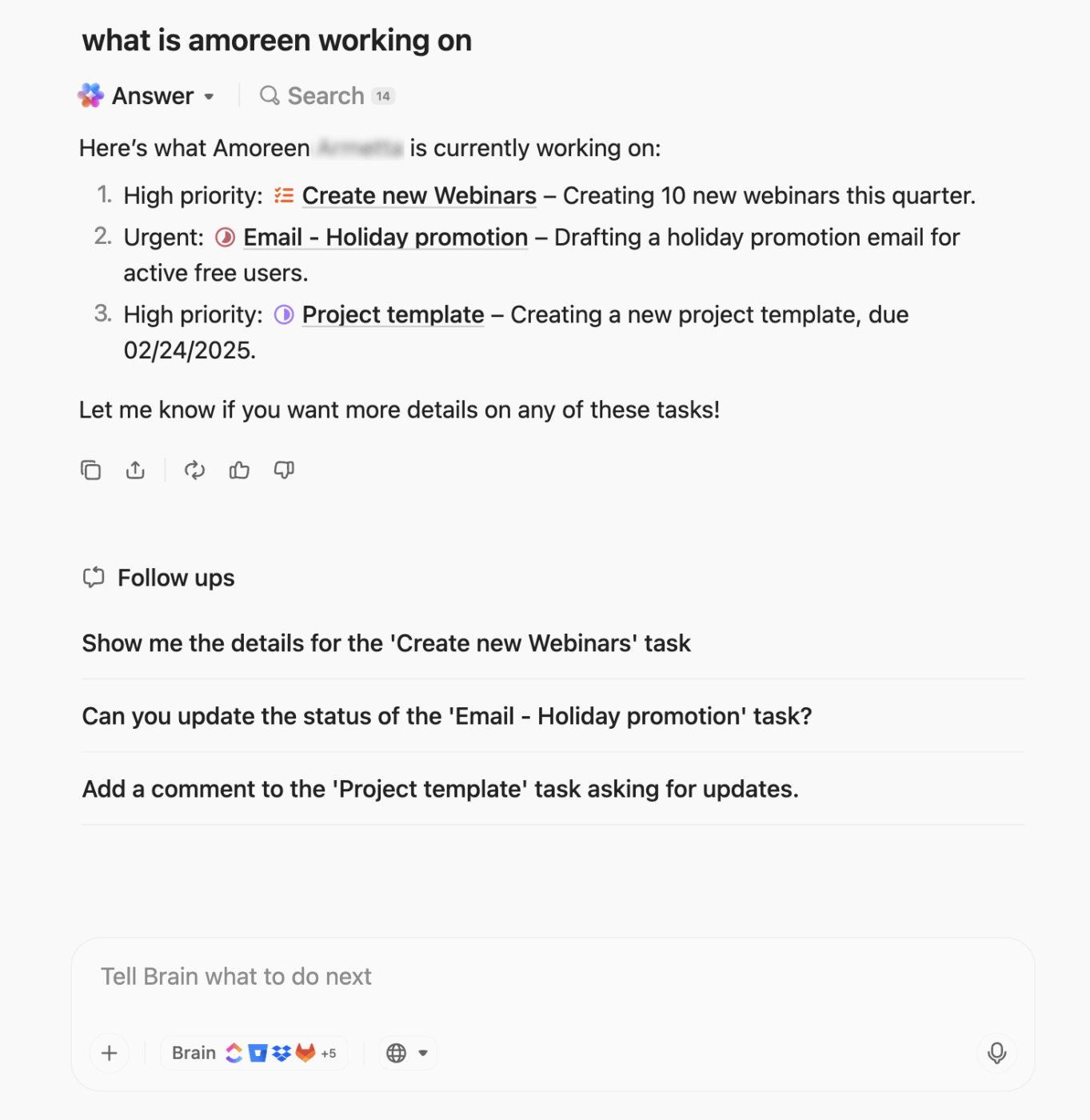
🚀 ClickUp Advantage: ClickUp Brain MAX is a desktop AI super app that understands your work. It consolidates your tasks, documents, meetings, and integrated apps, such as Google Drive, GitHub, and SharePoint, in one place. This means you never have to explain context to your AI again; it treats your work as part of the conversation.
⭐️ Bonus: Leverage premium AI models like ChatGPT, Claude, and Gemini right from Brain MAX ot create SOWs that come with 100% context of your work.
⭐️ ⭐️ Double bonus: Use your voice to tell Brain MAX about key clauses or exceptions you want baked into your SOW with Talk to Text. You don’t have to type a thing!
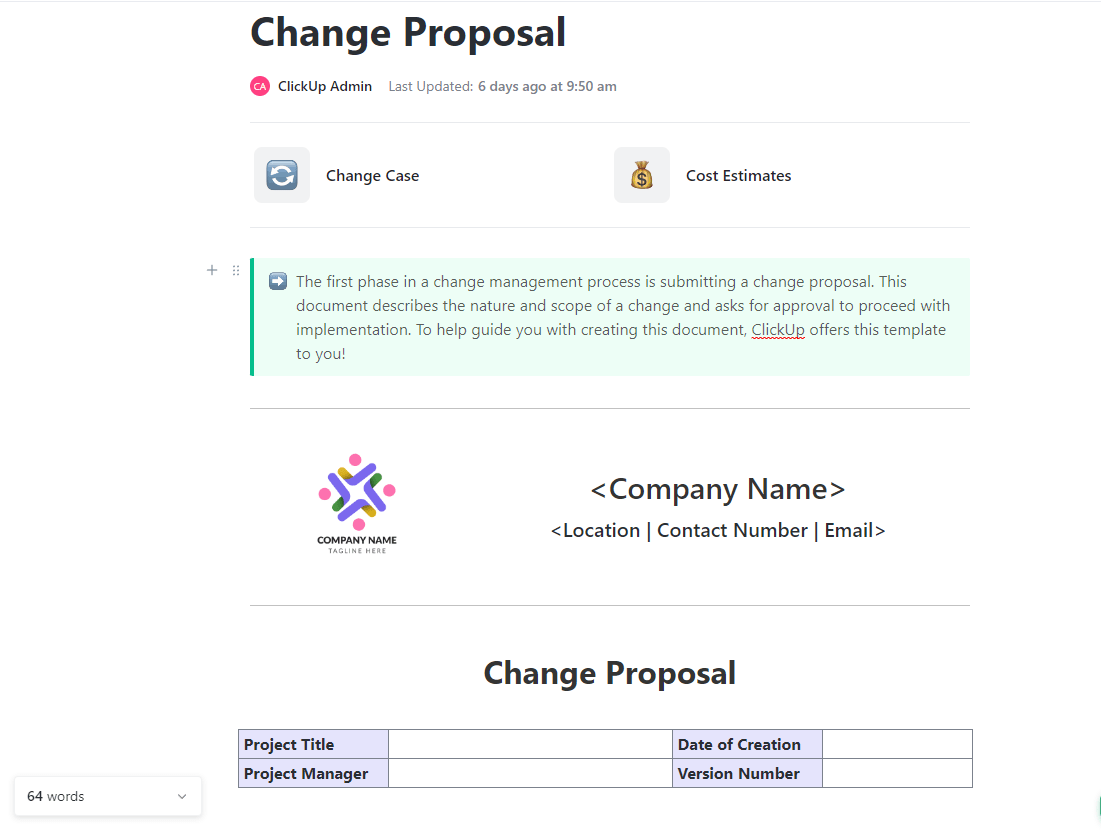
When you need to pitch a change in your business operations, the ClickUp Change Proposal Template provides a ready-made framework for presenting it clearly and professionally.
It offers dedicated sections like the Change Case page for explaining the ‘why,’ and structured spaces for timelines, budgets, and signatories. With this template in your corner, you can ensure your proposal is both persuasive and actionable.
📌 Ideal for: Operations managers and project leads who need to propose adjustments to resources, timelines, or scope in a structured, sign-off-ready format.
📚 Also Read: Top Scope Management Tools for Teams
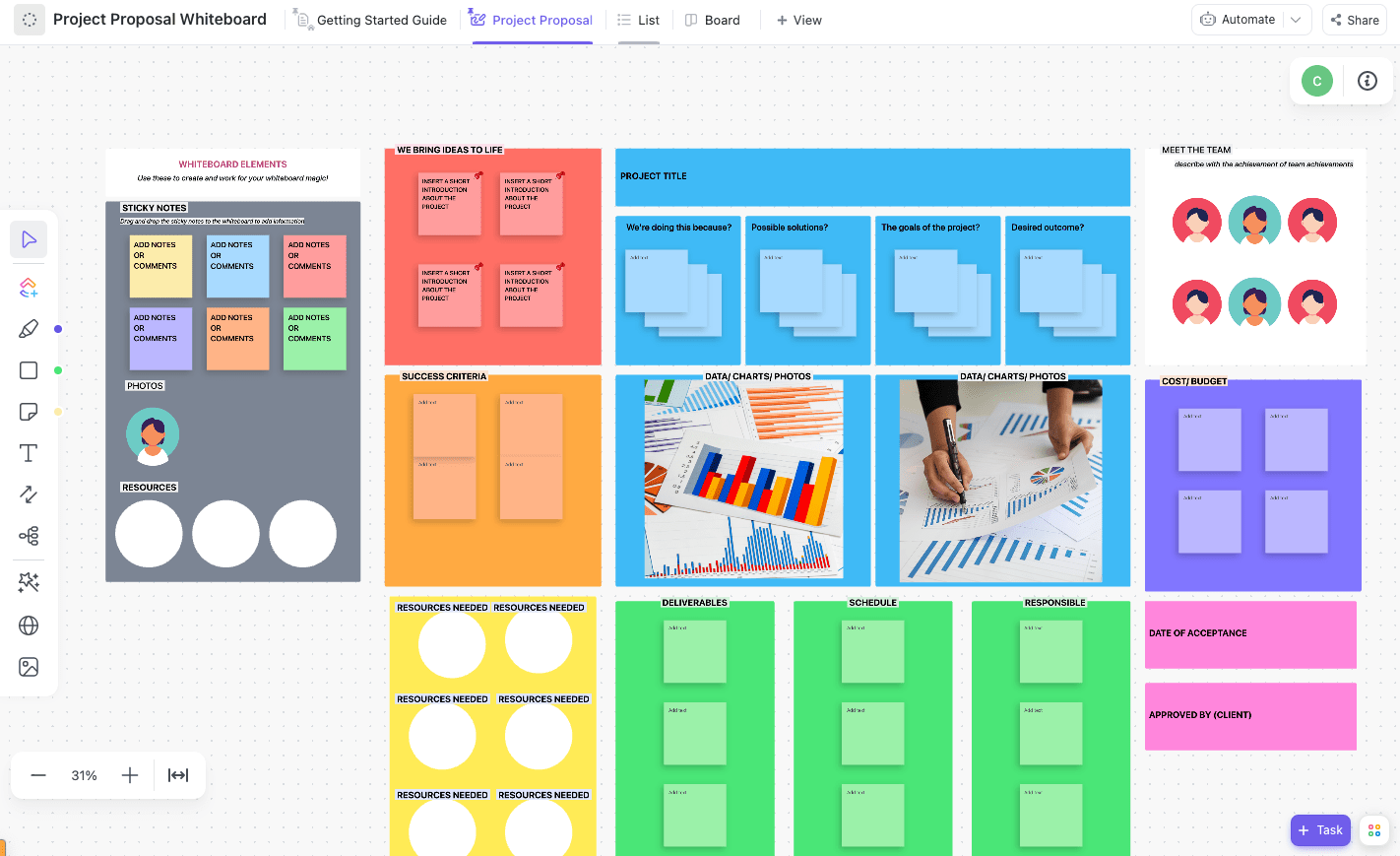
Plan, structure, and present your next project pitch with the ClickUp Project Proposal Whiteboard Template. This template is built within ClickUp Whiteboards for the proposal stage, not post-approval project planning.
It helps you turn raw ideas into a visually organized pitch that’s easy for decision-makers to understand and approve. With pre-configured proposal views, you can gather input from your team, refine the pitch, and finalize a clear, engaging proposal that’s ready to present.
📌 Ideal for: Business development teams, consultants, and freelancers pitching new projects and needing to present ROI, timelines, and budgets in a professional format.
🚀 ClickUp Advantage: ClickUp Brain turns your ideas into visuals by generating images directly within Whiteboards using simple prompts. If you need quick mockups, process diagrams, or creative assets, bring them to life without switching tools.

You can simply prompt it to ‘Generate a simple visual workflow using project phases (discovery, planning, design, development, testing, and launch).’ This way, your Whiteboard instantly gets a clear visual roadmap aligned with the scope of work you’re drafting.
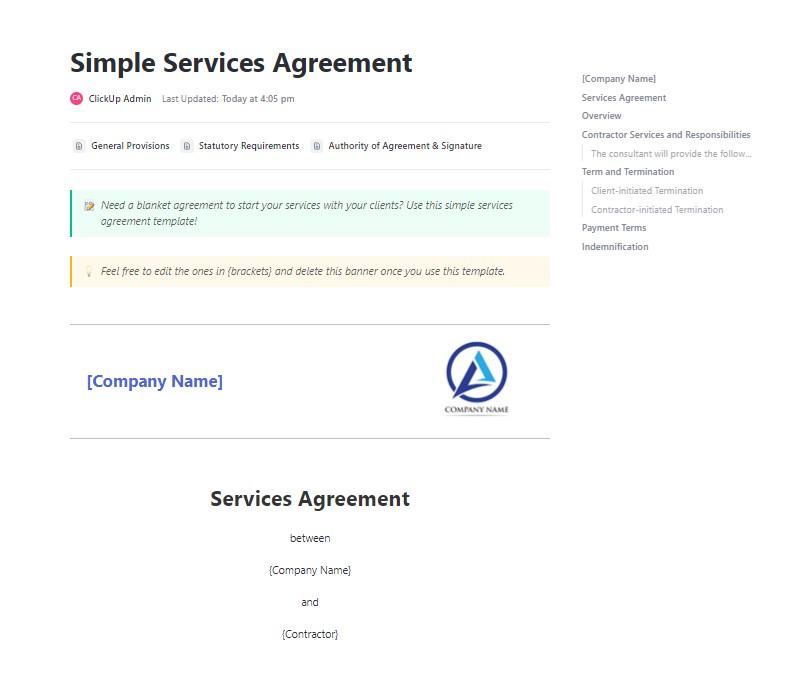
With the ClickUp Scope of Work Services Agreement Template, you can quickly build a professional, legally binding document that outlines exactly what services you’ll deliver and how payments will be handled.
This Doc template provides structured sections for scope, deliverables, timelines, and payment terms, making it easy to formalize agreements.
📌 Ideal for: Service providers and agencies who want to standardize contracts with clients, ensuring clarity on deliverables, payment schedules, and terms.
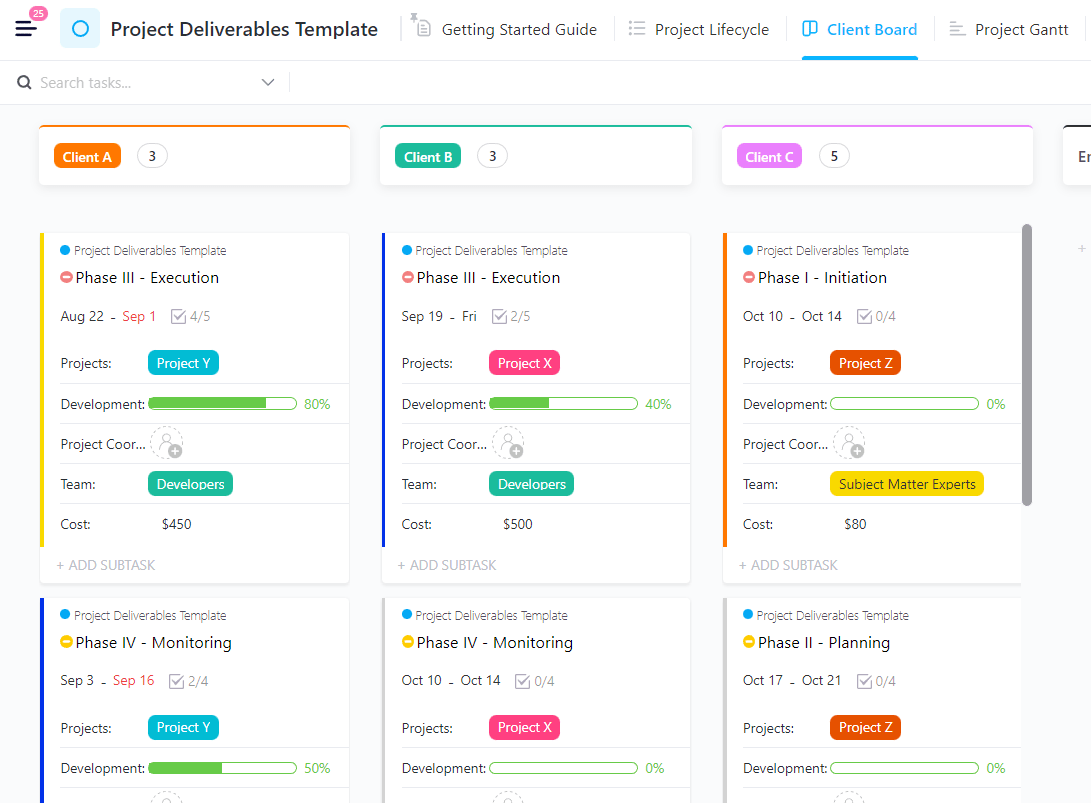
Turn to the ClickUp Project Deliverables Template to pin down tangible outputs in your project, like the actual reports, designs, campaigns, or prototypes your team needs to deliver.
It breaks down deliverables into phases, connects them to timelines and budgets, and creates accountability across your team. You can attach requirements, link supporting docs, and even track client sign-offs right inside the template.
📌 Ideal for: Cross-functional teams and department leads who need to track ownership of key outputs and align deliverables with overall project milestones.
📚 Also Read: Key Project Management Principles (Essential Guide)
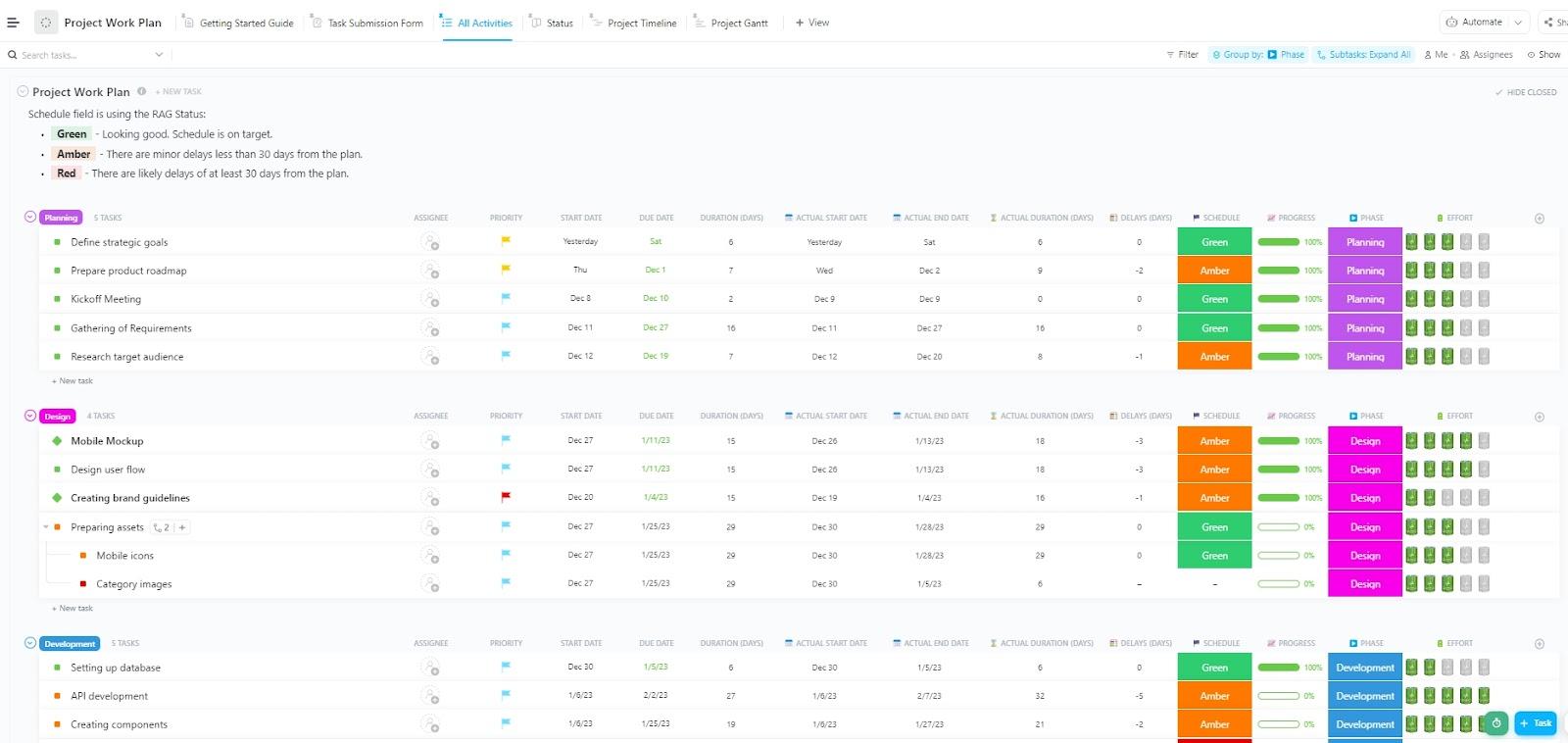
Planning work schedules involves understanding how tasks unfold, what effort they demand, and how delays affect the bigger picture. The ClickUp Work Plan Template provides that clarity. You can map your entire project lifecycle, from start to wrap-up, while tracking schedule health, effort, and timing at every stage.
What makes it especially useful is the detail baked into it. Beyond start and due dates, you’ll see how much effort each task requires, track project scope, and whether milestones are holding steady or slipping.
📌 Ideal for: Team leaders and project managers who want to monitor schedules, spot delays early, and analyze workloads for better future planning.
Hear it from a ClickUp user:
ClickUp’s ability to customize individual workflows provides our team with the flexibility needed to scope tasks effectively while simultaneously providing a bird-eye view of project progress for leadership and other departments.
Google Docs templates are a handy starting point, but they’ll only take you so far.
With ClickUp, your simple scope of work becomes part of your workflow. You can assign responsibilities directly from the scope, set due dates that auto-update across views, and use Custom Fields to capture every detail.
Plus, its templates are designed for teams across industries, so you’ll never have to start from scratch again.
Sign up for ClickUp for free today! ✅

© 2026 ClickUp

There’s an easier way. Try a free AI Agent in ClickUp that actually does the work for you—set up in minutes, save hours every week.