









Still downloading templates?
There’s an easier way. Try a free AI Agent in ClickUp that actually does the work for you—set up in minutes, save hours every week.
Sorry, there were no results found for “”
Sorry, there were no results found for “”
Sorry, there were no results found for “”

Most paid media campaigns fail before the first ad even runs, not because of bad creative or targeting, but because the planning process is a mess of scattered spreadsheets, forgotten approvals, and budget numbers no one can find.
Marketing teams are being pushed to do more with less. Gartner reports budgets are down to 7.7% of company revenue, and 73% of marketers say the pressure is rising.
This guide walks you through 10 free paid media strategy templates that turn chaotic campaign planning into a repeatable system, plus a step-by-step framework for building a plan that actually gets executed.
| Template | Download Link | Ideal For | Best Features | Visual Format |
|---|---|---|---|---|
| ClickUp Campaign & Promotion Management Template | Get free template | Marketing teams planning and managing multi-channel campaigns | Campaign calendar, Custom Fields for budget and channel, dependencies, approval workflows | End-to-end campaign workspace |
| ClickUp Campaign Brief Template | Get free template | Teams aligning on objectives, messaging, and targeting before execution | Structured brief sections, collaborative Docs, approvals, linked tasks and assets | Campaign brief |
| ClickUp Marketing Campaign Management Template | Get free template | Teams managing multi-phase campaigns from planning to reporting | Multiple views (List, Board, Calendar, Gantt), automations, dashboard reporting, attachment storage | Multi-phase campaign workflow |
| ClickUp Advertisement Template | Get free template | Creative teams producing, tracking, and approving high volumes of ad variations | Custom Fields for ad formats and versions, proofing tools, version tracking, attachment storage | Ad production + approval system |
| ClickUp Campaign Outline Template | Get free template | Strategists mapping high-level campaign structure before execution | Hierarchy mapping (Campaign → Phases → Tactics), Timeline view, Notes sections | Campaign outline blueprint |
| ClickUp Social Media Campaign Template | Get free template | Social teams coordinating paid + organic social campaigns | Calendar view scheduling, Custom Fields for ad objectives, integrations with scheduling tools, unified paid-organic view | Social campaign planner |
| ClickUp Ads Schedule Template | Get free template | Media planners scheduling ad flights and mapping cross-channel timing | Gantt + Calendar views, Custom Fields for channel and budget, dependencies for creative approval, single source of truth | Ad scheduling system |
| ClickUp PPC Campaign Report Template | Get free template | PPC managers and agencies producing clear, actionable campaign reports | Pre-built reporting sections, dashboard widgets, insights documentation, action item tracking | PPC reporting template |
| ClickUp Media List Template | Get free template | Media buyers tracking contacts, placements, and partnership opportunities | Custom Fields for contact details and rates, List/Table views, follow-up tracking, direct-buy management | Media contact database |
| Paid Media Template by HubSpot | Download this template | Teams needing a simple spreadsheet to plan channels, budgets, and KPIs | Pre-formatted columns, customizable fields, offline access, easy setup | Spreadsheet planning template |
A paid media strategy template is a pre-built plan you can reuse across campaigns. It helps you document objectives, targeting, channel mix, budgets, creative requirements, timelines, and KPIs in a consistent format.
Spreadsheets can work for simple one-person campaigns. Once you add multiple owners, approvals, asset versions, and deadlines, you need a workflow that connects planning to execution.
📘 Read More: Best Media Planning Tools
Your campaign information is probably scattered everywhere—budgets in one spreadsheet, creative assets in Dropbox, approvals happening in Slack, and the actual strategy in a Google Doc spread across too many tools.
This kind of tool sprawl forces people to hunt for budgets, links, approvals, and “final” creative across Slack, email, docs, and drives. The result is slower launches, more rework, and constant status pings.
Using a paid media plan template solves this by creating a single source of truth. It brings order to the chaos and gives you a scalable framework for every campaign. Here’s what that really means for your team:
Most teams don’t need better ads. They need a better system for managing the ads they already have. A template provides that system.
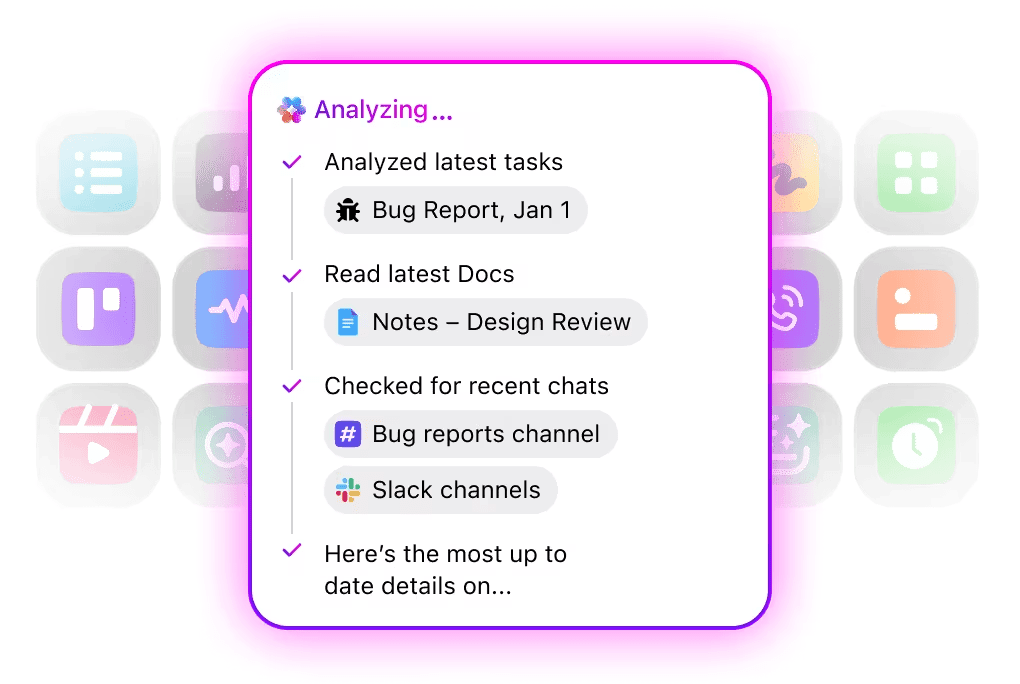
📮 ClickUp Insight: The average professional spends 30+ minutes a day searching for work-related information—that’s over 120 hours a year lost to digging through emails, Slack threads, and scattered files. An intelligent AI assistant embedded in your workspace can change that. Enter ClickUp Brain. It delivers instant insights and answers by surfacing the right documents, conversations, and task details in seconds—so you can stop searching and start working.
💫 Real Results: Teams like QubicaAMF reclaimed 5+ hours weekly using ClickUp—that’s over 250 hours annually per person—by eliminating outdated knowledge management processes. Imagine what your team could create with an extra week of productivity every quarter!
Not every team needs the same level of detail. Some templates are built for approvals and alignment, others for production tracking or reporting. Start with the one that matches how your team actually runs campaigns.
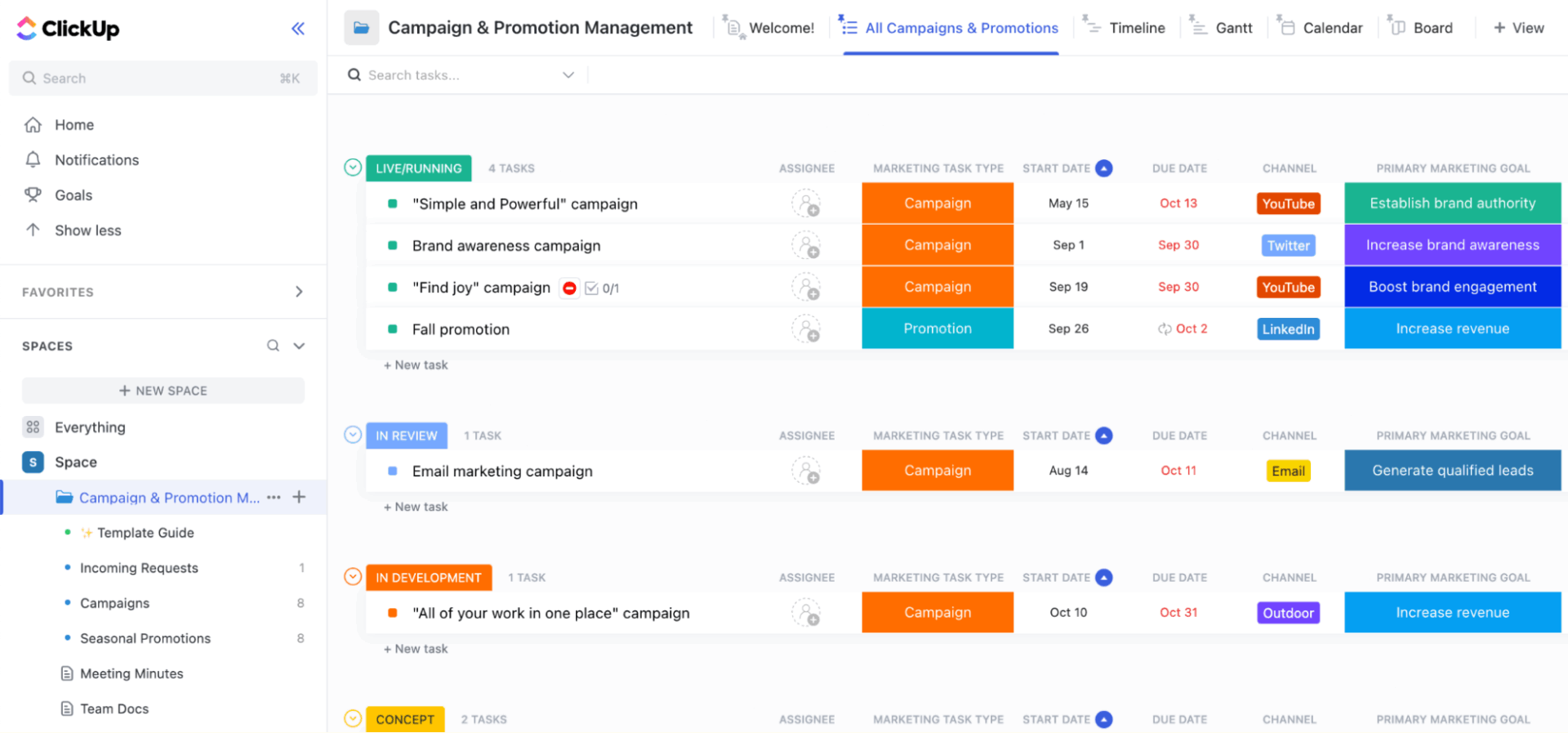
Tired of juggling promotional campaigns across multiple tools and documents? The ClickUp Campaign & Promotion Management Template provides a complete workspace to plan and track every promotional activity across paid, organic, and hybrid campaigns. It helps teams keep budgets, assets, approvals, and timelines aligned in one place so campaigns launch smoothly and without missing pieces.
What this template includes:
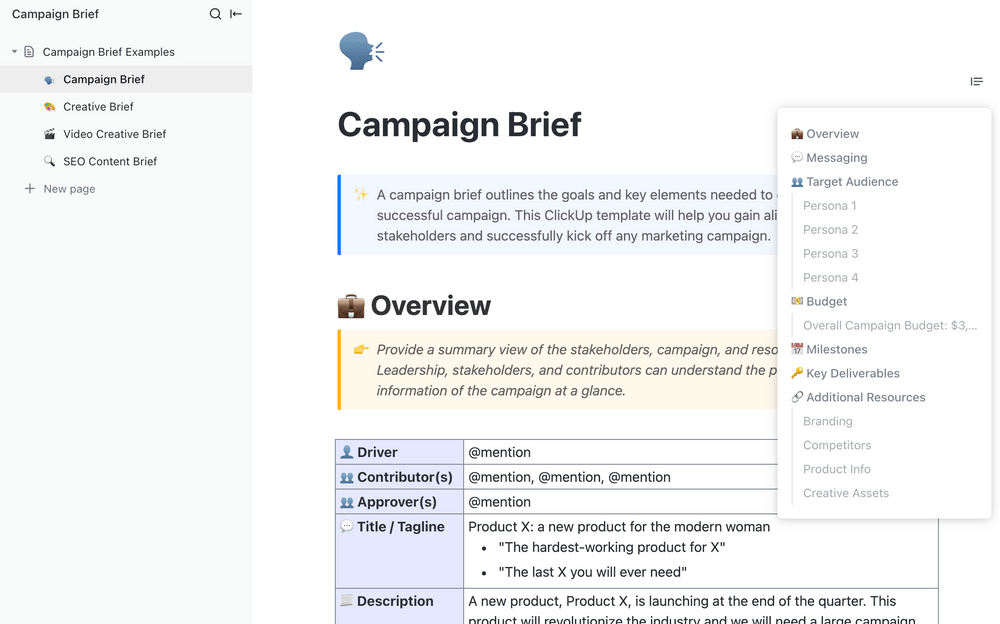
A clear strategy prevents costly rework. The ClickUp Campaign Brief Template helps teams align on campaign objectives, audience, and messaging before creative or media execution begins. It ensures all stakeholders share the same direction from the start.
What this template includes:
💡 Pro Tip: With ClickUp Enterprise Search, you can pull the latest budget notes, approvals, creative links, and campaign tasks from one search instead of digging through tabs.
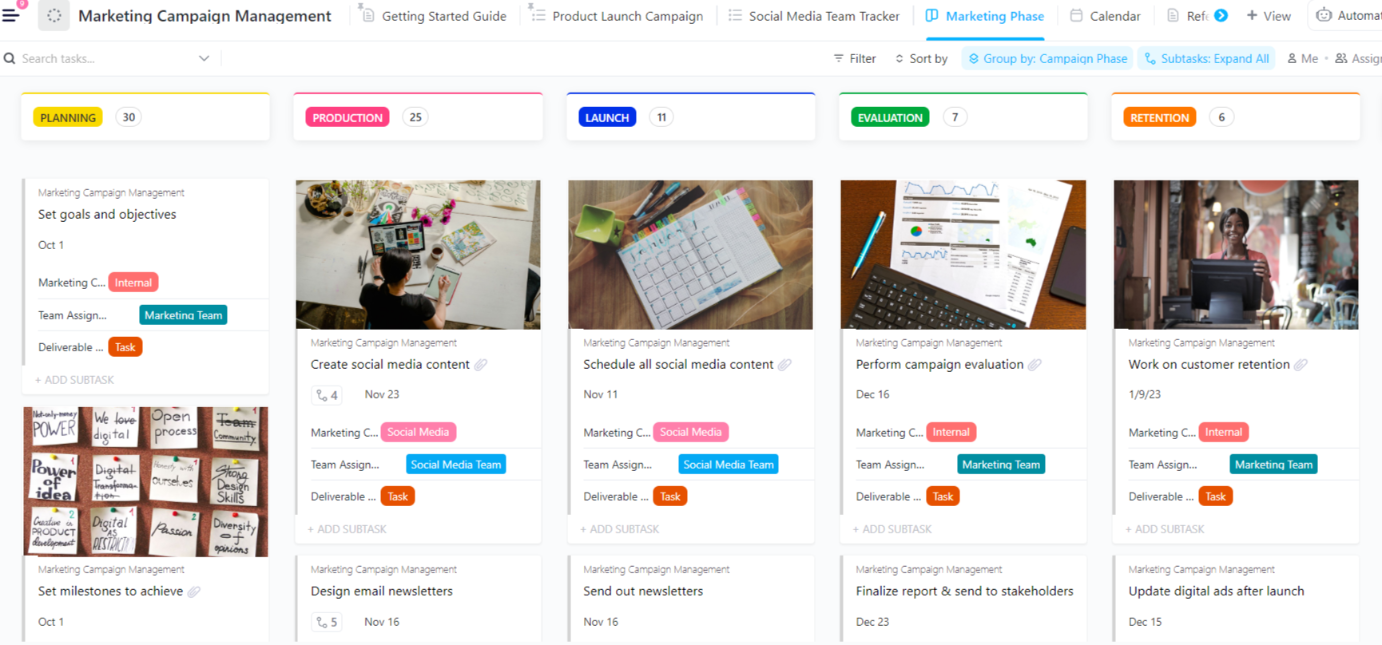
Is your media plan just a static document that’s outdated the moment you save it? This end-to-end ClickUp Marketing Campaign Management Template connects your strategy to execution, turning your plan into a living workflow. It’s ideal for marketing teams managing multiple concurrent campaigns who need complete visibility across the entire lifecycle, from ideation to post-campaign analysis.
What this template includes:
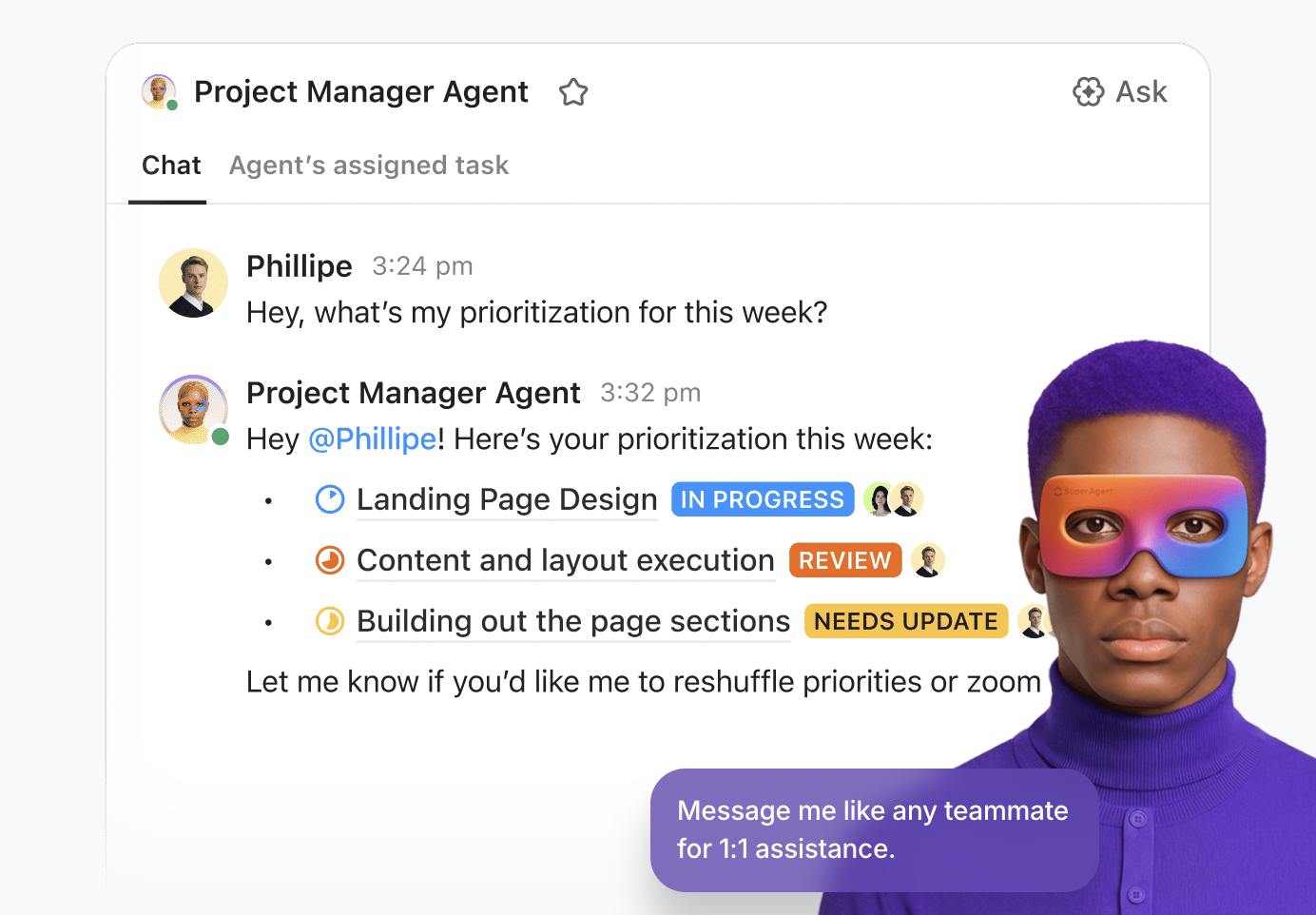
💡 Pro Tip: ClickUp Super Agents can take this further by monitoring pacing, overdue approvals, or missing creative, and automatically nudging owners or escalating blockers before launch dates slip.
The number of ads you can test is limited by how quickly you can produce and approve them. When you’re managing dozens of ad variations, it’s easy to lose track of which version is which. This ClickUp Advertisement Template removes that bottleneck by focusing on individual ad creation, tracking every creative asset, copy variation, and approval status for each ad unit.
It’s built for creative teams and media buyers who need to manage a high volume of ad variations across multiple platforms.
What this template includes:
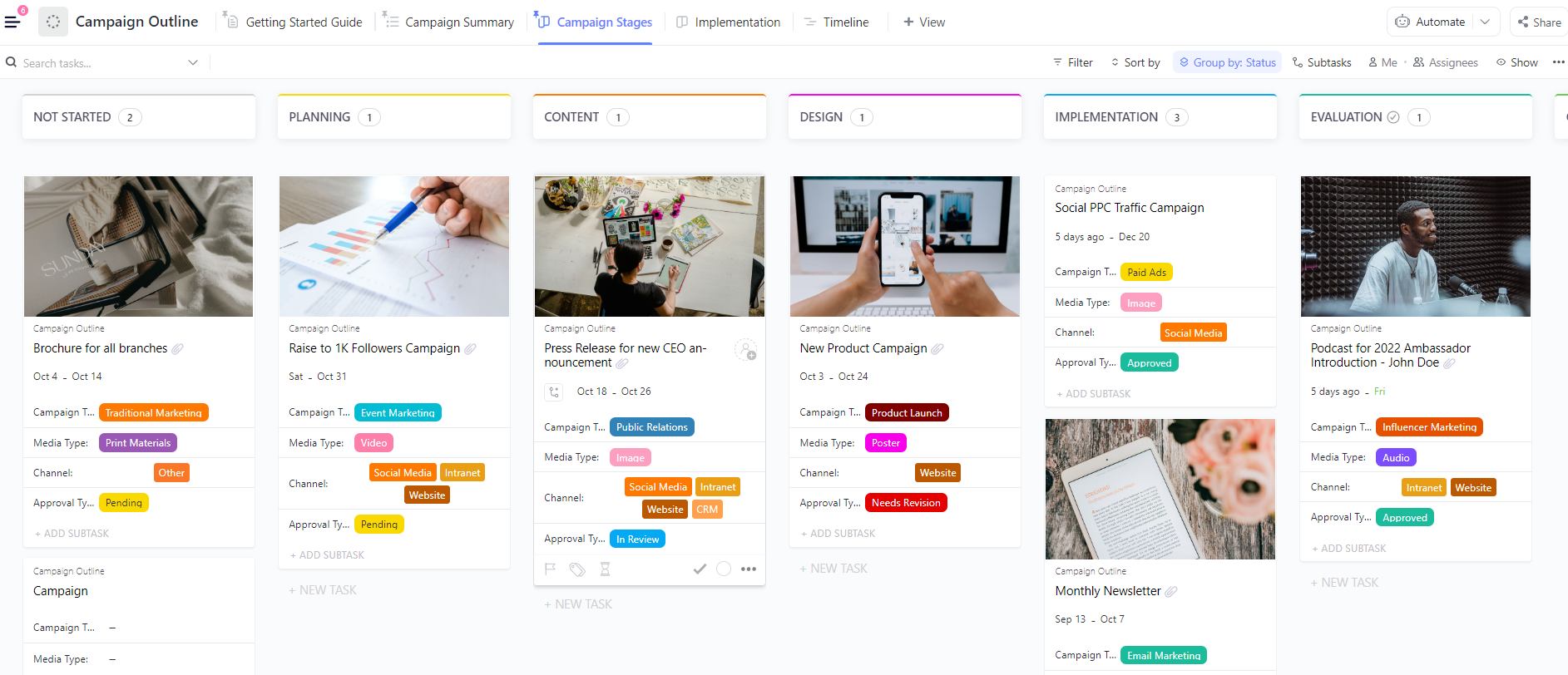
Before you get lost in the weeds of individual ad sets and keyword lists, you need the 30,000-foot view. This lightweight ClickUp Campaign Outline Template helps you map out your campaign structure before diving into detailed execution. It’s the “napkin sketch” that becomes the real plan, perfect for strategists and planners pitching a campaign internally or to a client.
Use it to quickly sketch out your campaign architecture, including channels, phases, and key milestones.
What this template includes:
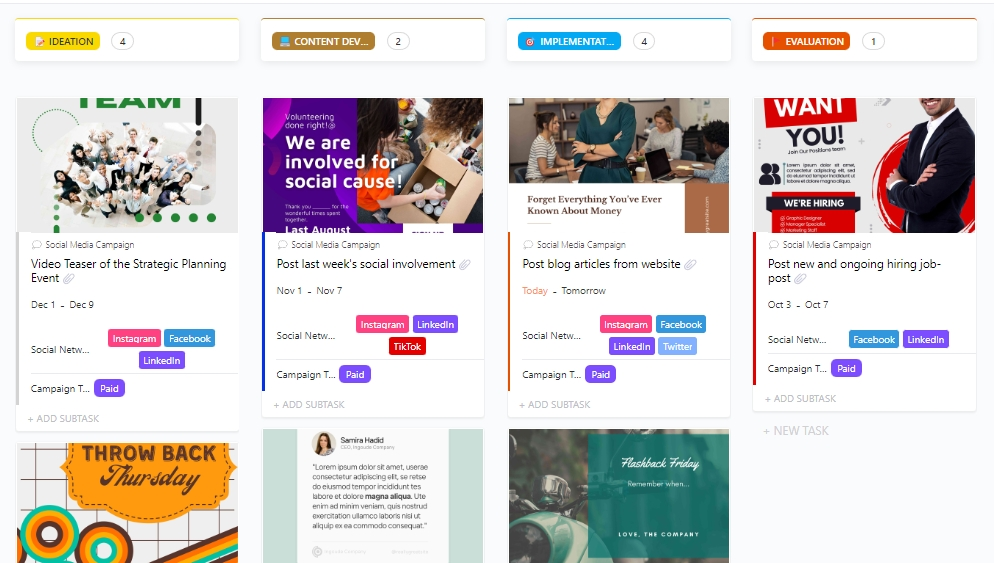
Organic and paid social shouldn’t live in separate universes. This ClickUp Social Media Campaign Template is tailored for running coordinated social media campaigns and keeping your boosted posts, sponsored content, and paid ads in a single unified view. It’s designed for social media managers and paid social specialists running campaigns across Meta, LinkedIn, TikTok, and X.
Paid social moves fast, and this template helps you keep up by centralizing your entire workflow.
What this template includes:
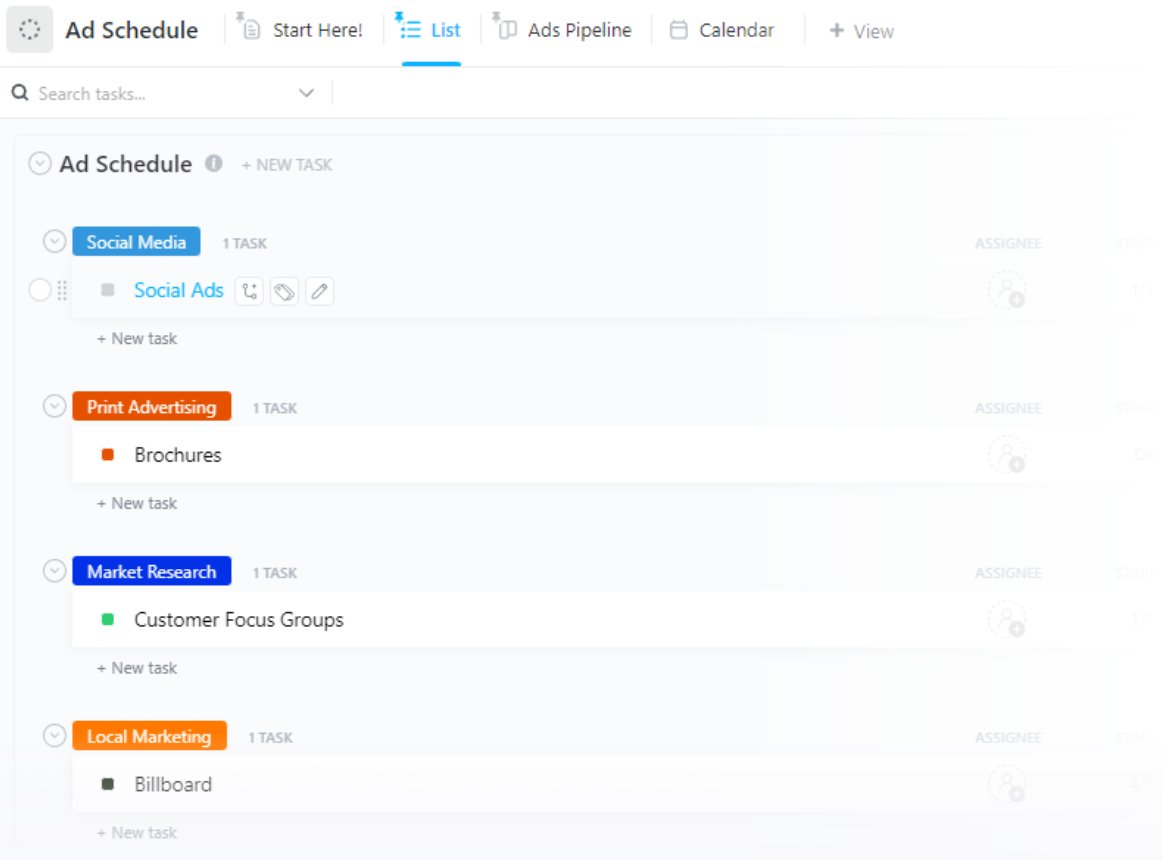
Your ad schedule should be the single source of truth—not a screenshot from Google Ads you Slacked to someone last week. This scheduling-focused ClickUp Ads Schedule Template gives you granular control over ad flight dates and channel timing. It’s built for media planners and buyers who need to know exactly what’s running, where, and when, without digging through multiple ad platform UIs.
Stop asking “what’s running when?” and get a clear answer in one place.
What this template includes:
A good report doesn’t just show numbers—it tells you what to do next. This reporting ClickUp PPC Campaign Report Template helps you document PPC campaign performance with clarity, turning raw platform data into a story that stakeholders can actually understand. It’s perfect for PPC managers and agencies who need to deliver clear, consistent reports to clients or internal teams.
Stop delivering data dumps and start providing actionable insights.
What this template includes:
Programmatic buying is powerful, but direct relationships still win premium placements. This ClickUp Media List Template helps you manage them. It’s a contact and placement management system for tracking media outlets, ad networks, publishers, and influencer partners. Media buyers and partnership managers can use it to organize outreach and placement opportunities systematically.
Keep your media buying contacts and direct placement options organized instead of buried in a spreadsheet.
What this template includes:
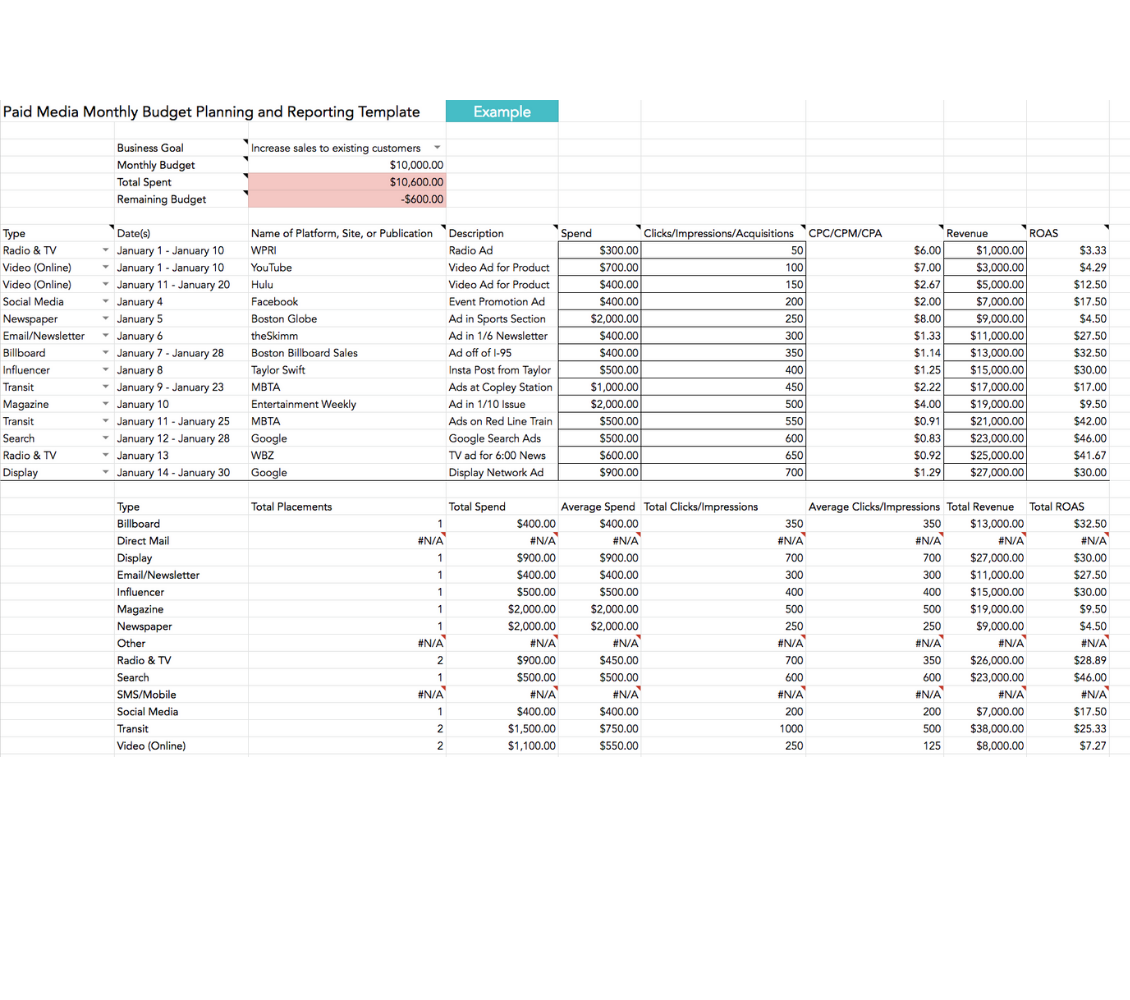
For teams who prefer static files or need a quick-start option without adopting new software, this spreadsheet-based Paid Media Template by HubSpot is a solid choice. It’s available as a downloadable Excel or Google Sheets file and provides a basic framework for planning.
What this template includes:
Having a template is a great start, but it’s useless if you don’t have a solid strategic process to fill it out. Too many marketers jump straight to tactics without a foundation. Follow these steps to build a paid media plan that actually drives results. 🛠️
📮 ClickUp Insight: Low-performing teams are 4 times more likely to juggle 15+ tools, while high-performing teams maintain efficiency by limiting their toolkit to 9 or fewer platforms. But how about using one platform?
As the everything app for work, ClickUp brings your tasks, projects, docs, wikis, chat, and calls under a single platform, complete with AI-powered workflows. Ready to work smarter? ClickUp works for every team, makes work visible, and allows you to focus on what matters while AI handles the rest.
🎥 As marketing becomes increasingly data-driven and complex, AI tools are transforming how teams plan, execute, and optimize campaigns. Watch this video to learn practical ways AI can enhance your marketing workflows, from campaign planning to performance analysis.
A paid media strategy template does more than organize information. It replaces scattered planning with a repeatable system that connects strategy to execution. Budget, creative, scheduling, and reporting stay aligned in one view instead of being spread across disconnected tools.
Whether you’re running a single campaign or managing a full media mix, a template removes the need to rebuild your plan each time and keeps the focus on decision-making. It also helps reduce Work Sprawl by keeping planning and execution connected, rather than fragmented across multiple systems.
The right template brings clarity, consistency, and speed to a process that is often complex. As competition increases, strong execution and process discipline matter as much as media buying itself.
You can start your next paid media campaign in ClickUp and use a unified workspace to keep strategy, execution, and tracking connected.
For B2B campaigns, you’ll want to customize your template’s audience fields for account-based targeting, add milestones to accommodate a longer sales cycle, and include lead quality metrics such as MQLs and SQLs. It’s also helpful to have sections for the content offers and nurture sequences that your paid campaigns will support.
A media plan template focuses on the “where and when” of your ads—channels, placements, and schedules. A paid media strategy template is broader, covering the “why and who” by including objectives, audience targeting, budget allocation, and creative requirements alongside the media plan.
Spreadsheets are fine for simple, one-off campaigns, but quickly break down when multiple collaborators or ongoing programs are involved. Project management templates connect your planning to execution, automate status updates, and keep your creative, scheduling, and reporting in one central workspace.
At a minimum, you should track impressions, clicks, click-through rate (CTR), conversions, cost per acquisition (CPA), and return on ad spend (ROAS). More advanced templates will also help you track budget pacing, creative performance by variant, and each channel’s contribution to your sales pipeline or revenue.

© 2026 ClickUp

There’s an easier way. Try a free AI Agent in ClickUp that actually does the work for you—set up in minutes, save hours every week.